climate control FORD BRONCO SPORT 2021 Owner's Manual
[x] Cancel search | Manufacturer: FORD, Model Year: 2021, Model line: BRONCO SPORT, Model: FORD BRONCO SPORT 2021Pages: 471, PDF Size: 7 MB
Page 169 of 471
AUTOMATIC TRANSMISSION
WARNING: Do not apply the brake
pedal and accelerator pedal
simultaneously. Applying both pedals
simultaneously for more than a few
seconds will limit engine performance,
which may result in difficulty maintaining
speed in traffic and could lead to serious
injury. WARNING:
When your vehicle is
stationary, keep the brake pedal fully
pressed when shifting gears. Failure to
follow this instruction could result in
personal injury, death or property
damage. WARNING:
Apply the parking
brake, shift into park (P), switch the
ignition off and remove the key before
you leave your vehicle. Failure to follow
this instruction could result in personal
injury or death.
Note: You may not be able to shift out of
park (P) unless the remote control is inside
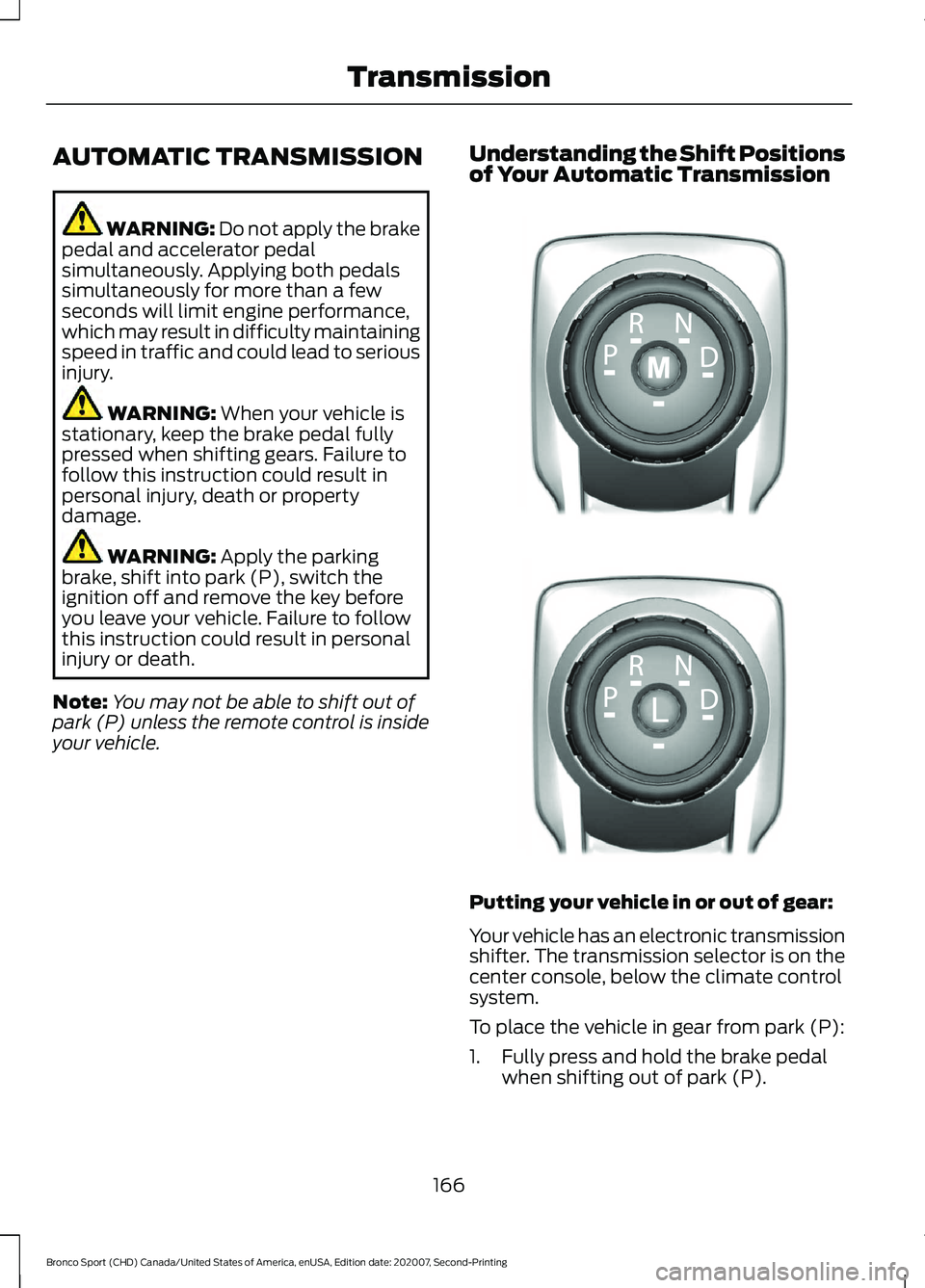
your vehicle. Understanding the Shift Positions
of Your Automatic Transmission
Putting your vehicle in or out of gear:
Your vehicle has an electronic transmission
shifter. The transmission selector is on the
center console, below the climate control
system.
To place the vehicle in gear from park (P):
1. Fully press and hold the brake pedal
when shifting out of park (P).
166
Bronco Sport (CHD) Canada/United States of America, enUSA, Edition date: 202007, Second-Printing TransmissionE322797 LE349178
Page 298 of 471
Engine
•
Change the engine oil and filter prior to
storage because used engine oil
contains contaminates which may
cause engine damage.
• Start the engine every 15 days for a
minimum of 15 minutes. Run at fast
idle with the climate controls set to
defrost until the engine reaches normal
operating temperature.
• With your foot on the brake, shift
through all the gears while the engine
is running.
• We recommend that you change the
engine oil before you use your vehicle
again.
Fuel system
• Fill the fuel tank with high-quality fuel
until the first automatic shutoff of the
fuel pump nozzle.
Cooling system
• Protect against freezing temperatures.
• When removing your vehicle from
storage, check coolant fluid level.
Confirm that there are no cooling
system leaks and that fluid is at the
recommended level.
Disconnecting Your 12 Volt Battery
• Check and recharge as necessary. Keep
connections clean.
• If storing your vehicle for more than 30
days without recharging the battery,
we recommend that you disconnect
the battery cables to maintain battery
charge for quick starting.
Note: It is necessary to reset memory
features if you disconnect the battery
cables. Brakes
•
Make sure the brakes and parking brake
release fully.
Tires
• Maintain recommended air pressure.
Miscellaneous
• Make sure all linkages, cables, levers
and pins under your vehicle are covered
with grease to prevent rust.
• Move vehicles at least 25 ft (7.5 m)
every 15 days to lubricate working parts
and prevent corrosion.
Removing Vehicle From Storage
When your vehicle is ready to come out of
storage, do the following:
• Wash your vehicle to remove any dirt
or grease film build-up on window
surfaces.
• Check windshield wipers for any
deterioration.
• Check under the hood for any foreign
material that may have collected
during storage such as mice or squirrel
nests.
• Check the exhaust for any foreign
material that may have collected
during storage.
• Check tire pressures and set tire
inflation per the Tire Label.
• Check brake pedal operation. Drive
your vehicle
15 ft (4.5 m) back and
forth to remove rust build-up.
• Check fluid levels (including coolant,
oil and gas) to make sure there are no
leaks, and fluids are at recommended
levels.
• If you remove the battery, clean the
battery cable ends and check for
damage.
295
Bronco Sport (CHD) Canada/United States of America, enUSA, Edition date: 202007, Second-Printing Vehicle Care
Page 302 of 471
TIRE CARE
Information About Uniform
Tire Quality Grading
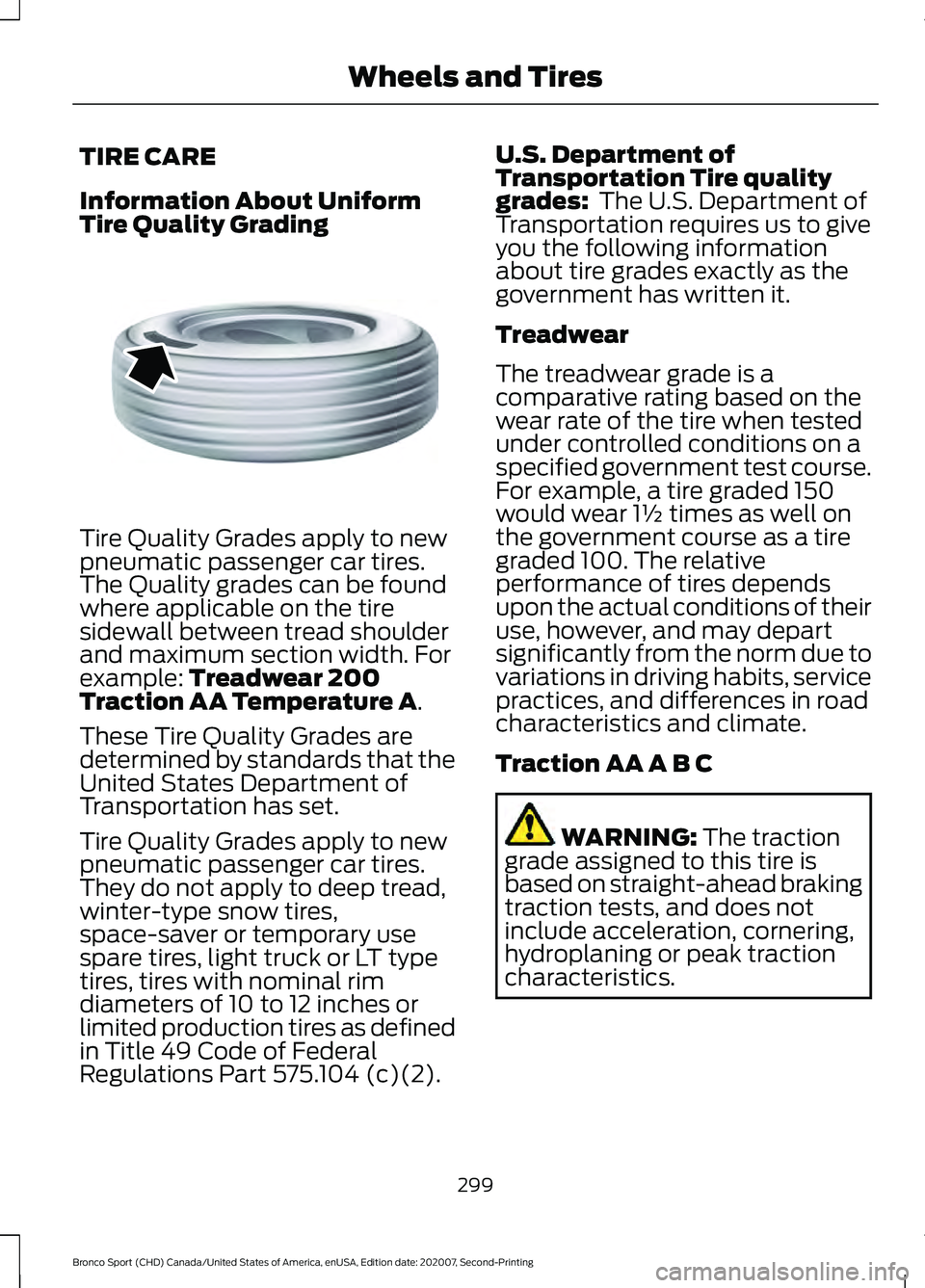
Tire Quality Grades apply to new
pneumatic passenger car tires.
The Quality grades can be found
where applicable on the tire
sidewall between tread shoulder
and maximum section width. For
example: Treadwear 200
Traction AA Temperature A.
These Tire Quality Grades are
determined by standards that the
United States Department of
Transportation has set.
Tire Quality Grades apply to new
pneumatic passenger car tires.
They do not apply to deep tread,
winter-type snow tires,
space-saver or temporary use
spare tires, light truck or LT type
tires, tires with nominal rim
diameters of 10 to 12 inches or
limited production tires as defined
in Title 49 Code of Federal
Regulations Part 575.104 (c)(2). U.S. Department of
Transportation Tire quality
grades:
The U.S. Department of
Transportation requires us to give
you the following information
about tire grades exactly as the
government has written it.
Treadwear
The treadwear grade is a
comparative rating based on the
wear rate of the tire when tested
under controlled conditions on a
specified government test course.
For example, a tire graded 150
would wear 1½ times as well on
the government course as a tire
graded 100. The relative
performance of tires depends
upon the actual conditions of their
use, however, and may depart
significantly from the norm due to
variations in driving habits, service
practices, and differences in road
characteristics and climate.
Traction AA A B C WARNING:
The traction
grade assigned to this tire is
based on straight-ahead braking
traction tests, and does not
include acceleration, cornering,
hydroplaning or peak traction
characteristics.
299
Bronco Sport (CHD) Canada/United States of America, enUSA, Edition date: 202007, Second-Printing Wheels and TiresE142542
Page 315 of 471
USING SNOW CHAINS
WARNING: Do not exceed 30 mph
(50 km/h). Failure to follow this
instruction could result in the loss of
control of your vehicle, personal injury or
death. WARNING:
Do not use snow chains
on snow-free roads. WARNING:
Only fit snow chains to
specified tires. WARNING:
If your vehicle is fitted
with wheel trims, remove them before
fitting snow chains. WARNING: If you choose to install
snow tires on your vehicle, they must be
the same size, construction, and load
range as the original tires listed on the
tire placard, and they must be installed
on all four wheels. Mixing tires of
different size or construction on your
vehicle can adversely affect your
vehicle's handling and braking, and may
lead to loss of vehicle control.
The tires on your vehicle have all-weather
treads to provide traction in rain and snow.
However, in some climates, you may need
to use snow tires and cables. If you need
to use cables, it is recommended that steel
wheels (of the same size and
specifications) be used, as cables may chip
aluminum wheels.
Follow these guidelines when using snow
tires and traction devices.
• If possible, avoid fully loading your
vehicle.
• Purchase chains or cables from a
manufacturer that clearly labels body
to tire dimension restrictions. •
Use 10 mm cables or chains only on
front axle with 225/65R17 and
225/60R18 tires.
• Not all S-class snow chains or cables
meet these restrictions. Chains of this
size restriction will include a tensioning
device.
• The snow chains or cables must be
mounted in pairs on the front axle.
• Do not use chains or cables on
235/65R17 tires.
• Install cables securely, verifying that
the cables do not touch any wiring,
brake lines or fuel lines.
• When driving with tire cables do not
exceed 30 mph (48 km/h) or the
maximum speed recommended by the
chain manufacturer, whichever is less.
• Drive cautiously. If you hear the cables
rub or bang against the vehicle, stop
and retighten them. If this does not
work, remove the cables to prevent
vehicle damage.
• Remove the cables when they are no
longer needed. Do not use cables on
dry roads.
If you have any questions regarding snow
chains or cables, please contact your
authorized dealer.
TIRE PRESSURE MONITORING
SYSTEM WARNING:
The tire pressure
monitoring system is not a substitute for
manually checking tire pressures. You
should periodically check tire pressures
using a pressure gauge. Failure to
correctly maintain tire pressures could
increase the risk of tire failure, loss of
control, vehicle rollover and personal
injury.
312
Bronco Sport (CHD) Canada/United States of America, enUSA, Edition date: 202007, Second-Printing Wheels and Tires
Page 355 of 471
Switching Automatic System Updates
On
Select the settings option on the
feature bar.
1. Select Automatic Updates.
2. Switch
Automatic System Updates
on.
The system is now set to check for and
receive system updates when it is
connected to a Wi-Fi network.
Note: You can use the system when a
download is in progress.
Note: If the system is disconnected from
the Wi-Fi network when a download is in
progress, the download continues the next
time the system is connected to a Wi-Fi
network.
Additional Information and
Assistance
For additional information and assistance,
we recommend that you contact an
authorized dealer or refer to the local Ford
website. USING VOICE RECOGNITION
The SYNC 3 system allows you to use voice
commands, to control features like audio
and climate controls. By using voice
commands, you can keep your hands on
the wheel and your eyes on the road.
You can access each feature controlled by
SYNC 3 through a variety of commands. To activate the SYNC 3 voice
commands push the voice
button on the steering wheel and
wait for the prompt.
___ is a dynamic listing, meaning that it can
be the name of anything, such as artist, the
name of contact or number. The context
and the description of the command tell
you what to say for this dynamic option.
There are some commands that work for
every feature, these commands are: Action and Description
Voice Command
Brings you to the main menu.
Main Menu
Returns you to the previous screen.
Go back
Ends the voice session.
Cancel
Gives you a list of possible voice commands.
List of Commands
You can name any feature and the system gives a list of
commands available for the feature. For example, you could
say:
___ List of Commands
Phone List of Commands
Navigation List of Commands
352
Bronco Sport (CHD) Canada/United States of America, enUSA, Edition date: 202007, Second-Printing SYNC™ 3E280315 E142599
Page 357 of 471
Description
Voice command
Play Audiobook ___ For USB audio only, you can say the name of an
artist, album, or a genre to browse by that selec-
tion. Your system must finish indexing before this
option is available. For example you can say
"Browse artist The Beatles" or "Browse genre
folk".
Browse ___
Browse Artist ___
Browse Album ___
Browse Genre ___
Browse Playlist ___
Browse Audiobook ___
Browse Podcast ___
1 This option may not be available in all markets or may require a subscription.
Climate Voice Commands (If Equipped)
You can control the temperature of the
vehicle using voice commands. ___ is a dynamic listing, meaning that for
climate voice commands it can be the
desired degrees for the temperature
setting.
To adjust the temperature, say: Description
Voice command
Adjust the temperature between 60–85°F
(15.5– 29.5°C).
Set the Temperature to ____
Phone Voice Commands
Pairing a Phone
You can use voice commands to connect
your Bluetooth enabled phone to the
system.
To pair your phone, press the voice button and when prompted, say: Description
Voice command
Follow the on-screen instructions to complete the pairingprocess. See
Settings (page 378).
Pair Phone
354
Bronco Sport (CHD) Canada/United States of America, enUSA, Edition date: 202007, Second-Printing SYNC™ 3
Page 362 of 471
Description
Voice command
The system does not confirm before placing a call.
Phone Confirmation Off
The system displays a short list of available commands.
Voice Command Lists On
The system does not display the list of commands.
Voice Command Lists Off
You can use the volume control to adjust
the volume of the system voice prompts.
While prompt is active, adjust the volume
control up or down to your desired setting.
Note: Depending on the current climate
control settings, the fan speed may
automatically go down while issuing voice
commands or while making and receiving
phone calls via SYNC to reduce the amount
of background noise in the vehicle. The fan
speed will automatically return to normal
operation once the voice session ends. You
can adjust the fan speed during a voice
session, simply press the fan buttons (or
turn the fan knob) to increase or decrease
the fan speed to the setting you prefer.
To disable this automatic fan speed
reduction feature during voice sessions,
press and hold the climate control AC and
Recirculated air buttons simultaneously,
release and then increase fan speed within
2 seconds. To re-enable this feature, repeat
the above sequence. ENTERTAINMENT Audio source. Select to choose
a different audio source.
A
Presets. Swipe left to view more
presets.
B
You can access these options using the
touchscreen or voice commands.
Sources
Press this button to select the source of
media you want to listen to.
359
Bronco Sport (CHD) Canada/United States of America, enUSA, Edition date: 202007, Second-Printing SYNC™ 3A
BE293491
Page 456 of 471
1
180 Degree Camera......................................191
Camera Views...................................................... 192
Using the System................................................ 192
4
4WD See: Four-Wheel Drive...................................... 172
9
911 Assist.............................................................51
A
A/C See: Climate Control - Vehicles With: Dual
Automatic Temperature Control
(DATC)................................................................ 121
See: Climate Control - Vehicles With: Electronic Automatic Temperature Control
(EATC)................................................................ 125
See: Climate Control - Vehicles With: Manual Temperature Control.................................... 129
About This Manual...........................................9
ABS See: Brakes............................................................ 176
ABS driving hints See: Hints on Driving With Anti-Lock
Brakes................................................................. 176
Accessories....................................................393
Accessories See: Replacement Parts
Recommendation............................................ 16
Adaptive Cruise Control
.............................195
Adaptive Cruise Control –
Troubleshooting............................................ 204
Adaptive Cruise Control Indicators........201 Intelligent Adaptive Cruise Control
Indicators......................................................... 202
Lane Centering Indicators............................... 201
Adaptive Cruise Control Limitations...................................................196
Lane Centering Limitations............................ 198
Sensor Limitations............................................. 196Adaptive Cruise Control
Precautions..................................................195
Hilly Condition Usage....................................... 196
Lane Centering Precautions........................... 196
When Following a Vehicle............................... 196
Adaptive Cruise Control – Troubleshooting
........................................204
Adaptive Cruise Control – Information
Messages......................................................... 204
Adjusting the Headlamps
........................284
Horizontal Aim Adjustment........................... 285
Vertical Aim Adjustment................................ 284
Adjusting the Luggage Compartment Divider...........................................................233
Divider Position................................................... 234
Folded Shelf Position....................................... 233
Full Shelf Position.............................................. 233
Storage Position................................................. 234
Table Position...................................................... 233
Adjusting the Luggage Compartment Load Floor
....................................................233
Adjusting the Set Speed Tolerance.....................................................204
Adjusting the Steering Wheel....................74
Airbag Disposal..............................................50
Air Conditioning See: Climate Control - Vehicles With: Dual
Automatic Temperature Control
(DATC)................................................................ 121
See: Climate Control - Vehicles With: Electronic Automatic Temperature Control
(EATC)................................................................ 125
See: Climate Control - Vehicles With: Manual Temperature Control.................................... 129
Air Conditioning System Capacity and Specification - 1.5L EcoBoost™..........334
Air Conditioning System Capacity and Specification - 2.0L EcoBoost™.........333
Air Filter See: Changing the Engine Air Filter.............276
Alarm See: Anti-Theft Alarm......................................... 72
Ambient Lighting...........................................85 Adjusting the Brightness................................... 85
Switching Ambient Lighting Off..................... 85
Switching Ambient Lighting On..................... 85
Anti-Theft Alarm
.............................................72
Arming the Alarm................................................. 73
453
Bronco Sport (CHD) Canada/United States of America, enUSA, Edition date: 202007, Second-Printing Index
Page 458 of 471
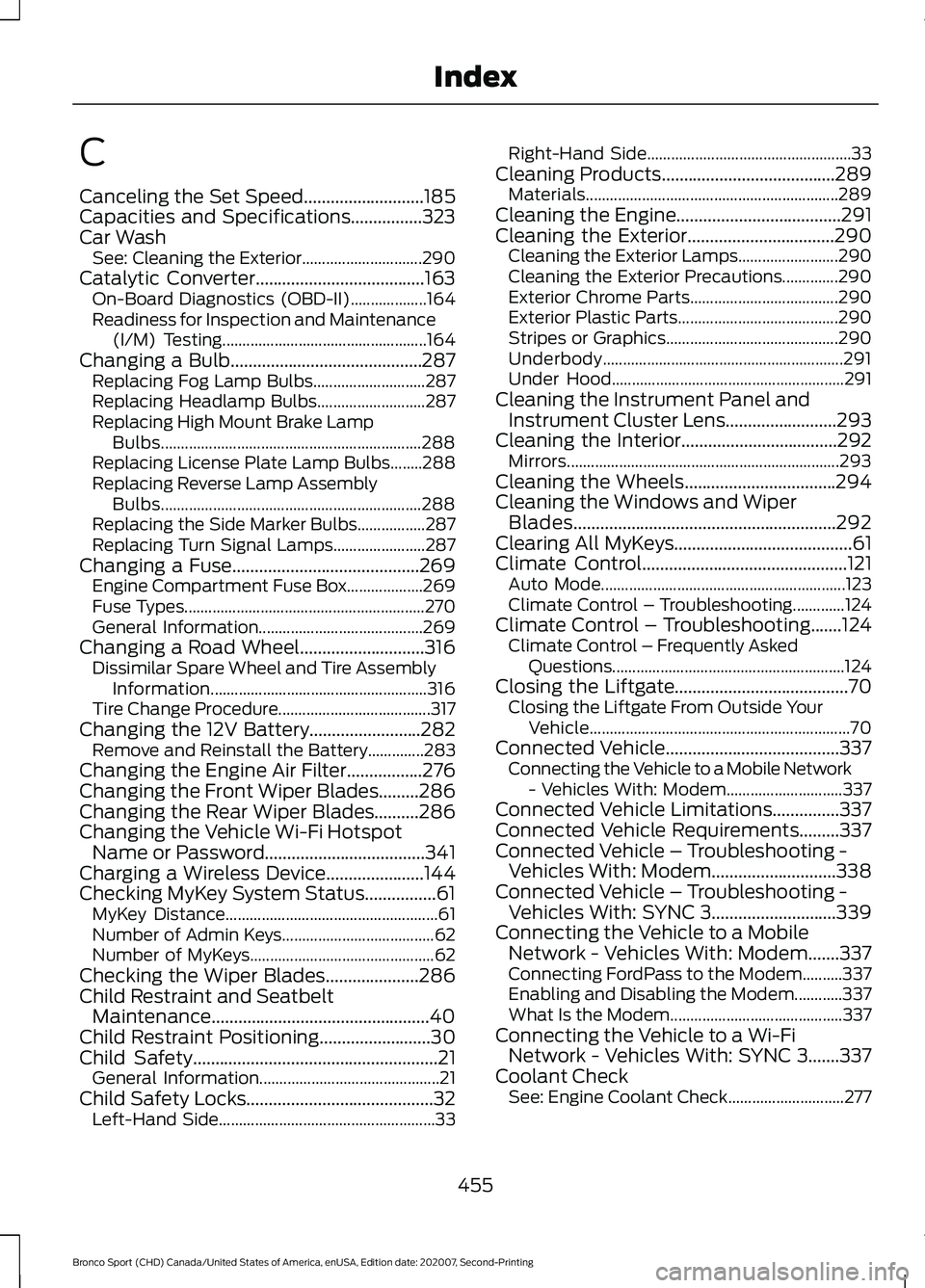
C
Canceling the Set Speed...........................185
Capacities and Specifications................323
Car Wash
See: Cleaning the Exterior.............................. 290
Catalytic Converter......................................163 On-Board Diagnostics (OBD-II)................... 164
Readiness for Inspection and Maintenance (I/M) Testing................................................... 164
Changing a Bulb...........................................287 Replacing Fog Lamp Bulbs............................ 287
Replacing Headlamp Bulbs........................... 287
Replacing High Mount Brake Lamp Bulbs................................................................. 288
Replacing License Plate Lamp Bulbs........288
Replacing Reverse Lamp Assembly Bulbs................................................................. 288
Replacing the Side Marker Bulbs.................287
Replacing Turn Signal Lamps....................... 287
Changing a Fuse..........................................269
Engine Compartment Fuse Box................... 269
Fuse Types............................................................ 270
General Information......................................... 269
Changing a Road Wheel............................316 Dissimilar Spare Wheel and Tire Assembly
Information...................................................... 316
Tire Change Procedure...................................... 317
Changing the 12V Battery.........................282 Remove and Reinstall the Battery..............283
Changing the Engine Air Filter
.................276
Changing the Front Wiper Blades.........286
Changing the Rear Wiper Blades..........286
Changing the Vehicle Wi-Fi Hotspot Name or Password
....................................341
Charging a Wireless Device......................144
Checking MyKey System Status................61 MyKey Distance..................................................... 61
Number of Admin Keys...................................... 62
Number of MyKeys.............................................. 62
Checking the Wiper Blades.....................286
Child Restraint and Seatbelt Maintenance.................................................40
Child Restraint Positioning
.........................30
Child Safety.......................................................21
General Information............................................. 21
Child Safety Locks..........................................32 Left-Hand Side...................................................... 33Right-Hand Side...................................................
33
Cleaning Products
.......................................289
Materials............................................................... 289
Cleaning the Engine
.....................................291
Cleaning the Exterior.................................290 Cleaning the Exterior Lamps......................... 290
Cleaning the Exterior Precautions..............290
Exterior Chrome Parts..................................... 290
Exterior Plastic Parts........................................ 290
Stripes or Graphics........................................... 290
Underbody............................................................ 291
Under Hood.......................................................... 291
Cleaning the Instrument Panel and Instrument Cluster Lens.........................293
Cleaning the Interior...................................292 Mirrors.................................................................... 293
Cleaning the Wheels..................................294
Cleaning the Windows and Wiper Blades...........................................................292
Clearing All MyKeys
........................................61
Climate Control..............................................121
Auto Mode............................................................. 123
Climate Control – Troubleshooting.............124
Climate Control – Troubleshooting
.......124
Climate Control – Frequently Asked
Questions.......................................................... 124
Closing the Liftgate
.......................................70
Closing the Liftgate From Outside Your
Vehicle................................................................. 70
Connected Vehicle
.......................................337
Connecting the Vehicle to a Mobile Network
- Vehicles With: Modem............................. 337
Connected Vehicle Limitations
...............337
Connected Vehicle Requirements.........337
Connected Vehicle – Troubleshooting - Vehicles With: Modem............................338
Connected Vehicle – Troubleshooting - Vehicles With: SYNC 3............................339
Connecting the Vehicle to a Mobile Network - Vehicles With: Modem.......337
Connecting FordPass to the Modem..........337
Enabling and Disabling the Modem............337
What Is the Modem........................................... 337
Connecting the Vehicle to a Wi-Fi Network - Vehicles With: SYNC 3
.......337
Coolant Check See: Engine Coolant Check............................. 277
455
Bronco Sport (CHD) Canada/United States of America, enUSA, Edition date: 202007, Second-Printing Index
Page 460 of 471
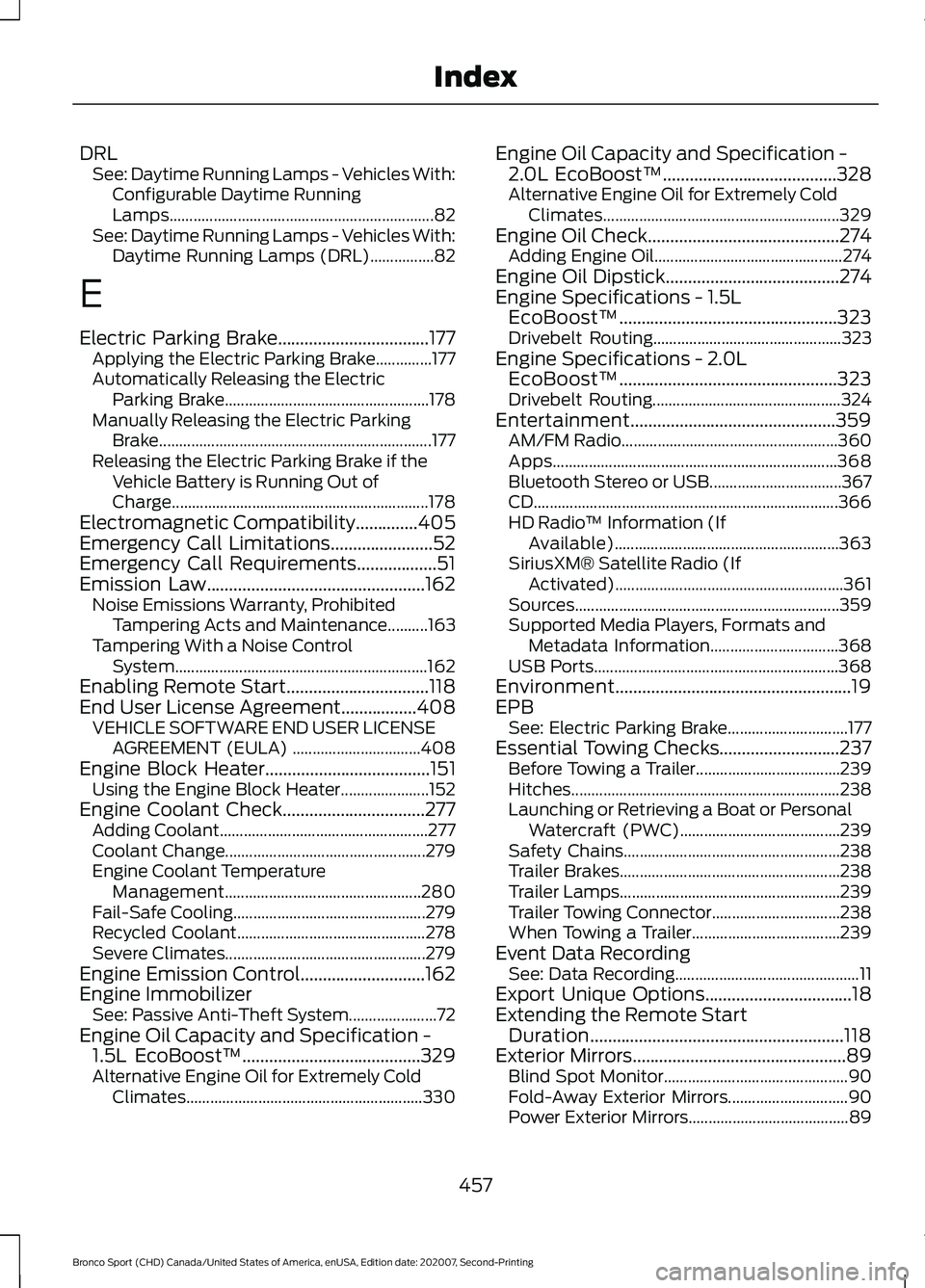
DRL
See: Daytime Running Lamps - Vehicles With:
Configurable Daytime Running
Lamps.................................................................. 82
See: Daytime Running Lamps - Vehicles With: Daytime Running Lamps (DRL)................82
E
Electric Parking Brake..................................177 Applying the Electric Parking Brake..............177
Automatically Releasing the Electric
Parking Brake................................................... 178
Manually Releasing the Electric Parking Brake.................................................................... 177
Releasing the Electric Parking Brake if the Vehicle Battery is Running Out of
Charge................................................................ 178
Electromagnetic Compatibility..............405
Emergency Call Limitations.......................52
Emergency Call Requirements..................51
Emission Law
.................................................162
Noise Emissions Warranty, Prohibited
Tampering Acts and Maintenance..........163
Tampering With a Noise Control System............................................................... 162
Enabling Remote Start
................................118
End User License Agreement.................408 VEHICLE SOFTWARE END USER LICENSE
AGREEMENT (EULA) ................................ 408
Engine Block Heater
.....................................151
Using the Engine Block Heater...................... 152
Engine Coolant Check
................................277
Adding Coolant.................................................... 277
Coolant Change.................................................. 279
Engine Coolant Temperature Management................................................. 280
Fail-Safe Cooling................................................ 279
Recycled Coolant............................................... 278
Severe Climates.................................................. 279
Engine Emission Control............................162
Engine Immobilizer See: Passive Anti-Theft System...................... 72
Engine Oil Capacity and Specification - 1.5L EcoBoost™........................................329
Alternative Engine Oil for Extremely Cold Climates........................................................... 330Engine Oil Capacity and Specification -
2.0L EcoBoost™.......................................328
Alternative Engine Oil for Extremely Cold Climates........................................................... 329
Engine Oil Check
...........................................274
Adding Engine Oil............................................... 274
Engine Oil Dipstick.......................................274
Engine Specifications - 1.5L EcoBoost™.................................................323
Drivebelt Routing............................................... 323
Engine Specifications - 2.0L EcoBoost™.................................................323
Drivebelt Routing............................................... 324
Entertainment..............................................359 AM/FM Radio...................................................... 360
Apps....................................................................... 368
Bluetooth Stereo or USB................................. 367
CD........................................................................\
.... 366
HD Radio ™ Information (If
Available)........................................................ 363
SiriusXM® Satellite Radio (If Activated)......................................................... 361
Sources.................................................................. 359
Supported Media Players, Formats and Metadata Information................................ 368
USB Ports............................................................. 368
Environment.....................................................19
EPB See: Electric Parking Brake.............................. 177
Essential Towing Checks...........................237 Before Towing a Trailer.................................... 239
Hitches................................................................... 238
Launching or Retrieving a Boat or Personal Watercraft (PWC)........................................ 239
Safety Chains...................................................... 238
Trailer Brakes....................................................... 238
Trailer Lamps....................................................... 239
Trailer Towing Connector................................ 238
When Towing a Trailer..................................... 239
Event Data Recording See: Data Recording.............................................. 11
Export Unique Options
.................................18
Extending the Remote Start Duration.........................................................118
Exterior Mirrors
................................................89
Blind Spot Monitor.............................................. 90
Fold-Away Exterior Mirrors.............................. 90
Power Exterior Mirrors........................................ 89
457
Bronco Sport (CHD) Canada/United States of America, enUSA, Edition date: 202007, Second-Printing Index