key FORD BRONCO SPORT 2021 Service Manual
[x] Cancel search | Manufacturer: FORD, Model Year: 2021, Model line: BRONCO SPORT, Model: FORD BRONCO SPORT 2021Pages: 471, PDF Size: 7 MB
Page 156 of 471
AUTO-START-STOP
The system helps reduce fuel consumption
by automatically shutting off and restarting
the engine while your vehicle is stopped.
The engine restarts when you release the
brake pedal. Your vehicle may restart in
some situations, for example:
•
To maintain interior comfort.
• To recharge the battery.
Note: Power assist steering is turned off
when the engine is off. WARNING: Apply the parking
brake, shift into park (P), switch the
ignition off and remove the key before
you open the hood or have any service
or repair work completed. If you do not
switch the ignition off, the engine could
restart at any time. Failure to follow this
instruction could result in personal injury
or death. WARNING:
The system may
require the engine to automatically
restart when the auto-start-stop
indicator illuminates green or flashes
amber. Failure to follow this instruction
could result in personal injury.
The Auto-Start-Stop system status is
available at a glance within the information
display. See Information Displays (page
99
).
Enabling Auto-Start-Stop
The system is enabled every time you start
your vehicle if the following conditions are
met:
• You do not press the Auto-Start-Stop
button.
• Your vehicle exceeds an initial speed
of
3 mph (5 km/h) after the vehicle
initially starts. •
Your vehicle is stopped.
• Your foot is on the brake pedal.
• The transmission is in drive (D).
• The driver door is closed.
• There is adequate brake vacuum.
• The interior compartment has cooled
or warmed to an acceptable level.
• The front windshield defroster is off.
• The steering wheel is not being turned.
• The vehicle is not on a steep road
slope.
• The battery is within optimal operating
conditions, such as battery state of
charge and temperature in range.
• The engine coolant is at operating
temperature.
• Your vehicle is not being driven at a
high altitude.
• The ambient temperature is moderate. The green Auto-Start-Stop
indicator light on the instrument
cluster illuminates to indicate
when the automatic engine stop occurs. If the instrument cluster has a
grey Auto-Start-Stop indicator
light, it illuminates when
automatic engine stop is not available due
to one of the above noted conditions not
being met.
Automatic Engine Restart
Any of the following conditions results in
an automatic restart of the engine if:
• You remove your foot from the brake
pedal.
• You press the accelerator pedal.
• You press the accelerator and the
brake pedal at the same time.
• The driver seatbelt becomes
unfastened or the driver door is ajar.
153
Bronco Sport (CHD) Canada/United States of America, enUSA, Edition date: 202007, Second-Printing Unique Driving Characteristics E146361
Page 168 of 471
Your vehicle may not pass the I/M test if
the service engine soon indicator is on or
not working properly (bulb is burned out),
or if the OBD-II system has determined
that some of the emission control systems
have not been properly checked. In this
case, the vehicle is not ready for I/M
testing.
If the vehicle
’s engine or transmission has
just been serviced, or the battery has
recently run down or been replaced, the
OBD-II system may indicate that the
vehicle is not ready for I/M testing. To
determine if the vehicle is ready for I/M
testing, turn the ignition key to the on
position for 15 seconds without cranking
the engine. If the service engine soon
indicator blinks eight times, it means that
the vehicle is not ready for I/M testing; if
the service engine soon indicator stays on
solid, it means that your vehicle is ready
for I/M testing.
The OBD-II system checks the emission
control system during normal driving. A
complete check may take several days.
If the vehicle is not ready for I/M testing,
you can perform the following driving cycle
consisting of mixed city and highway
driving:
1. 15 minutes of steady driving on an expressway or highway followed by 20
minutes of stop-and-go driving with at
least four 30-second idle periods.
2. Allow your vehicle to sit for at least eight hours with the ignition off. Then,
start the vehicle and complete the
above driving cycle. The vehicle must
warm up to its normal operating
temperature. Once started, do not turn
off the vehicle until the above driving
cycle is complete.
If the vehicle is still not ready for I/M
testing, you need to repeat the above
driving cycle.
165
Bronco Sport (CHD) Canada/United States of America, enUSA, Edition date: 202007, Second-Printing Engine Emission Control
Page 169 of 471
AUTOMATIC TRANSMISSION
WARNING: Do not apply the brake
pedal and accelerator pedal
simultaneously. Applying both pedals
simultaneously for more than a few
seconds will limit engine performance,
which may result in difficulty maintaining
speed in traffic and could lead to serious
injury. WARNING:
When your vehicle is
stationary, keep the brake pedal fully
pressed when shifting gears. Failure to
follow this instruction could result in
personal injury, death or property
damage. WARNING:
Apply the parking
brake, shift into park (P), switch the
ignition off and remove the key before
you leave your vehicle. Failure to follow
this instruction could result in personal
injury or death.
Note: You may not be able to shift out of
park (P) unless the remote control is inside
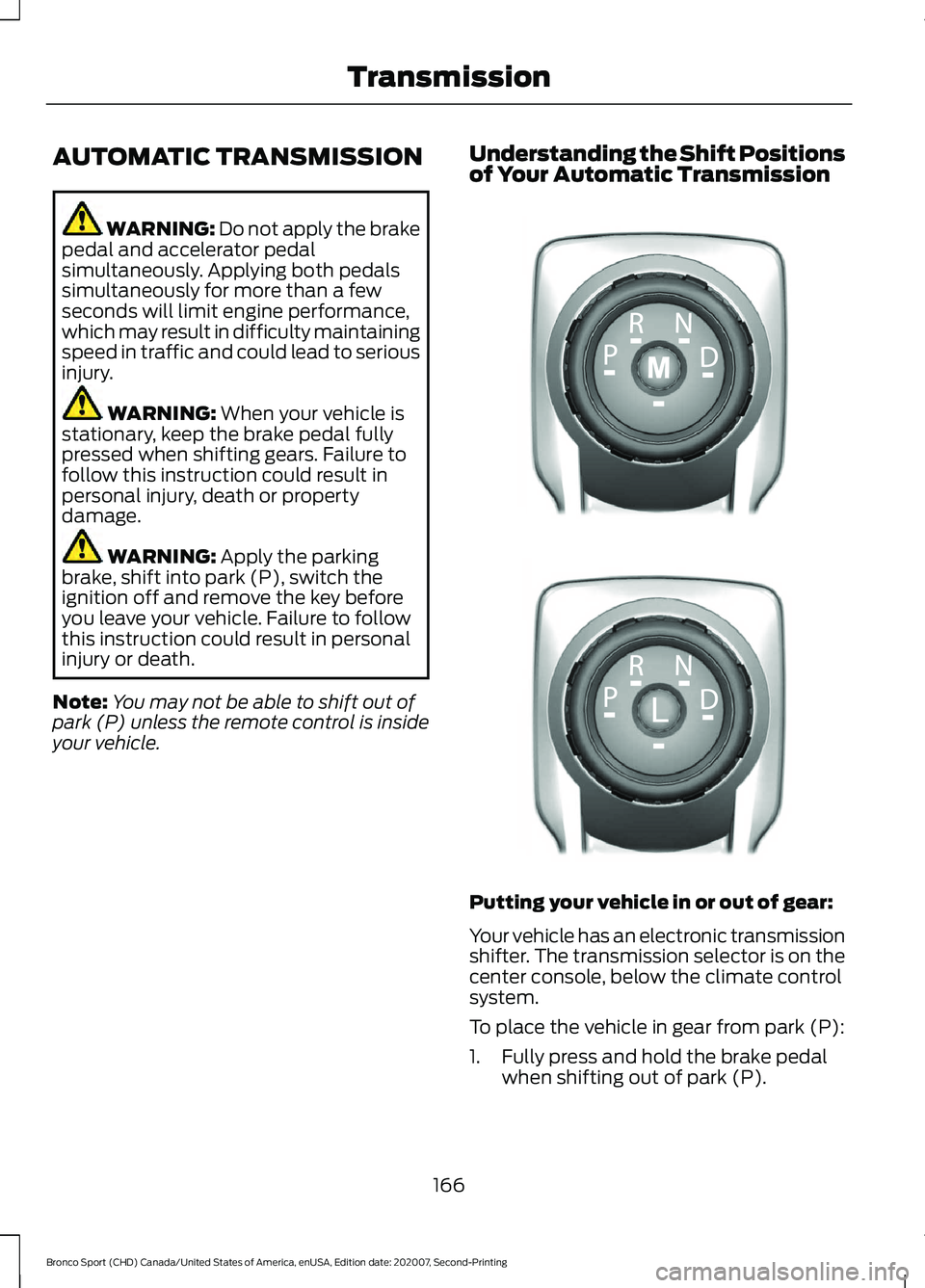
your vehicle. Understanding the Shift Positions
of Your Automatic Transmission
Putting your vehicle in or out of gear:
Your vehicle has an electronic transmission
shifter. The transmission selector is on the
center console, below the climate control
system.
To place the vehicle in gear from park (P):
1. Fully press and hold the brake pedal
when shifting out of park (P).
166
Bronco Sport (CHD) Canada/United States of America, enUSA, Edition date: 202007, Second-Printing TransmissionE322797 LE349178
Page 171 of 471
In manual (M), press the manual (M)
button to switch the feature off and return
to drive (D).
Note:
The shift schedule can change with
drive modes. Using drive modes could
change when you can shift into the
requested gear. See Drive Mode Control
(page 223).
Automatic Return to Park
Note: This feature does not operate when
your vehicle is in stay in neutral (N).
Your vehicle has a feature that shifts your
vehicle into park (P) when any of the
following conditions occur:
• You switch the vehicle off.
• You open the driver door with your
seatbelt unlatched.
• You unlatch your seatbelt when the
driver door is open.
If you switch your vehicle off when moving,
the vehicle first shifts into neutral (N) until
it slows down enough to shift into park (P).
Note: If you have waited for more than two
minutes before starting your vehicle,
unlatching your seatbelt causes this feature
to activate, even with the driver door closed.
Note: This feature may not work properly
if the door ajar switch is malfunctioning. If
your door ajar indicator does not illuminate
when you open the driver door or the
indicator illuminates with the driver door
closed, see your authorized dealer.
Stay in Neutral Mode
Stay in neutral mode allows your vehicle
to stay in neutral when you exit your
vehicle. Your vehicle must be stationary to
enter this mode.
Do not tow your vehicle in this mode. Note:
Stay in neutral is a temporary vehicle
state with the ignition off. Once in this
mode, sufficient battery voltage must be
maintained or your vehicle returns to park.
Not maintaining sufficient battery voltage
could damage the battery which the vehicle
warranty would not cover.
Note: When entering an automatic car
wash, always shift to neutral (N). If you are
exiting the vehicle before the car wash, stay
in neutral mode is available.
To enter stay in neutral mode
1. Bring your vehicle to a complete stop.
2. With the key ON and the engine running, press and hold the brake
pedal.
3. Shift in neutral (N).
Note: When in neutral (N), a message
appears in the display screen informing you
how to access stay in neutral mode.
4. Press the manual (M), or low (L) button in the middle of the
transmission selector to enter stay in
neutral mode.
Note: A message appears in the display
screen confirming your vehicle is in stay in
neutral mode. The neutral (N) indicator light
on the transmission selector slowly flashes.
5. Release the brake pedal.
6. Switch the ignition off.
To exit stay in neutral mode, place your
foot on the brake pedal and shift into park
(P), or start the engine and shift into drive
(D) or reverse (R).
168
Bronco Sport (CHD) Canada/United States of America, enUSA, Edition date: 202007, Second-Printing Transmission
Page 172 of 471
Manual Park Release
WARNING: When doing this
procedure, you need to take the
transmission out of park (P) which
means your vehicle can roll freely. To
avoid unwanted vehicle movement,
always fully apply the parking brake prior
to doing this procedure. Use wheel
chocks if appropriate. WARNING:
If the parking brake is
fully released, but the brake warning
lamp remains illuminated, the brakes
may not be working properly. Have your
vehicle checked as soon as possible. WARNING:
Do not drive your
vehicle until you verify that the
stoplamps are working.
Use the manual park release to move your
transmission from the park (P) position in
the event of an electrical malfunction or
emergency.
Activating the Manual Park Release
Cable
1. Apply the parking brake. See Electric
Parking Brake
(page 177).
Note: If the vehicle battery is dead, for
example, no electrical power is available,
you could use an external power source to
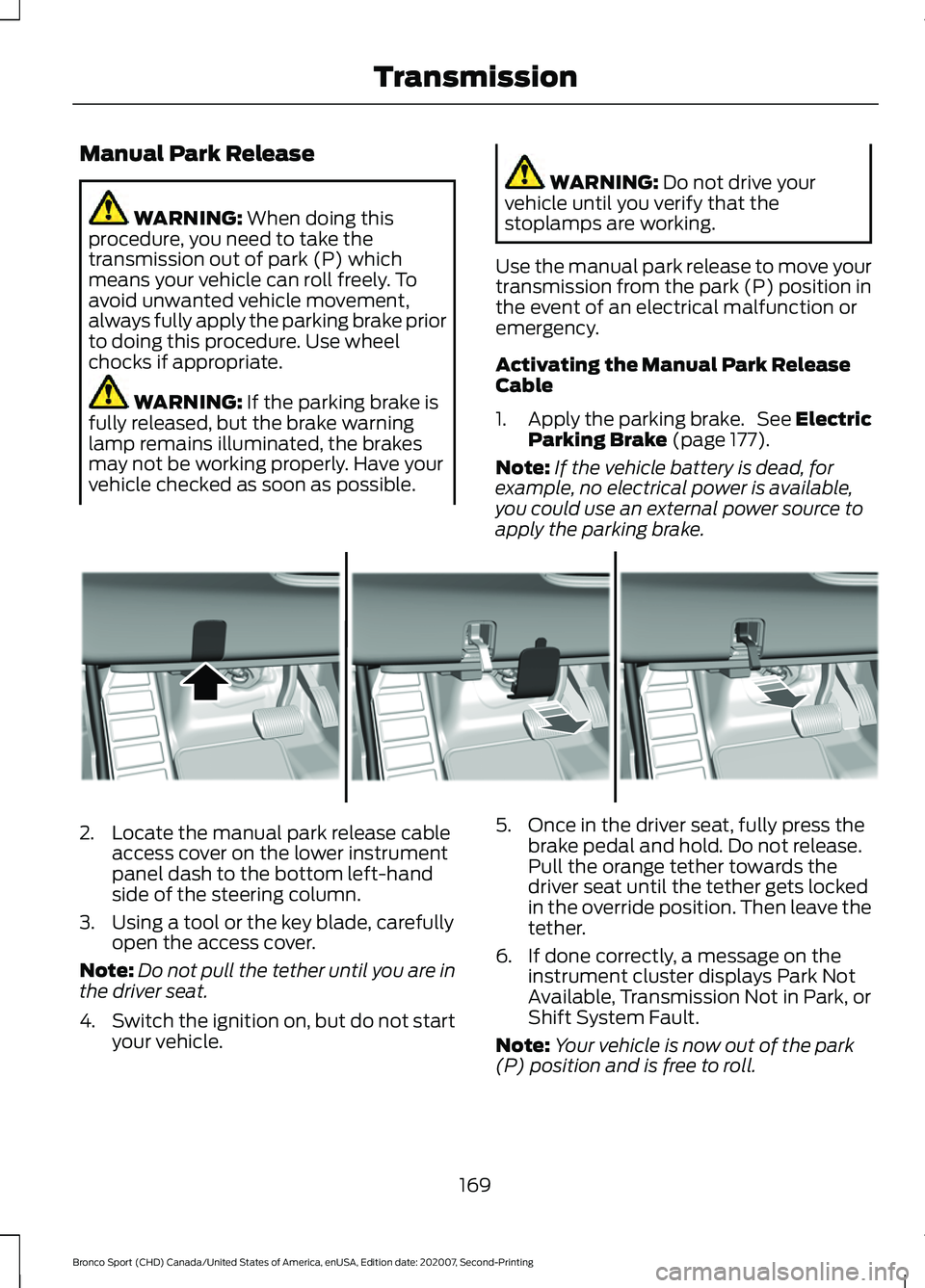
apply the parking brake. 2. Locate the manual park release cable
access cover on the lower instrument
panel dash to the bottom left-hand
side of the steering column.
3. Using a tool or the key blade, carefully open the access cover.
Note: Do not pull the tether until you are in
the driver seat.
4. Switch the ignition on, but do not start
your vehicle. 5. Once in the driver seat, fully press the
brake pedal and hold. Do not release.
Pull the orange tether towards the
driver seat until the tether gets locked
in the override position. Then leave the
tether.
6. If done correctly, a message on the instrument cluster displays Park Not
Available, Transmission Not in Park, or
Shift System Fault.
Note: Your vehicle is now out of the park
(P) position and is free to roll.
169
Bronco Sport (CHD) Canada/United States of America, enUSA, Edition date: 202007, Second-Printing TransmissionE307867
Page 175 of 471
PRINCIPLE OF OPERATION
This system is a proactive system. It has
the ability to anticipate wheel slip and
transfer torque to the rear wheels before
slip occurs. Even when wheel slip is not
present, the system is continuously making
adjustments to the torque distribution, in
an attempt to improve straight line and
cornering behavior, both on and off road.
The system automatically turns on every
time you switch the ignition on.
If any component requires maintenance,
a message appears in the information
display.
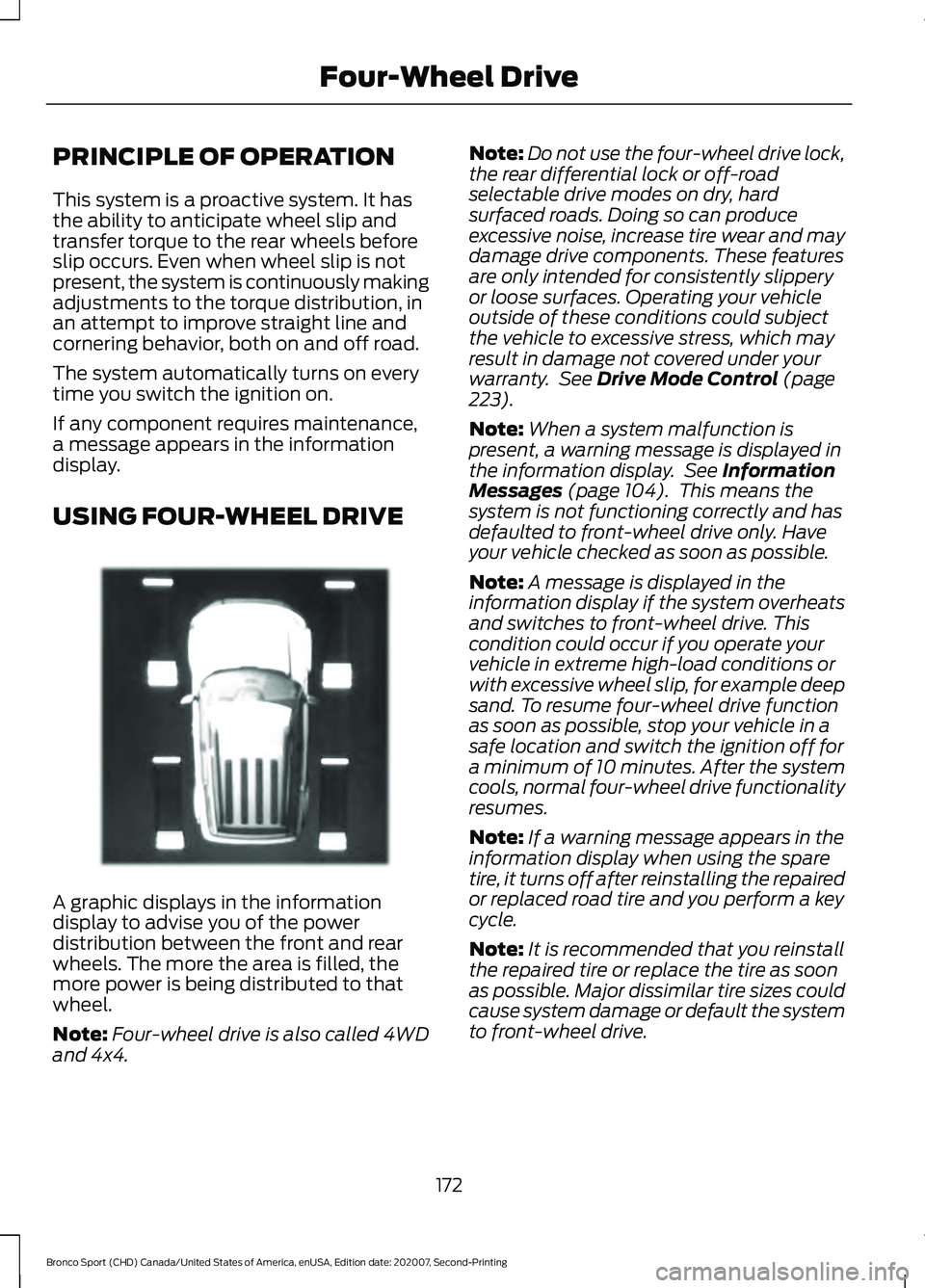
USING FOUR-WHEEL DRIVE
A graphic displays in the information
display to advise you of the power
distribution between the front and rear
wheels. The more the area is filled, the
more power is being distributed to that
wheel.
Note:
Four-wheel drive is also called 4WD
and 4x4. Note:
Do not use the four-wheel drive lock,
the rear differential lock or off-road
selectable drive modes on dry, hard
surfaced roads. Doing so can produce
excessive noise, increase tire wear and may
damage drive components. These features
are only intended for consistently slippery
or loose surfaces. Operating your vehicle
outside of these conditions could subject
the vehicle to excessive stress, which may
result in damage not covered under your
warranty. See Drive Mode Control (page
223).
Note: When a system malfunction is
present, a warning message is displayed in
the information display. See
Information
Messages (page 104). This means the
system is not functioning correctly and has
defaulted to front-wheel drive only. Have
your vehicle checked as soon as possible.
Note: A message is displayed in the
information display if the system overheats
and switches to front-wheel drive. This
condition could occur if you operate your
vehicle in extreme high-load conditions or
with excessive wheel slip, for example deep
sand. To resume four-wheel drive function
as soon as possible, stop your vehicle in a
safe location and switch the ignition off for
a minimum of 10 minutes. After the system
cools, normal four-wheel drive functionality
resumes.
Note: If a warning message appears in the
information display when using the spare
tire, it turns off after reinstalling the repaired
or replaced road tire and you perform a key
cycle.
Note: It is recommended that you reinstall
the repaired tire or replace the tire as soon
as possible. Major dissimilar tire sizes could
cause system damage or default the system
to front-wheel drive.
172
Bronco Sport (CHD) Canada/United States of America, enUSA, Edition date: 202007, Second-Printing Four-Wheel DriveE331897
Page 189 of 471
PRINCIPLE OF OPERATION
WARNING: To help avoid personal
injury, always use caution when in
reverse (R) and when using the sensing
system. WARNING:
The system may not
detect objects with surfaces that absorb
reflection. Always drive with due care
and attention. Failure to take care may
result in a crash. WARNING: Traffic control systems,
inclement weather, air brakes, external
motors and fans may affect the correct
operation of the sensing system. This
may cause reduced performance or false
alerts. WARNING:
The system may not
detect small or moving objects,
particularly those close to the ground. WARNING:
If damage occurs in the
immediate area surrounding the sensor,
have your vehicle checked as soon as
possible. WARNING:
The parking aid system
can only assist you to detect objects
when your vehicle is moving at parking
speeds. To help avoid personal injury you
must take care when using the parking
aid system. WARNING:
In cold and severe
weather conditions the system may not
function. Rain, snow and spray can all
limit sensor performance. WARNING:
The system may not
function if the sensor is blocked. Note:
If your vehicle has MyKey ™, the
sensing system cannot be switched off
when a MyKey ™ is present.
See Principle
of Operation (page 59).
Note: Do not clean the sensors with sharp
objects.
Note: If your vehicle sustains damage to
the bumper or fascia and you leave it
misaligned or bent, the sensing zone may
be altered causing inaccurate measurement
of obstacles or false alerts.
Note: Certain add-on devices installed
around the bumper or fascia may create
false alerts. For example, large trailer
hitches, bike or surfboard racks, license plate
brackets, bumper covers or any other device
that may block the normal detection zone
of the system. Remove the add-on device
to prevent false alerts.
Note: When you connect a trailer to your
vehicle, the rear parking aid may detect the
trailer and therefore provide an alert. Disable
the rear parking aid when you connect a
trailer to prevent the alert.
The sensing system warns you of obstacles
within a certain range of your vehicle. The
system turns on when you switch the
ignition on.
You can switch the system off through the
information display menu or from the
pop-up message that appears once you
shift the transmission into reverse (R). See
General Information
(page 99). If your
vehicle has a parking aid button, you can
switch the system off by pressing the
button. The system turns on when you
switch the ignition on.
If a fault is present in the system, a warning
message appears in the information
display. See
Information Messages
(page 104).
186
Bronco Sport (CHD) Canada/United States of America, enUSA, Edition date: 202007, Second-Printing Parking Aids
Page 206 of 471
Activating Lane Centering
The system only activates when all of the
following occur:
•
You have adaptive cruise control with
stop-and-go on.
• Your hands are on the steering wheel.
• The system detects both lane
markings.
Note: If it does not detect valid lane
markings, the system stays inactive until
valid markings are available.
You can override the system at any time
by steering your vehicle.
If you drive off-center within the lane, the
system sets and maintains that preferred
lane position. The system provides
continuous assistance steering torque
input toward the preferred position.
Note: The system can only set preferred
lane positions within the lane.
Note: If the system cancels, the preferred
position erases. On the next activation, the
system provides continuous assistance
steering torque input toward the lane center.
System Alerts and Automatic
Cancellation
You must keep your hands on the steering
wheel at all times.
When the system is active and detects no
steering activity for a certain period of time,
the system alerts you to put your hands on
the steering wheel. If you do not react to
the warnings the system cancels and slows
your vehicle down to idle speeds while
maintaining steering control.
The system also alerts you if your vehicle
crosses lane markings without detected
steering activity.
Note: The system may detect a light grip
or touch on the steering wheel as hands-off
driving. When an external condition cancels the
system, for example, no lane markings
available, a tone sounds and a message
appears in the information display. If your vehicle starts to slow
down, you must contribute to
the steering control and press
and release the button to regain full
system performance.
Automatic cancellation can also occur if:
• The lane becomes too wide or too
narrow.
• The system cannot detect valid lane
markings.
• Lane markings are crossed.
Note: The system disables until the next
key cycle if your vehicle slows down due to
driver inactivity twice within a key cycle.
SWITCHING INTELLIGENT
MODE ON AND OFF (IF EQUIPPED) WARNING: You are responsible for
controlling your vehicle at all times. The
system is designed to be an aid and does
not relieve you of your responsibility to
drive with due care and attention. Failure
to follow this instruction could result in
the loss of control of your vehicle,
personal injury or death.
Use the touchscreen to select the
following:
1. Select
Settings. See Settings (page
378).
2. Select
Driver Assist..
3. Select
Cruise Control.
203
Bronco Sport (CHD) Canada/United States of America, enUSA, Edition date: 202007, Second-Printing Adaptive Cruise Control
(If Equipped)
Page 209 of 471
DRIVER ALERT
WARNING: You are responsible for
controlling your vehicle at all times. The
system is designed to be an aid and does
not relieve you of your responsibility to
drive with due care and attention. Failure
to follow this instruction could result in
the loss of control of your vehicle,
personal injury or death. WARNING: The system may not
function if the sensor is blocked. WARNING:
Take regular rest
breaks if you feel tired. Do not wait for
the system to warn you. WARNING:
Certain driving styles
may result in the system warning you
even if you are not feeling tired. WARNING:
In cold and severe
weather conditions the system may not
function. Rain, snow and spray can all
limit sensor performance. WARNING:
The system will not
operate if the sensor cannot track the
road lane markings. WARNING:
If damage occurs in the
immediate area surrounding the sensor,
have your vehicle checked as soon as
possible. WARNING:
The system may not
correctly operate if your vehicle is fitted
with a suspension kit not approved by
us.
Note: Keep the windshield free from
obstructions. For example, bird droppings,
insects and snow or ice. Note:
If you have a blocked camera or
damaged windshield, the system may not
function.
Note: The system remembers the last
setting when you start your vehicle, unless
it detects a MyKey ™.
Note: If enabled in the menu, the system
activates at speeds above
40 mph
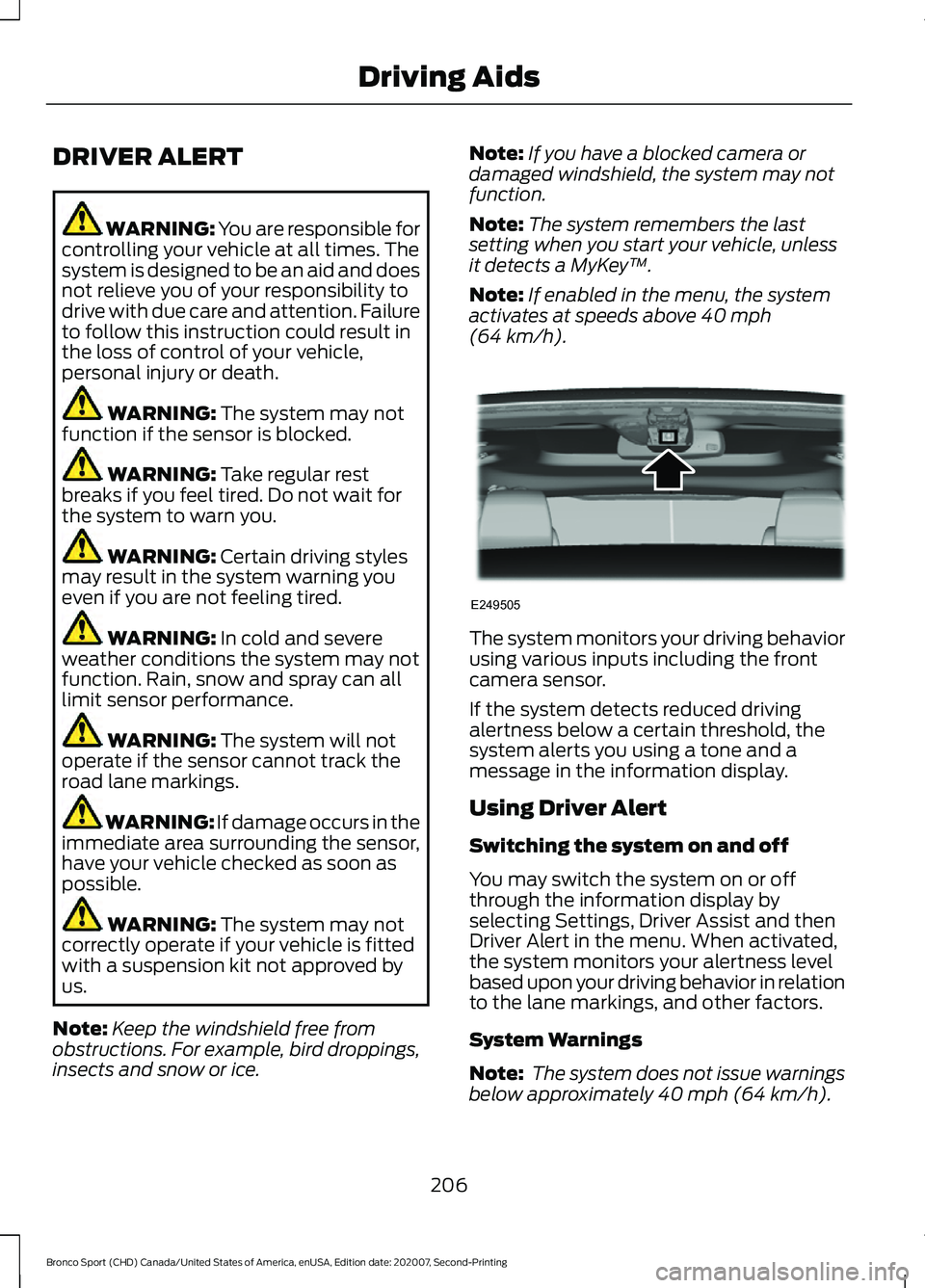
(64 km/h). The system monitors your driving behavior
using various inputs including the front
camera sensor.
If the system detects reduced driving
alertness below a certain threshold, the
system alerts you using a tone and a
message in the information display.
Using Driver Alert
Switching the system on and off
You may switch the system on or off
through the information display by
selecting Settings, Driver Assist and then
Driver Alert in the menu. When activated,
the system monitors your alertness level
based upon your driving behavior in relation
to the lane markings, and other factors.
System Warnings
Note:
The system does not issue warnings
below approximately
40 mph (64 km/h).
206
Bronco Sport (CHD) Canada/United States of America, enUSA, Edition date: 202007, Second-Printing Driving AidsE249505
Page 211 of 471
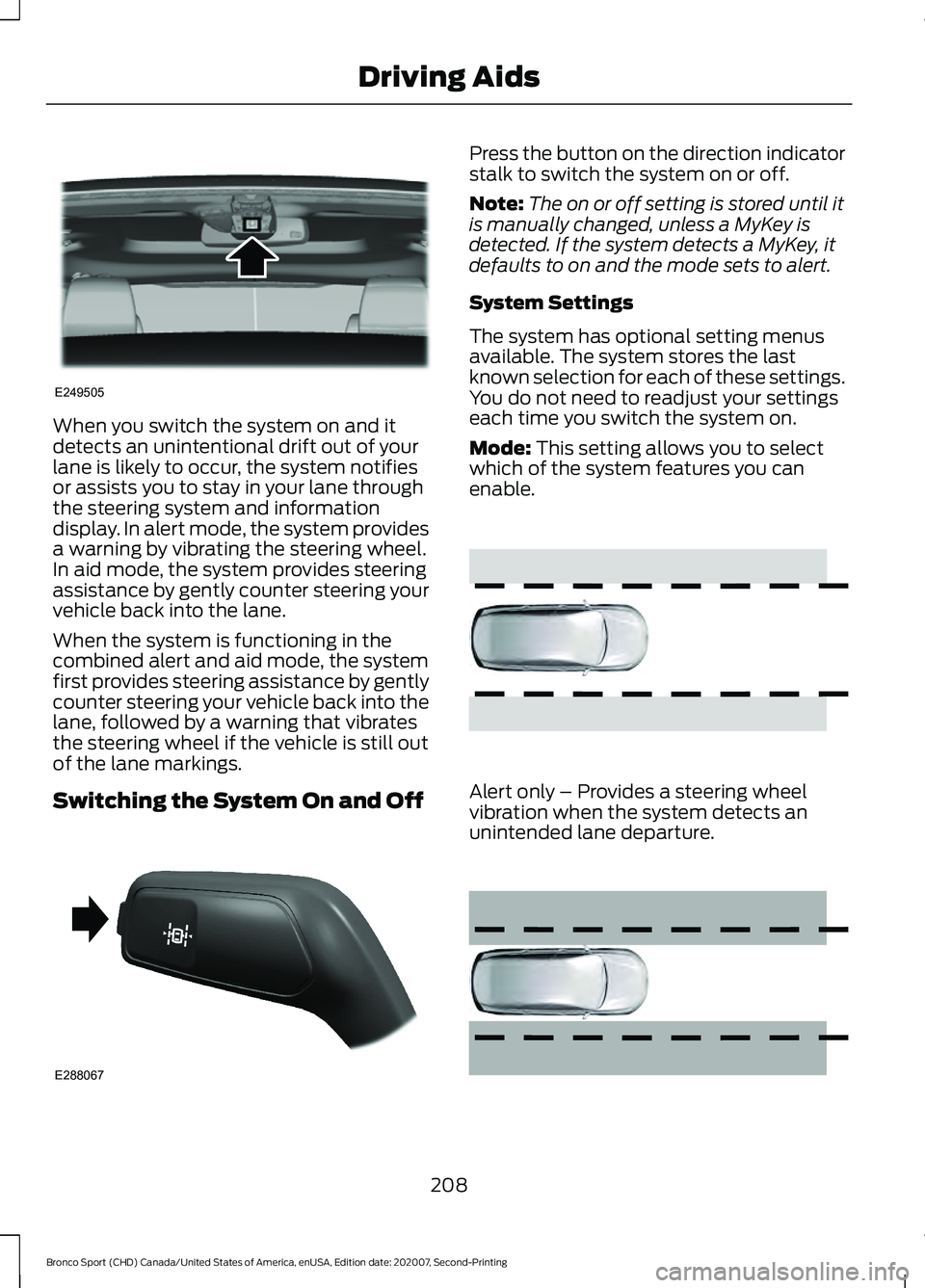
When you switch the system on and it
detects an unintentional drift out of your
lane is likely to occur, the system notifies
or assists you to stay in your lane through
the steering system and information
display. In alert mode, the system provides
a warning by vibrating the steering wheel.
In aid mode, the system provides steering
assistance by gently counter steering your
vehicle back into the lane.
When the system is functioning in the
combined alert and aid mode, the system
first provides steering assistance by gently
counter steering your vehicle back into the
lane, followed by a warning that vibrates
the steering wheel if the vehicle is still out
of the lane markings.
Switching the System On and Off Press the button on the direction indicator
stalk to switch the system on or off.
Note:
The on or off setting is stored until it
is manually changed, unless a MyKey is
detected. If the system detects a MyKey, it
defaults to on and the mode sets to alert.
System Settings
The system has optional setting menus
available. The system stores the last
known selection for each of these settings.
You do not need to readjust your settings
each time you switch the system on.
Mode: This setting allows you to select
which of the system features you can
enable. Alert only – Provides a steering wheel
vibration when the system detects an
unintended lane departure.
208
Bronco Sport (CHD) Canada/United States of America, enUSA, Edition date: 202007, Second-Printing Driving AidsE249505 E288067 E165515 E165516