remote start FORD BRONCO SPORT 2022 User Guide
[x] Cancel search | Manufacturer: FORD, Model Year: 2022, Model line: BRONCO SPORT, Model: FORD BRONCO SPORT 2022Pages: 494, PDF Size: 8.74 MB
Page 79 of 494
Take all remote controls to an authorized
dealer if there is any potential alarm
problem with your vehicle.
Arming the Alarm
The alarm is ready to arm when there is
not a key in the ignition. Electronically lock
the vehicle to arm the alarm.
The message indicator flashes
when theft protection is active.
Disarming the Alarm
Disarm the alarm by any of the following
actions:
• Unlock the doors or luggage
compartment with the remote control
or keyless entry keypad.
• Switch the ignition on or start the
vehicle.
• Use a key in the driver ’s door to unlock
the vehicle, then switch the ignition on
within 12 seconds.
Note: Pressing the panic button on the
remote control will stop the horn and signal
indicators, but will not disarm the system.
76
2022 Bronco Sport (CHD) Canada/United States of America, enUSA, Edition date: 202107, First-Printing Security
Page 95 of 494
3.
Lift and hold the switch again for a few
seconds.
4. Release the switch.
5. Lift and hold the switch again for a few
seconds.
6. Release the switch.
7. Press and hold the switch until the window is fully open.
8. Lift and hold the switch until the window is fully closed.
9. Release the switch.
10. Open the window and then try to close it using one-touch close.
Note: Repeat the procedure if the window
does not close when you use one-touch.
Accessory Delay
You can use the window controls for
several minutes after switching off the
ignition or until opening either front door.
GLOBAL OPENING AND
CLOSING (IF EQUIPPED)
You can use the remote control to open
the windows with the ignition off.
Note: You can enable or disable this feature
in the information display or see an
authorized dealer. See
General
Information (page 102).
Note: To operate this feature, accessory
delay must not be active.
Opening the Windows
You can only open the windows for a short
time after you unlock your vehicle with the
remote control. After you unlock your
vehicle, press and hold the remote control
unlock button to open the windows.
Release the button once movement starts.
Press the lock or unlock button to stop
movement. Closing the Windows WARNING:
When closing the
power windows, verify they are free of
obstruction and make sure that children
and pets are not in the proximity of the
window openings.
To close the windows, press and hold the
remote control lock button. Release the
button once movement starts. Press the
lock or unlock button to stop movement.
EXTERIOR MIRRORS
Power Exterior Mirrors WARNING:
Do not adjust the
mirrors when your vehicle is moving. This
could result in the loss of control of your
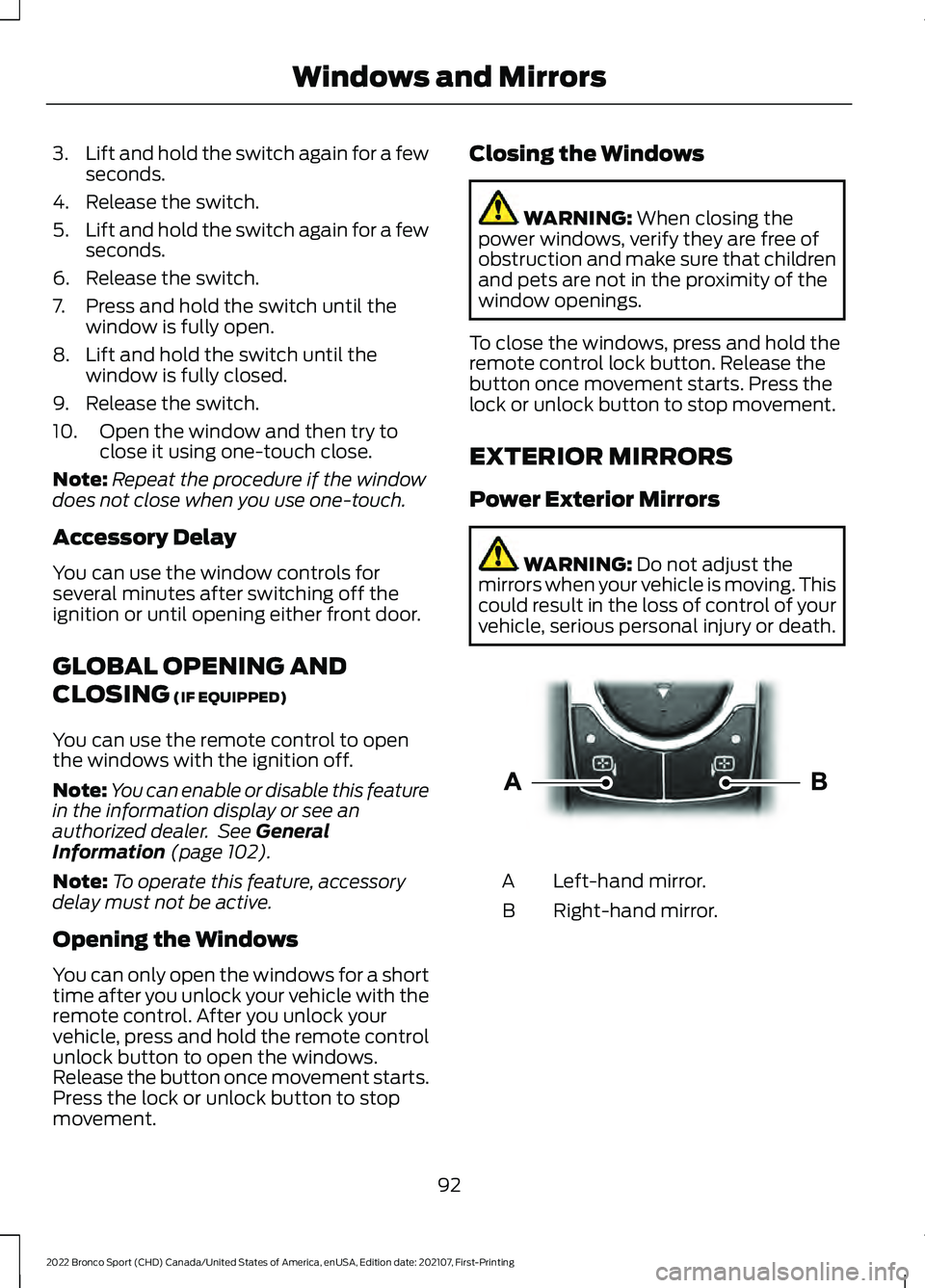
vehicle, serious personal injury or death. Left-hand mirror.
A
Right-hand mirror.
B
92
2022 Bronco Sport (CHD) Canada/United States of America, enUSA, Edition date: 202107, First-Printing Windows and MirrorsE303926
Page 121 of 494
Pre-Collision Assist
Details
Message
You have a blocked sensor due to bad weather, ice, mud or water
in front of the radar sensor. You can typically clean the sensor to
resolve.
Pre-Collision
Assist Not Avail- able SensorBlocked
A fault with the system has occurred. Have the system checked as
soon as possible.
Pre-Collision
Assist Not Avail- able
Remote Start Details
Message
Displays as a reminder to apply the brake and push the gear shiftbutton to drive the vehicle after a remote start.
To Drive: Press
Brake and Gear Shift Button
Seats Details
Message
Objects are by the passenger seat. After the objects are moved
away from the seat, if the warning stays on or continues to come on have the system checked as soon as possible.
Occupant Sensor
BLOCKED Remove Objects Near
Passenger Seat
Displays as a reminder that memory seats are not available when driving.
Memory Recall Not
Permitted While Driving
Displays to show where your memory setting has been saved.
Memory {0} Saved
118
2022 Bronco Sport (CHD) Canada/United States of America, enUSA, Edition date: 202107, First-Printing Information Displays
Page 126 of 494
WHAT IS REMOTE START
The system allows you to remotely start
your vehicle and to adjust the interior
temperature according to the settings that
you chose.
REMOTE START
PRECAUTIONS
WARNING: Do not start the engine
in a closed garage or in other enclosed
areas. Exhaust fumes are toxic. Always
open the garage door before you start
the engine. Failure to follow this
instruction could result in personal injury
or death.
REMOTE START LIMITATIONS
Remote start does not work under the
following conditions:
• The alarm horn is sounding.
• The hood is open.
• The transmission is not in park (P).
• The ignition is on.
• The battery voltage is below the
minimum operating voltage.
• Remote start is not enabled.
Note: Do not use remote start if the fuel
level is low.
Note: You can use remote start with
FordPass. See Connecting the Vehicle to
a Wi-Fi Network (page 349).
ENABLING REMOTE START
1. Press
Settings on the touchscreen.
2. Press
Vehicle.
3. Press
Remote Start Setup. 4. Switch
System on.
Note: To use remote start, make sure that
the modem is enabled. See Connecting the
Vehicle to a Mobile Network
(page 349).
REMOTELY STARTING AND
STOPPING THE VEHICLE
Remotely Starting the Vehicle Press the button on the remote
control.
Within three seconds, press the
button on the remote control.
Within three seconds, press the
button again.
Note: You can also use FordPass to start
the vehicle.
Note: The turn signal lamps flash twice.
Note: The parking lamps turn on when the
vehicle is running.
Note: The horn sounds if the system fails
to start.
Note: All other vehicle systems remain off
when you have remotely started the vehicle.
Note: The vehicle remains secured when
you have remotely started the vehicle. A
valid key must be inside your vehicle to
switch the ignition on and drive your vehicle.
Remotely Stopping the Vehicle Within three seconds, press the
button on the remote control.
Within three seconds, press the
button again.
123
2022 Bronco Sport (CHD) Canada/United States of America, enUSA, Edition date: 202107, First-Printing Remote Start
(If Equipped)E138623 E138625 E138625
Page 127 of 494
EXTENDING THE REMOTE
START DURATION
To extend the remote start duration during
remote start, do the following:
Press the button on the remote
control.
Within three seconds, press the
button on the remote control.
Within three seconds, press the
button again.
If the duration is set to 15 minutes, the
duration extends by another 15 minutes.
This provides a total of 30 minutes.
Note: Remote start can only be extended
once.
Note: A maximum of two remote starts, or
one remote start with an extension, are
allowed. To reset the restart procedure
switch the vehicle to on, then to off.
REMOTE START REMOTE
CONTROL INDICATORS
Remote Control Feedback
An LED on the remote control provides
status feedback of remote start or stop
commands. Status
LED
Remote startsuccessful.
Solid green.
Remote stopsuccessful.
Solid red.
Request failed or
status not received.
Blinking red.
Status incomplete.
Blinking green. REMOTE START SETTINGS
SWITCHING CLIMATE CONTROL
AUTO MODE ON AND OFF
1. Press Settings on the touchscreen.
2. Press
Remote Start Setup.
3. Press
Climate Control.
4. Select
Vehicle.
5. Switch
Auto on or off.
Note: If you switch the auto mode on, the
system attempts to heat or cool the interior
to
72°F (22°C).
Note: When you switch the ignition on, the
climate control system returns to the last
used settings.
SWITCHING CLIMATE CONTROL
LAST SETTINGS ON AND OFF
1. Press
Settings on the touchscreen.
2. Press
Vehicle.
3. Press
Remote Start Setup.
4. Switch
Last settings on.
Note: If you switch the last settings on, the
system remembers the last used settings.
SWITCHING THE HEATED SEAT
SETTINGS ON AND OFF
1. Press
Settings on the touchscreen.
2. Press
Vehicle.
3. Press
Remote Start Setup.
4. Press
Seats.
5. Switch
Auto on or off.
Note: If you switch the heated seat settings
on, the heated seats turn on during cold
weather.
124
2022 Bronco Sport (CHD) Canada/United States of America, enUSA, Edition date: 202107, First-Printing Remote Start
(If Equipped)E138623 E138625
Page 128 of 494
SWITCHING THE HEATED
STEERING WHEEL SETTINGS ON
AND OFF
1. Press Settings on the touchscreen.
2. Press
Vehicle.
3. Press
Remote Start Setup.
4. Press
Seats and Steering Wheel.
5. Switch
Auto on or off.
Note: If you switch the heated steering
wheel settings on, the heated steering wheel
turns on during cold weather.
SETTING THE REMOTE START
DURATION
1. Press
Settings on the touchscreen.
2. Press
Vehicle.
3. Press
Remote Start Setup.
4. Press
Duration.
Note: Wait a few seconds before remotely
starting the vehicle after the vehicle stops
running.
125
2022 Bronco Sport (CHD) Canada/United States of America, enUSA, Edition date: 202107, First-Printing Remote Start
(If Equipped)
Page 266 of 494
2. Connect the other end of the positive
(+) jumper cable to the positive (+)
terminal of the booster vehicle battery.
3. Connect the negative (-) jumper cable
to the negative (-) terminal of the
booster vehicle battery.
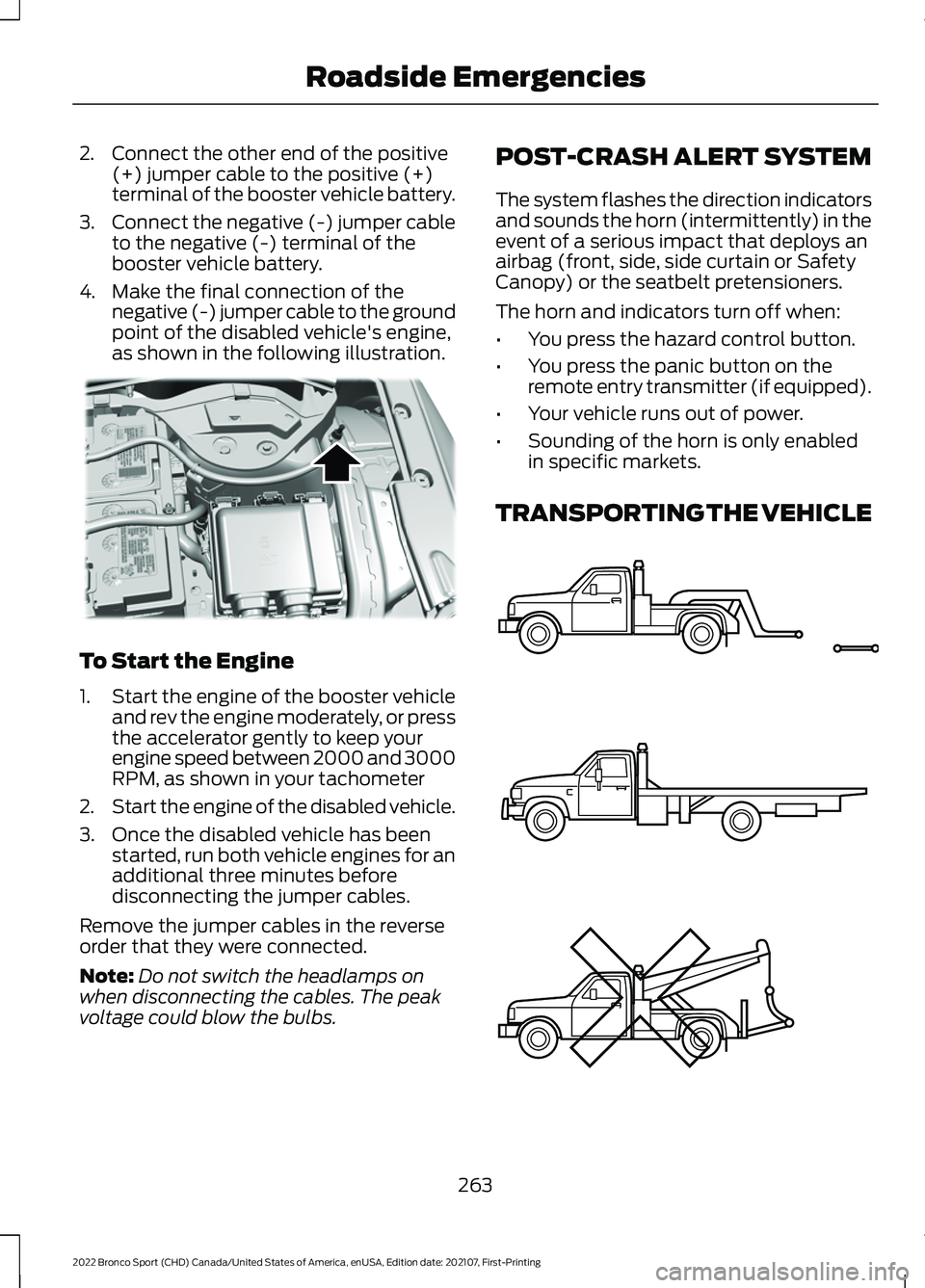
4. Make the final connection of the negative (-) jumper cable to the ground
point of the disabled vehicle's engine,
as shown in the following illustration. To Start the Engine
1.
Start the engine of the booster vehicle
and rev the engine moderately, or press
the accelerator gently to keep your
engine speed between 2000 and 3000
RPM, as shown in your tachometer
2. Start the engine of the disabled vehicle.
3. Once the disabled vehicle has been started, run both vehicle engines for an
additional three minutes before
disconnecting the jumper cables.
Remove the jumper cables in the reverse
order that they were connected.
Note: Do not switch the headlamps on
when disconnecting the cables. The peak
voltage could blow the bulbs. POST-CRASH ALERT SYSTEM
The system flashes the direction indicators
and sounds the horn (intermittently) in the
event of a serious impact that deploys an
airbag (front, side, side curtain or Safety
Canopy) or the seatbelt pretensioners.
The horn and indicators turn off when:
•
You press the hazard control button.
• You press the panic button on the
remote entry transmitter (if equipped).
• Your vehicle runs out of power.
• Sounding of the horn is only enabled
in specific markets.
TRANSPORTING THE VEHICLE 263
2022 Bronco Sport (CHD) Canada/United States of America, enUSA, Edition date: 202107, First-Printing Roadside EmergenciesE318342 E143886
Page 407 of 494
Possible Cause and Resolution
Symptom
You might not have the ignition on or in park (P), or you
shifted out park (P) when creating a profile.
You might be using the old linking method.
Personal Profiles does not support your unsaved settings.
My personalized settings do
not save. A different personal profile is active.
Another user changed the settings for the wrong personal
profile.
You might not have created a personal profile.
My profile will not recall. Personal Profiles is turned off.
The profile you requested is already active.
You might not have linked the memory button you are
using to a profile.
You might not have linked the remote control you are using
to a profile.
You might be using the wrong remote control.
You might be pressing a button other than the unlock or
remote start on a linked remote control.
You might have deleted the personal profile.
Personal Profiles is turned off.
My preset positions recall,
but my profile does not.
The vehicle is in motion.
My profile recalls but my
preset positions do not. The preset positions are the same as the guest or previ-
ously active profile.
Unlink and relink your remote control in the Personal
Profiles menu. You may need to see your authorized dealer.
I lost a remote control.
You might have erased and reprogrammed the remote
controls. This could happen if you let a dealership add a
new remote control to replace a lost one.
I lost all profiles.
Someone performed a master reset.
404
2022 Bronco Sport (CHD) Canada/United States of America, enUSA, Edition date: 202107, First-Printing SYNC™ 3
Page 488 of 494
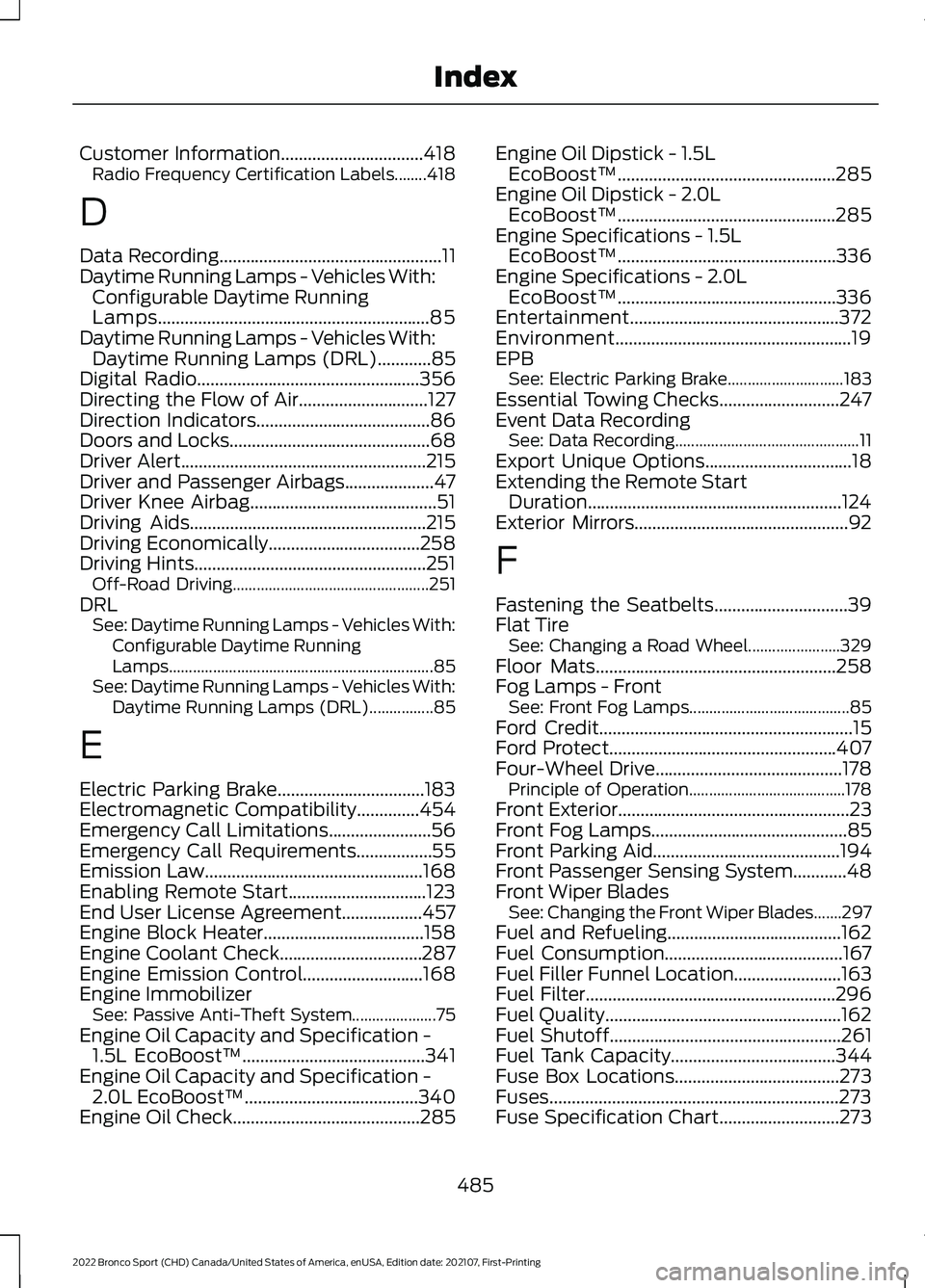
Customer Information................................418
Radio Frequency Certification Labels........418
D
Data Recording
..................................................11
Daytime Running Lamps - Vehicles With: Configurable Daytime Running
Lamps.............................................................85
Daytime Running Lamps - Vehicles With: Daytime Running Lamps (DRL)
............85
Digital Radio..................................................356
Directing the Flow of Air.............................127
Direction Indicators
.......................................86
Doors and Locks.............................................68
Driver Alert
.......................................................215
Driver and Passenger Airbags....................47
Driver Knee Airbag..........................................51
Driving Aids
.....................................................215
Driving Economically..................................258
Driving Hints....................................................251 Off-Road Driving................................................. 251
DRL See: Daytime Running Lamps - Vehicles With:
Configurable Daytime Running
Lamps.................................................................. 85
See: Daytime Running Lamps - Vehicles With: Daytime Running Lamps (DRL)................85
E
Electric Parking Brake.................................183
Electromagnetic Compatibility
..............454
Emergency Call Limitations.......................56
Emergency Call Requirements.................55
Emission Law
.................................................168
Enabling Remote Start...............................123
End User License Agreement..................457
Engine Block Heater....................................158
Engine Coolant Check................................287
Engine Emission Control
...........................168
Engine Immobilizer See: Passive Anti-Theft System..................... 75
Engine Oil Capacity and Specification - 1.5L EcoBoost™
.........................................341
Engine Oil Capacity and Specification - 2.0L EcoBoost™
.......................................340
Engine Oil Check..........................................285 Engine Oil Dipstick - 1.5L
EcoBoost™.................................................285
Engine Oil Dipstick - 2.0L EcoBoost™.................................................285
Engine Specifications - 1.5L EcoBoost™.................................................336
Engine Specifications - 2.0L EcoBoost™.................................................336
Entertainment...............................................372
Environment.....................................................19
EPB See: Electric Parking Brake............................. 183
Essential Towing Checks
...........................247
Event Data Recording See: Data Recording.............................................. 11
Export Unique Options
.................................18
Extending the Remote Start Duration.........................................................124
Exterior Mirrors
................................................92
F
Fastening the Seatbelts
..............................39
Flat Tire See: Changing a Road Wheel....................... 329
Floor Mats......................................................258
Fog Lamps - Front See: Front Fog Lamps........................................ 85
Ford Credit
.........................................................15
Ford Protect...................................................407
Four-Wheel Drive..........................................178 Principle of Operation....................................... 178
Front Exterior
....................................................23
Front Fog Lamps............................................85
Front Parking Aid..........................................194
Front Passenger Sensing System
............48
Front Wiper Blades See: Changing the Front Wiper Blades.......297
Fuel and Refueling
.......................................162
Fuel Consumption........................................167
Fuel Filler Funnel Location
........................163
Fuel Filter........................................................296
Fuel Quality.....................................................162
Fuel Shutoff....................................................261
Fuel Tank Capacity.....................................344
Fuse Box Locations.....................................273
Fuses.................................................................273
Fuse Specification Chart...........................273
485
2022 Bronco Sport (CHD) Canada/United States of America, enUSA, Edition date: 202107, First-Printing Index
Page 490 of 494
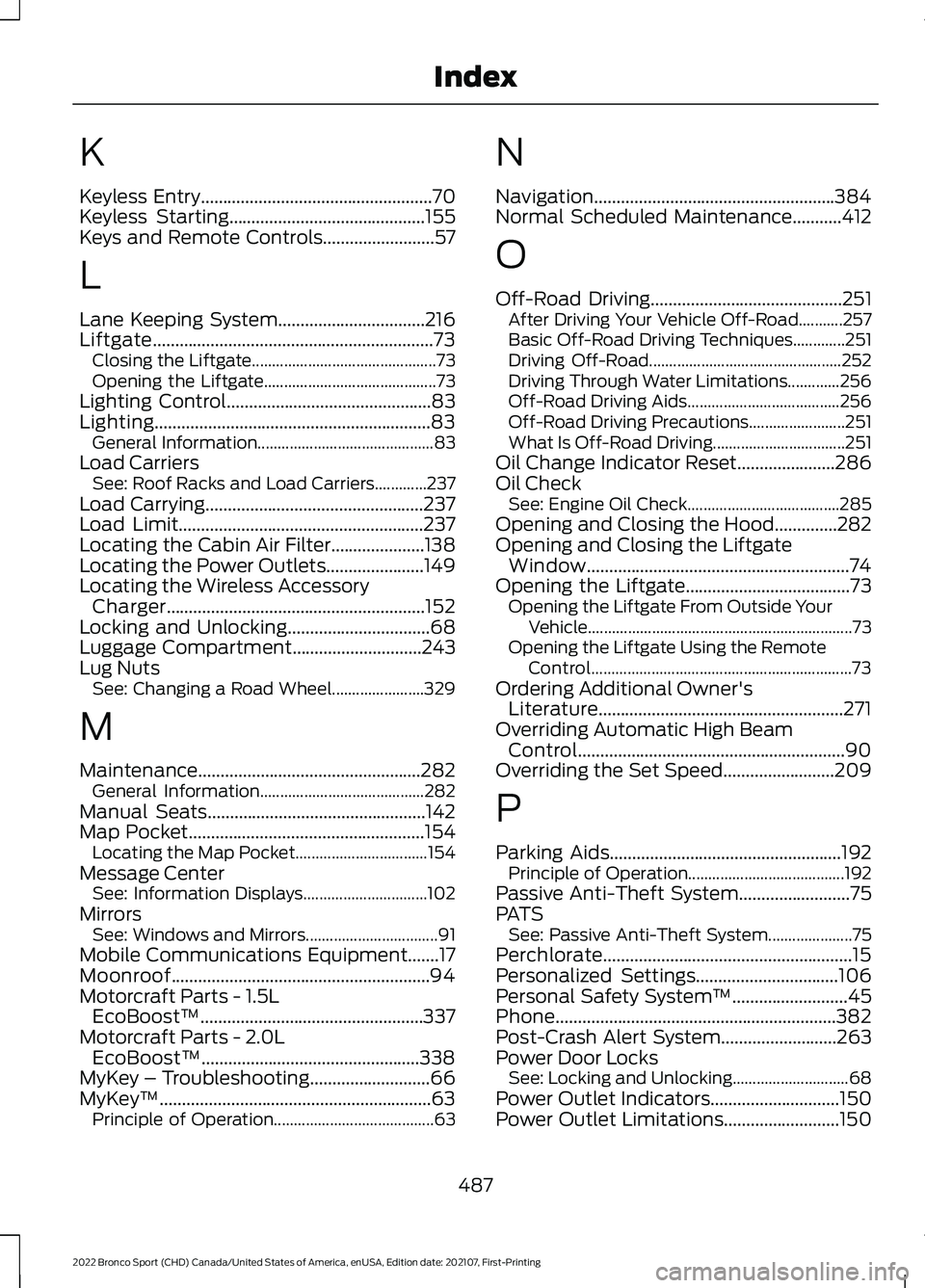
K
Keyless Entry....................................................70
Keyless Starting............................................155
Keys and Remote Controls.........................57
L
Lane Keeping System.................................216
Liftgate...............................................................73 Closing the Liftgate.............................................. 73
Opening the Liftgate........................................... 73
Lighting Control
..............................................83
Lighting..............................................................83 General Information............................................ 83
Load Carriers See: Roof Racks and Load Carriers.............237
Load Carrying
.................................................237
Load Limit.......................................................237
Locating the Cabin Air Filter.....................138
Locating the Power Outlets
......................149
Locating the Wireless Accessory Charger..........................................................152
Locking and Unlocking
................................68
Luggage Compartment.............................243
Lug Nuts See: Changing a Road Wheel....................... 329
M
Maintenance..................................................282 General Information......................................... 282
Manual Seats.................................................142
Map Pocket
.....................................................154
Locating the Map Pocket................................. 154
Message Center See: Information Displays............................... 102
Mirrors See: Windows and Mirrors................................. 91
Mobile Communications Equipment.......17
Moonroof..........................................................94
Motorcraft Parts - 1.5L EcoBoost™..................................................337
Motorcraft Parts - 2.0L EcoBoost™.................................................338
MyKey – Troubleshooting
...........................66
MyKey ™.............................................................63
Principle of Operation........................................ 63N
Navigation......................................................384
Normal Scheduled Maintenance...........412
O
Off-Road Driving...........................................251
After Driving Your Vehicle Off-Road...........257
Basic Off-Road Driving Techniques.............251
Driving Off-Road................................................ 252
Driving Through Water Limitations.............256
Off-Road Driving Aids...................................... 256
Off-Road Driving Precautions........................ 251
What Is Off-Road Driving................................. 251
Oil Change Indicator Reset......................286
Oil Check See: Engine Oil Check...................................... 285
Opening and Closing the Hood..............282
Opening and Closing the Liftgate Window...........................................................74
Opening the Liftgate.....................................73 Opening the Liftgate From Outside Your
Vehicle.................................................................. 73
Opening the Liftgate Using the Remote Control................................................................. 73
Ordering Additional Owner's Literature.......................................................271
Overriding Automatic High Beam Control............................................................90
Overriding the Set Speed.........................209
P
Parking Aids
....................................................192
Principle of Operation....................................... 192
Passive Anti-Theft System.........................75
PATS See: Passive Anti-Theft System..................... 75
Perchlorate........................................................15
Personalized Settings
................................106
Personal Safety System ™..........................45
Phone...............................................................382
Post-Crash Alert System
..........................263
Power Door Locks See: Locking and Unlocking............................. 68
Power Outlet Indicators
.............................150
Power Outlet Limitations..........................150
487
2022 Bronco Sport (CHD) Canada/United States of America, enUSA, Edition date: 202107, First-Printing Index