jack FORD C MAX 2013 Owners Manual
[x] Cancel search | Manufacturer: FORD, Model Year: 2013, Model line: C MAX, Model: FORD C MAX 2013Pages: 552, PDF Size: 8.55 MB
Page 4 of 552
Windows and Mirrors 98
Power windows.......................................98
Exteriormirrors......................................101
Interior mirrors......................................103
Sun visors..........................................103
Sunshade...........................................104
Instrument Cluster 106
Gauges.............................................106
Warning lamps and indicators............................109
Audible warnings and indicators..........................113
Information Displays 114
Message center.......................................114
Information messages..................................127
Audio System 136
AM/FM/CD with SYNC.................................138
Auxiliary input jack...................................145
USBport...........................................146
Satellite radio information...............................147
Climate Control 151
Dual automatic temperature control........................151
Rear window defroster.................................155
Seats 157
Sitting in the correct position............................157
Head restraints.......................................158
Manual seats........................................161
Power seats.........................................163
Rear seats..........................................164
Heated seats........................................165
Table of Contents3
2013 C-Max Full Hybrid(34h)
Owners Guide gf, 3rd Printing, January 2013
USA(fus)
Page 12 of 552
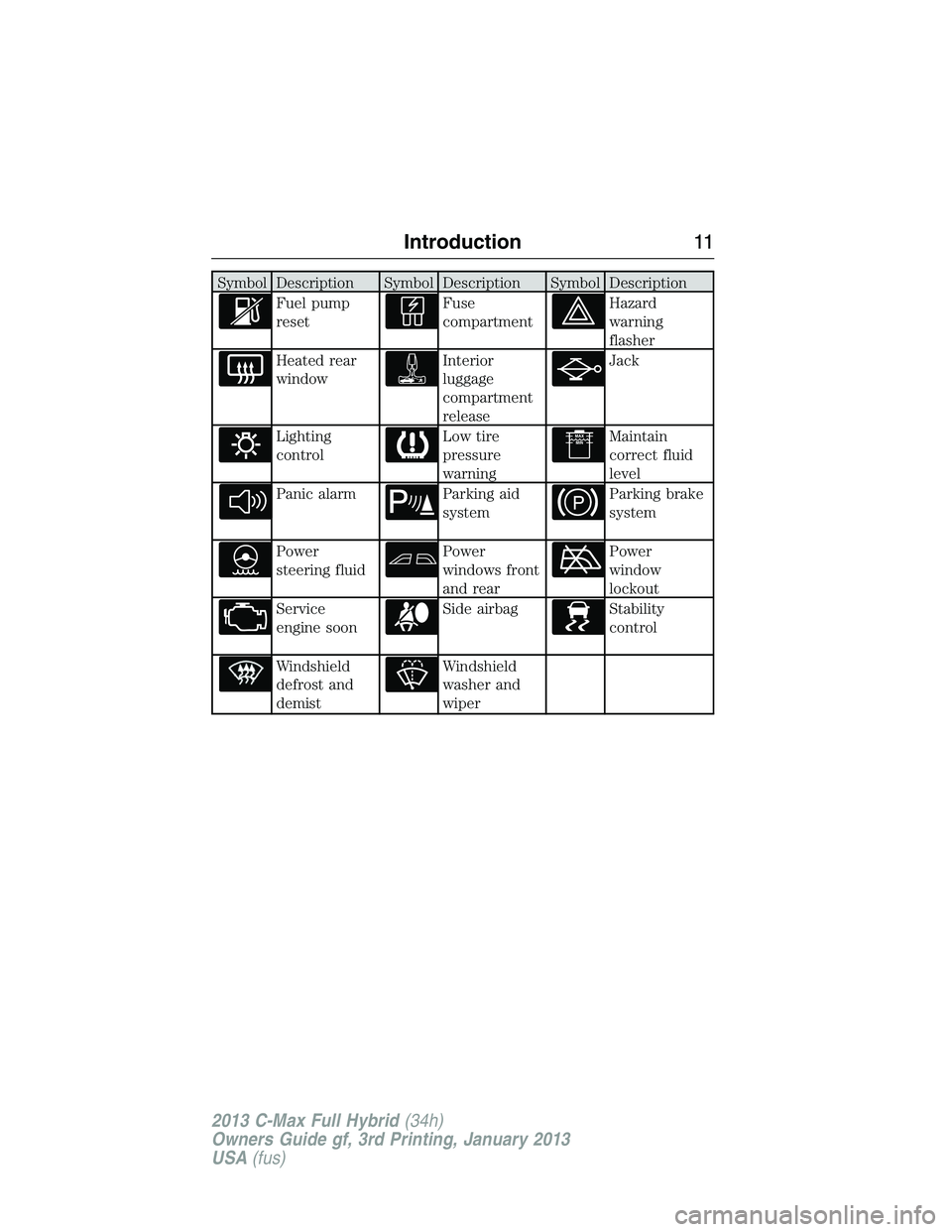
Symbol Description Symbol Description Symbol Description
Fuel pump
resetFuse
compartmentHazard
warning
flasher
Heated rear
windowInterior
luggage
compartment
releaseJack
Lighting
controlLow tire
pressure
warningMaintain
correct fluid
level
Panic alarmParking aid
systemParking brake
system
Power
steering fluidPower
windows front
and rearPower
window
lockout
Service
engine soonSide airbagStability
control
Windshield
defrost and
demistWindshield
washer and
wiper
Introduction11
2013 C-Max Full Hybrid(34h)
Owners Guide gf, 3rd Printing, January 2013
USA(fus)
Page 141 of 552
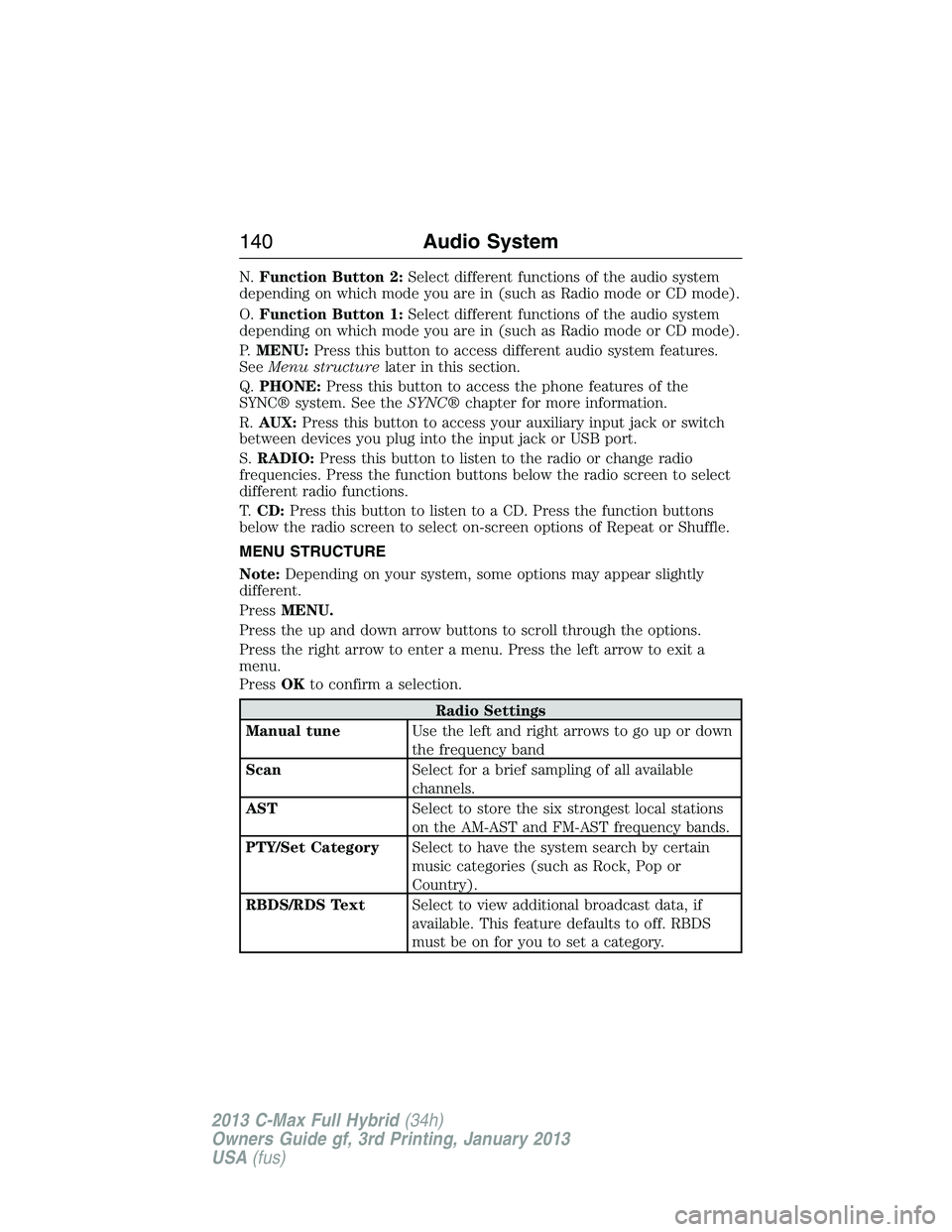
N.Function Button 2:Select different functions of the audio system
depending on which mode you are in (such as Radio mode or CD mode).
O.Function Button 1:Select different functions of the audio system
depending on which mode you are in (such as Radio mode or CD mode).
P.MENU:Press this button to access different audio system features.
SeeMenu structurelater in this section.
Q.PHONE:Press this button to access the phone features of the
SYNC® system. See theSYNC®chapter for more information.
R.AUX:Press this button to access your auxiliary input jack or switch
between devices you plug into the input jack or USB port.
S.RADIO:Press this button to listen to the radio or change radio
frequencies. Press the function buttons below the radio screen to select
different radio functions.
T.CD:Press this button to listen to a CD. Press the function buttons
below the radio screen to select on-screen options of Repeat or Shuffle.
MENU STRUCTURE
Note:Depending on your system, some options may appear slightly
different.
PressMENU.
Press the up and down arrow buttons to scroll through the options.
Press the right arrow to enter a menu. Press the left arrow to exit a
menu.
PressOKto confirm a selection.
Radio Settings
Manual tuneUse the left and right arrows to go up or down
the frequency band
ScanSelect for a brief sampling of all available
channels.
ASTSelect to store the six strongest local stations
on the AM-AST and FM-AST frequency bands.
PTY/Set CategorySelect to have the system search by certain
music categories (such as Rock, Pop or
Country).
RBDS/RDS TextSelect to view additional broadcast data, if
available. This feature defaults to off. RBDS
must be on for you to set a category.
140Audio System
2013 C-Max Full Hybrid(34h)
Owners Guide gf, 3rd Printing, January 2013
USA(fus)
Page 146 of 552
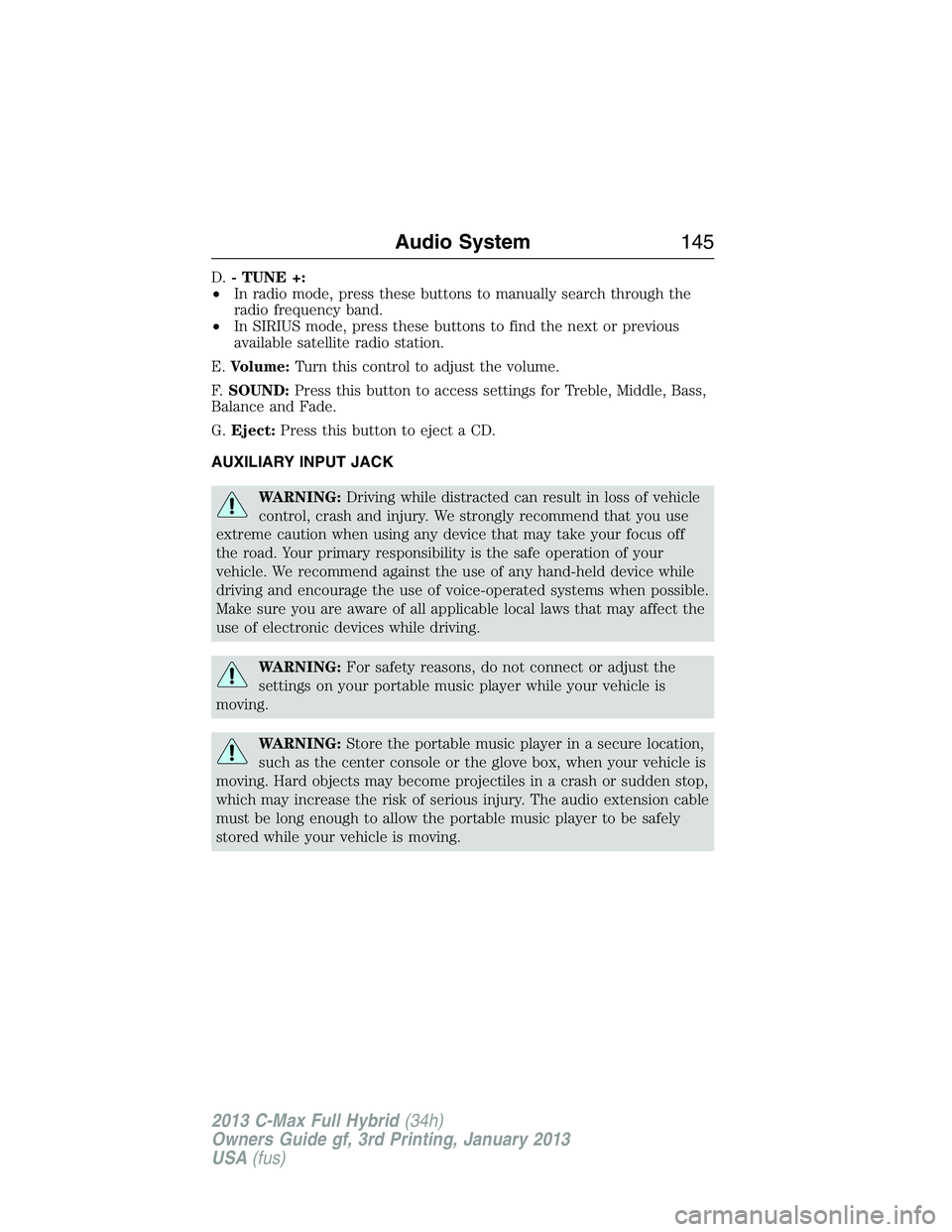
D.- TUNE +:
•In radio mode, press these buttons to manually search through the
radio frequency band.
•In SIRIUS mode, press these buttons to find the next or previous
available satellite radio station.
E.Volume:Turn this control to adjust the volume.
F.SOUND:Press this button to access settings for Treble, Middle, Bass,
Balance and Fade.
G.Eject:Press this button to eject a CD.
AUXILIARY INPUT JACK
WARNING:Driving while distracted can result in loss of vehicle
control, crash and injury. We strongly recommend that you use
extreme caution when using any device that may take your focus off
the road. Your primary responsibility is the safe operation of your
vehicle. We recommend against the use of any hand-held device while
driving and encourage the use of voice-operated systems when possible.
Make sure you are aware of all applicable local laws that may affect the
use of electronic devices while driving.
WARNING:For safety reasons, do not connect or adjust the
settings on your portable music player while your vehicle is
moving.
WARNING:Store the portable music player in a secure location,
such as the center console or the glove box, when your vehicle is
moving. Hard objects may become projectiles in a crash or sudden stop,
which may increase the risk of serious injury. The audio extension cable
must be long enough to allow the portable music player to be safely
stored while your vehicle is moving.
Audio System145
2013 C-Max Full Hybrid(34h)
Owners Guide gf, 3rd Printing, January 2013
USA(fus)
Page 147 of 552
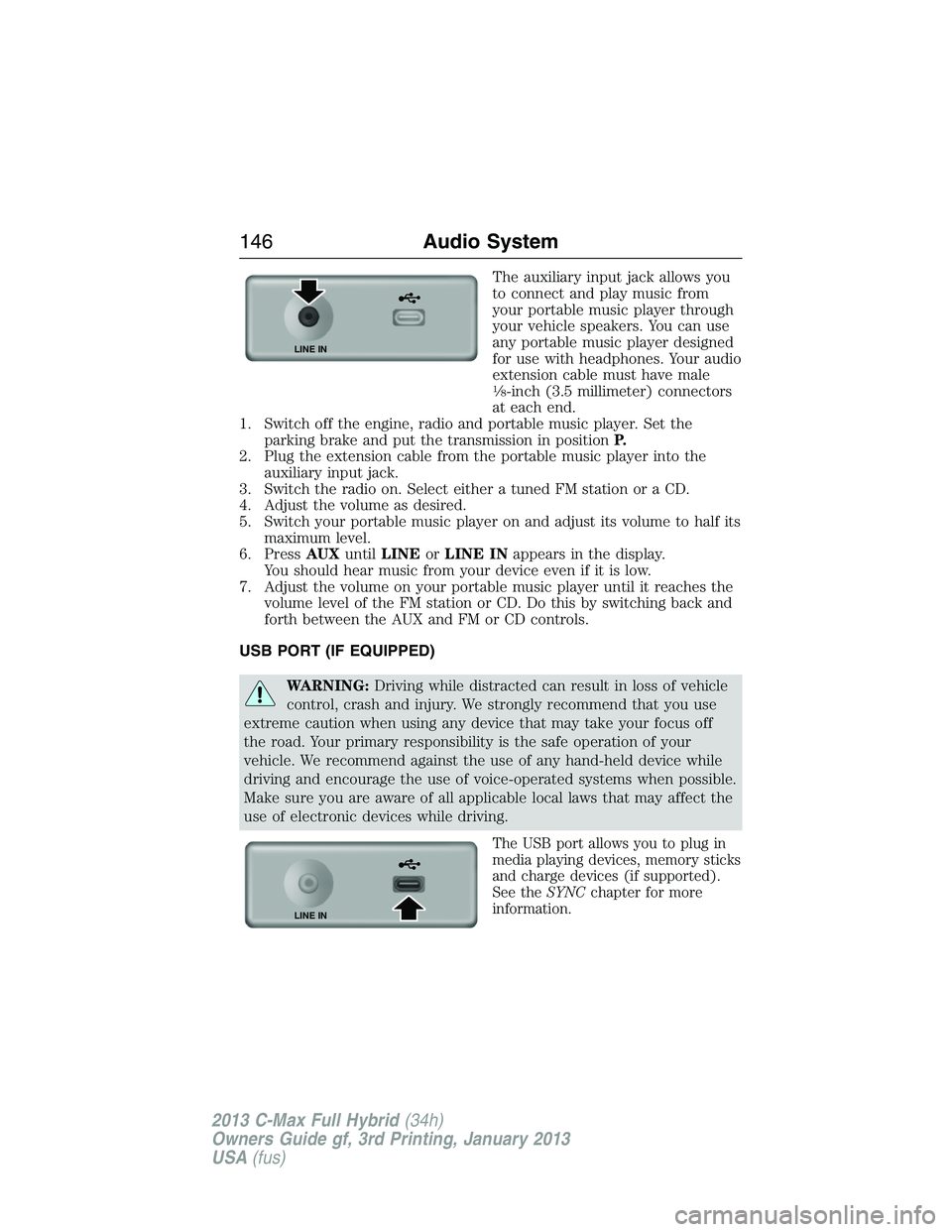
The auxiliary input jack allows you
to connect and play music from
your portable music player through
your vehicle speakers. You can use
any portable music player designed
for use with headphones. Your audio
extension cable must have male
18-inch (3.5 millimeter) connectors
at each end.
1. Switch off the engine, radio and portable music player. Set the
parking brake and put the transmission in positionP.
2. Plug the extension cable from the portable music player into the
auxiliary input jack.
3. Switch the radio on. Select either a tuned FM station or a CD.
4. Adjust the volume as desired.
5. Switch your portable music player on and adjust its volume to half its
maximum level.
6. PressAUXuntilLINEorLINE INappears in the display.
You should hear music from your device even if it is low.
7. Adjust the volume on your portable music player until it reaches the
volume level of the FM station or CD. Do this by switching back and
forth between the AUX and FM or CD controls.
USB PORT (IF EQUIPPED)
WARNING:Driving while distracted can result in loss of vehicle
control, crash and injury. We strongly recommend that you use
extreme caution when using any device that may take your focus off
the road. Your primary responsibility is the safe operation of your
vehicle. We recommend against the use of any hand-held device while
driving and encourage the use of voice-operated systems when possible.
Make sure you are aware of all applicable local laws that may affect the
use of electronic devices while driving.
The USB port allows you to plug in
media playing devices, memory sticks
and charge devices (if supported).
See theSYNCchapter for more
information.
LINE IN
LINE IN
146Audio System
2013 C-Max Full Hybrid(34h)
Owners Guide gf, 3rd Printing, January 2013
USA(fus)
Page 174 of 552
CENTER CONSOLE
Stow items in the cupholder carefully as items may become loose during
hard braking, acceleration or collisions, including hot drinks which may spill.
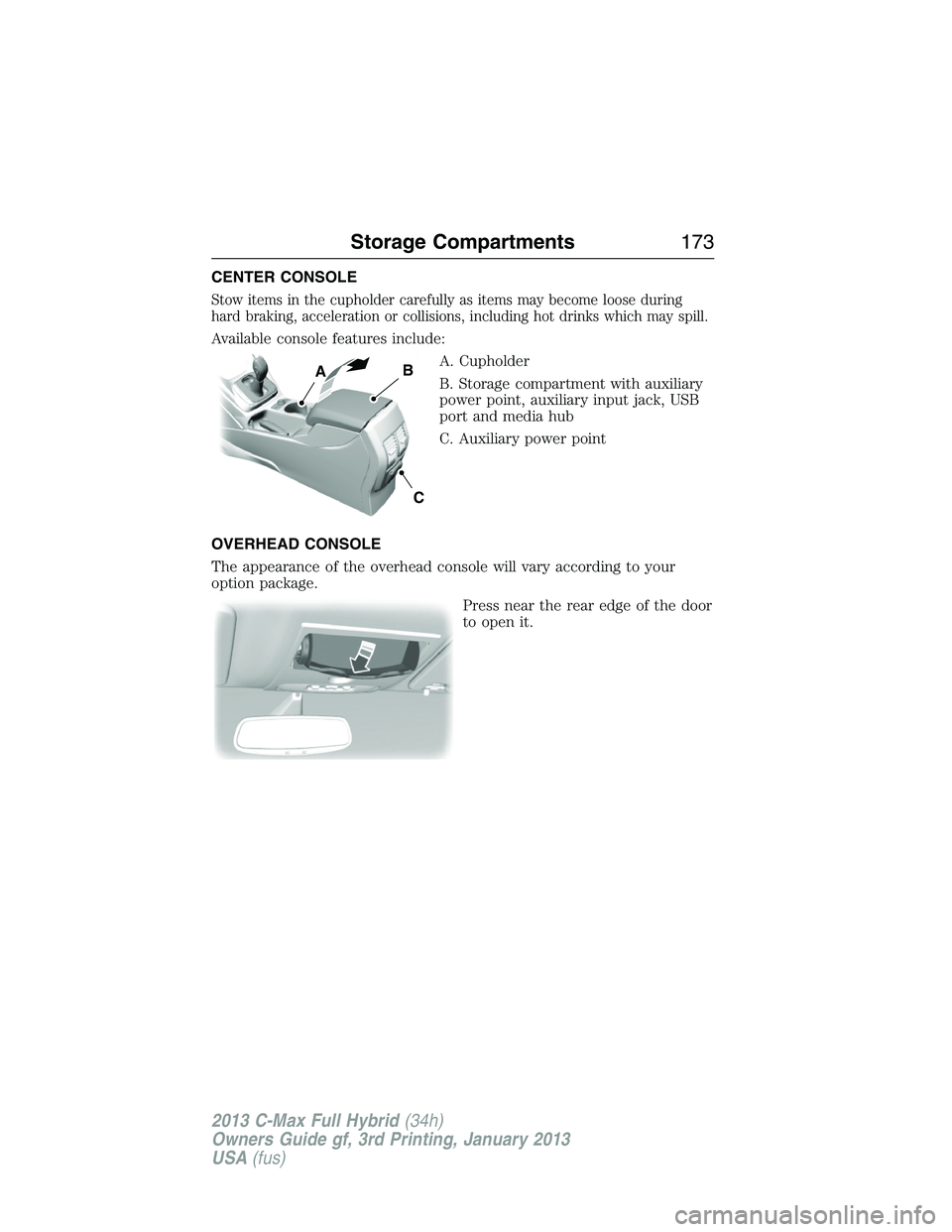
Available console features include:
A. Cupholder
B. Storage compartment with auxiliary
power point, auxiliary input jack, USB
port and media hub
C. Auxiliary power point
OVERHEAD CONSOLE
The appearance of the overhead console will vary according to your
option package.
Press near the rear edge of the door
to open it.
AB
C
Storage Compartments173
2013 C-Max Full Hybrid(34h)
Owners Guide gf, 3rd Printing, January 2013
USA(fus)
Page 385 of 552
USING VOICE RECOGNITION
This system helps you control many features using voice commands.
This allows you to keep your hands on the wheel and focus on what is in
front of you.
Initiating a Voice Session
Push the voice icon; a tone sounds and Listening appears in the
display. Say any of the following:
Say: If you want to:
“Phone” Make calls.
“USB”
Access the device connected to your USB port.
“Bluetooth Audio” Stream audio from your phone.
“Line in” Access the device connected to the auxiliary
input jack.
“Cancel” Cancel the requested action.
“SYNC” Return to the main menu.
“Voice settings” Adjust the level of voice interaction and
feedback.
“Vehicle Health Report” Run a vehicle health report.
*
“Services” Access the SYNC Services portal.*
“Mobile apps” Access mobile applications.*
“Help” Hear a list of voice commands available in the
current mode.
*If equipped, U.S. only.
System Interaction and Feedback
The system provides feedback through audible tones, prompts, questions
and spoken confirmations depending on the situation and the chosen
level of interaction (voice settings). You can customize the voice
recognition system to provide more or less instruction and feedback.
The default setting is to a higher level of interaction in order to help you
learn to use the system. You can change these settings at any time.
384SYNC®
2013 C-Max Full Hybrid(34h)
Owners Guide gf, 3rd Printing, January 2013
USA(fus)
Page 460 of 552
SD Card Slot and USB Port
SD Card Slot
Note:Your SD card slot is spring-loaded. To remove the SD card, press
the card in and the system ejects it. Do not attempt to pull the card to
remove it as this could cause damage.
Note:The navigation system also uses this card slot. SeeNavigation
systemlater in this chapter for more information.
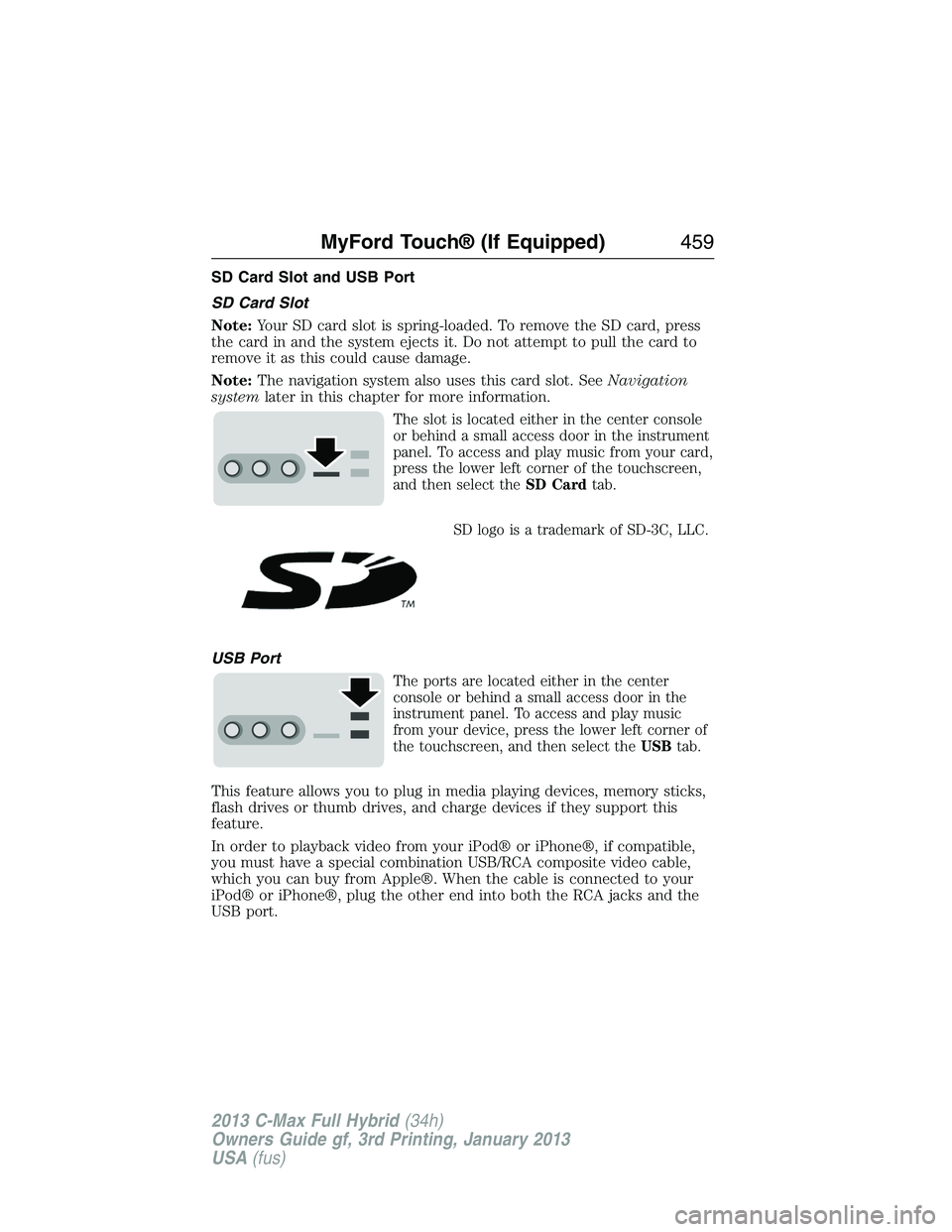
The slot is located either in the center console
or behind a small access door in the instrument
panel. To access and play music from your card,
press the lower left corner of the touchscreen,
and then select theSD Cardtab.
SD logo is a trademark of SD-3C, LLC.
USB Port
The ports are located either in the center
console or behind a small access door in the
instrument panel. To access and play music
from your device, press the lower left corner of
the touchscreen, and then select theUSBtab.
This feature allows you to plug in media playing devices, memory sticks,
flash drives or thumb drives, and charge devices if they support this
feature.
In order to playback video from your iPod® or iPhone®, if compatible,
you must have a special combination USB/RCA composite video cable,
which you can buy from Apple®. When the cable is connected to your
iPod® or iPhone®, plug the other end into both the RCA jacks and the
USB port.
MyFord Touch® (If Equipped)459
2013 C-Max Full Hybrid(34h)
Owners Guide gf, 3rd Printing, January 2013
USA(fus)
Page 463 of 552
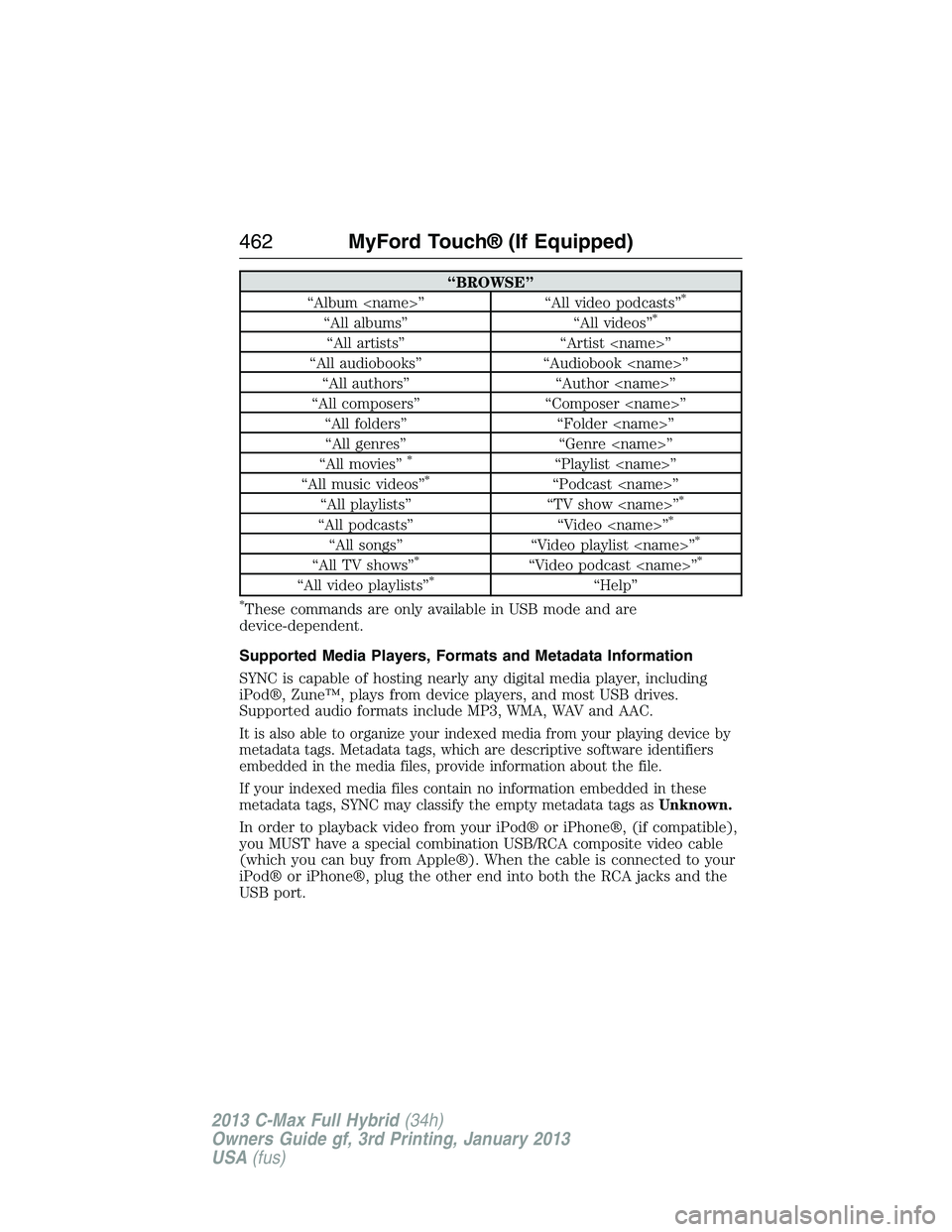
“BROWSE”
“Album
“All albums” “All videos”*
“All artists” “Artist
“All audiobooks” “Audiobook
“All authors” “Author
“All composers” “Composer
“All folders” “Folder
“All genres” “Genre
“All movies”
*“Playlist
“All music videos”*“Podcast
“All playlists” “TV show
“All podcasts” “Video
“All songs” “Video playlist
“All TV shows”*“Video podcast
“All video playlists”*“Help”
*These commands are only available in USB mode and are
device-dependent.
Supported Media Players, Formats and Metadata Information
SYNC is capable of hosting nearly any digital media player, including
iPod®, Zune™, plays from device players, and most USB drives.
Supported audio formats include MP3, WMA, WAV and AAC.
It is also able to organize your indexed media from your playing device by
metadata tags. Metadata tags, which are descriptive software identifiers
embedded in the media files, provide information about the file.
If your indexed media files contain no information embedded in these
metadata tags, SYNC may classify the empty metadata tags asUnknown.
In order to playback video from your iPod® or iPhone®, (if compatible),
you MUST have a special combination USB/RCA composite video cable
(which you can buy from Apple®). When the cable is connected to your
iPod® or iPhone®, plug the other end into both the RCA jacks and the
USB port.
462MyFord Touch® (If Equipped)
2013 C-Max Full Hybrid(34h)
Owners Guide gf, 3rd Printing, January 2013
USA(fus)
Page 465 of 552
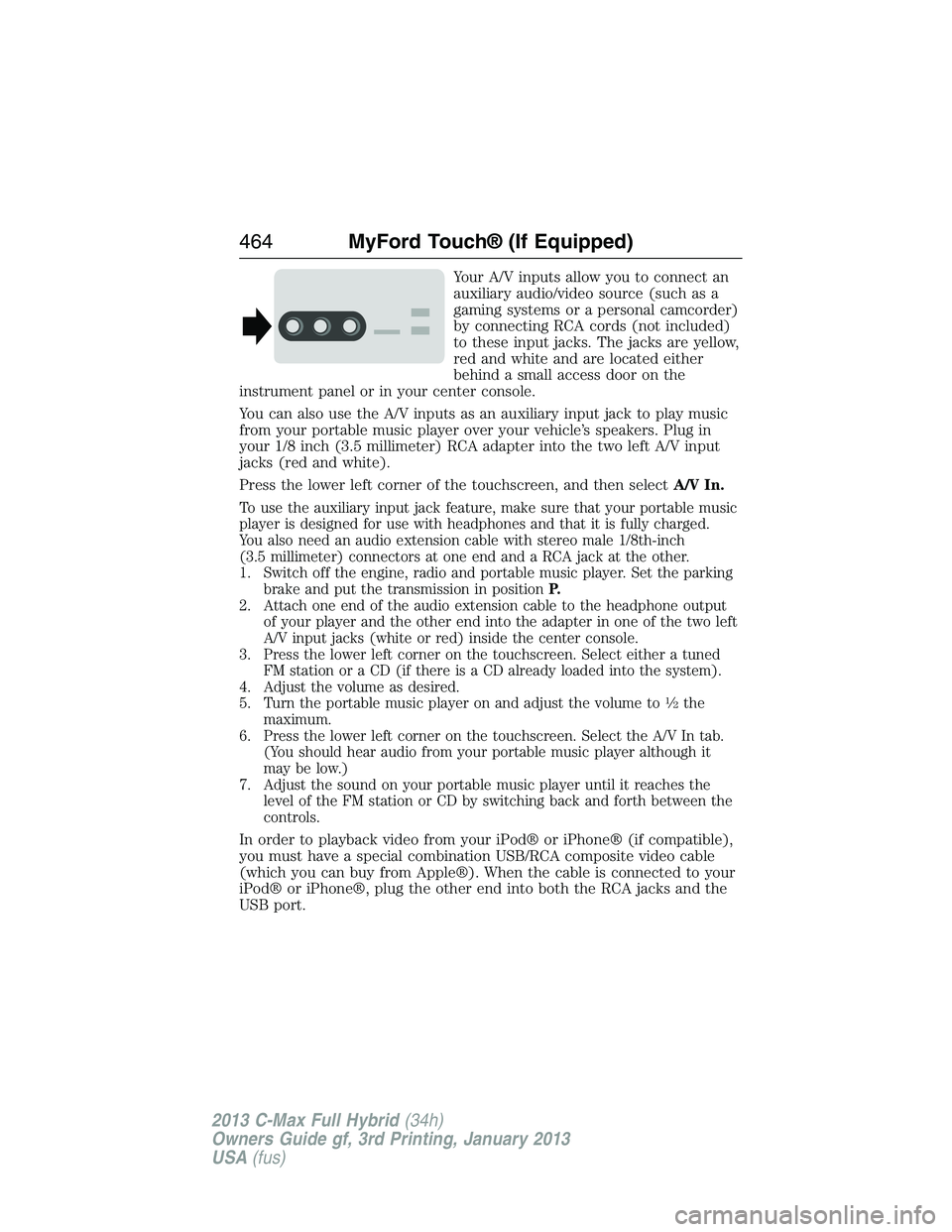
Your A/V inputs allow you to connect an
auxiliary audio/video source (such as a
gaming systems or a personal camcorder)
by connecting RCA cords (not included)
to these input jacks. The jacks are yellow,
red and white and are located either
behind a small access door on the
instrument panel or in your center console.
You can also use the A/V inputs as an auxiliary input jack to play music
from your portable music player over your vehicle’s speakers. Plug in
your 1/8 inch (3.5 millimeter) RCA adapter into the two left A/V input
jacks (red and white).
Press the lower left corner of the touchscreen, and then selectA/V In.
To use the auxiliary input jack feature, make sure that your portable music
player is designed for use with headphones and that it is fully charged.
You also need an audio extension cable with stereo male 1/8th-inch
(3.5 millimeter) connectors at one end and a RCA jack at the other.
1. Switch off the engine, radio and portable music player. Set the parking
brake and put the transmission in positionP.
2. Attach one end of the audio extension cable to the headphone output
of your player and the other end into the adapter in one of the two left
A/V input jacks (white or red) inside the center console.
3. Press the lower left corner on the touchscreen. Select either a tuned
FM station or a CD (if there is a CD already loaded into the system).
4. Adjust the volume as desired.
5. Turn the portable music player on and adjust the volume to
12the
maximum.
6. Press the lower left corner on the touchscreen. Select the A/V In tab.
(You should hear audio from your portable music player although it
may be low.)
7. Adjust the sound on your portable music player until it reaches the
level of the FM station or CD by switching back and forth between the
controls.
In order to playback video from your iPod® or iPhone® (if compatible),
you must have a special combination USB/RCA composite video cable
(which you can buy from Apple®). When the cable is connected to your
iPod® or iPhone®, plug the other end into both the RCA jacks and the
USB port.
464MyFord Touch® (If Equipped)
2013 C-Max Full Hybrid(34h)
Owners Guide gf, 3rd Printing, January 2013
USA(fus)