brakes FORD C MAX ENERGI 2016 User Guide
[x] Cancel search | Manufacturer: FORD, Model Year: 2016, Model line: C MAX ENERGI, Model: FORD C MAX ENERGI 2016Pages: 395, PDF Size: 6.78 MB
Page 171 of 395
PRINCIPLE OF OPERATION
WARNINGS
Vehicle modifications involvingbraking system, aftermarket roofracks, suspension, steering system,tire construction and wheel and tire sizemay change the handling characteristicsof your vehicle and may adversely affectthe performance of the electronic stabilitycontrol system. In addition, installing anystereo loudspeakers may interfere withand adversely affect the electronic stabilitycontrol system. Install any aftermarketstereo loudspeaker as far as possible fromthe front center console, the tunnel, andthe front seats in order to minimize the riskof interfering with the electronic stabilitycontrol sensors. Reducing theeffectiveness of the electronic stabilitycontrol system could lead to an increasedrisk of loss of vehicle control, vehiclerollover, personal injury and death.
Remember that even advancedtechnology cannot defy the laws ofphysics. It’s always possible to losecontrol of a vehicle due to inappropriatedriver input for the conditions. Aggressivedriving on any road condition can causeyou to lose control of your vehicleincreasing the risk of personal injury orproperty damage. Activation of theelectronic stability control system is anindication that at least some of the tireshave exceeded their ability to grip the road;this could reduce the operator’s ability tocontrol the vehicle potentially resulting ina loss of vehicle control, vehicle rollover,personal injury and death. If your electronicstability control system activates, SLOWDOWN.
The system automatically turns on eachtime you switch the ignition on.
If a driving condition activates either thestability control or the traction controlsystem you may experience the followingconditions:
•The stability and traction control lightflashes.
•Your vehicle slows down.
•Reduced engine power.
•A vibration in the brake pedal.
•The brake pedal is stiffer than usual.
•If the driving condition is severe andyour foot is not on the brake, the brakepedal may move as the systemsapplies higher brake forces.
The stability control system has severalfeatures built into it to help you maintaincontrol of your vehicle:
Electronic Stability Control
The system enhances your vehicle’s abilityto prevent skids or lateral slides byapplying brakes to one or more of thewheels individually and, if necessary,reducing engine power.
Roll Stability Control
The system enhances your vehicle’s abilityto prevent rollovers by detecting yourvehicle’s roll motion and the rate at whichit changes by applying the brakes to oneor more wheels individually.
Traction Control
The system enhances your vehicle’s abilityto maintain traction of the wheels bydetecting and controlling wheel spin. SeeUsing Traction Control (page 167).
168
C-MAX (CCG) Canada/United States of America, enUSA, First Printing
Stability Control
Page 173 of 395
PRINCIPLE OF OPERATION
WARNINGS
To help avoid personal injury, pleaseread and understand the limitationsof the system as contained in thissection. Sensing is only an aid for some(generally large and fixed) objects whenmoving on a flat surface at parking speeds.Certain objects with surfaces that absorbultrasonic waves, surrounding vehicle'sparking aid systems, traffic controlsystems, fluorescent lamps, inclementweather, air brakes, and external motorsand fans may also affect the function ofthe sensing system; this may includereduced performance or a false activation.
To help avoid personal injury, alwaysuse caution when in reverse (R) andwhen using the sensing system.
This system is not designed toprevent contact with small or movingobjects. The system is designed toprovide a warning to assist the driver indetecting large stationary objects to avoiddamaging your vehicle. The system maynot detect smaller objects, particularlythose close to the ground.
Certain add-on devices such as largetrailer hitches, bike or surfboard racksand any device that may block thenormal detection zone of the system, maycreate false beeps.
Note:Keep the sensors, located on thebumper or fascia, free from snow, ice andlarge accumulations of dirt. If the sensorsare covered, the system’s accuracy can beaffected. Do not clean the sensors withsharp objects.
Note:If your vehicle sustains damage tothe bumper or fascia, leaving it misalignedor bent, the sensing zone may be alteredcausing inaccurate measurement ofobstacles or false alarms.
Note:The sensing system cannot be turnedoff when a MyKey is present. See Principleof Operation (page 51).
Note:If you attach certain add-on devicessuch as a trailer or bike rack, the rear sensingsystem may detect that add-on device andtherefore provide warnings. It is suggestedthat you disable the rear sensing systemwhen you attach an add-on device to yourvehicle to prevent these warnings.
The sensing system warns the driver ofobstacles within a certain range of yourvehicle. The system turns on automaticallywhenever you switch the ignition on.
The system can be switched off throughthe information display menu or from thepop-up message that appears once youshift the transmission into reverse (R). SeeGeneral Information (page 93).
If a fault is present in the system, a warningmessage appears in the informationdisplay. See Information Messages(page 101).
REAR PARKING AID
The rear sensors are only active when thetransmission is in reverse (R). As yourvehicle moves closer to the obstacle, therate of the audible warning increases.When the obstacle is less than 10 in(25 cm) away, the warning soundscontinuously. If the system detects astationary or receding object farther than10 in (25 cm) from the corners of thebumper, the tone sounds for only threeseconds. Once the system detects anobject approaching, the warning soundsagain.
170
C-MAX (CCG) Canada/United States of America, enUSA, First Printing
Parking Aids
Page 175 of 395
ACTIVE PARK ASSIST (If Equipped)
WARNING
This system is designed to be asupplementary park aid. It may notwork in all conditions and is notintended to replace the driver’s attentionand judgment. The driver is responsible foravoiding hazards and maintaining a safedistance and speed, even when the systemis in use.
Note:The driver is always responsible forcontrolling the vehicle, supervising thesystem and intervening if required.
The system detects an available parallelparking space and automatically steersthe vehicle into the space (hands-free)while you control the accelerator, gearshiftand brakes. The system visually andaudibly instructs you to park the vehicle.
The system may not function correctly ifsomething passes between the frontbumper and the parking space (i.e. apedestrian or cyclist) or if the edge of theneighboring parked vehicle is high from theground (i.e. a bus, tow truck or flatbedtruck).
Note:The sensors may not detect objectsin heavy rain or other conditions that causedisruptive reflections.
Note:The sensors may not detect objectswith surfaces that absorb ultrasonic waves.
Note:After a tire change the system will gothrough a relearning procedure. During thistime the system performance maydeteriorate.
The system should not be used if:
•a foreign object (i.e. bike rack or trailer)is attached to the front or rear of thevehicle or at another location close tothe sensors.
•an overhanging object (i.e. surfboard)is attached to the roof.
•the front bumper, rear bumper or sidesensors are damaged (i.e. in a collision)or obstructed by a foreign object (i.e.front bumper cover).
•a mini-spare tire is in use.
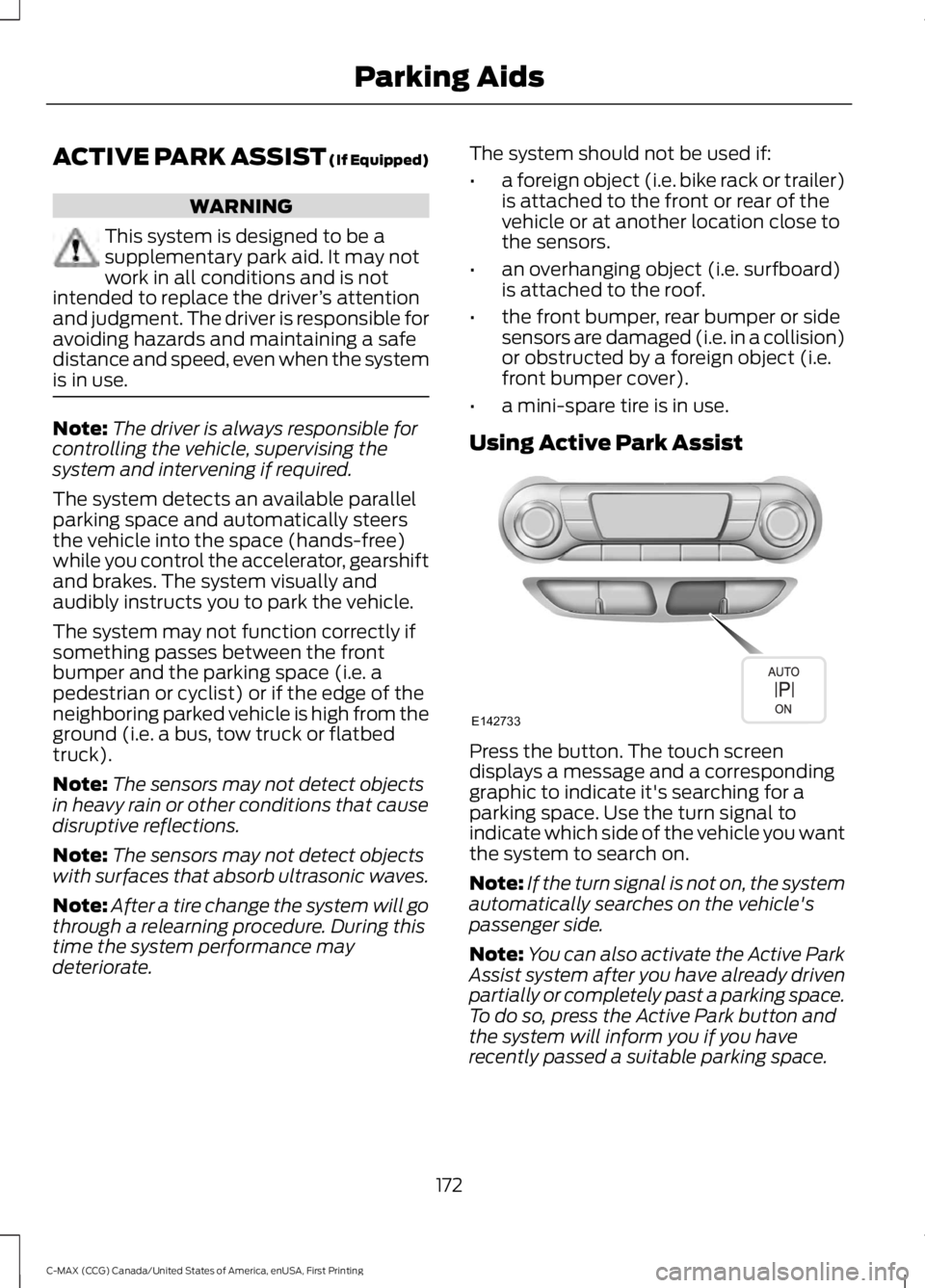
Using Active Park Assist
Press the button. The touch screendisplays a message and a correspondinggraphic to indicate it's searching for aparking space. Use the turn signal toindicate which side of the vehicle you wantthe system to search on.
Note:If the turn signal is not on, the systemautomatically searches on the vehicle'spassenger side.
Note:You can also activate the Active ParkAssist system after you have already drivenpartially or completely past a parking space.To do so, press the Active Park button andthe system will inform you if you haverecently passed a suitable parking space.
172
C-MAX (CCG) Canada/United States of America, enUSA, First Printing
Parking AidsE142733
Page 182 of 395
PRINCIPLE OF OPERATION
Cruise control lets you maintain a setspeed without keeping your foot on theaccelerator pedal. You can use cruisecontrol when your vehicle speed is greaterthan 20 mph (30 km/h).
USING CRUISE CONTROL
WARNINGS
Do not use cruise control on windingroads, in heavy traffic or when theroad surface is slippery. This couldresult in loss of vehicle control, seriousinjury or death.
When you are going downhill, yourvehicle speed may increase abovethe set speed. The system will notapply the brakes but a warning displays.Failure to follow this warning could resultin serious personal injury or death.
Note:Cruise control will disengage if thevehicle speed decreases more than 10 mph(16 km/h) below the set speed while drivinguphill.
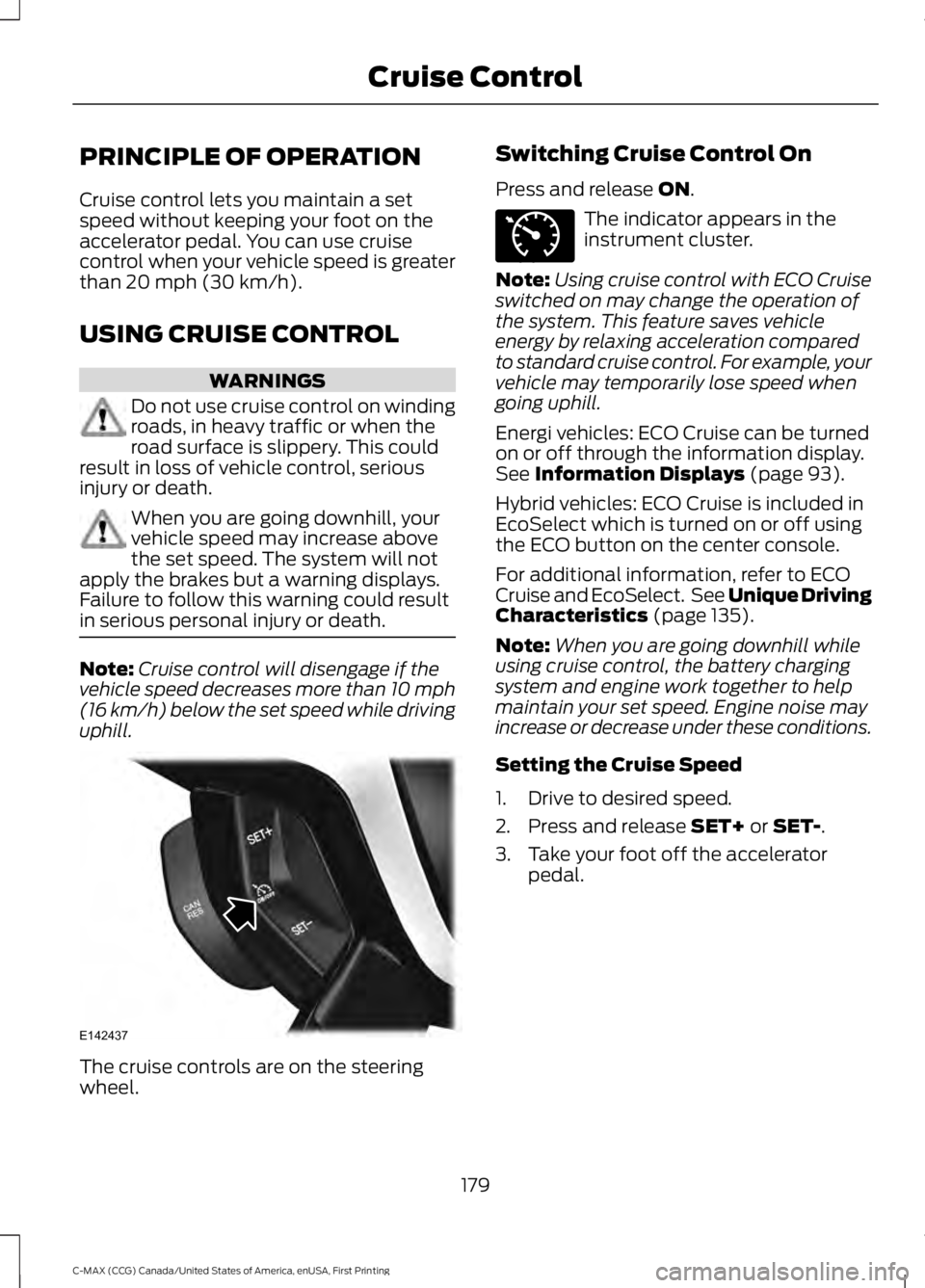
The cruise controls are on the steeringwheel.
Switching Cruise Control On
Press and release ON.
The indicator appears in theinstrument cluster.
Note:Using cruise control with ECO Cruiseswitched on may change the operation ofthe system. This feature saves vehicleenergy by relaxing acceleration comparedto standard cruise control. For example, yourvehicle may temporarily lose speed whengoing uphill.
Energi vehicles: ECO Cruise can be turnedon or off through the information display.See Information Displays (page 93).
Hybrid vehicles: ECO Cruise is included inEcoSelect which is turned on or off usingthe ECO button on the center console.
For additional information, refer to ECOCruise and EcoSelect. See Unique DrivingCharacteristics (page 135).
Note:When you are going downhill whileusing cruise control, the battery chargingsystem and engine work together to helpmaintain your set speed. Engine noise mayincrease or decrease under these conditions.
Setting the Cruise Speed
1. Drive to desired speed.
2. Press and release SET+ or SET-.
3. Take your foot off the acceleratorpedal.
179
C-MAX (CCG) Canada/United States of America, enUSA, First Printing
Cruise ControlE142437 E71340
Page 190 of 395
GCW (Gross Combined Weight)- is the Gross Vehicle Weight plusthe weight of the fully loadedtrailer.
GCWR (Gross CombinedWeight Rating) - is the maximumallowable weight of the vehicleand the loaded trailer, includingall cargo and passengers, that thevehicle can handle without riskingdamage. (Important: The towingvehicle’s braking system is ratedfor operation at Gross VehicleWeight Rating, not at GrossCombined Weight Rating.)Separate functional brakes shouldbe used for safe control of towedvehicles and for trailers where theGross Combined Weight of thetowing vehicle plus the trailerexceed the Gross Vehicle WeightRating of the towing vehicle.TheGross Combined Weight mustnever exceed the GrossCombined Weight Rating.
Maximum Loaded TrailerWeight - is the highest possibleweight of a fully loaded trailer thevehicle can tow. It assumes avehicle with mandatory options,driver and front passenger weight(150 pounds [68 kilograms]each), no cargo weight (internalor external) and a tongue load of10–15% (conventional trailer) orking pin weight of 15–25% (fifthwheel trailer). Consult anauthorized dealer (or the RV andTrailer Towing Guide available at
an authorized dealer) for moredetailed information.
Tongue Load or Fifth WheelKing Pin Weight - refers to theamount of the weight that a trailerpushes down on a trailer hitch.
Examples: For a 5000 pound(2268 kilogram) conventionaltrailer, multiply 5000 by 0.10 and0.15 to obtain a proper tongueload range of 500 to 750 pounds(227 to 340 kilograms). For an11500 pound (5216 kilogram) fifthwheel trailer, multiply by 0.15 and0.25 to obtain a proper king pinload range of 1725 to 2875 pounds(782 to 1304 kilograms).
WARNINGS
Do not exceed the GVWR orthe GAWR specified on theSafety Compliance CertificationLabel.
Do not use replacement tireswith lower load carryingcapacities than the original tiresbecause they may lower thevehicle’s GVWR and GAWRlimitations. Replacement tireswith a higher limit than the originaltires do not increase the GVWRand GAWR limitations.
Exceeding any vehicle weightrating limitation could resultin serious damage to the vehicleand/or personal injury.
Steps for determining thecorrect load limit:
187
C-MAX (CCG) Canada/United States of America, enUSA, First Printing
Load Carrying
Page 196 of 395
•Perform all regularly scheduledmaintenance. See ScheduledMaintenance (page 348).
•Use the coach and brake coach displayto get feedback on your economicaldrive style. For more information, SeeInformation Displays (page 93).
Avoid these actions because they reduceyour fuel economy:
•Avoid sudden or hard accelerations anddecelerations. Accelerate and slowdown in a smooth, moderate fashion.
•Avoid revving the engine beforeswitching off your vehicle.
•Avoid long idle periods.
•Do not warm up your vehicle on coldmornings.
•Do not rest your foot on the brakepedal while driving.
•Avoid carrying unnecessary weight.Approximately 1 mile per gallon (0.4kilometers per liter) is lost for every400 lb (180 kg) of weight carried.
•Avoid adding accessories that increaseaerodynamic drag to your vehicle suchas bug deflectors, car top carriers andski or bike racks.
•Avoid driving with the wheels out ofalignment.
Things to keep in mind when you refuelyour vehicle:
•Fuel generates fewer vapors when it iscool and dark outside. Refuel yourvehicle in the early morning or lateevening.
•Use the recommended octane-ratedfuel. Using fuel below therecommended rating will lower yourfuel economy.
DRIVING THROUGH WATER
WARNING
Do not drive through flowing or deepwater as you may lose control of yourvehicle.
Note:Driving through standing water cancause vehicle damage.
Note:Engine damage can occur if waterenters the air filter.
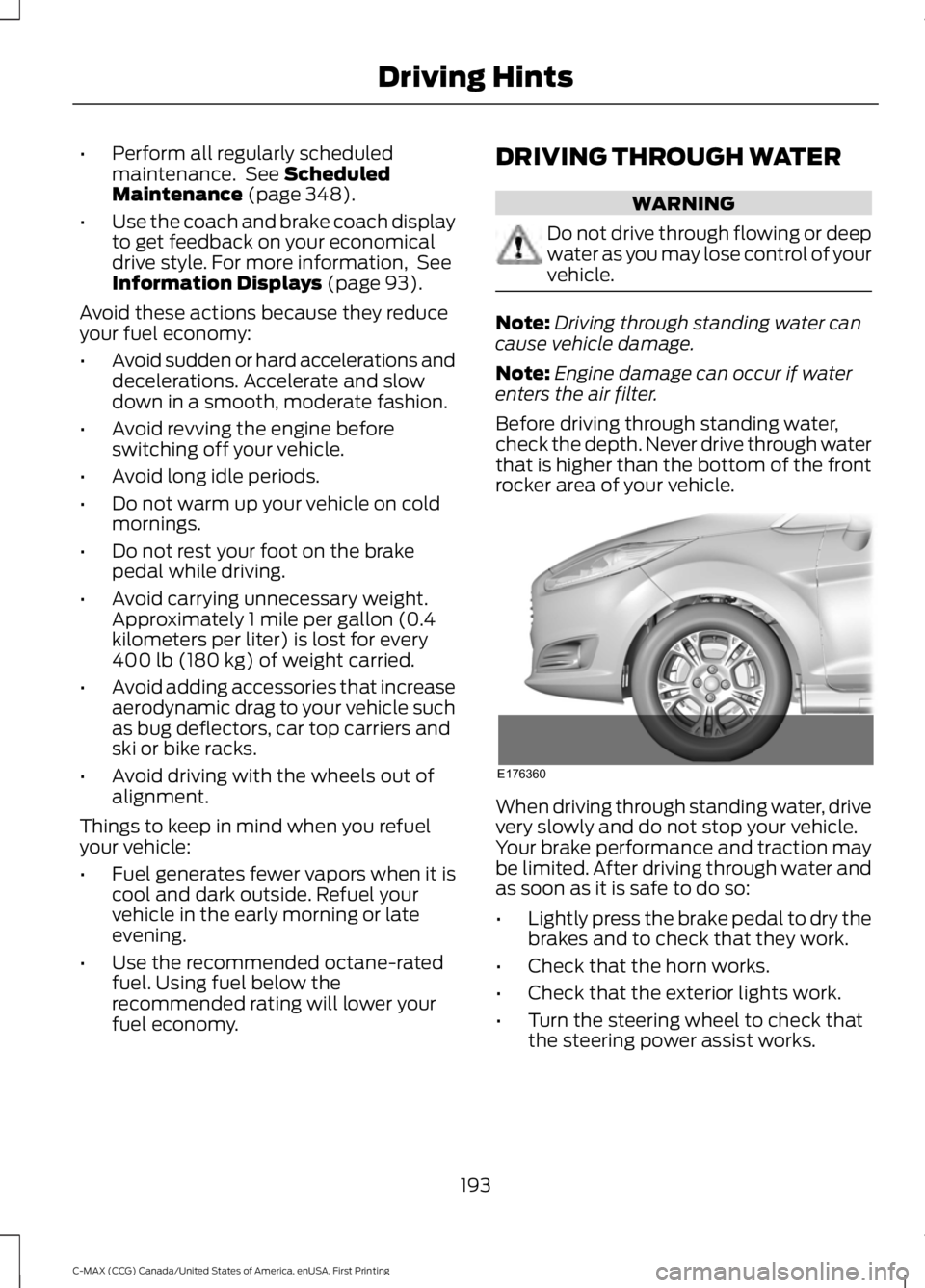
Before driving through standing water,check the depth. Never drive through waterthat is higher than the bottom of the frontrocker area of your vehicle.
When driving through standing water, drivevery slowly and do not stop your vehicle.Your brake performance and traction maybe limited. After driving through water andas soon as it is safe to do so:
•Lightly press the brake pedal to dry thebrakes and to check that they work.
•Check that the horn works.
•Check that the exterior lights work.
•Turn the steering wheel to check thatthe steering power assist works.
193
C-MAX (CCG) Canada/United States of America, enUSA, First Printing
Driving HintsE176360
Page 250 of 395
•With your foot on the brake, shiftthrough all the gears while the engineis running.
•We recommend that you change theengine oil before you use your vehicleagain.
Fuel System
•Fill the fuel tank with high-quality fueluntil the first automatic shutoff of thefuel pump nozzle.
Cooling System
•Protect against freezing temperatures.
•When removing your vehicle fromstorage, check coolant fluid level.Confirm that there are no coolingsystem leaks and that fluid is at therecommended level.
12V Battery
•Check and recharge as necessary. Keepconnections clean.
•If storing your vehicle for more than 30days without recharging the battery,we recommend that you disconnectthe battery cables to maintain batterycharge for quick starting.
Note:It is necessary to reset memoryfeatures if you disconnect the batterycables.
We recommend the following options foryour plug-in vehicle:
•Leave your vehicle plugged in. The 12Vbattery maintains power if left pluggedin. However, this periodically useselectricity from the household outlet.
•Connect a battery charger to your 12Vbattery and leave it on a continuous,slow charge.
•Disconnect the 12V battery. If your 12Vbattery is located in the luggagecompartment, do not fully shut theluggage compartment afterdisconnecting the 12V battery. Onlyleave the luggage compartment openif your vehicle is stored in a lockedlocation.
Brakes
•Make sure the brakes and parking brakerelease fully.
Tires
•Maintain recommended air pressure.
Miscellaneous
•Make sure you cover all linkages,cables, levers and pins under yourvehicle with grease to prevent rust.
•Move vehicles at least 25 ft (7.5 m)every 15 days to lubricate working partsand prevent corrosion.
Removing Vehicle From Storage
When your vehicle is ready to come out ofstorage, do the following:
•Wash your vehicle to remove any dirtor grease film build-up on windowsurfaces.
•Check windshield wipers for anydeterioration.
247
C-MAX (CCG) Canada/United States of America, enUSA, First Printing
Vehicle Care
Page 386 of 395
A
A/CSee: Climate Control.........................................108About This Manual...........................................7ABSSee: Brakes...........................................................164ABS driving hintsSee: Hints on Driving With Anti-LockBrakes................................................................165Accessories....................................................344Exterior style........................................................344Interior style.........................................................344Lifestyle.................................................................344Peace of mind.....................................................344AccessoriesSee: Replacement PartsRecommendation.............................................11Active Park Assist..........................................172Automatic Steering into ParkingSpace..................................................................173Deactivating the Park Assist Feature..........174Troubleshooting the System..........................174Using Active Park Assist...................................172Adjusting the Headlamps..........................231Horizontal Aim Adjustment...........................232Vertical Aim Adjustment..................................231Adjusting the Steering Wheel....................67Airbag Disposal...............................................43Air ConditioningSee: Climate Control.........................................108Air FilterSee: Changing the Engine Air Filter.............238AlarmSee: Anti-Theft Alarm........................................66Ambient Lighting............................................79Anti-Theft Alarm............................................66Arming the Alarm................................................66Disarming the Alarm...........................................66Appendices....................................................366Audible Warnings and Indicators.............92Automatic Transmission WarningChime...................................................................92Engine On Warning Chime................................92Headlamps On Warning Chime......................92Key in Ignition Warning Chime........................92Keyless Warning Alert ........................................92Parking Brake On Warning Chime..................92
Audio Control...................................................67Seek, Next or Previous.......................................68Audio System................................................283General Information.........................................283Audio Unit - Vehicles With: AM/FM/CD/SYNC.............................................................284Audio Unit - Vehicles With: PremiumAM/FM/CD.................................................286Audio Unit - Vehicles With: Sony AM/FM/CD..........................................................288Menu Structure..................................................289Autolamps.........................................................75Windshield Wiper ActivatedHeadlamps.........................................................75Automatic Climate Control......................108Temperature Control........................................109Automatic Engine Shutdown...................133Automatic Transmission.............................161Automatic Transmission...................................161Brake-Shift Interlock.........................................162If Your Vehicle Gets Stuck In Mud orSnow..................................................................163Automatic Transmission FluidCheck.............................................................227Autowipers........................................................70Auxiliary Power Points................................126110 Volt AC Power Point...................................12612 Volt DC Power Point.....................................126Locations...............................................................126
B
BatterySee: Changing the 12V Battery.....................228Bonnet LockSee: Opening and Closing the Hood...........218Booster Seats..................................................22Types of Booster Seats......................................23Brake Fluid Check.........................................227Brakes...............................................................164General Information..........................................164Breaking-In......................................................192Bulb Specification Chart...........................237
C
Cabin Air Filter..................................................111California Proposition 65..............................11
383
C-MAX (CCG) Canada/United States of America, enUSA, First Printing
Index
Page 389 of 395
G
Garage Door OpenerSee: Universal Garage Door Opener.............121Gauges...............................................................85Left Information Display....................................85Right Information Display.................................87General Information on RadioFrequencies...................................................44Intelligent Access.................................................44General Maintenance Information.......348Multi-point Inspection......................................351Owner Checks and Services.........................350Protecting Your Investment..........................348Why Maintain Your Vehicle?.........................348Why Maintain Your Vehicle at YourDealership?.....................................................348Getting Assistance Outside the U.S. andCanada.........................................................205Getting the Services You Need...............202Away From Home..............................................202Global Opening................................................81Opening the Windows........................................81
H
HandbrakeSee: Parking Brake.............................................165Hazard Warning Flashers..........................196Headlamp AdjustingSee: Adjusting the Headlamps......................231Headlamp Exit Delay....................................76Headlamp RemovalSee: Removing a Headlamp..........................232Head Restraints..............................................113Adjusting the Head Restraint..........................114Heated Seats.................................................120Heated Windows and Mirrors....................111Heated Exterior Mirrors.......................................111Heated Rear Window..........................................111HeatingSee: Climate Control.........................................108High Voltage Battery Cut-OffSwitch............................................................160High Voltage Battery...................................153General Information..........................................153
Hill Start Assist..............................................165Switching the System On and Off...............166Using Hill Start Assist.......................................166Hints on Controlling the InteriorClimate..........................................................109Cooling the Interior Quickly.............................110General Hints.......................................................109Heating the Interior Quickly.............................110Recommended Settings for Cooling ..........110Recommended Settings for Heating...........110Side Window Defogging in ColdWeather..............................................................110Hints on Driving With Anti-LockBrakes............................................................165Hood LockSee: Opening and Closing the Hood...........218Hybrid Vehicle Frequently AskedQuestions.....................................................140Hybrid Vehicle Operation...........................135Battery:...................................................................136Braking:...................................................................136Driving:....................................................................135Driving to Optimize Fuel Economy..............136Engine:....................................................................136EV+ Mode...............................................................137Starting:..................................................................135Stopping:................................................................135Transmission Operation:..................................135
I
Ignition Switch...............................................129In California (U.S. Only)............................203Information Display Control......................69Multimedia Controls...........................................69Information Displays.....................................93General Information............................................93
386
C-MAX (CCG) Canada/United States of America, enUSA, First Printing
Index
Page 394 of 395
Using SYNC™ With Your MediaPlayer.............................................................325Accessing Your Play Menu.............................330Connecting Your Digital Media Player to theUSB Port...........................................................325Media Menu Features......................................328Media Voice Commands.................................327System Settings.................................................332What's Playing?.................................................326Using SYNC™ With Your Phone............302Accessing Features Through the PhoneMenu.................................................................306Accessing Your Phone Settings......................311Making a Call......................................................305Pairing a Cell Phone for the FirstTime...................................................................302Pairing Subsequent Cell Phones.................303Phone Options during an Active Call.........305Phone Voice Commands................................303Receiving Calls...................................................305System Settings..................................................312Text Messaging..................................................309Using Traction Control................................167Switching the System Off................................167System Indicator Lights andMessages..........................................................167Using a Switch.....................................................167Using the Information DisplayControls.............................................................167Using Voice Recognition...........................299Initiating a Voice Session................................299System Interaction and Feedback.............300Utilizing the Mediation/ArbitrationProgram (Canada Only)........................205
V
Vehicle Care....................................................241General Information..........................................241Vehicle Certification Label.......................279Vehicle Identification Number................278
Vehicle Storage............................................24612V Battery............................................................247Body........................................................................246Brakes.....................................................................247Cooling System...................................................247Engine....................................................................246Fuel System..........................................................247General..................................................................246Miscellaneous......................................................247Removing Vehicle From Storage..................247Tires.........................................................................247VentilationSee: Climate Control.........................................108VINSee: Vehicle Identification Number............278Voice Control...................................................68
391
C-MAX (CCG) Canada/United States of America, enUSA, First Printing
Index