pairing phone FORD C MAX ENERGI 2017 User Guide
[x] Cancel search | Manufacturer: FORD, Model Year: 2017, Model line: C MAX ENERGI, Model: FORD C MAX ENERGI 2017Pages: 497, PDF Size: 7.64 MB
Page 430 of 497
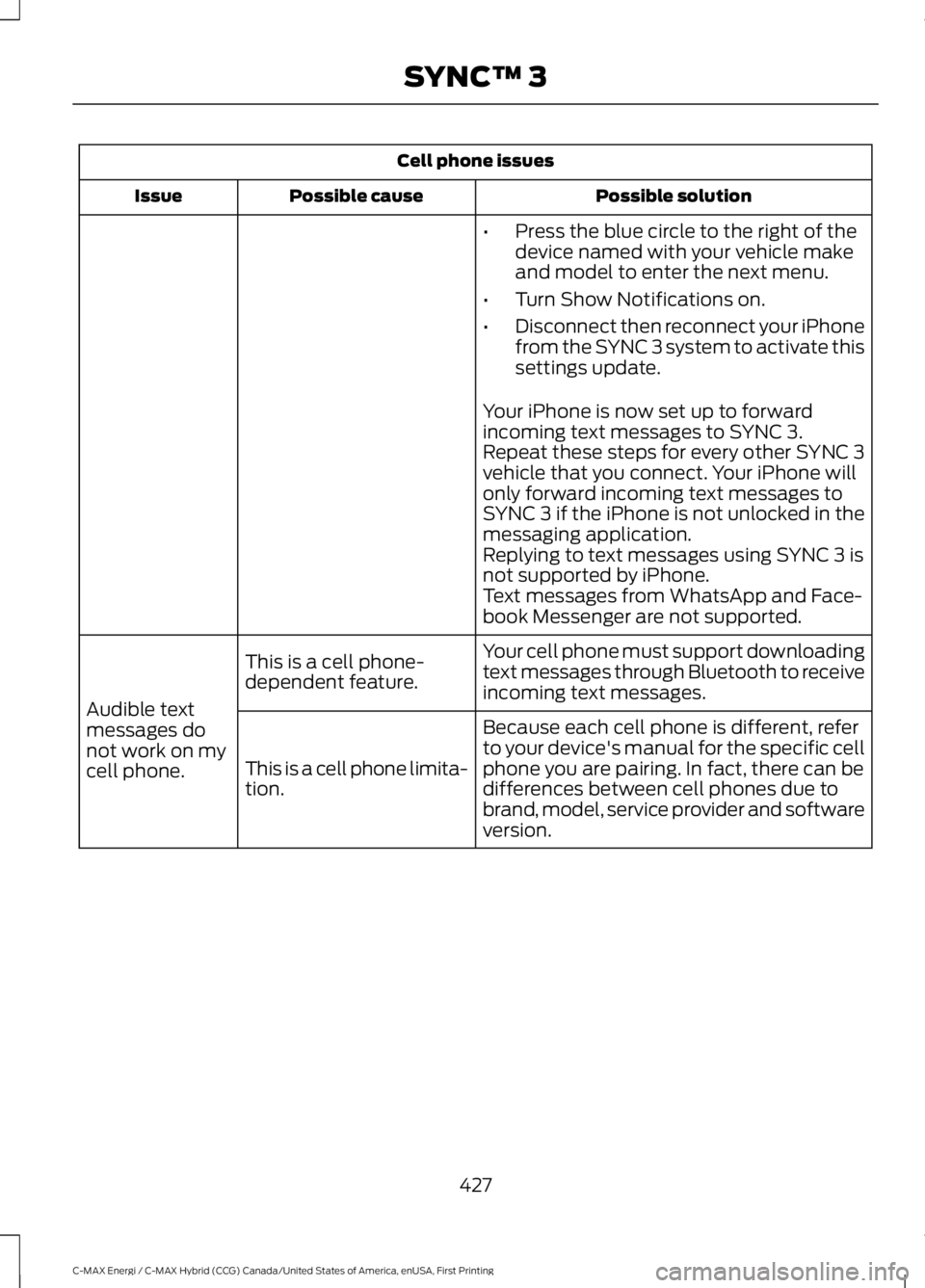
Cell phone issues
Possible solutionPossible causeIssue
•Press the blue circle to the right of thedevice named with your vehicle makeand model to enter the next menu.
•Turn Show Notifications on.
•Disconnect then reconnect your iPhonefrom the SYNC 3 system to activate thissettings update.
Your iPhone is now set up to forwardincoming text messages to SYNC 3.Repeat these steps for every other SYNC 3vehicle that you connect. Your iPhone willonly forward incoming text messages toSYNC 3 if the iPhone is not unlocked in themessaging application.Replying to text messages using SYNC 3 isnot supported by iPhone.Text messages from WhatsApp and Face-book Messenger are not supported.
Your cell phone must support downloadingtext messages through Bluetooth to receiveincoming text messages.
This is a cell phone-dependent feature.
Audible textmessages donot work on mycell phone.
Because each cell phone is different, referto your device's manual for the specific cellphone you are pairing. In fact, there can bedifferences between cell phones due tobrand, model, service provider and softwareversion.
This is a cell phone limita-tion.
427
C-MAX Energi / C-MAX Hybrid (CCG) Canada/United States of America, enUSA, First Printing
SYNC™ 3
Page 493 of 497
Load Limit........................................................187Special Loading Instructions for Owners ofPick-up Trucks and Utility-typeVehicles..............................................................191Vehicle Loading - with and without aTrailer..................................................................187Locking and Unlocking.................................57Activating Intelligent Access ..........................58Autolock..................................................................59Battery Saver.........................................................60Illuminated Entry.................................................60Illuminated Exit.....................................................60Mechanical Key.....................................................58Opening a Rear Door from Inside..................58Power Door Locks.................................................57Remote Control.....................................................57Smart Unlocks For Integrated KeyheadTransmitter........................................................59Smart Unlocks For Intelligent Access Keys................................................................................59Luggage Covers.............................................186Removing the Shade........................................186
M
Maintenance..................................................222General Information..........................................222Manual Liftgate................................................61Closing the Liftgate..............................................61Opening the Liftgate............................................61Manual Seats..................................................116Moving the Seat Backward andForward..............................................................116Recline Adjustment.............................................117Media Hub......................................................305Message CenterSee: Information Displays.................................92MirrorsSee: Heated Windows and Mirrors................112See: Windows and Mirrors................................78Mobile Communications Equipment.......13Motorcraft Parts...........................................283MyKey Troubleshooting...............................55MyKey™.............................................................52Principle of Operation.........................................52
N
Navigation......................................................380cityseeker.............................................................388Destination Mode..............................................383Map Mode............................................................380Navigation Map Updates...............................389Navigation Menu...............................................386SiriusXM Traffic and Travel Link..................389Waypoints.............................................................387Normal Scheduled Maintenance..........445Intelligent Oil-Life Monitor™........................445Normal Maintenance Intervals....................445
O
Oil Change Indicator Reset.......................227Resetting the Oil Life MonitoringSystem...............................................................227Oil CheckSee: Engine Oil Check......................................226Opening and Closing the Hood..............222Closing the Hood................................................223Opening the Hood.............................................222Ordering Additional Owner'sLiterature.....................................................208Obtaining a French Owner’s Manual.........209Overhead Console........................................128
P
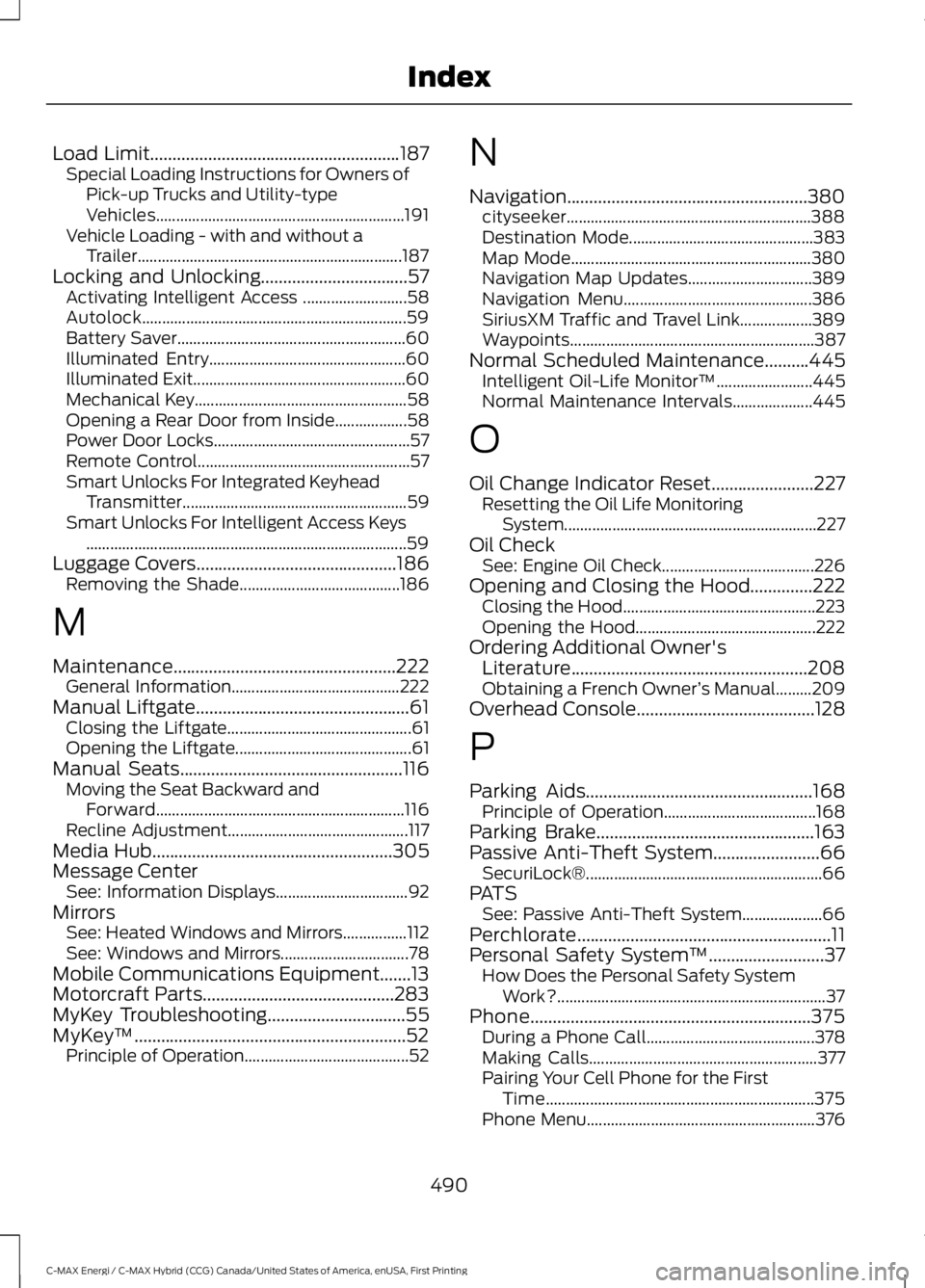
Parking Aids...................................................168Principle of Operation......................................168Parking Brake.................................................163Passive Anti-Theft System........................66SecuriLock®...........................................................66PATSSee: Passive Anti-Theft System....................66Perchlorate.........................................................11Personal Safety System™..........................37How Does the Personal Safety SystemWork?...................................................................37Phone...............................................................375During a Phone Call..........................................378Making Calls.........................................................377Pairing Your Cell Phone for the FirstTime...................................................................375Phone Menu.........................................................376
490
C-MAX Energi / C-MAX Hybrid (CCG) Canada/United States of America, enUSA, First Printing
Index
Page 494 of 497
Receiving Calls....................................................378Smartphone Connectivity..............................379Text Messaging...................................................379Plug-In Hybrid Vehicle Operation...........137ECO Cruise............................................................138EV Modes...............................................................137Fuel Freshness.....................................................139Low Engine Use...................................................139Plug-in Power Mode and HybridMode...................................................................137Post-Crash Alert System..........................203Power Door LocksSee: Locking and Unlocking..............................57Power Liftgate.................................................62Hands-Free Feature............................................64Obstacle Detection.............................................64Opening and Closing the Liftgate..................62Setting the Liftgate Open Height...................63Stopping the Liftgate Movement...................63Power Seats.....................................................117Power Lumbar......................................................119Power Steering Fluid Check.....................232Power Windows..............................................78Accessory Delay....................................................79Bounce-Back.........................................................78One-Touch Down.................................................78One-Touch Up.......................................................78Window Lock.........................................................78Protecting the Environment........................15
R
Rear Parking Aid...........................................168Rear Seat Armrest........................................120Rear Seats........................................................119Folding the Seatback ........................................119Unfolding the Seatback....................................119Rear Under Floor Storage.........................186Rear View Camera........................................174Using the Rear View Camera System..........174Rear View CameraSee: Rear View Camera....................................174Rear Window Wiper and Washers...........73Rear Window Washer.........................................73Rear Window Wiper.............................................73Refueling..........................................................145Easy Fuel™ Capless System..........................145
Remote Control...............................................47Car Finder................................................................49Integrated Keyhead Transmitters ..................47Intelligent Access Key........................................48Remote Start (If Equipped).............................50Replacing the Battery.........................................48Sounding a Panic Alarm....................................50Remote Start...................................................113Automatic Settings.............................................113Removing a Headlamp..............................238Repairing Minor Paint Damage...............252Replacement PartsRecommendation........................................12Collision Repairs....................................................12Scheduled Maintenance and MechanicalRepairs..................................................................12Warranty on Replacement Parts.....................12Replacing a Lost Key or RemoteControl..............................................................51Reporting Safety Defects (CanadaOnly).............................................................209Reporting Safety Defects (U.S.Only).............................................................209Roadside Assistance...................................197Vehicles Sold in Canada: Getting RoadsideAssistance........................................................197Vehicles Sold in Canada: RoadsideAssistance Program Coverage.................198Vehicles Sold in Canada: Using RoadsideAssistance........................................................198Vehicles Sold in the United States: GettingRoadside Assistance....................................197Vehicles Sold in the United States: UsingRoadside Assistance....................................197Roadside Emergencies...............................197Running-InSee: Breaking-In..................................................194Running Out of Fuel....................................144Adding Fuel From a Portable FuelContainer..........................................................144Filling a Portable Fuel Container..................144
S
Safety Canopy™............................................43Safety Precautions.......................................142
491
C-MAX Energi / C-MAX Hybrid (CCG) Canada/United States of America, enUSA, First Printing
Index
Page 496 of 497
The Better Business Bureau (BBB) AutoLine Program (U.S. Only)......................206Tire Care...........................................................261Glossary of Tire Terminology.........................263Information About Uniform Tire QualityGrading..............................................................261Information Contained on the TireSidewall...........................................................264Temperature A B C............................................262Traction AA A B C...............................................262Treadwear.............................................................262Tire Inflation When PuncturedSee: Tire Sealant and Inflator Kit.................255Tire Pressure Monitoring System...........276Changing Tires With a Tire PressureMonitoring System........................................277Understanding Your Tire PressureMonitoring System .......................................277Tire Repair KitSee: Tire Sealant and Inflator Kit.................255Tire Sealant and Inflator Kit....................255First Stage: Inflating the Tire with SealingCompound and Air........................................257General Information.........................................256Second Stage: Checking TirePressure............................................................259Tips for Use of the Kit......................................256What to Do After the Tire has BeenSealed...............................................................259What to Do When a Tire IsPunctured.........................................................257TiresSee: Wheels and Tires.....................................255Towing a Trailer.............................................192Towing the Vehicle on FourWheels...........................................................192Emergency Towing.............................................192Recreational Towing..........................................192Towing..............................................................192Traction Control............................................165Principle of Operation.......................................165Transmission Code Designation............285Transmission..................................................159TransmissionSee: Transmission..............................................159Transporting the Vehicle...........................203
U
Under Hood Overview - Hybrid ElectricVehicle (HEV).............................................223Under Hood Overview - Plug-In HybridElectric Vehicle (PHEV)..........................225Unique Driving Characteristics................135Universal Garage Door Opener.................121HomeLink Wireless Control System.............121USB Port.........................................................305Using Cruise Control.....................................177Switching Cruise Control Off..........................178Switching Cruise Control On...........................177Using MyKey With Remote StartSystems..........................................................55Using Snow Chains.....................................276Using Stability Control................................167Using Summer Tires....................................275Using SYNC™ With Your MediaPlayer.............................................................327Accessing Your USB Song Library................331Bluetooth Devices and SystemSettings.............................................................333Connecting Your Digital Media Player to theUSB Port...........................................................327Media Menu Features......................................330Media Voice Commands.................................328USB 2......................................................................333Voice Commands for Audio Sources.........334Using SYNC™ With Your Phone.............310Accessing Features through the PhoneMenu...................................................................315Accessing Your Phone Settings....................318Bluetooth Devices..............................................319Making Calls.........................................................314Pairing a Phone for the First Time.................311Pairing Subsequent Phones...........................312Phone Options during an Active Call..........314Phone Voice Commands.................................312Receiving Calls.....................................................314System Settings.................................................320Text Messaging....................................................316Using Traction Control................................165Switching the System Off...............................165System Indicator Lights andMessages..........................................................165Using a Switch.....................................................165
493
C-MAX Energi / C-MAX Hybrid (CCG) Canada/United States of America, enUSA, First Printing
Index