wheel FORD C MAX ENERGI 2017 User Guide
[x] Cancel search | Manufacturer: FORD, Model Year: 2017, Model line: C MAX ENERGI, Model: FORD C MAX ENERGI 2017Pages: 497, PDF Size: 7.64 MB
Page 95 of 497
GENERAL INFORMATION
WARNING
Driving while distracted can result inloss of vehicle control, crash andinjury. We strongly recommend thatyou use extreme caution when using anydevice that may take your focus off theroad. Your primary responsibility is the safeoperation of your vehicle. We recommendagainst the use of any hand-held devicewhile driving and encourage the use ofvoice-operated systems when possible.Make sure you are aware of all applicablelocal laws that may affect the use ofelectronic devices while driving.
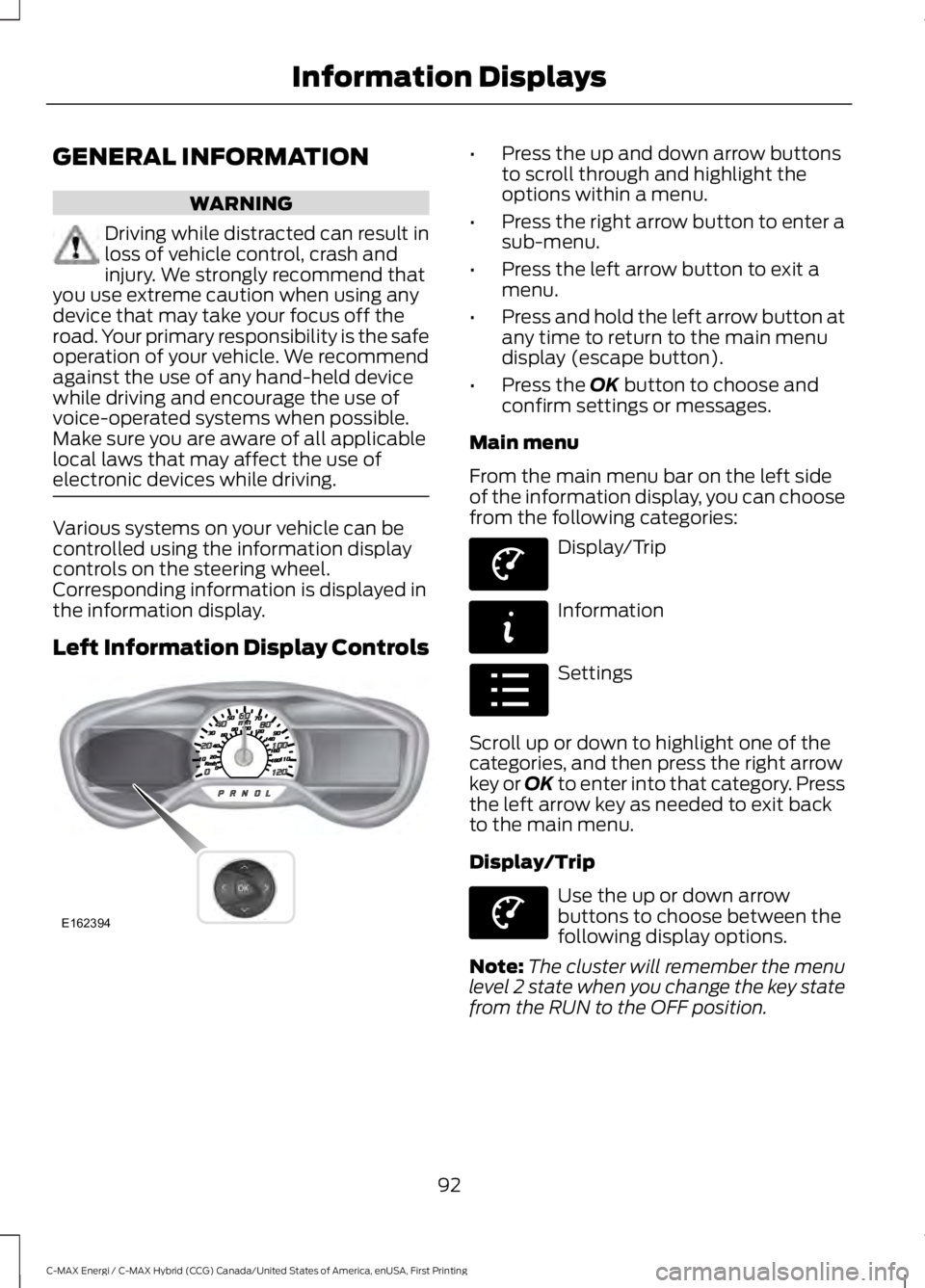
Various systems on your vehicle can becontrolled using the information displaycontrols on the steering wheel.Corresponding information is displayed inthe information display.
Left Information Display Controls
•Press the up and down arrow buttonsto scroll through and highlight theoptions within a menu.
•Press the right arrow button to enter asub-menu.
•Press the left arrow button to exit amenu.
•Press and hold the left arrow button atany time to return to the main menudisplay (escape button).
•Press the OK button to choose andconfirm settings or messages.
Main menu
From the main menu bar on the left sideof the information display, you can choosefrom the following categories:
Display/Trip
Information
Settings
Scroll up or down to highlight one of thecategories, and then press the right arrowkey or OK to enter into that category. Pressthe left arrow key as needed to exit backto the main menu.
Display/Trip
Use the up or down arrowbuttons to choose between thefollowing display options.
Note:The cluster will remember the menulevel 2 state when you change the key statefrom the RUN to the OFF position.
92
C-MAX Energi / C-MAX Hybrid (CCG) Canada/United States of America, enUSA, First Printing
Information DisplaysE162394 E144639 E144642 E100023 E144639
Page 97 of 497
Display/Trip
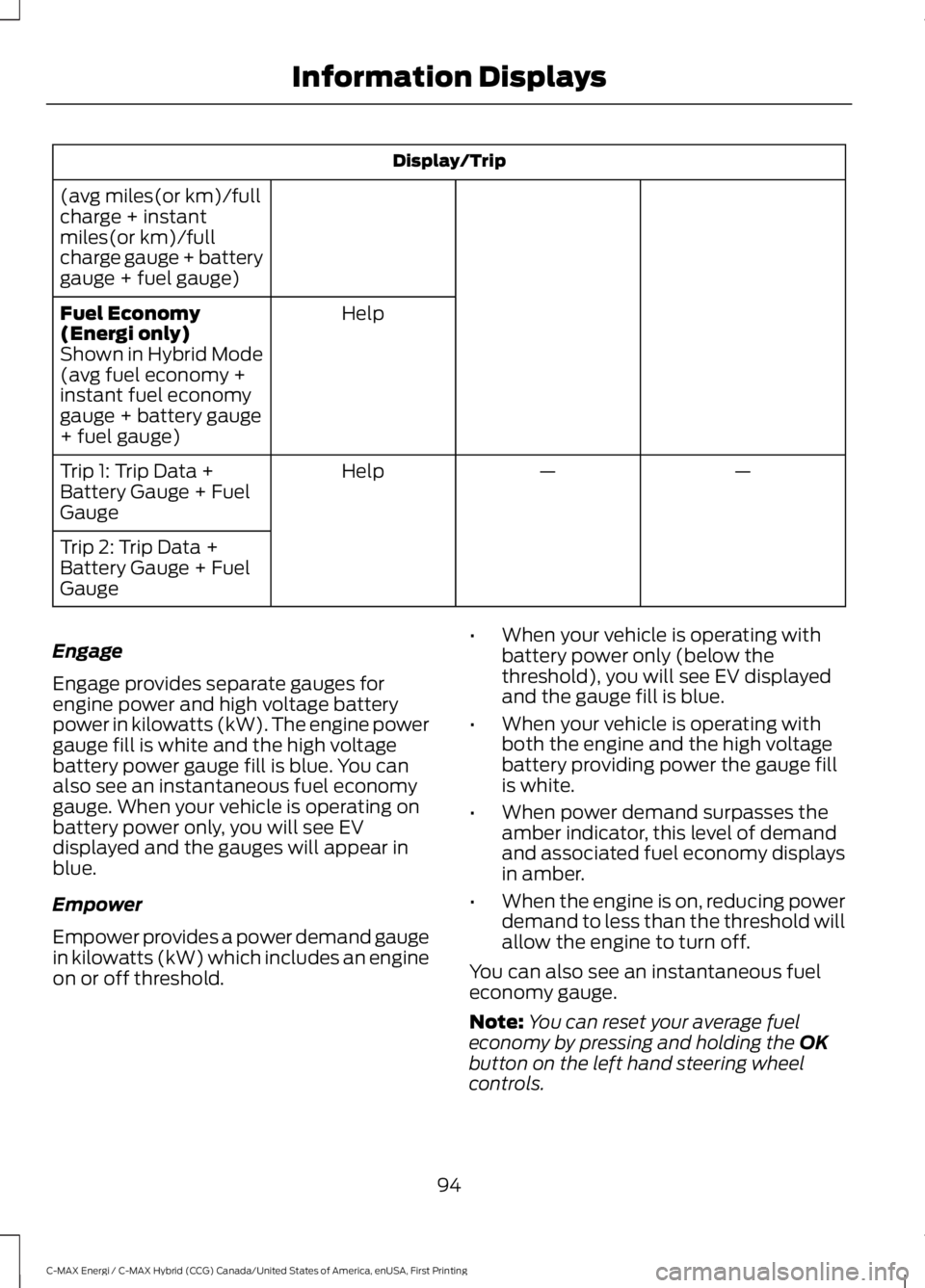
(avg miles(or km)/fullcharge + instantmiles(or km)/fullcharge gauge + batterygauge + fuel gauge)
HelpFuel Economy(Energi only)Shown in Hybrid Mode(avg fuel economy +instant fuel economygauge + battery gauge+ fuel gauge)
——HelpTrip 1: Trip Data +Battery Gauge + FuelGauge
Trip 2: Trip Data +Battery Gauge + FuelGauge
Engage
Engage provides separate gauges forengine power and high voltage batterypower in kilowatts (kW). The engine powergauge fill is white and the high voltagebattery power gauge fill is blue. You canalso see an instantaneous fuel economygauge. When your vehicle is operating onbattery power only, you will see EVdisplayed and the gauges will appear inblue.
Empower
Empower provides a power demand gaugein kilowatts (kW) which includes an engineon or off threshold.
•When your vehicle is operating withbattery power only (below thethreshold), you will see EV displayedand the gauge fill is blue.
•When your vehicle is operating withboth the engine and the high voltagebattery providing power the gauge fillis white.
•When power demand surpasses theamber indicator, this level of demandand associated fuel economy displaysin amber.
•When the engine is on, reducing powerdemand to less than the threshold willallow the engine to turn off.
You can also see an instantaneous fueleconomy gauge.
Note:You can reset your average fueleconomy by pressing and holding the OKbutton on the left hand steering wheelcontrols.
94
C-MAX Energi / C-MAX Hybrid (CCG) Canada/United States of America, enUSA, First Printing
Information Displays
Page 99 of 497
Fuel Economy (Energi only)
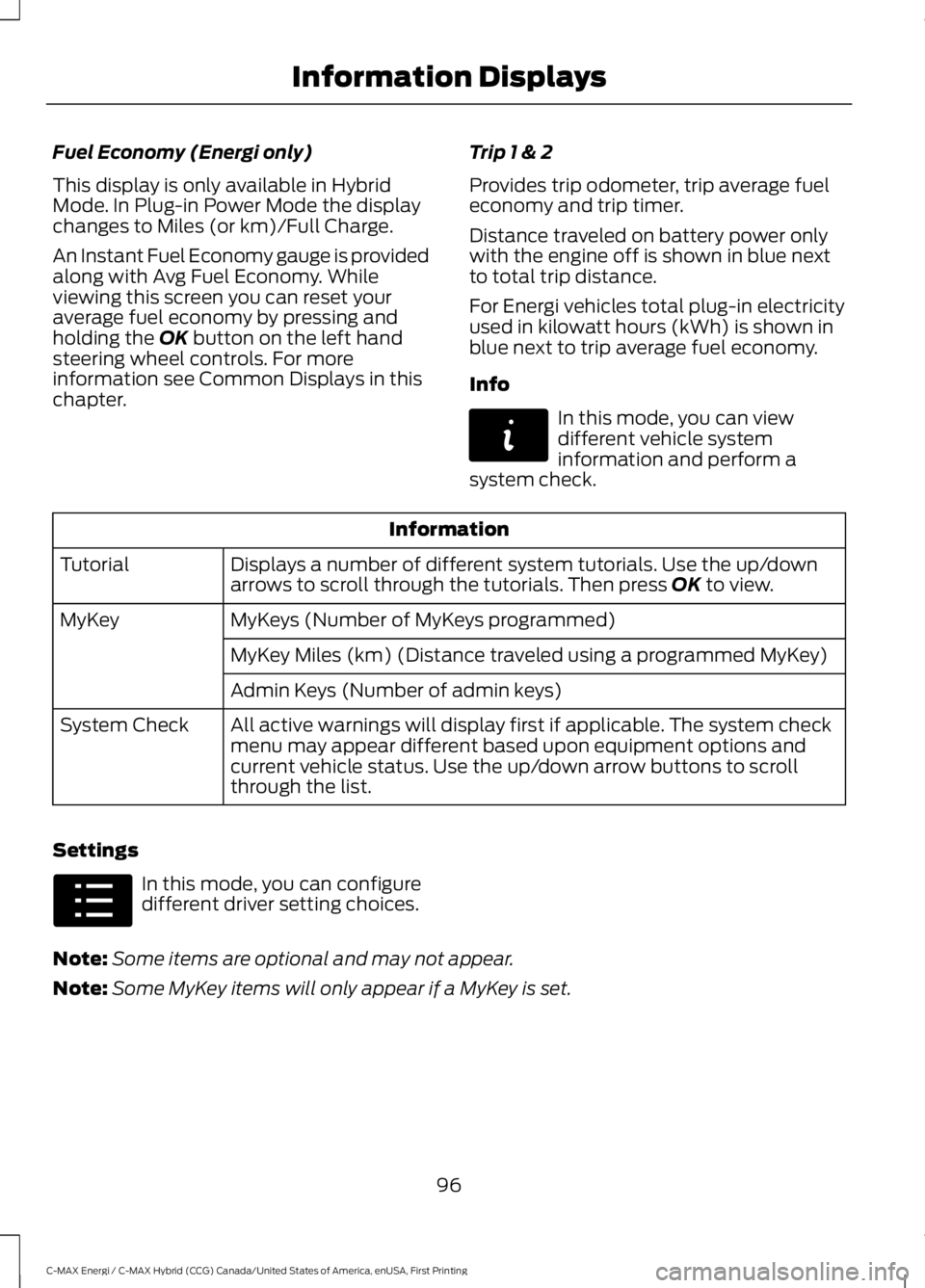
This display is only available in HybridMode. In Plug-in Power Mode the displaychanges to Miles (or km)/Full Charge.
An Instant Fuel Economy gauge is providedalong with Avg Fuel Economy. Whileviewing this screen you can reset youraverage fuel economy by pressing andholding the OK button on the left handsteering wheel controls. For moreinformation see Common Displays in thischapter.
Trip 1 & 2
Provides trip odometer, trip average fueleconomy and trip timer.
Distance traveled on battery power onlywith the engine off is shown in blue nextto total trip distance.
For Energi vehicles total plug-in electricityused in kilowatt hours (kWh) is shown inblue next to trip average fuel economy.
Info
In this mode, you can viewdifferent vehicle systeminformation and perform asystem check.
Information
Displays a number of different system tutorials. Use the up/downarrows to scroll through the tutorials. Then press OK to view.Tutorial
MyKeys (Number of MyKeys programmed)MyKey
MyKey Miles (km) (Distance traveled using a programmed MyKey)
Admin Keys (Number of admin keys)
All active warnings will display first if applicable. The system checkmenu may appear different based upon equipment options andcurrent vehicle status. Use the up/down arrow buttons to scrollthrough the list.
System Check
Settings
In this mode, you can configuredifferent driver setting choices.
Note:Some items are optional and may not appear.
Note:Some MyKey items will only appear if a MyKey is set.
96
C-MAX Energi / C-MAX Hybrid (CCG) Canada/United States of America, enUSA, First Printing
Information DisplaysE144642 E100023
Page 103 of 497
Efficiency Leaves
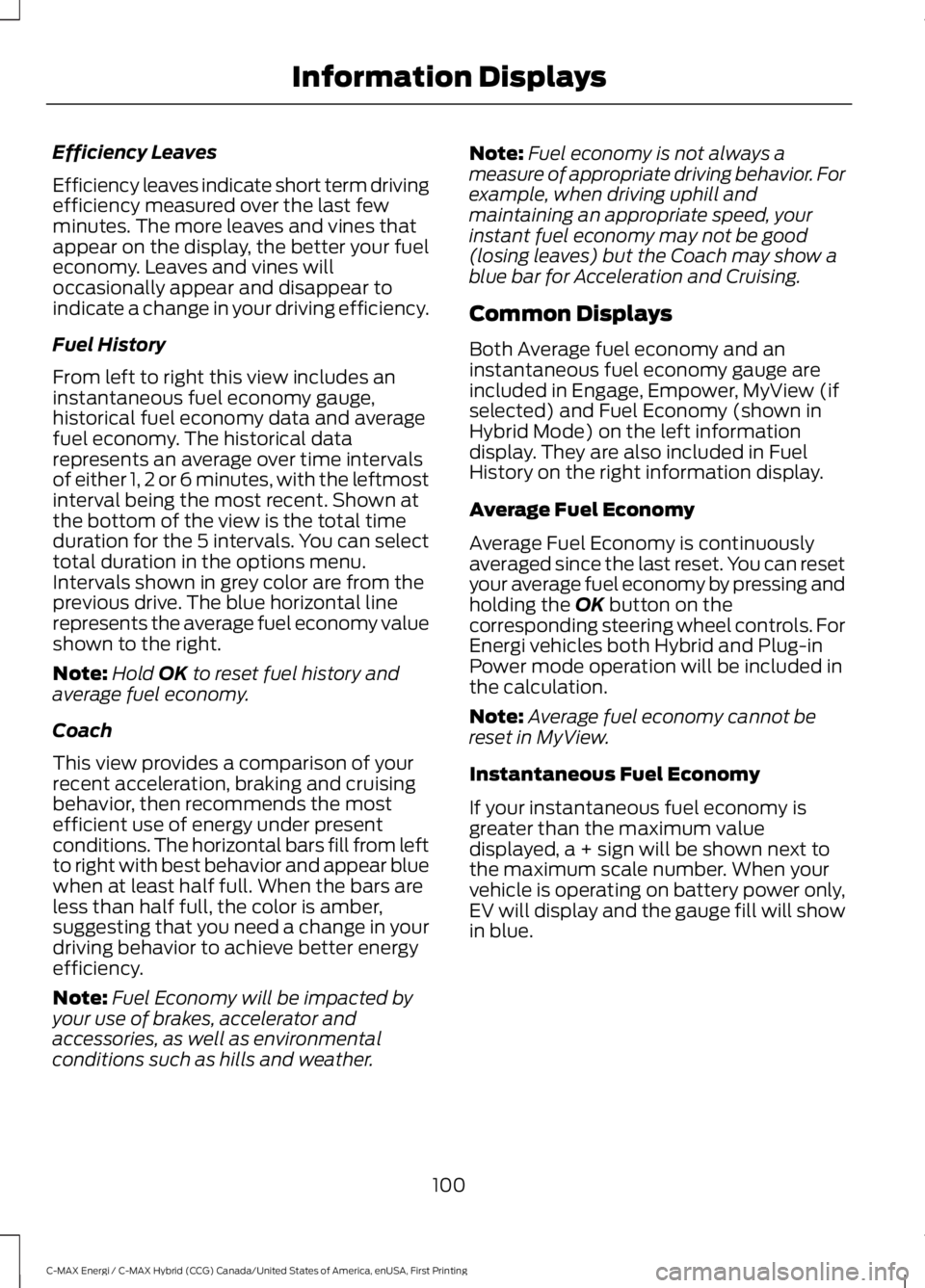
Efficiency leaves indicate short term drivingefficiency measured over the last fewminutes. The more leaves and vines thatappear on the display, the better your fueleconomy. Leaves and vines willoccasionally appear and disappear toindicate a change in your driving efficiency.
Fuel History
From left to right this view includes aninstantaneous fuel economy gauge,historical fuel economy data and averagefuel economy. The historical datarepresents an average over time intervalsof either 1, 2 or 6 minutes, with the leftmostinterval being the most recent. Shown atthe bottom of the view is the total timeduration for the 5 intervals. You can selecttotal duration in the options menu.Intervals shown in grey color are from theprevious drive. The blue horizontal linerepresents the average fuel economy valueshown to the right.
Note:Hold OK to reset fuel history andaverage fuel economy.
Coach
This view provides a comparison of yourrecent acceleration, braking and cruisingbehavior, then recommends the mostefficient use of energy under presentconditions. The horizontal bars fill from leftto right with best behavior and appear bluewhen at least half full. When the bars areless than half full, the color is amber,suggesting that you need a change in yourdriving behavior to achieve better energyefficiency.
Note:Fuel Economy will be impacted byyour use of brakes, accelerator andaccessories, as well as environmentalconditions such as hills and weather.
Note:Fuel economy is not always ameasure of appropriate driving behavior. Forexample, when driving uphill andmaintaining an appropriate speed, yourinstant fuel economy may not be good(losing leaves) but the Coach may show ablue bar for Acceleration and Cruising.
Common Displays
Both Average fuel economy and aninstantaneous fuel economy gauge areincluded in Engage, Empower, MyView (ifselected) and Fuel Economy (shown inHybrid Mode) on the left informationdisplay. They are also included in FuelHistory on the right information display.
Average Fuel Economy
Average Fuel Economy is continuouslyaveraged since the last reset. You can resetyour average fuel economy by pressing andholding the OK button on thecorresponding steering wheel controls. ForEnergi vehicles both Hybrid and Plug-inPower mode operation will be included inthe calculation.
Note:Average fuel economy cannot bereset in MyView.
Instantaneous Fuel Economy
If your instantaneous fuel economy isgreater than the maximum valuedisplayed, a + sign will be shown next tothe maximum scale number. When yourvehicle is operating on battery power only,EV will display and the gauge fill will showin blue.
100
C-MAX Energi / C-MAX Hybrid (CCG) Canada/United States of America, enUSA, First Printing
Information Displays
Page 116 of 497
Note: Do not use razor blades or othersharp objects to clean or remove decalsfrom the inside of the heated rear window.The vehicle warranty does not coverdamage caused to the heated rear windowgrid lines.
Heated Exterior Mirrors (If Equipped)
When you switch the heated rearwindow on, the heated exteriormirrors will automatically turnon.
Note:Do not remove ice from the mirrorswith a scraper or adjust the mirror glasswhen it is frozen in place.
Note:Do not clean the mirror housing orglass with harsh abrasives, fuel or otherpetroleum-based cleaning products.
CABIN AIR FILTER
The cabin air filter is under the instrumentpanel in the passenger footwell area.
The system filters airborne particles suchas dust, spores and pollen in the airsupplied to and recirculated in the interiorof your vehicle.
Make sure you have a cabin air filterinstalled at all times. Running the systemwithout a filter in place could degrade ordamage the system.
Your vehicle cabin air filter gives you andyour passengers the following benefits:
•It improves your driving comfort byreducing particle concentration.
•It improves the interior compartmentcleanliness.
•It protects the climate controlcomponents from particle deposits.
Change the air filter element at the properintervals.
For additional cabin air filter information,or to replace the filter, see an authorizeddealer.
REMOTE START (If Equipped)
You can switch this feature on or off andadjust the settings using the informationdisplay.
The system adjusts the interiortemperature depending on your chosensettings during remote start.
You cannot adjust the climate controlsetting during remote start operation.When you switch the ignition on, theclimate control system will return to theprevious settings. You can now makeadjustments.
You can switch on certainvehicle-dependent features when needed,such as:
•Heated seats.
•Cooled seats.
•Heated steering wheel.
•Heated mirrors.
•Heated rear window.
Automatic Settings
In hot weather, the system is set to 72°F(22°C). The cooled seats are set to high(if available, and selected to AUTO in theinformation display).
In moderate weather, the system eitherheats or cools (based on previoussettings). The rear defroster, heatedmirrors and heated or cooled seats do notautomatically turn on.
In cold weather, the system is set to 72°F(22°C). The heated seats are set to high(if available, and selected to AUTO in theinformation display). The heated rearwindow and heated mirrors automaticallyturn on.
113
C-MAX Energi / C-MAX Hybrid (CCG) Canada/United States of America, enUSA, First Printing
Climate ControlE72507
Page 117 of 497
SITTING IN THE CORRECT
POSITION
WARNINGS
Sitting improperly, out of position orwith the seatback reclined too farcan take weight off the seat cushionand affect the decision of the passengersensing system, resulting in serious injuryor death in the event of a crash. Always situpright against your seat back, with yourfeet on the floor.
Do not recline the seatback as thiscan cause the occupant to slideunder the safety belt, resulting inserious injury in the event of a crash.
Do not place objects higher than theseatback to reduce the risk of seriousinjury in the event of a crash or duringheavy braking.
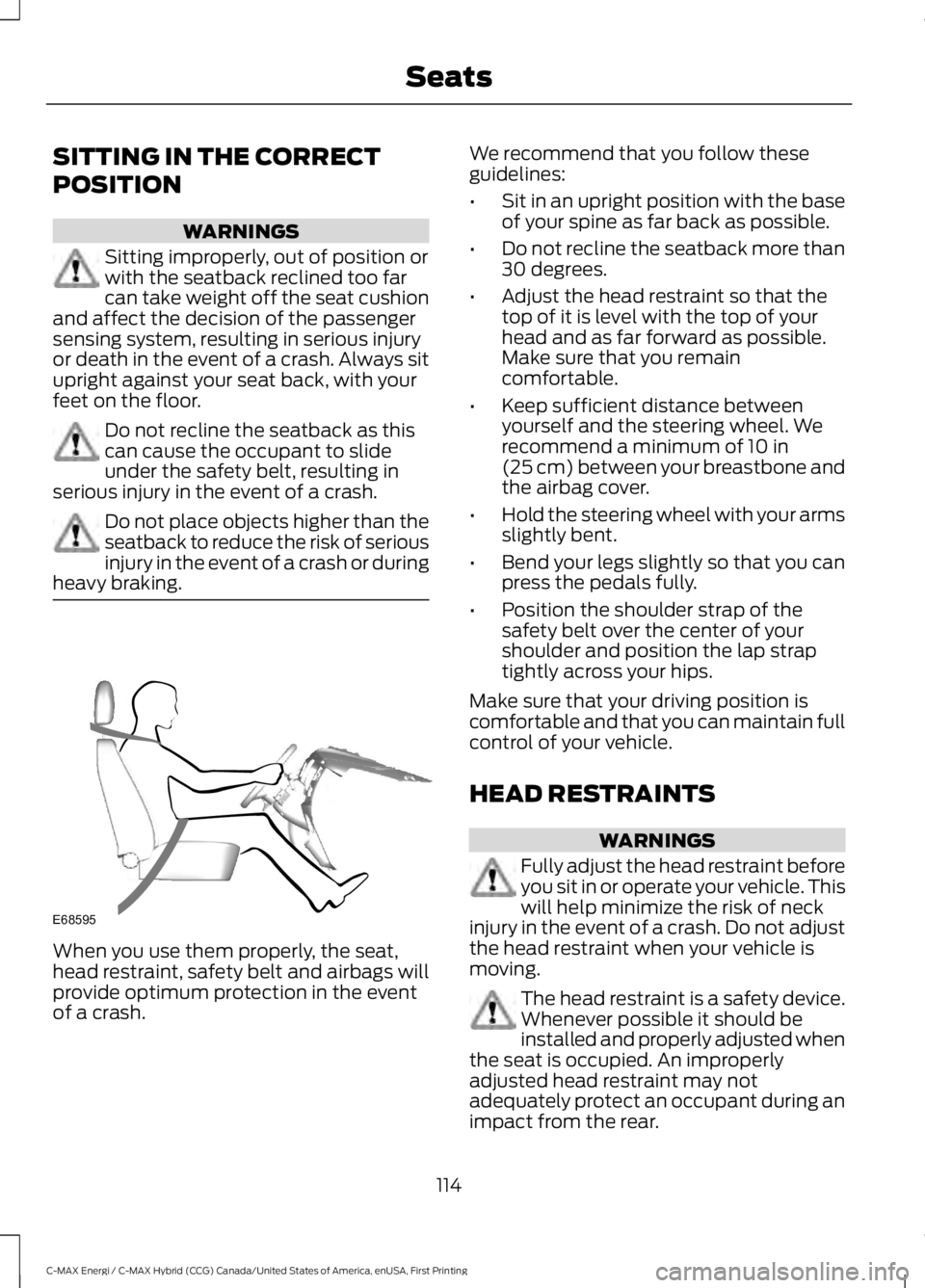
When you use them properly, the seat,head restraint, safety belt and airbags willprovide optimum protection in the eventof a crash.
We recommend that you follow theseguidelines:
•Sit in an upright position with the baseof your spine as far back as possible.
•Do not recline the seatback more than30 degrees.
•Adjust the head restraint so that thetop of it is level with the top of yourhead and as far forward as possible.Make sure that you remaincomfortable.
•Keep sufficient distance betweenyourself and the steering wheel. Werecommend a minimum of 10 in(25 cm) between your breastbone andthe airbag cover.
•Hold the steering wheel with your armsslightly bent.
•Bend your legs slightly so that you canpress the pedals fully.
•Position the shoulder strap of thesafety belt over the center of yourshoulder and position the lap straptightly across your hips.
Make sure that your driving position iscomfortable and that you can maintain fullcontrol of your vehicle.
HEAD RESTRAINTS
WARNINGS
Fully adjust the head restraint beforeyou sit in or operate your vehicle. Thiswill help minimize the risk of neckinjury in the event of a crash. Do not adjustthe head restraint when your vehicle ismoving.
The head restraint is a safety device.Whenever possible it should beinstalled and properly adjusted whenthe seat is occupied. An improperlyadjusted head restraint may notadequately protect an occupant during animpact from the rear.
114
C-MAX Energi / C-MAX Hybrid (CCG) Canada/United States of America, enUSA, First Printing
SeatsE68595
Page 141 of 497
Your vehicle may accelerate more slowlyand the top speed may be lower in EV Nowmode than in Auto EV mode.
You can enable your engine at any time byusing one of the following methods:
1.Press the OK button on the left 5–waysteering wheel control while viewingthe miles or kilometers per chargescreen. Your vehicle will enable theengine as needed, and willautomatically return to EV Now aftereight seconds or when the engine is nolonger needed.
2.Press the accelerator pedal fully. A popup message will appear. Press OK onthe left-hand steering wheel button toactivate as needed. The message willdisappear if you release the acceleratorpedal.
3. Press the EV button. This will changethe mode to EV Later and permitengine operation.
Your vehicle may automatically enterEngine Enabled mode if system conditionsrequire it. A engine enabled message willdisplay if this occurs. This is normalfunction, and your vehicle will return to EVNow when possible.
Your vehicle may enter Enable Enginemode if the climate control is in a defrostmode and the outside temperature is cold.A engine enabled message will display ifthis occurs. If defrost is not needed, selecta different climate control mode to permitEV Now.
When you enable EV Now, a blue EV icondisplays in the left-hand informationdisplay. If your vehicle is in the EngineEnabled mode, the EV icon will be yellow.
EV Now will automatically exit when thePlug in power has been depleted.
EV Later
This mode saves most of thehigh voltage battery plug inpower for future use (forexample, your initial drive is at high speedson open roads, but later your drive will beat low speeds in an urban area whereplug-in power usage is most efficient).Your vehicle will run the engine as neededand keep most of the high voltage batteryplug in power for later use in Auto Mode orEV Now mode.
When you enable EV Later, a white EVLater icon appears on the left-handinformation display.
The EV Later mode will automatically resetto EV Auto mode when you power yourvehicle off. You may press the EV buttontwice during the next drive to return to EVLater mode, if desired.
ECO Cruise
Note:ECO Cruise is available as a separatefeature on Energi vehicles only. On nonplug-in vehicles it is included in EcoSelect.
This feature saves vehicle energy byrelaxing acceleration compared tostandard cruise control. For example, yourvehicle may temporarily lose speed whengoing uphill. When set to on, ECO appearsin the information display when cruisecontrol is on.
You can switch it on or off in through theinformation display. See GeneralInformation (page 92).
138
C-MAX Energi / C-MAX Hybrid (CCG) Canada/United States of America, enUSA, First Printing
Unique Driving CharacteristicsE151263
Page 144 of 497
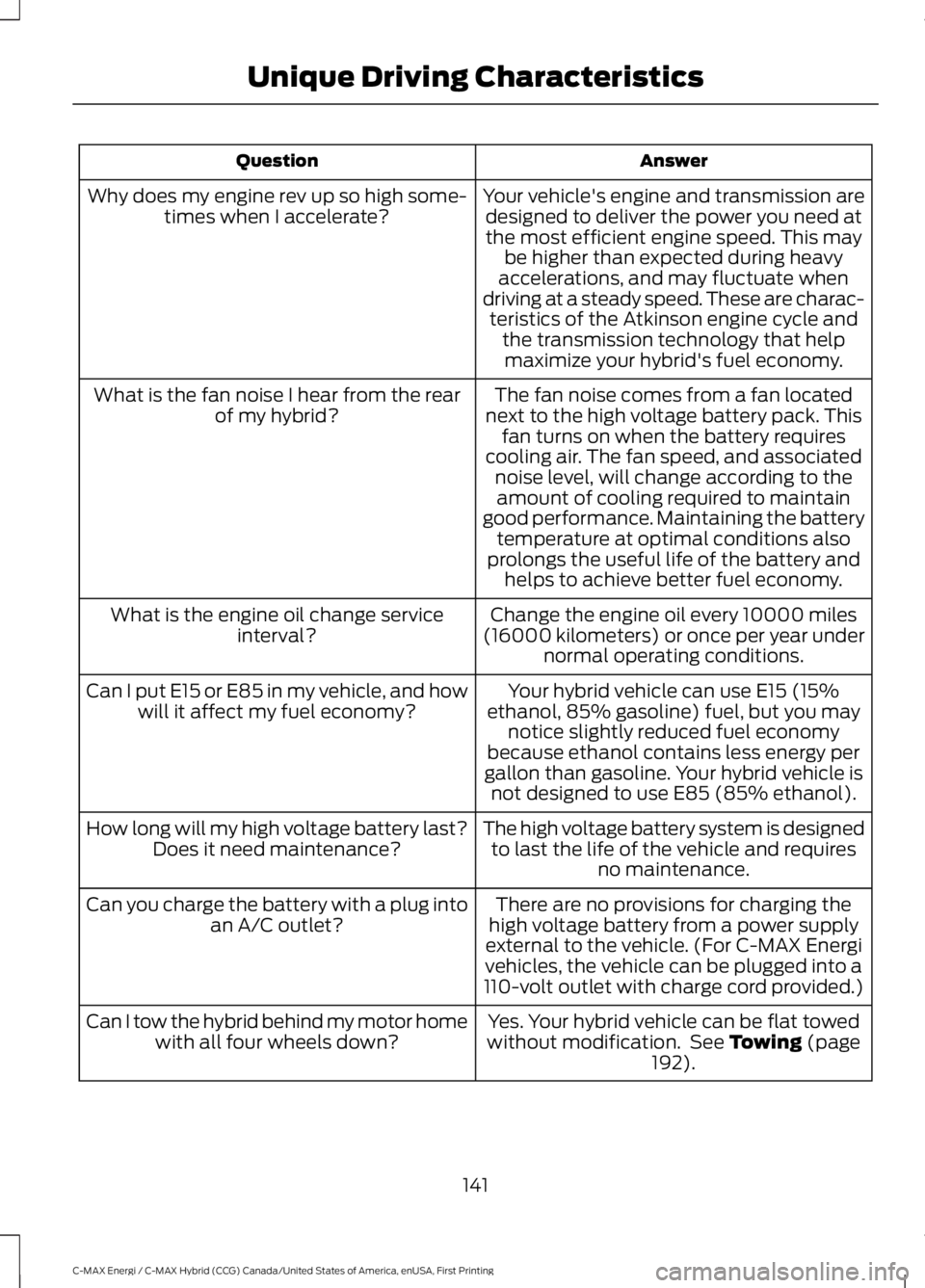
AnswerQuestion
Your vehicle's engine and transmission aredesigned to deliver the power you need atthe most efficient engine speed. This maybe higher than expected during heavyaccelerations, and may fluctuate whendriving at a steady speed. These are charac-teristics of the Atkinson engine cycle andthe transmission technology that helpmaximize your hybrid's fuel economy.
Why does my engine rev up so high some-times when I accelerate?
The fan noise comes from a fan locatednext to the high voltage battery pack. Thisfan turns on when the battery requirescooling air. The fan speed, and associatednoise level, will change according to theamount of cooling required to maintaingood performance. Maintaining the batterytemperature at optimal conditions alsoprolongs the useful life of the battery andhelps to achieve better fuel economy.
What is the fan noise I hear from the rearof my hybrid?
Change the engine oil every 10000 miles(16000 kilometers) or once per year undernormal operating conditions.
What is the engine oil change serviceinterval?
Your hybrid vehicle can use E15 (15%ethanol, 85% gasoline) fuel, but you maynotice slightly reduced fuel economybecause ethanol contains less energy pergallon than gasoline. Your hybrid vehicle isnot designed to use E85 (85% ethanol).
Can I put E15 or E85 in my vehicle, and howwill it affect my fuel economy?
The high voltage battery system is designedto last the life of the vehicle and requiresno maintenance.
How long will my high voltage battery last?Does it need maintenance?
There are no provisions for charging thehigh voltage battery from a power supplyexternal to the vehicle. (For C-MAX Energivehicles, the vehicle can be plugged into a110-volt outlet with charge cord provided.)
Can you charge the battery with a plug intoan A/C outlet?
Yes. Your hybrid vehicle can be flat towedwithout modification. See Towing (page192).
Can I tow the hybrid behind my motor homewith all four wheels down?
141
C-MAX Energi / C-MAX Hybrid (CCG) Canada/United States of America, enUSA, First Printing
Unique Driving Characteristics
Page 159 of 497
Charge Port
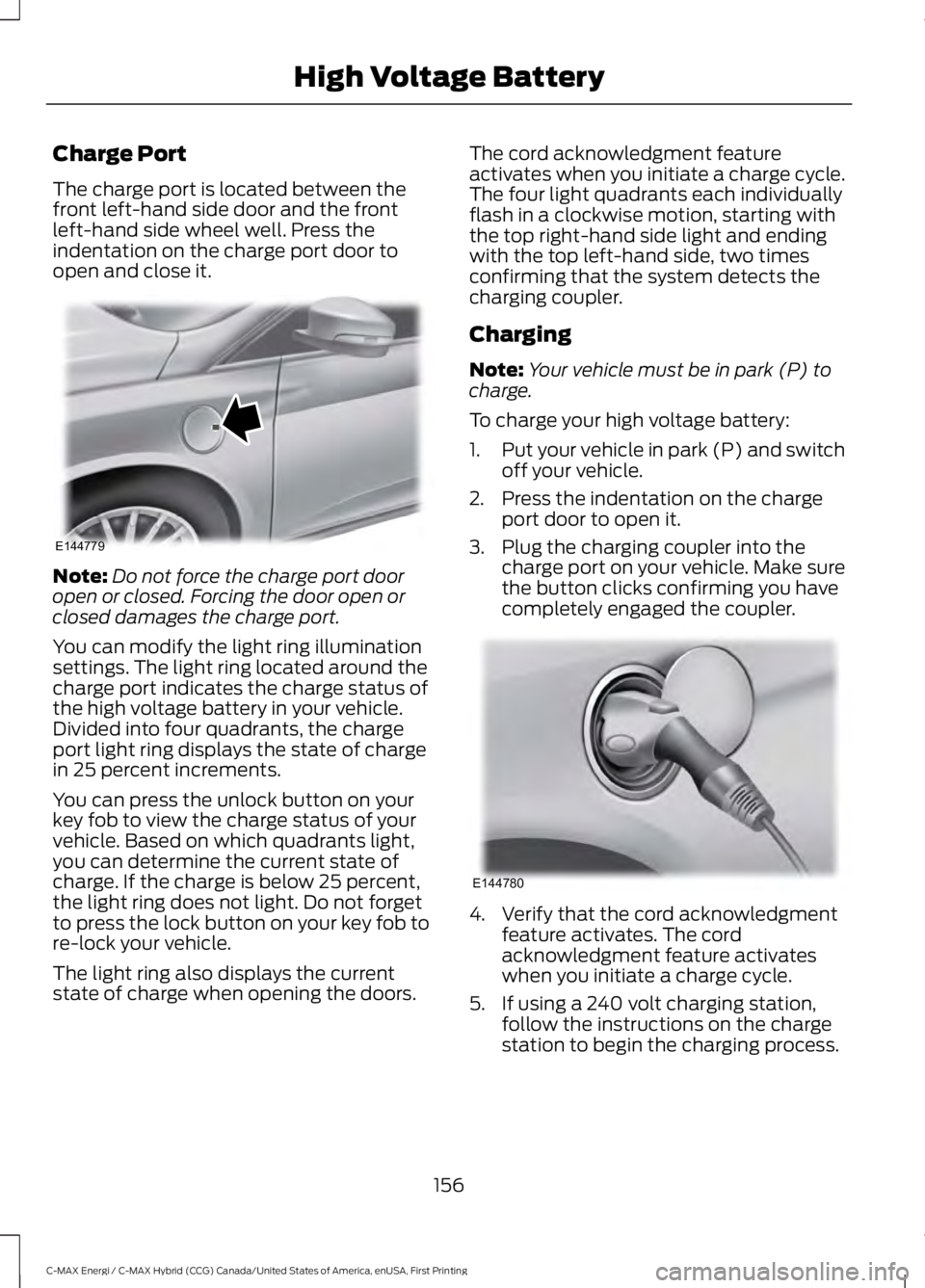
The charge port is located between thefront left-hand side door and the frontleft-hand side wheel well. Press theindentation on the charge port door toopen and close it.
Note:Do not force the charge port dooropen or closed. Forcing the door open orclosed damages the charge port.
You can modify the light ring illuminationsettings. The light ring located around thecharge port indicates the charge status ofthe high voltage battery in your vehicle.Divided into four quadrants, the chargeport light ring displays the state of chargein 25 percent increments.
You can press the unlock button on yourkey fob to view the charge status of yourvehicle. Based on which quadrants light,you can determine the current state ofcharge. If the charge is below 25 percent,the light ring does not light. Do not forgetto press the lock button on your key fob tore-lock your vehicle.
The light ring also displays the currentstate of charge when opening the doors.
The cord acknowledgment featureactivates when you initiate a charge cycle.The four light quadrants each individuallyflash in a clockwise motion, starting withthe top right-hand side light and endingwith the top left-hand side, two timesconfirming that the system detects thecharging coupler.
Charging
Note:Your vehicle must be in park (P) tocharge.
To charge your high voltage battery:
1.Put your vehicle in park (P) and switchoff your vehicle.
2. Press the indentation on the chargeport door to open it.
3. Plug the charging coupler into thecharge port on your vehicle. Make surethe button clicks confirming you havecompletely engaged the coupler.
4. Verify that the cord acknowledgmentfeature activates. The cordacknowledgment feature activateswhen you initiate a charge cycle.
5. If using a 240 volt charging station,follow the instructions on the chargestation to begin the charging process.
156
C-MAX Energi / C-MAX Hybrid (CCG) Canada/United States of America, enUSA, First Printing
High Voltage BatteryE144779 E144780
Page 162 of 497
AUTOMATIC TRANSMISSION
WARNINGS
Always apply the parking brake fullyand make sure you shift into park (P).Switch the ignition off and removethe key whenever you leave your vehicle.
Do not apply the brake pedal andaccelerator pedal simultaneously.Applying both pedals simultaneouslyfor more than a few seconds will limitengine performance, which may result indifficulty maintaining speed in traffic andcould lead to serious injury.
Note:Do not leave your vehicle with thetransmission in neutral (N). Leaving yourvehicle with the transmission in neutral (N)will drain the battery and you may not beable to start your vehicle.
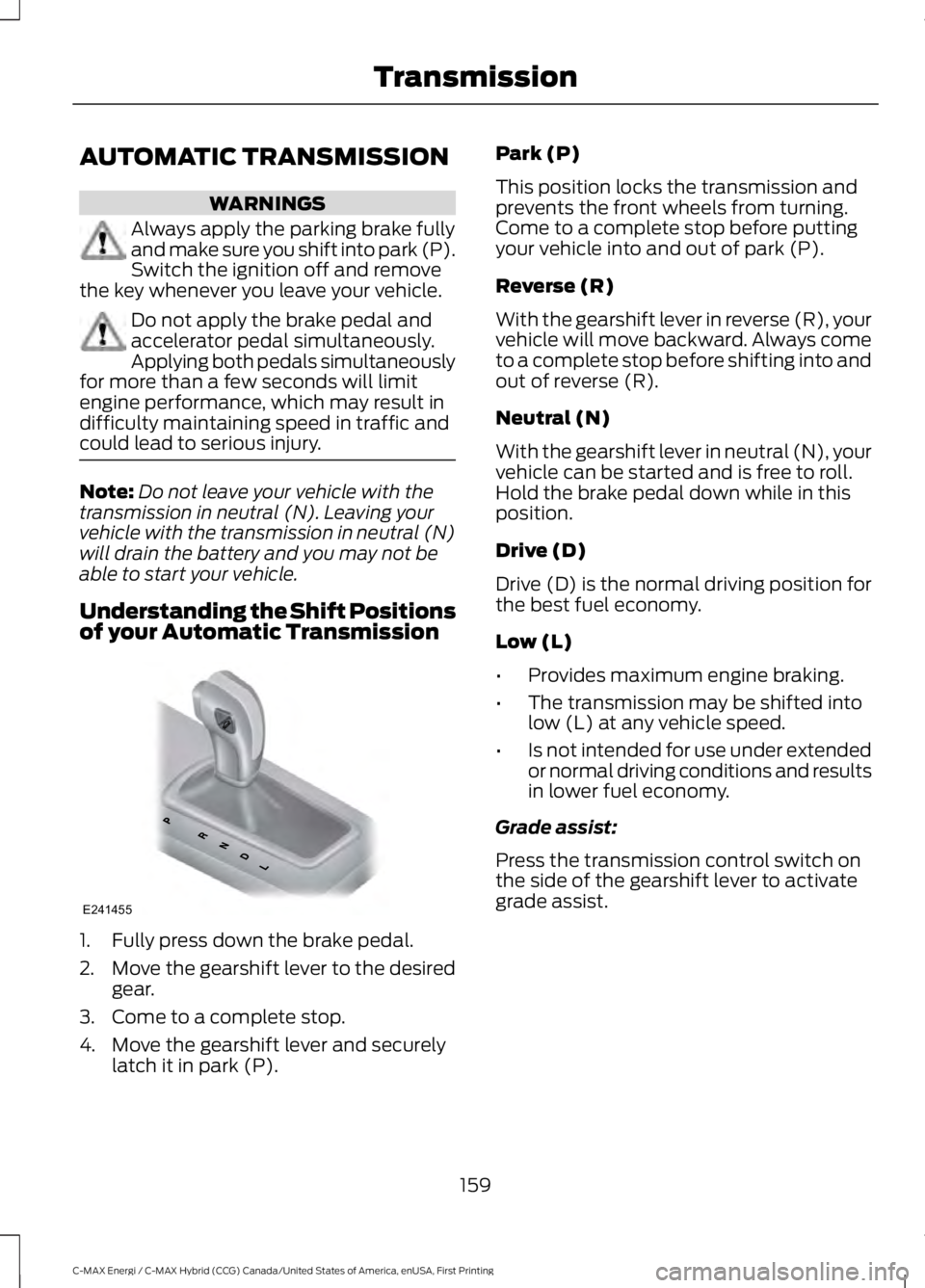
Understanding the Shift Positionsof your Automatic Transmission
1. Fully press down the brake pedal.
2.Move the gearshift lever to the desiredgear.
3. Come to a complete stop.
4. Move the gearshift lever and securelylatch it in park (P).
Park (P)
This position locks the transmission andprevents the front wheels from turning.Come to a complete stop before puttingyour vehicle into and out of park (P).
Reverse (R)
With the gearshift lever in reverse (R), yourvehicle will move backward. Always cometo a complete stop before shifting into andout of reverse (R).
Neutral (N)
With the gearshift lever in neutral (N), yourvehicle can be started and is free to roll.Hold the brake pedal down while in thisposition.
Drive (D)
Drive (D) is the normal driving position forthe best fuel economy.
Low (L)
•Provides maximum engine braking.
•The transmission may be shifted intolow (L) at any vehicle speed.
•Is not intended for use under extendedor normal driving conditions and resultsin lower fuel economy.
Grade assist:
Press the transmission control switch onthe side of the gearshift lever to activategrade assist.
159
C-MAX Energi / C-MAX Hybrid (CCG) Canada/United States of America, enUSA, First Printing
TransmissionE241455