ESP FORD CROWN VICTORIA 2008 2.G Owners Manual
[x] Cancel search | Manufacturer: FORD, Model Year: 2008, Model line: CROWN VICTORIA, Model: FORD CROWN VICTORIA 2008 2.GPages: 280, PDF Size: 2.42 MB
Page 5 of 280
SAFETY AND ENVIRONMENT PROTECTION
Warning symbols in this guide
How can you reduce the risk of personal injury to yourself or others? In
this guide, answers to such questions are contained in comments
highlighted by the warning triangle symbol. These comments should be
read and observed.
Warning symbols on your vehicle
When you see this symbol, it is
imperative that you consult the
relevant section of this guide before
touching or attempting adjustment
of any kind.
Protecting the environment
We must all play our part in
protecting the environment. Correct
vehicle usage and the authorized
disposal of waste, cleaning and
lubrication materials are significant
steps towards this aim. Information in this respect is highlighted in this
guide with the tree symbol.
BREAKING-IN YOUR VEHICLE
Your vehicle does not need an extensive break-in. Try not to drive
continuously at the same speed for the first 1,000 miles (1,600 km) of
new vehicle operation. Vary your speed frequently in order to give the
moving parts a chance to break in.
Drive your new vehicle at least 500 miles (800 km) before towing a
trailer. For more detailed information about towing a trailer, refer to
Trailer towingin theTires, Wheels and Loadingchapter.
Do not add friction modifier compounds or special break-in oils since
these additives may prevent piston ring seating. SeeEngine oilin the
Maintenance and Specificationschapter for more information on oil
usage.
SPECIAL NOTICES
New Vehicle Limited Warranty
For a detailed description of what is covered and what is not covered by
your vehicle’s New Vehicle Limited Warranty, refer to theWarranty
Guidethat is provided to you along with yourOwner’s Guide.
2008 Crown Victoria(cro)
Owners Guide (post-2002-fmt)
USA(fus)
Introduction
5
Page 7 of 280
To access this information, special equipment must be directly connected
to the recording modules. Ford Motor Company and Ford of Canada do
not access event data recorder information without obtaining consent,
unless pursuant to court order or where required by law enforcement,
other government authorities or other third parties acting with lawful
authority. Other parties may seek to access the information
independently of Ford Motor Company and Ford of Canada.
Cell phone use
The use of Mobile Communications Equipment has become increasingly
important in the conduct of business and personal affairs. However,
drivers must not compromise their own or others’ safety when using
such equipment. Mobile Communications can enhance personal safety
and security when appropriately used, particularly in emergency
situations. Safety must be paramount when using mobile communications
equipment to avoid negating these benefits.
Mobile Communication Equipment includes, but is not limited to cellular
phones, pagers, portable email devices, in-vehicle communications
systems, telematics devices and portable two-way radios.
Driving while distracted can result in loss of vehicle control,
accident and injury. Ford strongly recommends that drivers use
extreme caution when using any device that may take their focus off
the road. The drivers primary responsibility is the safe operation of
their vehicle. Only use cell phones and other devices not essential to
the driving task when it is safe to do so.
Export unique (Non–United States/Canada) vehicle specific
information
For your particular global region, your vehicle may be equipped with
features and options that are different from the ones that are described
in thisOwner’s Guide.A market unique supplement may be supplied
that complements this book. By referring to the market unique
supplement, if provided, you can properly identify those features,
recommendations and specifications that are unique to your vehicle. This
Owner’s Guideis written primarily for the U.S. and Canadian Markets.
Features or equipment listed as standard may be different on units built
for Export.Refer to this Owner’s Guide for all other required
information and warnings.
2008 Crown Victoria(cro)
Owners Guide (post-2002-fmt)
USA(fus)
Introduction
7
Page 10 of 280
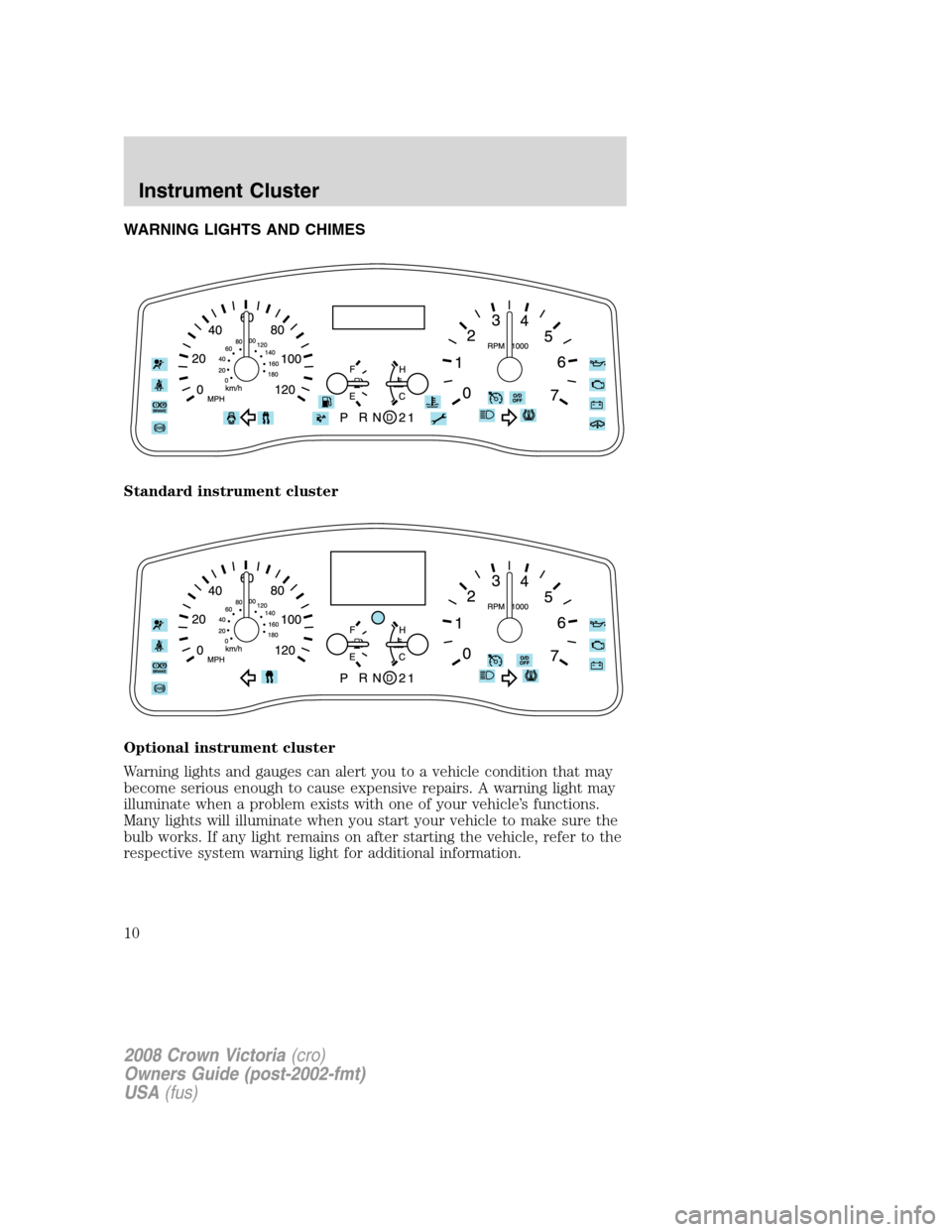
WARNING LIGHTS AND CHIMES
Standard instrument cluster
Optional instrument cluster
Warning lights and gauges can alert you to a vehicle condition that may
become serious enough to cause expensive repairs. A warning light may
illuminate when a problem exists with one of your vehicle’s functions.
Many lights will illuminate when you start your vehicle to make sure the
bulb works. If any light remains on after starting the vehicle, refer to the
respective system warning light for additional information.
2008 Crown Victoria(cro)
Owners Guide (post-2002-fmt)
USA(fus)
Instrument Cluster
10
Page 29 of 280
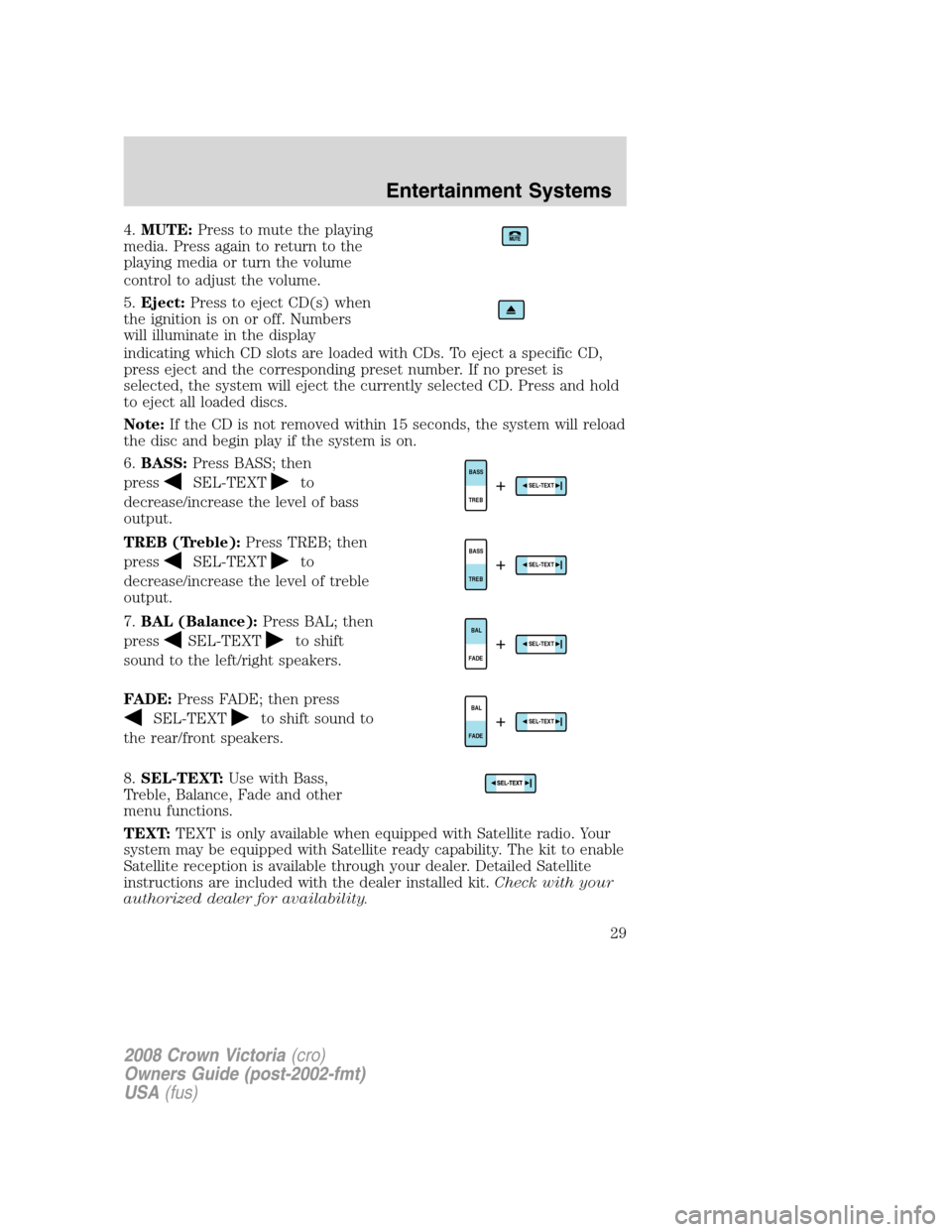
4.MUTE:Press to mute the playing
media. Press again to return to the
playing media or turn the volume
control to adjust the volume.
5.Eject:Press to eject CD(s) when
the ignition is on or off. Numbers
will illuminate in the display
indicating which CD slots are loaded with CDs. To eject a specific CD,
press eject and the corresponding preset number. If no preset is
selected, the system will eject the currently selected CD. Press and hold
to eject all loaded discs.
Note:If the CD is not removed within 15 seconds, the system will reload
the disc and begin play if the system is on.
6.BASS:Press BASS; then
press
SEL-TEXTto
decrease/increase the level of bass
output.
TREB (Treble):Press TREB; then
press
SEL-TEXTto
decrease/increase the level of treble
output.
7.BAL (Balance):Press BAL; then
press
SEL-TEXTto shift
sound to the left/right speakers.
FADE:Press FADE; then press
SEL-TEXTto shift sound to
the rear/front speakers.
8.SEL-TEXT:Use with Bass,
Treble, Balance, Fade and other
menu functions.
TEXT:TEXT is only available when equipped with Satellite radio. Your
system may be equipped with Satellite ready capability. The kit to enable
Satellite reception is available through your dealer. Detailed Satellite
instructions are included with the dealer installed kit.Check with your
authorized dealer for availability.
TREBBASSSEL-TEXT+
TREBBASSSEL-TEXT+
FADEBALSEL-TEXT+
FADEBALSEL-TEXT+
2008 Crown Victoria(cro)
Owners Guide (post-2002-fmt)
USA(fus)
Entertainment Systems
29
Page 41 of 280
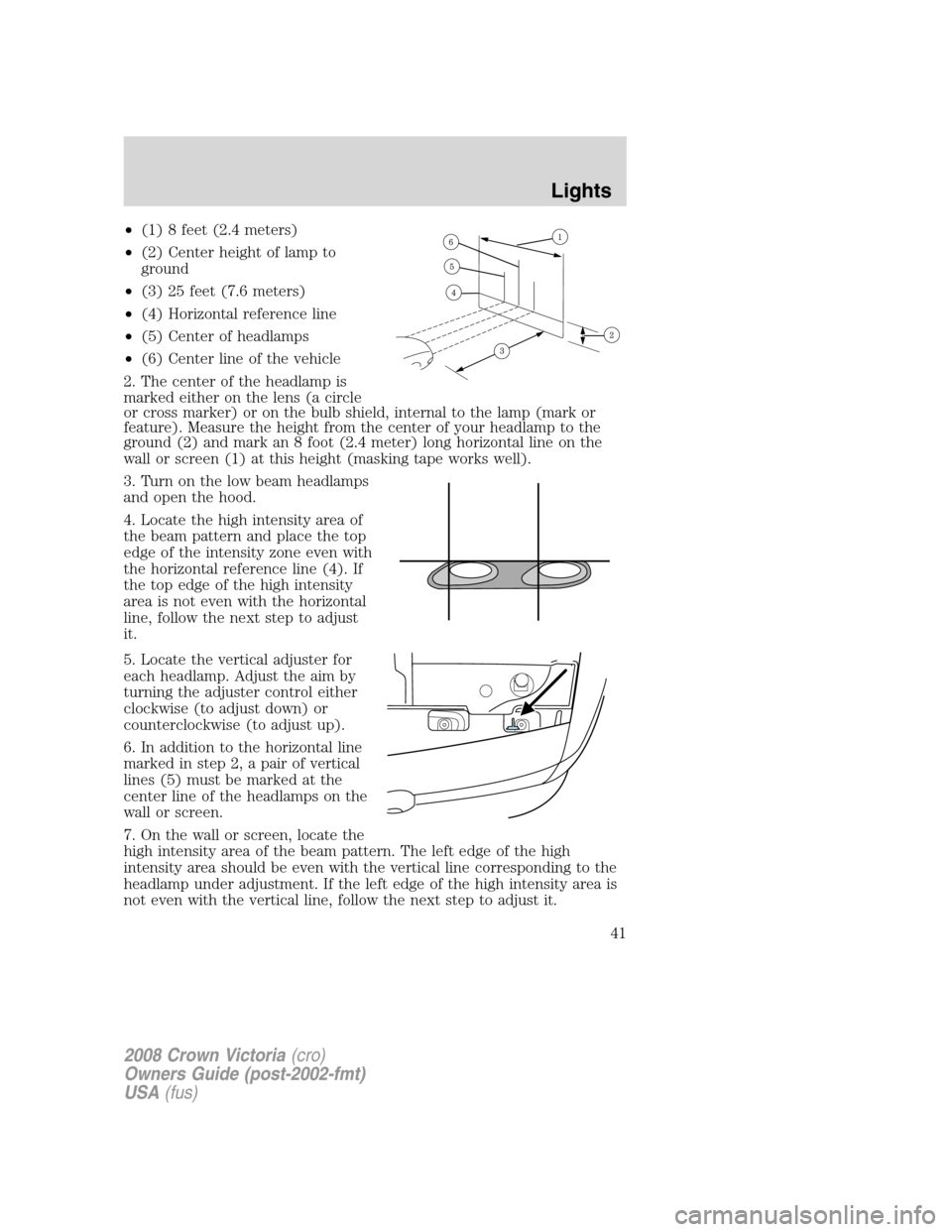
•(1) 8 feet (2.4 meters)
•(2) Center height of lamp to
ground
•(3) 25 feet (7.6 meters)
•(4) Horizontal reference line
•(5) Center of headlamps
•(6) Center line of the vehicle
2. The center of the headlamp is
marked either on the lens (a circle
or cross marker) or on the bulb shield, internal to the lamp (mark or
feature). Measure the height from the center of your headlamp to the
ground (2) and mark an 8 foot (2.4 meter) long horizontal line on the
wall or screen (1) at this height (masking tape works well).
3. Turn on the low beam headlamps
and open the hood.
4. Locate the high intensity area of
the beam pattern and place the top
edge of the intensity zone even with
the horizontal reference line (4). If
the top edge of the high intensity
area is not even with the horizontal
line, follow the next step to adjust
it.
5. Locate the vertical adjuster for
each headlamp. Adjust the aim by
turning the adjuster control either
clockwise (to adjust down) or
counterclockwise (to adjust up).
6. In addition to the horizontal line
marked in step 2, a pair of vertical
lines (5) must be marked at the
center line of the headlamps on the
wall or screen.
7. On the wall or screen, locate the
high intensity area of the beam pattern. The left edge of the high
intensity area should be even with the vertical line corresponding to the
headlamp under adjustment. If the left edge of the high intensity area is
not even with the vertical line, follow the next step to adjust it.
2008 Crown Victoria(cro)
Owners Guide (post-2002-fmt)
USA(fus)
Lights
41
Page 42 of 280
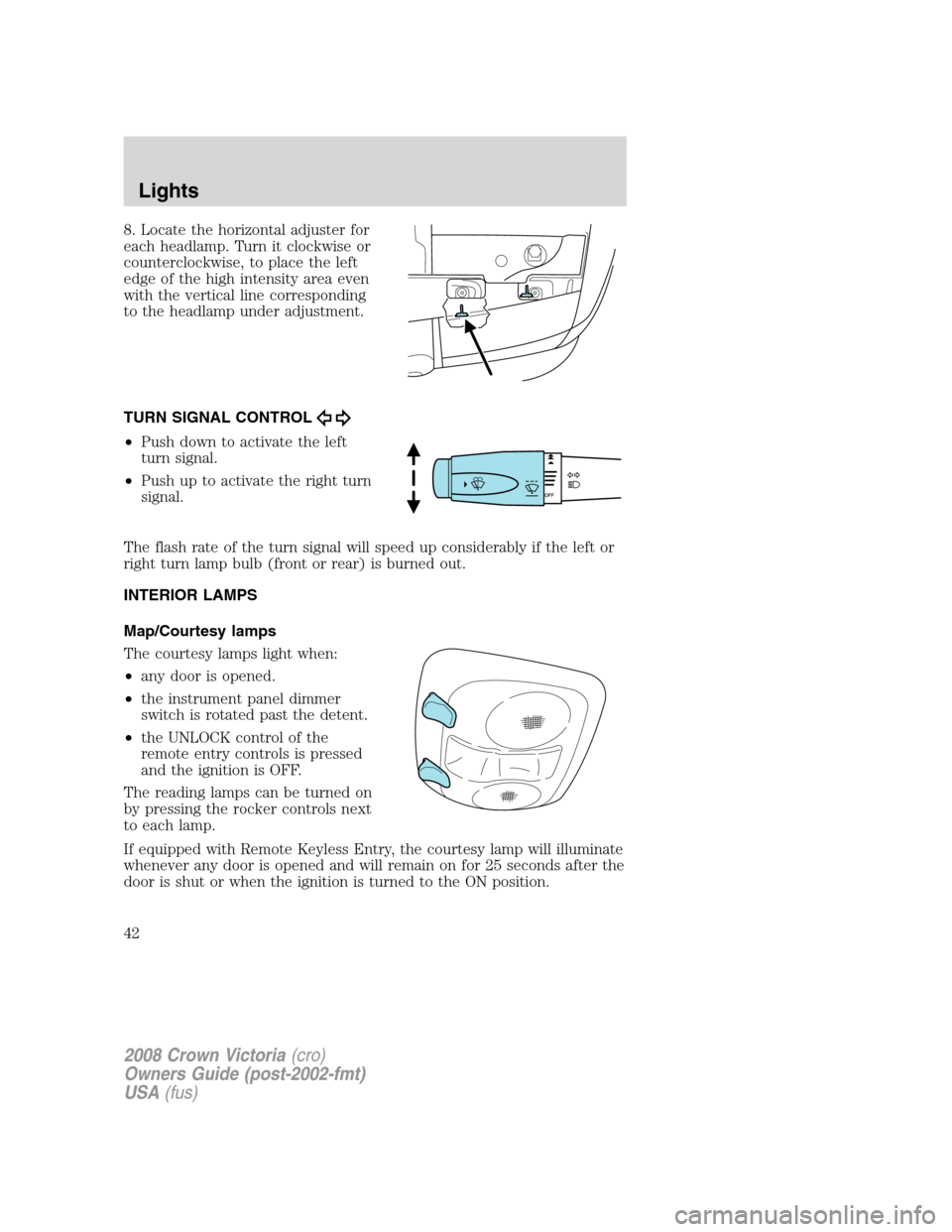
8. Locate the horizontal adjuster for
each headlamp. Turn it clockwise or
counterclockwise, to place the left
edge of the high intensity area even
with the vertical line corresponding
to the headlamp under adjustment.
TURN SIGNAL CONTROL
•Push down to activate the left
turn signal.
•Push up to activate the right turn
signal.
The flash rate of the turn signal will speed up considerably if the left or
right turn lamp bulb (front or rear) is burned out.
INTERIOR LAMPS
Map/Courtesy lamps
The courtesy lamps light when:
•any door is opened.
•the instrument panel dimmer
switch is rotated past the detent.
•the UNLOCK control of the
remote entry controls is pressed
and the ignition is OFF.
The reading lamps can be turned on
by pressing the rocker controls next
to each lamp.
If equipped with Remote Keyless Entry, the courtesy lamp will illuminate
whenever any door is opened and will remain on for 25 seconds after the
door is shut or when the ignition is turned to the ON position.
2008 Crown Victoria(cro)
Owners Guide (post-2002-fmt)
USA(fus)
Lights
42
Page 69 of 280
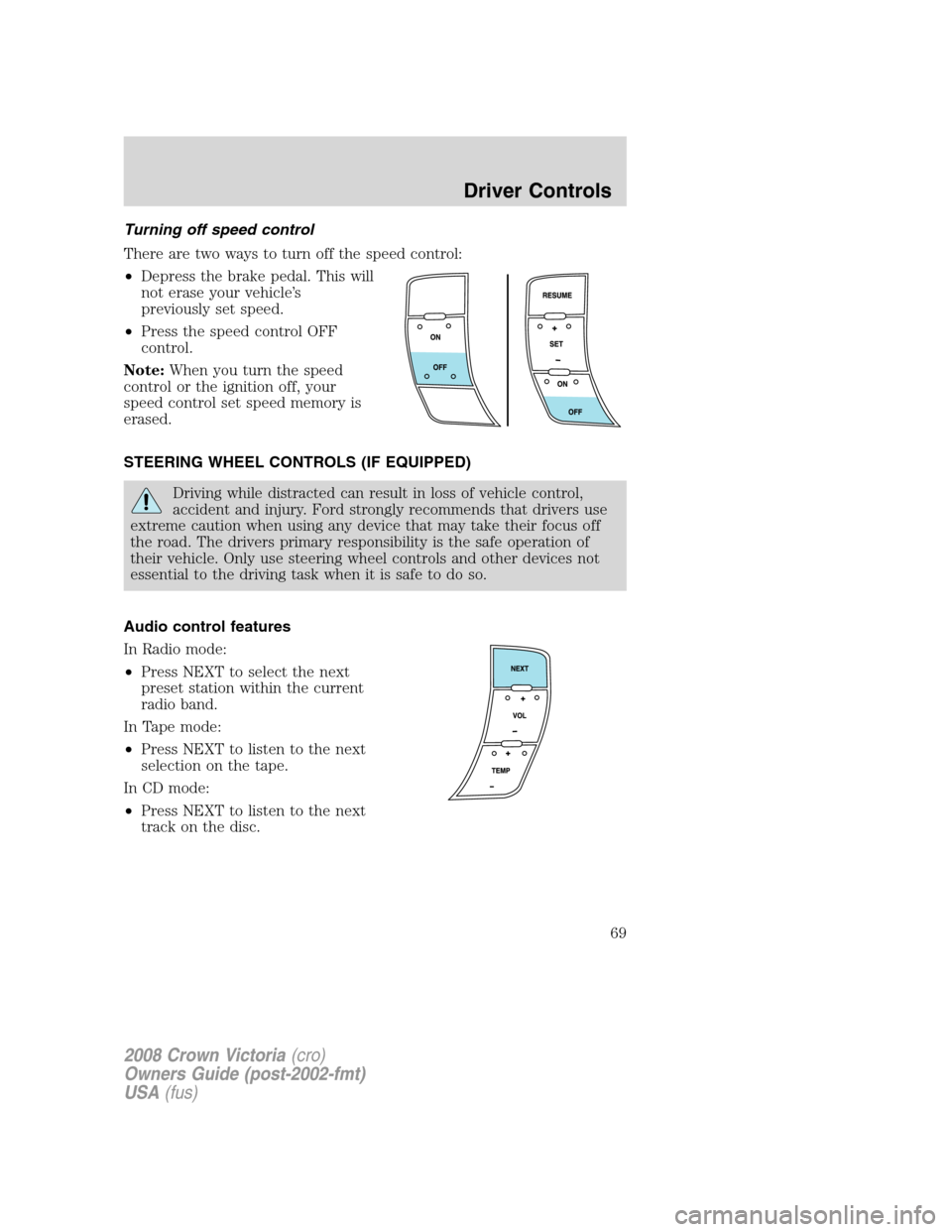
Turning off speed control
There are two ways to turn off the speed control:
•Depress the brake pedal. This will
not erase your vehicle’s
previously set speed.
•Press the speed control OFF
control.
Note:When you turn the speed
control or the ignition off, your
speed control set speed memory is
erased.
STEERING WHEEL CONTROLS (IF EQUIPPED)
Driving while distracted can result in loss of vehicle control,
accident and injury. Ford strongly recommends that drivers use
extreme caution when using any device that may take their focus off
the road. The drivers primary responsibility is the safe operation of
their vehicle. Only use steering wheel controls and other devices not
essential to the driving task when it is safe to do so.
Audio control features
In Radio mode:
•Press NEXT to select the next
preset station within the current
radio band.
In Tape mode:
•Press NEXT to listen to the next
selection on the tape.
In CD mode:
•Press NEXT to listen to the next
track on the disc.
2008 Crown Victoria(cro)
Owners Guide (post-2002-fmt)
USA(fus)
Driver Controls
69
Page 93 of 280
Radio type approval numbers for remote entry receiver
If the type approval of your remote entry system is inspected in one of
the countries listed in the following table, refer to the corresponding
approval number:
Remote entry receiver certification numbers
Gabon 01070305/ARTEL/GABTEL
Jordan CAZ/ENG/CA/04/11/1
Zambia TRC/LPD/2004/28
Changes or modifications not expressly approved by the party
responsible for compliance could void the user’s authority to
operate the equipment.
KEYLESS ENTRY SYSTEM (IF EQUIPPED)
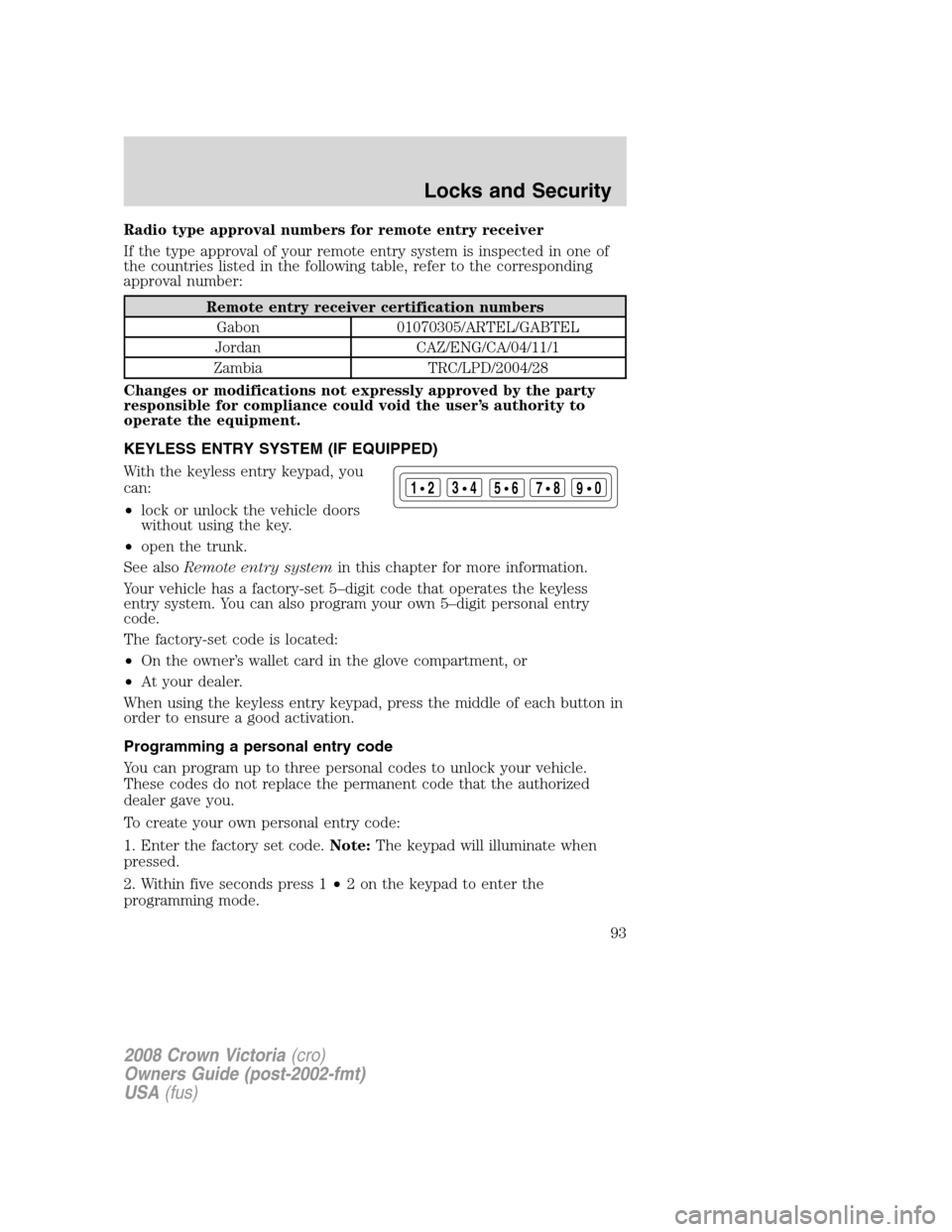
With the keyless entry keypad, you
can:
•lock or unlock the vehicle doors
without using the key.
•open the trunk.
See alsoRemote entry systemin this chapter for more information.
Your vehicle has a factory-set 5–digit code that operates the keyless
entry system. You can also program your own 5–digit personal entry
code.
The factory-set code is located:
•On the owner’s wallet card in the glove compartment, or
•At your dealer.
When using the keyless entry keypad, press the middle of each button in
order to ensure a good activation.
Programming a personal entry code
You can program up to three personal codes to unlock your vehicle.
These codes do not replace the permanent code that the authorized
dealer gave you.
To create your own personal entry code:
1. Enter the factory set code.Note:The keypad will illuminate when
pressed.
2. Within five seconds press 1•2 on the keypad to enter the
programming mode.
123
45678
90
2008 Crown Victoria(cro)
Owners Guide (post-2002-fmt)
USA(fus)
Locks and Security
93
Page 96 of 280
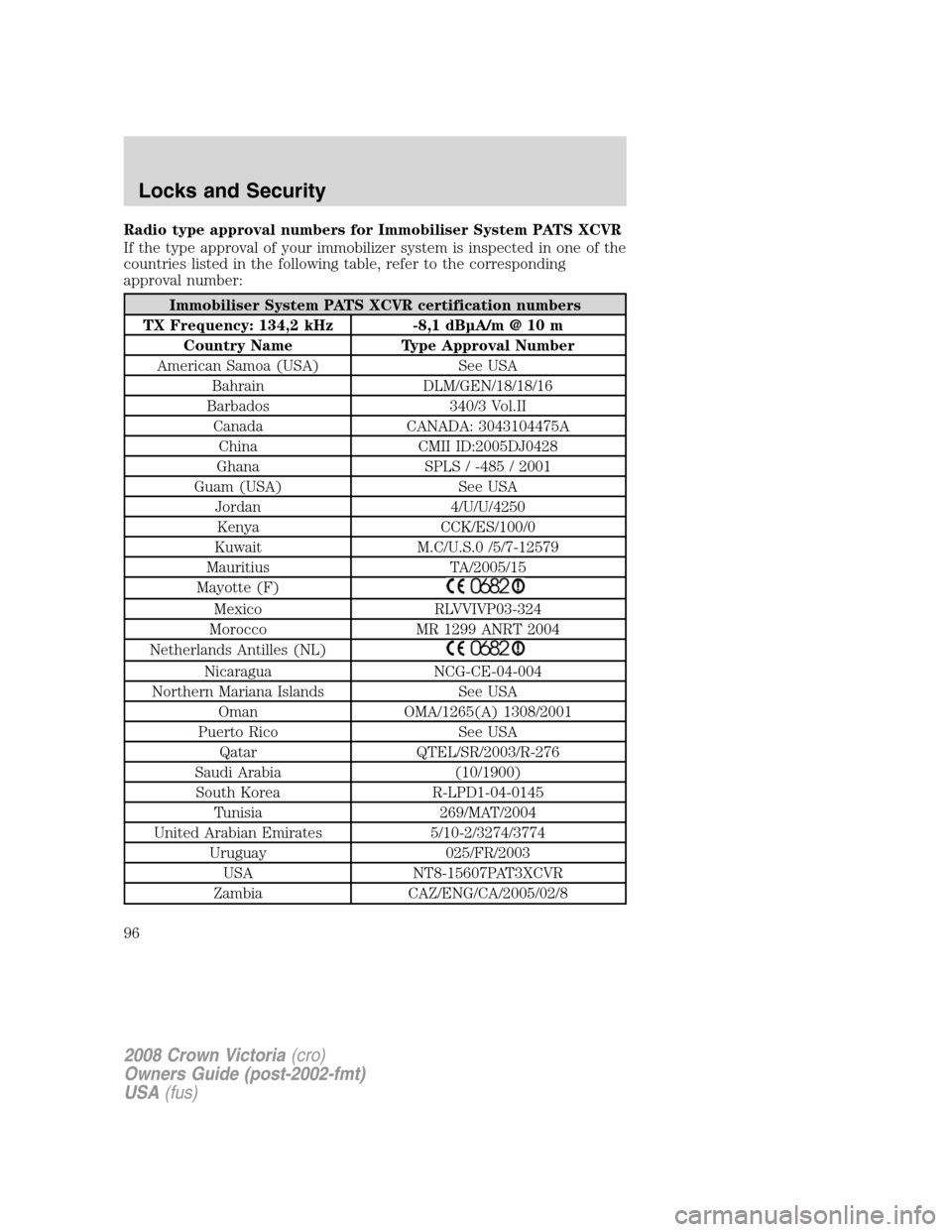
Radio type approval numbers for Immobiliser System PATS XCVR
If the type approval of your immobilizer system is inspected in one of the
countries listed in the following table, refer to the corresponding
approval number:
Immobiliser System PATS XCVR certification numbers
TX Frequency: 134,2 kHz -8,1 dBµA/m @ 10 m
Country Name Type Approval Number
American Samoa (USA) See USA
Bahrain DLM/GEN/18/18/16
Barbados 340/3 Vol.II
Canada CANADA: 3043104475A
China CMII ID:2005DJ0428
Ghana SPLS / -485 / 2001
Guam (USA) See USA
Jordan 4/U/U/4250
Kenya CCK/ES/100/0
Kuwait M.C/U.S.0 /5/7-12579
Mauritius TA/2005/15
Mayotte (F)
Mexico RLVVIVP03-324
Morocco MR 1299 ANRT 2004
Netherlands Antilles (NL)
Nicaragua NCG-CE-04-004
Northern Mariana Islands See USA
Oman OMA/1265(A) 1308/2001
Puerto Rico See USA
Qatar QTEL/SR/2003/R-276
Saudi Arabia (10/1900)
South Korea R-LPD1-04-0145
Tunisia 269/MAT/2004
United Arabian Emirates 5/10-2/3274/3774
Uruguay 025/FR/2003
USA NT8-15607PAT3XCVR
Zambia CAZ/ENG/CA/2005/02/8
2008 Crown Victoria(cro)
Owners Guide (post-2002-fmt)
USA(fus)
Locks and Security
96
Page 97 of 280
Changes or modifications not expressly approved by the party
responsible for compliance could void the user’s authority to
operate the equipment.
Your vehicle comes withtwo coded keys; additional coded keys may be
purchased from your authorized dealer. The authorized dealer can
program your spare keys to your vehicle or you can program the keys
yourself. Refer toProgramming spare keysfor instructions on how to
program the coded key.
Note:The SecuriLock™ passive anti-theft system is not compatible with
non-Ford aftermarket remote start systems. Use of these systems may
result in vehicle starting problems and a loss of security protection.
Note:Large metallic objects, electronic devices that are used to
purchase gasoline or similar items, or a second coded key on the same
key chain may cause vehicle starting issues. You need to prevent these
objects from touching the coded key while starting the engine. These
objects will not cause damage to the coded key, but may cause a
momentary issue if they are too close to the key when starting the
engine. If a problem occurs, turn the ignition to the 1 (OFF/LOCK)
position, remove all objects on the key chain away from the coded key
and restart the engine.
Anti-theft indicator
The anti-theft indicator is the flashing red indicator located on the dash
panel.
•When the ignition is in the 1 (OFF/LOCK) position, the indicator will
flash once every 2 seconds to indicate the SecuriLock™ system is
functioning as a theft deterrent.
•When the ignition is in the 3 (ON) position, the indicator will glow for
3 seconds to indicate normal system functionality.
If a problem occurs with the SecuriLock™ system, the indicator will flash
rapidly or glow steadily when the ignition is in the 3 (ON) position. If
this occurs, the vehicle should be taken to an authorized dealer for
service.
2008 Crown Victoria(cro)
Owners Guide (post-2002-fmt)
USA(fus)
Locks and Security
97