warning light FORD CROWN VICTORIA 2011 2.G User Guide
[x] Cancel search | Manufacturer: FORD, Model Year: 2011, Model line: CROWN VICTORIA, Model: FORD CROWN VICTORIA 2011 2.GPages: 333, PDF Size: 2.23 MB
Page 49 of 333
WARNING:Always remember to turn on your headlamps at
dusk or during inclement weather. The Daytime Running Light
(DRL) System does not activate your tail lamps and generally may not
provide adequate lighting during these conditions. Failure to activate
your headlamps under these conditions may result in a collision.
PANEL DIMMER CONTROL
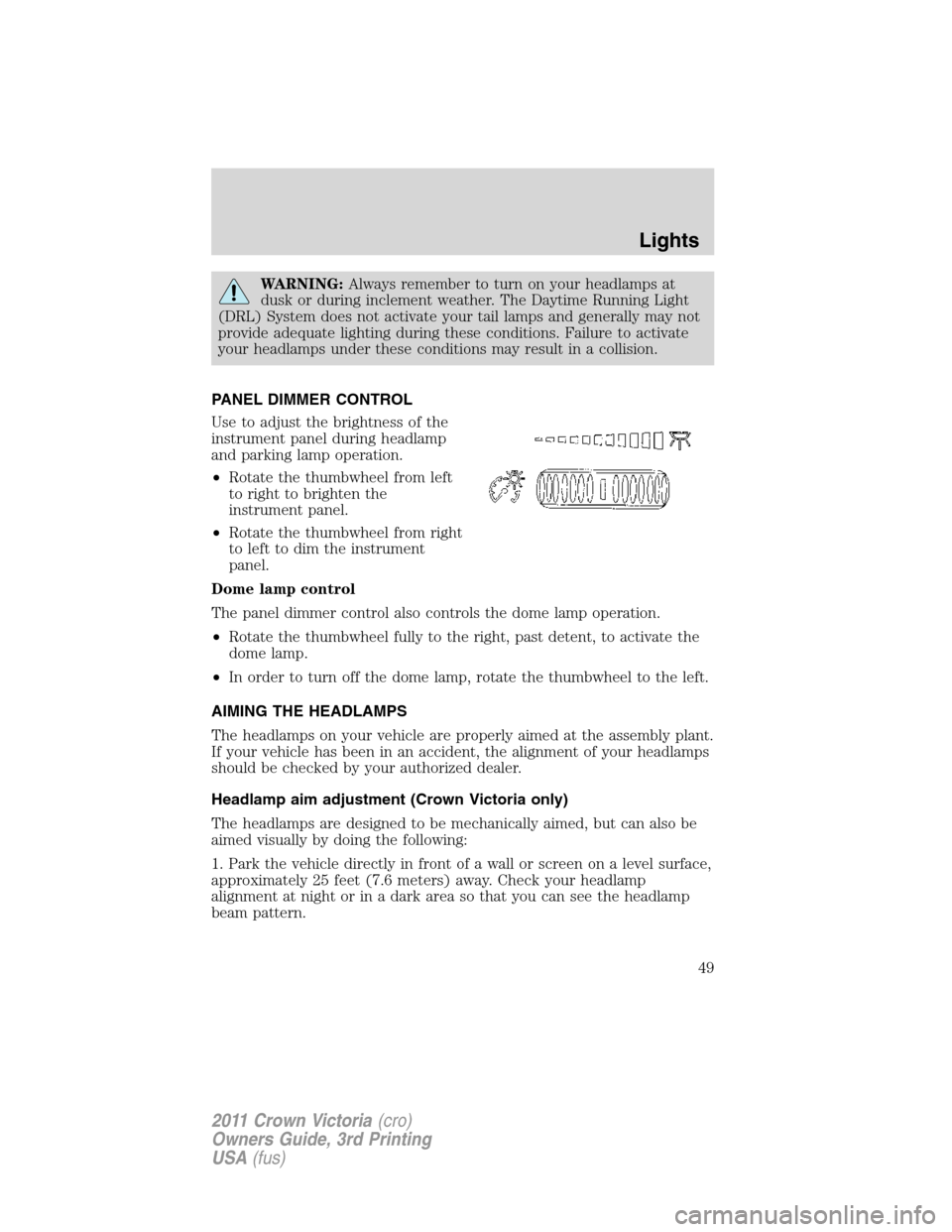
Use to adjust the brightness of the
instrument panel during headlamp
and parking lamp operation.
•Rotate the thumbwheel from left
to right to brighten the
instrument panel.
•Rotate the thumbwheel from right
to left to dim the instrument
panel.
Dome lamp control
The panel dimmer control also controls the dome lamp operation.
•Rotate the thumbwheel fully to the right, past detent, to activate the
dome lamp.
•In order to turn off the dome lamp, rotate the thumbwheel to the left.
AIMING THE HEADLAMPS
The headlamps on your vehicle are properly aimed at the assembly plant.
If your vehicle has been in an accident, the alignment of your headlamps
should be checked by your authorized dealer.
Headlamp aim adjustment (Crown Victoria only)
The headlamps are designed to be mechanically aimed, but can also be
aimed visually by doing the following:
1. Park the vehicle directly in front of a wall or screen on a level surface,
approximately 25 feet (7.6 meters) away. Check your headlamp
alignment at night or in a dark area so that you can see the headlamp
beam pattern.
Lights
49
2011 Crown Victoria(cro)
Owners Guide, 3rd Printing
USA(fus)
Page 56 of 333
To install the new bulb:
WARNING:Handle a halogen headlamp bulb carefully and keep
out of children’s reach. Grasp the bulb only by its plastic base
and do not touch the glass. The oil from your hand could cause the
bulb to break the next time the headlamps are operated.
Note:If the bulb is accidentally touched, it should be cleaned with
rubbing alcohol before being used.
1. With the flat side of the new bulb’s plastic base facing upward, insert
the glass end of the bulb into the lamp assembly. Turn the bulb left or
right to align the grooves in the plastic base with the tabs in the lamp
assembly. When the grooves are aligned, push the bulb into the lamp
assembly until the plastic base contacts the rear of the lamp assembly.
2. Install the bulb retaining ring over the plastic base until it contacts the
rear of the socket by rotating it clockwise until you feel a “stop.”
3. Connect the electrical connector into the rear of the plastic base until
it snaps, locking it into position.
4. Install the headlamp assembly with two retainers.
5. Install the radiator cover locking it in place with three retainers.
6. Turn the headlamps on and make sure they work properly. If the
headlamp was correctly aligned before you changed the bulb, you should
not need to align it again.
Replacing front parking/turn signal lamp bulbs
To remove the front parking/turn signal lamp bulbs:
1. Make sure headlamp switch is in the off position, then open the hood.
2. Remove the radiator cover by turning the three retainers to the unlock
position.
Lights
56
2011 Crown Victoria(cro)
Owners Guide, 3rd Printing
USA(fus)
Page 61 of 333
WARNING:Handle a halogen headlamp bulb carefully and keep
out of children’s reach. Grasp the bulb only by its plastic base
and do not touch the glass. The oil from your hand could cause the
bulb to break the next time the headlamps are operated.
Note:If the bulb is accidentally touched, it should be cleaned with
rubbing alcohol before being used.
Note:The headlamp bulb should not be removed from the headlamp
until just before a replacement bulb is installed. Removing the bulb for
an extended period of time may affect headlamp bulb performance.
Contaminants may enter the headlamp where they can settle on the lens
and reflector. Never turn the headlamps on with the bulb removed.
Replacing front parking/cornering/turn signal lamp bulbs
To remove the parking/cornering/turn signal lamp bulbs:
1. Make sure the headlamp switch is in the off position, then open the
hood.
2. Remove the three pin type retainers and the radiator shield.
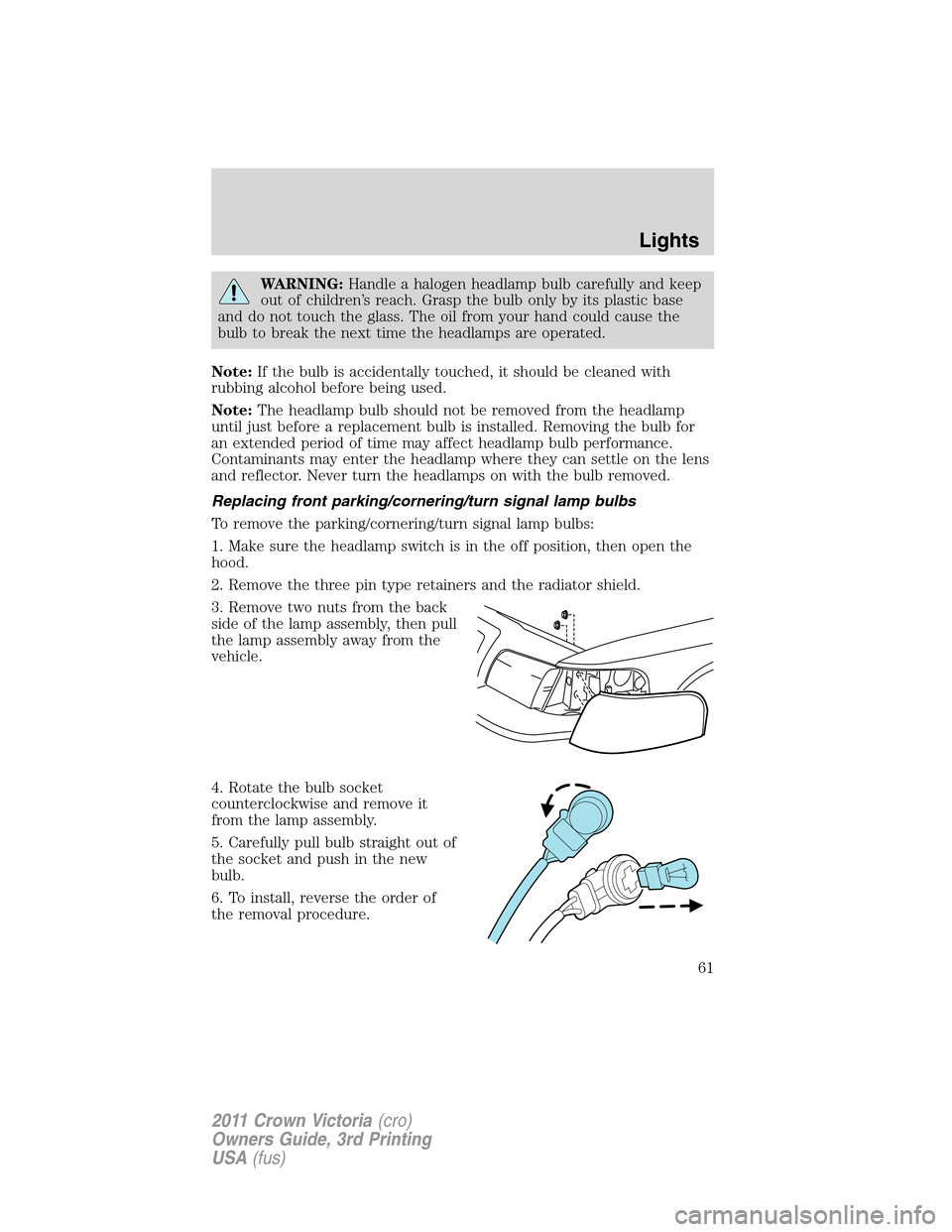
3. Remove two nuts from the back
side of the lamp assembly, then pull
the lamp assembly away from the
vehicle.
4. Rotate the bulb socket
counterclockwise and remove it
from the lamp assembly.
5. Carefully pull bulb straight out of
the socket and push in the new
bulb.
6. To install, reverse the order of
the removal procedure.
Lights
61
2011 Crown Victoria(cro)
Owners Guide, 3rd Printing
USA(fus)
Page 66 of 333
TILT STEERING WHEEL
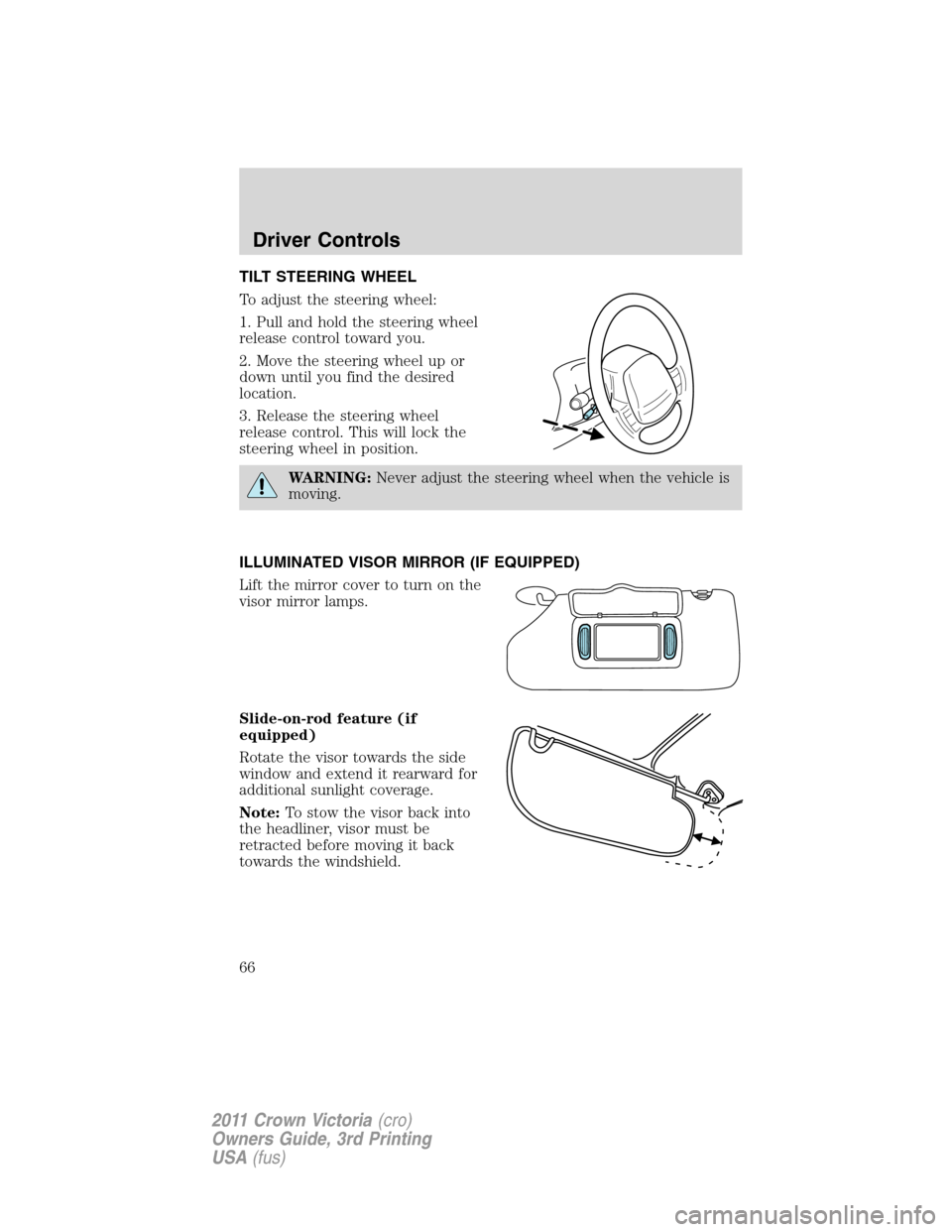
To adjust the steering wheel:
1. Pull and hold the steering wheel
release control toward you.
2. Move the steering wheel up or
down until you find the desired
location.
3. Release the steering wheel
release control. This will lock the
steering wheel in position.
WARNING:Never adjust the steering wheel when the vehicle is
moving.
ILLUMINATED VISOR MIRROR (IF EQUIPPED)
Lift the mirror cover to turn on the
visor mirror lamps.
Slide-on-rod feature (if
equipped)
Rotate the visor towards the side
window and extend it rearward for
additional sunlight coverage.
Note:To stow the visor back into
the headliner, visor must be
retracted before moving it back
towards the windshield.
Driver Controls
66
2011 Crown Victoria(cro)
Owners Guide, 3rd Printing
USA(fus)
Page 67 of 333
CENTER CONSOLE (IF EQUIPPED)
Your vehicle may be equipped with a variety of console features. These
include:
•Utility compartment
•Power point (inside storage bin)
•Cupholders
•Air vents to the rear seating positions (heat only)
WARNING:Use only soft cups in the cupholder. Hard objects
can injure you in a collision.
AUXILIARY POWER POINT (12V DC)
Power outlets are designed for accessory plugs only. Do not insert
any other object in the power outlet as this will damage the
outlet and blow the fuse. Do not hang any type of accessory or
accessory bracket from the plug. Improper use of the power
outlet can cause damage not covered by your warranty.
The auxiliary power point is located under the cup holder and ashtray
drawer in the center stack. The auxiliary power point for five passenger
vehicles is located in the floor console storage bin.
Do not use the power point for operating the cigarette lighter element (if
equipped).
Note:
Do not plug optional electrical accessories into the cigarette lighter
socket (if equipped). Improper use of the lighter can cause damage not
covered by your warranty, and can result in fire or serious injury.
To prevent the fuse from being blown, do not use the power point(s)
over the vehicle capacity of 12V DC/180W. If the power point or cigar
lighter socket is not working, a fuse may have blown. Refer toFuses and
relaysin theRoadside Emergencieschapter for information on
checking and replacing fuses.
To have full capacity usage of your power point, the engine is required to
be running to avoid unintentional discharge of the battery. To prevent
the battery from being discharged:
•do not use the power point longer than necessary when the engine is
not running,
•do not leave battery chargers, video game adapters, computers and
other devices plugged in overnight or when the vehicle is parked for
extended periods.
Always keep the power point caps closed when not being used.
Driver Controls
67
2011 Crown Victoria(cro)
Owners Guide, 3rd Printing
USA(fus)
Page 69 of 333
INTERIOR MIRROR
The interior rear view mirror has two pivot points on the support arm
which lets you adjust the mirror up or down and from side to side.
WARNING:Do not adjust the mirror while the vehicle is in
motion.
Automatic dimming interior rear view mirror (if equipped)
The interior rear view mirror has an auto-dimming function. The
electronic day/night mirror will change from the normal (high reflective)
state to the non-glare (darkened) state when bright lights (glare) reach
the mirror. When the mirror detects bright light from behind the vehicle,
it will automatically adjust (darken) to minimize glare.
The mirror will automatically return to the normal state whenever the
vehicle is placed in R (Reverse) to ensure a bright clear view when
backing up.
Do not block the sensors on the front and back of the interior
rear view mirror since this may impair proper mirror
performance.
Note:A rear center passenger and/or raised rear center headrest (if
equipped) may also block the light from reaching the sensor.
Do not clean the housing or glass of any mirror with harsh
abrasives, fuel or other petroleum-based cleaning products.
EXTERIOR MIRRORS
Power side view mirrors
WARNING:Do not adjust the mirror while the vehicle is in
motion.
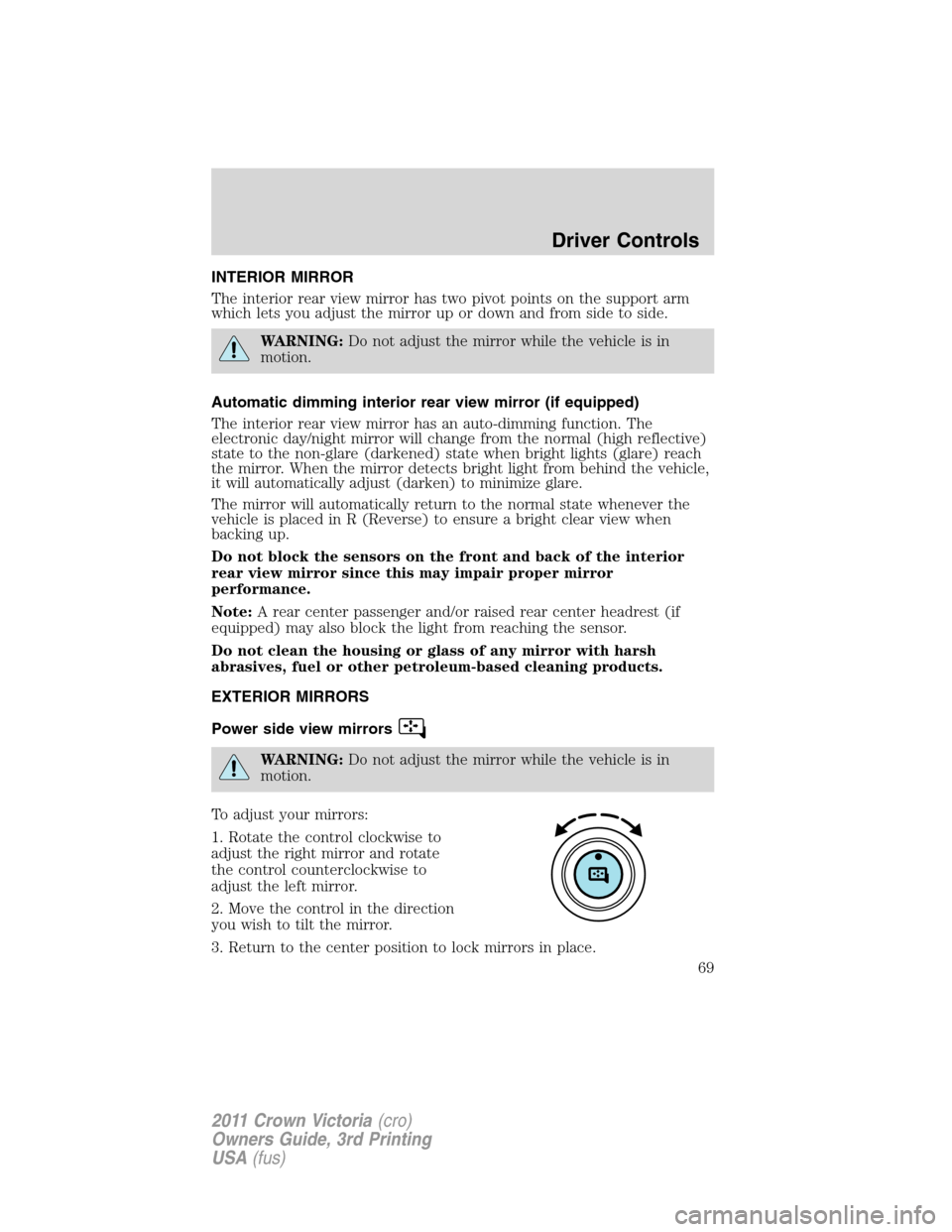
To adjust your mirrors:
1. Rotate the control clockwise to
adjust the right mirror and rotate
the control counterclockwise to
adjust the left mirror.
2. Move the control in the direction
you wish to tilt the mirror.
3. Return to the center position to lock mirrors in place.
Driver Controls
69
2011 Crown Victoria(cro)
Owners Guide, 3rd Printing
USA(fus)
Page 71 of 333
SPEED CONTROL (IF EQUIPPED)
With speed control set, you can maintain a set speed without keeping
your foot on the accelerator pedal.
WARNING:Do not use the speed control in heavy traffic or on
roads that are winding, slippery or unpaved.
Using speed control
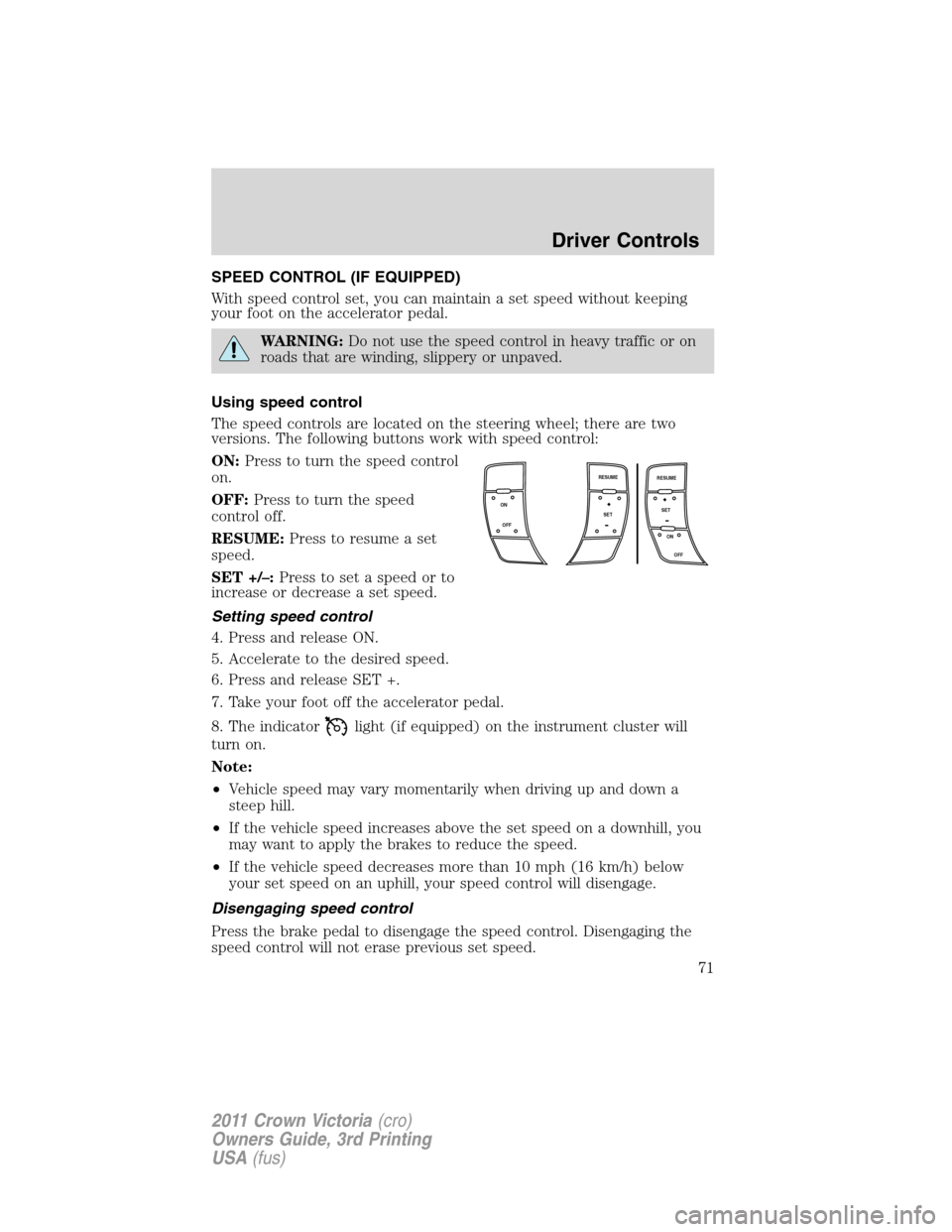
The speed controls are located on the steering wheel; there are two
versions. The following buttons work with speed control:
ON:Press to turn the speed control
on.
OFF:Press to turn the speed
control off.
RESUME:Press to resume a set
speed.
SET +/–:Press to set a speed or to
increase or decrease a set speed.
Setting speed control
4. Press and release ON.
5. Accelerate to the desired speed.
6. Press and release SET +.
7. Take your foot off the accelerator pedal.
8. The indicator
light (if equipped) on the instrument cluster will
turn on.
Note:
•Vehicle speed may vary momentarily when driving up and down a
steep hill.
•If the vehicle speed increases above the set speed on a downhill, you
may want to apply the brakes to reduce the speed.
•If the vehicle speed decreases more than 10 mph (16 km/h) below
your set speed on an uphill, your speed control will disengage.
Disengaging speed control
Press the brake pedal to disengage the speed control. Disengaging the
speed control will not erase previous set speed.
ON
OFFSET
OFF ON RESUME
SET
RESUME
Driver Controls
71
2011 Crown Victoria(cro)
Owners Guide, 3rd Printing
USA(fus)
Page 77 of 333
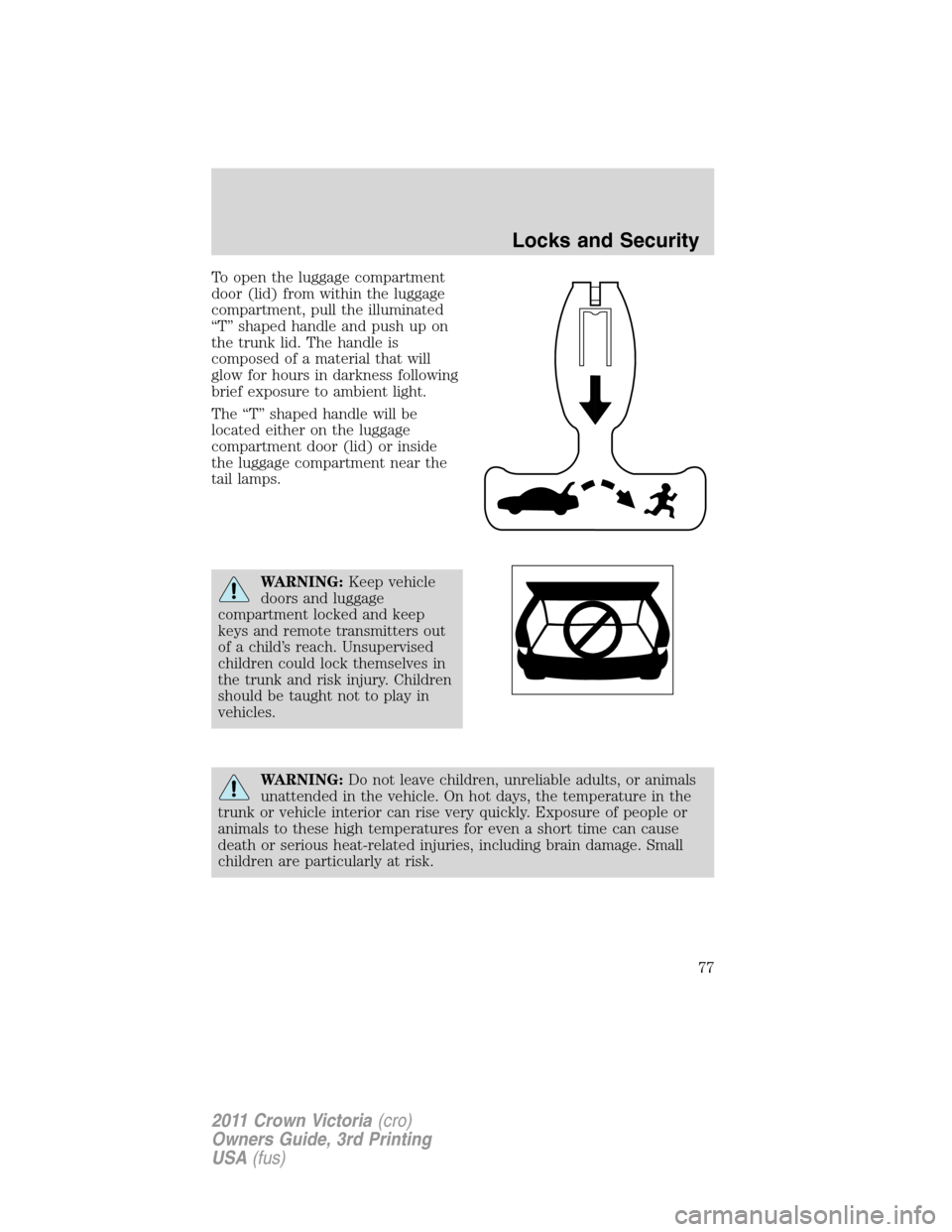
To open the luggage compartment
door (lid) from within the luggage
compartment, pull the illuminated
“T” shaped handle and push up on
the trunk lid. The handle is
composed of a material that will
glow for hours in darkness following
brief exposure to ambient light.
The “T” shaped handle will be
located either on the luggage
compartment door (lid) or inside
the luggage compartment near the
tail lamps.
WARNING:Keep vehicle
doors and luggage
compartment locked and keep
keys and remote transmitters out
of a child’s reach. Unsupervised
children could lock themselves in
the trunk and risk injury. Children
should be taught not to play in
vehicles.
WARNING:Do not leave children, unreliable adults, or animals
unattended in the vehicle. On hot days, the temperature in the
trunk or vehicle interior can rise very quickly. Exposure of people or
animals to these high temperatures for even a short time can cause
death or serious heat-related injuries, including brain damage. Small
children are particularly at risk.
Locks and Security
77
2011 Crown Victoria(cro)
Owners Guide, 3rd Printing
USA(fus)
Page 97 of 333
The indicator light will illuminate when the heated seats have been
activated.
REAR SEATS
Seat-mounted cup holders and armrest storage compartment
(if equipped)
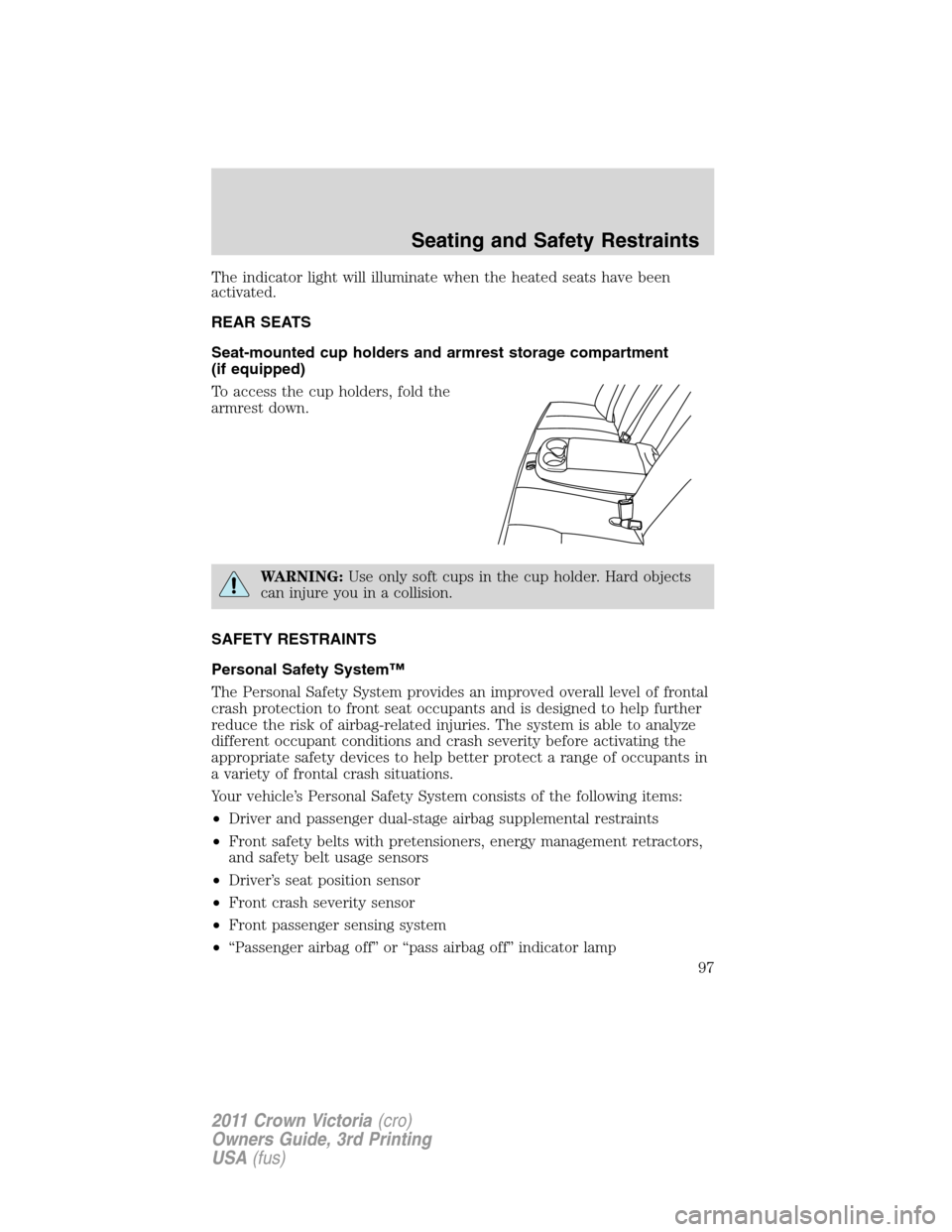
To access the cup holders, fold the
armrest down.
WARNING:Use only soft cups in the cup holder. Hard objects
can injure you in a collision.
SAFETY RESTRAINTS
Personal Safety System™
The Personal Safety System provides an improved overall level of frontal
crash protection to front seat occupants and is designed to help further
reduce the risk of airbag-related injuries. The system is able to analyze
different occupant conditions and crash severity before activating the
appropriate safety devices to help better protect a range of occupants in
a variety of frontal crash situations.
Your vehicle’s Personal Safety System consists of the following items:
•Driver and passenger dual-stage airbag supplemental restraints
•Front safety belts with pretensioners, energy management retractors,
and safety belt usage sensors
•Driver’s seat position sensor
•Front crash severity sensor
•Front passenger sensing system
•“Passenger airbag off” or “pass airbag off” indicator lamp
Seating and Safety Restraints
97
2011 Crown Victoria(cro)
Owners Guide, 3rd Printing
USA(fus)
Page 98 of 333
•Restraints Control Module (RCM) with impact and safing sensors
•Restraint system warning light and back-up tone
•The electrical wiring for the airbags, crash sensor(s), safety belt
pretensioners, front safety belt usage sensors, driver seat position
sensor, front passenger sensing system, and indicator lights.
How does the Personal Safety System™ work?
The Personal Safety System can adapt the deployment strategy of your
vehicle’s safety devices according to crash severity and occupant
conditions. A collection of crash and occupant sensors provides
information to the Restraints control module (RCM). During a crash, the
RCM may activate the safety belt pretensioners and/or either one or both
stages of the dual-stage airbag supplemental restraints based on crash
severity and occupant conditions.
The fact that the pretensioners or airbags did not activate for both front
seat occupants in a collision does not mean that something is wrong with
the system. Rather, it means the Personal Safety System determined the
accident conditions (crash severity, belt usage, etc.) were not
appropriate to activate these safety devices. Front airbags are designed
to activate only in frontal and near-frontal collisions, not rollovers,
side-impacts, or rear-impacts unless the collision causes sufficient
longitudinal deceleration.
Driver and passenger dual-stage airbag supplemental restraints
The dual-stage airbags offer the capability to tailor the level of airbag
inflation energy. A lower, less forceful energy level is provided for more
common, moderate-severity impacts. A higher energy level is used for
the most severe impacts. Refer toAirbag supplemental restraints
(SRS)section in this chapter.
Front crash severity sensor
The front crash severity sensor enhances the ability to detect the
severity of an impact. Positioned up front, it provides valuable
information early in the crash event on the severity of the impact. This
allows your Personal Safety System to distinguish between different
levels of crash severity and modify the deployment strategy of the
dual-stage airbags and safety belt pretensioners.
Driver’s seat position sensor
The driver’s seat position sensor allows your Personal Safety System to
tailor the deployment level of the driver dual-stage airbag based on seat
position. The system is designed to help protect smaller drivers sitting
close to the driver airbag by providing a lower airbag output level.
Seating and Safety Restraints
98
2011 Crown Victoria(cro)
Owners Guide, 3rd Printing
USA(fus)