seats FORD E-350 2018 User Guide
[x] Cancel search | Manufacturer: FORD, Model Year: 2018, Model line: E-350, Model: FORD E-350 2018Pages: 323, PDF Size: 6.2 MB
Page 38 of 323
•
My vehicle has no rear seat.
• Although children age 12 and under ride
in the rear seat whenever possible,
children age 12 and under have no
option but to sometimes ride in the
front seat because rear seat space is
insufficient.
• The child has a medical condition that,
according to the child's physician,
makes it necessary for the child to ride
in the front seat so that the driver can
monitor the child's condition.
3. Medical condition: A passenger has a
medical condition that, according to his or
her physician:
• Poses a special risk for the passenger
if the airbag deploys.
• Makes the potential harm from the
passenger airbag deployment greater
than the potential harm from turning
off the airbag and experiencing a crash
without the protection offered by the
airbag.
Proper Driver and Front Passenger
Seating Adjustment WARNING
National Highway Traffic Safety
Administration (NHTSA)
recommends a minimum distance
of at least
10 in (25 cm) between an
occupant’ s chest and the driver airbag
module. To properly position yourself away from
the airbag:
•
Move your seat to the rear as far as you
can while still reaching the pedals
comfortably.
• Recline the seat slightly (one or two
degrees) from the upright position. After all occupants have adjusted their
seats and put on seatbelts, it is very
important that they continue to sit
properly. Properly seated occupants sit
upright, lean against the seat back, and
center themselves on the seat cushion,
with their feet comfortably extended on
the floor. Sitting improperly can increase
the chance of injury in a crash event. For
example, if an occupant slouches, lies
down, turns sideways, sits forward, leans
forward or sideways, or puts one or both
feet up, the chance of injury during a crash
is greatly increased.
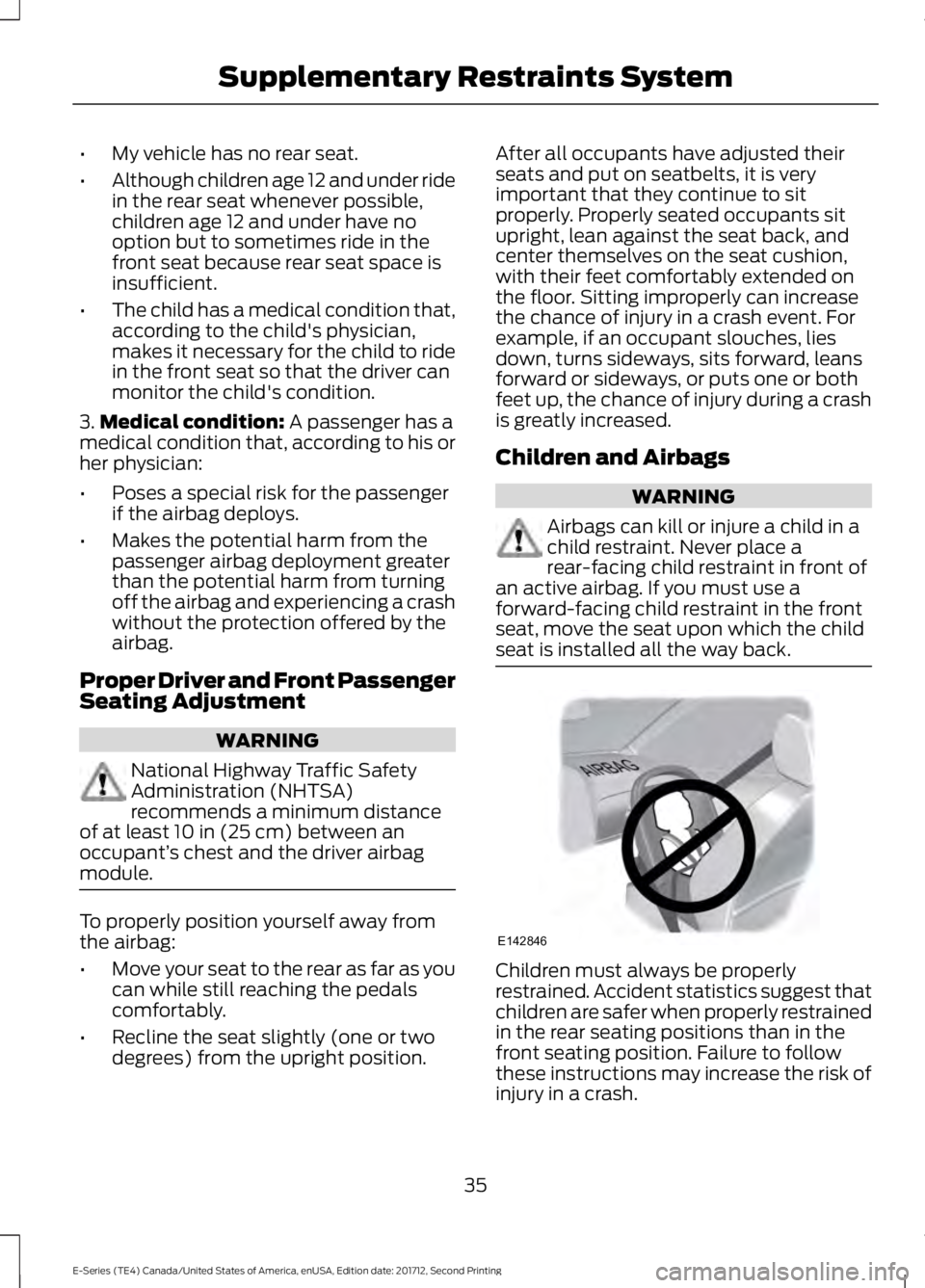
Children and Airbags
WARNING
Airbags can kill or injure a child in a
child restraint. Never place a
rear-facing child restraint in front of
an active airbag. If you must use a
forward-facing child restraint in the front
seat, move the seat upon which the child
seat is installed all the way back. Children must always be properly
restrained. Accident statistics suggest that
children are safer when properly restrained
in the rear seating positions than in the
front seating position. Failure to follow
these instructions may increase the risk of
injury in a crash.
35
E-Series (TE4) Canada/United States of America, enUSA, Edition date: 201712, Second Printing Supplementary Restraints SystemE142846
Page 69 of 323
Note:
To reduce humidity build-up inside
your vehicle, do not drive with the system
switched off or with recirculated air always
switched on.
Note: To reduce fogging of the windshield
during humid weather, adjust the air
distribution control to the windshield air
vents position.
Note: Do not place objects under the front
seats as this may interfere with the airflow
to the rear seats.
Note: Remove any snow, ice or leaves from
the air intake area at the base of the
windshield.
Note: To improve the time to reach a
comfortable temperature in hot weather,
drive with the windows open until you feel
cold air through the air vents.
Quickly Heating the Interior
1. Adjust the fan speed to the highest speed setting.
2. Adjust the temperature control to the full heat setting.
3. Direct air to the footwell air vents.
Recommended Settings for
Heating
1. Adjust the fan speed to the center setting.
2. Adjust the temperature control to the midway point of the hot settings.
3. Direct air to the footwell air vents.
Quickly Cooling the Interior
1. Turn to MAX A/C. 2. Drive with the windows open until you
feel cold air through the air vents.
Recommended Settings for
Cooling
1. Adjust the fan speed to the center setting.
2. Adjust the temperature control to the midway point of the cold settings.
3. Direct air to the instrument panel air vents.
Vehicle Stationary for Extended
Periods During Extreme High
Ambient Temperatures
1. Apply the parking brake.
2. Place your vehicle in park (P) or neutral.
3. Turn to
MAX A/C.
4. Adjust the fan speed to the lowest speed setting.
Defogging the Side Windows in
Cold Weather
1. Direct air to the instrument panel and windshield vents.
2. Turn to
NORM A/C.
3. Adjust the temperature control to the desired setting.
4. Adjust the fan speed to the highest setting.
5. Direct air toward the side windows.
6. Close the instrument panel vents.
REAR PASSENGER CLIMATE CONTROLS
(If Equipped)
66
E-Series (TE4) Canada/United States of America, enUSA, Edition date: 201712, Second Printing Climate Control
Page 71 of 323
SITTING IN THE CORRECT
POSITION
WARNINGS
Sitting improperly, out of position or
with the seatback reclined too far
can take weight off the seat cushion
and affect the decision of the passenger
sensing system, resulting in serious injury
or death in the event of a crash. Always sit
upright against your seat back, with your
feet on the floor. Do not recline the seatback as this
can cause the occupant to slide
under the safety belt, resulting in
serious injury in the event of a crash. Do not place objects higher than the
seatback to reduce the risk of serious
injury in the event of a crash or during
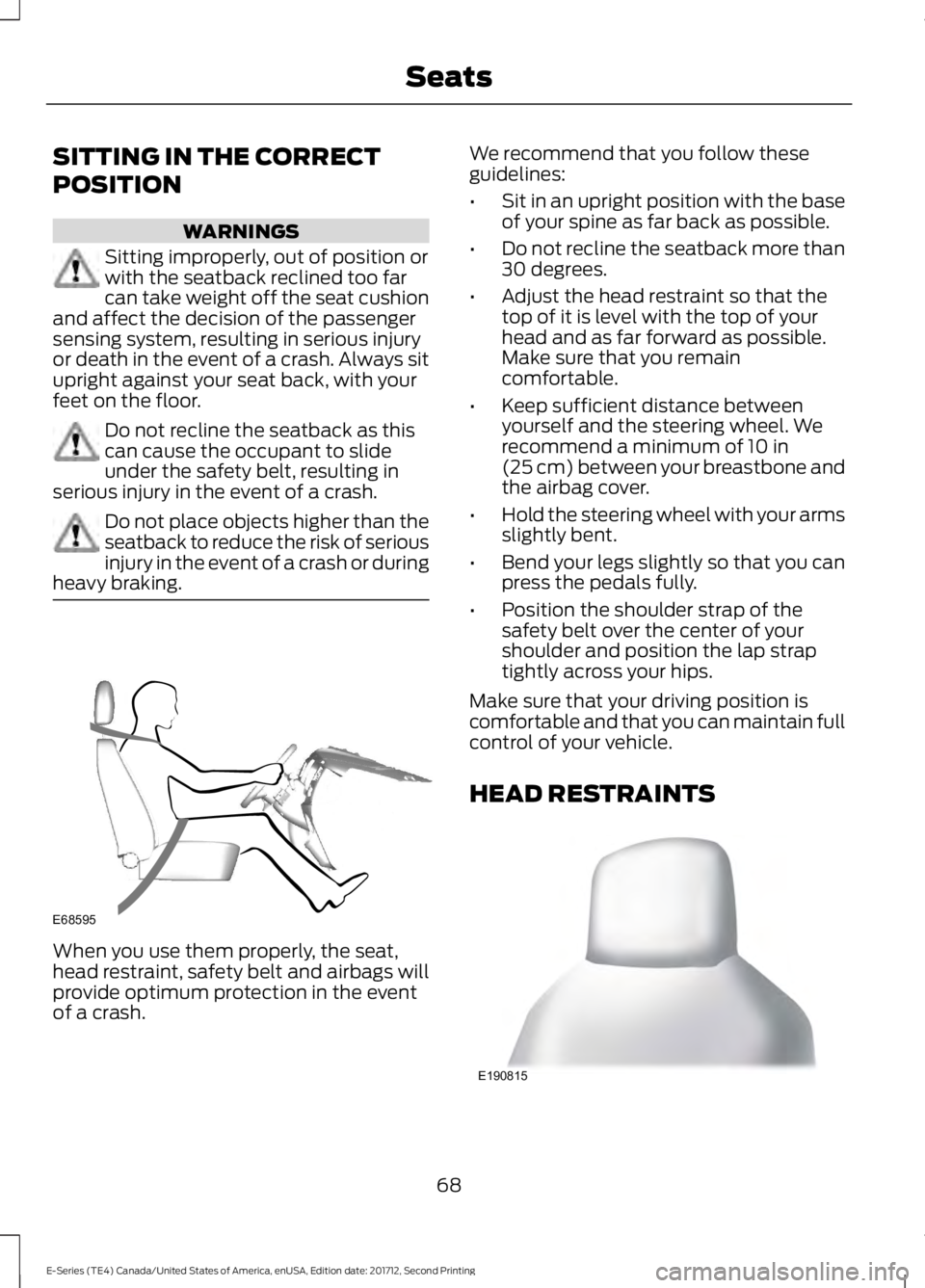
heavy braking. When you use them properly, the seat,
head restraint, safety belt and airbags will
provide optimum protection in the event
of a crash. We recommend that you follow these
guidelines:
•
Sit in an upright position with the base
of your spine as far back as possible.
• Do not recline the seatback more than
30 degrees.
• Adjust the head restraint so that the
top of it is level with the top of your
head and as far forward as possible.
Make sure that you remain
comfortable.
• Keep sufficient distance between
yourself and the steering wheel. We
recommend a minimum of 10 in
(25 cm) between your breastbone and
the airbag cover.
• Hold the steering wheel with your arms
slightly bent.
• Bend your legs slightly so that you can
press the pedals fully.
• Position the shoulder strap of the
safety belt over the center of your
shoulder and position the lap strap
tightly across your hips.
Make sure that your driving position is
comfortable and that you can maintain full
control of your vehicle.
HEAD RESTRAINTS 68
E-Series (TE4) Canada/United States of America, enUSA, Edition date: 201712, Second Printing SeatsE68595 E190815
Page 72 of 323
The front row outboard non-adjustable
head restraints consist of a trimmed foam
covering over the upper structure of the
seatback. Properly adjust the seatback to
an upright driving or riding position, so that
the head restraint is positioned as close as
possible to the back of your head.
MANUAL SEATS (If Equipped)
WARNING
Make sure the seat fully locks into
place by rocking it backward and
forward. Not securing the seat into
the locked position can be dangerous in a
crash and could cause serious personal
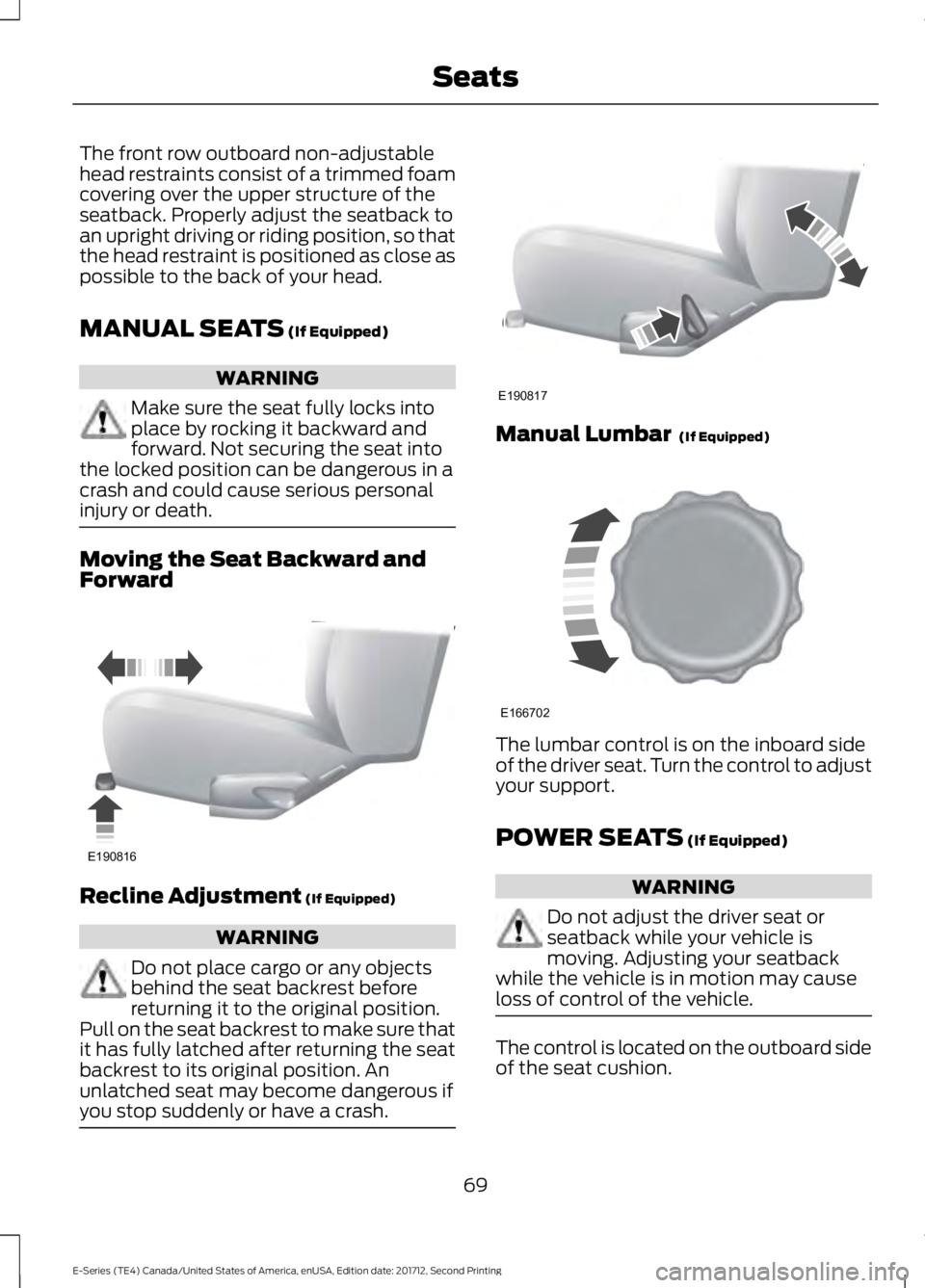
injury or death. Moving the Seat Backward and
Forward
Recline Adjustment
(If Equipped)
WARNING
Do not place cargo or any objects
behind the seat backrest before
returning it to the original position.
Pull on the seat backrest to make sure that
it has fully latched after returning the seat
backrest to its original position. An
unlatched seat may become dangerous if
you stop suddenly or have a crash. Manual Lumbar
(If Equipped)
The lumbar control is on the inboard side
of the driver seat. Turn the control to adjust
your support.
POWER SEATS
(If Equipped)
WARNING
Do not adjust the driver seat or
seatback while your vehicle is
moving. Adjusting your seatback
while the vehicle is in motion may cause
loss of control of the vehicle. The control is located on the outboard side
of the seat cushion.
69
E-Series (TE4) Canada/United States of America, enUSA, Edition date: 201712, Second Printing SeatsE190816 E190817 E166702
Page 73 of 323
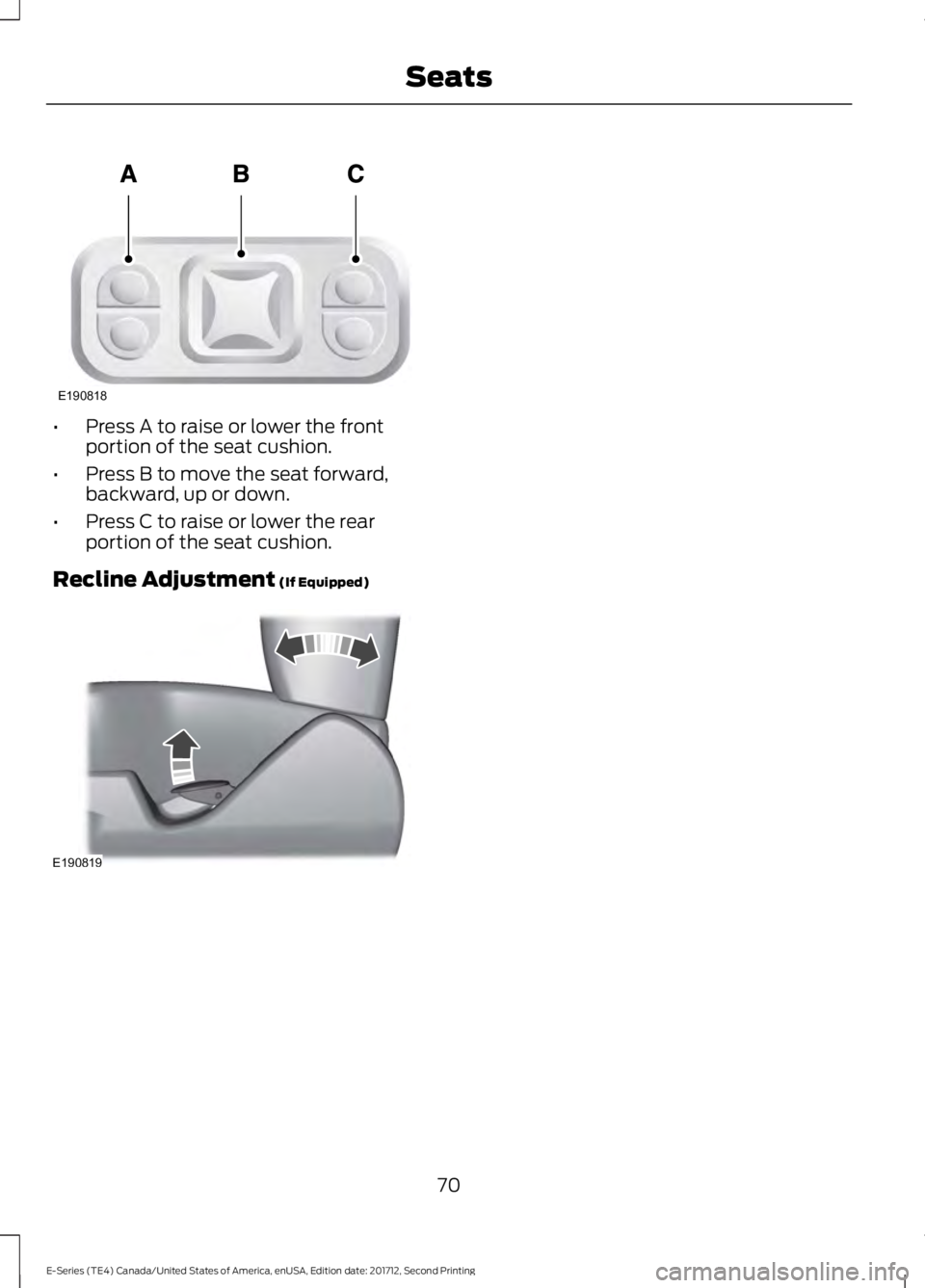
•
Press A to raise or lower the front
portion of the seat cushion.
• Press B to move the seat forward,
backward, up or down.
• Press C to raise or lower the rear
portion of the seat cushion.
Recline Adjustment (If Equipped) 70
E-Series (TE4) Canada/United States of America, enUSA, Edition date: 201712, Second Printing SeatsE190818 E190819
Page 165 of 323
To clean the windshield and wiper blades:
•
Clean the windshield with a
non-abrasive glass cleaner. When
cleaning the interior of the windshield,
avoid getting any glass cleaner on the
instrument panel or door panels. Wipe
any glass cleaner off these surfaces
immediately.
• For windshields contaminated with
tree sap, chemicals, wax or bugs, clean
the entire windshield using steel wool
(no greater than 0000 grade) in a
circular motion and rinse with water.
• Clean the wiper blades with isopropyl
rubbing alcohol or windshield washer
concentrate.
Note: Do not use razor blades or other
sharp objects to clean or remove decals
from the inside of the heated rear window.
The vehicle warranty does not cover
damage caused to the heated rear window
grid lines.
CLEANING THE INTERIOR WARNINGS
Do not use cleaning solvents, bleach
or dye on the vehicle's seatbelts, as
these actions may weaken the belt
webbing. On vehicles equipped with
seat-mounted airbags, do not use
chemical solvents or strong
detergents. Such products could
contaminate the side airbag system and
affect performance of the side airbag in a
crash. For fabric, carpets, cloth seats and seats
equipped with side airbags:
•
Remove dust and loose dirt with a
vacuum cleaner.
• Remove light stains and soil with
Motorcraft Professional Strength
Carpet & Upholstery Cleaner.
• If grease or tar is present on the
material, spot-clean the area first with
Motorcraft Spot and Stain Remover. In
Canada, use Motorcraft Multi-Purpose
Cleaner.
• If a ring forms on the fabric after spot
cleaning, clean the entire area
immediately (but do not oversaturate)
or the ring will set.
• Do not use household cleaning
products or glass cleaners, which can
stain and discolor the fabric and affect
the flame retardant abilities of the seat
materials.
CLEANING THE INSTRUMENT
PANEL AND INSTRUMENT
CLUSTER LENS WARNING
Do not use chemical solvents or
strong detergents when cleaning the
steering wheel or instrument panel
to avoid contamination of the airbag
system. Note:
Follow the same procedure as
cleaning leather seats for cleaning leather
instrument panels and leather interior trim
surfaces.
Clean the instrument panel and cluster
lens with a clean, damp and soft cloth,
then use a clean, dry and soft cloth to dry
these areas.
162
E-Series (TE4) Canada/United States of America, enUSA, Edition date: 201712, Second Printing Vehicle Care
Page 223 of 323
Monday-Saturday, 8:30am-9:00pm EST.
Sunday, 10:30am-7:30pm EST.
In the United States, call 1-800-392-3673.
In Canada, call 1-800-565-3673.
Times are subject to change due to
holidays.
SYNC Owner Account
Why do I need a SYNC owner account?
•
Required to activate Vehicle Health
Report and to view the reports online.
• Required to activate the
subscription-based SYNC Services and
to personalize your Saved Points and
Favorites.
• Essential for keeping up with the latest
software downloads available for
SYNC.
• Access to customer support for any
questions you may have.
Driving Restrictions
For your safety, certain features are
speed-dependent and restricted when your
vehicle is traveling over 3 mph (5 km/h).
Safety Information WARNING
Driving while distracted can result in
loss of vehicle control, crash and
injury. We strongly recommend that
you use extreme caution when using any
device that may take your focus off the
road. Your primary responsibility is the safe
operation of your vehicle. We recommend
against the use of any hand-held device
while driving and encourage the use of
voice-operated systems when possible.
Make sure you are aware of all applicable
local laws that may affect the use of
electronic devices while driving. When using SYNC:
•
Do not operate playing devices if the
power cords or cables are broken, split
or damaged. Place cords and cables
out of the way, so they do not interfere
with the operation of pedals, seats,
compartments or safe driving abilities.
• Do not leave playing devices in your
vehicle during extreme conditions as it
could cause them damage. See your
device's manual for further information.
• Do not attempt to service or repair the
system. See an authorized dealer.
Privacy Information
When a cellular phone is connected to
SYNC, the system creates a profile within
your vehicle that is linked to that cellular
phone. This profile is created in order to
offer you more cellular features and to
operate more efficiently. Among other
things, this profile may contain data about
your cellular phone book, text messages
(read and unread), and call history,
including history of calls when your cellular
phone was not connected to the system.
In addition, if you connect a media device,
the system creates and retains an index of
supported media content. The system also
records a short development log of
approximately 10 minutes of all recent
system activity. The log profile and other
system data may be used to improve the
system and help diagnose any problems
that may occur.
The cellular profile, media device index,
and development log will remain in the
vehicle unless you delete them and are
generally accessible only in the vehicle
when the cellular phone or media player
is connected. If you no longer plan to use
the system or the vehicle, we recommend
you perform a Master Reset to erase all
stored information.
220
E-Series (TE4) Canada/United States of America, enUSA, Edition date: 201712, Second Printing SYNC™
(If Equipped)
Page 291 of 323
ELECTROMAGNETIC
COMPATIBILITY
WARNINGS
Do not place objects or mount
equipment on or near the airbag
cover, on the side of the seatbacks
(of the front seats), or in front seat areas
that may come into contact with a
deploying airbag. Failure to follow these
instructions may increase the risk of
personal injury in the event of a crash. Do not fasten antenna cables to
original vehicle wiring, fuel pipes and
brake pipes.
Keep antenna and power cables at
least 4 in (10 cm) from any electronic
modules and airbags. Note:
We test and certify your vehicle to
meet electromagnetic compatibility
legislation (UNECE Regulation 10 or other
applicable local requirements). It is your
responsibility to make sure that any
equipment an authorized dealer installs on
your vehicle complies with applicable local
legislation and other requirements.
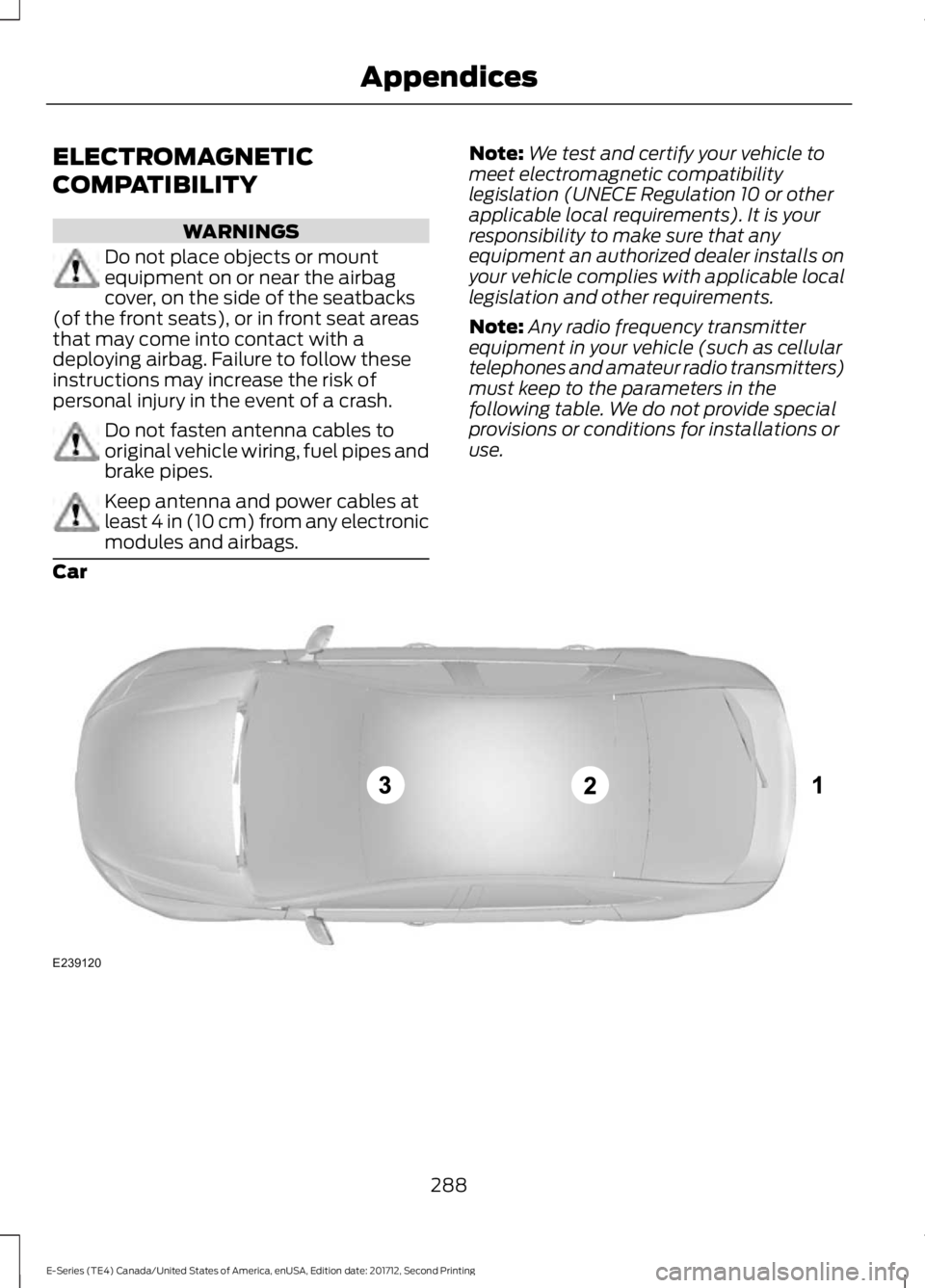
Note: Any radio frequency transmitter
equipment in your vehicle (such as cellular
telephones and amateur radio transmitters)
must keep to the parameters in the
following table. We do not provide special
provisions or conditions for installations or
use.
Car 288
E-Series (TE4) Canada/United States of America, enUSA, Edition date: 201712, Second Printing AppendicesE239120
Page 316 of 323
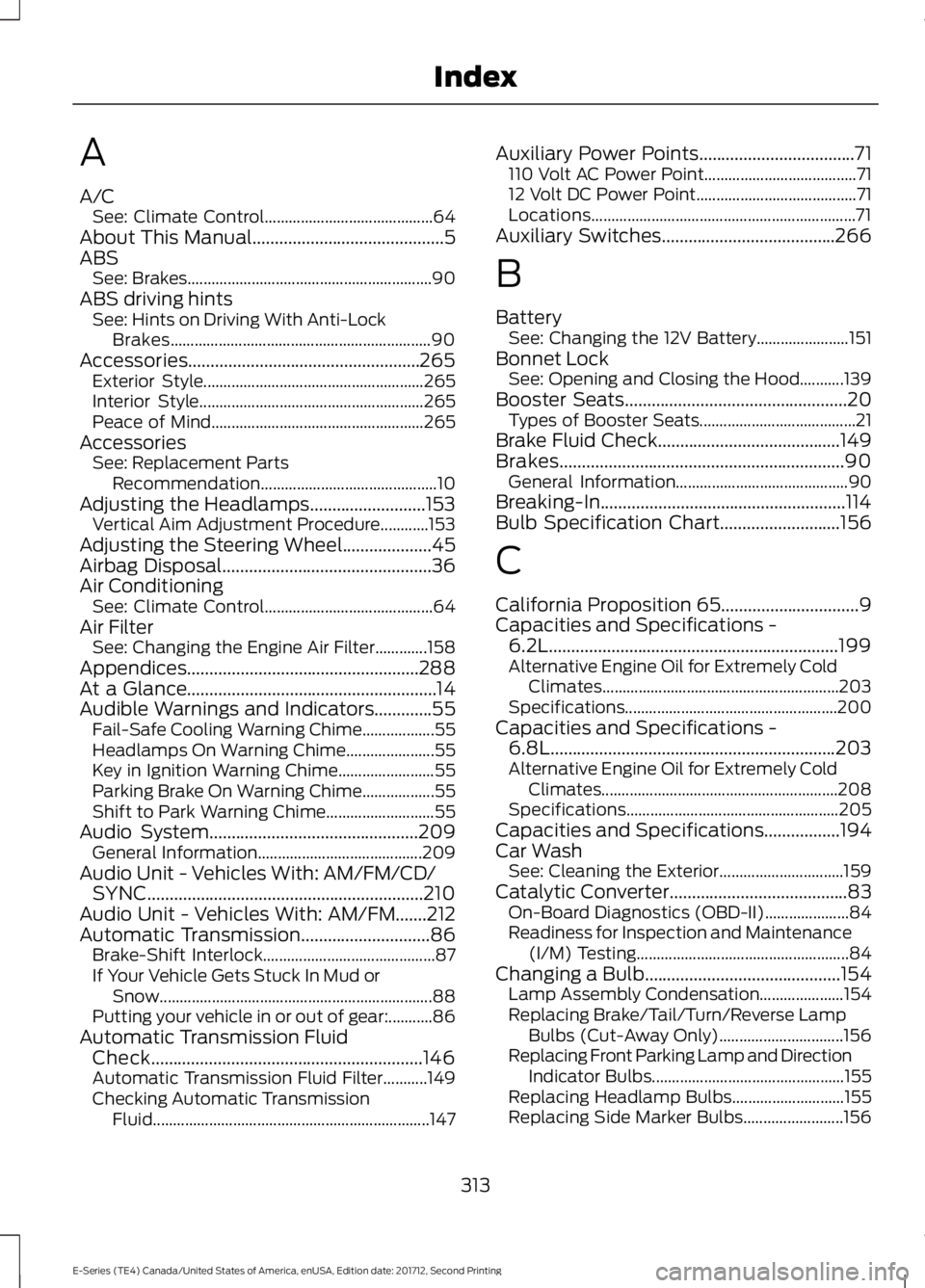
A
A/C
See: Climate Control.......................................... 64
About This Manual...........................................5
ABS See: Brakes............................................................. 90
ABS driving hints See: Hints on Driving With Anti-Lock
Brakes................................................................. 90
Accessories....................................................265 Exterior Style....................................................... 265
Interior Style........................................................ 265
Peace of Mind..................................................... 265
Accessories See: Replacement Parts
Recommendation............................................ 10
Adjusting the Headlamps..........................153 Vertical Aim Adjustment Procedure............153
Adjusting the Steering Wheel....................45
Airbag Disposal...............................................36
Air Conditioning See: Climate Control.......................................... 64
Air Filter See: Changing the Engine Air Filter.............158
Appendices....................................................288
At a Glance........................................................14
Audible Warnings and Indicators.............55 Fail-Safe Cooling Warning Chime.................. 55
Headlamps On Warning Chime...................... 55
Key in Ignition Warning Chime........................ 55
Parking Brake On Warning Chime.................. 55
Shift to Park Warning Chime........................... 55
Audio System
...............................................209
General Information......................................... 209
Audio Unit - Vehicles With: AM/FM/CD/ SYNC..............................................................210
Audio Unit - Vehicles With: AM/FM.......212
Automatic Transmission
.............................86
Brake-Shift Interlock........................................... 87
If Your Vehicle Gets Stuck In Mud or Snow.................................................................... 88
Putting your vehicle in or out of gear:...........86
Automatic Transmission Fluid Check.............................................................146
Automatic Transmission Fluid Filter...........149
Checking Automatic Transmission Fluid..................................................................... 147Auxiliary Power Points
...................................71
110 Volt AC Power Point...................................... 71
12 Volt DC Power Point........................................ 71
Locations.................................................................. 71
Auxiliary Switches
.......................................266
B
Battery See: Changing the 12V Battery....................... 151
Bonnet Lock See: Opening and Closing the Hood...........139
Booster Seats
..................................................20
Types of Booster Seats....................................... 21
Brake Fluid Check.........................................149
Brakes................................................................90 General Information........................................... 90
Breaking-In.......................................................114
Bulb Specification Chart...........................156
C
California Proposition 65...............................9
Capacities and Specifications - 6.2L
.................................................................199
Alternative Engine Oil for Extremely Cold
Climates........................................................... 203
Specifications..................................................... 200
Capacities and Specifications - 6.8L
................................................................203
Alternative Engine Oil for Extremely Cold
Climates........................................................... 208
Specifications..................................................... 205
Capacities and Specifications.................194
Car Wash See: Cleaning the Exterior............................... 159
Catalytic Converter........................................83 On-Board Diagnostics (OBD-II)..................... 84
Readiness for Inspection and Maintenance (I/M) Testing..................................................... 84
Changing a Bulb............................................154 Lamp Assembly Condensation..................... 154
Replacing Brake/Tail/Turn/Reverse Lamp Bulbs (Cut-Away Only)............................... 156
Replacing Front Parking Lamp and Direction Indicator Bulbs................................................ 155
Replacing Headlamp Bulbs............................ 155
Replacing Side Marker Bulbs......................... 156
313
E-Series (TE4) Canada/United States of America, enUSA, Edition date: 201712, Second Printing Index
Page 319 of 323
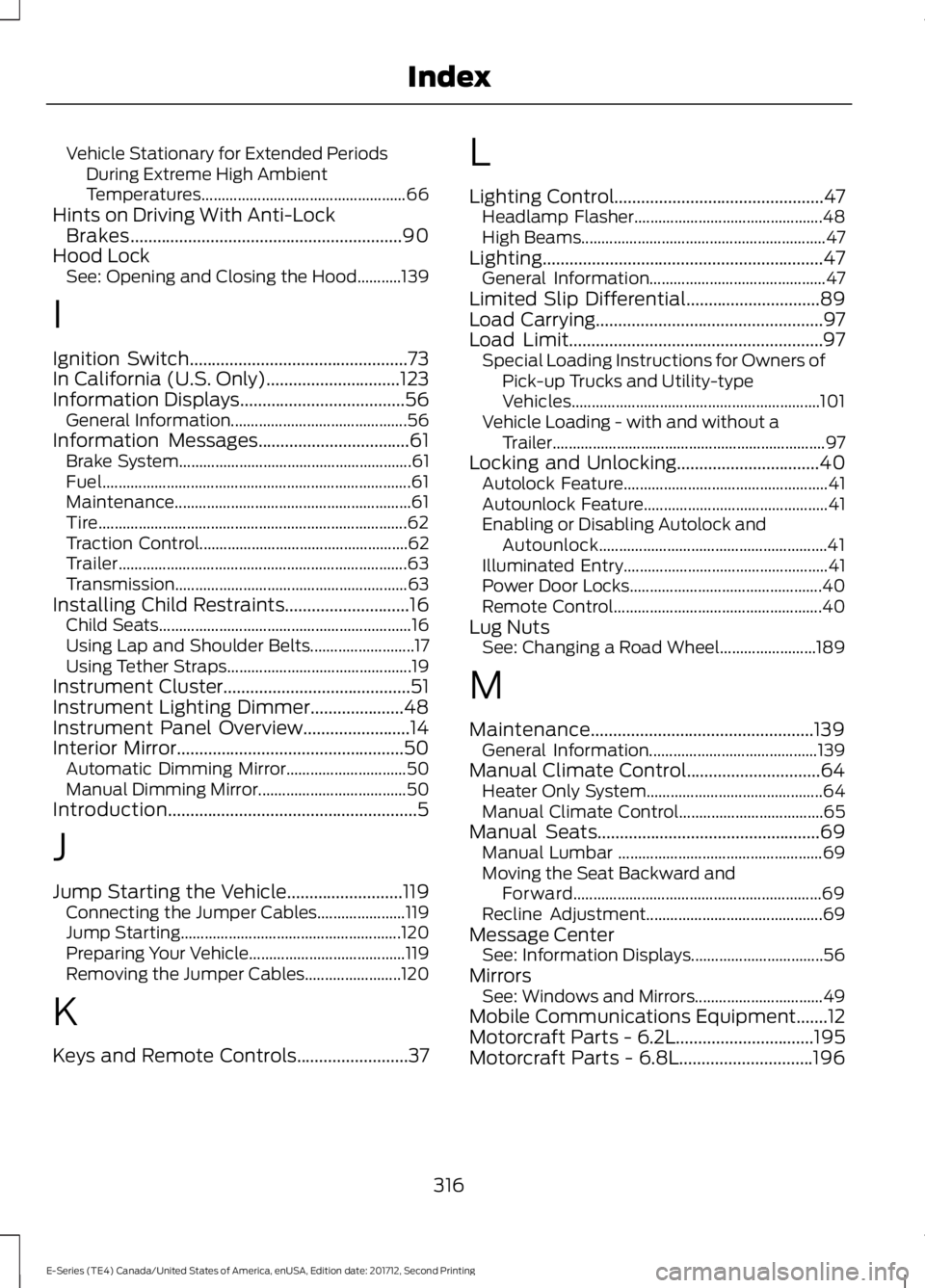
Vehicle Stationary for Extended Periods
During Extreme High Ambient
Temperatures................................................... 66
Hints on Driving With Anti-Lock Brakes.............................................................90
Hood Lock See: Opening and Closing the Hood...........139
I
Ignition Switch.................................................73
In California (U.S. Only)..............................123
Information Displays
.....................................56
General Information............................................ 56
Information Messages
..................................61
Brake System.......................................................... 61
Fuel........................................................................\
..... 61
Maintenance........................................................... 61
Tire........................................................................\
..... 62
Traction Control.................................................... 62
Trailer........................................................................\
63
Transmission.......................................................... 63
Installing Child Restraints
............................16
Child Seats............................................................... 16
Using Lap and Shoulder Belts.......................... 17
Using Tether Straps.............................................. 19
Instrument Cluster
..........................................51
Instrument Lighting Dimmer.....................48
Instrument Panel Overview........................14
Interior Mirror
...................................................50
Automatic Dimming Mirror.............................. 50
Manual Dimming Mirror..................................... 50
Introduction........................................................5
J
Jump Starting the Vehicle..........................119 Connecting the Jumper Cables...................... 119
Jump Starting....................................................... 120
Preparing Your Vehicle....................................... 119
Removing the Jumper Cables........................ 120
K
Keys and Remote Controls.........................37 L
Lighting Control
...............................................47
Headlamp Flasher............................................... 48
High Beams............................................................. 47
Lighting...............................................................47 General Information............................................ 47
Limited Slip Differential..............................89
Load Carrying
...................................................97
Load Limit.........................................................97 Special Loading Instructions for Owners of
Pick-up Trucks and Utility-type
Vehicles.............................................................. 101
Vehicle Loading - with and without a Trailer.................................................................... 97
Locking and Unlocking
................................40
Autolock Feature................................................... 41
Autounlock Feature.............................................. 41
Enabling or Disabling Autolock and Autounlock......................................................... 41
Illuminated Entry................................................... 41
Power Door Locks................................................ 40
Remote Control.................................................... 40
Lug Nuts See: Changing a Road Wheel........................ 189
M
Maintenance..................................................139 General Information.......................................... 139
Manual Climate Control..............................64 Heater Only System............................................ 64
Manual Climate Control.................................... 65
Manual Seats..................................................69 Manual Lumbar ................................................... 69
Moving the Seat Backward and Forward.............................................................. 69
Recline Adjustment............................................ 69
Message Center See: Information Displays................................. 56
Mirrors See: Windows and Mirrors................................ 49
Mobile Communications Equipment
.......12
Motorcraft Parts - 6.2L...............................195
Motorcraft Parts - 6.8L..............................196
316
E-Series (TE4) Canada/United States of America, enUSA, Edition date: 201712, Second Printing Index