change FORD E-350 2018 Owners Manual
[x] Cancel search | Manufacturer: FORD, Model Year: 2018, Model line: E-350, Model: FORD E-350 2018Pages: 323, PDF Size: 6.2 MB
Page 2 of 323

The information contained in this publication was correct at the time of going to print. In the interest of
continuous development, we reserve the right to change specifications, design or equipment at any time
without notice or obligation. No part of this publication may be reproduced, transmitted, stored in a
retrieval system or translated into any language in any form by any means without our written permission.
Errors and omissions excepted.
© Ford Motor Company 2017
All rights reserved.
Part Number: 201712 20171222173223
Page 6 of 323
Economical Driving
......................................114
Driving Through Water ................................
115
Floor Mats ........................................................
115
Roadside Emergencies
Roadside Assistance ...................................
117
Hazard Flashers ............................................
118
Fuel Shutoff ....................................................
118
Jump Starting the Vehicle .........................
119
Transporting the Vehicle ............................
121
Customer Assistance
Getting the Services You Need ...............
122
In California (U.S. Only) .............................
123
The Better Business Bureau (BBB) Auto Line Program (U.S. Only) ......................
124
Utilizing the Mediation/Arbitration Program (Canada Only) .......................
125
Getting Assistance Outside the U.S. and Canada ........................................................
125
Ordering Additional Owner's Literature ........................................................................\
.
126
Reporting Safety Defects (U.S. Only) ........................................................................\
..
127
Reporting Safety Defects (Canada Only) ........................................................................\
..
127
Fuses
Fuse Specification Chart ..........................
129
Changing a Fuse ...........................................
137
Maintenance
General Information ...................................
139
Opening and Closing the Hood ..............
139
Under Hood Overview ...............................
139
Engine Oil Dipstick .......................................
141
Engine Oil Check ...........................................
141
Oil Change Indicator Reset ......................
142
Engine Coolant Check ...............................
142
Automatic Transmission Fluid Check ........................................................................\
.
146 Brake Fluid Check
........................................
149
Power Steering Fluid Check ....................
150
Washer Fluid Check ....................................
150
Changing the 12V Battery ..........................
151
Checking the Wiper Blades ......................
152
Changing the Wiper Blades .....................
152
Adjusting the Headlamps .........................
153
Removing a Headlamp ..............................
154
Changing a Bulb ...........................................
154
Bulb Specification Chart ..........................
156
Changing the Engine Air Filter ................
158
Vehicle Care
General Information ...................................
159
Cleaning Products .......................................
159
Cleaning the Exterior ..................................
159
Waxing ..............................................................
161
Cleaning the Engine .....................................
161
Cleaning the Windows and Wiper Blades ........................................................................\
..
161
Cleaning the Interior ...................................
162
Cleaning the Instrument Panel and Instrument Cluster Lens .......................
162
Repairing Minor Paint Damage ..............
163
Cleaning the Wheels ..................................
163
Vehicle Storage ............................................
164
Wheels and Tires
General Information ...................................
166
Tire Care ..........................................................
167
Using Snow Chains .....................................
185
Tire Pressure Monitoring System ..........
186
Changing a Road Wheel ...........................
189
Technical Specifications ...........................
192
Capacities and Specifications
Engine Specifications - 6.2L ...................
194
Engine Specifications - 6.8L ...................
194
Motorcraft Parts - 6.2L ..............................
195
3
E-Series (TE4) Canada/United States of America, enUSA, Edition date: 201712, Second Printing Table of Contents
Page 32 of 323
We recommend that all seatbelt
assemblies in use in vehicles involved in a
crash be replaced. However, if the crash
was minor and an authorized dealer finds
that the belts do not show damage and
continue to operate properly, they do not
need to be replaced. Seatbelt assemblies
not in use during a crash should also be
inspected and replaced if either damage
or improper operation is noted.
Properly care for seatbelts. See Cleaning
the Interior (page 162).
SEATBELT EXTENSION WARNINGS
Persons who fit into the vehicle's
seatbelt should not use an extension.
Unnecessary use could result in
serious personal injury in the event of a
crash. Only use extensions provided free of
charge by Ford Motor Company
dealers. The dealer will provide an
extension designed specifically for this
vehicle, model year and seating position.
The use of an extension intended for
another vehicle, model year or seating
position may not offer you the full
protection of your vehicle ’s seatbelt
restraint system. Never use seatbelt extensions to
install child restraints.
Do not use a seatbelt extension with
an inflatable seatbelt.
Do not use extensions to change the
fit of the belt across the torso, over
the lap or to make the seatbelt
buckle easier to reach. If, because of body size or driving position,
it is not possible to properly fasten the
seatbelt over your lap and shoulder, an
extension that is compatible with the
seatbelts is available free of charge from
Ford Motor Company dealers. Only Ford
seatbelt extensions made by the original
equipment seatbelts manufacturer should
be used with Ford seatbelts. Ask your
authorized dealer if your extension is
compatible with your Ford vehicle restraint
system.
29
E-Series (TE4) Canada/United States of America, enUSA, Edition date: 201712, Second Printing Seatbelts
Page 40 of 323
GENERAL INFORMATION ON
RADIO FREQUENCIES
This device complies with Part 15 of the
FCC Rules and with Licence exempt RSS
Standards of Industry Canada. Operation
is subject to the following two conditions:
•
This device may not cause harmful
interference, and
• This device must accept any
interference received, including
interference that may cause undesired
operation. WARNING
Changes or modifications not
expressively approved by the party
responsible for compliance could
void the user's authority to operate the
equipment. The term "IC:" before the radio
certification number only signifies that
Industry Canada technical specifications
were met. The typical operating range for your
transmitter is approximately 33 ft (10 m).
Vehicles with the remote start feature will
have a greater range. One of the following
could cause a decrease in operating range:
• Weather conditions.
• Nearby radio towers.
• Structures around the vehicle.
• Other vehicles parked next to your
vehicle.
Other short distance radio transmissions,
for example amateur radios, medical
equipment, wireless headphones, remote
controls and alarm systems can also use
the radio frequency used by your remote
control. If the frequencies are jammed, you
will not be able to use your remote control.
You can lock and unlock the doors with the
key. Note:
Make sure to lock your vehicle before
leaving it unattended.
Note: If you are in range, the remote control
will operate if you press any button
unintentionally.
Note: The remote control contains sensitive
electrical components. Exposure to moisture
or impact may cause permanent damage.
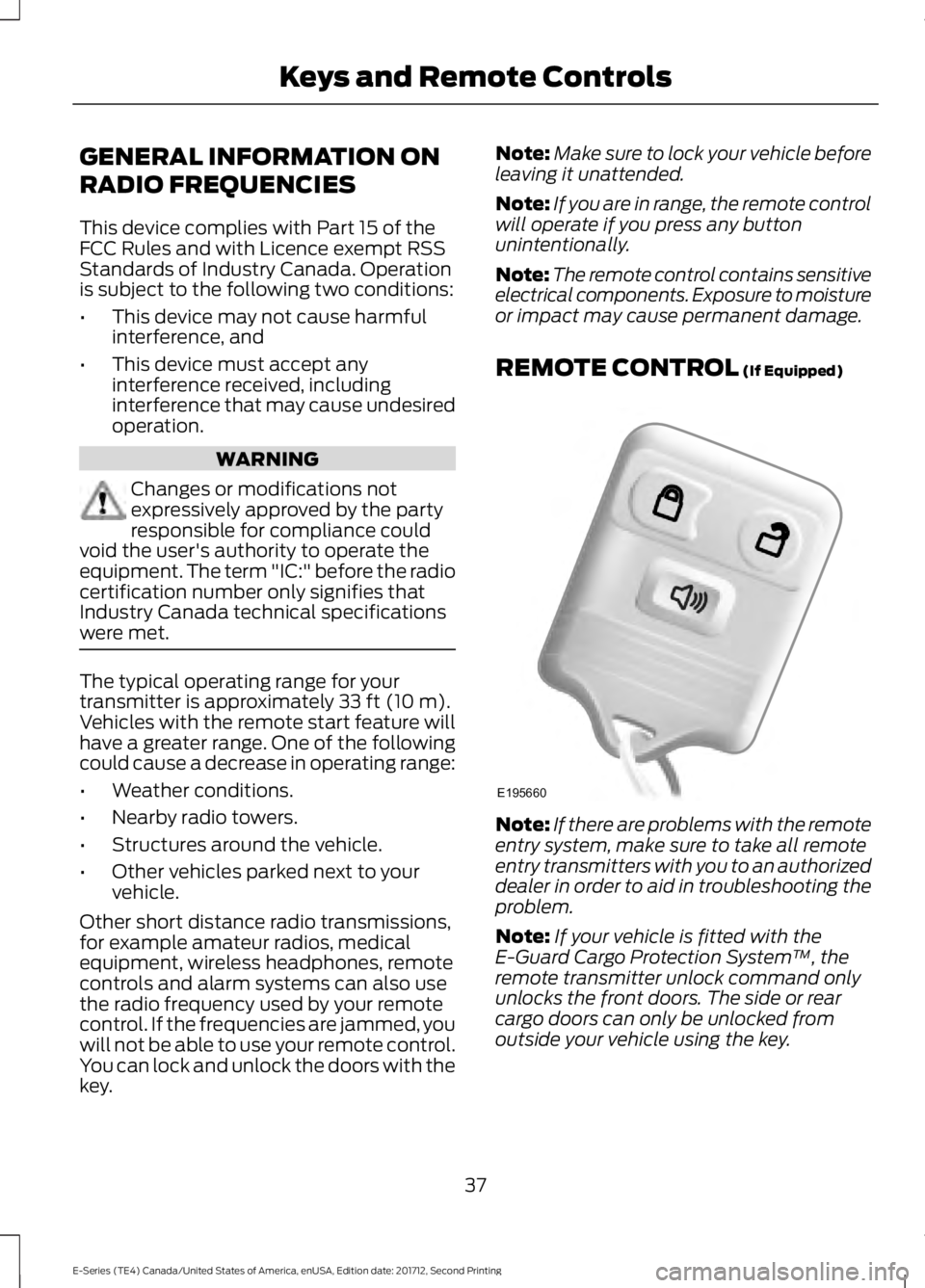
REMOTE CONTROL
(If Equipped) Note:
If there are problems with the remote
entry system, make sure to take all remote
entry transmitters with you to an authorized
dealer in order to aid in troubleshooting the
problem.
Note: If your vehicle is fitted with the
E-Guard Cargo Protection System ™, the
remote transmitter unlock command only
unlocks the front doors. The side or rear
cargo doors can only be unlocked from
outside your vehicle using the key.
37
E-Series (TE4) Canada/United States of America, enUSA, Edition date: 201712, Second Printing Keys and Remote ControlsE195660
Page 43 of 323
LOCKING AND UNLOCKING
You can use the power door lock control
or the remote control to lock and unlock
your vehicle.
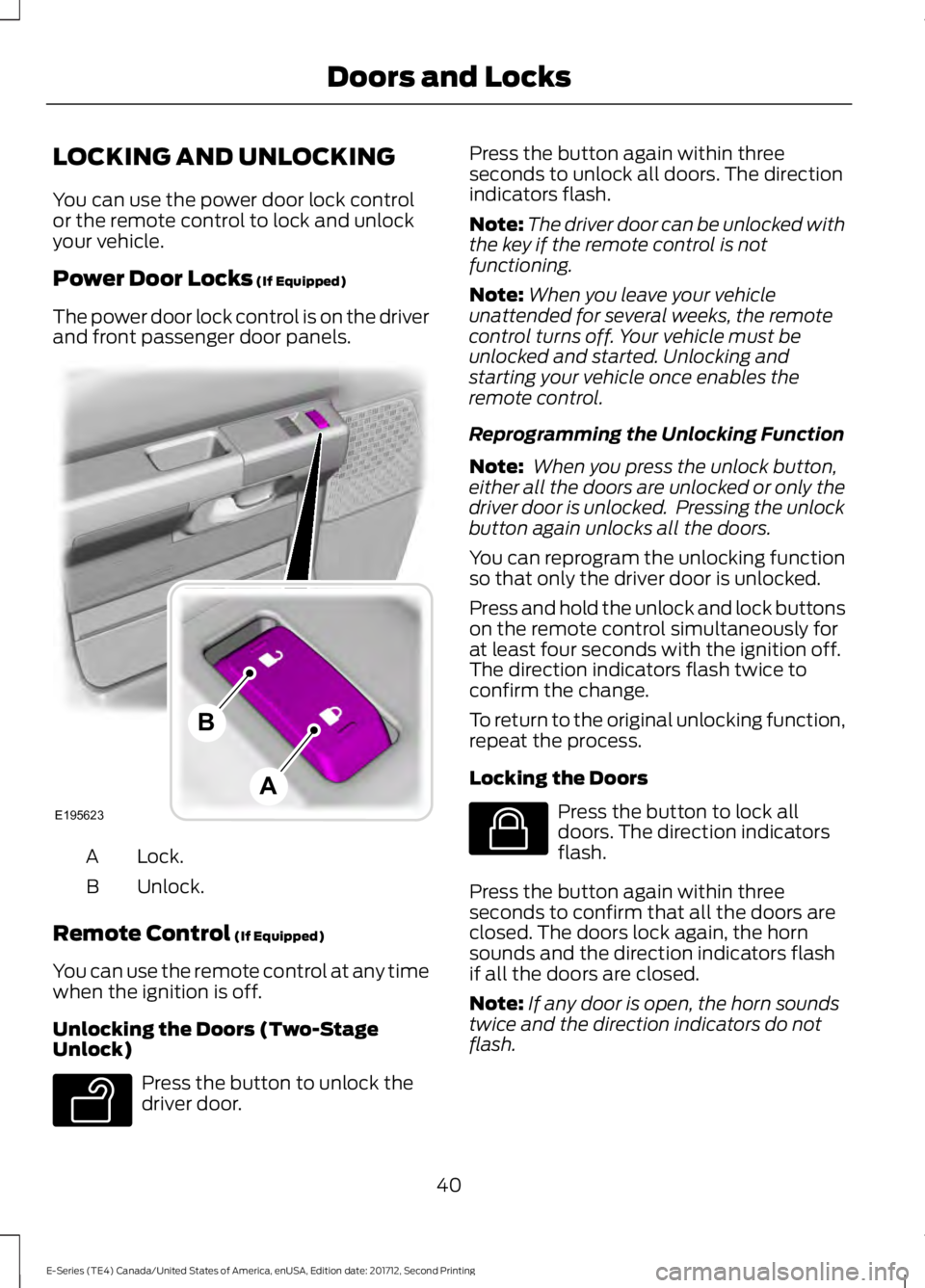
Power Door Locks (If Equipped)
The power door lock control is on the driver
and front passenger door panels. Lock.
A
Unlock.
B
Remote Control
(If Equipped)
You can use the remote control at any time
when the ignition is off.
Unlocking the Doors (Two-Stage
Unlock) Press the button to unlock the
driver door. Press the button again within three
seconds to unlock all doors. The direction
indicators flash.
Note:
The driver door can be unlocked with
the key if the remote control is not
functioning.
Note: When you leave your vehicle
unattended for several weeks, the remote
control turns off. Your vehicle must be
unlocked and started. Unlocking and
starting your vehicle once enables the
remote control.
Reprogramming the Unlocking Function
Note: When you press the unlock button,
either all the doors are unlocked or only the
driver door is unlocked. Pressing the unlock
button again unlocks all the doors.
You can reprogram the unlocking function
so that only the driver door is unlocked.
Press and hold the unlock and lock buttons
on the remote control simultaneously for
at least four seconds with the ignition off.
The direction indicators flash twice to
confirm the change.
To return to the original unlocking function,
repeat the process.
Locking the Doors Press the button to lock all
doors. The direction indicators
flash.
Press the button again within three
seconds to confirm that all the doors are
closed. The doors lock again, the horn
sounds and the direction indicators flash
if all the doors are closed.
Note: If any door is open, the horn sounds
twice and the direction indicators do not
flash.
40
E-Series (TE4) Canada/United States of America, enUSA, Edition date: 201712, Second Printing Doors and LocksE195623
A
B E138629 E138623
Page 50 of 323
GENERAL INFORMATION
Condensation in the Exterior Front
Lamps and Rear Lamps
Exterior front lamps and rear lamps have
vents to accommodate normal changes
in air pressure.
Condensation can be a natural by-product
of this design. When moist air enters the
lamp assembly through the vents, there is
a possibility that condensation can occur
when the temperature is cold. When
normal condensation occurs, a fine mist
can form on the interior of the lens. The
fine mist eventually clears and exits
through the vents during normal operation.
Clearing time may take as long as 48 hours
under dry weather conditions.
Examples of acceptable condensation are:
•
The presence of a fine mist (no streaks,
drip marks or large droplets).
• A fine mist covers less than 50% of the
lens.
Examples of unacceptable condensation
are:
• A water puddle inside the lamp.
• Streaks, drip marks or large droplets
present on the interior of the lens.
If you see any unacceptable condensation,
have your vehicle checked by an authorized
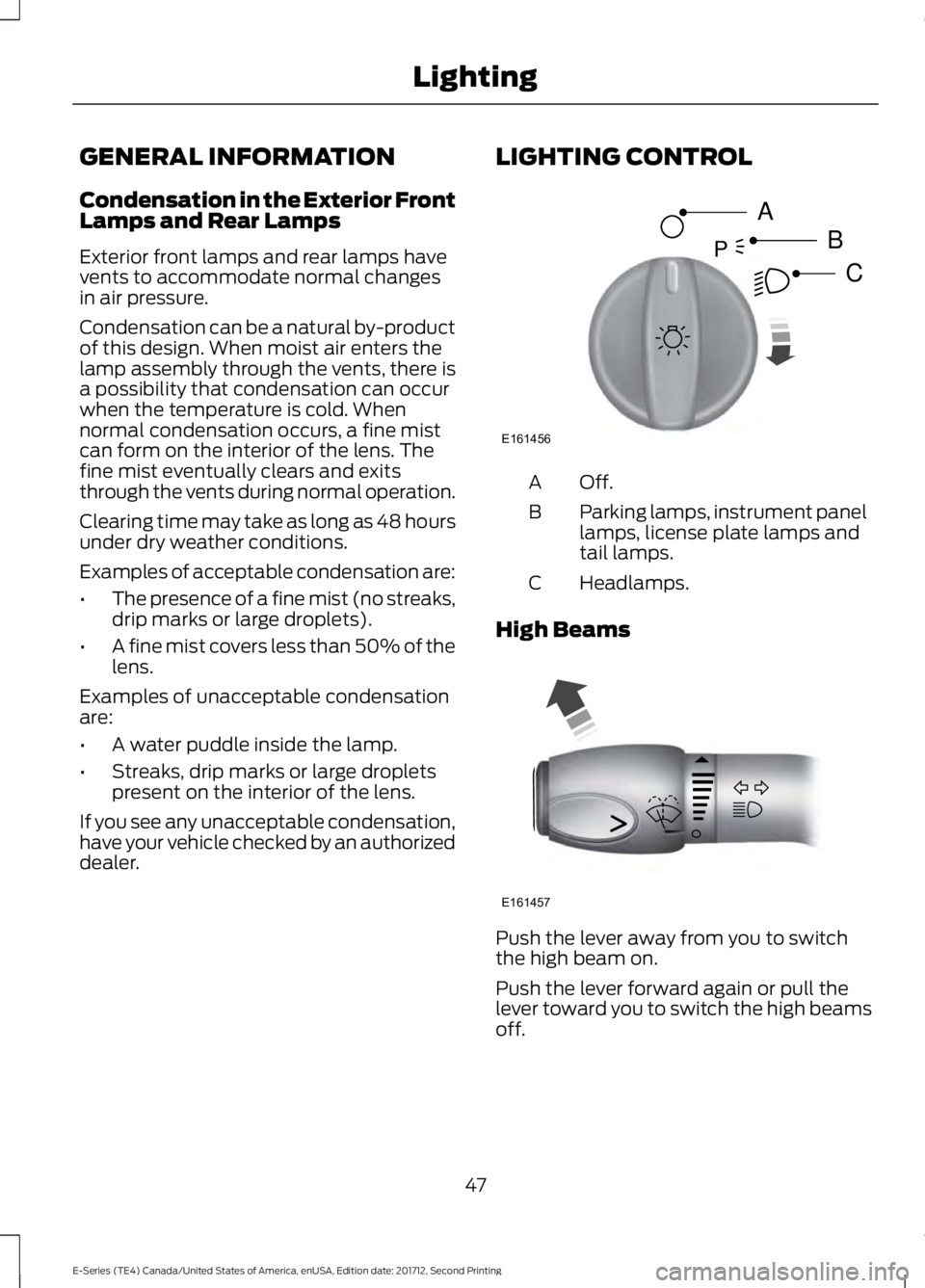
dealer. LIGHTING CONTROL Off.A
Parking lamps, instrument panel
lamps, license plate lamps and
tail lamps.
B
Headlamps.
C
High Beams Push the lever away from you to switch
the high beam on.
Push the lever forward again or pull the
lever toward you to switch the high beams
off.
47
E-Series (TE4) Canada/United States of America, enUSA, Edition date: 201712, Second Printing LightingE161456
A
B
CP E161457
Page 51 of 323
Headlamp Flasher
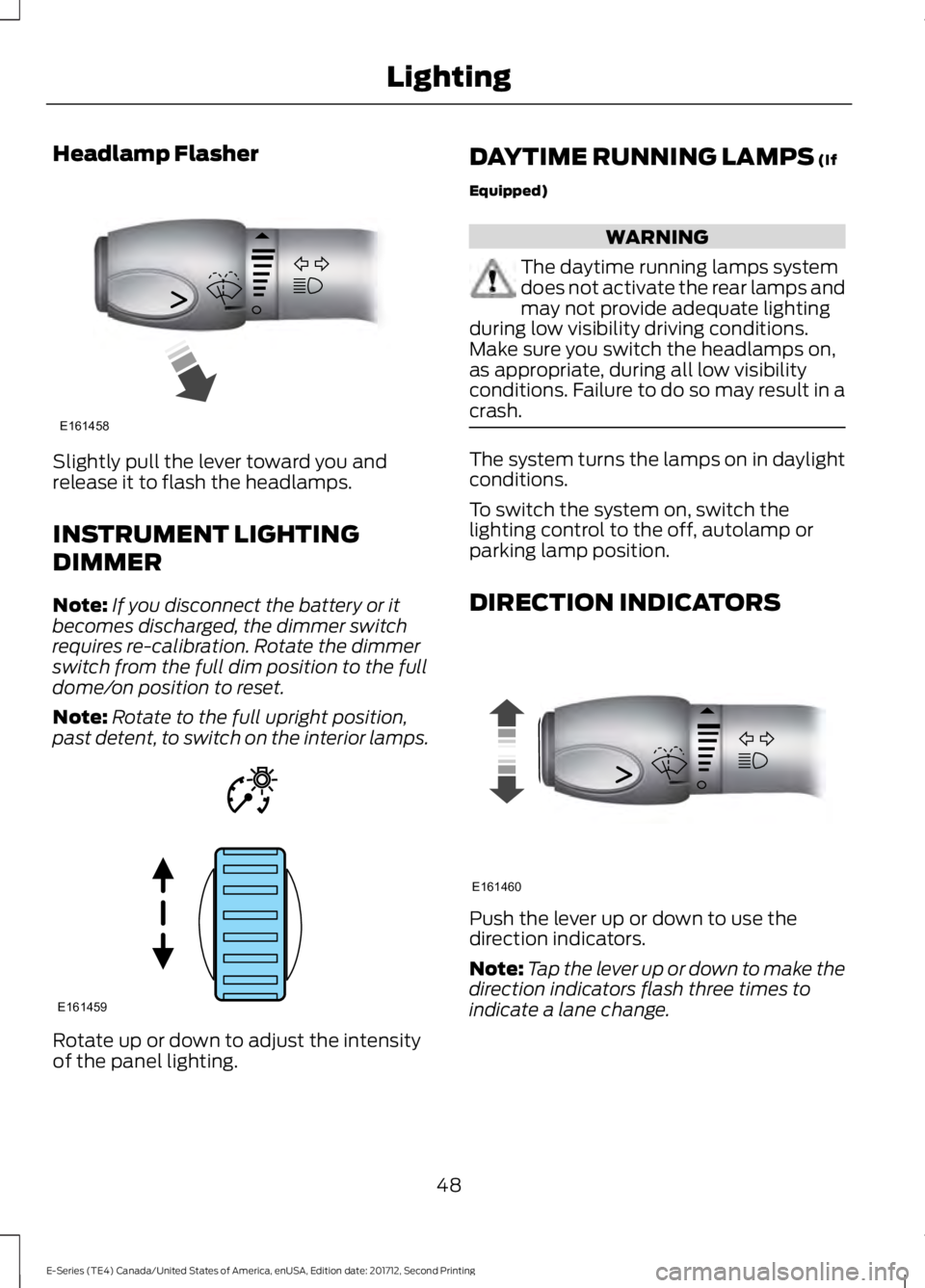
Slightly pull the lever toward you and
release it to flash the headlamps.
INSTRUMENT LIGHTING
DIMMER
Note:
If you disconnect the battery or it
becomes discharged, the dimmer switch
requires re-calibration. Rotate the dimmer
switch from the full dim position to the full
dome/on position to reset.
Note: Rotate to the full upright position,
past detent, to switch on the interior lamps. Rotate up or down to adjust the intensity
of the panel lighting. DAYTIME RUNNING LAMPS (If
Equipped) WARNING
The daytime running lamps system
does not activate the rear lamps and
may not provide adequate lighting
during low visibility driving conditions.
Make sure you switch the headlamps on,
as appropriate, during all low visibility
conditions. Failure to do so may result in a
crash. The system turns the lamps on in daylight
conditions.
To switch the system on, switch the
lighting control to the off, autolamp or
parking lamp position.
DIRECTION INDICATORS
Push the lever up or down to use the
direction indicators.
Note:
Tap the lever up or down to make the
direction indicators flash three times to
indicate a lane change.
48
E-Series (TE4) Canada/United States of America, enUSA, Edition date: 201712, Second Printing LightingE161458 E161459 E161460
Page 60 of 323
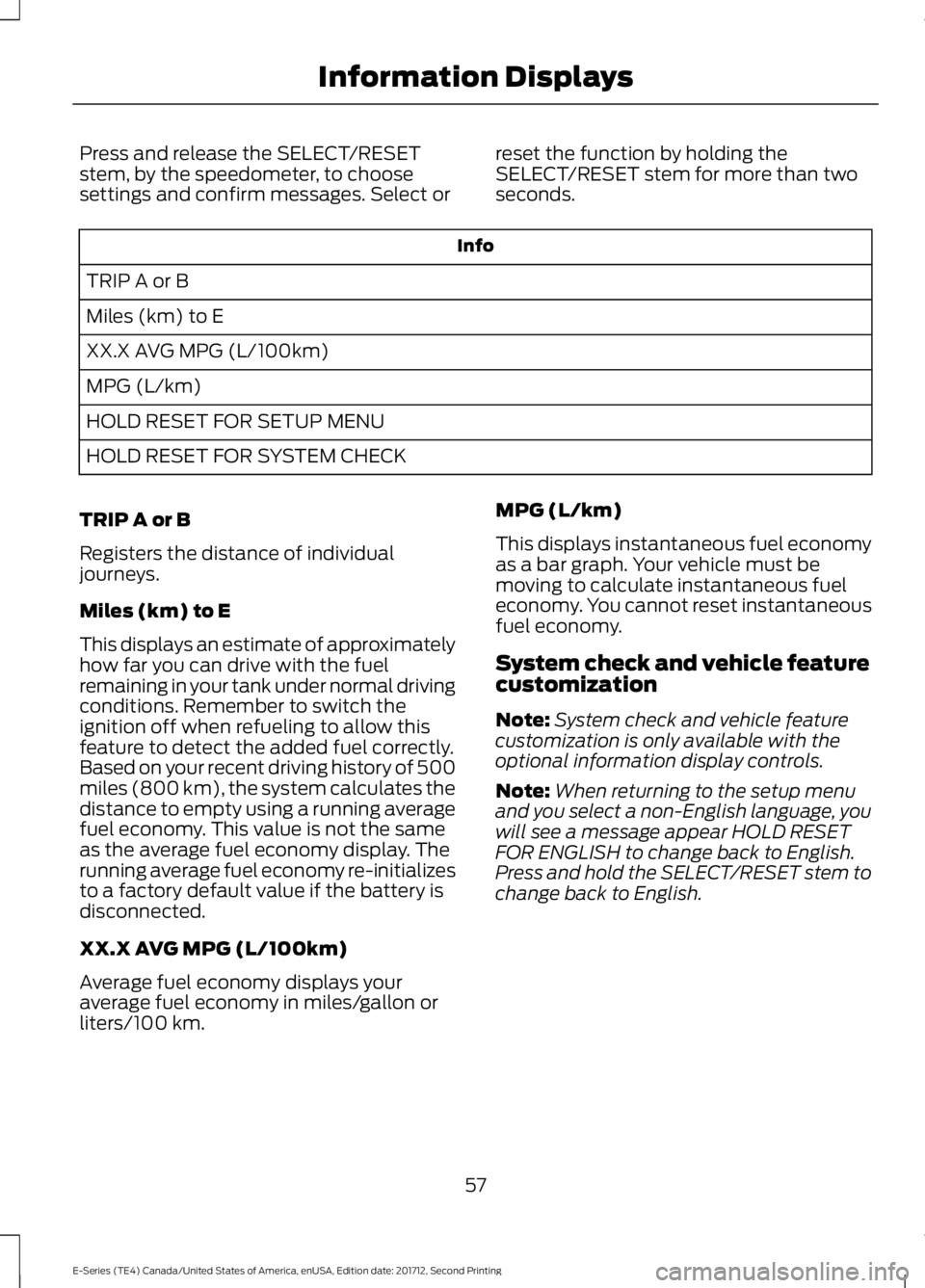
Press and release the SELECT/RESET
stem, by the speedometer, to choose
settings and confirm messages. Select or
reset the function by holding the
SELECT/RESET stem for more than two
seconds. Info
TRIP A or B
Miles (km) to E
XX.X AVG MPG (L/100km)
MPG (L/km)
HOLD RESET FOR SETUP MENU
HOLD RESET FOR SYSTEM CHECK
TRIP A or B
Registers the distance of individual
journeys.
Miles (km) to E
This displays an estimate of approximately
how far you can drive with the fuel
remaining in your tank under normal driving
conditions. Remember to switch the
ignition off when refueling to allow this
feature to detect the added fuel correctly.
Based on your recent driving history of 500
miles (800 km), the system calculates the
distance to empty using a running average
fuel economy. This value is not the same
as the average fuel economy display. The
running average fuel economy re-initializes
to a factory default value if the battery is
disconnected.
XX.X AVG MPG (L/100km)
Average fuel economy displays your
average fuel economy in miles/gallon or
liters/100 km. MPG (L/km)
This displays instantaneous fuel economy
as a bar graph. Your vehicle must be
moving to calculate instantaneous fuel
economy. You cannot reset instantaneous
fuel economy.
System check and vehicle feature
customization
Note:
System check and vehicle feature
customization is only available with the
optional information display controls.
Note: When returning to the setup menu
and you select a non-English language, you
will see a message appear HOLD RESET
FOR ENGLISH to change back to English.
Press and hold the SELECT/RESET stem to
change back to English.
57
E-Series (TE4) Canada/United States of America, enUSA, Edition date: 201712, Second Printing Information Displays
Page 62 of 323
SYSTEM CHECK
TBC GAIN = XX.X or NO
TRAILER (if equipped)
TBC GAIN = XX.X or
OUTPUT = ////// (if
equipped)
XXX MILES TO E
OIL LIFE XXX% HOLD RESET = NEW
This displays the remaining oil life. An oil
change is required whenever indicated by
the message center and according to the
recommended maintenance schedule.
USE ONLY RECOMMENDED ENGINE OILS.
To reset the oil monitoring system to 100%
after each oil change, perform the
following:
1. Press and release the SELECT/RESET stem to display OIL LIFE XXX% HOLD
RESET = NEW.
2. Press and hold the SELECT/RESET stem for two seconds and release to
reset the oil life to 100%.
Note: To change oil life 100% value (if
equipped):
3. Once OIL LIFE SET TO XXX%
displays, release and press the
SELECT/RESET stem to change the oil
life start value. Each release and press
reduces the value by 10%.
UNITS ENG / METRIC
Displays the current units in English or
Metric.
AUTOLOCK
This feature automatically locks all vehicle
doors when you shift into any gear, putting
the vehicle in motion. AUTOUNLOCK
This feature automatically unlocks all
vehicle doors when you open the driver's
door within 10 minutes of switching the
ignition off.
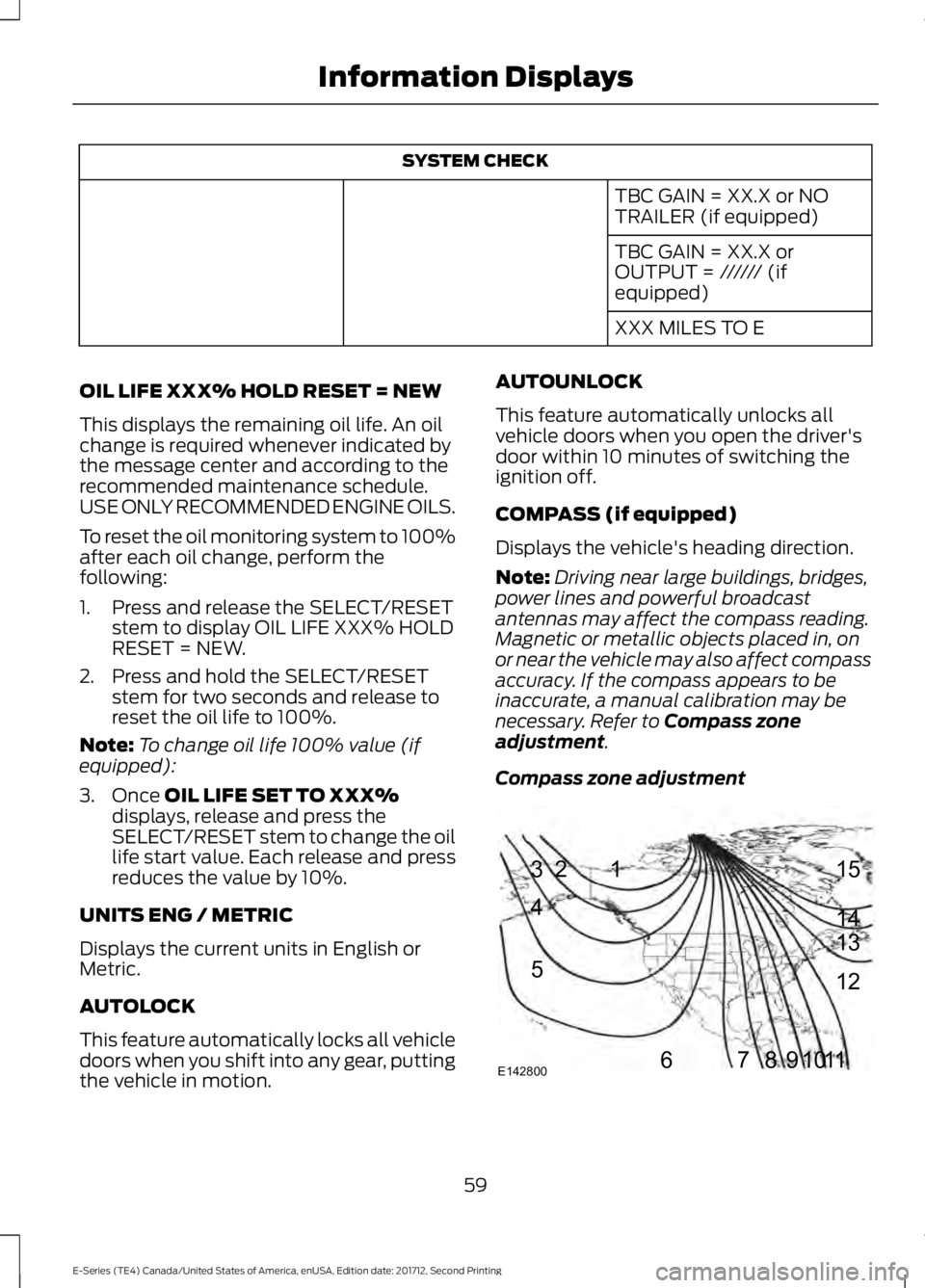
COMPASS (if equipped)
Displays the vehicle's heading direction.
Note:
Driving near large buildings, bridges,
power lines and powerful broadcast
antennas may affect the compass reading.
Magnetic or metallic objects placed in, on
or near the vehicle may also affect compass
accuracy. If the compass appears to be
inaccurate, a manual calibration may be
necessary. Refer to
Compass zone
adjustment.
Compass zone adjustment 59
E-Series (TE4) Canada/United States of America, enUSA, Edition date: 201712, Second Printing Information Displays1
2
3
4
5
678910 1112 13 14 15
E142800
Page 63 of 323
1. Determine which magnetic zone you
are in for your geographic location by
referring to the zone map.
2. Press and release the SELECT/RESET stem to scroll through the information
displays until the message center
displays HOLD RESET FOR SETUP
MENU.
3. Press and hold the SELECT/RESET stem to get into the setup menu. Press
repeatedly to scroll through the setup
menu until COMPASS ZONE XX
appears in the information display.
4. Press and hold the SELECT/RESET stem for approximately two seconds
to go to the next zone, then release.
5. Press and hold to go up by one zone then release. Repeat this until you
reach the desired zone.
6. To exit the procedure, release the SELECT/RESET stem and allow the
setup timer to expire.
Compass calibration adjustment
Note: For optimum calibration, drive to an
open, level location away from large
metallic objects or structures. Switch off all
non-essential electrical accessories (heated
rear window, heater, A/C, map lamps, wiper,
etc.) and make sure all the doors are closed.
Note: If you press the SELECT/RESET stem
during the calibration or three minutes
elapse since the beginning of the calibration
without driving the vehicle, the information
display reverts back to normal operation
and CAL displays until you complete a
successful calibration.
1. Press and release the SELECT/RESET stem to scroll through the information
displays until HOLD RESET FOR SETUP
MENU appears. 2. Press and hold the SELECT/RESET
stem to get into the setup menu. Press
it repeatedly to scroll through the setup
menu until HOLD RESET FOR
CALIBRATION appears in the
information display.
3. Press and hold the SELECT/RESET stem for approximately two seconds
until the information display enters the
compass zone adjustment mode.
4. Press and hold the SELECT/RESET stem until CIRCLE SLOWLY TO
CALIBRATE appears in the information
display.
5. Slowly drive the vehicle in a circle less than 3 mph (5 km/h) until the CIRCLE
SLOWLY TO CALIBRATE message
changes to CALIBRATION
COMPLETED. This may require up to
five circles to complete the calibration.
TBC MODE (if equipped)
Allows you to choose the trailer brake
mode.
LANGUAGE = ENGLISH / SPANISH /
FRENCH
Allows you to choose which language
appears in the information display.
Waiting four seconds or pressing the
SELECT/RESET stem cycles the
information display through each of the
language choices.
Press the SELECT/RESET stem to set the
language choice when the language you
want appears.
HOLD RESET FOR SYSTEM CHECK
The information display begins to cycle
through the vehicle systems and provides
a status of the item if needed. Some
systems show a message only if a
condition is present.
60
E-Series (TE4) Canada/United States of America, enUSA, Edition date: 201712, Second Printing Information Displays