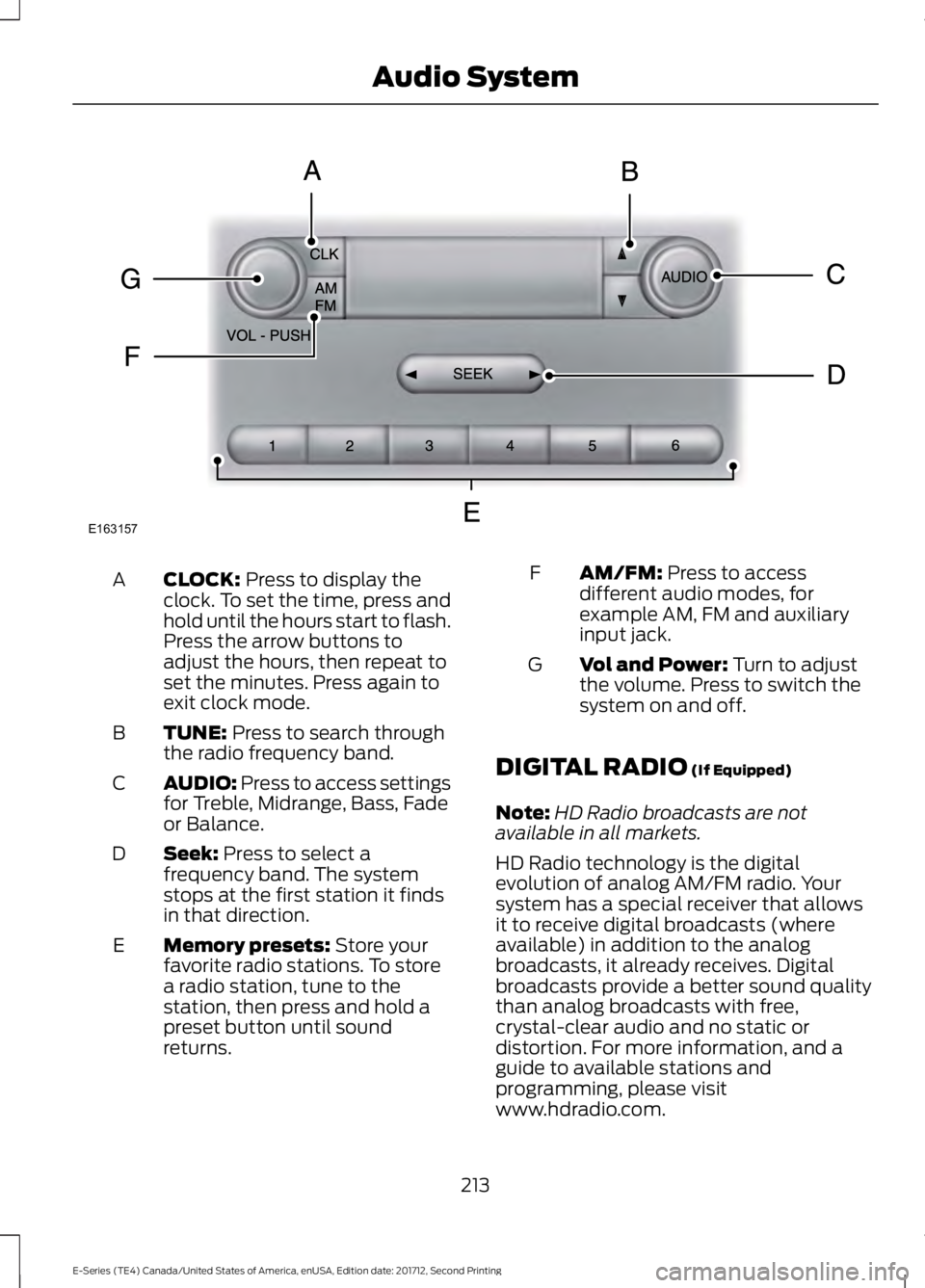
CLOCK: Press to display the
clock. To set the time, press and
hold until the hours start to flash.
Press the arrow buttons to
adjust the hours, then repeat to
set the minutes. Press again to
exit clock mode.
A
TUNE:
Press to search through
the radio frequency band.
B
AUDIO: Press to access settings
for Treble, Midrange, Bass, Fade
or Balance.
C
Seek:
Press to select a
frequency band. The system
stops at the first station it finds
in that direction.
D
Memory presets:
Store your
favorite radio stations. To store
a radio station, tune to the
station, then press and hold a
preset button until sound
returns.
E AM/FM:
Press to access
different audio modes, for
example AM, FM and auxiliary
input jack.
F
Vol and Power:
Turn to adjust
the volume. Press to switch the
system on and off.
G
DIGITAL RADIO
(If Equipped)
Note: HD Radio broadcasts are not
available in all markets.
HD Radio technology is the digital
evolution of analog AM/FM radio. Your
system has a special receiver that allows
it to receive digital broadcasts (where
available) in addition to the analog
broadcasts, it already receives. Digital
broadcasts provide a better sound quality
than analog broadcasts with free,
crystal-clear audio and no static or
distortion. For more information, and a
guide to available stations and
programming, please visit
www.hdradio.com.
213
E-Series (TE4) Canada/United States of America, enUSA, Edition date: 201712, Second Printing Audio SystemE163157