brakes FORD E SERIES 2013 4.G User Guide
[x] Cancel search | Manufacturer: FORD, Model Year: 2013, Model line: E SERIES, Model: FORD E SERIES 2013 4.GPages: 416, PDF Size: 4.29 MB
Page 156 of 416
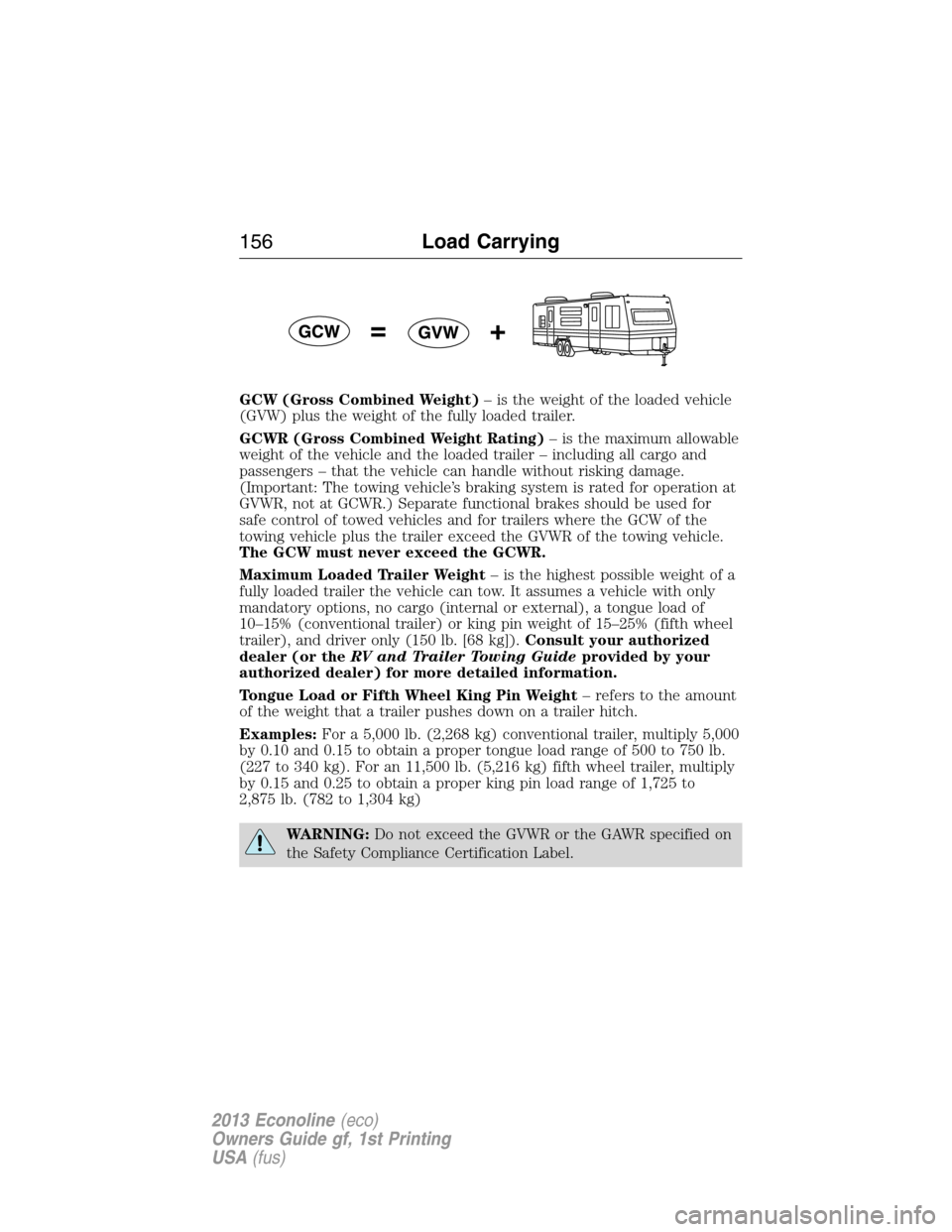
GCW (Gross Combined Weight)– is the weight of the loaded vehicle
(GVW) plus the weight of the fully loaded trailer.
GCWR (Gross Combined Weight Rating)– is the maximum allowable
weight of the vehicle and the loaded trailer – including all cargo and
passengers – that the vehicle can handle without risking damage.
(Important: The towing vehicle’s braking system is rated for operation at
GVWR, not at GCWR.) Separate functional brakes should be used for
safe control of towed vehicles and for trailers where the GCW of the
towing vehicle plus the trailer exceed the GVWR of the towing vehicle.
The GCW must never exceed the GCWR.
Maximum Loaded Trailer Weight– is the highest possible weight of a
fully loaded trailer the vehicle can tow. It assumes a vehicle with only
mandatory options, no cargo (internal or external), a tongue load of
10–15% (conventional trailer) or king pin weight of 15–25% (fifth wheel
trailer), and driver only (150 lb. [68 kg]).Consult your authorized
dealer (or theRV and Trailer Towing Guideprovided by your
authorized dealer) for more detailed information.
Tongue Load or Fifth Wheel King Pin Weight– refers to the amount
of the weight that a trailer pushes down on a trailer hitch.
Examples:For a 5,000 lb. (2,268 kg) conventional trailer, multiply 5,000
by 0.10 and 0.15 to obtain a proper tongue load range of 500 to 750 lb.
(227 to 340 kg). For an 11,500 lb. (5,216 kg) fifth wheel trailer, multiply
by 0.15 and 0.25 to obtain a proper king pin load range of 1,725 to
2,875 lb. (782 to 1,304 kg)
WARNING:Do not exceed the GVWR or the GAWR specified on
the Safety Compliance Certification Label.
156Load Carrying
2013 Econoline(eco)
Owners Guide gf, 1st Printing
USA(fus)
Page 159 of 416
TOWING A TRAILER
WARNING:Do not exceed the GVWR or the GAWR specified on
the certification label.
WARNING:Towing trailers beyond the maximum recommended
gross trailer weight exceeds the limit of the vehicle and could
result in engine damage, transmission damage, structural damage, loss
of vehicle control, vehicle rollover and personal injury.
Note:For information on electrical items such as fuses or relays, see the
Fuseschapter.
Your vehicle’s load capacity is designated by weight, not by volume, so
you cannot necessarily use all available space when loading a vehicle.
Towing a trailer places an additional load on your vehicle’s engine,
transmission, axle, brakes, tires and suspension. Inspect these
components periodically during, and after, any towing operation.
Load Placement
To help minimize how trailer movement affects the vehicle when driving:
•Load the heaviest items closest to the trailer floor.
•Load the heaviest items so they are centered between the left and
right side trailer tires.
•Load the heaviest items above the trailer axles or just slightly forward
toward the trailer tongue. Do not allow the final trailer tongue weight
to go above or below 10–15% of the loaded trailer weight.
•Select a tow bar with the correct rise or drop. When both the loaded
vehicle and trailer are connected, the trailer frame should be level, or
slightly angled down toward the vehicle, when viewed from the side.
When driving with a trailer or payload, a slight takeoff vibration or
shudder may be present due to the increased payload weight. Additional
information regarding proper trailer loading and setting your vehicle up
for towing is noted underLoad limitin theLoad Carryingchapter and
in theRV & Trailer Towing Guide,available at your authorized dealer.
Towing159
2013 Econoline(eco)
Owners Guide gf, 1st Printing
USA(fus)
Page 164 of 416
Safety Chains
Note:Do not attach safety chains to the bumper.
Always connect the trailer’s safety chains to the frame or hook retainers
of the vehicle hitch.
To connect the trailer’s safety chains, cross the chains under the trailer
tongue and allow enough slack for turning tight corners. Do not allow the
chains to drag on the ground.
Trailer Brakes
WARNING:Do not connect a trailer’s hydraulic brake system
directly to your vehicle’s brake system. Your vehicle may not have
enough braking power and your chances of having a collision greatly
increase.
Electric brakes and manual, automatic or surge-type trailer brakes are safe
if installed properly and adjusted to the manufacturer’s specifications. The
trailer brakes must meet local and Federal regulations.
The braking system of the tow vehicle is rated for operation at
the GVWR not GCWR.
Separate functioning brake systems are required for safe control
of towed vehicles and trailers weighing more than 1500 pounds
(680 kilograms) when loaded.
Integrated Trailer Brake Controller (If Equipped)
WARNING:The Ford TBC has only been verified to be
compatible with trailers having electric-actuated drum brakes
(one to four axles) and some electic-over-hydrualic (EOH) brakes. It
will not activate hydraulic surge-style trailer brakes. It is the
responsibility of the customer to ensure that the trailer brakes are
adjusted appropriately, functioning normally and all electric connections
are properly made. Failure to do so may result in loss of vehicle
control, crash or serious injury.
When used properly, the TBC assists in smooth and effective trailer
braking by powering the trailer’s electric or EOH brakes with a
proportional output based on the towing vehicle’s brake pressure.
164Towing
2013 Econoline(eco)
Owners Guide gf, 1st Printing
USA(fus)
Page 165 of 416
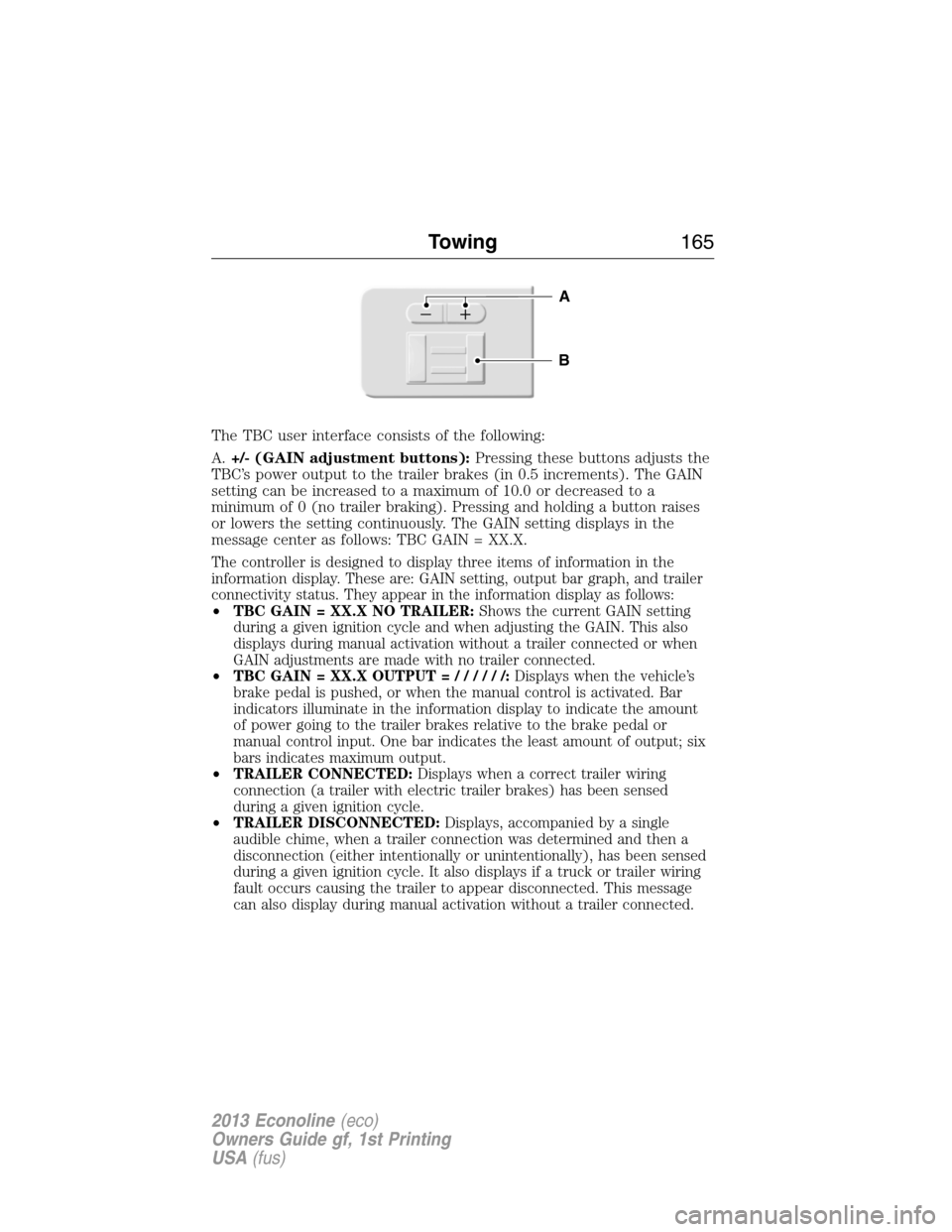
The TBC user interface consists of the following:
A.+/- (GAIN adjustment buttons):Pressing these buttons adjusts the
TBC’s power output to the trailer brakes (in 0.5 increments). The GAIN
setting can be increased to a maximum of 10.0 or decreased to a
minimum of 0 (no trailer braking). Pressing and holding a button raises
or lowers the setting continuously. The GAIN setting displays in the
message center as follows: TBC GAIN = XX.X.
The controller is designed to display three items of information in the
information display. These are: GAIN setting, output bar graph, and trailer
connectivity status. They appear in the information display as follows:
•TBC GAIN = XX.X NO TRAILER:Shows the current GAIN setting
during a given ignition cycle and when adjusting the GAIN. This also
displays during manual activation without a trailer connected or when
GAIN adjustments are made with no trailer connected.
•TBC GAIN = XX.X OUTPUT=//////:Displays when the vehicle’s
brake pedal is pushed, or when the manual control is activated. Bar
indicators illuminate in the information display to indicate the amount
of power going to the trailer brakes relative to the brake pedal or
manual control input. One bar indicates the least amount of output; six
bars indicates maximum output.
•TRAILER CONNECTED:Displays when a correct trailer wiring
connection (a trailer with electric trailer brakes) has been sensed
during a given ignition cycle.
•TRAILER DISCONNECTED:Displays, accompanied by a single
audible chime, when a trailer connection was determined and then a
disconnection (either intentionally or unintentionally), has been sensed
during a given ignition cycle. It also displays if a truck or trailer wiring
fault occurs causing the trailer to appear disconnected. This message
can also display during manual activation without a trailer connected.
B
A
Towing165
2013 Econoline(eco)
Owners Guide gf, 1st Printing
USA(fus)
Page 166 of 416
B.Manual control lever:Slide the control lever to the left to activate
power to the trailer’s electric brakes independent of the tow vehicle’s
brakes (see the followingProcedure for adjusting GAINsection for
instructions on proper use of this feature). If the manual control is
activated while the brake is also applied, the greater of the two inputs
determines the power sent to the trailer brakes.
•Stop lamps:Activating the manual control lever illuminates both the
trailer brake lamps and the tow vehicle brake lamps except the
center high-mount stop lamp (if the proper electrical connection has
been made to the trailer). Pressing the vehicle brake pedal also
illuminates both trailer and vehicle brake lamps.
Procedure for Adjusting GAIN
Note:This should only be performed in a traffic-free environment at
speeds of approximately 20–25 mph (30–40 km/h).
The GAIN setting is used to set the TBC for the specific towing
condition and should be changed as towing conditions change. Changes
to towing conditions include trailer load, vehicle load, road conditions
and weather.
The GAIN should be set to provide the maximum trailer braking
assistance while making sure the trailer wheels do not lock when
braking. Locked trailer wheels may lead to trailer instability.
1. Make sure the trailer brakes are in good working condition,
functioning normally and properly adjusted. See your trailer dealer if
necessary.
2. Hook up the trailer and make the electrical connections according to
the trailer manufacturer’s instructions.
3. When a trailer with electric or EOH brakes is plugged in, TRAILER
CONNECTED appears in the information display.
4. Use the GAIN adjustment (+/-) buttons to increase or decrease the
GAIN setting to the desired starting point. A GAIN setting of 6.0 is a
good starting point for heavier loads.
5. In a traffic-free environment, tow the trailer on a dry, level surface at
a speed of 20–25 mph (30–40 km/h) and squeeze the manual control
lever completely.
6. If the trailer wheels lock up (indicated by squealing tires), reduce the
GAIN setting. If the trailer wheels turn freely, increase the GAIN
setting. Repeat Steps 5 and 6 until the GAIN setting is at a point just
below trailer wheel lock-up. If towing a heavier trailer, trailer wheel
lock-up may not be attainable even with the maximum GAIN setting
of 10.
166Towing
2013 Econoline(eco)
Owners Guide gf, 1st Printing
USA(fus)
Page 167 of 416
Explanation of Information Display Warning Messages
Note:Your TBC can be diagnosed by your authorized dealer to determine
exactly which trailer fault has occurred. However, if the fault is with the
trailer this diagnosis isnotcovered under your Ford warranty.
TRAILER BRAKE MODULE FAULT:Displays in response to faults sensed
by the TBC (accompanied by a single chime). If this message is displayed,
please contact your authorized dealer as soon as possible for diagnosis and
repair. The TBC may still function, but performance may be degraded.
WIRING FAULT ON TRAILER:Displays when a short circuit on the
electric brake output wire has occurred. If theWIRING FAULT ON
TRAILERmessage is displayed and accompanied by a single chime, with
no trailer connected, the problem is with the vehicle wiring between the
TBC to the 7–pin connector at the bumper. If the message is only displayed
with a trailer connected, the problem is related to the trailer wiring. Consult
your trailer dealer for assistance. This can be a short to ground (i.e.,
chaffed wire), short to voltage (i.e., pulled pin on trailer emergency
break-away battery) or the trailer brakes may be drawing too much current.
Points to Remember
Note:Do not attempt removal of the TBC without consulting the
Workshop Manual.Damage to the unit may result.
•Adjust GAIN setting before using the TBC for the first time.
•Adjust GAIN setting (according to procedure above) whenever road,
weather and trailer or vehicle loading conditions change from when
the GAIN was initially set.
•The manual control lever should only be used for proper adjustment
of the GAIN during trailer setup. Misuse, such as application during
trailer sway, could cause instability of trailer or tow vehicle.
•
Avoid towing in adverse weather conditions. The TBC does not provide
anti-lock control of the trailer wheels. Trailer wheels can lock up on
slippery surfaces, resulting in reduced stability of trailer and tow vehicle.
•The TBC is equipped with a feature which reduces output at vehicle
speeds below 11 mph (18 km/h) so trailer and vehicle braking is not
jerky or harsh. This feature is only available when applying the brakes
using the vehicle’s brake pedal, not the TBC.
•The controller interacts with the brake control system and powertrain
control system of the vehicle to provide the best performance on
different road conditions.
•Your vehicle’s brake system and the trailer brake system work
independently of each other. Changing the GAIN setting on the TBC
does not affect the operation of your vehicle’s brakes whether a trailer is
attached or not.
Towing167
2013 Econoline(eco)
Owners Guide gf, 1st Printing
USA(fus)
Page 168 of 416
•When the vehicle is turned off, the TBC output is disabled and the display
and module are shut down. The TBC module and display turn on when the
ignition is turned from the off position to the on position.
•The TBC is only a factory-installed or dealer-installed item. Ford is not
responsible for warranty or performance of the TBC due to misuse or
customer installation.
Trailer Lamps
Trailer lamps are required on most towed vehicles. Make sure all running
lights, brake lights, turn signals and hazard lights are working. Contact
your authorized dealer or trailer rental agency for proper instructions
and equipment for hooking up the lamps.
Using a Step Bumper (If Equipped)
The rear bumper is equipped with an integral hitch and only requires a
ball with a one inch (25.4 millimeter) shank diameter. The bumper has a
5000 pound (2268 kilogram) trailer weight and 500 pound (227
kilogram) tongue weight capacity.
If it is necessary to relocate the trailer hitch ball position, a
frame-mounted trailer hitch must be installed.
Before Towing a Trailer
Practice turning, stopping and backing up to get the feel of the
vehicle-trailer combination before starting on a trip. When turning, make
wider turns so the trailer wheels will clear curbs and other obstacles.
When Towing a Trailer
•Do not drive faster than 70 mph (113 km/h) during the first 500 miles
(800 kilometers).
•Do not make full-throttle starts.
•Check your hitch, electrical connections and trailer wheel lug nuts
thoroughly after you have traveled 50 miles (80 kilometers).
•When stopped in congested or heavy traffic during hot weather, place
gearshift in positionPto aid engine and transmission cooling and to
help A/C performance.
•Turn off the speed control with heavy loads or in hilly terrain. The
speed control may turn off automatically when you are towing on
long, steep grades.
•Shift to a lower gear when driving down a long or steep hill. Do not
apply the brakes continuously, as they may overheat and become less
effective.
168Towing
2013 Econoline(eco)
Owners Guide gf, 1st Printing
USA(fus)
Page 175 of 416
There are also some things you may not want to do because they may
reduce your fuel economy:
•Sudden or hard accelerations.
•Rev the engine before turning it off.
•Idle for periods longer than one minute.
•Warm up your vehicle on cold mornings.
•Use the air conditioner or front defroster.
•Use the speed control in hilly terrain.
•Rest your foot on the brake pedal while driving.
•Drive a heavily loaded vehicle or tow a trailer.
•Carry unnecessary weight (approximately 1 mpg [0.4 km/L] is lost for
every 400 lb [180 kg] of weight carried).
•Add particular accessories to your vehicle (e.g.; bug deflectors,
rollbars or light bars, running boards, ski racks).
•Drive with the wheels out of alignment.
DRIVING THROUGH WATER
Note:Driving through deep water may allow water into the transmission
and engine causing internal damage. Have the fluid checked and, if water
is found, replace the fluid.
Do not drive quickly through standing water, especially if the depth is
unknown. Traction or brake capability may be limited and if the ignition
system gets wet, your engine may stall. Water may also enter your
engine’s air intake and severely damage your engine.
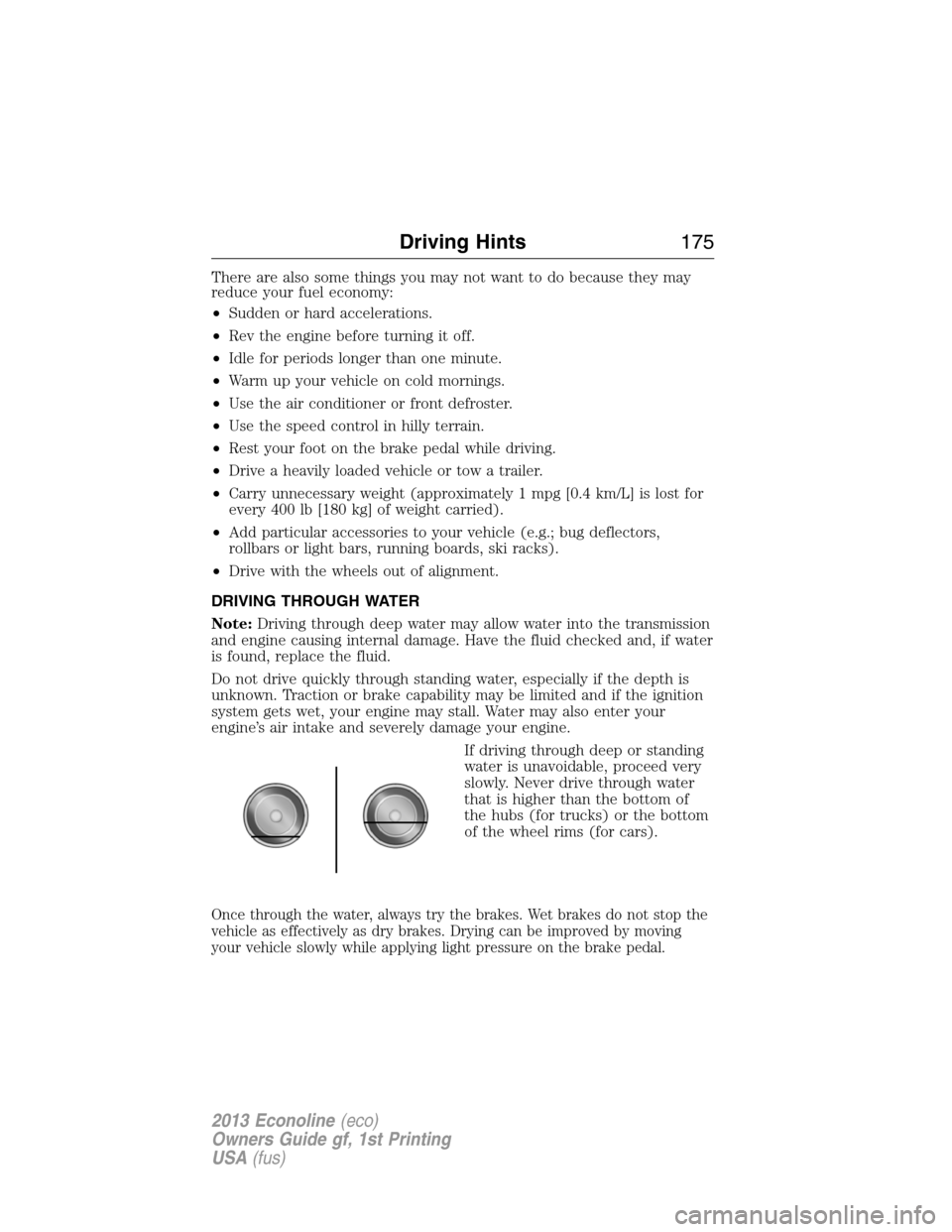
If driving through deep or standing
water is unavoidable, proceed very
slowly. Never drive through water
that is higher than the bottom of
the hubs (for trucks) or the bottom
of the wheel rims (for cars).
Once through the water, always try the brakes. Wet brakes do not stop the
vehicle as effectively as dry brakes. Drying can be improved by moving
your vehicle slowly while applying light pressure on the brake pedal.
Driving Hints175
2013 Econoline(eco)
Owners Guide gf, 1st Printing
USA(fus)
Page 240 of 416
•Start the engine every 15 days. Run at fast idle until it reaches normal
operating temperature.
•With your foot on the brake, shift through all the gears while the
engine is running.
Fuel system
•Fill the fuel tank with high-quality fuel until the first automatic shutoff
of the fuel pump nozzle.
Note:During extended periods of vehicle storage (30 days or more),
fuel may deteriorate due to oxidation. Add a quality gas stabilizer
product to the vehicle fuel system whenever actual or expected storage
periods exceed 30 days. Follow the instructions on the additive label.
The vehicle should then be operated at idle speed to circulate the
additive throughout the fuel system.
Cooling system
•Protect against freezing temperatures.
•When removing vehicle from storage, check coolant fluid level.
Confirm there are no cooling system leaks, and fluid is at the
recommended level.
Battery
•Check and recharge as necessary. Keep connections clean.
•If storing your vehicle for more than 30 days without recharging the
battery, it may be advisable to disconnect the battery cables to ensure
battery charge is maintained for quick starting.
Note:If battery cables are disconnected, it will be necessary to reset
memory features.
Brakes
•Make sure brakes and parking brake are fully released.
Tires
•Maintain recommended air pressure.
Miscellaneous
•Make sure all linkages, cables, levers and pins under vehicle are
covered with grease to prevent rust.
•Move vehicles at least 25 feet (8 meters) every 15 days to lubricate
working parts and prevent corrosion.
240Vehicle Care
2013 Econoline(eco)
Owners Guide gf, 1st Printing
USA(fus)
Page 410 of 416
911 Assist™ ..............................329
A
ABS (see Brakes) .....................137
Accessing call history/phone
book during active call .............319
Accessing the help screen .......388
Accessing the music in your
jukebox ......................................382
Accessing your media menu
features ......................................341
Accessing your phone menu
features ......................................320
Accessory delay ..........................71
Active call menu options .........319
Advanced menu options ...327, 348
Advanced menu options
(prompts, languages, defaults,
master reset, installing
applications) ..............................327
Airbag supplemental restraint
system ..........................................46
and child safety seats ..............47
description ................................46
disposal ......................................54
driver airbag ..............................46
passenger airbag .......................46
passenger deactivation
switch ........................................48
side airbag .................................46
Air cleaner filter .......221–222, 285
Air conditioning ..................99–100
manual heating and air
conditioning system .........99–100
Ambulance packages ..................14
AM/FM .......................................366Antifreeze
(see Engine coolant) ................205
Anti-lock brake system
(see Brakes) ..............................137
Anti-theft system ........................63
arming the system ....................63
AppLink™ .................................336
Audio system
Single CD ............................91–92
Audio system (see Radio) ...91–92
Automatic transmission
driving an automatic
overdrive .........................129, 132
fluid, adding ............................210
fluid, checking ........................210
fluid, refill capacities ..............280
fluid, specification ..................280
Auxiliary input jack (Line in) ....94
Auxiliary powerpoint ................111
Axle
lubricant specifications ..........280
refill capacities ........................280
traction lok ..............................136
B
Battery .......................................218
acid, treating emergencies .....218
jumping a disabled battery ....181
maintenance-free ....................218
replacement, specifications ...285
servicing ..................................218
Booster seats ...............................22
Brakes ........................................137
anti-lock ...................................137
anti-lock brake system (ABS)
warning light ...........................137
brake warning light ................137
410Index
2013 Econoline(eco)
Owners Guide gf, 1st Printing
USA(fus)