ignition FORD E SERIES 2013 4.G Owner's Guide
[x] Cancel search | Manufacturer: FORD, Model Year: 2013, Model line: E SERIES, Model: FORD E SERIES 2013 4.GPages: 416, PDF Size: 4.29 MB
Page 129 of 416
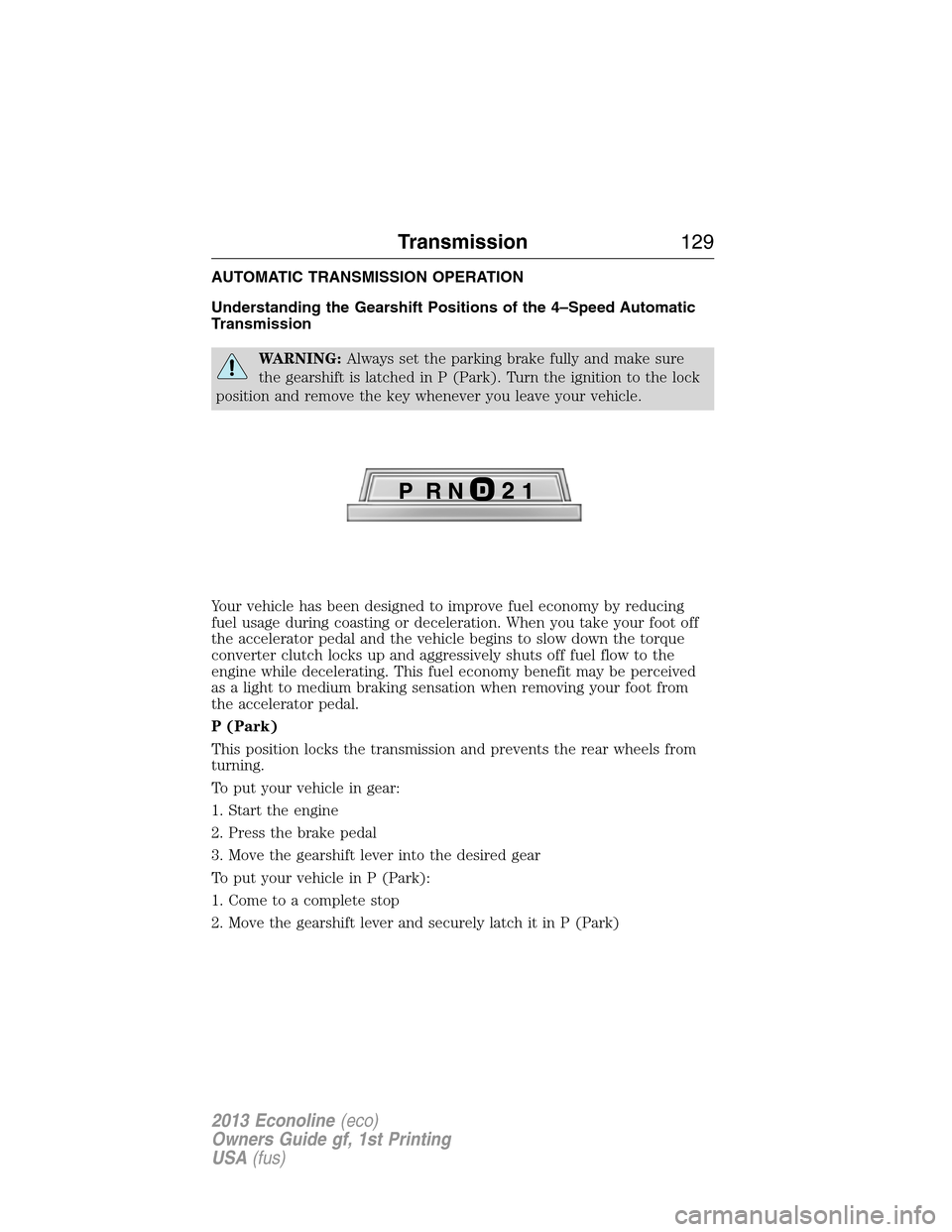
AUTOMATIC TRANSMISSION OPERATION
Understanding the Gearshift Positions of the 4–Speed Automatic
Transmission
WARNING:Always set the parking brake fully and make sure
the gearshift is latched in P (Park). Turn the ignition to the lock
position and remove the key whenever you leave your vehicle.
Your vehicle has been designed to improve fuel economy by reducing
fuel usage during coasting or deceleration. When you take your foot off
the accelerator pedal and the vehicle begins to slow down the torque
converter clutch locks up and aggressively shuts off fuel flow to the
engine while decelerating. This fuel economy benefit may be perceived
as a light to medium braking sensation when removing your foot from
the accelerator pedal.
P (Park)
This position locks the transmission and prevents the rear wheels from
turning.
To put your vehicle in gear:
1. Start the engine
2. Press the brake pedal
3. Move the gearshift lever into the desired gear
To put your vehicle in P (Park):
1. Come to a complete stop
2. Move the gearshift lever and securely latch it in P (Park)
Transmission129
2013 Econoline(eco)
Owners Guide gf, 1st Printing
USA(fus)
Page 132 of 416
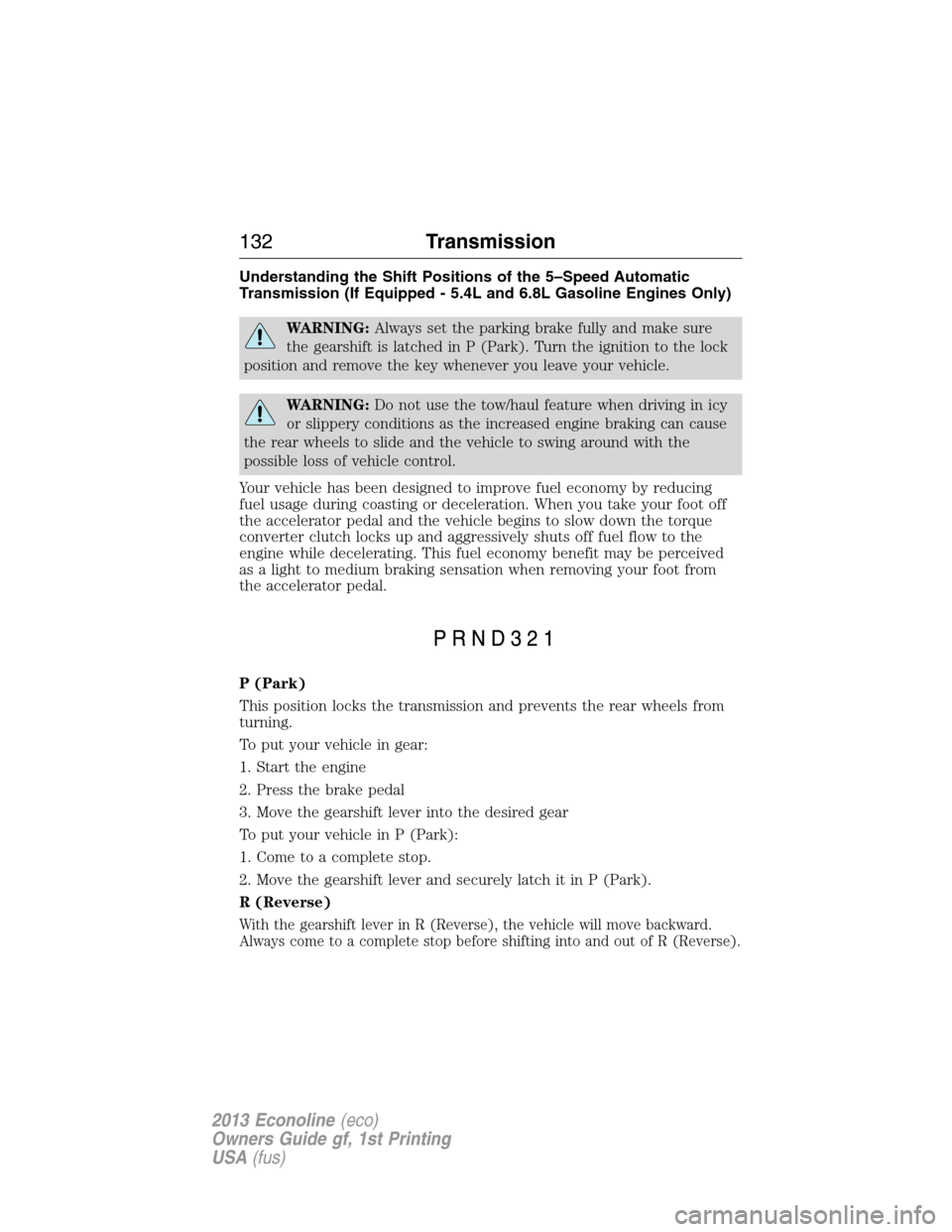
Understanding the Shift Positions of the 5–Speed Automatic
Transmission (If Equipped - 5.4L and 6.8L Gasoline Engines Only)
WARNING:Always set the parking brake fully and make sure
the gearshift is latched in P (Park). Turn the ignition to the lock
position and remove the key whenever you leave your vehicle.
WARNING:Do not use the tow/haul feature when driving in icy
or slippery conditions as the increased engine braking can cause
the rear wheels to slide and the vehicle to swing around with the
possible loss of vehicle control.
Your vehicle has been designed to improve fuel economy by reducing
fuel usage during coasting or deceleration. When you take your foot off
the accelerator pedal and the vehicle begins to slow down the torque
converter clutch locks up and aggressively shuts off fuel flow to the
engine while decelerating. This fuel economy benefit may be perceived
as a light to medium braking sensation when removing your foot from
the accelerator pedal.
P (Park)
This position locks the transmission and prevents the rear wheels from
turning.
To put your vehicle in gear:
1. Start the engine
2. Press the brake pedal
3. Move the gearshift lever into the desired gear
To put your vehicle in P (Park):
1. Come to a complete stop.
2. Move the gearshift lever and securely latch it in P (Park).
R (Reverse)
With the gearshift lever in R (Reverse), the vehicle will move backward.
Always come to a complete stop before shifting into and out of R (Reverse).
132Transmission
2013 Econoline(eco)
Owners Guide gf, 1st Printing
USA(fus)
Page 135 of 416
If you cannot move the gearshift lever out of P (Park) with the ignition
in the on position and the brake pedal pressed, it is possible that a fuse
has blown or the vehicle’s brake lamps are not operating properly. Refer
toFuseschapter.
If the fuse is not blown and the brake lamps are working properly, the
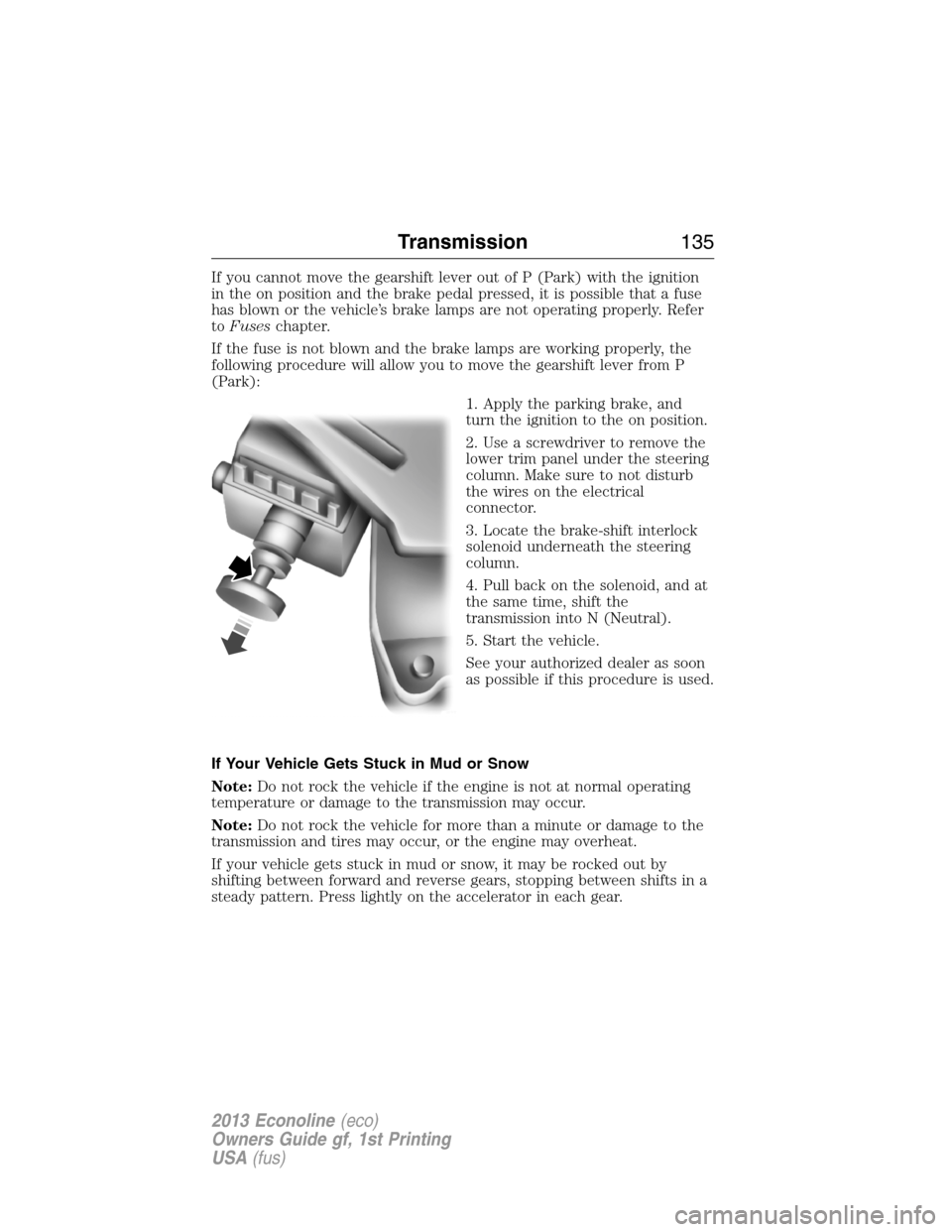
following procedure will allow you to move the gearshift lever from P
(Park):
1. Apply the parking brake, and
turn the ignition to the on position.
2. Use a screwdriver to remove the
lower trim panel under the steering
column. Make sure to not disturb
the wires on the electrical
connector.
3. Locate the brake-shift interlock
solenoid underneath the steering
column.
4. Pull back on the solenoid, and at
the same time, shift the
transmission into N (Neutral).
5. Start the vehicle.
See your authorized dealer as soon
as possible if this procedure is used.
If Your Vehicle Gets Stuck in Mud or Snow
Note:Do not rock the vehicle if the engine is not at normal operating
temperature or damage to the transmission may occur.
Note:Do not rock the vehicle for more than a minute or damage to the
transmission and tires may occur, or the engine may overheat.
If your vehicle gets stuck in mud or snow, it may be rocked out by
shifting between forward and reverse gears, stopping between shifts in a
steady pattern. Press lightly on the accelerator in each gear.
Transmission135
2013 Econoline(eco)
Owners Guide gf, 1st Printing
USA(fus)
Page 137 of 416
GENERAL INFORMATION
Note:Occasional brake noise is normal. If a metal-to-metal, continuous
grinding or continuous squeal sound is present, the brake linings may be
worn-out and should be inspected by an authorized dealer. If your
vehicle has continuous vibration or shudder in the steering wheel while
braking, it should be inspected by an authorized dealer.
Note:Brake dust may accumulate on the wheels, even under normal
driving conditions. Some dust is inevitable as the brakes wear and does
not contribute to brake noise. See theVehicle Carechapter for wheel
cleaning instructions.
See theInstrument Clusterchapter for information on the
brake system warning light.
Wet brakes result in reduced braking efficiency. Gently press the brake
pedal a few times when driving from a car wash or standing water to dry
the brakes.
Brake Over Accelerator
In the event the accelerator pedal becomes stuck or entrapped, apply
steady and firm pressure to the brake pedal to slow your vehicle and
reduce engine power. If you experience this condition, apply the brakes
and bring your vehicle to a safe stop. Turn the engine off, shift to
positionPand apply the parking brake, then inspect the accelerator
pedal for any interferences. If none are found and the condition persists,
have your vehicle towed to the nearest authorized dealer.
Anti-Lock Brake System (ABS)
This system helps you maintain steering control during emergency stops
by keeping the brakes from locking.
The ABS lamp momentarily illuminates when the ignition is
turned on. If the light does not illuminate during start-up,
remains on or flashes, the ABS may be disabled and may need
to be serviced.
If the ABS is disabled, normal braking is still effective. If the
brake warning lamp illuminates with the parking brake released,
have your brake system serviced immediately.
Brakes137
2013 Econoline(eco)
Owners Guide gf, 1st Printing
USA(fus)
Page 143 of 416
SENSING SYSTEM (IF EQUIPPED)
WARNING:To help avoid personal injury, please read and
understand the limitations of the system as contained in this
section. Sensing is only an aid for some (generally large and fixed)
objects when moving in reverse on a flat surface at parking speeds.
Traffic control systems, inclement weather, air brakes, and external
motors and fans may also affect the function of the sensing system; this
may include reduced performance or a false activation.
WARNING:To help avoid personal injury, always use caution
when in R (Reverse) and when using the sensing system.
WARNING:This system is not designed to prevent contact with
small or moving objects. The system is designed to provide a
warning to assist the driver in detecting large stationary objects to
avoid damaging the vehicle. The system may not detect smaller objects,
particularly those close to the ground.
WARNING:Certain add-on devices such as large trailer hitches,
bike or surfboard racks and any device that may block the normal
detection zone of the system, may create false beeps.
Note:Keep the sensors (located on the bumper/fascia) free from snow,
ice and large accumulations of dirt. If the sensors are covered, the
system’s accuracy can be affected. Do not clean the sensors with sharp
objects.
Note:If your vehicle sustains damage to the bumper/fascia, leaving it
misaligned or bent, the sensing zone may be altered causing inaccurate
measurement of obstacles or false alarms.
The sensing system warns the driver of obstacles within a certain range
of the bumper area. The system turns on automatically whenever the
ignition is switched on and the gearshift lever is placed in R (Reverse).
When receiving a detection warning, the radio volume is reduced to a
predetermined level. After the warning goes away, the radio volume
returns to the previous level.
Parking Aids143
2013 Econoline(eco)
Owners Guide gf, 1st Printing
USA(fus)
Page 150 of 416
Changing the Set Speed
Note:If you accelerate by pressing the accelerator pedal, the set speed
will not change. When you release the accelerator pedal, you will return
to the speed that you previously set.
•Press and holdSET ACCELto increase orCOASTto decrease the
set speed. Release the control when you reach the desired speed.
•Press and releaseSET ACCELto increase orCOASTto decrease.
The set speed will change in approximately 1 mph (2 km/h)
increments.
•Press the accelerator or brake pedal until you reach the desired
speed. Press and releaseSET ACCEL.
Canceling the Set Speed
Tap the brake pedal. You will not erase the set speed.
Resuming the Set Speed
Press and releaseRES.
Switching Cruise Control Off
Note:You will erase the set speed if you switch the system off.
Press and releaseOFFor switch the ignition off.
150Cruise Control
2013 Econoline(eco)
Owners Guide gf, 1st Printing
USA(fus)
Page 165 of 416
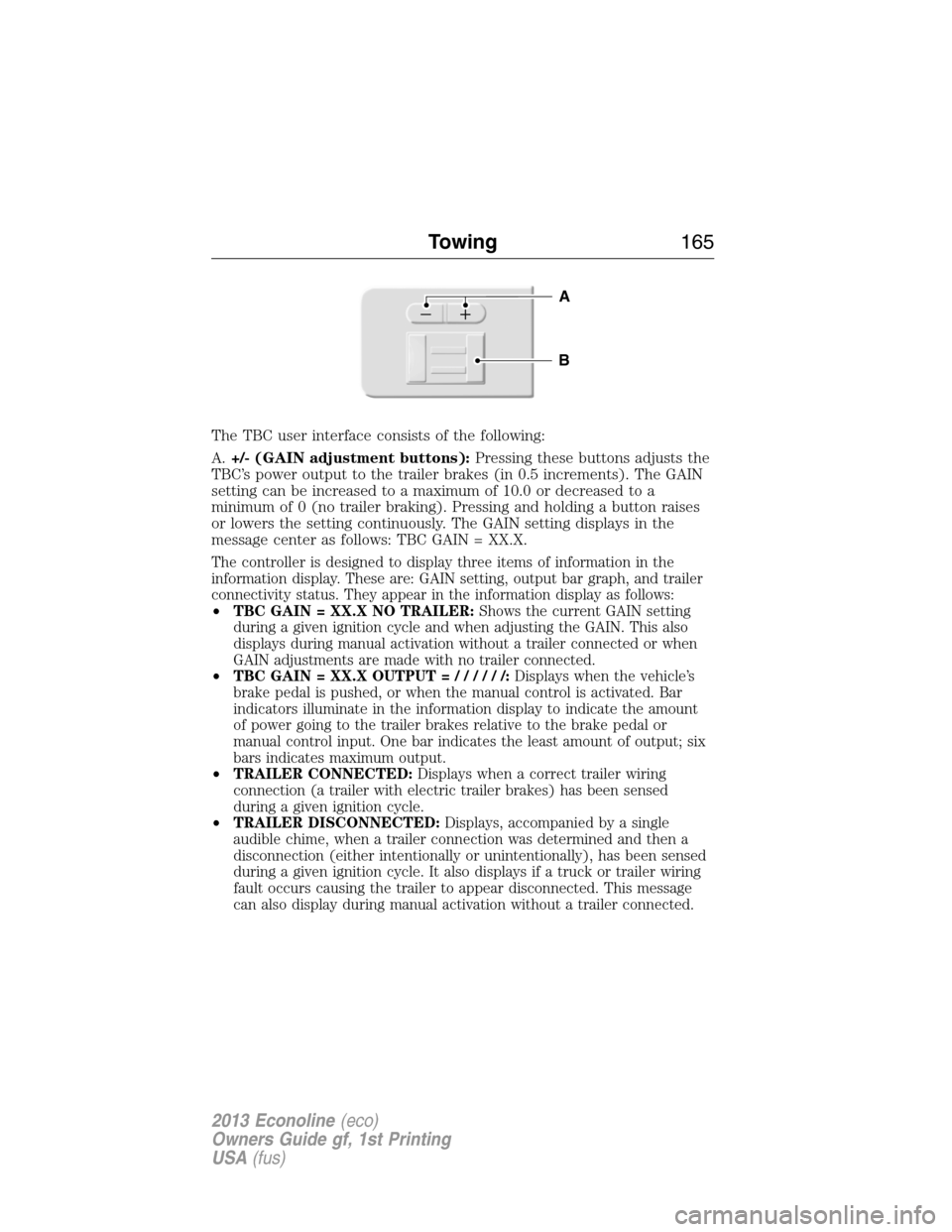
The TBC user interface consists of the following:
A.+/- (GAIN adjustment buttons):Pressing these buttons adjusts the
TBC’s power output to the trailer brakes (in 0.5 increments). The GAIN
setting can be increased to a maximum of 10.0 or decreased to a
minimum of 0 (no trailer braking). Pressing and holding a button raises
or lowers the setting continuously. The GAIN setting displays in the
message center as follows: TBC GAIN = XX.X.
The controller is designed to display three items of information in the
information display. These are: GAIN setting, output bar graph, and trailer
connectivity status. They appear in the information display as follows:
•TBC GAIN = XX.X NO TRAILER:Shows the current GAIN setting
during a given ignition cycle and when adjusting the GAIN. This also
displays during manual activation without a trailer connected or when
GAIN adjustments are made with no trailer connected.
•TBC GAIN = XX.X OUTPUT=//////:Displays when the vehicle’s
brake pedal is pushed, or when the manual control is activated. Bar
indicators illuminate in the information display to indicate the amount
of power going to the trailer brakes relative to the brake pedal or
manual control input. One bar indicates the least amount of output; six
bars indicates maximum output.
•TRAILER CONNECTED:Displays when a correct trailer wiring
connection (a trailer with electric trailer brakes) has been sensed
during a given ignition cycle.
•TRAILER DISCONNECTED:Displays, accompanied by a single
audible chime, when a trailer connection was determined and then a
disconnection (either intentionally or unintentionally), has been sensed
during a given ignition cycle. It also displays if a truck or trailer wiring
fault occurs causing the trailer to appear disconnected. This message
can also display during manual activation without a trailer connected.
B
A
Towing165
2013 Econoline(eco)
Owners Guide gf, 1st Printing
USA(fus)
Page 168 of 416
•When the vehicle is turned off, the TBC output is disabled and the display
and module are shut down. The TBC module and display turn on when the
ignition is turned from the off position to the on position.
•The TBC is only a factory-installed or dealer-installed item. Ford is not
responsible for warranty or performance of the TBC due to misuse or
customer installation.
Trailer Lamps
Trailer lamps are required on most towed vehicles. Make sure all running
lights, brake lights, turn signals and hazard lights are working. Contact
your authorized dealer or trailer rental agency for proper instructions
and equipment for hooking up the lamps.
Using a Step Bumper (If Equipped)
The rear bumper is equipped with an integral hitch and only requires a
ball with a one inch (25.4 millimeter) shank diameter. The bumper has a
5000 pound (2268 kilogram) trailer weight and 500 pound (227
kilogram) tongue weight capacity.
If it is necessary to relocate the trailer hitch ball position, a
frame-mounted trailer hitch must be installed.
Before Towing a Trailer
Practice turning, stopping and backing up to get the feel of the
vehicle-trailer combination before starting on a trip. When turning, make
wider turns so the trailer wheels will clear curbs and other obstacles.
When Towing a Trailer
•Do not drive faster than 70 mph (113 km/h) during the first 500 miles
(800 kilometers).
•Do not make full-throttle starts.
•Check your hitch, electrical connections and trailer wheel lug nuts
thoroughly after you have traveled 50 miles (80 kilometers).
•When stopped in congested or heavy traffic during hot weather, place
gearshift in positionPto aid engine and transmission cooling and to
help A/C performance.
•Turn off the speed control with heavy loads or in hilly terrain. The
speed control may turn off automatically when you are towing on
long, steep grades.
•Shift to a lower gear when driving down a long or steep hill. Do not
apply the brakes continuously, as they may overheat and become less
effective.
168Towing
2013 Econoline(eco)
Owners Guide gf, 1st Printing
USA(fus)
Page 175 of 416
There are also some things you may not want to do because they may
reduce your fuel economy:
•Sudden or hard accelerations.
•Rev the engine before turning it off.
•Idle for periods longer than one minute.
•Warm up your vehicle on cold mornings.
•Use the air conditioner or front defroster.
•Use the speed control in hilly terrain.
•Rest your foot on the brake pedal while driving.
•Drive a heavily loaded vehicle or tow a trailer.
•Carry unnecessary weight (approximately 1 mpg [0.4 km/L] is lost for
every 400 lb [180 kg] of weight carried).
•Add particular accessories to your vehicle (e.g.; bug deflectors,
rollbars or light bars, running boards, ski racks).
•Drive with the wheels out of alignment.
DRIVING THROUGH WATER
Note:Driving through deep water may allow water into the transmission
and engine causing internal damage. Have the fluid checked and, if water
is found, replace the fluid.
Do not drive quickly through standing water, especially if the depth is
unknown. Traction or brake capability may be limited and if the ignition
system gets wet, your engine may stall. Water may also enter your
engine’s air intake and severely damage your engine.
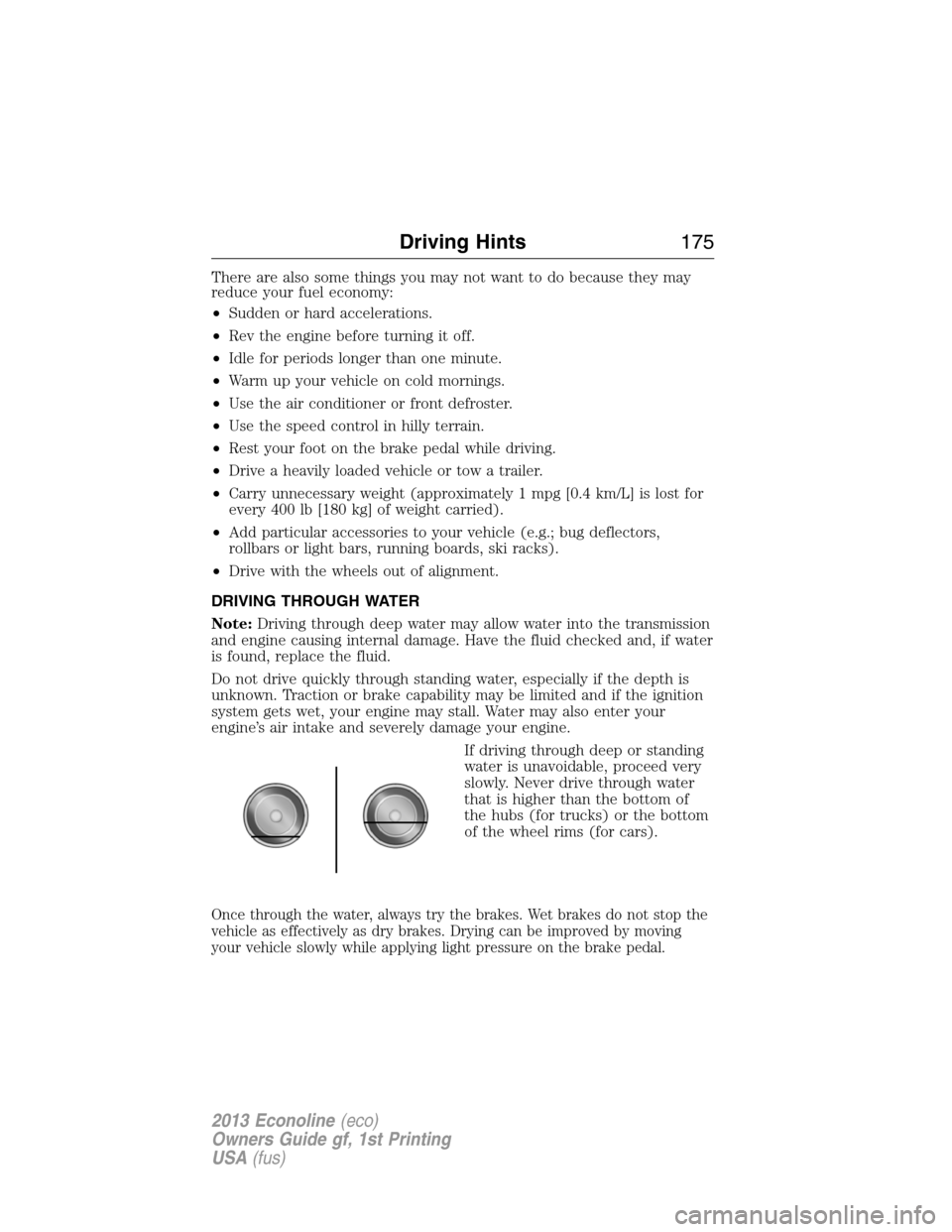
If driving through deep or standing
water is unavoidable, proceed very
slowly. Never drive through water
that is higher than the bottom of
the hubs (for trucks) or the bottom
of the wheel rims (for cars).
Once through the water, always try the brakes. Wet brakes do not stop the
vehicle as effectively as dry brakes. Drying can be improved by moving
your vehicle slowly while applying light pressure on the brake pedal.
Driving Hints175
2013 Econoline(eco)
Owners Guide gf, 1st Printing
USA(fus)
Page 180 of 416
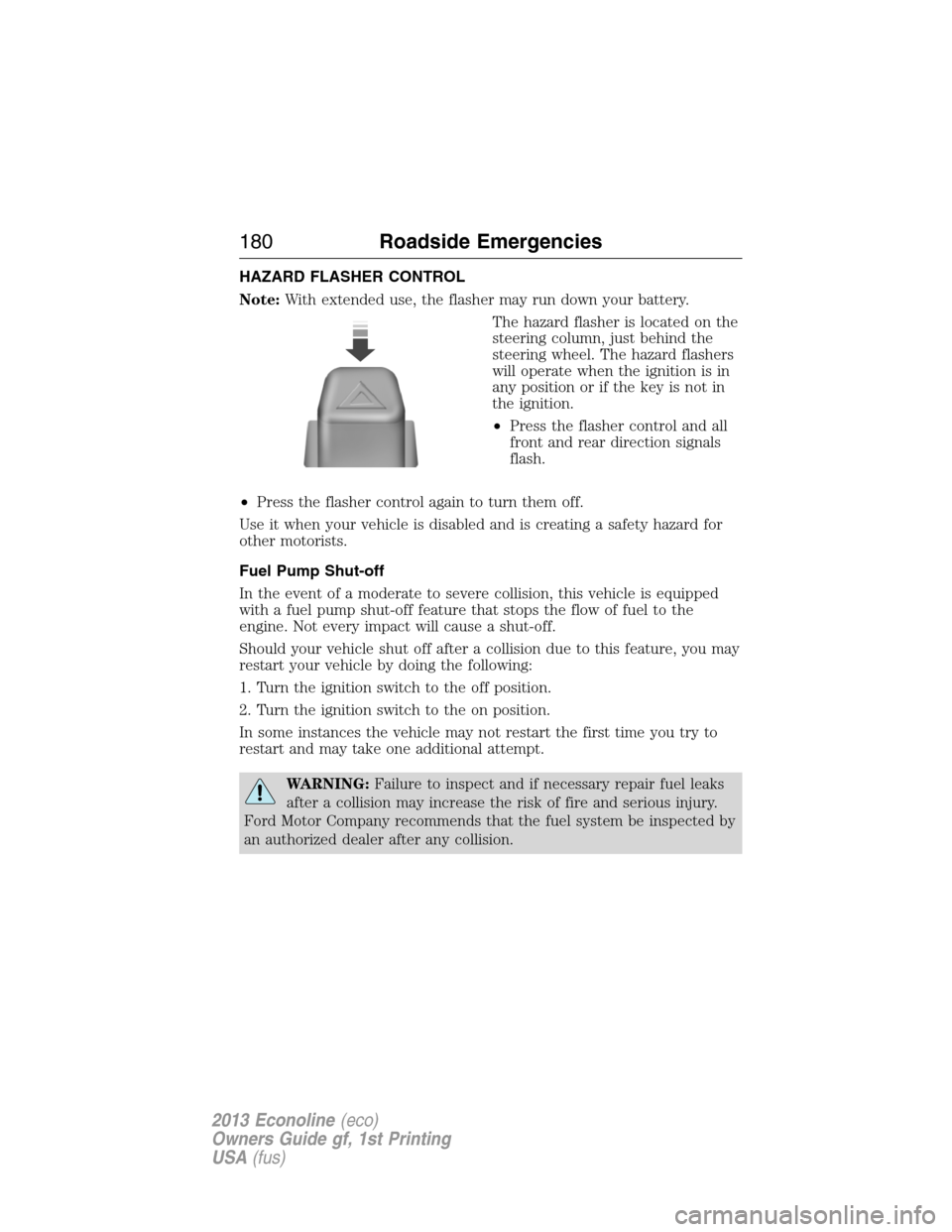
HAZARD FLASHER CONTROL
Note:With extended use, the flasher may run down your battery.
The hazard flasher is located on the
steering column, just behind the
steering wheel. The hazard flashers
will operate when the ignition is in
any position or if the key is not in
the ignition.
•Press the flasher control and all
front and rear direction signals
flash.
•Press the flasher control again to turn them off.
Use it when your vehicle is disabled and is creating a safety hazard for
other motorists.
Fuel Pump Shut-off
In the event of a moderate to severe collision, this vehicle is equipped
with a fuel pump shut-off feature that stops the flow of fuel to the
engine. Not every impact will cause a shut-off.
Should your vehicle shut off after a collision due to this feature, you may
restart your vehicle by doing the following:
1. Turn the ignition switch to the off position.
2. Turn the ignition switch to the on position.
In some instances the vehicle may not restart the first time you try to
restart and may take one additional attempt.
WARNING:Failure to inspect and if necessary repair fuel leaks
after a collision may increase the risk of fire and serious injury.
Ford Motor Company recommends that the fuel system be inspected by
an authorized dealer after any collision.
180Roadside Emergencies
2013 Econoline(eco)
Owners Guide gf, 1st Printing
USA(fus)