radio FORD E SERIES 2014 4.G Owner's Guide
[x] Cancel search | Manufacturer: FORD, Model Year: 2014, Model line: E SERIES, Model: FORD E SERIES 2014 4.GPages: 438, PDF Size: 5.12 MB
Page 355 of 438
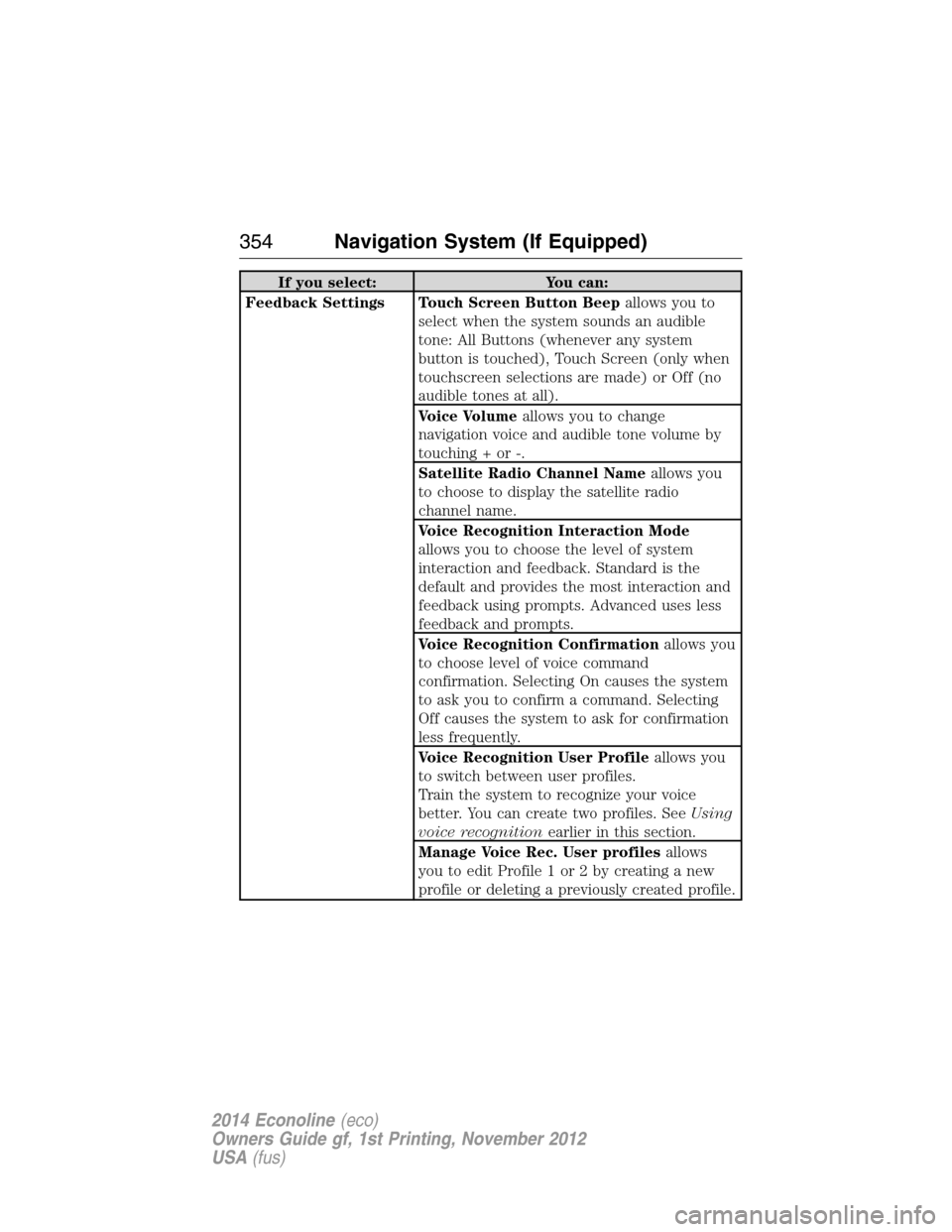
If you select: You can:
Feedback Settings Touch Screen Button Beepallows you to
select when the system sounds an audible
tone: All Buttons (whenever any system
button is touched), Touch Screen (only when
touchscreen selections are made) or Off (no
audible tones at all).
Voice Volumeallows you to change
navigation voice and audible tone volume by
touching + or -.
Satellite Radio Channel Nameallows you
to choose to display the satellite radio
channel name.
Voice Recognition Interaction Mode
allows you to choose the level of system
interaction and feedback. Standard is the
default and provides the most interaction and
feedback using prompts. Advanced uses less
feedback and prompts.
Voice Recognition Confirmationallows you
to choose level of voice command
confirmation. Selecting On causes the system
to ask you to confirm a command. Selecting
Off causes the system to ask for confirmation
less frequently.
Voice Recognition User Profileallows you
to switch between user profiles.
Train the system to recognize your voice
better. You can create two profiles. SeeUsing
voice recognitionearlier in this section.
Manage Voice Rec. User profilesallows
youtoeditProfile1or2bycreatinganew
profile or deleting a previously created profile.
354Navigation System (If Equipped)
2014 Econoline(eco)
Owners Guide gf, 1st Printing, November 2012
USA(fus)
Page 357 of 438
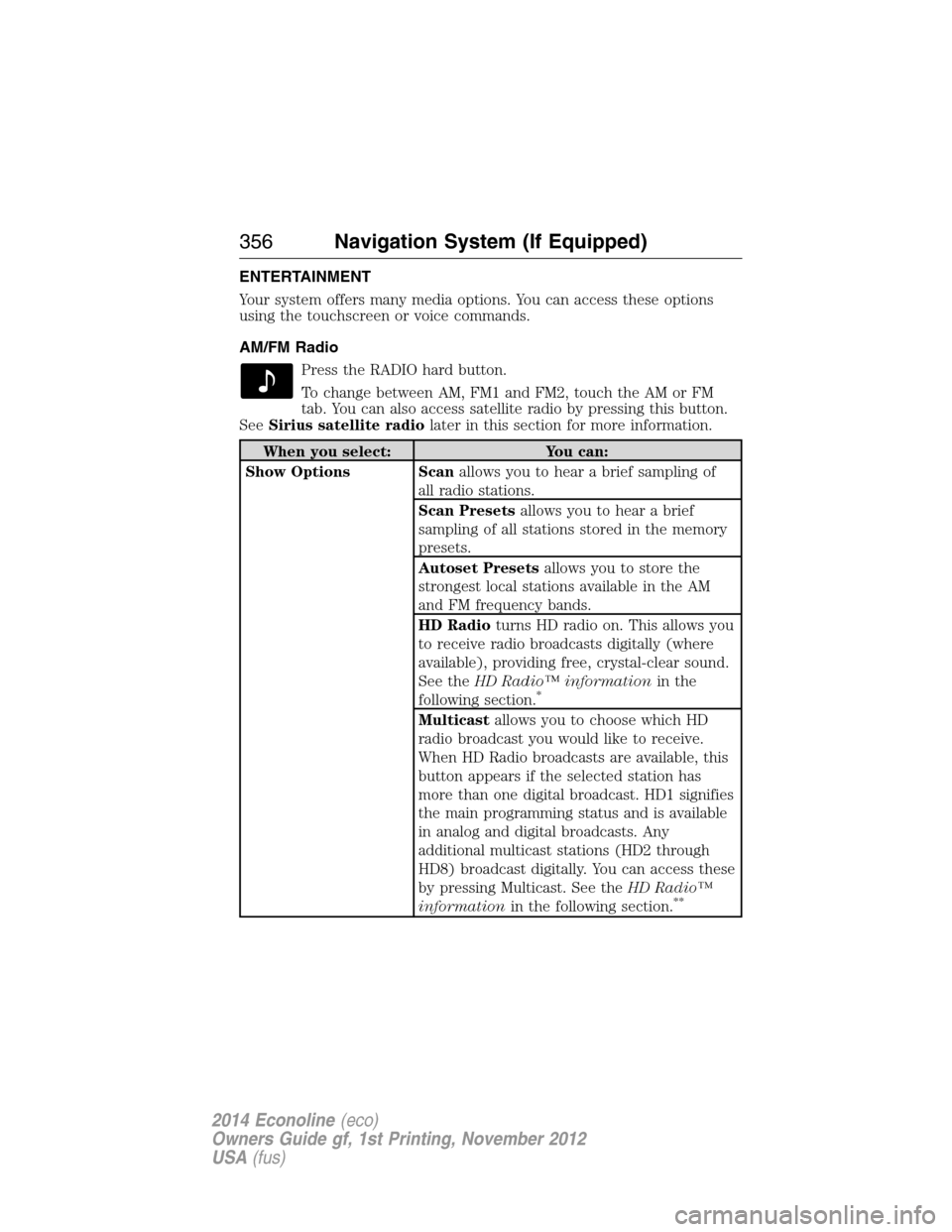
ENTERTAINMENT
Your system offers many media options. You can access these options
using the touchscreen or voice commands.
AM/FM Radio
Press the RADIO hard button.
To change between AM, FM1 and FM2, touch the AM or FM
tab. You can also access satellite radio by pressing this button.
SeeSirius satellite radiolater in this section for more information.
When you select: You can:
Show Options Scanallows you to hear a brief sampling of
all radio stations.
Scan Presetsallows you to hear a brief
sampling of all stations stored in the memory
presets.
Autoset Presetsallows you to store the
strongest local stations available in the AM
and FM frequency bands.
HD Radioturns HD radio on. This allows you
to receive radio broadcasts digitally (where
available), providing free, crystal-clear sound.
See theHD Radio™ informationin the
following section.
*
Multicastallows you to choose which HD
radio broadcast you would like to receive.
When HD Radio broadcasts are available, this
button appears if the selected station has
more than one digital broadcast. HD1 signifies
the main programming status and is available
in analog and digital broadcasts. Any
additional multicast stations (HD2 through
HD8) broadcast digitally. You can access these
by pressing Multicast. See theHD Radio™
informationin the following section.
**
356Navigation System (If Equipped)
2014 Econoline(eco)
Owners Guide gf, 1st Printing, November 2012
USA(fus)
Page 358 of 438
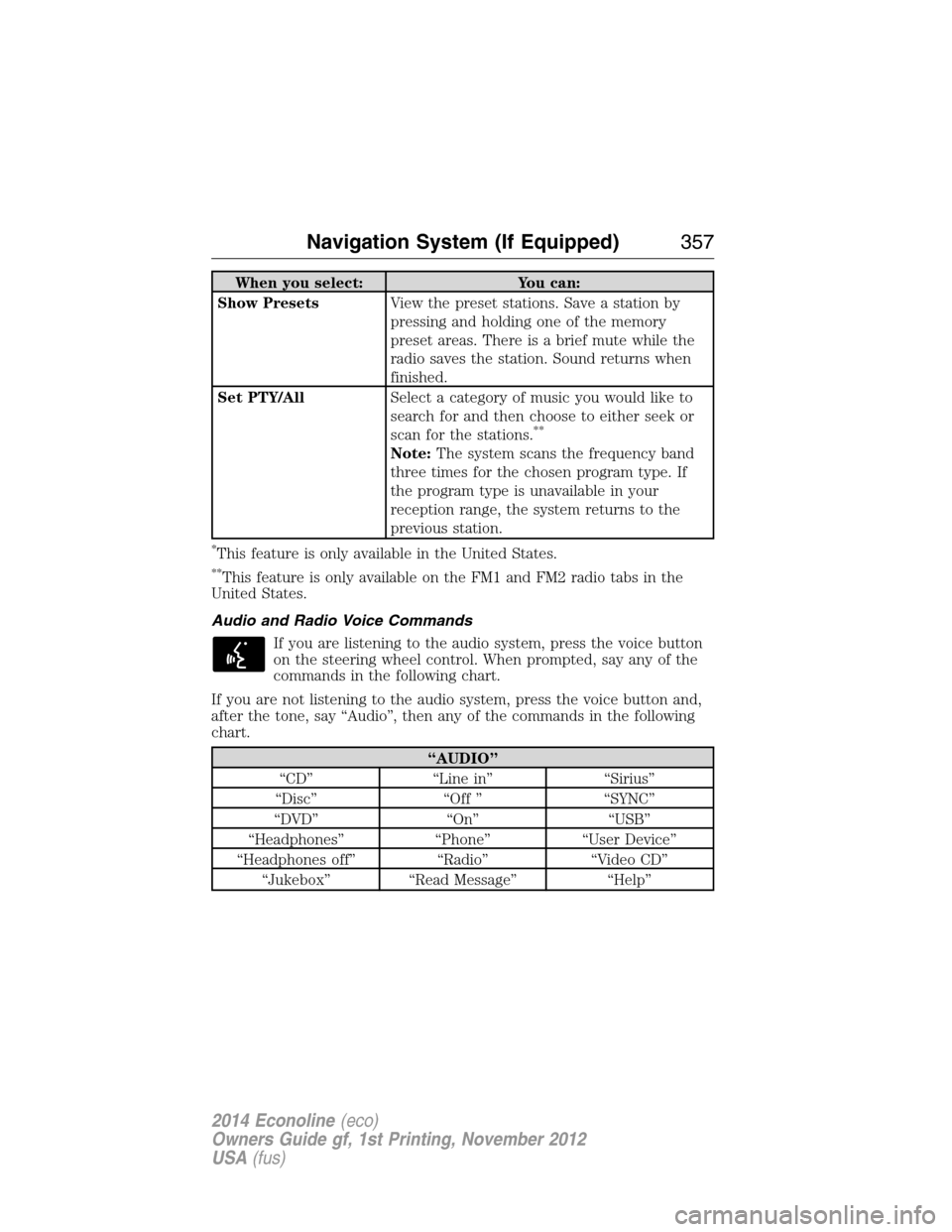
When you select: You can:
Show PresetsView the preset stations. Save a station by
pressing and holding one of the memory
preset areas. There is a brief mute while the
radio saves the station. Sound returns when
finished.
Set PTY/AllSelect a category of music you would like to
search for and then choose to either seek or
scan for the stations.
**
Note:The system scans the frequency band
three times for the chosen program type. If
the program type is unavailable in your
reception range, the system returns to the
previous station.
*This feature is only available in the United States.
**This feature is only available on the FM1 and FM2 radio tabs in the
United States.
Audio and Radio Voice Commands
If you are listening to the audio system, press the voice button
on the steering wheel control. When prompted, say any of the
commands in the following chart.
If you are not listening to the audio system, press the voice button and,
after the tone, say “Audio”, then any of the commands in the following
chart.
“AUDIO”
“CD” “Line in” “Sirius”
“Disc” “Off ” “SYNC”
“DVD” “On” “USB”
“Headphones” “Phone” “User Device”
“Headphones off” “Radio” “Video CD”
“Jukebox” “Read Message” “Help”
Navigation System (If Equipped)357
2014 Econoline(eco)
Owners Guide gf, 1st Printing, November 2012
USA(fus)
Page 359 of 438
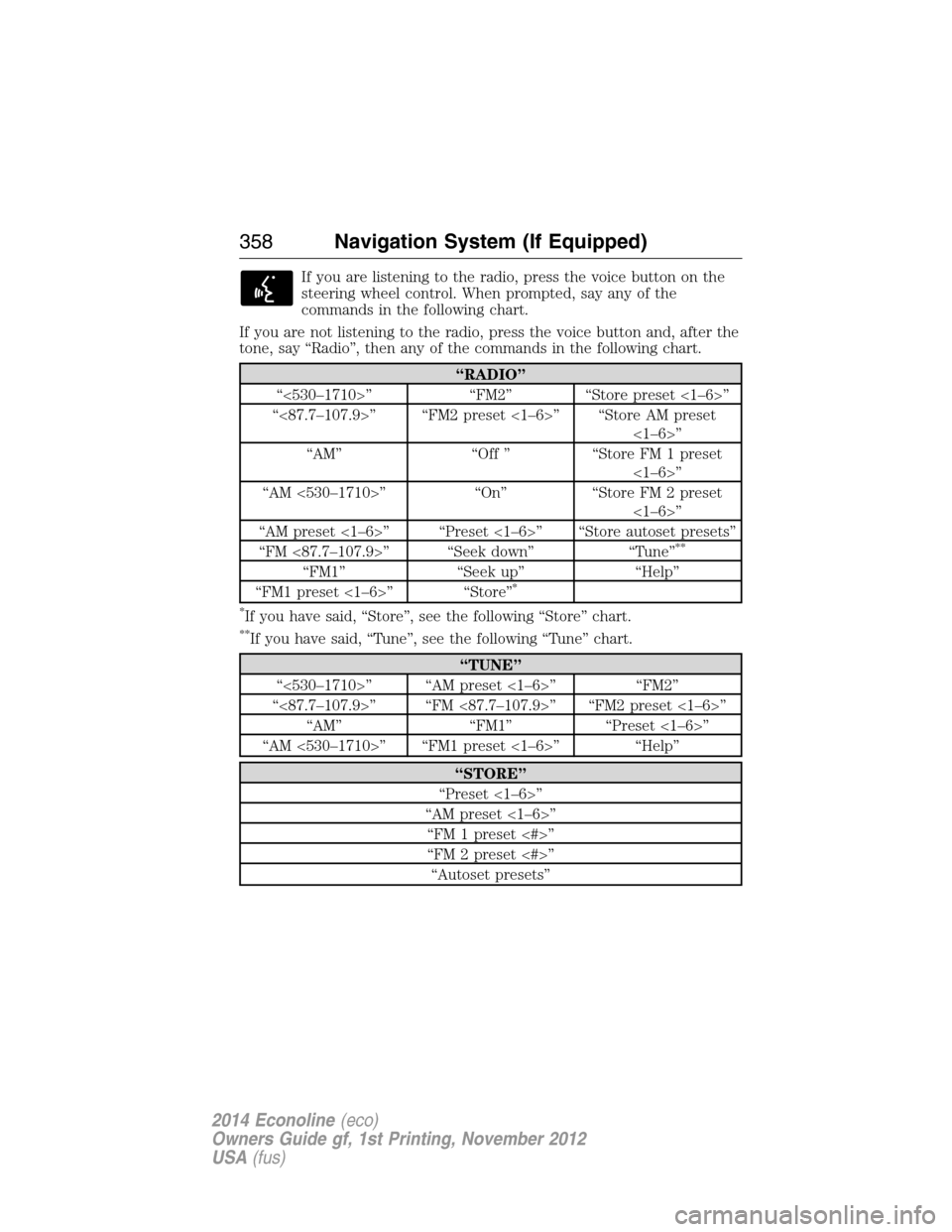
If you are listening to the radio, press the voice button on the
steering wheel control. When prompted, say any of the
commands in the following chart.
If you are not listening to the radio, press the voice button and, after the
tone, say “Radio”, then any of the commands in the following chart.
“RADIO”
“<530–1710>” “FM2” “Store preset <1–6>”
“<87.7–107.9>” “FM2 preset <1–6>” “Store AM preset
<1–6>”
“AM” “Off ” “Store FM 1 preset
<1–6>”
“AM <530–1710>” “On” “Store FM 2 preset
<1–6>”
“AM preset <1–6>” “Preset <1–6>” “Store autoset presets”
“FM <87.7–107.9>” “Seek down” “Tune”
**
“FM1” “Seek up” “Help”
“FM1 preset <1–6>” “Store”*
*
If you have said, “Store”, see the following “Store” chart.
**If you have said, “Tune”, see the following “Tune” chart.
“TUNE”
“<530–1710>” “AM preset <1–6>” “FM2”
“<87.7–107.9>” “FM <87.7–107.9>” “FM2 preset <1–6>”
“AM” “FM1” “Preset <1–6>”
“AM <530–1710>” “FM1 preset <1–6>” “Help”
“STORE”
“Preset <1–6>”
“AM preset <1–6>”
“FM 1 preset <#>”
“FM 2 preset <#>”
“Autoset presets”
358Navigation System (If Equipped)
2014 Econoline(eco)
Owners Guide gf, 1st Printing, November 2012
USA(fus)
Page 360 of 438
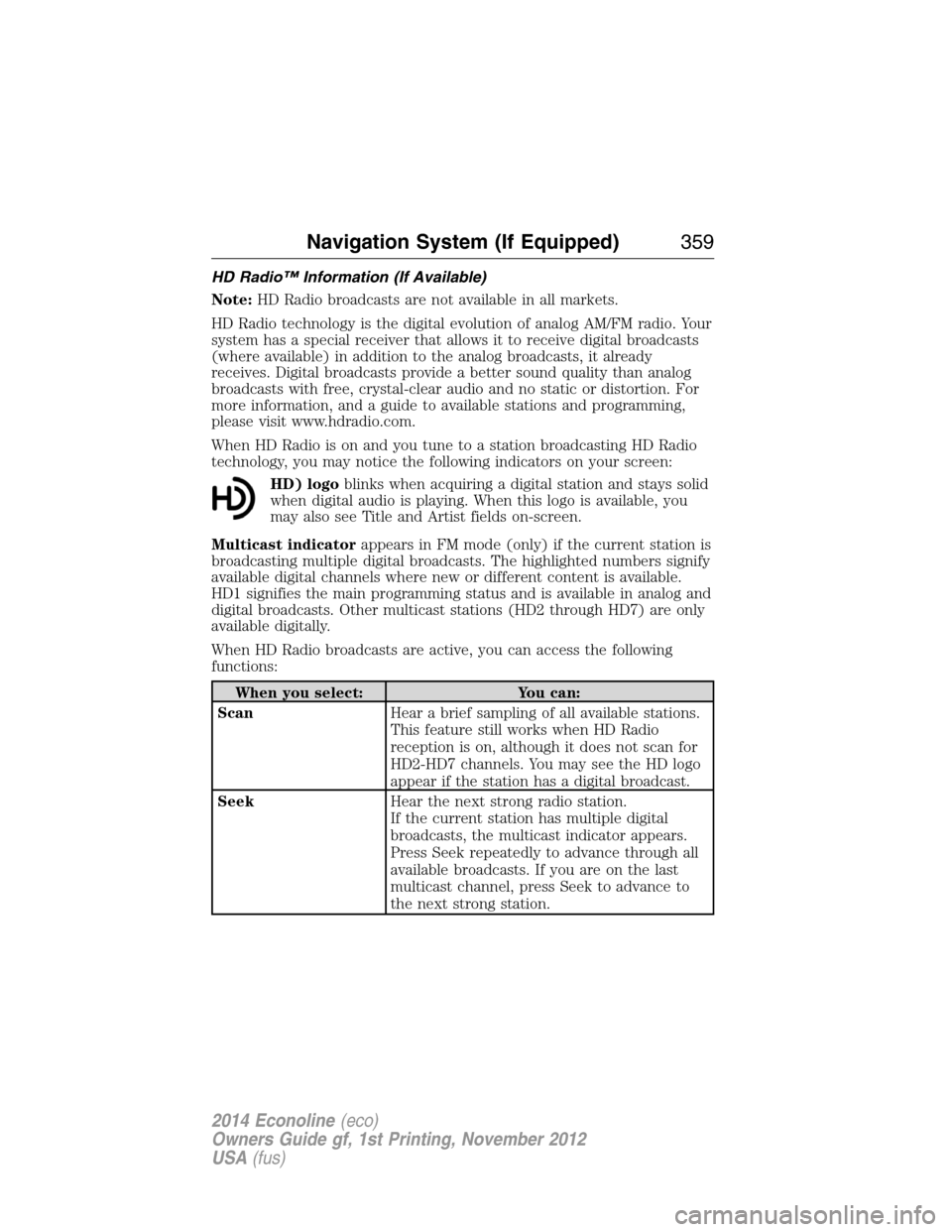
HD Radio™ Information (If Available)
Note:HD Radio broadcasts are not available in all markets.
HD Radio technology is the digital evolution of analog AM/FM radio. Your
system has a special receiver that allows it to receive digital broadcasts
(where available) in addition to the analog broadcasts, it already
receives. Digital broadcasts provide a better sound quality than analog
broadcasts with free, crystal-clear audio and no static or distortion. For
more information, and a guide to available stations and programming,
please visit www.hdradio.com.
When HD Radio is on and you tune to a station broadcasting HD Radio
technology, you may notice the following indicators on your screen:
HD) logoblinks when acquiring a digital station and stays solid
when digital audio is playing. When this logo is available, you
may also see Title and Artist fields on-screen.
Multicast indicatorappears in FM mode (only) if the current station is
broadcasting multiple digital broadcasts. The highlighted numbers signify
available digital channels where new or different content is available.
HD1 signifies the main programming status and is available in analog and
digital broadcasts. Other multicast stations (HD2 through HD7) are only
available digitally.
When HD Radio broadcasts are active, you can access the following
functions:
When you select: You can:
ScanHear a brief sampling of all available stations.
This feature still works when HD Radio
reception is on, although it does not scan for
HD2-HD7 channels. You may see the HD logo
appear if the station has a digital broadcast.
SeekHear the next strong radio station.
If the current station has multiple digital
broadcasts, the multicast indicator appears.
Press Seek repeatedly to advance through all
available broadcasts. If you are on the last
multicast channel, press Seek to advance to
the next strong station.
Navigation System (If Equipped)359
2014 Econoline(eco)
Owners Guide gf, 1st Printing, November 2012
USA(fus)
Page 361 of 438
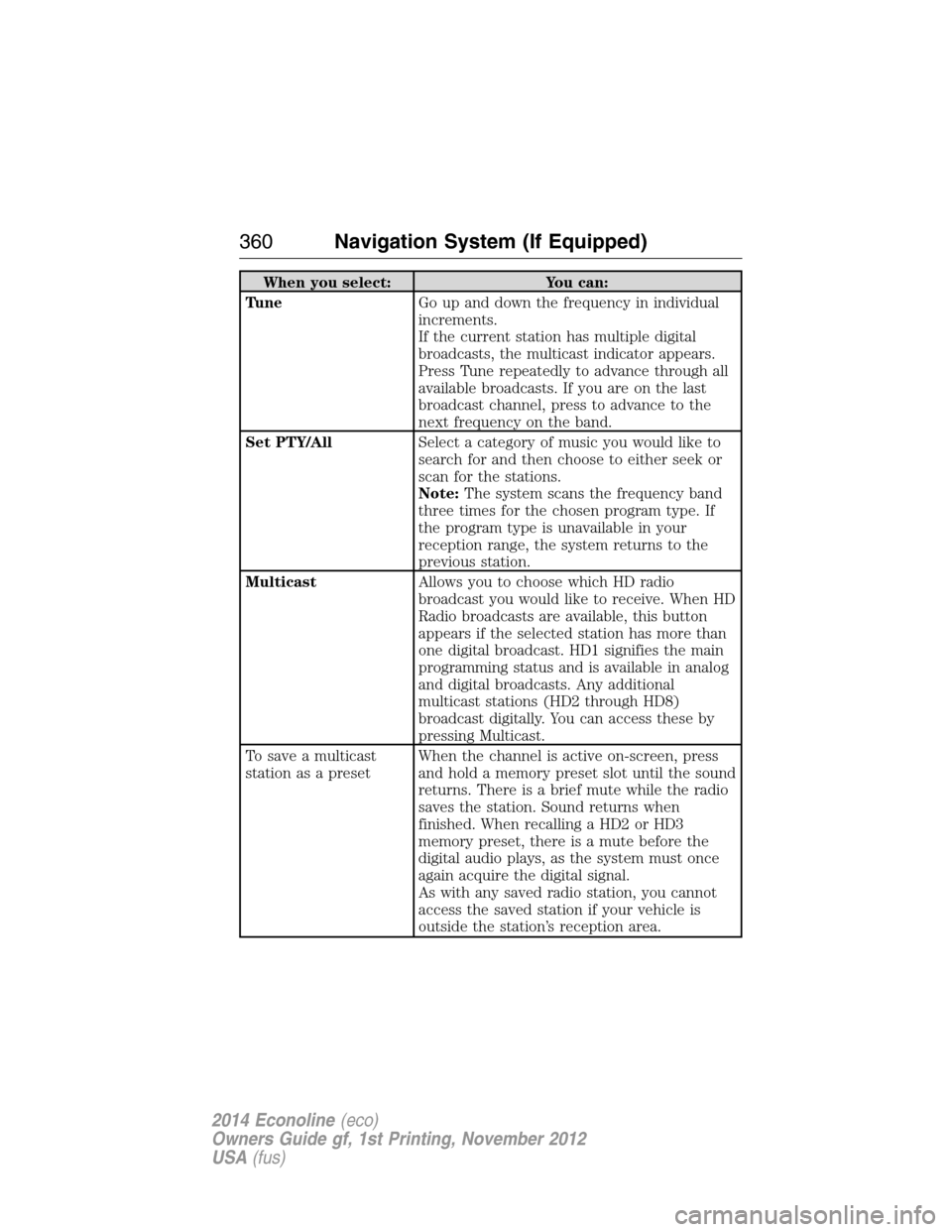
When you select: You can:
TuneGo up and down the frequency in individual
increments.
If the current station has multiple digital
broadcasts, the multicast indicator appears.
Press Tune repeatedly to advance through all
available broadcasts. If you are on the last
broadcast channel, press to advance to the
next frequency on the band.
Set PTY/AllSelect a category of music you would like to
search for and then choose to either seek or
scan for the stations.
Note:The system scans the frequency band
three times for the chosen program type. If
the program type is unavailable in your
reception range, the system returns to the
previous station.
MulticastAllows you to choose which HD radio
broadcast you would like to receive. When HD
Radio broadcasts are available, this button
appears if the selected station has more than
one digital broadcast. HD1 signifies the main
programming status and is available in analog
and digital broadcasts. Any additional
multicast stations (HD2 through HD8)
broadcast digitally. You can access these by
pressing Multicast.
To save a multicast
station as a presetWhen the channel is active on-screen, press
and hold a memory preset slot until the sound
returns. There is a brief mute while the radio
saves the station. Sound returns when
finished. When recalling a HD2 or HD3
memory preset, there is a mute before the
digital audio plays, as the system must once
again acquire the digital signal.
As with any saved radio station, you cannot
access the saved station if your vehicle is
outside the station’s reception area.
360Navigation System (If Equipped)
2014 Econoline(eco)
Owners Guide gf, 1st Printing, November 2012
USA(fus)
Page 362 of 438
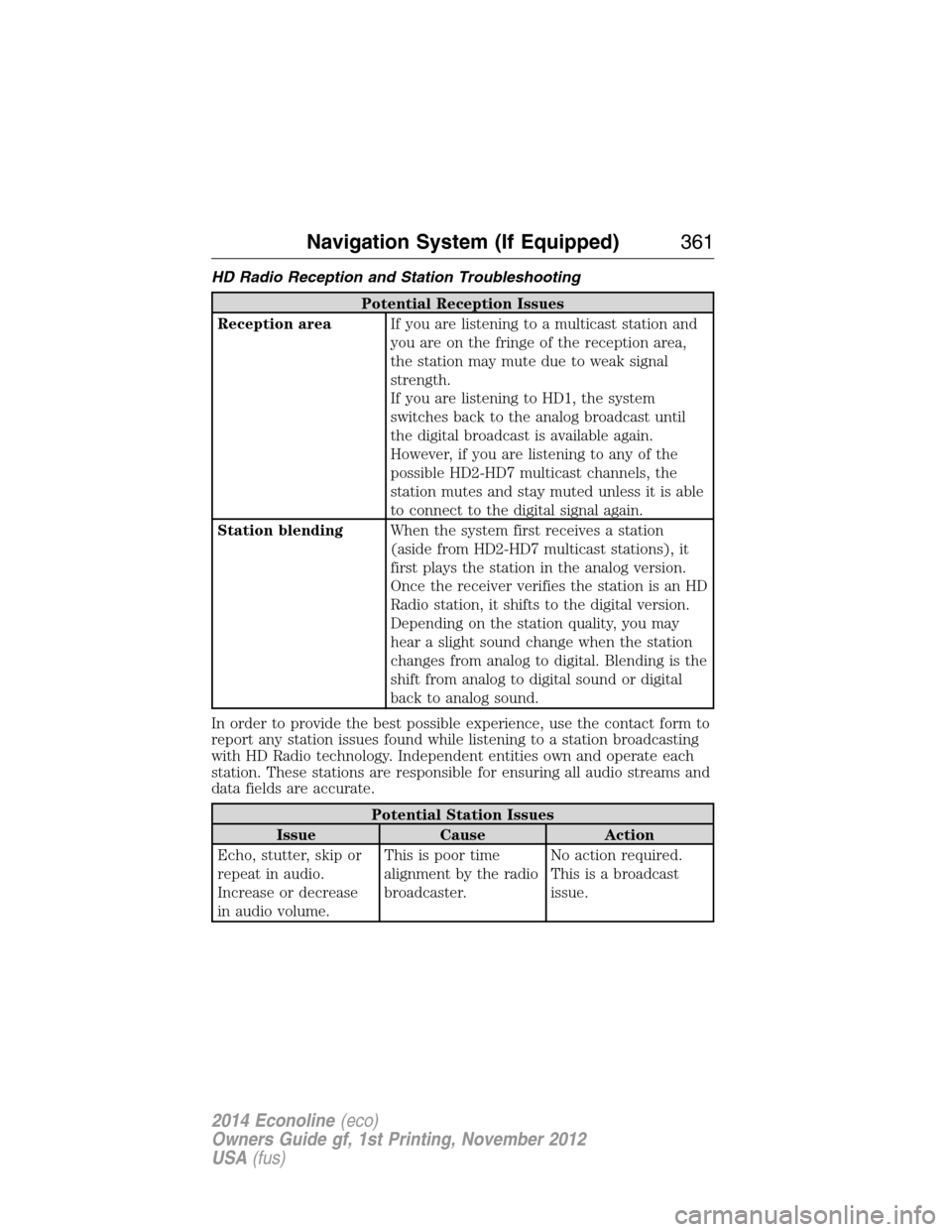
HD Radio Reception and Station Troubleshooting
Potential Reception Issues
Reception areaIf you are listening to a multicast station and
you are on the fringe of the reception area,
the station may mute due to weak signal
strength.
If you are listening to HD1, the system
switches back to the analog broadcast until
the digital broadcast is available again.
However, if you are listening to any of the
possible HD2-HD7 multicast channels, the
station mutes and stay muted unless it is able
to connect to the digital signal again.
Station blendingWhen the system first receives a station
(aside from HD2-HD7 multicast stations), it
first plays the station in the analog version.
Once the receiver verifies the station is an HD
Radio station, it shifts to the digital version.
Depending on the station quality, you may
hear a slight sound change when the station
changes from analog to digital. Blending is the
shift from analog to digital sound or digital
back to analog sound.
In order to provide the best possible experience, use the contact form to
report any station issues found while listening to a station broadcasting
with HD Radio technology. Independent entities own and operate each
station. These stations are responsible for ensuring all audio streams and
data fields are accurate.
Potential Station Issues
Issue Cause Action
Echo, stutter, skip or
repeat in audio.
Increase or decrease
in audio volume.This is poor time
alignment by the radio
broadcaster.No action required.
This is a broadcast
issue.
Navigation System (If Equipped)361
2014 Econoline(eco)
Owners Guide gf, 1st Printing, November 2012
USA(fus)
Page 363 of 438
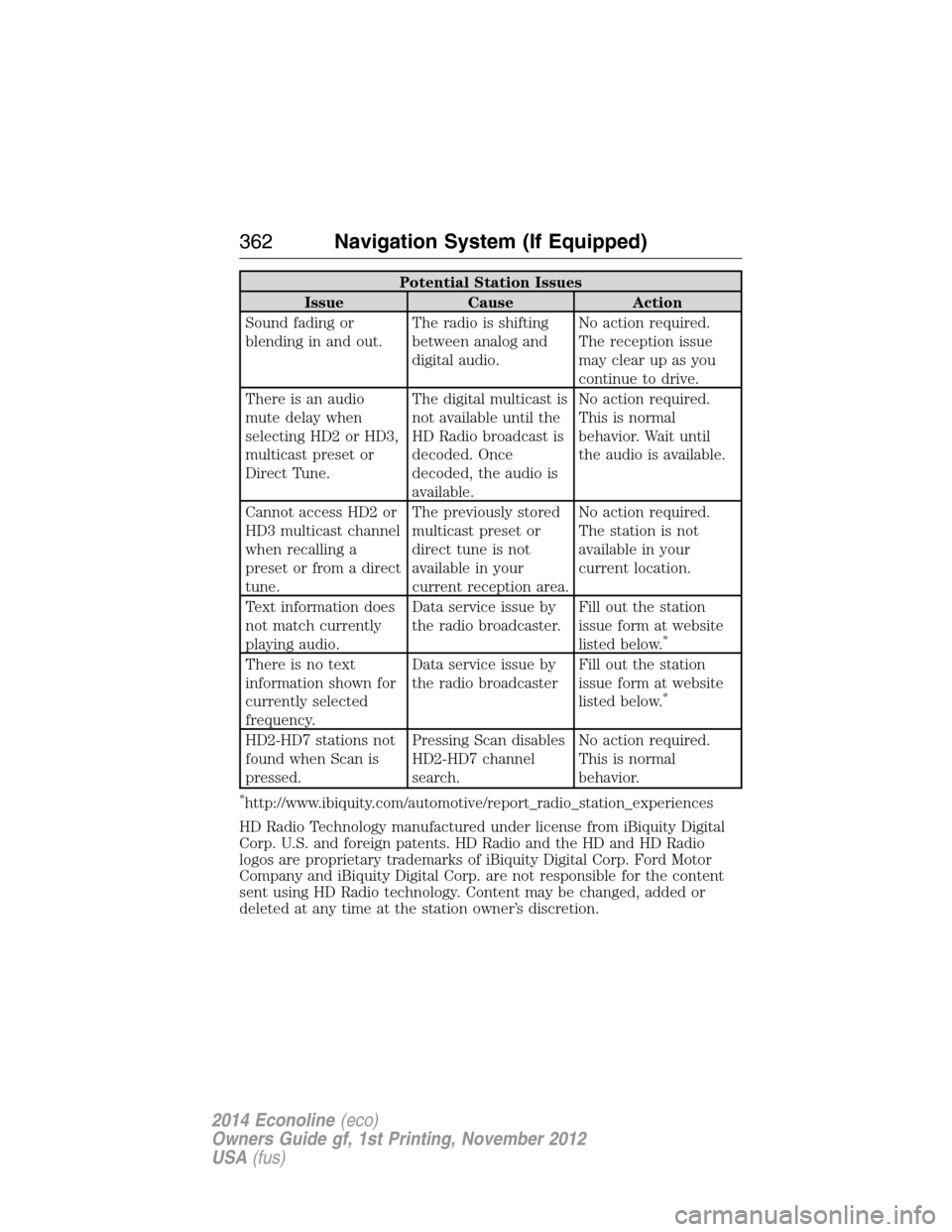
Potential Station Issues
Issue Cause Action
Sound fading or
blending in and out.The radio is shifting
between analog and
digital audio.No action required.
The reception issue
may clear up as you
continue to drive.
There is an audio
mute delay when
selecting HD2 or HD3,
multicast preset or
Direct Tune.The digital multicast is
not available until the
HD Radio broadcast is
decoded. Once
decoded, the audio is
available.No action required.
This is normal
behavior. Wait until
the audio is available.
Cannot access HD2 or
HD3 multicast channel
when recalling a
preset or from a direct
tune.The previously stored
multicast preset or
direct tune is not
available in your
current reception area.No action required.
The station is not
available in your
current location.
Text information does
not match currently
playing audio.Data service issue by
the radio broadcaster.Fill out the station
issue form at website
listed below.
*
There is no text
information shown for
currently selected
frequency.Data service issue by
the radio broadcasterFill out the station
issue form at website
listed below.
*
HD2-HD7 stations not
found when Scan is
pressed.Pressing Scan disables
HD2-HD7 channel
search.No action required.
This is normal
behavior.
*http://www.ibiquity.com/automotive/report_radio_station_experiences
HD Radio Technology manufactured under license from iBiquity Digital
Corp. U.S. and foreign patents. HD Radio and the HD and HD Radio
logos are proprietary trademarks of iBiquity Digital Corp. Ford Motor
Company and iBiquity Digital Corp. are not responsible for the content
sent using HD Radio technology. Content may be changed, added or
deleted at any time at the station owner’s discretion.
362Navigation System (If Equipped)
2014 Econoline(eco)
Owners Guide gf, 1st Printing, November 2012
USA(fus)
Page 364 of 438
HD Radio Voice Commands
If you are listening to the radio, press the voice button on the
steering wheel control. When prompted, say any of the
commands in the following chart.
If you are not listening to the radio, press the voice button and, after the
tone, say “Radio”, then any of the commands in the following chart.
“RADIO”
“<87.7 - 107.9> HD <1–8>”
“FM <87.7-107.9> HD <1-8>”
“Tune”
*
“Help”
*If you have said, “Tune”, see the following “Tune” chart.
“TUNE”
“<87.7 - 107.9> HD <1–8>”
“FM <87.7-107.9> HD <1-8>”
“Tune HD <1-8>”
“Help”
Sirius® Satellite Radio (If Activated)
Press the RADIO hard button, then select SAT on the
touchscreen.
When you select: You can:
SAT123Press this button to access three different
satellite radio modes (SAT1, SAT2 or SAT3).
ScanPress this button to hear a brief sampling of
all satellite radio channels within the current
genre.
Scan PresetsPress these buttons to hear a brief sampling
of all channels stored in the memory presets.
Navigation System (If Equipped)363
2014 Econoline(eco)
Owners Guide gf, 1st Printing, November 2012
USA(fus)
Page 366 of 438
When you select: You can:
MemoPress this button to save a song title and
artist to the system. When the saved song is
playing on any satellite radio channel, the
system alerts you with a pop-up in the lower
status bar. You can either tune to the station
or ignore the pop-up. When you are in the
Memo screen, the following options are
available:
Refreshallows you to refresh the current
artist and title information.
Song Alertallows you to store the song
information displayed in the Title Field. The
next time the stored song plays, the system
displays an audio and visual notification.
Artist Alertallows you to store the artist
information currently displayed in the Artist
Field. The next time the artist plays, the
system alerts you with a pop-up.
Alert On/Offallows you to select Artists and
Titles that you would like the system to alert
you to when they are playing on other
channels.
Note:Sirius® does not support the Alert
feature on all channels. Ford Motor Company
shall not be responsible for Alert feature
variation.
Show PresetsDisplay presets at the bottom of the screen.
Navigation System (If Equipped)365
2014 Econoline(eco)
Owners Guide gf, 1st Printing, November 2012
USA(fus)