transmission FORD E SERIES 2014 4.G Owners Manual
[x] Cancel search | Manufacturer: FORD, Model Year: 2014, Model line: E SERIES, Model: FORD E SERIES 2014 4.GPages: 438, PDF Size: 5.12 MB
Page 4 of 438
Auxiliary Power Points 102
Starting and Stopping the Engine 105
Ignition switch.......................................106
Engine block heater...................................109
Fuel and Refueling 111
Fuel quality.........................................112
Running out of fuel....................................114
Refueling...........................................114
Fuel consumption.....................................115
Transmission 120
Transmission operation.................................120
Automatic transmission.................................120
Brakes 128
Brakes.............................................128
Hints on driving with anti-lock brakes......................129
Parking brake........................................129
Traction Control 130
TractionControl™ ....................................130
Stability Control 131
AdvanceTrac®.......................................133
Parking Aids 134
Sensing system.......................................134
Rear-view camera system...............................136
Cruise Control 140
Using cruise control...................................140
Table of Contents3
2014 Econoline(eco)
Owners Guide gf, 1st Printing, November 2012
USA(fus)
Page 6 of 438
Maintenance 193
General information...................................193
Opening and closing the hood............................194
Under hood overview..................................195
Engine oil dipstick....................................196
Engine oil check......................................196
Engine coolant check..................................197
Automatic transmission fluid check........................201
Brake fluid check.....................................208
Power steering fluid check..............................208
Fuel filter...........................................208
Washer fluid check....................................209
Changing the vehicle battery.............................209
Checking the wiper blades..............................212
Changing the wiper blades..............................212
Air filter(s).........................................213
Adjusting the headlamps................................214
Changing a bulb......................................217
Removing a headlamp..................................217
Vehicle Care 224
Cleaning products.....................................224
Cleaning the exterior..................................224
Waxing.............................................226
Repairing minor paint damage............................226
Cleaning the engine...................................226
Cleaning the windows and wiper blades.....................227
Cleaning the interior...................................228
Cleaning the instrument panel and instrument cluster lens.......228
Cleaning leather seats..................................229
Cleaning the alloy wheels...............................230
Vehiclestorage.......................................230
Table of Contents5
2014 Econoline(eco)
Owners Guide gf, 1st Printing, November 2012
USA(fus)
Page 7 of 438
Wheels and Tires 233
Tirecare ...........................................235
Using snow chains....................................252
Tire Pressure Monitoring System (TPMS)...................253
Changing a road wheel.................................260
Technical specifications.................................268
Wheel lug nut torque..................................268
Capacities and Specifications 270
Engine specifications..................................270
Engine drivebelt......................................271
Part numbers........................................279
Vehicle identification number............................280
Vehicle certification label...............................281
Transmission code designation............................281
Accessories 282
Accessories.........................................282
Upfitter controls......................................284
Ford Extended Service Plan 285
Audio System 288
AM/FMstereo........................................290
AM/FM/CD with SYNC.................................291
Satellite radio information...............................293
Auxiliary input jack...................................296
USB port...........................................297
SYNC® 298
Pairing your phone for the first time.......................303
911 Assist™.........................................318
Vehicle Health Report..................................321
6Table of Contents
2014 Econoline(eco)
Owners Guide gf, 1st Printing, November 2012
USA(fus)
Page 43 of 438
Deactivating and Activating the Belt-Minder® Feature
WARNING:While the design allows you to deactivate your
Belt-Minder, this system is designed to improve your chances of
being safely belted and surviving an accident. We recommend you leave
the Belt-Minder system activated for yourself and others who may use
the vehicle. To reduce the risk of injury, do not deactivate or activate
the Belt-Minder feature while driving the vehicle.
Read Steps1-5thoroughly before proceeding with the programming
procedure.
Before following the procedure, make sure that:
•the parking brake is set
•the transmission selector lever is in positionP
•the ignition is off
•all vehicle doors and the hood are closed
•the driver’s safety belt is unbuckled
•the parking lamps and headlamps are off
1. Turn the ignition on. Do not start the engine.
2. Wait until the safety belt warning light turns off (about one minute).
•Step 3 must be completed within 30 seconds after the safety belt
warning light turns off.
3. Buckle then unbuckle the safety belt three times at a moderate speed,
ending with the safety belt in the unbuckled state.
•After Step 3 is complete, the safety belt warning light will be turned
on for three seconds.
4. Within about seven seconds of the light turning off, buckle then
unbuckle the safety belt.
•This will disable the feature for that seating position if it is currently
enabled.
•This will enable the feature for that seating position if it is currently
disabled.
42Safety Belts
2014 Econoline(eco)
Owners Guide gf, 1st Printing, November 2012
USA(fus)
Page 55 of 438
GENERAL INFORMATION ON RADIO FREQUENCIES
This device complies with part 15 of the FCC Rules and with Industry
Canada license-exempt RSS standard(s). Operation is subject to the
following two conditions: (1) This device may not cause harmful
interference, and (2) This device must accept any interference received,
including interference that may cause undesired operation.
Note:Changes or modifications not expressly approved by the party
responsible for compliance could void the user’s authority to operate the
equipment. The termICbefore the radio certification number only
signifies that Industry Canada technical specifications were met.
The typical operating range for your transmitter is approximately 33 feet
(10 meters). Vehicles with the remote start feature will have a greater
range. A decrease in operating range could be caused by:
•weather conditions
•nearby radio towers
•structures around your vehicle
•other vehicles parked next to your vehicle.
The radio frequency used by your remote control can also be used by
other short-distance radio transmissions, for example amateur radios,
medical equipment, wireless headphones, remote controls and alarm
systems. If the frequencies are jammed, you will not be able to use your
remote control. You can lock and unlock the doors with the key.
Note:Make sure your vehicle is locked before leaving it unattended.
Note:If you are in range, the remote control will operate if you press
any button unintentionally.
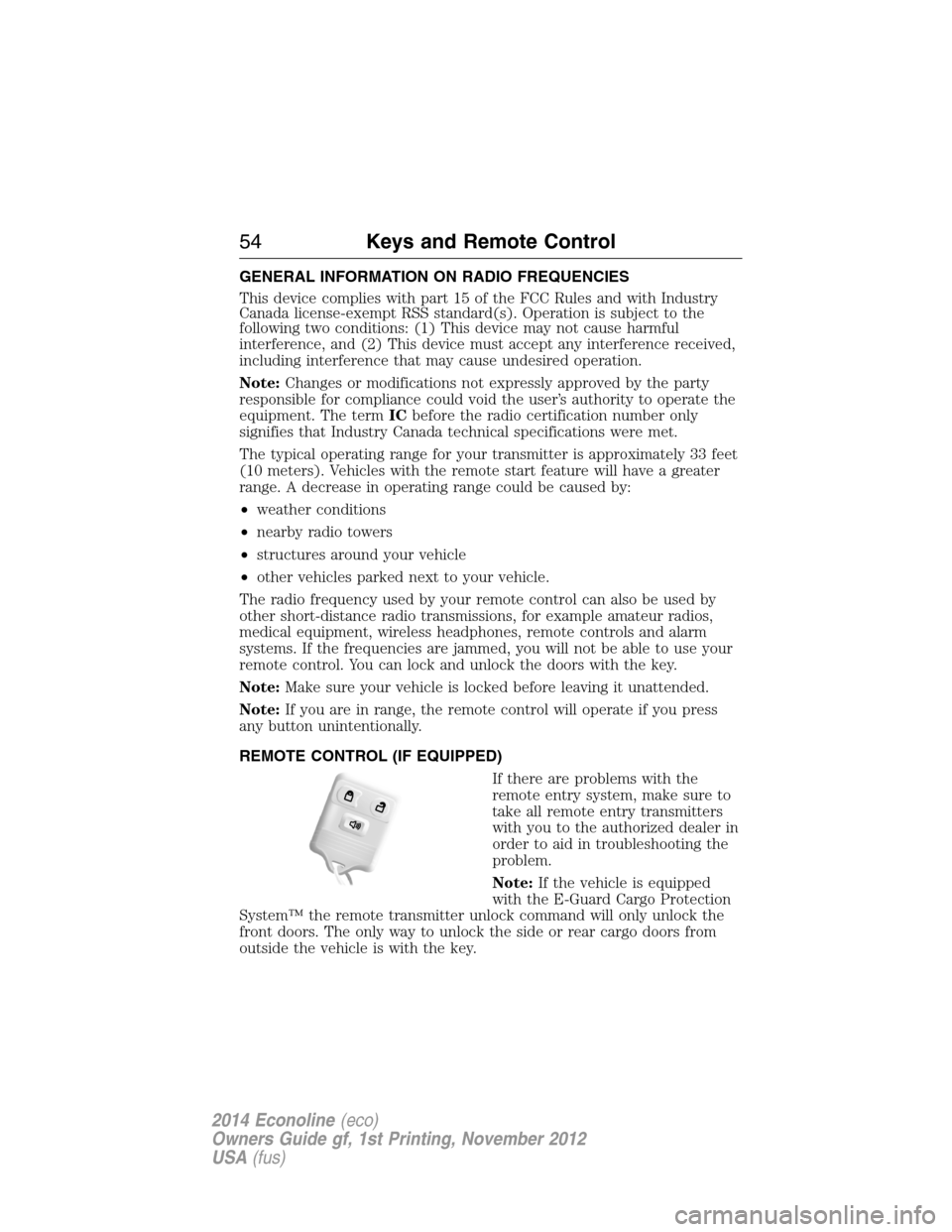
REMOTE CONTROL (IF EQUIPPED)
If there are problems with the
remote entry system, make sure to
take all remote entry transmitters
with you to the authorized dealer in
order to aid in troubleshooting the
problem.
Note:If the vehicle is equipped
with the E-Guard Cargo Protection
System™ the remote transmitter unlock command will only unlock the
front doors. The only way to unlock the side or rear cargo doors from
outside the vehicle is with the key.
54Keys and Remote Control
2014 Econoline(eco)
Owners Guide gf, 1st Printing, November 2012
USA(fus)
Page 81 of 438
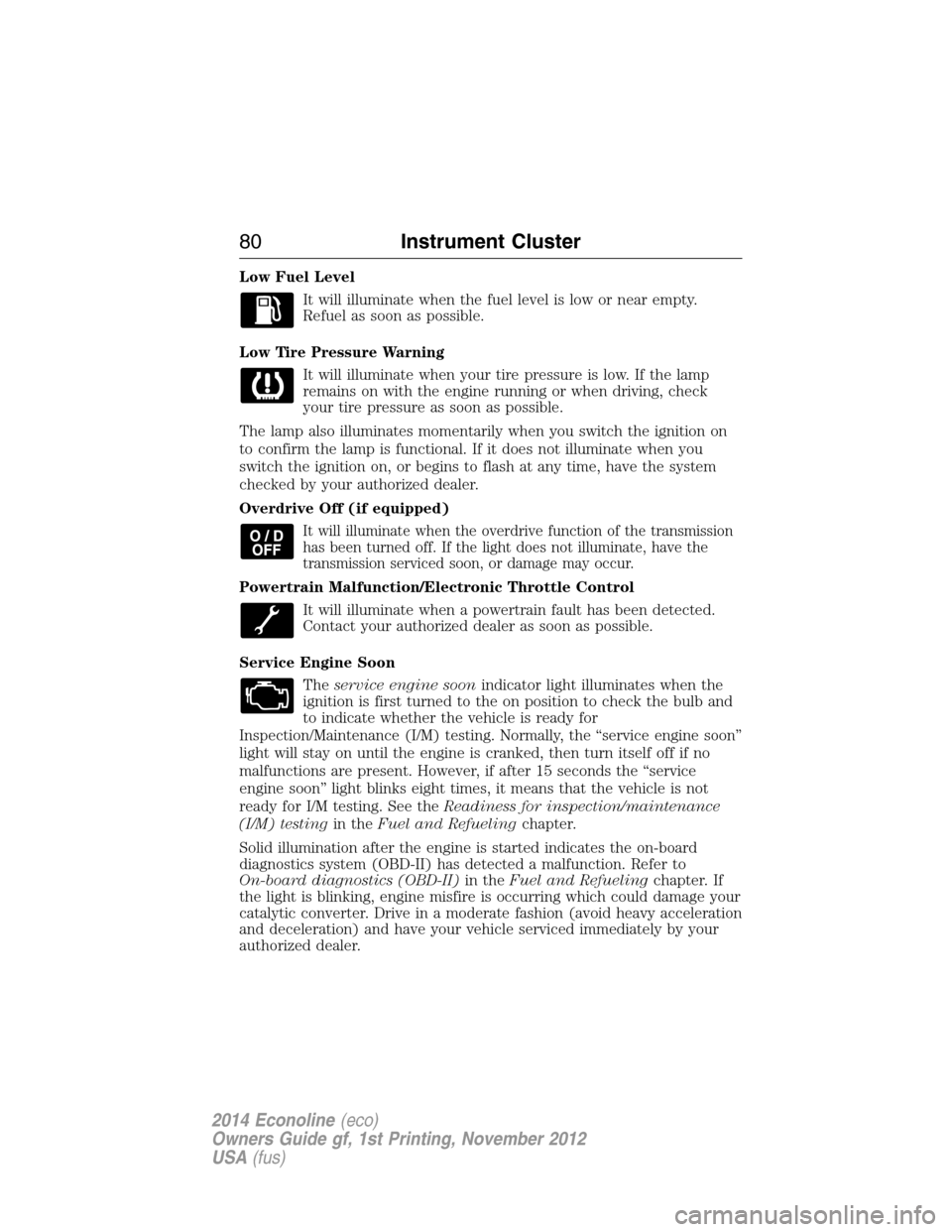
Low Fuel Level
It will illuminate when the fuel level is low or near empty.
Refuel as soon as possible.
Low Tire Pressure Warning
It will illuminate when your tire pressure is low. If the lamp
remains on with the engine running or when driving, check
your tire pressure as soon as possible.
The lamp also illuminates momentarily when you switch the ignition on
to confirm the lamp is functional. If it does not illuminate when you
switch the ignition on, or begins to flash at any time, have the system
checked by your authorized dealer.
Overdrive Off (if equipped)
It will illuminate when the overdrive function of the transmission
has been turned off. If the light does not illuminate, have the
transmission serviced soon, or damage may occur.
Powertrain Malfunction/Electronic Throttle Control
It will illuminate when a powertrain fault has been detected.
Contact your authorized dealer as soon as possible.
Service Engine Soon
Theservice engine soonindicator light illuminates when the
ignition is first turned to the on position to check the bulb and
to indicate whether the vehicle is ready for
Inspection/Maintenance (I/M) testing. Normally, the “service engine soon”
light will stay on until the engine is cranked, then turn itself off if no
malfunctions are present. However, if after 15 seconds the “service
engine soon” light blinks eight times, it means that the vehicle is not
ready for I/M testing. See theReadiness for inspection/maintenance
(I/M) testingin theFuel and Refuelingchapter.
Solid illumination after the engine is started indicates the on-board
diagnostics system (OBD-II) has detected a malfunction. Refer to
On-board diagnostics (OBD-II)in theFuel and Refuelingchapter. If
the light is blinking, engine misfire is occurring which could damage your
catalytic converter. Drive in a moderate fashion (avoid heavy acceleration
and deceleration) and have your vehicle serviced immediately by your
authorized dealer.
80Instrument Cluster
2014 Econoline(eco)
Owners Guide gf, 1st Printing, November 2012
USA(fus)
Page 82 of 438
WARNING:Under engine misfire conditions, excessive exhaust
temperatures could damage the catalytic converter, the fuel
system, interior floor coverings or other vehicle components, possibly
causing a fire.
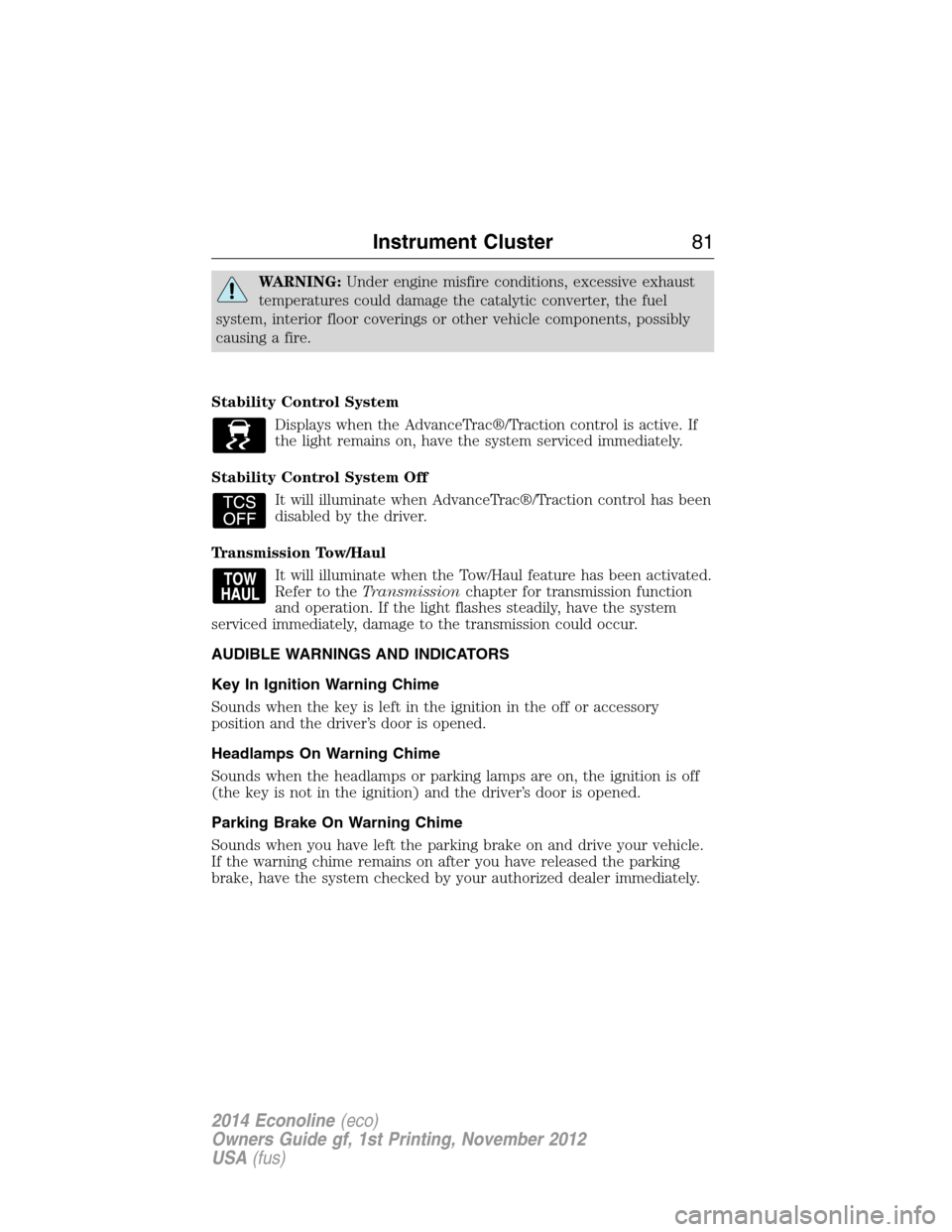
Stability Control System
Displays when the AdvanceTrac®/Traction control is active. If
the light remains on, have the system serviced immediately.
Stability Control System Off
It will illuminate when AdvanceTrac®/Traction control has been
disabled by the driver.
Transmission Tow/Haul
It will illuminate when the Tow/Haul feature has been activated.
Refer to theTransmissionchapter for transmission function
and operation. If the light flashes steadily, have the system
serviced immediately, damage to the transmission could occur.
AUDIBLE WARNINGS AND INDICATORS
Key In Ignition Warning Chime
Sounds when the key is left in the ignition in the off or accessory
position and the driver’s door is opened.
Headlamps On Warning Chime
Sounds when the headlamps or parking lamps are on, the ignition is off
(the key is not in the ignition) and the driver’s door is opened.
Parking Brake On Warning Chime
Sounds when you have left the parking brake on and drive your vehicle.
If the warning chime remains on after you have released the parking
brake, have the system checked by your authorized dealer immediately.
Instrument Cluster81
2014 Econoline(eco)
Owners Guide gf, 1st Printing, November 2012
USA(fus)
Page 89 of 438
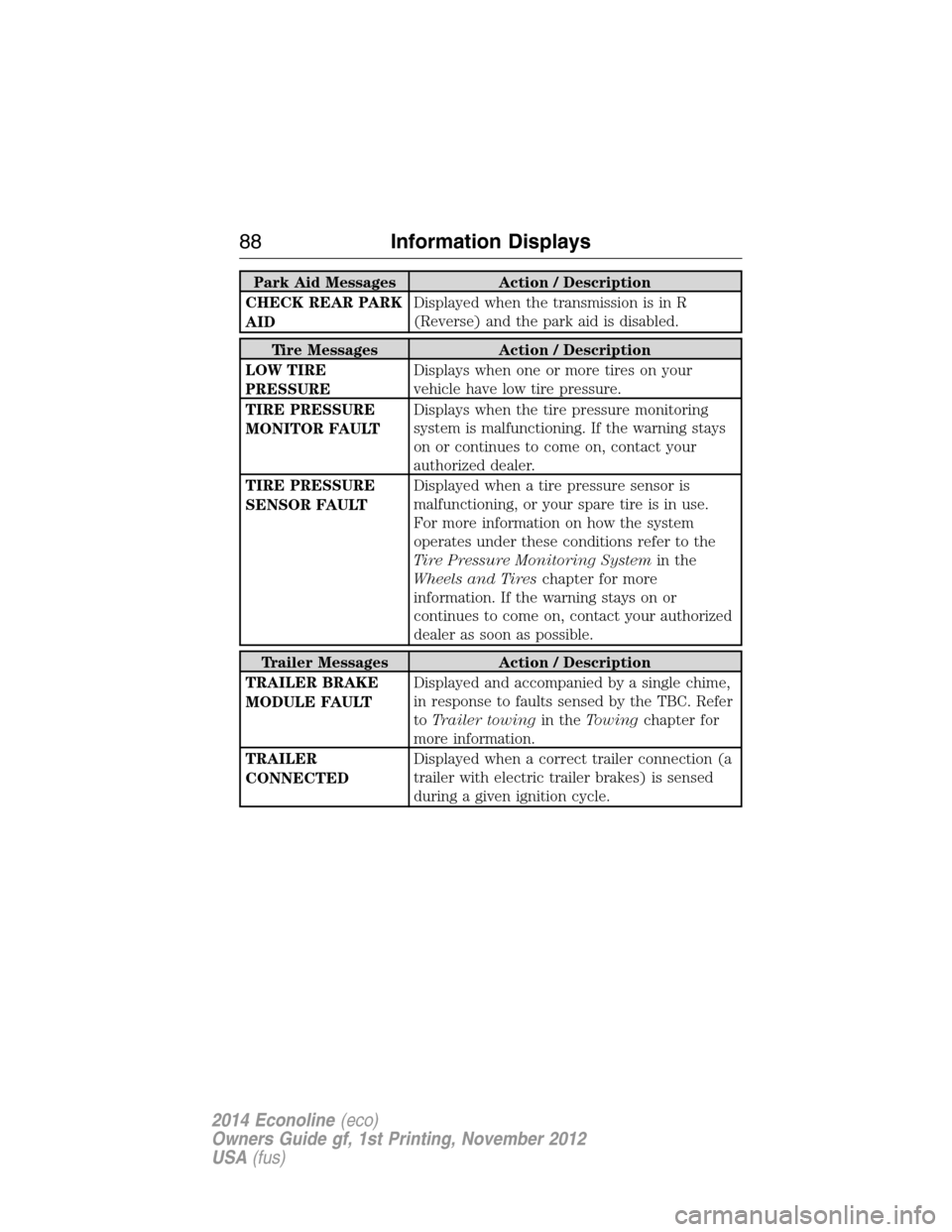
Park Aid Messages Action / Description
CHECK REAR PARK
AIDDisplayed when the transmission is in R
(Reverse) and the park aid is disabled.
Tire Messages Action / Description
LOW TIRE
PRESSUREDisplays when one or more tires on your
vehicle have low tire pressure.
TIRE PRESSURE
MONITOR FAULTDisplays when the tire pressure monitoring
system is malfunctioning. If the warning stays
on or continues to come on, contact your
authorized dealer.
TIRE PRESSURE
SENSOR FAULTDisplayed when a tire pressure sensor is
malfunctioning, or your spare tire is in use.
For more information on how the system
operates under these conditions refer to the
Tire Pressure Monitoring Systemin the
Wheels and Tireschapter for more
information. If the warning stays on or
continues to come on, contact your authorized
dealer as soon as possible.
Trailer Messages Action / Description
TRAILER BRAKE
MODULE FAULTDisplayed and accompanied by a single chime,
in response to faults sensed by the TBC. Refer
toTrailer towingin theTowingchapter for
more information.
TRAILER
CONNECTEDDisplayed when a correct trailer connection (a
trailer with electric trailer brakes) is sensed
during a given ignition cycle.
88Information Displays
2014 Econoline(eco)
Owners Guide gf, 1st Printing, November 2012
USA(fus)
Page 94 of 438
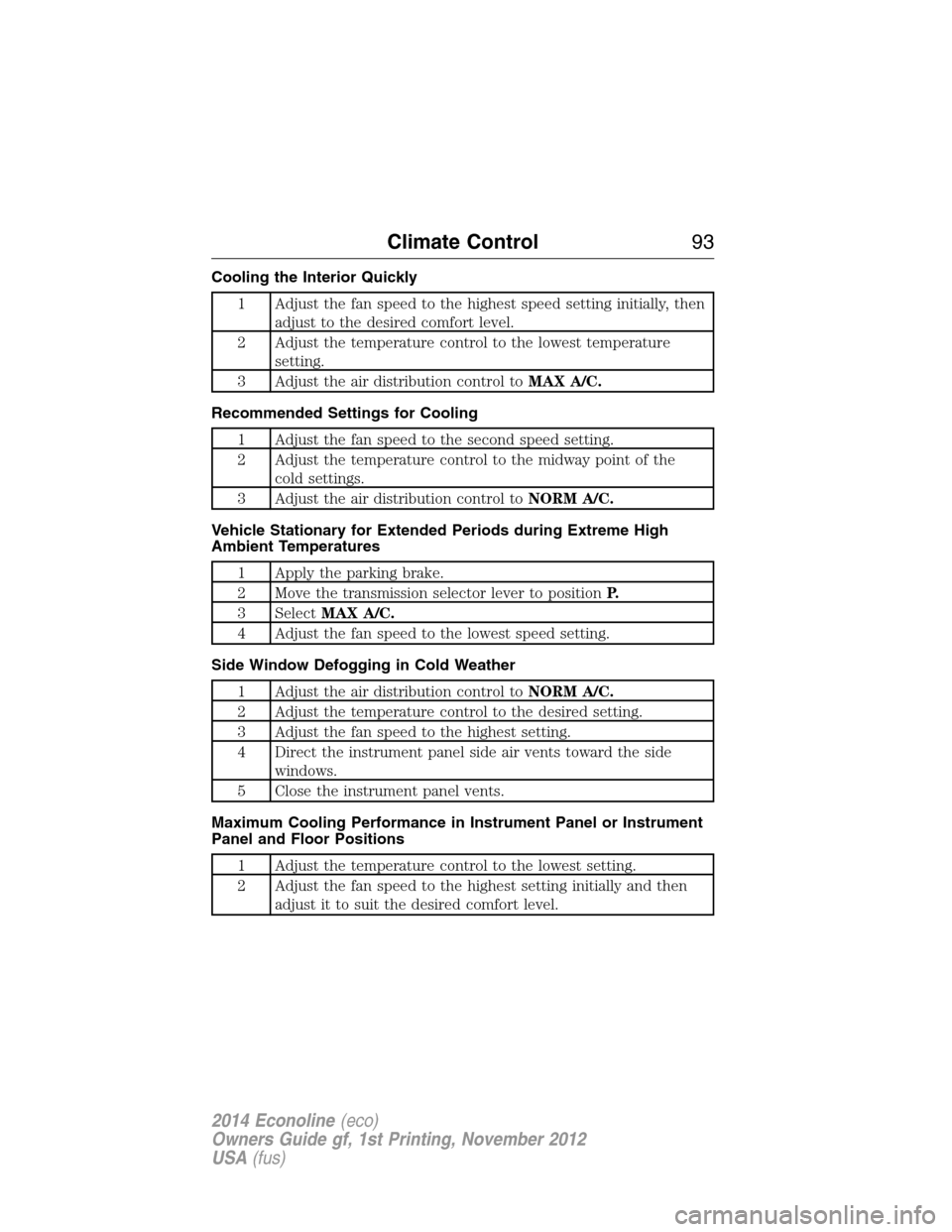
Cooling the Interior Quickly
1 Adjust the fan speed to the highest speed setting initially, then
adjust to the desired comfort level.
2 Adjust the temperature control to the lowest temperature
setting.
3 Adjust the air distribution control toMAX A/C.
Recommended Settings for Cooling
1 Adjust the fan speed to the second speed setting.
2 Adjust the temperature control to the midway point of the
cold settings.
3 Adjust the air distribution control toNORM A/C.
Vehicle Stationary for Extended Periods during Extreme High
Ambient Temperatures
1 Apply the parking brake.
2 Move the transmission selector lever to positionP.
3 SelectMAX A/C.
4 Adjust the fan speed to the lowest speed setting.
Side Window Defogging in Cold Weather
1 Adjust the air distribution control toNORM A/C.
2 Adjust the temperature control to the desired setting.
3 Adjust the fan speed to the highest setting.
4 Direct the instrument panel side air vents toward the side
windows.
5 Close the instrument panel vents.
Maximum Cooling Performance in Instrument Panel or Instrument
Panel and Floor Positions
1 Adjust the temperature control to the lowest setting.
2 Adjust the fan speed to the highest setting initially and then
adjust it to suit the desired comfort level.
Climate Control93
2014 Econoline(eco)
Owners Guide gf, 1st Printing, November 2012
USA(fus)
Page 107 of 438
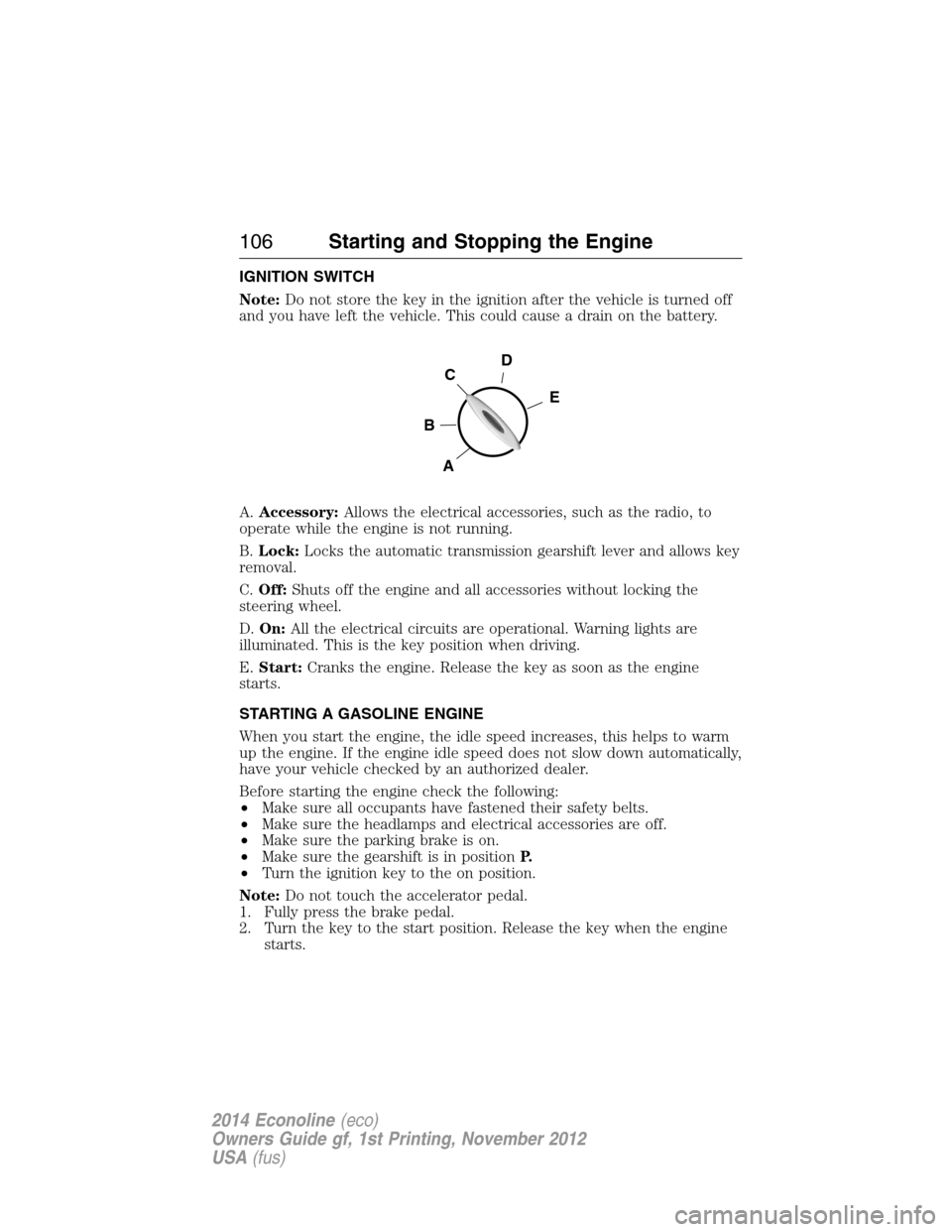
IGNITION SWITCH
Note:Do not store the key in the ignition after the vehicle is turned off
and you have left the vehicle. This could cause a drain on the battery.
A.Accessory:Allows the electrical accessories, such as the radio, to
operate while the engine is not running.
B.Lock:Locks the automatic transmission gearshift lever and allows key
removal.
C.Off:Shuts off the engine and all accessories without locking the
steering wheel.
D.On:All the electrical circuits are operational. Warning lights are
illuminated. This is the key position when driving.
E.Start:Cranks the engine. Release the key as soon as the engine
starts.
STARTING A GASOLINE ENGINE
When you start the engine, the idle speed increases, this helps to warm
up the engine. If the engine idle speed does not slow down automatically,
have your vehicle checked by an authorized dealer.
Before starting the engine check the following:
•Make sure all occupants have fastened their safety belts.
•Make sure the headlamps and electrical accessories are off.
•Make sure the parking brake is on.
•Make sure the gearshift is in positionP.
•Turn the ignition key to the on position.
Note:Do not touch the accelerator pedal.
1. Fully press the brake pedal.
2. Turn the key to the start position. Release the key when the engine
starts.
D
E
C
B
A
106Starting and Stopping the Engine
2014 Econoline(eco)
Owners Guide gf, 1st Printing, November 2012
USA(fus)