instrument cluster FORD E SERIES 2016 4.G User Guide
[x] Cancel search | Manufacturer: FORD, Model Year: 2016, Model line: E SERIES, Model: FORD E SERIES 2016 4.GPages: 319, PDF Size: 6.18 MB
Page 87 of 319
Tow/Haul Mode
To activate tow/haul, press the
button on the gearshift lever.
The TOW HAUL indicator light
illuminates in the instrument cluster.
The tow/haul feature:
• Delays upshifts to reduce the frequency
of transmission shifting.
• Provides engine braking in all forward
gears, which slows your vehicle and
assists you in controlling your vehicle
when descending a grade.
• Depending on driving conditions and
load conditions, may downshift the
transmission, slow your vehicle and
control your vehicle speed when
descending a hill, without pressing the
accelerator pedal. The amount of
downshift braking provided varies
based upon the amount you press the
brake pedal.
The tow/haul feature improves
transmission operation when towing a
trailer or a heavy load. All transmission
gear ranges are available when using
tow/haul.
To deactivate the tow/haul feature and
return to normal driving mode, press the
button on the gearshift lever again. The
TOW HAUL light deactivates. Tow/haul
also deactivates when you power down
your vehicle. WARNING
Do not use the tow/haul feature
when driving in icy or slippery
conditions as the increased engine
braking can cause the rear wheels to slide
and your vehicle to swing around with the
possible loss of vehicle control. Understanding the Shift Positions
of a 6–
Speed Automatic
Transmission Putting your vehicle in or out of gear:
1. Fully press down the brake pedal.
2. Move the gearshift lever into the
desired gear.
3. Come to a complete stop.
4. Move the gearshift lever and securely latch it in park (P).
Park (P)
This position locks the transmission and
prevents the wheels from turning.
Reverse (R)
With the transmission in reverse (R), your
vehicle moves backward. Always come to
a complete stop before shifting into and
out of reverse (R).
Neutral (N)
With the transmission in neutral (N), you
can start your vehicle and it is free to roll.
Hold the brake pedal down while in this
position.
Drive (D)
Drive (D) is the normal driving position for
the best fuel economy. The overdrive
function allows automatic upshifts and
downshifts through gears one through six.
84
E-Series (TE4) Canada/United States of America, enUSA, Edition date: 03/2015, Second Printing TransmissionE161509 E198819
Page 88 of 319
Fourth (4)
Trasnmission operates in fourth (4) gear
only. Used for improved traction on
slippery roads.
Second (2)
Transmission operates in second (2) gear
only. Use second (2) gear to start-up on
slippery roads.
First (1)
•
Transmission operates in first (1) gear
only.
• Provides maximum engine braking.
• Allows upshifts by moving gearshift
lever.
• Does not downshift into first (1) gear
at high speeds; allows for first (1) gear
when vehicle reaches slower speeds.
Forced downshifts
• Allowed in drive (D) with the tow/haul
feature on or off.
• Press the accelerator to the floor.
• Allows transmission to select an
appropriate gear.
Tow/Haul Mode To activate tow/haul, press the
button on the gearshift lever.
The TOW HAUL indicator light
illuminates in the instrument cluster. The tow/haul feature:
•
Delays upshifts to reduce the frequency
of transmission shifting.
• Provides engine braking in all forward
gears, which slows your vehicle and
assists you in controlling your vehicle
when descending a grade.
• Depending on driving conditions and
load conditions, may downshift the
transmission, slow your vehicle and
control your vehicle speed when
descending a hill, without pressing the
accelerator pedal. The amount of
downshift braking provided will vary
based upon the amount you press the
brake pedal.
The tow/haul feature improves
transmission operation when towing a
trailer or a heavy load. All transmission
gear ranges are available when using
tow/haul.
To deactivate the tow/haul feature and
return to normal driving mode, press the
button on the gearshift lever again. The
TOW HAUL light deactivates. Tow/haul
also deactivates when you power down
your vehicle. WARNING
Do not use the tow/haul feature
when driving in icy or slippery
conditions as the increased engine
braking can cause the rear wheels to slide
and your vehicle to swing around with the
possible loss of vehicle control. Brake-Shift Interlock
WARNINGS
Do not drive your vehicle until you
verify that the brake lamps are
working.
85
E-Series (TE4) Canada/United States of America, enUSA, Edition date: 03/2015, Second Printing TransmissionE161509
Page 91 of 319
GENERAL INFORMATION
Note:
Occasional brake noise is normal. If
a metal-to-metal, continuous grinding or
continuous squeal sound is present, the
brake linings may be worn-out and should
be inspected by an authorized dealer. If the
vehicle has continuous vibration or shudder
in the steering wheel while braking, the
vehicle should be inspected by an
authorized dealer.
Note: Brake dust may accumulate on the
wheels, even under normal driving
conditions. Some dust is inevitable as the
brakes wear and does not contribute to
brake noise. See Cleaning the Alloy
Wheels (page 160). See the Instrument Cluster
chapter for information on the
brake system warning light.
Wet brakes result in reduced braking
efficiency. Gently press the brake pedal a
few times when driving from a car wash or
standing water to dry the brakes.
Brake Over Accelerator
In the event the accelerator pedal
becomes stuck or entrapped, apply steady
and firm pressure to the brake pedal to
slow the vehicle and reduce engine power.
If you experience this condition, apply the
brakes and bring your vehicle to a safe
stop. Turn the engine off, shift the
transmission into park (P), apply the
parking brake, and then inspect the
accelerator pedal for any interferences. If
none are found and the condition persists,
have your vehicle towed to the nearest
authorized dealer. Hydraulic brake booster system
(Hydroboost or Hydromax)
The Hydroboost and Hydromax systems
receive fluid pressure from the power
steering pump to provide power assist
during braking.
The Hydromax booster receives backup
pressure from the reserve system electric
pump whenever the fluid in the power
steering system is not flowing. When the
engine is off, the pump will turn on if the
brake pedal is applied, or if the ignition is
turned to the on position.
The sound of the pump operating may be
heard by the driver, but this is a normal
characteristic of the system.
The reserve system provides reduced
braking power, so the vehicle should be
operated under these conditions with
caution, and only to seek service repair and
remove the vehicle from the roadway.
Note:
For Hydromax-equipped vehicles
operating under normal conditions, the noise
of the fluid flowing through the booster may
be heard whenever the brake is applied. This
condition is normal. Vehicle service is not
required.
If braking performance or pedal response
becomes very poor, even when the pedal
is strongly pressed, it may indicate the
presence of air in the hydraulic system or
leakage of fluid. Stop the vehicle safely as
soon as possible and seek service
immediately.
HINTS ON DRIVING WITH
ANTI-LOCK BRAKES
Note: When the system is operating, the
brake pedal may pulse and may travel
further. Maintain pressure on the brake
pedal. You may also hear a noise from the
system. This is normal.
88
E-Series (TE4) Canada/United States of America, enUSA, Edition date: 03/2015, Second Printing BrakesE144522
Page 92 of 319
The anti-lock braking system will not
eliminate the risks when:
•
You drive too closely to the vehicle in
front of you.
• Your vehicle is hydroplaning.
• You take corners too fast.
• The road surface is poor.
PARKING BRAKE WARNING
Always set the parking brake fully
and make sure the transmission
selector lever is placed in park (P).
Failure to set the parking brake and engage
park could result in vehicle roll-away,
property damage or bodily injury. Turn the
ignition to the lock position and remove
the key whenever you leave your vehicle. Apply the parking brake whenever your
vehicle is parked.
•
For vehicles equipped with a foot
operated parking brake, press the pedal
downward to set the parking brake.
• For vehicle equipped with a hand
operated parking brake, pull the
parking brake lever up to set the
parking brake. The brake warning lamp in the
instrument cluster illuminates
when the ignition is turned on
and the parking brake is applied.
The parking brake is not recommended to
stop a moving vehicle. However, if the
normal brakes fail, the parking brake can
be used to stop your vehicle in an
emergency. Your vehicle's stopping
distance will increase greatly and the
handling of your vehicle will be adversely
affected. To release the parking brake:
•
For vehicles equipped with a foot
operated parking brake, pull the
parking brake release lever.
• For vehicles equipped with a hand
operated parking brake, push the
parking brake lever down.
89
E-Series (TE4) Canada/United States of America, enUSA, Edition date: 03/2015, Second Printing BrakesE144522
Page 93 of 319
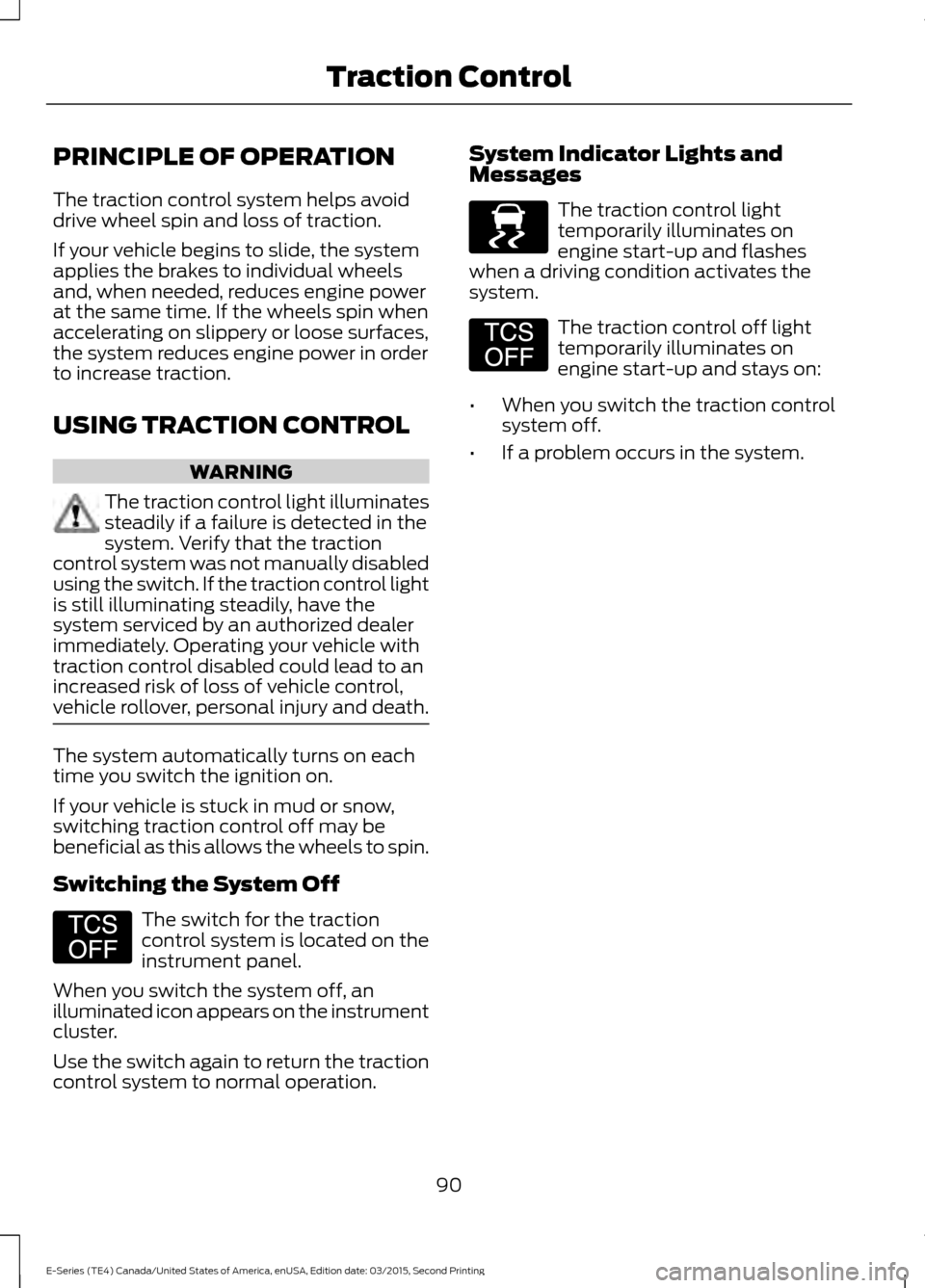
PRINCIPLE OF OPERATION
The traction control system helps avoid
drive wheel spin and loss of traction.
If your vehicle begins to slide, the system
applies the brakes to individual wheels
and, when needed, reduces engine power
at the same time. If the wheels spin when
accelerating on slippery or loose surfaces,
the system reduces engine power in order
to increase traction.
USING TRACTION CONTROL
WARNING
The traction control light illuminates
steadily if a failure is detected in the
system. Verify that the traction
control system was not manually disabled
using the switch. If the traction control light
is still illuminating steadily, have the
system serviced by an authorized dealer
immediately. Operating your vehicle with
traction control disabled could lead to an
increased risk of loss of vehicle control,
vehicle rollover, personal injury and death. The system automatically turns on each
time you switch the ignition on.
If your vehicle is stuck in mud or snow,
switching traction control off may be
beneficial as this allows the wheels to spin.
Switching the System Off
The switch for the traction
control system is located on the
instrument panel.
When you switch the system off, an
illuminated icon appears on the instrument
cluster.
Use the switch again to return the traction
control system to normal operation. System Indicator Lights and
Messages The traction control light
temporarily illuminates on
engine start-up and flashes
when a driving condition activates the
system. The traction control off light
temporarily illuminates on
engine start-up and stays on:
• When you switch the traction control
system off.
• If a problem occurs in the system.
90
E-Series (TE4) Canada/United States of America, enUSA, Edition date: 03/2015, Second Printing Traction ControlE194301 E138639 E194301
Page 94 of 319
PRINCIPLE OF OPERATION
Cruise control lets you maintain a set
speed without keeping your foot on the
accelerator pedal. You can use cruise
control when your vehicle speed is greater
than 20 mph (30 km/h).
USING CRUISE CONTROL WARNINGS
Do not use cruise control on winding
roads, in heavy traffic or when the
road surface is slippery. This could
result in loss of vehicle control, serious
injury or death. When you are going downhill, your
vehicle speed may increase above
the set speed. The system will not
apply the brakes but a warning displays.
Failure to follow this warning could result
in serious personal injury or death. To help the system to maintain the set
speed when going downhill, downshift to
a lower gear.
Note:
Cruise control will disengage if the
vehicle speed decreases more than 10 mph
(16 km/h) below the set speed while driving
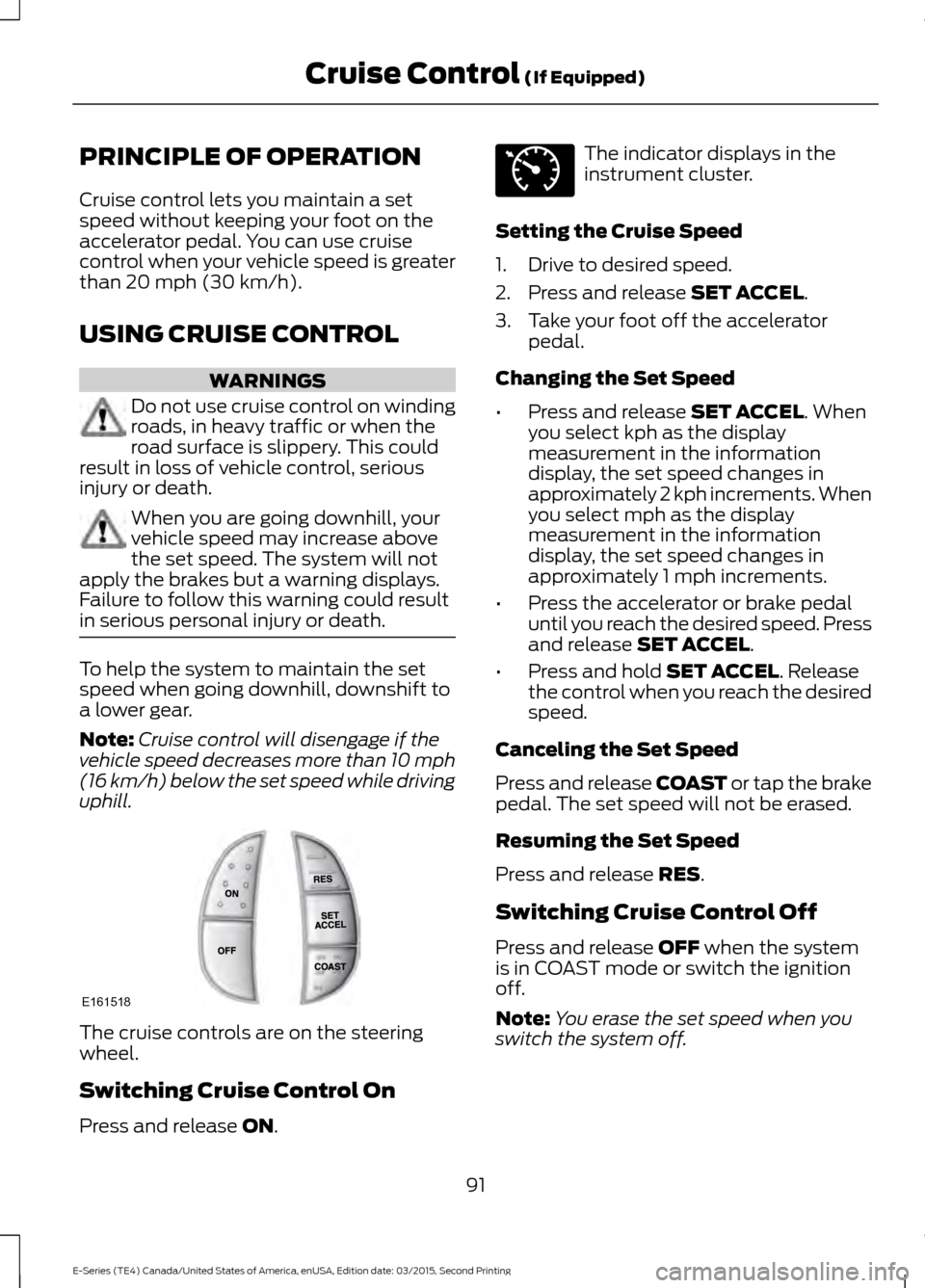
uphill. The cruise controls are on the steering
wheel.
Switching Cruise Control On
Press and release
ON. The indicator displays in the
instrument cluster.
Setting the Cruise Speed
1. Drive to desired speed.
2. Press and release
SET ACCEL.
3. Take your foot off the accelerator pedal.
Changing the Set Speed
• Press and release
SET ACCEL. When
you select kph as the display
measurement in the information
display, the set speed changes in
approximately 2 kph increments. When
you select mph as the display
measurement in the information
display, the set speed changes in
approximately 1 mph increments.
• Press the accelerator or brake pedal
until you reach the desired speed. Press
and release
SET ACCEL.
• Press and hold
SET ACCEL. Release
the control when you reach the desired
speed.
Canceling the Set Speed
Press and release COAST or tap the brake
pedal. The set speed will not be erased.
Resuming the Set Speed
Press and release
RES.
Switching Cruise Control Off
Press and release
OFF when the system
is in COAST mode or switch the ignition
off.
Note: You erase the set speed when you
switch the system off.
91
E-Series (TE4) Canada/United States of America, enUSA, Edition date: 03/2015, Second Printing Cruise Control
(If Equipped)E161518 E71340
Page 145 of 319
AUTOMATIC TRANSMISSION
FLUID CHECK
Have an authorized dealer check and
change the transmission fluid and filter at
the correct service interval. See
Scheduled Maintenance (page 268).
Do not use supplemental transmission
fluid additives, treatments or cleaning
agents. The use of these materials may
affect transmission operation and result
in damage to internal transmission
components.
Checking Automatic Transmission
Fluid
For scheduled intervals of the fluid checks
and changes, See
Scheduled
Maintenance (page 268). Your
transmission does not consume fluid.
However, the fluid level should be checked
if the transmission is not working properly,
i.e., if the transmission slips or shifts slowly
or if you notice some sign of fluid leakage.
Automatic transmission fluid expands
when warmed. To obtain an accurate fluid
check, drive the vehicle until it is at normal
operating temperature (approximately
19 mi (30 km)
). Verify that the
transmission fluid temperature gauge,
located on the instrument cluster, is within
normal range.
1. Drive the vehicle
19 mi (30 km) until it
reaches normal operating temperature.
2. Park the vehicle on a level surface and
engage the parking brake.
3. With the engine running, parking brake
engaged and your foot on the brake
pedal, move the gearshift lever through
all of the gear ranges. Allow sufficient
time for each gear to engage.
4. Put the transmission in park (P) and leave the engine running. 5. Remove the dipstick, wiping it clean
with a clean, dry lint free rag. If
necessary, refer to the Under Hood
Overview in this chapter for the
location of the dipstick.
6. Install the dipstick making sure it is fully
seated in the filler tube.
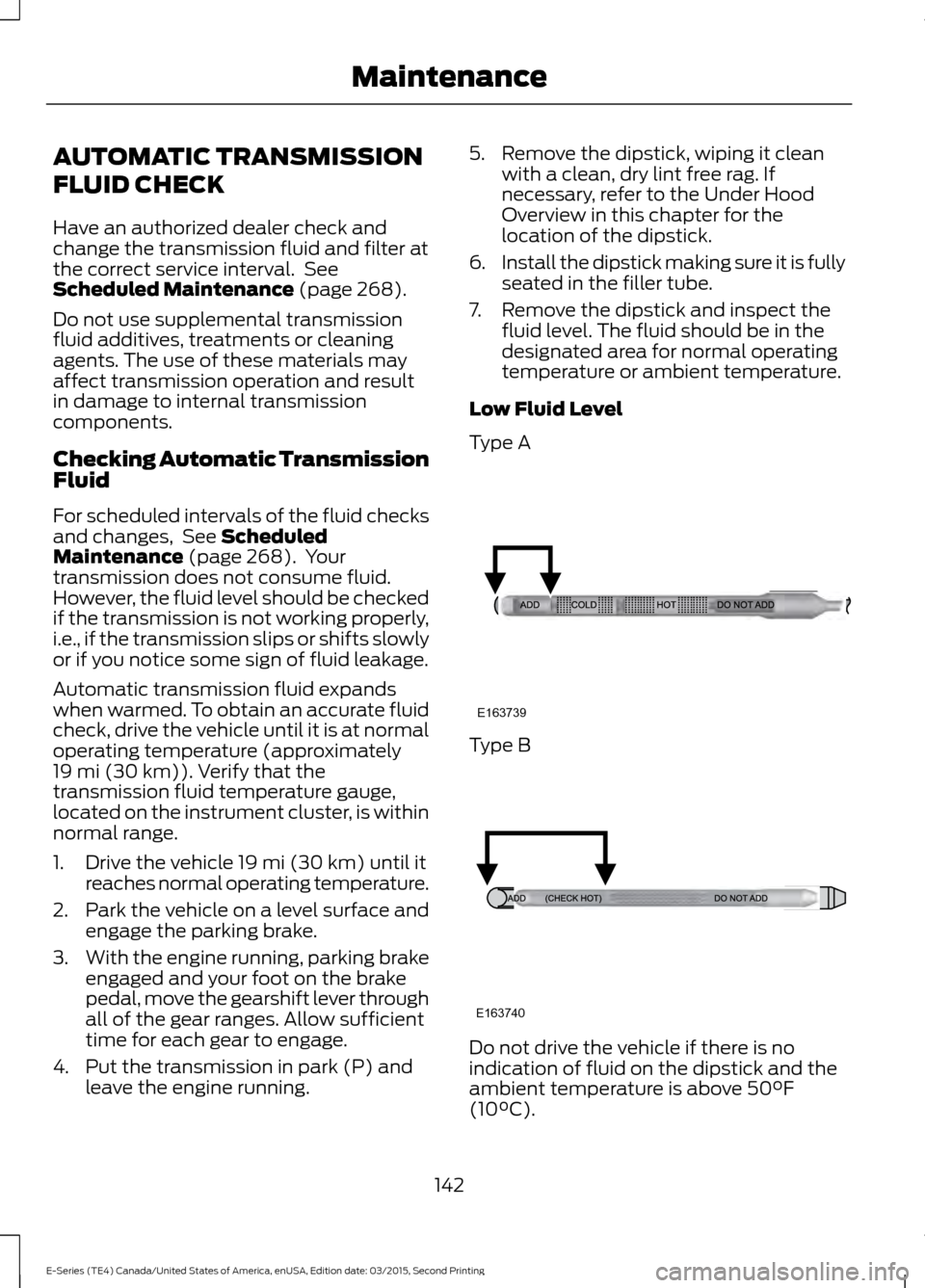
7. Remove the dipstick and inspect the fluid level. The fluid should be in the
designated area for normal operating
temperature or ambient temperature.
Low Fluid Level
Type A Type B
Do not drive the vehicle if there is no
indication of fluid on the dipstick and the
ambient temperature is above
50°F
(10°C).
142
E-Series (TE4) Canada/United States of America, enUSA, Edition date: 03/2015, Second Printing MaintenanceE163739 E163740
Page 162 of 319
CLEANING THE INTERIOR
WARNINGS
Do not use cleaning solvents, bleach
or dye on the vehicle
’s safety belts,
as these actions may weaken the
belt webbing. On vehicles equipped with
seat-mounted airbags, do not use
chemical solvents or strong
detergents. Such products could
contaminate the side airbag system and
affect performance of the side airbag in a
collision. For fabric, carpets, cloth seats, safety belts
and seats equipped with side airbags:
•
Remove dust and loose dirt with a
vacuum cleaner.
• Remove light stains and soil with
Motorcraft Professional Strength
Carpet & Upholstery Cleaner.
• If grease or tar is present on the
material, spot-clean the area first with
Motorcraft Spot and Stain Remover. In
Canada, use Motorcraft Multi-Purpose
Cleaner.
• If a ring forms on the fabric after spot
cleaning, clean the entire area
immediately (but do not oversaturate)
or the ring will set.
• Do not use household cleaning
products or glass cleaners, which can
stain and discolor the fabric and affect
the flame retardant abilities of the seat
materials. CLEANING THE INSTRUMENT
PANEL AND INSTRUMENT
CLUSTER LENS WARNING
Do not use chemical solvents or
strong detergents when cleaning the
steering wheel or instrument panel
to avoid contamination of the airbag
system. Note:
Follow the same procedure as
cleaning leather seats for cleaning leather
instrument panels and leather interior trim
surfaces. See Cleaning Leather Seats
(page 160).
Clean the instrument panel and cluster
lens with a clean, damp and soft cloth,
then use a clean, dry and soft cloth to dry
these areas.
• Avoid cleaners or polishes that increase
the gloss of the upper portion of the
instrument panel. The dull finish in this
area helps protect you from
undesirable windshield reflection.
• Do not use any household cleaning
products or glass cleaners as these
may damage the finish of the
instrument panel, interior trim and
cluster lens.
• Wash or wipe your hands clean if you
have been in contact with certain
products such as insect repellent and
suntan lotion to avoid possible damage
to the interior painted surfaces.
• Do not allow air fresheners and hand
sanitizers to spill onto interior surfaces.
If a spill occurs, wipe off immediately.
Your warranty may not cover these
damages.
If a staining liquid like coffee or juice has
been spilled on the instrument panel or on
interior trim surfaces:
159
E-Series (TE4) Canada/United States of America, enUSA, Edition date: 03/2015, Second Printing Vehicle Care
Page 313 of 319
Changing a Road Wheel............................186
Dissimilar Spare Wheel and Tire Assembly
Information....................................................... 187
Tire Change Procedure.................................... 188
Changing the 12V Battery..........................145
Dual Batteries....................................................... 147
Reconnecting the Battery............................... 146
Changing the Engine Air Filter.................155
Changing the Wiper Blades
......................147
Checking the Wiper Blades.......................147
Child Restraint and Seatbelt Maintenance.................................................26
Child Restraint Positioning.........................20
Child Safety
.......................................................13
General Information............................................. 13
Cleaning Leather Seats..............................160
Cleaning Products
........................................156
Cleaning the Alloy Wheels.......................160
Cleaning the Engine....................................158
Cleaning the Exterior...................................156 Exterior Chrome Parts....................................... 157
Exterior Plastic Parts.......................................... 157
Stripes or Graphics............................................. 157
Underbody............................................................. 157
Cleaning the Instrument Panel and Instrument Cluster Lens.........................159
Cleaning the Interior....................................159
Cleaning the Windows and Wiper Blades............................................................158
Climate Control
..............................................63
Coolant Check See: Engine Coolant Check............................. 139
Crash Sensors and Airbag Indicator........33
Cruise Control..................................................42 Principle of Operation......................................... 91
Cruise control See: Using Cruise Control.................................. 91
Customer Assistance
..................................120
D
Data Recording
..................................................7
Event Data Recording............................................ 7
Service Data Recording......................................... 7
Daytime Running Lamps.............................45
Digital Radio
...................................................210
HD Radio Reception and Station
Troubleshooting.............................................. 211Direction Indicators
.......................................45
Driver and Passenger Airbags...................28 Children and Airbags........................................... 32
Passenger Airbag On and Off Switch ..........28
Proper Driver and Front Passenger Seating Adjustment........................................................ 32
Driving Aids.......................................................92
Driving Hints.....................................................112
Driving Through Water.................................113
DRL See: Daytime Running Lamps......................... 45
E
Economical Driving
.......................................112
Emission Control System...........................80 On-Board Diagnostics (OBD-II)...................... 81
Readiness for Inspection/Maintenance (I/M) Testing...................................................... 81
End User License Agreement.................286 SYNC End User License Agreement
(EULA).............................................................. 286
Engine Block Heater......................................74 Using the Engine Block Heater........................ 74
Engine Coolant Check
................................139
Adding Engine Coolant..................................... 139
Checking the Engine Coolant......................... 139
Recycled Engine Coolant................................ 140
Severe Climates.................................................. 140
What You Should Know About Fail-Safe Cooling................................................................ 141
Engine Immobilizer See: Passive Anti-Theft System.................... 40
Engine Oil Check...........................................138 Adding Engine Oil............................................... 138
Engine Oil Dipstick.......................................138
Engine Specifications - 5.4L V8
...............191
Drivebelt Routing................................................. 191
Engine Specifications - 6.8L.....................191 Drivebelt Routing................................................ 192
Environment......................................................12
310
E-Series (TE4) Canada/United States of America, enUSA, Edition date: 03/2015, Second Printing Index
Page 315 of 319
Hints on Driving With Anti-Lock
Brakes.............................................................88
Hood Lock See: Opening and Closing the Hood...........136
I
Ignition Switch
.................................................72
In California (U.S. Only)...............................121
Information Displays.....................................55 General Information............................................ 55
Information Messages
.................................60
Brake System........................................................ 60
Fuel........................................................................\
... 60
Maintenance.......................................................... 60
Tire........................................................................\
...... 61
Traction Control..................................................... 61
Trailer........................................................................\
62
Transmission.......................................................... 62
Installing Child Restraints............................14 Child Seats............................................................... 14
Using Lap and Shoulder Belts.......................... 15
Using Tether Straps.............................................. 17
Instrument Cluster........................................49
Instrument Lighting Dimmer.....................45
Interior Mirror
....................................................47
Auto-Dimming Mirror......................................... 48
Introduction........................................................5
J
Jump Starting the Vehicle
...........................117
Connecting the Jumper Cables....................... 117
Jump Starting........................................................ 118
Preparing Your Vehicle....................................... 117
Removing the Jumper Cables......................... 118
K
Keys and Remote Controls.........................34
L
Lighting Control
..............................................44
Headlamp Flasher............................................... 45
High Beams............................................................ 44
Lighting..............................................................44 General Information............................................ 44Load Carrying..................................................93
Load Limit.........................................................93
Special Loading Instructions for Owners of
Pick-up Trucks and Utility-type
Vehicles.............................................................. 99
Vehicle Loading - with and without a Trailer................................................................... 93
Locking and Unlocking
.................................37
Autolock Feature.................................................. 38
Autounlock Feature............................................. 38
Enabling or Disabling Autolock and Autounlock........................................................ 38
Illuminated Entry.................................................. 38
Power Door Locks................................................. 37
Remote Control..................................................... 37
Locks ....................................................................
37
Lug Nuts See: Changing a Road Wheel........................ 186
M
Maintenance..................................................136 General Information.......................................... 136
Manual Climate Control..............................63 Heater Only System............................................ 63
Manual Climate Control.................................... 64
Manual Seats
..................................................68
Manual Lumbar ................................................... 69
Moving the Seat Backward and Forward.............................................................. 68
Recline Adjustment............................................ 68
Message Center See: Information Displays................................. 55
Mirrors See: Windows and Mirrors................................ 46
Mobile Communications Equipment........11
Motorcraft Parts - 5.4L V8........................192
Motorcraft Parts - 6.8L..............................194
N
Normal Scheduled Maintenance
............271
O
Oil Change Indicator Reset
.......................138
Resetting the Oil Life Monitoring
System............................................................... 138
312
E-Series (TE4) Canada/United States of America, enUSA, Edition date: 03/2015, Second Printing Index