display FORD E SERIES 2018 User Guide
[x] Cancel search | Manufacturer: FORD, Model Year: 2018, Model line: E SERIES, Model: FORD E SERIES 2018Pages: 323, PDF Size: 7.09 MB
Page 62 of 323
SYSTEM CHECK
TBC GAIN = XX.X or NOTRAILER (if equipped)
TBC GAIN = XX.X orOUTPUT = ////// (ifequipped)
XXX MILES TO E
OIL LIFE XXX% HOLD RESET = NEW
This displays the remaining oil life. An oilchange is required whenever indicated bythe message center and according to therecommended maintenance schedule.USE ONLY RECOMMENDED ENGINE OILS.
To reset the oil monitoring system to 100%after each oil change, perform thefollowing:
1. Press and release the SELECT/RESETstem to display OIL LIFE XXX% HOLDRESET = NEW.
2. Press and hold the SELECT/RESETstem for two seconds and release toreset the oil life to 100%.
Note:To change oil life 100% value (ifequipped):
3. Once OIL LIFE SET TO XXX%displays, release and press theSELECT/RESET stem to change the oillife start value. Each release and pressreduces the value by 10%.
UNITS ENG / METRIC
Displays the current units in English orMetric.
AUTOLOCK
This feature automatically locks all vehicledoors when you shift into any gear, puttingthe vehicle in motion.
AUTOUNLOCK
This feature automatically unlocks allvehicle doors when you open the driver'sdoor within 10 minutes of switching theignition off.
COMPASS (if equipped)
Displays the vehicle's heading direction.
Note:Driving near large buildings, bridges,power lines and powerful broadcastantennas may affect the compass reading.Magnetic or metallic objects placed in, onor near the vehicle may also affect compassaccuracy. If the compass appears to beinaccurate, a manual calibration may benecessary. Refer to Compass zoneadjustment.
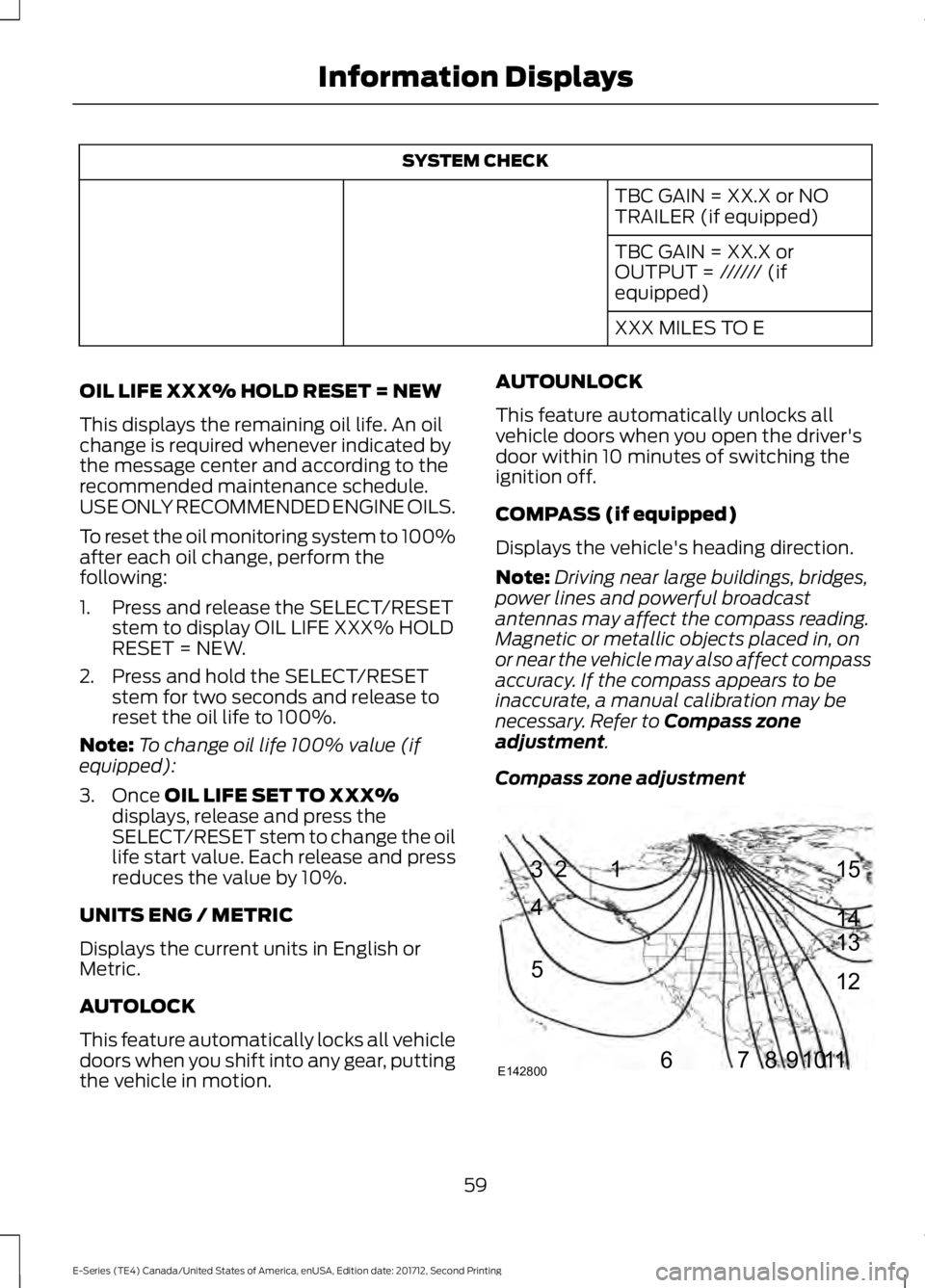
Compass zone adjustment
59
E-Series (TE4) Canada/United States of America, enUSA, Edition date: 201712, Second Printing
Information Displays123
4
5
6 7 8 9 1011 12 13 14 15
E142800
Page 63 of 323
1. Determine which magnetic zone youare in for your geographic location byreferring to the zone map.
2. Press and release the SELECT/RESETstem to scroll through the informationdisplays until the message centerdisplays HOLD RESET FOR SETUPMENU.
3. Press and hold the SELECT/RESETstem to get into the setup menu. Pressrepeatedly to scroll through the setupmenu until COMPASS ZONE XXappears in the information display.
4. Press and hold the SELECT/RESETstem for approximately two secondsto go to the next zone, then release.
5. Press and hold to go up by one zonethen release. Repeat this until youreach the desired zone.
6. To exit the procedure, release theSELECT/RESET stem and allow thesetup timer to expire.
Compass calibration adjustment
Note:For optimum calibration, drive to anopen, level location away from largemetallic objects or structures. Switch off allnon-essential electrical accessories (heatedrear window, heater, A/C, map lamps, wiper,etc.) and make sure all the doors are closed.
Note: If you press the SELECT/RESET stemduring the calibration or three minuteselapse since the beginning of the calibrationwithout driving the vehicle, the informationdisplay reverts back to normal operationand CAL displays until you complete asuccessful calibration.
1. Press and release the SELECT/RESETstem to scroll through the informationdisplays until HOLD RESET FOR SETUPMENU appears.
2. Press and hold the SELECT/RESETstem to get into the setup menu. Pressit repeatedly to scroll through the setupmenu until HOLD RESET FORCALIBRATION appears in theinformation display.
3. Press and hold the SELECT/RESETstem for approximately two secondsuntil the information display enters thecompass zone adjustment mode.
4. Press and hold the SELECT/RESETstem until CIRCLE SLOWLY TOCALIBRATE appears in the informationdisplay.
5. Slowly drive the vehicle in a circle lessthan 3 mph (5 km/h) until the CIRCLESLOWLY TO CALIBRATE messagechanges to CALIBRATIONCOMPLETED. This may require up tofive circles to complete the calibration.
TBC MODE (if equipped)
Allows you to choose the trailer brakemode.
LANGUAGE = ENGLISH / SPANISH /FRENCH
Allows you to choose which languageappears in the information display.
Waiting four seconds or pressing theSELECT/RESET stem cycles theinformation display through each of thelanguage choices.
Press the SELECT/RESET stem to set thelanguage choice when the language youwant appears.
HOLD RESET FOR SYSTEM CHECK
The information display begins to cyclethrough the vehicle systems and providesa status of the item if needed. Somesystems show a message only if acondition is present.
60
E-Series (TE4) Canada/United States of America, enUSA, Edition date: 201712, Second Printing
Information Displays
Page 64 of 323
INFORMATION MESSAGES
Note:Depending on the vehicle optionsequipped with your vehicle, not all of themessages will display or be available.Certain messages may be abbreviated orshortened depending upon which clustertype you have.
Press the SELECT/RESET stem toacknowledge and remove some messagesfrom the information display. Othermessages will be removed automaticallyafter a short time.
Certain messages need to be confirmedbefore you can access the menus.
Brake System
ActionMessage
Indicates the brake fluid level is low, have the brakesystem inspected immediately.BRAKE FLUID LEVEL LOW
Displays when the brake system needs servicing. If thewarning stays on or continues to come on, contactyour authorized dealer as soon as possible.
CHECK BRAKE SYSTEM
Displays when the parking brake is set and the vehicleis in motion.PARK BRAKE ENGAGED
Fuel
ActionMessage
Displays as an early reminder of a low fuel condition.XXX MILES TO E FUEL LEVELLOW
Maintenance
ActionMessage
Displays when the engine oil life remaining is between5% and 0%.ENGINE OIL CHANGE SOON
Displays when the oil life left reaches 0%.OIL CHANGE REQUIRED
Displays after you have the oil changed.OIL LIFE OK
61
E-Series (TE4) Canada/United States of America, enUSA, Edition date: 201712, Second Printing
Information Displays
Page 65 of 323
Tire
ActionMessage
Displays when one or more tires on your vehicle havelow tire pressure.LOW TIRE PRESSURE
Displays when the tire pressure monitoring systemmalfunctions. If the warning stays on or continues tocome on, contact your authorized dealer.
TIRE PRESSURE MONITORFAULT
Displays when a tire pressure sensor malfunctions, oryour spare tire is in use. For more information on howthe system operates under these conditions, refer tothe Tire Pressure Monitoring System in the Wheels andTires chapter for more information. If the warning stayson or continues to come on, contact your authorizeddealer as soon as possible.
TIRE PRESSURE SENSORFAULT
Traction Control
ActionMessage
Displays when the traction control system detects acondition that requires service. Contact your authorizeddealer as soon as possible.
Traction Control
62
E-Series (TE4) Canada/United States of America, enUSA, Edition date: 201712, Second Printing
Information Displays
Page 66 of 323
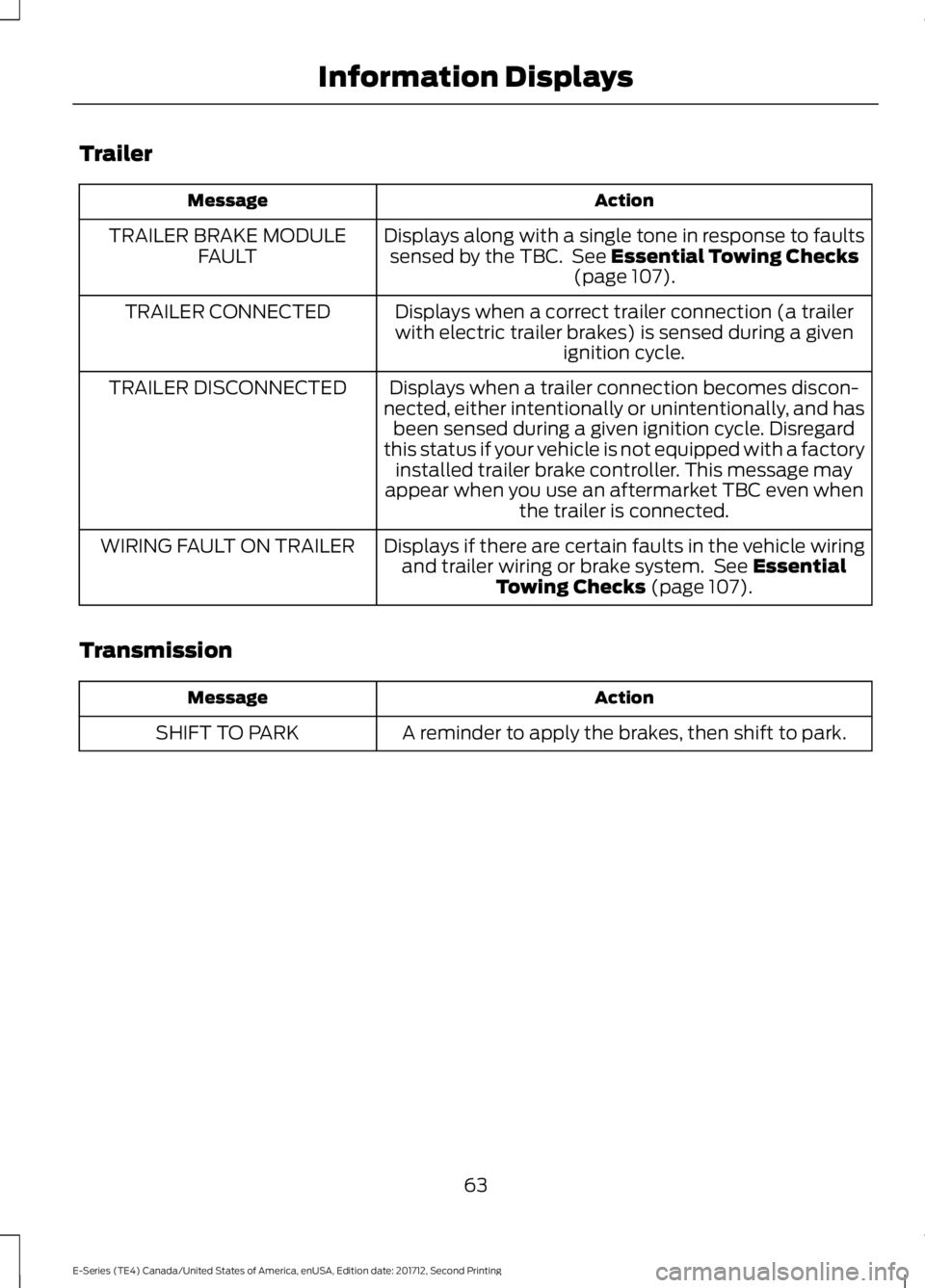
Trailer
ActionMessage
Displays along with a single tone in response to faultssensed by the TBC. See Essential Towing Checks(page 107).
TRAILER BRAKE MODULEFAULT
Displays when a correct trailer connection (a trailerwith electric trailer brakes) is sensed during a givenignition cycle.
TRAILER CONNECTED
Displays when a trailer connection becomes discon-nected, either intentionally or unintentionally, and hasbeen sensed during a given ignition cycle. Disregardthis status if your vehicle is not equipped with a factoryinstalled trailer brake controller. This message mayappear when you use an aftermarket TBC even whenthe trailer is connected.
TRAILER DISCONNECTED
Displays if there are certain faults in the vehicle wiringand trailer wiring or brake system. See EssentialTowing Checks (page 107).
WIRING FAULT ON TRAILER
Transmission
ActionMessage
A reminder to apply the brakes, then shift to park.SHIFT TO PARK
63
E-Series (TE4) Canada/United States of America, enUSA, Edition date: 201712, Second Printing
Information Displays
Page 96 of 323
REAR VIEW CAMERA (If Equipped)
WARNINGS
The rear view camera system is areverse aid supplement device thatstill requires the driver to use it inconjunction with the interior and exteriormirrors for maximum coverage.
Objects that are close to eithercorner of the bumper or under thebumper, might not be seen on thescreen due to the limited coverage of thecamera system.
Reverse your vehicle as slow aspossible, higher speeds may limityour reaction time to stop yourvehicle.
Use caution when the rear cargo dooris ajar. If the rear cargo door is ajar,the camera will be out of positionand the video image may be incorrect. Allguidelines disappear when the rear cargodoor is ajar. Some vehicles may not comeequipped with guidelines.
Use caution when turning camerafeatures on or off when thetransmission is not in park (P). Makesure your vehicle is not moving.
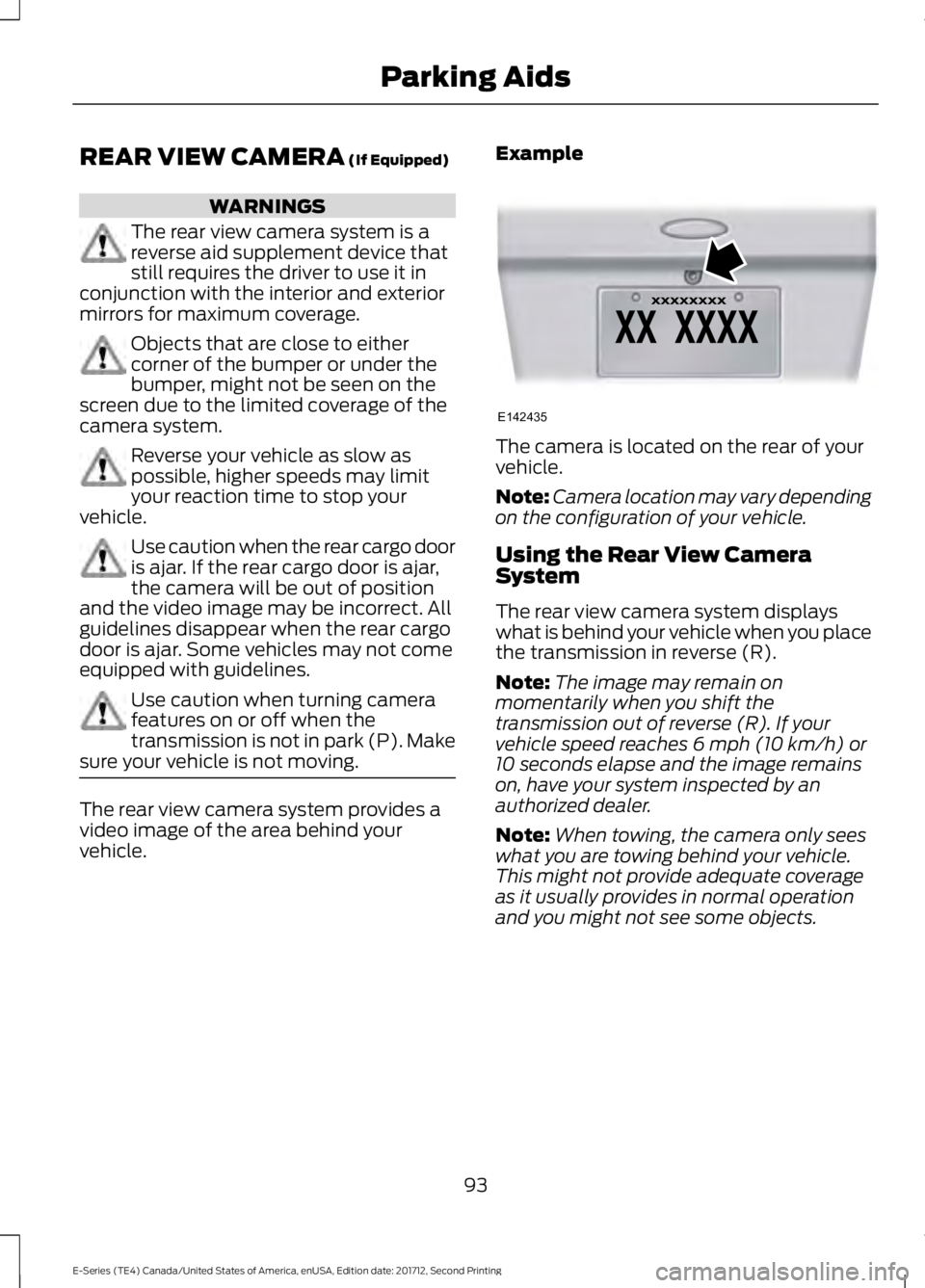
The rear view camera system provides avideo image of the area behind yourvehicle.
Example
The camera is located on the rear of yourvehicle.
Note:Camera location may vary dependingon the configuration of your vehicle.
Using the Rear View CameraSystem
The rear view camera system displayswhat is behind your vehicle when you placethe transmission in reverse (R).
Note:The image may remain onmomentarily when you shift thetransmission out of reverse (R). If yourvehicle speed reaches 6 mph (10 km/h) or10 seconds elapse and the image remainson, have your system inspected by anauthorized dealer.
Note:When towing, the camera only seeswhat you are towing behind your vehicle.This might not provide adequate coverageas it usually provides in normal operationand you might not see some objects.
93
E-Series (TE4) Canada/United States of America, enUSA, Edition date: 201712, Second Printing
Parking AidsE142435
Page 98 of 323
PRINCIPLE OF OPERATION
Cruise control lets you maintain a setspeed without keeping your foot on theaccelerator pedal. You can use cruisecontrol when your vehicle speed is greaterthan 20 mph (30 km/h).
USING CRUISE CONTROL (If
Equipped)
WARNINGS
Do not use cruise control on windingroads, in heavy traffic or when theroad surface is slippery. This couldresult in loss of vehicle control, seriousinjury or death.
When you are going downhill, yourvehicle speed could increase abovethe set speed. The system does notapply the brakes.
To help the system to maintain the setspeed when going downhill, downshift toa lower gear.
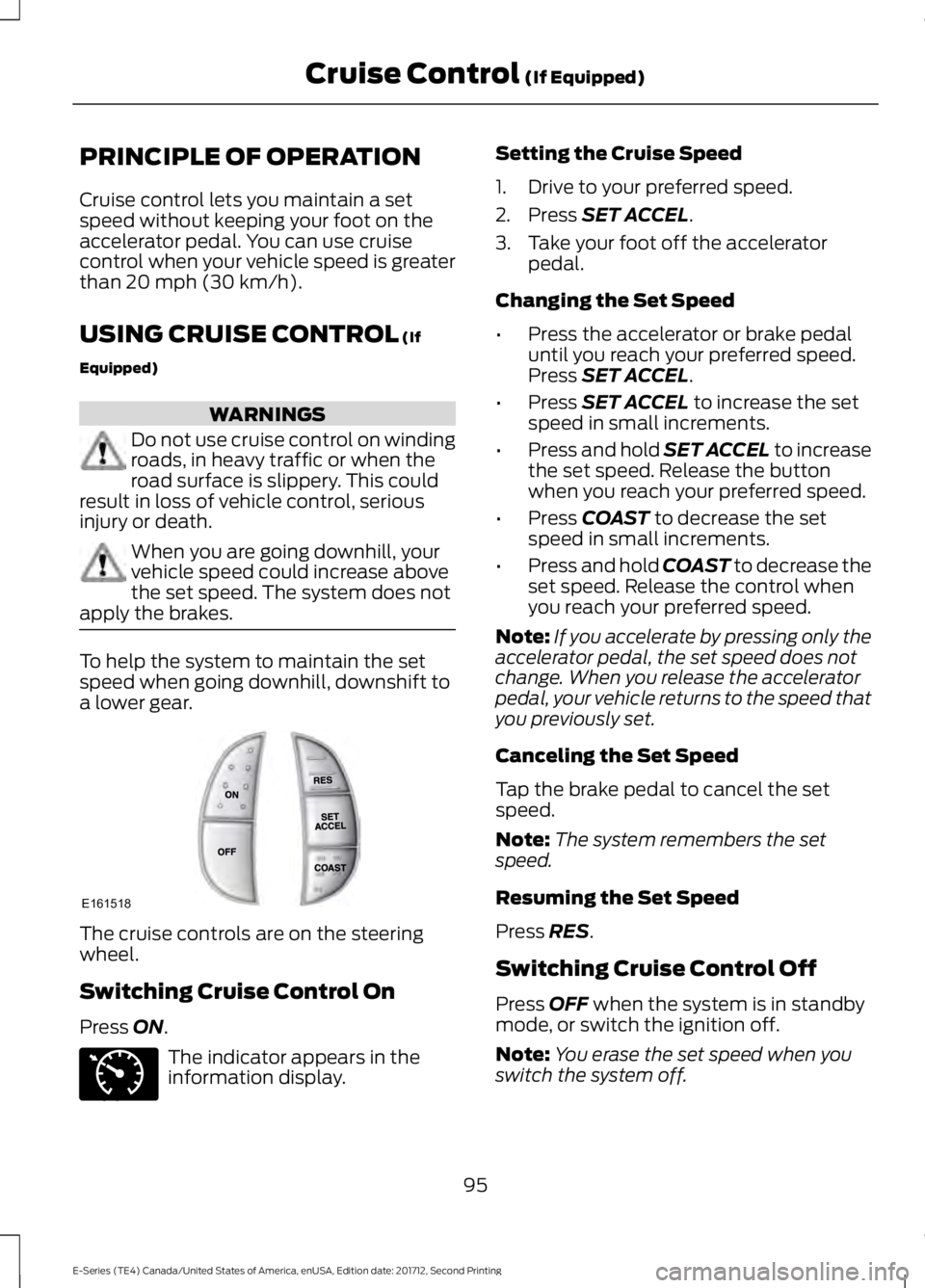
The cruise controls are on the steeringwheel.
Switching Cruise Control On
Press ON.
The indicator appears in theinformation display.
Setting the Cruise Speed
1. Drive to your preferred speed.
2. Press SET ACCEL.
3. Take your foot off the acceleratorpedal.
Changing the Set Speed
•Press the accelerator or brake pedaluntil you reach your preferred speed.Press SET ACCEL.
•Press SET ACCEL to increase the setspeed in small increments.
•Press and hold SET ACCEL to increasethe set speed. Release the buttonwhen you reach your preferred speed.
•Press COAST to decrease the setspeed in small increments.
•Press and hold COAST to decrease theset speed. Release the control whenyou reach your preferred speed.
Note:If you accelerate by pressing only theaccelerator pedal, the set speed does notchange. When you release the acceleratorpedal, your vehicle returns to the speed thatyou previously set.
Canceling the Set Speed
Tap the brake pedal to cancel the setspeed.
Note:The system remembers the setspeed.
Resuming the Set Speed
Press RES.
Switching Cruise Control Off
Press OFF when the system is in standbymode, or switch the ignition off.
Note:You erase the set speed when youswitch the system off.
95
E-Series (TE4) Canada/United States of America, enUSA, Edition date: 201712, Second Printing
Cruise Control (If Equipped)E161518 E71340
Page 106 of 323
TRAILER SWAY CONTROL (If
Equipped)
WARNING
Switching off trailer sway controlincreases the risk of loss of vehiclecontrol, serious injury or death. Wedo not recommend disabling this featureexcept in situations where speed reductionmay be detrimental, for exampleascending a grade, and the driver hassignificant trailer towing experience andcan control trailer sway to maintain safeoperation.
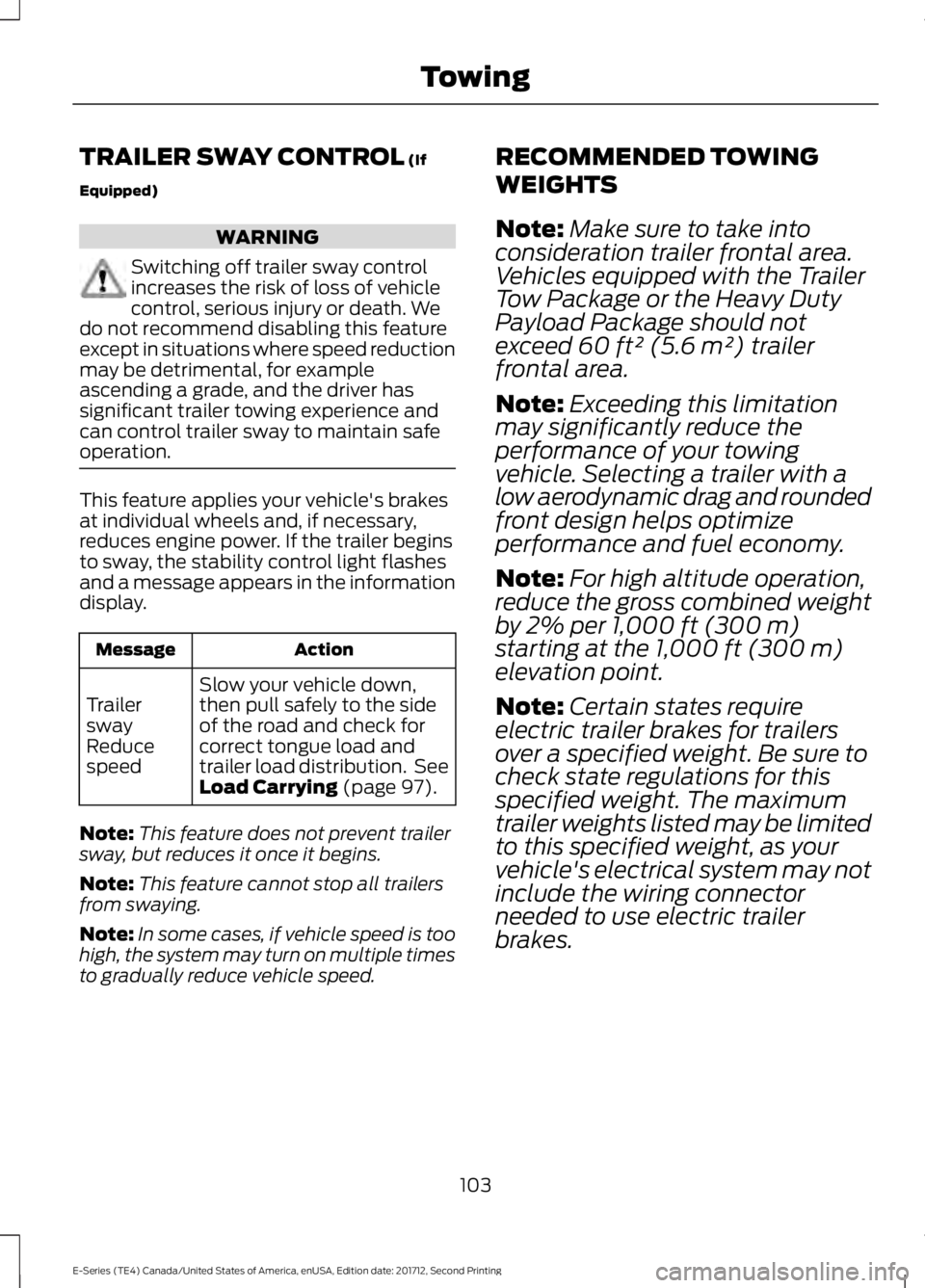
This feature applies your vehicle's brakesat individual wheels and, if necessary,reduces engine power. If the trailer beginsto sway, the stability control light flashesand a message appears in the informationdisplay.
ActionMessage
Slow your vehicle down,then pull safely to the sideof the road and check forcorrect tongue load andtrailer load distribution. SeeLoad Carrying (page 97).
TrailerswayReducespeed
Note:This feature does not prevent trailersway, but reduces it once it begins.
Note:This feature cannot stop all trailersfrom swaying.
Note:In some cases, if vehicle speed is toohigh, the system may turn on multiple timesto gradually reduce vehicle speed.
RECOMMENDED TOWING
WEIGHTS
Note:Make sure to take intoconsideration trailer frontal area.Vehicles equipped with the TrailerTow Package or the Heavy DutyPayload Package should notexceed 60 ft² (5.6 m²) trailerfrontal area.
Note:Exceeding this limitationmay significantly reduce theperformance of your towingvehicle. Selecting a trailer with alow aerodynamic drag and roundedfront design helps optimizeperformance and fuel economy.
Note:For high altitude operation,reduce the gross combined weightby 2% per 1,000 ft (300 m)starting at the 1,000 ft (300 m)elevation point.
Note:Certain states requireelectric trailer brakes for trailersover a specified weight. Be sure tocheck state regulations for thisspecified weight. The maximumtrailer weights listed may be limitedto this specified weight, as yourvehicle's electrical system may notinclude the wiring connectorneeded to use electric trailerbrakes.
103
E-Series (TE4) Canada/United States of America, enUSA, Edition date: 201712, Second Printing
Towing
Page 112 of 323
Separate functioning brake systemsare required for safe control of towedvehicles and trailers weighing morethan 1500 pounds (680 kilograms)when loaded.
Integrated Trailer Brake Controller (IfEquipped)
WARNING
The Ford trailer brake controller hasbeen verified to be compatible withtrailers having electric-actuateddrum brakes (one to four axles) andelectric-over-hydraulic brakes. It will notactivate hydraulic surge-style trailerbrakes. It is the responsibility of thecustomer to ensure that the trailer brakesare adjusted appropriately, functioningnormally and all electric connections areproperly made. Failure to do so may resultin loss of vehicle control, crash or seriousinjury.
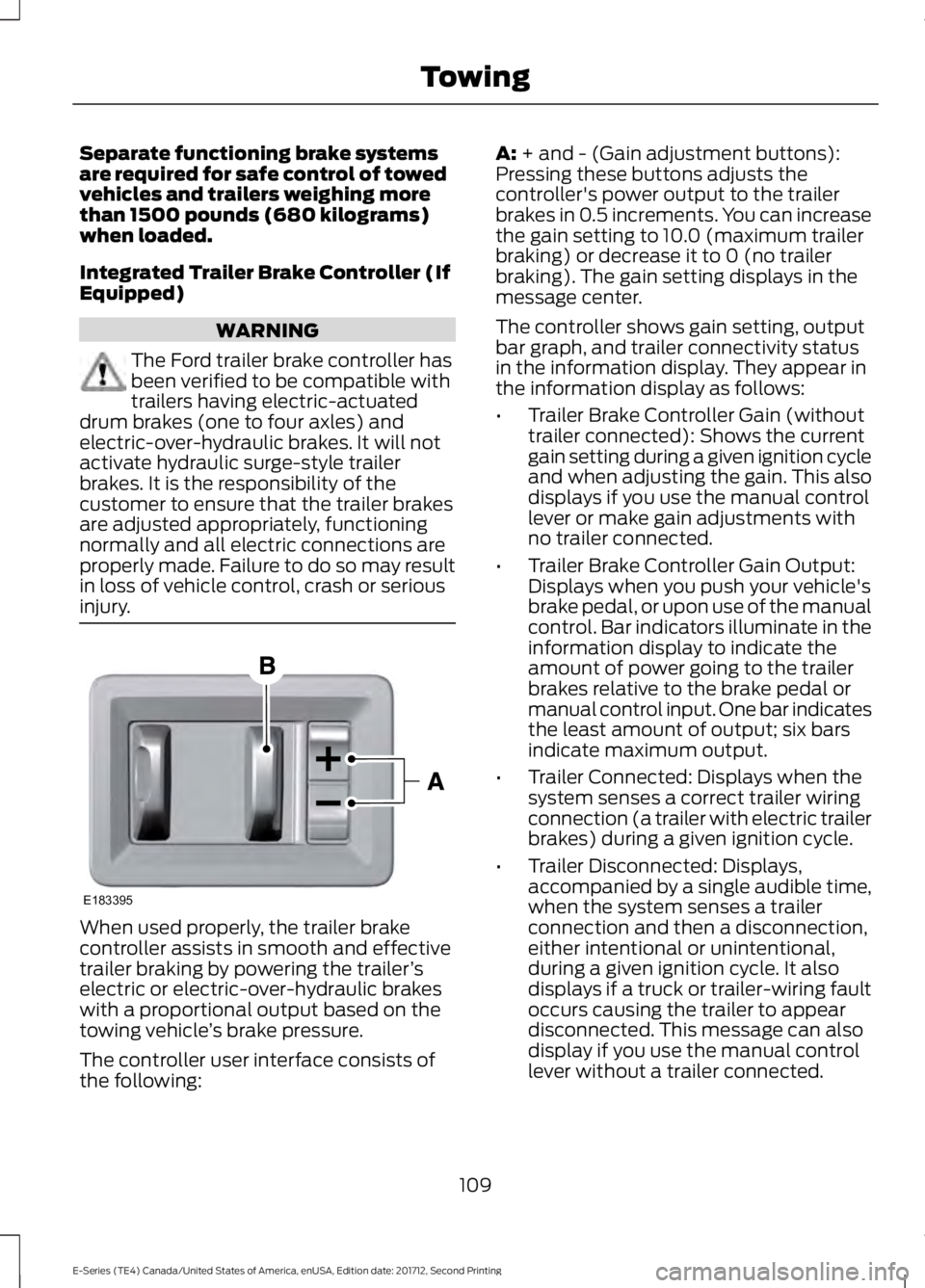
When used properly, the trailer brakecontroller assists in smooth and effectivetrailer braking by powering the trailer’selectric or electric-over-hydraulic brakeswith a proportional output based on thetowing vehicle’s brake pressure.
The controller user interface consists ofthe following:
A: + and - (Gain adjustment buttons):Pressing these buttons adjusts thecontroller's power output to the trailerbrakes in 0.5 increments. You can increasethe gain setting to 10.0 (maximum trailerbraking) or decrease it to 0 (no trailerbraking). The gain setting displays in themessage center.
The controller shows gain setting, outputbar graph, and trailer connectivity statusin the information display. They appear inthe information display as follows:
•Trailer Brake Controller Gain (withouttrailer connected): Shows the currentgain setting during a given ignition cycleand when adjusting the gain. This alsodisplays if you use the manual controllever or make gain adjustments withno trailer connected.
•Trailer Brake Controller Gain Output:Displays when you push your vehicle'sbrake pedal, or upon use of the manualcontrol. Bar indicators illuminate in theinformation display to indicate theamount of power going to the trailerbrakes relative to the brake pedal ormanual control input. One bar indicatesthe least amount of output; six barsindicate maximum output.
•Trailer Connected: Displays when thesystem senses a correct trailer wiringconnection (a trailer with electric trailerbrakes) during a given ignition cycle.
•Trailer Disconnected: Displays,accompanied by a single audible time,when the system senses a trailerconnection and then a disconnection,either intentional or unintentional,during a given ignition cycle. It alsodisplays if a truck or trailer-wiring faultoccurs causing the trailer to appeardisconnected. This message can alsodisplay if you use the manual controllever without a trailer connected.
109
E-Series (TE4) Canada/United States of America, enUSA, Edition date: 201712, Second Printing
TowingE183395
Page 113 of 323
B: Manual control lever: Slide the controllever to the left to switch on the trailer'selectric brakes independent of the towvehicle's. See the following Procedure forAdjusting Gain section for instructionson proper use of this feature. If you use themanual control while the brake is alsoapplied, the greater of the two inputsdetermines the power sent to the trailerbrakes.
•Stop lamps: Using the manual controllever illuminates both the trailer brakelamps and your vehicle brake lampsexcept the center high-mount stoplamp, if you make the proper electricalconnection to the trailer. Pressing yourvehicle brake pedal also illuminatesboth trailer and vehicle brake lamps.
Procedure for Adjusting Gain
Note:Only perform this procedure in atraffic-free environment at speeds ofapproximately 20-25 mph (30-40 km/h).
The gain setting sets the trailer brakecontroller for the specific towing condition.You should change the setting as towingconditions change. Changes to towingconditions include trailer load, vehicle load,road conditions and weather.
The gain should be set to provide themaximum trailer braking assistance whilemaking sure the trailer wheels do not lockwhen using the brakes. Locked trailerwheels may lead to trailer instability.
1.Make sure the trailer brakes are in goodworking condition, functioning normallyand properly adjusted. See your trailerdealer if necessary.
2. Hook up the trailer and make theelectrical connections according to thetrailer manufacturer's instructions.
3. When you plug in a trailer with electricor electric-over-hydraulic brakes, amessage confirming connectionappears in the information display.
4. Use the gain adjustment (+ and -)buttons to increase or decrease thegain setting to the desired startingpoint. A gain setting of 6.0 is a goodstarting point for heavier loads.
5. In a traffic-free environment, tow thetrailer on a dry, level surface at a speedof 20-25 mph (30-40 km/h) andsqueeze the manual control levercompletely.
6. If the trailer wheels lock up, indicatedby squealing tires, reduce the gainsetting. If the trailer wheels turn freely,increase the gain setting. Repeat Steps5 and 6 until the gain setting is at apoint just below trailer wheel lock-up.If towing a heavier trailer, trailer wheellock-up may not be attainable evenwith the maximum gain setting of 10.
Explanation of Information DisplayWarning Messages
Note:An authorized dealer can diagnosethe trailer brake controller to determineexactly which trailer fault has occurred.However, your Ford warranty does not coverthis diagnosis if the fault is with the trailer.
A message indicating a trailer brakemodule fault may display in response tofaults sensed by the trailer brake controller,accompanied by a single tone. If thismessage appears, contact an authorizeddealer as soon as possible for diagnosisand repair. The controller may stillfunction, but performance may bedegraded.
A message indicating a trailer wiring faultmay display when there is a short circuiton the electric brake output wire. If thismessage displays, accompanied by asingle tone, with no trailer connected, theproblem is with your vehicle wiringbetween the trailer brake controller andthe 7-pin connector at the bumper. If themessage only displays with a trailerconnected, the problem is with the trailer
110
E-Series (TE4) Canada/United States of America, enUSA, Edition date: 201712, Second Printing
Towing