transmission FORD E SERIES 2018 User Guide
[x] Cancel search | Manufacturer: FORD, Model Year: 2018, Model line: E SERIES, Model: FORD E SERIES 2018Pages: 323, PDF Size: 7.09 MB
Page 88 of 323
Your vehicle may not pass the I/M test ifthe service engine soon indicator is on ornot working properly (bulb is burned out),or if the OBD-II system has determinedthat some of the emission control systemshave not been properly checked. In thiscase, the vehicle is not ready for I/Mtesting.
If the vehicle’s engine or transmission hasjust been serviced, or the battery hasrecently run down or been replaced, theOBD-II system may indicate that thevehicle is not ready for I/M testing. Todetermine if the vehicle is ready for I/Mtesting, turn the ignition key to the onposition for 15 seconds without crankingthe engine. If the service engine soonindicator blinks eight times, it means thatthe vehicle is not ready for I/M testing; ifthe service engine soon indicator stays onsolid, it means that your vehicle is readyfor I/M testing.
The OBD-II system checks the emissioncontrol system during normal driving. Acomplete check may take several days.
If the vehicle is not ready for I/M testing,you can perform the following driving cycleconsisting of mixed city and highwaydriving:
1. 15 minutes of steady driving on anexpressway or highway followed by 20minutes of stop-and-go driving with atleast four 30-second idle periods.
2. Allow your vehicle to sit for at leasteight hours with the ignition off. Then,start the vehicle and complete theabove driving cycle. The vehicle mustwarm up to its normal operatingtemperature. Once started, do not turnoff the vehicle until the above drivingcycle is complete.
If the vehicle is still not ready for I/Mtesting, you need to repeat the abovedriving cycle.
85
E-Series (TE4) Canada/United States of America, enUSA, Edition date: 201712, Second Printing
Engine Emission Control
Page 89 of 323
AUTOMATIC TRANSMISSION
WARNING
Always fully apply the parking brake.Make sure you shift into park (P) forvehicles with an automatictransmission. Switch the ignition off andremove the key whenever you leave yourvehicle.
Putting your vehicle in or out ofgear:
1. Fully press down the brake pedal.
2. Move the gearshift lever into thedesired gear.
3.When you are finished driving, come toa complete stop.
4. Move the gearshift lever and securelylatch it in park (P).
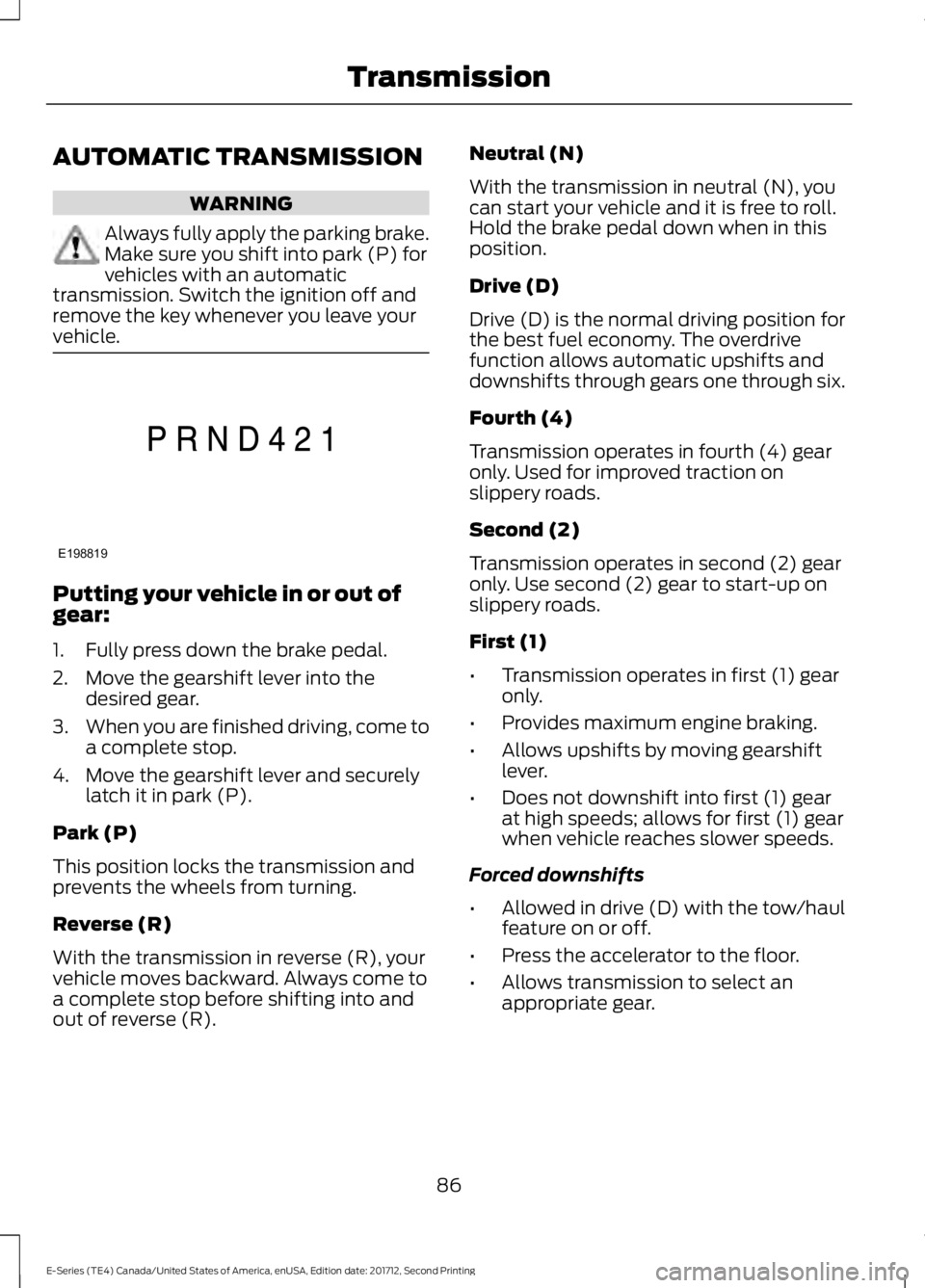
Park (P)
This position locks the transmission andprevents the wheels from turning.
Reverse (R)
With the transmission in reverse (R), yourvehicle moves backward. Always come toa complete stop before shifting into andout of reverse (R).
Neutral (N)
With the transmission in neutral (N), youcan start your vehicle and it is free to roll.Hold the brake pedal down when in thisposition.
Drive (D)
Drive (D) is the normal driving position forthe best fuel economy. The overdrivefunction allows automatic upshifts anddownshifts through gears one through six.
Fourth (4)
Transmission operates in fourth (4) gearonly. Used for improved traction onslippery roads.
Second (2)
Transmission operates in second (2) gearonly. Use second (2) gear to start-up onslippery roads.
First (1)
•Transmission operates in first (1) gearonly.
•Provides maximum engine braking.
•Allows upshifts by moving gearshiftlever.
•Does not downshift into first (1) gearat high speeds; allows for first (1) gearwhen vehicle reaches slower speeds.
Forced downshifts
•Allowed in drive (D) with the tow/haulfeature on or off.
•Press the accelerator to the floor.
•Allows transmission to select anappropriate gear.
86
E-Series (TE4) Canada/United States of America, enUSA, Edition date: 201712, Second Printing
TransmissionE198819
Page 90 of 323
Tow/Haul Mode
To activate tow/haul, press thebutton on the gearshift lever.The TOW HAUL indicator lightilluminates in the instrument cluster.
The tow/haul feature:
•Delays upshifts to reduce the frequencyof transmission shifting.
•Provides engine braking in all forwardgears, which slows your vehicle andassists you in controlling your vehiclewhen descending a slope.
•Depending on driving conditions andload conditions, may downshift thetransmission, slow your vehicle andcontrol your vehicle speed whendescending a hill, without pressing theaccelerator pedal. The amount ofdownshift braking provided will varybased upon the amount you press thebrake pedal.
The tow/haul feature improvestransmission operation when towing atrailer or a heavy load. All transmissiongear ranges are available when usingtow/haul.
To deactivate the tow/haul feature andreturn to normal driving mode, press thebutton on the gearshift lever again. TheTOW HAUL light deactivates. Tow/haulalso deactivates when you power downyour vehicle.
WARNING
Do not use tow/haul when the roadsurface is slippery. Failure to followthis instruction could result in theloss of control of your vehicle.
Brake-Shift Interlock
WARNINGS
When doing this procedure, you needto take the transmission out of park(P) which means your vehicle canroll freely. To avoid unwanted vehiclemovement, always fully apply the parkingbrake prior to doing this procedure. Usewheels chocks if appropriate.
If the parking brake is fully released,but the brake warning lamp remainsilluminated, the brakes may not beworking properly. Have your vehiclechecked as soon as possible.
Note:Do not drive your vehicle until youverify that the brake lamps are working.
Your vehicle has a brake-shift interlockfeature that prevents the gearshift leverfrom moving from park (P) when theignition is in the 3 (on) position and thebrake pedal is not pressed.
If you cannot move the gearshift lever outof park (P) position with the ignition in the4 (on) position and the brake pedalpressed, a malfunction may have occurred.It is possible that a fuse has blown or yourvehicle’s brake lamps are not operatingproperly. See Fuse Specification Chart(page 129).
If the fuse is not blown and the brakelamps are working properly, the followingprocedure allows you to move the gearshiftlever from park (P):
1. Apply the parking brake and turn theignition on.
2.Use a screwdriver to remove the lowertrim panel under the steering column.Make sure not to disturb the wires onthe electrical connector.
3. Locate the brake-shift interlocksolenoid underneath the steeringcolumn.
87
E-Series (TE4) Canada/United States of America, enUSA, Edition date: 201712, Second Printing
TransmissionE161509
Page 91 of 323
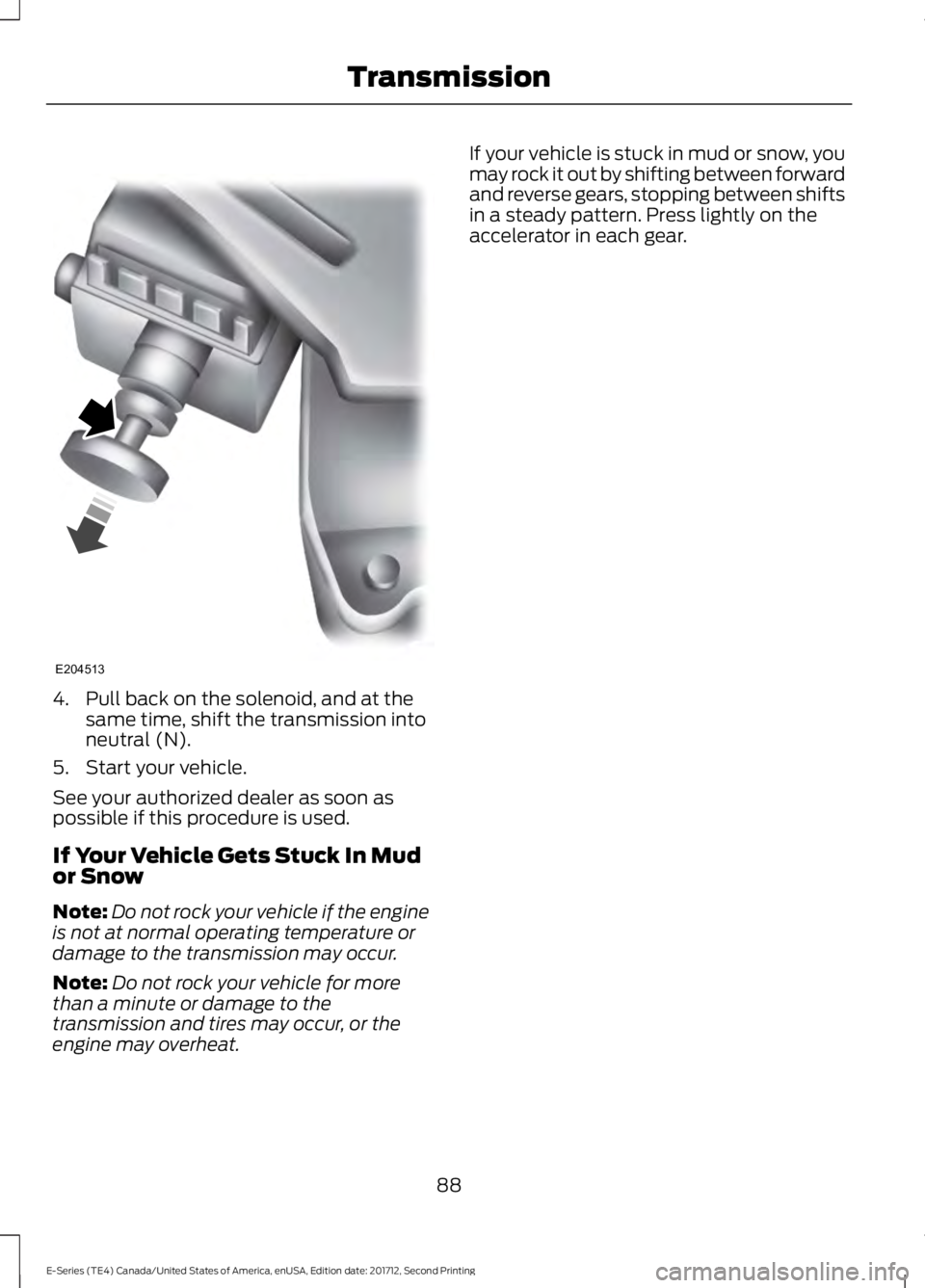
4. Pull back on the solenoid, and at thesame time, shift the transmission intoneutral (N).
5. Start your vehicle.
See your authorized dealer as soon aspossible if this procedure is used.
If Your Vehicle Gets Stuck In Mudor Snow
Note:Do not rock your vehicle if the engineis not at normal operating temperature ordamage to the transmission may occur.
Note:Do not rock your vehicle for morethan a minute or damage to thetransmission and tires may occur, or theengine may overheat.
If your vehicle is stuck in mud or snow, youmay rock it out by shifting between forwardand reverse gears, stopping between shiftsin a steady pattern. Press lightly on theaccelerator in each gear.
88
E-Series (TE4) Canada/United States of America, enUSA, Edition date: 201712, Second Printing
TransmissionE204513
Page 93 of 323
GENERAL INFORMATION
Note:Occasional brake noise is normal. Ifa metal-to-metal, continuous grinding orcontinuous squeal sound is present, thebrake linings may be worn-out and shouldbe inspected by an authorized dealer. If thevehicle has continuous vibration or shudderin the steering wheel while braking, thevehicle should be inspected by anauthorized dealer.
Note:Brake dust may accumulate on thewheels, even under normal drivingconditions. Some dust is inevitable as thebrakes wear and does not contribute tobrake noise. See Cleaning the Wheels(page 163).
See the Instrument Clusterchapter for information on thebrake system warning light.
Wet brakes result in reduced brakingefficiency. Gently press the brake pedal afew times when driving from a car wash orstanding water to dry the brakes.
Brake Over Accelerator
In the event the accelerator pedalbecomes stuck or entrapped, apply steadyand firm pressure to the brake pedal toslow the vehicle and reduce engine power.If you experience this condition, apply thebrakes and bring your vehicle to a safestop. Turn the engine off, shift thetransmission into park (P), apply theparking brake, and then inspect theaccelerator pedal for any interferences. Ifnone are found and the condition persists,have your vehicle towed to the nearestauthorized dealer.
Hydraulic brake booster system(Hydroboost or Hydromax)
The Hydroboost and Hydromax systemsreceive fluid pressure from the powersteering pump to provide power assistduring braking.
The Hydromax booster receives backuppressure from the reserve system electricpump whenever the fluid in the powersteering system is not flowing. When theengine is off, the pump will turn on if thebrake pedal is applied, or if the ignition isturned to the on position.
The sound of the pump operating may beheard by the driver, but this is a normalcharacteristic of the system.
The reserve system provides reducedbraking power, so the vehicle should beoperated under these conditions withcaution, and only to seek service repair andremove the vehicle from the roadway.
Note:For Hydromax-equipped vehiclesoperating under normal conditions, the noiseof the fluid flowing through the booster maybe heard whenever the brake is applied. Thiscondition is normal. Vehicle service is notrequired.
If braking performance or pedal responsebecomes very poor, even when the pedalis strongly pressed, it may indicate thepresence of air in the hydraulic system orleakage of fluid. Stop the vehicle safely assoon as possible and seek serviceimmediately.
HINTS ON DRIVING WITH
ANTI-LOCK BRAKES
The anti-lock braking system does noteliminate the risks when:
•You drive too closely to the vehicle infront of you.
•Your vehicle is hydroplaning.
90
E-Series (TE4) Canada/United States of America, enUSA, Edition date: 201712, Second Printing
BrakesE144522
Page 94 of 323
•You take corners too fast.
•The road surface is poor.
Note: If the system activates, the brakepedal may pulse and may travel further.Maintain pressure on the brake pedal. Youmay also hear a noise from the system. Thisis normal.
PARKING BRAKE
WARNING
Always set the parking brake fullyand make sure the transmissionselector lever is placed in park (P).Failure to set the parking brake and engagepark could result in vehicle roll-away,property damage or bodily injury. Turn theignition to the lock position and removethe key whenever you leave your vehicle.
Apply the parking brake whenever yourvehicle is parked.
•For vehicles equipped with a footoperated parking brake, press the pedaldownward to set the parking brake.
•For vehicle equipped with a handoperated parking brake, pull theparking brake lever up to set theparking brake.
The brake warning lamp in theinstrument cluster illuminateswhen the ignition is turned onand the parking brake is applied.
The parking brake is not recommended tostop a moving vehicle. However, if thenormal brakes fail, the parking brake canbe used to stop your vehicle in anemergency. Your vehicle's stoppingdistance will increase greatly and thehandling of your vehicle will be adverselyaffected.
To release the parking brake:
•For vehicles equipped with a footoperated parking brake, pull theparking brake release lever.
•For vehicles equipped with a handoperated parking brake, push theparking brake lever down.
91
E-Series (TE4) Canada/United States of America, enUSA, Edition date: 201712, Second Printing
BrakesE144522
Page 96 of 323
REAR VIEW CAMERA (If Equipped)
WARNINGS
The rear view camera system is areverse aid supplement device thatstill requires the driver to use it inconjunction with the interior and exteriormirrors for maximum coverage.
Objects that are close to eithercorner of the bumper or under thebumper, might not be seen on thescreen due to the limited coverage of thecamera system.
Reverse your vehicle as slow aspossible, higher speeds may limityour reaction time to stop yourvehicle.
Use caution when the rear cargo dooris ajar. If the rear cargo door is ajar,the camera will be out of positionand the video image may be incorrect. Allguidelines disappear when the rear cargodoor is ajar. Some vehicles may not comeequipped with guidelines.
Use caution when turning camerafeatures on or off when thetransmission is not in park (P). Makesure your vehicle is not moving.
The rear view camera system provides avideo image of the area behind yourvehicle.
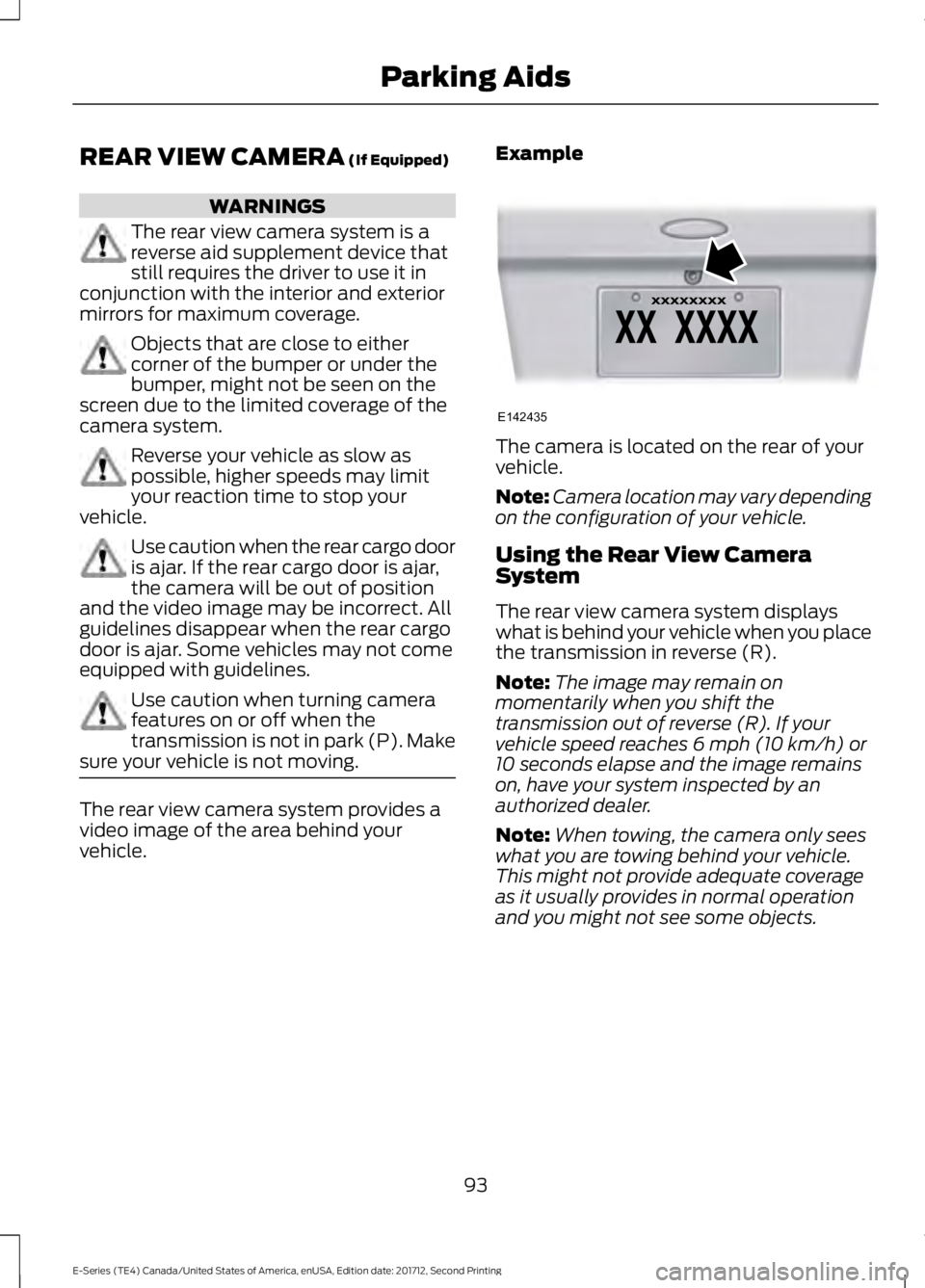
Example
The camera is located on the rear of yourvehicle.
Note:Camera location may vary dependingon the configuration of your vehicle.
Using the Rear View CameraSystem
The rear view camera system displayswhat is behind your vehicle when you placethe transmission in reverse (R).
Note:The image may remain onmomentarily when you shift thetransmission out of reverse (R). If yourvehicle speed reaches 6 mph (10 km/h) or10 seconds elapse and the image remainson, have your system inspected by anauthorized dealer.
Note:When towing, the camera only seeswhat you are towing behind your vehicle.This might not provide adequate coverageas it usually provides in normal operationand you might not see some objects.
93
E-Series (TE4) Canada/United States of America, enUSA, Edition date: 201712, Second Printing
Parking AidsE142435
Page 97 of 323
The camera may not operate correctlyunder the following conditions:
•Nighttime or dark areas if the reverselamps are not operating.
•Mud, water or debris obstructs thecamera's view. Clean the lens with asoft, lint-free cloth and non-abrasivecleaner.
•The camera is misaligned due todamage to the rear of your vehicle.
Rear Camera Delay
When shifting the transmission out ofreverse (R) and into any gear other thanpark (P), the camera image remains onuntil your vehicle speed reaches 6 mph(10 km/h) or 10 seconds elapses. Thisoccurs when the rear camera delay featureis ON.
Selectable settings for this feature are ONand OFF. The default setting for the rearcamera delay is OFF.
94
E-Series (TE4) Canada/United States of America, enUSA, Edition date: 201712, Second Printing
Parking Aids
Page 102 of 323
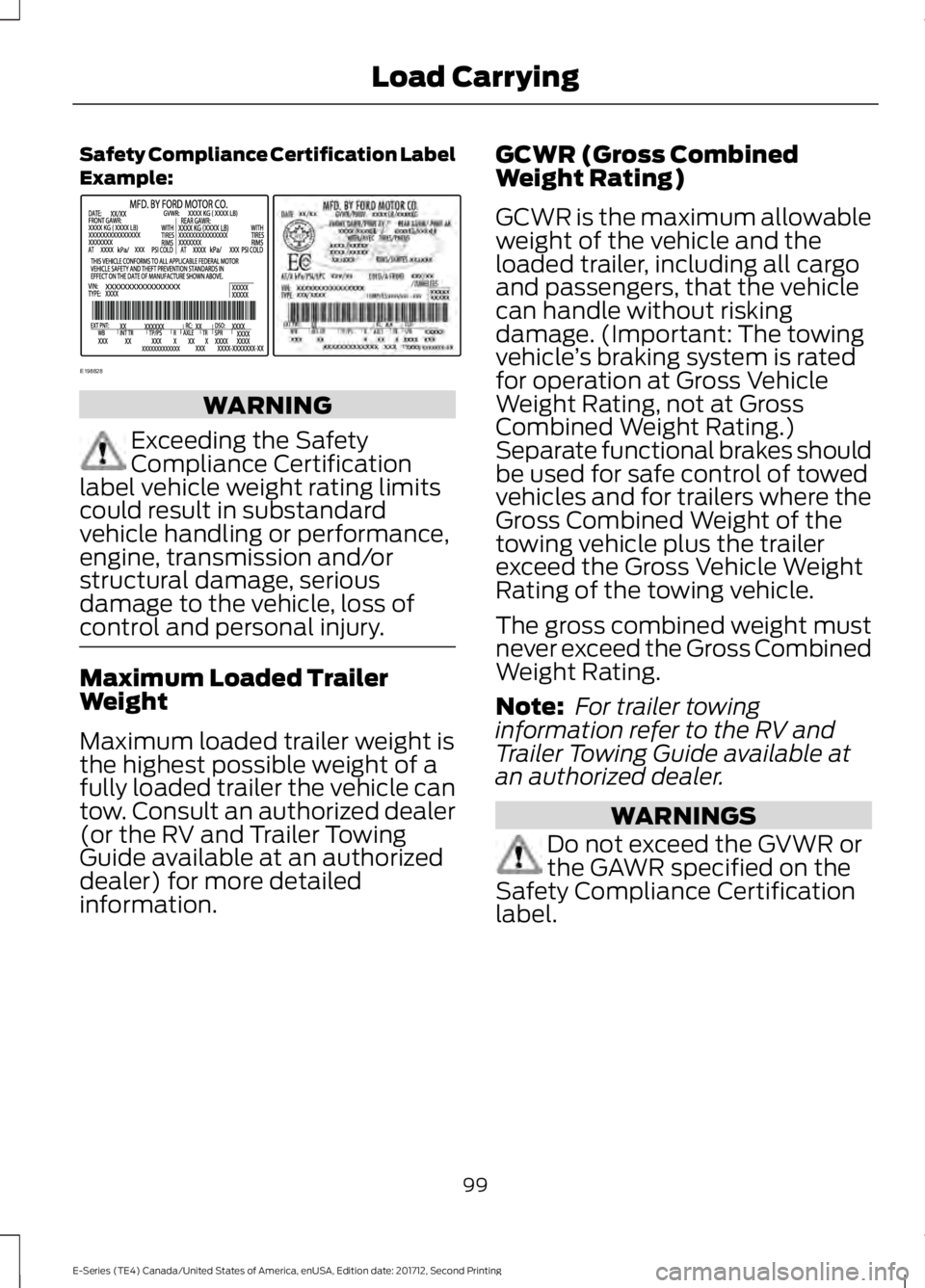
Safety Compliance Certification LabelExample:
WARNING
Exceeding the SafetyCompliance Certificationlabel vehicle weight rating limitscould result in substandardvehicle handling or performance,engine, transmission and/orstructural damage, seriousdamage to the vehicle, loss ofcontrol and personal injury.
Maximum Loaded TrailerWeight
Maximum loaded trailer weight isthe highest possible weight of afully loaded trailer the vehicle cantow. Consult an authorized dealer(or the RV and Trailer TowingGuide available at an authorizeddealer) for more detailedinformation.
GCWR (Gross CombinedWeight Rating)
GCWR is the maximum allowableweight of the vehicle and theloaded trailer, including all cargoand passengers, that the vehiclecan handle without riskingdamage. (Important: The towingvehicle’s braking system is ratedfor operation at Gross VehicleWeight Rating, not at GrossCombined Weight Rating.)Separate functional brakes shouldbe used for safe control of towedvehicles and for trailers where theGross Combined Weight of thetowing vehicle plus the trailerexceed the Gross Vehicle WeightRating of the towing vehicle.
The gross combined weight mustnever exceed the Gross CombinedWeight Rating.
Note: For trailer towinginformation refer to the RV andTrailer Towing Guide available atan authorized dealer.
WARNINGS
Do not exceed the GVWR orthe GAWR specified on theSafety Compliance Certificationlabel.
99
E-Series (TE4) Canada/United States of America, enUSA, Edition date: 201712, Second Printing
Load CarryingE198828
Page 105 of 323
TOWING A TRAILER
WARNINGS
Do not exceed the GVWR orthe GAWR specified on thecertification label.
Towing trailers beyond themaximum recommendedgross trailer weight exceeds thelimit of your vehicle and couldresult in engine damage,transmission damage, structuraldamage, loss of vehicle control,vehicle rollover and personalinjury.
Your vehicle may have electricalitems, for example fuses or relays,related to towing. See Fuses(page 129).
Your vehicle's load capacitydesignation is by weight, not byvolume, so you cannot necessarilyuse all available space whenloading your vehicle.
Towing a trailer places an extraload on your vehicle's engine,transmission, axle, brakes, tiresand suspension. Inspect thesecomponents periodically during,and after, any towing operation.
Load Placement
To help minimize how trailermovement affects your vehiclewhen driving:
•Load the heaviest items closestto the trailer floor.
•Load the heaviest itemscentered between the left andright side trailer tires.
•Load the heaviest items abovethe trailer axles or just slightlyforward toward the trailertongue. Do not allow the finaltrailer tongue weight to goabove or below 10-15% of theloaded trailer weight.
•Select a draw bar with thecorrect rise or drop. When boththe loaded vehicle and trailerare connected, the trailer frameshould be level, or slightlyangled down toward yourvehicle, when viewed from theside.
When driving with a trailer orpayload, a slight takeoff vibrationor shudder may be present due tothe increased payload weight.Additional information regardingcorrect trailer loading and settingyour vehicle up for towing islocated in another chapter of thisOwner's Manual. See Load Limit(page 97). You can also find theinformation in the RV & TrailerTowing Guide. See an authorizeddealer.
102
E-Series (TE4) Canada/United States of America, enUSA, Edition date: 201712, Second Printing
Towing