brake light FORD E SERIES 2019 User Guide
[x] Cancel search | Manufacturer: FORD, Model Year: 2019, Model line: E SERIES, Model: FORD E SERIES 2019Pages: 329, PDF Size: 2.92 MB
Page 120 of 329
•Do not warm up your vehicle on coldmornings.
•Reduce the use of air conditioning andheat.
•Avoid using speed control in hillyterrain.
•Do not rest your foot on the brakepedal while driving.
•Avoid carrying unnecessary weight.
•Avoid adding particular accessories toyour vehicle (e.g. bug deflectors,rollbars/light bars, running boards, skiracks).
•Avoid driving with the wheels out ofalignment.
DRIVING THROUGH WATER
WARNING: Do not drive throughflowing or deep water as you may losecontrol of your vehicle.
Note:Driving through standing water cancause vehicle damage.
Note:Engine damage can occur if waterenters the air filter.
Before driving through standing water,check the depth. Never drive through waterthat is higher than the bottom of the wheelhubs.
When driving through standing water, drivevery slowly and do not stop your vehicle.Your brake performance and traction maybe limited. After driving through water andas soon as it is safe to do so:
•Lightly press the brake pedal to dry thebrakes and to check that they work.
•Check that the horn works.
•Check that the exterior lights work.
•Turn the steering wheel to check thatthe steering power assist works.
FLOOR MATS
WARNING: Use a floor matdesigned to fit the footwell of yourvehicle that does not obstruct the pedalarea. Failure to follow this instructioncould result in the loss of control of yourvehicle, personal injury or death.
WARNING: Pedals that cannotmove freely can cause loss of vehiclecontrol and increase the risk of seriouspersonal injury.
117
E-Series (TE4) Canada/United States of America, enUSA, Edition date: 201804, Second-Printing
Driving HintsE176913
Page 140 of 329
Protected ComponentFuse RatingFuse or RelayNumber
Passenger compartment fuse panel.10A5Brake-shift interlock.
Direction indicators lamps.20A6Hazard lamps.Stop lamps.
Left-side headlamp low beam.10A7
Right-side headlamp low beam.10A8
Courtesy lamps.15A9
Switch illumination.15A10
Not used (spare).10A11
Not used (spare).7.5A12
Mirrors.5A13
SYNC10A14Global positioning system module.
Not used (spare).10A15
Not used (spare).15A16
Door locks.20A17
Not used (spare).20A18
Not used (spare).25A19
Diagnostic connector, fleet telematicsmodem, and FordPass Connect (exceptstripped chassis).
15A20
Not used (spare).15A21
Parking lamps.15A22License plate lamps.
Headlamp high beams.15A23
Horn (except stripped chassis).20A24
Demand lighting.10A25
Cluster (except stripped chassis).10A26
137
E-Series (TE4) Canada/United States of America, enUSA, Edition date: 201804, Second-Printing
Fuses
Page 156 of 329
WARNING: For E-350 and E-450vehicles with the Hydro-Boost BrakeSystem, do not press the brake pedalafter the engine has been turned off.Pressing the brake pedal after the enginehas been turned off will give a falsepower steering fluid level reading.
Only use fluid that meets Fordspecifications. See Capacities andSpecifications (page 203).
To top up the power steering fluid level dothe following.
1. Start the engine and let it run until itreaches normal operating temperature.
2. Make sure the fluid is within the MINand MAX range.
3. If the fluid level is low, add fluid to bewithin the MIN and MAX range. Do notoverfill.
4.While the engine idles, turn the steeringwheel left and right several times.
5. Recheck the fluid level in the reservoir.
Note:Do not operate the vehicle with a lowpower steering pump fluid level.
WASHER FLUID CHECK
WARNING: If you operate yourvehicle in temperatures below 40°F(5°C), use washer fluid with antifreezeprotection. Failure to use washer fluidwith antifreeze protection in coldweather could result in impairedwindshield vision and increase the riskof injury or accident.
Add fluid to fill the reservoir if the level islow. Only use a washer fluid that meetsFord specifications. See Capacities andSpecifications (page 198).
State or local regulations on volatileorganic compounds may restrict the useof methanol, a common windshield washerantifreeze additive. Washer fluidscontaining non-methanol antifreezeagents should be used only if they providecold weather protection without damagingthe vehicle’s paint finish, wiper blades orwasher system.
CHANGING THE 12V BATTERY
WARNING: This vehicle may befitted with more than one battery,removal of cable from only one batterydoes not disconnect the vehicleelectrical system. Be sure to disconnectcables from all batteries whendisconnecting power. Failure to do somay cause serious personal injury orproperty damage.
WARNING: Batteries normallyproduce explosive gases which cancause personal injury. Therefore, do notallow flames, sparks or lightedsubstances to come near the battery.When working near the battery, alwaysshield your face and protect your eyes.Always provide proper ventilation.
WARNING: When lifting aplastic-cased battery, excessive pressureon the end walls could cause acid to flowthrough the vent caps, resulting inpersonal injury and/or damage to thevehicle or battery. Lift the battery with abattery carrier or with your hands onopposite corners.
153
E-Series (TE4) Canada/United States of America, enUSA, Edition date: 201804, Second-Printing
Maintenance
Page 168 of 329
REPAIRING MINOR PAINT
DAMAGE
Authorized dealers have touch-up paint tomatch your vehicle’s color. Your vehiclecolor code is printed on a sticker on thefront, left-hand side door jamb. Take yourcolor code to your authorized dealer tomake sure you get the correct color.
Before repairing minor paint damage, usea cleaner such as Motorcraft Bug and TarRemover to remove particles such as birddroppings, tree sap, insect deposits, tarspots, road salt and industrial fallout.
Always read the instructions before usingcleaning products.
CLEANING THE WHEELS
1. Regularly clean them with a wheelcleaner. We recommend that you useFord approved wheel cleaner ifavailable.
2. Remove dirt and brake dust with asponge.
3.Remove tar and grease with a bug andtar remover. We recommend that youuse Ford approved bug and tar removerif available.
4.Thoroughly rinse the wheels with waterafter cleaning.
If you intend on parking your vehicle for anextended period after cleaning the wheelswith a wheel cleaner, drive your vehicle fora few minutes before doing so. Thisreduces the risk of corrosion of the brakediscs, brake pads and linings.
Do not clean the wheels when they are hot.
Note: Some car washes could damagewheel rims and covers.
Note: Using non-recommended cleaners,harsh cleaning products, chrome wheelcleaners or abrasive materials coulddamage wheel rims and covers.
VEHICLE STORAGE
If you plan on storing your vehicle for 30days or more, read the followingmaintenance recommendations to makesure your vehicle stays in good operatingcondition.
We engineer and test all motor vehiclesand their components for reliable, regulardriving. Under various conditions,long-term storage may lead to degradedengine performance or failure unless youuse specific precautions to preserve enginecomponents.
General
•Store all vehicles in a dry, ventilatedplace.
•Protect from sunlight, if possible.
•If vehicles are stored outside, theyrequire regular maintenance to protectagainst rust and damage.
Body
•Wash your vehicle thoroughly toremove dirt, grease, oil, tar or mud fromexterior surfaces, rear-wheel housingand the underside of front fenders.
•Periodically wash your vehicle if it isstored in exposed locations.
•Touch-up exposed or primed metal toprevent rust.
•Cover chrome and stainless steel partswith a thick coat of auto wax to preventdiscoloration. Re-wax as necessarywhen you wash your vehicle.
•Lubricate all hood, door and luggagecompartment hinges and latches witha light grade oil.
165
E-Series (TE4) Canada/United States of America, enUSA, Edition date: 201804, Second-Printing
Vehicle Care
Page 180 of 329
You are strongly urged to buy areliable tire pressure gauge, asautomatic service station gaugesmay be inaccurate. Fordrecommends the use of a digitalor dial-type tire pressure gaugerather than a stick-type tirepressure gauge.
Use the recommended coldinflation pressure for optimum tireperformance and wear.Under-inflation or over-inflationmay cause uneven treadwearpatterns
WARNING: Under-inflationis the most common cause oftire failures and may result insevere tire cracking, treadseparation or blowout, withunexpected loss of vehiclecontrol and increased risk ofinjury. Under-inflation increasessidewall flexing and rollingresistance, resulting in heatbuildup and internal damage tothe tire. It also may result inunnecessary tire stress, irregularwear, loss of vehicle control andaccidents. A tire can lose up tohalf of its air pressure and notappear to be flat!
Always inflate your tires to theFord recommended inflationpressure even if it is less than themaximum inflation pressureinformation found on the tire. TheFord recommended tire inflation
pressure is found on the SafetyCompliance Certification Label or
Tire Label (affixed to either thedoor hinge pillar, door-latch post,or the door edge that meets thedoor-latch post, next to thedriver's seating position), or TireLabel located on the B-pillar orthe edge of the driver's door.Failure to follow the tire pressurerecommendations can causeuneven treadwear patterns andadversely affect the way yourvehicle handles
Note:Do not reduce tire pressureto change the ride characteristicsof the vehicle. If you do notmaintain the inflation pressure atthe levels specified by Ford, yourvehicle may experience a conditionknown as shimmy. Shimmy is asevere vibration and oscillation inthe steering wheel after the vehicletravels over a bump or dip in theroad that does not dampen out byitself. Shimmy may result fromsignificant under-inflation of thetires, improper tires (load range,size, or type), or vehiclemodifications such as lift-kits. Inthe event that your vehicleexperiences shimmy, you shouldslowly reduce speed by either liftingoff the accelerator pedal or lightlyapplying the brakes. The shimmyceases as the vehicle speeddecreases.
Maximum Inflation Pressure isthe tire manufacturer's maximumpermissible pressure and thepressure at which the maximum
load can be carried by the tire. Thispressure is normally higher than
177
E-Series (TE4) Canada/United States of America, enUSA, Edition date: 201804, Second-Printing
Wheels and Tires
Page 196 of 329
Note:The tire pressure monitoring systemindicator light illuminates when the sparetire is in use. To restore the full function ofthe monitoring system, all road wheelsequipped with tire pressure monitoringsensors must be mounted on the vehicle.
Note:Do not use wheels or lug nutsdifferent than the original equipment, as thismay damage the wheel or mounting system.
If you get a flat tire when driving, do notapply the brake heavily. Instead, graduallydecrease your speed. Hold the steeringwheel firmly and slowly move to a safeplace on the side of the road.
Have a flat serviced by an authorizeddealer in order to prevent damage to thetire pressure monitoring system sensors.See Tire Pressure Monitoring System(page 188). Replace the spare tire with aroad tire as soon as possible. Duringrepairing or replacing of the flat tire, havethe authorized dealer inspect the tirepressure monitoring system sensor fordamage.
Dissimilar Spare Wheel and TireAssembly Information
WARNING: Failure to follow theseguidelines could result in an increasedrisk of loss of vehicle control, injury ordeath.
If you have a dissimilar spare wheel andtire, then it is intended for temporary useonly. This means that if you need to use it,you should replace it as soon as possiblewith a road wheel and tire assembly thatis the same size and type as the road tiresand wheels that were originally providedby Ford. If the dissimilar spare tire or wheelis damaged, it should be replaced ratherthan repaired.
A dissimilar spare wheel and tire assemblyis defined as a spare wheel and tireassembly that is different in brand, size orappearance from the road tires and wheelsand can be one of three types:
1.T-type mini-spare: This spare tirebegins with the letter T for tire size andmay have Temporary Use Only molded inthe sidewall.
2.Full-size dissimilar spare with labelon wheel: This spare tire has a label onthe wheel that states: THIS WHEEL ANDTIRE ASSEMBLY FOR TEMPORARY USEONLY.
When driving with one of the dissimilarspare tires listed above, do not:
•Exceed 50 mph (80 km/h).
•Load the vehicle beyond maximumvehicle load rating listed on the SafetyCompliance Label.
•Tow a trailer.
•Use snow chains on the end of thevehicle with the dissimilar spare tire.
•Use more than one dissimilar spare tireat a time.
•Use commercial car washingequipment.
•Try to repair the dissimilar spare tire.
Use of one of the dissimilar spare tireslisted above at any one wheel location canlead to impairment of the following:
•Handling, stability and brakingperformance.
•Comfort and noise.
•Ground clearance and parking at curbs.
•Winter weather driving capability.
•Wet weather driving capability.
•All-wheel driving capability.
3.Full-size dissimilar spare withoutlabel on wheel
193
E-Series (TE4) Canada/United States of America, enUSA, Edition date: 201804, Second-Printing
Wheels and Tires
Page 216 of 329
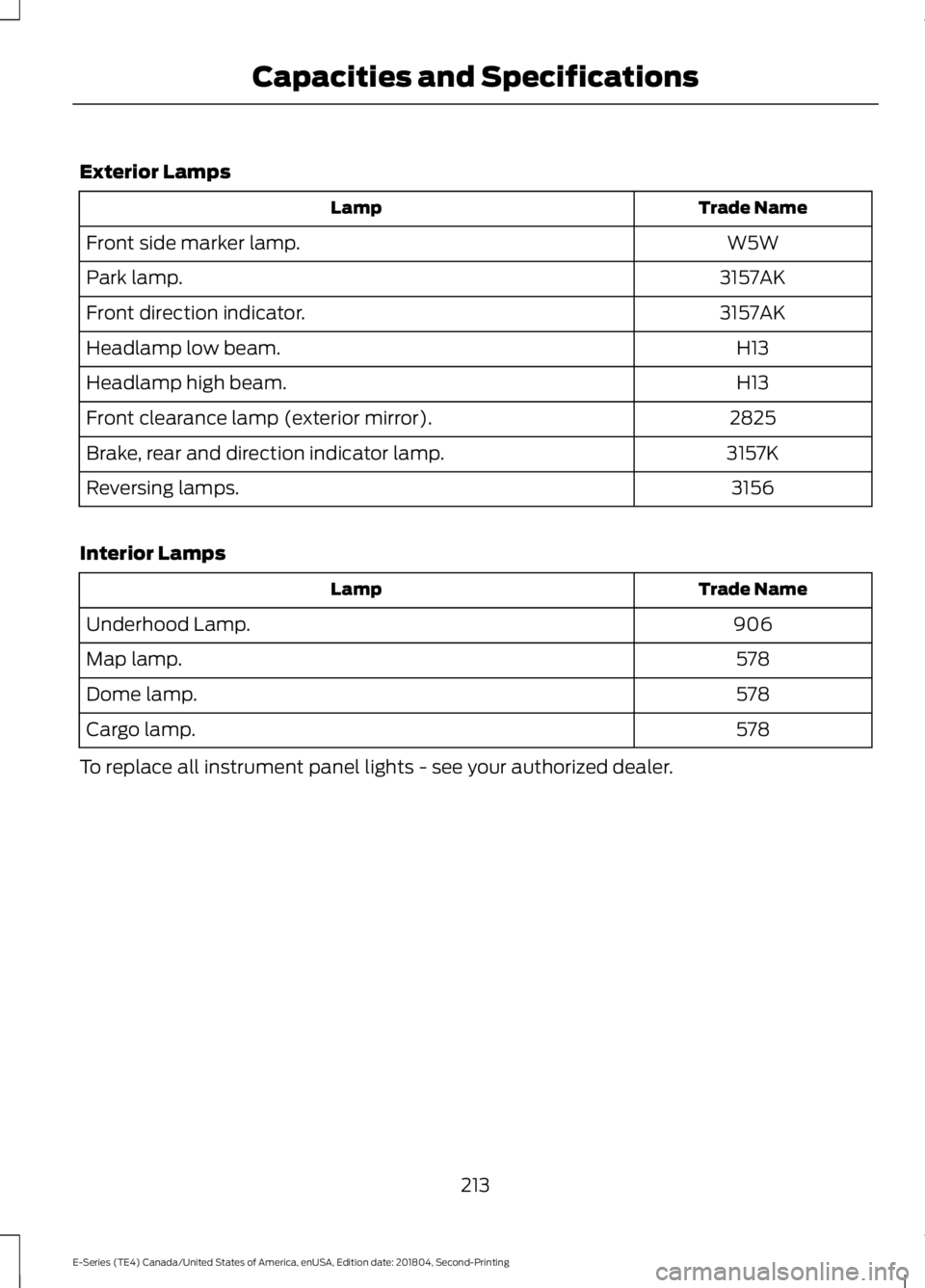
Exterior Lamps
Trade NameLamp
W5WFront side marker lamp.
3157AKPark lamp.
3157AKFront direction indicator.
H13Headlamp low beam.
H13Headlamp high beam.
2825Front clearance lamp (exterior mirror).
3157KBrake, rear and direction indicator lamp.
3156Reversing lamps.
Interior Lamps
Trade NameLamp
906Underhood Lamp.
578Map lamp.
578Dome lamp.
578Cargo lamp.
To replace all instrument panel lights - see your authorized dealer.
213
E-Series (TE4) Canada/United States of America, enUSA, Edition date: 201804, Second-Printing
Capacities and Specifications
Page 325 of 329
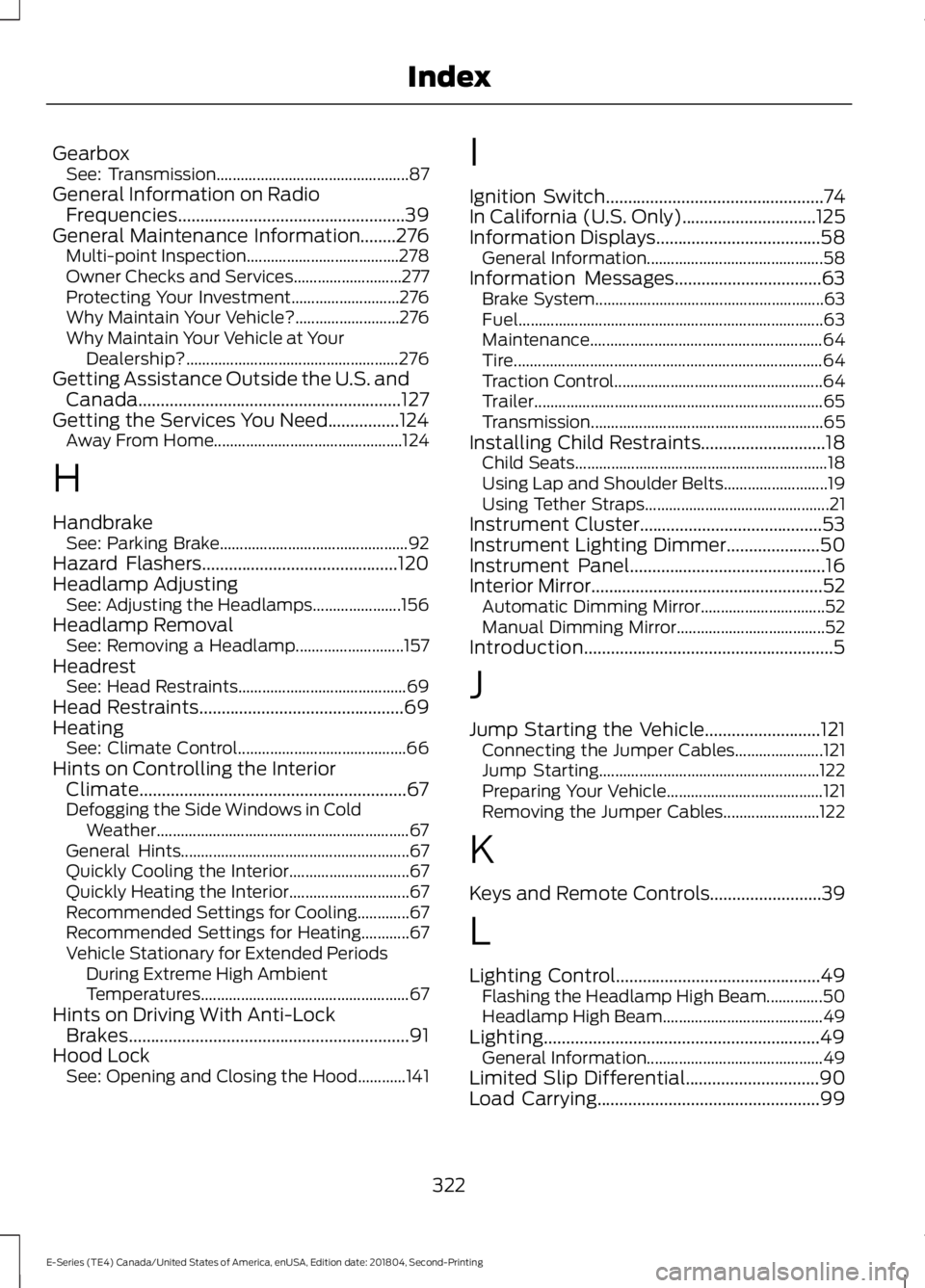
GearboxSee: Transmission................................................87General Information on RadioFrequencies...................................................39General Maintenance Information........276Multi-point Inspection......................................278Owner Checks and Services...........................277Protecting Your Investment...........................276Why Maintain Your Vehicle?..........................276Why Maintain Your Vehicle at YourDealership?.....................................................276Getting Assistance Outside the U.S. andCanada...........................................................127Getting the Services You Need................124Away From Home...............................................124
H
HandbrakeSee: Parking Brake...............................................92Hazard Flashers............................................120Headlamp AdjustingSee: Adjusting the Headlamps......................156Headlamp RemovalSee: Removing a Headlamp...........................157HeadrestSee: Head Restraints..........................................69Head Restraints..............................................69HeatingSee: Climate Control..........................................66Hints on Controlling the InteriorClimate............................................................67Defogging the Side Windows in ColdWeather...............................................................67General Hints.........................................................67Quickly Cooling the Interior..............................67Quickly Heating the Interior..............................67Recommended Settings for Cooling.............67Recommended Settings for Heating............67Vehicle Stationary for Extended PeriodsDuring Extreme High AmbientTemperatures....................................................67Hints on Driving With Anti-LockBrakes...............................................................91Hood LockSee: Opening and Closing the Hood............141
I
Ignition Switch.................................................74In California (U.S. Only)..............................125Information Displays.....................................58General Information............................................58Information Messages.................................63Brake System.........................................................63Fuel............................................................................63Maintenance..........................................................64Tire.............................................................................64Traction Control....................................................64Trailer........................................................................65Transmission..........................................................65Installing Child Restraints............................18Child Seats...............................................................18Using Lap and Shoulder Belts..........................19Using Tether Straps..............................................21Instrument Cluster.........................................53Instrument Lighting Dimmer.....................50Instrument Panel............................................16Interior Mirror....................................................52Automatic Dimming Mirror...............................52Manual Dimming Mirror.....................................52Introduction........................................................5
J
Jump Starting the Vehicle..........................121Connecting the Jumper Cables......................121Jump Starting.......................................................122Preparing Your Vehicle.......................................121Removing the Jumper Cables........................122
K
Keys and Remote Controls.........................39
L
Lighting Control..............................................49Flashing the Headlamp High Beam..............50Headlamp High Beam........................................49Lighting..............................................................49General Information............................................49Limited Slip Differential..............................90Load Carrying..................................................99
322
E-Series (TE4) Canada/United States of America, enUSA, Edition date: 201804, Second-Printing
Index
Page 328 of 329
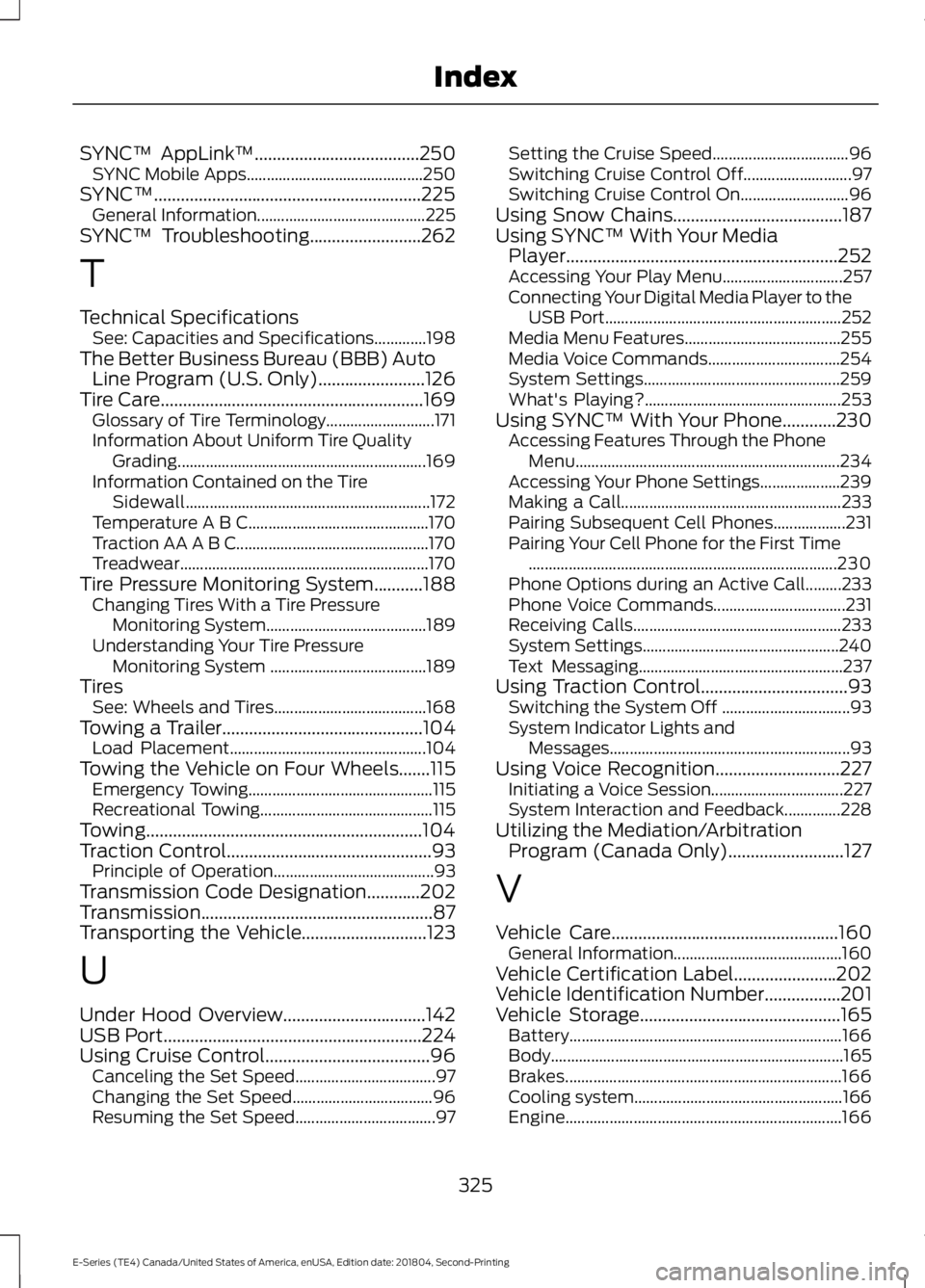
SYNC™ AppLink™.....................................250SYNC Mobile Apps............................................250SYNC™............................................................225General Information..........................................225SYNC™ Troubleshooting.........................262
T
Technical SpecificationsSee: Capacities and Specifications.............198The Better Business Bureau (BBB) AutoLine Program (U.S. Only)........................126Tire Care...........................................................169Glossary of Tire Terminology...........................171Information About Uniform Tire QualityGrading..............................................................169Information Contained on the TireSidewall.............................................................172Temperature A B C.............................................170Traction AA A B C................................................170Treadwear..............................................................170Tire Pressure Monitoring System...........188Changing Tires With a Tire PressureMonitoring System........................................189Understanding Your Tire PressureMonitoring System .......................................189TiresSee: Wheels and Tires......................................168Towing a Trailer.............................................104Load Placement.................................................104Towing the Vehicle on Four Wheels.......115Emergency Towing..............................................115Recreational Towing...........................................115Towing..............................................................104Traction Control..............................................93Principle of Operation........................................93Transmission Code Designation............202Transmission....................................................87Transporting the Vehicle............................123
U
Under Hood Overview................................142USB Port..........................................................224Using Cruise Control.....................................96Canceling the Set Speed...................................97Changing the Set Speed...................................96Resuming the Set Speed...................................97
Setting the Cruise Speed..................................96Switching Cruise Control Off...........................97Switching Cruise Control On...........................96Using Snow Chains......................................187Using SYNC™ With Your MediaPlayer.............................................................252Accessing Your Play Menu..............................257Connecting Your Digital Media Player to theUSB Port...........................................................252Media Menu Features.......................................255Media Voice Commands.................................254System Settings.................................................259What's Playing?.................................................253Using SYNC™ With Your Phone............230Accessing Features Through the PhoneMenu..................................................................234Accessing Your Phone Settings....................239Making a Call.......................................................233Pairing Subsequent Cell Phones..................231Pairing Your Cell Phone for the First Time.............................................................................230Phone Options during an Active Call.........233Phone Voice Commands.................................231Receiving Calls....................................................233System Settings.................................................240Text Messaging...................................................237Using Traction Control.................................93Switching the System Off ................................93System Indicator Lights andMessages............................................................93Using Voice Recognition............................227Initiating a Voice Session.................................227System Interaction and Feedback..............228Utilizing the Mediation/ArbitrationProgram (Canada Only)..........................127
V
Vehicle Care...................................................160General Information..........................................160Vehicle Certification Label.......................202Vehicle Identification Number.................201Vehicle Storage.............................................165Battery....................................................................166Body.........................................................................165Brakes.....................................................................166Cooling system....................................................166Engine.....................................................................166
325
E-Series (TE4) Canada/United States of America, enUSA, Edition date: 201804, Second-Printing
Index