brakes FORD E SERIES 2019 Owner's Manual
[x] Cancel search | Manufacturer: FORD, Model Year: 2019, Model line: E SERIES, Model: FORD E SERIES 2019Pages: 329, PDF Size: 2.92 MB
Page 120 of 329
•Do not warm up your vehicle on coldmornings.
•Reduce the use of air conditioning andheat.
•Avoid using speed control in hillyterrain.
•Do not rest your foot on the brakepedal while driving.
•Avoid carrying unnecessary weight.
•Avoid adding particular accessories toyour vehicle (e.g. bug deflectors,rollbars/light bars, running boards, skiracks).
•Avoid driving with the wheels out ofalignment.
DRIVING THROUGH WATER
WARNING: Do not drive throughflowing or deep water as you may losecontrol of your vehicle.
Note:Driving through standing water cancause vehicle damage.
Note:Engine damage can occur if waterenters the air filter.
Before driving through standing water,check the depth. Never drive through waterthat is higher than the bottom of the wheelhubs.
When driving through standing water, drivevery slowly and do not stop your vehicle.Your brake performance and traction maybe limited. After driving through water andas soon as it is safe to do so:
•Lightly press the brake pedal to dry thebrakes and to check that they work.
•Check that the horn works.
•Check that the exterior lights work.
•Turn the steering wheel to check thatthe steering power assist works.
FLOOR MATS
WARNING: Use a floor matdesigned to fit the footwell of yourvehicle that does not obstruct the pedalarea. Failure to follow this instructioncould result in the loss of control of yourvehicle, personal injury or death.
WARNING: Pedals that cannotmove freely can cause loss of vehiclecontrol and increase the risk of seriouspersonal injury.
117
E-Series (TE4) Canada/United States of America, enUSA, Edition date: 201804, Second-Printing
Driving HintsE176913
Page 155 of 329
Do not use supplemental transmissionfluid additives, treatments or cleaningagents. The use of these materials mayaffect transmission operation and resultin damage to internal transmissioncomponents.
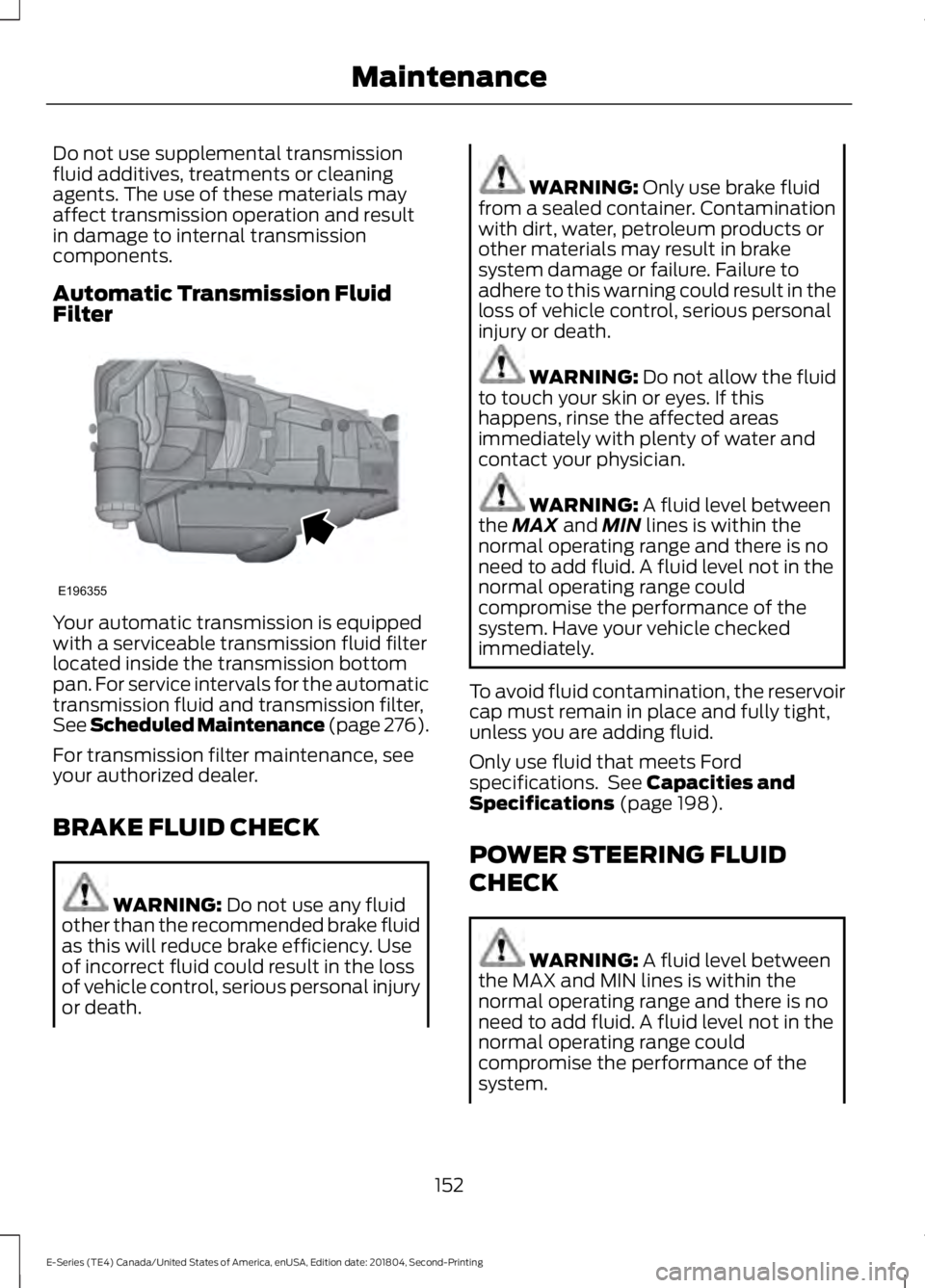
Automatic Transmission FluidFilter
Your automatic transmission is equippedwith a serviceable transmission fluid filterlocated inside the transmission bottompan. For service intervals for the automatictransmission fluid and transmission filter,See Scheduled Maintenance (page 276).
For transmission filter maintenance, seeyour authorized dealer.
BRAKE FLUID CHECK
WARNING: Do not use any fluidother than the recommended brake fluidas this will reduce brake efficiency. Useof incorrect fluid could result in the lossof vehicle control, serious personal injuryor death.
WARNING: Only use brake fluidfrom a sealed container. Contaminationwith dirt, water, petroleum products orother materials may result in brakesystem damage or failure. Failure toadhere to this warning could result in theloss of vehicle control, serious personalinjury or death.
WARNING: Do not allow the fluidto touch your skin or eyes. If thishappens, rinse the affected areasimmediately with plenty of water andcontact your physician.
WARNING: A fluid level betweenthe MAX and MIN lines is within thenormal operating range and there is noneed to add fluid. A fluid level not in thenormal operating range couldcompromise the performance of thesystem. Have your vehicle checkedimmediately.
To avoid fluid contamination, the reservoircap must remain in place and fully tight,unless you are adding fluid.
Only use fluid that meets Fordspecifications. See Capacities andSpecifications (page 198).
POWER STEERING FLUID
CHECK
WARNING: A fluid level betweenthe MAX and MIN lines is within thenormal operating range and there is noneed to add fluid. A fluid level not in thenormal operating range couldcompromise the performance of thesystem.
152
E-Series (TE4) Canada/United States of America, enUSA, Edition date: 201804, Second-Printing
MaintenanceE196355
Page 156 of 329
WARNING: For E-350 and E-450vehicles with the Hydro-Boost BrakeSystem, do not press the brake pedalafter the engine has been turned off.Pressing the brake pedal after the enginehas been turned off will give a falsepower steering fluid level reading.
Only use fluid that meets Fordspecifications. See Capacities andSpecifications (page 203).
To top up the power steering fluid level dothe following.
1. Start the engine and let it run until itreaches normal operating temperature.
2. Make sure the fluid is within the MINand MAX range.
3. If the fluid level is low, add fluid to bewithin the MIN and MAX range. Do notoverfill.
4.While the engine idles, turn the steeringwheel left and right several times.
5. Recheck the fluid level in the reservoir.
Note:Do not operate the vehicle with a lowpower steering pump fluid level.
WASHER FLUID CHECK
WARNING: If you operate yourvehicle in temperatures below 40°F(5°C), use washer fluid with antifreezeprotection. Failure to use washer fluidwith antifreeze protection in coldweather could result in impairedwindshield vision and increase the riskof injury or accident.
Add fluid to fill the reservoir if the level islow. Only use a washer fluid that meetsFord specifications. See Capacities andSpecifications (page 198).
State or local regulations on volatileorganic compounds may restrict the useof methanol, a common windshield washerantifreeze additive. Washer fluidscontaining non-methanol antifreezeagents should be used only if they providecold weather protection without damagingthe vehicle’s paint finish, wiper blades orwasher system.
CHANGING THE 12V BATTERY
WARNING: This vehicle may befitted with more than one battery,removal of cable from only one batterydoes not disconnect the vehicleelectrical system. Be sure to disconnectcables from all batteries whendisconnecting power. Failure to do somay cause serious personal injury orproperty damage.
WARNING: Batteries normallyproduce explosive gases which cancause personal injury. Therefore, do notallow flames, sparks or lightedsubstances to come near the battery.When working near the battery, alwaysshield your face and protect your eyes.Always provide proper ventilation.
WARNING: When lifting aplastic-cased battery, excessive pressureon the end walls could cause acid to flowthrough the vent caps, resulting inpersonal injury and/or damage to thevehicle or battery. Lift the battery with abattery carrier or with your hands onopposite corners.
153
E-Series (TE4) Canada/United States of America, enUSA, Edition date: 201804, Second-Printing
Maintenance
Page 169 of 329
•Cover interior trim to prevent fading.
•Keep all rubber parts free from oil andsolvents.
Engine
•Change the engine oil and filter prior tostorage because used engine oilcontains contaminates which maycause engine damage.
•Start the engine every 15 days for aminimum of 15 minutes. Run at fast idlewith the climate controls set to defrostuntil the engine reaches normaloperating temperature.
•With your foot on the brake, shiftthrough all the gears while the engineis running.
•We recommend that you change theengine oil before you use your vehicleagain.
Fuel system
•Fill the fuel tank with high-quality fueluntil the first automatic shutoff of thefuel pump nozzle.
Cooling system
•Protect against freezing temperatures.
•When removing your vehicle fromstorage, check coolant fluid level.Confirm that there are no coolingsystem leaks and that fluid is at therecommended level.
Battery
•Check and recharge as necessary. Keepconnections clean.
•If storing your vehicle for more than 30days without recharging the battery,we recommend that you disconnectthe battery cables to maintain batterycharge for quick starting.
Note:It is necessary to reset memoryfeatures if battery cables are disconnected.
Brakes
•Make sure the brakes and parking brakerelease fully.
Tires
•Maintain recommended air pressure.
Miscellaneous
•Make sure all linkages, cables, leversand pins under your vehicle are coveredwith grease to prevent rust.
•Move vehicles at least 25 ft (7.5 m)every 15 days to lubricate working partsand prevent corrosion.
Removing Vehicle From Storage
When your vehicle is ready to come out ofstorage, do the following:
•Wash your vehicle to remove any dirtor grease film build-up on windowsurfaces.
•Check windshield wipers for anydeterioration.
•Check under the hood for any foreignmaterial that may have collectedduring storage such as mice or squirrelnests.
•Check the exhaust for any foreignmaterial that may have collectedduring storage.
•Check tire pressures and set tireinflation per the Tire Label.
•Check brake pedal operation. Driveyour vehicle 15 ft (4.5 m) back andforth to remove rust build-up.
166
E-Series (TE4) Canada/United States of America, enUSA, Edition date: 201804, Second-Printing
Vehicle Care
Page 180 of 329
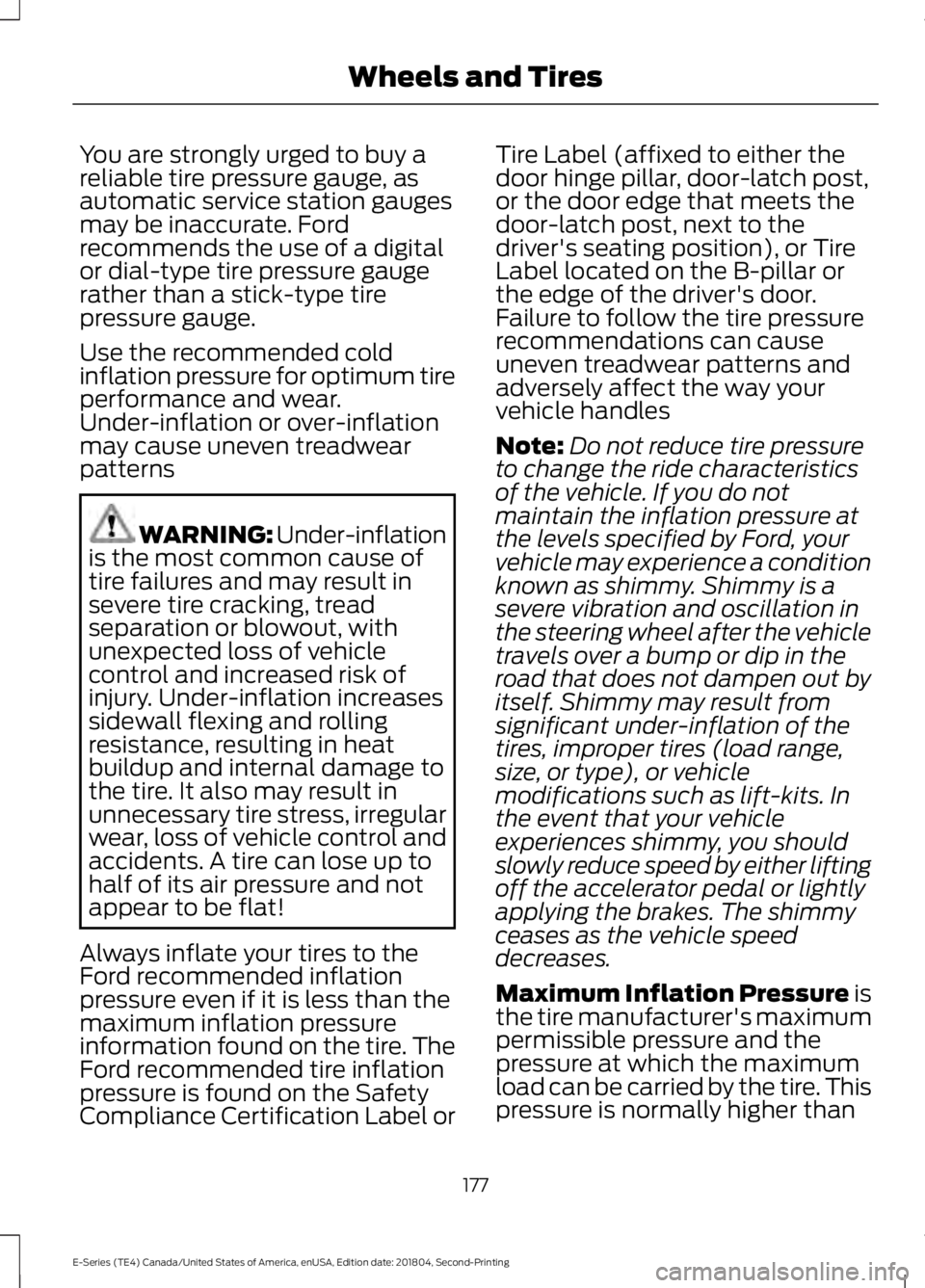
You are strongly urged to buy areliable tire pressure gauge, asautomatic service station gaugesmay be inaccurate. Fordrecommends the use of a digitalor dial-type tire pressure gaugerather than a stick-type tirepressure gauge.
Use the recommended coldinflation pressure for optimum tireperformance and wear.Under-inflation or over-inflationmay cause uneven treadwearpatterns
WARNING: Under-inflationis the most common cause oftire failures and may result insevere tire cracking, treadseparation or blowout, withunexpected loss of vehiclecontrol and increased risk ofinjury. Under-inflation increasessidewall flexing and rollingresistance, resulting in heatbuildup and internal damage tothe tire. It also may result inunnecessary tire stress, irregularwear, loss of vehicle control andaccidents. A tire can lose up tohalf of its air pressure and notappear to be flat!
Always inflate your tires to theFord recommended inflationpressure even if it is less than themaximum inflation pressureinformation found on the tire. TheFord recommended tire inflation
pressure is found on the SafetyCompliance Certification Label or
Tire Label (affixed to either thedoor hinge pillar, door-latch post,or the door edge that meets thedoor-latch post, next to thedriver's seating position), or TireLabel located on the B-pillar orthe edge of the driver's door.Failure to follow the tire pressurerecommendations can causeuneven treadwear patterns andadversely affect the way yourvehicle handles
Note:Do not reduce tire pressureto change the ride characteristicsof the vehicle. If you do notmaintain the inflation pressure atthe levels specified by Ford, yourvehicle may experience a conditionknown as shimmy. Shimmy is asevere vibration and oscillation inthe steering wheel after the vehicletravels over a bump or dip in theroad that does not dampen out byitself. Shimmy may result fromsignificant under-inflation of thetires, improper tires (load range,size, or type), or vehiclemodifications such as lift-kits. Inthe event that your vehicleexperiences shimmy, you shouldslowly reduce speed by either liftingoff the accelerator pedal or lightlyapplying the brakes. The shimmyceases as the vehicle speeddecreases.
Maximum Inflation Pressure isthe tire manufacturer's maximumpermissible pressure and thepressure at which the maximum
load can be carried by the tire. Thispressure is normally higher than
177
E-Series (TE4) Canada/United States of America, enUSA, Edition date: 201804, Second-Printing
Wheels and Tires
Page 322 of 329
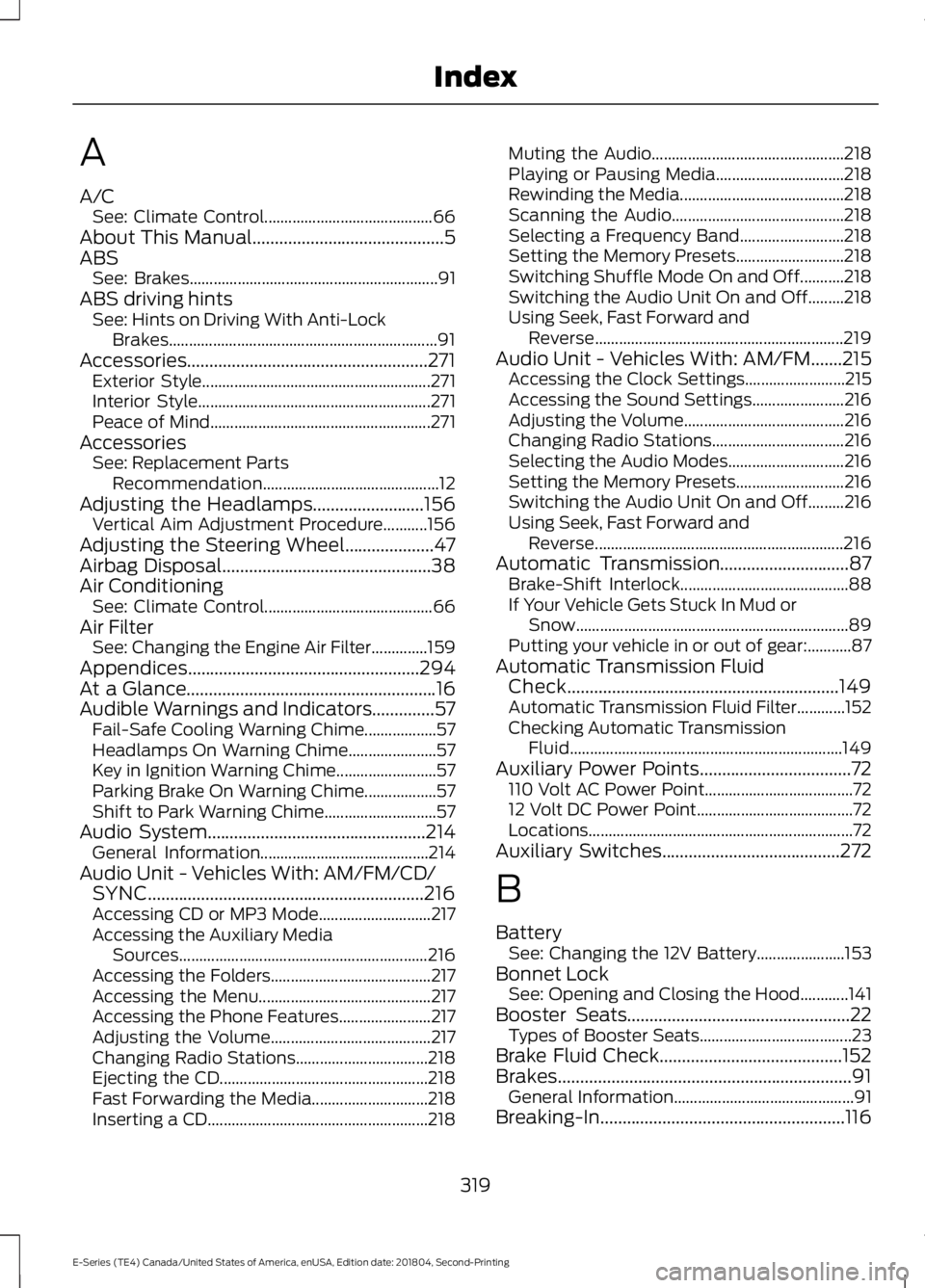
A
A/CSee: Climate Control..........................................66About This Manual...........................................5ABSSee: Brakes..............................................................91ABS driving hintsSee: Hints on Driving With Anti-LockBrakes...................................................................91Accessories......................................................271Exterior Style.........................................................271Interior Style..........................................................271Peace of Mind.......................................................271AccessoriesSee: Replacement PartsRecommendation............................................12Adjusting the Headlamps.........................156Vertical Aim Adjustment Procedure...........156Adjusting the Steering Wheel....................47Airbag Disposal...............................................38Air ConditioningSee: Climate Control..........................................66Air FilterSee: Changing the Engine Air Filter..............159Appendices....................................................294At a Glance........................................................16Audible Warnings and Indicators..............57Fail-Safe Cooling Warning Chime..................57Headlamps On Warning Chime......................57Key in Ignition Warning Chime.........................57Parking Brake On Warning Chime..................57Shift to Park Warning Chime............................57Audio System.................................................214General Information..........................................214Audio Unit - Vehicles With: AM/FM/CD/SYNC..............................................................216Accessing CD or MP3 Mode............................217Accessing the Auxiliary MediaSources..............................................................216Accessing the Folders........................................217Accessing the Menu...........................................217Accessing the Phone Features.......................217Adjusting the Volume........................................217Changing Radio Stations.................................218Ejecting the CD....................................................218Fast Forwarding the Media.............................218Inserting a CD.......................................................218
Muting the Audio................................................218Playing or Pausing Media................................218Rewinding the Media.........................................218Scanning the Audio...........................................218Selecting a Frequency Band..........................218Setting the Memory Presets...........................218Switching Shuffle Mode On and Off...........218Switching the Audio Unit On and Off.........218Using Seek, Fast Forward andReverse..............................................................219Audio Unit - Vehicles With: AM/FM.......215Accessing the Clock Settings.........................215Accessing the Sound Settings.......................216Adjusting the Volume........................................216Changing Radio Stations.................................216Selecting the Audio Modes.............................216Setting the Memory Presets...........................216Switching the Audio Unit On and Off.........216Using Seek, Fast Forward andReverse..............................................................216Automatic Transmission.............................87Brake-Shift Interlock..........................................88If Your Vehicle Gets Stuck In Mud orSnow....................................................................89Putting your vehicle in or out of gear:...........87Automatic Transmission FluidCheck.............................................................149Automatic Transmission Fluid Filter............152Checking Automatic TransmissionFluid....................................................................149Auxiliary Power Points..................................72110 Volt AC Power Point.....................................7212 Volt DC Power Point.......................................72Locations..................................................................72Auxiliary Switches........................................272
B
BatterySee: Changing the 12V Battery......................153Bonnet LockSee: Opening and Closing the Hood............141Booster Seats..................................................22Types of Booster Seats......................................23Brake Fluid Check.........................................152Brakes..................................................................91General Information.............................................91Breaking-In.......................................................116
319
E-Series (TE4) Canada/United States of America, enUSA, Edition date: 201804, Second-Printing
Index
Page 324 of 329
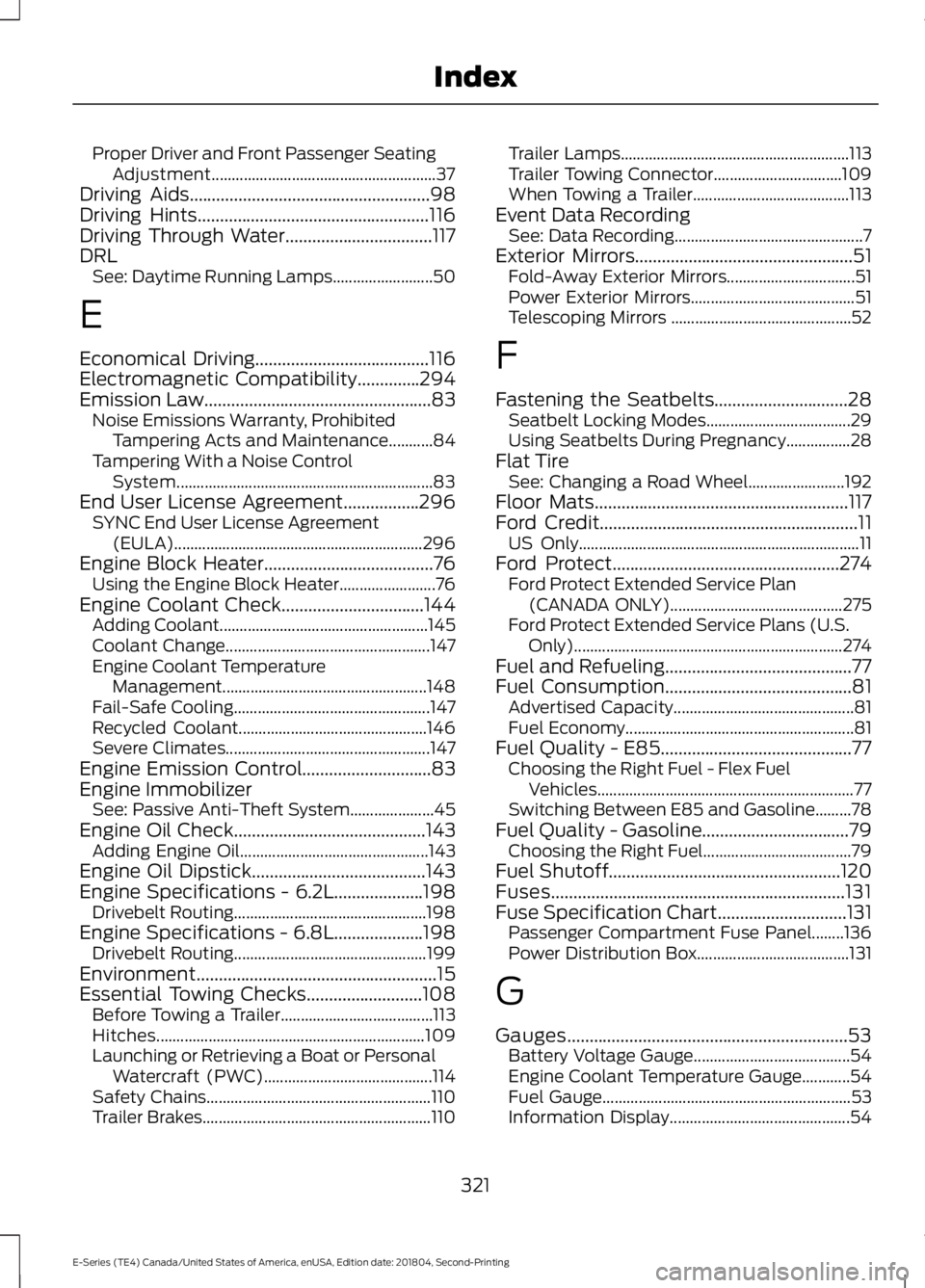
Proper Driver and Front Passenger SeatingAdjustment........................................................37Driving Aids......................................................98Driving Hints....................................................116Driving Through Water.................................117DRLSee: Daytime Running Lamps.........................50
E
Economical Driving.......................................116Electromagnetic Compatibility..............294Emission Law...................................................83Noise Emissions Warranty, ProhibitedTampering Acts and Maintenance...........84Tampering With a Noise ControlSystem................................................................83End User License Agreement.................296SYNC End User License Agreement(EULA)..............................................................296Engine Block Heater......................................76Using the Engine Block Heater........................76Engine Coolant Check................................144Adding Coolant....................................................145Coolant Change...................................................147Engine Coolant TemperatureManagement...................................................148Fail-Safe Cooling.................................................147Recycled Coolant...............................................146Severe Climates...................................................147Engine Emission Control.............................83Engine ImmobilizerSee: Passive Anti-Theft System.....................45Engine Oil Check...........................................143Adding Engine Oil...............................................143Engine Oil Dipstick.......................................143Engine Specifications - 6.2L....................198Drivebelt Routing................................................198Engine Specifications - 6.8L....................198Drivebelt Routing................................................199Environment......................................................15Essential Towing Checks..........................108Before Towing a Trailer......................................113Hitches...................................................................109Launching or Retrieving a Boat or PersonalWatercraft (PWC)..........................................114Safety Chains........................................................110Trailer Brakes.........................................................110
Trailer Lamps.........................................................113Trailer Towing Connector................................109When Towing a Trailer.......................................113Event Data RecordingSee: Data Recording...............................................7Exterior Mirrors.................................................51Fold-Away Exterior Mirrors................................51Power Exterior Mirrors.........................................51Telescoping Mirrors .............................................52
F
Fastening the Seatbelts..............................28Seatbelt Locking Modes....................................29Using Seatbelts During Pregnancy................28Flat TireSee: Changing a Road Wheel........................192Floor Mats.........................................................117Ford Credit..........................................................11US Only......................................................................11Ford Protect...................................................274Ford Protect Extended Service Plan(CANADA ONLY)...........................................275Ford Protect Extended Service Plans (U.S.Only)...................................................................274Fuel and Refueling..........................................77Fuel Consumption..........................................81Advertised Capacity.............................................81Fuel Economy.........................................................81Fuel Quality - E85...........................................77Choosing the Right Fuel - Flex FuelVehicles................................................................77Switching Between E85 and Gasoline.........78Fuel Quality - Gasoline.................................79Choosing the Right Fuel.....................................79Fuel Shutoff....................................................120Fuses..................................................................131Fuse Specification Chart.............................131Passenger Compartment Fuse Panel........136Power Distribution Box......................................131
G
Gauges...............................................................53Battery Voltage Gauge.......................................54Engine Coolant Temperature Gauge............54Fuel Gauge..............................................................53Information Display.............................................54
321
E-Series (TE4) Canada/United States of America, enUSA, Edition date: 201804, Second-Printing
Index
Page 325 of 329
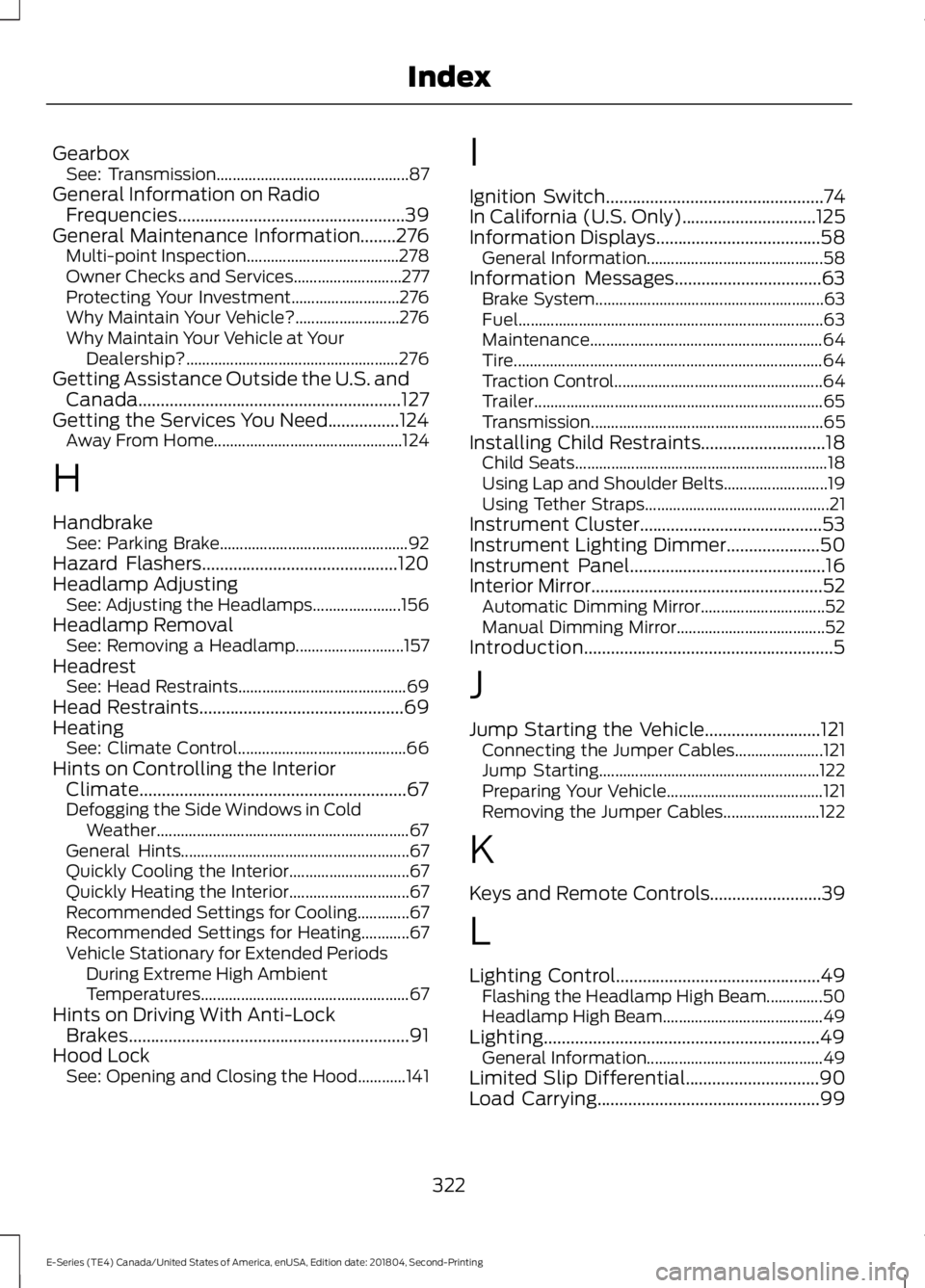
GearboxSee: Transmission................................................87General Information on RadioFrequencies...................................................39General Maintenance Information........276Multi-point Inspection......................................278Owner Checks and Services...........................277Protecting Your Investment...........................276Why Maintain Your Vehicle?..........................276Why Maintain Your Vehicle at YourDealership?.....................................................276Getting Assistance Outside the U.S. andCanada...........................................................127Getting the Services You Need................124Away From Home...............................................124
H
HandbrakeSee: Parking Brake...............................................92Hazard Flashers............................................120Headlamp AdjustingSee: Adjusting the Headlamps......................156Headlamp RemovalSee: Removing a Headlamp...........................157HeadrestSee: Head Restraints..........................................69Head Restraints..............................................69HeatingSee: Climate Control..........................................66Hints on Controlling the InteriorClimate............................................................67Defogging the Side Windows in ColdWeather...............................................................67General Hints.........................................................67Quickly Cooling the Interior..............................67Quickly Heating the Interior..............................67Recommended Settings for Cooling.............67Recommended Settings for Heating............67Vehicle Stationary for Extended PeriodsDuring Extreme High AmbientTemperatures....................................................67Hints on Driving With Anti-LockBrakes...............................................................91Hood LockSee: Opening and Closing the Hood............141
I
Ignition Switch.................................................74In California (U.S. Only)..............................125Information Displays.....................................58General Information............................................58Information Messages.................................63Brake System.........................................................63Fuel............................................................................63Maintenance..........................................................64Tire.............................................................................64Traction Control....................................................64Trailer........................................................................65Transmission..........................................................65Installing Child Restraints............................18Child Seats...............................................................18Using Lap and Shoulder Belts..........................19Using Tether Straps..............................................21Instrument Cluster.........................................53Instrument Lighting Dimmer.....................50Instrument Panel............................................16Interior Mirror....................................................52Automatic Dimming Mirror...............................52Manual Dimming Mirror.....................................52Introduction........................................................5
J
Jump Starting the Vehicle..........................121Connecting the Jumper Cables......................121Jump Starting.......................................................122Preparing Your Vehicle.......................................121Removing the Jumper Cables........................122
K
Keys and Remote Controls.........................39
L
Lighting Control..............................................49Flashing the Headlamp High Beam..............50Headlamp High Beam........................................49Lighting..............................................................49General Information............................................49Limited Slip Differential..............................90Load Carrying..................................................99
322
E-Series (TE4) Canada/United States of America, enUSA, Edition date: 201804, Second-Printing
Index
Page 328 of 329
SYNC™ AppLink™.....................................250SYNC Mobile Apps............................................250SYNC™............................................................225General Information..........................................225SYNC™ Troubleshooting.........................262
T
Technical SpecificationsSee: Capacities and Specifications.............198The Better Business Bureau (BBB) AutoLine Program (U.S. Only)........................126Tire Care...........................................................169Glossary of Tire Terminology...........................171Information About Uniform Tire QualityGrading..............................................................169Information Contained on the TireSidewall.............................................................172Temperature A B C.............................................170Traction AA A B C................................................170Treadwear..............................................................170Tire Pressure Monitoring System...........188Changing Tires With a Tire PressureMonitoring System........................................189Understanding Your Tire PressureMonitoring System .......................................189TiresSee: Wheels and Tires......................................168Towing a Trailer.............................................104Load Placement.................................................104Towing the Vehicle on Four Wheels.......115Emergency Towing..............................................115Recreational Towing...........................................115Towing..............................................................104Traction Control..............................................93Principle of Operation........................................93Transmission Code Designation............202Transmission....................................................87Transporting the Vehicle............................123
U
Under Hood Overview................................142USB Port..........................................................224Using Cruise Control.....................................96Canceling the Set Speed...................................97Changing the Set Speed...................................96Resuming the Set Speed...................................97
Setting the Cruise Speed..................................96Switching Cruise Control Off...........................97Switching Cruise Control On...........................96Using Snow Chains......................................187Using SYNC™ With Your MediaPlayer.............................................................252Accessing Your Play Menu..............................257Connecting Your Digital Media Player to theUSB Port...........................................................252Media Menu Features.......................................255Media Voice Commands.................................254System Settings.................................................259What's Playing?.................................................253Using SYNC™ With Your Phone............230Accessing Features Through the PhoneMenu..................................................................234Accessing Your Phone Settings....................239Making a Call.......................................................233Pairing Subsequent Cell Phones..................231Pairing Your Cell Phone for the First Time.............................................................................230Phone Options during an Active Call.........233Phone Voice Commands.................................231Receiving Calls....................................................233System Settings.................................................240Text Messaging...................................................237Using Traction Control.................................93Switching the System Off ................................93System Indicator Lights andMessages............................................................93Using Voice Recognition............................227Initiating a Voice Session.................................227System Interaction and Feedback..............228Utilizing the Mediation/ArbitrationProgram (Canada Only)..........................127
V
Vehicle Care...................................................160General Information..........................................160Vehicle Certification Label.......................202Vehicle Identification Number.................201Vehicle Storage.............................................165Battery....................................................................166Body.........................................................................165Brakes.....................................................................166Cooling system....................................................166Engine.....................................................................166
325
E-Series (TE4) Canada/United States of America, enUSA, Edition date: 201804, Second-Printing
Index