diagnostic FORD E SERIES 2022 Owners Manual
[x] Cancel search | Manufacturer: FORD, Model Year: 2022, Model line: E SERIES, Model: FORD E SERIES 2022Pages: 300, PDF Size: 3.18 MB
Page 13 of 300
Your vehicle has electronic control units
that have data recording functionality and
the ability to permanently or temporarily
store data. This data could include
information on the condition and status of
your vehicle, vehicle maintenance
requirements, events and malfunctions.
The types of data that can be recorded are
described in this section. Some of the data
recorded is stored in event logs or error
logs.
Note:
Error logs are reset following a service
or repair.
Note: We may provide information in
response to requests from law enforcement,
other government authorities and third
parties acting with lawful authority or
through a legal process. Such information
could be used by them in legal proceedings.
Data recorded includes, for example:
• Operating states of system
components, for example, fuel level,
tire pressure and battery charge level.
• Vehicle and component status, for
example, wheel speed, deceleration,
lateral acceleration and seatbelt
status.
• Events or errors in essential systems,
for example, headlamps and brakes.
• System responses to driving situations,
for example, airbag deployment and
stability control.
• Environmental conditions, for example,
temperature.
Some of this data, when used in
combination with other information, for
example, an accident report, damage to a
vehicle or eyewitness statements, could
be associated with a specific person. Service Data
Service data recorders in your vehicle are
capable of collecting and storing
diagnostic information about your vehicle.
This potentially includes information about
the performance or status of various
systems and modules in the vehicle, such
as engine, throttle, steering or brake
systems. In order to properly diagnose and
service your vehicle, Ford Motor Company
(Ford of Canada in Canada), and service
and repair facilities may access or share
among them vehicle diagnostic
information received through a direct
connection to your vehicle when
diagnosing or servicing your vehicle.
Additionally, Ford Motor Company (Ford
of Canada, in Canada) may, where
permitted by law, use vehicle diagnostic
information for vehicle improvement or
with other information we may have about
you, for example, your contact information,
to offer you products or services that may
interest you. Data may be provided to our
service providers such as part suppliers
that may help diagnose malfunctions, and
who are similarly obligated to protect data.
We retain this data only as long as
necessary to perform these functions or to
comply with law. We may provide
information where required in response to
official requests to law enforcement or
other government authorities or third
parties acting with lawful authority or court
order, and such information may be used
in legal proceedings. For U.S. only (if
equipped), if you choose to use connected
apps and services, you consent that certain
diagnostic information may also be
accessed electronically by Ford Motor
Company and Ford authorized service
facilities, and that the diagnostic
information may be used to provide
services to you, personalizing your
experience, troubleshoot, and to improve
products and services and offer you
products and services that may interest
10
E-Series (TE4) Canada/United States of America, enUSA, Edition date: 202010, First-Printing Introduction
Page 16 of 300
Vehicles With SYNC
Mobile Device Data
If you connect a mobile device to your
vehicle, you can display data from your
device on the touchscreen for example,
music and album art. You can share your
vehicle data with mobile apps on your
device through the system.
The mobile apps function operates by your
connected device sending data to us in the
United States. The data is encrypted and
includes the vehicle identification number
of your vehicle, the SYNC module serial
number, odometer, enabled apps, usage
statistics and debugging information. We
retain it only as long as necessary to
provide the service, to troubleshoot, for
continuous improvement and to offer you
products and services that may be of
interest to you according to your
preferences and where allowed by law.
If you connect a cell phone to the system,
the system creates a profile that links to
that cell phone. The cell phone profile
enables more mobile features and efficient
operation. The profile contains, for
example, data from your phonebook, read
and unread text messages and call history,
including history of calls when your cell
phone was not connected to the system.
If you connect a media device, the system
creates and retains a media device index
of supported media content. The system
also records a short diagnostic log of
approximately 10 minutes of all recent
system activity.
The cell phone profile, media device index
and diagnostic log remain in your vehicle
unless you delete them and are generally
accessible only in your vehicle when you
connect your cell phone or media device.
If you no longer plan to use the system or
your vehicle, we recommend you use the
master reset function to erase the stored
information.
System data cannot be accessed without
special equipment and access to your
vehicle's module.
For additional information about our
privacy policy, refer to your local Ford
website.
Note:
To find out if your vehicle has
connectivity technology, visit
www .For dC onne c t e d . c om .
Vehicles With an Emergency Call
System
When the emergency call system is active,
it may disclose to emergency services that
your vehicle has been in a crash involving
the deployment of an airbag or activation
of the fuel pump shut-off. Certain versions
or updates to the emergency call system
may also be capable of electronically or
verbally disclosing to emergency services
operators your vehicle location or other
details about your vehicle or crash to assist
emergency services operators to provide
the most appropriate emergency services.
If you do not want to disclose this
information, do not activate the emergency
call system.
Note: You cannot deactivate emergency
call systems that are required by law.
PERCHLORATE
Certain components in your vehicle such
as airbag modules, seatbelt pretensioners
and remote control batteries may contain
perchlorate material. Special handling
may apply for service or vehicle end of life
disposal.
13
E-Series (TE4) Canada/United States of America, enUSA, Edition date: 202010, First-Printing Introduction
Page 18 of 300
WARNING: You risk death, fire, or
serious injury to yourself and others if you
do not follow the instruction highlighted
by the warning symbol. WARNING: Never
place front seat
mounted rear-facing child or infant seats
in front of an active passenger airbag.
Fleet Telematics Modem
(If Equipped)
The onboard modem provides access to
data to support telematics services such
as location, speed, idle time, fuel, vehicle
diagnostics and maintenance alerts. To
explore data, telematics services, third
party service provider support and to
manage existing telematics accounts, refer
to www.commericalsolutions.ford.com or
call 833-FCS-FORD.
Note: This is not available with FordPass
Connect.
FordPass Connect
(If Equipped)
With a FordPass Connect-equipped
vehicle, you can use FordPass to track your
vehicle ’s location and remotely access
vehicle features such as start, lock and
unlock and vehicle status including fuel
level and approximate mileage. Message
and data rates may apply. Services may
be limited by mobile phone network
coverage area. For additional information,
refer to www.fordpass.com. On Board Diagnostics Data Link
Connector WARNING:
Do not connect
wireless plug-in devices to the data link
connector. Unauthorized third parties
could gain access to vehicle data and
impair the performance of safety related
systems. Only allow repair facilities that
follow our service and repair instructions
to connect their equipment to the data
link connector.
Your vehicle has an OBD Data Link
Connector (DLC) that is used in
conjunction with a diagnostic scan tool for
vehicle diagnostics, repairs and
reprogramming services. Installing an
aftermarket device that uses the DLC
during normal driving for purposes such as
remote insurance company monitoring,
transmission of vehicle data to other
devices or entities, or altering the
performance of the vehicle, may cause
interference with or even damage to
vehicle systems. We do not recommend
or endorse the use of aftermarket plug-in
devices unless approved by Ford. The
vehicle Warranty will not cover damage
caused by an aftermarket plug-in device.
Notice to Owners of Pickup Trucks
and Utility Type Vehicles WARNING:
Utility vehicles have a
significantly higher rollover rate than
other types of vehicles.
15
E-Series (TE4) Canada/United States of America, enUSA, Edition date: 202010, First-Printing Introduction
Page 66 of 300
Engine Coolant Temperature
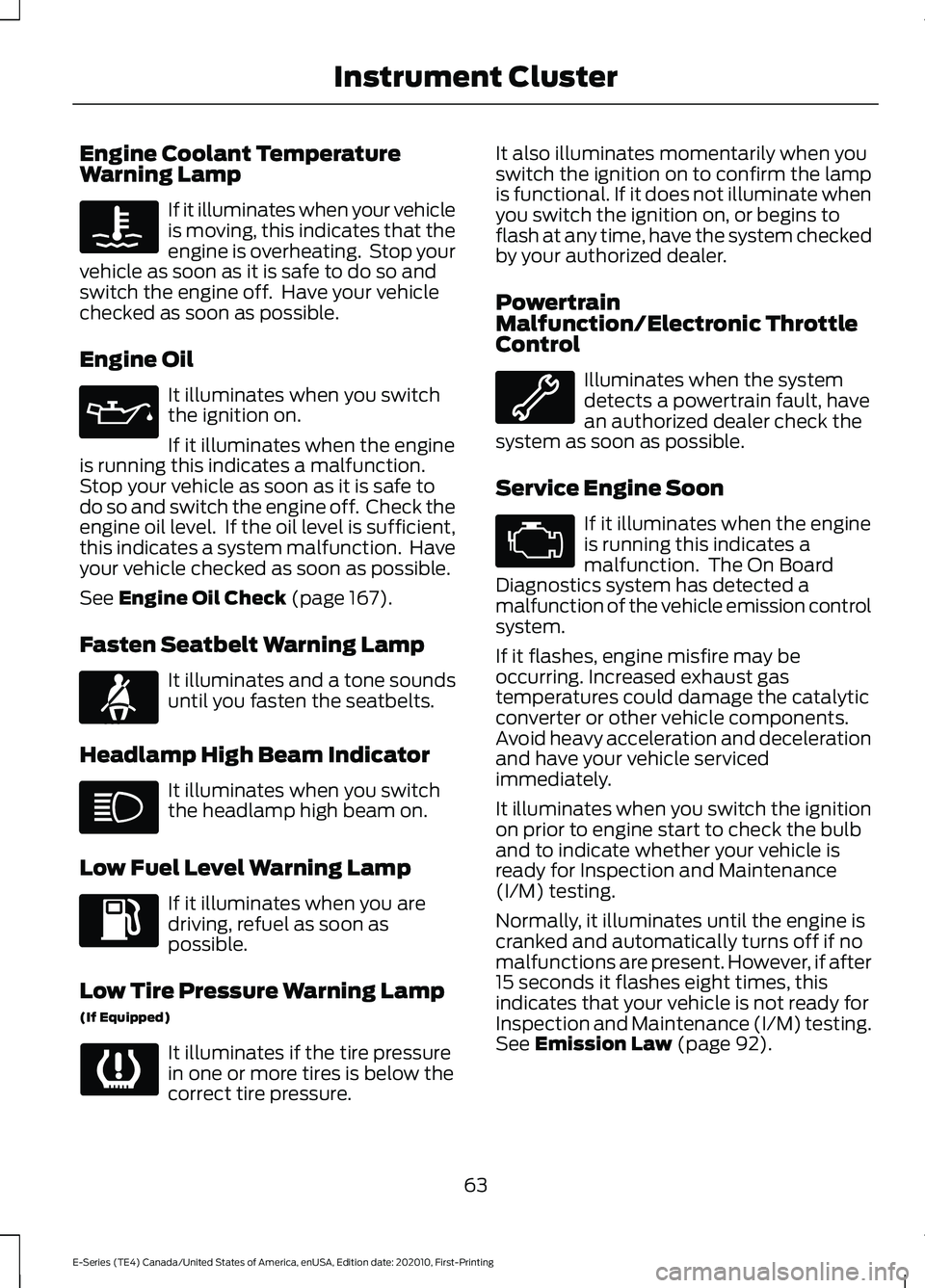
Warning Lamp
If it illuminates when your vehicle
is moving, this indicates that the
engine is overheating. Stop your
vehicle as soon as it is safe to do so and
switch the engine off. Have your vehicle
checked as soon as possible.
Engine Oil It illuminates when you switch
the ignition on.
If it illuminates when the engine
is running this indicates a malfunction.
Stop your vehicle as soon as it is safe to
do so and switch the engine off. Check the
engine oil level. If the oil level is sufficient,
this indicates a system malfunction. Have
your vehicle checked as soon as possible.
See Engine Oil Check (page 167).
Fasten Seatbelt Warning Lamp It illuminates and a tone sounds
until you fasten the seatbelts.
Headlamp High Beam Indicator It illuminates when you switch
the headlamp high beam on.
Low Fuel Level Warning Lamp If it illuminates when you are
driving, refuel as soon as
possible.
Low Tire Pressure Warning Lamp
(If Equipped) It illuminates if the tire pressure
in one or more tires is below the
correct tire pressure. It also illuminates momentarily when you
switch the ignition on to confirm the lamp
is functional. If it does not illuminate when
you switch the ignition on, or begins to
flash at any time, have the system checked
by your authorized dealer.
Powertrain
Malfunction/Electronic Throttle
Control
Illuminates when the system
detects a powertrain fault, have
an authorized dealer check the
system as soon as possible.
Service Engine Soon If it illuminates when the engine
is running this indicates a
malfunction. The On Board
Diagnostics system has detected a
malfunction of the vehicle emission control
system.
If it flashes, engine misfire may be
occurring. Increased exhaust gas
temperatures could damage the catalytic
converter or other vehicle components.
Avoid heavy acceleration and deceleration
and have your vehicle serviced
immediately.
It illuminates when you switch the ignition
on prior to engine start to check the bulb
and to indicate whether your vehicle is
ready for Inspection and Maintenance
(I/M) testing.
Normally, it illuminates until the engine is
cranked and automatically turns off if no
malfunctions are present. However, if after
15 seconds it flashes eight times, this
indicates that your vehicle is not ready for
Inspection and Maintenance (I/M) testing.
See
Emission Law (page 92).
63
E-Series (TE4) Canada/United States of America, enUSA, Edition date: 202010, First-Printing Instrument Cluster E71880
Page 97 of 300
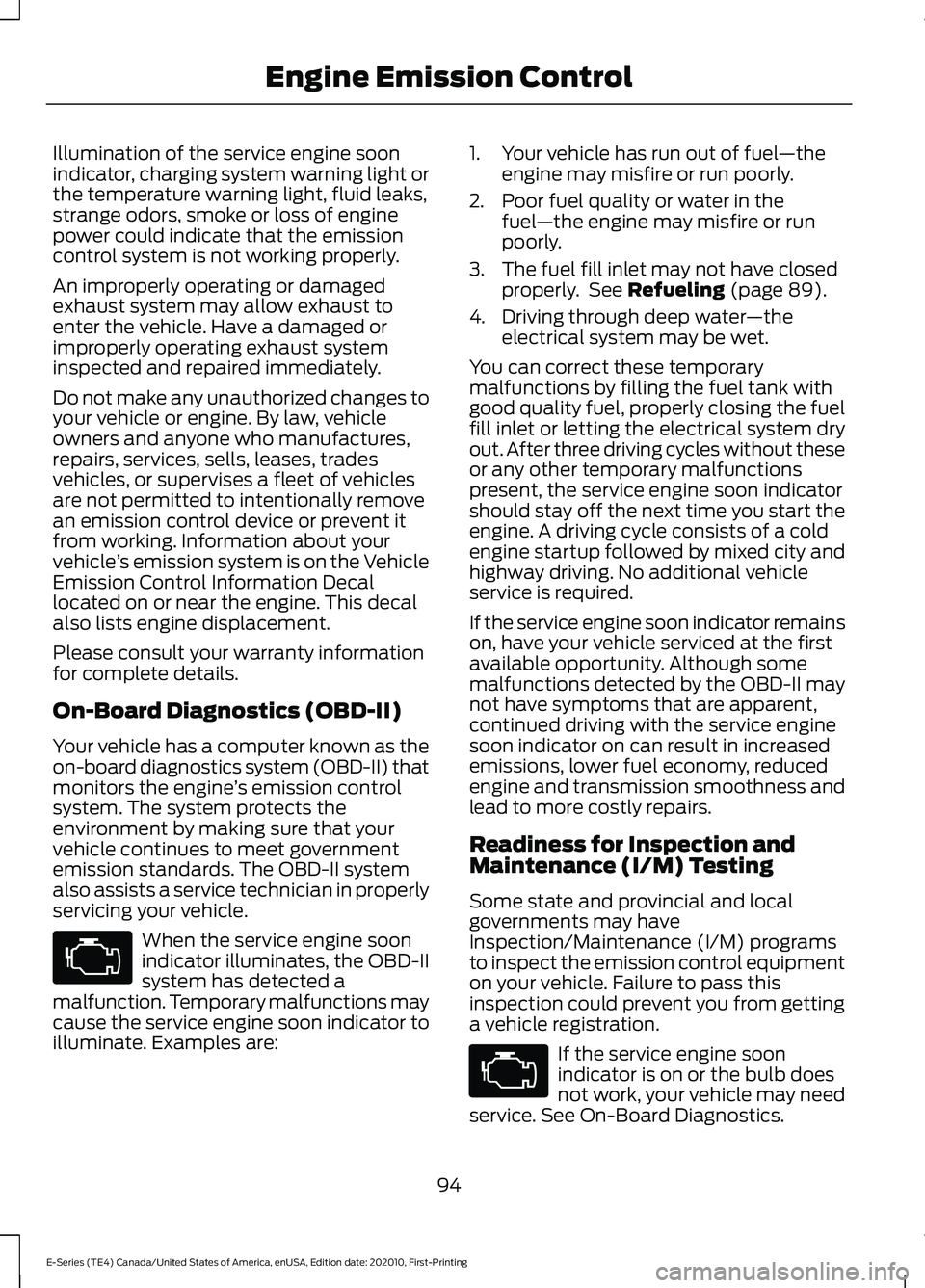
Illumination of the service engine soon
indicator, charging system warning light or
the temperature warning light, fluid leaks,
strange odors, smoke or loss of engine
power could indicate that the emission
control system is not working properly.
An improperly operating or damaged
exhaust system may allow exhaust to
enter the vehicle. Have a damaged or
improperly operating exhaust system
inspected and repaired immediately.
Do not make any unauthorized changes to
your vehicle or engine. By law, vehicle
owners and anyone who manufactures,
repairs, services, sells, leases, trades
vehicles, or supervises a fleet of vehicles
are not permitted to intentionally remove
an emission control device or prevent it
from working. Information about your
vehicle
’s emission system is on the Vehicle
Emission Control Information Decal
located on or near the engine. This decal
also lists engine displacement.
Please consult your warranty information
for complete details.
On-Board Diagnostics (OBD-II)
Your vehicle has a computer known as the
on-board diagnostics system (OBD-II) that
monitors the engine ’s emission control
system. The system protects the
environment by making sure that your
vehicle continues to meet government
emission standards. The OBD-II system
also assists a service technician in properly
servicing your vehicle. When the service engine soon
indicator illuminates, the OBD-II
system has detected a
malfunction. Temporary malfunctions may
cause the service engine soon indicator to
illuminate. Examples are: 1. Your vehicle has run out of fuel
—the
engine may misfire or run poorly.
2. Poor fuel quality or water in the fuel —the engine may misfire or run
poorly.
3. The fuel fill inlet may not have closed properly. See Refueling (page 89).
4. Driving through deep water —the
electrical system may be wet.
You can correct these temporary
malfunctions by filling the fuel tank with
good quality fuel, properly closing the fuel
fill inlet or letting the electrical system dry
out. After three driving cycles without these
or any other temporary malfunctions
present, the service engine soon indicator
should stay off the next time you start the
engine. A driving cycle consists of a cold
engine startup followed by mixed city and
highway driving. No additional vehicle
service is required.
If the service engine soon indicator remains
on, have your vehicle serviced at the first
available opportunity. Although some
malfunctions detected by the OBD-II may
not have symptoms that are apparent,
continued driving with the service engine
soon indicator on can result in increased
emissions, lower fuel economy, reduced
engine and transmission smoothness and
lead to more costly repairs.
Readiness for Inspection and
Maintenance (I/M) Testing
Some state and provincial and local
governments may have
Inspection/Maintenance (I/M) programs
to inspect the emission control equipment
on your vehicle. Failure to pass this
inspection could prevent you from getting
a vehicle registration. If the service engine soon
indicator is on or the bulb does
not work, your vehicle may need
service. See On-Board Diagnostics.
94
E-Series (TE4) Canada/United States of America, enUSA, Edition date: 202010, First-Printing Engine Emission Control
Page 293 of 300
C
Canceling the Set Speed............................110
Capacities and Specifications................223
Car Wash
See: Cleaning the Exterior............................... 185
Catalytic Converter........................................93
On-Board Diagnostics (OBD-II)..................... 94
Readiness for Inspection and Maintenance (I/M) Testing..................................................... 94
Changing a Bulb.............................................181 Lamp Assembly Condensation...................... 181
Replacing Brake/Tail/Turn/Reverse Lamp Bulbs (Cut-Away Only)............................... 183
Replacing Front Parking Lamp and Direction Indicator Bulbs................................................ 182
Replacing Headlamp Bulbs............................ 182
Replacing Side Marker Bulbs......................... 183
Changing a Fuse
...........................................163
Fuses....................................................................... 163
Changing a Road Wheel
.............................217
Dissimilar Spare Wheel and Tire Assembly
Information...................................................... 218
Tire Change Procedure..................................... 219
Changing the 12V Battery...........................177 Dual Batteries....................................................... 179
Reconnecting the Battery................................ 178
Changing the Engine Air Filter
.................168
Changing the Wiper Blades.....................180
Checking the Wiper Blades......................180
Child Restraint and Seatbelt Maintenance.................................................34
Child Restraint Positioning.........................28
Child Safety......................................................20 General Information............................................ 20
Cleaning Leather Seats
..............................188
Cleaning Products........................................184 Materials................................................................ 184
Cleaning the Engine....................................186
Cleaning the Exterior...................................185 Cleaning the Exterior Lamps.......................... 185
Cleaning the Exterior Precautions................185
Exterior Chrome Parts...................................... 185
Exterior Plastic Parts......................................... 185
Stripes or Graphics............................................ 185
Underbody............................................................ 186
Under Hood.......................................................... 186Cleaning the Instrument Panel and
Instrument Cluster Lens.........................188
Cleaning the Interior....................................187 Mirrors..................................................................... 187
Cleaning the Wheels...................................189
Cleaning the Windows and Wiper Blades............................................................187
Climate Control
...............................................74
Connected Vehicle......................................235
Connected Vehicle –
Troubleshooting............................................ 235
Connecting the Vehicle to a Mobile Network............................................................ 235
Connected Vehicle Limitations
..............235
Connected Vehicle Requirements.........235
Connected Vehicle – Troubleshooting........................................235
Connected Vehicle – Frequently Asked Questions......................................................... 235
Connecting a Bluetooth® Device...........241 Pairing a Device................................................... 241
Connecting the Vehicle to a Mobile Network
........................................................235
Connecting FordPass to the Modem.........235
Disabling the Connectivity Device...............235
Enabling and Disabling the Modem...........235
What Is the Modem.......................................... 235
Coolant Check See: Engine Coolant Check............................ 169
Cooling System Capacity and Specification
...............................................227
Crash Sensors and Airbag Indicator.......40
Cruise Control
................................................109
Cruise Control Indicators............................110
Cruise Control - Vehicles With: Adaptive Cruise Control
...............................................49
Cruise Control - Vehicles With: Cruise Control............................................................49
Customer Assistance
..................................149
Customer Information...............................259
Radio Frequency Certification
Labels................................................................ 259
D
Data Recording
..................................................9
Comfort, Convenience and Entertainment
Data........................................................................\
11
290
E-Series (TE4) Canada/United States of America, enUSA, Edition date: 202010, First-Printing Index
Page 298 of 300
Seatbelt Extensions......................................34
Seatbelt Height Adjustment......................33
Seatbelts...........................................................30 Principle of Operation........................................ 30
Seatbelt Warning Lamp and Indicator Chime...............................................................33
Conditions of operation..................................... 33
Seats
....................................................................77
Security..............................................................48
Setting the Cruise Control Speed..........109 Changing the Set Speed................................. 109
Sitting in the Correct Position....................77
Snow Chains See: Using Snow Chains................................... 211
Spare Wheel See: Changing a Road Wheel......................... 217
Special Notices
................................................14
Fleet Telematics Modem.................................... 15
FordPass Connect................................................. 15
New Vehicle Limited Warranty......................... 14
Notice to Owners of Pickup Trucks and Utility Type Vehicles........................................ 15
On Board Diagnostics Data Link Connector............................................................ 15
Special Instructions.............................................. 14
Using your Vehicle as an Ambulance............16
Special Operating Conditions Scheduled Maintenance..............................................256
Exceptions............................................................ 257
Speed Control See: Cruise Control............................................ 109
Stability Control
............................................105
Principle of Operation...................................... 105
Starter Switch See: Ignition Switch............................................. 82
Starting a Gasoline Engine.........................82 Failure to Start....................................................... 83
Guarding Against Exhaust Fumes.................83
Important Ventilating Information................83
Stopping the Engine When Your Vehicle is Moving................................................................. 83
Stopping the Engine When Your Vehicle is Stationary.......................................................... 83
Starting and Stopping the Engine...........82 General Information............................................ 82
Steering.............................................................122 Hydraulic Power Steering................................ 122
Steering Wheel...............................................49 Streaming Bluetooth Audio
.....................244
Selecting a Bluetooth Source....................... 244
Sun Visors.........................................................58 Illuminated Vanity Mirror................................... 58
Supplementary Restraints System.........35 Principle of Operation......................................... 35
Switching Automatic High Beam Control On and Off.....................................................55
Activating the Automatic High Beam Control................................................................. 55
Switching Cruise Control On and Off...................................................................109
Switching Cruise Control Off......................... 109
Switching Cruise Control On.......................... 109
Symbols Glossary
.............................................7
T
Technical Specifications See: Capacities and Specifications............223
The Better Business Bureau (BBB) Auto Line Program (U.S. Only).........................151
Tire Care...........................................................193 Glossary of Tire Terminology......................... 195
Information About Uniform Tire Quality Grading.............................................................. 193
Information Contained on the Tire Sidewall............................................................ 196
Temperature A B C............................................. 194
Traction AA A B C............................................... 194
Treadwear............................................................. 194
Tire Pressure Monitoring System............212 Changing Tires With a Tire Pressure
Monitoring System........................................ 213
Understanding Your Tire Pressure Monitoring System ....................................... 213
Tires See: Wheels and Tires...................................... 192
Towing a Trailer..............................................132 Load Placement.................................................. 132
Towing the Vehicle on Four Wheels..........................................................140
Emergency Towing............................................ 140
Recreational Towing......................................... 140
Towing
...............................................................132
Traction Control............................................104 Principle of Operation...................................... 104
Transmission...................................................96
295
E-Series (TE4) Canada/United States of America, enUSA, Edition date: 202010, First-Printing Index