brake FORD E250 2011 Owner's Manual
[x] Cancel search | Manufacturer: FORD, Model Year: 2011, Model line: E250, Model: FORD E250 2011Pages: 339, PDF Size: 2.29 MB
Page 172 of 339
Distribute the load so that only 10–15% of the total is on the tongue. Tie
down the load so that it does not shift and change the weight on the
hitch.
Towing a trailer places an additional load on your vehicle’s engine,
transmission, axle, brakes, tires and suspension. Inspect these
components carefully after any towing operation.
For load specification terms found on the label, refer toVehicle loading
– with and without a trailerin this chapter. Remember to figure in the
tongue load of your loaded vehicle when figuring the total weight.
WARNING:Do not exceed the GVWR or the GAWR specified on
the certification label.
WARNING:Towing trailers beyond the maximum recommended
gross trailer weight exceeds the limit of the vehicle and could
result in engine damage, transmission damage, structural damage, loss
of vehicle control, vehicle rollover and personal injury.
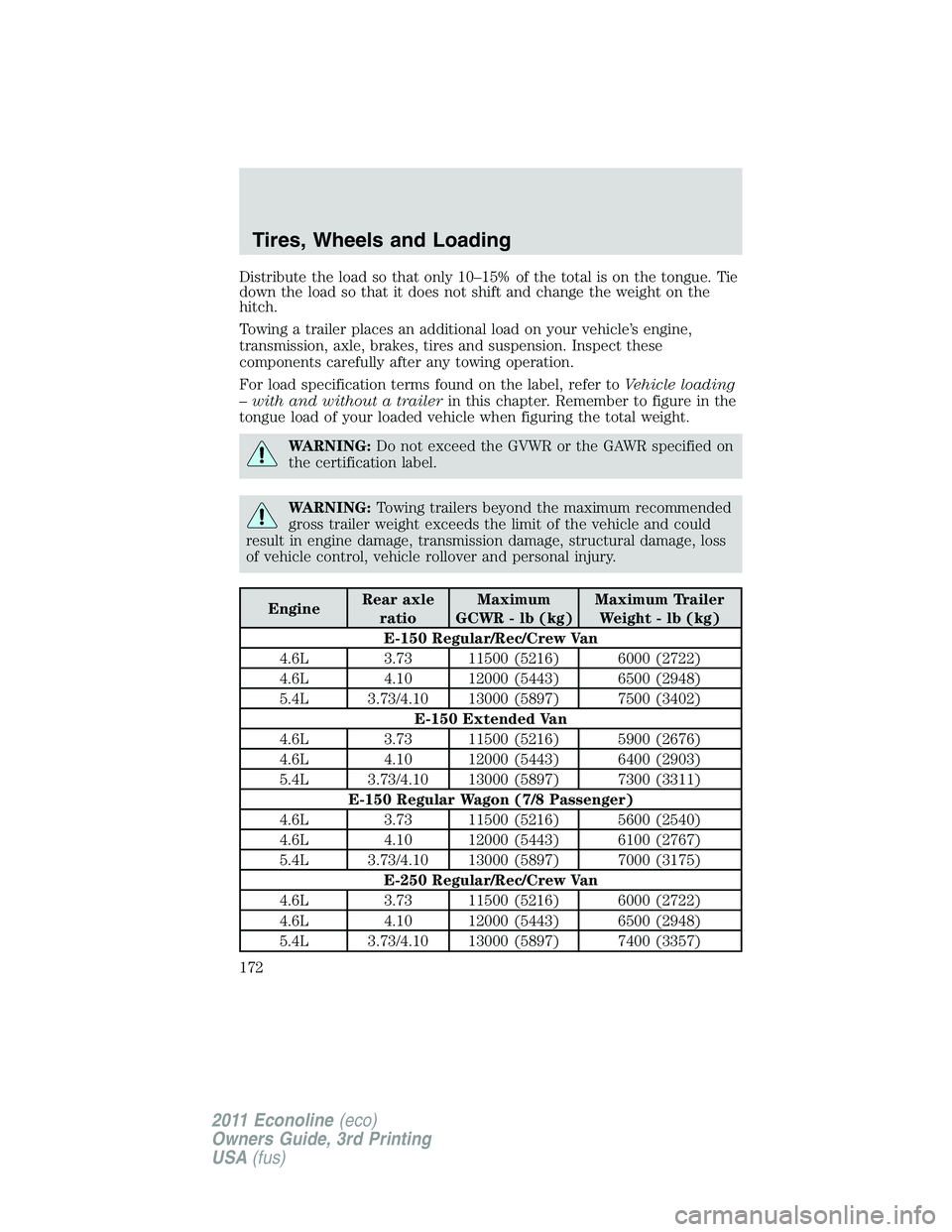
EngineRear axle
ratioMaximum
GCWR - lb (kg)Maximum Trailer
Weight - lb (kg)
E-150 Regular/Rec/Crew Van
4.6L 3.73 11500 (5216) 6000 (2722)
4.6L 4.10 12000 (5443) 6500 (2948)
5.4L 3.73/4.10 13000 (5897) 7500 (3402)
E-150 Extended Van
4.6L 3.73 11500 (5216) 5900 (2676)
4.6L 4.10 12000 (5443) 6400 (2903)
5.4L 3.73/4.10 13000 (5897) 7300 (3311)
E-150 Regular Wagon (7/8 Passenger)
4.6L 3.73 11500 (5216) 5600 (2540)
4.6L 4.10 12000 (5443) 6100 (2767)
5.4L 3.73/4.10 13000 (5897) 7000 (3175)
E-250 Regular/Rec/Crew Van
4.6L 3.73 11500 (5216) 6000 (2722)
4.6L 4.10 12000 (5443) 6500 (2948)
5.4L 3.73/4.10 13000 (5897) 7400 (3357)
Tires, Wheels and Loading
172
2011 Econoline(eco)
Owners Guide, 3rd Printing
USA(fus)
Page 179 of 339
Trailer brakes
Electric brakes and manual, automatic or surge-type trailer brakes are
safe if installed properly and adjusted to the manufacturer’s
specifications. The trailer brakes must meet local and Federal
regulations.
WARNING:Do not connect a trailer’s hydraulic brake system
directly to your vehicle’s brake system. Your vehicle may not
have enough braking power and your chances of having a collision
greatly increase.
The braking system of the tow vehicle is rated for operation at the
GVWR not GCWR.
Integrated trailer brake controller (if equipped)
Your vehicle may be equipped with a fully integrated electronic trailer
brake controller (TBC). When used properly, the TBC helps ensure
smooth and effective trailer braking by powering the trailer’s electric
brakes with a proportional output based on the towing vehicle’s brake
pressure.
WARNING:The Ford TBC has only been verified to be
compatible with trailers having electric-actuated drum brakes
(one to four axles) and not hydraulic surge or electric-over-hydraulic
types. It is the responsibility of the customer to ensure that the trailer
brakes are adjusted appropriately, functioning normally and all electric
connections are properly made. Failure to do so may result in loss of
vehicle control, crash or serious injury.
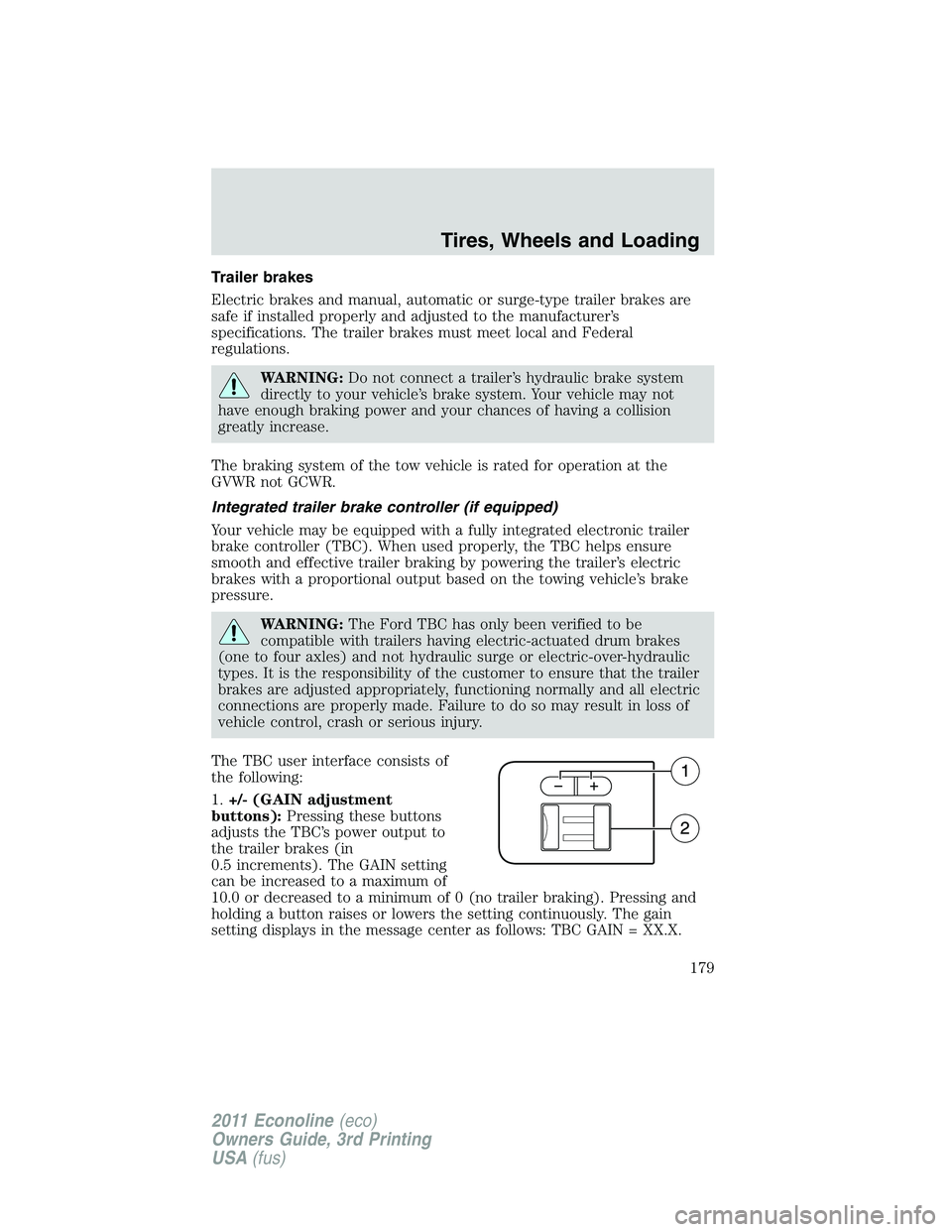
The TBC user interface consists of
the following:
1.+/- (GAIN adjustment
buttons):Pressing these buttons
adjusts the TBC’s power output to
the trailer brakes (in
0.5 increments). The GAIN setting
can be increased to a maximum of
10.0 or decreased to a minimum of 0 (no trailer braking). Pressing and
holding a button raises or lowers the setting continuously. The gain
setting displays in the message center as follows: TBC GAIN = XX.X.
Tires, Wheels and Loading
179
2011 Econoline(eco)
Owners Guide, 3rd Printing
USA(fus)
Page 180 of 339
The trailer brake controller (TBC) is designed to display three items of
information in the instrument cluster message center. These are: gain
setting, output bar graph, and trailer connectivity status. They appear in
the message center as follows:
•TBC GAIN = XX.X NO TRAILER:The instrument cluster message
center displays the current gain setting during a given ignition cycle
and when adjusting the gain. This message is also displayed during
manual activation without a trailer connected or when gain
adjustments are made with no trailer connected.
•TBC GAIN = XX.X OUTPUT = //////:When the vehicle’s brake pedal
is pushed, or when the manual control is activated, bar indicators
illuminate in the instrument cluster message center to indicate the
amount of power going to the trailer brakes relative to the brake pedal
or manual control input. One bar indicates the least amount of output
with six bars indicating maximum output.
•TRAILER CONNECTED:This message is displayed when a correct
trailer wiring connection (a trailer with electric trailer brakes) has
been sensed during a given ignition cycle.
•TRAILER DISCONNECTED:This message is displayed and
accompanied by a single chime, when a trailer connection was
determined and then a disconnection, either intentionally or
unintentionally, has been sensed during a given ignition cycle. It is also
displayed if a truck or trailer wiring fault occurs causing the trailer to
appear disconnected. This message is also displayed during manual
activation without a trailer connected.
2.Manual control lever:Slide the control lever to the left to activate
power to the trailer’s electric brakes independent of the tow vehicle’s
brakes (see the followingProcedure for adjusting GAINsection for
instructions on proper use of this feature). If the manual control is
activated while the brake is also applied, the greater of the two inputs
determines the power sent to the trailer brakes.
•Stop lamps:Activating the TBC manual control lever illuminates both
the trailer brake lamps and the tow vehicle brake lamps except the
center high-mount stop lamp (presuming proper trailer electrical
connection). Pressing the vehicle brake pedal also illuminates both
trailer and vehicle brake lamps.
Tires, Wheels and Loading
180
2011 Econoline(eco)
Owners Guide, 3rd Printing
USA(fus)
Page 181 of 339
Procedure for adjusting GAIN:
The GAIN setting is used to set the TBC for the specific towing
condition and should be changed as towing conditions change. Changes
to towing conditions include trailer load, vehicle load, road conditions
and weather.
The GAIN should be set to provide the maximum trailer braking
assistance while ensuring the trailer wheels do not lock when braking;
locked trailer wheels may lead to trailer instability.
Note:This should only be performed in a traffic-free environment at
speeds of approximately 20–25 mph (30–40 km/h).
1. Make sure the trailer brakes are in good working condition,
functioning normally and properly adjusted. See your trailer dealer if
necessary.
2. Hook up the trailer and make the electrical connections according to
the trailer manufacturer’s instructions.
3. When a trailer with electric brakes is plugged in, theTRAILER
CONNECTEDmessage displays in the instrument cluster message
center.
4. Use the GAIN adjustment (+/-) buttons to increase or decrease the
GAIN setting to the desired starting point. A GAIN setting of 6.0 is a
good starting point for heavier loads.
5. In a traffic-free environment, tow the trailer on a dry, level surface at
a speed of 20–25 mph (30–40 km/h) and squeeze the manual control
lever completely.
6. If the trailer wheels lock up (indicated by squealing tires), reduce the
GAIN setting; if the trailer wheels turn freely, increase the GAIN setting.
Repeat Steps 5 and 6 until the GAIN setting is at a point just below
trailer wheel lock-up. If towing a heavier trailer, trailer wheel lock-up
may not be attainable even with the maximum GAIN setting of 10.
Explanation of instrument cluster warning messages:
The TBC interacts with the instrument cluster message center to display
the following messages:
TRAILER BRAKE MODULE FAULT:This message is displayed and
accompanied by a single chime, in response to faults sensed by the TBC.
In the event this message is seen, please contact your authorized dealer
as soon as possible for diagnosis and repair. The TBC may still function,
but performance may be degraded.
Tires, Wheels and Loading
181
2011 Econoline(eco)
Owners Guide, 3rd Printing
USA(fus)
Page 182 of 339
WIRING FAULT ON TRAILER:This message is displayed when a
Short circuit on the electric brake output wirehas occurred. If the
WIRING FAULT ON TRAILERmessage is displayed and accompanied
by a single chime, with no trailer connected, the problem is with the
vehicle wiring from the TBC to the 7–pin connector at the bumper. If the
message is only displayed with a trailer connected, the problem is related
to the trailer wiring; consult your trailer dealer for assistance. This can
be a short to ground (i.e., chaffed wire) or a short to voltage (i.e., pulled
pin on trailer emergency break-away battery) or trailer brakes drawing
too much current.
Note:Your TBC can be diagnosed by your authorized dealer to
determine exactly which trailer fault has occurred; however, if the fault
is with the trailer this diagnosis isnotcovered under your Ford
warranty.
Points to Remember:
•Remember to adjust gain setting before using the TBC for the first
time.
•Readjust gain setting on the TBC (according to procedure above)
whenever road, weather and trailer or vehicle loading conditions
change from those that existed when the gain was initially set.
•The sliding lever on the TBC should be used only for manual
activation of trailer brakes to assist with proper adjustment of the
GAIN. Misuse, such as application during trailer sway, could cause
instability of trailer and/or tow vehicle.
•Avoid towing in adverse weather conditions. The TBC does not
provide anti-lock control of the trailer wheels. Trailer wheels can lock
up on slippery surfaces, resulting in reduced stability of trailer and
tow vehicle.
•The TBC is equipped with a feature which reduces output at vehicle
speeds below 11 mph (18 km/h) so trailer and vehicle braking is not
jerky or harsh. This feature is only available when applying the brakes
using the vehicle’s brake pedal, not the TBC.
•The TBC interacts with the brake system of the vehicle, including
ABS, in order to reduce the likelihood of trailer wheel lock-up;
therefore, if these systems are not functioning properly, the TBC may
not function at full performance.
•Your vehicle’s brake system and the trailer brake system work
independently of each other; changing the GAIN setting on the TBC
does not affect the operation of your vehicle’s brakes whether a trailer
is attached or not.
Tires, Wheels and Loading
182
2011 Econoline(eco)
Owners Guide, 3rd Printing
USA(fus)
Page 183 of 339
•When the vehicle is turned off, the TBC output is disabled and the
display is shut down; turning the ignition from off to on awakens the
TBC module.
•The TBC is only a factory- or dealer-installed item; Ford is not
responsible for warranty or performance of the TBC due to misuse or
customer installation.
•Do not attempt removal of the TBC without consulting the
Workshop Manual; damage to the unit may result.
Trailer lamps
Trailer lamps are required on most towed vehicles. Make sure all running
lights, brake lights, turn signals and hazard lights are working. Contact
your authorized dealer or trailer rental agency for proper instructions
and equipment for hooking-up trailer lamps.
Driving while you tow
When towing a trailer:
•Do not drive faster than 70 mph (113 km/h) during the first 500 miles
(800 km) of trailer towing and don’t make full-throttle starts.
•Turn off the speed control. The speed control may shut off
automatically when you are towing on long, steep grades.
•Consider turning overdrive off (4–speed transmissions) or using the
tow/haul feature (5–speed transmissions) to eliminate excessive
shifting and assist in transmission cooling. For additional information,
refer toAutomatic transmission operationin theDrivingchapter.
•Allow more distance for stopping with a trailer attached; anticipate
stops and brake gradually.
When descending long, steep downhill grades, always use a lower gear to
provide engine braking to save wear on brakes. Use D (Overdrive OFF)
on moderately steep hills, 2 (Second) on steep hills, and 1 (First) on
very steep hills.Do not apply your brakes continuously, as they
may overheat and become less effective.
Tires, Wheels and Loading
183
2011 Econoline(eco)
Owners Guide, 3rd Printing
USA(fus)
Page 187 of 339
WARNING:Do not start your vehicle in a closed garage or in
other enclosed areas. Exhaust fumes can be toxic. Always open
the garage door before you start the engine. SeeGuarding against
exhaust fumesin this chapter for more instructions.
WARNING:If you smell exhaust fumes inside your vehicle, have
your dealer inspect your vehicle immediately. Do not drive if you
smell exhaust fumes.
Important safety precautions
When the engine starts, the idle RPM runs faster to warm the engine. If
the engine idle speed does not slow down automatically, have the vehicle
checked. If your vehicle is operated in a heavy snow storm or blowing
snow conditions, the engine air induction may become partially clogged
with snow and/or ice. If this occurs, the engine may experience a
significant reduction in power output. At the earliest opportunity, clear
all the snow and/or ice away from the air induction inlet.
Before starting the vehicle:
1. Make sure all occupants buckle their safety belts. For more
information on safety belts and their proper usage, refer to theSeating
and Safety Restraintschapter.
2. Make sure the headlamps and electrical accessories are off.
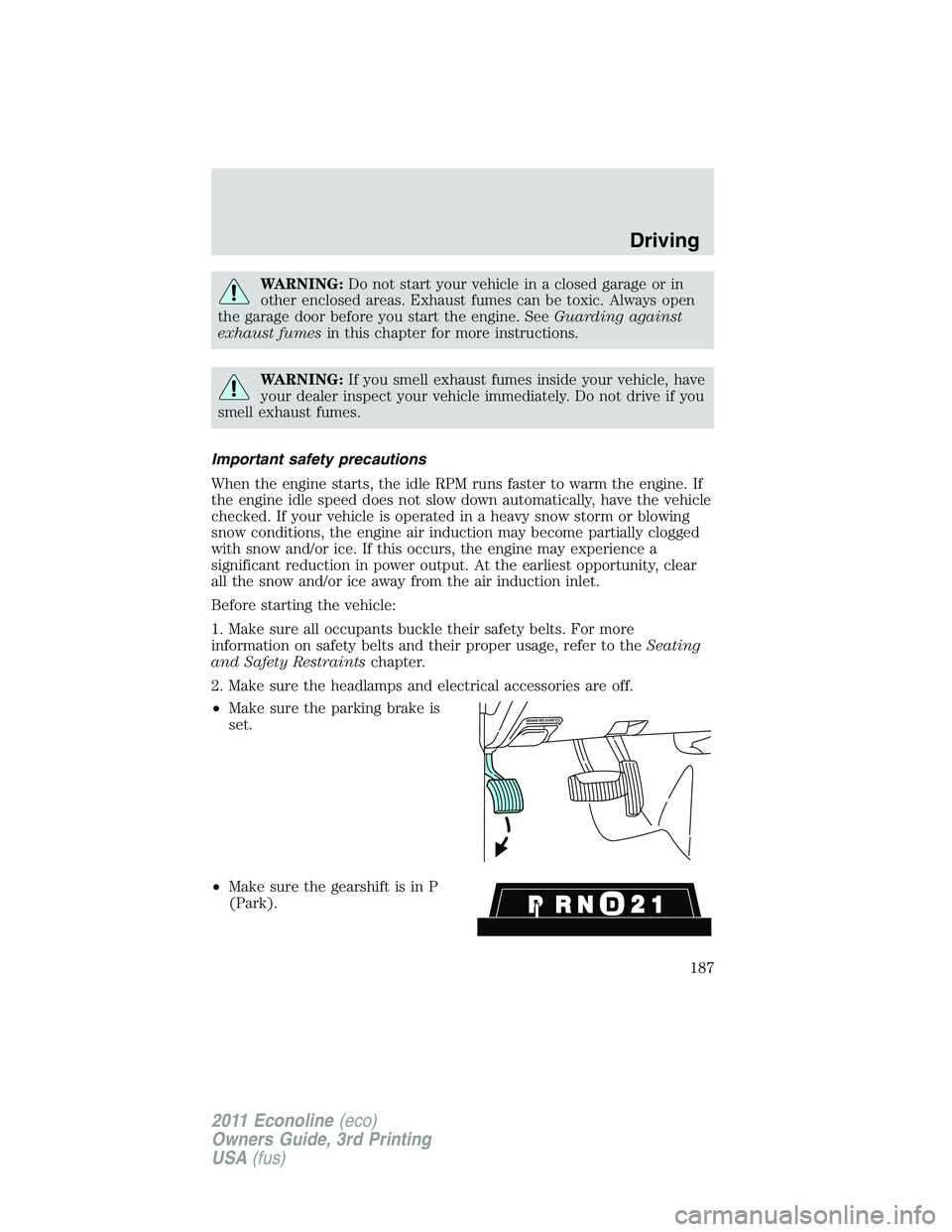
•Make sure the parking brake is
set.
•Make sure the gearshift is in P
(Park).
Driving
187
2011 Econoline(eco)
Owners Guide, 3rd Printing
USA(fus)
Page 191 of 339
•Be sure that the engine block heater, heater cord and extension cord
are solidly connected. A poor connection can cause the cord to
become very hot and may result in an electrical shock or fire. Be sure
to check for heat anywhere in the electrical hookup once the system
has been operating for approximately a half hour.
•Finally, have the engine block heater system checked during your fall
tune-up to be sure it’s in good working order.
How to use the engine block heater
Ensure the receptacle terminals are clean and dry prior to use. To clean
them, use a dry cloth.
Depending on the type of factory installed equipment, your engine block
heater system may consume anywhere between 400 watts or 1000 watts
of power per hour. Your factory installed block heater system does not
have a thermostat; however, maximum temperature is attained after
approximately three hours of operation. Block heater operation longer
than three hours will not improve system performance and will
unnecessarily use additional electricity.
Make sure system is unplugged and properly stowed before driving the
vehicle. While not in use, make sure the protective cover seals the
prongs of the engine block heater cord plug.
BRAKES
Occasional brake noise is normal. If a metal-to-metal, continuous grinding
or continuous squeal sound is present, the brake linings may be worn-out
and should be inspected by an authorized dealer. If the vehicle has
continuous vibration or shudder in the steering wheel while braking, the
vehicle should be inspected by an authorized dealer.
Refer toWarning lights and
chimesin theInstrument Cluster
chapter for information on the brake
system warning light.
Four-wheel anti-lock brake system (ABS)
Your vehicle is equipped with an anti-lock braking system (ABS). This
system helps you maintain steering control during emergency stops by
keeping the brakes from locking. Noise from the ABS pump motor and
brake pedal pulsation may be observed during ABS braking and the
brake pedal may suddenly travel a little farther as soon as ABS braking is
done and normal brake operation resumes. These are normal
characteristics of the ABS and should be no reason for concern.
P!
BRAKE
Driving
191
2011 Econoline(eco)
Owners Guide, 3rd Printing
USA(fus)
Page 192 of 339
Using ABS
When hard braking is required, apply continuous force on the brake
pedal. Do not pump the brake pedal since this will reduce the
effectiveness of the ABS and will increase your vehicle’s stopping
distance. The ABS will be activated immediately, allowing you to retain
steering control during hard braking and on slippery surfaces. However,
the ABS does not decrease stopping distance.
ABS warning lamp
The ABS lamp in the instrument
cluster momentarily illuminates
when the ignition is turned on. If
the light does not illuminate during
start up, remains on or flashes, the
ABS may be disabled and may need to be serviced.
Even when the ABS is disabled,
normal braking is still effective. If
your BRAKE warning lamp
illuminates with the parking brake
released, have your brake system
serviced immediately by an authorized dealer.
Parking brake
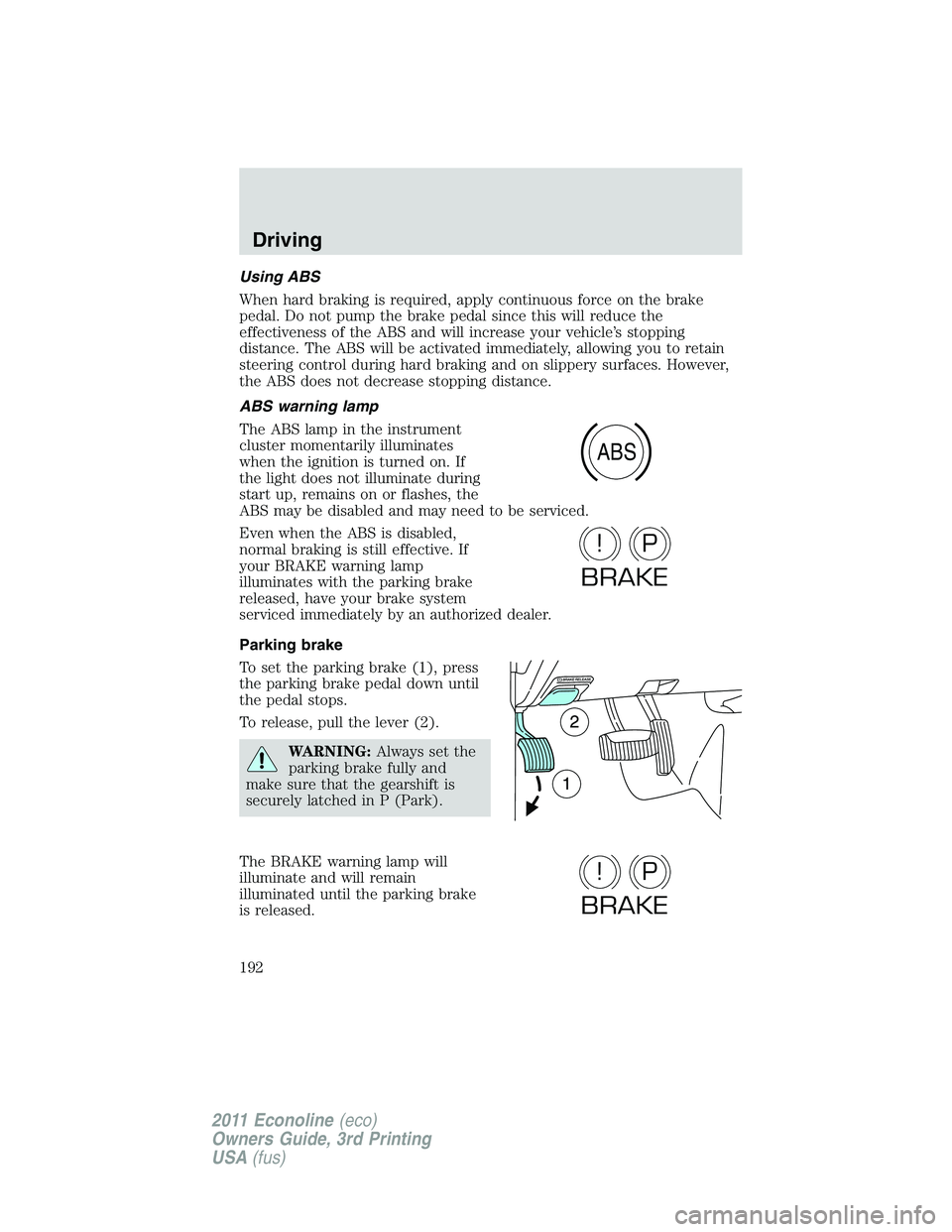
To set the parking brake (1), press
the parking brake pedal down until
the pedal stops.
To release, pull the lever (2).
WARNING:Always set the
parking brake fully and
make sure that the gearshift is
securely latched in P (Park).
The BRAKE warning lamp will
illuminate and will remain
illuminated until the parking brake
is released.
ABS
P!
BRAKE
P!
BRAKE
Driving
192
2011 Econoline(eco)
Owners Guide, 3rd Printing
USA(fus)
Page 193 of 339
The parking brake is not recommended to stop a moving vehicle.
However, if the normal brakes fail, the parking brake can be used to stop
your vehicle in an emergency. Since the parking brake applies only the
rear brakes, the vehicle’s stopping distance will increase greatly and the
handling of your vehicle will be adversely affected.
TRACTION CONTROL (IF EQUIPPED)
Your vehicle may be equipped with a traction control system (TCS). This
system helps you maintain the stability and steerability of your vehicle,
especially on slippery road surfaces such as snow or ice-covered roads
and gravel roads. The system will allow your vehicle to make better use
of available traction in these conditions.
During TCS operation, the traction
control active light will flash and the
engine will not “rev-up” when you
press further on the accelerator.
This is normal system behavior and
should be no reason for concern.
WARNING:Aggressive driving in any road conditions can cause
you to lose control of your vehicle increasing the risk of severe
personal injury or property damage. The occurrence of a traction
control event is an indication that at least some of the tires have
exceeded their ability to grip the road. This may lead to an increased
risk of loss of vehicle control, vehicle rollover, personal injury and
death. If you experience a severe road event, SLOW DOWN.
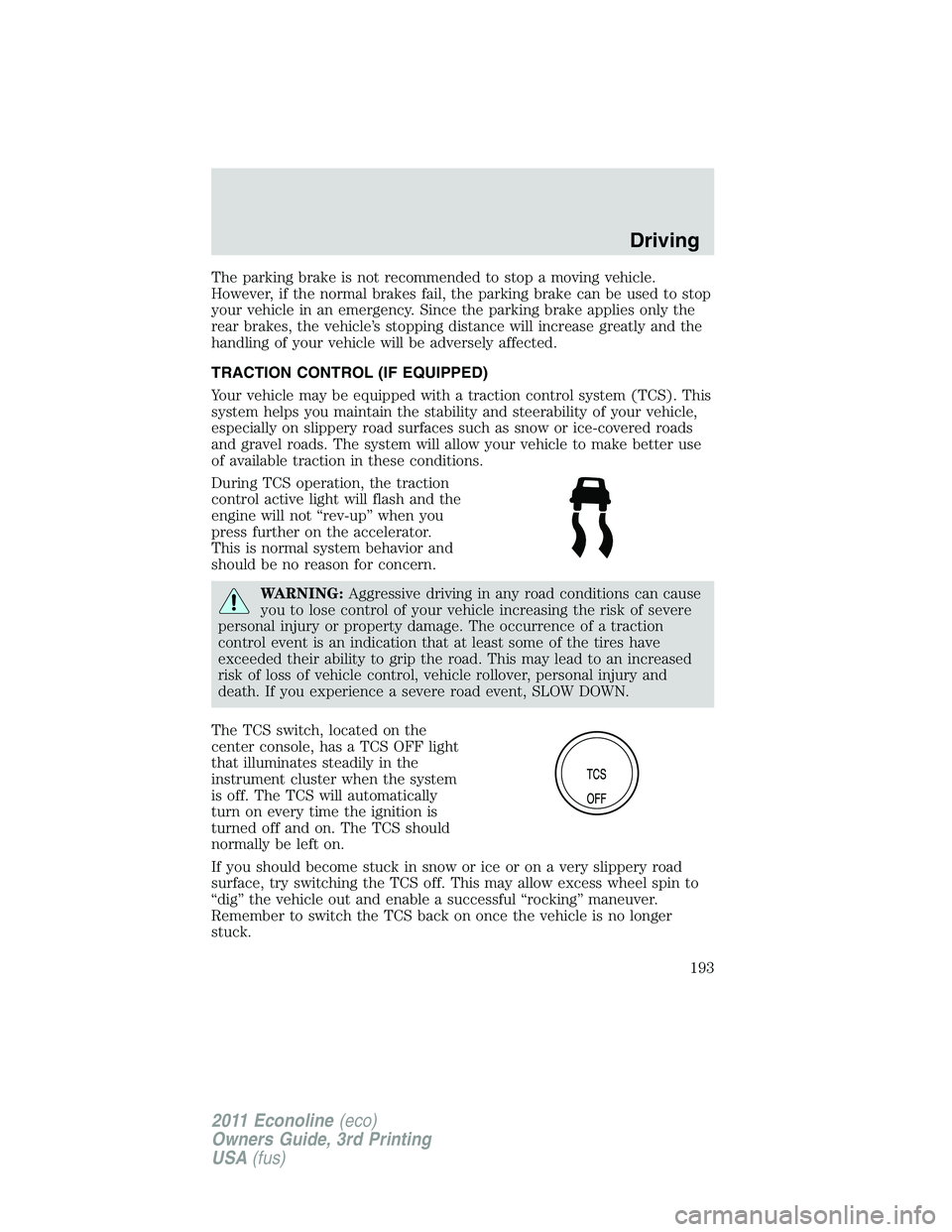
The TCS switch, located on the
center console, has a TCS OFF light
that illuminates steadily in the
instrument cluster when the system
is off. The TCS will automatically
turn on every time the ignition is
turned off and on. The TCS should
normally be left on.
If you should become stuck in snow or ice or on a very slippery road
surface, try switching the TCS off. This may allow excess wheel spin to
“dig” the vehicle out and enable a successful “rocking” maneuver.
Remember to switch the TCS back on once the vehicle is no longer
stuck.
Driving
193
2011 Econoline(eco)
Owners Guide, 3rd Printing
USA(fus)