diff FORD ECOSPORT 2019 Owner's Guide
[x] Cancel search | Manufacturer: FORD, Model Year: 2019, Model line: ECOSPORT, Model: FORD ECOSPORT 2019Pages: 458, PDF Size: 16.79 MB
Page 292 of 458
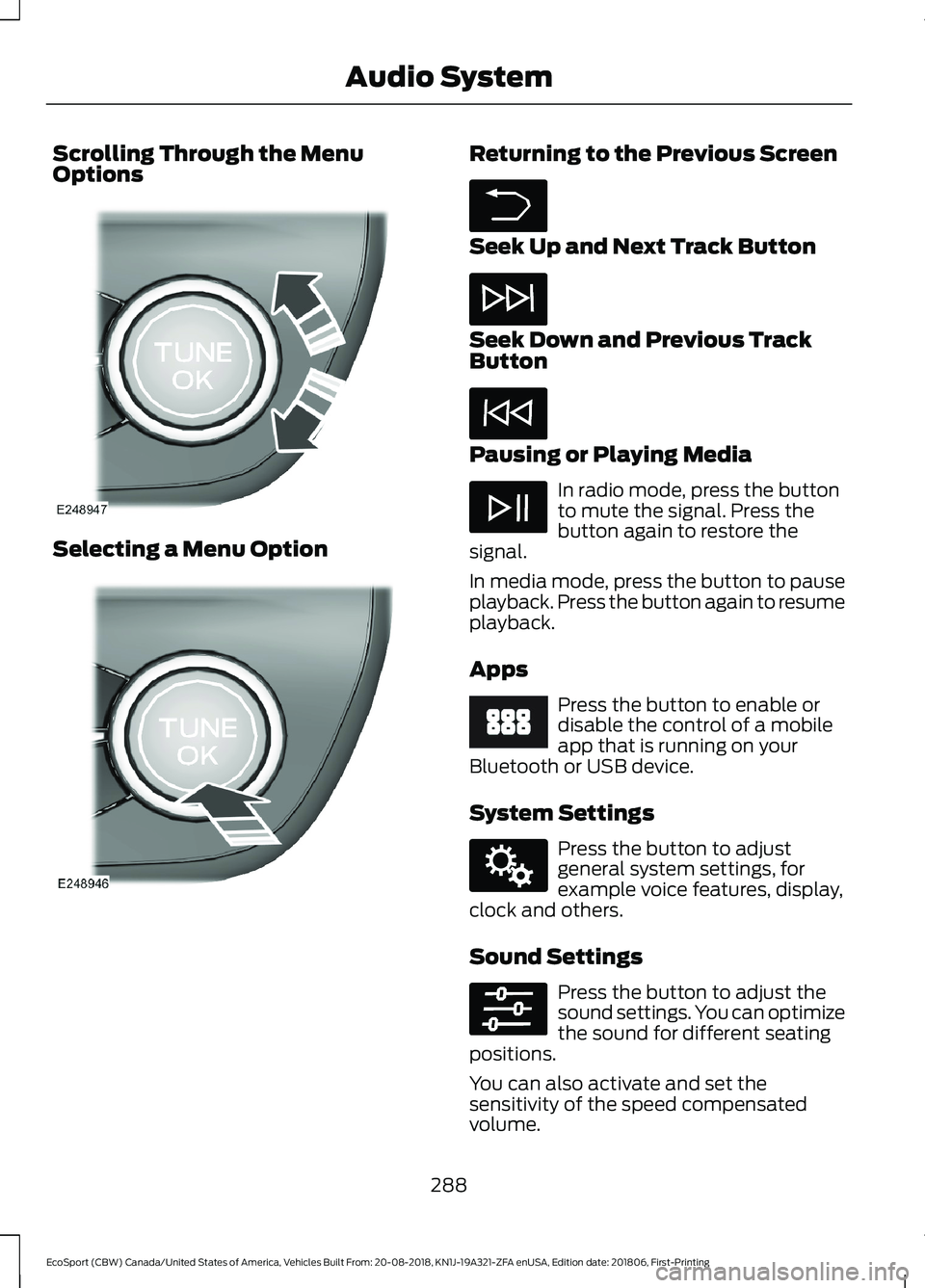
Scrolling Through the MenuOptions
Selecting a Menu Option
Returning to the Previous Screen
Seek Up and Next Track Button
Seek Down and Previous TrackButton
Pausing or Playing Media
In radio mode, press the buttonto mute the signal. Press thebutton again to restore thesignal.
In media mode, press the button to pauseplayback. Press the button again to resumeplayback.
Apps
Press the button to enable ordisable the control of a mobileapp that is running on yourBluetooth or USB device.
System Settings
Press the button to adjustgeneral system settings, forexample voice features, display,clock and others.
Sound Settings
Press the button to adjust thesound settings. You can optimizethe sound for different seatingpositions.
You can also activate and set thesensitivity of the speed compensatedvolume.
288
EcoSport (CBW) Canada/United States of America, Vehicles Built From: 20-08-2018, KN1J-19A321-ZFA enUSA, Edition date: 201806, First-PrintingAudio System
Page 294 of 458
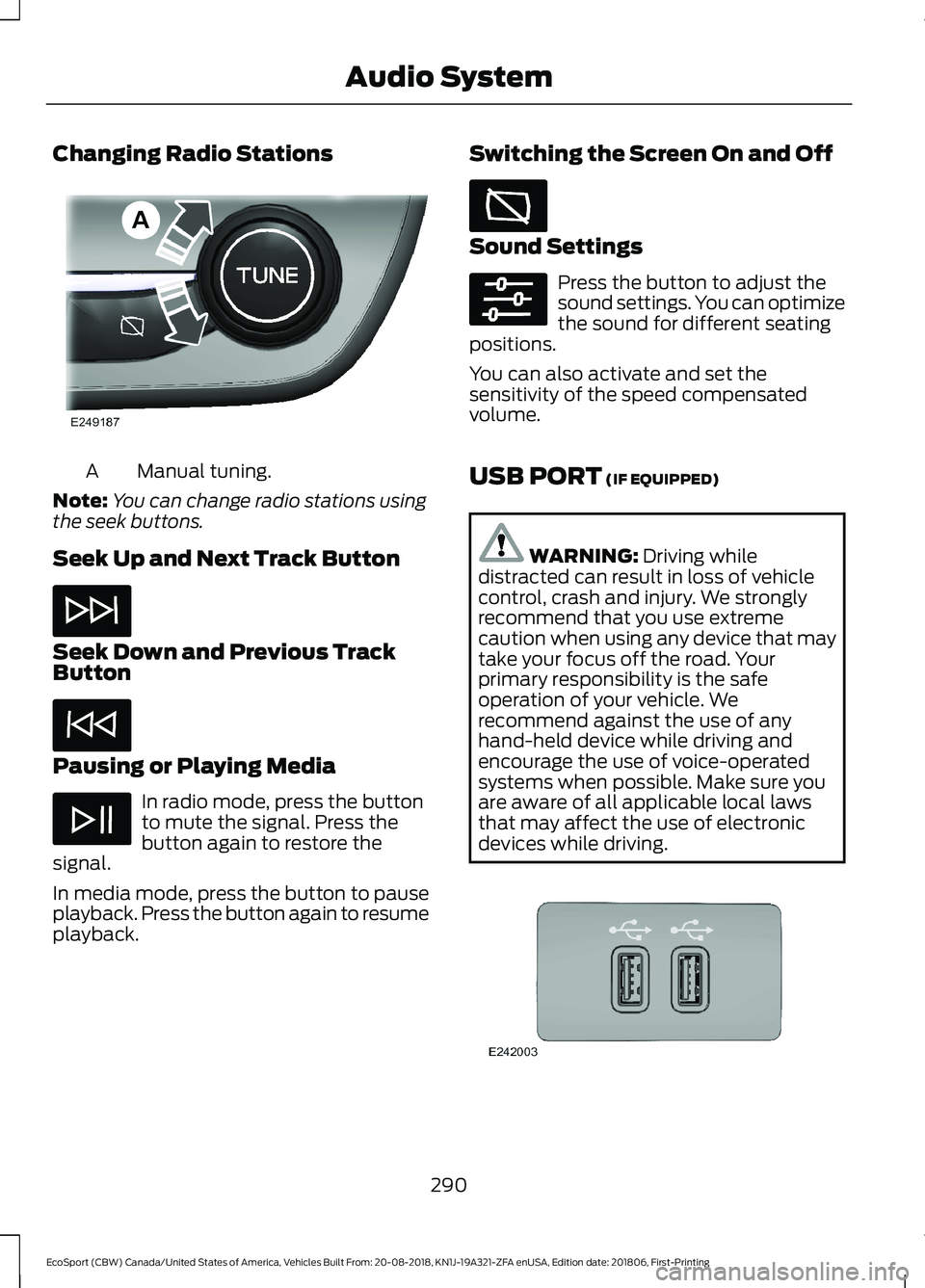
Changing Radio Stations
Manual tuning.A
Note:You can change radio stations usingthe seek buttons.
Seek Up and Next Track Button
Seek Down and Previous TrackButton
Pausing or Playing Media
In radio mode, press the buttonto mute the signal. Press thebutton again to restore thesignal.
In media mode, press the button to pauseplayback. Press the button again to resumeplayback.
Switching the Screen On and Off
Sound Settings
Press the button to adjust thesound settings. You can optimizethe sound for different seatingpositions.
You can also activate and set thesensitivity of the speed compensatedvolume.
USB PORT (IF EQUIPPED)
WARNING: Driving whiledistracted can result in loss of vehiclecontrol, crash and injury. We stronglyrecommend that you use extremecaution when using any device that maytake your focus off the road. Yourprimary responsibility is the safeoperation of your vehicle. Werecommend against the use of anyhand-held device while driving andencourage the use of voice-operatedsystems when possible. Make sure youare aware of all applicable local lawsthat may affect the use of electronicdevices while driving.
290
EcoSport (CBW) Canada/United States of America, Vehicles Built From: 20-08-2018, KN1J-19A321-ZFA enUSA, Edition date: 201806, First-PrintingAudio System
Page 301 of 458
911 Assist
WARNING: Unless the 911 Assistsetting is set on before a crash, thesystem will not dial for help which coulddelay response time, potentiallyincreasing the risk of serious injury ordeath after a crash.
WARNING: Do not wait for 911Assist to make an emergency call if youcan do it yourself. Dial emergencyservices immediately to avoid delayedresponse time which could increase therisk of serious injury or death after acrash. If you do not hear 911 Assist withinfive seconds of the crash, the system orphone may be damaged ornon-functional.
WARNING: Always place yourphone in a secure location in your vehicleso it does not become a projectile or getdamaged in a crash. Failure to do so maycause serious injury to someone ordamage the phone which could prevent911 Assist from working properly.
Note:The SYNC 911 Assist feature must beset on before the incident.
Note:The SYNC 911 Assist feature onlyoperates in the U.S., Canada or in a territoryin which 911 is the emergency number.
Note:Before setting this feature on, makesure that you read the 911 Assist PrivacyNotice later in this section for importantinformation.
Note:If any user switches 911 Assist to onor off, that setting applies for all pairedphones. If 911 Assist is switched off, eithera voice message plays or a display messageor an icon comes on when your vehicle isstarted and after a previously paired phoneconnects.
Note:Every phone operates differently.While SYNC 911 Assist works with mostcellular phones, some may have troubleusing this feature.
If a crash deploys an airbag (excludingknee airbags and rear inflatable safetybelts [if equipped]) or activates the fuelpump shut-off, your SYNC-equippedvehicle may be able to contact emergencyservices by dialing 911 through a paired andconnected Bluetooth-enabled phone.
See SYNC™ (page 292). Importantinformation about airbag deployment is inthis chapter.
See Roadside Emergencies (page 183).Important information about the fuel pumpshut-off is in this chapter.
Setting 911 Assist On or Off
Press the Settings button then select:
Action and DescriptionMenuItem
Select the desired option, onor off.911 Assist
To make sure that 911 Assist worksproperly:
•SYNC must be powered and workingproperly at the time of the incident andthroughout feature activation and use.
•The 911 Assist feature must be set onbefore the incident.
•You must pair and connect a Bluetoothenabled and compatible cell phone toSYNC.
•A connected Bluetooth enabled phonemust have the ability to make andmaintain an outgoing call at the timeof the incident.
297
EcoSport (CBW) Canada/United States of America, Vehicles Built From: 20-08-2018, KN1J-19A321-ZFA enUSA, Edition date: 201806, First-PrintingSYNC™
Page 309 of 458
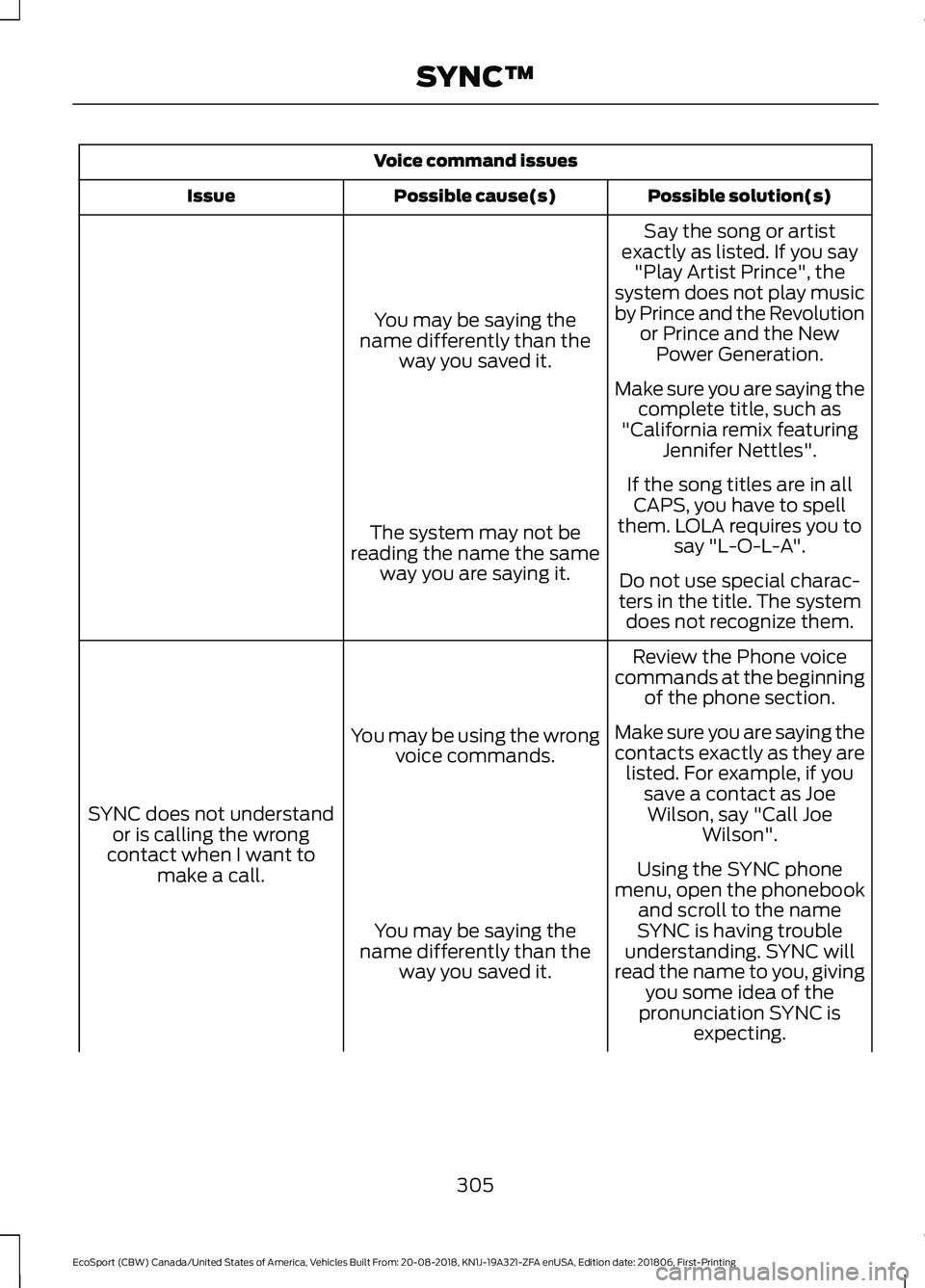
Voice command issues
Possible solution(s)Possible cause(s)Issue
Say the song or artistexactly as listed. If you say"Play Artist Prince", thesystem does not play musicby Prince and the Revolutionor Prince and the NewPower Generation.
You may be saying thename differently than theway you saved it.
Make sure you are saying thecomplete title, such as"California remix featuringJennifer Nettles".
If the song titles are in allCAPS, you have to spellthem. LOLA requires you tosay "L-O-L-A".The system may not bereading the name the sameway you are saying it.Do not use special charac-ters in the title. The systemdoes not recognize them.
Review the Phone voicecommands at the beginningof the phone section.
You may be using the wrongvoice commands.
SYNC does not understandor is calling the wrongcontact when I want tomake a call.
Make sure you are saying thecontacts exactly as they arelisted. For example, if yousave a contact as JoeWilson, say "Call JoeWilson".
Using the SYNC phonemenu, open the phonebookand scroll to the nameSYNC is having troubleunderstanding. SYNC willread the name to you, givingyou some idea of thepronunciation SYNC isexpecting.
You may be saying thename differently than theway you saved it.
305
EcoSport (CBW) Canada/United States of America, Vehicles Built From: 20-08-2018, KN1J-19A321-ZFA enUSA, Edition date: 201806, First-PrintingSYNC™
Page 317 of 458
Cleaning the Touchscreen
You can remove fingerprints with a dry,clean, soft cloth.
If dirt or fingerprints are still on the screen,apply a small amount of alcohol to thecloth and try to clean it again.
Note: Do not use detergent or any type ofsolvent to clean the touchscreen.
Note:Do not pour or spray alcohol onto thetouchscreen.
Using Voice Recognition
Using voice commands allows you to keepyour hands on the wheel and eyes on theroad. The system provides feedbackthrough audible tones, prompts, questionsand spoken confirmations depending onthe situation and the chosen level ofinteraction (voice settings).
The system also asks short questions(confirmation prompts) when it is not sureof your request or when there are multiplepossible responses to your request.
When using voice commands, words andicons may appear in the status barindicating the status of the voice commandsession. See Using Voice Recognition(page 293).
Using the Steering Wheel Controls
Depending on your vehicle and optionpackage, you can use different controls onyour steering wheel to interact with thetouchscreen system in different ways.
VOL: Control the volume of audio output.
Voice: Press to start a voice session. Pressagain to stop the voice prompt andimmediately begin speaking. Press andhold to end a voice session.
SEEK NEXT:
•While in radio mode, press to seekbetween memory presets or press andhold to fast seek.
•While in USB, Bluetooth Audio or CDmode, press to seek between songs orpress and hold to fast seek.
SEEK PREVIOUS:
•While in radio mode, press to seekbetween memory presets or press andhold to fast seek.
•While in USB, Bluetooth Audio or CDmode, press to seek between songs orpress and hold to fast seek.
PHONE ACCEPT: Press to answer a callor switch between calls.
PHONE REJECT: Press to end a call orreject an incoming call.
Note:On some models,SEEK NEXT maybe combined with PHONE REJECT andSEEK PREVIOUS may be combined withPHONE ACCEPT.
See Steering Wheel (page 66).
Using Your Bezel Controls
Depending on your vehicle and optionpackage, you may also have these controlson your instrument panel:
•Power or VOL: Press to switch theaudio system on and off, or turn toadjust the volume.
•Sound Settings: Press to access theaudio settings.
•Seek: Press to seek through radiostations or audio tracks.
•Play or Pause: Press to either play orpause a track.
•Tune: Turn to manually tune radiostations.
•Display: Press to switch the display onor off.
313
EcoSport (CBW) Canada/United States of America, Vehicles Built From: 20-08-2018, KN1J-19A321-ZFA enUSA, Edition date: 201806, First-PrintingSYNC™ 3
Page 318 of 458
911 Assist
WARNING: Unless the 911 Assistsetting is set on before a crash, thesystem will not dial for help which coulddelay response time, potentiallyincreasing the risk of serious injury ordeath after a crash.
WARNING: Do not wait for 911Assist to make an emergency call if youcan do it yourself. Dial emergencyservices immediately to avoid delayedresponse time which could increase therisk of serious injury or death after acrash. If you do not hear 911 Assist withinfive seconds of the crash, the system orphone may be damaged ornon-functional.
WARNING: Always place yourphone in a secure location in your vehicleso it does not become a projectile or getdamaged in a crash. Failure to do so maycause serious injury to someone ordamage the phone which could prevent911 Assist from working properly.
Note:The SYNC 911 Assist feature must beset on before the incident.
Note:The SYNC 911 Assist feature onlyoperates in the U.S., Canada or in a territoryin which 911 is the emergency number.
Note:Before setting this feature on, makesure that you read the 911 Assist PrivacyNotice later in this section for importantinformation.
Note:If any user sets 911 Assist to on or off,that setting applies for all paired phones. If911 Assist is switched off and the phone isconnected to SYNC, an icon displays on thestatus bar.
Note:Every phone operates differently.While SYNC 911 Assist works with mostcellular phones, some may have troubleusing this feature.
If a crash deploys an airbag (excludingknee airbags and rear inflatable safetybelts [if equipped]) or activates the fuelpump shut-off, your SYNC-equippedvehicle may be able to contact emergencyservices by dialing 911 through a paired andconnected Bluetooth-enabled phone. Youcan learn more about the 911 Assistfeature, by visiting:
Website
www.owner.ford.comwww.syncmyride.cawww.syncmaroute.ca
For important information about airbagdeployment and the fuel pump shut-offplease see the Supplementary Restrainsand Roadside Emergencies sections ofyour owner manual.
To switch 911 Assist on and off please viewthe settings information. See Settings(page 354).
To make sure that 911 Assist workscorrectly:
•SYNC must be powered and workingproperly at the time of the incident andthroughout feature activation and use.
•The 911 Assist feature must be set onbefore the incident.
•You must pair and connect aBluetooth-enabled and compatiblecell phone to SYNC.
•A connected Bluetooth-enabled phonemust have the ability to make andmaintain an outgoing call at the timeof the incident.
314
EcoSport (CBW) Canada/United States of America, Vehicles Built From: 20-08-2018, KN1J-19A321-ZFA enUSA, Edition date: 201806, First-PrintingSYNC™ 3
Page 320 of 458
•Do not attempt to service or repair thesystem. Have an authorized dealercheck your vehicle.
•Do not operate playing devices if thepower cords or cables are broken, splitor damaged. Place cords and cablesout of the way, so they do not interferewith the operation of pedals, seats,compartments or safe driving abilities.
•Do not leave playing devices in yourvehicle during extreme conditions as itcould cause them damage. See yourdevice's user guide for furtherinformation.
•For your safety, some SYNC 3 functionsare speed-dependent. Their use islimited to when your vehicle is travelingat speeds under 3 mph (5 km/h). Makesure that you review your device'smanual before using it with SYNC 3.
Speed-restricted Features
Some features of this system may be toodifficult to use while your vehicle is movingso they are restricted from use unless yourvehicle is stationary.
•Screens crowded with information,such as Point of Interest reviews andratings, SiriusXM Traffic and Travel Linksports scores, movie times or skiconditions.
•Any action that requires you to use akeyboard is restricted, such as enteringa navigation destination or editinginformation.
•All lists are limited so the user can viewfewer entries (such as phone contactsor recent phone call entries).
See the following table for more specificexamples.
Restricted features
Pairing a Bluetooth phone.Cellular Phone
Browsing of list entries is limited for phone contacts andrecent phone calls.
Editing the keypad code.System Functionality
Enabling Valet Mode.
Editing settings while the rear view camera or active parkassist are active (If equipped).
Editing Wi-Fi settings.Wi-Fi
Editing the list of wireless networks.
Connecting to a new Wi-Fi network.
Viewing received text messages.Text Messages
Using the keyboard to enter a destination.Navigation
Adding or editing Navigation Favorites entries or AvoidAreas.
316
EcoSport (CBW) Canada/United States of America, Vehicles Built From: 20-08-2018, KN1J-19A321-ZFA enUSA, Edition date: 201806, First-PrintingSYNC™ 3
Page 333 of 458
Action and descriptionMenu item
Replay audio on the current channel. You can replay approx-imately 45 minutes of audio as long as you remain tuned tothe current station. Changing stations erases the previousaudio.
Replay
When you are in replay mode, you are notable to select a different preset until youreturn to live audio. Pressing this buttonreturns you to the live broadcast.
Live
Save the current song, artist, or team as a favorite. The systemalerts you when it plays again on any channel.ALERT
Selecting this button allows you to enable and edit alerts. SeeSettings (page 354).
Memory Presets
To set a preset, tune to the station thenpress and hold one of the memory presetbuttons. The audio mutes briefly while thesystem saves the station and returns oncethe station is stored.
There are three preset banks available forSiriusXM. To access additional presets, tapthe preset button. The indicator on thepreset button shows which bank of presetsyou are currently viewing.
Satellite Radio Electronic SerialNumber (ESN)
You need your ESN to activate, modify ortrack your satellite radio account. SeeSettings (page 354).
SiriusXM Satellite Radio Reception Factors and Troubleshooting
Potential reception issues
For optimal reception performance, keep the antenna clearof snow and ice build-up and keep luggage and othermaterials as far away from the antenna as possible.
Antenna obstructions
Hills, mountains, tall buildings, bridges, tunnels, freewayoverpasses, parking garages, dense tree foliage and thunder-storms can interfere with your reception.
Terrain
When you pass a ground-based broadcast-repeating tower,a stronger signal may overtake a weaker one and the audiosystem may mute.
Station overload
Your display may show ACQUIRING... to indicate the interfer-ence and the audio system may mute.Satellite radio signalinterference
329
EcoSport (CBW) Canada/United States of America, Vehicles Built From: 20-08-2018, KN1J-19A321-ZFA enUSA, Edition date: 201806, First-PrintingSYNC™ 3
Page 335 of 458
HD Radio technology is the digitalevolution of analog AM/FM radio. Yoursystem has a special receiver that allowsit to receive digital broadcasts (whereavailable) in addition to the analogbroadcasts, it already receives. Digitalbroadcasts provide a better sound qualitythan analog broadcasts with free,crystal-clear audio and no static ordistortion. For more information, and aguide to available stations andprogramming, please visit:
Website
www.hdradio.com
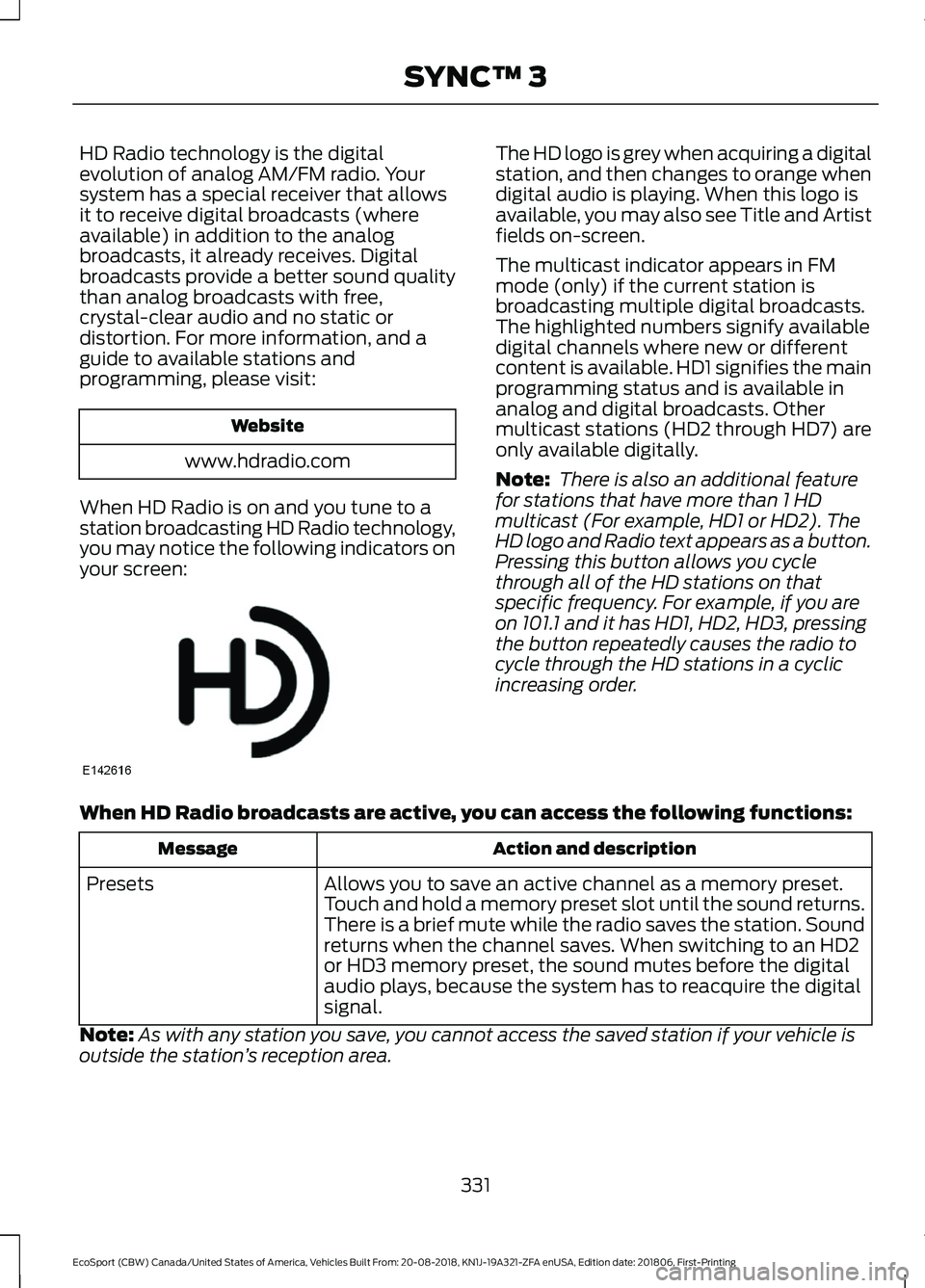
When HD Radio is on and you tune to astation broadcasting HD Radio technology,you may notice the following indicators onyour screen:
The HD logo is grey when acquiring a digitalstation, and then changes to orange whendigital audio is playing. When this logo isavailable, you may also see Title and Artistfields on-screen.
The multicast indicator appears in FMmode (only) if the current station isbroadcasting multiple digital broadcasts.The highlighted numbers signify availabledigital channels where new or differentcontent is available. HD1 signifies the mainprogramming status and is available inanalog and digital broadcasts. Othermulticast stations (HD2 through HD7) areonly available digitally.
Note: There is also an additional featurefor stations that have more than 1 HDmulticast (For example, HD1 or HD2). TheHD logo and Radio text appears as a button.Pressing this button allows you cyclethrough all of the HD stations on thatspecific frequency. For example, if you areon 101.1 and it has HD1, HD2, HD3, pressingthe button repeatedly causes the radio tocycle through the HD stations in a cyclicincreasing order.
When HD Radio broadcasts are active, you can access the following functions:
Action and descriptionMessage
Allows you to save an active channel as a memory preset.Touch and hold a memory preset slot until the sound returns.There is a brief mute while the radio saves the station. Soundreturns when the channel saves. When switching to an HD2or HD3 memory preset, the sound mutes before the digitalaudio plays, because the system has to reacquire the digitalsignal.
Presets
Note:As with any station you save, you cannot access the saved station if your vehicle isoutside the station’s reception area.
331
EcoSport (CBW) Canada/United States of America, Vehicles Built From: 20-08-2018, KN1J-19A321-ZFA enUSA, Edition date: 201806, First-PrintingSYNC™ 3
Page 339 of 458
USB Port
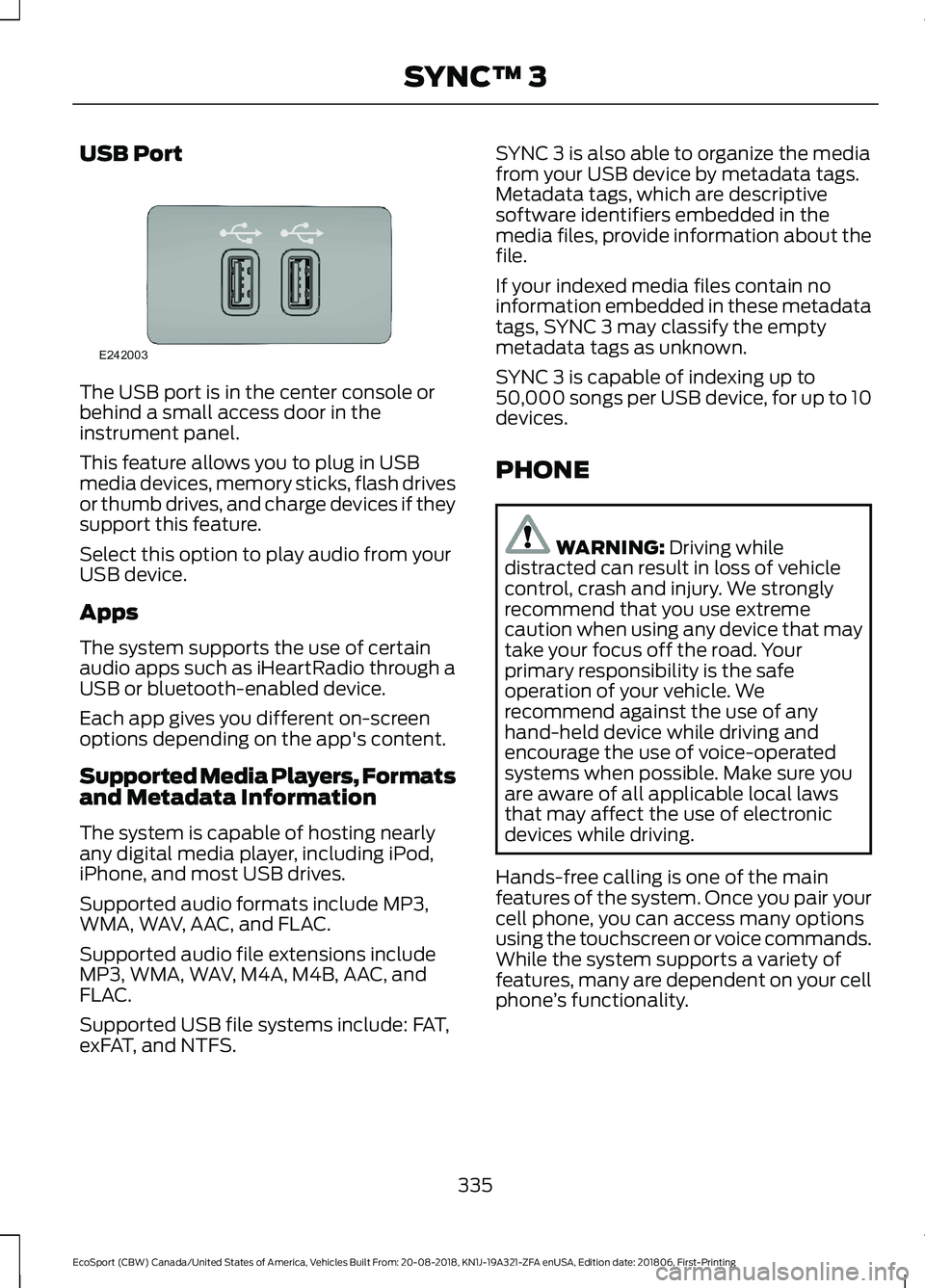
The USB port is in the center console orbehind a small access door in theinstrument panel.
This feature allows you to plug in USBmedia devices, memory sticks, flash drivesor thumb drives, and charge devices if theysupport this feature.
Select this option to play audio from yourUSB device.
Apps
The system supports the use of certainaudio apps such as iHeartRadio through aUSB or bluetooth-enabled device.
Each app gives you different on-screenoptions depending on the app's content.
Supported Media Players, Formatsand Metadata Information
The system is capable of hosting nearlyany digital media player, including iPod,iPhone, and most USB drives.
Supported audio formats include MP3,WMA, WAV, AAC, and FLAC.
Supported audio file extensions includeMP3, WMA, WAV, M4A, M4B, AAC, andFLAC.
Supported USB file systems include: FAT,exFAT, and NTFS.
SYNC 3 is also able to organize the mediafrom your USB device by metadata tags.Metadata tags, which are descriptivesoftware identifiers embedded in themedia files, provide information about thefile.
If your indexed media files contain noinformation embedded in these metadatatags, SYNC 3 may classify the emptymetadata tags as unknown.
SYNC 3 is capable of indexing up to50,000 songs per USB device, for up to 10devices.
PHONE
WARNING: Driving whiledistracted can result in loss of vehiclecontrol, crash and injury. We stronglyrecommend that you use extremecaution when using any device that maytake your focus off the road. Yourprimary responsibility is the safeoperation of your vehicle. Werecommend against the use of anyhand-held device while driving andencourage the use of voice-operatedsystems when possible. Make sure youare aware of all applicable local lawsthat may affect the use of electronicdevices while driving.
Hands-free calling is one of the mainfeatures of the system. Once you pair yourcell phone, you can access many optionsusing the touchscreen or voice commands.While the system supports a variety offeatures, many are dependent on your cellphone’s functionality.
335
EcoSport (CBW) Canada/United States of America, Vehicles Built From: 20-08-2018, KN1J-19A321-ZFA enUSA, Edition date: 201806, First-PrintingSYNC™ 3