steering wheel FORD ECOSPORT 2020 User Guide
[x] Cancel search | Manufacturer: FORD, Model Year: 2020, Model line: ECOSPORT, Model: FORD ECOSPORT 2020Pages: 448, PDF Size: 16.57 MB
Page 79 of 448
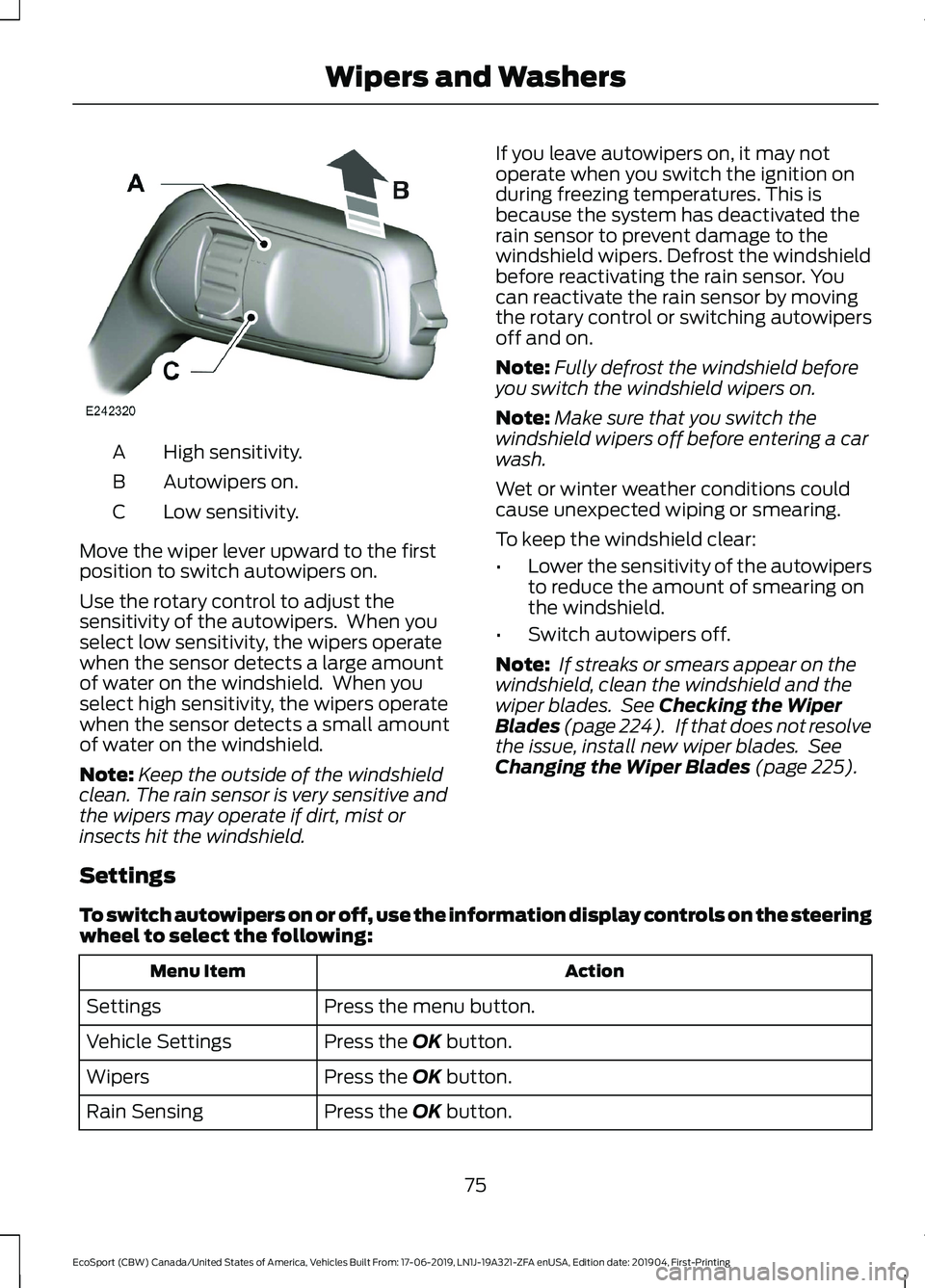
High sensitivity.A
Autowipers on.B
Low sensitivity.C
Move the wiper lever upward to the firstposition to switch autowipers on.
Use the rotary control to adjust thesensitivity of the autowipers. When youselect low sensitivity, the wipers operatewhen the sensor detects a large amountof water on the windshield. When youselect high sensitivity, the wipers operatewhen the sensor detects a small amountof water on the windshield.
Note:Keep the outside of the windshieldclean. The rain sensor is very sensitive andthe wipers may operate if dirt, mist orinsects hit the windshield.
If you leave autowipers on, it may notoperate when you switch the ignition onduring freezing temperatures. This isbecause the system has deactivated therain sensor to prevent damage to thewindshield wipers. Defrost the windshieldbefore reactivating the rain sensor. Youcan reactivate the rain sensor by movingthe rotary control or switching autowipersoff and on.
Note:Fully defrost the windshield beforeyou switch the windshield wipers on.
Note:Make sure that you switch thewindshield wipers off before entering a carwash.
Wet or winter weather conditions couldcause unexpected wiping or smearing.
To keep the windshield clear:
•Lower the sensitivity of the autowipersto reduce the amount of smearing onthe windshield.
•Switch autowipers off.
Note: If streaks or smears appear on thewindshield, clean the windshield and thewiper blades. See Checking the WiperBlades (page 224). If that does not resolvethe issue, install new wiper blades. SeeChanging the Wiper Blades (page 225).
Settings
To switch autowipers on or off, use the information display controls on the steeringwheel to select the following:
ActionMenu Item
Press the menu button.Settings
Press the OK button.Vehicle Settings
Press the OK button.Wipers
Press the OK button.Rain Sensing
75
EcoSport (CBW) Canada/United States of America, Vehicles Built From: 17-06-2019, LN1J-19A321-ZFA enUSA, Edition date: 201904, First-PrintingWipers and Washers
Page 80 of 448
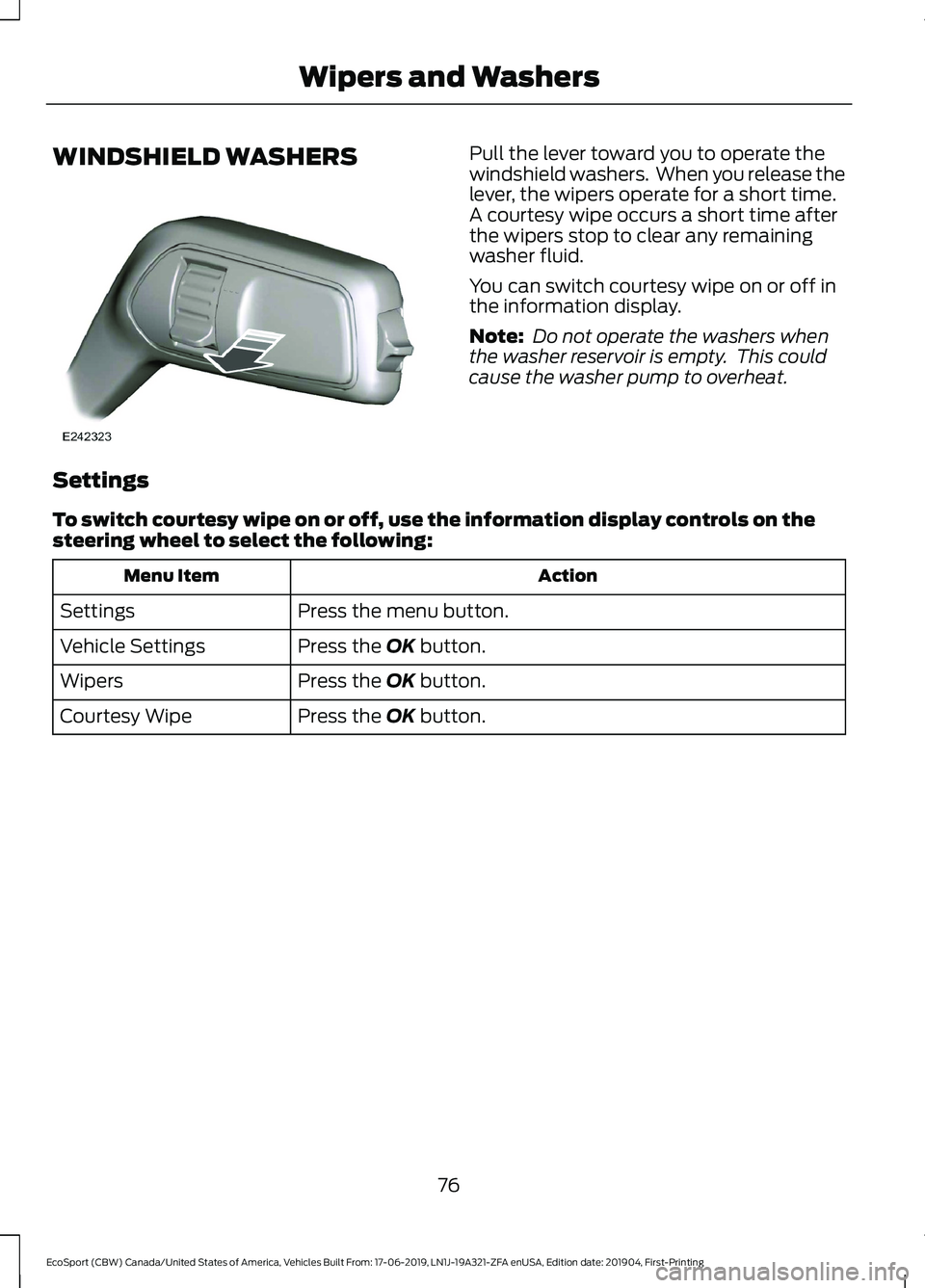
WINDSHIELD WASHERSPull the lever toward you to operate thewindshield washers. When you release thelever, the wipers operate for a short time.A courtesy wipe occurs a short time afterthe wipers stop to clear any remainingwasher fluid.
You can switch courtesy wipe on or off inthe information display.
Note: Do not operate the washers whenthe washer reservoir is empty. This couldcause the washer pump to overheat.
Settings
To switch courtesy wipe on or off, use the information display controls on thesteering wheel to select the following:
ActionMenu Item
Press the menu button.Settings
Press the OK button.Vehicle Settings
Press the OK button.Wipers
Press the OK button.Courtesy Wipe
76
EcoSport (CBW) Canada/United States of America, Vehicles Built From: 17-06-2019, LN1J-19A321-ZFA enUSA, Edition date: 201904, First-PrintingWipers and Washers
Page 81 of 448
REAR WINDOW WIPER AND
WASHERS
Rear Window Wiper
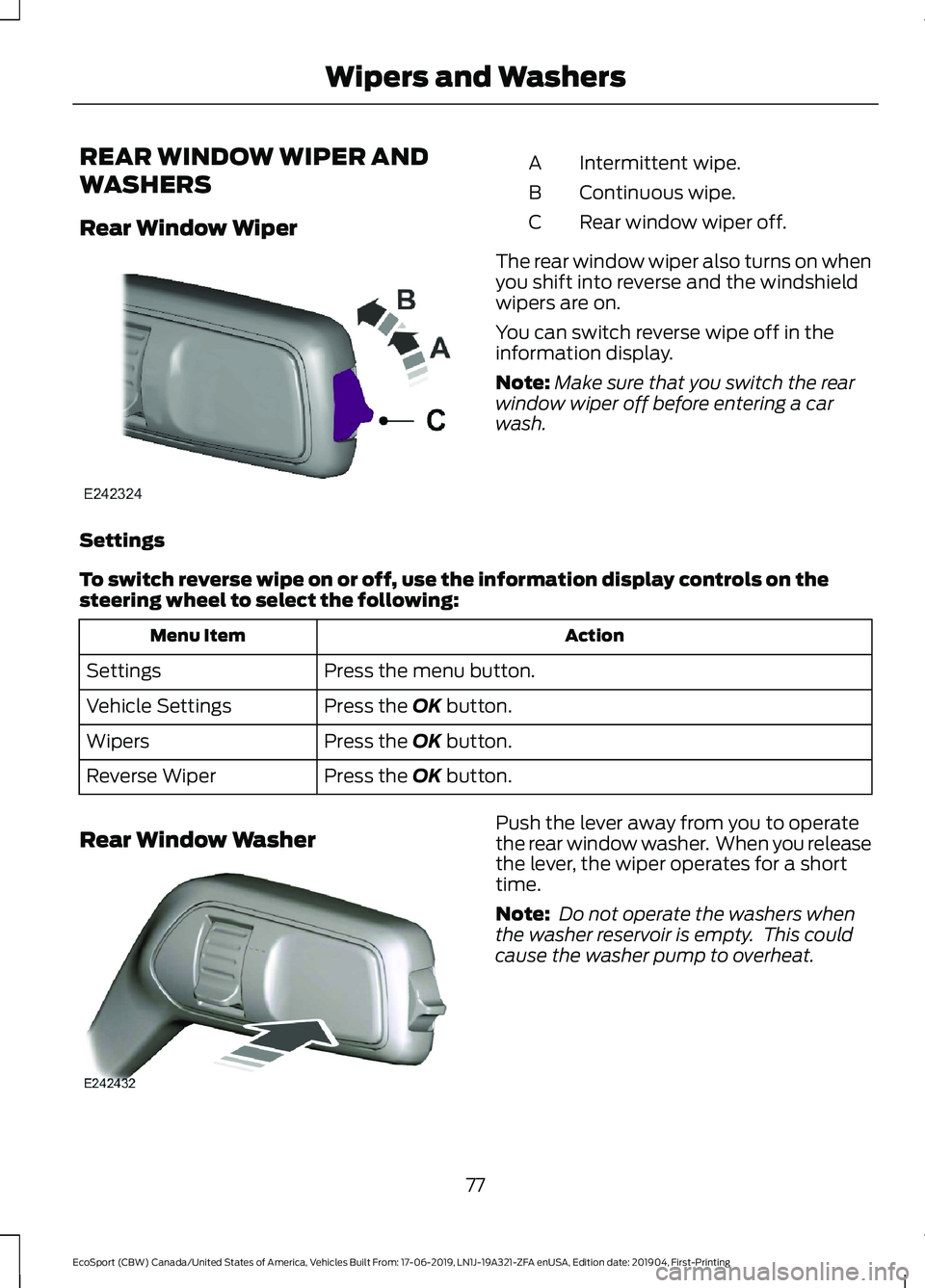
Intermittent wipe.A
Continuous wipe.B
Rear window wiper off.C
The rear window wiper also turns on whenyou shift into reverse and the windshieldwipers are on.
You can switch reverse wipe off in theinformation display.
Note:Make sure that you switch the rearwindow wiper off before entering a carwash.
Settings
To switch reverse wipe on or off, use the information display controls on thesteering wheel to select the following:
ActionMenu Item
Press the menu button.Settings
Press the OK button.Vehicle Settings
Press the OK button.Wipers
Press the OK button.Reverse Wiper
Rear Window WasherPush the lever away from you to operatethe rear window washer. When you releasethe lever, the wiper operates for a shorttime.
Note: Do not operate the washers whenthe washer reservoir is empty. This couldcause the washer pump to overheat.
77
EcoSport (CBW) Canada/United States of America, Vehicles Built From: 17-06-2019, LN1J-19A321-ZFA enUSA, Edition date: 201904, First-PrintingWipers and Washers
Page 97 of 448
GENERAL INFORMATION
WARNING: Driving whiledistracted can result in loss of vehiclecontrol, crash and injury. We stronglyrecommend that you use extremecaution when using any device that maytake your focus off the road. Yourprimary responsibility is the safeoperation of your vehicle. Werecommend against the use of anyhand-held device while driving andencourage the use of voice-operatedsystems when possible. Make sure youare aware of all applicable local lawsthat may affect the use of electronicdevices while driving.
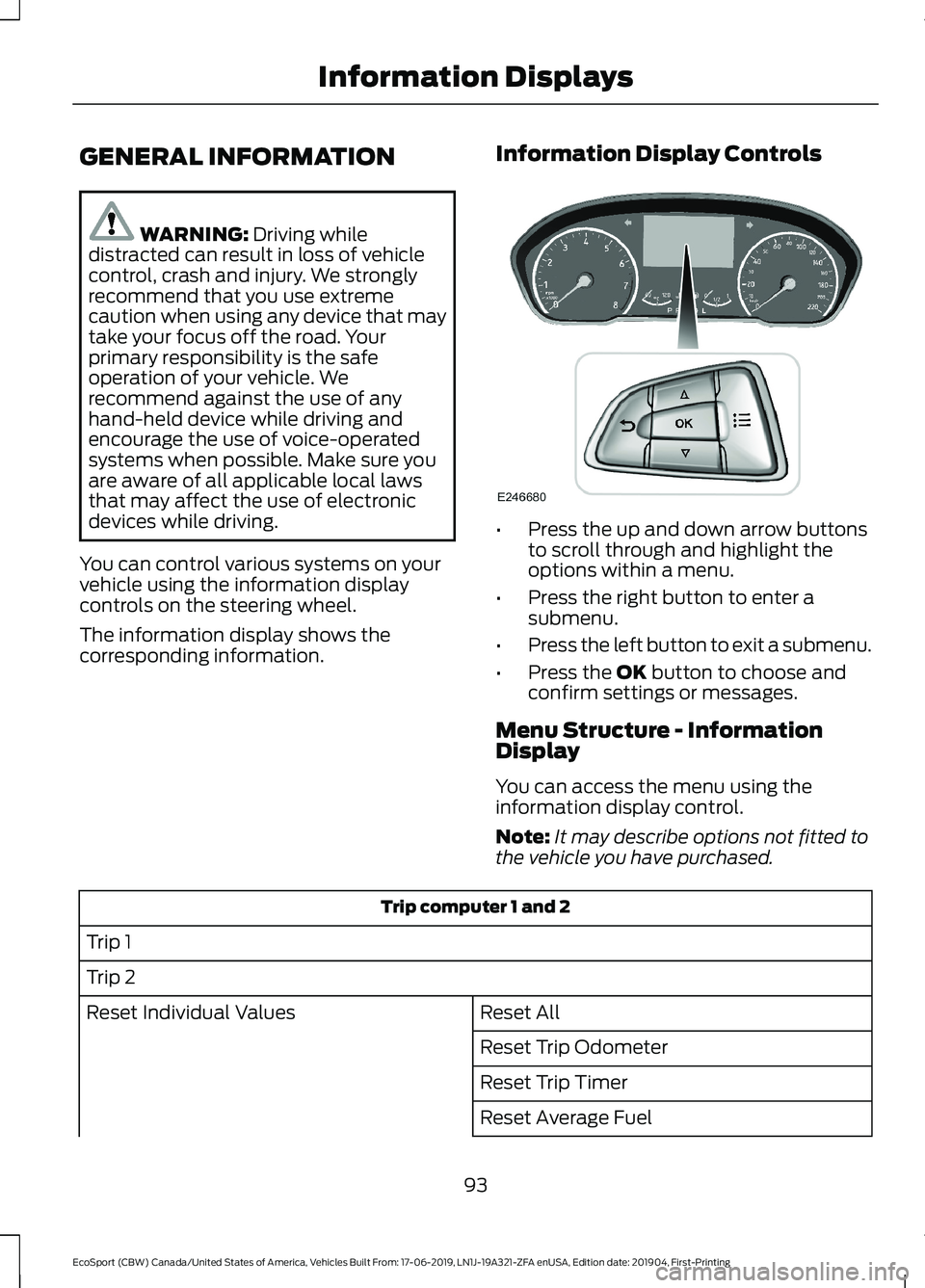
You can control various systems on yourvehicle using the information displaycontrols on the steering wheel.
The information display shows thecorresponding information.
Information Display Controls
•Press the up and down arrow buttonsto scroll through and highlight theoptions within a menu.
•Press the right button to enter asubmenu.
•Press the left button to exit a submenu.
•Press the OK button to choose andconfirm settings or messages.
Menu Structure - InformationDisplay
You can access the menu using theinformation display control.
Note:It may describe options not fitted tothe vehicle you have purchased.
Trip computer 1 and 2
Trip 1
Trip 2
Reset AllReset Individual Values
Reset Trip Odometer
Reset Trip Timer
Reset Average Fuel
93
EcoSport (CBW) Canada/United States of America, Vehicles Built From: 17-06-2019, LN1J-19A321-ZFA enUSA, Edition date: 201904, First-PrintingInformation Displays
Page 117 of 448
•The alarm horn is sounding.
•The hood is open.
•The transmission is not in park (P).
Setting Remote Start to Active
1.Using the information display controlson the steering wheel, select Settings.
2.Select Vehicle Settings.
3.Select Remote Start.
4.Switch System on.
Note:You have to enable the modem usingthe FordPass app to use remote start. SeeGeneral Information (page 319).
Remotely Starting the Engine
WARNING: To avoid exhaustfumes, do not use remote start if yourvehicle is parked indoors or in areas thatare not well ventilated.
Use the FordPass app to start the engine.
Note:The direction indicators flash twice.
Note:The parking lamps turn on when theengine is running.
Note:The horn sounds if the system failsto start.
Note:You must switch on the ignitionbefore driving your vehicle.
Extending the Vehicle Run Time
To extend the engine running time durationof your vehicle during remote start, repeatthe activation using FordPass app whilethe engine is running. If you programmedthe duration to last 10 minutes, the second10 minutes will begin after what is left of
the first activation time. For example, ifyour vehicle had been running from the firstremote start for 5 minutes, your vehiclecontinues to run now for a total of 20minutes. You can extend the remote startup to a maximum of 30 minutes.
Remotely Stopping the Engine
Use the FordPass app to stop the engine.
Remote Start Settings
Use the information display to adjust theremote start settings.
Note:You cannot adjust the climate controlsettings when you have remotely startedthe engine.
Note:When you switch the ignition on, theclimate control system returns to the lastused settings.
Switching Auto On
1.Using the information display controlson the steering wheel, select Settings.
2.Select Vehicle Settings.
3.Select Remote Start.
4.Select Climate Control.
5.Switch Auto on.
Note:If you switch Auto on, the systemattempts to heat or cool the interior to 72°F(22°C).
Note:The heated windshield, heated rearwindow, heated mirrors, heated seats andheated steering wheel could turn on in coldweather.
Switching Last Settings On
1.Using the information display controlson the steering wheel, select Settings.
2.Select Vehicle Settings.
3.Select Remote Start.
4.Select Climate Control.
113
EcoSport (CBW) Canada/United States of America, Vehicles Built From: 17-06-2019, LN1J-19A321-ZFA enUSA, Edition date: 201904, First-PrintingClimate Control
Page 118 of 448
5.Switch Last Settings on.
Note:If you switch Last Settings on, thesystem remembers the last used settings.
Switching the Heated Seats and theHeated Steering Wheel Settings On
1.Using the information display controlson the steering wheel, select Settings.
2.Select Vehicle Settings.
3.Select Remote Start.
4.Select Seats and Wheel.
5.Switch Auto on.
Note:If you switch the heated seats andthe heated steering wheel settings on, theheated seats and heated steering wheelturn on during cold weather.
Setting the Duration
You can set a duration for the engine torun.
Note:Wait a few seconds before remotelystarting the engine after the engine stopsrunning.
1.Using the information display controlson the steering wheel, select Settings.
2.Select Vehicle Settings.
3.Select Remote Start.
4.Select Duration.
114
EcoSport (CBW) Canada/United States of America, Vehicles Built From: 17-06-2019, LN1J-19A321-ZFA enUSA, Edition date: 201904, First-PrintingClimate Control
Page 119 of 448
SITTING IN THE CORRECT
POSITION
WARNING: Do not recline theseatback too far as this can cause theoccupant to slide under the seatbelt,resulting in serious injury in the event ofa collision.
WARNING: Do not place objectshigher than the top of the seat backrest.Failure to follow this instruction couldresult in personal injury or death in theevent of a sudden stop or crash.
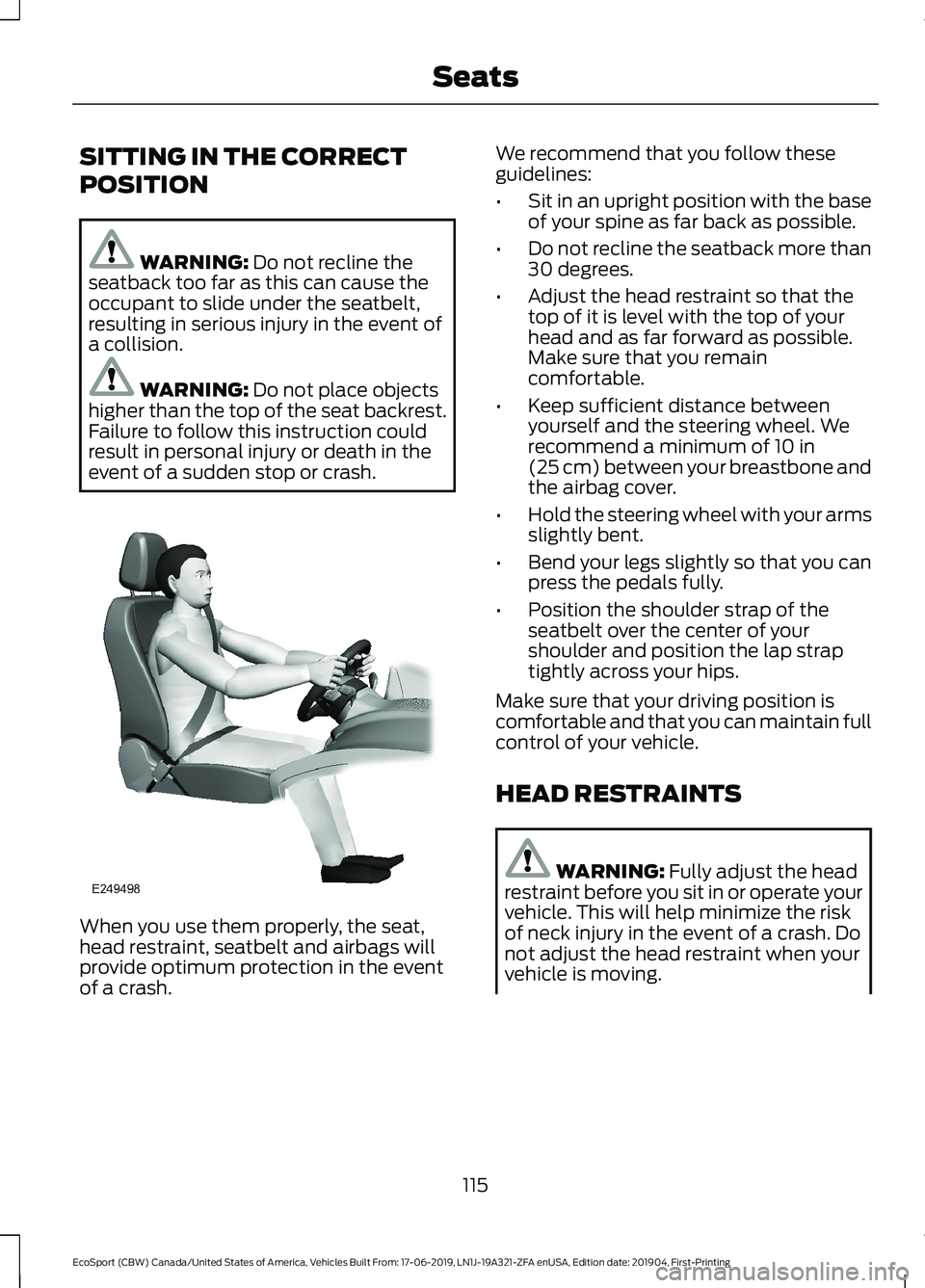
When you use them properly, the seat,head restraint, seatbelt and airbags willprovide optimum protection in the eventof a crash.
We recommend that you follow theseguidelines:
•Sit in an upright position with the baseof your spine as far back as possible.
•Do not recline the seatback more than30 degrees.
•Adjust the head restraint so that thetop of it is level with the top of yourhead and as far forward as possible.Make sure that you remaincomfortable.
•Keep sufficient distance betweenyourself and the steering wheel. Werecommend a minimum of 10 in(25 cm) between your breastbone andthe airbag cover.
•Hold the steering wheel with your armsslightly bent.
•Bend your legs slightly so that you canpress the pedals fully.
•Position the shoulder strap of theseatbelt over the center of yourshoulder and position the lap straptightly across your hips.
Make sure that your driving position iscomfortable and that you can maintain fullcontrol of your vehicle.
HEAD RESTRAINTS
WARNING: Fully adjust the headrestraint before you sit in or operate yourvehicle. This will help minimize the riskof neck injury in the event of a crash. Donot adjust the head restraint when yourvehicle is moving.
115
EcoSport (CBW) Canada/United States of America, Vehicles Built From: 17-06-2019, LN1J-19A321-ZFA enUSA, Edition date: 201904, First-PrintingSeats
Page 135 of 448
Starting the Engine
Turn the key to position III. Release thekey when the engine starts.
PUSH BUTTON IGNITION
SWITCH (IF EQUIPPED)
WARNING: Always check that thesteering wheel lock is deactivated beforeattempting to move your vehicle. Failureto deactivate the steering wheel lockcould result in a crash.
Note:The system may not function if theremote control is close to metal objects orelectronic devices such as cell phones.
Note:The ignition automatically switchesoff when you leave your vehicle unattended.This is to prevent your vehicle battery fromlosing charge.
Note:A valid key must be located insideyour vehicle to switch the ignition on andstart the engine.
Switching the Ignition On(Accessory Mode)
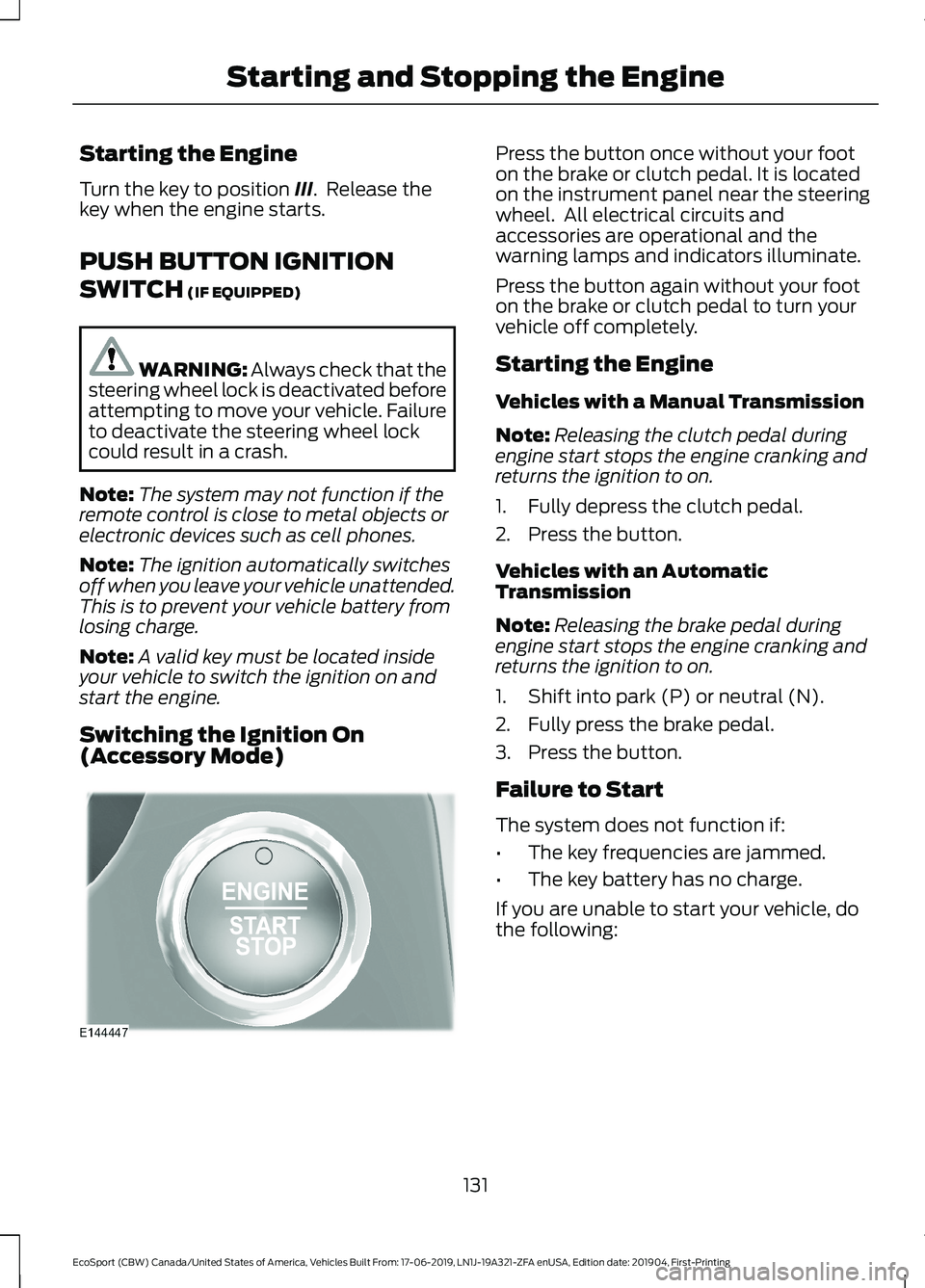
Press the button once without your footon the brake or clutch pedal. It is locatedon the instrument panel near the steeringwheel. All electrical circuits andaccessories are operational and thewarning lamps and indicators illuminate.
Press the button again without your footon the brake or clutch pedal to turn yourvehicle off completely.
Starting the Engine
Vehicles with a Manual Transmission
Note:Releasing the clutch pedal duringengine start stops the engine cranking andreturns the ignition to on.
1.Fully depress the clutch pedal.
2.Press the button.
Vehicles with an AutomaticTransmission
Note:Releasing the brake pedal duringengine start stops the engine cranking andreturns the ignition to on.
1.Shift into park (P) or neutral (N).
2.Fully press the brake pedal.
3.Press the button.
Failure to Start
The system does not function if:
•The key frequencies are jammed.
•The key battery has no charge.
If you are unable to start your vehicle, dothe following:
131
EcoSport (CBW) Canada/United States of America, Vehicles Built From: 17-06-2019, LN1J-19A321-ZFA enUSA, Edition date: 201904, First-PrintingStarting and Stopping the Engine
Page 140 of 448
AUTO-START-STOP
The system helps reduce fuel consumptionby automatically shutting off and restartingthe engine while your vehicle is stopped.The engine will restart automatically whenyou release the brake pedal. In somesituations, your vehicle may restartautomatically, for example:
•To maintain interior comfort
•To recharge the battery
Note:Power assist steering is turned offwhen the engine is off.
WARNING: Always fully apply theparking brake. Make sure you shift intopark (P) for vehicles with an automatictransmission. Switch the ignition off andremove the key whenever you leave yourvehicle.
WARNING: Before opening thehood or performing any maintenance,fully apply the parking brake, shift intopark (P) or neutral (N) and switch theignition off.
WARNING: Always switch theignition off before leaving the vehicle. Ifthe ignition is switched on an automaticrestart may occur at any time.
WARNING: The system mayrequire the engine to automaticallyrestart when the auto-start-stopindicator illuminates green or flashesamber. Failure to follow this instructioncould result in personal injury.
The Auto-Start-Stop system status isavailable at a glance within the informationdisplay. See Information Displays (page93).
Enabling Auto-Start-Stop
The system is automatically enabled everytime you start your vehicle if the followingconditions are met:
•The Auto-Start-Stop button is notpressed (not illuminated).
•Your vehicle exceeds an initial speedof 3 mph (5 km/h) after the vehicle hasbeen initially started.
•Your vehicle is stopped.
•Your foot is on the brake pedal.
•The transmission is in drive (D).
•The driver's door is closed.
•There is adequate brake vacuum.
•The interior compartment has beencooled or warmed to an acceptablelevel.
•The front windshield defroster is off.
•The steering wheel is not being turned.
•The vehicle is not on a steep roadgrade.
•The battery is within optimal operatingconditions (battery state of charge andtemperature in range).
•The engine coolant is at operatingtemperature.
•Elevation is below approximately10,000 ft (3,048 m).
•Ambient temperature is moderate.
The green Auto-Start-Stopindicator light on the instrumentcluster will illuminate to indicatewhen the automatic engine stop occurs.
If the instrument cluster isequipped with a greyAuto-Start-Stop indicator light,it is illuminated when automatic enginestop is not available due to one of theabove noted conditions not being met.
136
EcoSport (CBW) Canada/United States of America, Vehicles Built From: 17-06-2019, LN1J-19A321-ZFA enUSA, Edition date: 201904, First-PrintingUnique Driving Characteristics
Page 154 of 448
SelectShift™ AutomaticTransmission
This feature gives you the ability to changegears up or down as desired.
Downshifts are allowed unless the enginespeed after the shift exceeds themaximum allowable limit.
In order to prevent engine stalls,SelectShift automatically downshifts atlow engine speeds.
Note:Engine damage may occur if youmaintain excessive engine revving withoutshifting.
SelectShift does not automatically upshift,even if the engine is approaching the RPMlimit, unless the accelerator pedal is at fulltravel.
Take notice of the shift indicator lamp,which alerts you when to shift to make sureyou achieve the highest level of efficiencyand fuel economy.
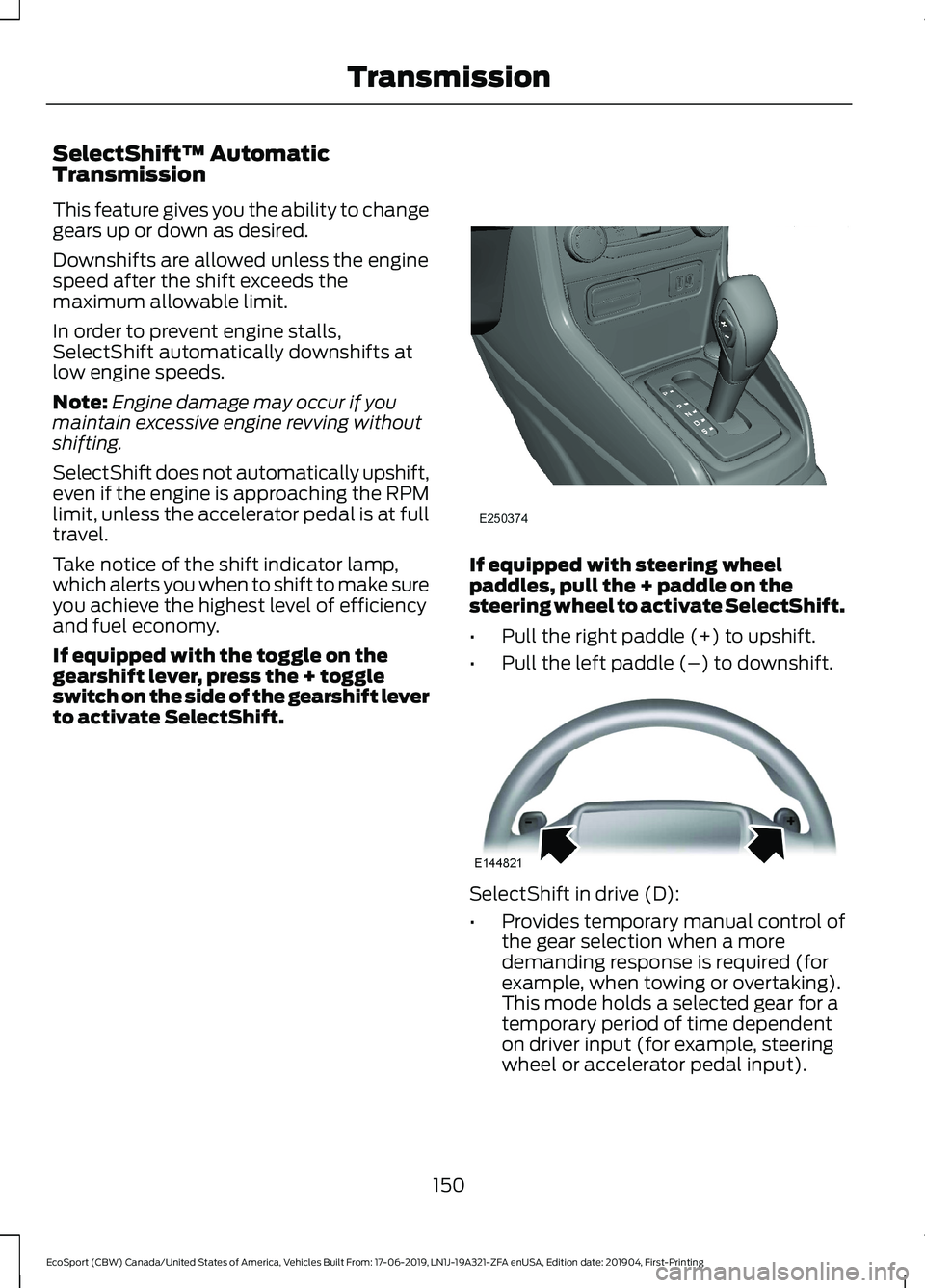
If equipped with the toggle on thegearshift lever, press the + toggleswitch on the side of the gearshift leverto activate SelectShift.
If equipped with steering wheelpaddles, pull the + paddle on thesteering wheel to activate SelectShift.
•Pull the right paddle (+) to upshift.
•Pull the left paddle (–) to downshift.
SelectShift in drive (D):
•Provides temporary manual control ofthe gear selection when a moredemanding response is required (forexample, when towing or overtaking).This mode holds a selected gear for atemporary period of time dependenton driver input (for example, steeringwheel or accelerator pedal input).
150
EcoSport (CBW) Canada/United States of America, Vehicles Built From: 17-06-2019, LN1J-19A321-ZFA enUSA, Edition date: 201904, First-PrintingTransmission