lock FORD EDGE 2009 1.G Service Manual
[x] Cancel search | Manufacturer: FORD, Model Year: 2009, Model line: EDGE, Model: FORD EDGE 2009 1.GPages: 320, PDF Size: 2.26 MB
Page 115 of 320
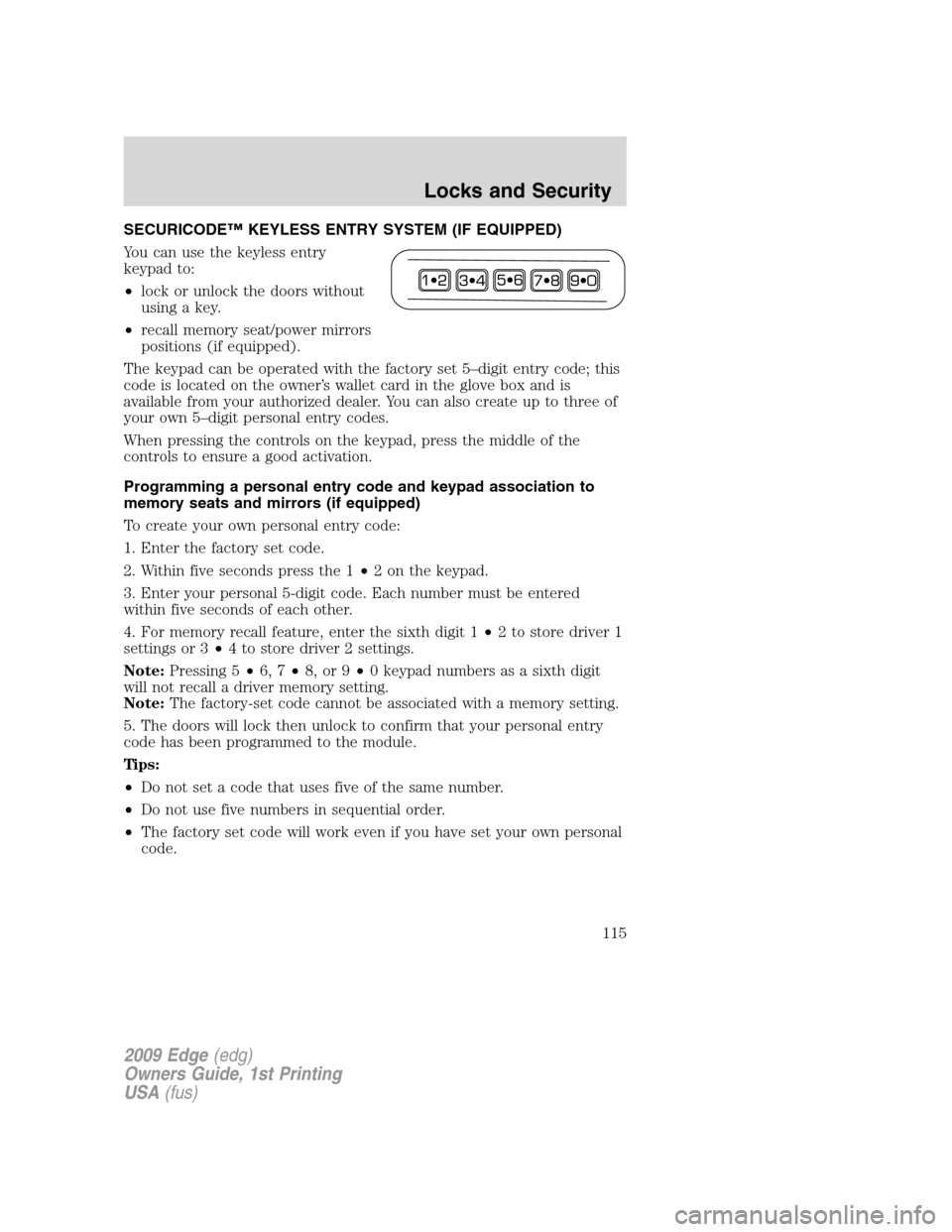
SECURICODE™ KEYLESS ENTRY SYSTEM (IF EQUIPPED)
You can use the keyless entry
keypad to:
•lock or unlock the doors without
using a key.
•recall memory seat/power mirrors
positions (if equipped).
The keypad can be operated with the factory set 5–digit entry code; this
code is located on the owner’s wallet card in the glove box and is
available from your authorized dealer. You can also create up to three of
your own 5–digit personal entry codes.
When pressing the controls on the keypad, press the middle of the
controls to ensure a good activation.
Programming a personal entry code and keypad association to
memory seats and mirrors (if equipped)
To create your own personal entry code:
1. Enter the factory set code.
2. Within five seconds press the 1•2 on the keypad.
3. Enter your personal 5-digit code. Each number must be entered
within five seconds of each other.
4. For memory recall feature, enter the sixth digit 1•2 to store driver 1
settings or 3•4 to store driver 2 settings.
Note:Pressing 5•6, 7•8, or 9•0 keypad numbers as a sixth digit
will not recall a driver memory setting.
Note:The factory-set code cannot be associated with a memory setting.
5. The doors will lock then unlock to confirm that your personal entry
code has been programmed to the module.
Tips:
•Do not set a code that uses five of the same number.
•Do not use five numbers in sequential order.
•The factory set code will work even if you have set your own personal
code.
2009 Edge(edg)
Owners Guide, 1st Printing
USA(fus)
Locks and Security
115
Page 116 of 320
Erasing personal code
1. Enter the factory set 5–digit code.
2. Within five seconds, press the 1•2 on the keypad and release.
3. Press and hold the 1•2 for two seconds. This must be done within
five seconds of completing Step 2.
All personal codes are now erased and only the factory set 5–digit code
will work.
Anti-scan feature
If the wrong code has been entered seven times (35 consecutive button
presses), the keypad will go into an anti-scan mode. This mode disables
the keypad for one minute and the keypad lamp will flash.
The anti-scan feature will turn off after:
•one minute of keypad inactivity.
•pressing the
control on the remote entry transmitter portion of
your Integrated Keyhead Transmitter.
•the ignition is turned on.
Unlocking and locking the doors using keyless entry
To unlock the driver’s door,enter the factory set 5-digit code or your
personal code. Each number must be pressed within five seconds of each
other. The interior lamps will illuminate.Note:If the two-stage unlocking
feature is disabled, all doors will unlock; for more information regarding
two-stage unlocking, refer to theUnlocking the doors/Two stage unlock
section earlier in this chapter.
To unlock all doors,enter the factory set code or your personal code,
then press the 3•4 control within five seconds.
To lock all doors,press the 7•8 and the 9•0 at the same time (with
the driver’s door closed). Youdo notneed to enter the keypad code
first.
SECURILOCK™ PASSIVE ANTI-THEFT SYSTEM
SecuriLock™ passive anti-theft system is an engine immobilization
system. This system is designed to help prevent the engine from being
started unless acoded Integrated Keyhead Transmitter (IKT)
programmed to your vehicleis used. The use of the wrong type of
coded key may lead to a “no-start” condition.
Your vehicle comes with two coded Integrated Keyhead Transmitters;
additional coded IKTs may be purchased from your authorized dealer.
2009 Edge(edg)
Owners Guide, 1st Printing
USA(fus)
Locks and Security
116
Page 117 of 320
Standard SecuriLock™ keys without remote entry transmitter
functionality can also be purchased from your authorized dealer if
desired. The authorized dealer can program your spare IKTs to your
vehicle or you can program the IKTs yourself. Refer toProgramming
spare keysfor instructions on how to program the coded key.
Note:The SecuriLock™ passive anti-theft system is not compatible with
non-Ford aftermarket remote start systems. Use of these systems may
result in vehicle starting problems and a loss of security protection.
Note:Large metallic objects, electronic devices that are used to
purchase gasoline or similar items, or a second coded key on the same
key chain may cause vehicle starting issues. You need to prevent these
objects from touching the coded IKT while starting the engine. These
objects will not cause damage to the coded IKT, but may cause a
momentary issue if they are too close to the IKT when starting the
engine. If a problem occurs, turn the ignition off, remove all objects on
the key chain away from the coded IKT and restart the engine.
Note: Do not leave a duplicate coded key in the vehicle. Always
take your keys and lock all doors when leaving the vehicle.
Anti-theft indicator
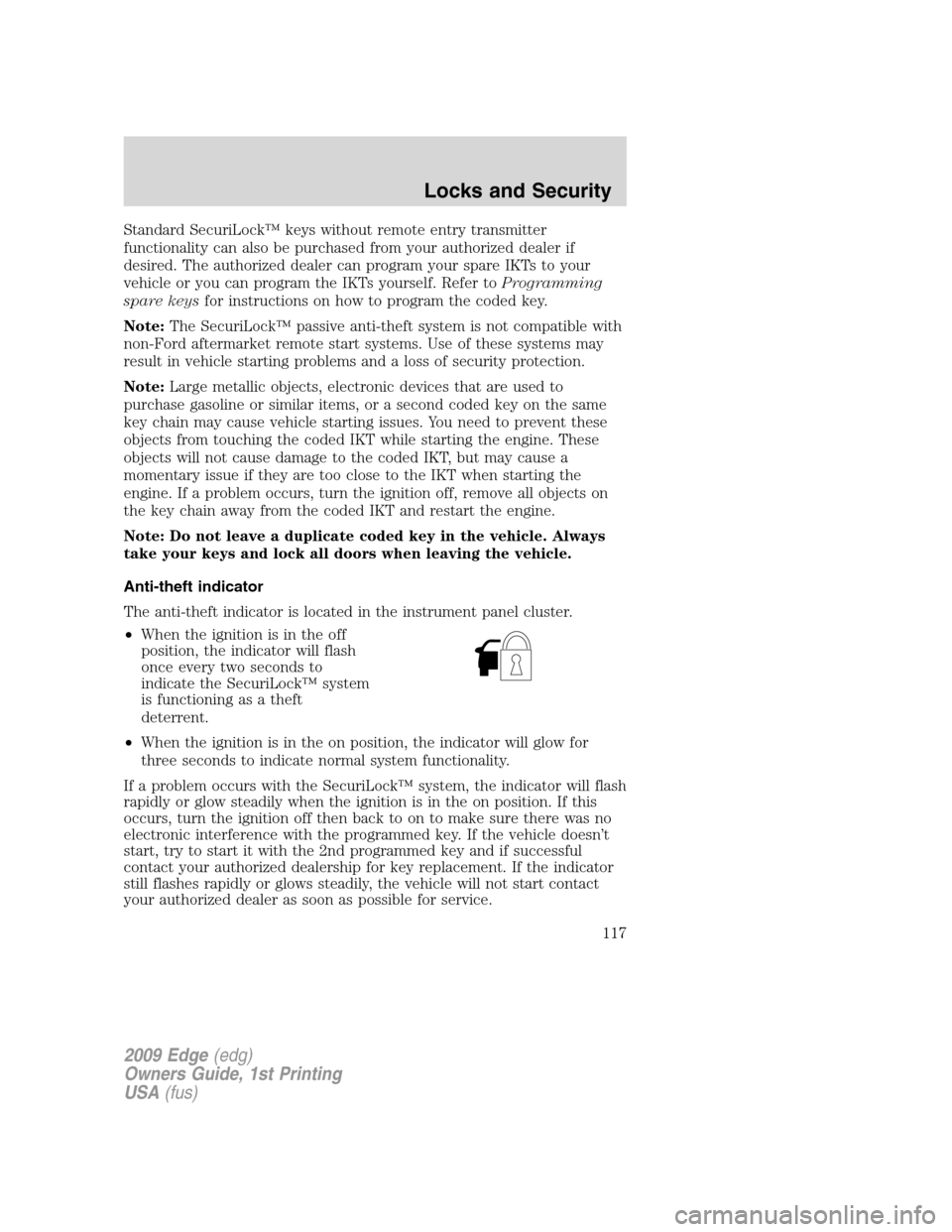
The anti-theft indicator is located in the instrument panel cluster.
•When the ignition is in the off
position, the indicator will flash
once every two seconds to
indicate the SecuriLock™ system
is functioning as a theft
deterrent.
•When the ignition is in the on position, the indicator will glow for
three seconds to indicate normal system functionality.
If a problem occurs with the SecuriLock™ system, the indicator will flash
rapidly or glow steadily when the ignition is in the on position. If this
occurs, turn the ignition off then back to on to make sure there was no
electronic interference with the programmed key. If the vehicle doesn’t
start, try to start it with the 2nd programmed key and if successful
contact your authorized dealership for key replacement. If the indicator
still flashes rapidly or glows steadily, the vehicle will not start contact
your authorized dealer as soon as possible for service.
2009 Edge(edg)
Owners Guide, 1st Printing
USA(fus)
Locks and Security
117
Page 118 of 320

Automatic arming
The vehicle is armed immediately after switching the ignition to the off
position.
The theft indicator will flash every
two seconds to act as a theft
deterrent when the vehicle is
armed.
Automatic disarming
The vehicle is disarmed immediately after the ignition is turned to the on
position.
The theft indicator will illuminate for three seconds and then go out. If
the theft indicator stays on for an extended period of time or flashes
rapidly, contact your authorized dealer as soon as possible.
Replacement Integrated Keyless Transmitters (IKT) and coded keys
Note:Your vehicle comes equipped with two Integrated Keyhead
Transmitters (IKTs). The IKT functions as both a programmed ignition
key that operates all the locks and starts the vehicle, as well as a remote
keyless entry transmitter. A maximum of eight coded keys can be
programmed to your vehicle; only four of these eight keys can be IKTs
with remote entry functionality.
If your IKTs or standard SecuriLock™ coded keys are lost or stolen and
you don’t have an extra coded key, you will need to have your vehicle
towed to an authorized dealer. The key codes need to be erased from
your vehicle and new coded keys will need to be programmed.
Replacing coded keys can be very costly. Store an extra programmed key
away from the vehicle in a safe place to help prevent any
inconveniences. Please visit an authorized dealer to purchase additional
spare or replacement keys.
2009 Edge(edg)
Owners Guide, 1st Printing
USA(fus)
Locks and Security
118
Page 119 of 320
Programming spare keys
You can program your own Integrated Keyhead Transmitters or standard
SecuriLock™ coded keys to your vehicle. This procedure will program
both the engine immobilizer keycode and the remote entry transmitter
portion of the IKT to your vehicle.Note:A maximum of eight coded
keys can be programmed to your vehicle; only four of these eight can be
IKTs with remote entry functionality.
Tips:
•Only use Integrated Keyhead Transmitters (IKTs) or standard
SecuriLock™ keys.
•You must have two previously programmed coded keys (keys that
already operate your vehicle’s engine) and the new unprogrammed
key(s) readily accessible.
•If two previously programmed coded keys are not available, you must
take your vehicle to your authorized dealer to have the spare key(s)
programmed.
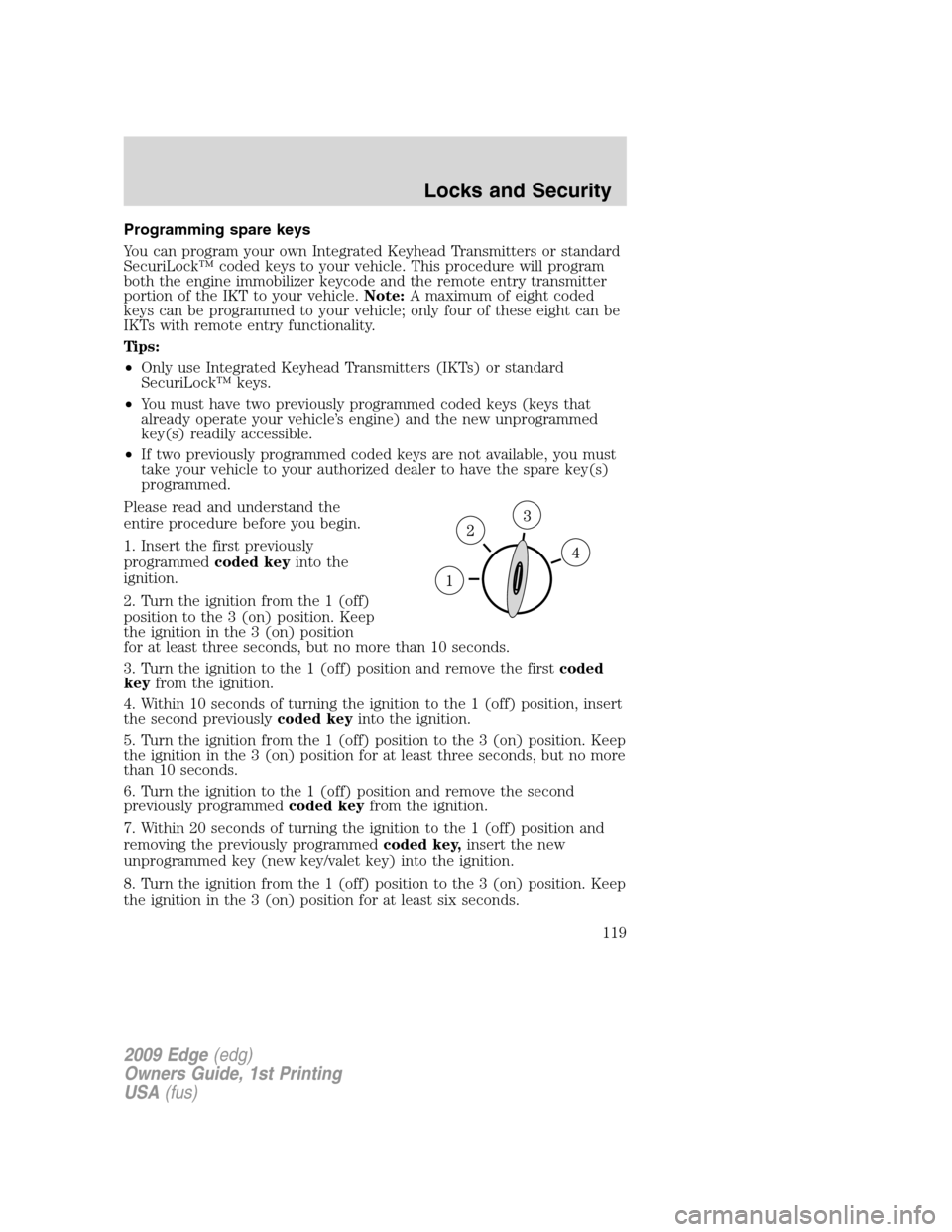
Please read and understand the
entire procedure before you begin.
1. Insert the first previously
programmedcoded keyinto the
ignition.
2. Turn the ignition from the 1 (off)
position to the 3 (on) position. Keep
the ignition in the 3 (on) position
for at least three seconds, but no more than 10 seconds.
3. Turn the ignition to the 1 (off) position and remove the firstcoded
keyfrom the ignition.
4. Within 10 seconds of turning the ignition to the 1 (off) position, insert
the second previouslycoded keyinto the ignition.
5. Turn the ignition from the 1 (off) position to the 3 (on) position. Keep
the ignition in the 3 (on) position for at least three seconds, but no more
than 10 seconds.
6. Turn the ignition to the 1 (off) position and remove the second
previously programmedcoded keyfrom the ignition.
7. Within 20 seconds of turning the ignition to the 1 (off) position and
removing the previously programmedcoded key,insert the new
unprogrammed key (new key/valet key) into the ignition.
8. Turn the ignition from the 1 (off) position to the 3 (on) position. Keep
the ignition in the 3 (on) position for at least six seconds.
2009 Edge(edg)
Owners Guide, 1st Printing
USA(fus)
Locks and Security
119
Page 120 of 320
9. Remove the newly programmedcoded keyfrom the ignition.
If the key has been successfully programmed it will start the vehicle’s
engine and will operate the remote entry system (if the new key is an
Integrated Keyhead Transmitter). The theft indicator light will illuminate
for three seconds and then go out to indicate successful programming.
If the key was not successfully programmed, it will not start your
vehicle’s engine and/or will not operate the remote entry features. The
theft indicator light may flash on and off. Wait 20 seconds and you may
repeat Steps 1 through 8. If failure repeats, bring your vehicle to your
authorized dealer to have the new key(s) programmed.
To program additional new unprogrammed key(s), wait 20 seconds and
then repeat this procedure from Step 1.
2009 Edge(edg)
Owners Guide, 1st Printing
USA(fus)
Locks and Security
120
Page 121 of 320
SEATING
WARNING:Reclining the seatback can cause an occupant to
slide under the seat’s safety belt, resulting in severe personal
injuries in the event of a collision.
WARNING:Do not pile cargo higher than the seatbacks to
reduce the risk of injury in a collision or sudden stop.
WARNING:Before returning the seatback to its original
position, make sure that cargo or any objects are not trapped
behind the seatback. After returning the seatback to its original
position, pull on the seatback to ensure that it has fully latched. An
unlatched seat may become dangerous in the event of a sudden stop or
collision.
Adjustable head restraints
Your vehicle is equipped with front row outboard head restraints that are
vertically adjustable.
WARNING:To minimize the risk of neck injury in the event of a
crash, the driver and passenger occupants should not sit in
and/or operate the vehicle, until the head restraint is placed in its
proper position. The driver should never adjust the head restraint
while the vehicle is in motion.
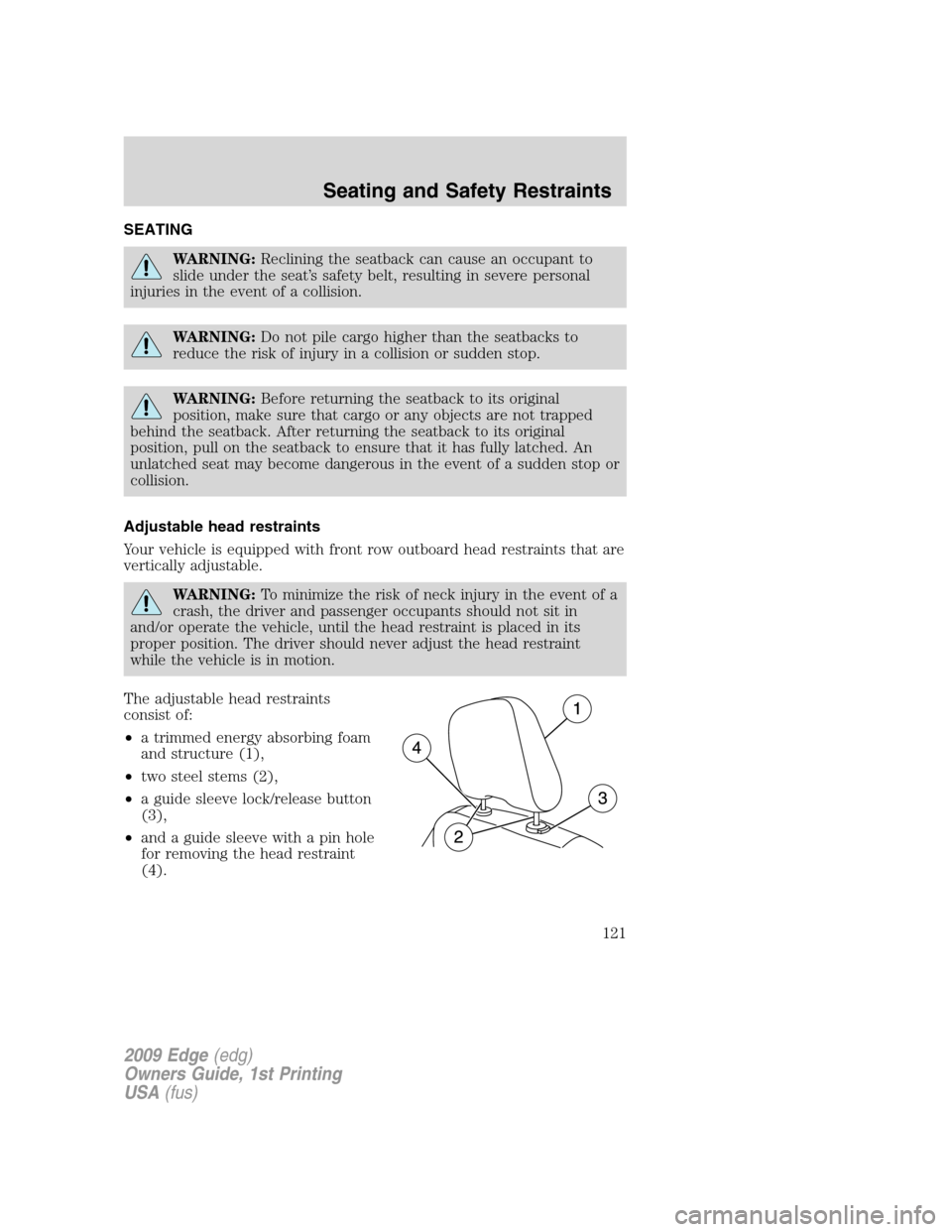
The adjustable head restraints
consist of:
•a trimmed energy absorbing foam
and structure (1),
•two steel stems (2),
•a guide sleeve lock/release button
(3),
•and a guide sleeve with a pin hole
for removing the head restraint
(4).
2009 Edge(edg)
Owners Guide, 1st Printing
USA(fus)
Seating and Safety Restraints
121
Page 122 of 320
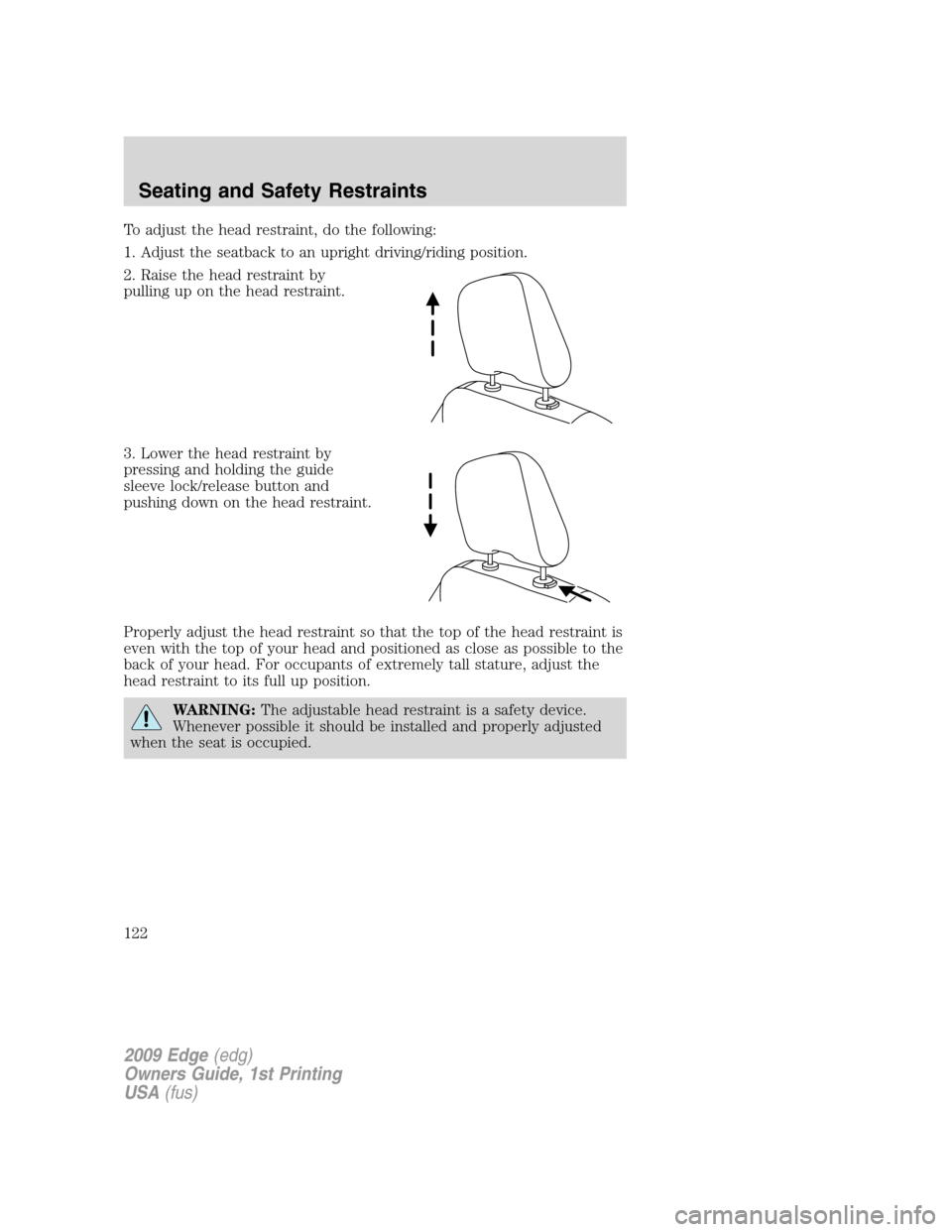
To adjust the head restraint, do the following:
1. Adjust the seatback to an upright driving/riding position.
2. Raise the head restraint by
pulling up on the head restraint.
3. Lower the head restraint by
pressing and holding the guide
sleeve lock/release button and
pushing down on the head restraint.
Properly adjust the head restraint so that the top of the head restraint is
even with the top of your head and positioned as close as possible to the
back of your head. For occupants of extremely tall stature, adjust the
head restraint to its full up position.
WARNING:The adjustable head restraint is a safety device.
Whenever possible it should be installed and properly adjusted
when the seat is occupied.
2009 Edge(edg)
Owners Guide, 1st Printing
USA(fus)
Seating and Safety Restraints
122
Page 123 of 320
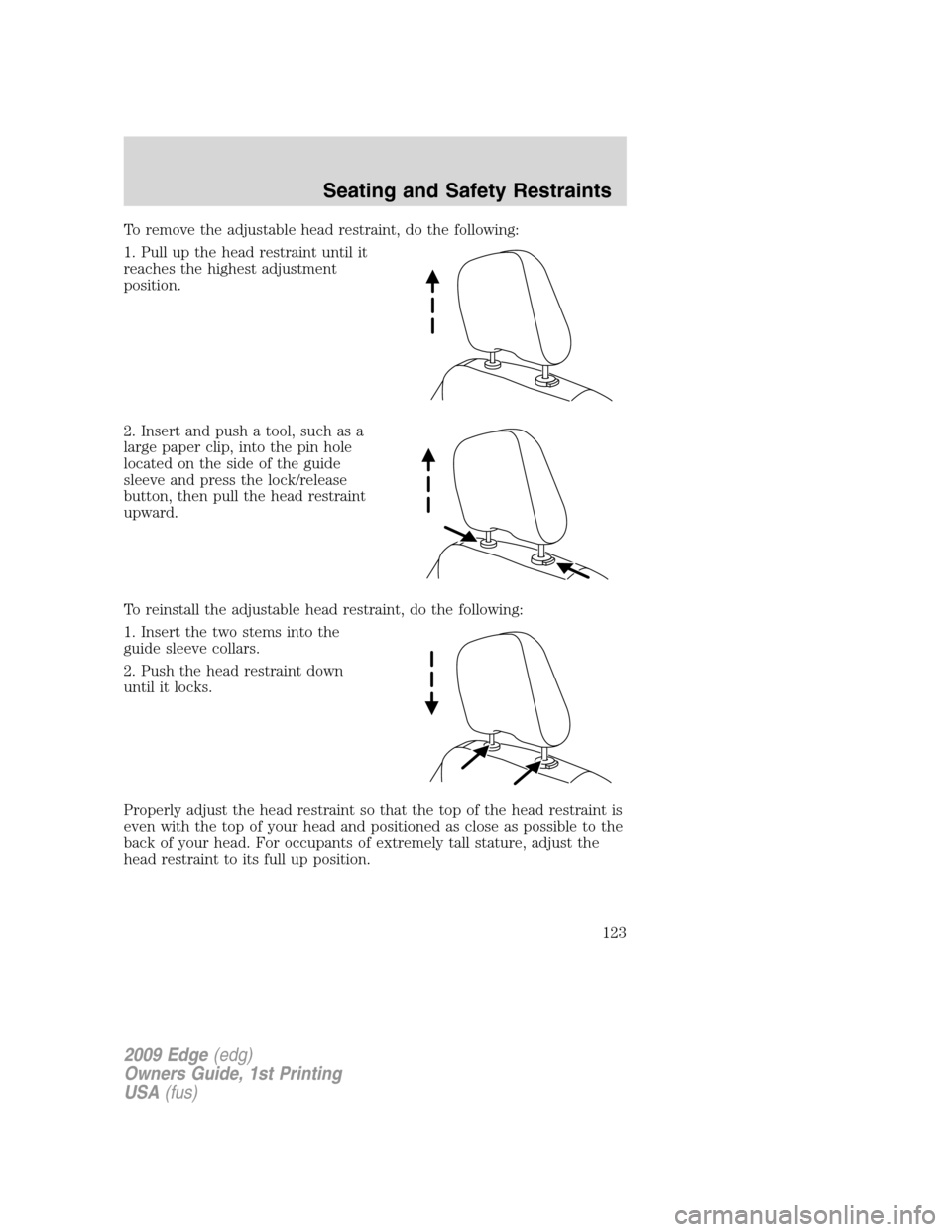
To remove the adjustable head restraint, do the following:
1. Pull up the head restraint until it
reaches the highest adjustment
position.
2. Insert and push a tool, such as a
large paper clip, into the pin hole
located on the side of the guide
sleeve and press the lock/release
button, then pull the head restraint
upward.
To reinstall the adjustable head restraint, do the following:
1. Insert the two stems into the
guide sleeve collars.
2. Push the head restraint down
until it locks.
Properly adjust the head restraint so that the top of the head restraint is
even with the top of your head and positioned as close as possible to the
back of your head. For occupants of extremely tall stature, adjust the
head restraint to its full up position.
2009 Edge(edg)
Owners Guide, 1st Printing
USA(fus)
Seating and Safety Restraints
123
Page 128 of 320
•To program position 2, repeat the previous procedure using control
button 2.
•A chime will sound confirming that a memory position has been set.
A position can be recalled:
•in any gearshift position if the ignition isnoton.
•only in P (Park) or N (Neutral) if the ignition is on.
A memory seat position may be programmed at any time.
The memory positions are also recalled when you press your remote
entry transmitter
(unlock) control (if the transmitter is programmed
to a memory position) or, when you enter a valid personal entry code
that is programmed to a memory position.
To program the memory feature to a remote entry transmitter and for
more information on how to use the keypad, refer toRemote entry
systemin theLocks and Securitychapter.
Easy entry/exit feature (if equipped)
This feature automatically moves the driver’s seat rearward 2 in (5 cm)
when:
•the transmission is in N (Neutral) or P (Park)
•the key is removed from the ignition cylinder
The seat will move forward (to the original position) when:
•the transmission is in N (Neutral) or P (Park)
•the key is placed in the ignition cylinder
Heated seats (if equipped)
WARNING:Persons who are unable to feel pain to the skin
because of advanced age, chronic illness, diabetes, spinal cord
injury, medication, alcohol use, exhaustion, or other physical
conditions, must exercise care when using the seat heater. The seat
heater may cause burns even at low temperatures, especially if used
for long periods of time. Do not place anything on the seat that
insulates against heat, such as a blanket or cushion, because this may
cause the seat heater to overheat. Do not puncture the seat with pins,
needles, or other pointed objects because this may damage the heating
element which may cause the seat heater to overheat. An overheated
seat may cause serious personal injury.
2009 Edge(edg)
Owners Guide, 1st Printing
USA(fus)
Seating and Safety Restraints
128