brake FORD EDGE 2011 1.G User Guide
[x] Cancel search | Manufacturer: FORD, Model Year: 2011, Model line: EDGE, Model: FORD EDGE 2011 1.GPages: 403, PDF Size: 2.9 MB
Page 43 of 403
vehicle with the compact spare tire installed or if the system is
overheating. The AWD system will resume normal function and clear this
message after driving a short distance with the road tire re-installed or
after the system is allowed to cool.
CHECK AWD— Displayed in conjunction with the throttle
control/transmission/AWD
light when the AWD system is not
operating properly. If the warning stays on or continues to come on,
contact your authorized dealer as soon as possible.
FOR HILL DESCENT REDUCE SPEED 20 MPH OR LESS (if
equipped)— Displayed when hill descent speed exceeds 20 MPH.
FOR HILL DESCENT REDUCE SPEED 32 KM/H OR LESS (if
equipped)— Displayed when hill descent speed exceeds 32 KM/H.
FOR HILL DESCENT SHIFT INTO GEAR (if equipped)—
Displayed when hill descent control mode requires driver shift
transmission into gear.
FOR OFF ROAD SLOW TO 5 MPH (if equipped)— Displayed when
the vehicle speed requirement for off road mode entry has not been met.
DRIVER RESUME CONTROL (if equipped)— Displayed when the
hill control and off road mode require the driver to resume control.
HILL DESCENT CONTROL ACTIVE (if equipped)— Displayed
when hill descent control mode becomes active.
HILL DESCENT CONTROL FAULT (if equipped)— Displayed when
a hill descent system fault is present.
HILL DESCENT CONTROL OFF (if equipped)— Displayed when hill
descent control mode becomes inactive.
HILL DESCENT CONTROL OFF SYSTEM COOLING (if equipped)
— Displayed when hill descent control mode is disabled to cool the
brake system.
HILL DESCENT CONTROL READY (if equipped)— Displayed
when hill descent control mode is ready.
MODE CHANGE NOT ACCEPTED, RETRY (if equipped)—
Displayed when hill descent control mode cannot be changed at time of
driver request.
ACCESSORY POWER ACTIVE (if equipped)— Displayed when the
vehicle is in the accessory ignition state.
CHECK SPEED DRIVE SAFELY— Displayed when a MyKey™ is in
use and the optional setting is on and the vehicle exceeds a preselected
speed. Refer toMyKey™in theLocks and Securitychapter for more
information.
Instrument Cluster
43
2011 Edge(edg)
Owners Guide, 1st Printing
USA(fus)
Page 44 of 403
COULD NOT PROGRAM KEY— Displayed when an attempt is made
to program a spare key using two existing MyKeys. Refer toMyKey™in
theLocks and Securitychapter for more information.
KEY PROGRAMMED 3 KEYS TOTAL— Displayed during spare key
programming, when a third Intelligent Access Key is programmed to the
system.
KEY PROGRAMMED 4 KEYS TOTAL— Displayed during spare key
programming, when a fourth Intelligent Access Key is programmed to
the system.
MAX NUMBER OF KEYS PROGRAMMED— Displayed during spare
key programming when the maximum number of keys have been
programmed.
MYKEY ACTIVE DRIVE SAFELY— Displayed when MyKey™ is
active.
MYKEY NOT CREATED— Displayed during key programming when
MyKey™ cannot be programmed.
NO KEY DETECTED (if equipped)— Displayed if the Intelligent
Access Key is not detected by the system in the following three
scenarios:
•When the start/stop button is pressed in an attempt to either start the
engine or cycle through the ignition states.
•When the engine is running and a door is opened then closed.
•When the vehicle’s speed exceeds 10 mph (16 km/h) for the first time
after starting. Refer toPush button start systemin theDrivingchapter
for more information.
PRESS BRAKE TO START (if equipped)— Displayed when the
start/stop button is pressed without the brake pedal being applied. This
is a reminder that the brake pedal must be applied when the start/stop
button is pressed in order to start the engine.
RESTART NOW OR KEY IS NEEDED (if equipped)— Displayed
when the start/stop button is pressed to shut off the engine and a
Intelligent Access Key is not detected inside the vehicle. Refer toPush
button start systemin theDrivingchapter for more information.
SPEED LIMITED TO 130 KM/H— Displayed when starting the
vehicle and MyKey™ is in use and the MyKey speed limit is on. Refer to
MyKey™in theLocks and Securitychapter for more information.
SPEED LIMITED TO 80 MPH— Displayed when starting the vehicle
and MyKey™ is in use and the MyKey speed limit is on. Refer to
MyKey™in theLocks and Securitychapter for more information.
Instrument Cluster
44
2011 Edge(edg)
Owners Guide, 1st Printing
USA(fus)
Page 82 of 403
FunctionNumber of
bulbsTrade
number
Headlamp high/low beam (halogen) 2 HIR2
* HID (high intensity discharge) headlamp 2 D3S
* Front sidemarker lamp N/A LED
Front park/turn signal lamp 23457NAK
(amber)
Rear turn lamp 23757NAK
(amber)
Stop/tail/sidemarker lamp 43157K LCP
or 3157K
Backup lamp 2 921
License plate lamp 2 168
* High-mount brake lamp N/A LED
Map lamp 2 W5W
Second row dome/reading lamp 3 578
Rear courtesy lamp 1 578
Visor vanity lamp 2 37
All replacement bulbs are clear in color except where noted.
To replace all instrument panel lights - see your authorized dealer.
* To replace these lamps - see your authorized dealer.
Replacing interior bulbs
Check the operation of all bulbs frequently.
Replacing exterior bulbs
Check the operation of all the bulbs frequently.
Replacing headlamp bulbs
Check the operation of all bulbs frequently.
1. Make sure that the headlamp control is in the off position.
2. Open the hood.
Lights
82
2011 Edge(edg)
Owners Guide, 1st Printing
USA(fus)
Page 85 of 403
Replacing tail/stop/turn/sidemarker/backup lamp bulbs
The tail/stop/turn/sidemarker/backup lamp bulbs are located in the same
area of the tail lamp assembly, one below the other. Follow the same
steps to replace these bulbs:
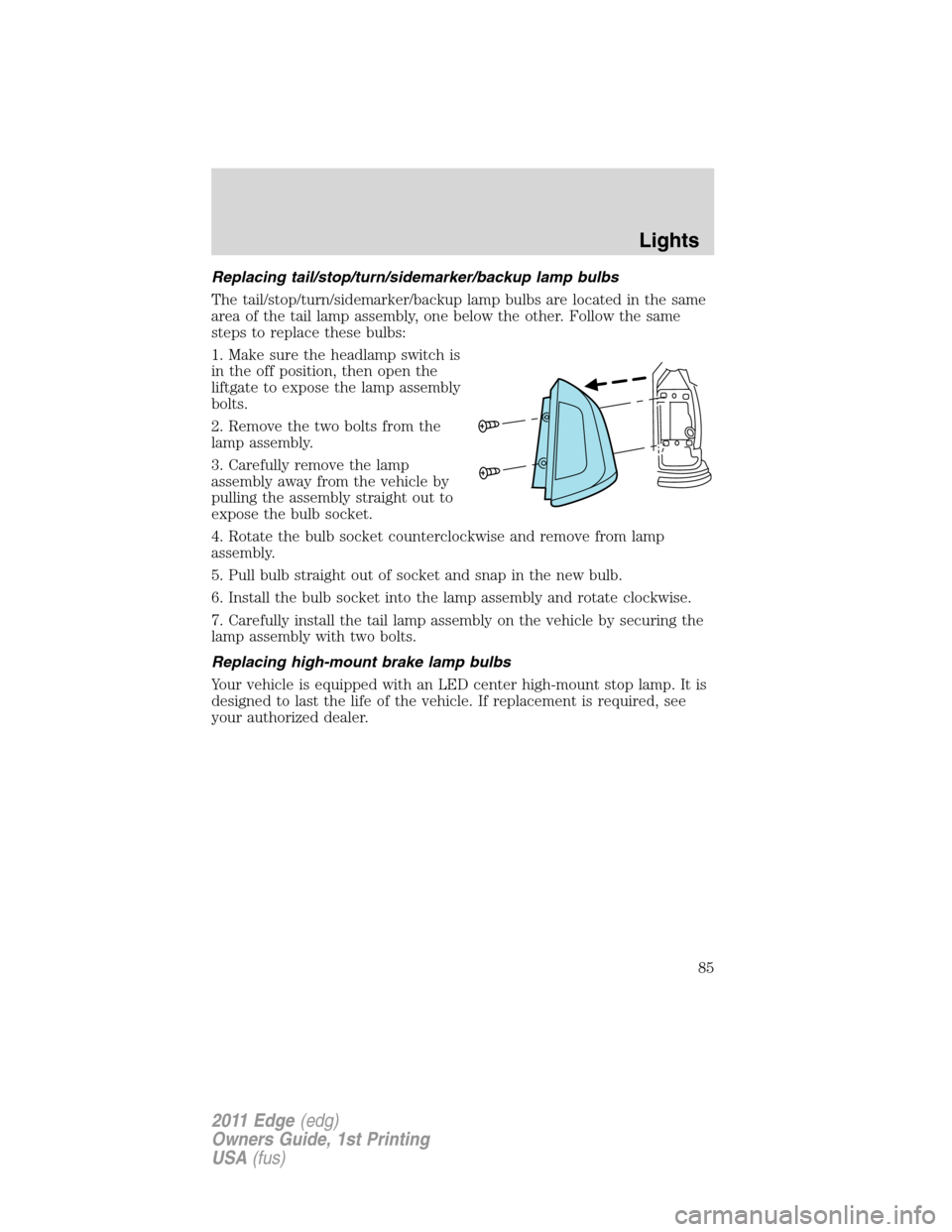
1. Make sure the headlamp switch is
in the off position, then open the
liftgate to expose the lamp assembly
bolts.
2. Remove the two bolts from the
lamp assembly.
3. Carefully remove the lamp
assembly away from the vehicle by
pulling the assembly straight out to
expose the bulb socket.
4. Rotate the bulb socket counterclockwise and remove from lamp
assembly.
5. Pull bulb straight out of socket and snap in the new bulb.
6. Install the bulb socket into the lamp assembly and rotate clockwise.
7. Carefully install the tail lamp assembly on the vehicle by securing the
lamp assembly with two bolts.
Replacing high-mount brake lamp bulbs
Your vehicle is equipped with an LED center high-mount stop lamp. It is
designed to last the life of the vehicle. If replacement is required, see
your authorized dealer.
Lights
85
2011 Edge(edg)
Owners Guide, 1st Printing
USA(fus)
Page 96 of 403
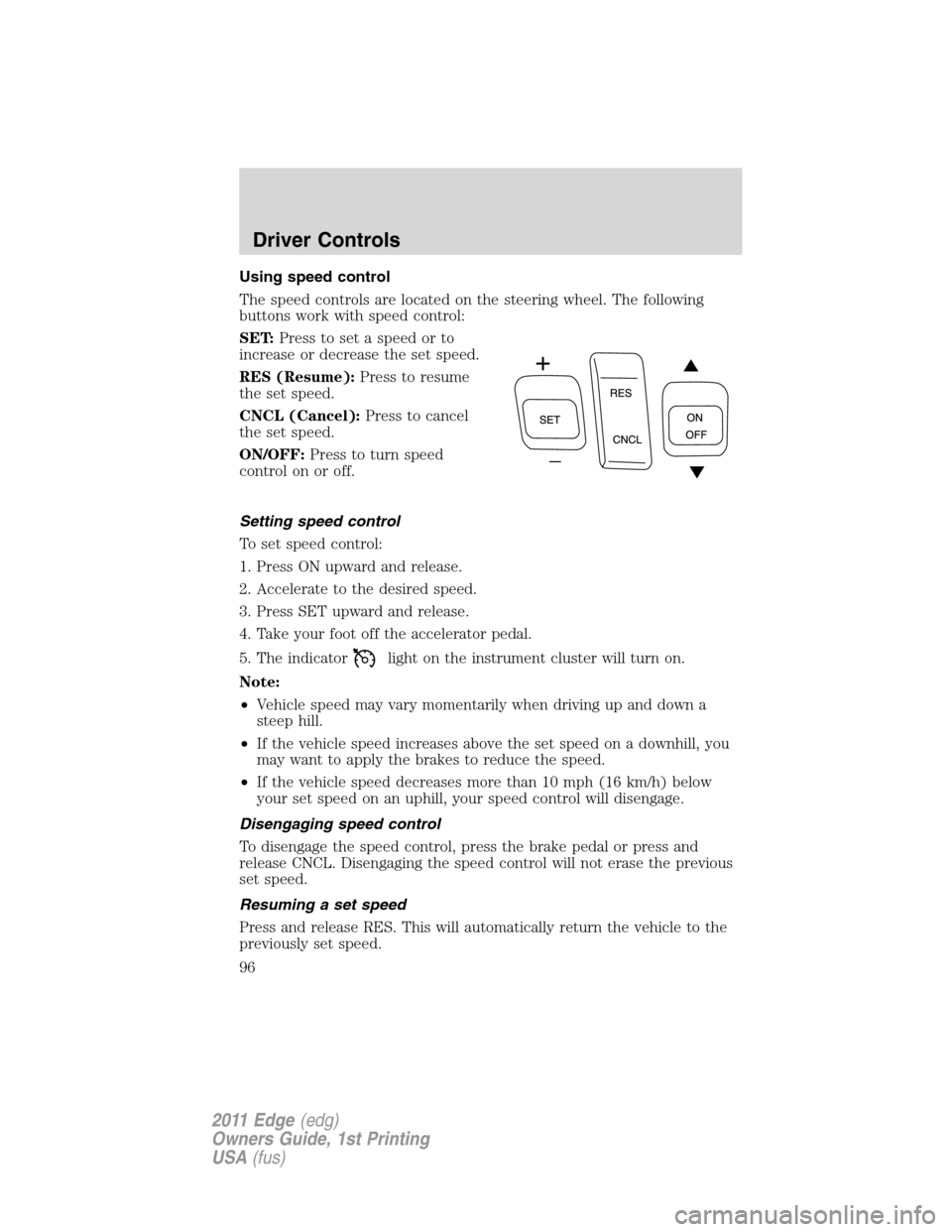
Using speed control
The speed controls are located on the steering wheel. The following
buttons work with speed control:
SET:Press to set a speed or to
increase or decrease the set speed.
RES (Resume):Press to resume
the set speed.
CNCL (Cancel):Press to cancel
the set speed.
ON/OFF:Press to turn speed
controlonoroff.
Setting speed control
To set speed control:
1. Press ON upward and release.
2. Accelerate to the desired speed.
3. Press SET upward and release.
4. Take your foot off the accelerator pedal.
5. The indicator
light on the instrument cluster will turn on.
Note:
•Vehicle speed may vary momentarily when driving up and down a
steep hill.
•If the vehicle speed increases above the set speed on a downhill, you
may want to apply the brakes to reduce the speed.
•If the vehicle speed decreases more than 10 mph (16 km/h) below
your set speed on an uphill, your speed control will disengage.
Disengaging speed control
To disengage the speed control, press the brake pedal or press and
release CNCL. Disengaging the speed control will not erase the previous
set speed.
Resuming a set speed
Press and release RES. This will automatically return the vehicle to the
previously set speed.
Driver Controls
96
2011 Edge(edg)
Owners Guide, 1st Printing
USA(fus)
Page 97 of 403
Increasing speed while using speed control
To set a higher speed:
•Press SET upward and hold until you get to the desired speed, then
release. You can also use SET to operate the tap-up function. Press
SET upward and release to increase the vehicle set speed in 1 mph
(1.6 km/h) increments.
•Use the accelerator pedal to get to the desired speed then press SET
upward and release.
Reducing speed while using speed control
To reduce a set speed:
•Press SET downward and hold until you get to the desired speed,
then release. You can also use SET to operate the tap-down function.
Press SET downward and release to decrease the vehicle set speed in
1 mph (1.6 km/h) increments.
•Press the brake pedal until the desired vehicle speed is reached then
press SET downward and release.
Turning off speed control
To turn off the speed control, press OFF downward or turn off the
ignition.
Note:When you turn off the speed control or the ignition, your speed
control set speed memory is erased.
ADAPTIVE CRUISE CONTROL (ACC) (IF EQUIPPED)
Adaptive cruise control (ACC) is much like speed control, only this
system is designed to automatically adjust your speed to maintain a
proper distance between you and the vehicle in front of you in the same
lane. The driver can select from one of four GAP settings, the controls
are located on the steering wheel.
At startup, the system sets the gap
to the last selected setting. Once
activated, the driver can deactivate
the system at any time by pressing
the brake pedal, pressing the
steering wheel ON/OFF control or pressing the RES/CNCL control. In
addition, the driver can temporarily increase the vehicle speed above the
current speed by manually pressing on the accelerator pedal.
Driver Controls
97
2011 Edge(edg)
Owners Guide, 1st Printing
USA(fus)
Page 99 of 403
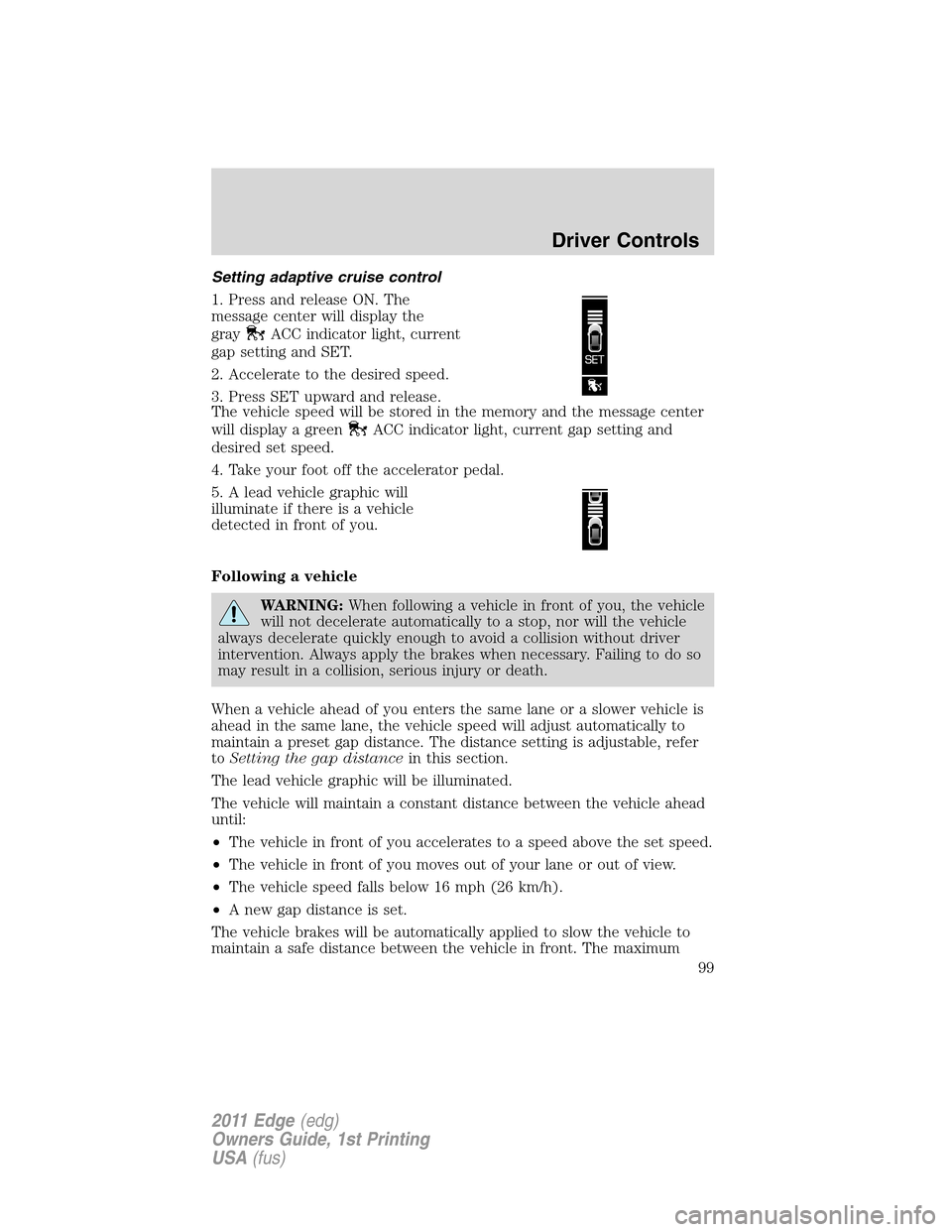
Setting adaptive cruise control
1. Press and release ON. The
message center will display the
gray
ACC indicator light, current
gap setting and SET.
2. Accelerate to the desired speed.
3. Press SET upward and release.
The vehicle speed will be stored in the memory and the message center
will display a green
ACC indicator light, current gap setting and
desired set speed.
4. Take your foot off the accelerator pedal.
5. A lead vehicle graphic will
illuminate if there is a vehicle
detected in front of you.
Following a vehicle
WARNING:When following a vehicle in front of you, the vehicle
will not decelerate automatically to a stop, nor will the vehicle
always decelerate quickly enough to avoid a collision without driver
intervention. Always apply the brakes when necessary. Failing to do so
may result in a collision, serious injury or death.
When a vehicle ahead of you enters the same lane or a slower vehicle is
ahead in the same lane, the vehicle speed will adjust automatically to
maintain a preset gap distance. The distance setting is adjustable, refer
toSetting the gap distancein this section.
The lead vehicle graphic will be illuminated.
The vehicle will maintain a constant distance between the vehicle ahead
until:
•The vehicle in front of you accelerates to a speed above the set speed.
•The vehicle in front of you moves out of your lane or out of view.
•The vehicle speed falls below 16 mph (26 km/h).
•A new gap distance is set.
The vehicle brakes will be automatically applied to slow the vehicle to
maintain a safe distance between the vehicle in front. The maximum
Driver Controls
99
2011 Edge(edg)
Owners Guide, 1st Printing
USA(fus)
Page 100 of 403
braking which is applied by the ACC system is limited and can be
overridden by the driver applying the brakes.
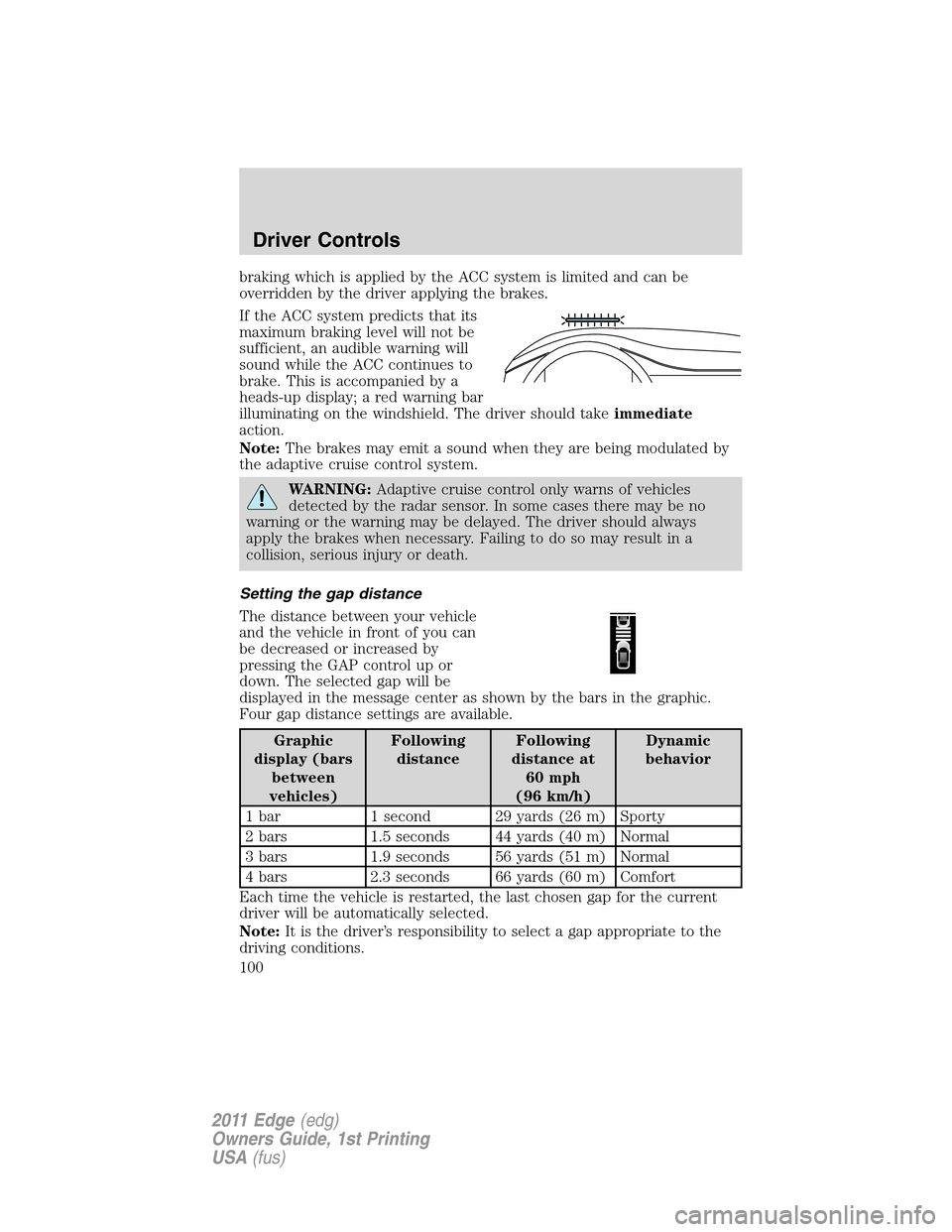
If the ACC system predicts that its
maximum braking level will not be
sufficient, an audible warning will
sound while the ACC continues to
brake. This is accompanied by a
heads-up display; a red warning bar
illuminating on the windshield. The driver should takeimmediate
action.
Note:The brakes may emit a sound when they are being modulated by
the adaptive cruise control system.
WARNING:Adaptive cruise control only warns of vehicles
detected by the radar sensor. In some cases there may be no
warning or the warning may be delayed. The driver should always
apply the brakes when necessary. Failing to do so may result in a
collision, serious injury or death.
Setting the gap distance
The distance between your vehicle
and the vehicle in front of you can
be decreased or increased by
pressing the GAP control up or
down. The selected gap will be
displayed in the message center as shown by the bars in the graphic.
Four gap distance settings are available.
Graphic
display (bars
between
vehicles)Following
distanceFollowing
distance at
60 mph
(96 km/h)Dynamic
behavior
1 bar 1 second 29 yards (26 m) Sporty
2 bars 1.5 seconds 44 yards (40 m) Normal
3 bars 1.9 seconds 56 yards (51 m) Normal
4 bars 2.3 seconds 66 yards (60 m) Comfort
Each time the vehicle is restarted, the last chosen gap for the current
driver will be automatically selected.
Note:It is the driver’s responsibility to select a gap appropriate to the
driving conditions.
Driver Controls
100
2011 Edge(edg)
Owners Guide, 1st Printing
USA(fus)
Page 101 of 403
Disengaging adaptive cruise control
Press the brake pedal or press CNCL to disengage the adaptive cruise
control. The last set speed will be displayed with a strikethrough.
Disengaging the adaptive cruise control will not erase your previous set
speed.
Overriding adaptive cruise control
WARNING:Whenever the driver is overriding the ACC by
pressing the accelerator pedal, the ACC will not automatically
apply the brakes to maintain separation from any vehicle ahead.
The set speed and gap distance can be overridden by pressing the
accelerator pedal.
When the driver is overriding ACC, the green
ACC light is
illuminated, and the follow vehicle is not displayed in the message
center. When the accelerator is released, the ACC function will operate
again and vehicle speed will decrease to the set speed, or a lower speed
if following a slower vehicle.
Changing the set speed
There are three ways to change the set speed:
•Accelerate or brake to the desired speed and press SET upward and
release.
•Increase or decrease the speed by holding SET upward or downward
until the desired set speed is shown on the message center. The
vehicle speed will gradually change to the selected speed.
•Increase or decrease the speed in increments of 1 mph (2 km/h) by
briefly pressing the SET upward or downward.
The ACC may apply the brakes to slow the vehicle down to the new set
speed. The set speed will display continuously in the message center
while ACC is active.
Resuming the set speed
Press and release RES/CNCL. This will automatically return the vehicle
to the previously set speed. The set speed will display continuously in
the message center while ACC is active.
Note:Resume should only be used if the driver is aware of the set speed
and intends to return to it.
Low speed automatic cancellation
ACC is not functional at vehicle speeds below 16 mph (26 km/h). Once
the vehicle speed drops below 16 mph (26 km/h), an audible alarm will
sound and the automatic braking will be released.
Driver Controls
101
2011 Edge(edg)
Owners Guide, 1st Printing
USA(fus)
Page 102 of 403
Hilly condition usage
It is recommended that the driver select a lower gear position when ACC
is active in situations such as prolonged downhill driving on steep grades
(i.e., driving in mountainous areas). In these situations, additional engine
braking is needed to reduce the load on the vehicle’s regular brake
system to prevent them from overheating. For more information,
referenceAutomatic transmission operationin theDrivingchapter.
Note:If ACC is applying brakes for an extended period of time, an
audible alarm will sound and ACC will shut down. This is to allow the
brakes to cool down. When the brakes have cooled down, the ACC will
again function normally.
Turning off cruise control
Press OFF to turn off the cruise control.
Note:When you turn off the cruise control or the ignition, your cruise
control set speed memory is erased.
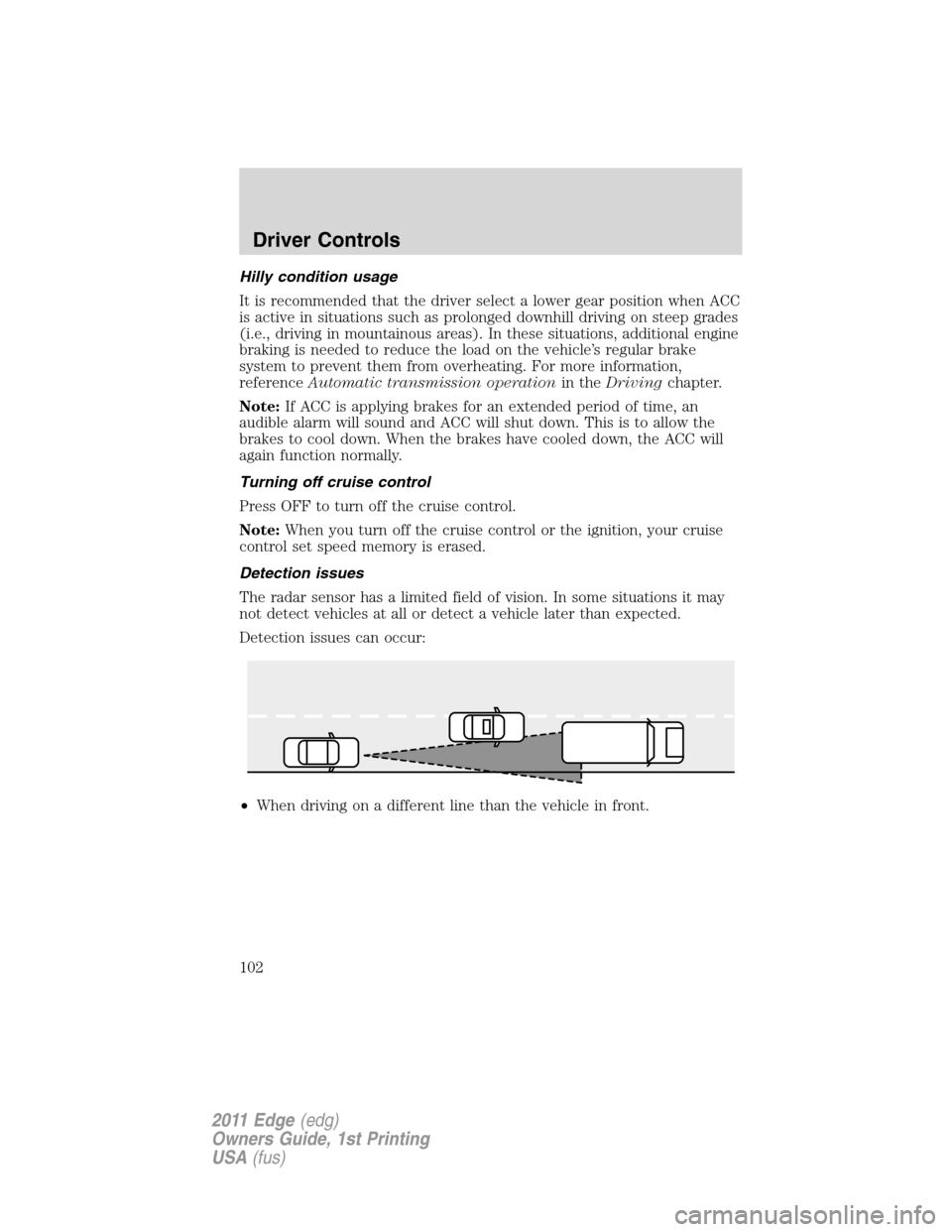
Detection issues
The radar sensor has a limited field of vision. In some situations it may
not detect vehicles at all or detect a vehicle later than expected.
Detection issues can occur:
•When driving on a different line than the vehicle in front.
Driver Controls
102
2011 Edge(edg)
Owners Guide, 1st Printing
USA(fus)