warning light FORD EDGE 2011 1.G User Guide
[x] Cancel search | Manufacturer: FORD, Model Year: 2011, Model line: EDGE, Model: FORD EDGE 2011 1.GPages: 403, PDF Size: 2.9 MB
Page 20 of 403
Your vehicle’s message center is capable of monitoring many vehicle
systems and will alert you to potential vehicle problems and various
conditions with informational messages and/or warnings.
The message center is also used to program/configure the different
features of your vehicle. The message center display is located in the
instrument cluster.
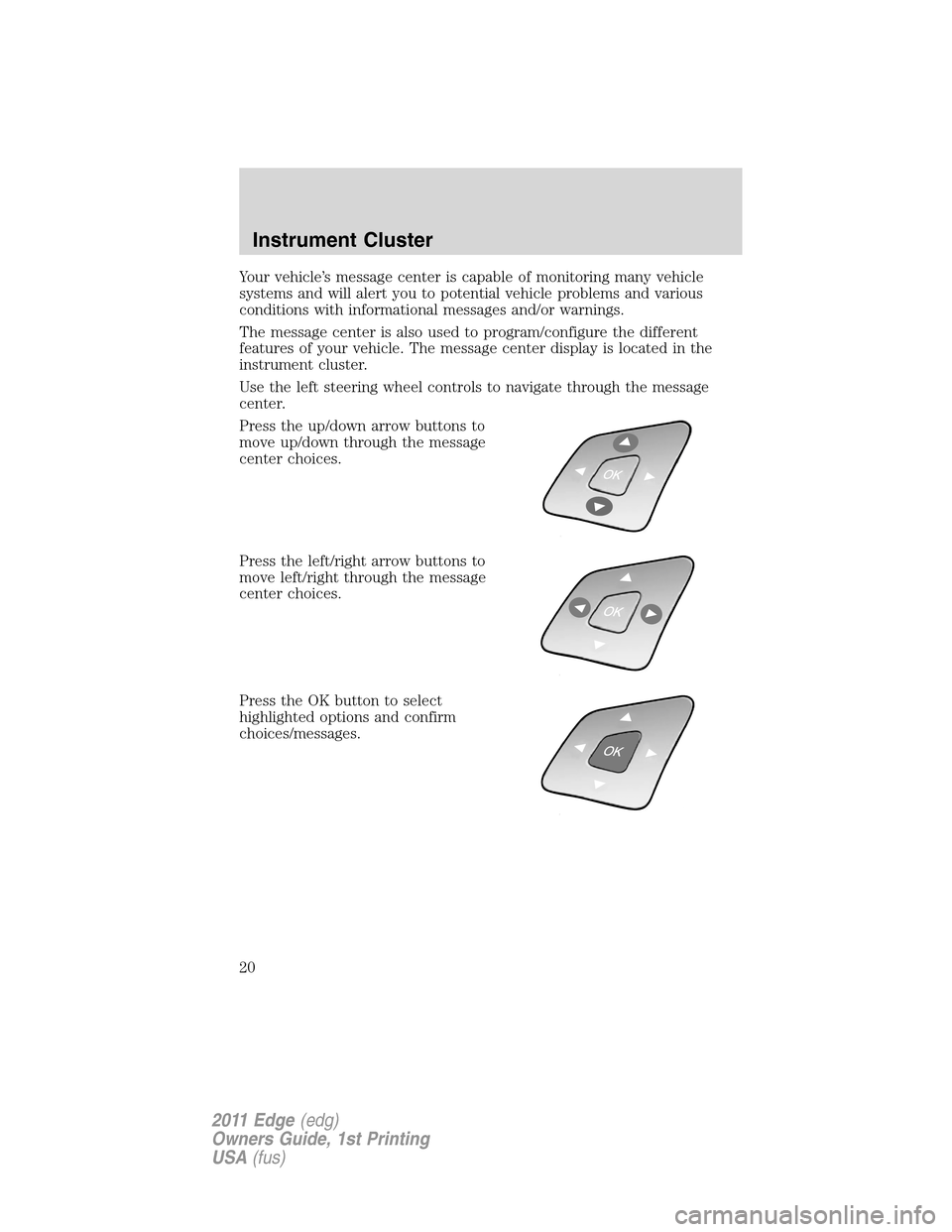
Use the left steering wheel controls to navigate through the message
center.
Press the up/down arrow buttons to
move up/down through the message
center choices.
Press the left/right arrow buttons to
move left/right through the message
center choices.
Press the OK button to select
highlighted options and confirm
choices/messages.
Instrument Cluster
20
2011 Edge(edg)
Owners Guide, 1st Printing
USA(fus)
Page 24 of 403
Settings (cont’d)
MyKey Create MyKey Hold OK to Create MyKey
Traction Control Always On or User Selectable
Max Speed 80 MPH (130 km/h) or Off
Speed Warning 45 mph (75 km/h), 55 mph (90 km/h),
65 mph (105 km/h) or Off
Volume Limiter
Clear MyKeys Hold OK to Clear MyKeys
System
ResetHold OK to Re-
set System to
Factory DefaultFactory Default
System Check*
Oil Life
Washer Fluid
Doors
Liftgate
Blind spot
Cross Traffic
Brakes
Fuel
The number of warnings will be listed first. All active warnings will
display first if applicable. The system check menu may appear different
based upon equipment options and current vehicle status. Use the
up/down arrow buttons to scroll through the list; press the right arrow
button to display specific information on the highlighted warning.
System warnings and status messages
System warnings alert you to possible problems or malfunctions in your
vehicle’s operating systems.
In the event of a multiple warning situation, the message center will
cycle the display to show all warnings by displaying each one for four
seconds.
The message center will display the last selected feature if there are no
more warning messages.
Types of messages and warnings:
•Some messages will appear briefly to inform you of something you
may need to take action on or be informed of.
Instrument Cluster
24
2011 Edge(edg)
Owners Guide, 1st Printing
USA(fus)
Page 27 of 403
REMOVE OBJECTS NEAR PASS SEAT— Displayed when objects
are by the passenger seat. After the objects are moved away from the
seat, if the warning stays on or continues to come on contact your
authorized dealer as soon as possible.
TRACTION CONTROL OFF— Displayed when the traction control
has been disabled by the driver. Refer to theDrivingchapter for more
information.
AWD OFF (if equipped)— Displayed when the AWD system has been
automatically disabled to protect itself. This is caused by operating the
vehicle with the compact spare tire installed or if the system is
overheating. The AWD system will resume normal function and clear this
message after driving a short distance with the road tire re-installed or
after the system is allowed to cool.
CHECK AWD— Displayed in conjunction with the Throttle
Control/Transmission/AWD
light when the AWD system is not
operating properly. If the warning stays on or continues to come on,
contact your authorized dealer as soon as possible.
ACCESSORY POWER ACTIVE (if equipped)— Displayed when the
vehicle is in the accessory ignition state.
COULD NOT PROGRAM INTEGRATED KEY— Displayed when an
attempt is made to program a spare key using two existing MyKeys.
Refer toMyKey™in theLocks and Securitychapter for more
information.
KEY PROGRAMMED 3 KEYS TOTAL— Displayed during spare key
programming, when a third Intelligent Access Key is programmed to the
system.
KEY PROGRAMMED 4 KEYS TOTAL— Displayed during spare key
programming, when a fourth Intelligent Access Key is programmed to
the system.
MAX NUMBER OF KEYS PROGRAMMED— Displayed during spare
key programming when the maximum number of keys have been
programmed.
MYKEY ACTIVE DRIVE SAFELY— Displayed when MyKey™ is
active.
MYKEY NOT CREATED— Displayed during key programming when
MyKey™ cannot be programmed.
Instrument Cluster
27
2011 Edge(edg)
Owners Guide, 1st Printing
USA(fus)
Page 40 of 403
System Check*
Oil Life
Wash Fluid
Doors
Liftgate
B lind spot
Cross Traffic
Brakes
Fuel (distance to empty)
*Some items will only display during a system check if a problem has
been detected. If an issue exists on one of the monitored systems, the
message center will display the number of warnings that need immediate
attention in red and the number of informational warnings will be listed
in amber. Use the up/down arrow buttons to scroll through the list; press
the right arrow button to display specific information on the highlighted
warning.
System warnings and status messages
System warnings alert you to possible problems or malfunctions in your
vehicle’s operating systems.
In the event of a multiple warning situation, the message center will
cycle the display to show all warnings by displaying each one for four
seconds.
The message center will display the last selected feature if there are no
more warning messages.
Types of messages and warnings:
•Some messages will appear briefly to inform you of something you
may need to take action on or be informed of.
•Some messages will appear once and then again when the vehicle is
restarted.
•Some messages will reappear after clearing or being reset if a problem
or condition is still present and needs your attention.
•Some messages can be acknowledged and reset by pressing RESET.
This allows you to use the full message center functionality by clearing
the message.
DRIVER DOOR AJAR— Displayed when the driver door is not
completely closed.
Instrument Cluster
40
2011 Edge(edg)
Owners Guide, 1st Printing
USA(fus)
Page 43 of 403
vehicle with the compact spare tire installed or if the system is
overheating. The AWD system will resume normal function and clear this
message after driving a short distance with the road tire re-installed or
after the system is allowed to cool.
CHECK AWD— Displayed in conjunction with the throttle
control/transmission/AWD
light when the AWD system is not
operating properly. If the warning stays on or continues to come on,
contact your authorized dealer as soon as possible.
FOR HILL DESCENT REDUCE SPEED 20 MPH OR LESS (if
equipped)— Displayed when hill descent speed exceeds 20 MPH.
FOR HILL DESCENT REDUCE SPEED 32 KM/H OR LESS (if
equipped)— Displayed when hill descent speed exceeds 32 KM/H.
FOR HILL DESCENT SHIFT INTO GEAR (if equipped)—
Displayed when hill descent control mode requires driver shift
transmission into gear.
FOR OFF ROAD SLOW TO 5 MPH (if equipped)— Displayed when
the vehicle speed requirement for off road mode entry has not been met.
DRIVER RESUME CONTROL (if equipped)— Displayed when the
hill control and off road mode require the driver to resume control.
HILL DESCENT CONTROL ACTIVE (if equipped)— Displayed
when hill descent control mode becomes active.
HILL DESCENT CONTROL FAULT (if equipped)— Displayed when
a hill descent system fault is present.
HILL DESCENT CONTROL OFF (if equipped)— Displayed when hill
descent control mode becomes inactive.
HILL DESCENT CONTROL OFF SYSTEM COOLING (if equipped)
— Displayed when hill descent control mode is disabled to cool the
brake system.
HILL DESCENT CONTROL READY (if equipped)— Displayed
when hill descent control mode is ready.
MODE CHANGE NOT ACCEPTED, RETRY (if equipped)—
Displayed when hill descent control mode cannot be changed at time of
driver request.
ACCESSORY POWER ACTIVE (if equipped)— Displayed when the
vehicle is in the accessory ignition state.
CHECK SPEED DRIVE SAFELY— Displayed when a MyKey™ is in
use and the optional setting is on and the vehicle exceeds a preselected
speed. Refer toMyKey™in theLocks and Securitychapter for more
information.
Instrument Cluster
43
2011 Edge(edg)
Owners Guide, 1st Printing
USA(fus)
Page 57 of 403
•Wipe discs from the center out.
•Do notexpose discs to direct sunlight or heat sources for extended
periods of time.
•Do notclean using a circular motion.
Note:CD units are designed to play commercially pressed 4.75 in
(12 cm) audio compact discs only. Due to technical incompatibility,
certain recordable and re-recordable compact discs may not function
correctly when used in Ford CD players. Do not use any irregular shaped
CDs or discs with a scratch protection film attached.CDs with
homemade paper (adhesive) labels should not be inserted into
the CD player as the label may peel and cause the CD to become
jammed.It is recommended that homemade CDs be identified with
permanent felt tip marker rather than adhesive labels. Ballpoint pens
may damage CDs. Please contact your authorized dealer for further
information.
Auxiliary input jack (line in)
WARNING:Driving while distracted can result in loss of vehicle
control, accident and injury. Ford strongly recommends that
drivers use extreme caution when using any device or feature that may
take their focus off the road. Your primary responsibility is the safe
operation of the vehicle. We recommend against the use of any
handheld device while driving and that you comply with all applicable
laws.
The auxiliary input jack (AIJ) provides a way to connect and play music
from your portable music player over the vehicle speakers. To access:
1. Plug in one end of the cable into the AIJ (located in your center
console).
2. Listen to an FM station or a CD first to adjust the volume to a
comfortable listening level.
3. Turn your portable music player on and adjust the volume to 1/2.
4. Press AUX repeatedly untilAuxiliary audio activeorLine in active
appears.
5. Now adjust the volume on your portable music player until it matches
that of the FM station or the CD you were listening to previously.
Entertainment Systems
57
2011 Edge(edg)
Owners Guide, 1st Printing
USA(fus)
Page 76 of 403
3. Rotate the headlamp control to the off position.
4. Turn the vehicle on.
5. Turn the vehicle off.
6. Turn the headlamp control to the autolamp position (the headlights
should turn on).
7. Turn the headlamp control to the off position when the desired delay
time (up to three minutes) has been reached.
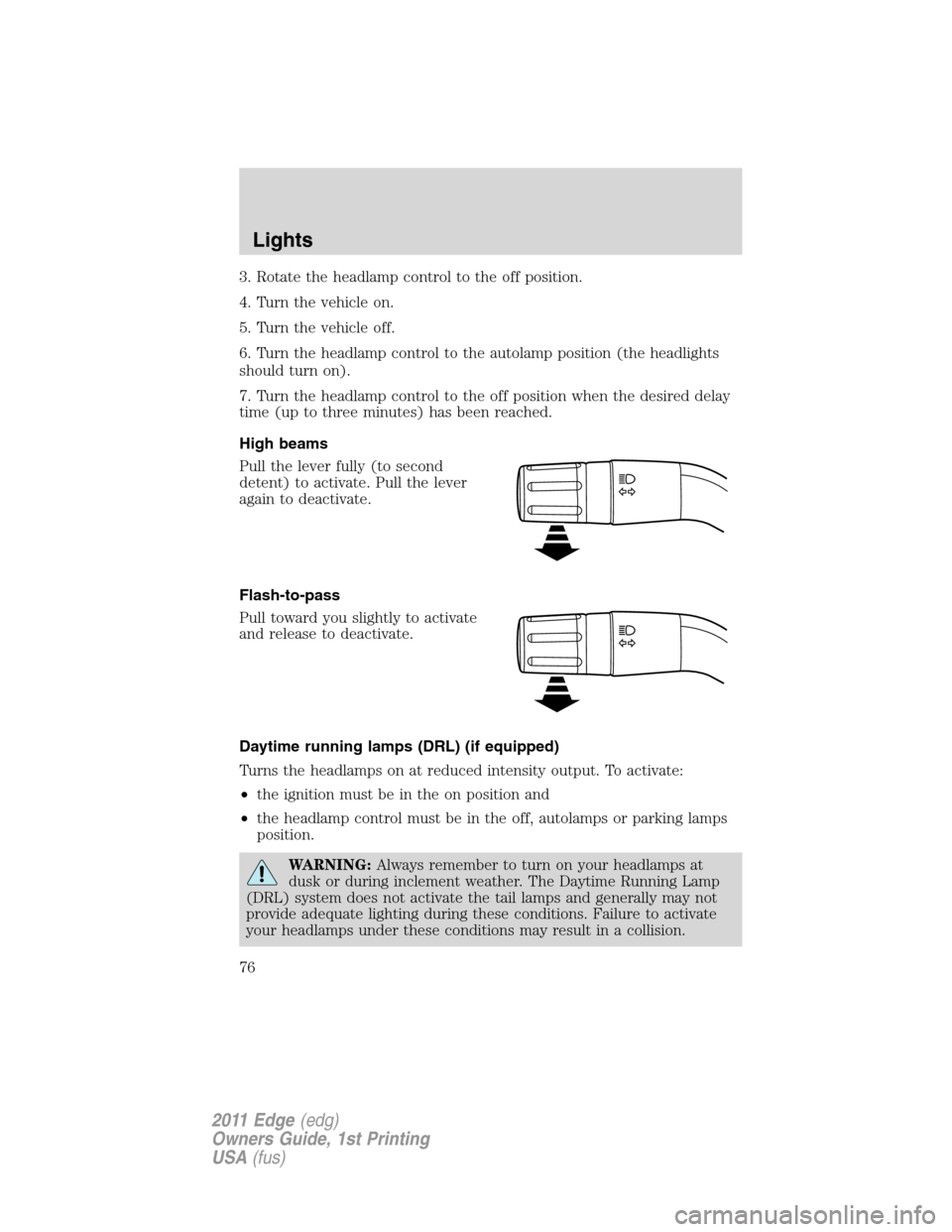
High beams
Pull the lever fully (to second
detent) to activate. Pull the lever
again to deactivate.
Flash-to-pass
Pull toward you slightly to activate
and release to deactivate.
Daytime running lamps (DRL) (if equipped)
Turns the headlamps on at reduced intensity output. To activate:
•the ignition must be in the on position and
•the headlamp control must be in the off, autolamps or parking lamps
position.
WARNING:Always remember to turn on your headlamps at
dusk or during inclement weather. The Daytime Running Lamp
(DRL) system does not activate the tail lamps and generally may not
provide adequate lighting during these conditions. Failure to activate
your headlamps under these conditions may result in a collision.
Lights
76
2011 Edge(edg)
Owners Guide, 1st Printing
USA(fus)
Page 83 of 403
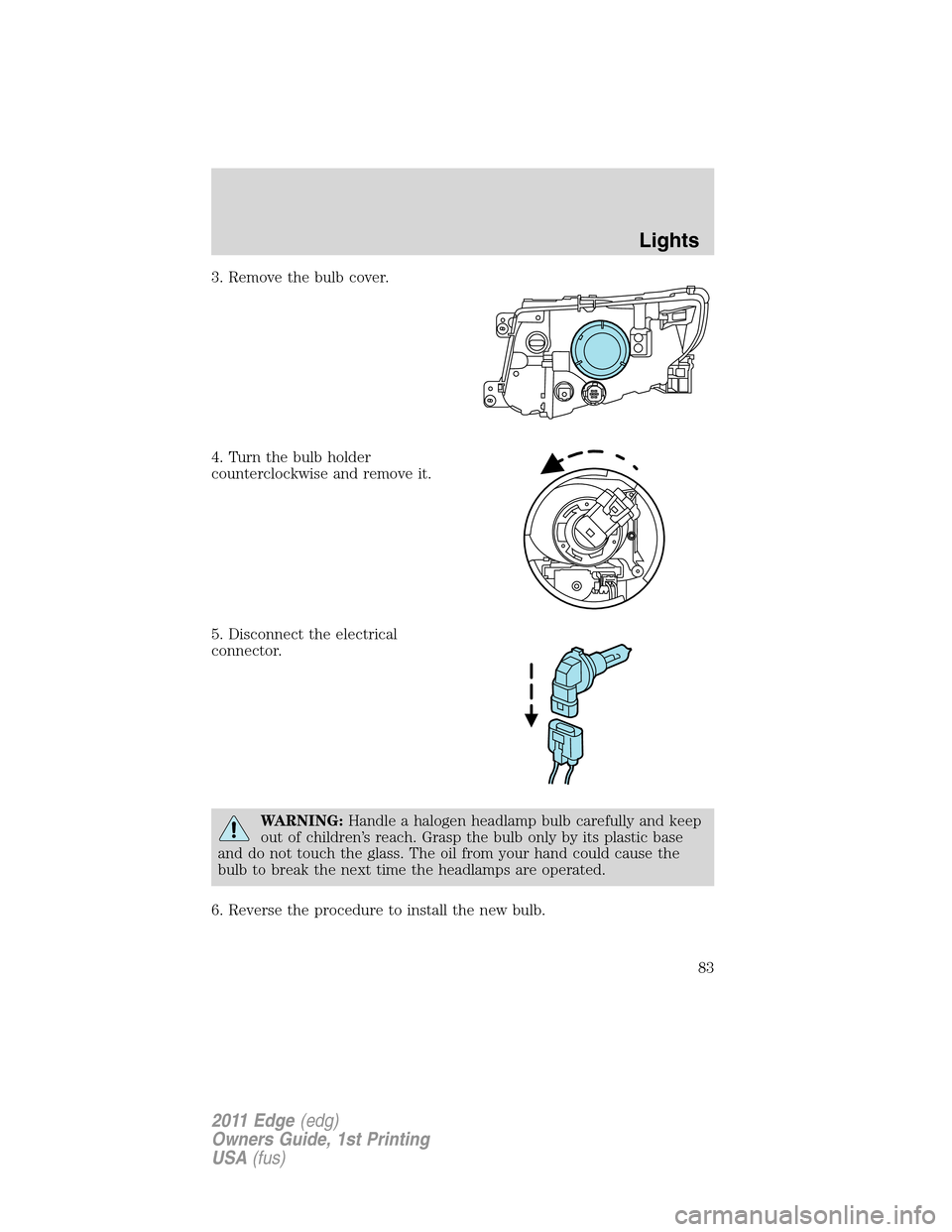
3. Remove the bulb cover.
4. Turn the bulb holder
counterclockwise and remove it.
5. Disconnect the electrical
connector.
WARNING:Handle a halogen headlamp bulb carefully and keep
out of children’s reach. Grasp the bulb only by its plastic base
and do not touch the glass. The oil from your hand could cause the
bulb to break the next time the headlamps are operated.
6. Reverse the procedure to install the new bulb.
Lights
83
2011 Edge(edg)
Owners Guide, 1st Printing
USA(fus)
Page 91 of 403
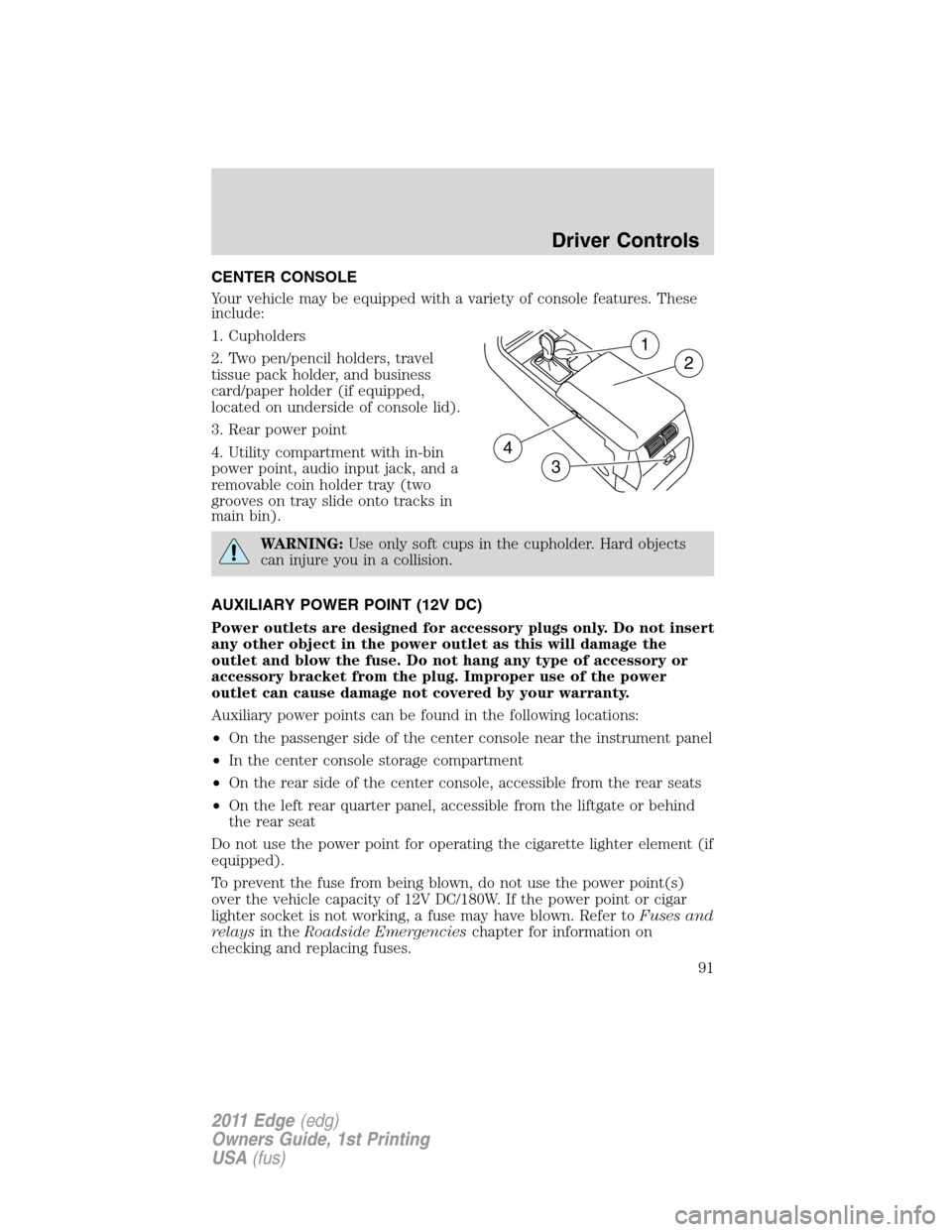
CENTER CONSOLE
Your vehicle may be equipped with a variety of console features. These
include:
1. Cupholders
2. Two pen/pencil holders, travel
tissue pack holder, and business
card/paper holder (if equipped,
located on underside of console lid).
3. Rear power point
4. Utility compartment with in-bin
power point, audio input jack, and a
removable coin holder tray (two
grooves on tray slide onto tracks in
main bin).
WARNING:Use only soft cups in the cupholder. Hard objects
can injure you in a collision.
AUXILIARY POWER POINT (12V DC)
Power outlets are designed for accessory plugs only. Do not insert
any other object in the power outlet as this will damage the
outlet and blow the fuse. Do not hang any type of accessory or
accessory bracket from the plug. Improper use of the power
outlet can cause damage not covered by your warranty.
Auxiliary power points can be found in the following locations:
•On the passenger side of the center console near the instrument panel
•In the center console storage compartment
•On the rear side of the center console, accessible from the rear seats
•On the left rear quarter panel, accessible from the liftgate or behind
the rear seat
Do not use the power point for operating the cigarette lighter element (if
equipped).
To prevent the fuse from being blown, do not use the power point(s)
over the vehicle capacity of 12V DC/180W. If the power point or cigar
lighter socket is not working, a fuse may have blown. Refer toFuses and
relaysin theRoadside Emergencieschapter for information on
checking and replacing fuses.
1
2
3
4
Driver Controls
91
2011 Edge(edg)
Owners Guide, 1st Printing
USA(fus)
Page 94 of 403
Automatic dimming interior rear view mirror (if equipped)
The interior rear view mirror has an auto-dimming function. The
electronic day/night mirror will change from the normal (high reflective)
state to the non-glare (darkened) state when bright lights (glare) reach
the mirror. When the mirror detects bright light from behind the vehicle,
it will automatically adjust (darken) to minimize glare.
The mirror will automatically return to the normal state whenever the
vehicle is placed in R (Reverse) to ensure a bright clear view when
backing up.
Do not block the sensors on the front and back of the interior
rear view mirror since this may impair proper mirror
performance.
Note:A rear center passenger and/or raised rear center headrest (if
equipped) may also block the light from reaching the sensor.
Do not clean the housing or glass of any mirror with harsh
abrasives, fuel or other petroleum-based cleaning products.
EXTERIOR MIRRORS
Power side view mirrors
WARNING:Do not adjust the mirror while the vehicle is in
motion.
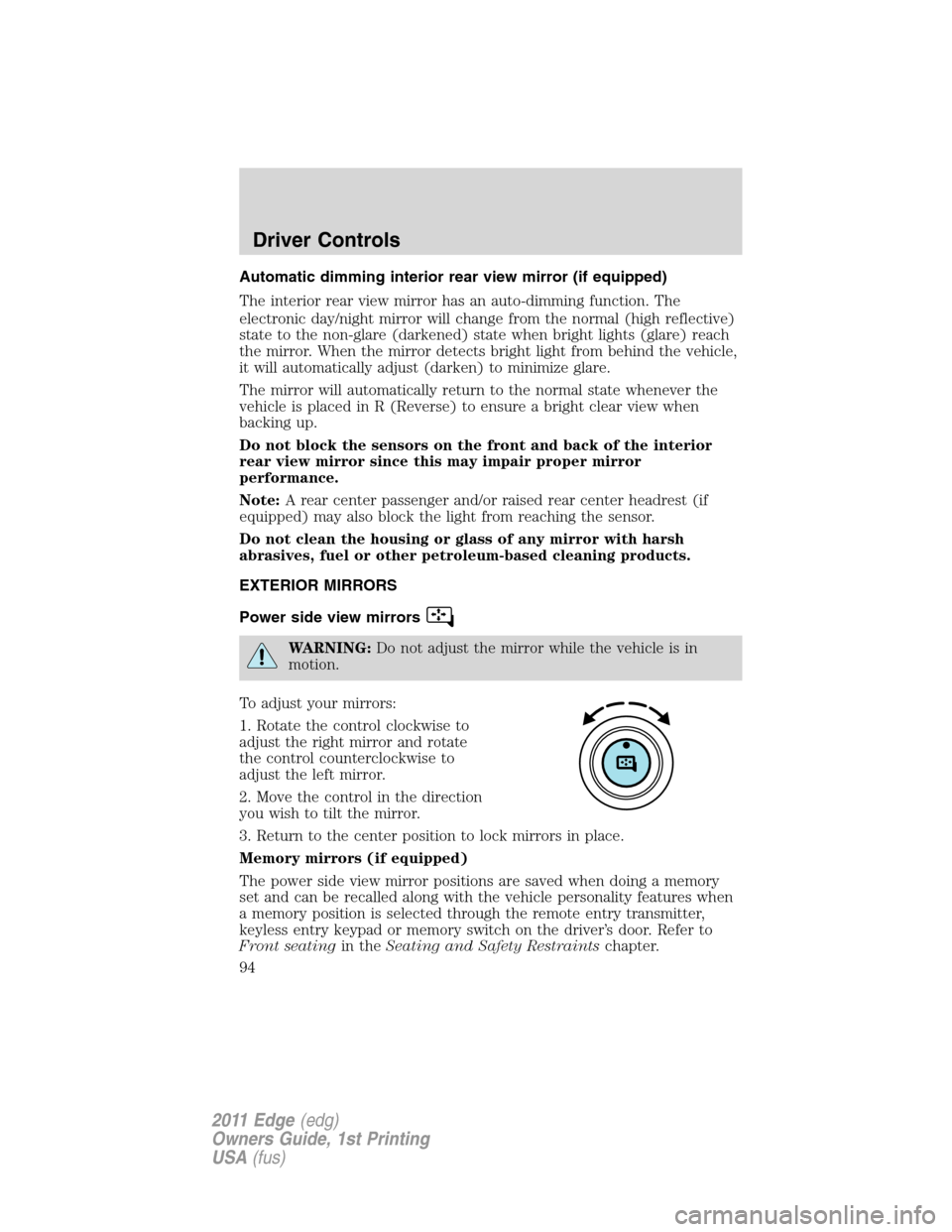
To adjust your mirrors:
1. Rotate the control clockwise to
adjust the right mirror and rotate
the control counterclockwise to
adjust the left mirror.
2. Move the control in the direction
you wish to tilt the mirror.
3. Return to the center position to lock mirrors in place.
Memory mirrors (if equipped)
The power side view mirror positions are saved when doing a memory
set and can be recalled along with the vehicle personality features when
a memory position is selected through the remote entry transmitter,
keyless entry keypad or memory switch on the driver’s door. Refer to
Front seatingin theSeating and Safety Restraintschapter.
Driver Controls
94
2011 Edge(edg)
Owners Guide, 1st Printing
USA(fus)