window FORD EDGE 2011 1.G User Guide
[x] Cancel search | Manufacturer: FORD, Model Year: 2011, Model line: EDGE, Model: FORD EDGE 2011 1.GPages: 403, PDF Size: 2.9 MB
Page 67 of 403
2.(Recirculated air):Touch to activate/deactivate air recirculation
in the vehicle. Recirculated air may reduce the amount of time needed to
cool down the interior of the vehicle and may also help reduce undesired
odors from reaching the interior of the vehicle. Recirculated air engages
automatically when MAX A/C is selected or can be engaged manually in
any airflow mode except
(defrost). Recirculated air may turn off
automatically in all airflow modes except MAX A/C to reduce fog
potential.
3.MAX A/C:Distributes recirculated air through the instrument panel
vents to cool the vehicle. This re-cooling of the interior air is more
economical and efficient. Recirculated air may also help reduce
undesirable odors from entering the vehicle. Touch MAX A/C again for
normal A/C operation.
4.A/C control:Touch to activate/deactivate air conditioning. Use with
recirculated air to improve cooling performance and efficiency. Engages
automatically in MAX A/C,
(defrost) and(floor/defrost).
5.
/(Power/Fan control):Touch to activate/deactivate the
climate control system. When the system is off, outside air is prevented
from entering the vehicle through the vents. Turn to increase or
decrease fan speed.
6.AUTO:Touch to engage full automatic operation. Select the desired
temperature using the temperature control. The system will
automatically determine fan speed, airflow distribution, A/C on or off,
and outside or recirculated air, to heat or cool the vehicle in order to
reach the desired temperature.
7.
R(Rear defroster):Touch to activate/deactivate the rear defroster.
This button will also activate/deactivate the heated mirrors (if equipped).
Refer toRear window defrosterlater in this chapter for more
information.
8.
(Defrost):Distributes outside air through the windshield
defroster vents and demister vents. Can be used to clear the windshield
of fog and thin ice. The system will automatically provide outside air to
reduce window fogging. Touch this button again to return to the previous
air flow selection. To return to full automatic control, touch AUTO.
9.Driver temperature control:Touch to increase (+) or decrease (-)
the temperature on the driver side of the vehicle. If the passenger
temperature controls are not activated (dual zone), the driver’s settings
will determine the temperature setting for the entire vehicle cabin.
Climate Controls
67
2011 Edge(edg)
Owners Guide, 1st Printing
USA(fus)
Page 68 of 403
MyTemp:Touch and hold to save the desired temperature for MyTemp.
To access this setting again, simply touch the indicator.
The MyTemp feature can be used to store and recall a preset driver’s
temperature. This feature is provided so this temperature can be quickly
adjusted to a frequently used setting with a single button touch.
To save a new preset temperature for the active user, manually adjust
the driver’s temperature to the desired value then touch and hold the
MyTemp button for at least two seconds. Any subsequent touch of the
MyTemp button will automatically change to this set temperature for this
user.
The preset temperature can be saved for each user via a personal
computer and transferred to the vehicle via a USB device. Refer to
Creating a user profilein theEntertainment Systemschapter for
more information.
Operating tips
•To reduce fog build-up on the windshield during humid weather,
select
(defrost) or(floor/defrost).
•To reduce humidity build-up inside the vehicle, do not drive with the
system off or with
(recirculated air) engaged and A/C off.
•Do not put objects under the front seats that will interfere with the
airflow to the back seats.
•Remove any snow, ice or leaves from the air intake area at the base of
the windshield.
•To improve the A/C cool down, drive with the windows slightly open
for 2-3 minutes after start-up or until the vehicle has been “aired out.”
•A small amount of air may be felt from the floor vent regardless of the
air distribution setting that is selected.
For maximum cooling performance (MAX A/C):
1. Press MAX A/C. The system will default to single-zone operation and
set the temperature to 60°F (16°C).
2. A/C,
andwill be selected.
3. Fan speed will be increased to the highest speed, but can be adjusted
as desired.
Climate Controls
68
2011 Edge(edg)
Owners Guide, 1st Printing
USA(fus)
Page 69 of 403
To aid in side window defogging/demisting in cold weather:
1. Select
(panel/floor).
2. Select A/C.
3. Adjust the temperature control to maintain comfort.
4. Set the fan speed to the highest setting.
5. Direct the outer instrument panel vents towards the side windows.
To increase airflow to the outer instrument panel vents, close the vents
located in the middle of the instrument panel.
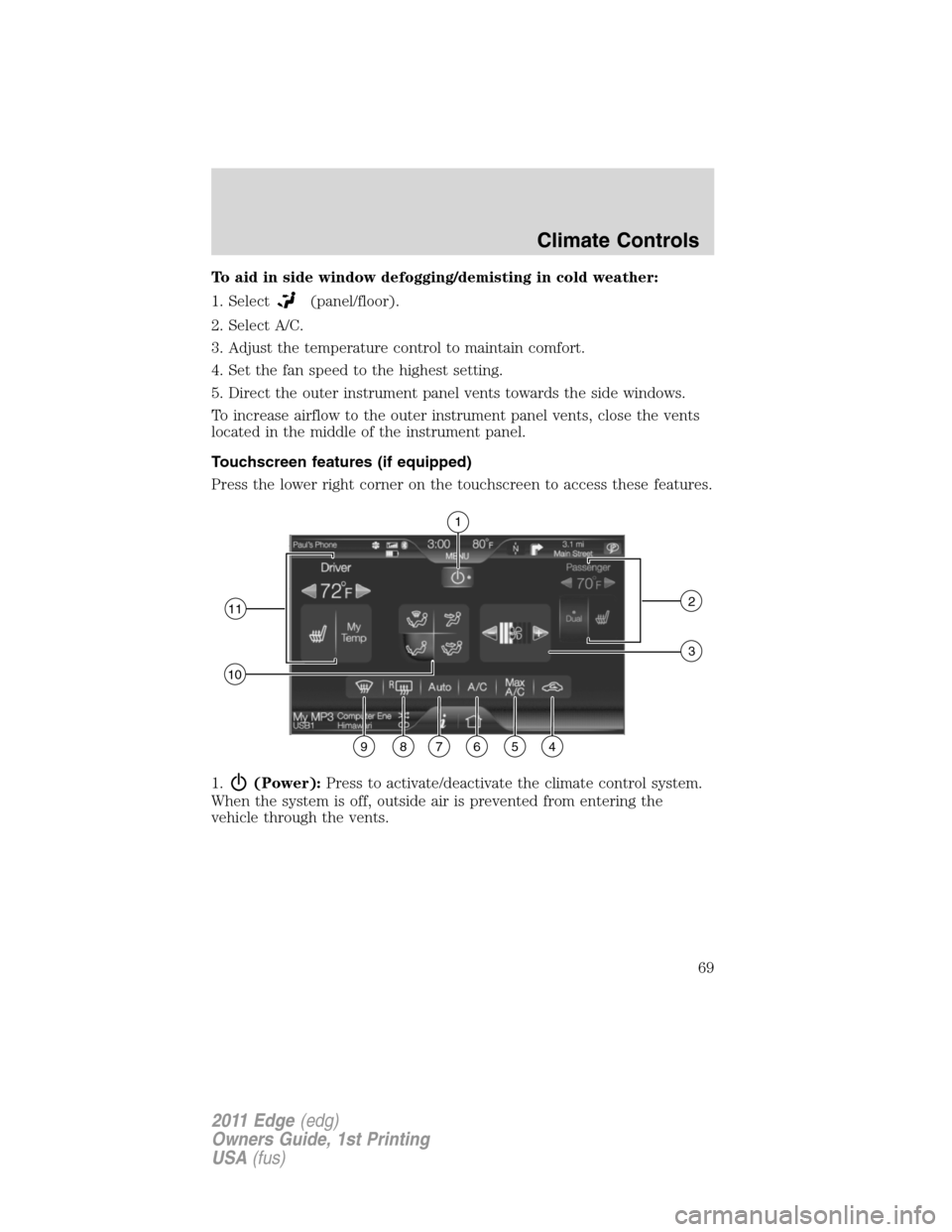
Touchscreen features (if equipped)
Press the lower right corner on the touchscreen to access these features.
1.
(Power):Press to activate/deactivate the climate control system.
When the system is off, outside air is prevented from entering the
vehicle through the vents.
1
112
10
3
987654
Climate Controls
69
2011 Edge(edg)
Owners Guide, 1st Printing
USA(fus)
Page 70 of 403
2.Passenger settings:
•Press DUAL to turn on passenger side temperature control.
•Press the red arrow to increase the temperature and press the blue
arrow to decrease the temperature.
•Press
to control the heated seat (if equipped). Refer toHeated
seatsin theSeat and Safety Restraintschapter.
3.
(Fan speed):Press to + to increase or – to decrease fan speed.
4.
(Recirculated air):Press to activate/deactivate air recirculation
in the vehicle. Recirculated air may reduce the amount of time needed to
cool down the interior of the vehicle and may also help reduce undesired
odors from reaching the interior of the vehicle. Recirculated air engages
automatically when MAX A/C is selected on can be engaged manually in
any airflow mode except
(defrost). Recirculated air may turn off in
all airflow modes except MAX A/C to reduce fog potential.
5.MAX A/C:Press to distribute recirculated air through the instrument
panel vents to cool the vehicle. This is more economical and efficient
than normal A/C mode. Recirculated air may also help reduce
undesirable odors from entering the vehicle. Press again for normal A/C
operation.
6.A/C:Press to activate/deactivate air conditioning. Use with
recirculated air to improve cooling performance and efficiency. Engages
automatically in MAX A/C,
(defrost) and(floor/defrost).
7.AUTO:Press to engage full automatic operation. Select the desired
temperature using the temperature control. The system will
automatically determine fan speed, airflow distribution, A/C on or off,
and outside or recirculated air, to heat or cool the vehicle in order to
reach the desired temperature.
8.
R(Rear defroster):Press to activate/deactivate the rear window
defroster. This button will also activate/deactivate the heated mirror (if
equipped). Refer toRear window defrosterlater in this chapter for
more information.
Climate Controls
70
2011 Edge(edg)
Owners Guide, 1st Printing
USA(fus)
Page 71 of 403
9.(Defrost):Press to distribute outside air through the windshield
defroster vents and demister vents. Can be used to clear the windshield
of fog and thin ice. The system will automatically provide outside air to
reduce window fogging. Press this button again to return to the previous
air flow selection. To return to full automatic control, press AUTO.
10.Manual controls:Select any of the following to determine where
airflow is directed:
•
:Distributes air through the windshield defroster vents, demister
vents, floor vents and rear seat floor vents. The system will
automatically provide outside air to reduce window fogging. To return
to full automatic control, press AUTO.
•
:Distributes air through the instrument panel vents. To return to
full automatic control, press AUTO.
•
:Distributes air through the instrument panel vents, demister
vents, floor vents, rear seat floor vents. To return to full automatic
control, press AUTO.
•
:Distributes air through the demister vents, floor vents and rear
seat floor vents. To return to full automatic control, press AUTO.
11.Driver settings:
•Press the red arrow to increase the temperature and press the blue
arrow to decrease the temperature.
•Press
to control the heated seat (if equipped). Refer toHeated
seatsin theSeat and Safety Restraintschapter.
•Press and hold MyTemp to select a temperature you would like the
vehicle to remember and maintain for you.
Climate control voice commands (if equipped)
The following voice commands are available at the main menu level of a
voice session. For example, press
and after the prompt, “Say a
command”, you may say any of the following commands:
•Climate On•Climate Off
•Climate Automatic•Climate My Temperature
•Climate Temperature <15.5–29.5>
degrees•Climate Temperature <60–85>
degrees
Climate Controls
71
2011 Edge(edg)
Owners Guide, 1st Printing
USA(fus)
Page 72 of 403
There are additional climate control commands but in order to access
them, you have to say “Climate” first, then when the system is ready to
listen, you may say any of the following commands:
•Automatic•Dual Off
•Off•On
•A/C Off•A/C On
•Max A/C On•Max A/C Off
•Defrost On•Defrost Off
•Rear Defrost On•Rear Defrost Off
•Recirc On•Recirc Off
•Panel On•Panel Floor On
•Floor On•Windshield Floor On
•Temperature High•Temperature Low
•Fan Increase•Fan Decrease
•Temperature•Temperature Increase
•Temperature Decrease•Temperature <15.5–29.5>
degrees
•Temperature <60–85> degrees•My Temp
•Help
*Note:If you have said “Temperature”, you can then say any of the
following commands:
•High•Low
•<15.5–29.5> degrees•<60–85> degrees
For more information on your touchscreen system, refer to theMyFord
Touch™ / MyLincoln Touch™ supplement.
REAR WINDOW DEFROSTER
R
The rear defroster control is located on the climate control panel and
works to clear the rear window of fog and thin ice.
The engine must be running to operate the rear window defroster.
Press
Rto turn the rear window defroster on. An indicator light on the
button will illuminate when active. The rear window defroster turns off
automatically after a predetermined amount of time, if a low battery
condition is detected or when the ignition is turned to the off or
accessory position. To manually turn off the rear window defroster at any
time, press the control again.
Climate Controls
72
2011 Edge(edg)
Owners Guide, 1st Printing
USA(fus)
Page 73 of 403
If your vehicle is equipped with both rear defroster and heated mirrors,
the same button will activate both. Refer toHeated outside mirrorsin
theDriver Controlschapter.
Do not use razor blades or other sharp objects to clean the inside
of the rear window or to remove decals from the inside of the
rear window. This may cause damage to the heated grid lines and
will not be covered by your warranty.
REMOTE START CLIMATE OPERATION (IF EQUIPPED)
The climate control system will condition the cabin temperature during
remote start. Engine idle may increase to help with adjusting the cabin
temperature.
Note:No climate control adjustments will be recognized during remote
start operation. Once the ignition is cycled to the on position, the climate
control system will return to the previous settings (last ignition-on cycle)
and adjustments can be made normally. If the previous setting was off,
the climate control system will turn off.
Automatic climate control
For hot weather conditions:
•The interior cabin will be cooled to 72°F (22°C).
•The cooled seats (if equipped) will be set to high.
For cold weather conditions:
•The interior cabin will be heated to 72°F (22°C).
•The heated seats (if equipped) will be set to high.
•Rear defrost/heated mirrors (if equipped) will be activated.
For moderate weather conditions:
•The interior cabin will be heated, cooled, or off, based upon the
previous operating state (last ignition-on cycle).
•Heated/cooled seats (if equipped) will be deactivated.
•Rear defrost/heated mirrors (if equipped) will be deactivated.
Climate Controls
73
2011 Edge(edg)
Owners Guide, 1st Printing
USA(fus)
Page 88 of 403
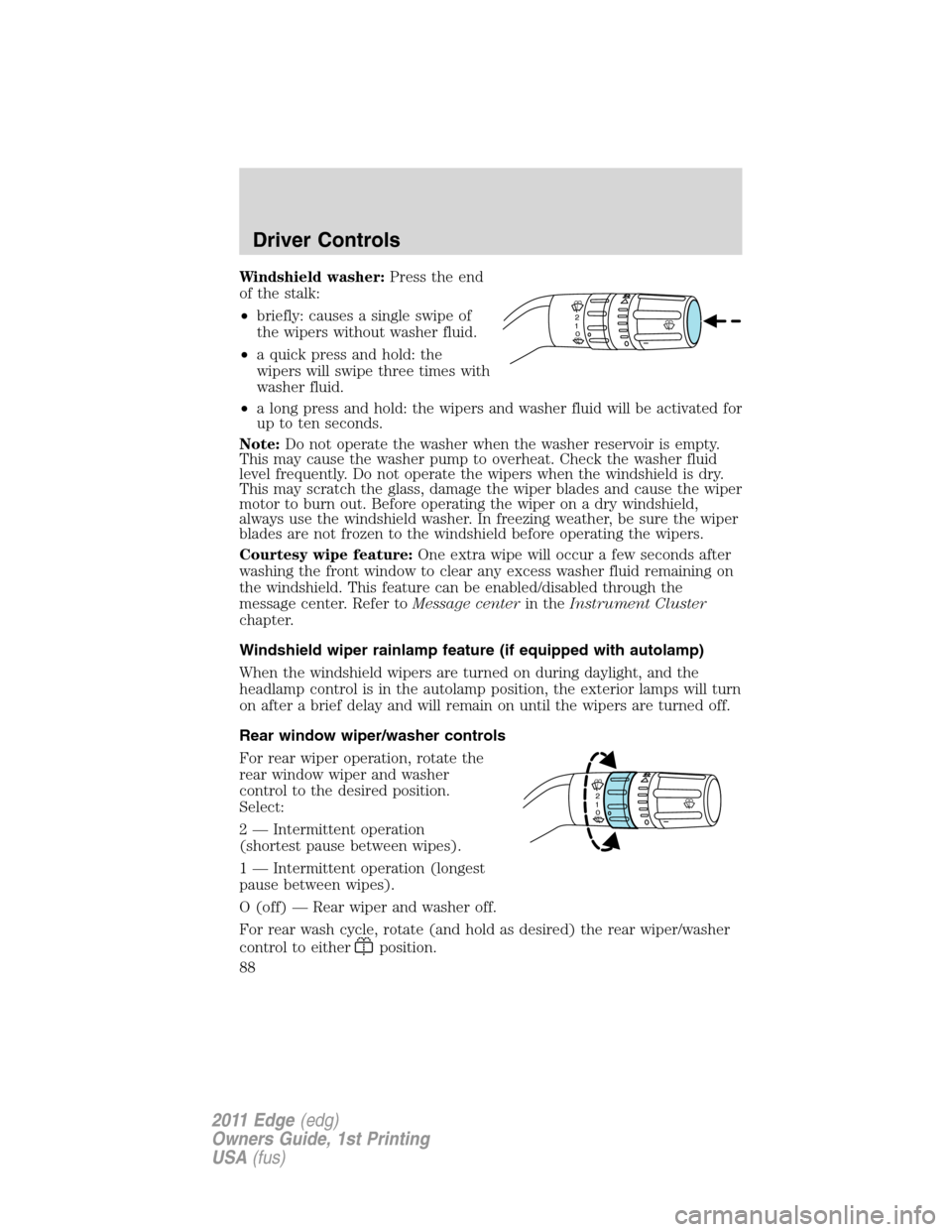
Windshield washer:Press the end
of the stalk:
•briefly: causes a single swipe of
the wipers without washer fluid.
•a quick press and hold: the
wipers will swipe three times with
washer fluid.
•a long press and hold: the wipers and washer fluid will be activated for
up to ten seconds.
Note:Do not operate the washer when the washer reservoir is empty.
This may cause the washer pump to overheat. Check the washer fluid
level frequently. Do not operate the wipers when the windshield is dry.
This may scratch the glass, damage the wiper blades and cause the wiper
motor to burn out. Before operating the wiper on a dry windshield,
always use the windshield washer. In freezing weather, be sure the wiper
blades are not frozen to the windshield before operating the wipers.
Courtesy wipe feature:One extra wipe will occur a few seconds after
washing the front window to clear any excess washer fluid remaining on
the windshield. This feature can be enabled/disabled through the
message center. Refer toMessage centerin theInstrument Cluster
chapter.
Windshield wiper rainlamp feature (if equipped with autolamp)
When the windshield wipers are turned on during daylight, and the
headlamp control is in the autolamp position, the exterior lamps will turn
on after a brief delay and will remain on until the wipers are turned off.
Rear window wiper/washer controls
For rear wiper operation, rotate the
rear window wiper and washer
control to the desired position.
Select:
2 — Intermittent operation
(shortest pause between wipes).
1 — Intermittent operation (longest
pause between wipes).
O (off) — Rear wiper and washer off.
For rear wash cycle, rotate (and hold as desired) the rear wiper/washer
control to either
position.
2
1
0
2
1
0
Driver Controls
88
2011 Edge(edg)
Owners Guide, 1st Printing
USA(fus)
Page 90 of 403
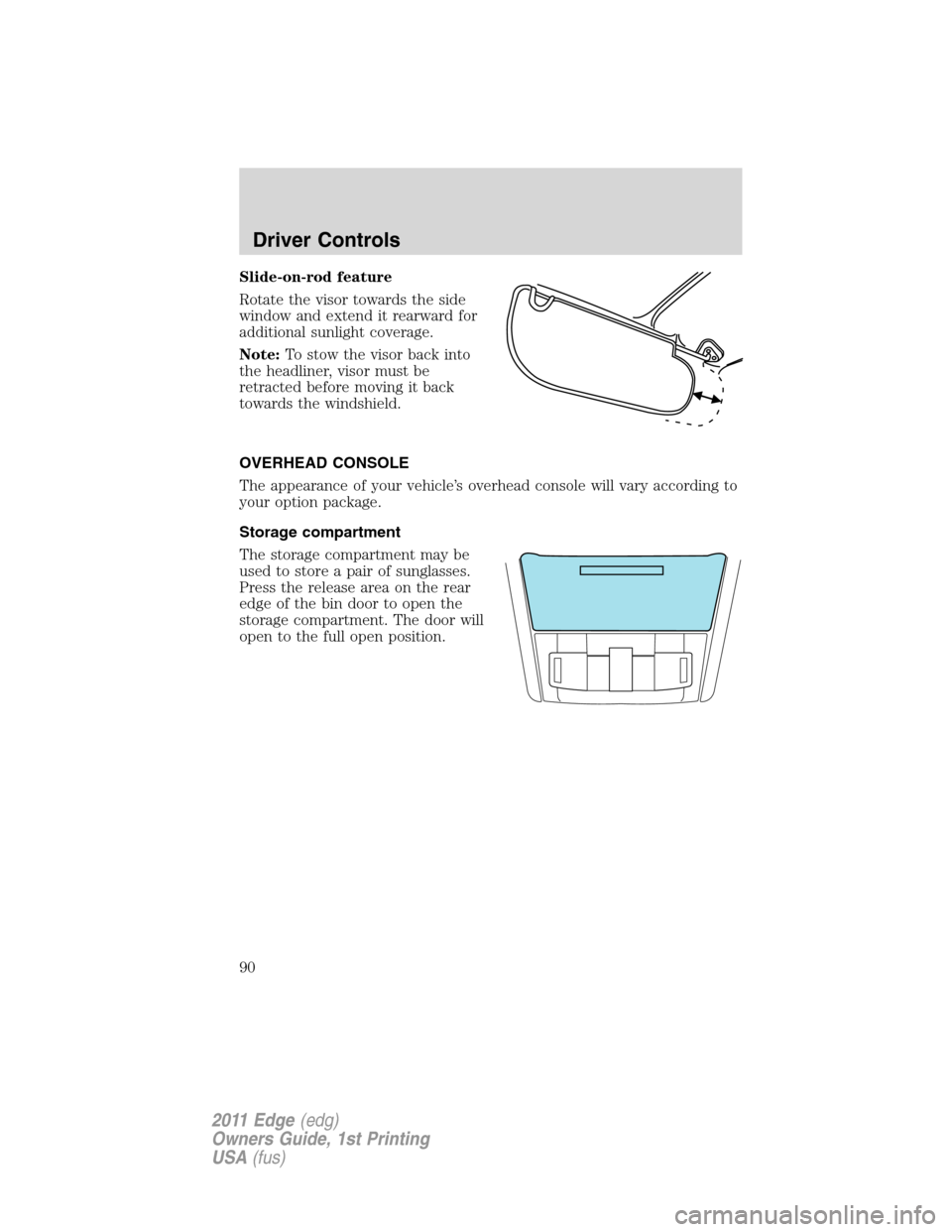
Slide-on-rod feature
Rotate the visor towards the side
window and extend it rearward for
additional sunlight coverage.
Note:To stow the visor back into
the headliner, visor must be
retracted before moving it back
towards the windshield.
OVERHEAD CONSOLE
The appearance of your vehicle’s overhead console will vary according to
your option package.
Storage compartment
The storage compartment may be
used to store a pair of sunglasses.
Press the release area on the rear
edge of the bin door to open the
storage compartment. The door will
open to the full open position.
Driver Controls
90
2011 Edge(edg)
Owners Guide, 1st Printing
USA(fus)
Page 92 of 403
To have full capacity usage of your power point, the engine is required to
be running to avoid unintentional discharge of the battery. To prevent
the battery from being discharged:
•do not use the power point longer than necessary when the engine is
not running,
•do not leave battery chargers, video game adapters, computers and
other devices plugged in overnight or when the vehicle is parked for
extended periods.
Always keep the power point caps closed when not being used.
POWER WINDOWS
WARNING:Do not leave children unattended in the vehicle and
do not let children play with the power windows. They may
seriously injure themselves.
WARNING:When closing the power windows, you should verify
they are free of obstructions and ensure that children and/or
pets are not in the proximity of the window openings.
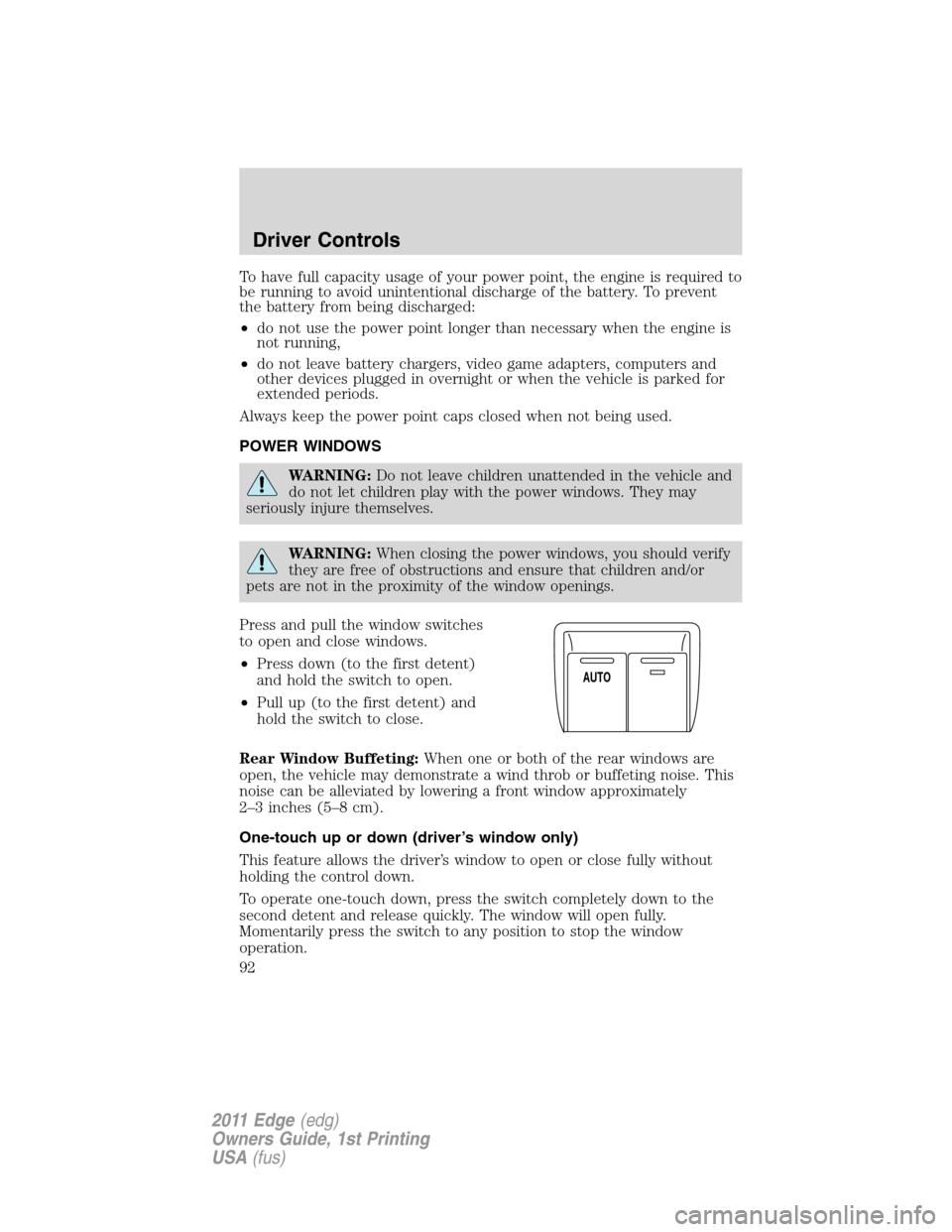
Press and pull the window switches
to open and close windows.
•Press down (to the first detent)
and hold the switch to open.
•Pull up (to the first detent) and
hold the switch to close.
Rear Window Buffeting:When one or both of the rear windows are
open, the vehicle may demonstrate a wind throb or buffeting noise. This
noise can be alleviated by lowering a front window approximately
2–3 inches (5–8 cm).
One-touch up or down (driver’s window only)
This feature allows the driver’s window to open or close fully without
holding the control down.
To operate one-touch down, press the switch completely down to the
second detent and release quickly. The window will open fully.
Momentarily press the switch to any position to stop the window
operation.
A
U
T
O
Driver Controls
92
2011 Edge(edg)
Owners Guide, 1st Printing
USA(fus)