steering FORD EDGE 2012 1.G User Guide
[x] Cancel search | Manufacturer: FORD, Model Year: 2012, Model line: EDGE, Model: FORD EDGE 2012 1.GPages: 396, PDF Size: 3.25 MB
Page 41 of 396
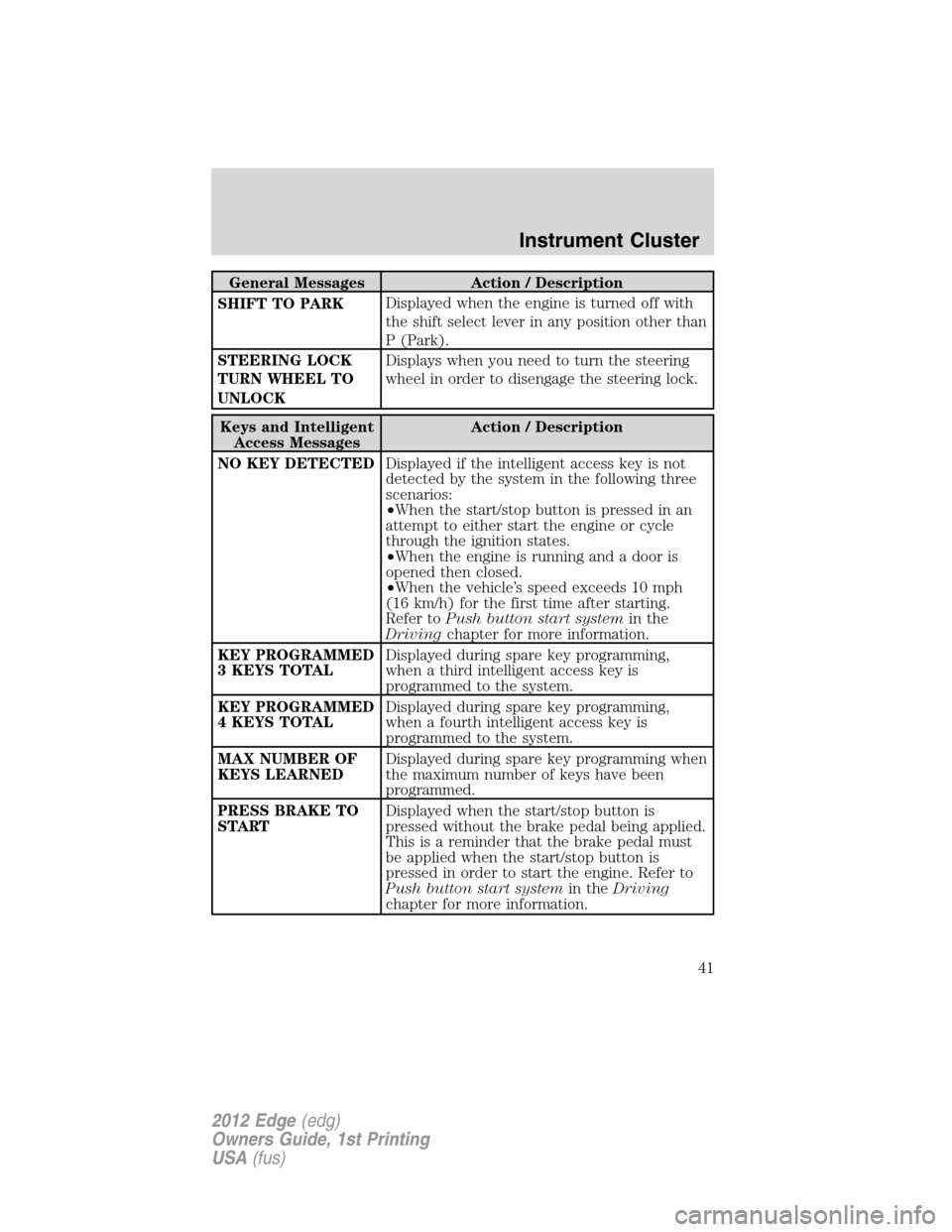
General Messages Action / Description
SHIFT TO PARKDisplayed when the engine is turned off with
the shift select lever in any position other than
P (Park).
STEERING LOCK
TURN WHEEL TO
UNLOCKDisplays when you need to turn the steering
wheel in order to disengage the steering lock.
Keys and Intelligent
Access MessagesAction / Description
NO KEY DETECTEDDisplayed if the intelligent access key is not
detected by the system in the following three
scenarios:
•When the start/stop button is pressed in an
attempt to either start the engine or cycle
through the ignition states.
•When the engine is running and a door is
opened then closed.
•When the vehicle’s speed exceeds 10 mph
(16 km/h) for the first time after starting.
Refer toPush button start systemin the
Drivingchapter for more information.
KEY PROGRAMMED
3 KEYS TOTALDisplayed during spare key programming,
when a third intelligent access key is
programmed to the system.
KEY PROGRAMMED
4 KEYS TOTALDisplayed during spare key programming,
when a fourth intelligent access key is
programmed to the system.
MAX NUMBER OF
KEYS LEARNEDDisplayed during spare key programming when
the maximum number of keys have been
programmed.
PRESS BRAKE TO
STARTDisplayed when the start/stop button is
pressed without the brake pedal being applied.
This is a reminder that the brake pedal must
be applied when the start/stop button is
pressed in order to start the engine. Refer to
Push button start systemin theDriving
chapter for more information.
Instrument Cluster
41
2012 Edge(edg)
Owners Guide, 1st Printing
USA(fus)
Page 46 of 396
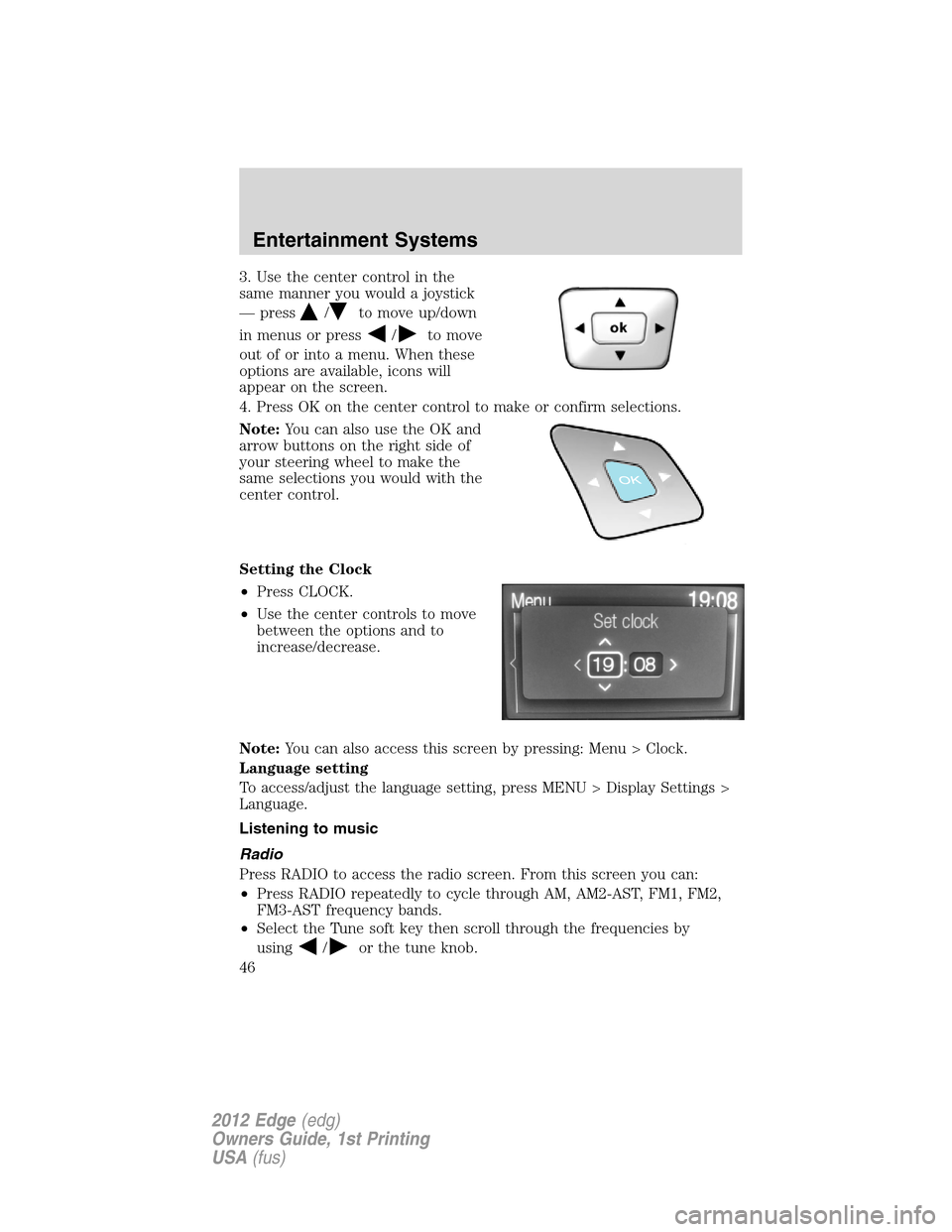
3. Use the center control in the
same manner you would a joystick
— press
/to move up/down
in menus or press
/to move
out of or into a menu. When these
options are available, icons will
appear on the screen.
4. Press OK on the center control to make or confirm selections.
Note:You can also use the OK and
arrow buttons on the right side of
your steering wheel to make the
same selections you would with the
center control.
Setting the Clock
•Press CLOCK.
•Use the center controls to move
between the options and to
increase/decrease.
Note:You can also access this screen by pressing: Menu > Clock.
Language setting
To access/adjust the language setting, press MENU > Display Settings >
Language.
Listening to music
Radio
Press RADIO to access the radio screen. From this screen you can:
•Press RADIO repeatedly to cycle through AM, AM2-AST, FM1, FM2,
FM3-AST frequency bands.
•Select the Tune soft key then scroll through the frequencies by
using
/or the tune knob.
Entertainment Systems
46
2012 Edge(edg)
Owners Guide, 1st Printing
USA(fus)
Page 82 of 396
For rear wash cycle, rotate (and hold as desired) the rear wiper/washer
control to either
position.
From either position, the control will automatically return to the 2 or O
(off) position.
Reverse wiper feature:The rear wiper will be automatically activated
in an intermittent setting when shifting into R (Reverse) if the front
wipers are activated. This feature may be enabled/disabled through the
message center. Refer toMessage centerin theInstrument Cluster
chapter.
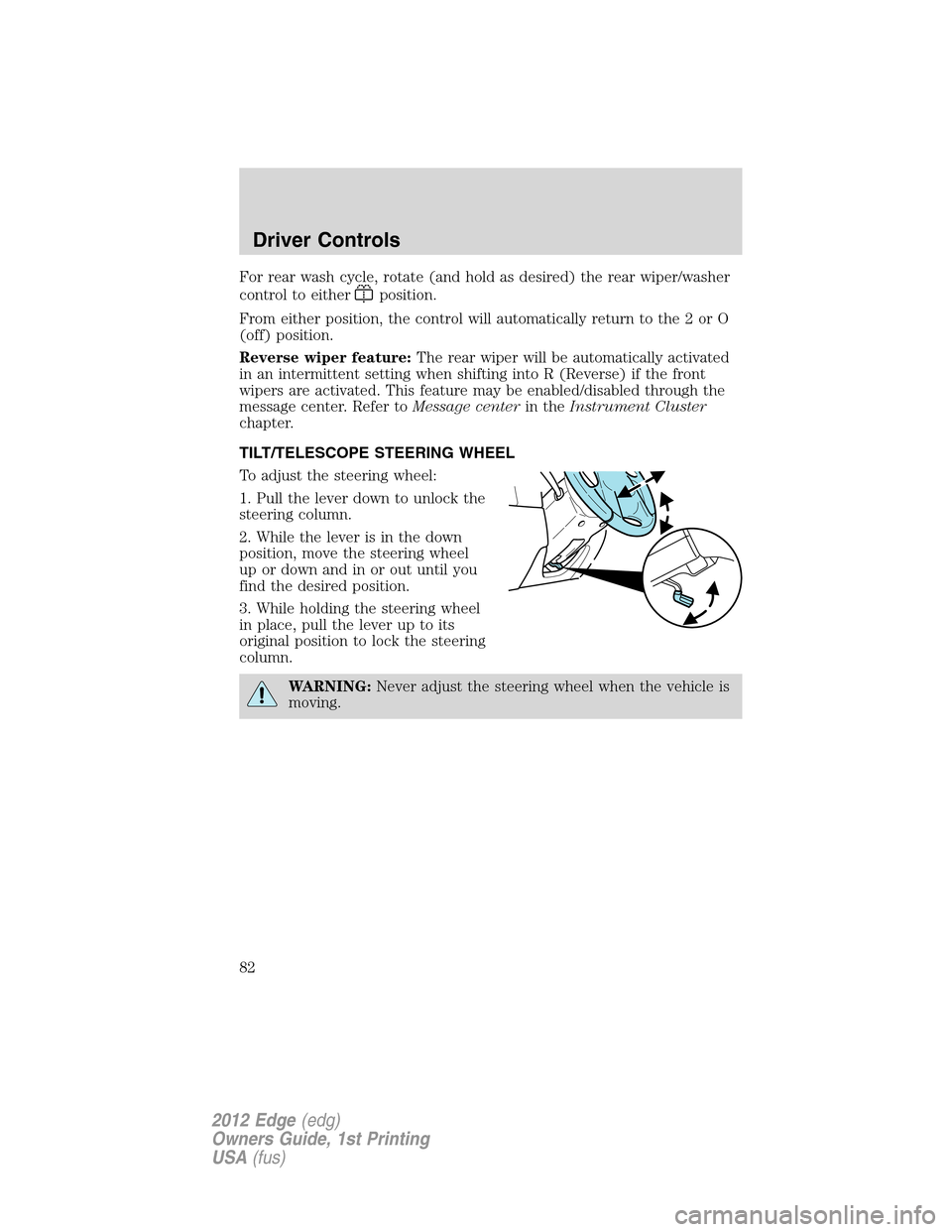
TILT/TELESCOPE STEERING WHEEL
To adjust the steering wheel:
1. Pull the lever down to unlock the
steering column.
2. While the lever is in the down
position, move the steering wheel
up or down and in or out until you
find the desired position.
3. While holding the steering wheel
in place, pull the lever up to its
original position to lock the steering
column.
WARNING:Never adjust the steering wheel when the vehicle is
moving.
Driver Controls
82
2012 Edge(edg)
Owners Guide, 1st Printing
USA(fus)
Page 89 of 396
SPEED CONTROL (IF EQUIPPED)
With speed control set, you can maintain a set speed without keeping
your foot on the accelerator pedal.
WARNING:Do not use the speed control in heavy traffic or on
roads that are winding, slippery or unpaved.
Using speed control
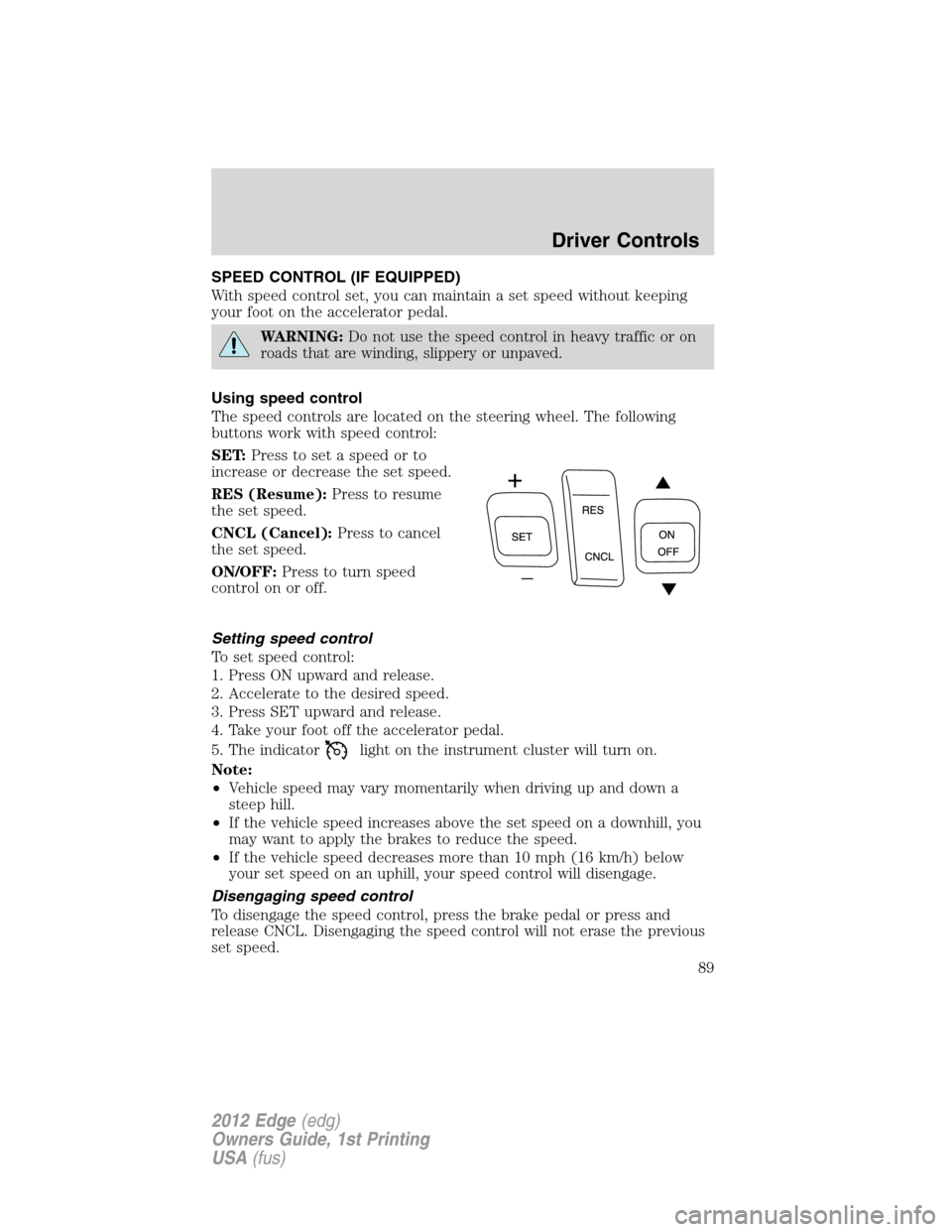
The speed controls are located on the steering wheel. The following
buttons work with speed control:
SET:Press to set a speed or to
increase or decrease the set speed.
RES (Resume):Press to resume
the set speed.
CNCL (Cancel):Press to cancel
the set speed.
ON/OFF:Press to turn speed
control on or off.
Setting speed control
To set speed control:
1. Press ON upward and release.
2. Accelerate to the desired speed.
3. Press SET upward and release.
4. Take your foot off the accelerator pedal.
5. The indicator
light on the instrument cluster will turn on.
Note:
•Vehicle speed may vary momentarily when driving up and down a
steep hill.
•If the vehicle speed increases above the set speed on a downhill, you
may want to apply the brakes to reduce the speed.
•If the vehicle speed decreases more than 10 mph (16 km/h) below
your set speed on an uphill, your speed control will disengage.
Disengaging speed control
To disengage the speed control, press the brake pedal or press and
release CNCL. Disengaging the speed control will not erase the previous
set speed.
Driver Controls
89
2012 Edge(edg)
Owners Guide, 1st Printing
USA(fus)
Page 90 of 396
Resuming a set speed
Press and release RES. This will automatically return the vehicle to the
previously set speed.
Increasing speed while using speed control
To set a higher speed:
•Press SET upward and hold until you get to the desired speed, then
release. You can also use SET to operate the tap-up function. Press
SET upward and release to increase the vehicle set speed in 1 mph
(1.6 km/h) increments.
•Use the accelerator pedal to get to the desired speed then press SET
upward and release.
Reducing speed while using speed control
To reduce a set speed:
•Press SET downward and hold until you get to the desired speed,
then release. You can also use SET to operate the tap-down function.
Press SET downward and release to decrease the vehicle set speed in
1 mph (1.6 km/h) increments.
•Press the brake pedal until the desired vehicle speed is reached then
press SET downward and release.
Turning off speed control
To turn off the speed control, press OFF downward or turn off the
ignition.
Note:When you turn off the speed control or the ignition, your speed
control set speed memory is erased.
ADAPTIVE CRUISE CONTROL (ACC) (IF EQUIPPED)
Adaptive cruise control (ACC) is much like speed control, only this
system is designed to automatically adjust your speed to maintain a
proper distance between you and the vehicle in front of you in the same
lane. The driver can select from one of four GAP settings, the controls
are located on the steering wheel.
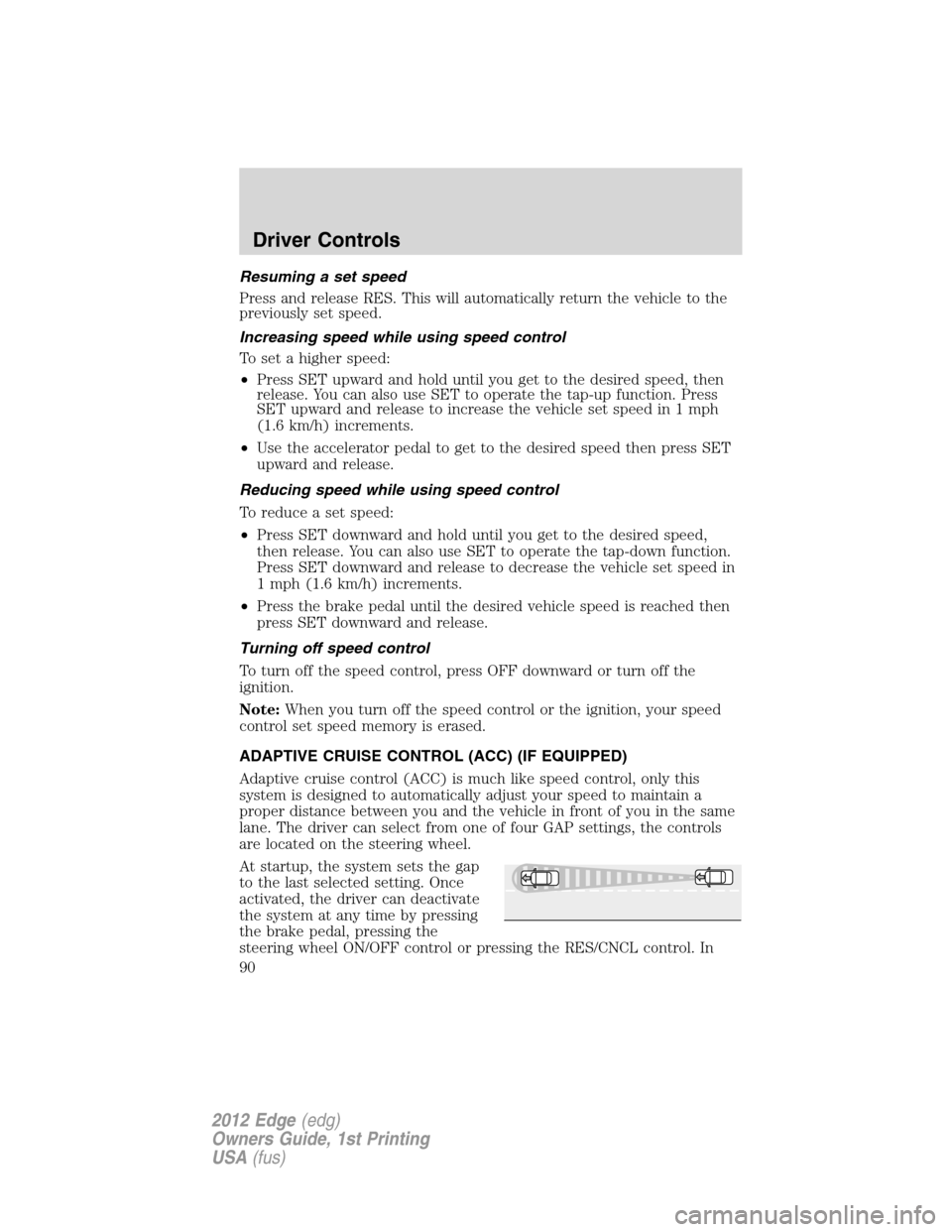
At startup, the system sets the gap
to the last selected setting. Once
activated, the driver can deactivate
the system at any time by pressing
the brake pedal, pressing the
steering wheel ON/OFF control or pressing the RES/CNCL control. In
Driver Controls
90
2012 Edge(edg)
Owners Guide, 1st Printing
USA(fus)
Page 91 of 396
addition, the driver can temporarily increase the vehicle speed above the
current speed by manually pressing on the accelerator pedal.
WARNING:Always pay close attention to changing road
conditions, especially when using adaptive cruise control.
Adaptive cruise control cannot replace attentive driving. Failing to
follow any of the warnings below or failing to pay attention to the road
may result in a collision, serious injury or death.
WARNING:Adaptive cruise control is not a collision warning or
avoidance system. Additionally, adaptive cruise control will not
detect:
•Stationary or slow moving vehicles below 6 mph (10 km/h).
•Pedestrians or objects in the roadway.
•Oncoming vehicles in the same lane.
WARNING:Do not use the adaptive cruise control when
entering or leaving a highway, in heavy traffic or on roads that
are winding, slippery or unpaved.
WARNING:Do not use in poor visibility, specifically fog, rain,
spray or snow.
Using adaptive cruise control
Note:It is the drivers responsibility to stay alert, drive safely and be in
control of the vehicle at all times.
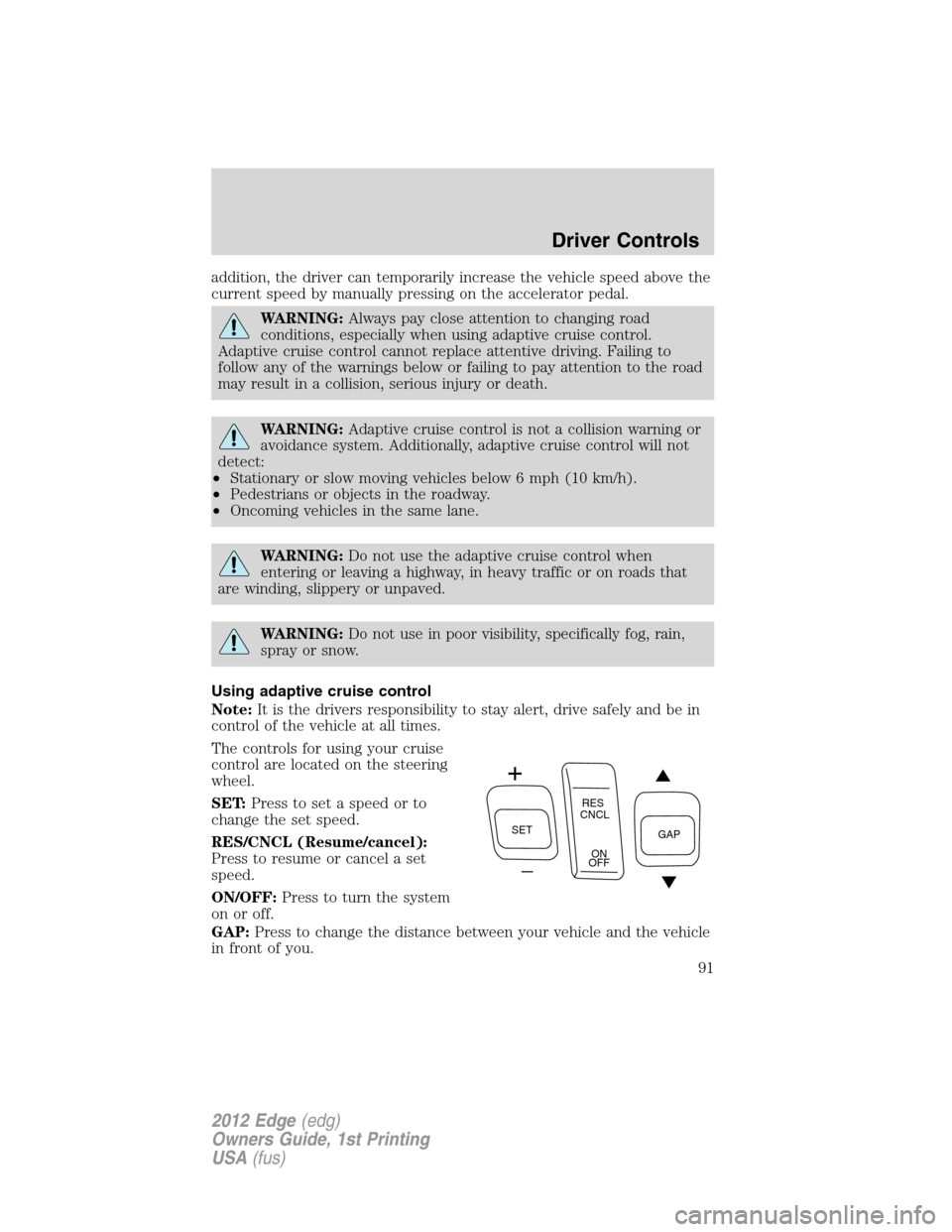
The controls for using your cruise
control are located on the steering
wheel.
SET:Press to set a speed or to
change the set speed.
RES/CNCL (Resume/cancel):
Press to resume or cancel a set
speed.
ON/OFF:Press to turn the system
on or off.
GAP:Press to change the distance between your vehicle and the vehicle
in front of you.
SETRES
CNCL
ON
OFFGAP
Driver Controls
91
2012 Edge(edg)
Owners Guide, 1st Printing
USA(fus)
Page 98 of 396
WARNING:Do not use ACC when towing a trailer with brake
controls. Aftermarket trailer brakes will not function properly
when ACC is activated because the brakes are electronically controlled.
Failing to do so may result in loss of vehicle control, which could result
in serious injury.
WARNING:Do not use tires sizes other than those
recommended because this can affect the normal operation of
ACC. Failing to do so may result in a loss of vehicle control, which
could result in serious injury.
Switching to normal cruise control
You can manually change from adaptive cruise control (ACC) to normal
cruise control through the message center. Refer toMessage centerin
theInstrument Clusterchapter. If normal cruise control is selected, the
ACC indicator light will be replaced with a
cruise control indicator
light. The gap setting will not be displayed, the system will not
automatically respond to lead vehicles and automatic braking will not be
activated. The system will default to ACC when the engine is started.
WARNING:Normal cruise control will not brake due to slower
vehicles. Always be aware of which mode is selected and apply
the brakes when necessary.
STEERING WHEEL CONTROLS
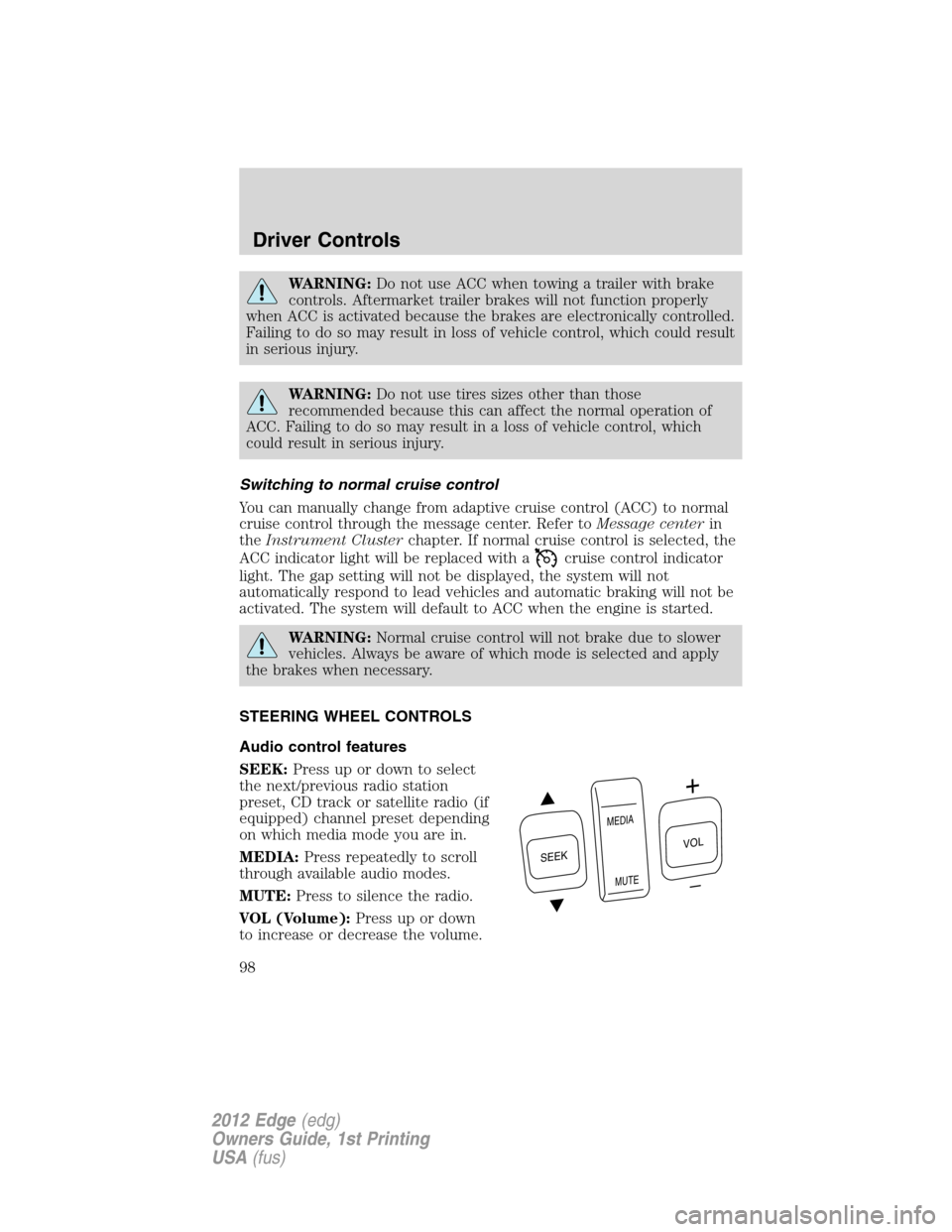
Audio control features
SEEK:Press up or down to select
the next/previous radio station
preset, CD track or satellite radio (if
equipped) channel preset depending
on which media mode you are in.
MEDIA:Press repeatedly to scroll
through available audio modes.
MUTE:Press to silence the radio.
VOL (Volume):Press up or down
to increase or decrease the volume.
S
E
E
K
M
E
D
IA
M
U
T
E
VOL
Driver Controls
98
2012 Edge(edg)
Owners Guide, 1st Printing
USA(fus)
Page 108 of 396
like a garage or a parking structure. The liftgate or its components could
be damaged in an enclosure if the liftgate is open while the vehicle is
being operated.
When power operating the liftgate at temperatures below 32°F (0°C), the
liftgate may stop about 5 inches (12.7 cm) from the full open position.
The liftgate can be fully opened by pushing it upward to the maximum
open position.
The power liftgate feature can be enabled or disabled using the message
center controls. With the setting turned off, power operation is disabled
from the liftgate handle button and from the rear cargo area button. The
transmitter and instrument panel switch will still continue to operate the
liftgate regardless of the position state of the message center. Refer to
Message centerin theInstrument Clusterchapter.
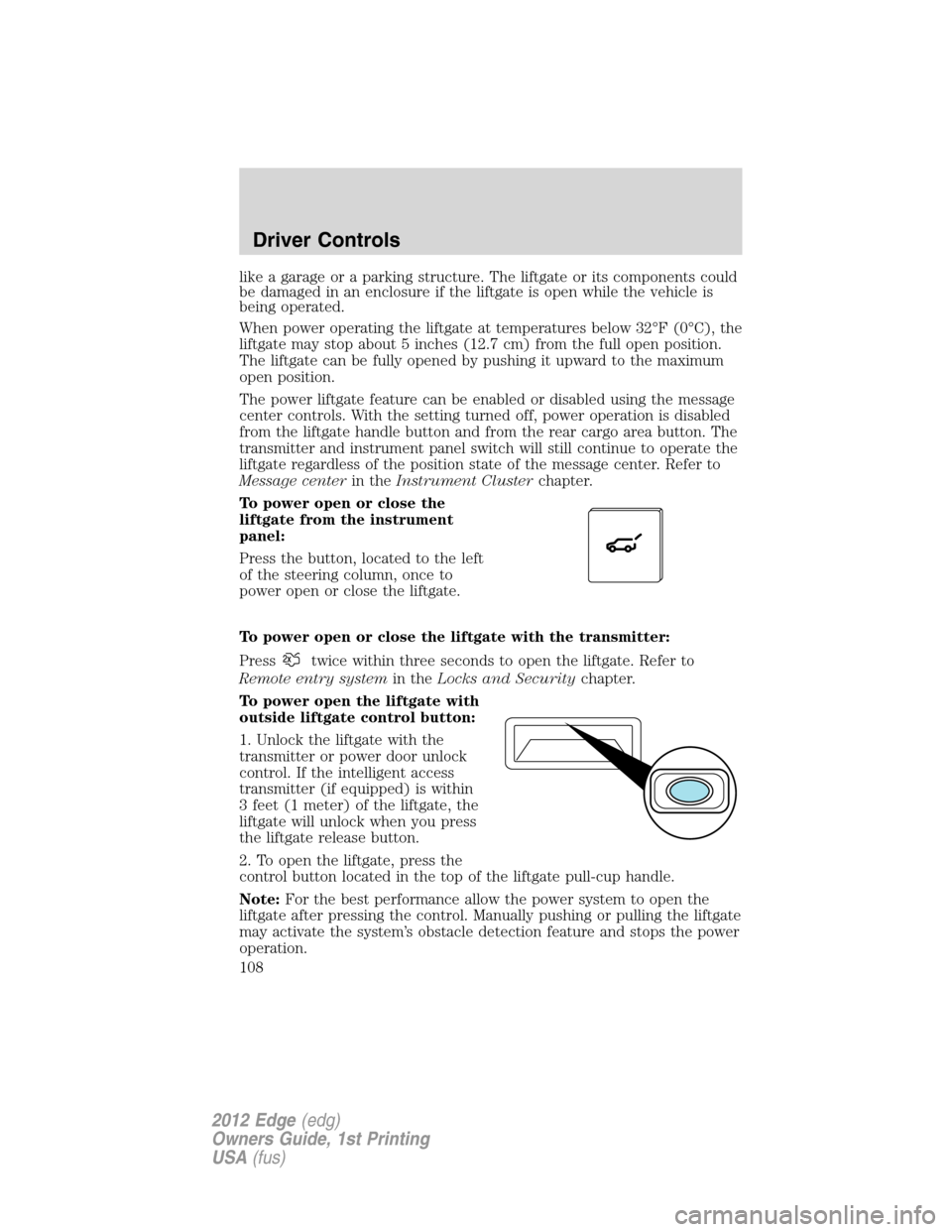
To power open or close the
liftgate from the instrument
panel:
Press the button, located to the left
of the steering column, once to
power open or close the liftgate.
To power open or close the liftgate with the transmitter:
Press
twice within three seconds to open the liftgate. Refer to
Remote entry systemin theLocks and Securitychapter.
To power open the liftgate with
outside liftgate control button:
1. Unlock the liftgate with the
transmitter or power door unlock
control. If the intelligent access
transmitter (if equipped) is within
3 feet (1 meter) of the liftgate, the
liftgate will unlock when you press
the liftgate release button.
2. To open the liftgate, press the
control button located in the top of the liftgate pull-cup handle.
Note:For the best performance allow the power system to open the
liftgate after pressing the control. Manually pushing or pulling the liftgate
may activate the system’s obstacle detection feature and stops the power
operation.
Driver Controls
108
2012 Edge(edg)
Owners Guide, 1st Printing
USA(fus)
Page 203 of 396
How your vehicle differs from other vehicles
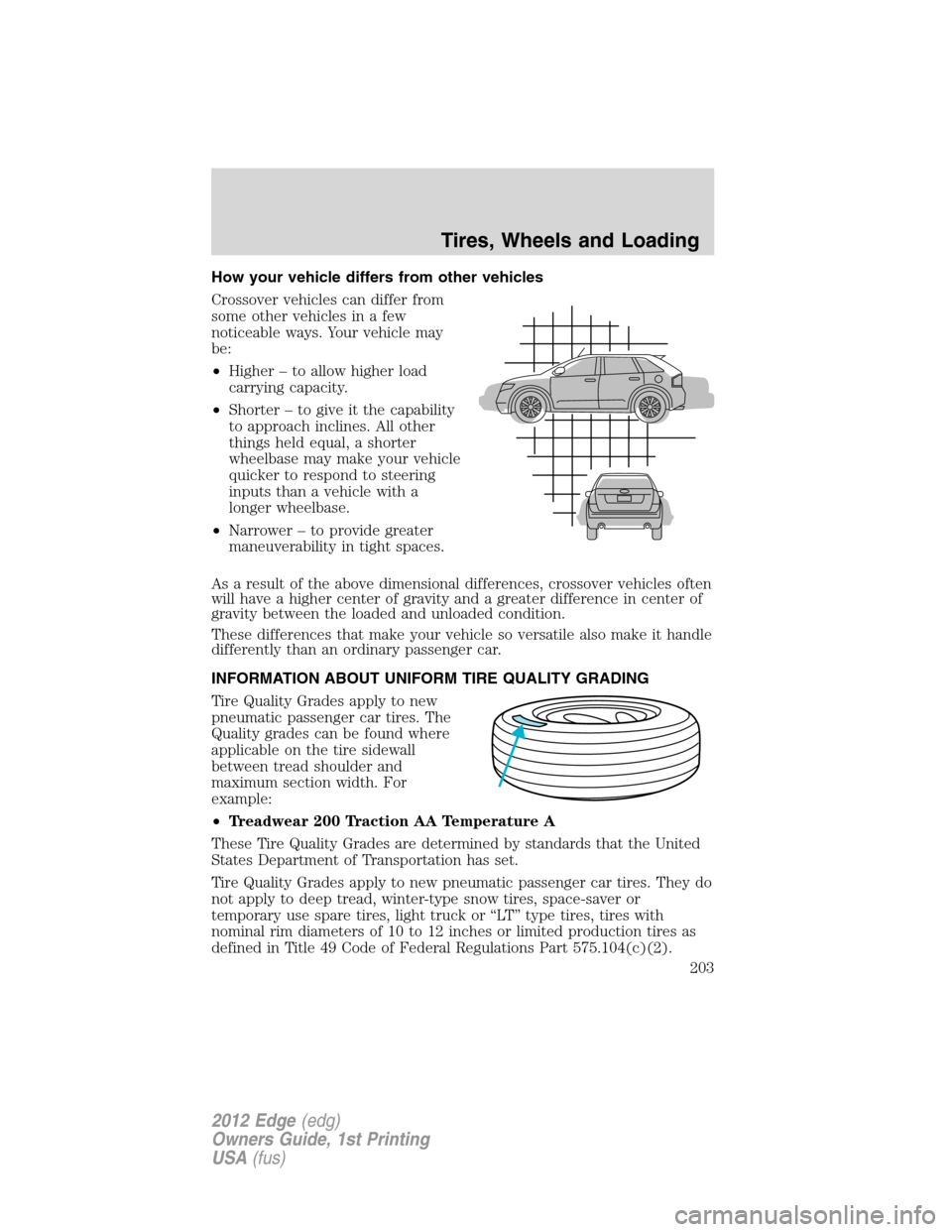
Crossover vehicles can differ from
some other vehicles in a few
noticeable ways. Your vehicle may
be:
•Higher – to allow higher load
carrying capacity.
•Shorter – to give it the capability
to approach inclines. All other
things held equal, a shorter
wheelbase may make your vehicle
quicker to respond to steering
inputs than a vehicle with a
longer wheelbase.
•Narrower – to provide greater
maneuverability in tight spaces.
As a result of the above dimensional differences, crossover vehicles often
will have a higher center of gravity and a greater difference in center of
gravity between the loaded and unloaded condition.
These differences that make your vehicle so versatile also make it handle
differently than an ordinary passenger car.
INFORMATION ABOUT UNIFORM TIRE QUALITY GRADING
Tire Quality Grades apply to new
pneumatic passenger car tires. The
Quality grades can be found where
applicable on the tire sidewall
between tread shoulder and
maximum section width. For
example:
•Treadwear 200 Traction AA Temperature A
These Tire Quality Grades are determined by standards that the United
States Department of Transportation has set.
Tire Quality Grades apply to new pneumatic passenger car tires. They do
not apply to deep tread, winter-type snow tires, space-saver or
temporary use spare tires, light truck or “LT” type tires, tires with
nominal rim diameters of 10 to 12 inches or limited production tires as
defined in Title 49 Code of Federal Regulations Part 575.104(c)(2).
Tires, Wheels and Loading
203
2012 Edge(edg)
Owners Guide, 1st Printing
USA(fus)
Page 210 of 396
WARNING:Only use replacement tires and wheels that are the
same size, load index, speed rating and type (such as P-metric
versus LT-metric or all-season versus all-terrain) as those originally
provided by Ford. The recommended tire and wheel size may be found
on either the Safety Compliance Certification Label or the Tire Label
which is located on the B-Pillar or edge of the driver’s door. If this
information is not found on these labels then you should contact your
authorized dealer as soon as possible. Use of any tire or wheel not
recommended by Ford can affect the safety and performance of your
vehicle, which could result in an increased risk of loss of vehicle
control, vehicle rollover, personal injury and death. Additionally the use
of non-recommended tires and wheels could cause steering,
suspension, axle or transfer case/power transfer unit failure. If you
have questions regarding tire replacement, contact your authorized
dealer as soon as possible.
WARNING:When mounting replacement tires and wheels, you
should not exceed the maximum pressure indicated on the
sidewall of the tire to set the beads without additional precautions
listed below. If the beads do not seat at the maximum pressure
indicated, re-lubricate and try again.
When inflating the tire for mounting pressures up to 20 psi (1.38 bar)
greater than the maximum pressure on the tire sidewall, the following
precautions must be taken to protect the person mounting the tire:
1. Make sure that you have the correct tire and wheel size.
2. Lubricate the tire bead and wheel bead seat area again.
3. Stand at a minimum of 12 ft (3.66 m) away from the tire wheel
assembly.
4. Use both eye and ear protection.
For a mounting pressure more than 20 psi (1.38 bar) greater than the
maximum pressure, a Ford dealer or other tire service professional
should do the mounting.
Always inflate steel carcass tires with a remote air fill with the person
inflating standing at a minimum of 12 ft (3.66 m) away from the tire
wheel assembly.
Important:Remember to replace the wheel valve stems when the road
tires are replaced on your vehicle.
Tires, Wheels and Loading
210
2012 Edge(edg)
Owners Guide, 1st Printing
USA(fus)