brake FORD EDGE 2016 2.G Owners Manual
[x] Cancel search | Manufacturer: FORD, Model Year: 2016, Model line: EDGE, Model: FORD EDGE 2016 2.GPages: 451, PDF Size: 6.18 MB
Page 6 of 451
Storage Compartments
Center Console..............................................149
Overhead Console.......................................149
Starting and Stopping the Engine
General Information....................................150
Keyless Starting - Vehicles With: Push Button Start
...............................................150
Starting a Gasoline Engine.........................151
Engine Block Heater....................................154
Unique Driving Character- istics
Auto-Start-Stop...........................................156
Fuel and Refueling
Safety Precautions......................................158
Fuel Quality
....................................................159
Fuel Filler Funnel Location........................159
Running Out of Fuel....................................159
Refueling.........................................................160
Fuel Consumption
........................................162
Emission Control System..........................163
Transmission
Automatic Transmission
...........................166
All-Wheel Drive
Using All-Wheel Drive.................................170
Brakes
General Information
.....................................175
Hints on Driving With Anti-Lock Brakes............................................................175
Electric Parking Brake
.................................176
Hill Start Assist..............................................178
Traction Control
Principle of Operation
................................180 Using Traction Control...............................180
Stability Control
Principle of Operation..................................181
Using Stability Control................................182
Parking Aids
Principle of Operation.................................183
Rear Parking Aid............................................183
Front Parking Aid
..........................................184
Side Sensing System..................................185
Active Park Assist.........................................187
Rear View Camera........................................192
180 Degree Camera.....................................195
Cruise Control
Principle of Operation.................................197
Using Cruise Control
....................................197
Using Adaptive Cruise Control................198
Driving Aids
Driver Alert.....................................................204
Lane Keeping System
................................205
Blind Spot Information System
.............209
Cross Traffic Alert..........................................211
Steering............................................................214
Collision Warning System.........................216
Drive Control
...................................................218
Load Carrying
Rear Under Floor Storage
..........................219
Cargo Nets.......................................................219
Roof Racks and Load Carriers.................219
Load Limit
.......................................................220
Towing
Towing a Trailer.............................................227
Trailer Sway Control...................................228
Recommended Towing Weights
...........228
3
Edge/Galaxy/S-MAX (CDQ) Canada/United States of America, enUSA, First Printing Table of Contents
Page 7 of 451
Essential Towing Checks..........................230
Transporting the Vehicle...........................232
Towing the Vehicle on Four Wheels - 6-Speed Automatic Transmission -
6F35..............................................................232
Towing the Vehicle on Four Wheels - 6-Speed Automatic Transmission -
6F50/6F55 .................................................
233
Driving Hints
Breaking-In.....................................................235
Economical Driving.....................................235
Cold Weather Precautions
.......................235
Driving Through Water...............................235
Floor Mats.......................................................236
Roadside Emergencies
Roadside Assistance
..................................238
Hazard Warning Flashers.........................239
Fuel Shutoff...................................................239
Jump Starting the Vehicle
........................240
Post-Crash Alert System..........................242
Customer Assistance
Getting the Services You Need...............243
In California (U.S. Only)............................244
The Better Business Bureau (BBB) Auto Line Program (U.S. Only).....................245
Utilizing the Mediation/Arbitration Program (Canada Only).......................246
Getting Assistance Outside the U.S. and Canada........................................................246
Ordering Additional Owner's Literature.....................................................247
Reporting Safety Defects (U.S. Only)............................................................248
Reporting Safety Defects (Canada Only)............................................................248
Fuses
Fuse Specification Chart..........................250
Changing a Fuse..........................................260 Maintenance
General Information....................................261
Opening and Closing the Hood
...............261
Under Hood Overview - 2.0L EcoBoost™................................................263
Under Hood Overview - 2.7L EcoBoost™...............................................264
Under Hood Overview - 3.5L
...................265
Engine Oil Dipstick - 2.0L EcoBoost™...............................................266
Engine Oil Dipstick - 2.7L EcoBoost™/ 3.5L...............................................................266
Engine Oil Check..........................................266
Oil Change Indicator Reset.......................267
Engine Coolant Check................................267
Automatic Transmission Fluid Check - 2.0L EcoBoost™
......................................270
Automatic Transmission Fluid Check - 2.7L EcoBoost™/3.5L
..............................271
Brake Fluid Check.........................................272
Power Steering Fluid Check.....................273
Washer Fluid Check
.....................................273
Fuel Filter
.........................................................273
Changing the 12V Battery
.........................274
Checking the Wiper Blades......................275
Changing the Wiper Blades.....................275
Adjusting the Headlamps.........................276
Removing a Headlamp..............................278
Changing a Bulb...........................................278
Bulb Specification Chart..........................280
Changing the Engine Air Filter.................282
Vehicle Care
General Information
...................................283
Cleaning Products
.......................................283
Cleaning the Exterior..................................283
Waxing.............................................................284
Cleaning the Engine....................................285
Cleaning the Windows and Wiper Blades..........................................................285
Cleaning the Interior...................................286
4
Edge/Galaxy/S-MAX (CDQ) Canada/United States of America, enUSA, First Printing Table of Contents
Page 10 of 451
ABOUT THIS MANUAL
Thank you for choosing Ford. We
recommend that you take some time to
get to know your vehicle by reading this
manual. The more that you know about
your vehicle, the greater the safety and
pleasure you will get from driving it.
WARNING
Driving while distracted can result in
loss of vehicle control, crash and
injury. We strongly recommend that
you use extreme caution when using any
device that may take your focus off the
road. Your primary responsibility is the safe
operation of your vehicle. We recommend
against the use of any hand-held device
while driving and encourage the use of
voice-operated systems when possible.
Make sure you are aware of all applicable
local laws that may affect the use of
electronic devices while driving. Note:
This manual describes product
features and options available throughout
the range of available models, sometimes
even before they are generally available. It
may describe options not fitted to the
vehicle you have purchased.
Note: Some of the illustrations in this
manual may show features as used in
different models, so they may appear
different to you on your vehicle.
Note: Always use and operate your vehicle
in line with all applicable laws and
regulations.
Note: Pass on this manual when selling
your vehicle. It is an integral part of your
vehicle.
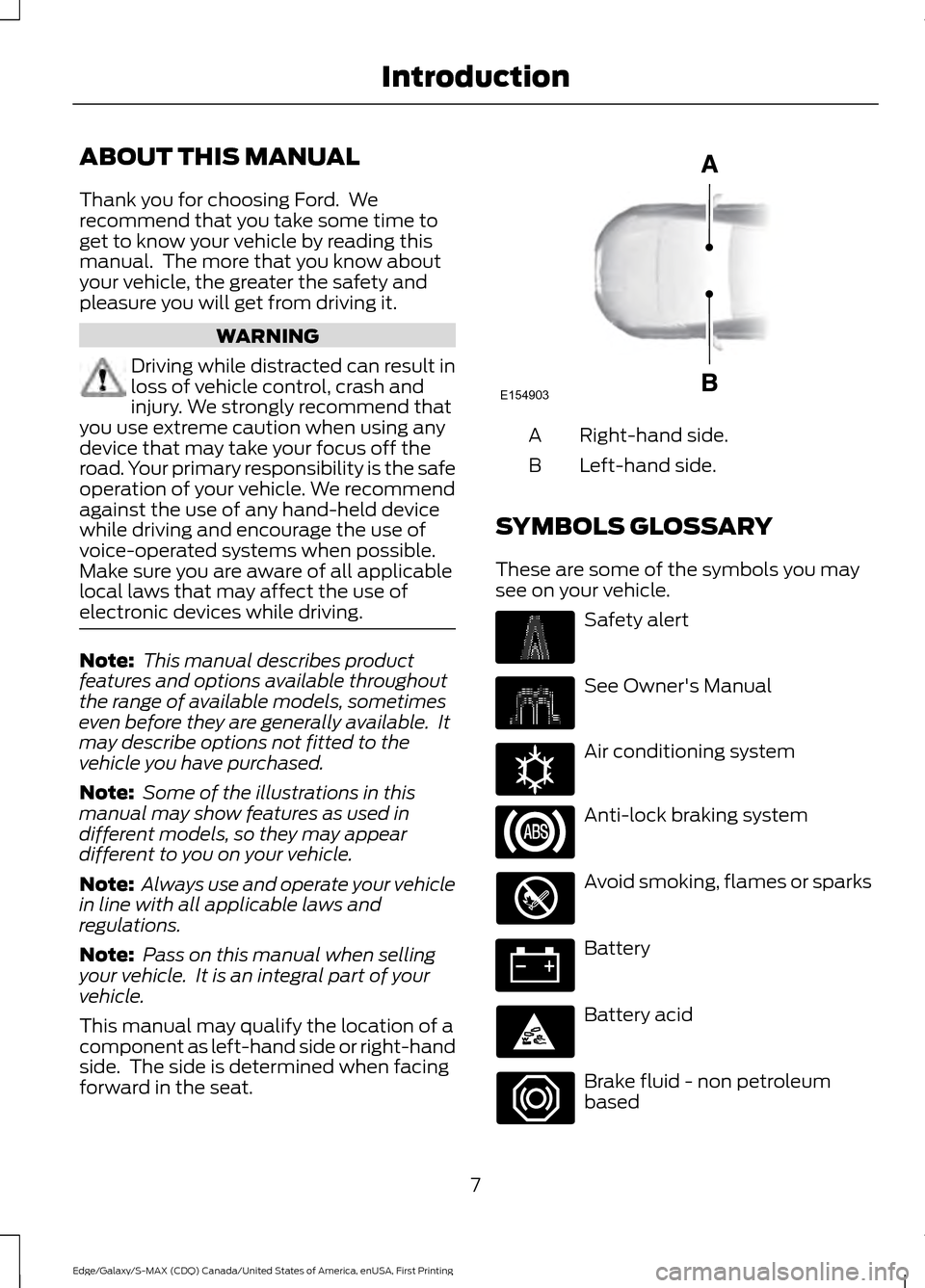
This manual may qualify the location of a
component as left-hand side or right-hand
side. The side is determined when facing
forward in the seat. Right-hand side.
A
Left-hand side.
B
SYMBOLS GLOSSARY
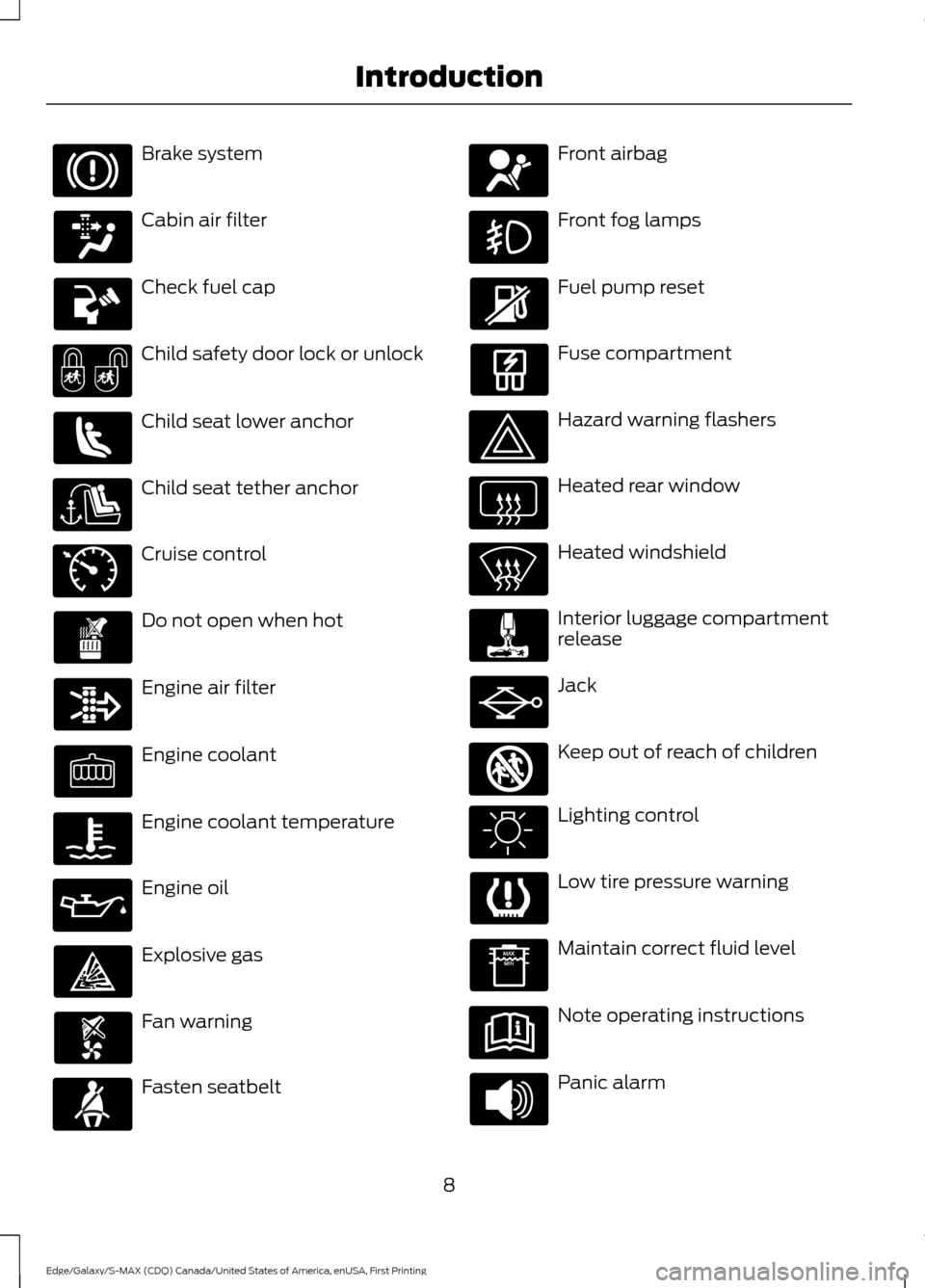
These are some of the symbols you may
see on your vehicle. Safety alert
See Owner's Manual
Air conditioning system
Anti-lock braking system
Avoid smoking, flames or sparks
Battery
Battery acid
Brake fluid - non petroleum
based
7
Edge/Galaxy/S-MAX (CDQ) Canada/United States of America, enUSA, First Printing IntroductionE154903 E162384
Page 11 of 451
Brake system
Cabin air filter
Check fuel cap
Child safety door lock or unlock
Child seat lower anchor
Child seat tether anchor
Cruise control
Do not open when hot
Engine air filter
Engine coolant
Engine coolant temperature
Engine oil
Explosive gas
Fan warning
Fasten seatbelt Front airbag
Front fog lamps
Fuel pump reset
Fuse compartment
Hazard warning flashers
Heated rear window
Heated windshield
Interior luggage compartment
release
Jack
Keep out of reach of children
Lighting control
Low tire pressure warning
Maintain correct fluid level
Note operating instructions
Panic alarm
8
Edge/Galaxy/S-MAX (CDQ) Canada/United States of America, enUSA, First Printing Introduction E71340 E161353
Page 12 of 451
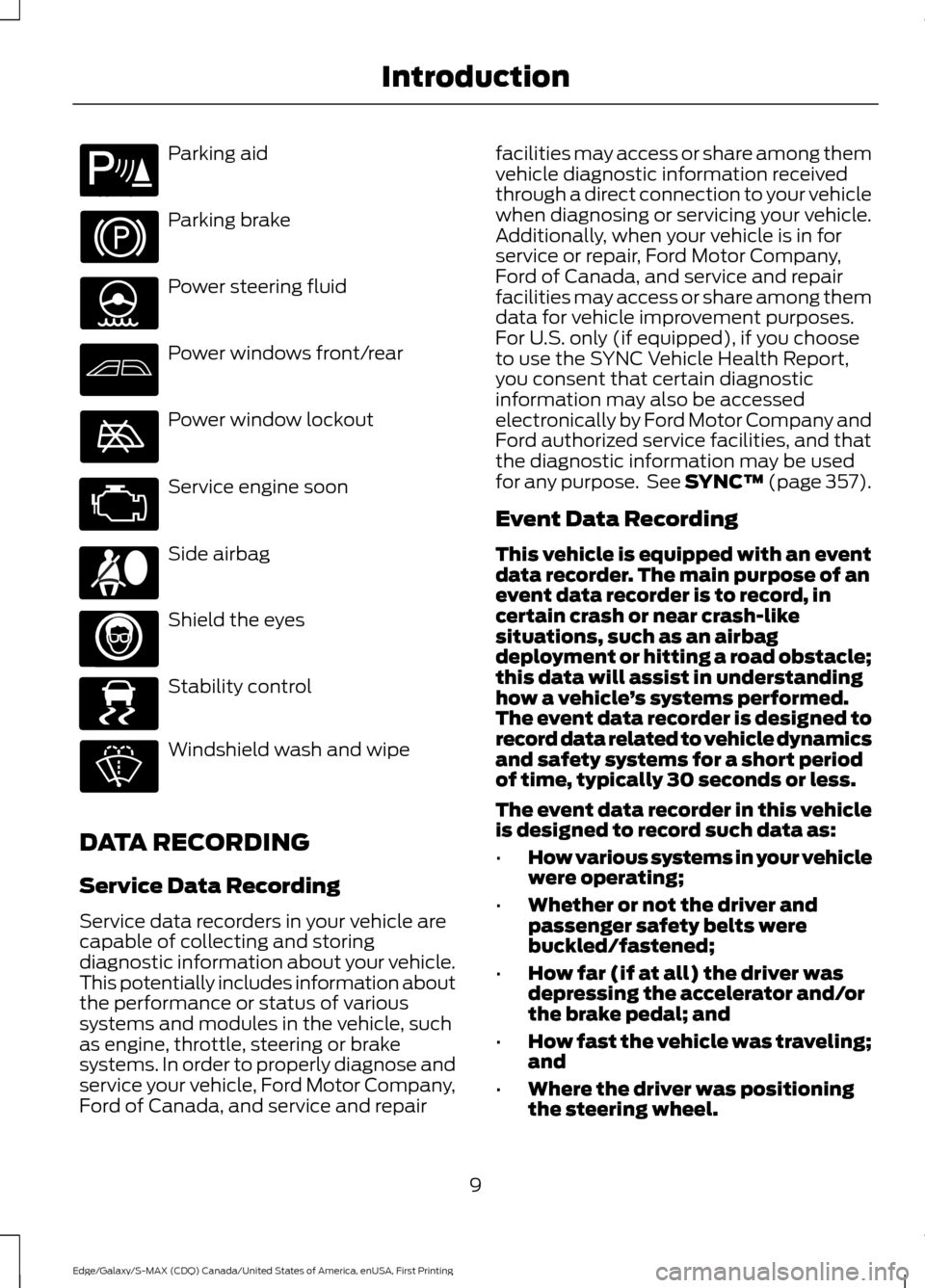
Parking aid
Parking brake
Power steering fluid
Power windows front/rear
Power window lockout
Service engine soon
Side airbag
Shield the eyes
Stability control
Windshield wash and wipe
DATA RECORDING
Service Data Recording
Service data recorders in your vehicle are
capable of collecting and storing
diagnostic information about your vehicle.
This potentially includes information about
the performance or status of various
systems and modules in the vehicle, such
as engine, throttle, steering or brake
systems. In order to properly diagnose and
service your vehicle, Ford Motor Company,
Ford of Canada, and service and repair facilities may access or share among them
vehicle diagnostic information received
through a direct connection to your vehicle
when diagnosing or servicing your vehicle.
Additionally, when your vehicle is in for
service or repair, Ford Motor Company,
Ford of Canada, and service and repair
facilities may access or share among them
data for vehicle improvement purposes.
For U.S. only (if equipped), if you choose
to use the SYNC Vehicle Health Report,
you consent that certain diagnostic
information may also be accessed
electronically by Ford Motor Company and
Ford authorized service facilities, and that
the diagnostic information may be used
for any purpose. See SYNC™ (page 357).
Event Data Recording
This vehicle is equipped with an event
data recorder. The main purpose of an
event data recorder is to record, in
certain crash or near crash-like
situations, such as an airbag
deployment or hitting a road obstacle;
this data will assist in understanding
how a vehicle
’s systems performed.
The event data recorder is designed to
record data related to vehicle dynamics
and safety systems for a short period
of time, typically 30 seconds or less.
The event data recorder in this vehicle
is designed to record such data as:
• How various systems in your vehicle
were operating;
• Whether or not the driver and
passenger safety belts were
buckled/fastened;
• How far (if at all) the driver was
depressing the accelerator and/or
the brake pedal; and
• How fast the vehicle was traveling;
and
• Where the driver was positioning
the steering wheel.
9
Edge/Galaxy/S-MAX (CDQ) Canada/United States of America, enUSA, First Printing IntroductionE139213 E167012 E138639
Page 34 of 451
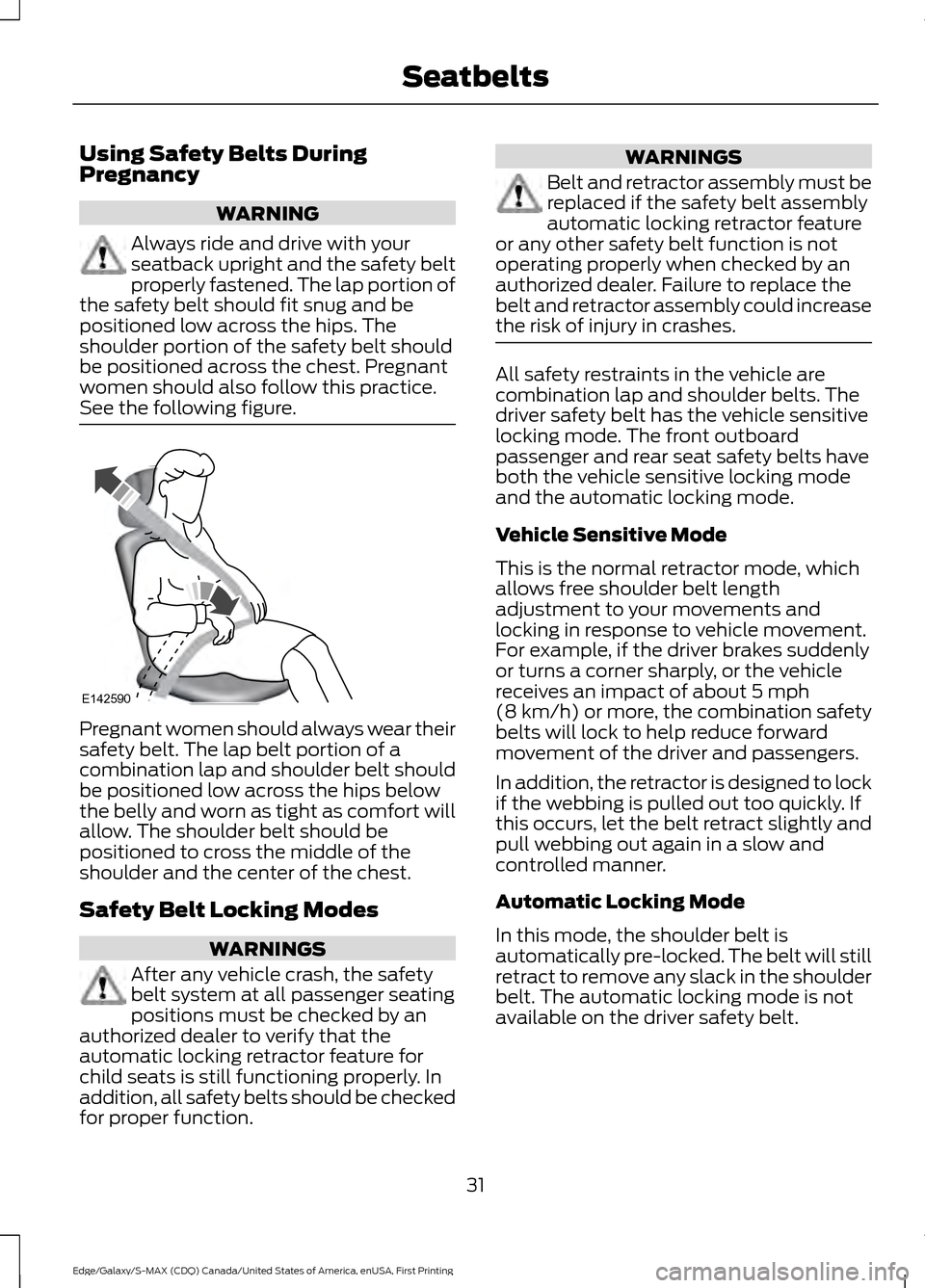
Using Safety Belts During
Pregnancy
WARNING
Always ride and drive with your
seatback upright and the safety belt
properly fastened. The lap portion of
the safety belt should fit snug and be
positioned low across the hips. The
shoulder portion of the safety belt should
be positioned across the chest. Pregnant
women should also follow this practice.
See the following figure. Pregnant women should always wear their
safety belt. The lap belt portion of a
combination lap and shoulder belt should
be positioned low across the hips below
the belly and worn as tight as comfort will
allow. The shoulder belt should be
positioned to cross the middle of the
shoulder and the center of the chest.
Safety Belt Locking Modes
WARNINGS
After any vehicle crash, the safety
belt system at all passenger seating
positions must be checked by an
authorized dealer to verify that the
automatic locking retractor feature for
child seats is still functioning properly. In
addition, all safety belts should be checked
for proper function. WARNINGS
Belt and retractor assembly must be
replaced if the safety belt assembly
automatic locking retractor feature
or any other safety belt function is not
operating properly when checked by an
authorized dealer. Failure to replace the
belt and retractor assembly could increase
the risk of injury in crashes. All safety restraints in the vehicle are
combination lap and shoulder belts. The
driver safety belt has the vehicle sensitive
locking mode. The front outboard
passenger and rear seat safety belts have
both the vehicle sensitive locking mode
and the automatic locking mode.
Vehicle Sensitive Mode
This is the normal retractor mode, which
allows free shoulder belt length
adjustment to your movements and
locking in response to vehicle movement.
For example, if the driver brakes suddenly
or turns a corner sharply, or the vehicle
receives an impact of about 5 mph
(8 km/h) or more, the combination safety
belts will lock to help reduce forward
movement of the driver and passengers.
In addition, the retractor is designed to lock
if the webbing is pulled out too quickly. If
this occurs, let the belt retract slightly and
pull webbing out again in a slow and
controlled manner.
Automatic Locking Mode
In this mode, the shoulder belt is
automatically pre-locked. The belt will still
retract to remove any slack in the shoulder
belt. The automatic locking mode is not
available on the driver safety belt.
31
Edge/Galaxy/S-MAX (CDQ) Canada/United States of America, enUSA, First Printing SeatbeltsE142590
Page 39 of 451
Deactivating and Activating the
Belt-Minder Feature
WARNING
While the system allows you to
switch this feature off, the intent of
the system is to remind you to wear
your safety belt to improve your chance to
survive an accident. We recommend you
leave the system switched on for yourself
and others who may use the vehicle. Note:
The driver and front passenger
warnings switch on and off independently.
When you perform this procedure for one
seating position, do not buckle the other
position as this will terminate the process.
Read Steps 1–4 thoroughly before
proceeding with the programming
procedure.
Before following the procedure, make sure
that:
• The parking brake is set.
• The transmission is in park (P) or
neutral (N).
• The ignition is off.
• The driver and front passenger safety
belts are unbuckled.
1. Switch the ignition on. Do not start the
vehicle.
2. Wait until the safety belt warning light turns off (about 1 minute). After Step
2, wait an additional 5 seconds before
proceeding with Step 3. Once you start
Step 3, you must complete the
procedure within 30 seconds.
3. For the seating position you are switching off, buckle then unbuckle the
safety belt three times at a moderate
speed, ending in the unbuckled state.
After Step 3, the safety belt warning
light turns on. 4. While the safety belt warning light is
on, buckle and then unbuckle the
safety belt. After Step 4, the safety belt
warning light flashes for confirmation.
• This will switch the feature off for that
seating position if it is currently on.
• This will switch the feature on for that
seating position if it is currently off.
CHILD RESTRAINT AND
SEATBELT MAINTENANCE
Inspect the vehicle safety belts and child
safety seat systems periodically to make
sure they work properly and are not
damaged. Inspect the vehicle and child
seat safety belts to make sure there are no
nicks, tears or cuts. Replace if necessary.
All vehicle safety belt assemblies, including
retractors, buckles, front safety belt buckle
assemblies, buckle support assemblies
(slide bar-if equipped), shoulder belt
height adjusters (if equipped), shoulder
belt guide on seat back (if equipped), child
safety seat LATCH and tether anchors, and
attaching hardware, should be inspected
after a crash. Read the child restraint
manufacturer's instructions for additional
inspection and maintenance information
specific to the child restraint.
Ford Motor Company recommends that
all safety belt assemblies in use in vehicles
involved in a crash be replaced. However,
if the crash was minor and an authorized
dealer finds that the belts do not show
damage and continue to operate properly,
they do not need to be replaced. Safety
belt assemblies not in use during a crash
should also be inspected and replaced if
either damage or improper operation is
noted.
Properly care for safety belts. See Vehicle
Care (page 283).
36
Edge/Galaxy/S-MAX (CDQ) Canada/United States of America, enUSA, First Printing Seatbelts
Page 54 of 451
2. Press the remote start button twice.
The exterior lamps will flash twice.
The horn will sound if the system fails to
start, unless quiet start is on. Quiet start
will run the blower fan at a slower speed
to reduce noise. It can be switched on or
off in the information display. See General
Information (page 98).
Note: You must press the
START/STOP
button on the instrument panel once while
applying the brake pedal before driving your
vehicle.
The power windows will not work during
the remote start and the radio will not turn
on automatically.
The parking lamps will remain on and the
vehicle will run for 5, 10, or 15 minutes,
depending on the setting.
Extending the Vehicle Run Time
Repeat Steps 1 and 2 with the vehicle still
running to extend the run time for another
remote start duration. If you programmed
the duration to last 10 minutes, the second
10 minutes will begin after what is left of
the first activation time. For example, if the
vehicle had been running from the first
remote start for five minutes, the vehicle
will continue to run now for a total of 15
minutes. You can extend the remote start
up to a maximum of 35 minutes.
Wait at least five seconds before remote
starting after a vehicle shutdown.
Turning the Vehicle Off After Remote
Starting Press the button once. The
parking lamps will turn off.
You may have to be closer to the
vehicle than when starting due to ground
reflection and the added noise of the
running vehicle. You can disable or enable the remote start
system through the information display.
See
General Information (page 98).
Memory Feature
(If Equipped)
You can use the remote control to recall
memory positions. If programmed to a
pre-set position, the remote control recalls
memory positions when you unlock your
vehicle. See Memory Function (page 136).
REPLACING A LOST KEY OR
REMOTE CONTROL
Replacement keys or remote controls can
be purchased from an authorized dealer.
Authorized dealers can program remote
controls for your vehicle. See
Passive
Anti-Theft System (page 69).
51
Edge/Galaxy/S-MAX (CDQ) Canada/United States of America, enUSA, First Printing Keys and Remote ControlsE138625
Page 84 of 451
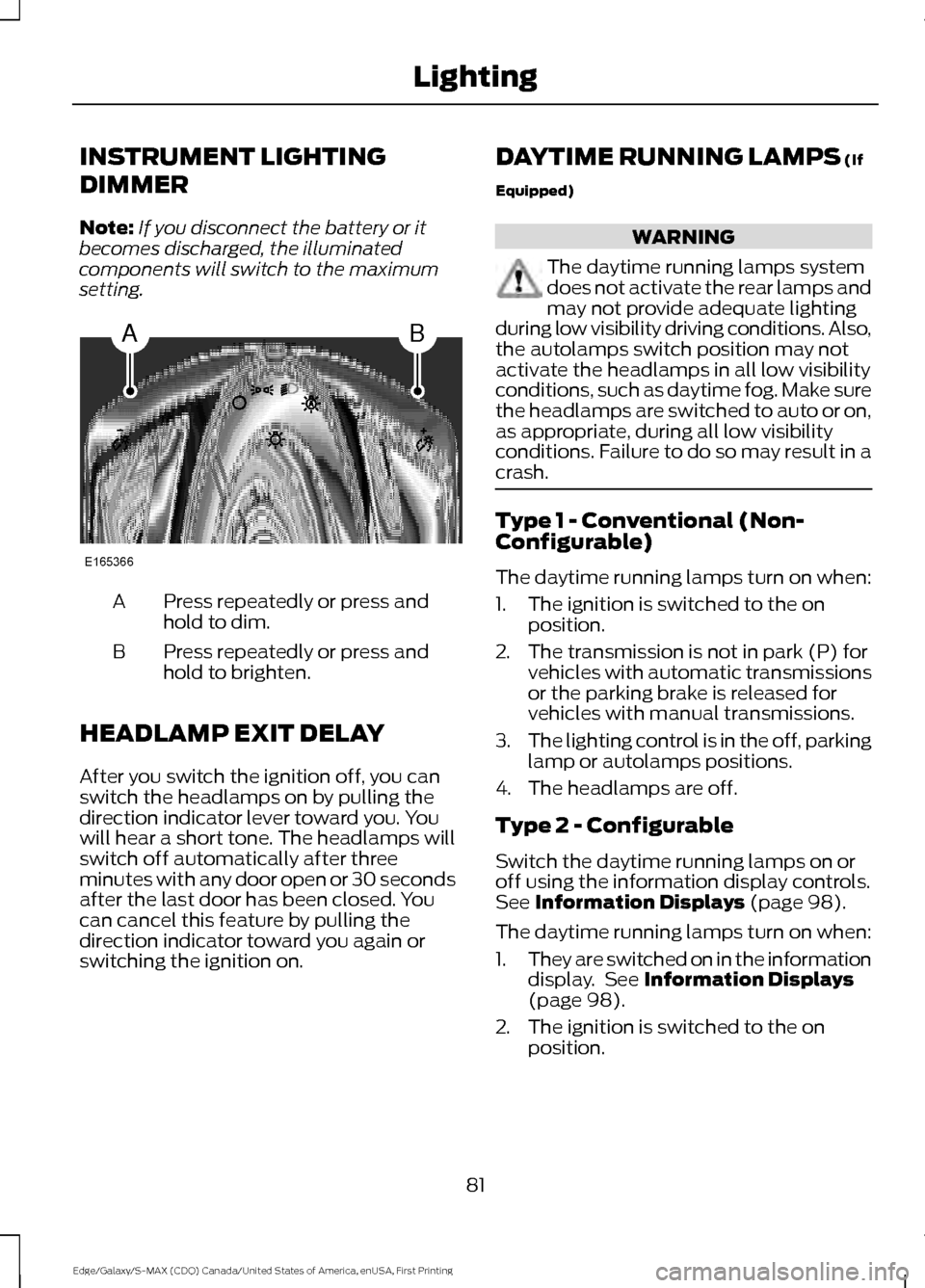
INSTRUMENT LIGHTING
DIMMER
Note:
If you disconnect the battery or it
becomes discharged, the illuminated
components will switch to the maximum
setting. Press repeatedly or press and
hold to dim.
A
Press repeatedly or press and
hold to brighten.
B
HEADLAMP EXIT DELAY
After you switch the ignition off, you can
switch the headlamps on by pulling the
direction indicator lever toward you. You
will hear a short tone. The headlamps will
switch off automatically after three
minutes with any door open or 30 seconds
after the last door has been closed. You
can cancel this feature by pulling the
direction indicator toward you again or
switching the ignition on. DAYTIME RUNNING LAMPS (If
Equipped) WARNING
The daytime running lamps system
does not activate the rear lamps and
may not provide adequate lighting
during low visibility driving conditions. Also,
the autolamps switch position may not
activate the headlamps in all low visibility
conditions, such as daytime fog. Make sure
the headlamps are switched to auto or on,
as appropriate, during all low visibility
conditions. Failure to do so may result in a
crash. Type 1 - Conventional (Non-
Configurable)
The daytime running lamps turn on when:
1. The ignition is switched to the on
position.
2. The transmission is not in park (P) for vehicles with automatic transmissions
or the parking brake is released for
vehicles with manual transmissions.
3. The lighting control is in the off, parking
lamp or autolamps positions.
4. The headlamps are off.
Type 2 - Configurable
Switch the daytime running lamps on or
off using the information display controls.
See
Information Displays (page 98).
The daytime running lamps turn on when:
1. They are switched on in the information
display. See
Information Displays
(page 98).
2. The ignition is switched to the on position.
81
Edge/Galaxy/S-MAX (CDQ) Canada/United States of America, enUSA, First Printing LightingAB
E165366
Page 85 of 451
3. The transmission is not in park (P) for
vehicles with automatic transmissions
or the parking brake is released for
vehicles with manual transmissions.
4. The lighting control is in the autolamps
position.
5. The headlamps are off.
The other lighting control switch positions
do not activate the daytime running lamps,
and you can use them to temporarily
override autolamp control.
When switched off in the information
display, the daytime running lamps are off
in all lighting control switch positions.
AUTOMATIC HIGH BEAM
CONTROL (If Equipped)
The system will automatically turn on your
high beams if it is dark enough and no other
traffic is present. When it detects the
headlights of an approaching vehicle, the
tail lamps of the preceding vehicle or street
lighting, the system will turn off the high
beams before they distract other drivers.
The low beams remain on.
Note: If it appears that automatic control
of the high beams is not functioning
properly, check the windshield in front of
the camera for a blockage. A clear view of
the road is required for proper system
operation. Have any windshield damage in
the area of the camera ’s field-of-view
repaired.
Note: If the system detects a blockage, for
example bird droppings, bug splatter, snow
or ice, the system will go into low beam
mode until you clear the blockage. A
message may also appear in the instrument
cluster display noting the front camera is
blocked. Note:
Typical road dust, dirt and water
spots will not affect the performance of the
automatic high beam system . However, in
cold or inclement weather conditions, you
will notice a decrease in the availability of
the high beam system, especially at start
up. If you want to change the beam state
independently of the system, you may
switch the high beams on or off using the
multifunction switch. Automatic control will
resume when conditions are correct.
Note: Modification of the vehicle ride height
such as using much larger tires, may
degrade feature performance.
A camera sensor, centrally mounted
behind the windshield of your vehicle,
continuously monitors conditions to decide
when to switch the high beams off and on.
Once the system is active, the high beams
will switch on if:
• the ambient light level is low enough
• there is no traffic in front of the vehicle
• the vehicle speed is greater than
approximately
32 mph (52 km/h)
The high beams will switch off if:
• the system detects the headlamps of
an approaching vehicle or the tail
lamps of a preceding vehicle.
• vehicle speed falls below
approximately
27 mph (44 km/h)
• the ambient light level is high enough
that high beams are not required
• the system detects severe rain, snow
or fog
• the camera is blocked
Activating the System
Switch on the system using the information
display and autolamps. See Information
Displays
(page 98). See Autolamps
(page 80).
82
Edge/Galaxy/S-MAX (CDQ) Canada/United States of America, enUSA, First Printing Lighting