power steering FORD EDGE 2016 2.G Owners Manual
[x] Cancel search | Manufacturer: FORD, Model Year: 2016, Model line: EDGE, Model: FORD EDGE 2016 2.GPages: 451, PDF Size: 6.18 MB
Page 4 of 451
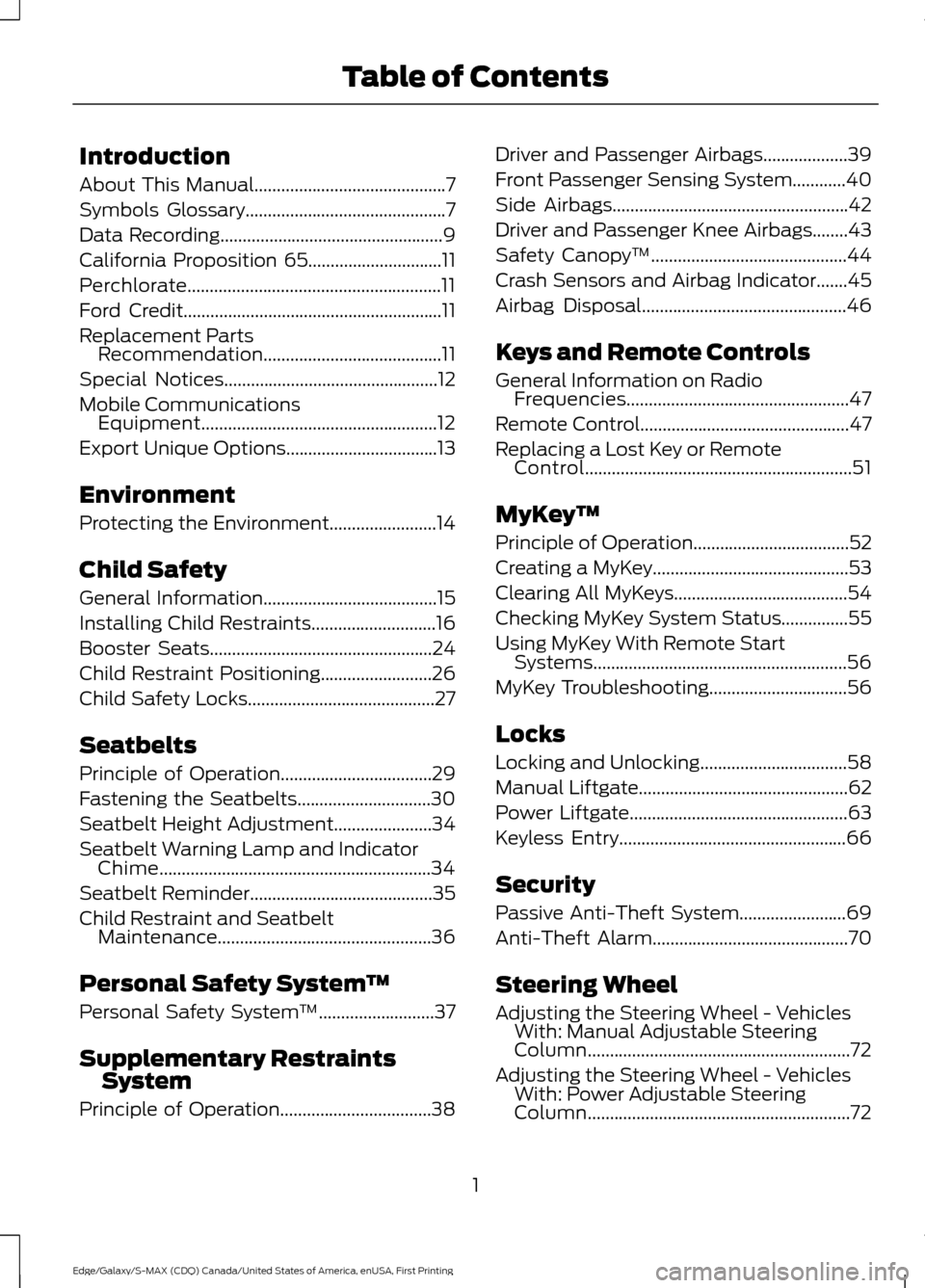
Introduction
About This Manual...........................................7
Symbols Glossary
.............................................7
Data Recording
..................................................9
California Proposition 65..............................11
Perchlorate.........................................................11
Ford Credit
..........................................................11
Replacement Parts Recommendation
........................................11
Special Notices................................................12
Mobile Communications Equipment.....................................................12
Export Unique Options..................................13
Environment
Protecting the Environment........................14
Child Safety
General Information
.......................................15
Installing Child Restraints
............................16
Booster Seats
..................................................24
Child Restraint Positioning
.........................26
Child Safety Locks..........................................27
Seatbelts
Principle of Operation..................................29
Fastening the Seatbelts..............................30
Seatbelt Height Adjustment
......................34
Seatbelt Warning Lamp and Indicator Chime.............................................................34
Seatbelt Reminder
.........................................35
Child Restraint and Seatbelt Maintenance................................................36
Personal Safety System ™
Personal Safety System ™
..........................37
Supplementary Restraints System
Principle of Operation..................................38 Driver and Passenger Airbags...................39
Front Passenger Sensing System............40
Side Airbags.....................................................42
Driver and Passenger Knee Airbags........43
Safety Canopy
™
............................................44
Crash Sensors and Airbag Indicator.......45
Airbag Disposal
..............................................46
Keys and Remote Controls
General Information on Radio Frequencies..................................................47
Remote Control
...............................................47
Replacing a Lost Key or Remote Control............................................................51
MyKey ™
Principle of Operation
...................................52
Creating a MyKey............................................53
Clearing All MyKeys
.......................................54
Checking MyKey System Status...............55
Using MyKey With Remote Start Systems.........................................................56
MyKey Troubleshooting...............................56
Locks
Locking and Unlocking
.................................58
Manual Liftgate
...............................................62
Power Liftgate
.................................................63
Keyless Entry...................................................66
Security
Passive Anti-Theft System........................69
Anti-Theft Alarm
............................................70
Steering Wheel
Adjusting the Steering Wheel - Vehicles With: Manual Adjustable Steering
Column...........................................................72
Adjusting the Steering Wheel - Vehicles With: Power Adjustable Steering
Column...........................................................72
1
Edge/Galaxy/S-MAX (CDQ) Canada/United States of America, enUSA, First Printing Table of Contents
Page 5 of 451
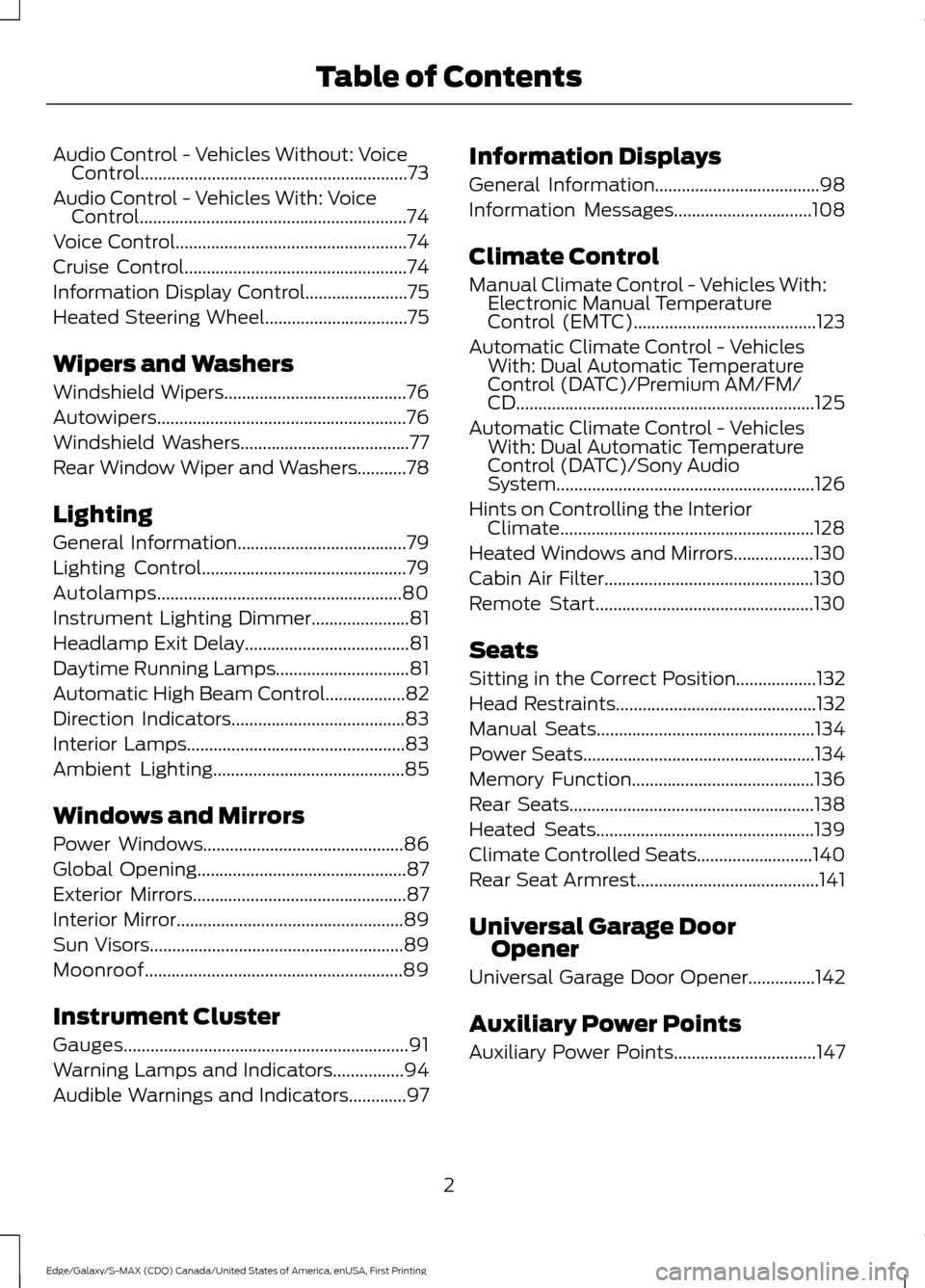
Audio Control - Vehicles Without: Voice
Control............................................................73
Audio Control - Vehicles With: Voice Control............................................................74
Voice Control....................................................74
Cruise Control
..................................................74
Information Display Control.......................75
Heated Steering Wheel................................75
Wipers and Washers
Windshield Wipers
.........................................76
Autowipers........................................................76
Windshield Washers
......................................77
Rear Window Wiper and Washers...........78
Lighting
General Information
......................................79
Lighting Control
..............................................79
Autolamps.......................................................80
Instrument Lighting Dimmer......................81
Headlamp Exit Delay.....................................81
Daytime Running Lamps..............................81
Automatic High Beam Control..................82
Direction Indicators.......................................83
Interior Lamps
.................................................83
Ambient Lighting...........................................85
Windows and Mirrors
Power Windows
.............................................86
Global Opening...............................................87
Exterior Mirrors
................................................87
Interior Mirror
...................................................89
Sun Visors.........................................................89
Moonroof..........................................................89
Instrument Cluster
Gauges................................................................91
Warning Lamps and Indicators................94
Audible Warnings and Indicators
.............97 Information Displays
General Information.....................................98
Information Messages
...............................108
Climate Control
Manual Climate Control - Vehicles With: Electronic Manual Temperature
Control (EMTC).........................................123
Automatic Climate Control - Vehicles With: Dual Automatic Temperature
Control (DATC)/Premium AM/FM/
CD...................................................................125
Automatic Climate Control - Vehicles With: Dual Automatic Temperature
Control (DATC)/Sony Audio
System
..........................................................126
Hints on Controlling the Interior Climate.........................................................128
Heated Windows and Mirrors..................130
Cabin Air Filter...............................................130
Remote Start
.................................................130
Seats
Sitting in the Correct Position..................132
Head Restraints
.............................................132
Manual Seats
.................................................134
Power Seats....................................................134
Memory Function
.........................................136
Rear Seats
.......................................................138
Heated Seats.................................................139
Climate Controlled Seats..........................140
Rear Seat Armrest.........................................141
Universal Garage Door Opener
Universal Garage Door Opener
...............142
Auxiliary Power Points
Auxiliary Power Points................................147
2
Edge/Galaxy/S-MAX (CDQ) Canada/United States of America, enUSA, First Printing Table of Contents
Page 7 of 451
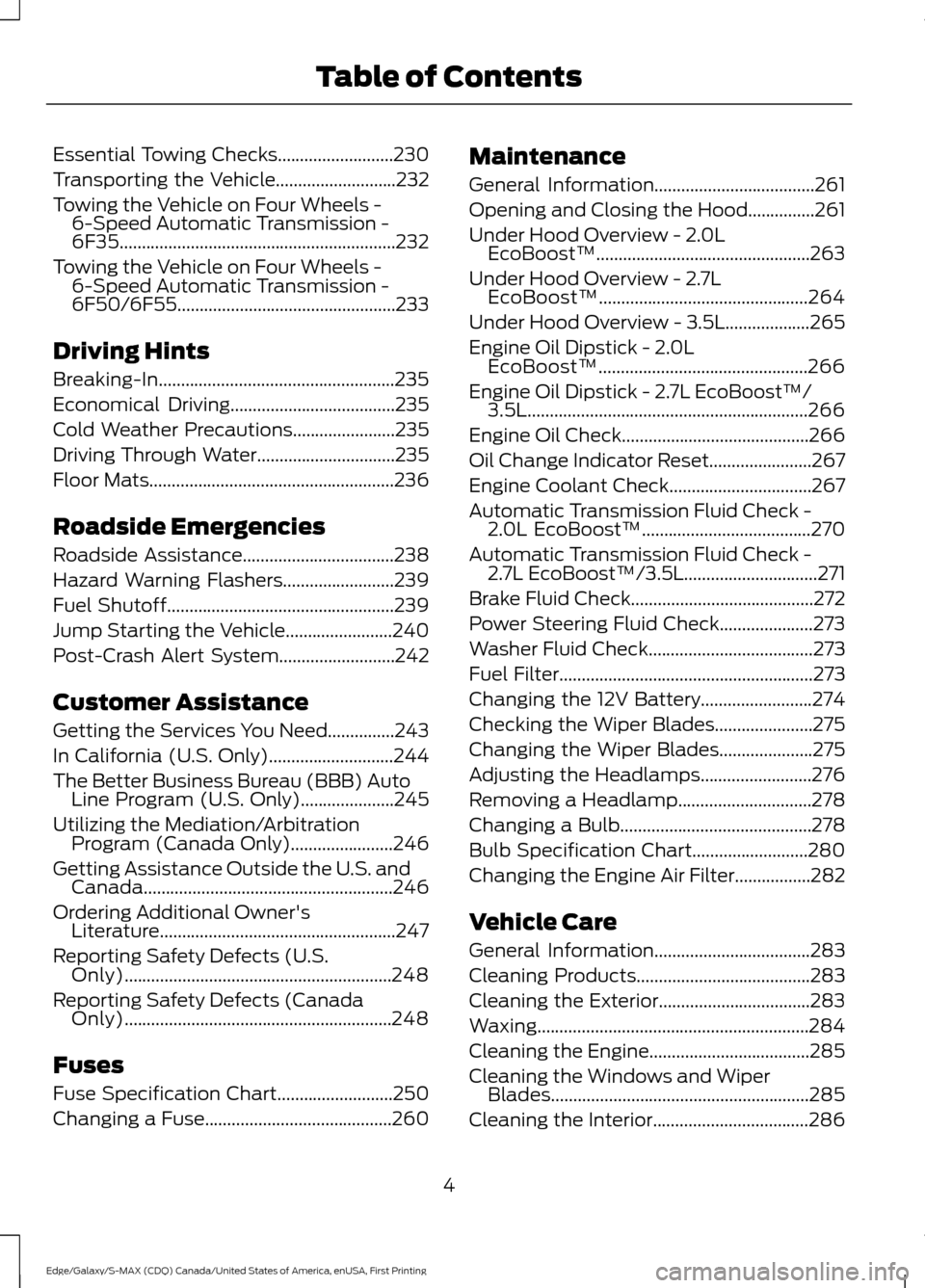
Essential Towing Checks..........................230
Transporting the Vehicle...........................232
Towing the Vehicle on Four Wheels - 6-Speed Automatic Transmission -
6F35..............................................................232
Towing the Vehicle on Four Wheels - 6-Speed Automatic Transmission -
6F50/6F55 .................................................
233
Driving Hints
Breaking-In.....................................................235
Economical Driving.....................................235
Cold Weather Precautions
.......................235
Driving Through Water...............................235
Floor Mats.......................................................236
Roadside Emergencies
Roadside Assistance
..................................238
Hazard Warning Flashers.........................239
Fuel Shutoff...................................................239
Jump Starting the Vehicle
........................240
Post-Crash Alert System..........................242
Customer Assistance
Getting the Services You Need...............243
In California (U.S. Only)............................244
The Better Business Bureau (BBB) Auto Line Program (U.S. Only).....................245
Utilizing the Mediation/Arbitration Program (Canada Only).......................246
Getting Assistance Outside the U.S. and Canada........................................................246
Ordering Additional Owner's Literature.....................................................247
Reporting Safety Defects (U.S. Only)............................................................248
Reporting Safety Defects (Canada Only)............................................................248
Fuses
Fuse Specification Chart..........................250
Changing a Fuse..........................................260 Maintenance
General Information....................................261
Opening and Closing the Hood
...............261
Under Hood Overview - 2.0L EcoBoost™................................................263
Under Hood Overview - 2.7L EcoBoost™...............................................264
Under Hood Overview - 3.5L
...................265
Engine Oil Dipstick - 2.0L EcoBoost™...............................................266
Engine Oil Dipstick - 2.7L EcoBoost™/ 3.5L...............................................................266
Engine Oil Check..........................................266
Oil Change Indicator Reset.......................267
Engine Coolant Check................................267
Automatic Transmission Fluid Check - 2.0L EcoBoost™
......................................270
Automatic Transmission Fluid Check - 2.7L EcoBoost™/3.5L
..............................271
Brake Fluid Check.........................................272
Power Steering Fluid Check.....................273
Washer Fluid Check
.....................................273
Fuel Filter
.........................................................273
Changing the 12V Battery
.........................274
Checking the Wiper Blades......................275
Changing the Wiper Blades.....................275
Adjusting the Headlamps.........................276
Removing a Headlamp..............................278
Changing a Bulb...........................................278
Bulb Specification Chart..........................280
Changing the Engine Air Filter.................282
Vehicle Care
General Information
...................................283
Cleaning Products
.......................................283
Cleaning the Exterior..................................283
Waxing.............................................................284
Cleaning the Engine....................................285
Cleaning the Windows and Wiper Blades..........................................................285
Cleaning the Interior...................................286
4
Edge/Galaxy/S-MAX (CDQ) Canada/United States of America, enUSA, First Printing Table of Contents
Page 12 of 451
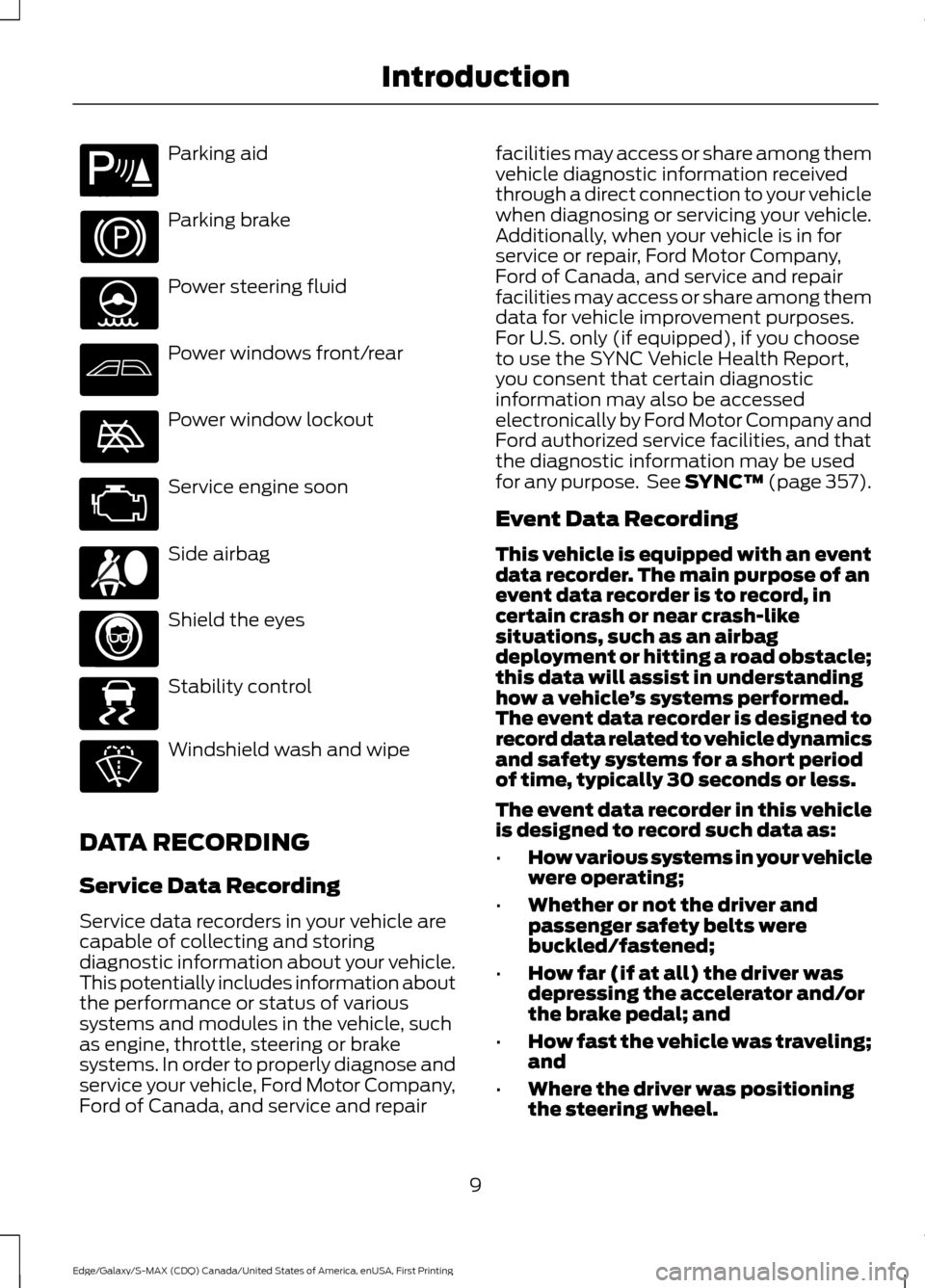
Parking aid
Parking brake
Power steering fluid
Power windows front/rear
Power window lockout
Service engine soon
Side airbag
Shield the eyes
Stability control
Windshield wash and wipe
DATA RECORDING
Service Data Recording
Service data recorders in your vehicle are
capable of collecting and storing
diagnostic information about your vehicle.
This potentially includes information about
the performance or status of various
systems and modules in the vehicle, such
as engine, throttle, steering or brake
systems. In order to properly diagnose and
service your vehicle, Ford Motor Company,
Ford of Canada, and service and repair facilities may access or share among them
vehicle diagnostic information received
through a direct connection to your vehicle
when diagnosing or servicing your vehicle.
Additionally, when your vehicle is in for
service or repair, Ford Motor Company,
Ford of Canada, and service and repair
facilities may access or share among them
data for vehicle improvement purposes.
For U.S. only (if equipped), if you choose
to use the SYNC Vehicle Health Report,
you consent that certain diagnostic
information may also be accessed
electronically by Ford Motor Company and
Ford authorized service facilities, and that
the diagnostic information may be used
for any purpose. See SYNC™ (page 357).
Event Data Recording
This vehicle is equipped with an event
data recorder. The main purpose of an
event data recorder is to record, in
certain crash or near crash-like
situations, such as an airbag
deployment or hitting a road obstacle;
this data will assist in understanding
how a vehicle
’s systems performed.
The event data recorder is designed to
record data related to vehicle dynamics
and safety systems for a short period
of time, typically 30 seconds or less.
The event data recorder in this vehicle
is designed to record such data as:
• How various systems in your vehicle
were operating;
• Whether or not the driver and
passenger safety belts were
buckled/fastened;
• How far (if at all) the driver was
depressing the accelerator and/or
the brake pedal; and
• How fast the vehicle was traveling;
and
• Where the driver was positioning
the steering wheel.
9
Edge/Galaxy/S-MAX (CDQ) Canada/United States of America, enUSA, First Printing IntroductionE139213 E167012 E138639
Page 75 of 451
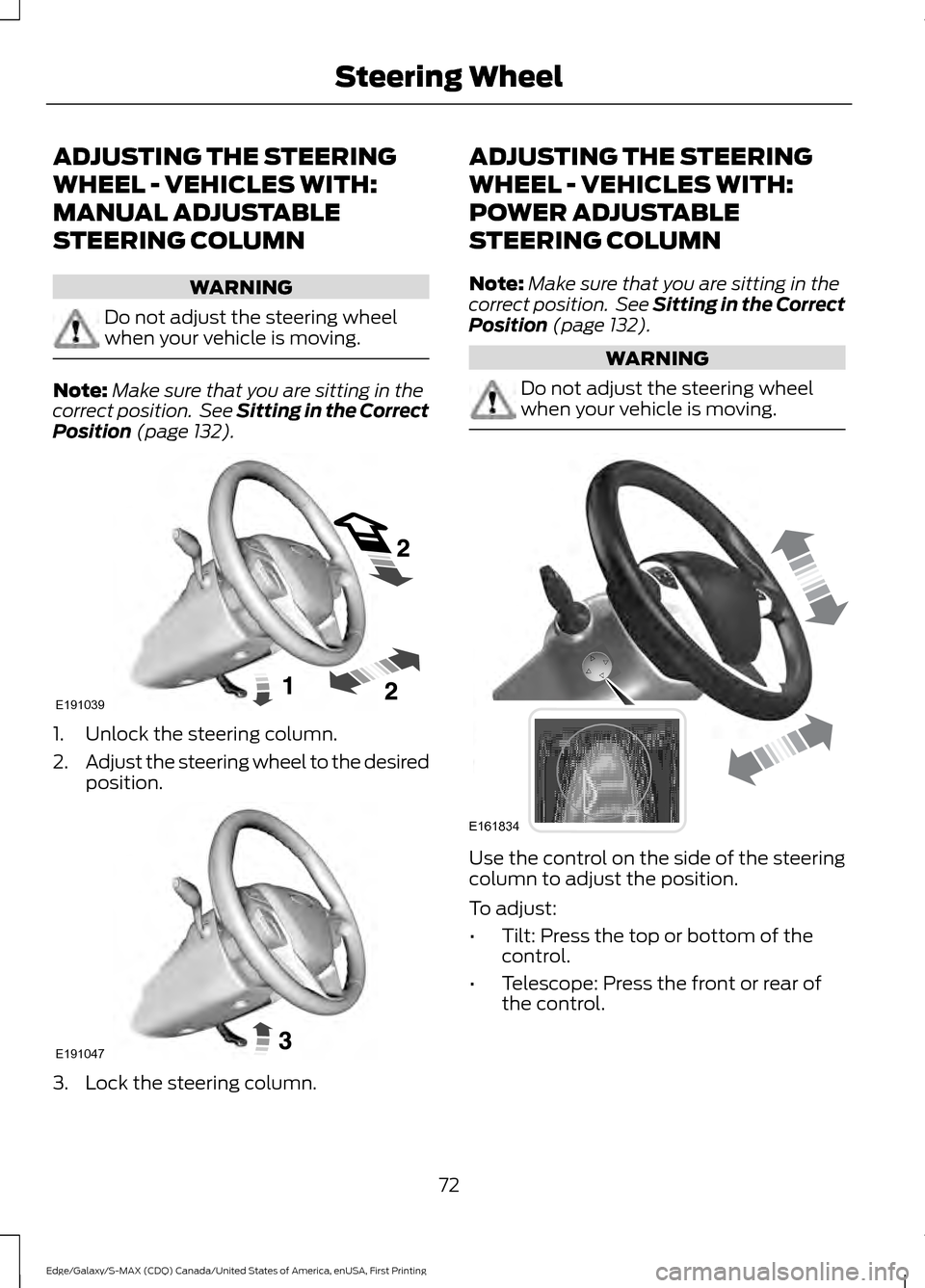
ADJUSTING THE STEERING
WHEEL - VEHICLES WITH:
MANUAL ADJUSTABLE
STEERING COLUMN
WARNING
Do not adjust the steering wheel
when your vehicle is moving.
Note:
Make sure that you are sitting in the
correct position. See Sitting in the Correct
Position (page 132). 1. Unlock the steering column.
2.
Adjust the steering wheel to the desired
position. 3. Lock the steering column. ADJUSTING THE STEERING
WHEEL - VEHICLES WITH:
POWER ADJUSTABLE
STEERING COLUMN
Note:
Make sure that you are sitting in the
correct position. See Sitting in the Correct
Position
(page 132). WARNING
Do not adjust the steering wheel
when your vehicle is moving.
Use the control on the side of the steering
column to adjust the position.
To adjust:
•
Tilt: Press the top or bottom of the
control.
• Telescope: Press the front or rear of
the control.
72
Edge/Galaxy/S-MAX (CDQ) Canada/United States of America, enUSA, First Printing Steering WheelE191039 E191047 E161834
Page 122 of 451
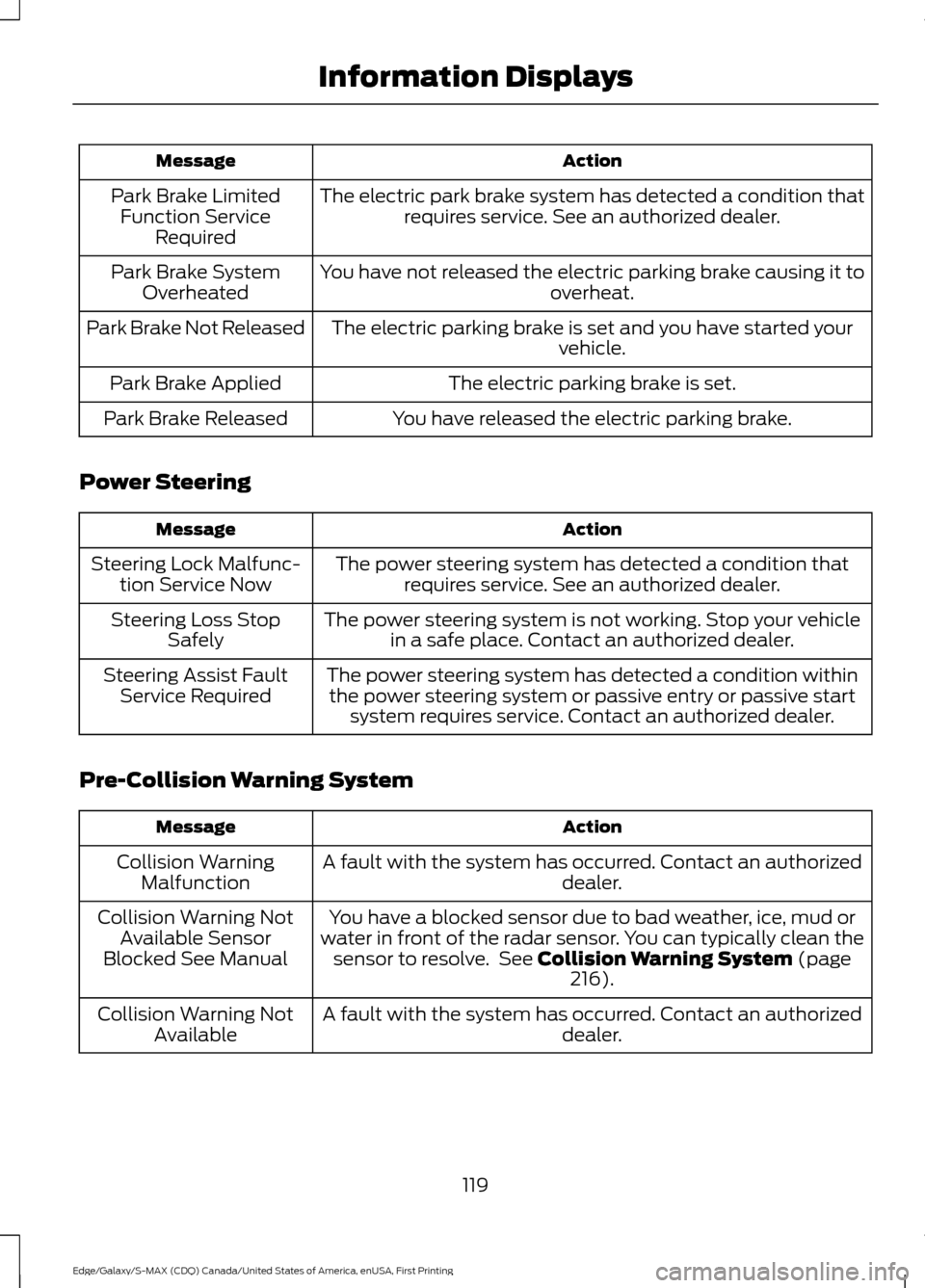
Action
Message
The electric park brake system has detected a condition thatrequires service. See an authorized dealer.
Park Brake Limited
Function Service Required
You have not released the electric parking brake causing it to overheat.
Park Brake System
Overheated
The electric parking brake is set and you have started your vehicle.
Park Brake Not Released
The electric parking brake is set.
Park Brake Applied
You have released the electric parking brake.
Park Brake Released
Power Steering Action
Message
The power steering system has detected a condition thatrequires service. See an authorized dealer.
Steering Lock Malfunc-
tion Service Now
The power steering system is not working. Stop your vehiclein a safe place. Contact an authorized dealer.
Steering Loss Stop
Safely
The power steering system has detected a condition withinthe power steering system or passive entry or passive start system requires service. Contact an authorized dealer.
Steering Assist Fault
Service Required
Pre-Collision Warning System Action
Message
A fault with the system has occurred. Contact an authorized dealer.
Collision Warning
Malfunction
You have a blocked sensor due to bad weather, ice, mud or
water in front of the radar sensor. You can typically clean the sensor to resolve. See Collision Warning System (page
216).
Collision Warning Not
Available Sensor
Blocked See Manual
A fault with the system has occurred. Contact an authorized dealer.
Collision Warning Not
Available
119
Edge/Galaxy/S-MAX (CDQ) Canada/United States of America, enUSA, First Printing Information Displays
Page 139 of 451
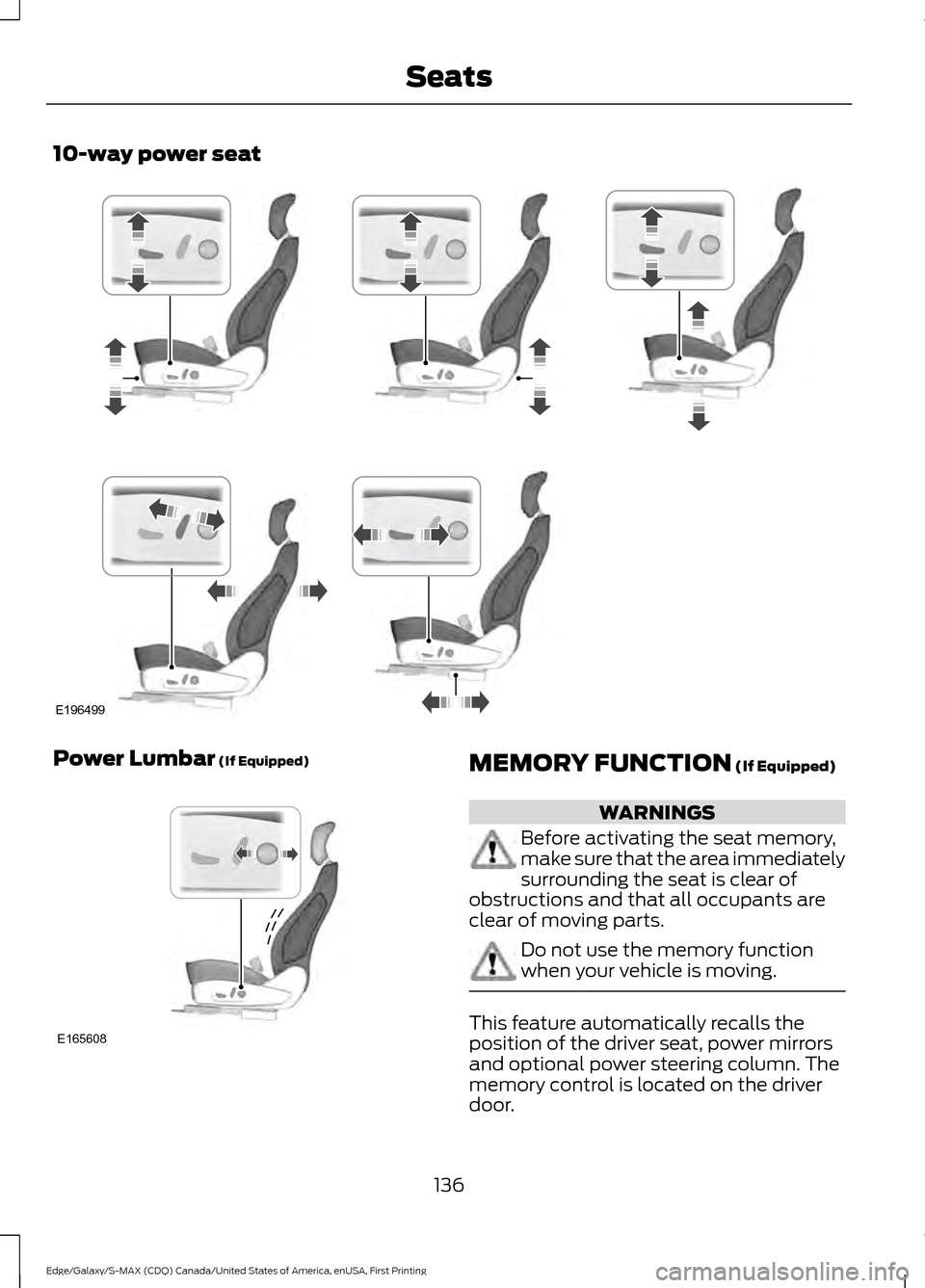
10-way power seat
Power Lumbar (If Equipped)
MEMORY FUNCTION (If Equipped)
WARNINGS
Before activating the seat memory,
make sure that the area immediately
surrounding the seat is clear of
obstructions and that all occupants are
clear of moving parts. Do not use the memory function
when your vehicle is moving.
This feature automatically recalls the
position of the driver seat, power mirrors
and optional power steering column. The
memory control is located on the driver
door.
136
Edge/Galaxy/S-MAX (CDQ) Canada/United States of America, enUSA, First Printing SeatsE196499 E165608
Page 140 of 451
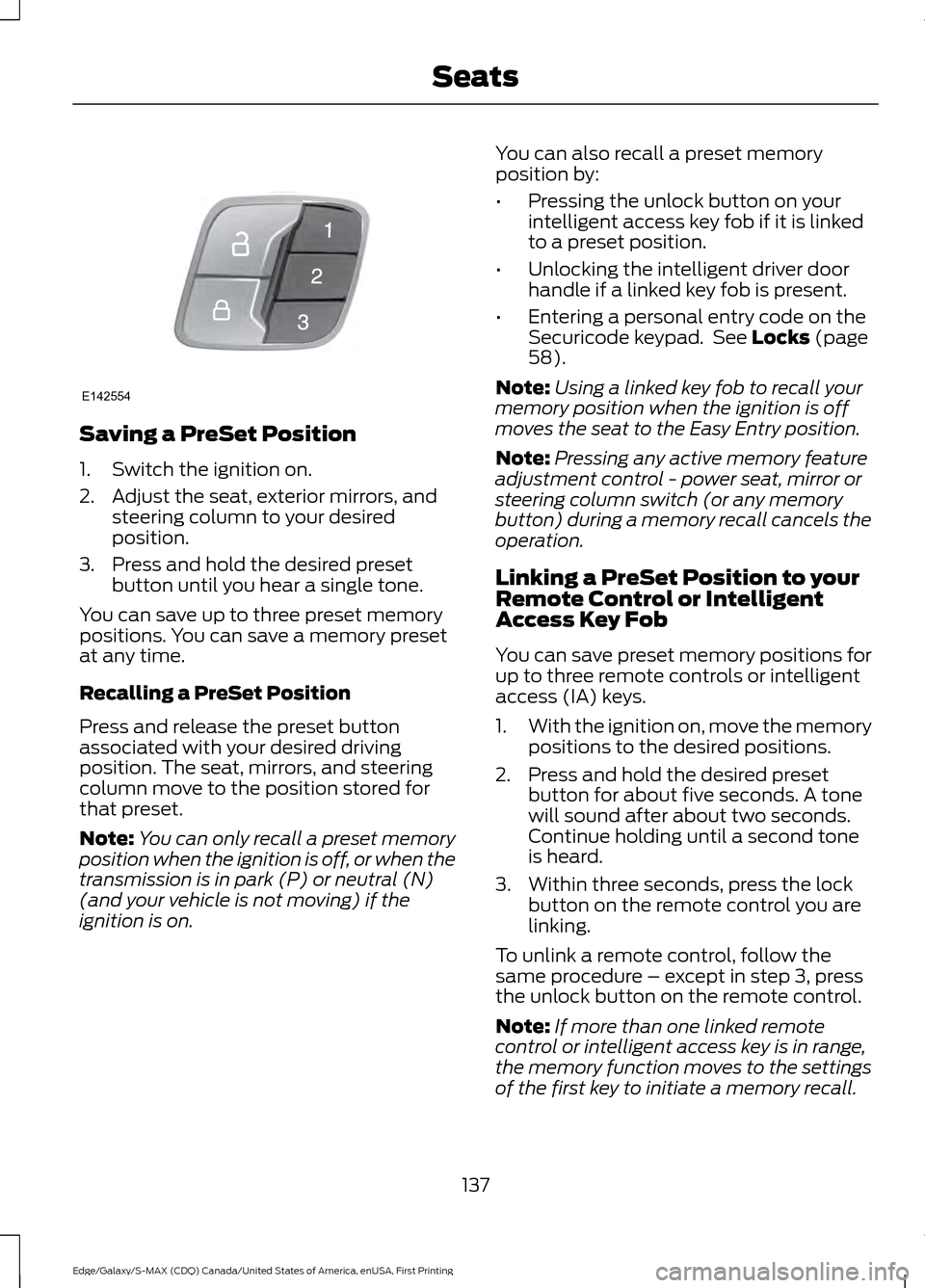
Saving a PreSet Position
1. Switch the ignition on.
2. Adjust the seat, exterior mirrors, and
steering column to your desired
position.
3. Press and hold the desired preset button until you hear a single tone.
You can save up to three preset memory
positions. You can save a memory preset
at any time.
Recalling a PreSet Position
Press and release the preset button
associated with your desired driving
position. The seat, mirrors, and steering
column move to the position stored for
that preset.
Note: You can only recall a preset memory
position when the ignition is off, or when the
transmission is in park (P) or neutral (N)
(and your vehicle is not moving) if the
ignition is on. You can also recall a preset memory
position by:
•
Pressing the unlock button on your
intelligent access key fob if it is linked
to a preset position.
• Unlocking the intelligent driver door
handle if a linked key fob is present.
• Entering a personal entry code on the
Securicode keypad. See Locks (page
58).
Note: Using a linked key fob to recall your
memory position when the ignition is off
moves the seat to the Easy Entry position.
Note: Pressing any active memory feature
adjustment control - power seat, mirror or
steering column switch (or any memory
button) during a memory recall cancels the
operation.
Linking a PreSet Position to your
Remote Control or Intelligent
Access Key Fob
You can save preset memory positions for
up to three remote controls or intelligent
access (IA) keys.
1. With the ignition on, move the memory
positions to the desired positions.
2. Press and hold the desired preset button for about five seconds. A tone
will sound after about two seconds.
Continue holding until a second tone
is heard.
3. Within three seconds, press the lock button on the remote control you are
linking.
To unlink a remote control, follow the
same procedure – except in step 3, press
the unlock button on the remote control.
Note: If more than one linked remote
control or intelligent access key is in range,
the memory function moves to the settings
of the first key to initiate a memory recall.
137
Edge/Galaxy/S-MAX (CDQ) Canada/United States of America, enUSA, First Printing SeatsE142554
Page 159 of 451
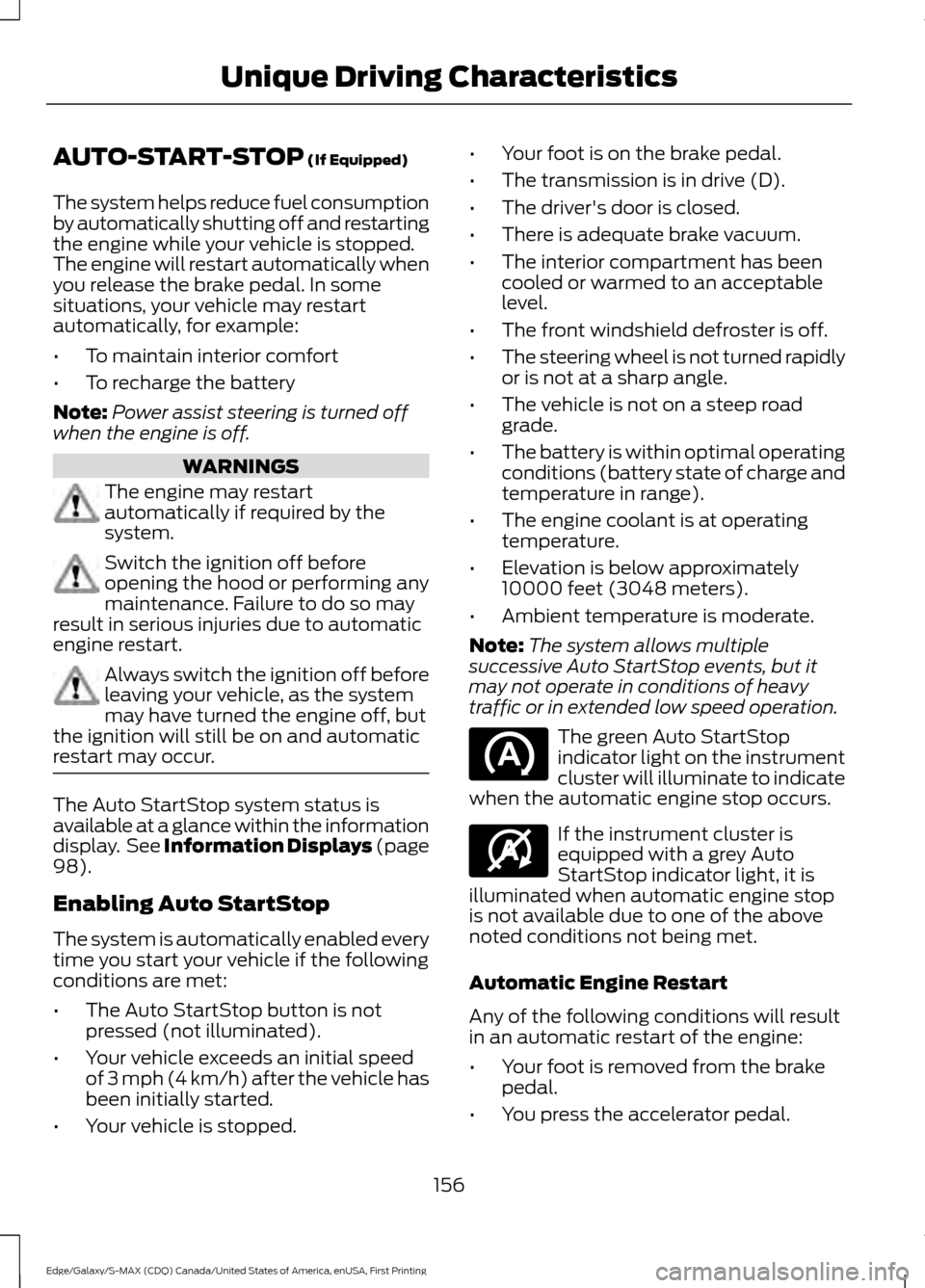
AUTO-START-STOP (If Equipped)
The system helps reduce fuel consumption
by automatically shutting off and restarting
the engine while your vehicle is stopped.
The engine will restart automatically when
you release the brake pedal. In some
situations, your vehicle may restart
automatically, for example:
• To maintain interior comfort
• To recharge the battery
Note: Power assist steering is turned off
when the engine is off. WARNINGS
The engine may restart
automatically if required by the
system.
Switch the ignition off before
opening the hood or performing any
maintenance. Failure to do so may
result in serious injuries due to automatic
engine restart. Always switch the ignition off before
leaving your vehicle, as the system
may have turned the engine off, but
the ignition will still be on and automatic
restart may occur. The Auto StartStop system status is
available at a glance within the information
display. See Information Displays (page
98
).
Enabling Auto StartStop
The system is automatically enabled every
time you start your vehicle if the following
conditions are met:
• The Auto StartStop button is not
pressed (not illuminated).
• Your vehicle exceeds an initial speed
of 3 mph (4 km/h) after the vehicle has
been initially started.
• Your vehicle is stopped. •
Your foot is on the brake pedal.
• The transmission is in drive (D).
• The driver's door is closed.
• There is adequate brake vacuum.
• The interior compartment has been
cooled or warmed to an acceptable
level.
• The front windshield defroster is off.
• The steering wheel is not turned rapidly
or is not at a sharp angle.
• The vehicle is not on a steep road
grade.
• The battery is within optimal operating
conditions (battery state of charge and
temperature in range).
• The engine coolant is at operating
temperature.
• Elevation is below approximately
10000 feet (3048 meters).
• Ambient temperature is moderate.
Note: The system allows multiple
successive Auto StartStop events, but it
may not operate in conditions of heavy
traffic or in extended low speed operation. The green Auto StartStop
indicator light on the instrument
cluster will illuminate to indicate
when the automatic engine stop occurs. If the instrument cluster is
equipped with a grey Auto
StartStop indicator light, it is
illuminated when automatic engine stop
is not available due to one of the above
noted conditions not being met.
Automatic Engine Restart
Any of the following conditions will result
in an automatic restart of the engine:
• Your foot is removed from the brake
pedal.
• You press the accelerator pedal.
156
Edge/Galaxy/S-MAX (CDQ) Canada/United States of America, enUSA, First Printing Unique Driving Characteristics E146361
Page 173 of 451
USING ALL-WHEEL DRIVE
All-wheel drive uses all four wheels to
power the vehicle. This increases traction,
enabling you to drive over terrain and road
conditions that a conventional two-wheel
drive vehicle cannot. The AWD system is
active all the time and requires no input
from the operator.
Note:
Your AWD vehicle is not intended for
off-road use. The AWD feature gives your
vehicle some limited off-road capabilities
in which driving surfaces are relatively level,
obstruction-free and otherwise similar to
normal on-road driving conditions.
Operating your vehicle under other than
those conditions could subject the vehicle
to excessive stress which might result in
damage which is not covered under your
warranty.
Note: A warning message will be displayed
in the information display when an AWD
system fault is present See Information
Messages (page 108). An AWD system fault
will cause the AWD system to default to
front-wheel drive only mode. When this
warning message is displayed, have your
vehicle serviced at an authorized dealer
Note: A warning message will be displayed
in the information display if the AWD system
has overheated
See Information
Messages (page 108). This condition may
occur if the vehicle was operated in extreme
conditions with excessive wheel slip, such
as deep sand. To resume normal AWD
function as soon as possible, stop the
vehicle in a safe location and stop the
engine for at least 10 minutes. After the
engine has been restarted and the AWD
system has adequately cooled, the warning
message will turn off and normal AWD
function will return. Do not use a spare tire of a different size
other than the tire provided. If the
mini-spare tire is installed, the AWD
system may disable automatically and
enter front-wheel drive only mode to
protect driveline components. This
condition will be indicated by a warning in
the information display See Information
Messages (page 108). If there is a warning
message in the information display from
using the spare tire, this indicator should
turn off after reinstalling the repaired or
replaced normal road tire and cycling the
ignition off and on. It is recommended to
reinstall the repaired or replaced road tire
as soon as possible. Major dissimilar tire
sizes between the front and rear axles
could cause the AWD system to stop
functioning and default to front-wheel
drive or damage the AWD system.
Driving In Special Conditions With
All-Wheel Drive (AWD)
AWD vehicles are equipped for driving on
sand, snow, mud and rough roads and have
operating characteristics that are
somewhat different from conventional
vehicles, both on and off the highway.
Under severe operating conditions, the A/C
may cycle on and off to protect
overheating of the engine.
Basic operating principles in special
conditions
•
Drive slower in strong crosswinds which
can affect the normal steering
characteristics of your vehicle.
• Be extremely careful when driving on
pavement made slippery by loose sand,
water, gravel, snow or ice.
170
Edge/Galaxy/S-MAX (CDQ) Canada/United States of America, enUSA, First Printing All-Wheel Drive
(If Equipped)