lane keeping FORD EDGE 2017 2.G Owners Manual
[x] Cancel search | Manufacturer: FORD, Model Year: 2017, Model line: EDGE, Model: FORD EDGE 2017 2.GPages: 544, PDF Size: 25.27 MB
Page 6 of 544
Auxiliary Power Points
Auxiliary Power Points.................................151
Storage Compartments
Center Console..............................................153
Overhead Console........................................153
Starting and Stopping the Engine
General Information....................................154
Keyless Starting
............................................154
Starting a Gasoline Engine
........................155
Engine Block Heater....................................158
Unique Driving Character- istics
Auto-Start-Stop...........................................160
Fuel and Refueling
Safety Precautions
.......................................162
Fuel Quality.....................................................163
Fuel Filler Funnel Location........................163
Running Out of Fuel
....................................163
Refueling.........................................................164
Fuel Consumption
........................................167
Emission Control System..........................168
Transmission
Automatic Transmission
.............................171
All-Wheel Drive
Using All-Wheel Drive
.................................175
Brakes
General Information....................................180
Hints on Driving With Anti-Lock Brakes
...........................................................180
Electric Parking Brake
..................................181
Hill Start Assist..............................................183 Traction Control
Principle of Operation
.................................185
Using Traction Control................................185
Stability Control
Principle of Operation................................186
Using Stability Control
................................187
Parking Aids
Principle of Operation................................188
Rear Parking Aid
...........................................188
Front Parking Aid..........................................189
Side Sensing System..................................190
Active Park Assist.........................................192
Rear View Camera.......................................198
180 Degree Camera.....................................201
Cruise Control
Principle of Operation
................................202
Using Cruise Control...................................202
Using Adaptive Cruise Control...............203
Driving Aids
Driver Alert
.....................................................209
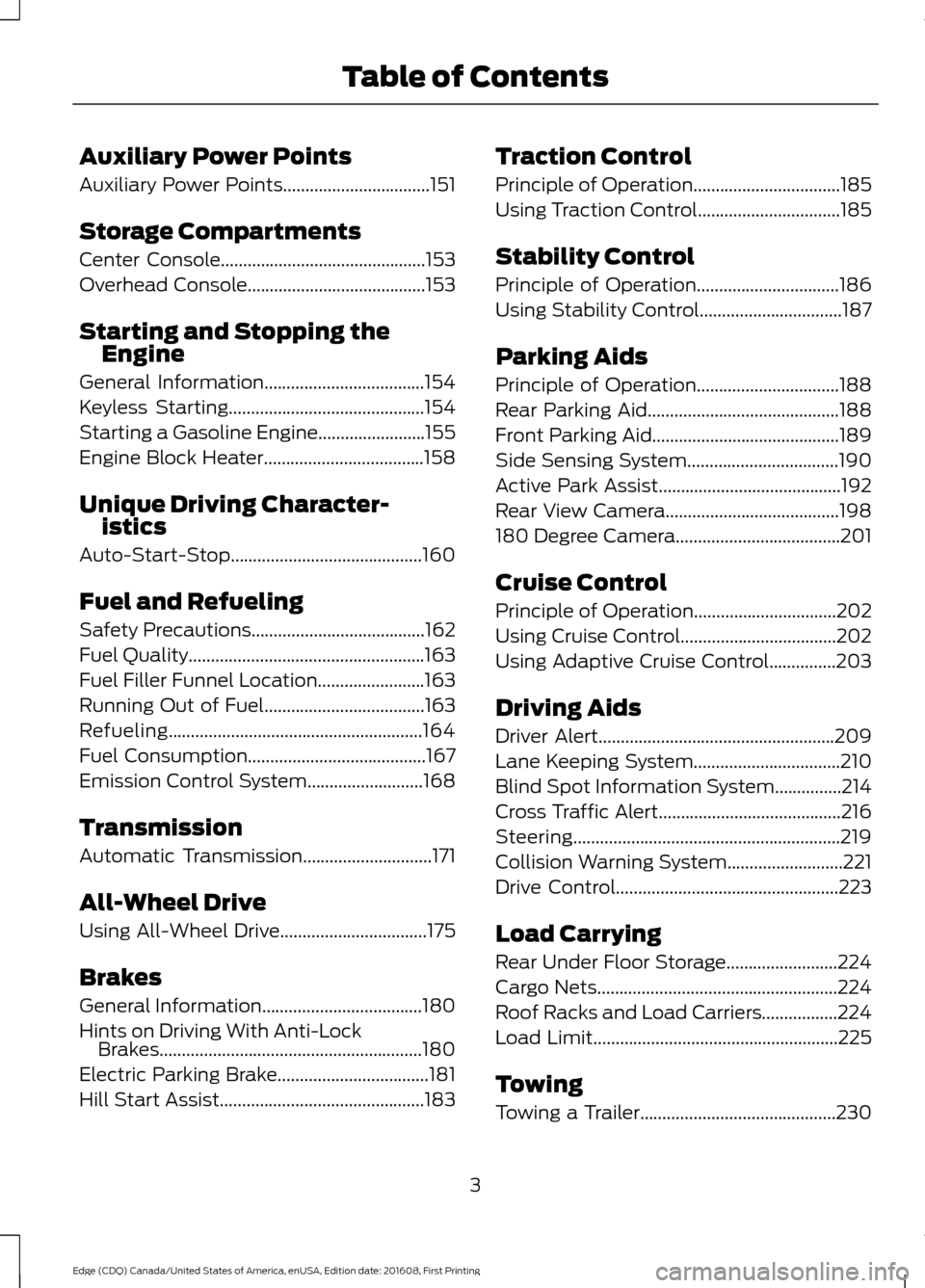
Lane Keeping System.................................210
Blind Spot Information System
...............214
Cross Traffic Alert.........................................216
Steering............................................................219
Collision Warning System..........................221
Drive Control
..................................................223
Load Carrying
Rear Under Floor Storage.........................224
Cargo Nets......................................................224
Roof Racks and Load Carriers.................224
Load Limit
.......................................................225
Towing
Towing a Trailer
............................................230
3
Edge (CDQ) Canada/United States of America, enUSA, Edition date: 201608, First Printing Table of Contents
Page 109 of 544
Fuel Economy
All Values
Auto StartStop
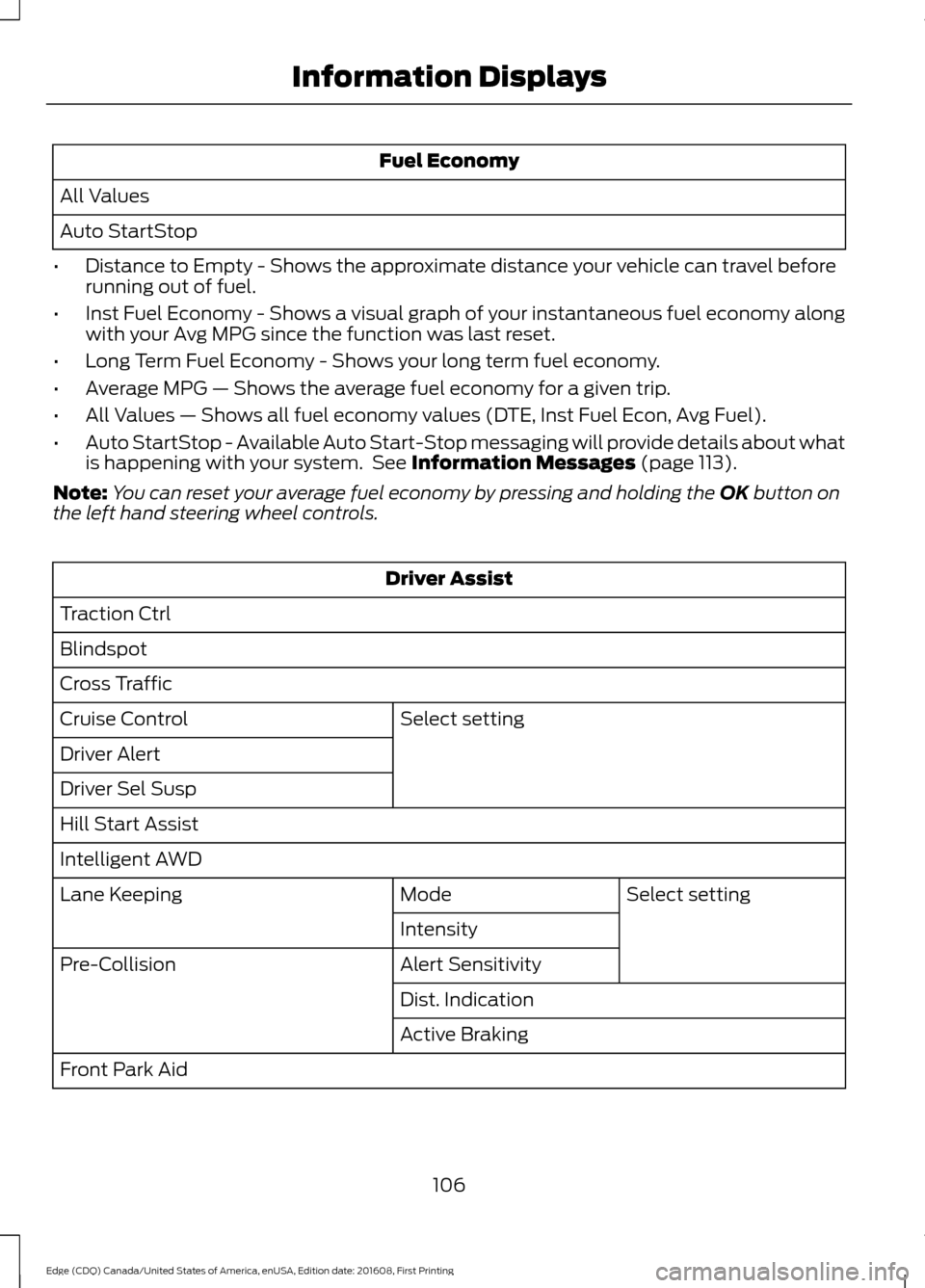
• Distance to Empty - Shows the approximate distance your vehicle can travel before
running out of fuel.
• Inst Fuel Economy - Shows a visual graph of your instantaneous fuel economy along
with your Avg MPG since the function was last reset.
• Long Term Fuel Economy - Shows your long term fuel economy.
• Average MPG — Shows the average fuel economy for a given trip.
• All Values — Shows all fuel economy values (DTE, Inst Fuel Econ, Avg Fuel).
• Auto StartStop - Available Auto Start-Stop messaging will provide details about what
is happening with your system. See Information Messages (page 113).
Note: You can reset your average fuel economy by pressing and holding the
OK button on
the left hand steering wheel controls. Driver Assist
Traction Ctrl
Blindspot
Cross Traffic Select setting
Cruise Control
Driver Alert
Driver Sel Susp
Hill Start Assist
Intelligent AWD
Select setting
Mode
Lane Keeping
Intensity
Alert Sensitivity
Pre-Collision
Dist. Indication
Active Braking
Front Park Aid
106
Edge (CDQ) Canada/United States of America, enUSA, Edition date: 201608, First Printing Information Displays
Page 114 of 544
Driver Assist
Traction Control Select setting
Steering in D
Adaptive Steering
Steering in S
Blindspot
Cross Traffic Alert Select setting
Cruise Control
Driver Alert
Driver Sel. Susp.
Hill Start Assist
Select setting
Mode
Lane Keeping Sys
Intensity
Alert Sensitivity
Pre-Collision
Active Braking
Front Park Aid
Rear Park Aid Hold OK to Reset
Tire Monitor
Settings
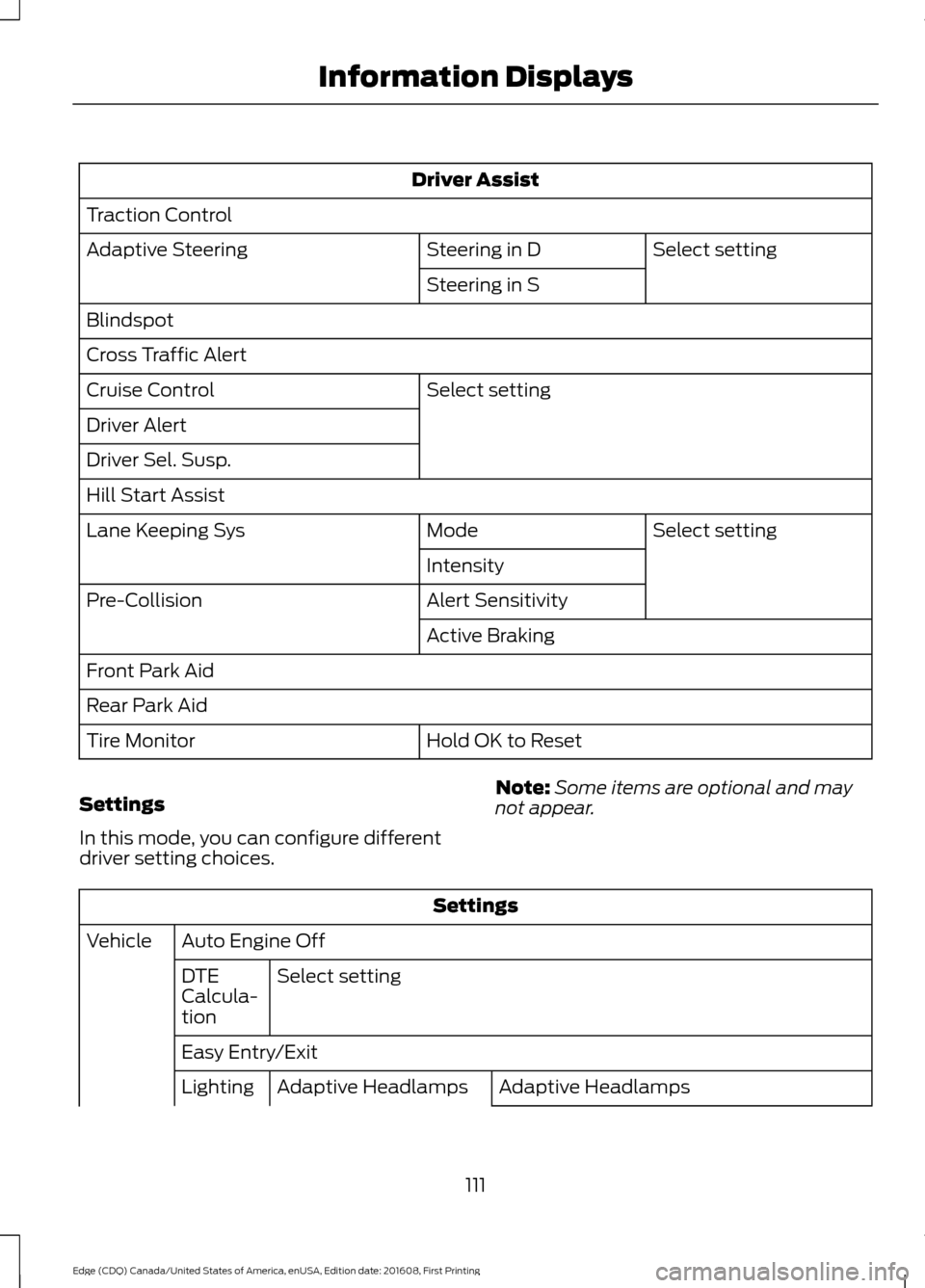
In this mode, you can configure different
driver setting choices. Note:
Some items are optional and may
not appear. Settings
Auto Engine Off
Vehicle
Select setting
DTE
Calcula-
tion
Easy Entry/Exit
Adaptive Headlamps
Adaptive Headlamps
Lighting
111
Edge (CDQ) Canada/United States of America, enUSA, Edition date: 201608, First Printing Information Displays
Page 124 of 544
Action
Message
You have not programmed enough keys to the system.
Not Enough Keys
Learned
The key battery is low. Change the battery as soon as possible.
Key Battery Low Replace
Soon
Informs you that they you are exiting your vehicle and the engine is on.
Engine ON
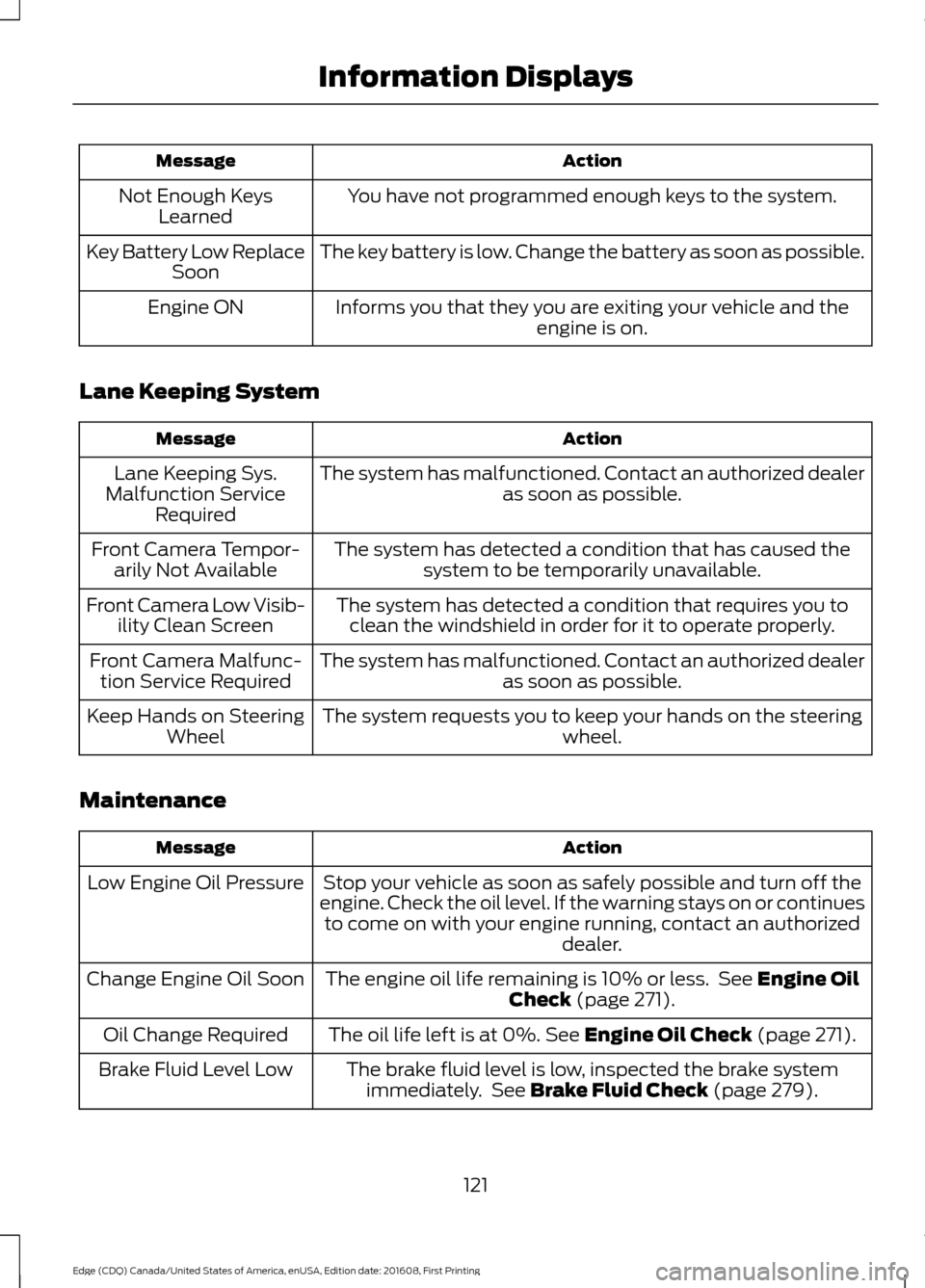
Lane Keeping System Action
Message
The system has malfunctioned. Contact an authorized dealer as soon as possible.
Lane Keeping Sys.
Malfunction Service Required
The system has detected a condition that has caused thesystem to be temporarily unavailable.
Front Camera Tempor-
arily Not Available
The system has detected a condition that requires you toclean the windshield in order for it to operate properly.
Front Camera Low Visib-
ility Clean Screen
The system has malfunctioned. Contact an authorized dealeras soon as possible.
Front Camera Malfunc-
tion Service Required
The system requests you to keep your hands on the steering wheel.
Keep Hands on Steering
Wheel
Maintenance Action
Message
Stop your vehicle as soon as safely possible and turn off the
engine. Check the oil level. If the warning stays on or continues to come on with your engine running, contact an authorized dealer.
Low Engine Oil Pressure
The engine oil life remaining is 10% or less. See Engine Oil
Check (page 271).
Change Engine Oil Soon
The oil life left is at 0%.
See Engine Oil Check (page 271).
Oil Change Required
The brake fluid level is low, inspected the brake systemimmediately. See
Brake Fluid Check (page 279).
Brake Fluid Level Low
121
Edge (CDQ) Canada/United States of America, enUSA, Edition date: 201608, First Printing Information Displays
Page 126 of 544
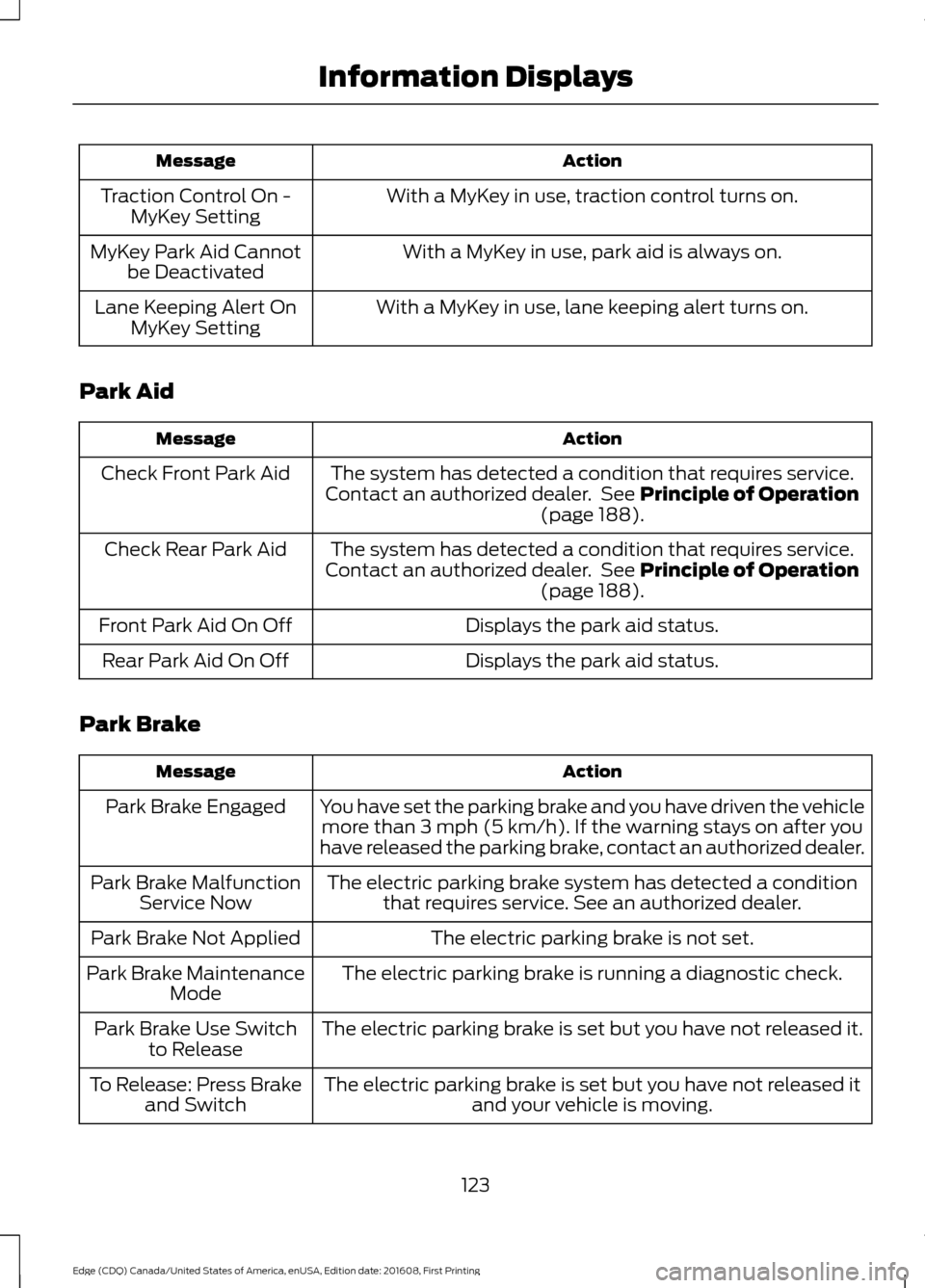
Action
Message
With a MyKey in use, traction control turns on.
Traction Control On -
MyKey Setting
With a MyKey in use, park aid is always on.
MyKey Park Aid Cannot
be Deactivated
With a MyKey in use, lane keeping alert turns on.
Lane Keeping Alert On
MyKey Setting
Park Aid Action
Message
The system has detected a condition that requires service.
Contact an authorized dealer. See Principle of Operation
(page 188).
Check Front Park Aid
The system has detected a condition that requires service.
Contact an authorized dealer. See
Principle of Operation
(page 188).
Check Rear Park Aid
Displays the park aid status.
Front Park Aid On Off
Displays the park aid status.
Rear Park Aid On Off
Park Brake Action
Message
You have set the parking brake and you have driven the vehiclemore than
3 mph (5 km/h). If the warning stays on after you
have released the parking brake, contact an authorized dealer.
Park Brake Engaged
The electric parking brake system has detected a conditionthat requires service. See an authorized dealer.
Park Brake Malfunction
Service Now
The electric parking brake is not set.
Park Brake Not Applied
The electric parking brake is running a diagnostic check.
Park Brake Maintenance
Mode
The electric parking brake is set but you have not released it.
Park Brake Use Switch
to Release
The electric parking brake is set but you have not released itand your vehicle is moving.
To Release: Press Brake
and Switch
123
Edge (CDQ) Canada/United States of America, enUSA, Edition date: 201608, First Printing Information Displays
Page 213 of 544
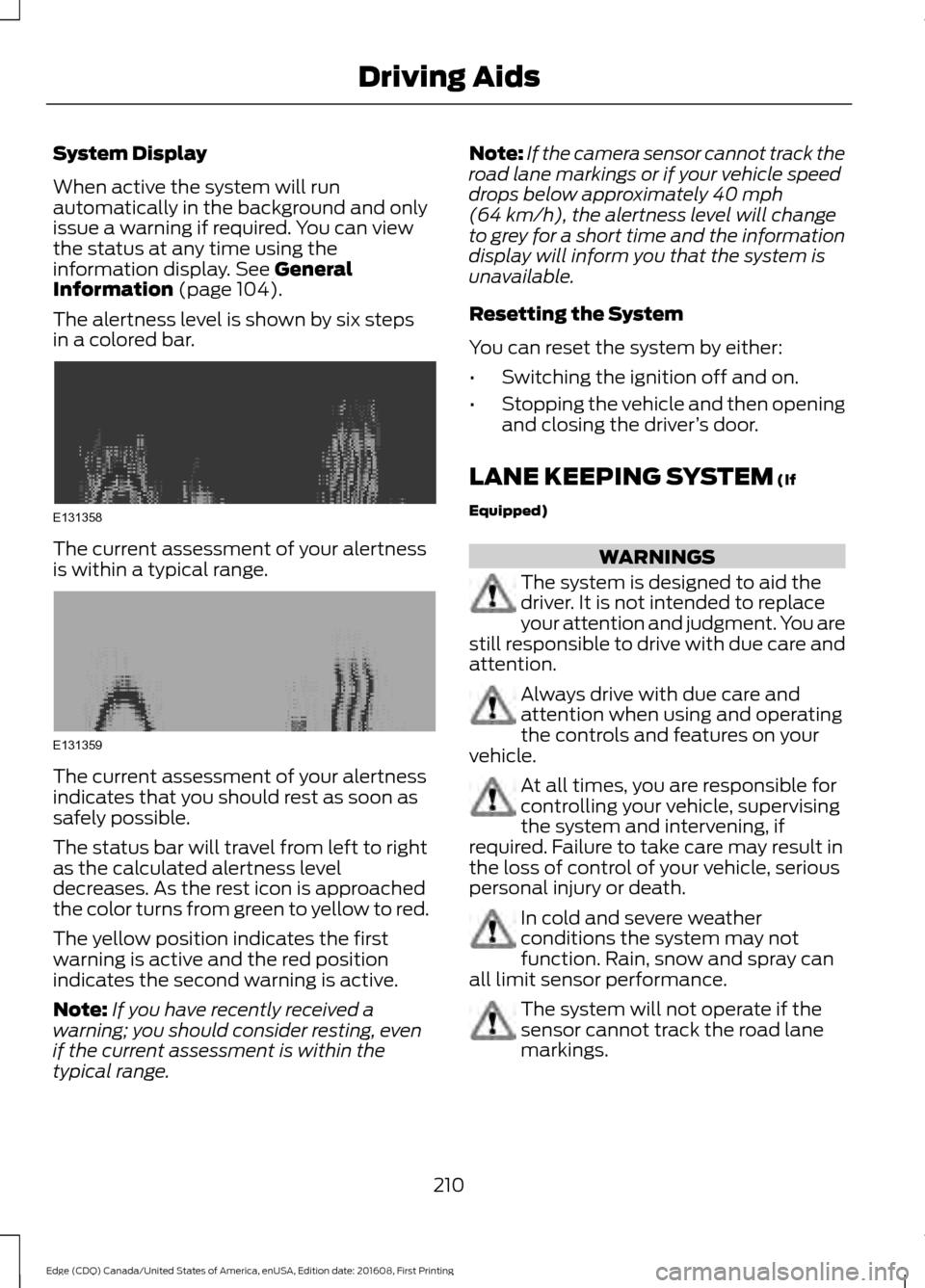
System Display
When active the system will run
automatically in the background and only
issue a warning if required. You can view
the status at any time using the
information display. See General
Information (page 104).
The alertness level is shown by six steps
in a colored bar. The current assessment of your alertness
is within a typical range.
The current assessment of your alertness
indicates that you should rest as soon as
safely possible.
The status bar will travel from left to right
as the calculated alertness level
decreases. As the rest icon is approached
the color turns from green to yellow to red.
The yellow position indicates the first
warning is active and the red position
indicates the second warning is active.
Note:
If you have recently received a
warning; you should consider resting, even
if the current assessment is within the
typical range. Note:
If the camera sensor cannot track the
road lane markings or if your vehicle speed
drops below approximately
40 mph
(64 km/h), the alertness level will change
to grey for a short time and the information
display will inform you that the system is
unavailable.
Resetting the System
You can reset the system by either:
• Switching the ignition off and on.
• Stopping the vehicle and then opening
and closing the driver ’s door.
LANE KEEPING SYSTEM
(If
Equipped) WARNINGS
The system is designed to aid the
driver. It is not intended to replace
your attention and judgment. You are
still responsible to drive with due care and
attention. Always drive with due care and
attention when using and operating
the controls and features on your
vehicle. At all times, you are responsible for
controlling your vehicle, supervising
the system and intervening, if
required. Failure to take care may result in
the loss of control of your vehicle, serious
personal injury or death. In cold and severe weather
conditions the system may not
function. Rain, snow and spray can
all limit sensor performance. The system will not operate if the
sensor cannot track the road lane
markings.
210
Edge (CDQ) Canada/United States of America, enUSA, Edition date: 201608, First Printing Driving AidsE131358 E131359
Page 216 of 544
•
The road has no or poor lane markings
in the camera field-of-view.
• The camera is obscured or unable to
detect the lane markings due to
environmental conditions (significant
sun angles, shadows, snow, heavy rain
or fog), traffic conditions (following a
large vehicle that is blocking or
shadowing the lane), or vehicle
conditions (poor headlamp
illumination).
See Troubleshooting for additional
information.
Green: Indicates that the system is
available or ready to provide a warning or
intervention, on the indicated side(s). Yellow: Indicates that the system is
providing or has just provided a lane
keeping aid intervention.
Red: Indicates that the system is providing
or has just provided a lane keeping alert
warning.
The system can be temporarily suppressed
at any time by the following:
•
Quick braking.
• Fast acceleration.
• Using the turn signal indicator.
• Evasive steering maneuver.
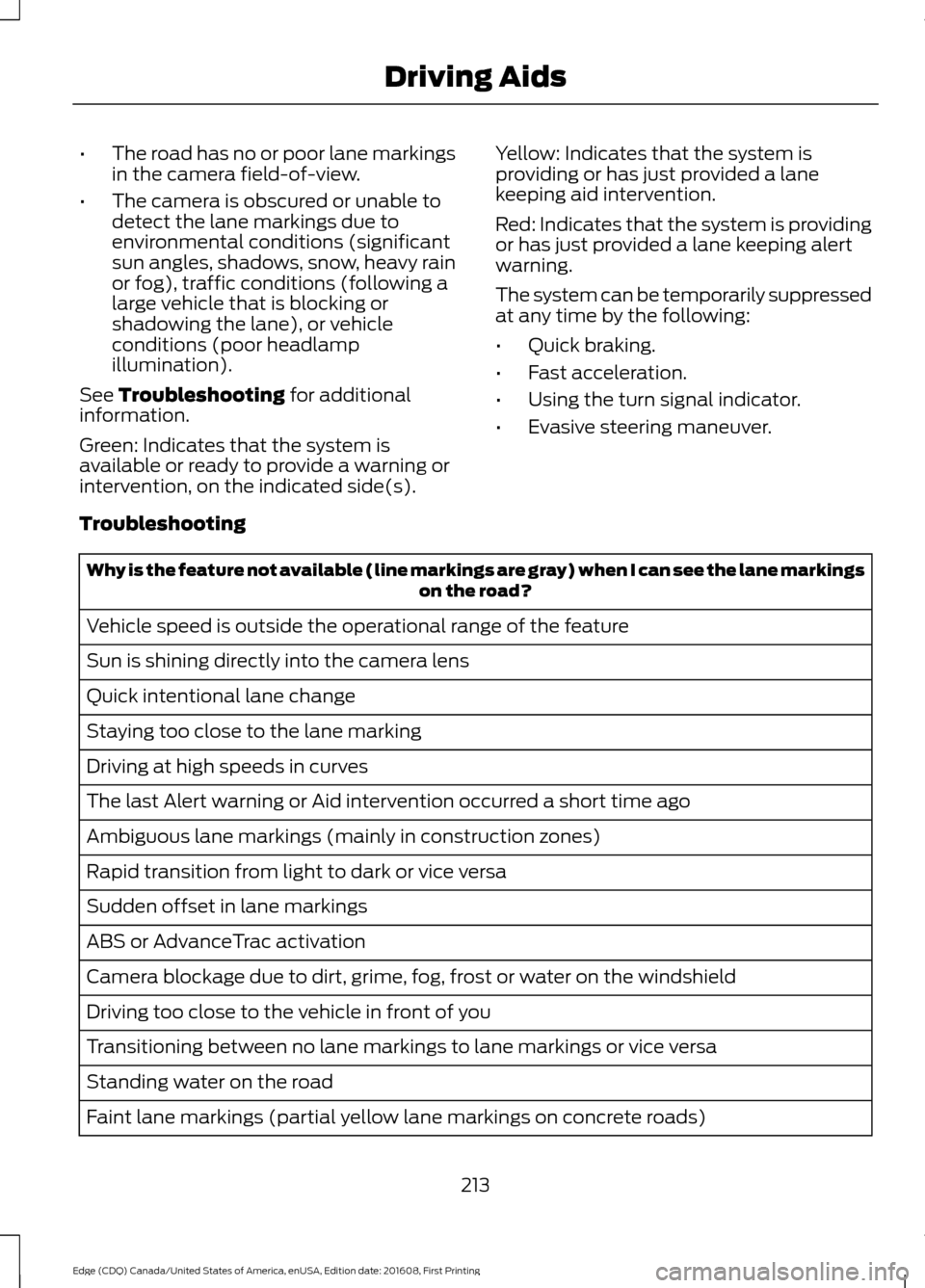
Troubleshooting Why is the feature not available (line markings are gray) when I can see the lane markings
on the road?
Vehicle speed is outside the operational range of the feature
Sun is shining directly into the camera lens
Quick intentional lane change
Staying too close to the lane marking
Driving at high speeds in curves
The last Alert warning or Aid intervention occurred a short time ago
Ambiguous lane markings (mainly in construction zones)
Rapid transition from light to dark or vice versa
Sudden offset in lane markings
ABS or AdvanceTrac activation
Camera blockage due to dirt, grime, fog, frost or water on the windshield
Driving too close to the vehicle in front of you
Transitioning between no lane markings to lane markings or vice versa
Standing water on the road
Faint lane markings (partial yellow lane markings on concrete roads)
213
Edge (CDQ) Canada/United States of America, enUSA, Edition date: 201608, First Printing Driving Aids
Page 539 of 544

Fuel........................................................................\
..
120
Hill Start Assist.................................................... 120
Keys and Keyless Entry..................................... 120
Lane Keeping System......................................... 121
Maintenance.......................................................... 121
MyKey...................................................................... 122
Park Aid................................................................... 123
Park Brake.............................................................. 123
Power Steering.................................................... 124
Pre-Collision Warning System....................... 124
Remote Start........................................................ 125
Seats........................................................................\
125
Starting System .................................................. 125
Tire Pressure Monitoring System.................. 125
Towing..................................................................... 126
Traction Control.................................................. 126
Transmission........................................................ 126
Installing Child Restraints............................19 Child Seats............................................................... 19
Using Lap and Shoulder Belts......................... 20
Using Lower Anchors and Tethers for Children (LATCH)............................................ 24
Using Tether Straps............................................. 26
Instrument Cluster.........................................97
Instrument Lighting Dimmer......................87
Instrument Panel Overview........................16
Interior Lamps
.................................................89
Front Interior Lamp............................................. 89
Rear Interior Lamp............................................... 90
Interior Mirror
...................................................95
Auto-Dimming Mirror......................................... 95
Introduction.........................................................7
J
Jump Starting the Vehicle........................243 Connecting the Jumper Cables.................... 243
Jump Starting...................................................... 244
Preparing Your Vehicle..................................... 243
Removing the Jumper Cables....................... 244
K
Keyless Entry
....................................................72
SECURICODE™ KEYLESS ENTRY
KEYPAD............................................................... 72
Keyless Starting
............................................154
Starting Your Vehicle......................................... 155Switching the Ignition On................................
154
Keys and Remote Controls..........................51
L
Lane Keeping System.................................210 Switching the System On and Off.................211
Lighting Control
..............................................85
Headlamp Flasher............................................... 86
High Beams............................................................ 85
Lighting..............................................................85 General Information............................................ 85
Load Carriers See: Roof Racks and Load Carriers.............224
Load Carrying
................................................224
Load Limit.......................................................225
Special Loading Instructions for Owners of
Pick-up Trucks and Utility-type
Vehicles............................................................ 229
Vehicle Loading - with and without a Trailer................................................................. 225
Locking and Unlocking
................................64
Activating Intelligent Access........................... 66
Autolock .................................................................. 67
Auto Relock............................................................ 66
Autounlock.............................................................. 67
Battery Saver.......................................................... 67
Illuminated Entry.................................................. 67
Illuminated Exit..................................................... 67
Locking and Unlocking the Doors with the Key Blade........................................................... 65
Power Door Locks................................................ 64
Remote Control.................................................... 64
Smart Unlocks for Intelligent Access Keys...................................................................... 66
Lug Nuts See: Changing a Road Wheel........................ 327
M
Maintenance.................................................266 General Information......................................... 266
Manual Climate Control - Vehicles With: Electronic Manual Temperature
Control (EMTC)
..........................................128
Manual Liftgate..............................................68
Closing the Liftgate............................................. 68
Opening the Liftgate........................................... 68
536
Edge (CDQ) Canada/United States of America, enUSA, Edition date: 201608, First Printing Index