center console FORD EDGE 2019 User Guide
[x] Cancel search | Manufacturer: FORD, Model Year: 2019, Model line: EDGE, Model: FORD EDGE 2019Pages: 547, PDF Size: 40.86 MB
Page 164 of 547
Automatic Engine Restart
Any of the following conditions will result
in an automatic restart of the engine:
•
Your foot is removed from the brake
pedal.
• You press the accelerator pedal.
• You press the accelerator and the
brake pedal at the same time.
• The driver safety belt becomes
unfastened or the driver door is ajar.
• Your vehicle is moving.
• The interior compartment does not
meet customer comfort when air
conditioning or heat is on.
• Fogging of the windows could occur
and the air conditioning is on.
• The battery is not within optimal
operating conditions.
• The maximum engine off time is
exceeded.
• The engine has stopped automatically
and you press the Auto-Start-Stop
button.
Any of the following conditions may result
in an automatic restart of the engine:
• The blower fan speed is increased or
the climate control temperature is
changed.
• An electrical accessory is turned on or
plugged in. Disabling Auto-Start-Stop
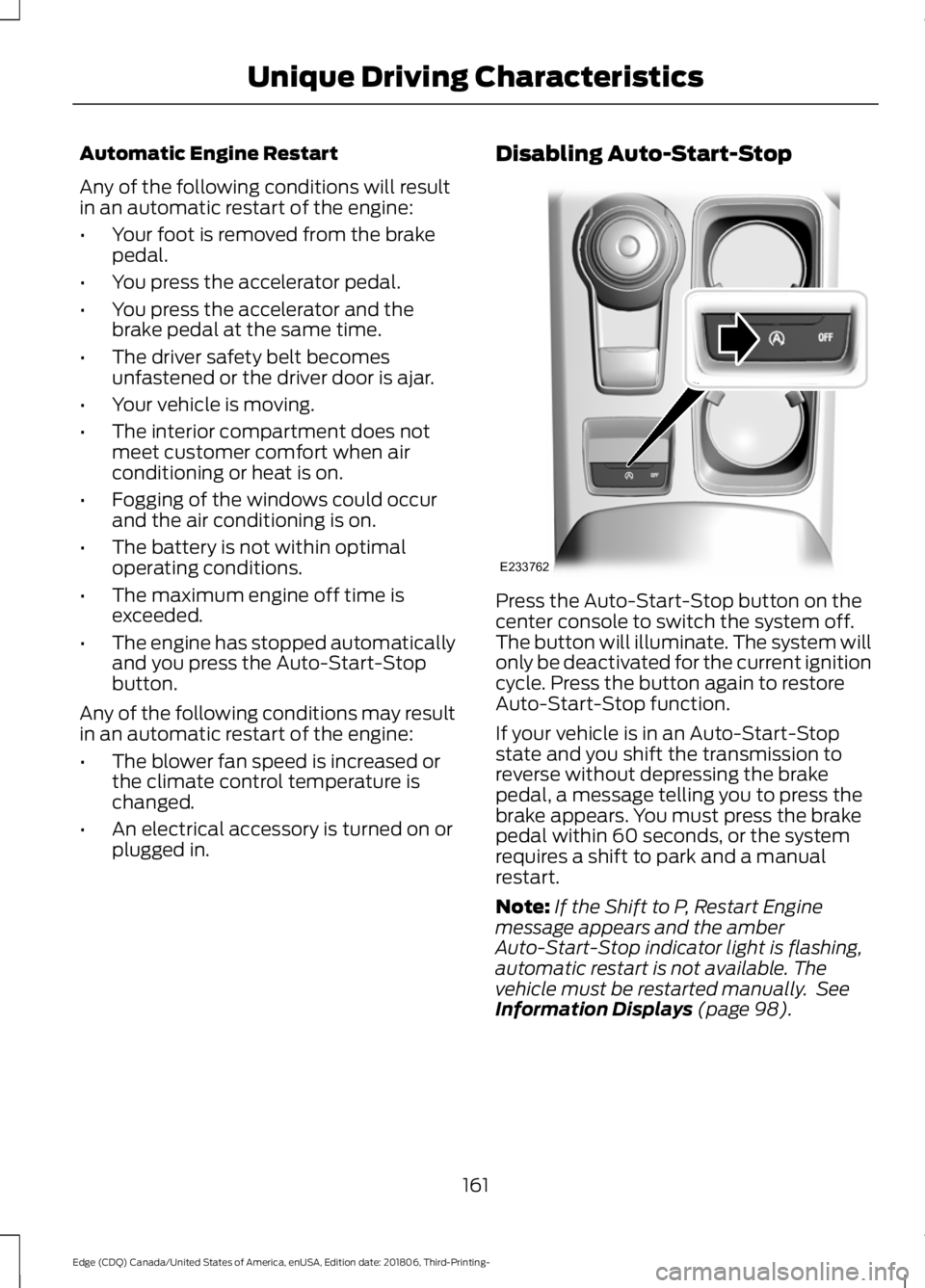
Press the Auto-Start-Stop button on the
center console to switch the system off.
The button will illuminate. The system will
only be deactivated for the current ignition
cycle. Press the button again to restore
Auto-Start-Stop function.
If your vehicle is in an Auto-Start-Stop
state and you shift the transmission to
reverse without depressing the brake
pedal, a message telling you to press the
brake appears. You must press the brake
pedal within 60 seconds, or the system
requires a shift to park and a manual
restart.
Note:
If the Shift to P, Restart Engine
message appears and the amber
Auto-Start-Stop indicator light is flashing,
automatic restart is not available. The
vehicle must be restarted manually. See
Information Displays (page 98).
161
Edge (CDQ) Canada/United States of America, enUSA, Edition date: 201806, Third-Printing- Unique Driving CharacteristicsE233762
Page 176 of 547
AUTOMATIC TRANSMISSION
WARNING: Always fully apply the
parking brake and make sure you shift
into park (P). Failure to follow this
instruction could result in personal injury
or death. WARNING:
Do not apply the brake
pedal and accelerator pedal
simultaneously. Applying both pedals
simultaneously for more than a few
seconds will limit engine performance,
which may result in difficulty maintaining
speed in traffic and could lead to serious
injury. WARNING:
When your vehicle is
stationary, keep the brake pedal fully
pressed when shifting gears. Failure to
follow this instruction could result in
personal injury, death or property
damage.
Note: You may not be able to shift out of
park (P) unless the intelligent access key is
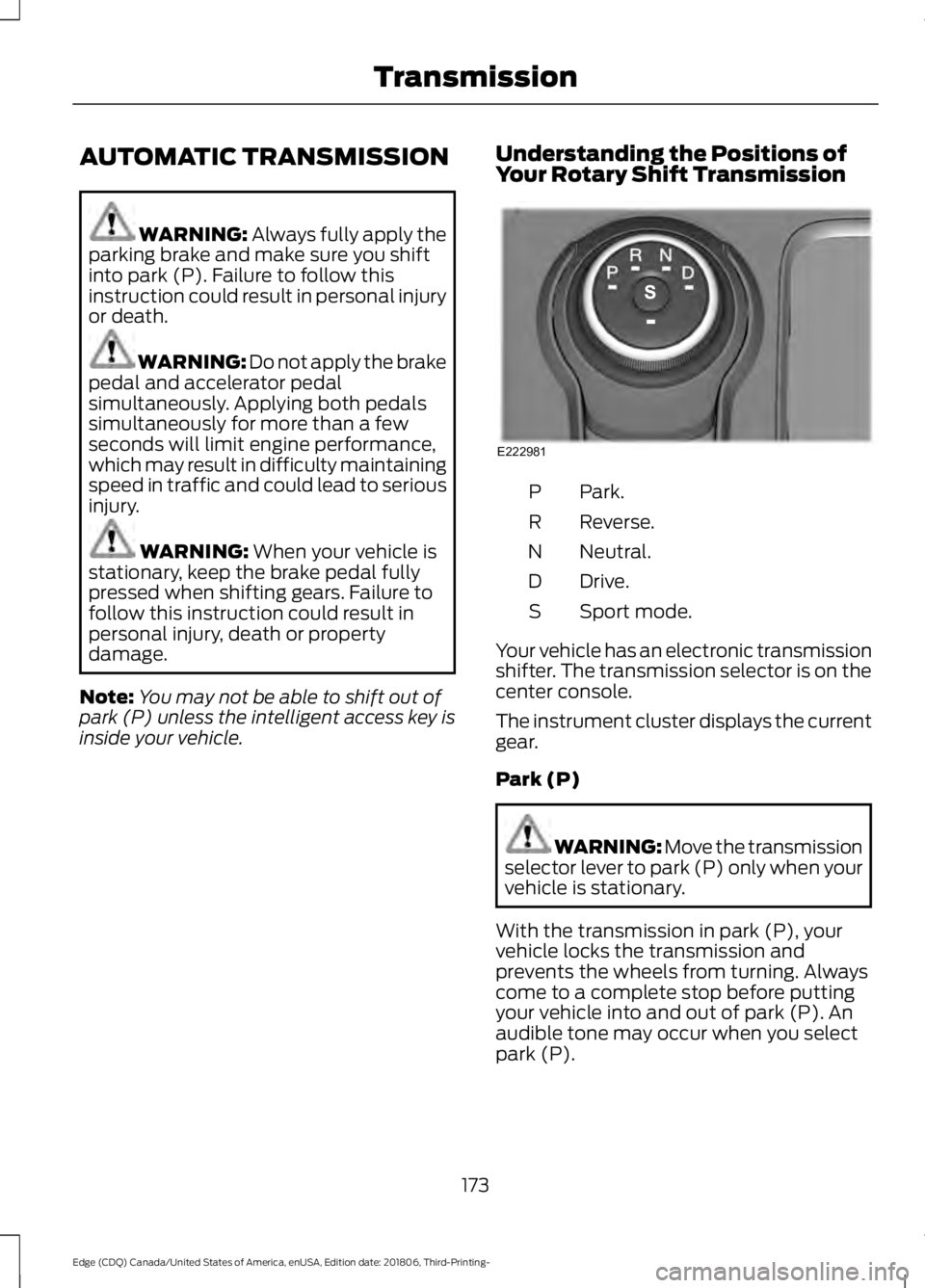
inside your vehicle. Understanding the Positions of
Your Rotary Shift Transmission Park.
P
Reverse.
R
Neutral.
N
Drive.
D
Sport mode.
S
Your vehicle has an electronic transmission
shifter. The transmission selector is on the
center console.
The instrument cluster displays the current
gear.
Park (P) WARNING: Move the transmission
selector lever to park (P) only when your
vehicle is stationary.
With the transmission in park (P), your
vehicle locks the transmission and
prevents the wheels from turning. Always
come to a complete stop before putting
your vehicle into and out of park (P). An
audible tone may occur when you select
park (P).
173
Edge (CDQ) Canada/United States of America, enUSA, Edition date: 201806, Third-Printing- TransmissionE222981
Page 188 of 547
Note:
If the system activates, the brake
pedal may pulse and may travel further.
Maintain pressure on the brake pedal. You
may also hear a noise from the system. This
is normal.
ELECTRIC PARKING BRAKE WARNING: Always fully apply the
parking brake and make sure you shift
into park (P). Failure to follow this
instruction could result in personal injury
or death. WARNING:
If you drive extended
distances with the parking brake applied,
you could cause damage to the brake
system. WARNING:
The electric parking
brake does not operate if the vehicle
battery is running out of charge.
Your vehicle has an electric parking brake.
You operate it with a switch instead of a
lever. The switch is on the center console
or to the left-hand side of the steering
wheel, on the lower part of the instrument
panel.
Note: The electric parking brake makes
noises during operation. This is normal.
Applying the Electric Parking
Brake Pull the switch upward.
The red warning lamp flashes
during operation and illuminates
when the parking brake is
applied. Note:
It remains illuminated for a short
period of time after you switch the ignition
off.
If it continues to flash or does not
illuminate, the system has malfunctioned.
Have your vehicle checked as soon as
possible.
Note: You can apply the electric parking
brake when the ignition is off.
Note: The electric parking brake could
automatically apply when you shift into park
(P). See
Roadside Emergencies (page
256).
Applying the Electric Parking Brake in
an Emergency
Note: Do not apply the electric parking
brake when your vehicle is moving, except
in an emergency. If you repeatedly use the
electric parking brake to slow or stop your
vehicle, you could cause damage to the
brake system.
You can use the electric parking brake to
slow or stop your vehicle in an emergency. Pull the switch upward and hold
it.
The red warning lamp
illuminates, a tone sounds and
the stoplamps turn on.
The electric parking brake continues to
slow your vehicle down unless you release
the switch.
Manually Releasing the Electric
Parking Brake
Switch the ignition on.
185
Edge (CDQ) Canada/United States of America, enUSA, Edition date: 201806, Third-Printing- BrakesE267156 E270480 E267156 E270480
Page 192 of 547
PRINCIPLE OF OPERATION
WARNING: Vehicle modifications
involving braking system, aftermarket
roof racks, suspension, steering system,
tire construction and wheel and tire size
may change the handling characteristics
of your vehicle and may adversely affect
the performance of the electronic
stability control system. In addition,
installing any stereo loudspeakers may
interfere with and adversely affect the
electronic stability control system. Install
any aftermarket stereo loudspeaker as
far as possible from the front center
console, the tunnel, and the front seats
in order to minimize the risk of interfering
with the electronic stability control
sensors. Reducing the effectiveness of
the electronic stability control system
could lead to an increased risk of loss of
vehicle control, vehicle rollover, personal
injury and death. WARNING:
Remember that even
advanced technology cannot defy the
laws of physics. It's always possible to
lose control of a vehicle due to
inappropriate driver input for the
conditions. Aggressive driving on any
road condition can cause you to lose
control of your vehicle increasing the risk
of personal injury or property damage.
Activation of the electronic stability
control system is an indication that at
least some of the tires have exceeded
their ability to grip the road; this could
reduce the operator's ability to control
the vehicle potentially resulting in a loss
of vehicle control, vehicle rollover,
personal injury and death. If your
electronic stability control system
activates, SLOW DOWN.
The system automatically turns on each
time you switch the ignition on. If a fault occurs in either the stability
control or the traction control system, you
may experience the following conditions:
•
The stability and traction control light
illuminates steadily.
• The stability control and traction
control systems do not enhance your
vehicle's ability to maintain traction of
the wheels.
If a driving condition activates either the
stability control or the traction control
system, you may experience the following
conditions:
• The stability and traction control light
flashes.
• Your vehicle slows down.
• Reduced engine power.
• A vibration in the brake pedal.
• The brake pedal is stiffer than usual.
• If the driving condition is severe and
your foot is not on the brake, the brake
pedal may move as the system applies
higher brake force.
The stability control system has several
features built into it to help you maintain
control of your vehicle:
Electronic Stability Control
The system enhances your vehicle ’s ability
to prevent skids or lateral slides by
applying brakes to one or more of the
wheels individually and, if necessary,
reducing engine power.
Roll Stability Control
The system enhances your vehicle ’s ability
to prevent rollovers by detecting your
vehicle ’s roll motion and the rate at which
it changes by applying the brakes to one
or more wheels individually.
189
Edge (CDQ) Canada/United States of America, enUSA, Edition date: 201806, Third-Printing- Stability Control
Page 376 of 547
primary responsibility is the safe
operation of your vehicle. We
recommend against the use of any
hand-held device while driving and
encourage the use of voice-operated
systems when possible. Make sure you
are aware of all applicable local laws
that may affect the use of electronic
devices while driving.
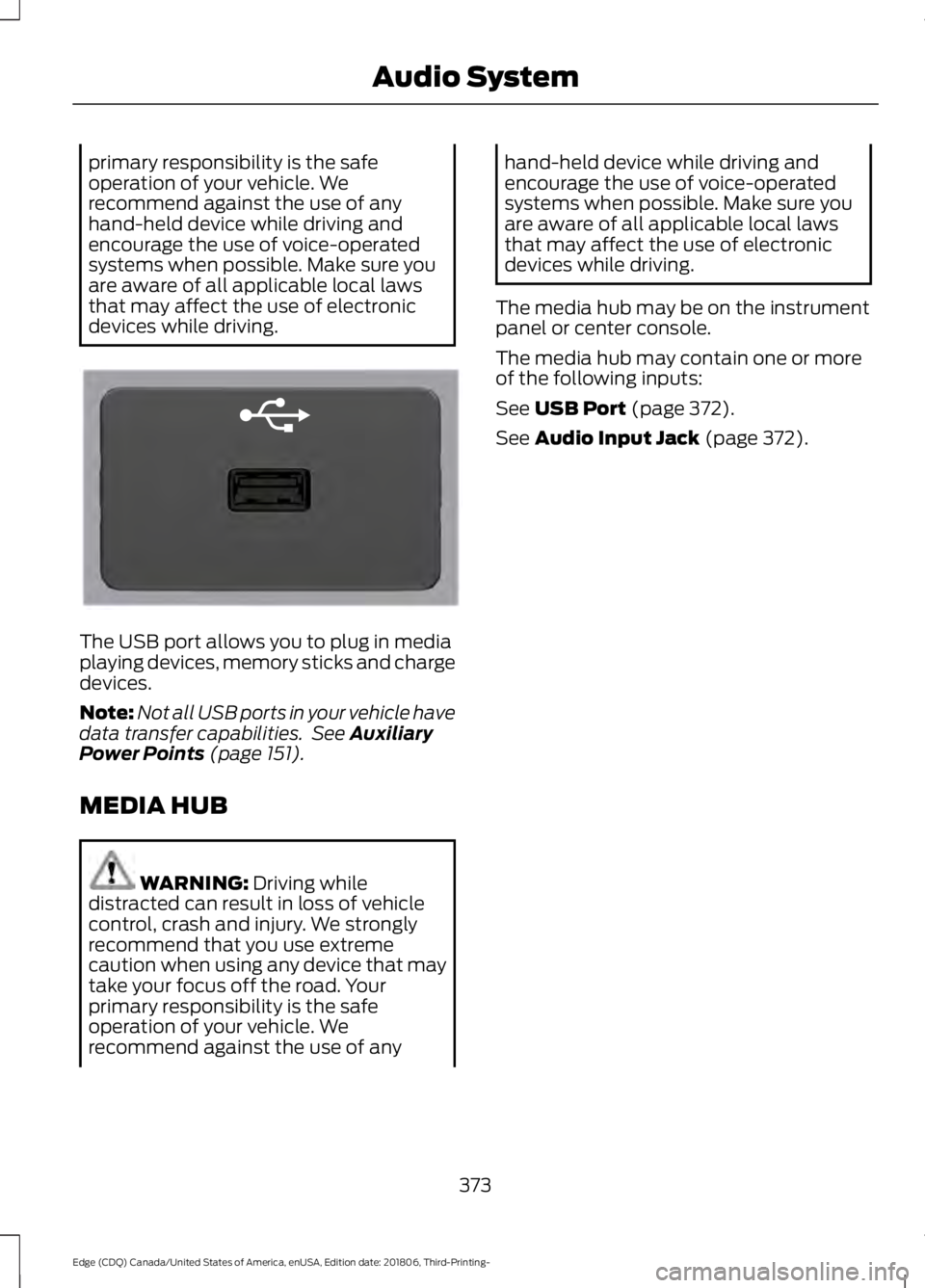
The USB port allows you to plug in media
playing devices, memory sticks and charge
devices.
Note:
Not all USB ports in your vehicle have
data transfer capabilities. See Auxiliary
Power Points (page 151).
MEDIA HUB WARNING:
Driving while
distracted can result in loss of vehicle
control, crash and injury. We strongly
recommend that you use extreme
caution when using any device that may
take your focus off the road. Your
primary responsibility is the safe
operation of your vehicle. We
recommend against the use of any hand-held device while driving and
encourage the use of voice-operated
systems when possible. Make sure you
are aware of all applicable local laws
that may affect the use of electronic
devices while driving.
The media hub may be on the instrument
panel or center console.
The media hub may contain one or more
of the following inputs:
See
USB Port (page 372).
See
Audio Input Jack (page 372).
373
Edge (CDQ) Canada/United States of America, enUSA, Edition date: 201806, Third-Printing- Audio SystemE201595
Page 423 of 547
Function
Button
Playlists
Artist
Albums
Songs
Genres
Podcasts
Audio books
Composers
This button allows you to choose a specific
letter to view within the category you are
browsing.
A-Z Jump
If available, this allows you to browse the
folders and files on your USB device.
Explore Device
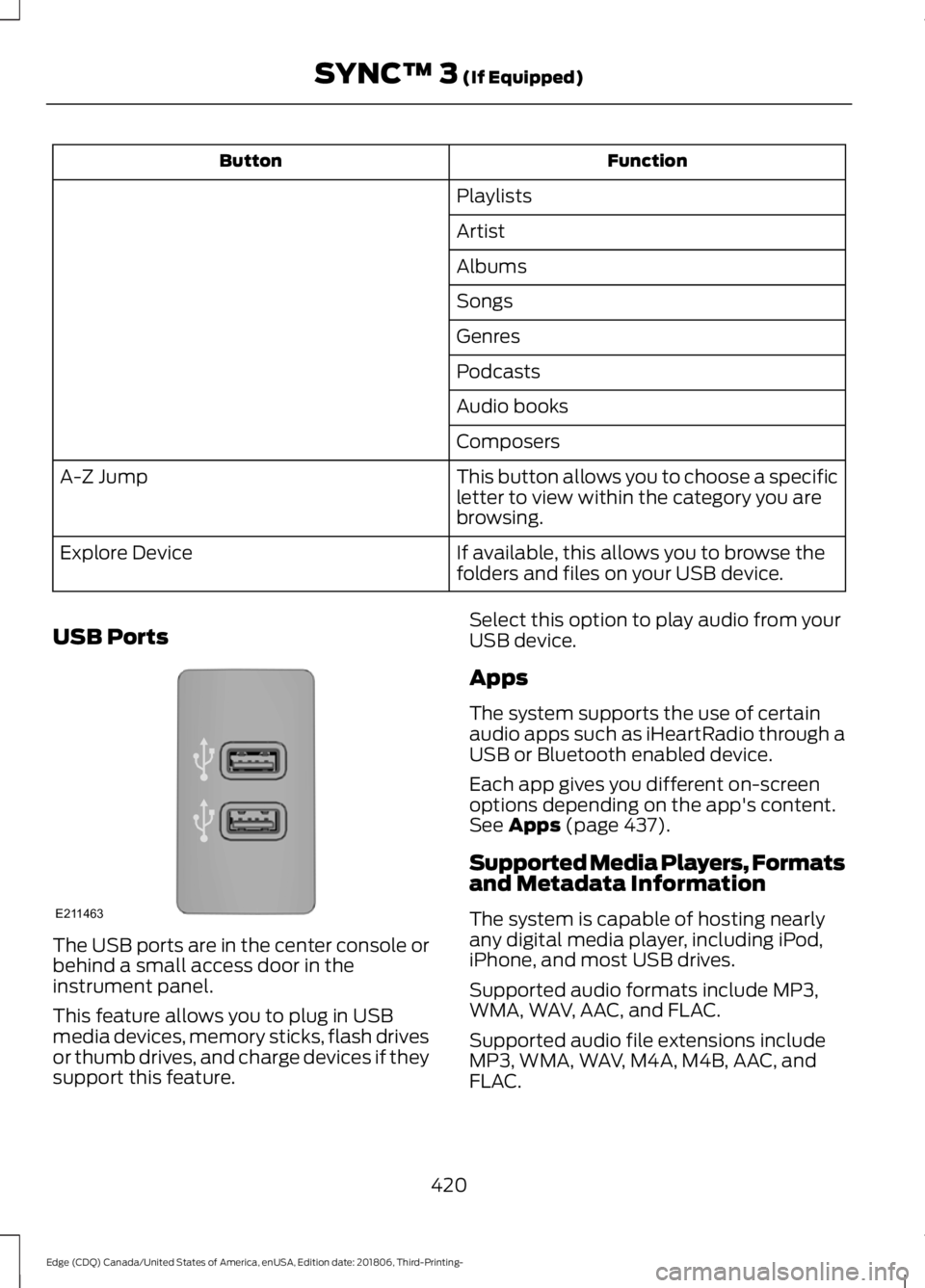
USB Ports The USB ports are in the center console or
behind a small access door in the
instrument panel.
This feature allows you to plug in USB
media devices, memory sticks, flash drives
or thumb drives, and charge devices if they
support this feature. Select this option to play audio from your
USB device.
Apps
The system supports the use of certain
audio apps such as iHeartRadio through a
USB or Bluetooth enabled device.
Each app gives you different on-screen
options depending on the app's content.
See Apps (page 437).
Supported Media Players, Formats
and Metadata Information
The system is capable of hosting nearly
any digital media player, including iPod,
iPhone, and most USB drives.
Supported audio formats include MP3,
WMA, WAV, AAC, and FLAC.
Supported audio file extensions include
MP3, WMA, WAV, M4A, M4B, AAC, and
FLAC.
420
Edge (CDQ) Canada/United States of America, enUSA, Edition date: 201806, Third-Printing- SYNC™ 3
(If Equipped)E211463
Page 536 of 547
SelectShift Automatic
™ Transmission (If
Equipped)......................................................... 175
Understanding the Positions of Your Rotary Shift Transmission......................................... 173
Automatic Transmission Fluid Check - 2.0L EcoBoost™/2.7L
EcoBoost™................................................290
Auto-Start-Stop...........................................160 Disabling Auto-Start-Stop............................... 161
Enabling Auto-Start-Stop.............................. 160
Autowipers........................................................77 Autowipers Settings............................................. 77
Auxiliary Power Points.................................151 110 Volt AC Power Point.................................... 151
12 Volt DC Power Point...................................... 151
USB Port and Power Point Locations..........151
AWD See: All-Wheel Drive.......................................... 179
B
Battery See: Changing the 12V Battery..................... 292
Blind Spot Information System...............231 ........................................................................\
............ 231
Switching the System On and Off...............232
System Errors...................................................... 232
Using the Blind Spot Information System............................................................... 231
BLIS See: Blind Spot Information System...........231
Body Styling Kits.........................................306
Bonnet Lock See: Opening and Closing the Hood..........280
Booster Seats..................................................26 Types of Booster Seats....................................... 27
Brake Fluid Check.......................................290
Brakes...............................................................184 General Information.......................................... 184
Breaking-In.....................................................254
Bulb Specification Chart..........................358
C
Cabin Air Filter................................................133 Capacities and Specifications - 2.0L
EcoBoost™ .................................................
350
Alternative Engine Oil for Extremely Cold
Climates........................................................... 353
Specifications...................................................... 351
Capacities and Specifications - 2.7L EcoBoost™.................................................354
Alternative Engine Oil for Extremely Cold Climates............................................................ 357
Specifications..................................................... 355
Capacities and Specifications
................345
Cargo Nets.......................................................241
Car Wash See: Cleaning the Exterior.............................. 299
Catalytic Converter
......................................170
On-Board Diagnostics (OBD-II)..................... 171
Readiness for Inspection and Maintenance (I/M) Testing..................................................... 171
Center Console
..............................................154
Changing a Bulb..........................................296 Headlamp............................................................. 297
LED Lamps........................................................... 297
License Plate Lamp.......................................... 298
Changing a Fuse
...........................................278
Fuses....................................................................... 278
Changing a Road Wheel...........................338 Dissimilar Spare Wheel and Tire Assembly
Information..................................................... 338
Stowing the flat tire ......................................... 343
Tire Change Procedure.................................... 339
Changing the 12V Battery
.........................292
Changing the Engine Air Filter................298
Changing the Wi-Fi Hotspot Name or Password.....................................................360
Changing the Wiper Blades.....................293 Front Wiper Blades........................................... 294
Rear Window Wiper Blade............................. 294
Checking MyKey System Status
...............57
MyKey Distance..................................................... 57
Number of Admin Keys....................................... 57
Number of MyKeys............................................... 57
Checking the Wiper Blades......................293
Child Restraint and Seatbelt Maintenance.................................................38
Child Restraint Positioning.........................28
Child Safety
.......................................................19
General Information............................................. 19
533
Edge (CDQ) Canada/United States of America, enUSA, Edition date: 201806, Third-Printing- Index
Page 542 of 547
Message Center
See: Information Displays................................. 98
Mirrors See: Windows and Mirrors............................... 86
Mobile Communications Equipment.......15
Moonroof..........................................................89 Opening and Closing the Moonroof.............90
Motorcraft Parts - 2.0L EcoBoost™.................................................346
Motorcraft Parts - 2.7L EcoBoost™.................................................347
MyKey – Troubleshooting...........................58
MyKey ™.............................................................55
Principle of Operation........................................ 55
N
Navigation......................................................429 cityseeker............................................................. 436
Destination Mode............................................... 431
Map Mode............................................................ 429
Navigation Map Updates................................ 437
Navigation Menu................................................ 434
SiriusXM Traffic and Travel Link................... 437
SYNC AppLink.................................................... 436
Waypoints............................................................ 435
Normal Scheduled Maintenance...........475 Intelligent Oil-Life Monitor™......................... 475
Normal Maintenance Intervals..................... 476
O
Oil Change Indicator Reset......................285
Oil Check See: Engine Oil Check...................................... 284
Opening and Closing the Hood.............280 Closing the Hood................................................ 281
Opening the Hood............................................ 280
Ordering Additional Owner's Literature.....................................................266
Obtaining a French Owner ’s Manual.........266
Overhead Console........................................154
P
Parking Aids
....................................................192
Principle of Operation....................................... 192Passive Anti-Theft System.........................70
SecuriLock®........................................................... 70
PATS See: Passive Anti-Theft System..................... 70
Perchlorate........................................................13
Personal Safety System ™
..........................39
How Does the Personal Safety System
Work?.................................................................. 39
Phone...............................................................423 During a Phone Call........................................... 427
Making Calls........................................................ 426
Pairing Your Cell Phone for the First Time................................................................... 424
Phone Menu........................................................ 424
Receiving Calls.................................................... 427
Smartphone Connectivity.............................. 428
Text Messaging................................................... 428
Post-Crash Alert System..........................260
Power Door Locks See: Locking and Unlocking............................. 59
Power Liftgate.................................................67 Hands-Free Feature............................................ 69
Obstacle Detection............................................. 69
Opening and Closing the Liftgate.................. 67
Setting the Liftgate Open Height.................. 68
Stopping the Liftgate Movement.................. 68
Power Seats
...................................................138
Adjusting the 10-Way Seat............................. 140
Adjusting the 8-Way Seat............................... 139
Adjusting the Lumbar Support..................... 140
Power Steering Fluid Check......................291
Power Windows
.............................................86
Accessory Delay.................................................... 87
Bounce-Back......................................................... 86
One-Touch Down................................................ 86
One-Touch Up...................................................... 86
Window Lock......................................................... 87
Pre-Collision Assist
.....................................236
Adjusting the Pre-Collision Assist
Settings............................................................ 239
Blocked Sensors................................................ 239
Distance Indication and Alert....................... 238
Evasive Steering Assist.................................... 238
Using the Pre-Collision Assist System............................................................... 237
Protecting the Environment........................16
Puncture See: Changing a Road Wheel....................... 338
539
Edge (CDQ) Canada/United States of America, enUSA, Edition date: 201806, Third-Printing- Index