check oil FORD EDGE 2019 User Guide
[x] Cancel search | Manufacturer: FORD, Model Year: 2019, Model line: EDGE, Model: FORD EDGE 2019Pages: 547, PDF Size: 40.86 MB
Page 288 of 547
Note:
The oil consumption of new engines
reaches its normal level after approximately
3,000 mi (5,000 km).
Adding Engine Oil WARNING:
Do not add engine oil
when the engine is hot. Failure to follow
this instruction could result in personal
injury. WARNING:
Do not remove the
filler cap when the engine is running.
Do not use supplemental engine oil
additives because they are unnecessary
and could lead to engine damage that may
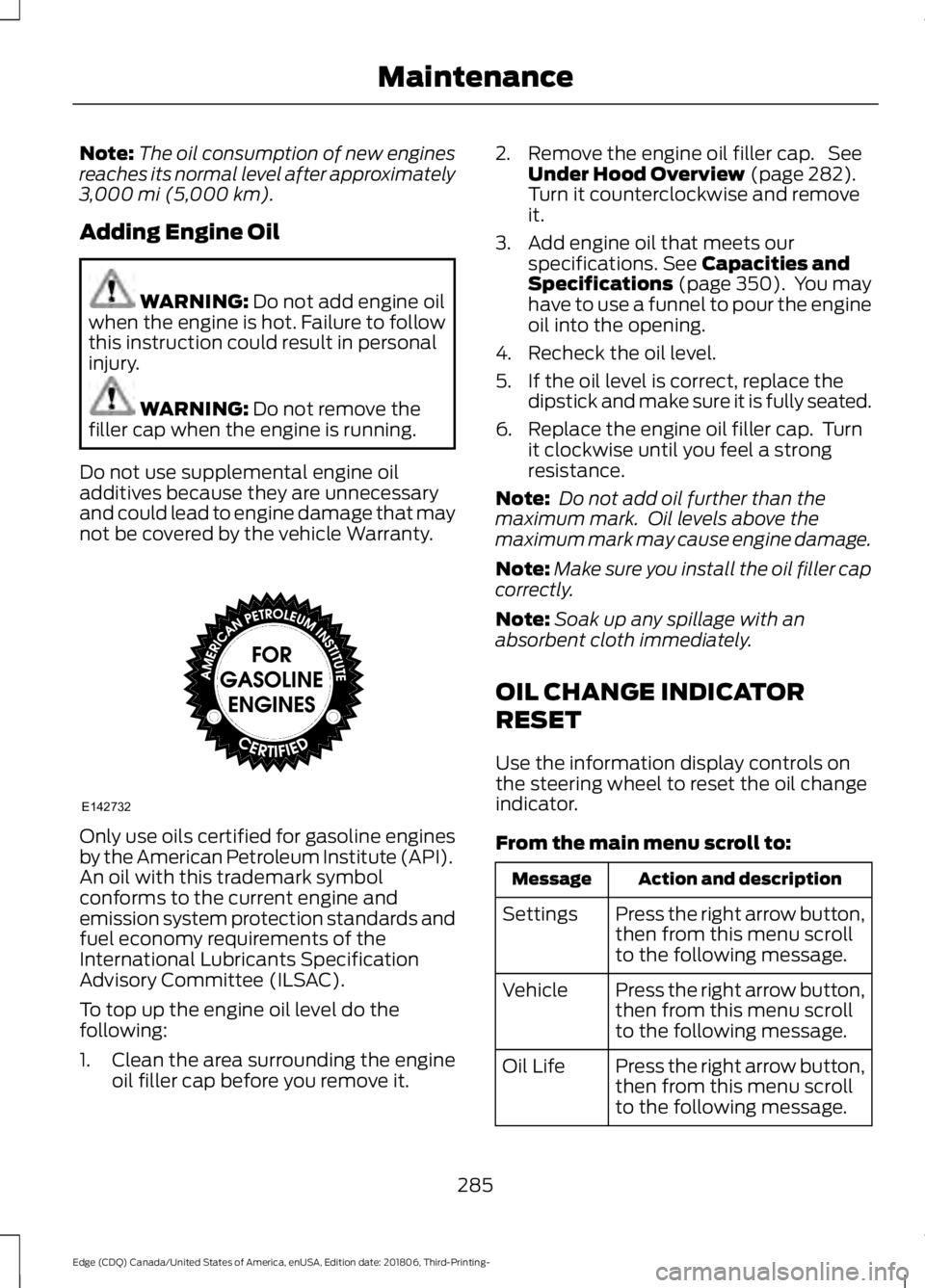
not be covered by the vehicle Warranty. Only use oils certified for gasoline engines
by the American Petroleum Institute (API).
An oil with this trademark symbol
conforms to the current engine and
emission system protection standards and
fuel economy requirements of the
International Lubricants Specification
Advisory Committee (ILSAC).
To top up the engine oil level do the
following:
1. Clean the area surrounding the engine
oil filler cap before you remove it. 2. Remove the engine oil filler cap. See
Under Hood Overview
(page 282).
Turn it counterclockwise and remove
it.
3. Add engine oil that meets our specifications.
See Capacities and
Specifications (page 350). You may
have to use a funnel to pour the engine
oil into the opening.
4. Recheck the oil level.
5. If the oil level is correct, replace the dipstick and make sure it is fully seated.
6. Replace the engine oil filler cap. Turn it clockwise until you feel a strong
resistance.
Note: Do not add oil further than the
maximum mark. Oil levels above the
maximum mark may cause engine damage.
Note: Make sure you install the oil filler cap
correctly.
Note: Soak up any spillage with an
absorbent cloth immediately.
OIL CHANGE INDICATOR
RESET
Use the information display controls on
the steering wheel to reset the oil change
indicator.
From the main menu scroll to: Action and description
Message
Press the right arrow button,
then from this menu scroll
to the following message.
Settings
Press the right arrow button,
then from this menu scroll
to the following message.
Vehicle
Press the right arrow button,
then from this menu scroll
to the following message.
Oil Life
285
Edge (CDQ) Canada/United States of America, enUSA, Edition date: 201806, Third-Printing- MaintenanceE142732
Page 289 of 547
Action and description
Message
Press and hold the OK
button until the instrument
cluster displays the
following message.
Hold OK to
Reset
Reset Successful
When the oil change indic-
ator resets the instrument
cluster displays 100%.
Remaining Life
{00}%
If the instrument cluster
displays one of the following
messages, repeat the
process.
Not Reset
Reset Cancelled
ENGINE COOLANT CHECK WARNING:
Do not remove the
coolant reservoir cap when the engine is
on or the cooling system is hot. Wait 10
minutes for the cooling system to cool
down. Cover the coolant reservoir cap
with a thick cloth to prevent the
possibility of scalding and slowly remove
the cap. Failure to follow this instruction
could result in personal injury. WARNING:
Do not put coolant in
the windshield washer reservoir. If
sprayed on the windshield, coolant could
make it difficult to see through the
windshield. WARNING:
To reduce the risk of
personal injury, make sure the engine is
cool before unscrewing the coolant
pressure relief cap. The cooling system
is under pressure. Steam and hot liquid
can come out forcefully when you loosen
the cap slightly. WARNING:
Do not add coolant
further than the MAX mark.
When the engine is cold, check the
concentration and level of the coolant at
the intervals listed in the scheduled
maintenance information. See Scheduled
Maintenance
(page 472).
Note: Make sure that the coolant level is
between the
MIN and MAX marks on the
coolant reservoir.
Note: Coolant expands when it is hot. The
level may extend beyond the
MAX mark.
Maintain coolant concentration within
48% to 50%, which equates to a freeze
point between
-29°F (-34°C) and -35°F
(-37°C). Coolant concentration should be
checked using a refractometer. We do not
recommend the use of hydrometers or
coolant test strips for measuring coolant
concentration.
Adding Coolant WARNING:
Do not add engine
coolant when the engine is on or the
cooling system is hot. Failure to follow
this instruction could result in personal
injury.
286
Edge (CDQ) Canada/United States of America, enUSA, Edition date: 201806, Third-Printing- Maintenance
Page 308 of 547
•
Lubricate all hood, door and luggage
compartment hinges and latches with
a light grade oil.
• Cover interior trim to prevent fading.
• Keep all rubber parts free from oil and
solvents.
Engine
• Change the engine oil and filter prior to
storage because used engine oil
contains contaminates which may
cause engine damage.
• Start the engine every 15 days for a
minimum of 15 minutes. Run at fast idle
with the climate controls set to defrost
until the engine reaches normal
operating temperature.
• With your foot on the brake, shift
through all the gears while the engine
is running.
• We recommend that you change the
engine oil before you use your vehicle
again.
Fuel system
• Fill the fuel tank with high-quality fuel
until the first automatic shutoff of the
fuel pump nozzle.
Cooling system
• Protect against freezing temperatures.
• When removing your vehicle from
storage, check coolant fluid level.
Confirm that there are no cooling
system leaks and that fluid is at the
recommended level. Battery
•
Check and recharge as necessary. Keep
connections clean.
• If storing your vehicle for more than 30
days without recharging the battery,
we recommend that you disconnect
the battery cables to maintain battery
charge for quick starting.
Note: It is necessary to reset memory
features if battery cables are disconnected.
Brakes
• Make sure the brakes and parking brake
release fully.
Tires
• Maintain recommended air pressure.
Miscellaneous
• Make sure all linkages, cables, levers
and pins under your vehicle are covered
with grease to prevent rust.
• Move vehicles at least 25 ft (7.5 m)
every 15 days to lubricate working parts
and prevent corrosion.
Removing Vehicle From Storage
When your vehicle is ready to come out of
storage, do the following:
• Wash your vehicle to remove any dirt
or grease film build-up on window
surfaces.
• Check windshield wipers for any
deterioration.
• Check under the hood for any foreign
material that may have collected
during storage such as mice or squirrel
nests.
• Check the exhaust for any foreign
material that may have collected
during storage.
305
Edge (CDQ) Canada/United States of America, enUSA, Edition date: 201806, Third-Printing- Vehicle Care
Page 309 of 547
•
Check tire pressures and set tire
inflation per the Tire Label.
• Check brake pedal operation. Drive
your vehicle 15 ft (4.5 m) back and
forth to remove rust build-up.
• Check fluid levels (including coolant,
oil and gas) to make sure there are no
leaks, and fluids are at recommended
levels.
• If you remove the battery, clean the
battery cable ends and check for
damage.
Contact an authorized dealer if you have
any concerns or issues.
BODY STYLING KITS
The distance between the underside of
your vehicle and the ground is less than
that of other models. Drive with extreme
care to avoid damage to your vehicle.
306
Edge (CDQ) Canada/United States of America, enUSA, Edition date: 201806, Third-Printing- Vehicle Care
Page 476 of 547
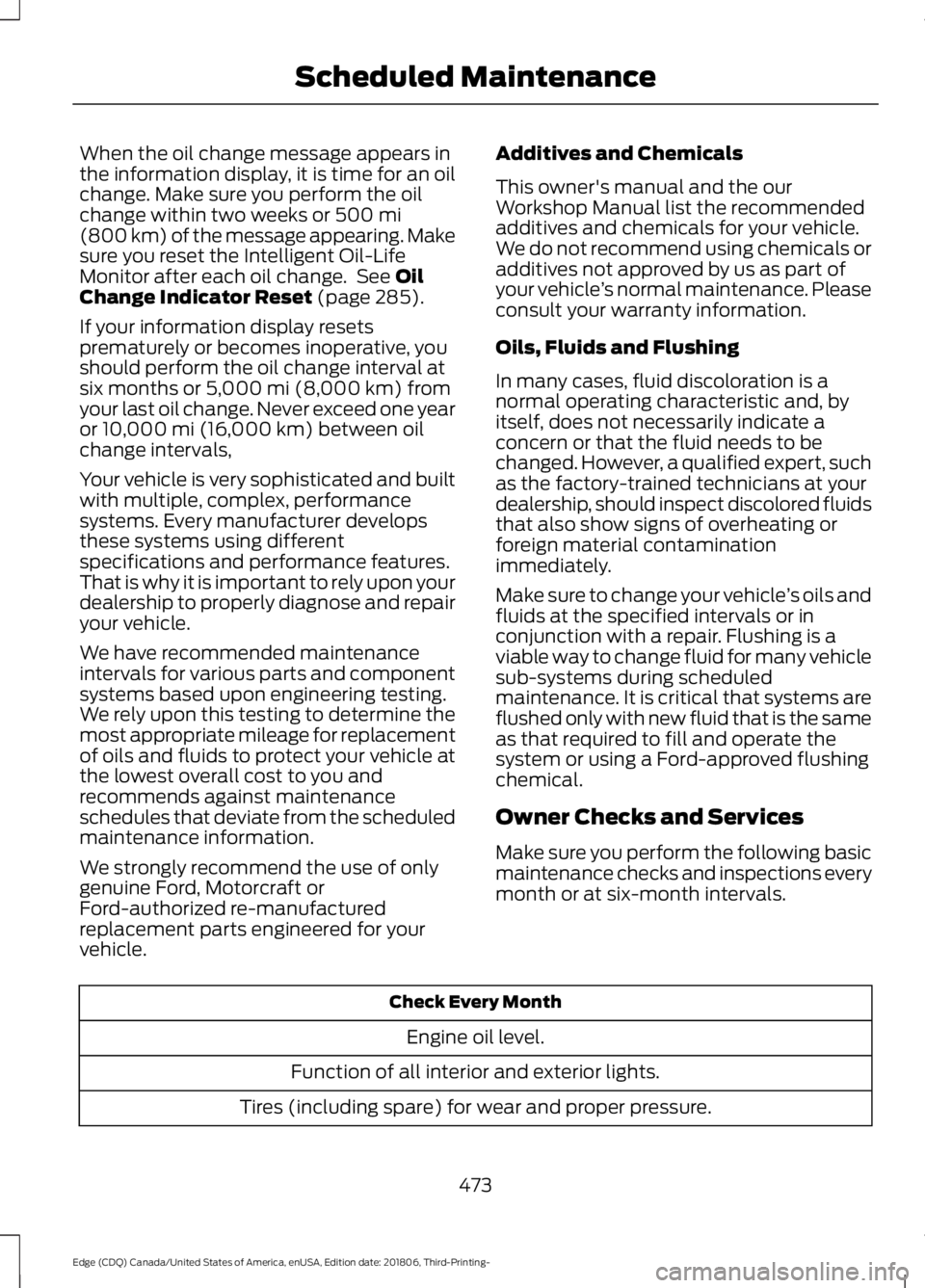
When the oil change message appears in
the information display, it is time for an oil
change. Make sure you perform the oil
change within two weeks or 500 mi
(800 km) of the message appearing. Make
sure you reset the Intelligent Oil-Life
Monitor after each oil change. See
Oil
Change Indicator Reset (page 285).
If your information display resets
prematurely or becomes inoperative, you
should perform the oil change interval at
six months or
5,000 mi (8,000 km) from
your last oil change. Never exceed one year
or
10,000 mi (16,000 km) between oil
change intervals,
Your vehicle is very sophisticated and built
with multiple, complex, performance
systems. Every manufacturer develops
these systems using different
specifications and performance features.
That is why it is important to rely upon your
dealership to properly diagnose and repair
your vehicle.
We have recommended maintenance
intervals for various parts and component
systems based upon engineering testing.
We rely upon this testing to determine the
most appropriate mileage for replacement
of oils and fluids to protect your vehicle at
the lowest overall cost to you and
recommends against maintenance
schedules that deviate from the scheduled
maintenance information.
We strongly recommend the use of only
genuine Ford, Motorcraft or
Ford-authorized re-manufactured
replacement parts engineered for your
vehicle. Additives and Chemicals
This owner's manual and the our
Workshop Manual list the recommended
additives and chemicals for your vehicle.
We do not recommend using chemicals or
additives not approved by us as part of
your vehicle
’s normal maintenance. Please
consult your warranty information.
Oils, Fluids and Flushing
In many cases, fluid discoloration is a
normal operating characteristic and, by
itself, does not necessarily indicate a
concern or that the fluid needs to be
changed. However, a qualified expert, such
as the factory-trained technicians at your
dealership, should inspect discolored fluids
that also show signs of overheating or
foreign material contamination
immediately.
Make sure to change your vehicle ’s oils and
fluids at the specified intervals or in
conjunction with a repair. Flushing is a
viable way to change fluid for many vehicle
sub-systems during scheduled
maintenance. It is critical that systems are
flushed only with new fluid that is the same
as that required to fill and operate the
system or using a Ford-approved flushing
chemical.
Owner Checks and Services
Make sure you perform the following basic
maintenance checks and inspections every
month or at six-month intervals. Check Every Month
Engine oil level.
Function of all interior and exterior lights.
Tires (including spare) for wear and proper pressure.
473
Edge (CDQ) Canada/United States of America, enUSA, Edition date: 201806, Third-Printing- Scheduled Maintenance
Page 478 of 547
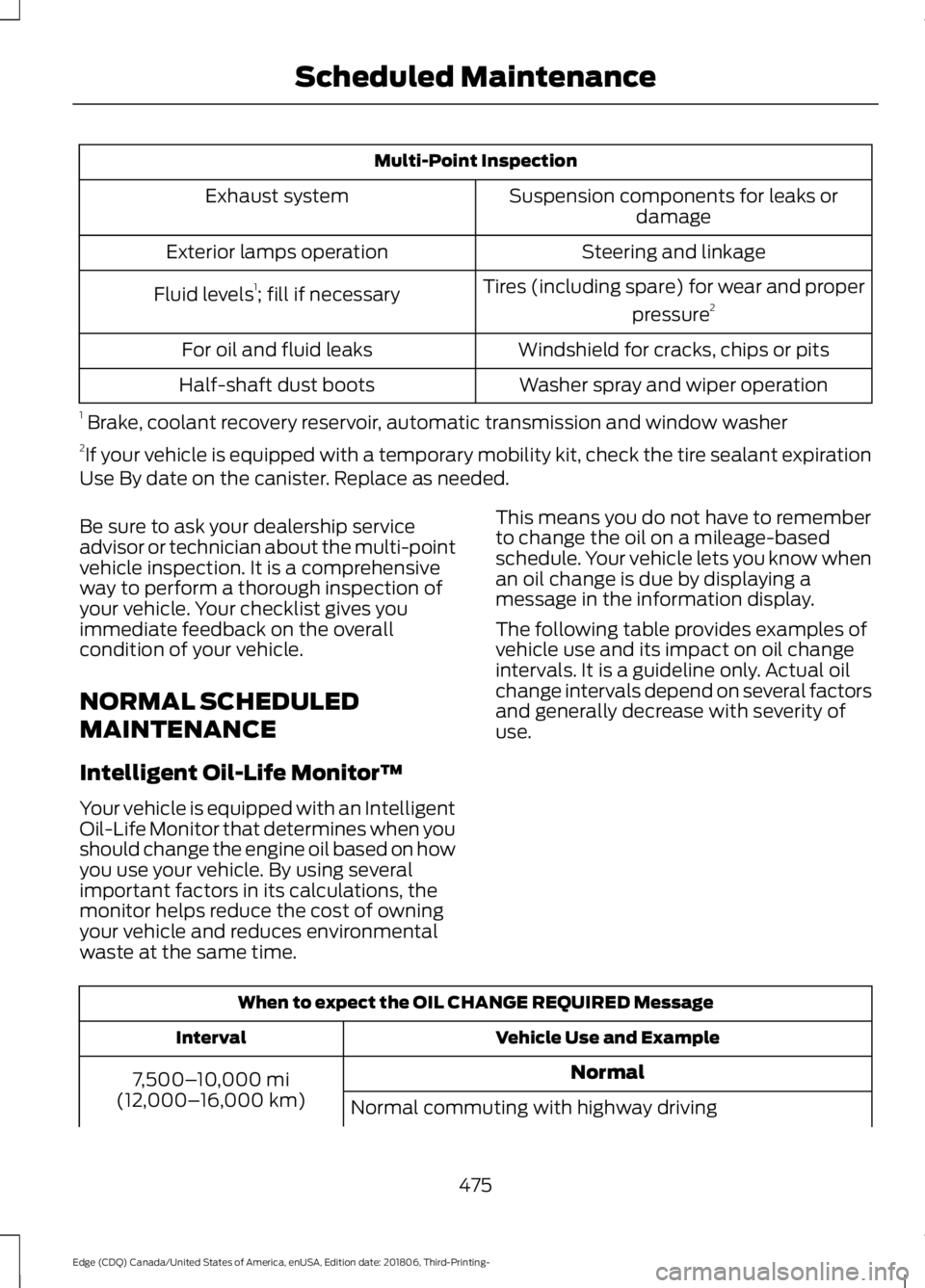
Multi-Point Inspection
Suspension components for leaks ordamage
Exhaust system
Steering and linkage
Exterior lamps operation
Tires (including spare) for wear and properpressure2
Fluid levels 1
; fill if necessary
Windshield for cracks, chips or pits
For oil and fluid leaks
Washer spray and wiper operation
Half-shaft dust boots
1 Brake, coolant recovery reservoir, automatic transmission and window washer
2 If your vehicle is equipped with a temporary mobility kit, check the tire sealant expiration
Use By date on the canister. Replace as needed.
Be sure to ask your dealership service
advisor or technician about the multi-point
vehicle inspection. It is a comprehensive
way to perform a thorough inspection of
your vehicle. Your checklist gives you
immediate feedback on the overall
condition of your vehicle.
NORMAL SCHEDULED
MAINTENANCE
Intelligent Oil-Life Monitor™
Your vehicle is equipped with an Intelligent
Oil-Life Monitor that determines when you
should change the engine oil based on how
you use your vehicle. By using several
important factors in its calculations, the
monitor helps reduce the cost of owning
your vehicle and reduces environmental
waste at the same time. This means you do not have to remember
to change the oil on a mileage-based
schedule. Your vehicle lets you know when
an oil change is due by displaying a
message in the information display.
The following table provides examples of
vehicle use and its impact on oil change
intervals. It is a guideline only. Actual oil
change intervals depend on several factors
and generally decrease with severity of
use.
When to expect the OIL CHANGE REQUIRED Message
Vehicle Use and Example
Interval
Normal
7,500– 10,000 mi
(12,000– 16,000 km)
Normal commuting with highway driving
475
Edge (CDQ) Canada/United States of America, enUSA, Edition date: 201806, Third-Printing- Scheduled Maintenance
Page 482 of 547
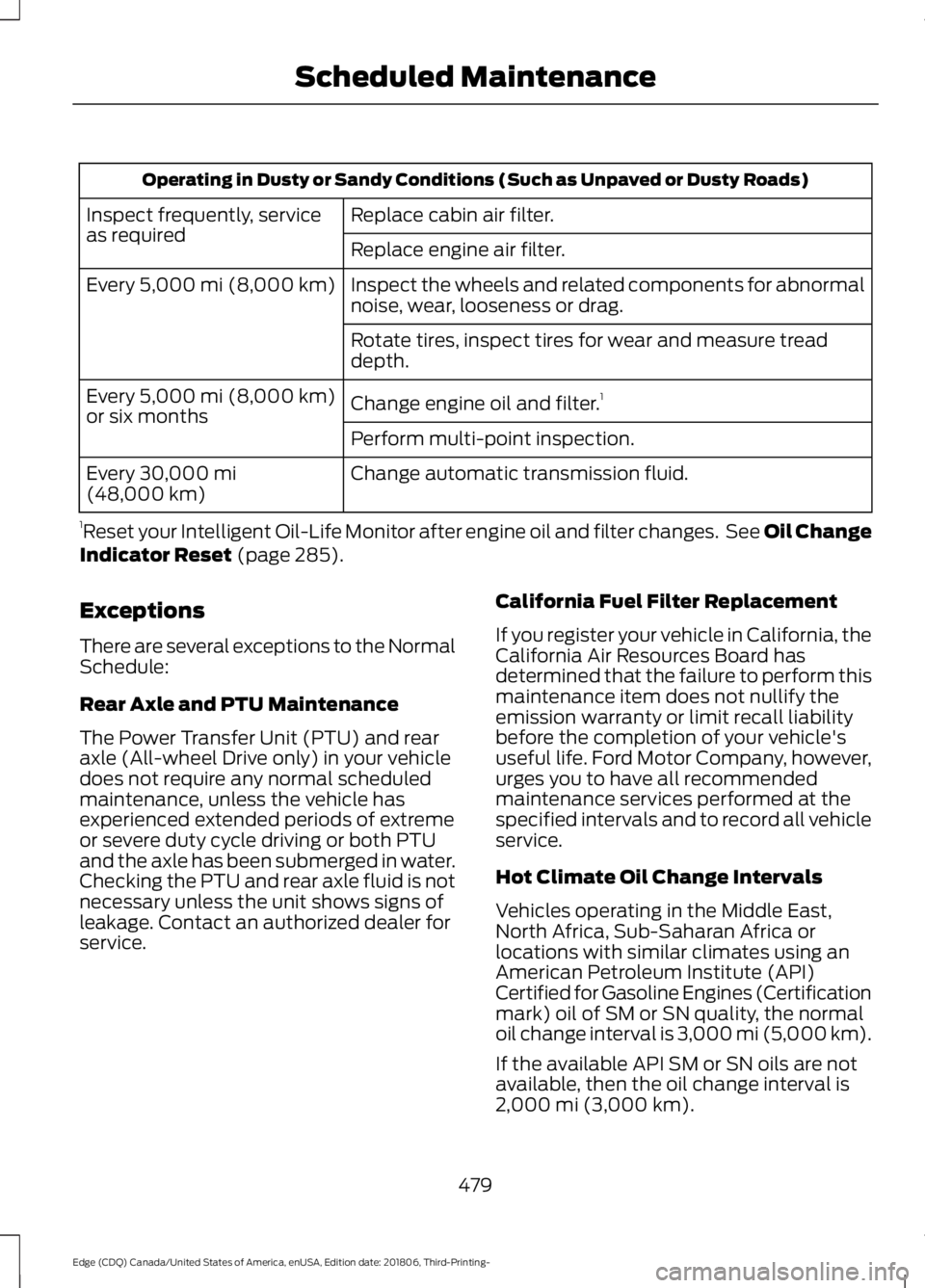
Operating in Dusty or Sandy Conditions (Such as Unpaved or Dusty Roads)
Replace cabin air filter.
Inspect frequently, service
as required
Replace engine air filter.
Inspect the wheels and related components for abnormal
noise, wear, looseness or drag.
Every 5,000 mi (8,000 km)
Rotate tires, inspect tires for wear and measure tread
depth.
Change engine oil and filter. 1
Every
5,000 mi (8,000 km)
or six months
Perform multi-point inspection.
Change automatic transmission fluid.
Every
30,000 mi
(48,000 km)
1 Reset your Intelligent Oil-Life Monitor after engine oil and filter changes. See Oil Change
Indicator Reset
(page 285).
Exceptions
There are several exceptions to the Normal
Schedule:
Rear Axle and PTU Maintenance
The Power Transfer Unit (PTU) and rear
axle (All-wheel Drive only) in your vehicle
does not require any normal scheduled
maintenance, unless the vehicle has
experienced extended periods of extreme
or severe duty cycle driving or both PTU
and the axle has been submerged in water.
Checking the PTU and rear axle fluid is not
necessary unless the unit shows signs of
leakage. Contact an authorized dealer for
service. California Fuel Filter Replacement
If you register your vehicle in California, the
California Air Resources Board has
determined that the failure to perform this
maintenance item does not nullify the
emission warranty or limit recall liability
before the completion of your vehicle's
useful life. Ford Motor Company, however,
urges you to have all recommended
maintenance services performed at the
specified intervals and to record all vehicle
service.
Hot Climate Oil Change Intervals
Vehicles operating in the Middle East,
North Africa, Sub-Saharan Africa or
locations with similar climates using an
American Petroleum Institute (API)
Certified for Gasoline Engines (Certification
mark) oil of SM or SN quality, the normal
oil change interval is 3,000 mi (5,000 km).
If the available API SM or SN oils are not
available, then the oil change interval is
2,000 mi (3,000 km)
.
479
Edge (CDQ) Canada/United States of America, enUSA, Edition date: 201806, Third-Printing- Scheduled Maintenance
Page 536 of 547
SelectShift Automatic
™ Transmission (If
Equipped)......................................................... 175
Understanding the Positions of Your Rotary Shift Transmission......................................... 173
Automatic Transmission Fluid Check - 2.0L EcoBoost™/2.7L
EcoBoost™................................................290
Auto-Start-Stop...........................................160 Disabling Auto-Start-Stop............................... 161
Enabling Auto-Start-Stop.............................. 160
Autowipers........................................................77 Autowipers Settings............................................. 77
Auxiliary Power Points.................................151 110 Volt AC Power Point.................................... 151
12 Volt DC Power Point...................................... 151
USB Port and Power Point Locations..........151
AWD See: All-Wheel Drive.......................................... 179
B
Battery See: Changing the 12V Battery..................... 292
Blind Spot Information System...............231 ........................................................................\
............ 231
Switching the System On and Off...............232
System Errors...................................................... 232
Using the Blind Spot Information System............................................................... 231
BLIS See: Blind Spot Information System...........231
Body Styling Kits.........................................306
Bonnet Lock See: Opening and Closing the Hood..........280
Booster Seats..................................................26 Types of Booster Seats....................................... 27
Brake Fluid Check.......................................290
Brakes...............................................................184 General Information.......................................... 184
Breaking-In.....................................................254
Bulb Specification Chart..........................358
C
Cabin Air Filter................................................133 Capacities and Specifications - 2.0L
EcoBoost™ .................................................
350
Alternative Engine Oil for Extremely Cold
Climates........................................................... 353
Specifications...................................................... 351
Capacities and Specifications - 2.7L EcoBoost™.................................................354
Alternative Engine Oil for Extremely Cold Climates............................................................ 357
Specifications..................................................... 355
Capacities and Specifications
................345
Cargo Nets.......................................................241
Car Wash See: Cleaning the Exterior.............................. 299
Catalytic Converter
......................................170
On-Board Diagnostics (OBD-II)..................... 171
Readiness for Inspection and Maintenance (I/M) Testing..................................................... 171
Center Console
..............................................154
Changing a Bulb..........................................296 Headlamp............................................................. 297
LED Lamps........................................................... 297
License Plate Lamp.......................................... 298
Changing a Fuse
...........................................278
Fuses....................................................................... 278
Changing a Road Wheel...........................338 Dissimilar Spare Wheel and Tire Assembly
Information..................................................... 338
Stowing the flat tire ......................................... 343
Tire Change Procedure.................................... 339
Changing the 12V Battery
.........................292
Changing the Engine Air Filter................298
Changing the Wi-Fi Hotspot Name or Password.....................................................360
Changing the Wiper Blades.....................293 Front Wiper Blades........................................... 294
Rear Window Wiper Blade............................. 294
Checking MyKey System Status
...............57
MyKey Distance..................................................... 57
Number of Admin Keys....................................... 57
Number of MyKeys............................................... 57
Checking the Wiper Blades......................293
Child Restraint and Seatbelt Maintenance.................................................38
Child Restraint Positioning.........................28
Child Safety
.......................................................19
General Information............................................. 19
533
Edge (CDQ) Canada/United States of America, enUSA, Edition date: 201806, Third-Printing- Index
Page 538 of 547
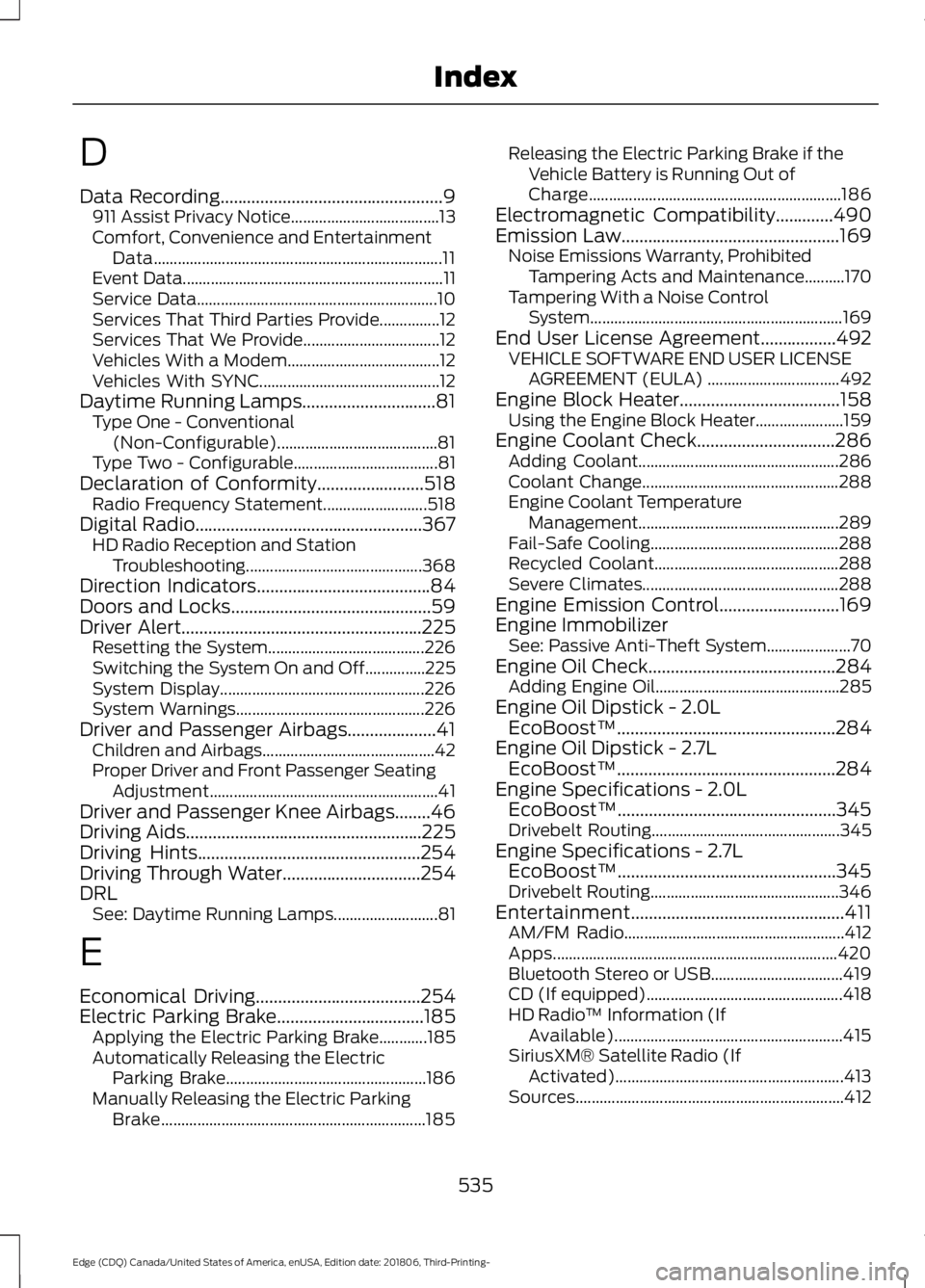
D
Data Recording..................................................9
911 Assist Privacy Notice..................................... 13
Comfort, Convenience and Entertainment Data........................................................................\
11
Event Data................................................................. 11
Service Data............................................................ 10
Services That Third Parties Provide...............12
Services That We Provide.................................. 12
Vehicles With a Modem...................................... 12
Vehicles With SYNC............................................. 12
Daytime Running Lamps..............................81 Type One - Conventional
(Non-Configurable)........................................ 81
Type Two - Configurable.................................... 81
Declaration of Conformity
........................518
Radio Frequency Statement.......................... 518
Digital Radio...................................................367 HD Radio Reception and Station
Troubleshooting............................................ 368
Direction Indicators.......................................84
Doors and Locks
.............................................59
Driver Alert......................................................225
Resetting the System....................................... 226
Switching the System On and Off...............225
System Display................................................... 226
System Warnings............................................... 226
Driver and Passenger Airbags....................41 Children and Airbags........................................... 42
Proper Driver and Front Passenger Seating Adjustment......................................................... 41
Driver and Passenger Knee Airbags........46
Driving Aids
.....................................................225
Driving Hints..................................................254
Driving Through Water...............................254
DRL See: Daytime Running Lamps.......................... 81
E
Economical Driving
.....................................254
Electric Parking Brake.................................185 Applying the Electric Parking Brake............185
Automatically Releasing the Electric
Parking Brake.................................................. 186
Manually Releasing the Electric Parking Brake.................................................................. 185Releasing the Electric Parking Brake if the
Vehicle Battery is Running Out of
Charge............................................................... 186
Electromagnetic Compatibility
.............490
Emission Law.................................................169
Noise Emissions Warranty, Prohibited
Tampering Acts and Maintenance..........170
Tampering With a Noise Control System............................................................... 169
End User License Agreement.................492 VEHICLE SOFTWARE END USER LICENSE
AGREEMENT (EULA) ................................. 492
Engine Block Heater....................................158 Using the Engine Block Heater...................... 159
Engine Coolant Check
...............................286
Adding Coolant.................................................. 286
Coolant Change................................................. 288
Engine Coolant Temperature Management.................................................. 289
Fail-Safe Cooling............................................... 288
Recycled Coolant.............................................. 288
Severe Climates................................................. 288
Engine Emission Control...........................169
Engine Immobilizer See: Passive Anti-Theft System..................... 70
Engine Oil Check..........................................284 Adding Engine Oil.............................................. 285
Engine Oil Dipstick - 2.0L EcoBoost™.................................................284
Engine Oil Dipstick - 2.7L EcoBoost™.................................................284
Engine Specifications - 2.0L EcoBoost™.................................................345
Drivebelt Routing............................................... 345
Engine Specifications - 2.7L EcoBoost™.................................................345
Drivebelt Routing............................................... 346
Entertainment................................................411 AM/FM Radio....................................................... 412
Apps....................................................................... 420
Bluetooth Stereo or USB................................. 419
CD (If equipped)................................................. 418
HD Radio ™ Information (If
Available)......................................................... 415
SiriusXM® Satellite Radio (If Activated)......................................................... 413
Sources................................................................... 412
535
Edge (CDQ) Canada/United States of America, enUSA, Edition date: 201806, Third-Printing- Index
Page 542 of 547
Message Center
See: Information Displays................................. 98
Mirrors See: Windows and Mirrors............................... 86
Mobile Communications Equipment.......15
Moonroof..........................................................89 Opening and Closing the Moonroof.............90
Motorcraft Parts - 2.0L EcoBoost™.................................................346
Motorcraft Parts - 2.7L EcoBoost™.................................................347
MyKey – Troubleshooting...........................58
MyKey ™.............................................................55
Principle of Operation........................................ 55
N
Navigation......................................................429 cityseeker............................................................. 436
Destination Mode............................................... 431
Map Mode............................................................ 429
Navigation Map Updates................................ 437
Navigation Menu................................................ 434
SiriusXM Traffic and Travel Link................... 437
SYNC AppLink.................................................... 436
Waypoints............................................................ 435
Normal Scheduled Maintenance...........475 Intelligent Oil-Life Monitor™......................... 475
Normal Maintenance Intervals..................... 476
O
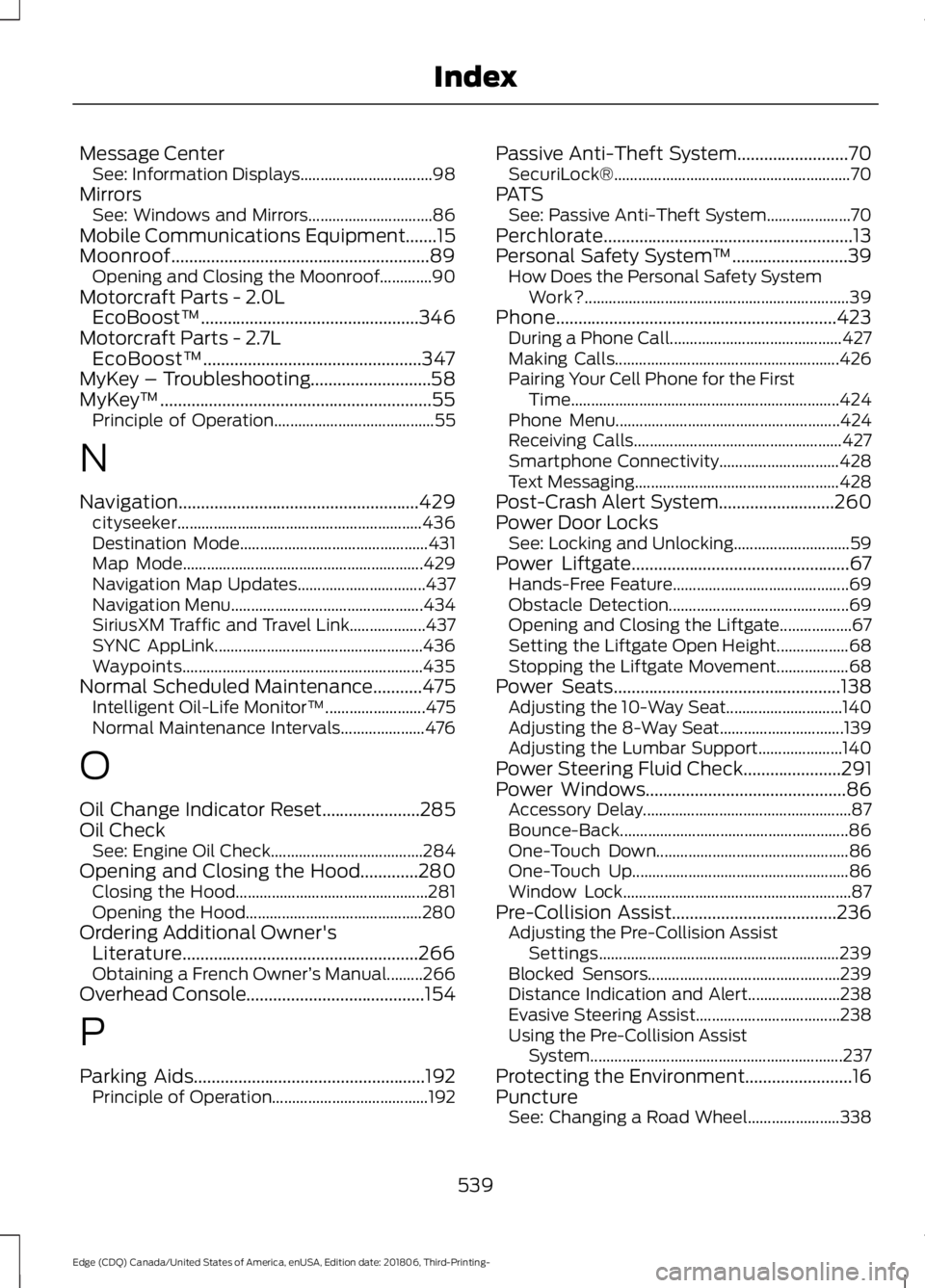
Oil Change Indicator Reset......................285
Oil Check See: Engine Oil Check...................................... 284
Opening and Closing the Hood.............280 Closing the Hood................................................ 281
Opening the Hood............................................ 280
Ordering Additional Owner's Literature.....................................................266
Obtaining a French Owner ’s Manual.........266
Overhead Console........................................154
P
Parking Aids
....................................................192
Principle of Operation....................................... 192Passive Anti-Theft System.........................70
SecuriLock®........................................................... 70
PATS See: Passive Anti-Theft System..................... 70
Perchlorate........................................................13
Personal Safety System ™
..........................39
How Does the Personal Safety System
Work?.................................................................. 39
Phone...............................................................423 During a Phone Call........................................... 427
Making Calls........................................................ 426
Pairing Your Cell Phone for the First Time................................................................... 424
Phone Menu........................................................ 424
Receiving Calls.................................................... 427
Smartphone Connectivity.............................. 428
Text Messaging................................................... 428
Post-Crash Alert System..........................260
Power Door Locks See: Locking and Unlocking............................. 59
Power Liftgate.................................................67 Hands-Free Feature............................................ 69
Obstacle Detection............................................. 69
Opening and Closing the Liftgate.................. 67
Setting the Liftgate Open Height.................. 68
Stopping the Liftgate Movement.................. 68
Power Seats
...................................................138
Adjusting the 10-Way Seat............................. 140
Adjusting the 8-Way Seat............................... 139
Adjusting the Lumbar Support..................... 140
Power Steering Fluid Check......................291
Power Windows
.............................................86
Accessory Delay.................................................... 87
Bounce-Back......................................................... 86
One-Touch Down................................................ 86
One-Touch Up...................................................... 86
Window Lock......................................................... 87
Pre-Collision Assist
.....................................236
Adjusting the Pre-Collision Assist
Settings............................................................ 239
Blocked Sensors................................................ 239
Distance Indication and Alert....................... 238
Evasive Steering Assist.................................... 238
Using the Pre-Collision Assist System............................................................... 237
Protecting the Environment........................16
Puncture See: Changing a Road Wheel....................... 338
539
Edge (CDQ) Canada/United States of America, enUSA, Edition date: 201806, Third-Printing- Index