door locks FORD EDGE 2019 User Guide
[x] Cancel search | Manufacturer: FORD, Model Year: 2019, Model line: EDGE, Model: FORD EDGE 2019Pages: 547, PDF Size: 40.86 MB
Page 68 of 547
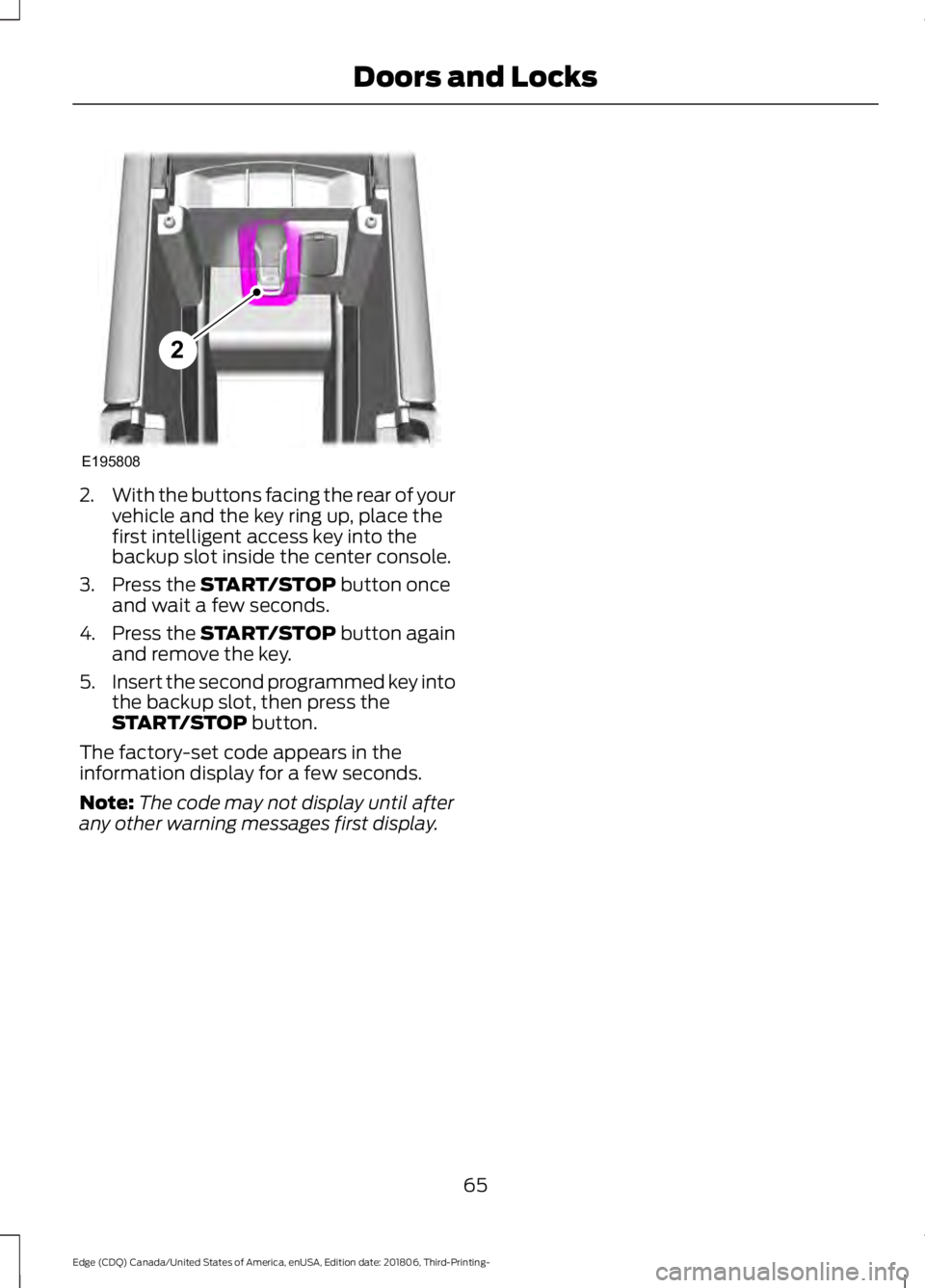
2.
With the buttons facing the rear of your
vehicle and the key ring up, place the
first intelligent access key into the
backup slot inside the center console.
3. Press the START/STOP button once
and wait a few seconds.
4. Press the
START/STOP button again
and remove the key.
5. Insert the second programmed key into
the backup slot, then press the
START/STOP
button.
The factory-set code appears in the
information display for a few seconds.
Note: The code may not display until after
any other warning messages first display.
65
Edge (CDQ) Canada/United States of America, enUSA, Edition date: 201806, Third-Printing- Doors and LocksE195808
2
Page 71 of 547
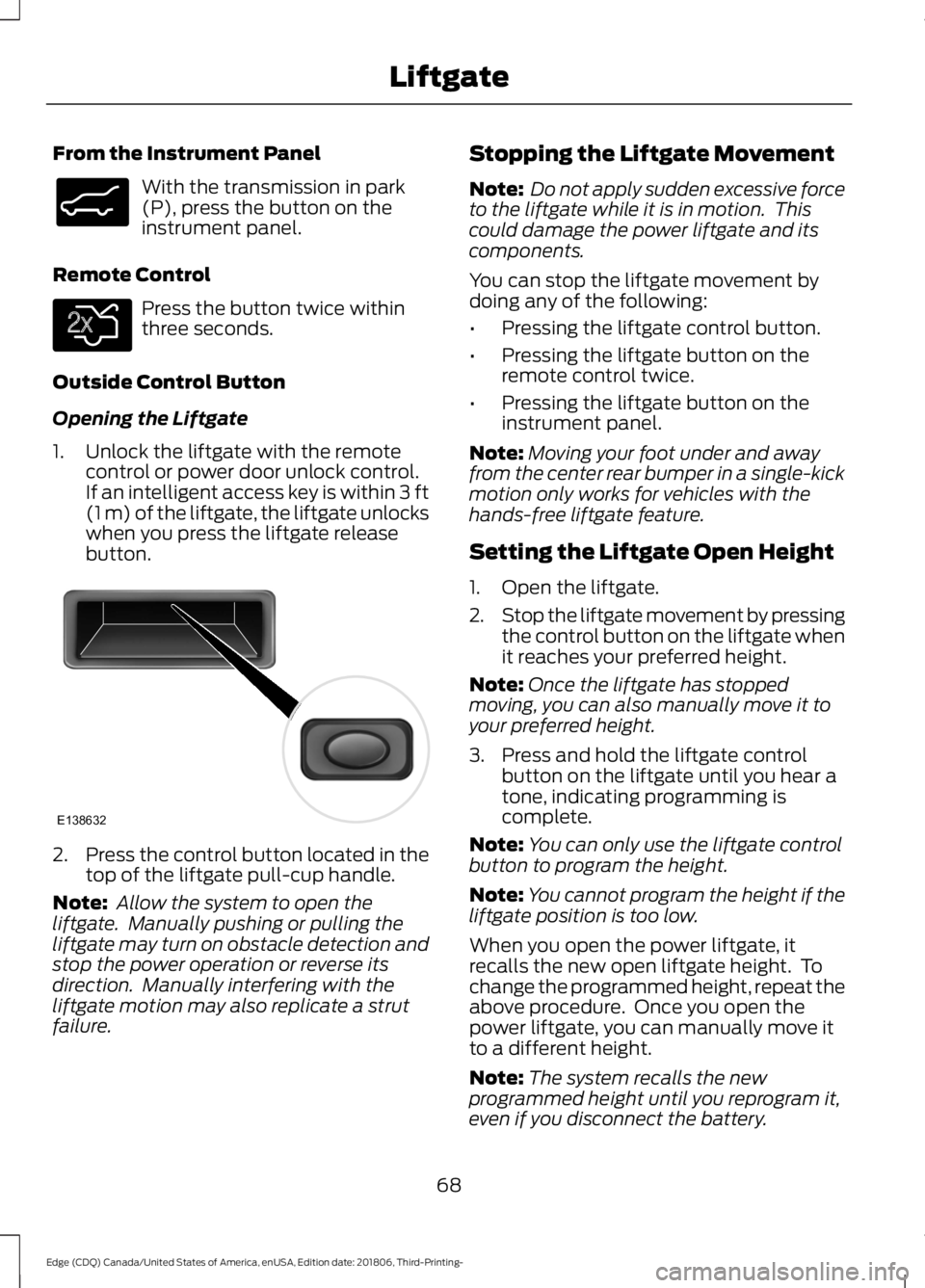
From the Instrument Panel
With the transmission in park
(P), press the button on the
instrument panel.
Remote Control Press the button twice within
three seconds.
Outside Control Button
Opening the Liftgate
1. Unlock the liftgate with the remote control or power door unlock control.
If an intelligent access key is within 3 ft
(1 m) of the liftgate, the liftgate unlocks
when you press the liftgate release
button. 2.
Press the control button located in the
top of the liftgate pull-cup handle.
Note: Allow the system to open the
liftgate. Manually pushing or pulling the
liftgate may turn on obstacle detection and
stop the power operation or reverse its
direction. Manually interfering with the
liftgate motion may also replicate a strut
failure. Stopping the Liftgate Movement
Note:
Do not apply sudden excessive force
to the liftgate while it is in motion. This
could damage the power liftgate and its
components.
You can stop the liftgate movement by
doing any of the following:
• Pressing the liftgate control button.
• Pressing the liftgate button on the
remote control twice.
• Pressing the liftgate button on the
instrument panel.
Note: Moving your foot under and away
from the center rear bumper in a single-kick
motion only works for vehicles with the
hands-free liftgate feature.
Setting the Liftgate Open Height
1. Open the liftgate.
2. Stop the liftgate movement by pressing
the control button on the liftgate when
it reaches your preferred height.
Note: Once the liftgate has stopped
moving, you can also manually move it to
your preferred height.
3. Press and hold the liftgate control button on the liftgate until you hear a
tone, indicating programming is
complete.
Note: You can only use the liftgate control
button to program the height.
Note: You cannot program the height if the
liftgate position is too low.
When you open the power liftgate, it
recalls the new open liftgate height. To
change the programmed height, repeat the
above procedure. Once you open the
power liftgate, you can manually move it
to a different height.
Note: The system recalls the new
programmed height until you reprogram it,
even if you disconnect the battery.
68
Edge (CDQ) Canada/United States of America, enUSA, Edition date: 201806, Third-Printing- LiftgateE138633 E138630 E138632
Page 116 of 547
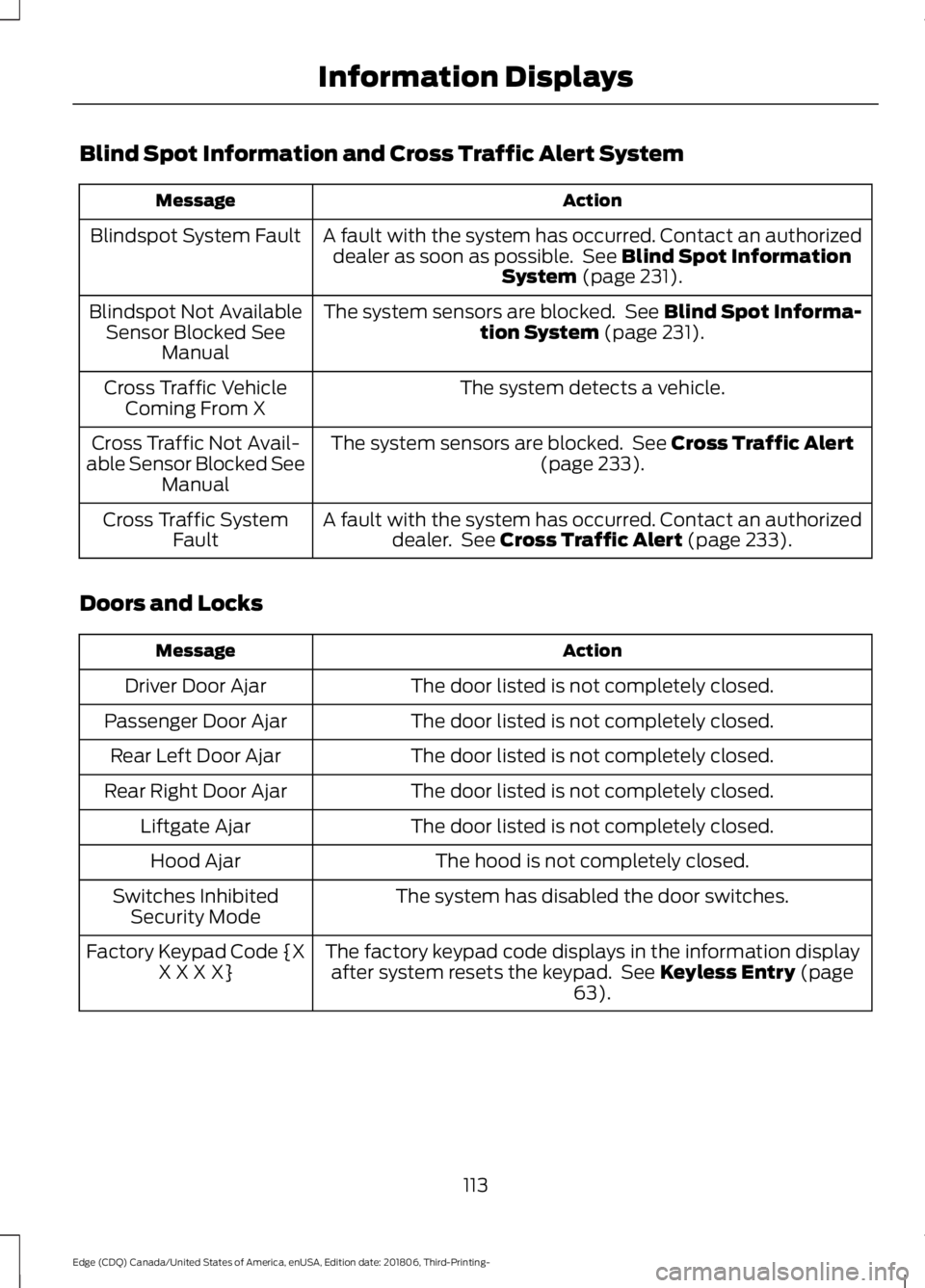
Blind Spot Information and Cross Traffic Alert System
Action
Message
A fault with the system has occurred. Contact an authorizeddealer as soon as possible. See Blind Spot Information
System (page 231).
Blindspot System Fault
The system sensors are blocked. See
Blind Spot Informa-
tion System (page 231).
Blindspot Not Available
Sensor Blocked See Manual
The system detects a vehicle.
Cross Traffic Vehicle
Coming From X
The system sensors are blocked. See
Cross Traffic Alert
(page 233).
Cross Traffic Not Avail-
able Sensor Blocked See Manual
A fault with the system has occurred. Contact an authorizeddealer. See
Cross Traffic Alert (page 233).
Cross Traffic System
Fault
Doors and Locks Action
Message
The door listed is not completely closed.
Driver Door Ajar
The door listed is not completely closed.
Passenger Door Ajar
The door listed is not completely closed.
Rear Left Door Ajar
The door listed is not completely closed.
Rear Right Door Ajar
The door listed is not completely closed.
Liftgate Ajar
The hood is not completely closed.
Hood Ajar
The system has disabled the door switches.
Switches Inhibited
Security Mode
The factory keypad code displays in the information displayafter system resets the keypad. See
Keyless Entry (page
63).
Factory Keypad Code {X
X X X X}
113
Edge (CDQ) Canada/United States of America, enUSA, Edition date: 201806, Third-Printing- Information Displays
Page 149 of 547
UNIVERSAL GARAGE DOOR
OPENER
HomeLink Wireless Control
System
WARNING: Do not use the system
with any garage door opener that does
not have the safety stop and reverse
feature as required by U.S. Federal
Safety Standards (this includes any
garage door opener manufactured
before April 1, 1982). A garage door
opener which cannot detect an object,
signaling the door to stop and reverse,
does not meet current federal safety
standards. Using a garage door opener
without these features increases the risk
of serious injury or death.
Note: Make sure that the garage door and
security device are free from obstruction
when you are programming. Do not program
the system with the vehicle in the garage.
Note: Make sure you keep the original
remote control transmitter for use in other
vehicles as well as for future system
programming.
Note: We recommend that upon the sale
or lease termination of your vehicle, you
erase the programmed function buttons for
security reasons. See Erasing the Function
Button Codes
.
Note: You can program a maximum of
three devices. To change or replace any of
the three devices after it has been initially
programmed, you must first erase the
current settings. See Erasing the Function
Button Codes
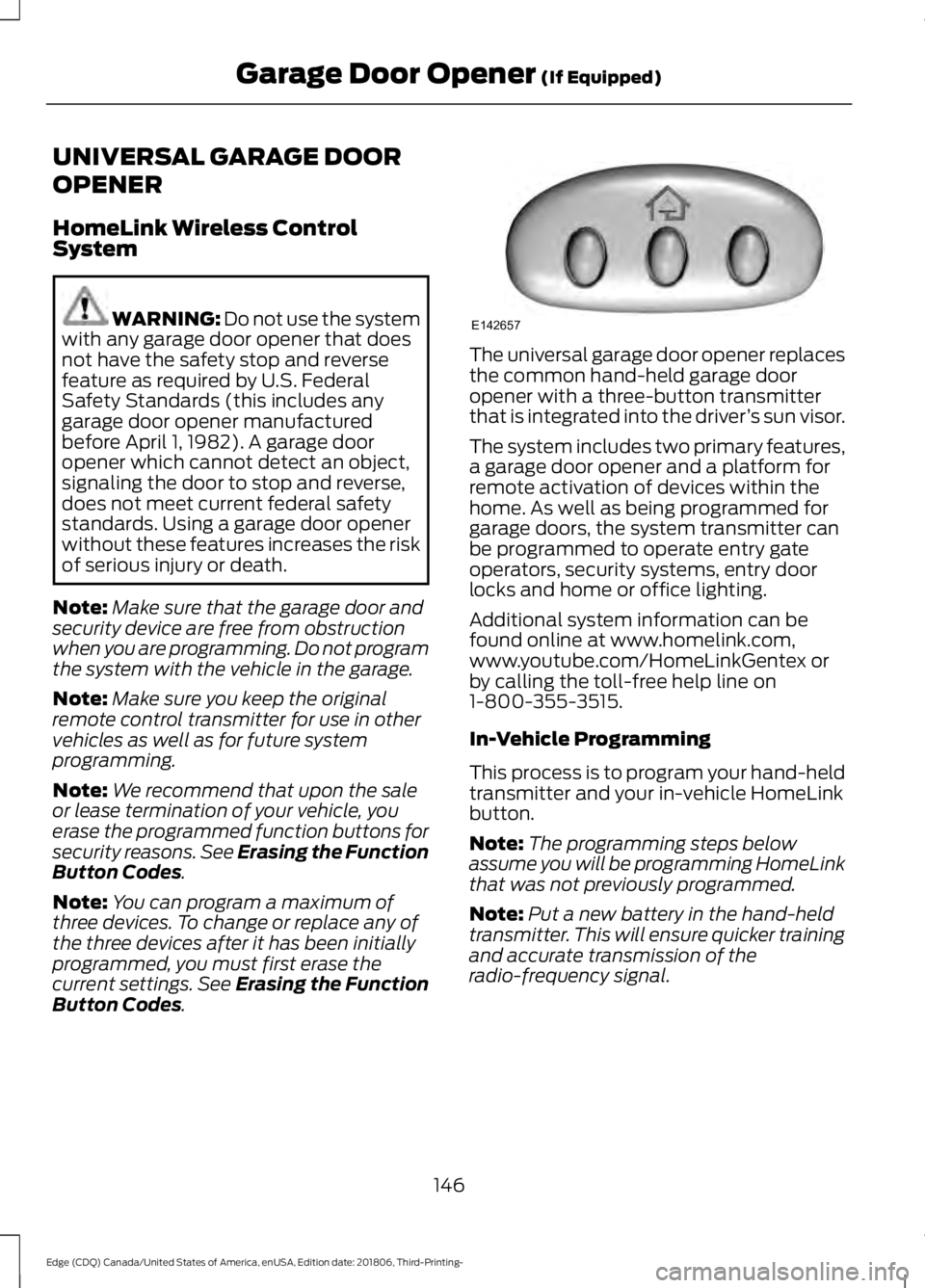
. The universal garage door opener replaces
the common hand-held garage door
opener with a three-button transmitter
that is integrated into the driver
’s sun visor.
The system includes two primary features,
a garage door opener and a platform for
remote activation of devices within the
home. As well as being programmed for
garage doors, the system transmitter can
be programmed to operate entry gate
operators, security systems, entry door
locks and home or office lighting.
Additional system information can be
found online at www.homelink.com,
www.youtube.com/HomeLinkGentex or
by calling the toll-free help line on
1-800-355-3515.
In-Vehicle Programming
This process is to program your hand-held
transmitter and your in-vehicle HomeLink
button.
Note: The programming steps below
assume you will be programming HomeLink
that was not previously programmed.
Note: Put a new battery in the hand-held
transmitter. This will ensure quicker training
and accurate transmission of the
radio-frequency signal.
146
Edge (CDQ) Canada/United States of America, enUSA, Edition date: 201806, Third-Printing- Garage Door Opener
(If Equipped)E142657
Page 477 of 547
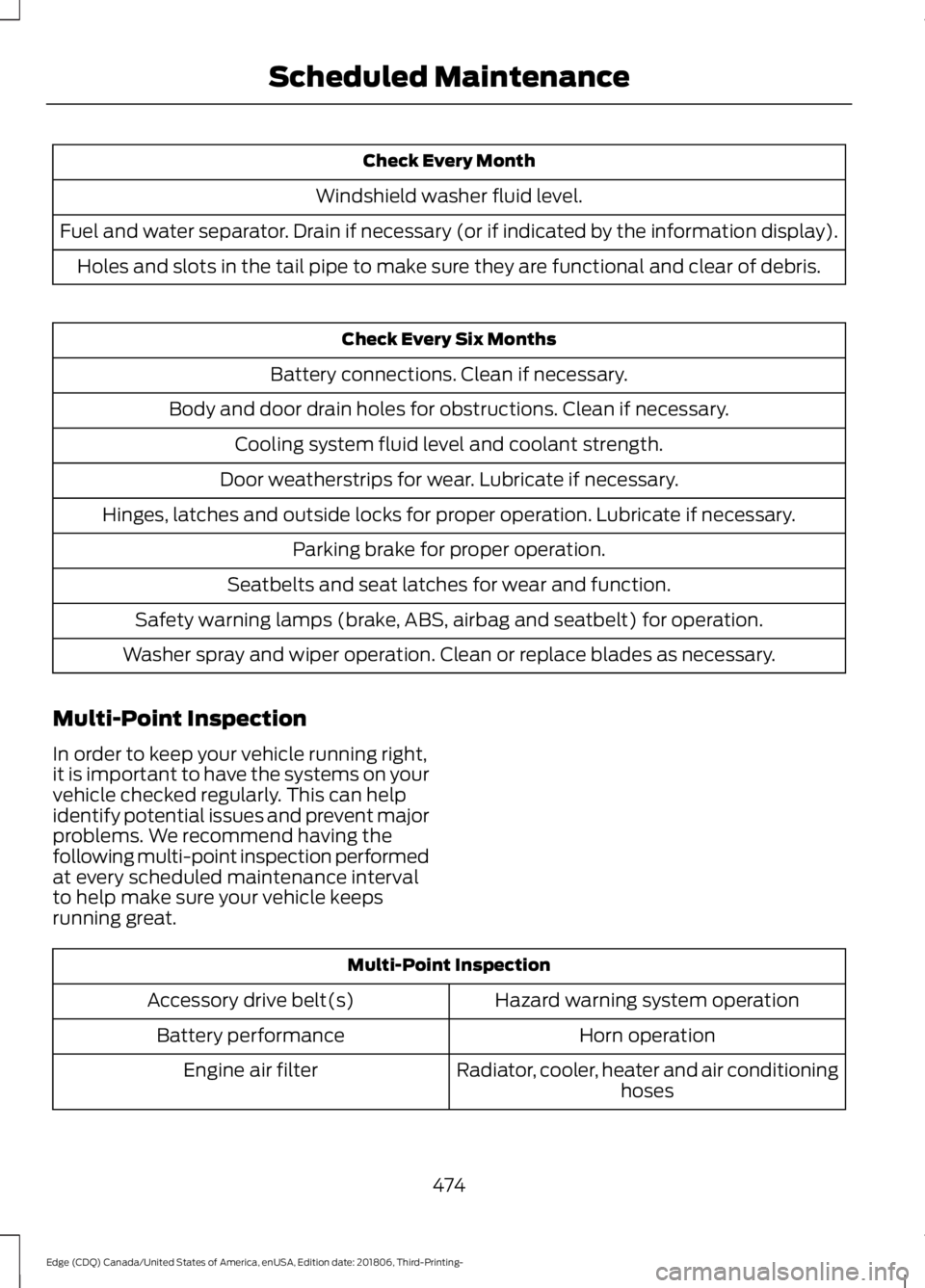
Check Every Month
Windshield washer fluid level.
Fuel and water separator. Drain if necessary (or if indicated by the information display). Holes and slots in the tail pipe to make sure they are functional and clear of debris. Check Every Six Months
Battery connections. Clean if necessary.
Body and door drain holes for obstructions. Clean if necessary. Cooling system fluid level and coolant strength.
Door weatherstrips for wear. Lubricate if necessary.
Hinges, latches and outside locks for proper operation. Lubricate if necessary. Parking brake for proper operation.
Seatbelts and seat latches for wear and function.
Safety warning lamps (brake, ABS, airbag and seatbelt) for operation.
Washer spray and wiper operation. Clean or replace blades as necessary.
Multi-Point Inspection
In order to keep your vehicle running right,
it is important to have the systems on your
vehicle checked regularly. This can help
identify potential issues and prevent major
problems. We recommend having the
following multi-point inspection performed
at every scheduled maintenance interval
to help make sure your vehicle keeps
running great. Multi-Point Inspection
Hazard warning system operation
Accessory drive belt(s)
Horn operation
Battery performance
Radiator, cooler, heater and air conditioninghoses
Engine air filter
474
Edge (CDQ) Canada/United States of America, enUSA, Edition date: 201806, Third-Printing- Scheduled Maintenance
Page 538 of 547
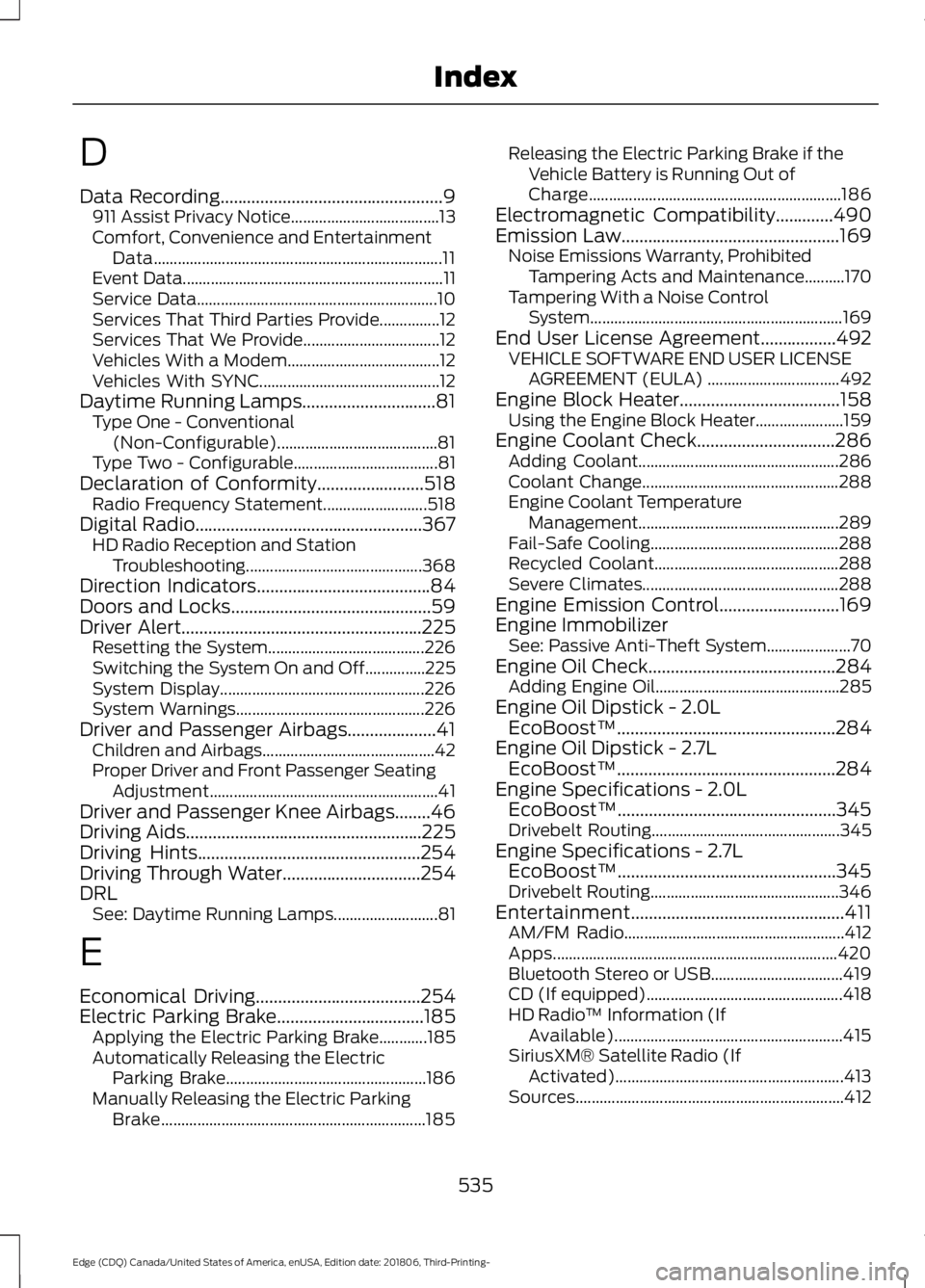
D
Data Recording..................................................9
911 Assist Privacy Notice..................................... 13
Comfort, Convenience and Entertainment Data........................................................................\
11
Event Data................................................................. 11
Service Data............................................................ 10
Services That Third Parties Provide...............12
Services That We Provide.................................. 12
Vehicles With a Modem...................................... 12
Vehicles With SYNC............................................. 12
Daytime Running Lamps..............................81 Type One - Conventional
(Non-Configurable)........................................ 81
Type Two - Configurable.................................... 81
Declaration of Conformity
........................518
Radio Frequency Statement.......................... 518
Digital Radio...................................................367 HD Radio Reception and Station
Troubleshooting............................................ 368
Direction Indicators.......................................84
Doors and Locks
.............................................59
Driver Alert......................................................225
Resetting the System....................................... 226
Switching the System On and Off...............225
System Display................................................... 226
System Warnings............................................... 226
Driver and Passenger Airbags....................41 Children and Airbags........................................... 42
Proper Driver and Front Passenger Seating Adjustment......................................................... 41
Driver and Passenger Knee Airbags........46
Driving Aids
.....................................................225
Driving Hints..................................................254
Driving Through Water...............................254
DRL See: Daytime Running Lamps.......................... 81
E
Economical Driving
.....................................254
Electric Parking Brake.................................185 Applying the Electric Parking Brake............185
Automatically Releasing the Electric
Parking Brake.................................................. 186
Manually Releasing the Electric Parking Brake.................................................................. 185Releasing the Electric Parking Brake if the
Vehicle Battery is Running Out of
Charge............................................................... 186
Electromagnetic Compatibility
.............490
Emission Law.................................................169
Noise Emissions Warranty, Prohibited
Tampering Acts and Maintenance..........170
Tampering With a Noise Control System............................................................... 169
End User License Agreement.................492 VEHICLE SOFTWARE END USER LICENSE
AGREEMENT (EULA) ................................. 492
Engine Block Heater....................................158 Using the Engine Block Heater...................... 159
Engine Coolant Check
...............................286
Adding Coolant.................................................. 286
Coolant Change................................................. 288
Engine Coolant Temperature Management.................................................. 289
Fail-Safe Cooling............................................... 288
Recycled Coolant.............................................. 288
Severe Climates................................................. 288
Engine Emission Control...........................169
Engine Immobilizer See: Passive Anti-Theft System..................... 70
Engine Oil Check..........................................284 Adding Engine Oil.............................................. 285
Engine Oil Dipstick - 2.0L EcoBoost™.................................................284
Engine Oil Dipstick - 2.7L EcoBoost™.................................................284
Engine Specifications - 2.0L EcoBoost™.................................................345
Drivebelt Routing............................................... 345
Engine Specifications - 2.7L EcoBoost™.................................................345
Drivebelt Routing............................................... 346
Entertainment................................................411 AM/FM Radio....................................................... 412
Apps....................................................................... 420
Bluetooth Stereo or USB................................. 419
CD (If equipped)................................................. 418
HD Radio ™ Information (If
Available)......................................................... 415
SiriusXM® Satellite Radio (If Activated)......................................................... 413
Sources................................................................... 412
535
Edge (CDQ) Canada/United States of America, enUSA, Edition date: 201806, Third-Printing- Index
Page 540 of 547
Getting the Services You Need................261
Away From Home............................................... 261
Global Opening...............................................87 Remote Control Front Windows..................... 87
H
Hazard Flashers............................................257
Headlamp Adjusting See: Adjusting the Headlamps..................... 294
Headlamp Exit Delay.....................................81
Headlamp Removal See: Removing a Headlamp.......................... 296
Headrest See: Head Restraints......................................... 135
Head Restraints.............................................135 Adjusting the Head Restraint......................... 136
Tilting Head Restraints .................................... 136
Heated Exterior Mirrors
...............................133
Heated Rear Window..................................133
Heated Seats
..................................................143
Front Seats............................................................ 143
Rear Seats............................................................. 143
Heated Steering Wheel................................76
Heated Windshield
.......................................133
Windshield Wiper De-Icer................................ 133
Heating See: Climate Control......................................... 124
Hill Start Assist.............................................186 Switching the System On and Off................187
Using Hill Start Assist........................................ 187
Hints on Controlling the Interior Climate..........................................................130
Defogging the Side Windows in Cold Weather............................................................. 132
General Hints....................................................... 130
Quickly Cooling the Interior............................. 132
Quickly Heating the Interior............................. 131
Recommended Settings for Cooling...........132
Recommended Settings for Heating............131
Hints on Driving With Anti-Lock Brakes............................................................184
Home Screen................................................403
Hood Lock See: Opening and Closing the Hood..........280 I
In California (U.S. Only)
.............................262
Information Display Control.......................76
Information Displays
....................................98
General Information........................................... 98
Information Messages
...............................108
Active Park............................................................ 108
Adaptive Cruise Control................................... 109
Airbag..................................................................... 109
Alarm........................................................................\
110
All-Wheel Drive.................................................... 110
Automatic Engine Shutdown......................... 110
Automatic High Beam Control........................ 111
Auto Start-Stop..................................................... 111
Battery and Charging System......................... 112
Blind Spot Information and Cross Traffic Alert System..................................................... 113
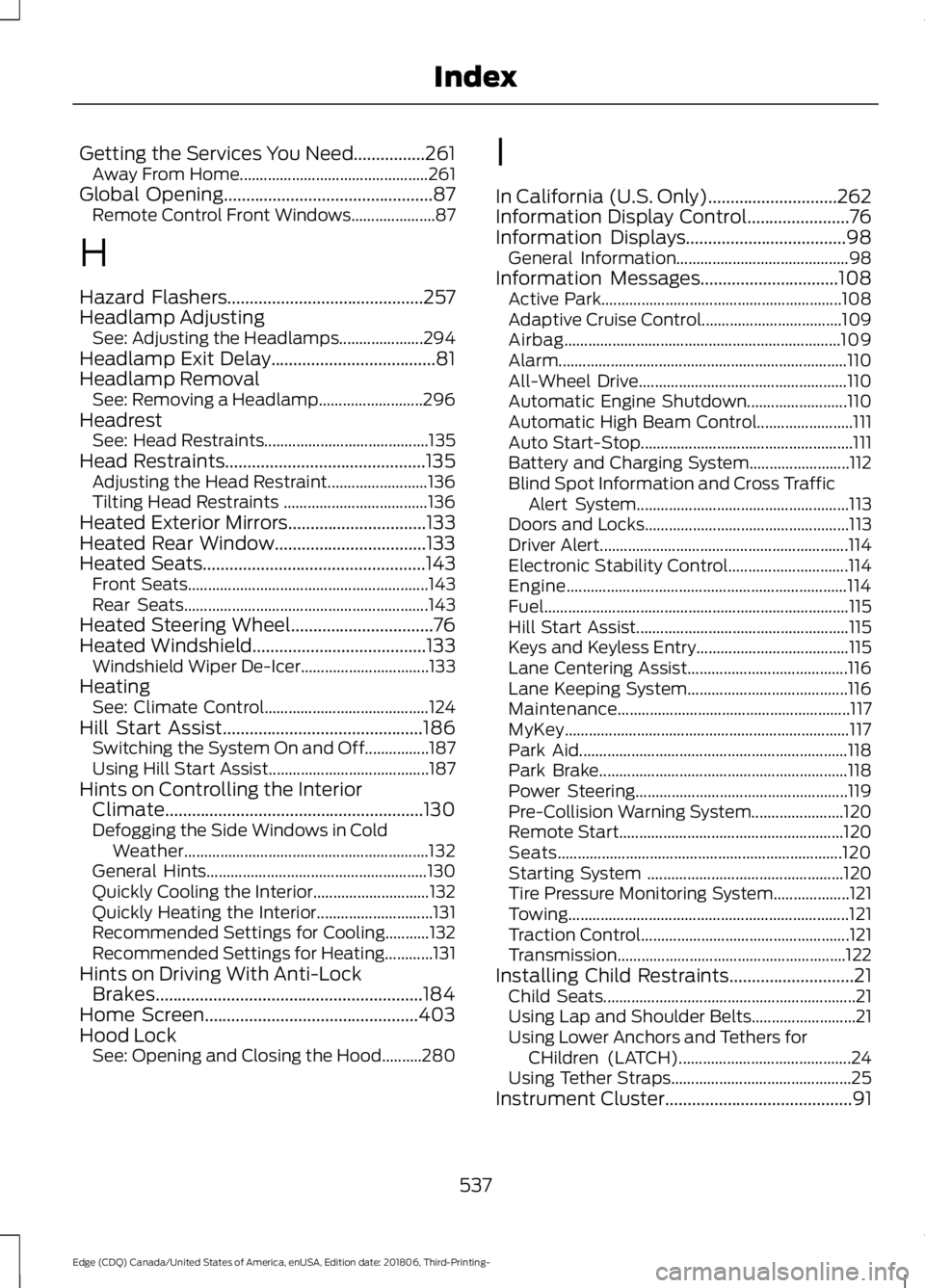
Doors and Locks................................................... 113
Driver Alert.............................................................. 114
Electronic Stability Control.............................. 114
Engine...................................................................... 114
Fuel........................................................................\
.... 115
Hill Start Assist..................................................... 115
Keys and Keyless Entry...................................... 115
Lane Centering Assist........................................ 116
Lane Keeping System........................................ 116
Maintenance.......................................................... 117
MyKey....................................................................... 117
Park Aid................................................................... 118
Park Brake.............................................................. 118
Power Steering..................................................... 119
Pre-Collision Warning System....................... 120
Remote Start........................................................ 120
Seats....................................................................... 120
Starting System ................................................. 120
Tire Pressure Monitoring System................... 121
Towing...................................................................... 121
Traction Control.................................................... 121
Transmission ......................................................... 122
Installing Child Restraints............................21 Child Seats............................................................... 21
Using Lap and Shoulder Belts.......................... 21
Using Lower Anchors and Tethers for CHildren (LATCH)........................................... 24
Using Tether Straps............................................. 25
Instrument Cluster
..........................................91
537
Edge (CDQ) Canada/United States of America, enUSA, Edition date: 201806, Third-Printing- Index
Page 541 of 547
Instrument Lighting Dimmer.....................80
Vehicles With Front Fog Lamps...................... 81
Vehicles Without Front Fog Lamps................81
Instrument Panel.............................................17
Interior Lamps.................................................84
Front Interior Lamp............................................. 84
Rear Interior Lamps............................................. 85
Interior Mirror...................................................89 Auto-Dimming Mirror......................................... 89
Introduction.........................................................7
J
Jump Starting the Vehicle........................258 Preparing Your Vehicle.................................... 258
To Connect the Booster Cables................... 258
To Start the Engine........................................... 259
K
Keyless Entry
....................................................63
SECURICODE™ KEYLESS ENTRY
KEYPAD.............................................................. 63
Keyless Starting
............................................155
Ignition Modes..................................................... 155
Keys and Remote Controls.........................49
L
Lane Keeping System................................226 Switching the System On and Off...............227
Liftgate...............................................................66
Lighting Control
..............................................79
Flashing the Headlamp High Beam.............80
Headlamp High Beam........................................ 79
Lighting
...............................................................79
General Information............................................ 79
Load Carriers See: Roof Racks and Load Carriers..............241
Load Carrying.................................................241
Load Limit
.......................................................242
Special Loading Instructions for Owners of
Pick-up Trucks and Utility-type
Vehicles............................................................ 246
Vehicle Loading - with and without a Trailer................................................................. 242
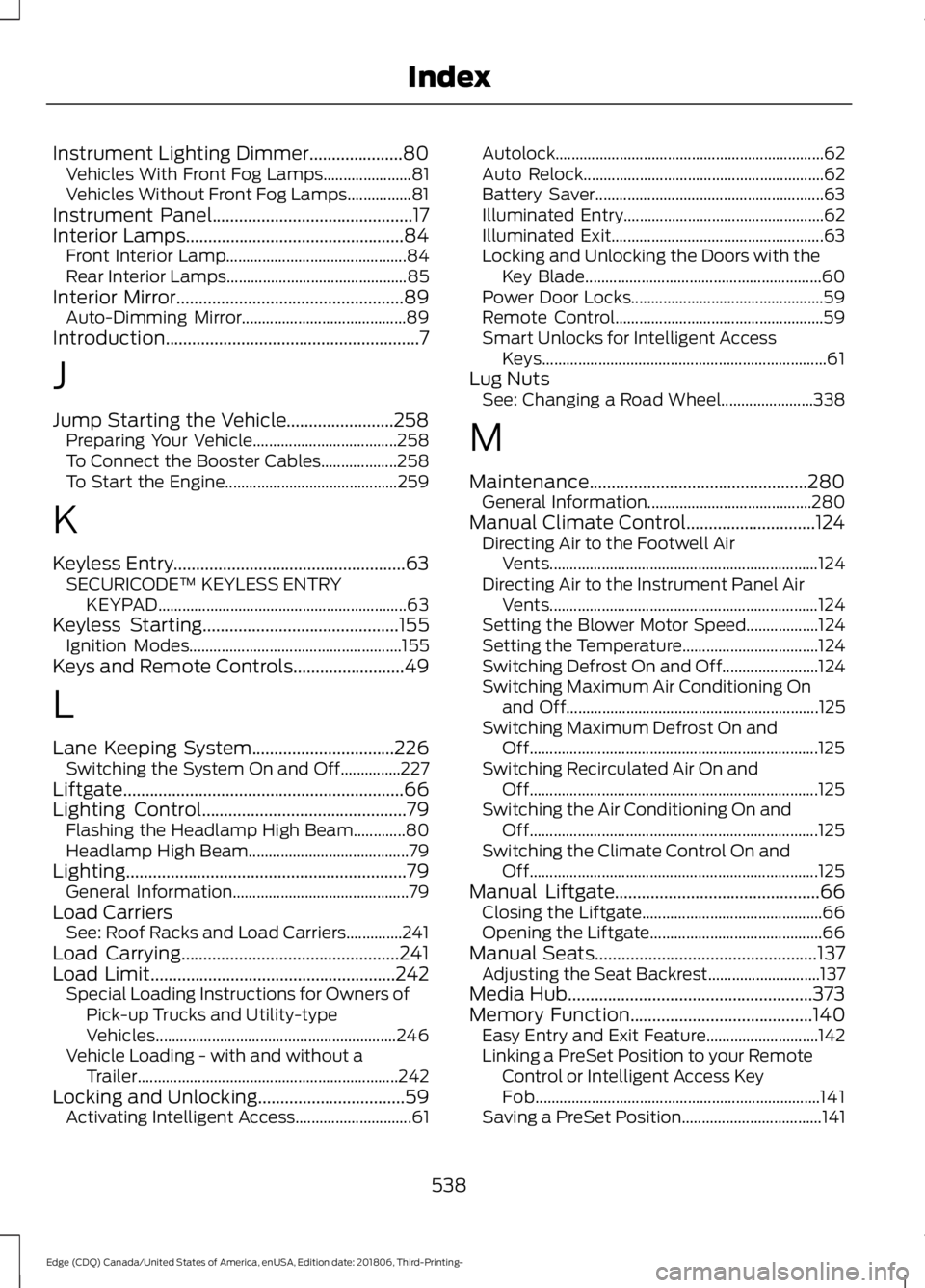
Locking and Unlocking.................................59 Activating Intelligent Access............................. 61Autolock...................................................................
62
Auto Relock............................................................ 62
Battery Saver......................................................... 63
Illuminated Entry.................................................. 62
Illuminated Exit..................................................... 63
Locking and Unlocking the Doors with the Key Blade........................................................... 60
Power Door Locks................................................ 59
Remote Control.................................................... 59
Smart Unlocks for Intelligent Access Keys....................................................................... 61
Lug Nuts See: Changing a Road Wheel....................... 338
M
Maintenance.................................................280 General Information......................................... 280
Manual Climate Control.............................124 Directing Air to the Footwell Air
Vents................................................................... 124
Directing Air to the Instrument Panel Air Vents................................................................... 124
Setting the Blower Motor Speed.................. 124
Setting the Temperature.................................. 124
Switching Defrost On and Off........................ 124
Switching Maximum Air Conditioning On and Off............................................................... 125
Switching Maximum Defrost On and Off........................................................................\
125
Switching Recirculated Air On and Off........................................................................\
125
Switching the Air Conditioning On and Off........................................................................\
125
Switching the Climate Control On and Off........................................................................\
125
Manual Liftgate
..............................................66
Closing the Liftgate............................................. 66
Opening the Liftgate........................................... 66
Manual Seats..................................................137 Adjusting the Seat Backrest............................ 137
Media Hub
.......................................................373
Memory Function.........................................140
Easy Entry and Exit Feature............................ 142
Linking a PreSet Position to your Remote Control or Intelligent Access Key
Fob....................................................................... 141
Saving a PreSet Position................................... 141
538
Edge (CDQ) Canada/United States of America, enUSA, Edition date: 201806, Third-Printing- Index
Page 542 of 547
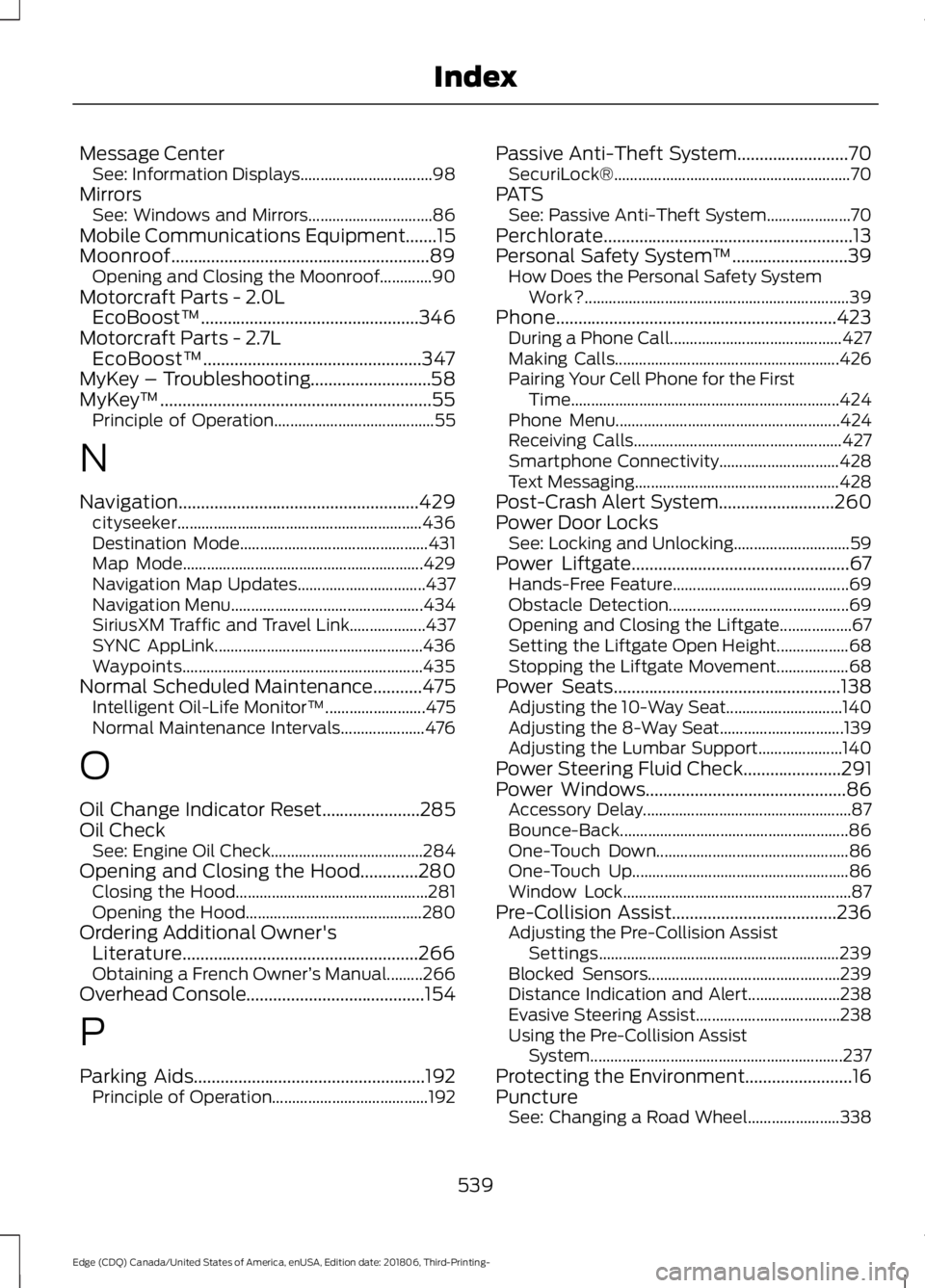
Message Center
See: Information Displays................................. 98
Mirrors See: Windows and Mirrors............................... 86
Mobile Communications Equipment.......15
Moonroof..........................................................89 Opening and Closing the Moonroof.............90
Motorcraft Parts - 2.0L EcoBoost™.................................................346
Motorcraft Parts - 2.7L EcoBoost™.................................................347
MyKey – Troubleshooting...........................58
MyKey ™.............................................................55
Principle of Operation........................................ 55
N
Navigation......................................................429 cityseeker............................................................. 436
Destination Mode............................................... 431
Map Mode............................................................ 429
Navigation Map Updates................................ 437
Navigation Menu................................................ 434
SiriusXM Traffic and Travel Link................... 437
SYNC AppLink.................................................... 436
Waypoints............................................................ 435
Normal Scheduled Maintenance...........475 Intelligent Oil-Life Monitor™......................... 475
Normal Maintenance Intervals..................... 476
O
Oil Change Indicator Reset......................285
Oil Check See: Engine Oil Check...................................... 284
Opening and Closing the Hood.............280 Closing the Hood................................................ 281
Opening the Hood............................................ 280
Ordering Additional Owner's Literature.....................................................266
Obtaining a French Owner ’s Manual.........266
Overhead Console........................................154
P
Parking Aids
....................................................192
Principle of Operation....................................... 192Passive Anti-Theft System.........................70
SecuriLock®........................................................... 70
PATS See: Passive Anti-Theft System..................... 70
Perchlorate........................................................13
Personal Safety System ™
..........................39
How Does the Personal Safety System
Work?.................................................................. 39
Phone...............................................................423 During a Phone Call........................................... 427
Making Calls........................................................ 426
Pairing Your Cell Phone for the First Time................................................................... 424
Phone Menu........................................................ 424
Receiving Calls.................................................... 427
Smartphone Connectivity.............................. 428
Text Messaging................................................... 428
Post-Crash Alert System..........................260
Power Door Locks See: Locking and Unlocking............................. 59
Power Liftgate.................................................67 Hands-Free Feature............................................ 69
Obstacle Detection............................................. 69
Opening and Closing the Liftgate.................. 67
Setting the Liftgate Open Height.................. 68
Stopping the Liftgate Movement.................. 68
Power Seats
...................................................138
Adjusting the 10-Way Seat............................. 140
Adjusting the 8-Way Seat............................... 139
Adjusting the Lumbar Support..................... 140
Power Steering Fluid Check......................291
Power Windows
.............................................86
Accessory Delay.................................................... 87
Bounce-Back......................................................... 86
One-Touch Down................................................ 86
One-Touch Up...................................................... 86
Window Lock......................................................... 87
Pre-Collision Assist
.....................................236
Adjusting the Pre-Collision Assist
Settings............................................................ 239
Blocked Sensors................................................ 239
Distance Indication and Alert....................... 238
Evasive Steering Assist.................................... 238
Using the Pre-Collision Assist System............................................................... 237
Protecting the Environment........................16
Puncture See: Changing a Road Wheel....................... 338
539
Edge (CDQ) Canada/United States of America, enUSA, Edition date: 201806, Third-Printing- Index