Shift FORD EDGE 2019 Owner's Guide
[x] Cancel search | Manufacturer: FORD, Model Year: 2019, Model line: EDGE, Model: FORD EDGE 2019Pages: 547, PDF Size: 40.86 MB
Page 199 of 547
ACTIVE PARK ASSIST (IF
EQUIPPED) WARNING:
You must remain in
your vehicle when the system turns on.
At all times, you are responsible for
controlling your vehicle, supervising the
system and intervening, if required.
Failure to take care may result in the loss
of control of your vehicle, serious
personal injury or death. WARNING:
The sensors may not
detect objects in heavy rain or other
conditions that cause interference. WARNING:
Active park assist does
not apply the brakes under any
circumstances. WARNING:
You are responsible
for controlling your vehicle at all times.
The system is designed to be an aid and
does not relieve you of your responsibility
to drive with due care and attention.
Failure to follow this instruction could
result in the loss of control of your
vehicle, personal injury or death.
Active park assist is a multi-step process
and may require you to shift the
transmission multiple times. Follow the
onscreen instructions until the parking
maneuver is complete.
If you are uncomfortable with the proximity
to any vehicle or object, you may choose
to override the system by grabbing the
steering wheel, or by taking full control of
your vehicle after pressing the active park
assist button.
Keep your hands, hair, clothing and any
loose items clear of the steering wheel
when using active park assist. The sensors are on the front and rear
bumpers.
Note:
Keep the sensors free from snow, ice
and large accumulations of dirt.
Note: Do not cover up the sensors.
Note: Do not clean the sensors with sharp
objects.
Note: The sensors may not detect objects
with surfaces that absorb ultrasonic waves.
The sensors may falsely detect objects due
to ultrasonic interference caused by
motorcycle exhausts, truck air brakes or
horns, for example.
Note: If you change any tires, the system
must recalibrate and may not correctly
operate for a short time.
The system may not correctly operate in
any of the following conditions:
• You use a spare tire or a tire that is
significantly worn more than the other
tires.
• One or more tires are incorrectly
inflated.
• You try to park on a tight curve.
• Something passes between the front
bumper and the parking space. For
example, a pedestrian or cyclist.
• The edge of the neighboring parked
vehicle is high off the ground. For
example, a bus, tow truck or flatbed
truck.
• The weather conditions are poor. For
example, during heavy rain, snow, fog,
high humidity and high temperatures.
Do not use the system if:
• You have attached an add-on
accessory close to the sensors on the
front or rear of your vehicle. For
example, a bike rack or trailer.
• You have attached an overhanging
object to the roof. For example, a
surfboard.
196
Edge (CDQ) Canada/United States of America, enUSA, Edition date: 201806, Third-Printing- Parking Aids
Page 200 of 547
•
The front bumper, rear bumper or the
side sensors are damaged.
• The correct tire size is not in use on your
vehicle. For example, a mini-spare tire.
Using Active Park Assist
Selecting an Active Park Assist Mode Press the button once to
activate parallel parking. Press
the button a second time to
activate perpendicular parking. If you press
the button again the system switches off.
If your vehicle is parked and after you
switch the ignition on, you can use the
information display to toggle through the
modes. Press the button to switch the
system on and open the system menu in
the information display.
Note: If your vehicle is parked, the default
mode is parallel park out assist. However,
if you did not use active park assist to
parallel park your vehicle, use the
information display to select park out assist.
Note: You can repeatedly press the active
park assist button to toggle through the
modes only after moving your vehicle
approximately 33 ft (10 m).
To toggle through the modes, use the
buttons on the information display to
select the following:
• Parallel parking.
• Perpendicular parking.
• Parallel park out assist.
• Switch the system off.
Note: There is no time limit for toggling
through the modes. Parallel Parking
The system detects available parallel
parking spaces and steers your vehicle into
the space. You control the accelerator,
gearshift and brakes. The system visually
and audibly guides you into a parallel
parking space. Press the button once to search
for a parking space.
Note: You can also switch the system on
after you have already driven partially or
completely past a parking space. Press the
active park assist button and the system
informs you if you have recently passed a
suitable parking space.
When the vehicle speed is less than
22 mph (35 km/h), the system scans both
sides of your vehicle for an available
parking space. A message and a graphic
appear in the information display to
indicate the system is searching for a
parking space. Use the direction indicator
lever to search for a parking space on the
driver or passenger side of your vehicle.
Note: The system scans both sides of your
vehicle and offers parking spaces one side
at a time if you do not use the direction
indicator.
Note: The system defaults to the passenger
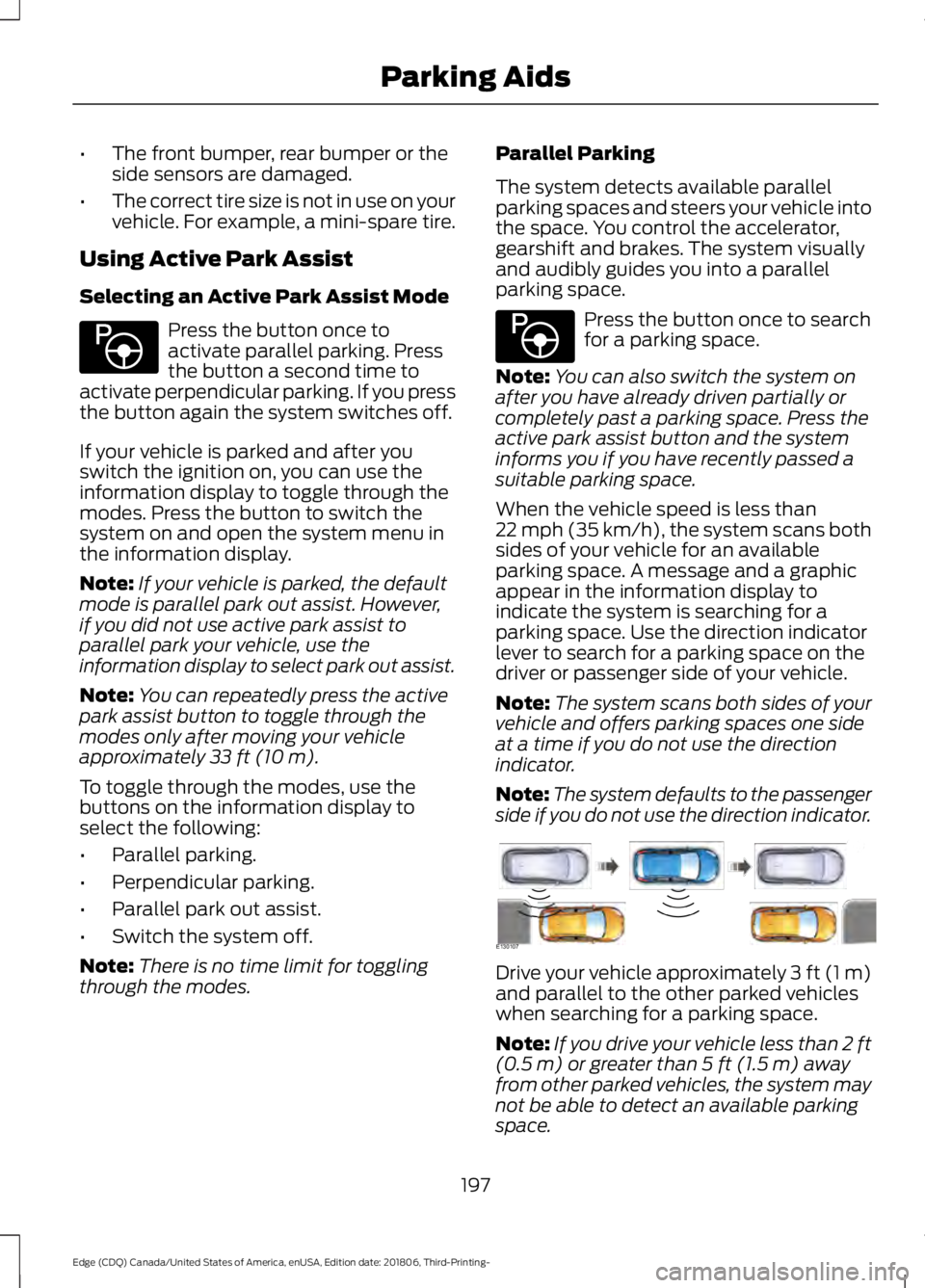
side if you do not use the direction indicator. Drive your vehicle approximately 3 ft (1 m)
and parallel to the other parked vehicles
when searching for a parking space.
Note:
If you drive your vehicle less than 2 ft
(0.5 m)
or greater than 5 ft (1.5 m) away
from other parked vehicles, the system may
not be able to detect an available parking
space.
197
Edge (CDQ) Canada/United States of America, enUSA, Edition date: 201806, Third-Printing- Parking AidsE146186 E146186 E130107
Page 201 of 547
When the system detects a suitable space,
a message displays and a tone sounds.
Stop your vehicle and follow the onscreen
instructions. If your vehicle is moving very
slowly, you may have to move forward a
short distance before the system is ready
to park.
Note:
You must observe that the space the
system selects remains clear of obstructions
at all times during the maneuver.
Note: The system always offers the last
parking space it detects. For example, if your
vehicle detects multiple spaces when you
are driving, it offers the last one.
Note: If the vehicle speed is greater than
approximately 22 mph (35 km/h), the
system shows a message to instruct you to
reduce the vehicle speed.
Automatically Steering into a Parallel
Parking Space
When you shift into reverse (R), with your
hands off the steering wheel and nothing
obstructing its movement, your vehicle
steers itself into the space. The system
displays instructions to move your vehicle
backward and forward in the space.
Note: If the vehicle speed exceeds
approximately
6 mph (9 km/h), you
interrupt the maneuver, or the system
switches off, you must take full control of
your vehicle.
Note: If the system detects an object is very
close to your vehicle and it may be unsafe
to continue the maneuver, it may instruct
you to stop your vehicle. The system may
not provide any further instruction. Steering
assistance continues to operate but you
must decide if it is safe to continue the
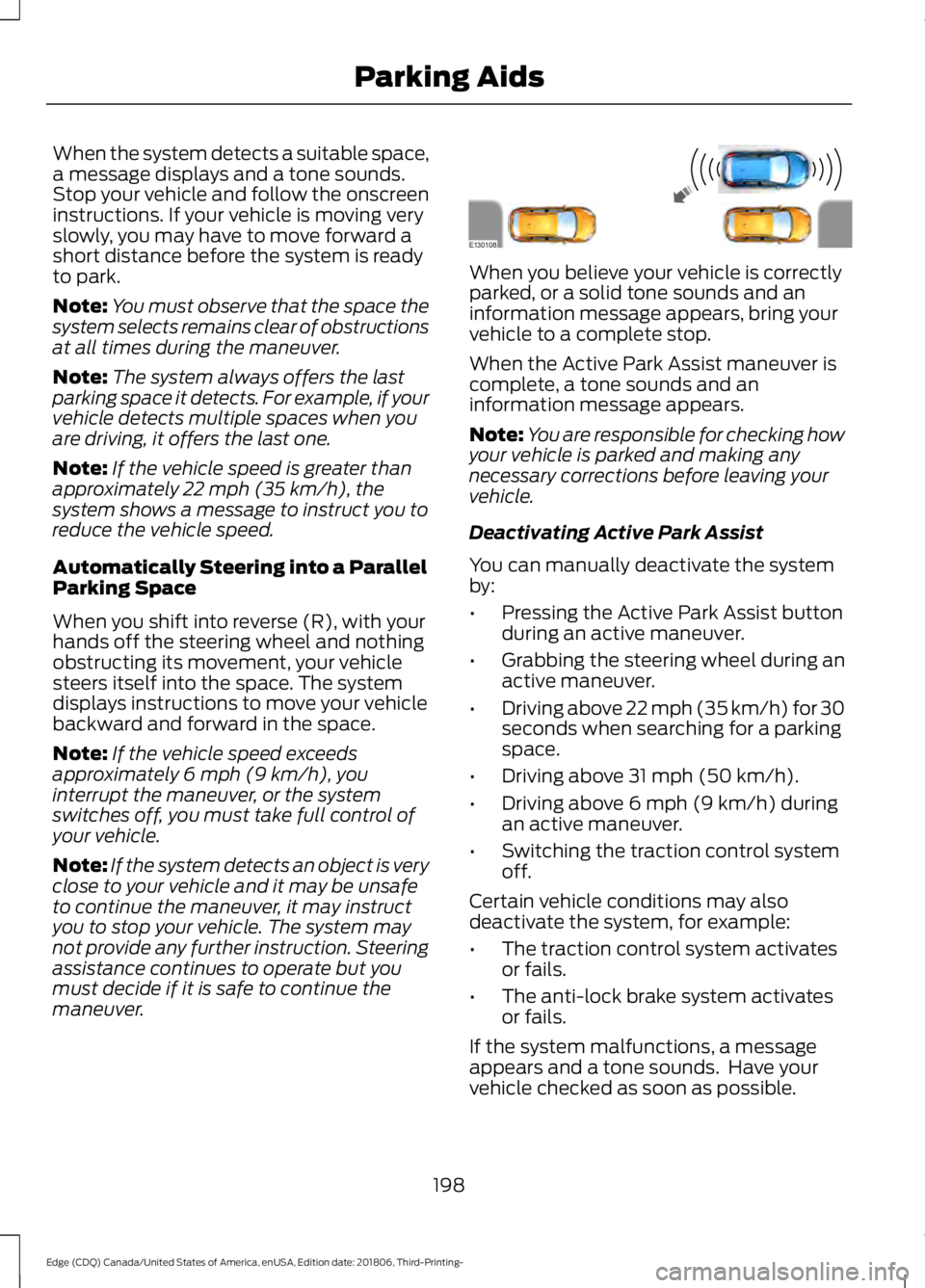
maneuver. When you believe your vehicle is correctly
parked, or a solid tone sounds and an
information message appears, bring your
vehicle to a complete stop.
When the Active Park Assist maneuver is
complete, a tone sounds and an
information message appears.
Note:
You are responsible for checking how
your vehicle is parked and making any
necessary corrections before leaving your
vehicle.
Deactivating Active Park Assist
You can manually deactivate the system
by:
• Pressing the Active Park Assist button
during an active maneuver.
• Grabbing the steering wheel during an
active maneuver.
• Driving above 22 mph (35 km/h) for 30
seconds when searching for a parking
space.
• Driving above 31 mph (50 km/h).
• Driving above
6 mph (9 km/h) during
an active maneuver.
• Switching the traction control system
off.
Certain vehicle conditions may also
deactivate the system, for example:
• The traction control system activates
or fails.
• The anti-lock brake system activates
or fails.
If the system malfunctions, a message
appears and a tone sounds. Have your
vehicle checked as soon as possible.
198
Edge (CDQ) Canada/United States of America, enUSA, Edition date: 201806, Third-Printing- Parking AidsE130108
Page 202 of 547
Perpendicular Parking
The system detects available
perpendicular parking spaces and steers
your vehicle into the space. You control the
accelerator, gearshift and brakes. The
system visually and audibly guides you into
a perpendicular parking space.
Press the button twice to search
for a parking space.
When the vehicle speed is less than 19 mph
(30 km/h), the system scans both sides of
your vehicle for an available parking space.
A message and a graphic appear in the
information display to indicate the system
is searching for a parking space. Use the
direction indicator lever to search for a
parking space on the driver or passenger
side of your vehicle.
Note: The system scans both sides of your
vehicle and offers parking spaces one side
at a time if you do not use the direction
indicator.
Note: The system defaults to the passenger
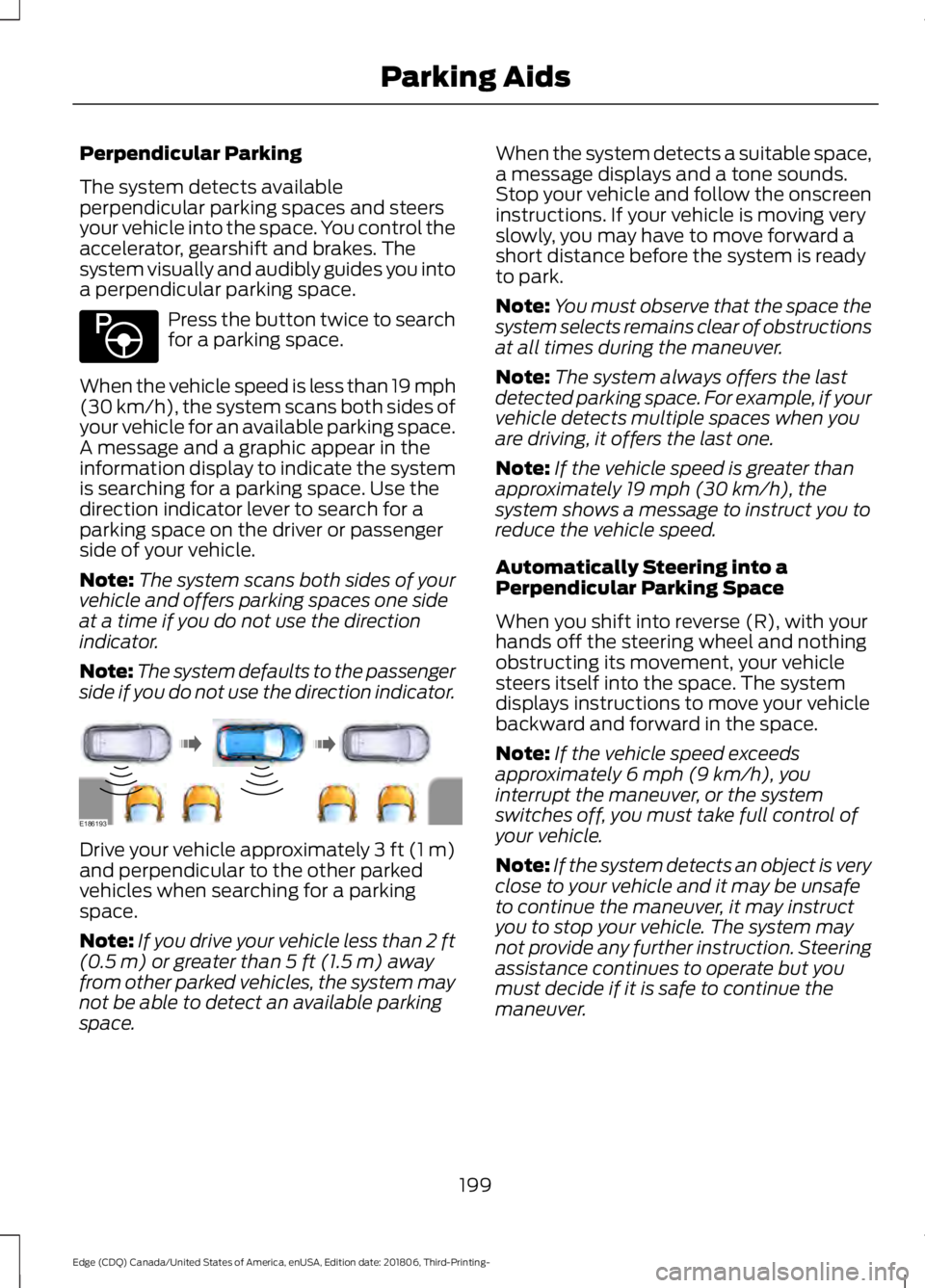
side if you do not use the direction indicator. Drive your vehicle approximately 3 ft (1 m)
and perpendicular to the other parked
vehicles when searching for a parking
space.
Note:
If you drive your vehicle less than 2 ft
(0.5 m)
or greater than 5 ft (1.5 m) away
from other parked vehicles, the system may
not be able to detect an available parking
space. When the system detects a suitable space,
a message displays and a tone sounds.
Stop your vehicle and follow the onscreen
instructions. If your vehicle is moving very
slowly, you may have to move forward a
short distance before the system is ready
to park.
Note:
You must observe that the space the
system selects remains clear of obstructions
at all times during the maneuver.
Note: The system always offers the last
detected parking space. For example, if your
vehicle detects multiple spaces when you
are driving, it offers the last one.
Note: If the vehicle speed is greater than
approximately
19 mph (30 km/h), the
system shows a message to instruct you to
reduce the vehicle speed.
Automatically Steering into a
Perpendicular Parking Space
When you shift into reverse (R), with your
hands off the steering wheel and nothing
obstructing its movement, your vehicle
steers itself into the space. The system
displays instructions to move your vehicle
backward and forward in the space.
Note: If the vehicle speed exceeds
approximately
6 mph (9 km/h), you
interrupt the maneuver, or the system
switches off, you must take full control of
your vehicle.
Note: If the system detects an object is very
close to your vehicle and it may be unsafe
to continue the maneuver, it may instruct
you to stop your vehicle. The system may
not provide any further instruction. Steering
assistance continues to operate but you
must decide if it is safe to continue the
maneuver.
199
Edge (CDQ) Canada/United States of America, enUSA, Edition date: 201806, Third-Printing- Parking AidsE146186 E186193
Page 203 of 547
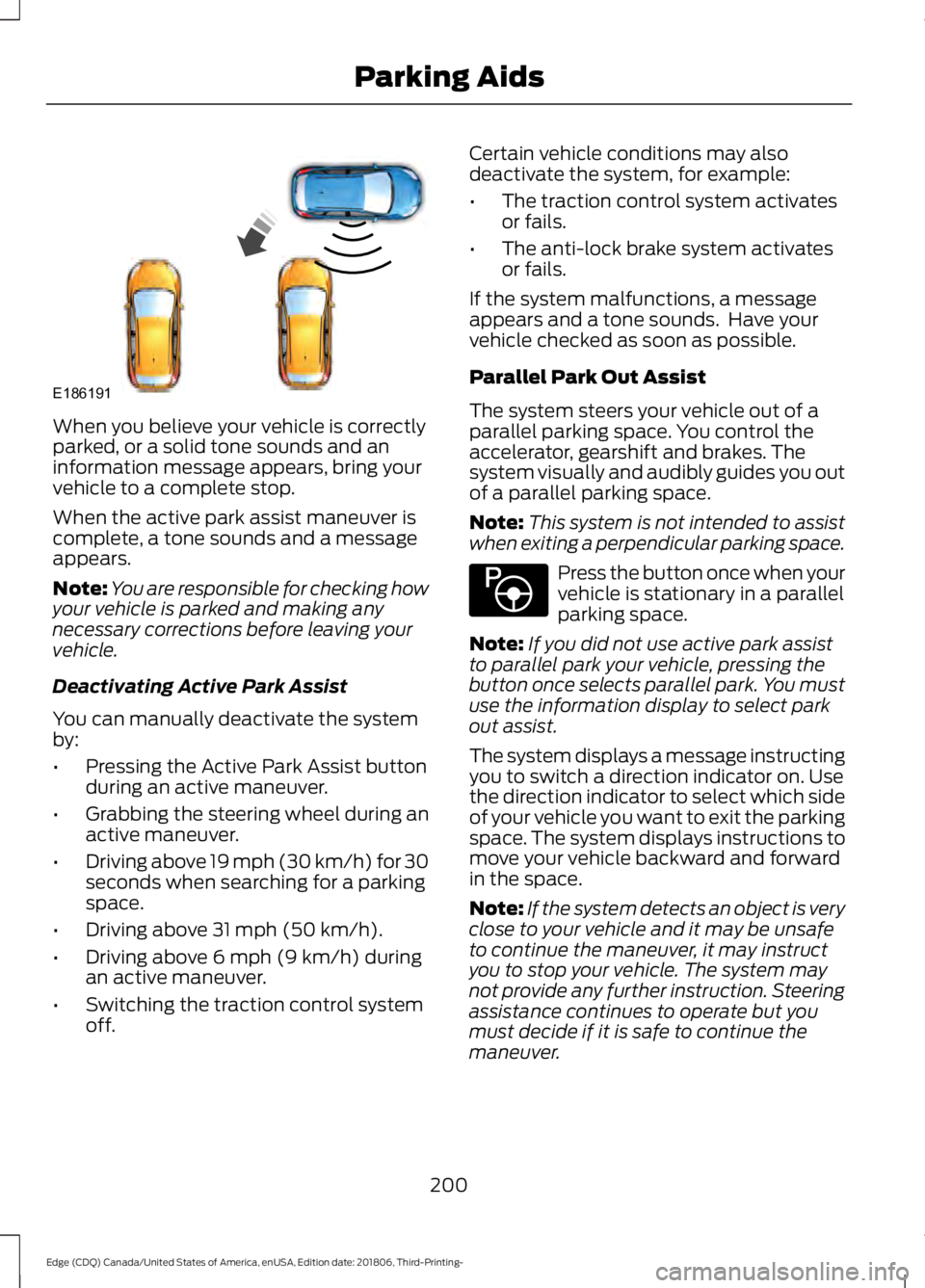
When you believe your vehicle is correctly
parked, or a solid tone sounds and an
information message appears, bring your
vehicle to a complete stop.
When the active park assist maneuver is
complete, a tone sounds and a message
appears.
Note:
You are responsible for checking how
your vehicle is parked and making any
necessary corrections before leaving your
vehicle.
Deactivating Active Park Assist
You can manually deactivate the system
by:
• Pressing the Active Park Assist button
during an active maneuver.
• Grabbing the steering wheel during an
active maneuver.
• Driving above 19 mph (30 km/h) for 30
seconds when searching for a parking
space.
• Driving above
31 mph (50 km/h).
• Driving above
6 mph (9 km/h) during
an active maneuver.
• Switching the traction control system
off. Certain vehicle conditions may also
deactivate the system, for example:
•
The traction control system activates
or fails.
• The anti-lock brake system activates
or fails.
If the system malfunctions, a message
appears and a tone sounds. Have your
vehicle checked as soon as possible.
Parallel Park Out Assist
The system steers your vehicle out of a
parallel parking space. You control the
accelerator, gearshift and brakes. The
system visually and audibly guides you out
of a parallel parking space.
Note: This system is not intended to assist
when exiting a perpendicular parking space. Press the button once when your
vehicle is stationary in a parallel
parking space.
Note: If you did not use active park assist
to parallel park your vehicle, pressing the
button once selects parallel park. You must
use the information display to select park
out assist.
The system displays a message instructing
you to switch a direction indicator on. Use
the direction indicator to select which side
of your vehicle you want to exit the parking
space. The system displays instructions to
move your vehicle backward and forward
in the space.
Note: If the system detects an object is very
close to your vehicle and it may be unsafe
to continue the maneuver, it may instruct
you to stop your vehicle. The system may
not provide any further instruction. Steering
assistance continues to operate but you
must decide if it is safe to continue the
maneuver.
200
Edge (CDQ) Canada/United States of America, enUSA, Edition date: 201806, Third-Printing- Parking AidsE186191 E146186
Page 208 of 547
Manual Zoom
WARNING: When manual zoom
is on, the full area behind your vehicle
may not show. Be aware of your
surroundings when using the manual
zoom feature.
Note: Manual zoom is only available when
the transmission is in reverse (R).
Note: When you enable manual zoom, only
the centerline is shown.
Selectable settings for this feature are
Zoom in (+) and Zoom out (-). Press the
symbol in the camera screen to change the
view. The default setting is Zoom OFF.
This allows you to get a closer view of an
object behind your vehicle. The zoomed
image keeps the bumper in the image to
provide a reference. The zoom is only
active while the transmission is in reverse
(R).
Rear Camera Delay
Selectable settings for this feature are ON
and OFF. The default setting for the rear
camera delay is OFF.
When shifting the transmission out of
reverse (R) and into any gear other than
park (P), the camera image remains in the
display until:
• Your vehicle speed sufficiently
increases.
• You shift your vehicle into park (P)
(automatic transmission).
• You apply the parking brake (manual
transmission). 180 DEGREE CAMERA (IF EQUIPPED) WARNING: Objects that are close
to either corner of the bumper or under
the bumper, might not be seen on the
screen due to the limited coverage of the
camera system. WARNING:
The front camera
system still requires the driver to use it
in conjunction with looking out of your
vehicle. WARNING:
Use caution when
turning camera features on or off when
the transmission is not in park (P). Make
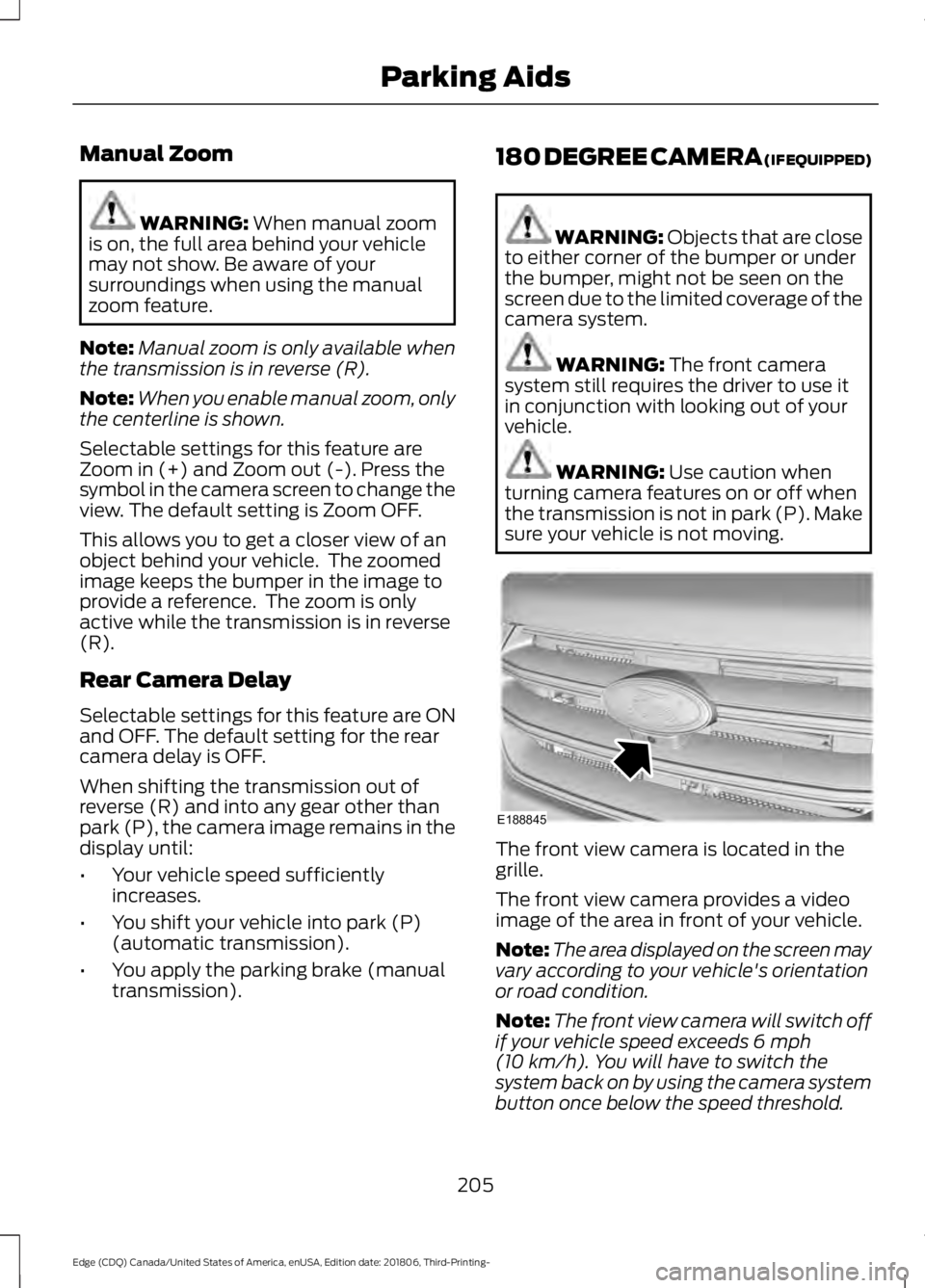
sure your vehicle is not moving. The front view camera is located in the
grille.
The front view camera provides a video
image of the area in front of your vehicle.
Note:
The area displayed on the screen may
vary according to your vehicle's orientation
or road condition.
Note: The front view camera will switch off
if your vehicle speed exceeds
6 mph
(10 km/h). You will have to switch the
system back on by using the camera system
button once below the speed threshold.
205
Edge (CDQ) Canada/United States of America, enUSA, Edition date: 201806, Third-Printing- Parking AidsE188845
Page 210 of 547
PRINCIPLE OF OPERATION
Cruise control lets you maintain a set
speed without keeping your foot on the
accelerator pedal. You can use cruise
control when your vehicle speed is greater
than 20 mph (30 km/h).
USING CRUISE CONTROL WARNING:
Do not use cruise
control on winding roads, in heavy traffic
or when the road surface is slippery. This
could result in loss of vehicle control,
serious injury or death. WARNING:
When you are going
downhill, your vehicle speed could
increase above the set speed. The
system does not apply the brakes.
To help the system to maintain the set
speed when going downhill, downshift to
a lower gear.
Your vehicle speed could decrease below
the set speed when driving uphill.
Note: The system cancels if your vehicle
speed drops below 10 mph (16 km/h) under
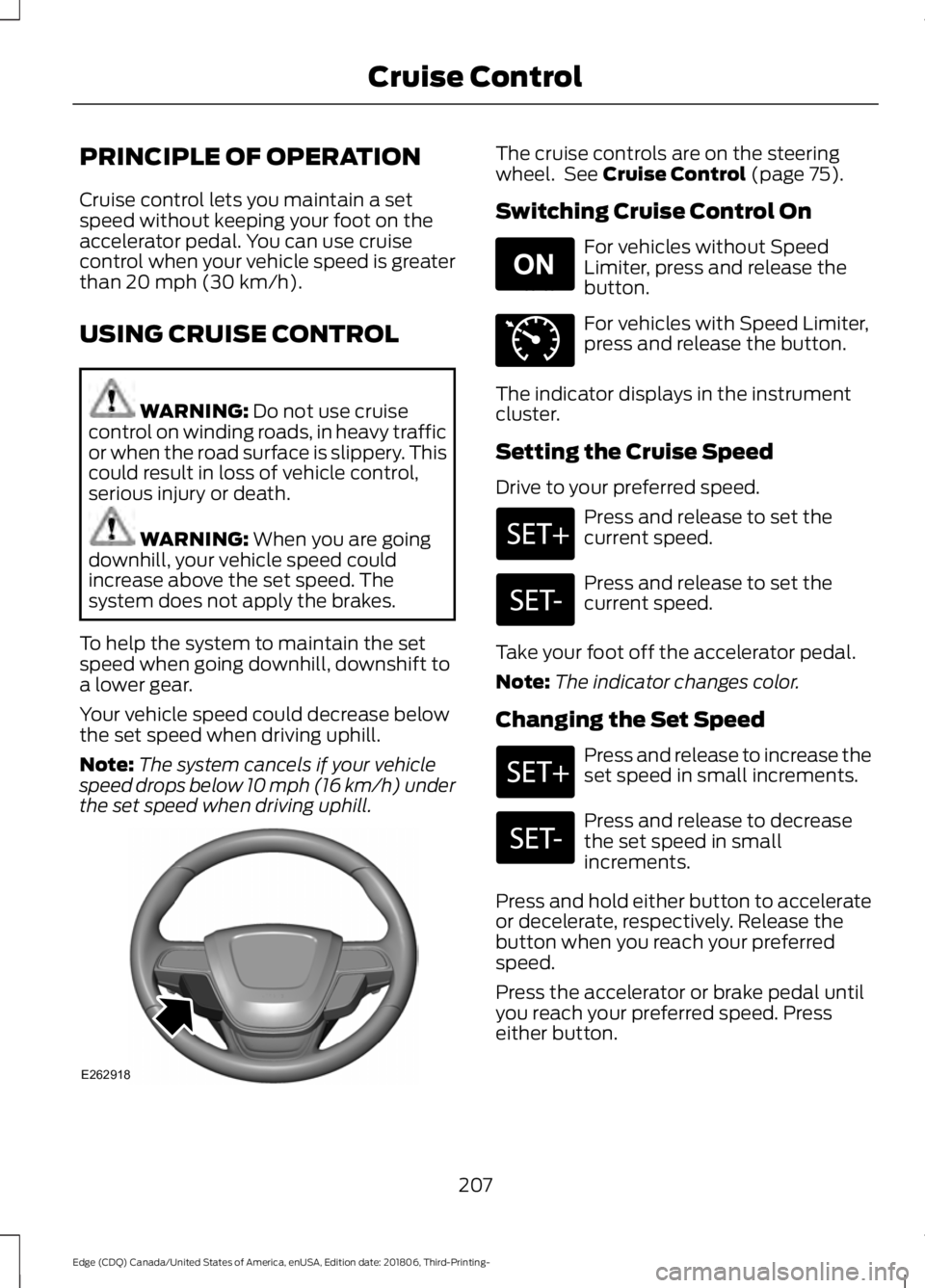
the set speed when driving uphill. The cruise controls are on the steering
wheel. See
Cruise Control (page 75).
Switching Cruise Control On For vehicles without Speed
Limiter, press and release the
button.
For vehicles with Speed Limiter,
press and release the button.
The indicator displays in the instrument
cluster.
Setting the Cruise Speed
Drive to your preferred speed. Press and release to set the
current speed.
Press and release to set the
current speed.
Take your foot off the accelerator pedal.
Note: The indicator changes color.
Changing the Set Speed Press and release to increase the
set speed in small increments.
Press and release to decrease
the set speed in small
increments.
Press and hold either button to accelerate
or decelerate, respectively. Release the
button when you reach your preferred
speed.
Press the accelerator or brake pedal until
you reach your preferred speed. Press
either button.
207
Edge (CDQ) Canada/United States of America, enUSA, Edition date: 201806, Third-Printing- Cruise ControlE262918 E265296 E71340
Page 234 of 547
Why does the vehicle not come back toward the middle of the lane, as expected, in the
Aid or Aid + Alert mode?
High cross winds are present.
There is a large road crown.
Rough roads, grooves or shoulder drop-offs.
Heavy uneven loading of the vehicle or improper tire inflation pressure.
The tires have been changed, or the suspension has been modified.
BLIND SPOT INFORMATION
SYSTEM WARNING: Do not use the blind
spot information system as a
replacement for using the interior and
exterior mirrors or looking over your
shoulder before changing lanes. The
blind spot information system is not a
replacement for careful driving. WARNING:
The system may not
operate properly during severe weather
conditions, for example snow, ice, heavy
rain and spray. Always drive with due
care and attention. Failure to take care
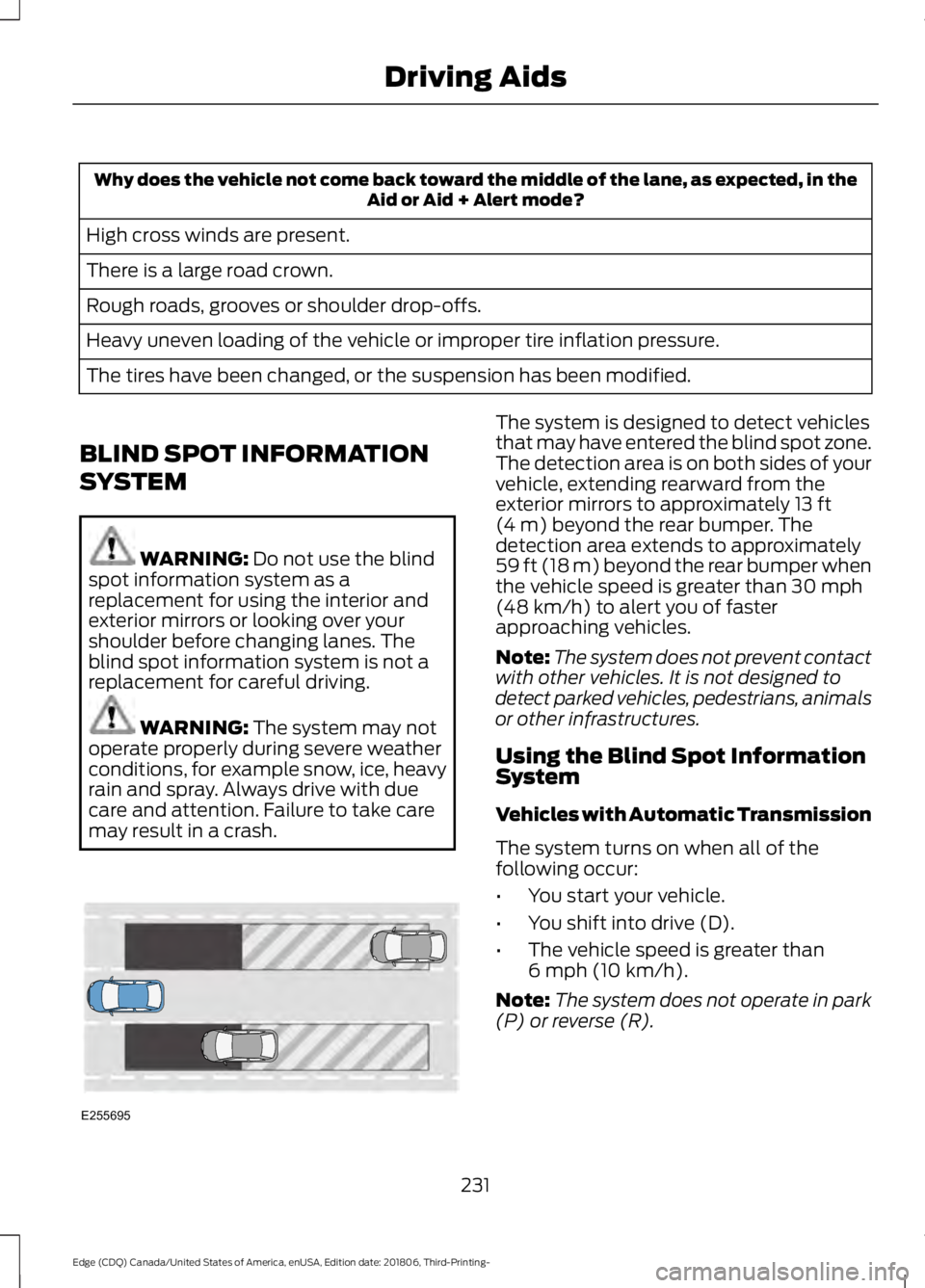
may result in a crash. The system is designed to detect vehicles
that may have entered the blind spot zone.
The detection area is on both sides of your
vehicle, extending rearward from the
exterior mirrors to approximately
13 ft
(4 m) beyond the rear bumper. The
detection area extends to approximately
59 ft (18 m)
beyond the rear bumper when
the vehicle speed is greater than 30 mph
(48 km/h) to alert you of faster
approaching vehicles.
Note: The system does not prevent contact
with other vehicles. It is not designed to
detect parked vehicles, pedestrians, animals
or other infrastructures.
Using the Blind Spot Information
System
Vehicles with Automatic Transmission
The system turns on when all of the
following occur:
• You start your vehicle.
• You shift into drive (D).
• The vehicle speed is greater than
6 mph (10 km/h)
.
Note: The system does not operate in park
(P) or reverse (R).
231
Edge (CDQ) Canada/United States of America, enUSA, Edition date: 201806, Third-Printing- Driving AidsE255695
Page 236 of 547
CROSS TRAFFIC ALERT (IF
EQUIPPED) WARNING:
Do not use the cross
traffic alert system as a replacement for
using the interior and exterior mirrors or
looking over your shoulder before
reversing out of a parking space. The
cross traffic alert system is not a
replacement for careful driving. WARNING:
The system may not
operate properly during severe weather
conditions, for example snow, ice, heavy
rain and spray. Always drive with due
care and attention. Failure to take care
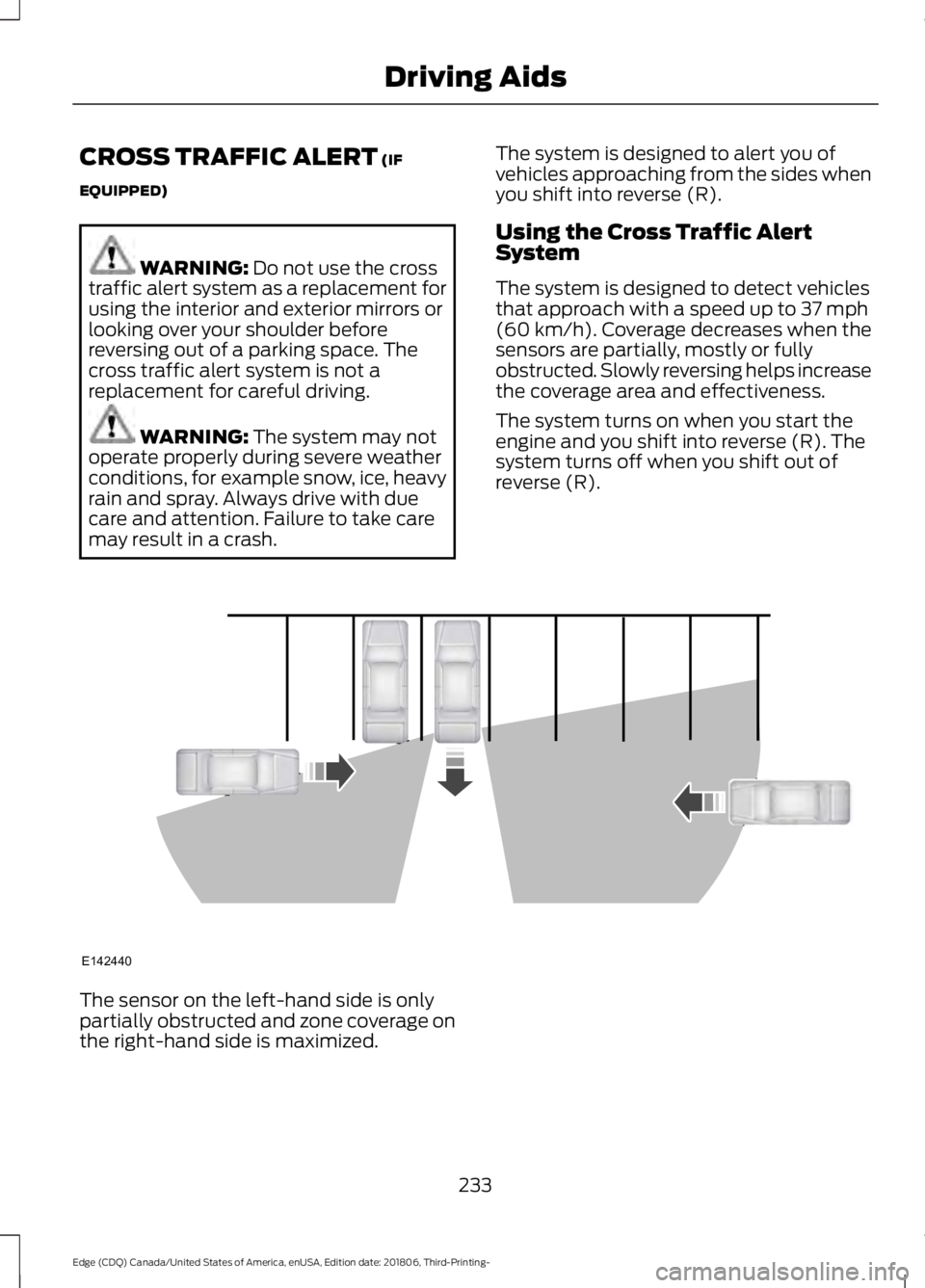
may result in a crash. The system is designed to alert you of
vehicles approaching from the sides when
you shift into reverse (R).
Using the Cross Traffic Alert
System
The system is designed to detect vehicles
that approach with a speed up to
37 mph
(60 km/h). Coverage decreases when the
sensors are partially, mostly or fully
obstructed. Slowly reversing helps increase
the coverage area and effectiveness.
The system turns on when you start the
engine and you shift into reverse (R). The
system turns off when you shift out of
reverse (R). The sensor on the left-hand side is only
partially obstructed and zone coverage on
the right-hand side is maximized.
233
Edge (CDQ) Canada/United States of America, enUSA, Edition date: 201806, Third-Printing- Driving AidsE142440
Page 238 of 547
If the sensors are blocked, a message may
appear in the information display when
you shift into reverse (R). See General
Information (page 98).
System Limitations
The system may not correctly operate
when any of the following occur:
• The sensors are blocked.
• Adjacently parked vehicles or objects
are obstructing the sensors.
• Vehicles approach at speeds greater
than
37 mph (60 km/h).
• The vehicle speed is greater than 7 mph
(12 km/h)
.
• You reverse out of an angled parking
space.
System Errors
If the system detects a fault a message
displays. See
Information Messages
(page 108).
Switching the System Off and On
You can temporarily switch the system off
using the information display. See
Information Messages (page 108). When
you switch system off, a message displays.
See
General Information (page 98).
Note: The system turns on each time you
switch the ignition on and you shift into
reverse (R). If you temporarily switch the
system off, it turns on the next time you
switch the ignition on.
Note: The system may not correctly operate
when towing a trailer. For vehicles with a
trailer tow module and tow bar approved
by us, the system turns off when you attach
a trailer. For vehicles with an aftermarket
trailer tow module or tow bar, we
recommend that you switch the system off
when you attach a trailer. To permanently switch the system off,
contact an authorized dealer.
STEERING
Electric Power Steering
WARNING:
The electric power
steering system has diagnostic checks
that continuously monitor the system. If
a fault is detected, a message displays
in the information display. Stop your
vehicle as soon as it is safe to do so.
Switch the ignition off. After at least 10
seconds, switch the ignition on and
watch the information display for a
steering system warning message. If a
steering system warning message
returns, have the system checked as
soon as possible. WARNING:
If the system detects
an error, you may not feel a difference in
the steering, however a serious condition
may exist. Have your vehicle checked as
soon as possible. Failure to do so may
result in loss of steering control.
Your vehicle has an electric power steering
system, there is no fluid reservoir, no
maintenance is required.
If your vehicle loses electrical power while
you are driving, electric power steering
assistance is lost. The steering system still
operates and you can steer your vehicle
manually. Manually steering your vehicle
requires more effort.
235
Edge (CDQ) Canada/United States of America, enUSA, Edition date: 201806, Third-Printing- Driving Aids