battery FORD EDGE 2021 Owner's Manual
[x] Cancel search | Manufacturer: FORD, Model Year: 2021, Model line: EDGE, Model: FORD EDGE 2021Pages: 500, PDF Size: 8.52 MB
Page 159 of 500
WHAT IS THE POWER OUTLET
The power outlet can power devices using
a 12 V outlet adapter.
POWER OUTLET
PRECAUTIONS
When you switch the vehicle on, you can
use the socket to power
12 V appliances
with a maximum current rating of 20 A. Do
not use the power point over the vehicle
capacity of
12 V DC 240 W or a fuse could
blow. Do not plug in any device that
supplies power to the vehicle through the
power points. This could result in damage
to vehicle systems. Do not hang any
accessory from the accessory plug. Always
keep the power point caps closed when
not in use. Do not insert objects other than
an accessory plug into the power point.
To prevent the battery from running out of
charge:
• Do not use the power point longer than
necessary when the vehicle is off.
• Do not leave devices plugged in
overnight or when you park your vehicle
for extended periods.
POWER OUTLET LIMITATIONS
To prevent the battery from running out of
charge:
• Do not use the power point longer than
necessary when the vehicle is off.
• Do not leave devices plugged in
overnight or when you park your vehicle
for extended periods. LOCATING THE POWER
OUTLET
Power outlets may be in the following
locations:
•
On the lower instrument panel.
• Inside the center console.
• On the front of the center console.
• On the rear of the center console.
• In the cargo area.
• On the passenger side floor panel.
• 3rd row on the quarter trim panels.
POWER OUTLET INDICATORS
The power outlet indicator illuminates to
let you know the status of the system. Description
Indicator Status
The power point isworking, vehicle ison and a device is plugged in.
On
The power point is
off, the vehicle is off or no device isplugged in.
Off
155
2021 Edge (CDQ) Canada/United States of America, enUSA, Edition date: 202011, First-Printing Power Outlet - Vehicles With: 12V Power Outlet
Page 160 of 500
WHAT IS THE POWER OUTLET
The power outlet can power devices that
use a household plug.
POWER OUTLET
PRECAUTIONS
WARNING: Do not keep electrical
devices plugged in the power point
whenever the device is not in use. Do not
use any extension cord with the 110 volt
AC power point, since it will defeat the
safety protection design. Doing so may
cause the power point to overload due
to powering multiple devices that can
reach beyond the 150 watt load limit and
could result in fire or serious injury.
Note: The power point turns off when you
switch off the ignition, when the vehicle is
not in accessory mode, or when the battery
voltage drops below 11 volts.
LOCATING THE POWER
OUTLET
The power outlet is on the instrument
panel or the rear of the center console.
POWER OUTLET INDICATORS
The power outlet indicator illuminates to
let you know the status of the system. Description
Indicator Status
The power point is
working, the ignition is on, or the vehicle is in accessory mode.
On
The power point isoff, the ignition is
off, or the vehicle is not in accessory mode.
Off
The power point isin fault mode.
Flashing
Note: Due to different technologies used
on its construction, some devices may
exceed the capacity shown on its label
when they are initially plugged in.
Note: The power outlet temporarily turns
off power when in fault mode if the device
exceeds the Watt limit. Unplug your device
and switch the ignition off. Switch the
ignition back on, but do not plug your device
back in. Let the system cool off and switch
the ignition off to reset the fault mode.
Switch the ignition back on and make sure
the indicator light remains on.
156
2021 Edge (CDQ) Canada/United States of America, enUSA, Edition date: 202011, First-Printing Power Outlet - Vehicles With: 110V Power Outlet
Page 161 of 500
WHAT IS THE WIRELESS
ACCESSORY CHARGER
W
ir el e ss Char ging P a d
The wireless accessory charger allows you
to charge one compatible Qi wireless
charging device on the charging area.
WIRELESS ACCESSORY
CHARGER PRECAUTIONS
WARNING: Wireless charging
devices can affect the operation of
implanted medical devices, including
cardiac pacemakers. If you have any
implanted medical devices, we
recommend that you consult with your
physician.
Tests on this equipment show that it
complies with part 18 of the FCC Rules.
• This equipment generates, uses and
can radiate radio frequency energy and
may cause harmful interference to
radio communications. There is no
guarantee that the interference will not
occur in a particular installation. If this
equipment does cause harmful
interference to radio or television
reception, please consult the dealer.
• This product is not end-user
serviceable. WARNING:
Changes or
modifications not expressively approved
by the party responsible for compliance
could void the user's authority to operate
the equipment. The term "IC:" before the
radio certification number only signifies
that Industry Canada technical
specifications were met. This device complies with Industry Canada
licence-exempt RSS standard(s).
Operation is subject to:
•
This device may not cause interference.
• This device must accept any
interference, including interference that
may cause undesired operation of the
device.
Keep the charging area clean and remove
foreign objects prior to charging a device.
Do not place items with a magnetic strip,
for example passports, parking tickets or
credit cards, near the charging area when
charging a device. Damage may occur to
the magnetic strip.
Do not place metal objects, for example
remote controls, coins and candy
wrappers, on or near the charging area
when charging a device. Metal objects may
heat up and degrade the charging
performance, in addition to causing error
messages and interruptions in charging.
Note: During charging, the device and the
charger could heat up, this is normal. If the
battery gets hotter than usual, the device
may stop charging.
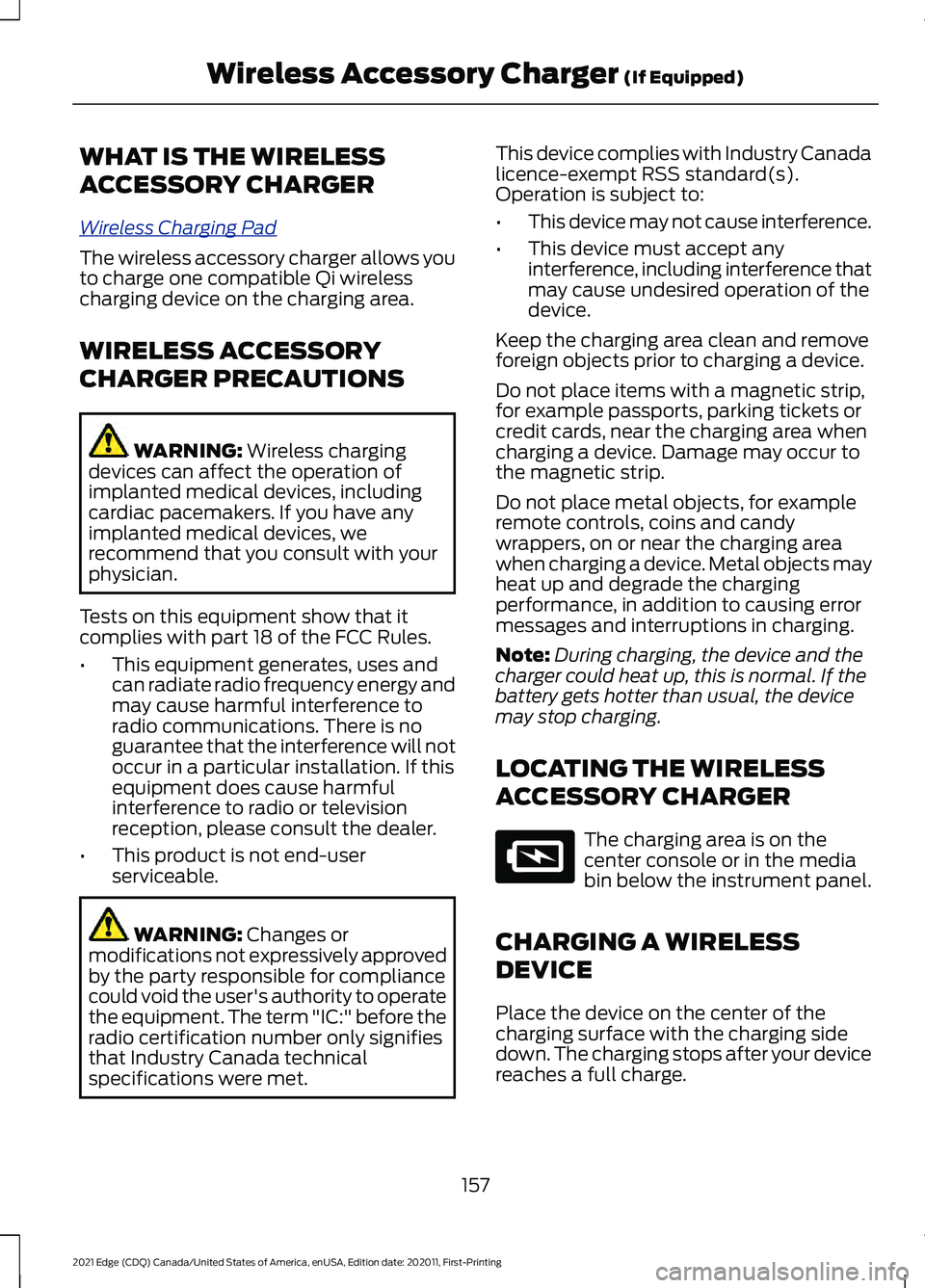
LOCATING THE WIRELESS
ACCESSORY CHARGER The charging area is on the
center console or in the media
bin below the instrument panel.
CHARGING A WIRELESS
DEVICE
Place the device on the center of the
charging surface with the charging side
down. The charging stops after your device
reaches a full charge.
157
2021 Edge (CDQ) Canada/United States of America, enUSA, Edition date: 202011, First-Printing Wireless Accessory Charger
(If Equipped)E297549
Page 164 of 500
STARTING AND STOPPING
THE ENGINE – PRECAUTIONS
WARNING: Extended idling at high
engine speeds can produce very high
temperatures in the engine and exhaust
system, creating the risk of fire or other
damage. WARNING:
Do not park, idle or
drive your vehicle on dry grass or other
dry ground cover. The emission system
heats up the engine compartment and
exhaust system, creating the risk of fire. WARNING: Do not start the engine
in a closed garage or in other enclosed
areas. Exhaust fumes are toxic. Always
open the garage door before you start
the engine. Failure to follow this
instruction could result in personal injury
or death. WARNING:
Do not use starting
fluid, for example ether, in the air intake
system. Such fluid could cause
immediate explosive damage to the
engine and possible personal injury. WARNING:
Exhaust leaks may
result in entry of harmful and potentially
lethal fumes into the passenger
compartment. If you smell exhaust
fumes inside your vehicle, have your
vehicle inspected immediately. Do not
drive if you smell exhaust fumes.
The powertrain control system meets all
Canadian interference-causing equipment
standard requirements regulating the
impulse electrical field or radio noise. If you stop your vehicle and leave the
engine idling for long periods, we
recommend that you do one of the
following:
•
Open the windows at least
1 in
(2.5 cm).
• Set your climate control to outside air.
PUSH BUTTON IGNITION
SWITCH Switching the Ignition Off
When the ignition is on or in accessory
mode, press the push button ignition
switch once without your foot on the brake
pedal.
Switching the Ignition to
Accessory Mode
When the ignition is off, press the push
button ignition switch once without your
foot on the brake pedal.
All electrical circuits and accessories are
operational and the warning lamps and
indicators illuminate.
Note:
Your vehicle has a battery saver
feature that shuts your vehicle off when it
detects a certain amount of battery drain,
or after approximately 30 minutes of
inactivity in accessory mode.
Starting the Engine
With the transmission in park (P), press
the brake pedal and press the push button
ignition switch. An indicator light on the
button illuminates when the ignition is on
and when the engine starts.
160
2021 Edge (CDQ) Canada/United States of America, enUSA, Edition date: 202011, First-Printing Starting and Stopping the EngineE321258
Page 167 of 500
4. Press the push button ignition switch.
Stopping the Engine When Your
Vehicle is Moving
WARNING: Switching off the
engine when your vehicle is still moving
results in a significant decrease in
braking assistance. Higher effort is
required to apply the brakes and to stop
your vehicle. A significant decrease in
steering assistance could also occur. The
steering does not lock, but higher effort
could be required to steer your vehicle.
When you switch the ignition off, some
electrical circuits, for example airbags,
also turn off. If you unintentionally switch
the ignition off, shift into neutral (N) and
restart the engine. 1.
Press and hold the push button ignition
switch until the engine stops, or press
it three times within two seconds.
2. Shift into neutral and use the brakes to
bring your vehicle to a safe stop.
3. Shift into park (P).
4. Apply the parking brake.
AUTOMATIC ENGINE STOP
What Is Automatic Engine Stop
Automatic engine stop is a feature that
switches the engine off if it has been idling
for an extended period to help you save
fuel. How Does Automatic Engine Stop
Work
Automatic engine stop turns the engine
off. The ignition also turns off in order to
save battery power. Before the engine
shuts down, a message appears in the
information display showing a timer
counting down. If you do not intervene
within 30 seconds, the engine shuts down.
Another message appears in the
information display to inform you that the
engine has shut down in order to save fuel.
Start your vehicle as you normally do.
Switching Automatic Engine Stop
On and Off
1.
Press the menu button on the steering
wheel to enter the information display
main menu.
2. Select
Settings.
3. Switch
Auto Engine Off on or off.
Note: You cannot permanently switch off
the automatic shutdown. If you switch it
off, it turns on each time you switch the
ignition on.
Overriding Automatic Engine Stop
Note: You cannot permanently switch off
the automatic engine shutdown feature.
When you switch it off temporarily, it turns
on at the next ignition cycle.
You can stop the engine shutdown, or reset
the timer, at any point before the
30-second countdown has expired by
doing any of the following:
• Pressing the brake pedal or accelerator
pedal.
• Pressing the
OK or RESET button
during the countdown.
163
2021 Edge (CDQ) Canada/United States of America, enUSA, Edition date: 202011, First-Printing Starting and Stopping the EngineE321258
Page 170 of 500
Starting and Stopping the Engine
– Frequently Asked Questions
Why is the engine idle speed high when
I am starting the engine?
The speed at which the engine idles
immediately after starting is optimized
to minimize vehicle emissions and
maximize cabin comfort and fuel
economy.
Why does the engine not crank? You can only attempt to start the
engine for a limited amount of time
before the starting system temporarily
disables. If you exceed the starting
time limit, a message may appear and
you cannot attempt to start the engine
for at least 15 minutes.
Why do I experience different driving
characteristics? If you disconnect the battery, your
vehicle may exhibit some unusual
driving characteristics for
approximately 5 mi (8 km) after you
reconnect it. This is because the engine
management system must realign
itself with the engine. You can
disregard any unusual driving
characteristics during this period.
Why can I not start the engine? If you cannot start the engine after 3
attempts, wait 10 seconds and do the
following:
1. Fully press the brake pedal.
Note: Make sure that the parking brake is
applied.
Note: Make sure that the transmission is in
park (P) or neutral (N).
2. Fully press the accelerator pedal and hold it there.
3. Press the push button ignition switch. Note:
The engine cranks for a short period
of time and then it stops.
4. Release the accelerator pedal. 5. Press the push button ignition switch.
Why does the system not detect a
passive key?
If the system does not detect a passive
key and you are unable to start the
engine, insert the passive key into the
backup position and press the push
button ignition switch to start the
engine.
See Accessing the Passive
Key Backup Position (page 164).
166
2021 Edge (CDQ) Canada/United States of America, enUSA, Edition date: 202011, First-Printing Starting and Stopping the EngineE321258
Page 173 of 500
Auto-Start-Stop – Frequently
Asked Questions
Why does the engine not always
stop when I expect it to?
The system is designed to work in a way
that complements other vehicle systems,
allowing them to operate at optimum
performance.
The system does not stop the engine if:
•
The driver door is open.
• Your vehicle is at high altitude.
• The heated windshield is on.
• The engine is warming up.
• The outside temperature is too low or
too high.
• The battery charge is low.
• The battery temperature is outside the
optimal operating range.
• The engine is required to run to
maintain interior climate and reduce
fogging.
Why does the engine sometimes
restart when I do not expect it to?
The system is designed to work in a way
that complements other vehicle systems,
allowing them to operate at optimum
performance.
The system restarts the engine if:
• You switch the heated windshield on.
• You switch maximum defrost on.
• Your vehicle starts to roll downhill in
neutral.
• The engine is required to run to
maintain adequate brake system
assistance.
• The engine is required to run to
maintain interior climate and reduce
fogging. Can I permanently switch the
system off?
No. The system plays an important role in
reducing the fuel consumption and the CO
2
emissions.
Will the frequent engine starts
cause parts to wear out?
Your vehicle has an enhanced battery and
starter motor that are designed for the
increased number of engine starts.
169
2021 Edge (CDQ) Canada/United States of America, enUSA, Edition date: 202011, First-Printing Auto-Start-Stop
Page 183 of 500
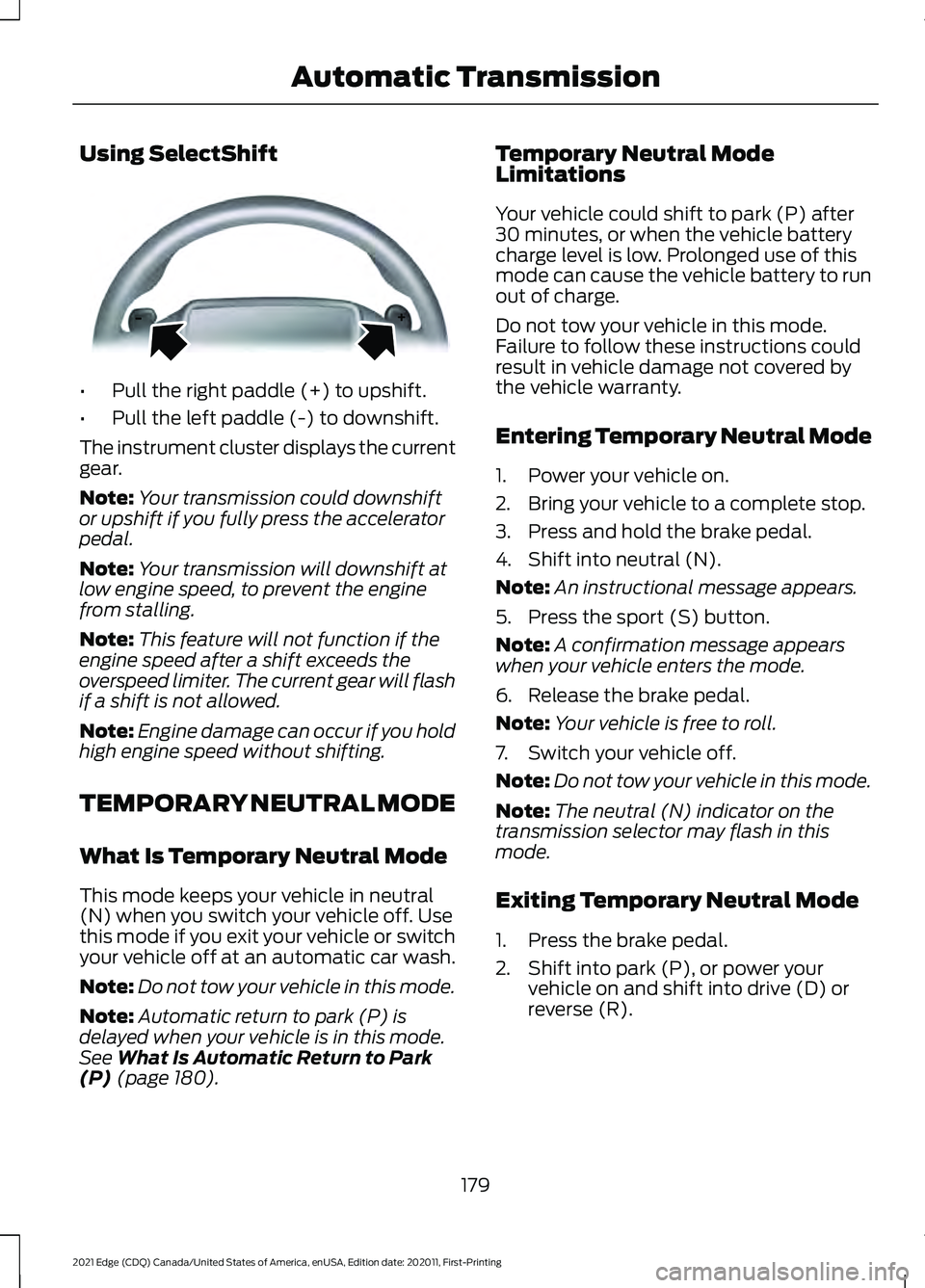
Using SelectShift
•
Pull the right paddle (+) to upshift.
• Pull the left paddle (-) to downshift.
The instrument cluster displays the current
gear.
Note: Your transmission could downshift
or upshift if you fully press the accelerator
pedal.
Note: Your transmission will downshift at
low engine speed, to prevent the engine
from stalling.
Note: This feature will not function if the
engine speed after a shift exceeds the
overspeed limiter. The current gear will flash
if a shift is not allowed.
Note: Engine damage can occur if you hold
high engine speed without shifting.
TEMPORARY NEUTRAL MODE
What Is Temporary Neutral Mode
This mode keeps your vehicle in neutral
(N) when you switch your vehicle off. Use
this mode if you exit your vehicle or switch
your vehicle off at an automatic car wash.
Note: Do not tow your vehicle in this mode.
Note: Automatic return to park (P) is
delayed when your vehicle is in this mode.
See What Is Automatic Return to Park
(P) (page 180). Temporary Neutral Mode
Limitations
Your vehicle could shift to park (P) after
30 minutes, or when the vehicle battery
charge level is low. Prolonged use of this
mode can cause the vehicle battery to run
out of charge.
Do not tow your vehicle in this mode.
Failure to follow these instructions could
result in vehicle damage not covered by
the vehicle warranty.
Entering Temporary Neutral Mode
1. Power your vehicle on.
2. Bring your vehicle to a complete stop.
3. Press and hold the brake pedal.
4. Shift into neutral (N).
Note:
An instructional message appears.
5. Press the sport (S) button.
Note: A confirmation message appears
when your vehicle enters the mode.
6. Release the brake pedal.
Note: Your vehicle is free to roll.
7. Switch your vehicle off.
Note: Do not tow your vehicle in this mode.
Note: The neutral (N) indicator on the
transmission selector may flash in this
mode.
Exiting Temporary Neutral Mode
1. Press the brake pedal.
2. Shift into park (P), or power your vehicle on and shift into drive (D) or
reverse (R).
179
2021 Edge (CDQ) Canada/United States of America, enUSA, Edition date: 202011, First-Printing Automatic TransmissionE144821
Page 184 of 500
AUTOMATIC RETURN TO
PARK (P)
What Is Automatic Return to Park
(P)
Your vehicle shifts into park (P) if you
attempt to exit your vehicle without the
transmission in park (P).
How Does Automatic Return to
Park (P) Work
Your vehicle shifts into park (P) when your
vehicle is stationary and any of the
following occur:
•
You switch the vehicle off.
• You open the driver door with your
seatbelt unlatched.
• You unlatch the driver seatbelt when
the driver door is open.
Note: Do not use automatic return to park
(P) when your vehicle is moving, except in
an emergency. See Stopping the Engine
When Your Vehicle is Moving (page 163).
Automatic Return to Park (P)
Limitations
Automatic return to park may not work if
the door ajar switch is malfunctioning.
See an authorized dealer if any of the
following occur:
• Door ajar indicator does not illuminate
with the driver door open.
• Door ajar indicator illuminates with the
driver door closed.
• Transmission not in park message
appears with the driver door closed,
after you shift out of park (P). MANUAL PARK RELEASE
What Is Manual Park Release
Manual park release allows you to move
your transmission out of the park (P)
position in the event of an electrical
malfunction or emergency.
Manual Park Release Precautions
WARNING:
When doing this
procedure, you need to take the
transmission out of park (P) which
means your vehicle can roll freely. To
avoid unwanted vehicle movement,
always fully apply the parking brake prior
to doing this procedure. Use wheels
chocks if appropriate. WARNING:
If the parking brake is
fully released, but the brake warning
lamp remains illuminated, the brakes
may not be working properly. Have your
vehicle checked as soon as possible. WARNING:
Do not drive your
vehicle until you verify that the
stoplamps are working.
Using Manual Park Release
Activating the Manual Park
Release Cable
1. Apply the parking brake.
See Electric
Parking Brake (page 190).
Note: If vehicle battery is dead, for example,
use an external power source to apply the
parking brake.
2. Remove the access cover. The cover is located under the dash below the
steering wheel. Do not pull the tether.
180
2021 Edge (CDQ) Canada/United States of America, enUSA, Edition date: 202011, First-Printing Automatic Transmission
Page 185 of 500
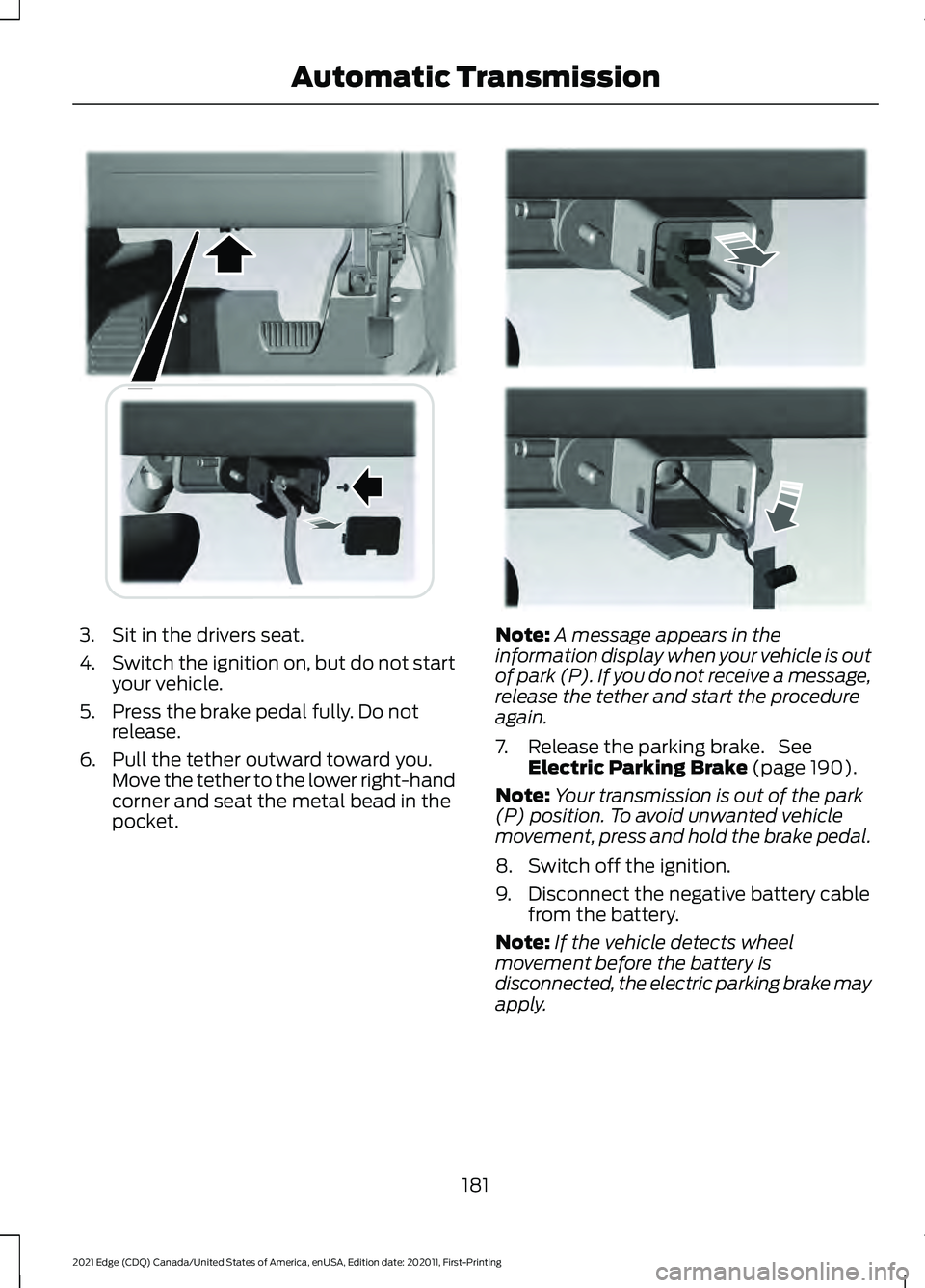
3. Sit in the drivers seat.
4.
Switch the ignition on, but do not start
your vehicle.
5. Press the brake pedal fully. Do not release.
6. Pull the tether outward toward you. Move the tether to the lower right-hand
corner and seat the metal bead in the
pocket. Note:
A message appears in the
information display when your vehicle is out
of park (P). If you do not receive a message,
release the tether and start the procedure
again.
7. Release the parking brake. See Electric Parking Brake (page 190).
Note: Your transmission is out of the park
(P) position. To avoid unwanted vehicle
movement, press and hold the brake pedal.
8. Switch off the ignition.
9. Disconnect the negative battery cable from the battery.
Note: If the vehicle detects wheel
movement before the battery is
disconnected, the electric parking brake may
apply.
181
2021 Edge (CDQ) Canada/United States of America, enUSA, Edition date: 202011, First-Printing Automatic TransmissionE307294 E307295