brake light FORD EDGE 2021 Owner's Manual
[x] Cancel search | Manufacturer: FORD, Model Year: 2021, Model line: EDGE, Model: FORD EDGE 2021Pages: 500, PDF Size: 8.52 MB
Page 317 of 500
PREPARING YOUR VEHICLE
FOR STORAGE
If you plan on storing your vehicle for 30
days or more, the following maintenance
recommendations ensures your vehicle
stays in good operating condition.
Under various conditions, long-term
storage may lead to degraded engine
performance or failure unless you use
specific precautions to preserve your
vehicle.
General
•
Store all vehicles in a dry, ventilated
place.
• If vehicles are stored outside, they
require regular maintenance to protect
against rust and weather damage.
• Make sure all linkages, cables, levers
and pins under your vehicle are covered
with grease to prevent rust.
• Move vehicles at least 25 ft (7.5 m)
every 15 days to lubricate working parts
and prevent corrosion.
• Fill the fuel tank with high-quality fuel
until the first automatic shutoff of the
fuel pump nozzle.
Engine
• Change the engine oil and filter prior to
storage because used engine oil
contains contaminants which may
cause engine damage.
• Start the engine every 15 days for a
minimum of 15 minutes. Run at fast
idle with the climate controls set to
defrost until the engine reaches normal
operating temperature.
• With your foot on the brake, shift
through all the gears while the engine
is running. Body
•
Wash your vehicle thoroughly to
remove dirt, grease, oil, tar or mud from
exterior surfaces, rear-wheel housings
and the underside of front fenders.
• Periodically wash your vehicle if it is
stored in exposed locations.
• Touch-up exposed or primed metal to
prevent rust.
• Cover chrome and stainless steel parts
with a thick coat of auto wax to prevent
discoloration. Re-wax as necessary
when you wash your vehicle.
• Lubricate all hood, door and luggage
compartment hinges and latches with
a light grade oil.
• Cover interior trim to prevent fading.
• Keep all rubber parts free from oil and
solvents.
Hybrid Battery Systems
We recommend the following actions for
your vehicle:
• When storing your vehicle for greater
than 30 days the state of charge
should be approximately 50%.
Additionally we recommend
disconnecting the 12V battery which
will reduce system loads on the HV
battery.
12 Volt Battery
• Check and recharge as necessary. Keep
connections clean.
Note: It is necessary to reset memory
features if you disconnect the battery
cables.
Brakes
Make sure the brakes and parking brake
release fully.
313
2021 Edge (CDQ) Canada/United States of America, enUSA, Edition date: 202011, First-Printing Storing Your Vehicle
Page 336 of 500
•
In the first stage, the tire will be
reinflated with a sealing compound
and air. After the tire has been inflated,
you will need to drive the vehicle a
short distance approximately 4 mi
(6 km) to distribute the sealant in the
tire.
• In the second stage, you will need to
check the tire pressure and adjust, if
necessary, to the vehicle's specified
tire inflation pressure.
First Stage: Reinflating the Tire
with sealing compound and air WARNING:
Do not stand directly
over the kit while inflating the tire. If you
notice any unusual bulges or
deformations in the tire's sidewall during
inflation, stop and call roadside
assistance. WARNING:
If the tire does not
inflate to the recommended tire pressure
within 15 minutes, stop and call roadside
assistance.
Park the vehicle in a safe, level and secure
area, away from moving traffic.
Turn the hazard lights on. Apply the parking
brake and power off the vehicle. Inspect
the flat tire for visible damage.
If a puncture is located in the tire sidewall,
stop and call roadside assistance.
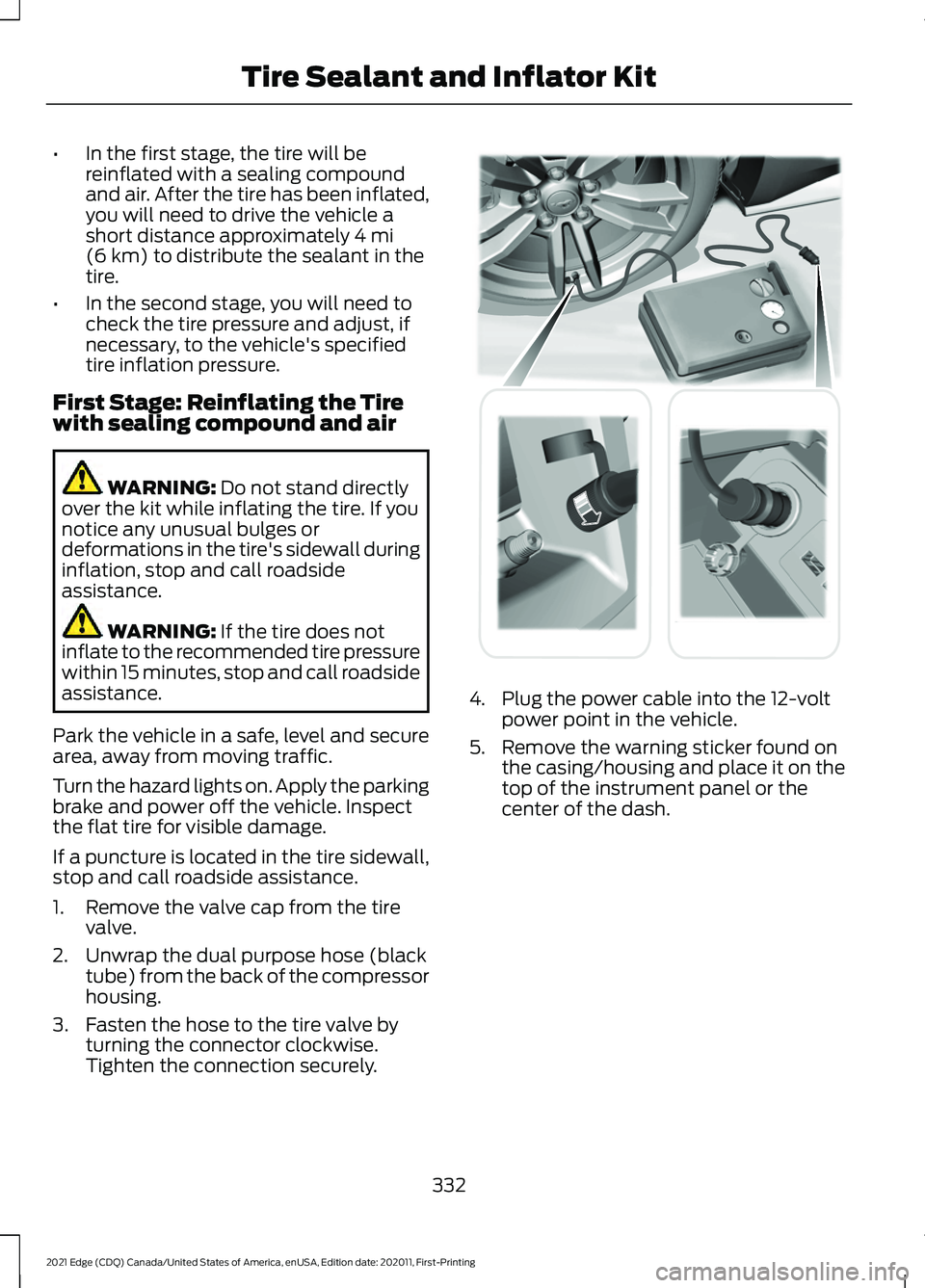
1. Remove the valve cap from the tire valve.
2. Unwrap the dual purpose hose (black tube) from the back of the compressor
housing.
3. Fasten the hose to the tire valve by turning the connector clockwise.
Tighten the connection securely. 4. Plug the power cable into the 12-volt
power point in the vehicle.
5. Remove the warning sticker found on the casing/housing and place it on the
top of the instrument panel or the
center of the dash.
332
2021 Edge (CDQ) Canada/United States of America, enUSA, Edition date: 202011, First-Printing Tire Sealant and Inflator Kit E175979
Page 345 of 500
CHANGING A FLAT TIRE
WARNING: If the tire pressure
monitor sensor becomes damaged it
may not function.
Note: The use of tire sealant may damage
your tire pressure monitoring system and
should only be used in roadside
emergencies. If you must use a sealant, use
the Tire Mobility Kit sealant. Replace the tire
pressure monitoring system sensor and
valve stem on the wheel by an authorized
dealer after use of the sealant.
Note: The tire pressure monitoring system
indicator light will illuminate when the spare
tire is in use. To restore the full function of
the monitoring system, all road wheels
equipped with tire pressure monitoring
sensors must be mounted on the vehicle.
If you get a flat tire while driving, do not
apply the brake heavily. Instead, gradually
decrease your speed. Hold the steering
wheel firmly and slowly move to a safe
place on the side of the road.
Have a flat serviced by an authorized
dealer in order to prevent damage to the
tire pressure monitoring system sensors.
See
What Is the Tire Pressure
Monitoring System (page 336). Replace
the spare tire with a road tire as soon as
possible. During repairing or replacing of
the flat tire, have an authorized dealer
inspect the tire pressure monitoring system
sensor for damage.
Dissimilar Spare Wheel and Tire
Assembly Information WARNING:
Failure to follow these
guidelines could result in an increased
risk of loss of vehicle control, injury or
death. If you have a dissimilar spare wheel and
tire, then it is intended for temporary use
only. This means that if you need to use it,
you should replace it as soon as possible
with a road wheel and tire assembly that
is the same size and type as the road tires
and wheels that were originally provided
on your vehicle. If the dissimilar spare tire
or wheel is damaged, replace it instead of
repairing it.
A dissimilar spare wheel and tire assembly
is defined as a spare wheel and tire
assembly that is different in brand, size or
appearance from the road tires and wheels
and can be one of three types:
1.
T-type mini-spare:
This spare tire
begins with the letter T for tire size and
may have Temporary Use Only molded in
the sidewall.
2. Full-size dissimilar spare with label
on wheel:
This spare tire has a label on
the wheel that states: THIS WHEEL AND
TIRE ASSEMBLY FOR TEMPORARY USE
ONLY.
When driving with one of the dissimilar
spare tires listed above, do not:
• Exceed
50 mph (80 km/h).
• Load the vehicle beyond maximum
vehicle load rating listed on the Safety
Compliance Label.
• Tow a trailer.
• Use snow chains on the end of the
vehicle with the dissimilar spare tire.
• Use more than one dissimilar spare tire
at a time.
• Use commercial car washing
equipment.
• Try to repair the dissimilar spare tire.
341
2021 Edge (CDQ) Canada/United States of America, enUSA, Edition date: 202011, First-Printing Changing a Road Wheel
(If Equipped)
Page 390 of 500
UPDATING THE VEHICLE
SYSTEMS WIRELESSLY
Over the air system updates
allow you to update your vehicle
system software wirelessly. To
make sure you receive all updates, set a
recurring schedule and connect to Wi-Fi.
Updates may take longer if not connected
to Wi-Fi, or may not download at all. See
Connected Vehicle (page 360).
Note: Additional over the air update icons
may appear in the status bar. See
Status
Bar (page 373).
Over the Air System Update
Requirements
Before updating, reference this list to make
sure your vehicle is ready be updated. If
these requirements are not met during a
scheduled update, the update will be
canceled and you can reschedule.
• Your vehicle is not running.
• Your vehicle is stopped.
• Your vehicle is parked.
• The hazard indicators are switched off.
• The alarm is not sounding.
• The doors are closed.
• The parking lights are switched off.
• You are not pressing the brake pedal.
• An emergency call is not in progress.
• Your vehicle is not in limp mode.
Scheduling an Over the Air System
Update
Make sure Vehicle Connectivity and
Automatic Updates are switched on.
Using the Settings Menu
1. Open the application drawer.
2. Press the
System Updates button. 3. Press
Schedule Update.
4. Use the controls to set the time and day of the update.
5. Save the schedule.
Note: You can set the updates to occur
every seven days.
Using the Status Bar Icon When an update is available, tap
the notification icon and follow
the prompts on the screen.
Applying an Over the Air System
Update
You can schedule a convenient time for
the update to complete. During scheduled
updates you may not be able to use your
vehicle.
Note: Updates may take up to 30 minutes
to complete.
You can see the progress of the update on
the touchscreen. An update cannot be
canceled once it has been started.
During an update you will not be able to
drive your vehicle, start the vehicle, use
remote controls to lock and unlock the
vehicle. The alarm, central locks, and door
tones are disabled. The electronic door
lock will not function during an update. You
can open the doors using the mechanical
latch if child locks are not on. Pull the
handle until it stops to use the mechanical
latch.
Note: Double locking is switched off and
central locking is switched on during and
after an update.
Note: If your vehicle is plugged in, charging
will stop during an update and resume when
the update is complete.
386
2021 Edge (CDQ) Canada/United States of America, enUSA, Edition date: 202011, First-Printing Vehicle System UpdatesE327789 E327785
Page 477 of 500
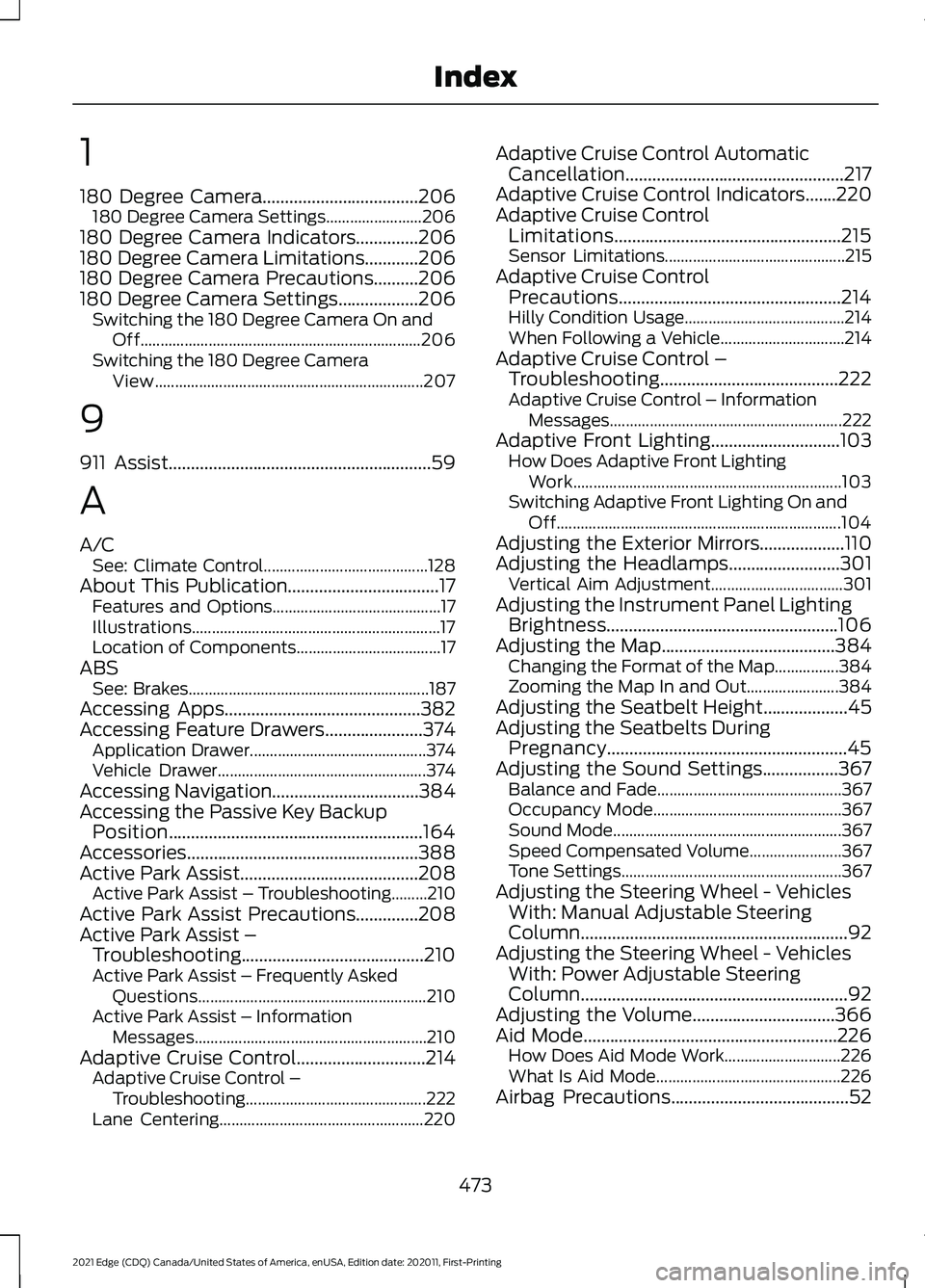
1
180 Degree Camera...................................206
180 Degree Camera Settings........................ 206
180 Degree Camera Indicators..............206
180 Degree Camera Limitations............206
180 Degree Camera Precautions..........206
180 Degree Camera Settings..................206 Switching the 180 Degree Camera On and
Off...................................................................... 206
Switching the 180 Degree Camera View................................................................... 207
9
911 Assist...........................................................59
A
A/C See: Climate Control......................................... 128
About This Publication..................................17 Features and Options.......................................... 17
Illustrations.............................................................. 17
Location of Components.................................... 17
ABS See: Brakes............................................................ 187
Accessing Apps............................................382
Accessing Feature Drawers......................374 Application Drawer............................................ 374
Vehicle Drawer.................................................... 374
Accessing Navigation.................................384
Accessing the Passive Key Backup Position.........................................................164
Accessories....................................................388
Active Park Assist........................................208 Active Park Assist – Troubleshooting.........210
Active Park Assist Precautions
..............208
Active Park Assist – Troubleshooting.........................................210
Active Park Assist – Frequently Asked Questions......................................................... 210
Active Park Assist – Information Messages.......................................................... 210
Adaptive Cruise Control
.............................214
Adaptive Cruise Control –
Troubleshooting............................................. 222
Lane Centering................................................... 220Adaptive Cruise Control Automatic
Cancellation.................................................217
Adaptive Cruise Control Indicators.......220
Adaptive Cruise Control Limitations...................................................215
Sensor Limitations............................................. 215
Adaptive Cruise Control Precautions..................................................214
Hilly Condition Usage........................................ 214
When Following a Vehicle............................... 214
Adaptive Cruise Control – Troubleshooting
........................................222
Adaptive Cruise Control – Information
Messages.......................................................... 222
Adaptive Front Lighting
.............................103
How Does Adaptive Front Lighting
Work................................................................... 103
Switching Adaptive Front Lighting On and Off....................................................................... 104
Adjusting the Exterior Mirrors...................110
Adjusting the Headlamps.........................301 Vertical Aim Adjustment................................. 301
Adjusting the Instrument Panel Lighting Brightness....................................................106
Adjusting the Map.......................................384 Changing the Format of the Map................384
Zooming the Map In and Out....................... 384
Adjusting the Seatbelt Height
...................45
Adjusting the Seatbelts During Pregnancy......................................................45
Adjusting the Sound Settings.................367 Balance and Fade.............................................. 367
Occupancy Mode............................................... 367
Sound Mode......................................................... 367
Speed Compensated Volume....................... 367
Tone Settings....................................................... 367
Adjusting the Steering Wheel - Vehicles With: Manual Adjustable Steering
Column............................................................92
Adjusting the Steering Wheel - Vehicles With: Power Adjustable Steering
Column............................................................92
Adjusting the Volume
................................366
Aid Mode.........................................................226
How Does Aid Mode Work............................. 226
What Is Aid Mode.............................................. 226
Airbag Precautions
........................................52
473
2021 Edge (CDQ) Canada/United States of America, enUSA, Edition date: 202011, First-Printing Index
Page 478 of 500
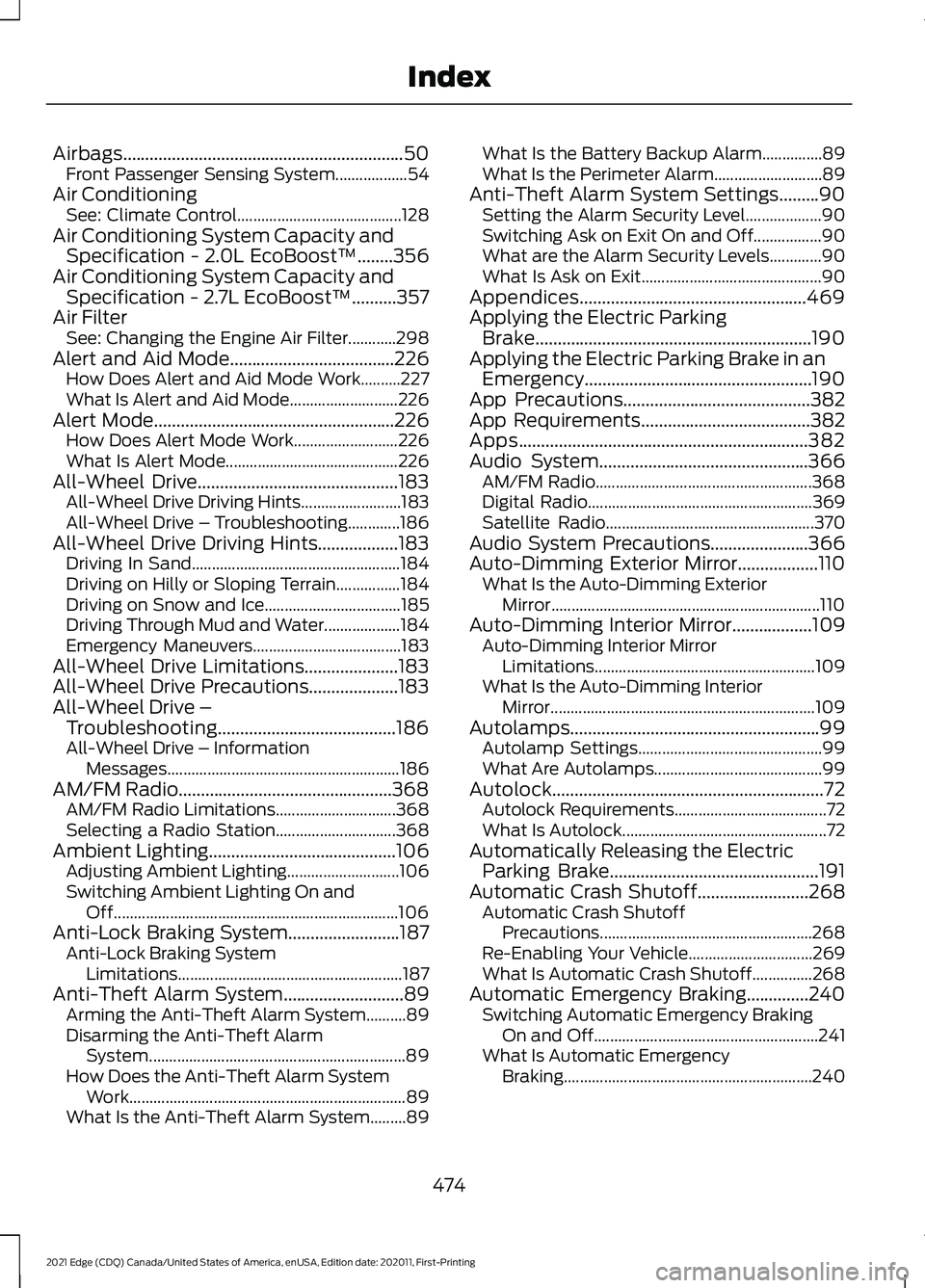
Airbags...............................................................50
Front Passenger Sensing System.................. 54
Air Conditioning See: Climate Control......................................... 128
Air Conditioning System Capacity and Specification - 2.0L EcoBoost™........356
Air Conditioning System Capacity and Specification - 2.7L EcoBoost™
..........357
Air Filter See: Changing the Engine Air Filter............298
Alert and Aid Mode.....................................226 How Does Alert and Aid Mode Work..........227
What Is Alert and Aid Mode........................... 226
Alert Mode
......................................................226
How Does Alert Mode Work.......................... 226
What Is Alert Mode........................................... 226
All-Wheel Drive
.............................................183
All-Wheel Drive Driving Hints......................... 183
All-Wheel Drive – Troubleshooting.............186
All-Wheel Drive Driving Hints..................183 Driving In Sand.................................................... 184
Driving on Hilly or Sloping Terrain................184
Driving on Snow and Ice.................................. 185
Driving Through Mud and Water................... 184
Emergency Maneuvers..................................... 183
All-Wheel Drive Limitations.....................183
All-Wheel Drive Precautions
....................183
All-Wheel Drive – Troubleshooting........................................186
All-Wheel Drive – Information Messages.......................................................... 186
AM/FM Radio................................................368 AM/FM Radio Limitations.............................. 368
Selecting a Radio Station.............................. 368
Ambient Lighting
..........................................106
Adjusting Ambient Lighting............................ 106
Switching Ambient Lighting On and Off....................................................................... 106
Anti-Lock Braking System.........................187 Anti-Lock Braking System
Limitations........................................................ 187
Anti-Theft Alarm System
...........................89
Arming the Anti-Theft Alarm System..........89
Disarming the Anti-Theft Alarm
System................................................................ 89
How Does the Anti-Theft Alarm System Work..................................................................... 89
What Is the Anti-Theft Alarm System.........89 What Is the Battery Backup Alarm...............89
What Is the Perimeter Alarm...........................
89
Anti-Theft Alarm System Settings.........90 Setting the Alarm Security Level................... 90
Switching Ask on Exit On and Off.................90
What are the Alarm Security Levels.............90
What Is Ask on Exit............................................. 90
Appendices...................................................469
Applying the Electric Parking Brake..............................................................190
Applying the Electric Parking Brake in an Emergency...................................................190
App Precautions
..........................................382
App Requirements......................................382
Apps
.................................................................382
Audio System...............................................366 AM/FM Radio...................................................... 368
Digital Radio........................................................ 369
Satellite Radio.................................................... 370
Audio System Precautions......................366
Auto-Dimming Exterior Mirror..................110 What Is the Auto-Dimming Exterior
Mirror................................................................... 110
Auto-Dimming Interior Mirror..................109 Auto-Dimming Interior Mirror
Limitations....................................................... 109
What Is the Auto-Dimming Interior Mirror
.................................................................. 109
Autolamps........................................................99 Autolamp Settings.............................................. 99
What Are Autolamps.......................................... 99
Autolock.............................................................72 Autolock Requirements...................................... 72
What Is Autolock................................................... 72
Automatically Releasing the Electric Parking Brake
...............................................191
Automatic Crash Shutoff.........................268 Automatic Crash Shutoff
Precautions ..................................................... 268
Re-Enabling Your Vehicle............................... 269
What Is Automatic Crash Shutoff...............268
Automatic Emergency Braking..............240 Switching Automatic Emergency Braking
On and Off........................................................ 241
What Is Automatic Emergency Braking.............................................................. 240
474
2021 Edge (CDQ) Canada/United States of America, enUSA, Edition date: 202011, First-Printing Index
Page 486 of 500
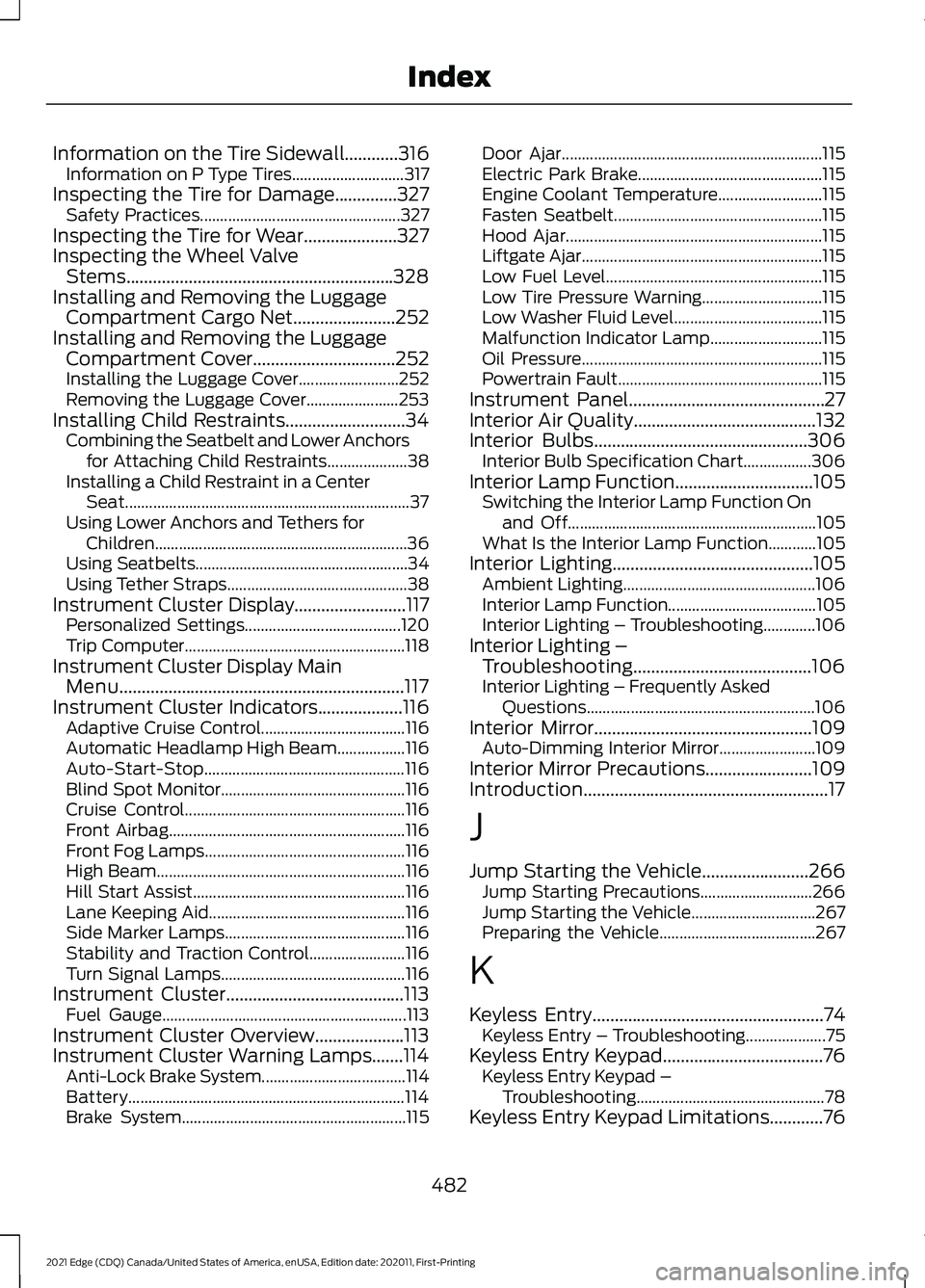
Information on the Tire Sidewall............316
Information on P Type Tires............................ 317
Inspecting the Tire for Damage..............327 Safety Practices.................................................. 327
Inspecting the Tire for Wear.....................327
Inspecting the Wheel Valve Stems............................................................328
Installing and Removing the Luggage Compartment Cargo Net.......................252
Installing and Removing the Luggage Compartment Cover................................252
Installing the Luggage Cover......................... 252
Removing the Luggage Cover....................... 253
Installing Child Restraints...........................34 Combining the Seatbelt and Lower Anchors
for Attaching Child Restraints.................... 38
Installing a Child Restraint in a Center Seat....................................................................... 37
Using Lower Anchors and Tethers for Children............................................................... 36
Using Seatbelts..................................................... 34
Using Tether Straps............................................. 38
Instrument Cluster Display.........................117 Personalized Settings....................................... 120
Trip Computer....................................................... 118
Instrument Cluster Display Main Menu................................................................117
Instrument Cluster Indicators...................116
Adaptive Cruise Control.................................... 116
Automatic Headlamp High Beam.................116
Auto-Start-Stop.................................................. 116
Blind Spot Monitor.............................................. 116
Cruise Control....................................................... 116
Front Airbag........................................................... 116
Front Fog Lamps.................................................. 116
High Beam.............................................................. 116
Hill Start Assist..................................................... 116
Lane Keeping Aid................................................. 116
Side Marker Lamps............................................. 116
Stability and Traction Control........................ 116
Turn Signal Lamps.............................................. 116
Instrument Cluster........................................113 Fuel Gauge............................................................. 113
Instrument Cluster Overview
....................113
Instrument Cluster Warning Lamps.......114 Anti-Lock Brake System.................................... 114
Battery..................................................................... 114
Brake System........................................................ 115Door Ajar.................................................................
115
Electric Park Brake.............................................. 115
Engine Coolant Temperature.......................... 115
Fasten Seatbelt.................................................... 115
Hood Ajar................................................................ 115
Liftgate Ajar............................................................ 115
Low Fuel Level...................................................... 115
Low Tire Pressure Warning.............................. 115
Low Washer Fluid Level..................................... 115
Malfunction Indicator Lamp............................ 115
Oil Pressure............................................................ 115
Powertrain Fault................................................... 115
Instrument Panel............................................27
Interior Air Quality.........................................132
Interior Bulbs................................................306 Interior Bulb Specification Chart.................306
Interior Lamp Function...............................105 Switching the Interior Lamp Function On
and Off.............................................................. 105
What Is the Interior Lamp Function............105
Interior Lighting
.............................................105
Ambient Lighting................................................ 106
Interior Lamp Function..................................... 105
Interior Lighting – Troubleshooting.............106
Interior Lighting – Troubleshooting........................................106
Interior Lighting – Frequently Asked Questions......................................................... 106
Interior Mirror.................................................109 Auto-Dimming Interior Mirror........................ 109
Interior Mirror Precautions........................109
Introduction.......................................................17
J
Jump Starting the Vehicle........................266 Jump Starting Precautions............................ 266
Jump Starting the Vehicle............................... 267
Preparing the Vehicle....................................... 267
K
Keyless Entry
....................................................74
Keyless Entry – Troubleshooting.................... 75
Keyless Entry Keypad....................................76 Keyless Entry Keypad –
Troubleshooting............................................... 78
Keyless Entry Keypad Limitations............76
482
2021 Edge (CDQ) Canada/United States of America, enUSA, Edition date: 202011, First-Printing Index