brake FORD ESCAPE 2003 1.G Owners Manual
[x] Cancel search | Manufacturer: FORD, Model Year: 2003, Model line: ESCAPE, Model: FORD ESCAPE 2003 1.GPages: 240, PDF Size: 2.6 MB
Page 2 of 240
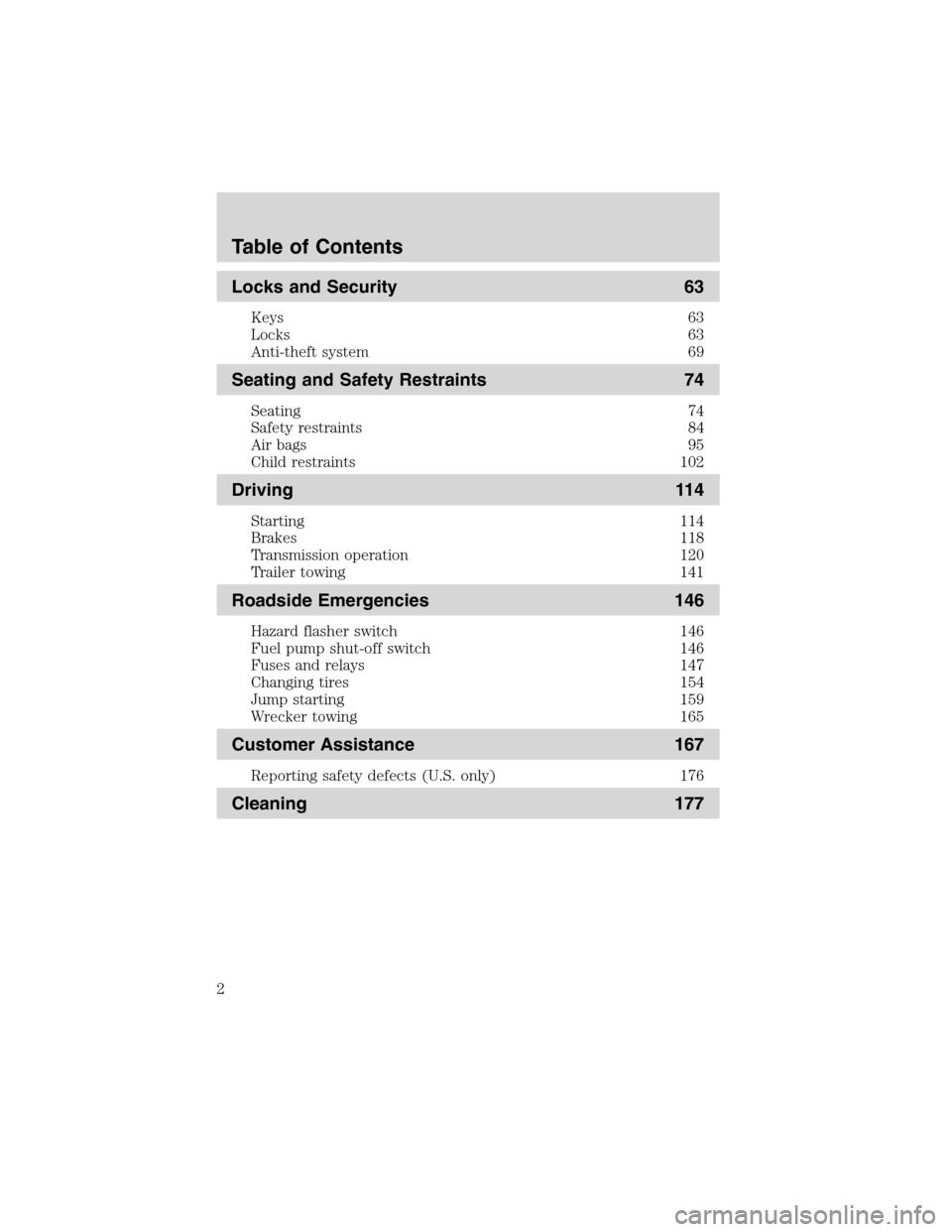
Locks and Security 63
Keys 63
Locks 63
Anti-theft system 69
Seating and Safety Restraints 74
Seating 74
Safety restraints 84
Air bags 95
Child restraints 102
Driving 114
Starting 114
Brakes 118
Transmission operation 120
Trailer towing 141
Roadside Emergencies 146
Hazard flasher switch 146
Fuel pump shut-off switch 146
Fuses and relays 147
Changing tires 154
Jump starting 159
Wrecker towing 165
Customer Assistance 167
Reporting safety defects (U.S. only) 176
Cleaning 177
Table of Contents
2
Page 6 of 240
SPECIAL NOTICES
Special instructions
For your added safety, your vehicle is fitted with sophisticated electronic
controls.
Please read the sectionAir bagin theSeating and safety
restraintschapter. Failure to follow the specific warnings and
instructions could result in personal injury.
Front seat mounted rear facing child or infant seats should
NEVERbe used in front of a passenger side air bag unless the
air bag can be and is turned OFF.
Event Data Recorder
The computer in your vehicle is capable of recording detailed data
potentially including but not limited to information such as:
•the use of restraint systems including seat belts by the driver and
passengers,
•information about the performance of various systems and modules in
the vehicle, and
•information related to engine, throttle, steering, brake or other system
status potentially including information related to how the driver
operates the vehicle including but not limited to vehicle speed.
This information may be stored during regular operation or in a crash or
near crash event. This stored information may be read out and used by:
•Ford Motor Company.
•service and repair facilities.
•law enforcement or government agencies.
•others who may assert a right or obtain your consent to know such
information.
Emission warranty
The New Vehicle Limited Warranty includes Bumper-to-Bumper
Coverage, Safety Restraint Coverage, Corrosion Coverage, and 7.3L
Power Stroke Diesel Engine Coverage. In addition, your vehicle is eligible
for Emissions Defect and Emissions Performance Warranties. For a
detailed description of what is covered and what is not covered, refer to
theWarranty Guidethat is provided to you along with your Owner’s
Guide.
Introduction
6
Page 8 of 240
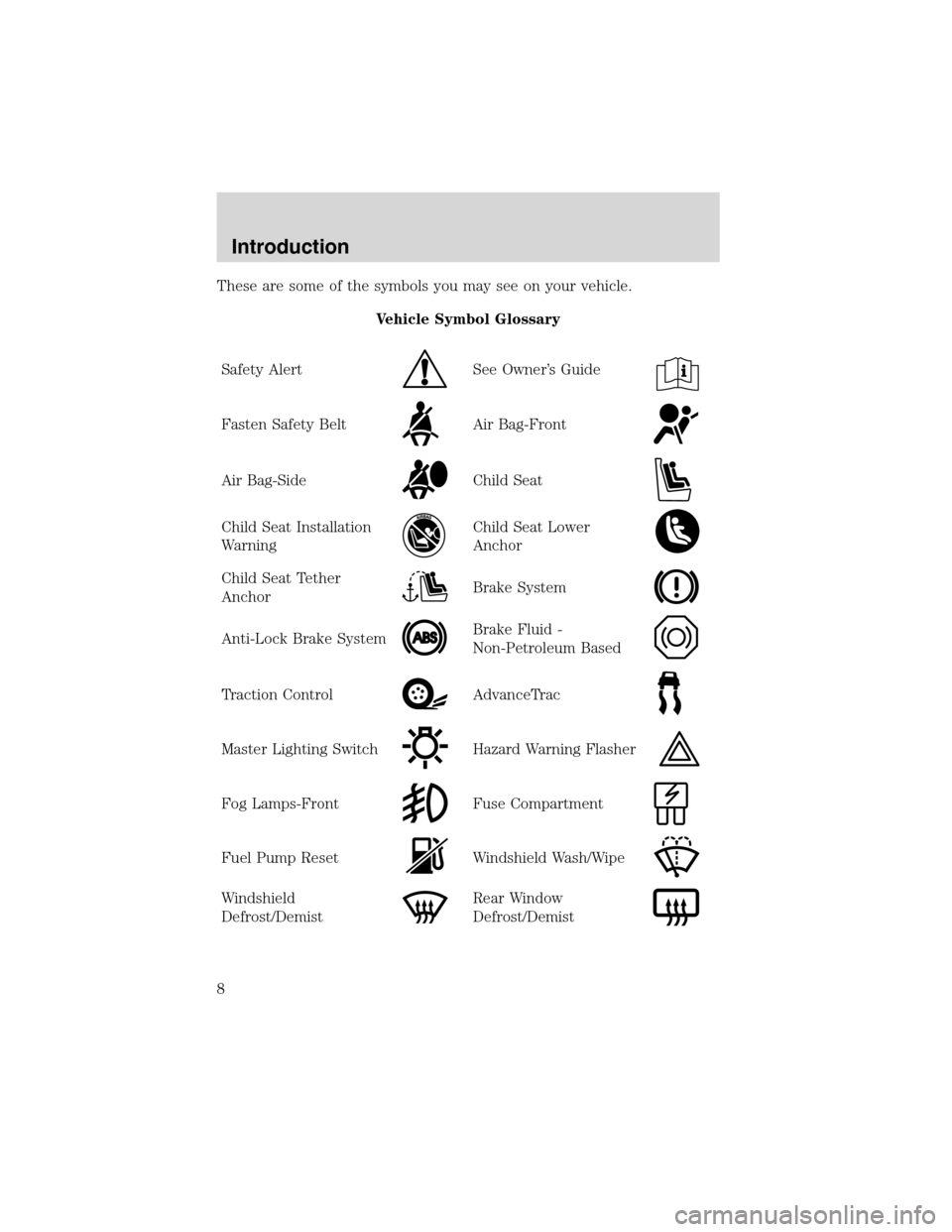
These are some of the symbols you may see on your vehicle.
Vehicle Symbol Glossary
Safety Alert
See Owner’s Guide
Fasten Safety BeltAir Bag-Front
Air Bag-SideChild Seat
Child Seat Installation
WarningChild Seat Lower
Anchor
Child Seat Tether
AnchorBrake System
Anti-Lock Brake SystemBrake Fluid -
Non-Petroleum Based
Traction ControlAdvanceTrac
Master Lighting SwitchHazard Warning Flasher
Fog Lamps-FrontFuse Compartment
Fuel Pump ResetWindshield Wash/Wipe
Windshield
Defrost/DemistRear Window
Defrost/Demist
Introduction
8
Page 10 of 240
WARNING LIGHTS AND CHIMES
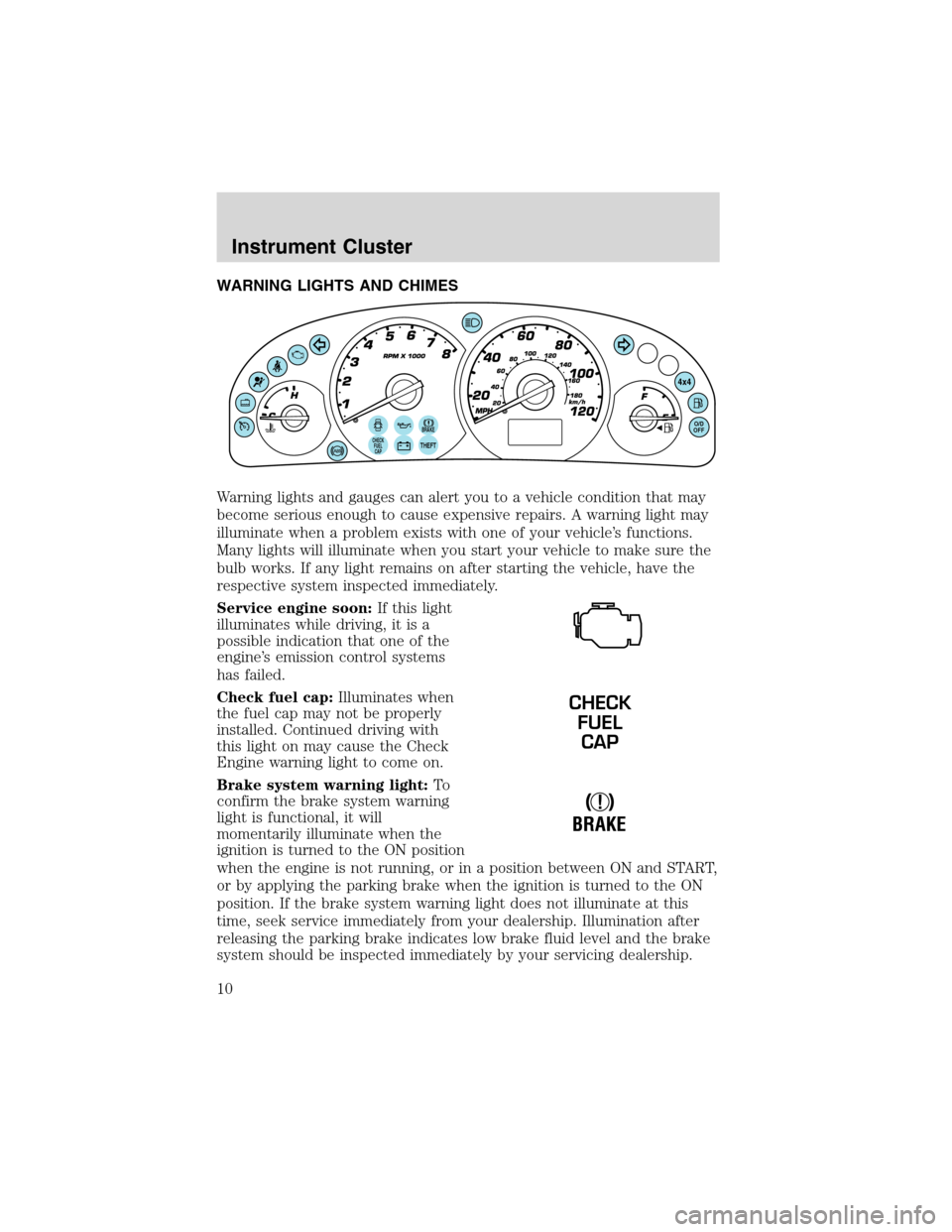
Warning lights and gauges can alert you to a vehicle condition that may
become serious enough to cause expensive repairs. A warning light may
illuminate when a problem exists with one of your vehicle’s functions.
Many lights will illuminate when you start your vehicle to make sure the
bulb works. If any light remains on after starting the vehicle, have the
respective system inspected immediately.
Service engine soon:If this light
illuminates while driving, it is a
possible indication that one of the
engine’s emission control systems
has failed.
Check fuel cap:Illuminates when
the fuel cap may not be properly
installed. Continued driving with
this light on may cause the Check
Engine warning light to come on.
Brake system warning light:To
confirm the brake system warning
light is functional, it will
momentarily illuminate when the
ignition is turned to the ON position
when the engine is not running, or in a position between ON and START,
or by applying the parking brake when the ignition is turned to the ON
position. If the brake system warning light does not illuminate at this
time, seek service immediately from your dealership. Illumination after
releasing the parking brake indicates low brake fluid level and the brake
system should be inspected immediately by your servicing dealership.
BRAKECHECK
FUEL
CAPTHEFT
4x4
O/D
OFF
CHECK
FUEL
CAP
!
BRAKE
Instrument Cluster
10
Page 11 of 240
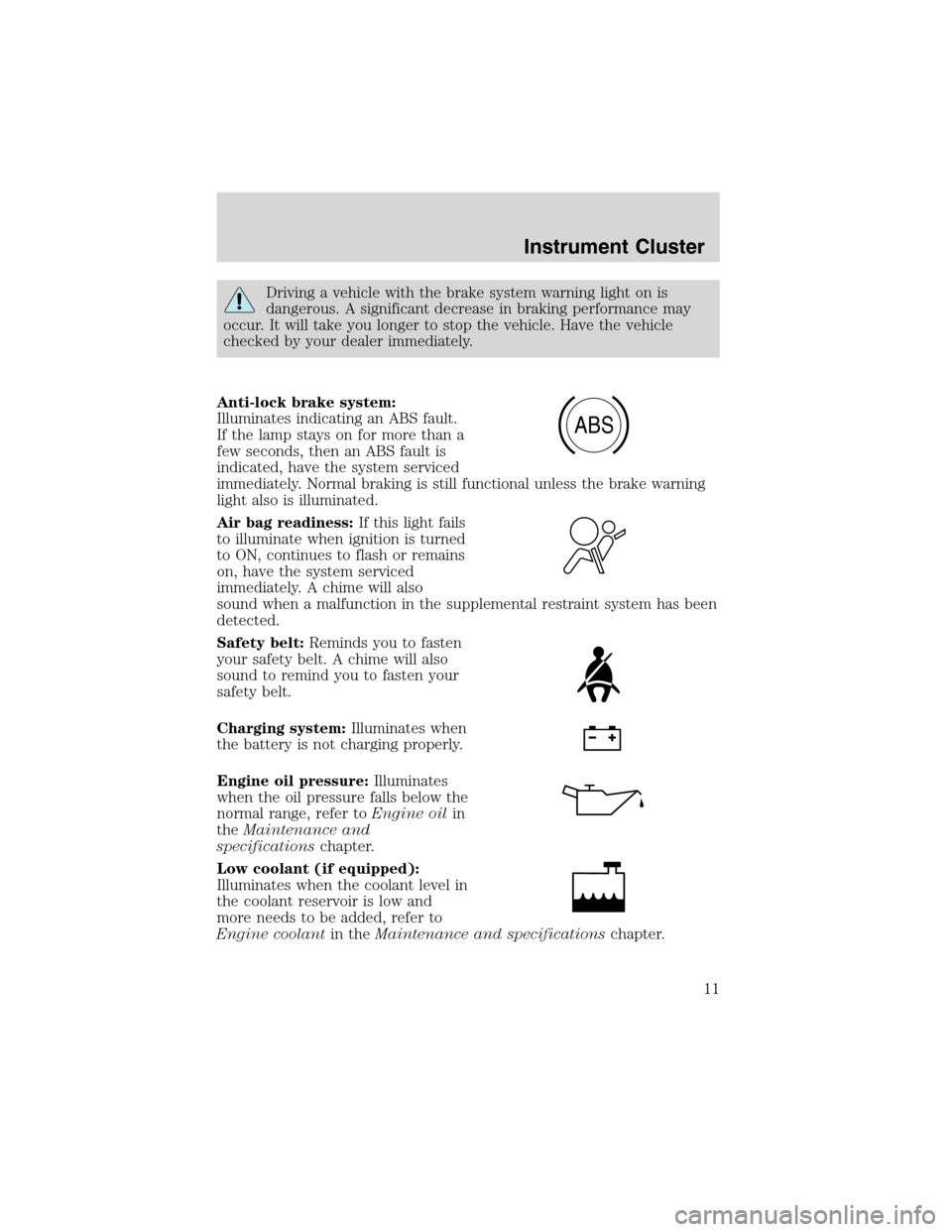
Driving a vehicle with the brake system warning light on is
dangerous. A significant decrease in braking performance may
occur. It will take you longer to stop the vehicle. Have the vehicle
checked by your dealer immediately.
Anti-lock brake system:
Illuminates indicating an ABS fault.
If the lamp stays on for more than a
few seconds, then an ABS fault is
indicated, have the system serviced
immediately. Normal braking is still functional unless the brake warning
light also is illuminated.
Air bag readiness:If this light fails
to illuminate when ignition is turned
to ON, continues to flash or remains
on, have the system serviced
immediately. A chime will also
sound when a malfunction in the supplemental restraint system has been
detected.
Safety belt:Reminds you to fasten
your safety belt. A chime will also
sound to remind you to fasten your
safety belt.
Charging system:Illuminates when
the battery is not charging properly.
Engine oil pressure:Illuminates
when the oil pressure falls below the
normal range, refer toEngine oilin
theMaintenance and
specificationschapter.
Low coolant (if equipped):
Illuminates when the coolant level in
the coolant reservoir is low and
more needs to be added, refer to
Engine coolantin theMaintenance and specificationschapter.
ABS
Instrument Cluster
11
Page 13 of 240
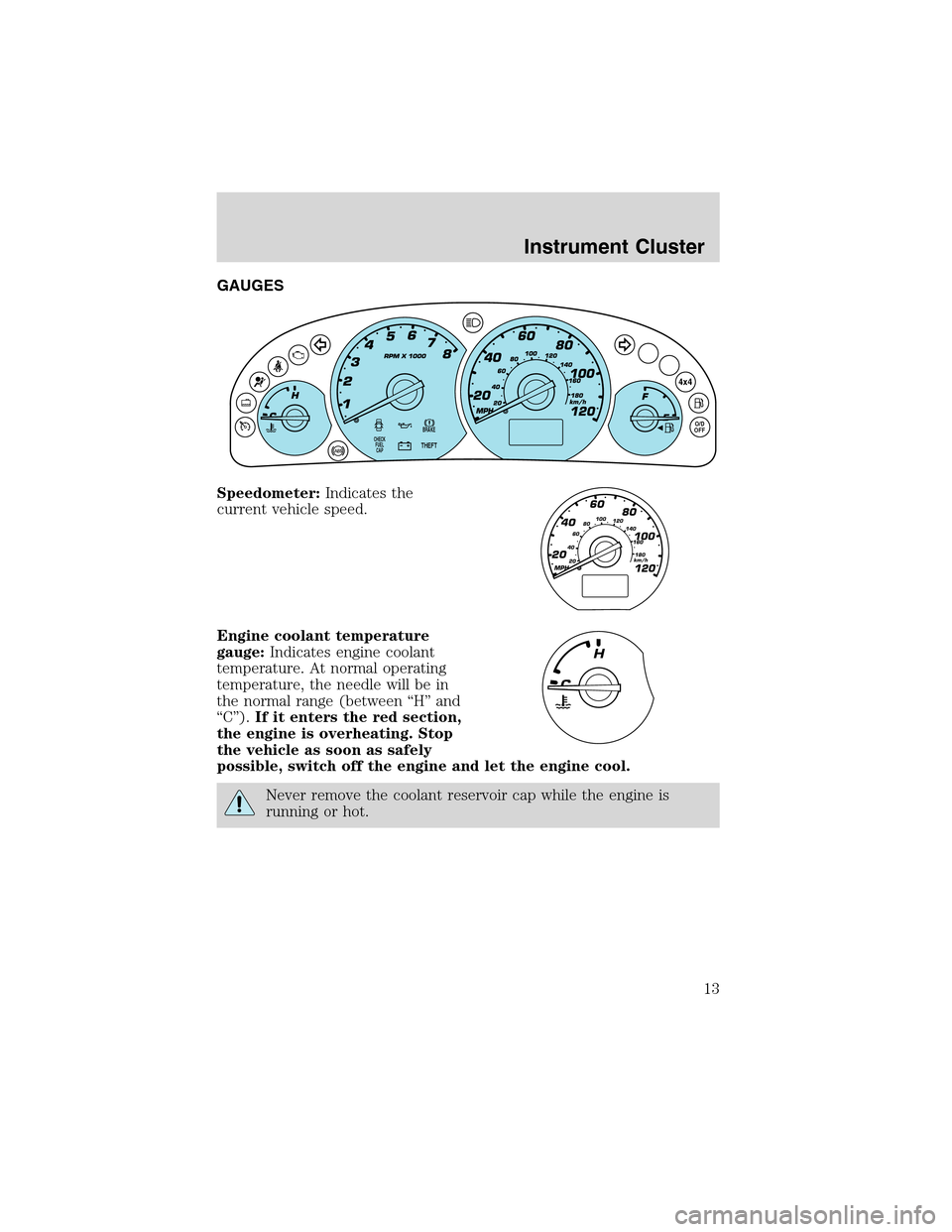
GAUGES
Speedometer:Indicates the
current vehicle speed.
Engine coolant temperature
gauge:Indicates engine coolant
temperature. At normal operating
temperature, the needle will be in
the normal range (between“H”and
“C”).If it enters the red section,
the engine is overheating. Stop
the vehicle as soon as safely
possible, switch off the engine and let the engine cool.
Never remove the coolant reservoir cap while the engine is
running or hot.
BRAKE
THEFT
4x4
O/D
OFFCHECK
FUEL
CAP
MPH
60
40
20
20 406080100
120
140
160
180
80
100
120
km/h
Instrument Cluster
13
Page 41 of 240
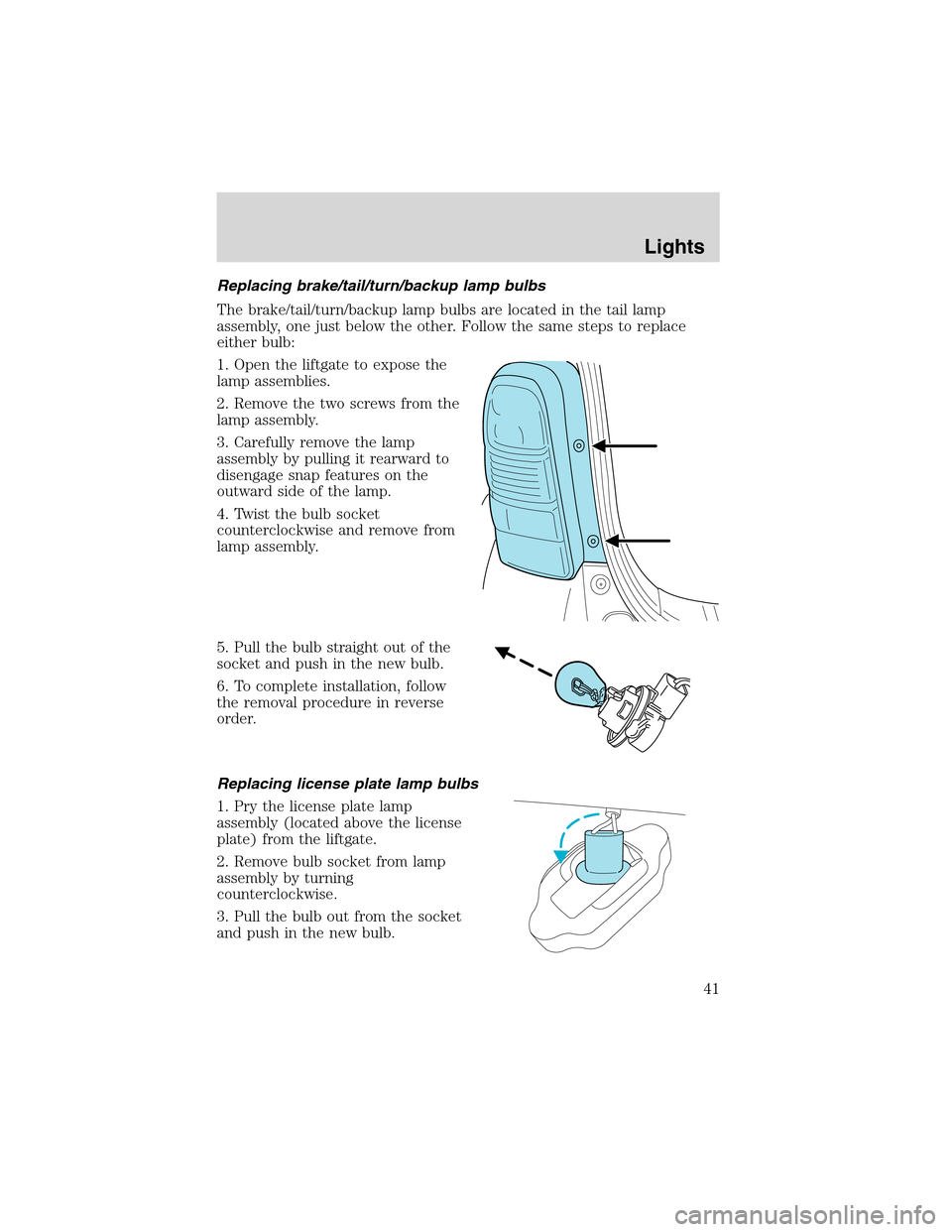
Replacing brake/tail/turn/backup lamp bulbs
The brake/tail/turn/backup lamp bulbs are located in the tail lamp
assembly, one just below the other. Follow the same steps to replace
either bulb:
1. Open the liftgate to expose the
lamp assemblies.
2. Remove the two screws from the
lamp assembly.
3. Carefully remove the lamp
assembly by pulling it rearward to
disengage snap features on the
outward side of the lamp.
4. Twist the bulb socket
counterclockwise and remove from
lamp assembly.
5. Pull the bulb straight out of the
socket and push in the new bulb.
6. To complete installation, follow
the removal procedure in reverse
order.
Replacing license plate lamp bulbs
1. Pry the license plate lamp
assembly (located above the license
plate) from the liftgate.
2. Remove bulb socket from lamp
assembly by turning
counterclockwise.
3. Pull the bulb out from the socket
and push in the new bulb.
Lights
41
Page 42 of 240
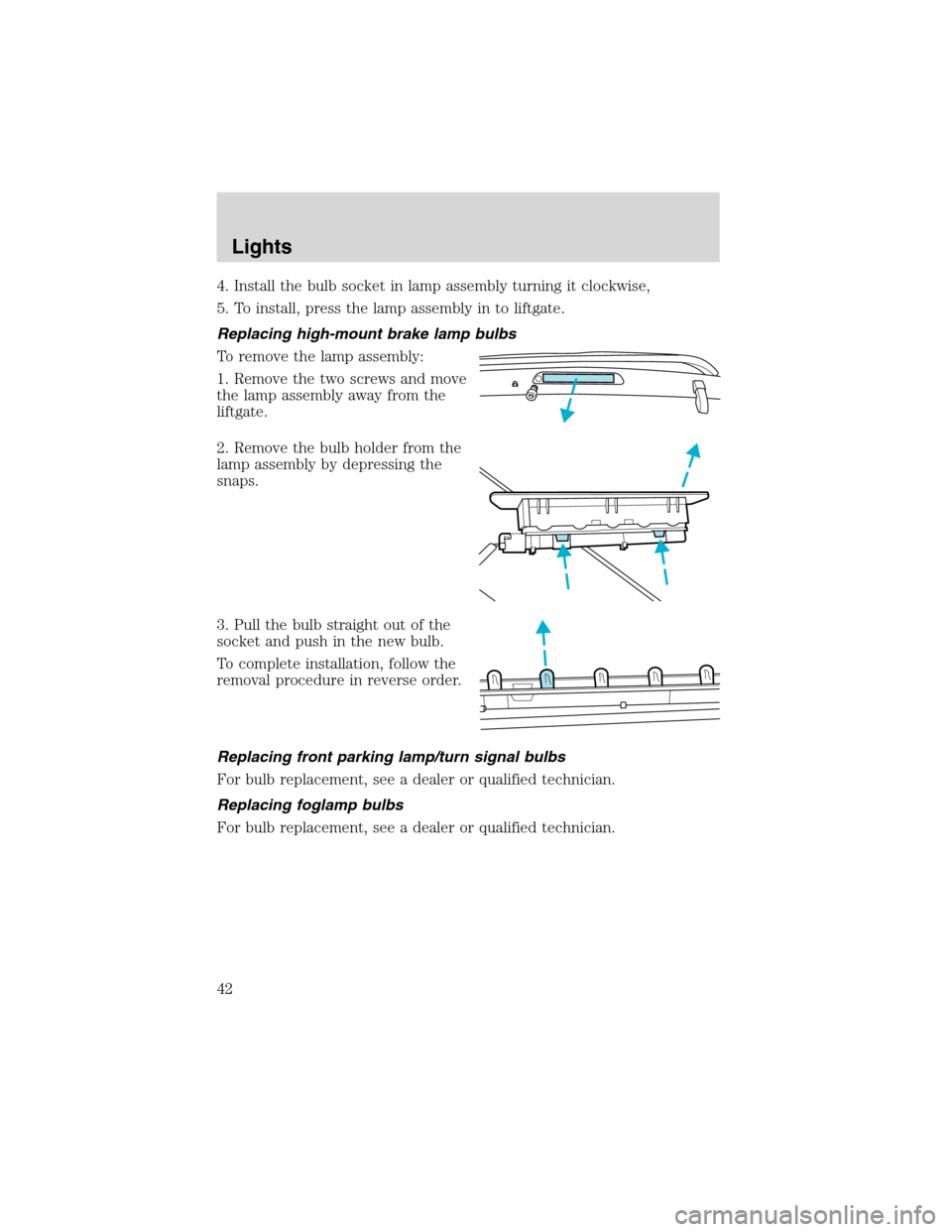
4. Install the bulb socket in lamp assembly turning it clockwise,
5. To install, press the lamp assembly in to liftgate.
Replacing high-mount brake lamp bulbs
To remove the lamp assembly:
1. Remove the two screws and move
the lamp assembly away from the
liftgate.
2. Remove the bulb holder from the
lamp assembly by depressing the
snaps.
3. Pull the bulb straight out of the
socket and push in the new bulb.
To complete installation, follow the
removal procedure in reverse order.
Replacing front parking lamp/turn signal bulbs
For bulb replacement, see a dealer or qualified technician.
Replacing foglamp bulbs
For bulb replacement, see a dealer or qualified technician.
Lights
42
Page 50 of 240
Do not use the speed control in heavy traffic or on roads that
are winding, slippery or unpaved.
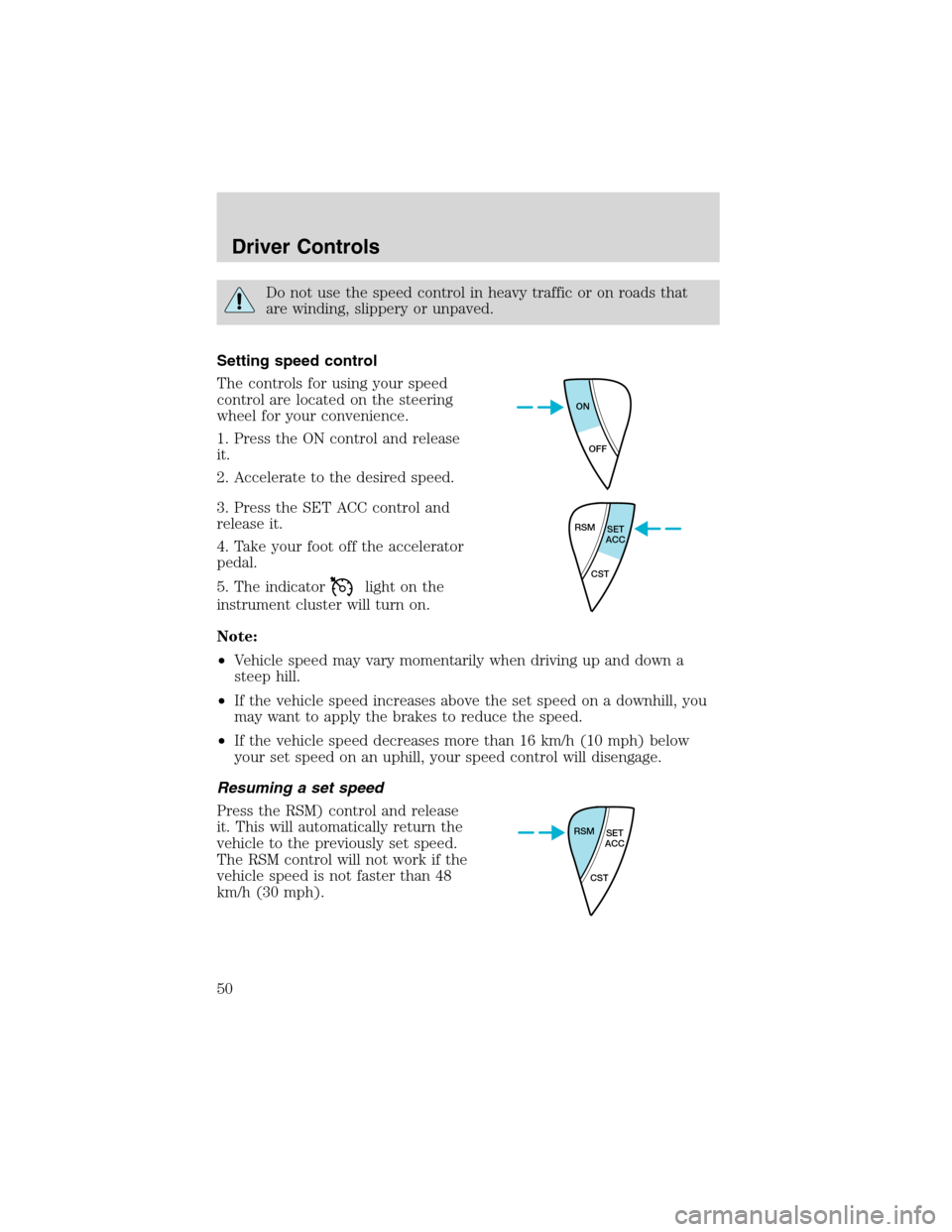
Setting speed control
The controls for using your speed
control are located on the steering
wheel for your convenience.
1. Press the ON control and release
it.
2. Accelerate to the desired speed.
3. Press the SET ACC control and
release it.
4. Take your foot off the accelerator
pedal.
5. The indicator
light on the
instrument cluster will turn on.
Note:
•Vehicle speed may vary momentarily when driving up and down a
steep hill.
•If the vehicle speed increases above the set speed on a downhill, you
may want to apply the brakes to reduce the speed.
•If the vehicle speed decreases more than 16 km/h (10 mph) below
your set speed on an uphill, your speed control will disengage.
Resuming a set speed
Press the RSM) control and release
it. This will automatically return the
vehicle to the previously set speed.
The RSM control will not work if the
vehicle speed is not faster than 48
km/h (30 mph).
ON
OFF
RSM
SET
ACC
CST
RSM
SET
ACC
CST
Driver Controls
50
Page 51 of 240
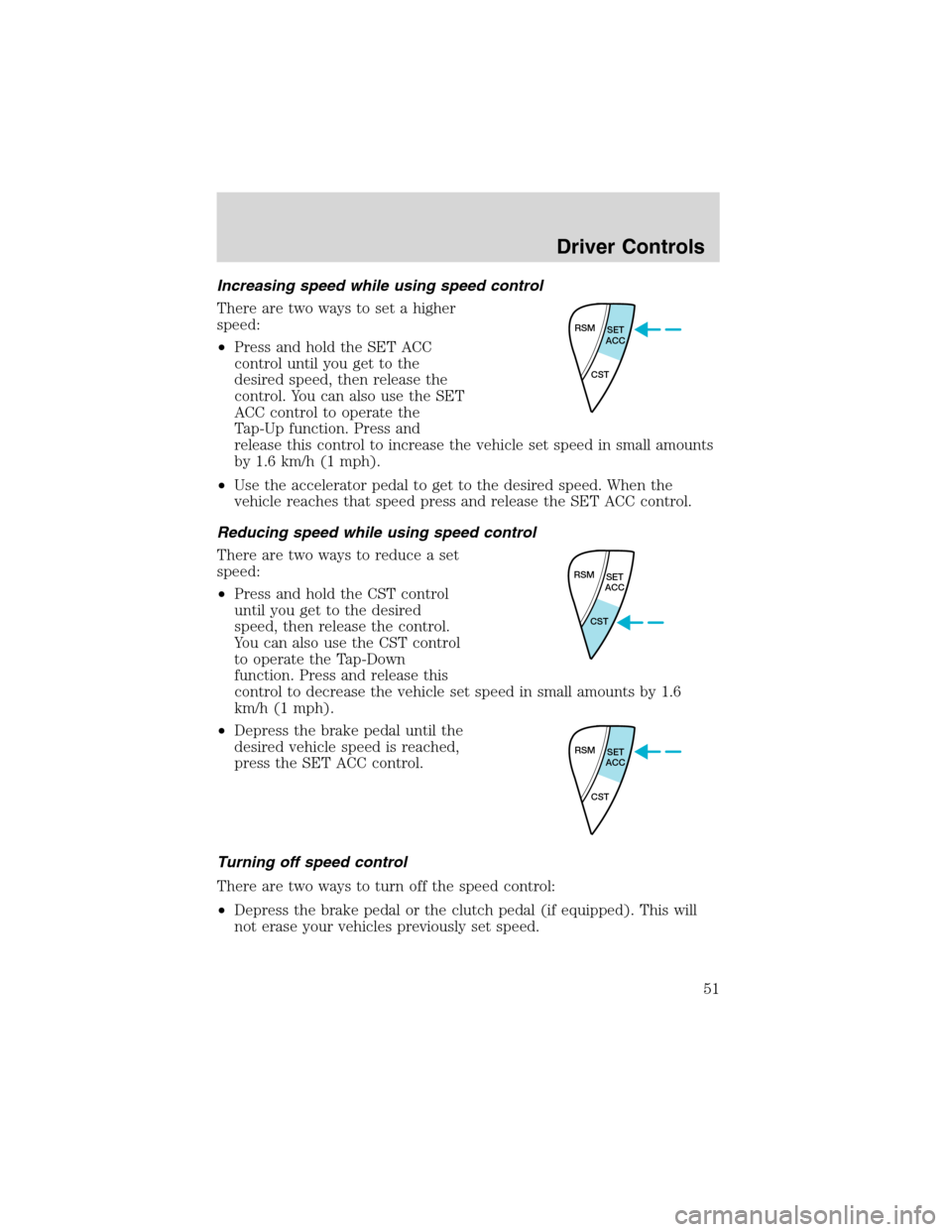
Increasing speed while using speed control
There are two ways to set a higher
speed:
•Press and hold the SET ACC
control until you get to the
desired speed, then release the
control. You can also use the SET
ACC control to operate the
Tap-Up function. Press and
release this control to increase the vehicle set speed in small amounts
by 1.6 km/h (1 mph).
•Use the accelerator pedal to get to the desired speed. When the
vehicle reaches that speed press and release the SET ACC control.
Reducing speed while using speed control
There are two ways to reduce a set
speed:
•Press and hold the CST control
until you get to the desired
speed, then release the control.
You can also use the CST control
to operate the Tap-Down
function. Press and release this
control to decrease the vehicle set speed in small amounts by 1.6
km/h (1 mph).
•Depress the brake pedal until the
desired vehicle speed is reached,
press the SET ACC control.
Turning off speed control
There are two ways to turn off the speed control:
•Depress the brake pedal or the clutch pedal (if equipped). This will
not erase your vehicles previously set speed.
RSM
SET
ACC
CST
RSM
SET
ACC
CST
RSM
SET
ACC
CST
Driver Controls
51