fuel FORD ESCAPE 2005 1.G User Guide
[x] Cancel search | Manufacturer: FORD, Model Year: 2005, Model line: ESCAPE, Model: FORD ESCAPE 2005 1.GPages: 272, PDF Size: 15.08 MB
Page 60 of 272

Average fuel economy (AFE)
Select this function from the INFO
menu to display your average fuel
economy in liters/100 km or
miles/gallon.
If you calculate your average fuel
economy by dividing liters of fuel
used by 100 kilometers traveled (miles traveled by gallons used), your
figure may be different than displayed for the following reasons:
•your vehicle was not perfectly level during fill-up
•differences in the automatic shut-off points on the fuel pumps at
service stations
•variations in top-off procedure from one fill-up to another
•rounding of the displayed values to the nearest 0.1 liter (gallon)
1. Drive the vehicle at least 8 km (5 miles) with the speed control
system engaged to display a stabilized average.
2. Record the highway fuel economy for future reference.
It is important to press the SET control after setting the speed control to
get accurate highway fuel economy readings.
Distance to empty (DTE)
Selecting this function from the
INFO menu will give you an
estimate of how far you can drive
with the fuel remaining in your tank
under normal driving conditions.
Remember to turn the ignition OFF
when refueling your vehicle. Otherwise, the display will not show the
addition of fuel for a few kilometers (miles).
The DTE function will display“LOW FUEL LEVEL”and sound a tone for
one second when you have low fuel level indicated on the fuel gauge.
2005 Escape(204)
Owners Guide (post-2002-fmt)
USA English(fus)
Driver Controls
60
Page 61 of 272
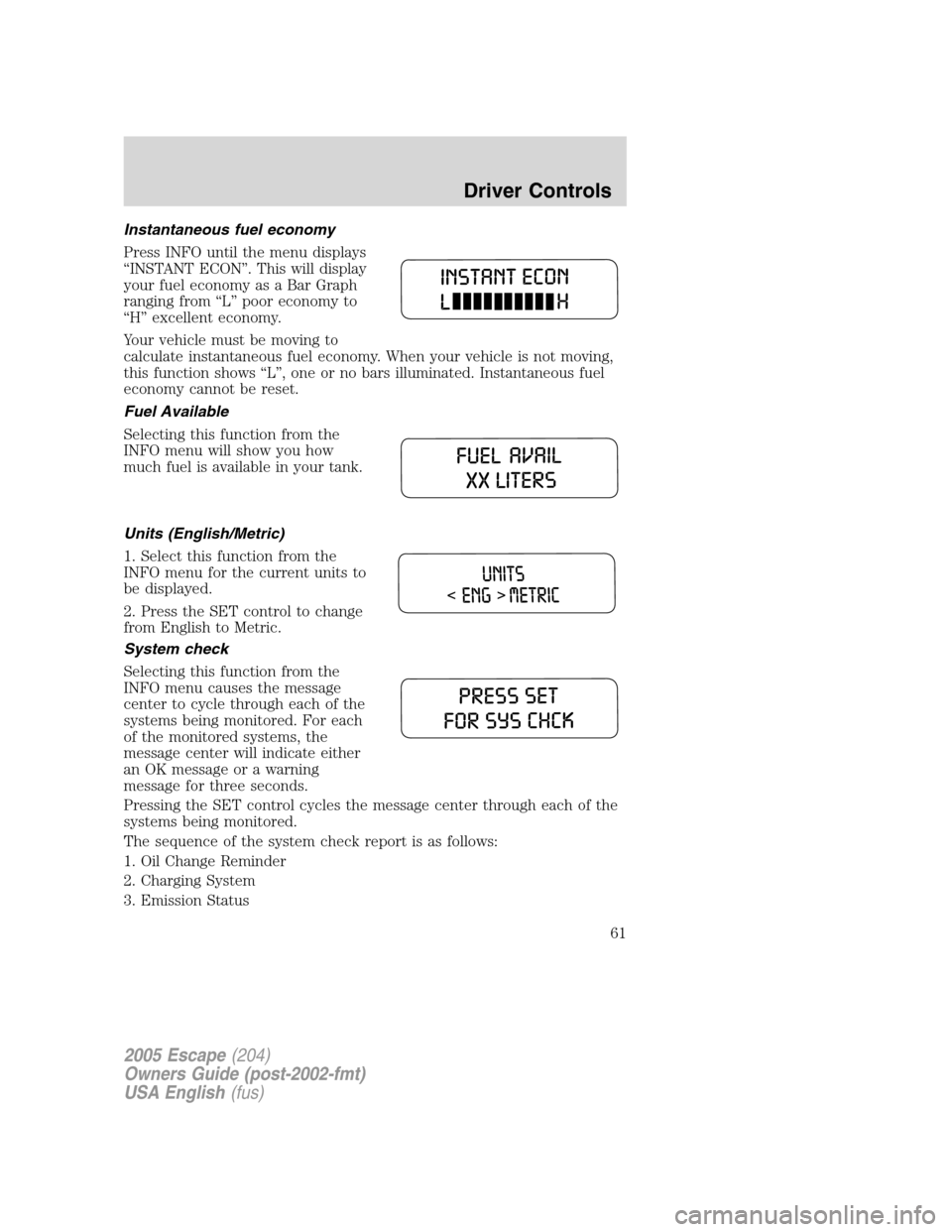
Instantaneous fuel economy
Press INFO until the menu displays
“INSTANT ECON”. This will display
your fuel economy as a Bar Graph
ranging from“L”poor economy to
“H”excellent economy.
Your vehicle must be moving to
calculate instantaneous fuel economy. When your vehicle is not moving,
this function shows“L”, one or no bars illuminated. Instantaneous fuel
economy cannot be reset.
Fuel Available
Selecting this function from the
INFO menu will show you how
much fuel is available in your tank.
Units (English/Metric)
1. Select this function from the
INFO menu for the current units to
be displayed.
2. Press the SET control to change
from English to Metric.
System check
Selecting this function from the
INFO menu causes the message
center to cycle through each of the
systems being monitored. For each
of the monitored systems, the
message center will indicate either
an OK message or a warning
message for three seconds.
Pressing the SET control cycles the message center through each of the
systems being monitored.
The sequence of the system check report is as follows:
1. Oil Change Reminder
2. Charging System
3. Emission Status
2005 Escape(204)
Owners Guide (post-2002-fmt)
USA English(fus)
Driver Controls
61
Page 62 of 272

4. Brake System
5. Liftgate Status
6. Exterior Lamps
7. 4 Wheel Drive
8. Fuel Level Status
Language
1. Select this function from the
INFO menu for the current language
to be displayed.
2. Pressing the SET control cycles
the message center through each of
the language choices.
3. Press and hold the SET control
for 2 seconds to set the language
choice.
Display Off
Select this function from the INFO control to turn your message center
display OFF.
System warnings
System warnings alert you to possible problems or malfunctions in your
vehicle’s operating systems.
In the event of a multiple warning situation, the message center will
cycle the display to show all warnings by displaying each one for four
seconds.
The message center will display the last selected feature if there are no
more warning messages. This allows you to use the full functionality of
the message center after you acknowledge the warning by pressing the
SET control and clearing the warning message.
2005 Escape(204)
Owners Guide (post-2002-fmt)
USA English(fus)
Driver Controls
62
Page 63 of 272
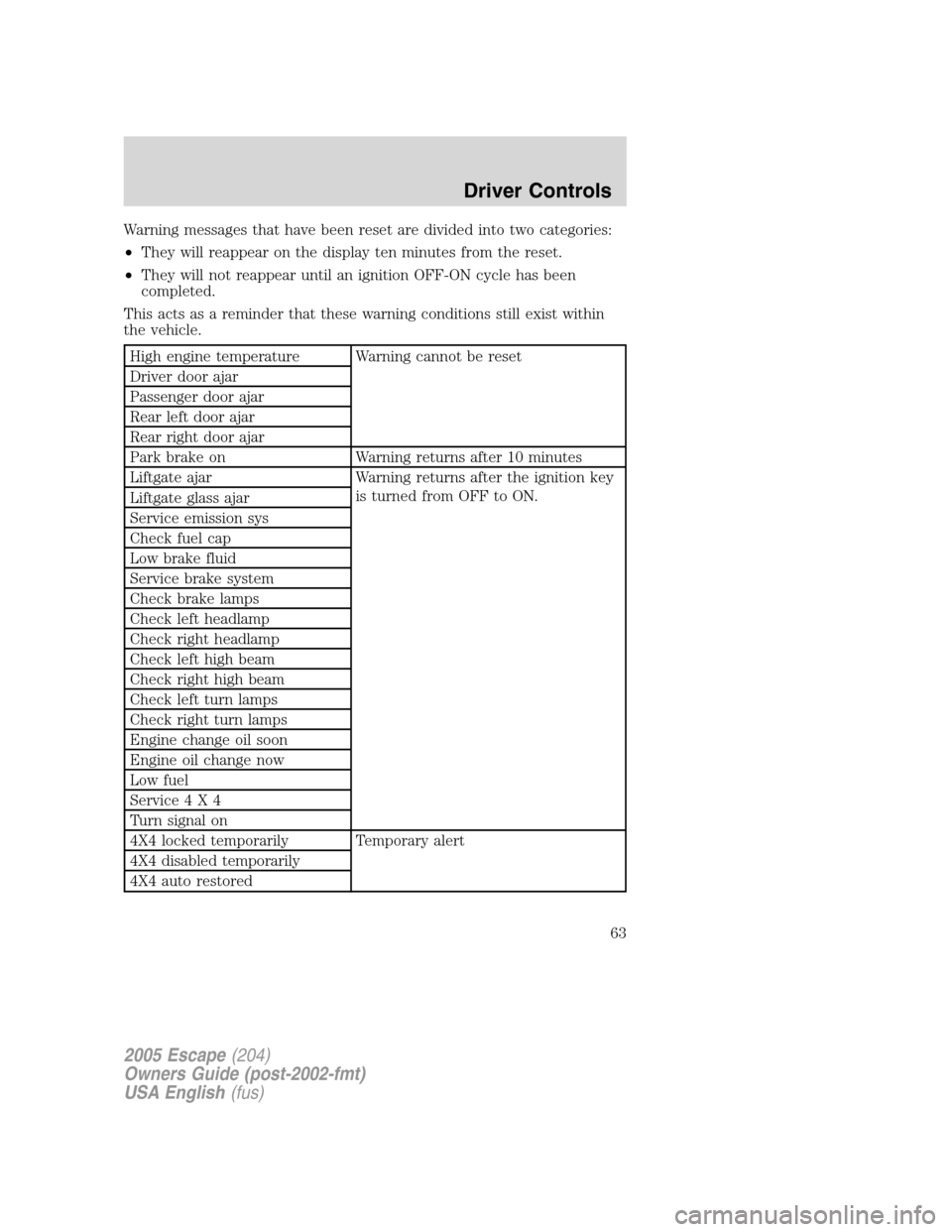
Warning messages that have been reset are divided into two categories:
•They will reappear on the display ten minutes from the reset.
•They will not reappear until an ignition OFF-ON cycle has been
completed.
This acts as a reminder that these warning conditions still exist within
the vehicle.
High engine temperature Warning cannot be reset
Driver door ajar
Passenger door ajar
Rear left door ajar
Rear right door ajar
Park brake on Warning returns after 10 minutes
Liftgate ajar Warning returns after the ignition key
is turned from OFF to ON.
Liftgate glass ajar
Service emission sys
Check fuel cap
Low brake fluid
Service brake system
Check brake lamps
Check left headlamp
Check right headlamp
Check left high beam
Check right high beam
Check left turn lamps
Check right turn lamps
Engine change oil soon
Engine oil change now
Low fuel
Service4X4
Turn signal on
4X4 locked temporarily Temporary alert
4X4 disabled temporarily
4X4 auto restored
2005 Escape(204)
Owners Guide (post-2002-fmt)
USA English(fus)
Driver Controls
63
Page 65 of 272
CHECK LEFT OR RIGHT TURN LAMPS.Displayed when the turn
signals are activated and at least one is burned out. Check the lamps as
soon as safely possible and have the burned out lamp replaced.
LOW FUEL.Displayed as an early reminder of a low fuel condition.
SERVICE 4X4.Displayed when the 4X4 is not operating properly. If the
warning stays on or continues to come on, contact your dealer as soon as
possible.
TURN SIGNAL ON.Displayed when the turn signal is activated and the
vehicle is driven more that 0.8 km (1/2 mile).
4X4 LOCKED TEMPORARILY.Displayed when the 4X4 is temporarily
locked. If the warning stays on or continues to come on, contact your
dealer as soon as possible.
4X4 DISABLED TEMPORARILY.Displayed when the 4X4 is
temporarily disabled. If the warning stays on or continues to come on,
contact your dealer as soon as possible.
4X4 AUTO RESTORED.Displayed when the 4X4 is restored to normal
operations.
ENGINE OIL CHANGE SOON/ENGINE OIL CHANGE NOW.
Displayed when the engine oil life remaining is 5% or less. When oil life
left is between 5% and 0%, the ENGINE OIL CHANGE SOON message
will be displayed. When oil life left reaches 0%, the ENGINE OIL
CHANGE NOW message will be displayed.
An oil change is required whenever indicated by the message center.
USE ONLY RECOMMENDED ENGINE OILS.
To reset the oil monitoring system to 100% after each oil change
(approximately 15,000 km or 12 months) perform the following:
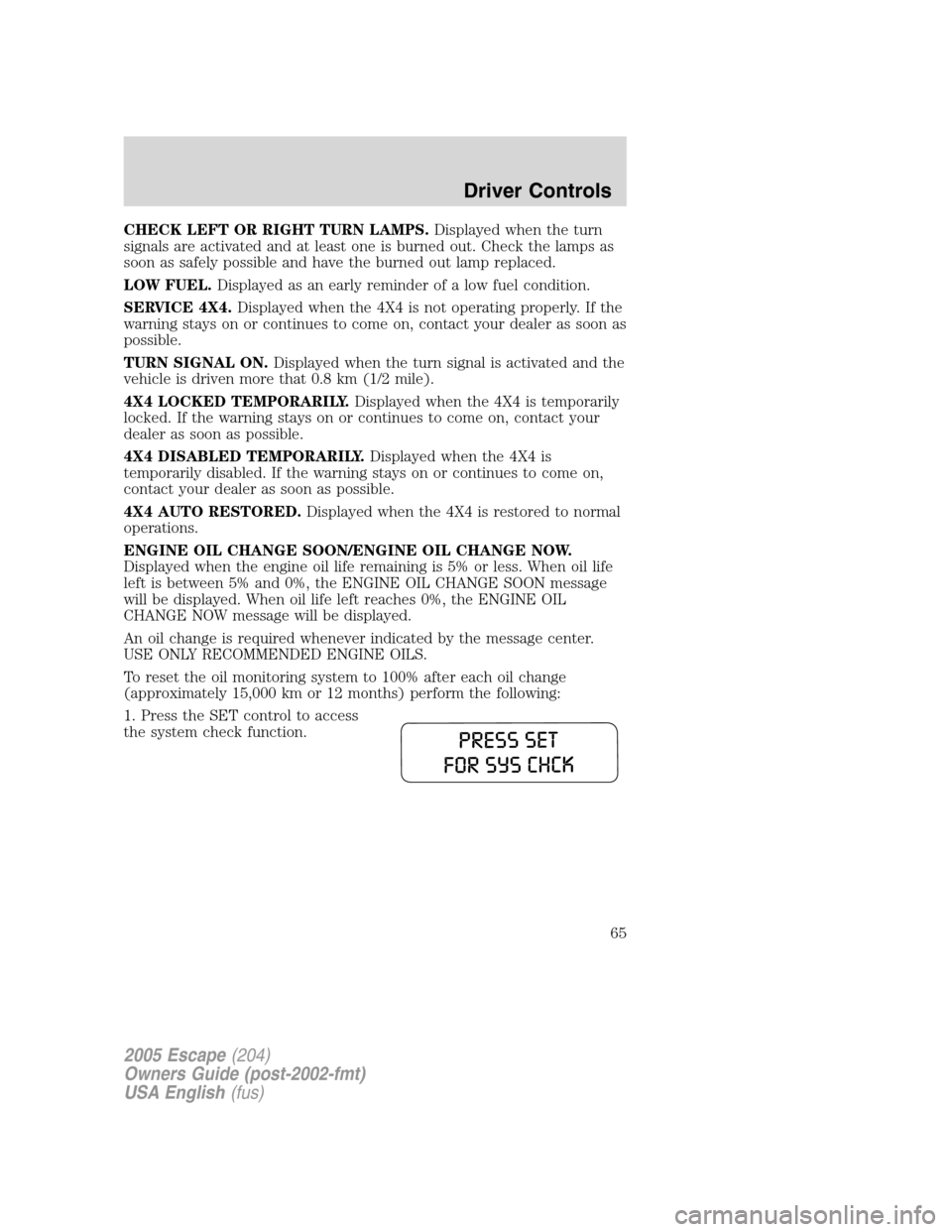
1. Press the SET control to access
the system check function.
2005 Escape(204)
Owners Guide (post-2002-fmt)
USA English(fus)
Driver Controls
65
Page 66 of 272
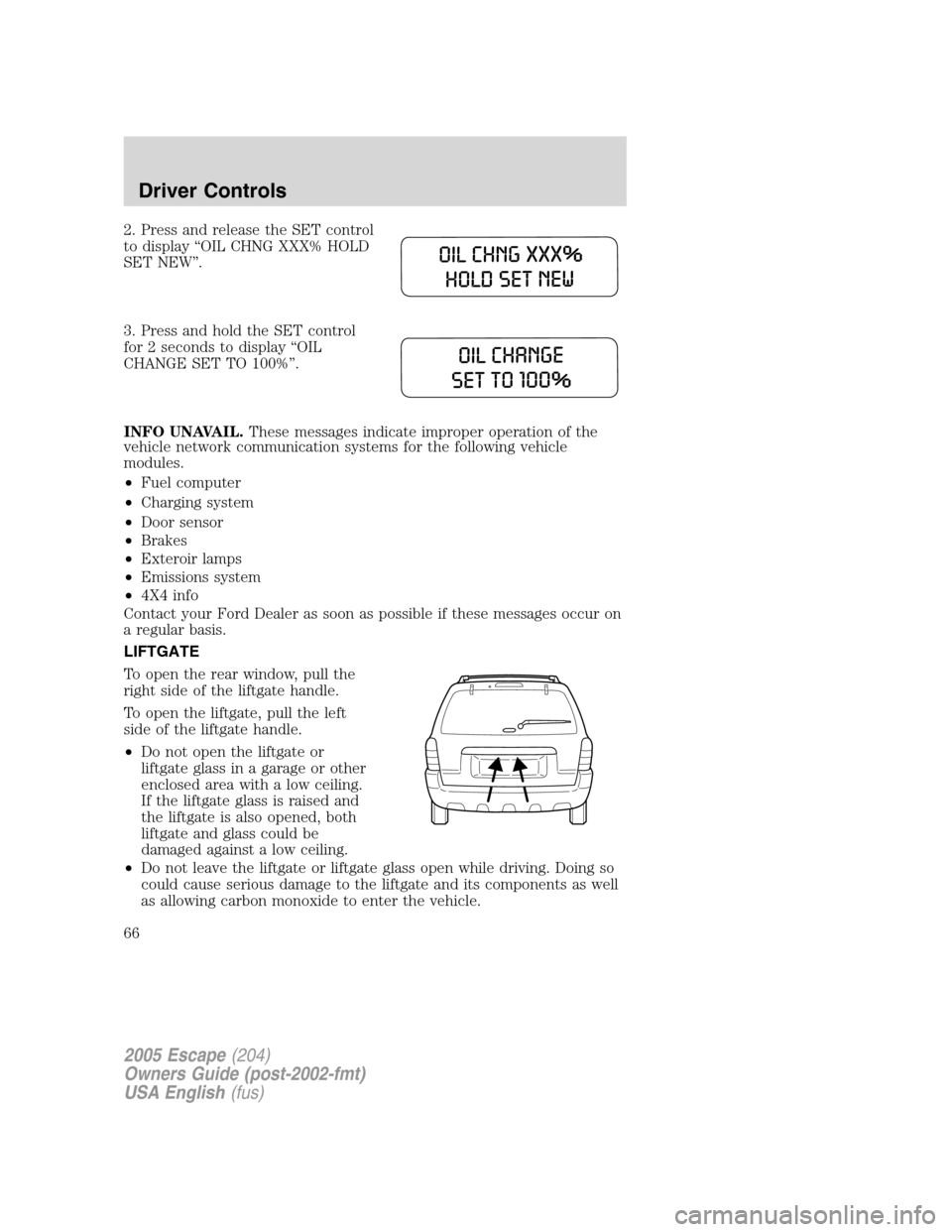
2. Press and release the SET control
to display“OIL CHNG XXX% HOLD
SET NEW”.
3. Press and hold the SET control
for 2 seconds to display“OIL
CHANGE SET TO 100%”.
INFO UNAVAIL.These messages indicate improper operation of the
vehicle network communication systems for the following vehicle
modules.
•Fuel computer
•Charging system
•Door sensor
•Brakes
•Exteroir lamps
•Emissions system
•4X4 info
Contact your Ford Dealer as soon as possible if these messages occur on
a regular basis.
LIFTGATE
To open the rear window, pull the
right side of the liftgate handle.
To open the liftgate, pull the left
side of the liftgate handle.
•Do not open the liftgate or
liftgate glass in a garage or other
enclosed area with a low ceiling.
If the liftgate glass is raised and
the liftgate is also opened, both
liftgate and glass could be
damaged against a low ceiling.
•Do not leave the liftgate or liftgate glass open while driving. Doing so
could cause serious damage to the liftgate and its components as well
as allowing carbon monoxide to enter the vehicle.
2005 Escape(204)
Owners Guide (post-2002-fmt)
USA English(fus)
Driver Controls
66
Page 130 of 272
STARTING
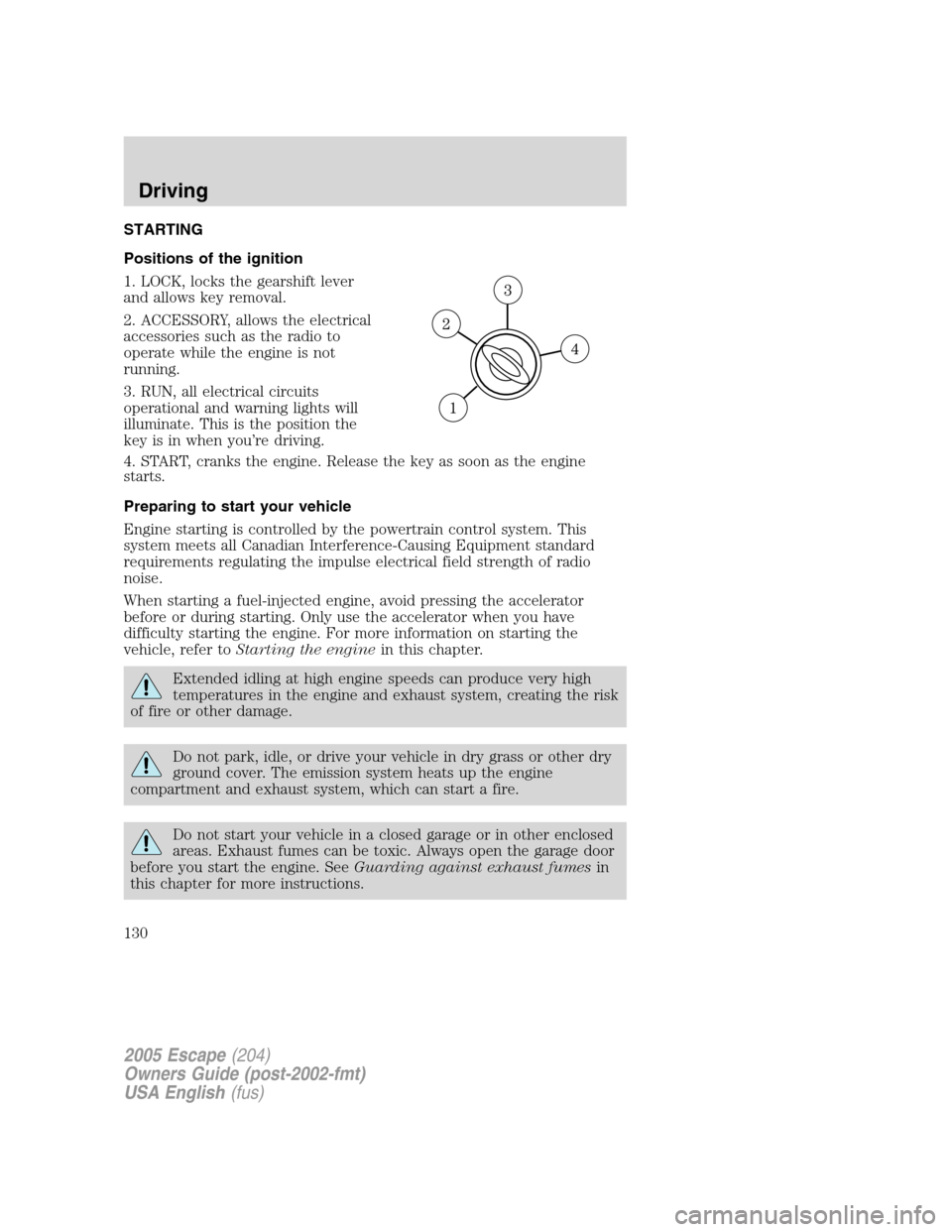
Positions of the ignition
1. LOCK, locks the gearshift lever
and allows key removal.
2. ACCESSORY, allows the electrical
accessories such as the radio to
operate while the engine is not
running.
3. RUN, all electrical circuits
operational and warning lights will
illuminate. This is the position the
key is in when you’re driving.
4. START, cranks the engine. Release the key as soon as the engine
starts.
Preparing to start your vehicle
Engine starting is controlled by the powertrain control system. This
system meets all Canadian Interference-Causing Equipment standard
requirements regulating the impulse electrical field strength of radio
noise.
When starting a fuel-injected engine, avoid pressing the accelerator
before or during starting. Only use the accelerator when you have
difficulty starting the engine. For more information on starting the
vehicle, refer toStarting the enginein this chapter.
Extended idling at high engine speeds can produce very high
temperatures in the engine and exhaust system, creating the risk
of fire or other damage.
Do not park, idle, or drive your vehicle in dry grass or other dry
ground cover. The emission system heats up the engine
compartment and exhaust system, which can start a fire.
Do not start your vehicle in a closed garage or in other enclosed
areas. Exhaust fumes can be toxic. Always open the garage door
before you start the engine. SeeGuarding against exhaust fumesin
this chapter for more instructions.
2005 Escape(204)
Owners Guide (post-2002-fmt)
USA English(fus)
Driving
Driving
130
Page 133 of 272
Starting the engine
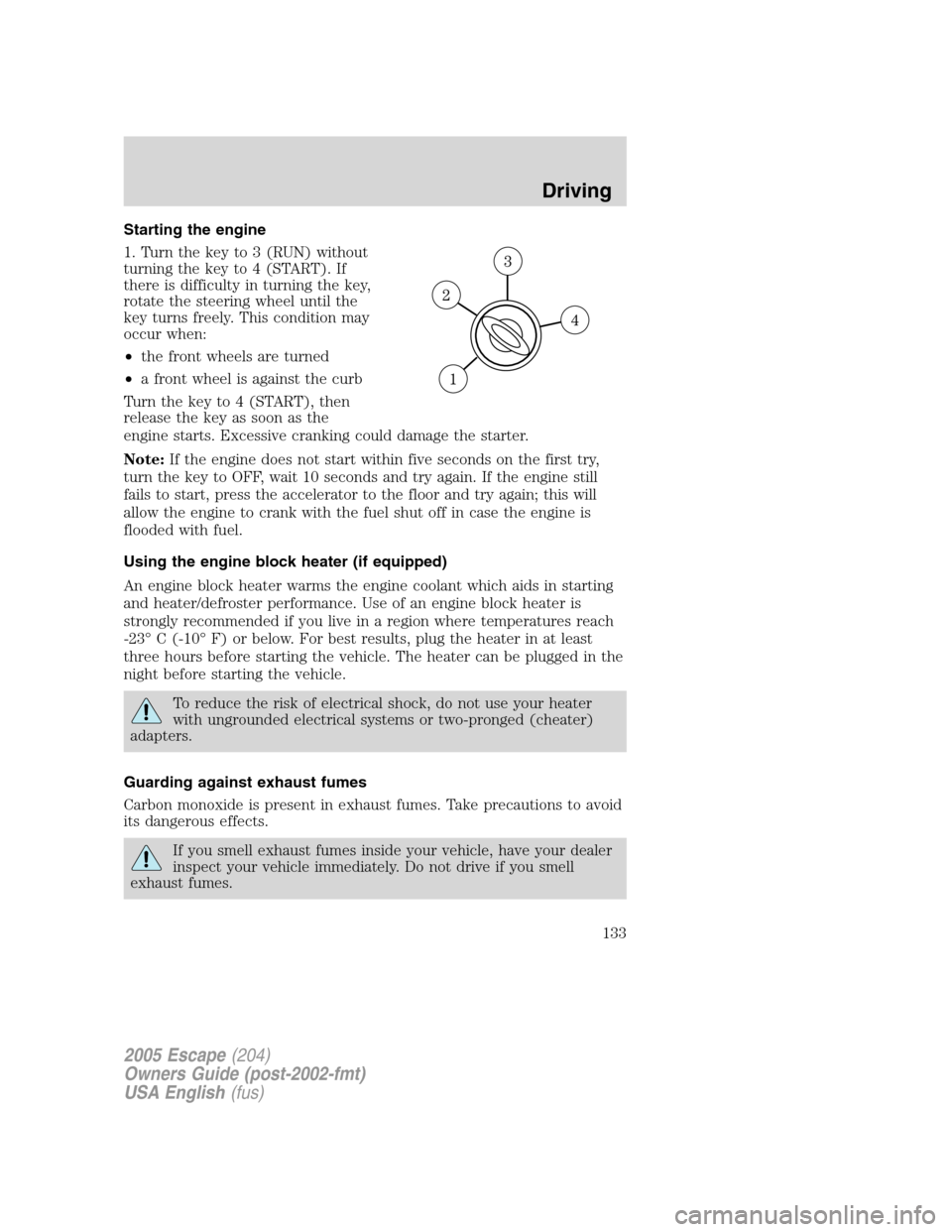
1. Turn the key to 3 (RUN) without
turning the key to 4 (START). If
there is difficulty in turning the key,
rotate the steering wheel until the
key turns freely. This condition may
occur when:
•the front wheels are turned
•a front wheel is against the curb
Turn the key to 4 (START), then
release the key as soon as the
engine starts. Excessive cranking could damage the starter.
Note:If the engine does not start within five seconds on the first try,
turn the key to OFF, wait 10 seconds and try again. If the engine still
fails to start, press the accelerator to the floor and try again; this will
allow the engine to crank with the fuel shut off in case the engine is
flooded with fuel.
Using the engine block heater (if equipped)
An engine block heater warms the engine coolant which aids in starting
and heater/defroster performance. Use of an engine block heater is
strongly recommended if you live in a region where temperatures reach
-23°C (-10°F) or below. For best results, plug the heater in at least
three hours before starting the vehicle. The heater can be plugged in the
night before starting the vehicle.
To reduce the risk of electrical shock, do not use your heater
with ungrounded electrical systems or two-pronged (cheater)
adapters.
Guarding against exhaust fumes
Carbon monoxide is present in exhaust fumes. Take precautions to avoid
its dangerous effects.
If you smell exhaust fumes inside your vehicle, have your dealer
inspect your vehicle immediately. Do not drive if you smell
exhaust fumes.
2005 Escape(204)
Owners Guide (post-2002-fmt)
USA English(fus)
Driving
133
Page 139 of 272
Driving with an automatic overdrive transaxle
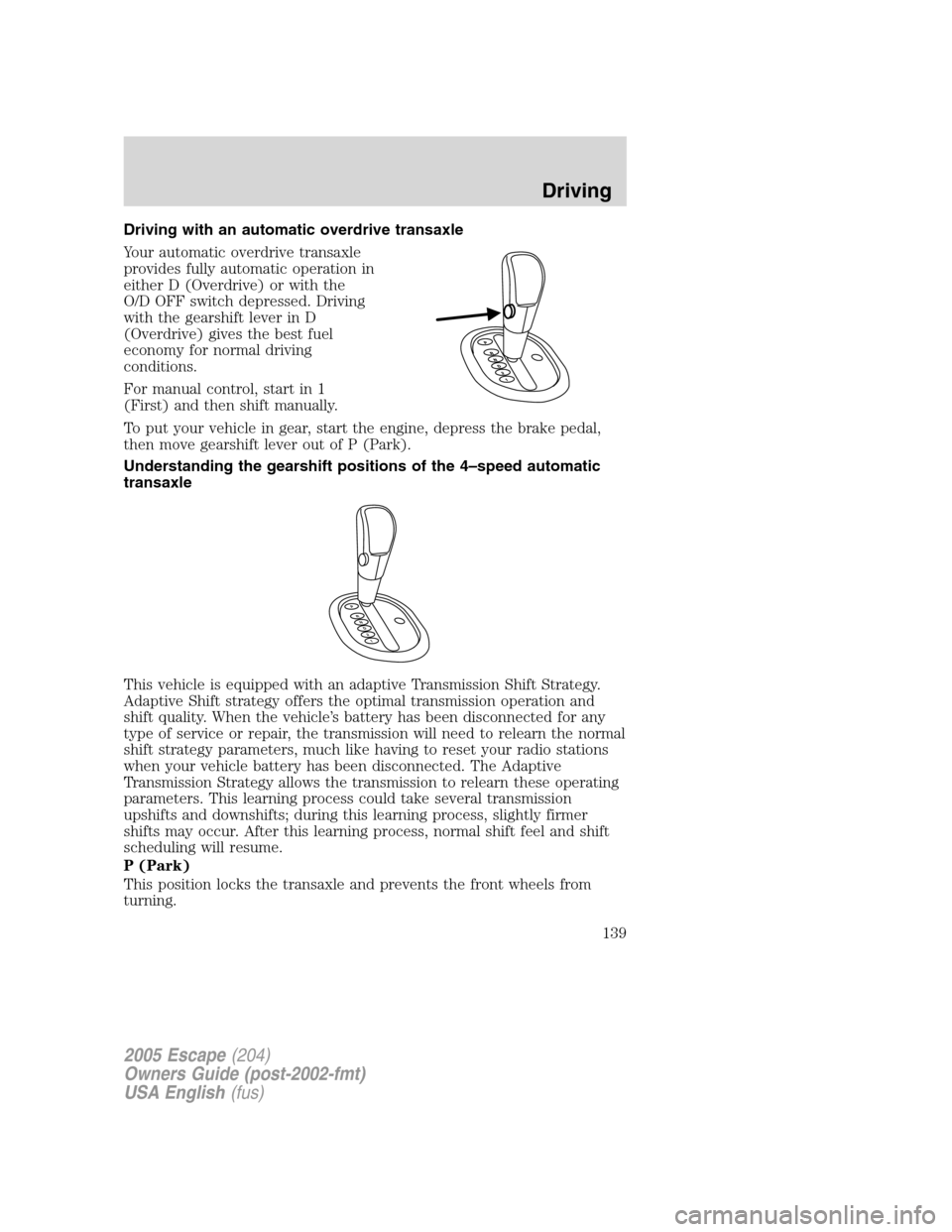
Your automatic overdrive transaxle
provides fully automatic operation in
either D (Overdrive) or with the
O/D OFF switch depressed. Driving
with the gearshift lever in D
(Overdrive) gives the best fuel
economy for normal driving
conditions.
For manual control, start in 1
(First) and then shift manually.
To put your vehicle in gear, start the engine, depress the brake pedal,
then move gearshift lever out of P (Park).
Understanding the gearshift positions of the 4–speed automatic
transaxle
This vehicle is equipped with an adaptive Transmission Shift Strategy.
Adaptive Shift strategy offers the optimal transmission operation and
shift quality. When the vehicle’s battery has been disconnected for any
type of service or repair, the transmission will need to relearn the normal
shift strategy parameters, much like having to reset your radio stations
when your vehicle battery has been disconnected. The Adaptive
Transmission Strategy allows the transmission to relearn these operating
parameters. This learning process could take several transmission
upshifts and downshifts; during this learning process, slightly firmer
shifts may occur. After this learning process, normal shift feel and shift
scheduling will resume.
P (Park)
This position locks the transaxle and prevents the front wheels from
turning.
P
R
N
D
2
1
2005 Escape(204)
Owners Guide (post-2002-fmt)
USA English(fus)
Driving
139
Page 140 of 272
To put your vehicle in gear:
•Start the engine
•Depress the brake pedal
•Move the gearshift lever into the desired gear
To put your vehicle in P (Park):
•Come to a complete stop
•Move the gearshift lever and securely latch it in P (Park)
Always set the parking brake fully and make sure the gearshift is
latched in P (Park). Turn the ignition to the LOCK position and
remove the key whenever you leave your vehicle.
R (Reverse)
With the gearshift lever in R (Reverse), the vehicle will move backward.
Always come to a complete stop before shifting into and out of R
(Reverse).
N (Neutral)
With the gearshift lever in N (Neutral), the vehicle can be started and is
free to roll. Hold the brake pedal down while in this position.
D (Overdrive)
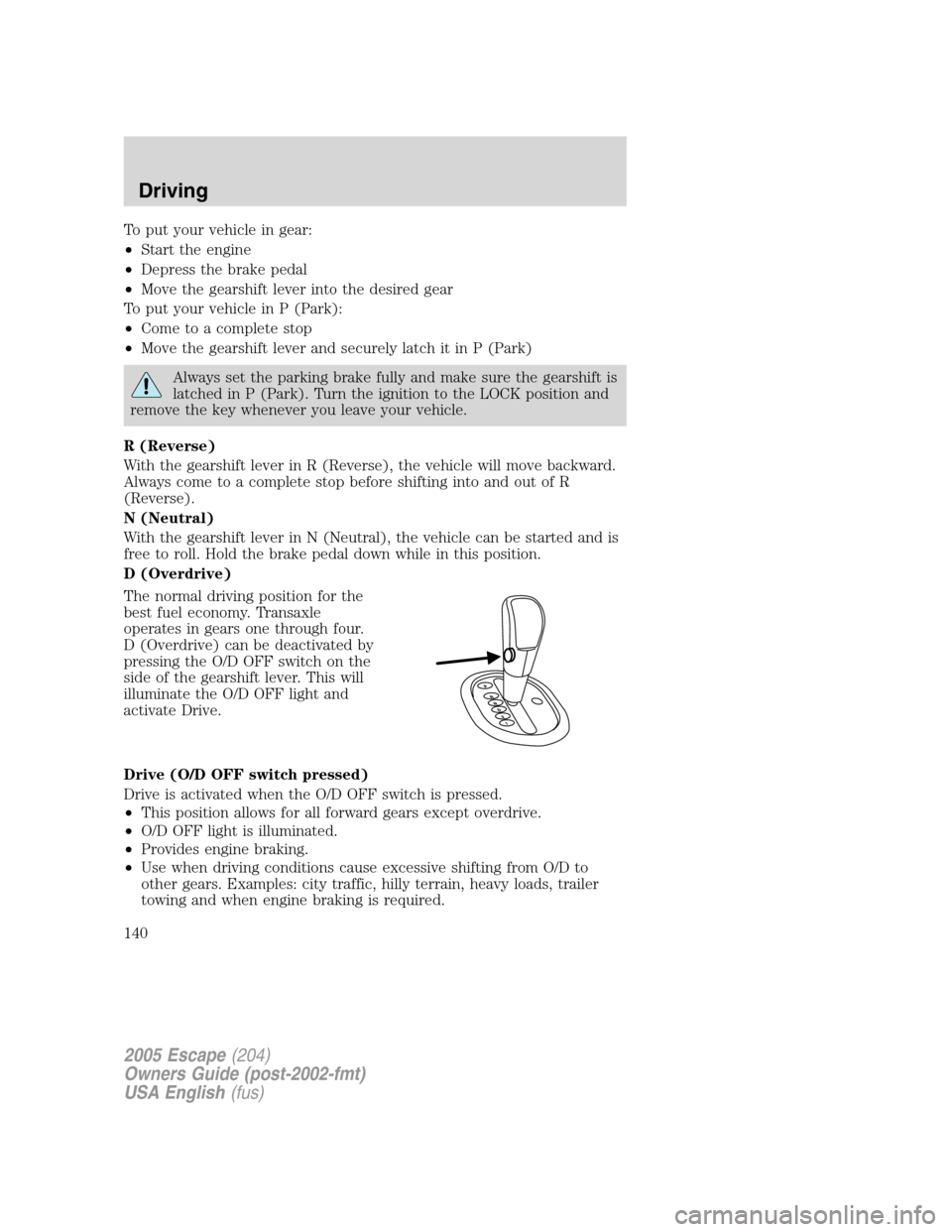
The normal driving position for the
best fuel economy. Transaxle
operates in gears one through four.
D (Overdrive) can be deactivated by
pressing the O/D OFF switch on the
side of the gearshift lever. This will
illuminate the O/D OFF light and
activate Drive.
Drive (O/D OFF switch pressed)
Drive is activated when the O/D OFF switch is pressed.
•This position allows for all forward gears except overdrive.
•O/D OFF light is illuminated.
•Provides engine braking.
•Use when driving conditions cause excessive shifting from O/D to
other gears. Examples: city traffic, hilly terrain, heavy loads, trailer
towing and when engine braking is required.
2005 Escape(204)
Owners Guide (post-2002-fmt)
USA English(fus)
Driving
140