lamp FORD ESCAPE 2008 2.G User Guide
[x] Cancel search | Manufacturer: FORD, Model Year: 2008, Model line: ESCAPE, Model: FORD ESCAPE 2008 2.GPages: 296, PDF Size: 2.77 MB
Page 48 of 296
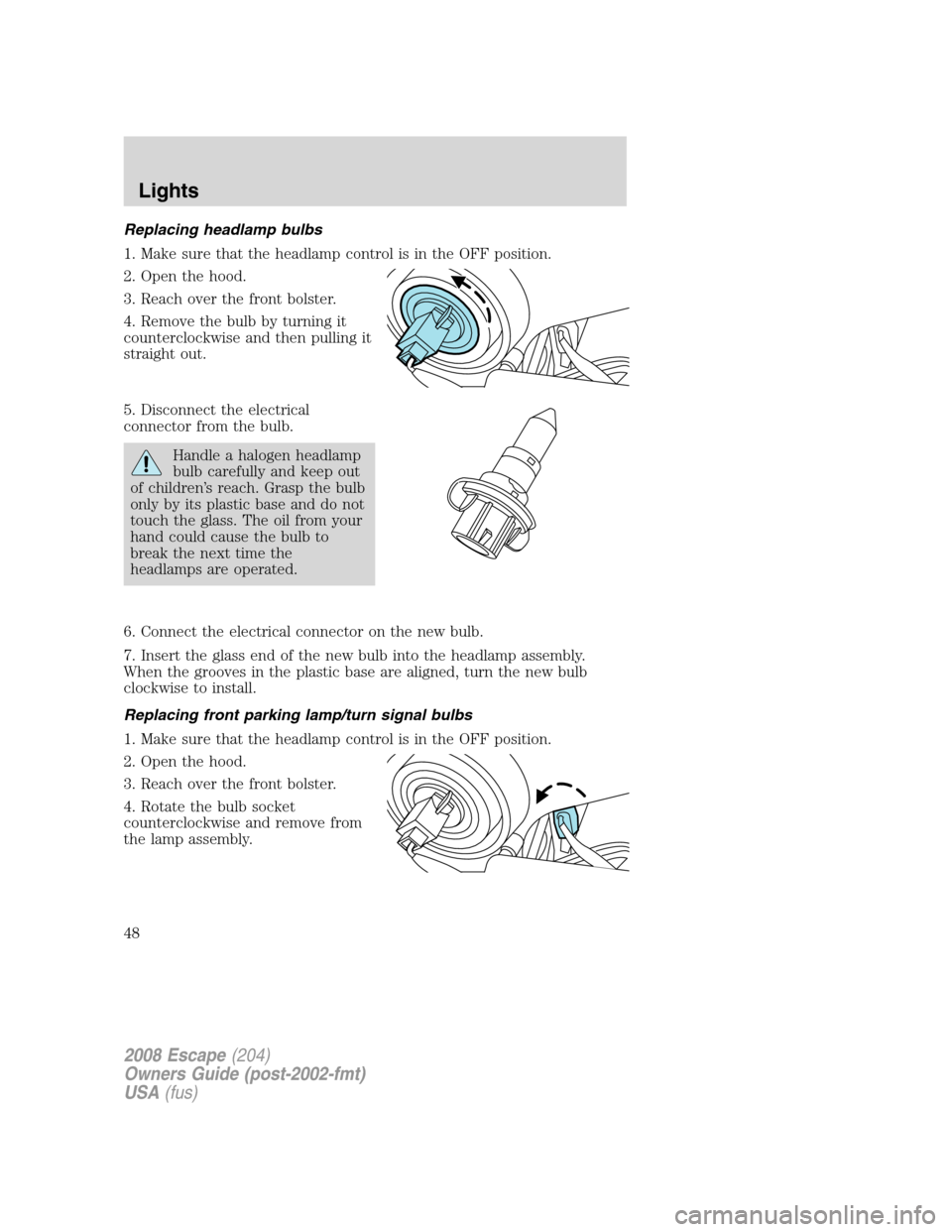
Replacing headlamp bulbs
1. Make sure that the headlamp control is in the OFF position.
2. Open the hood.
3. Reach over the front bolster.
4. Remove the bulb by turning it
counterclockwise and then pulling it
straight out.
5. Disconnect the electrical
connector from the bulb.
Handle a halogen headlamp
bulb carefully and keep out
of children’s reach. Grasp the bulb
only by its plastic base and do not
touch the glass. The oil from your
hand could cause the bulb to
break the next time the
headlamps are operated.
6. Connect the electrical connector on the new bulb.
7. Insert the glass end of the new bulb into the headlamp assembly.
When the grooves in the plastic base are aligned, turn the new bulb
clockwise to install.
Replacing front parking lamp/turn signal bulbs
1. Make sure that the headlamp control is in the OFF position.
2. Open the hood.
3. Reach over the front bolster.
4. Rotate the bulb socket
counterclockwise and remove from
the lamp assembly.
2008 Escape(204)
Owners Guide (post-2002-fmt)
USA(fus)
Lights
48
Page 49 of 296
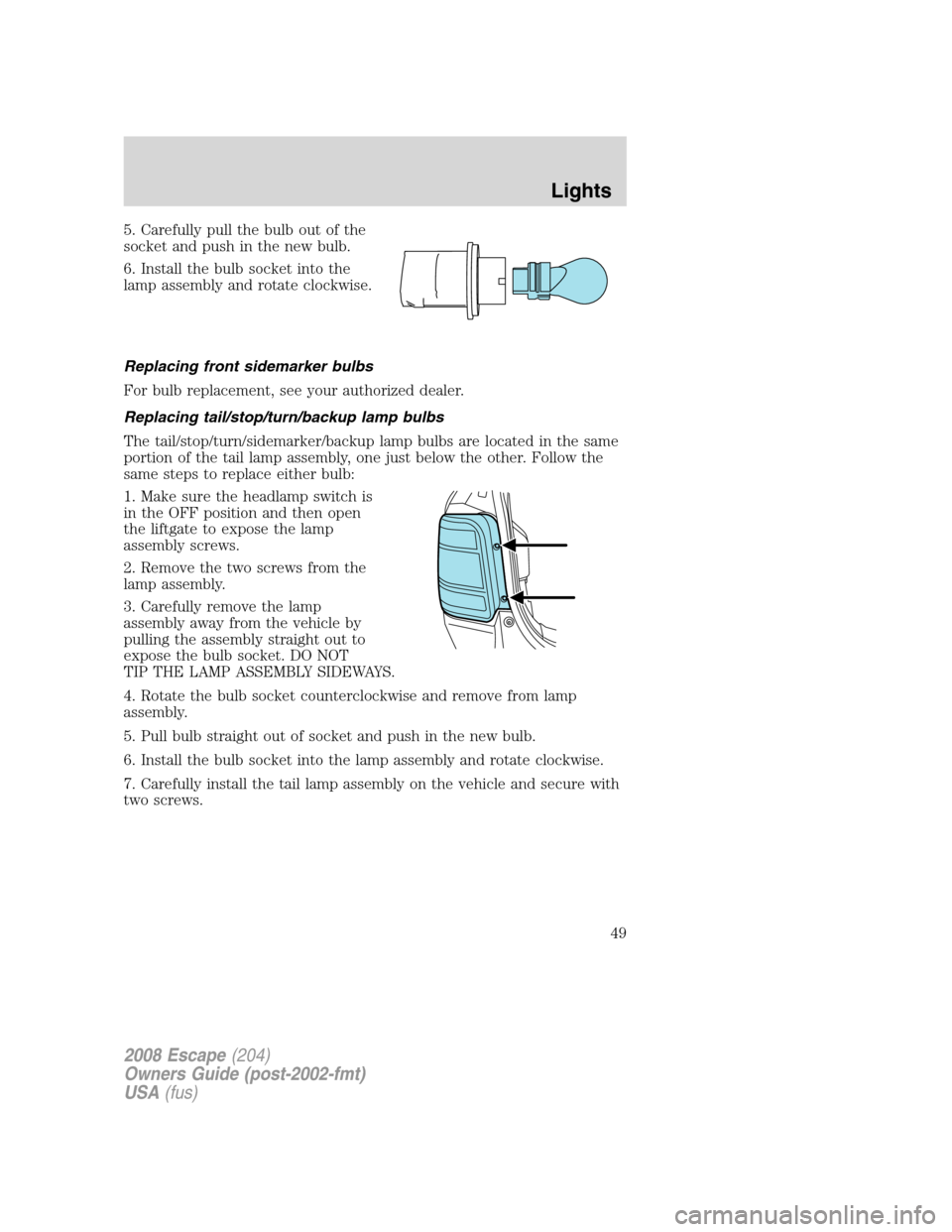
5. Carefully pull the bulb out of the
socket and push in the new bulb.
6. Install the bulb socket into the
lamp assembly and rotate clockwise.
Replacing front sidemarker bulbs
For bulb replacement, see your authorized dealer.
Replacing tail/stop/turn/backup lamp bulbs
The tail/stop/turn/sidemarker/backup lamp bulbs are located in the same
portion of the tail lamp assembly, one just below the other. Follow the
same steps to replace either bulb:
1. Make sure the headlamp switch is
in the OFF position and then open
the liftgate to expose the lamp
assembly screws.
2. Remove the two screws from the
lamp assembly.
3. Carefully remove the lamp
assembly away from the vehicle by
pulling the assembly straight out to
expose the bulb socket. DO NOT
TIP THE LAMP ASSEMBLY SIDEWAYS.
4. Rotate the bulb socket counterclockwise and remove from lamp
assembly.
5. Pull bulb straight out of socket and push in the new bulb.
6. Install the bulb socket into the lamp assembly and rotate clockwise.
7. Carefully install the tail lamp assembly on the vehicle and secure with
two screws.
2008 Escape(204)
Owners Guide (post-2002-fmt)
USA(fus)
Lights
49
Page 50 of 296
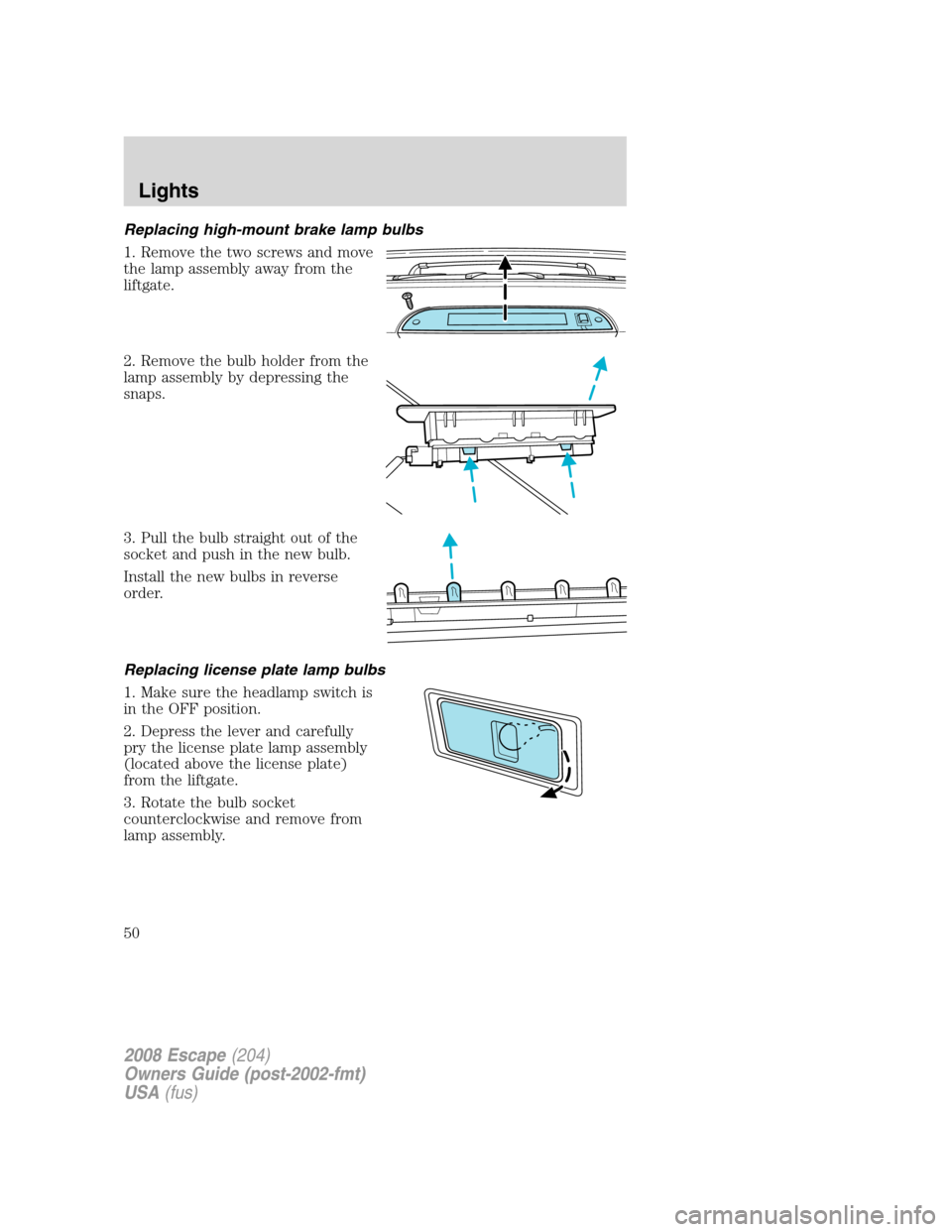
Replacing high-mount brake lamp bulbs
1. Remove the two screws and move
the lamp assembly away from the
liftgate.
2. Remove the bulb holder from the
lamp assembly by depressing the
snaps.
3. Pull the bulb straight out of the
socket and push in the new bulb.
Install the new bulbs in reverse
order.
Replacing license plate lamp bulbs
1. Make sure the headlamp switch is
in the OFF position.
2. Depress the lever and carefully
pry the license plate lamp assembly
(located above the license plate)
from the liftgate.
3. Rotate the bulb socket
counterclockwise and remove from
lamp assembly.
2008 Escape(204)
Owners Guide (post-2002-fmt)
USA(fus)
Lights
50
Page 51 of 296
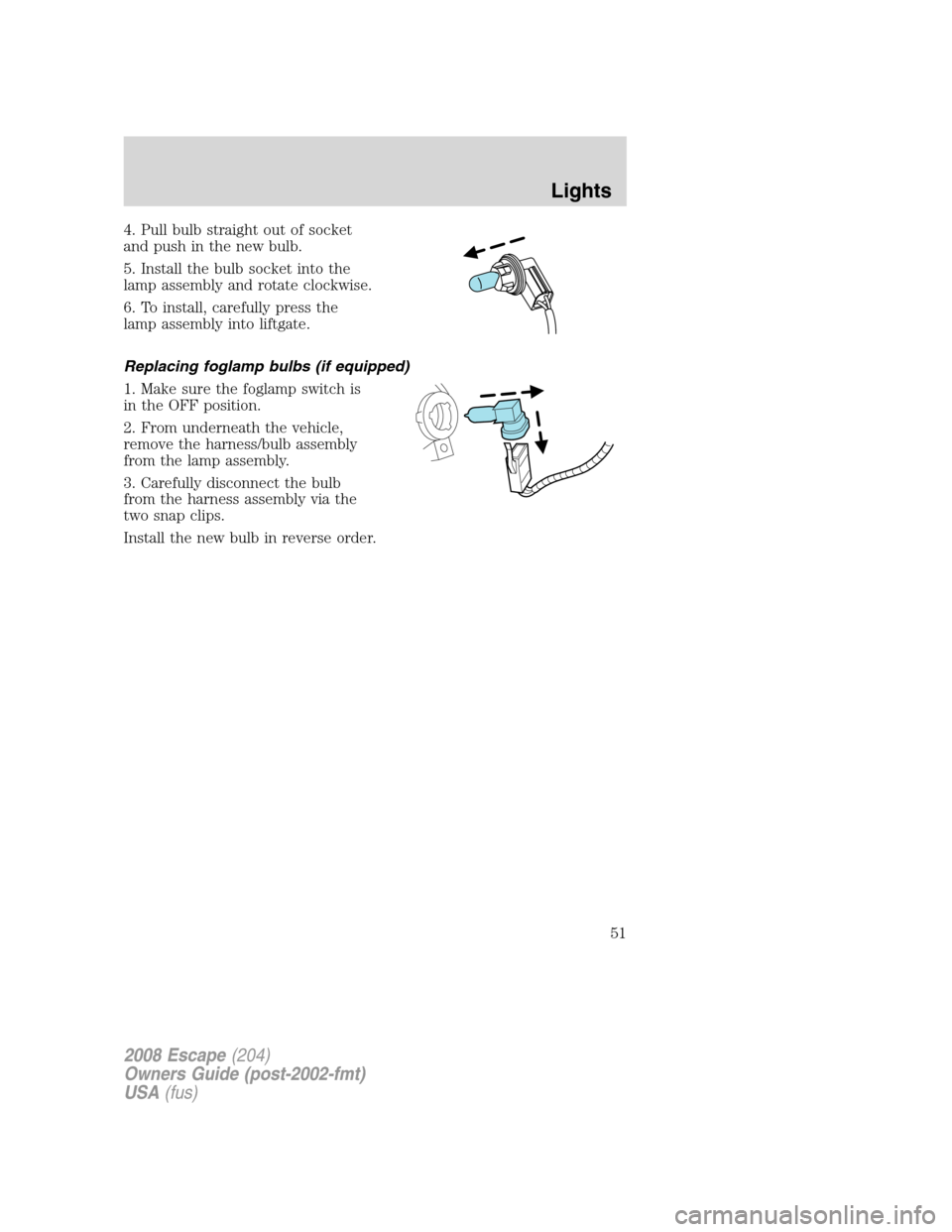
4. Pull bulb straight out of socket
and push in the new bulb.
5. Install the bulb socket into the
lamp assembly and rotate clockwise.
6. To install, carefully press the
lamp assembly into liftgate.
Replacing foglamp bulbs (if equipped)
1. Make sure the foglamp switch is
in the OFF position.
2. From underneath the vehicle,
remove the harness/bulb assembly
from the lamp assembly.
3. Carefully disconnect the bulb
from the harness assembly via the
two snap clips.
Install the new bulb in reverse order.
2008 Escape(204)
Owners Guide (post-2002-fmt)
USA(fus)
Lights
51
Page 52 of 296
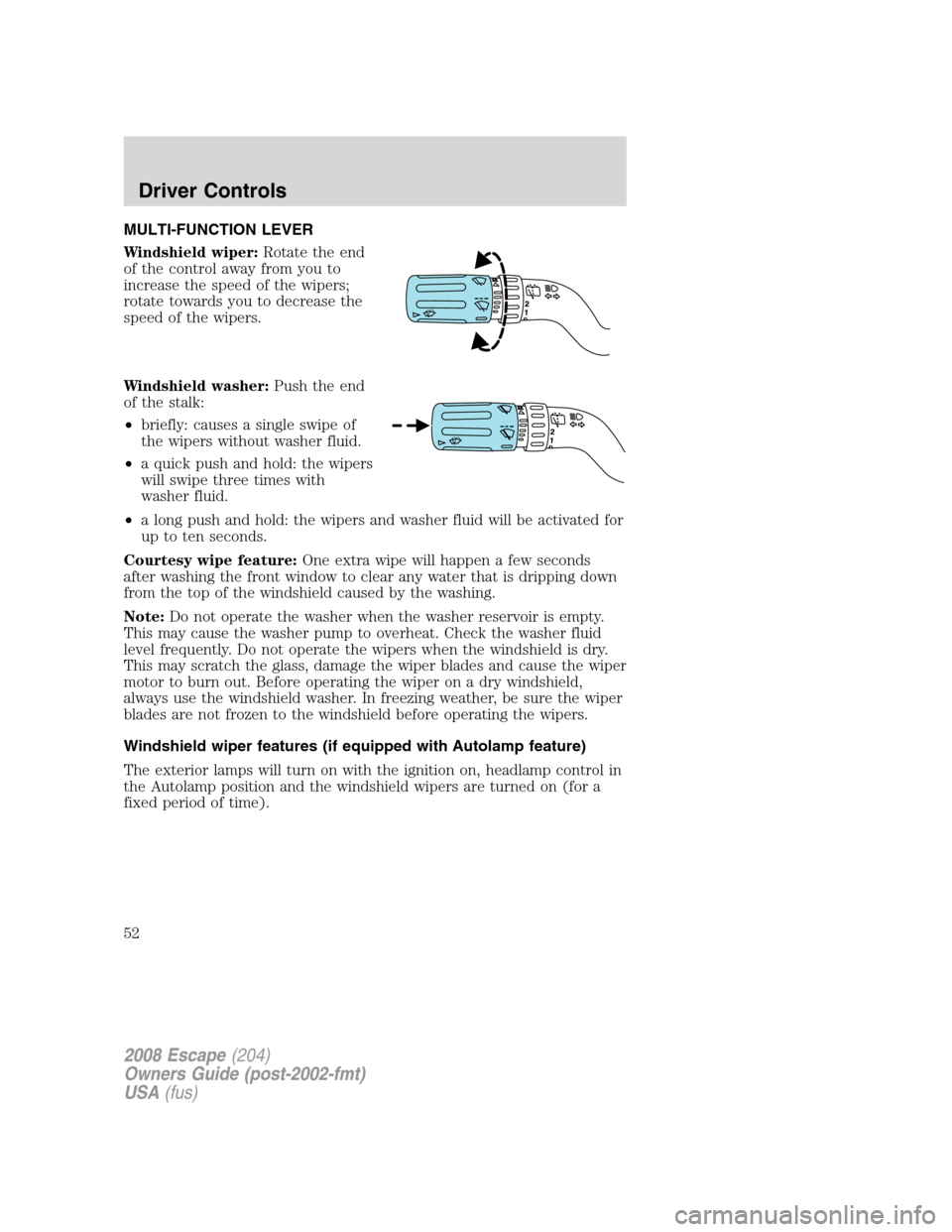
MULTI-FUNCTION LEVER
Windshield wiper:Rotate the end
of the control away from you to
increase the speed of the wipers;
rotate towards you to decrease the
speed of the wipers.
Windshield washer:Push the end
of the stalk:
•briefly: causes a single swipe of
the wipers without washer fluid.
•a quick push and hold: the wipers
will swipe three times with
washer fluid.
•a long push and hold: the wipers and washer fluid will be activated for
up to ten seconds.
Courtesy wipe feature:One extra wipe will happen a few seconds
after washing the front window to clear any water that is dripping down
from the top of the windshield caused by the washing.
Note:Do not operate the washer when the washer reservoir is empty.
This may cause the washer pump to overheat. Check the washer fluid
level frequently. Do not operate the wipers when the windshield is dry.
This may scratch the glass, damage the wiper blades and cause the wiper
motor to burn out. Before operating the wiper on a dry windshield,
always use the windshield washer. In freezing weather, be sure the wiper
blades are not frozen to the windshield before operating the wipers.
Windshield wiper features (if equipped with Autolamp feature)
The exterior lamps will turn on with the ignition on, headlamp control in
the Autolamp position and the windshield wipers are turned on (for a
fixed period of time).
2008 Escape(204)
Owners Guide (post-2002-fmt)
USA(fus)
Driver Controls
52
Page 54 of 296
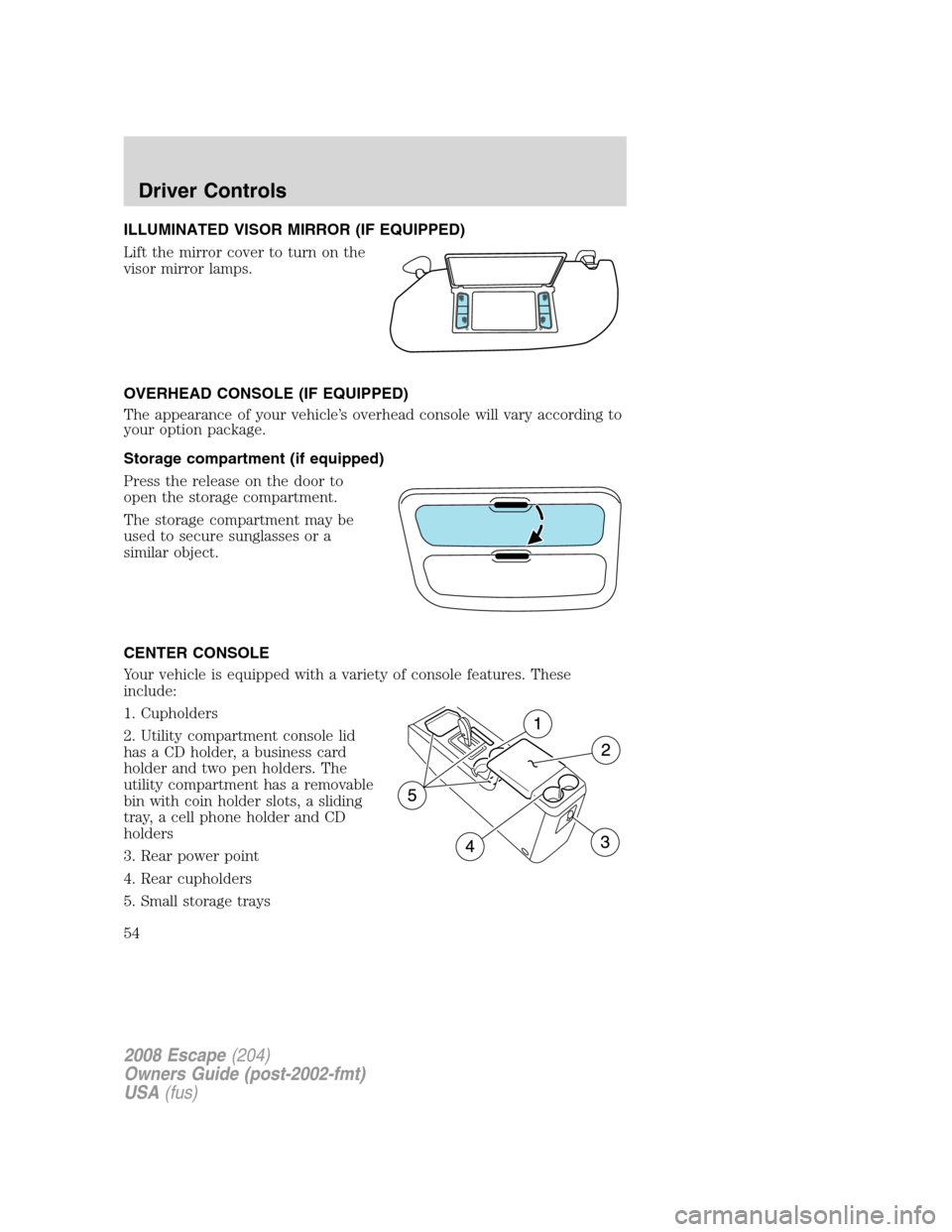
ILLUMINATED VISOR MIRROR (IF EQUIPPED)
Lift the mirror cover to turn on the
visor mirror lamps.
OVERHEAD CONSOLE (IF EQUIPPED)
The appearance of your vehicle’s overhead console will vary according to
your option package.
Storage compartment (if equipped)
Press the release on the door to
open the storage compartment.
The storage compartment may be
used to secure sunglasses or a
similar object.
CENTER CONSOLE
Your vehicle is equipped with a variety of console features. These
include:
1. Cupholders
2. Utility compartment console lid
has a CD holder, a business card
holder and two pen holders. The
utility compartment has a removable
bin with coin holder slots, a sliding
tray, a cell phone holder and CD
holders
3. Rear power point
4. Rear cupholders
5. Small storage trays
2008 Escape(204)
Owners Guide (post-2002-fmt)
USA(fus)
Driver Controls
54
Page 68 of 296
Your vehicle must be moving to calculate instantaneous fuel economy.
When your vehicle is not moving, this function shows
, one or no bars
illuminated. Instantaneous fuel economy cannot be reset.
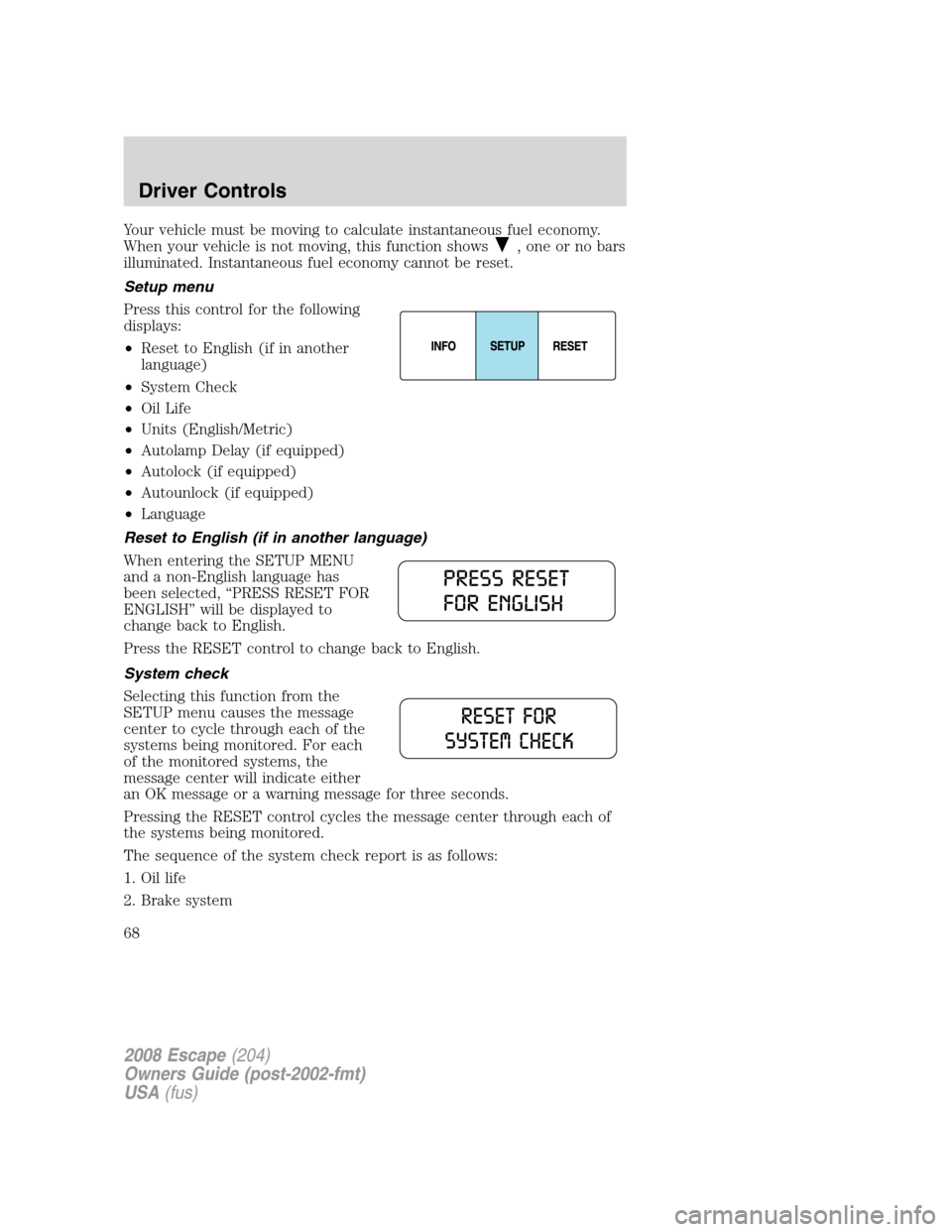
Setup menu
Press this control for the following
displays:
•Reset to English (if in another
language)
•System Check
•Oil Life
•Units (English/Metric)
•Autolamp Delay (if equipped)
•Autolock (if equipped)
•Autounlock (if equipped)
•Language
Reset to English (if in another language)
When entering the SETUP MENU
and a non-English language has
been selected, “PRESS RESET FOR
ENGLISH” will be displayed to
change back to English.
Press the RESET control to change back to English.
System check
Selecting this function from the
SETUP menu causes the message
center to cycle through each of the
systems being monitored. For each
of the monitored systems, the
message center will indicate either
an OK message or a warning message for three seconds.
Pressing the RESET control cycles the message center through each of
the systems being monitored.
The sequence of the system check report is as follows:
1. Oil life
2. Brake system
2008 Escape(204)
Owners Guide (post-2002-fmt)
USA(fus)
Driver Controls
68
Page 69 of 296
3. Liftgate and glass
4. DTE/Fuel level
Oil life
An oil change is required whenever indicated by the message center.
USE ONLY RECOMMENDED ENGINE OILS.
To reset the oil monitoring system to 100% after each oil change
[approximately 7,500 miles (12,000 km) or 12 months] perform the
following:
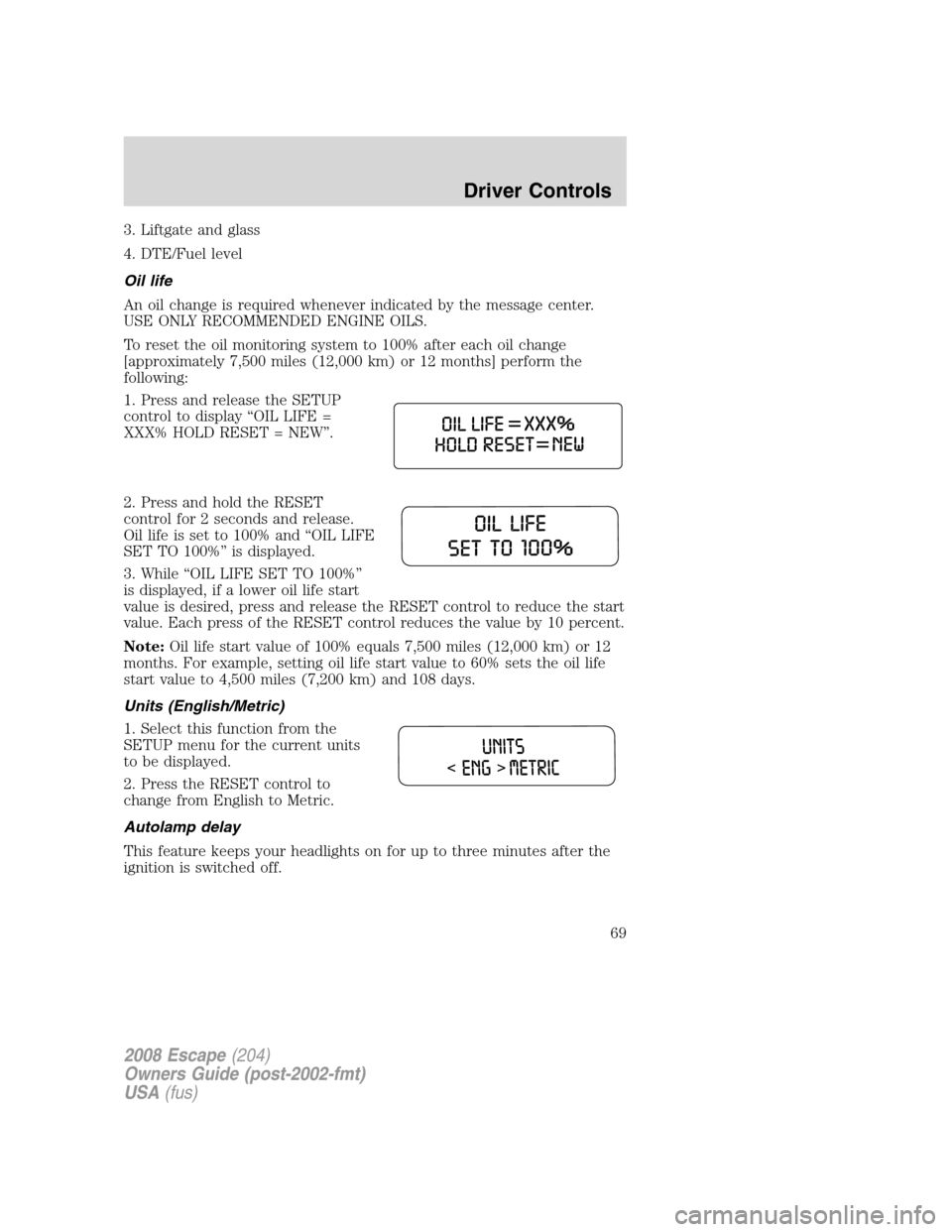
1. Press and release the SETUP
control to display “OIL LIFE =
XXX% HOLD RESET = NEW”.
2. Press and hold the RESET
control for 2 seconds and release.
Oil life is set to 100% and “OIL LIFE
SET TO 100%” is displayed.
3. While “OIL LIFE SET TO 100%”
is displayed, if a lower oil life start
value is desired, press and release the RESET control to reduce the start
value. Each press of the RESET control reduces the value by 10 percent.
Note:Oil life start value of 100% equals 7,500 miles (12,000 km) or 12
months. For example, setting oil life start value to 60% sets the oil life
start value to 4,500 miles (7,200 km) and 108 days.
Units (English/Metric)
1. Select this function from the
SETUP menu for the current units
to be displayed.
2. Press the RESET control to
change from English to Metric.
Autolamp delay
This feature keeps your headlights on for up to three minutes after the
ignition is switched off.
2008 Escape(204)
Owners Guide (post-2002-fmt)
USA(fus)
Driver Controls
69
Page 70 of 296
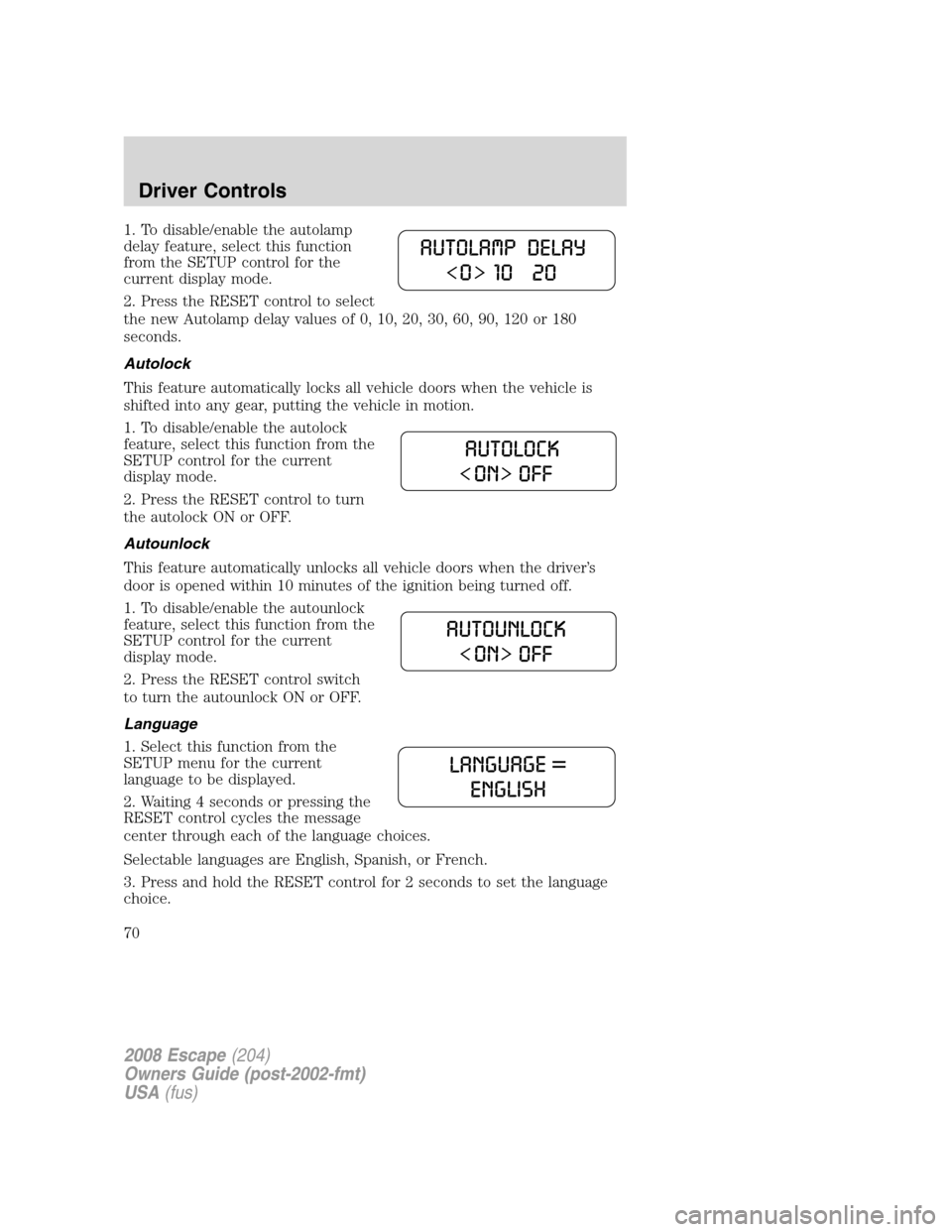
1. To disable/enable the autolamp
delay feature, select this function
from the SETUP control for the
current display mode.
2. Press the RESET control to select
the new Autolamp delay values of 0, 10, 20, 30, 60, 90, 120 or 180
seconds.
Autolock
This feature automatically locks all vehicle doors when the vehicle is
shifted into any gear, putting the vehicle in motion.
1. To disable/enable the autolock
feature, select this function from the
SETUP control for the current
display mode.
2. Press the RESET control to turn
the autolock ON or OFF.
Autounlock
This feature automatically unlocks all vehicle doors when the driver’s
door is opened within 10 minutes of the ignition being turned off.
1. To disable/enable the autounlock
feature, select this function from the
SETUP control for the current
display mode.
2. Press the RESET control switch
to turn the autounlock ON or OFF.
Language
1. Select this function from the
SETUP menu for the current
language to be displayed.
2. Waiting 4 seconds or pressing the
RESET control cycles the message
center through each of the language choices.
Selectable languages are English, Spanish, or French.
3. Press and hold the RESET control for 2 seconds to set the language
choice.
2008 Escape(204)
Owners Guide (post-2002-fmt)
USA(fus)
Driver Controls
70
Page 73 of 296
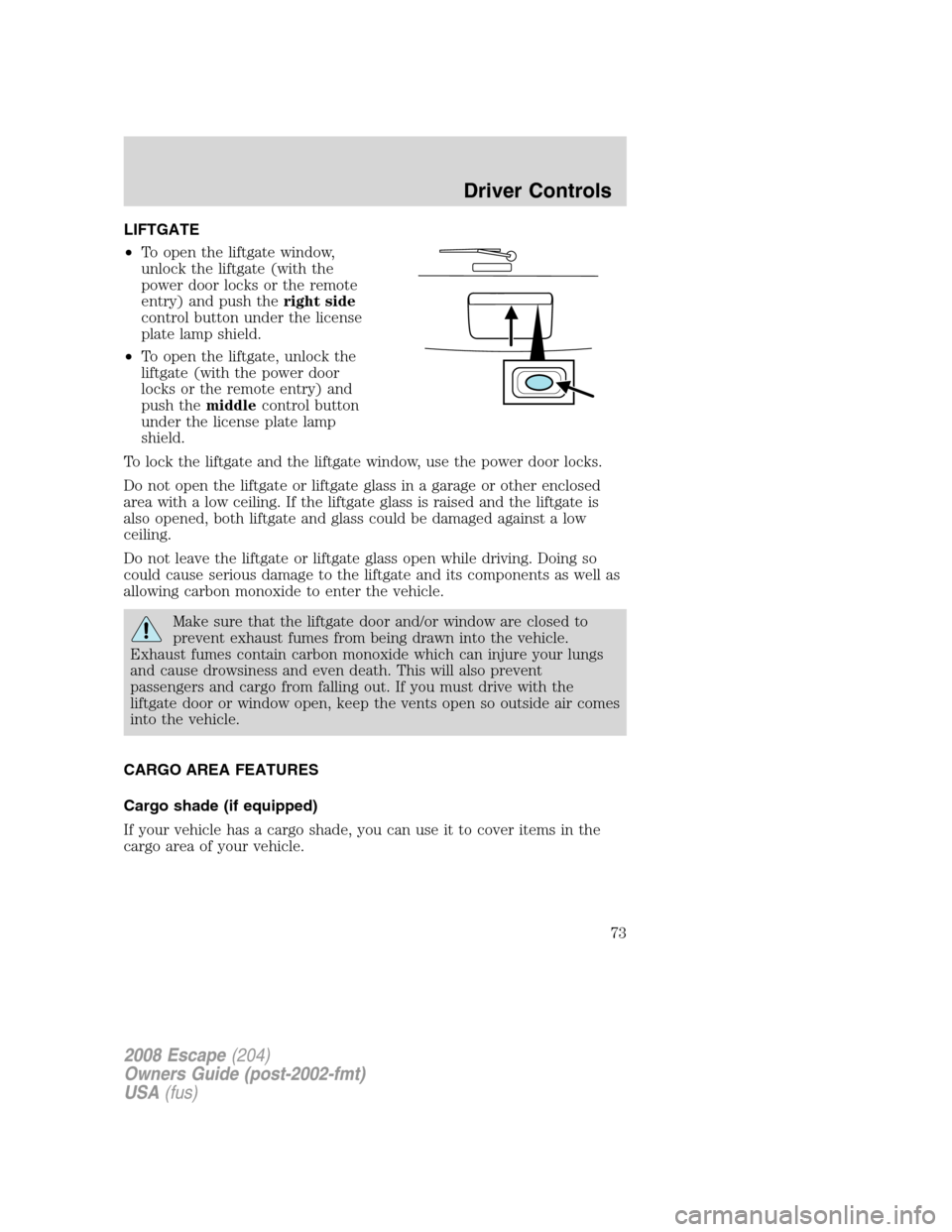
LIFTGATE
•To open the liftgate window,
unlock the liftgate (with the
power door locks or the remote
entry) and push theright side
control button under the license
plate lamp shield.
•To open the liftgate, unlock the
liftgate (with the power door
locks or the remote entry) and
push themiddlecontrol button
under the license plate lamp
shield.
To lock the liftgate and the liftgate window, use the power door locks.
Do not open the liftgate or liftgate glass in a garage or other enclosed
area with a low ceiling. If the liftgate glass is raised and the liftgate is
also opened, both liftgate and glass could be damaged against a low
ceiling.
Do not leave the liftgate or liftgate glass open while driving. Doing so
could cause serious damage to the liftgate and its components as well as
allowing carbon monoxide to enter the vehicle.
Make sure that the liftgate door and/or window are closed to
prevent exhaust fumes from being drawn into the vehicle.
Exhaust fumes contain carbon monoxide which can injure your lungs
and cause drowsiness and even death. This will also prevent
passengers and cargo from falling out. If you must drive with the
liftgate door or window open, keep the vents open so outside air comes
into the vehicle.
CARGO AREA FEATURES
Cargo shade (if equipped)
If your vehicle has a cargo shade, you can use it to cover items in the
cargo area of your vehicle.
2008 Escape(204)
Owners Guide (post-2002-fmt)
USA(fus)
Driver Controls
73