ECO mode FORD ESCAPE 2010 2.G User Guide
[x] Cancel search | Manufacturer: FORD, Model Year: 2010, Model line: ESCAPE, Model: FORD ESCAPE 2010 2.GPages: 345, PDF Size: 2.79 MB
Page 95 of 345
1. Place the key in the ignition and
turn the ignition to the on position.
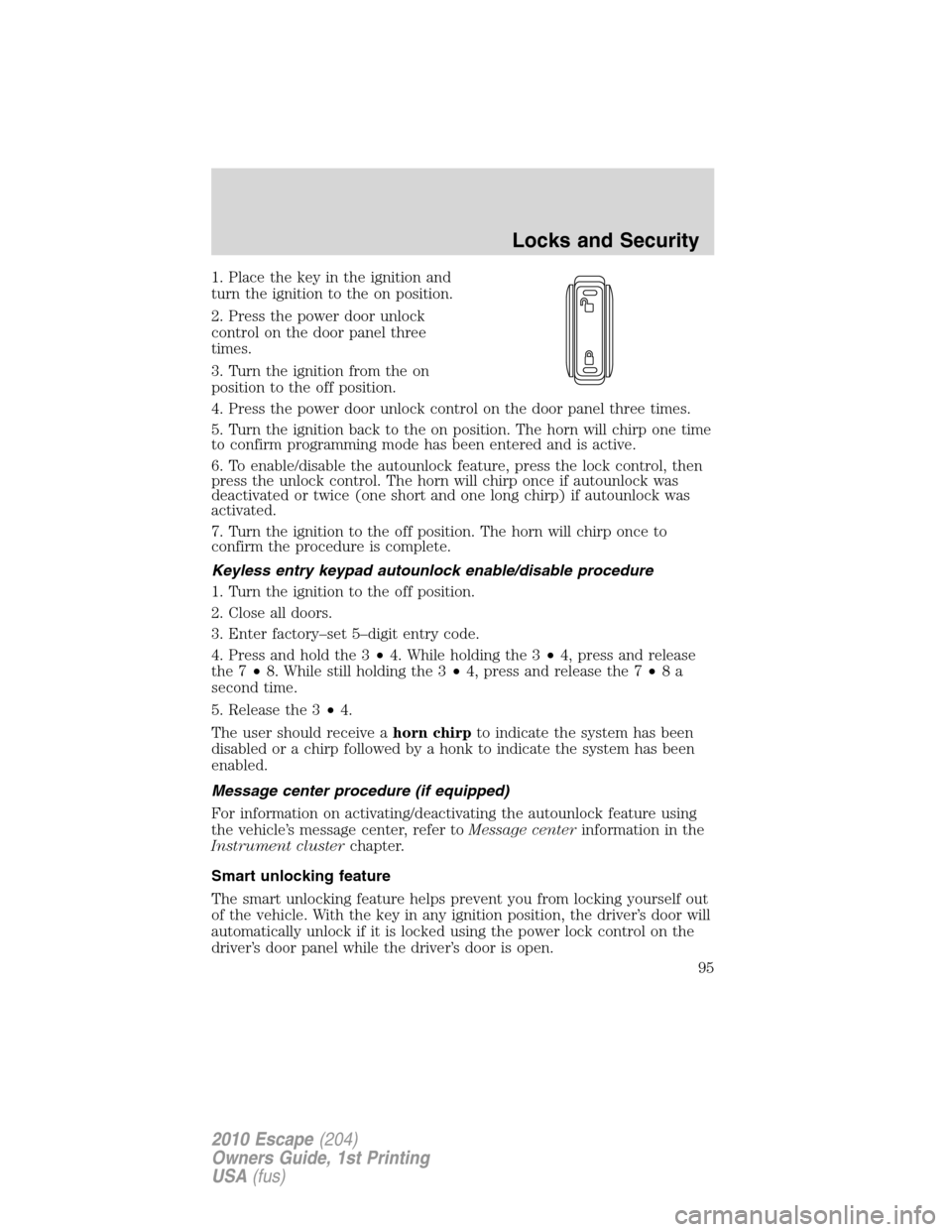
2. Press the power door unlock
control on the door panel three
times.
3. Turn the ignition from the on
position to the off position.
4. Press the power door unlock control on the door panel three times.
5. Turn the ignition back to the on position. The horn will chirp one time
to confirm programming mode has been entered and is active.
6. To enable/disable the autounlock feature, press the lock control, then
press the unlock control. The horn will chirp once if autounlock was
deactivated or twice (one short and one long chirp) if autounlock was
activated.
7. Turn the ignition to the off position. The horn will chirp once to
confirm the procedure is complete.
Keyless entry keypad autounlock enable/disable procedure
1. Turn the ignition to the off position.
2. Close all doors.
3. Enter factory–set 5–digit entry code.
4. Press and hold the 3•4. While holding the 3•4, press and release
the 7•8. While still holding the 3•4, press and release the 7•8a
second time.
5. Release the 3•4.
The user should receive ahorn chirpto indicate the system has been
disabled or a chirp followed by a honk to indicate the system has been
enabled.
Message center procedure (if equipped)
For information on activating/deactivating the autounlock feature using
the vehicle’s message center, refer toMessage centerinformation in the
Instrument clusterchapter.
Smart unlocking feature
The smart unlocking feature helps prevent you from locking yourself out
of the vehicle. With the key in any ignition position, the driver’s door will
automatically unlock if it is locked using the power lock control on the
driver’s door panel while the driver’s door is open.
Locks and Security
95
2010 Escape(204)
Owners Guide, 1st Printing
USA(fus)
Page 101 of 345
Programming your own personal entry code
To create your own personal entry code:
1. Enter the factory set code.
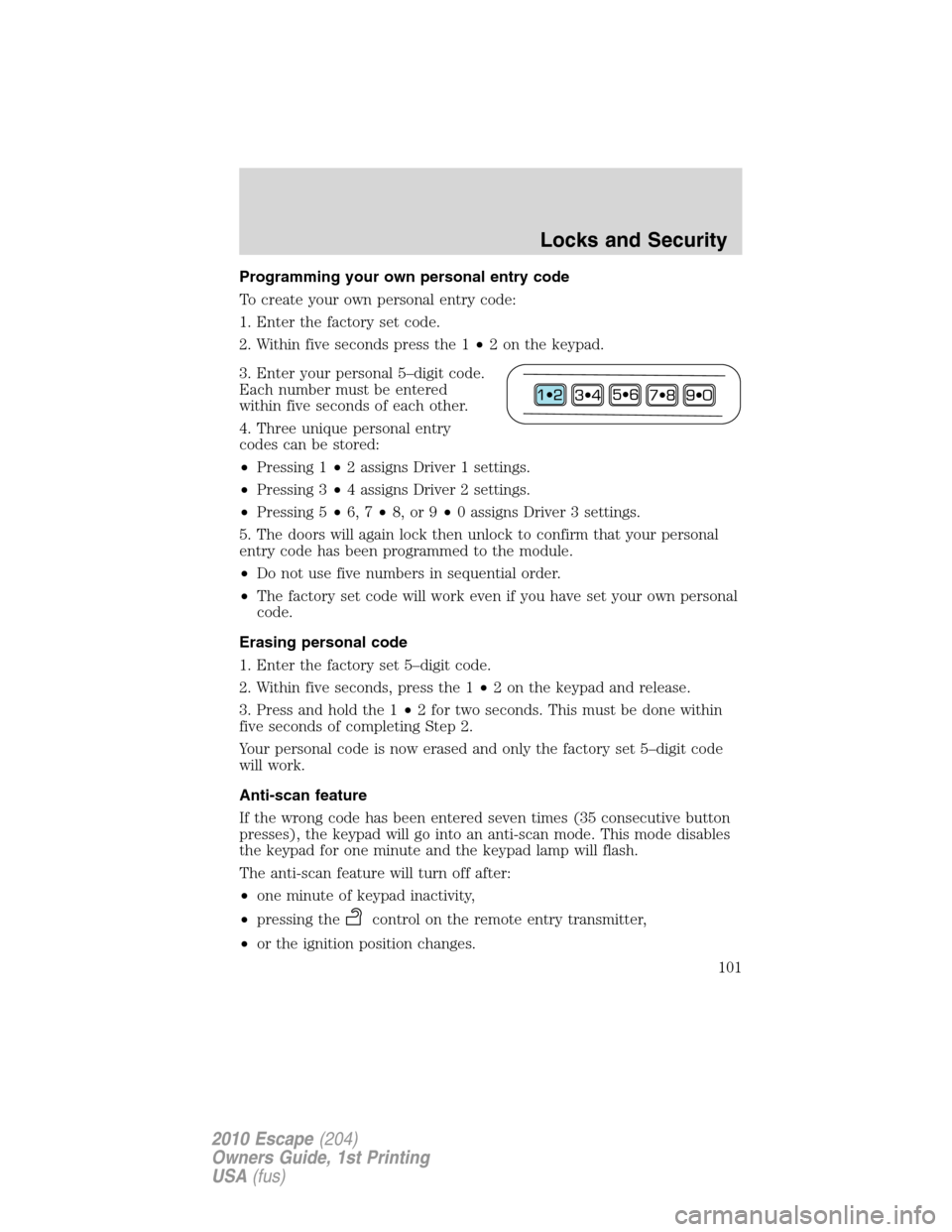
2. Within five seconds press the 1•2 on the keypad.
3. Enter your personal 5–digit code.
Each number must be entered
within five seconds of each other.
4. Three unique personal entry
codes can be stored:
•Pressing 1•2 assigns Driver 1 settings.
•Pressing 3•4 assigns Driver 2 settings.
•Pressing 5•6, 7•8, or 9•0 assigns Driver 3 settings.
5. The doors will again lock then unlock to confirm that your personal
entry code has been programmed to the module.
•Do not use five numbers in sequential order.
•The factory set code will work even if you have set your own personal
code.
Erasing personal code
1. Enter the factory set 5–digit code.
2. Within five seconds, press the 1•2 on the keypad and release.
3. Press and hold the 1•2 for two seconds. This must be done within
five seconds of completing Step 2.
Your personal code is now erased and only the factory set 5–digit code
will work.
Anti-scan feature
If the wrong code has been entered seven times (35 consecutive button
presses), the keypad will go into an anti-scan mode. This mode disables
the keypad for one minute and the keypad lamp will flash.
The anti-scan feature will turn off after:
•one minute of keypad inactivity,
•pressing the
control on the remote entry transmitter,
•or the ignition position changes.
Locks and Security
101
2010 Escape(204)
Owners Guide, 1st Printing
USA(fus)
Page 105 of 345
4. After three seconds but within 10 seconds of turning the ignition to
the 1 (off) position, insert the second previouslycoded keyinto the
ignition.
5. Turn the ignition from the 1 (off) position to the 3 (on) position. Keep
the ignition in the 3 (on) position for at least three seconds, but no more
than 10 seconds.
6. Turn the ignition to the 1 (off) position and remove the second
previously programmedcoded keyfrom the ignition.
7. After three seconds but within 20 seconds of turning the ignition to
the 1 (off) position and removing the previously programmedcoded
key,insert the new unprogrammed key (new key/valet key) into the
ignition.
8. Turn the ignition from the 1 (off) position to the 3 (on) position. Keep
the ignition in the 3 (on) position for at least six seconds.
9. Remove the newly programmedcoded keyfrom the ignition.
If the key has been successfully programmed it will start the vehicle’s
engine and will operate the remote entry system (if the new key is an
Integrated Keyhead Transmitter). The theft indicator light will illuminate
for three seconds and then go out to indicate successful programming.
If the key was not successfully programmed, it will not start your
vehicle’s engine and/or will not operate the remote entry features. The
theft indicator light may flash on and off. Wait 20 seconds and you may
repeat Steps 1 through 8. If failure repeats, bring your vehicle to your
authorized dealer to have the new key(s) programmed.
To program additional new unprogrammed key(s), wait 20 seconds and
then repeat this procedure from Step 1.
Note:To program MyKey™ features (if equipped), refer toMyKey™in
this chapter.
MYKEY™ (IF EQUIPPED)
The MyKey™ feature allows you to program a restricted driving mode to
promote good driving habits. All but one of the keys programmed to the
vehicle can be activated as a MyKey™. The key will remain restricted
until MyKey™ is disabled. Any remaining keys are referred to as an
“Administrator key” or Admin key. The Admin key can be used to create
a MyKey™, program optional MyKey™ settings, and disable the
MyKey™ feature. When the MyKey™ feature is enabled the user can use
System Check in the message center to see how many MyKeys™ and
Admin keys are programmed to the vehicle, and how many total miles
have been driven with the MyKey™ active.
Locks and Security
105
2010 Escape(204)
Owners Guide, 1st Printing
USA(fus)
Page 171 of 345
Power is supplied to all four wheels through a transfer case or power
transfer unit. 4WD vehicles allow you to select different drive modes as
necessary. Information on transfer case operation and shifting procedures
can be found in theDrivingchapter. Information on transfer case
maintenance can be found in theMaintenance and Specifications
chapter. You should become thoroughly familiar with this information
before you operate your vehicle.
On some 4WD models, the initial shift from two-wheel drive to 4WD
while the vehicle is moving can cause a momentary clunk and ratcheting
sound. These sounds are normal as the front drivetrain comes up to
speed and is not cause for concern.
WARNING:Do not become overconfident in the ability of 4WD
and AWD vehicles. Although a 4WD or AWD vehicle may
accelerate better than two-wheel drive vehicle in low traction
situations, it won’t stop any faster than two-wheel drive vehicles.
Always drive at a safe speed.
How your vehicle differs from other vehicles
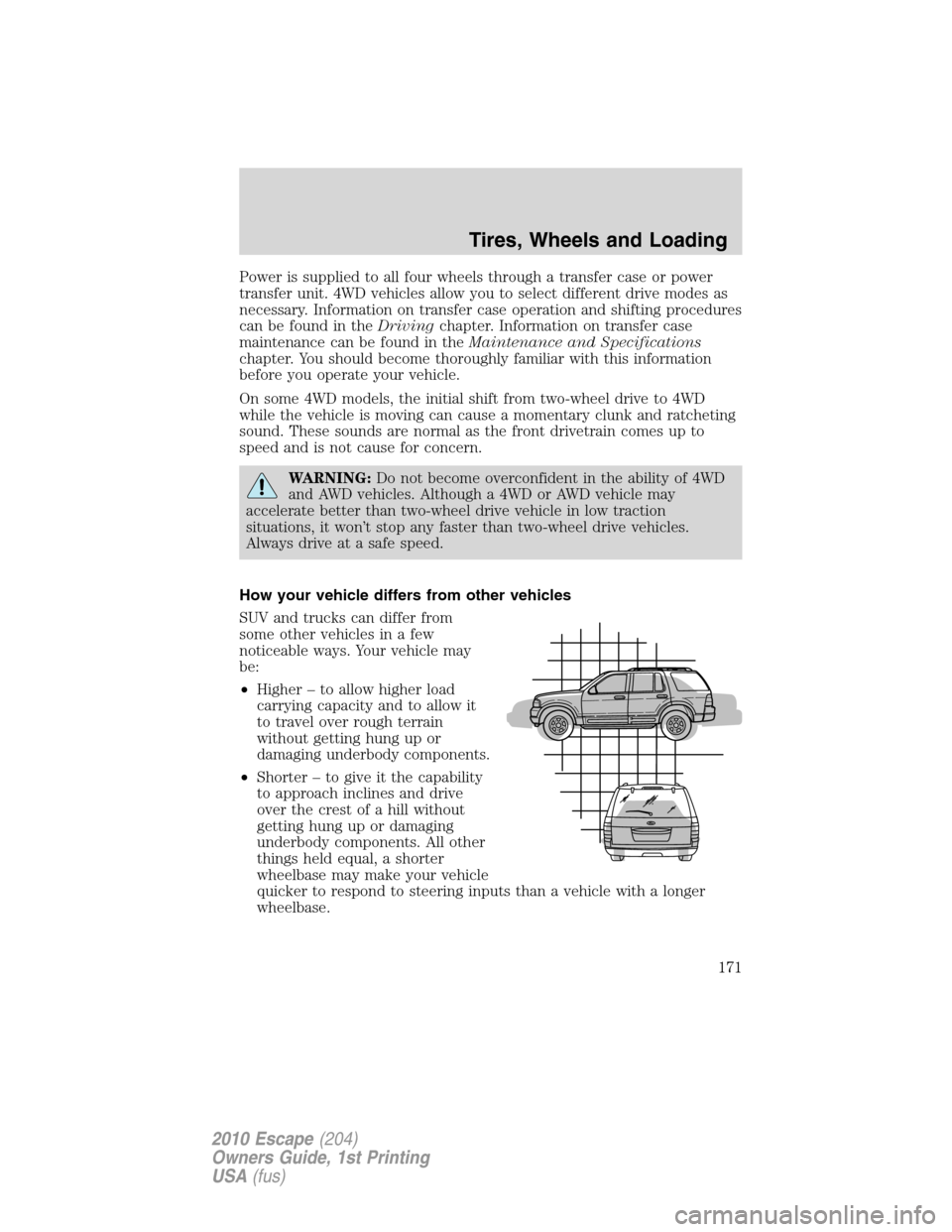
SUV and trucks can differ from
some other vehicles in a few
noticeable ways. Your vehicle may
be:
•Higher – to allow higher load
carrying capacity and to allow it
to travel over rough terrain
without getting hung up or
damaging underbody components.
•Shorter – to give it the capability
to approach inclines and drive
over the crest of a hill without
getting hung up or damaging
underbody components. All other
things held equal, a shorter
wheelbase may make your vehicle
quicker to respond to steering inputs than a vehicle with a longer
wheelbase.
Tires, Wheels and Loading
171
2010 Escape(204)
Owners Guide, 1st Printing
USA(fus)
Page 214 of 345
become very hot and may result in an electrical shock or fire. Be sure
to check for heat anywhere in the electrical hookup once the system
has been operating for approximately a half hour.
•Finally, have the engine block heater system checked during your fall
tune-up to be sure it’s in good working order.
How to use the engine block heater
Ensure the receptacle terminals are clean and dry prior to use. To clean
them, use a dry cloth.
Depending on the type of factory installed equipment, your engine block
heater will use .4 to 1.0 kilowatt-hours of energy per hour of use. Your
factory installed block heater system does not have a thermostat;
however, maximum temperature is attained after approximately three
hours of operation. Block heater operation longer than three hours will
not improve system performance and will unnecessarily use additional
electricity.
Make sure system is unplugged and properly stowed before driving the
vehicle. While not in use, make sure the protective cover seals the
prongs of the engine block heater cord plug.
BRAKES
Occasional brake noise is normal. If a metal-to-metal, continuous grinding
or continuous squeal sound is present, the brake linings may be worn-out
and should be inspected by an authorized dealer. If the vehicle has
continuous vibration or shudder in the steering wheel while braking, the
vehicle should be inspected by an authorized dealer.
Refer toWarning lights and
chimesin theInstrument Cluster
chapter for information on the brake
system warning light.
Under normal operating conditions, brake dust may accumulate on the
wheels. Some brake dust is inevitable as brakes wear and does not
contribute to brake noise. The use of modern friction materials with
emphasis on improved performance and environmental considerations
can lead to more dust than in the past. Brake dust can be cleaned by
weekly washing with soapy water and a soft sponge. Heavier deposits can
be removed with Motorcraft Wheel and Tire Cleaner (ZC-37–A).
Four-wheel anti-lock brake system (ABS)
Your vehicle is equipped with an anti-lock braking system (ABS). This
system helps you maintain steering control during emergency stops by
P!
BRAKE
Driving
214
2010 Escape(204)
Owners Guide, 1st Printing
USA(fus)
Page 226 of 345
N (Neutral)
With the gearshift lever in N (Neutral), the vehicle can be started and is
free to roll. Hold the brake pedal down while in this position.
D (Drive) with Overdrive
The normal driving position for the best fuel economy. Transmission
operates in gears one through six.
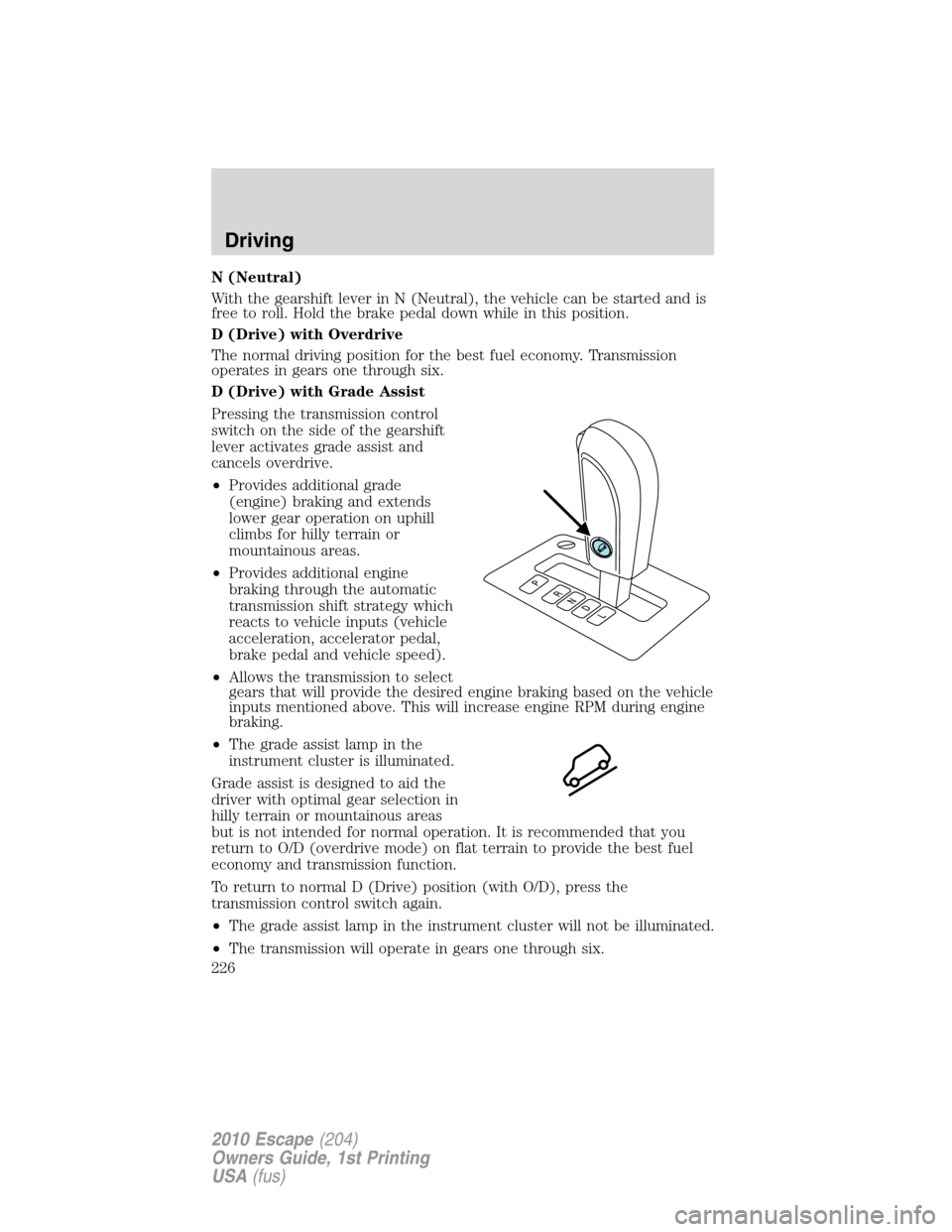
D (Drive) with Grade Assist
Pressing the transmission control
switch on the side of the gearshift
lever activates grade assist and
cancels overdrive.
•Provides additional grade
(engine) braking and extends
lower gear operation on uphill
climbs for hilly terrain or
mountainous areas.
•Provides additional engine
braking through the automatic
transmission shift strategy which
reacts to vehicle inputs (vehicle
acceleration, accelerator pedal,
brake pedal and vehicle speed).
•Allows the transmission to select
gears that will provide the desired engine braking based on the vehicle
inputs mentioned above. This will increase engine RPM during engine
braking.
•The grade assist lamp in the
instrument cluster is illuminated.
Grade assist is designed to aid the
driver with optimal gear selection in
hilly terrain or mountainous areas
but is not intended for normal operation. It is recommended that you
return to O/D (overdrive mode) on flat terrain to provide the best fuel
economy and transmission function.
To return to normal D (Drive) position (with O/D), press the
transmission control switch again.
•The grade assist lamp in the instrument cluster will not be illuminated.
•The transmission will operate in gears one through six.
Driving
226
2010 Escape(204)
Owners Guide, 1st Printing
USA(fus)
Page 228 of 345
Do not drive with your foot resting on the clutch pedal or use the
clutch pedal to hold your vehicle at a standstill while waiting on a
hill. These actions will severely reduce the life of the clutch and
could nullify a clutch warranty claim.
Recommended shift speeds
Upshift according to the following charts for best fuel economy:
Upshifts during light to moderate accelerations and cruises
(for best fuel economy)
Shift from:
1-2 10 mph (16 km/h)
2-3 20 mph (32 km/h)
3-4 32 mph (52 km/h)
4-5 37 mph (60 km/h)
Reverse
Make sure that your vehicle is at a complete stop before you shift
into R (Reverse). Failure to do so may damage the transmission.
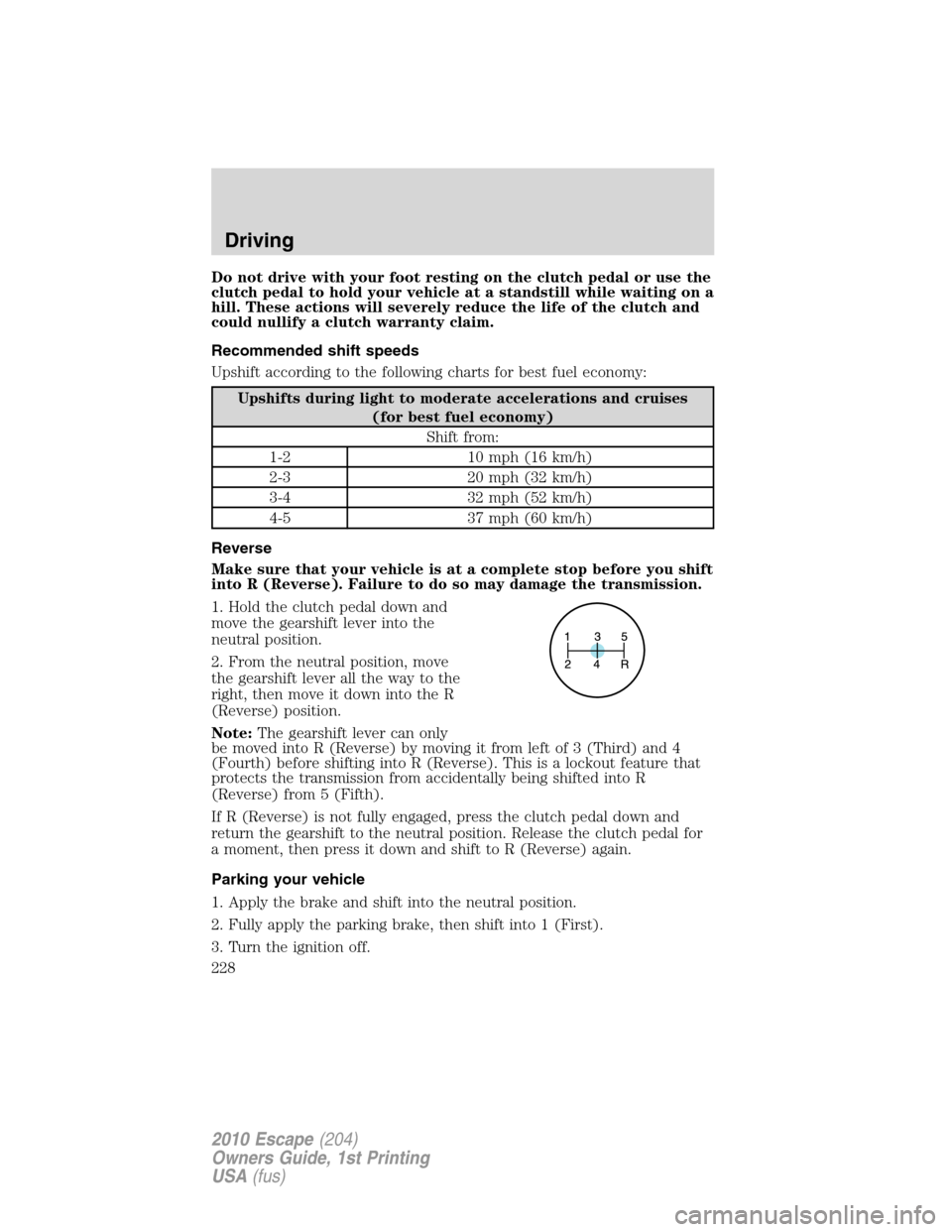
1. Hold the clutch pedal down and
move the gearshift lever into the
neutral position.
2. From the neutral position, move
the gearshift lever all the way to the
right, then move it down into the R
(Reverse) position.
Note:The gearshift lever can only
be moved into R (Reverse) by moving it from left of 3 (Third) and 4
(Fourth) before shifting into R (Reverse). This is a lockout feature that
protects the transmission from accidentally being shifted into R
(Reverse) from 5 (Fifth).
If R (Reverse) is not fully engaged, press the clutch pedal down and
return the gearshift to the neutral position. Release the clutch pedal for
a moment, then press it down and shift to R (Reverse) again.
Parking your vehicle
1. Apply the brake and shift into the neutral position.
2. Fully apply the parking brake, then shift into 1 (First).
3. Turn the ignition off.
Driving
228
2010 Escape(204)
Owners Guide, 1st Printing
USA(fus)
Page 270 of 345
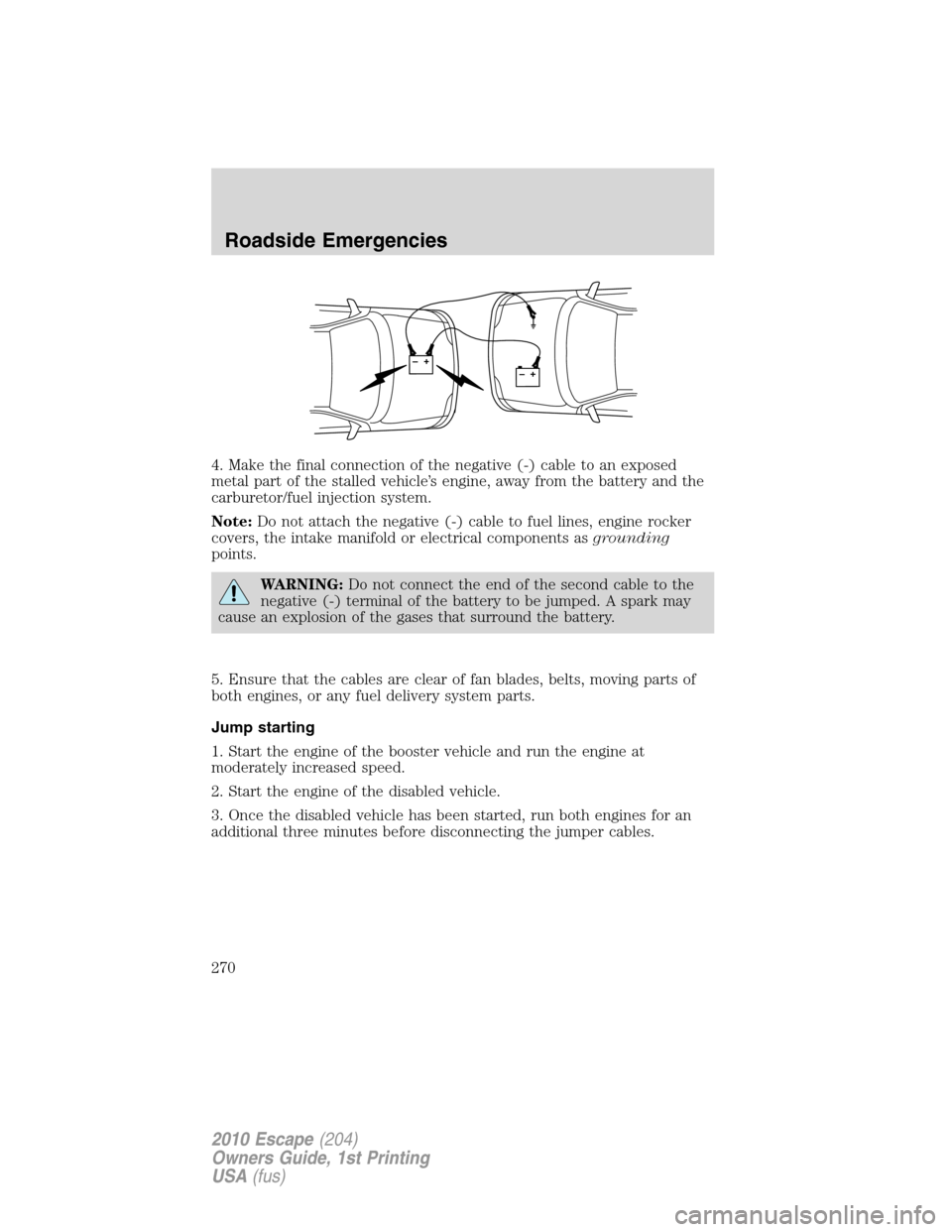
4. Make the final connection of the negative (-) cable to an exposed
metal part of the stalled vehicle’s engine, away from the battery and the
carburetor/fuel injection system.
Note:Do not attach the negative (-) cable to fuel lines, engine rocker
covers, the intake manifold or electrical components asgrounding
points.
WARNING:Do not connect the end of the second cable to the
negative (-) terminal of the battery to be jumped. A spark may
cause an explosion of the gases that surround the battery.
5. Ensure that the cables are clear of fan blades, belts, moving parts of
both engines, or any fuel delivery system parts.
Jump starting
1. Start the engine of the booster vehicle and run the engine at
moderately increased speed.
2. Start the engine of the disabled vehicle.
3. Once the disabled vehicle has been started, run both engines for an
additional three minutes before disconnecting the jumper cables.
+–+–
Roadside Emergencies
270
2010 Escape(204)
Owners Guide, 1st Printing
USA(fus)
Page 317 of 345
Habits
•Smooth, moderate operation can yield up to 10% savings in fuel.
•Steady speeds without stopping will usually give the best fuel
economy.
•Idling for long periods of time (greater than one minute) may waste
fuel.
•Anticipate stopping; slowing down may eliminate the need to stop.
•Sudden or hard accelerations may reduce fuel economy.
•Slow down gradually.
•Driving at reasonable speeds (traveling at 55 mph [88 km/h] uses 15%
less fuel than traveling at 65 mph [105 km/h]).
•Revving the engine before turning it off may reduce fuel economy.
•Using the air conditioner or defroster may reduce fuel economy.
•You may want to turn off the speed control in hilly terrain if
unnecessary shifting between the top gears occurs. Unnecessary
shifting of this type could result in reduced fuel economy.
•Warming up a vehicle on cold mornings is not required and may
reduce fuel economy.
•Resting your foot on the brake pedal while driving may reduce fuel
economy.
•Combine errands and minimize stop-and-go driving.
Maintenance
•Keep tires properly inflated and use only recommended size.
•Operating a vehicle with the wheels out of alignment will reduce fuel
economy.
•Use recommended engine oil. Refer toMaintenance product
specifications and capacitiesin this chapter.
•Perform all regularly scheduled maintenance items. Follow the
recommended maintenance schedule and owner maintenance checks
found inscheduled maintenance information.
Conditions
•Heavily loading a vehicle or towing a trailer may reduce fuel economy
at any speed.
•Carrying unnecessary weight may reduce fuel economy (approximately
1 mpg [0.4 km/L] is lost for every 400 lb [180 kg] of weight carried).
Maintenance and Specifications
317
2010 Escape(204)
Owners Guide, 1st Printing
USA(fus)