keyless FORD ESCAPE 2019 User Guide
[x] Cancel search | Manufacturer: FORD, Model Year: 2019, Model line: ESCAPE, Model: FORD ESCAPE 2019Pages: 509, PDF Size: 6.69 MB
Page 107 of 509
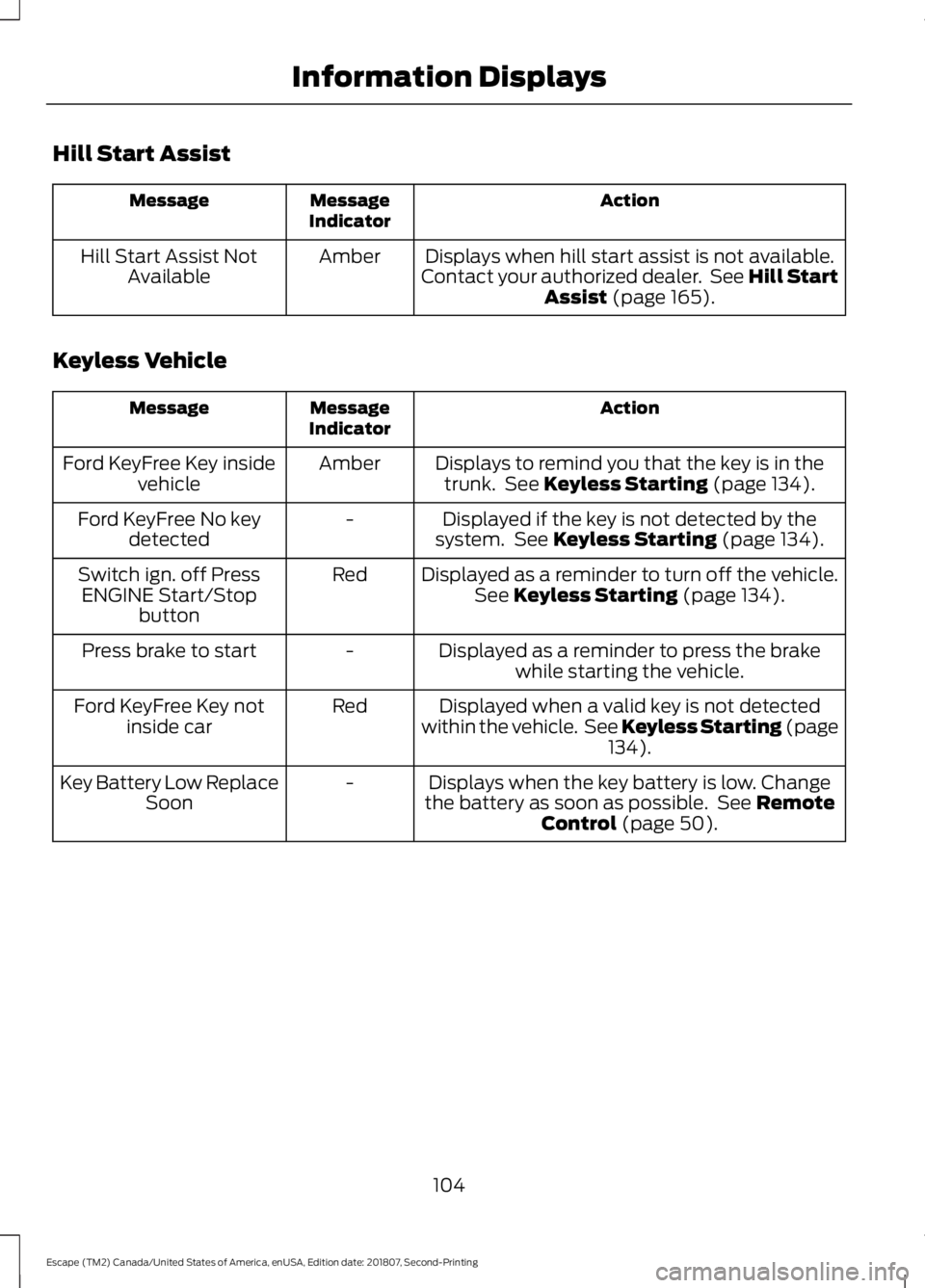
Hill Start Assist
Action
Message
Indicator
Message
Displays when hill start assist is not available.
Contact your authorized dealer. See Hill Start Assist (page 165).
Amber
Hill Start Assist Not
Available
Keyless Vehicle Action
Message
Indicator
Message
Displays to remind you that the key is in thetrunk. See
Keyless Starting (page 134).
Amber
Ford KeyFree Key inside
vehicle
Displayed if the key is not detected by the
system. See
Keyless Starting (page 134).
-
Ford KeyFree No key
detected
Displayed as a reminder to turn off the vehicle.See
Keyless Starting (page 134).
Red
Switch ign. off Press
ENGINE Start/Stop button
Displayed as a reminder to press the brakewhile starting the vehicle.
-
Press brake to start
Displayed when a valid key is not detected
within the vehicle. See Keyless Starting (page 134
).
Red
Ford KeyFree Key not
inside car
Displays when the key battery is low. Change
the battery as soon as possible. See
Remote
Control (page 50).
-
Key Battery Low Replace
Soon
104
Escape (TM2) Canada/United States of America, enUSA, Edition date: 201807, Second-Printing Information Displays
Page 137 of 509
GENERAL INFORMATION
WARNING: Extended idling at high
engine speeds can produce very high
temperatures in the engine and exhaust
system, creating the risk of fire or other
damage. WARNING: Do not park, idle or
drive your vehicle on dry grass or other
dry ground cover. The emission system
heats up the engine compartment and
exhaust system, creating the risk of fire. WARNING: Do not start the engine
in a closed garage or in other enclosed
areas. Exhaust fumes can be toxic.
Always open the garage door before you
start the engine. WARNING:
Exhaust leaks may
result in entry of harmful and potentially
lethal fumes into the passenger
compartment. If you smell exhaust
fumes inside your vehicle, have your
vehicle inspected immediately. Do not
drive if you smell exhaust fumes.
If you disconnect the battery, your vehicle
may exhibit some unusual driving
characteristics for approximately
5 mi
(8 km) after you reconnect it. This is
because the engine management system
must realign itself with the engine. You
can disregard any unusual driving
characteristics during this period.
The powertrain control system meets all
Canadian interference-causing equipment
standard requirements regulating the
impulse electrical field or radio noise. When you start the engine, avoid pressing
the accelerator pedal before and during
operation. Only use the accelerator pedal
when you have difficulty starting the
engine.
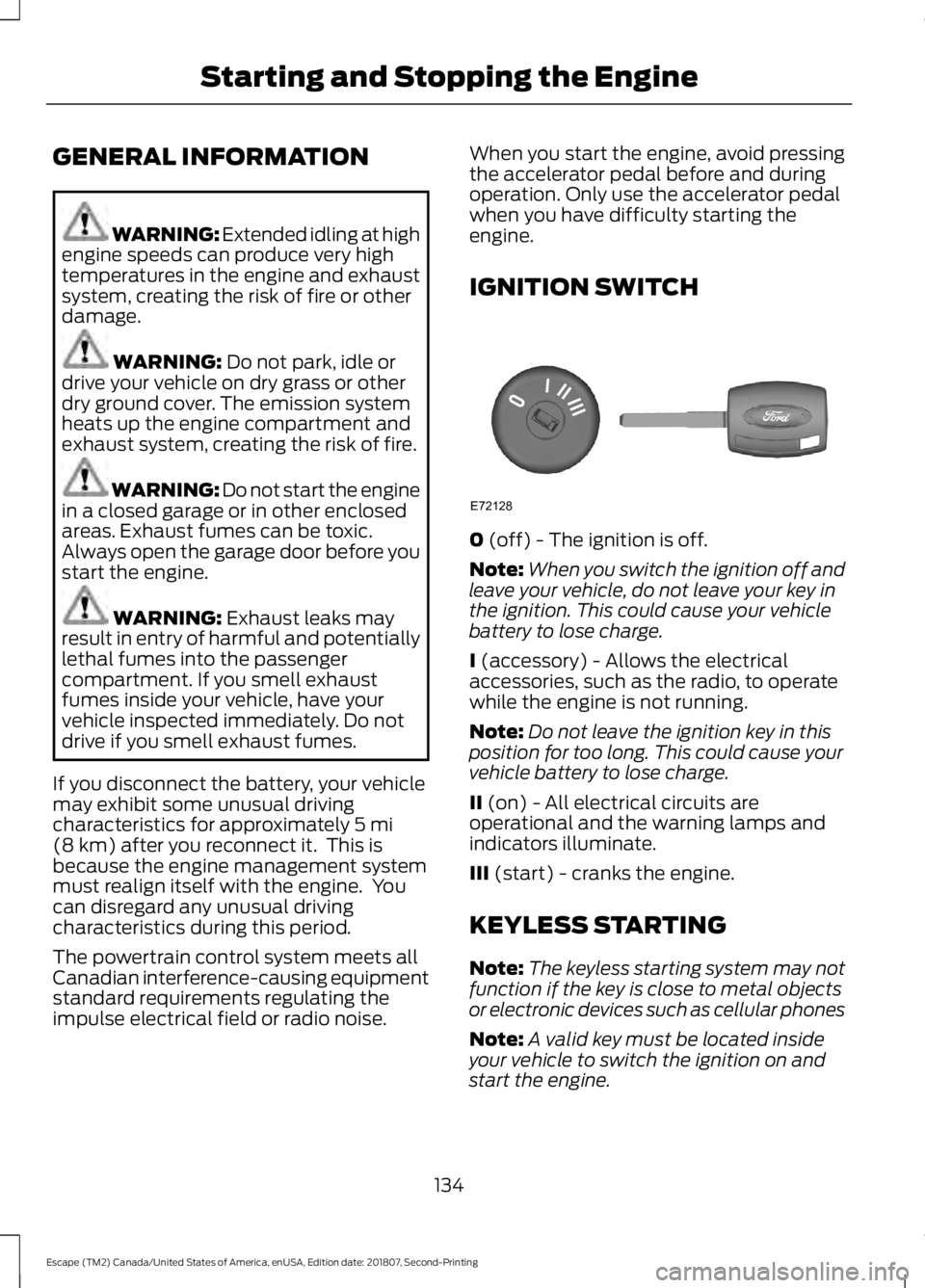
IGNITION SWITCH
0
(off) - The ignition is off.
Note: When you switch the ignition off and
leave your vehicle, do not leave your key in
the ignition. This could cause your vehicle
battery to lose charge.
I
(accessory) - Allows the electrical
accessories, such as the radio, to operate
while the engine is not running.
Note: Do not leave the ignition key in this
position for too long. This could cause your
vehicle battery to lose charge.
II
(on) - All electrical circuits are
operational and the warning lamps and
indicators illuminate.
III
(start) - cranks the engine.
KEYLESS STARTING
Note: The keyless starting system may not
function if the key is close to metal objects
or electronic devices such as cellular phones
Note: A valid key must be located inside
your vehicle to switch the ignition on and
start the engine.
134
Escape (TM2) Canada/United States of America, enUSA, Edition date: 201807, Second-Printing Starting and Stopping the EngineE72128
Page 138 of 509
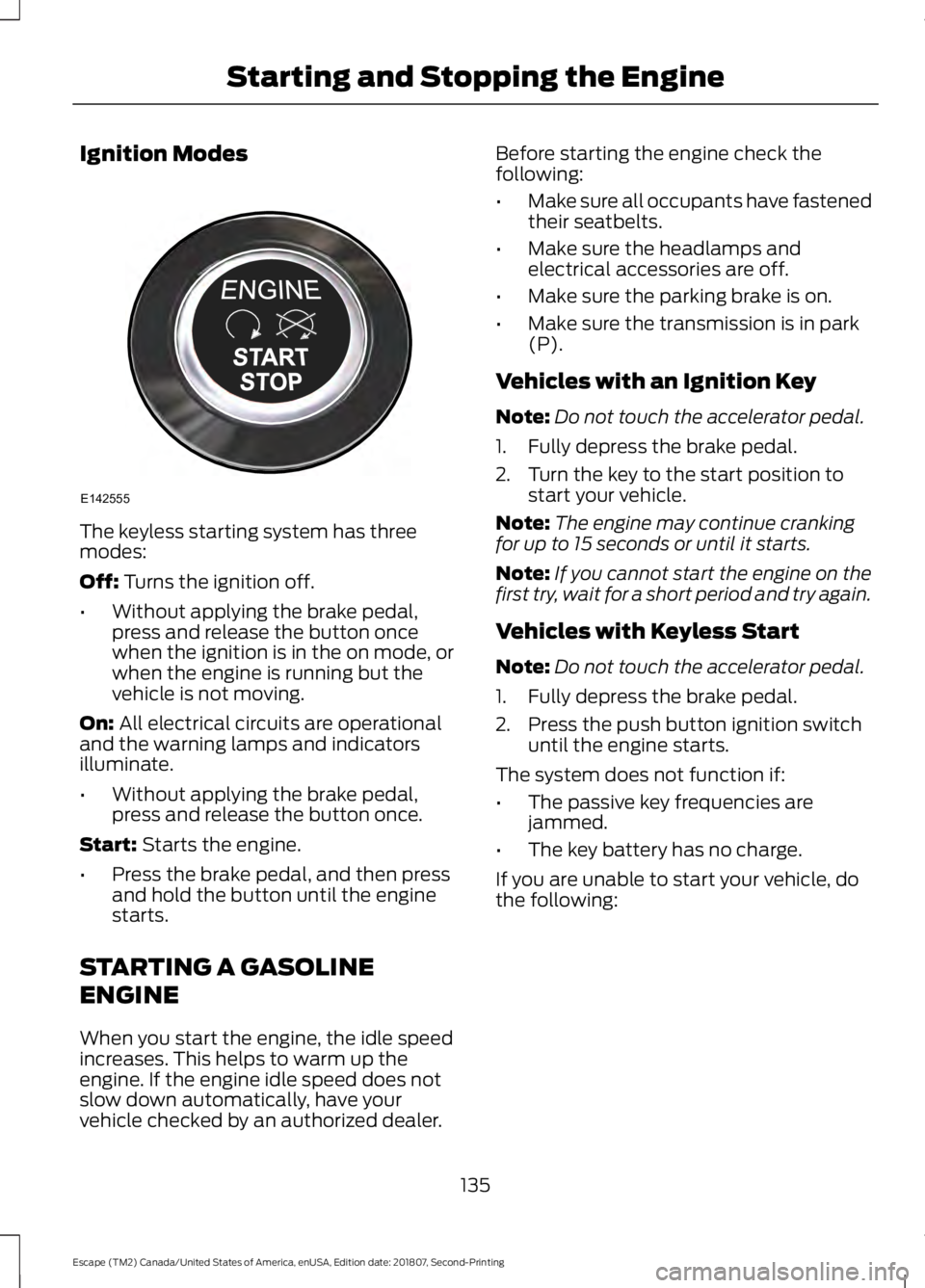
Ignition Modes
The keyless starting system has three
modes:
Off: Turns the ignition off.
• Without applying the brake pedal,
press and release the button once
when the ignition is in the on mode, or
when the engine is running but the
vehicle is not moving.
On:
All electrical circuits are operational
and the warning lamps and indicators
illuminate.
• Without applying the brake pedal,
press and release the button once.
Start:
Starts the engine.
• Press the brake pedal, and then press
and hold the button until the engine
starts.
STARTING A GASOLINE
ENGINE
When you start the engine, the idle speed
increases. This helps to warm up the
engine. If the engine idle speed does not
slow down automatically, have your
vehicle checked by an authorized dealer. Before starting the engine check the
following:
•
Make sure all occupants have fastened
their seatbelts.
• Make sure the headlamps and
electrical accessories are off.
• Make sure the parking brake is on.
• Make sure the transmission is in park
(P).
Vehicles with an Ignition Key
Note: Do not touch the accelerator pedal.
1. Fully depress the brake pedal.
2. Turn the key to the start position to start your vehicle.
Note: The engine may continue cranking
for up to 15 seconds or until it starts.
Note: If you cannot start the engine on the
first try, wait for a short period and try again.
Vehicles with Keyless Start
Note: Do not touch the accelerator pedal.
1. Fully depress the brake pedal.
2. Press the push button ignition switch until the engine starts.
The system does not function if:
• The passive key frequencies are
jammed.
• The key battery has no charge.
If you are unable to start your vehicle, do
the following:
135
Escape (TM2) Canada/United States of America, enUSA, Edition date: 201807, Second-Printing Starting and Stopping the EngineE142555
Page 139 of 509
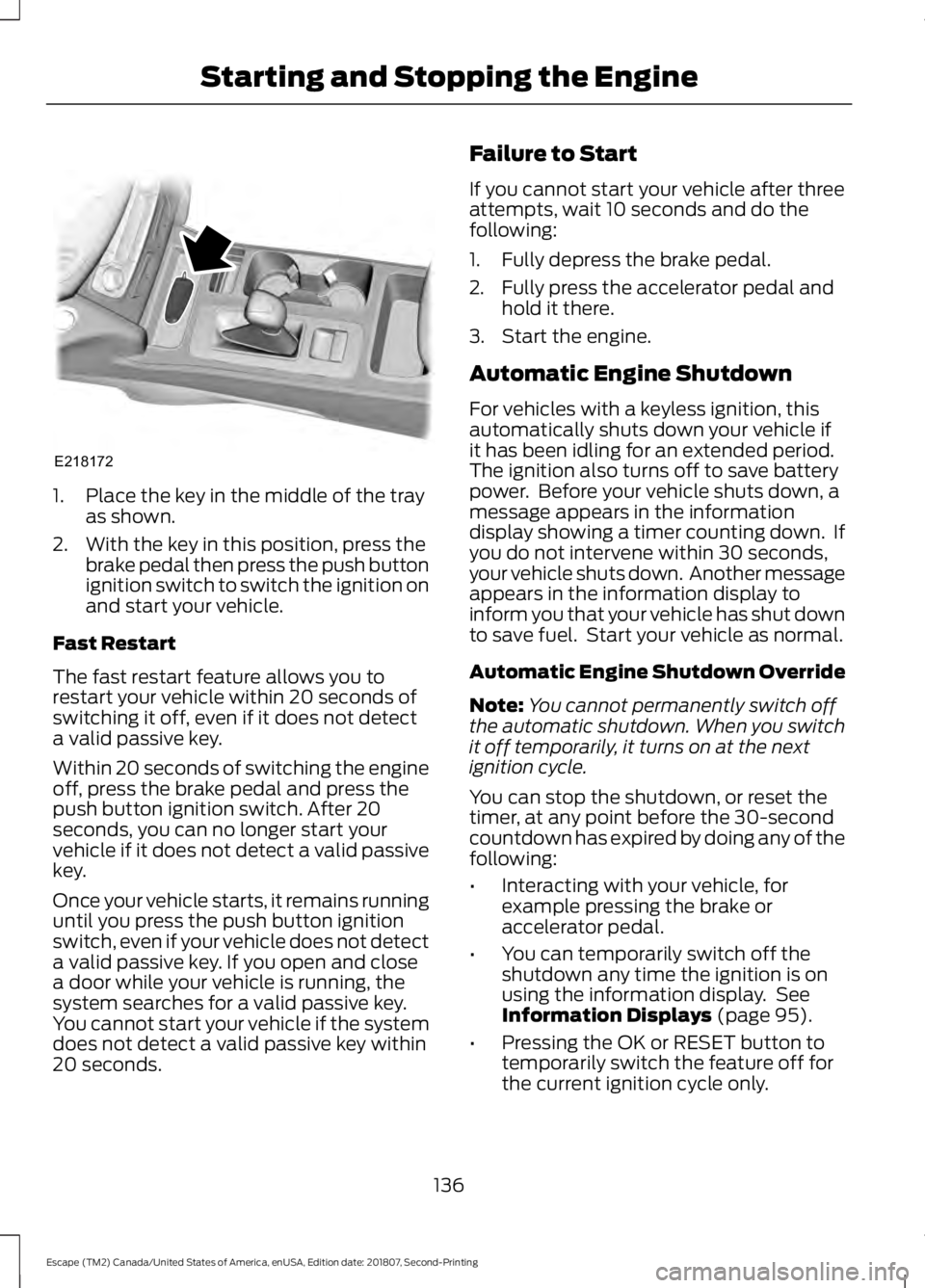
1. Place the key in the middle of the tray
as shown.
2. With the key in this position, press the brake pedal then press the push button
ignition switch to switch the ignition on
and start your vehicle.
Fast Restart
The fast restart feature allows you to
restart your vehicle within 20 seconds of
switching it off, even if it does not detect
a valid passive key.
Within 20 seconds of switching the engine
off, press the brake pedal and press the
push button ignition switch. After 20
seconds, you can no longer start your
vehicle if it does not detect a valid passive
key.
Once your vehicle starts, it remains running
until you press the push button ignition
switch, even if your vehicle does not detect
a valid passive key. If you open and close
a door while your vehicle is running, the
system searches for a valid passive key.
You cannot start your vehicle if the system
does not detect a valid passive key within
20 seconds. Failure to Start
If you cannot start your vehicle after three
attempts, wait 10 seconds and do the
following:
1. Fully depress the brake pedal.
2. Fully press the accelerator pedal and
hold it there.
3. Start the engine.
Automatic Engine Shutdown
For vehicles with a keyless ignition, this
automatically shuts down your vehicle if
it has been idling for an extended period.
The ignition also turns off to save battery
power. Before your vehicle shuts down, a
message appears in the information
display showing a timer counting down. If
you do not intervene within 30 seconds,
your vehicle shuts down. Another message
appears in the information display to
inform you that your vehicle has shut down
to save fuel. Start your vehicle as normal.
Automatic Engine Shutdown Override
Note: You cannot permanently switch off
the automatic shutdown. When you switch
it off temporarily, it turns on at the next
ignition cycle.
You can stop the shutdown, or reset the
timer, at any point before the 30-second
countdown has expired by doing any of the
following:
• Interacting with your vehicle, for
example pressing the brake or
accelerator pedal.
• You can temporarily switch off the
shutdown any time the ignition is on
using the information display. See
Information Displays (page 95).
• Pressing the OK or RESET button to
temporarily switch the feature off for
the current ignition cycle only.
136
Escape (TM2) Canada/United States of America, enUSA, Edition date: 201807, Second-Printing Starting and Stopping the EngineE218172
Page 140 of 509
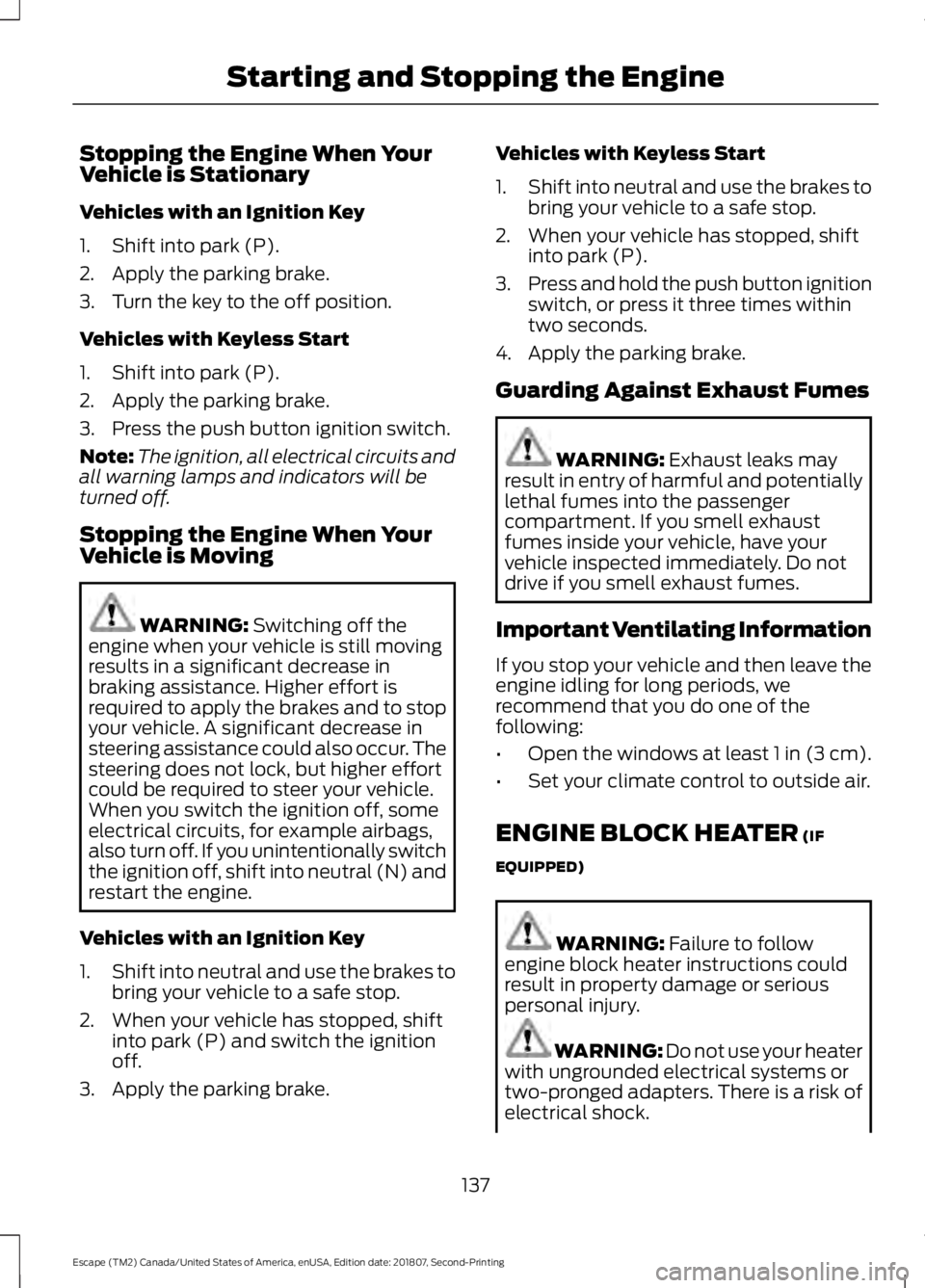
Stopping the Engine When Your
Vehicle is Stationary
Vehicles with an Ignition Key
1. Shift into park (P).
2. Apply the parking brake.
3. Turn the key to the off position.
Vehicles with Keyless Start
1. Shift into park (P).
2. Apply the parking brake.
3. Press the push button ignition switch.
Note:
The ignition, all electrical circuits and
all warning lamps and indicators will be
turned off.
Stopping the Engine When Your
Vehicle is Moving WARNING: Switching off the
engine when your vehicle is still moving
results in a significant decrease in
braking assistance. Higher effort is
required to apply the brakes and to stop
your vehicle. A significant decrease in
steering assistance could also occur. The
steering does not lock, but higher effort
could be required to steer your vehicle.
When you switch the ignition off, some
electrical circuits, for example airbags,
also turn off. If you unintentionally switch
the ignition off, shift into neutral (N) and
restart the engine.
Vehicles with an Ignition Key
1. Shift into neutral and use the brakes to
bring your vehicle to a safe stop.
2. When your vehicle has stopped, shift into park (P) and switch the ignition
off.
3. Apply the parking brake. Vehicles with Keyless Start
1.
Shift into neutral and use the brakes to
bring your vehicle to a safe stop.
2. When your vehicle has stopped, shift into park (P).
3. Press and hold the push button ignition
switch, or press it three times within
two seconds.
4. Apply the parking brake.
Guarding Against Exhaust Fumes WARNING:
Exhaust leaks may
result in entry of harmful and potentially
lethal fumes into the passenger
compartment. If you smell exhaust
fumes inside your vehicle, have your
vehicle inspected immediately. Do not
drive if you smell exhaust fumes.
Important Ventilating Information
If you stop your vehicle and then leave the
engine idling for long periods, we
recommend that you do one of the
following:
• Open the windows at least 1 in (3 cm).
• Set your climate control to outside air.
ENGINE BLOCK HEATER
(IF
EQUIPPED) WARNING:
Failure to follow
engine block heater instructions could
result in property damage or serious
personal injury. WARNING:
Do not use your heater
with ungrounded electrical systems or
two-pronged adapters. There is a risk of
electrical shock.
137
Escape (TM2) Canada/United States of America, enUSA, Edition date: 201807, Second-Printing Starting and Stopping the Engine
Page 241 of 509
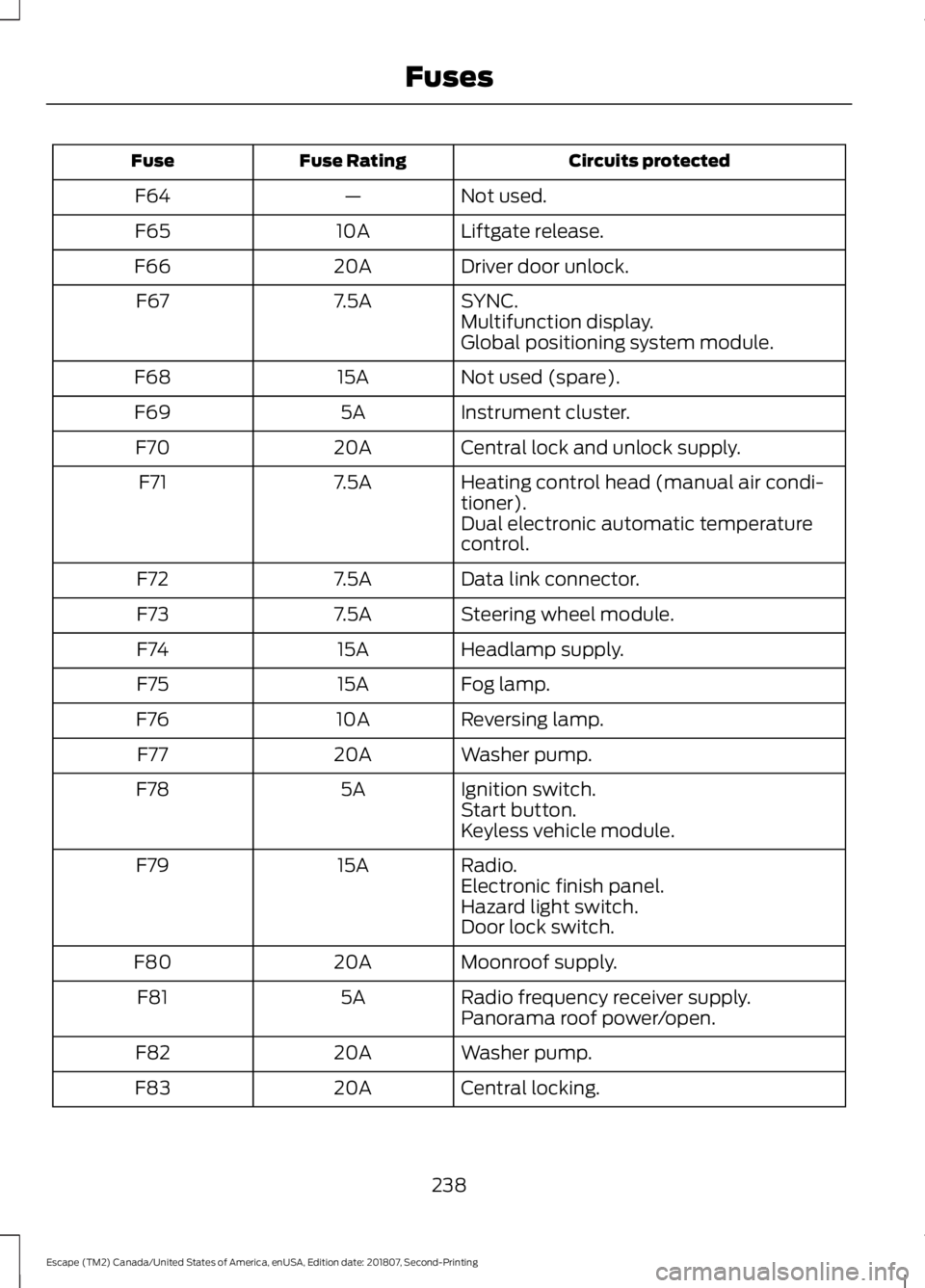
Circuits protected
Fuse Rating
Fuse
Not used.
—
F64
Liftgate release.
10A
F65
Driver door unlock.
20A
F66
SYNC.
7.5A
F67
Multifunction display.
Global positioning system module.
Not used (spare).
15A
F68
Instrument cluster.
5A
F69
Central lock and unlock supply.
20A
F70
Heating control head (manual air condi-
tioner).
7.5A
F71
Dual electronic automatic temperature
control.
Data link connector.
7.5A
F72
Steering wheel module.
7.5A
F73
Headlamp supply.
15A
F74
Fog lamp.
15A
F75
Reversing lamp.
10A
F76
Washer pump.
20A
F77
Ignition switch.
5A
F78
Start button.
Keyless vehicle module.
Radio.
15A
F79
Electronic finish panel.
Hazard light switch.
Door lock switch.
Moonroof supply.
20A
F80
Radio frequency receiver supply.
5A
F81
Panorama roof power/open.
Washer pump.
20A
F82
Central locking.
20A
F83
238
Escape (TM2) Canada/United States of America, enUSA, Edition date: 201807, Second-Printing Fuses
Page 242 of 509
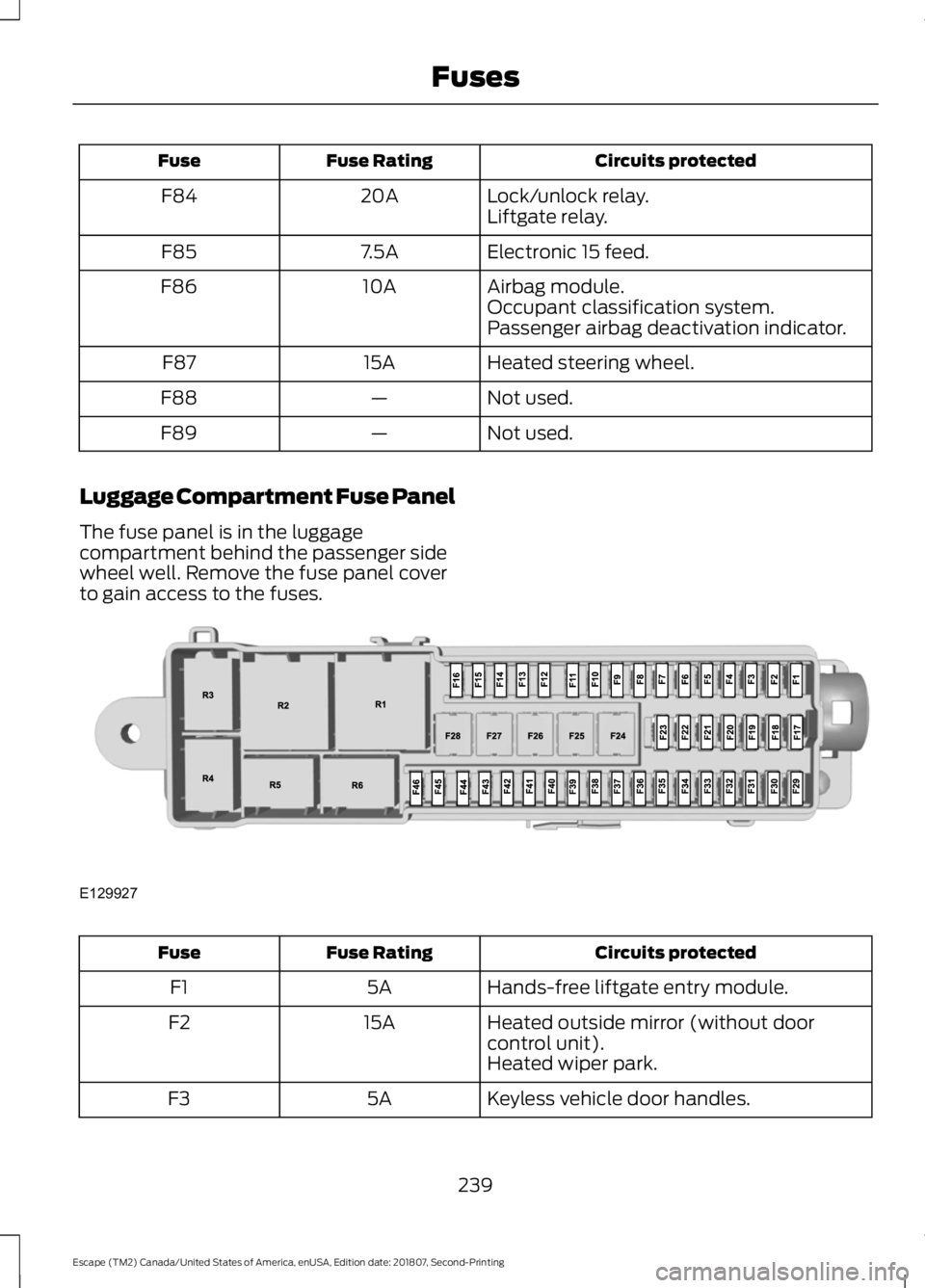
Circuits protected
Fuse Rating
Fuse
Lock/unlock relay.
20A
F84
Liftgate relay.
Electronic 15 feed.
7.5A
F85
Airbag module.
10A
F86
Occupant classification system.
Passenger airbag deactivation indicator.
Heated steering wheel.
15A
F87
Not used.
—
F88
Not used.
—
F89
Luggage Compartment Fuse Panel
The fuse panel is in the luggage
compartment behind the passenger side
wheel well. Remove the fuse panel cover
to gain access to the fuses. Circuits protected
Fuse Rating
Fuse
Hands-free liftgate entry module.
5A
F1
Heated outside mirror (without door
control unit).
15A
F2
Heated wiper park.
Keyless vehicle door handles.
5A
F3
239
Escape (TM2) Canada/United States of America, enUSA, Edition date: 201807, Second-Printing FusesE129927
Page 447 of 509
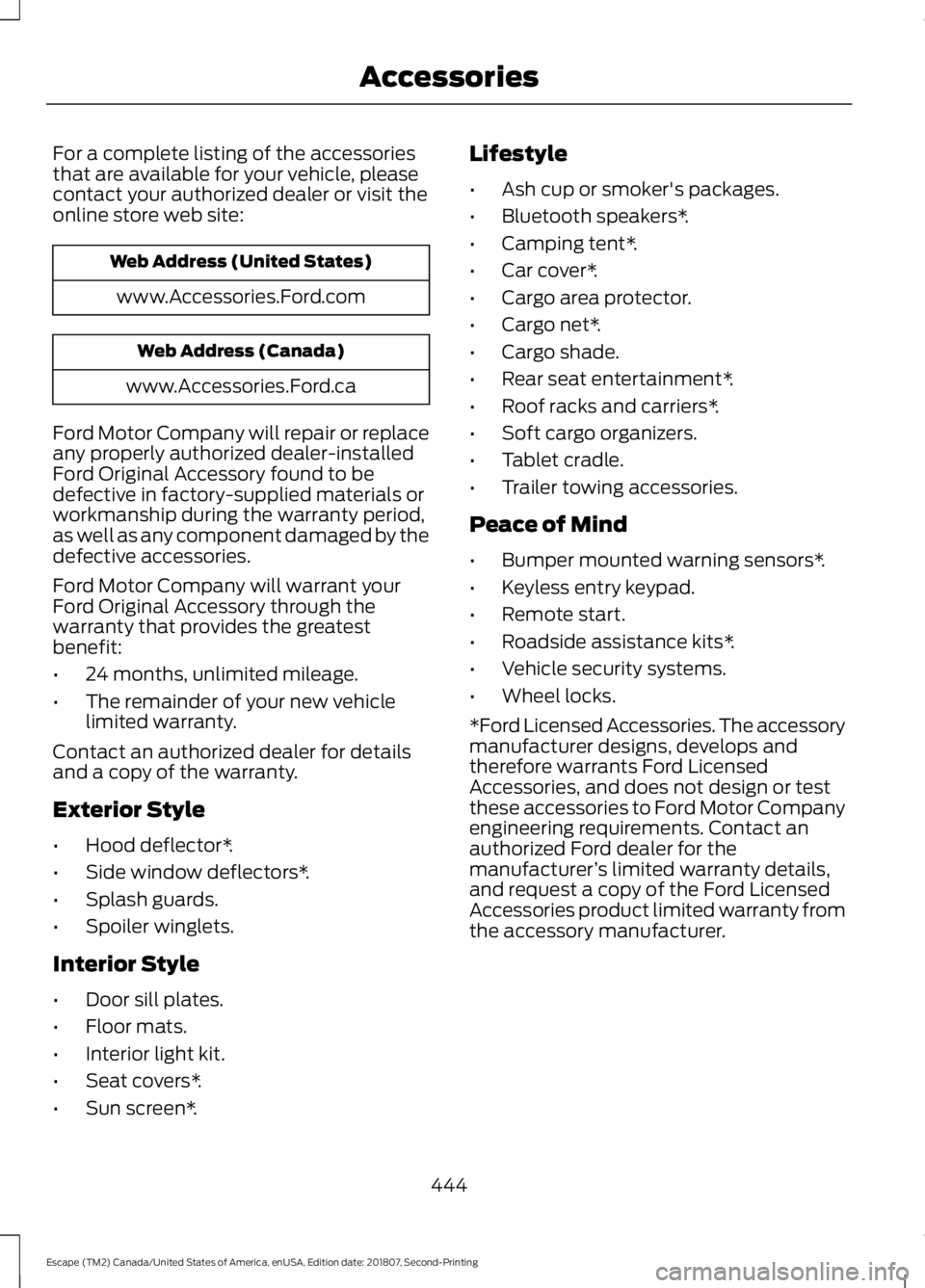
For a complete listing of the accessories
that are available for your vehicle, please
contact your authorized dealer or visit the
online store web site:
Web Address (United States)
www.Accessories.Ford.com Web Address (Canada)
www.Accessories.Ford.ca
Ford Motor Company will repair or replace
any properly authorized dealer-installed
Ford Original Accessory found to be
defective in factory-supplied materials or
workmanship during the warranty period,
as well as any component damaged by the
defective accessories.
Ford Motor Company will warrant your
Ford Original Accessory through the
warranty that provides the greatest
benefit:
• 24 months, unlimited mileage.
• The remainder of your new vehicle
limited warranty.
Contact an authorized dealer for details
and a copy of the warranty.
Exterior Style
• Hood deflector*.
• Side window deflectors*.
• Splash guards.
• Spoiler winglets.
Interior Style
• Door sill plates.
• Floor mats.
• Interior light kit.
• Seat covers*.
• Sun screen*. Lifestyle
•
Ash cup or smoker's packages.
• Bluetooth speakers*.
• Camping tent*.
• Car cover*.
• Cargo area protector.
• Cargo net*.
• Cargo shade.
• Rear seat entertainment*.
• Roof racks and carriers*.
• Soft cargo organizers.
• Tablet cradle.
• Trailer towing accessories.
Peace of Mind
• Bumper mounted warning sensors*.
• Keyless entry keypad.
• Remote start.
• Roadside assistance kits*.
• Vehicle security systems.
• Wheel locks.
*Ford Licensed Accessories. The accessory
manufacturer designs, develops and
therefore warrants Ford Licensed
Accessories, and does not design or test
these accessories to Ford Motor Company
engineering requirements. Contact an
authorized Ford dealer for the
manufacturer ’s limited warranty details,
and request a copy of the Ford Licensed
Accessories product limited warranty from
the accessory manufacturer.
444
Escape (TM2) Canada/United States of America, enUSA, Edition date: 201807, Second-Printing Accessories
Page 498 of 509
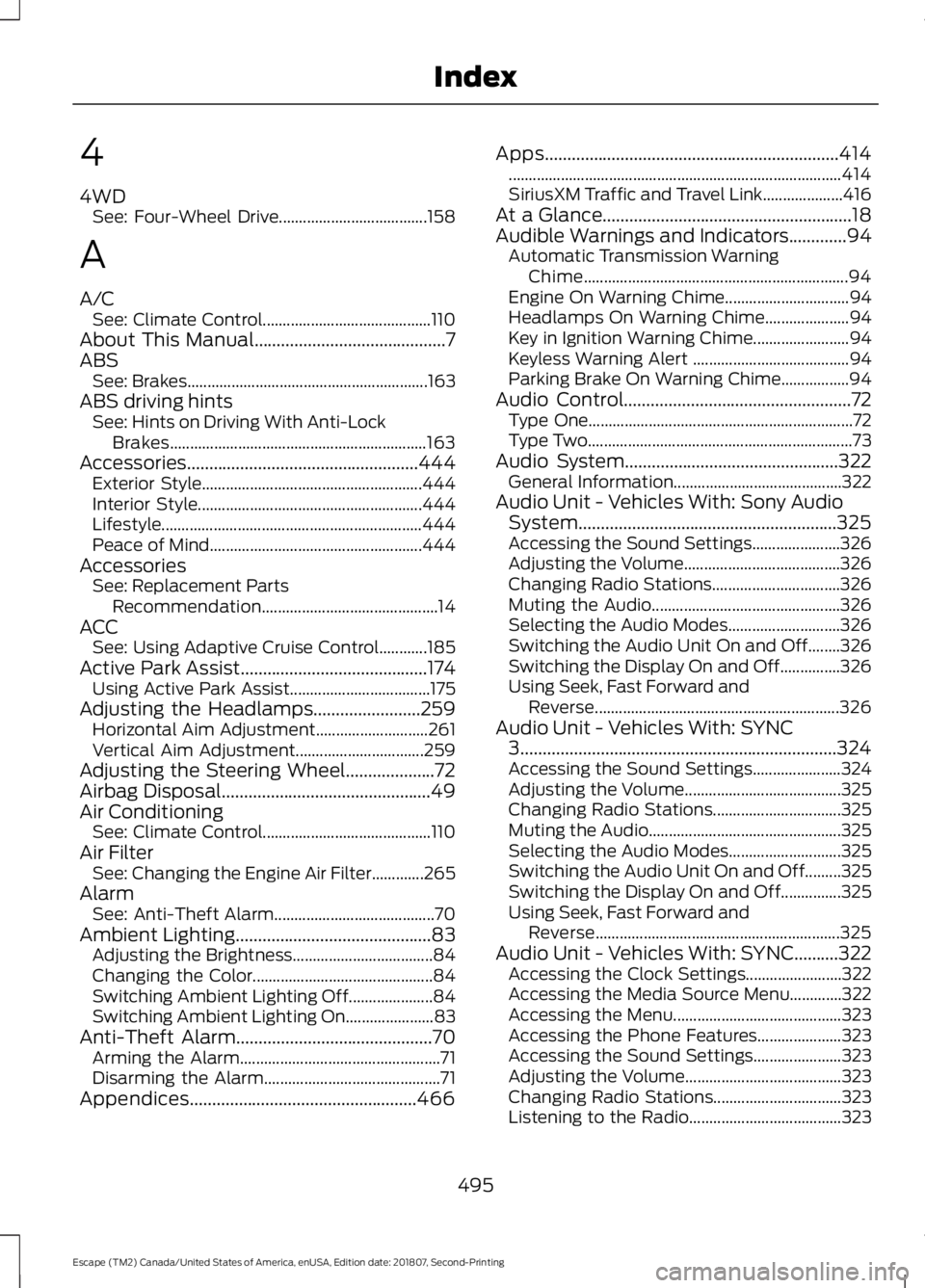
4
4WD
See: Four-Wheel Drive..................................... 158
A
A/C See: Climate Control.......................................... 110
About This Manual...........................................7
ABS See: Brakes............................................................ 163
ABS driving hints See: Hints on Driving With Anti-Lock
Brakes................................................................ 163
Accessories....................................................444 Exterior Style....................................................... 444
Interior Style........................................................ 444
Lifestyle................................................................. 444
Peace of Mind..................................................... 444
Accessories See: Replacement Parts
Recommendation............................................ 14
ACC See: Using Adaptive Cruise Control............185
Active Park Assist..........................................174 Using Active Park Assist................................... 175
Adjusting the Headlamps
........................259
Horizontal Aim Adjustment............................ 261
Vertical Aim Adjustment................................ 259
Adjusting the Steering Wheel....................72
Airbag Disposal
...............................................49
Air Conditioning See: Climate Control.......................................... 110
Air Filter See: Changing the Engine Air Filter.............265
Alarm See: Anti-Theft Alarm........................................ 70
Ambient Lighting
............................................83
Adjusting the Brightness................................... 84
Changing the Color............................................. 84
Switching Ambient Lighting Off..................... 84
Switching Ambient Lighting On...................... 83
Anti-Theft Alarm............................................70 Arming the Alarm.................................................. 71
Disarming the Alarm............................................ 71
Appendices...................................................466 Apps..................................................................414
........................................................................\
........... 414
SiriusXM Traffic and Travel Link.................... 416
At a Glance........................................................18
Audible Warnings and Indicators
.............94
Automatic Transmission Warning
Chime.................................................................. 94
Engine On Warning Chime............................... 94
Headlamps On Warning Chime..................... 94
Key in Ignition Warning Chime........................ 94
Keyless Warning Alert ....................................... 94
Parking Brake On Warning Chime.................94
Audio Control
...................................................72
Type One.................................................................. 72
Type Two.................................................................. 73
Audio System................................................322 General Information.......................................... 322
Audio Unit - Vehicles With: Sony Audio System..........................................................325
Accessing the Sound Settings...................... 326
Adjusting the Volume....................................... 326
Changing Radio Stations................................ 326
Muting the Audio............................................... 326
Selecting the Audio Modes............................ 326
Switching the Audio Unit On and Off........326
Switching the Display On and Off...............326
Using Seek, Fast Forward and Reverse............................................................. 326
Audio Unit - Vehicles With: SYNC 3
.......................................................................324
Accessing the Sound Settings...................... 324
Adjusting the Volume....................................... 325
Changing Radio Stations................................ 325
Muting the Audio................................................ 325
Selecting the Audio Modes............................ 325
Switching the Audio Unit On and Off.........325
Switching the Display On and Off...............325
Using Seek, Fast Forward and Reverse............................................................. 325
Audio Unit - Vehicles With: SYNC..........322 Accessing the Clock Settings........................ 322
Accessing the Media Source Menu.............322
Accessing the Menu.......................................... 323
Accessing the Phone Features..................... 323
Accessing the Sound Settings...................... 323
Adjusting the Volume....................................... 323
Changing Radio Stations................................ 323
Listening to the Radio...................................... 323
495
Escape (TM2) Canada/United States of America, enUSA, Edition date: 201807, Second-Printing Index
Page 503 of 509
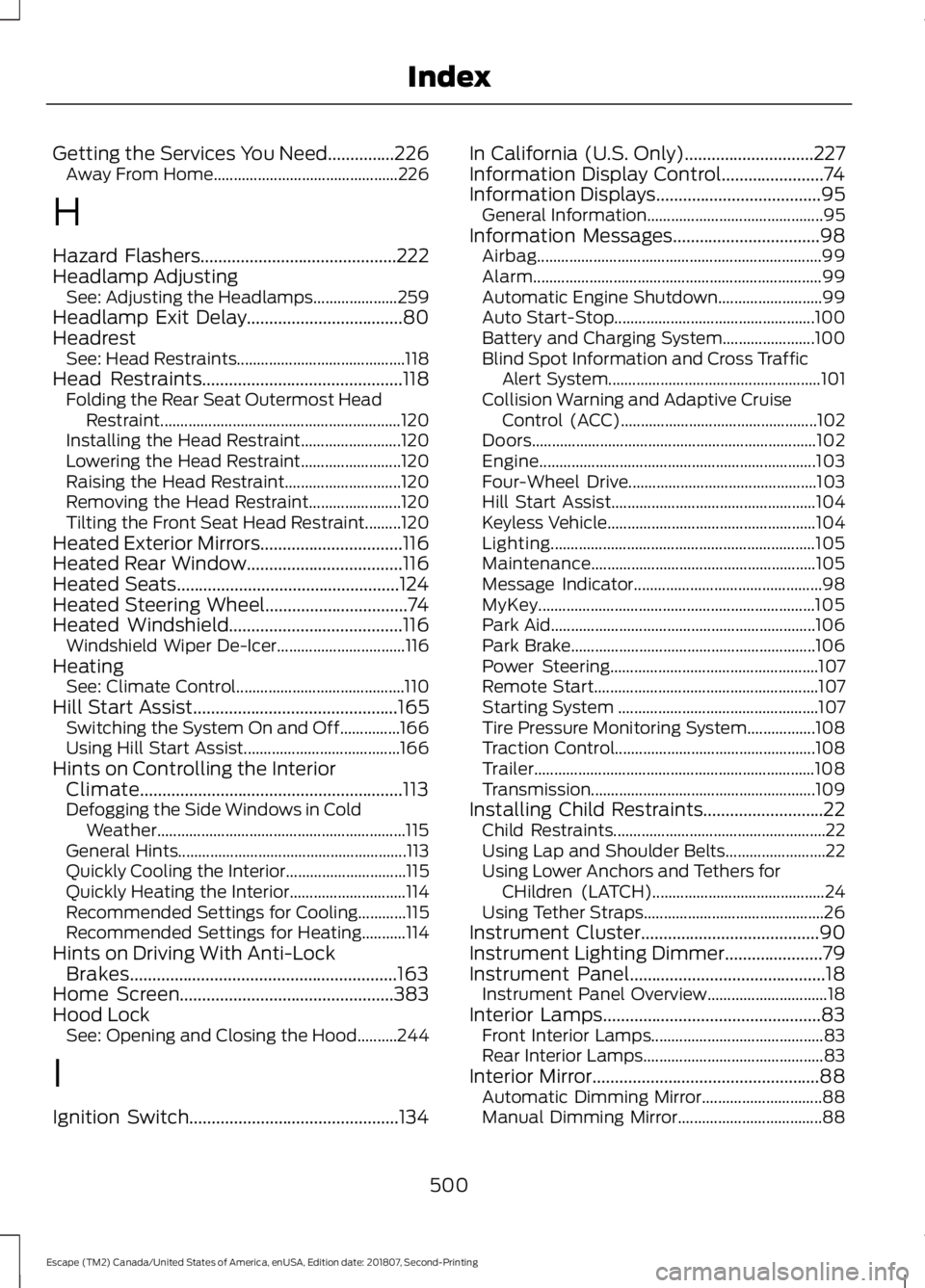
Getting the Services You Need...............226
Away From Home.............................................. 226
H
Hazard Flashers............................................222
Headlamp Adjusting See: Adjusting the Headlamps..................... 259
Headlamp Exit Delay
...................................80
Headrest See: Head Restraints.......................................... 118
Head Restraints
.............................................118
Folding the Rear Seat Outermost Head
Restraint............................................................ 120
Installing the Head Restraint......................... 120
Lowering the Head Restraint......................... 120
Raising the Head Restraint............................. 120
Removing the Head Restraint....................... 120
Tilting the Front Seat Head Restraint.........120
Heated Exterior Mirrors................................116
Heated Rear Window...................................116
Heated Seats
..................................................124
Heated Steering Wheel................................74
Heated Windshield
.......................................116
Windshield Wiper De-Icer................................ 116
Heating See: Climate Control.......................................... 110
Hill Start Assist
..............................................165
Switching the System On and Off...............166
Using Hill Start Assist....................................... 166
Hints on Controlling the Interior Climate...........................................................113
Defogging the Side Windows in Cold Weather.............................................................. 115
General Hints......................................................... 113
Quickly Cooling the Interior.............................. 115
Quickly Heating the Interior............................. 114
Recommended Settings for Cooling............115
Recommended Settings for Heating...........114
Hints on Driving With Anti-Lock Brakes............................................................163
Home Screen................................................383
Hood Lock See: Opening and Closing the Hood..........244
I
Ignition Switch
...............................................134 In California (U.S. Only).............................227
Information Display Control.......................74
Information Displays
.....................................95
General Information............................................ 95
Information Messages
.................................98
Airbag....................................................................... 99
Alarm........................................................................\
99
Automatic Engine Shutdown.......................... 99
Auto Start-Stop.................................................. 100
Battery and Charging System....................... 100
Blind Spot Information and Cross Traffic Alert System..................................................... 101
Collision Warning and Adaptive Cruise Control (ACC)................................................. 102
Doors....................................................................... 102
Engine..................................................................... 103
Four-Wheel Drive............................................... 103
Hill Start Assist................................................... 104
Keyless Vehicle.................................................... 104
Lighting.................................................................. 105
Maintenance........................................................ 105
Message Indicator............................................... 98
MyKey..................................................................... 105
Park Aid.................................................................. 106
Park Brake............................................................. 106
Power Steering.................................................... 107
Remote Start........................................................ 107
Starting System .................................................. 107
Tire Pressure Monitoring System.................108
Traction Control.................................................. 108
Trailer...................................................................... 108
Transmission........................................................ 109
Installing Child Restraints...........................22 Child Restraints..................................................... 22
Using Lap and Shoulder Belts......................... 22
Using Lower Anchors and Tethers for CHildren (LATCH)........................................... 24
Using Tether Straps............................................. 26
Instrument Cluster
........................................90
Instrument Lighting Dimmer......................79
Instrument Panel
............................................18
Instrument Panel Overview.............................. 18
Interior Lamps
.................................................83
Front Interior Lamps........................................... 83
Rear Interior Lamps............................................. 83
Interior Mirror...................................................88 Automatic Dimming Mirror.............................. 88
Manual Dimming Mirror.................................... 88
500
Escape (TM2) Canada/United States of America, enUSA, Edition date: 201807, Second-Printing Index