451 FORD ESCAPE 2019 Owners Manual
[x] Cancel search | Manufacturer: FORD, Model Year: 2019, Model line: ESCAPE, Model: FORD ESCAPE 2019Pages: 509, PDF Size: 6.69 MB
Page 8 of 509
Tire Care
..........................................................277
Using Summer Tires ..................................
290
Using Winter Tires ......................................
290
Using Snow Chains .....................................
291
Tire Pressure Monitoring System ...........
291
Changing a Road Wheel ..........................
295
Technical Specifications .........................
300
Capacities and Specifications
Engine Specifications - 1.5L EcoBoost™ ........................................................................\
.
301
Engine Specifications - 2.0L EcoBoost™ ........................................................................\
.
301
Engine Specifications - 2.5L ...................
302
Motorcraft Parts - 1.5L EcoBoost™ ......
303
Motorcraft Parts - 2.0L EcoBoost™ ....
304
Motorcraft Parts - 2.5L .............................
305
Vehicle Identification Number ..............
306
Vehicle Certification Label ......................
307
Transmission Code Designation ...........
307
Capacities and Specifications - 1.5L EcoBoost™ ..............................................
308
Capacities and Specifications - 2.0L EcoBoost™ ................................................
312
Capacities and Specifications - 2.5L ........................................................................\
.
317
Bulb Specification Chart ...........................
321
Audio System
General Information ...................................
322
Audio Unit - Vehicles With: SYNC .........
322
Audio Unit - Vehicles With: SYNC 3 ......
324
Audio Unit - Vehicles With: Sony Audio System ........................................................
325
Digital Radio .................................................
326
Satellite Radio .............................................
329
USB Port .........................................................
332
Media Hub .....................................................
332SYNC™
General Information
..................................
333
Using Voice Recognition ..........................
335
Using SYNC™ With Your Phone ...........
337
SYNC™ Applications and Services ......
349
Using SYNC™ With Your Media Player ........................................................................\
354
SYNC™ Troubleshooting ........................
363
SYNC™ 3
General Information ....................................
371
Home Screen ...............................................
383
Using Voice Recognition ..........................
384
Entertainment ..............................................
391
Phone ..............................................................
401
Navigation ....................................................
406
Apps .................................................................
414
Settings ............................................................
417
SYNC™ 3 Troubleshooting ....................
430
Accessories
Accessories ...................................................
444
Ford Protect
Ford Protect .................................................
446
Scheduled Maintenance
General Maintenance Information ......
448
Normal Scheduled Maintenance ..........
451
Special Operating Conditions Scheduled Maintenance ............................................
453
Scheduled Maintenance Record ..........
455
Appendices
Electromagnetic Compatibility ............
466
End User License Agreement ................
468
Declaration of Conformity ......................
494
5
Escape (TM2) Canada/United States of America, enUSA, Edition date: 201807, Second-Printing Table of Contents
Page 82 of 509
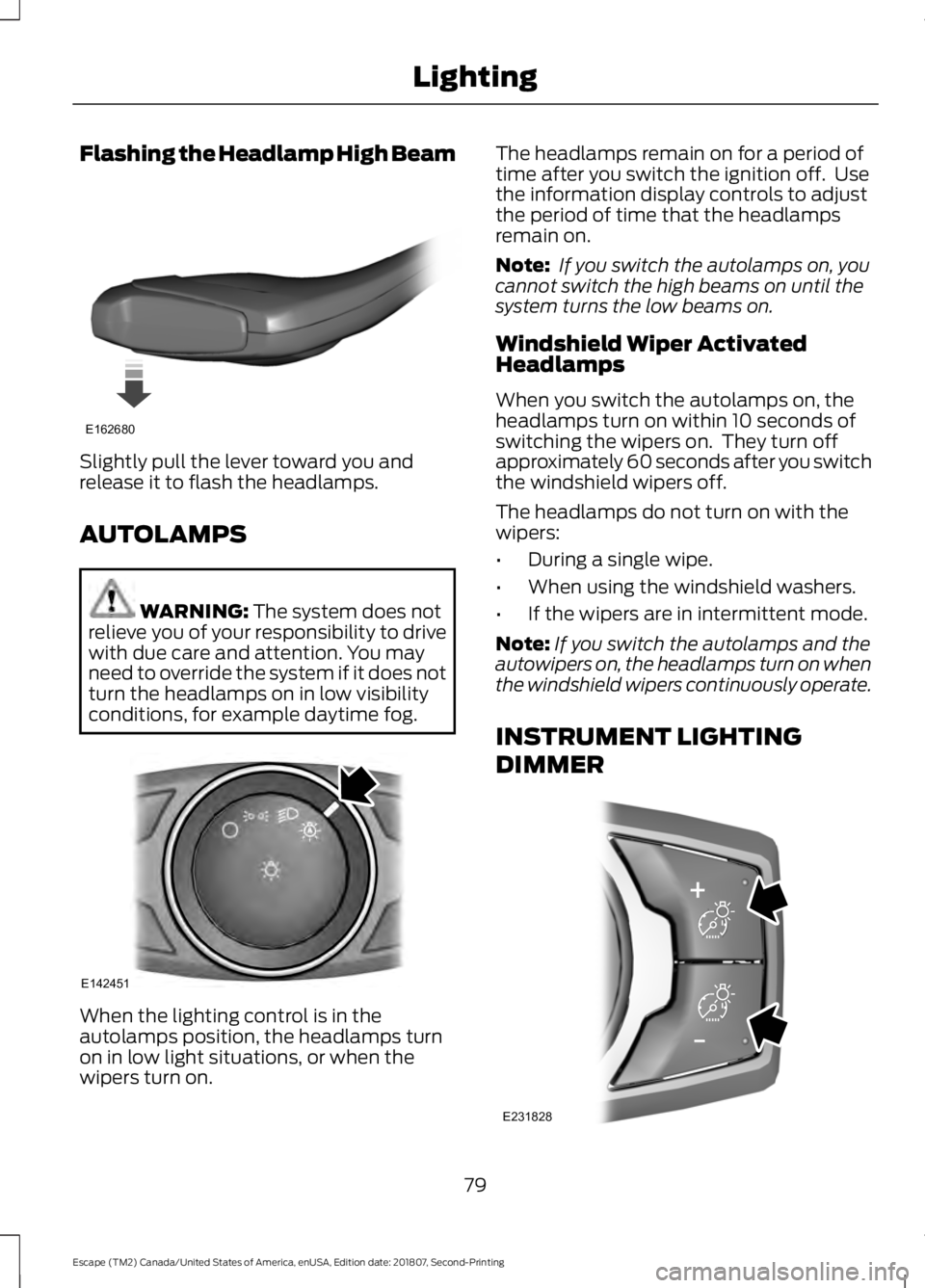
Flashing the Headlamp High Beam
Slightly pull the lever toward you and
release it to flash the headlamps.
AUTOLAMPS
WARNING: The system does not
relieve you of your responsibility to drive
with due care and attention. You may
need to override the system if it does not
turn the headlamps on in low visibility
conditions, for example daytime fog. When the lighting control is in the
autolamps position, the headlamps turn
on in low light situations, or when the
wipers turn on. The headlamps remain on for a period of
time after you switch the ignition off. Use
the information display controls to adjust
the period of time that the headlamps
remain on.
Note:
If you switch the autolamps on, you
cannot switch the high beams on until the
system turns the low beams on.
Windshield Wiper Activated
Headlamps
When you switch the autolamps on, the
headlamps turn on within 10 seconds of
switching the wipers on. They turn off
approximately 60 seconds after you switch
the windshield wipers off.
The headlamps do not turn on with the
wipers:
• During a single wipe.
• When using the windshield washers.
• If the wipers are in intermittent mode.
Note: If you switch the autolamps and the
autowipers on, the headlamps turn on when
the windshield wipers continuously operate.
INSTRUMENT LIGHTING
DIMMER 79
Escape (TM2) Canada/United States of America, enUSA, Edition date: 201807, Second-Printing LightingE162680 E142451 E231828
Page 84 of 509
Note:
The system may not operate properly
in cold or inclement conditions. You can
switch on the high beams by overriding the
system.
Note: If the system detects a blockage, for
example bird droppings, bug splatter, snow
or ice, the system goes into low beam mode
until you clear the blockage. A message may
appear in the information display if the
camera is blocked.
Note: Using much larger tires or equipping
vehicle accessories such as snowplows can
modify your vehicle's ride height and
degrade automatic high beam control
performance.
A camera sensor, centrally mounted
behind the windshield of your vehicle,
continuously monitors conditions to turn
the high beams on and off.
Once the system is active, the high beams
turn on if:
• The ambient light level is low enough.
• There is no traffic in front of your
vehicle.
• The vehicle speed is greater than
approximately 32 mph (51 km/h).
The system turns the high beams off if:
• The ambient light level is high enough
that high beams are not required.
• The system detects an approaching
vehicle's headlamps or tail lamps.
• The vehicle speed falls below
approximately
27 mph (44 km/h).
• The system detects severe rain, snow
or fog.
• The camera is blocked.
Switching the System On and Off
Switch the system on using the information
display. See Information Displays (page
95
). Switch the lighting control to the
autolamps position. See
Autolamps
(page 79).
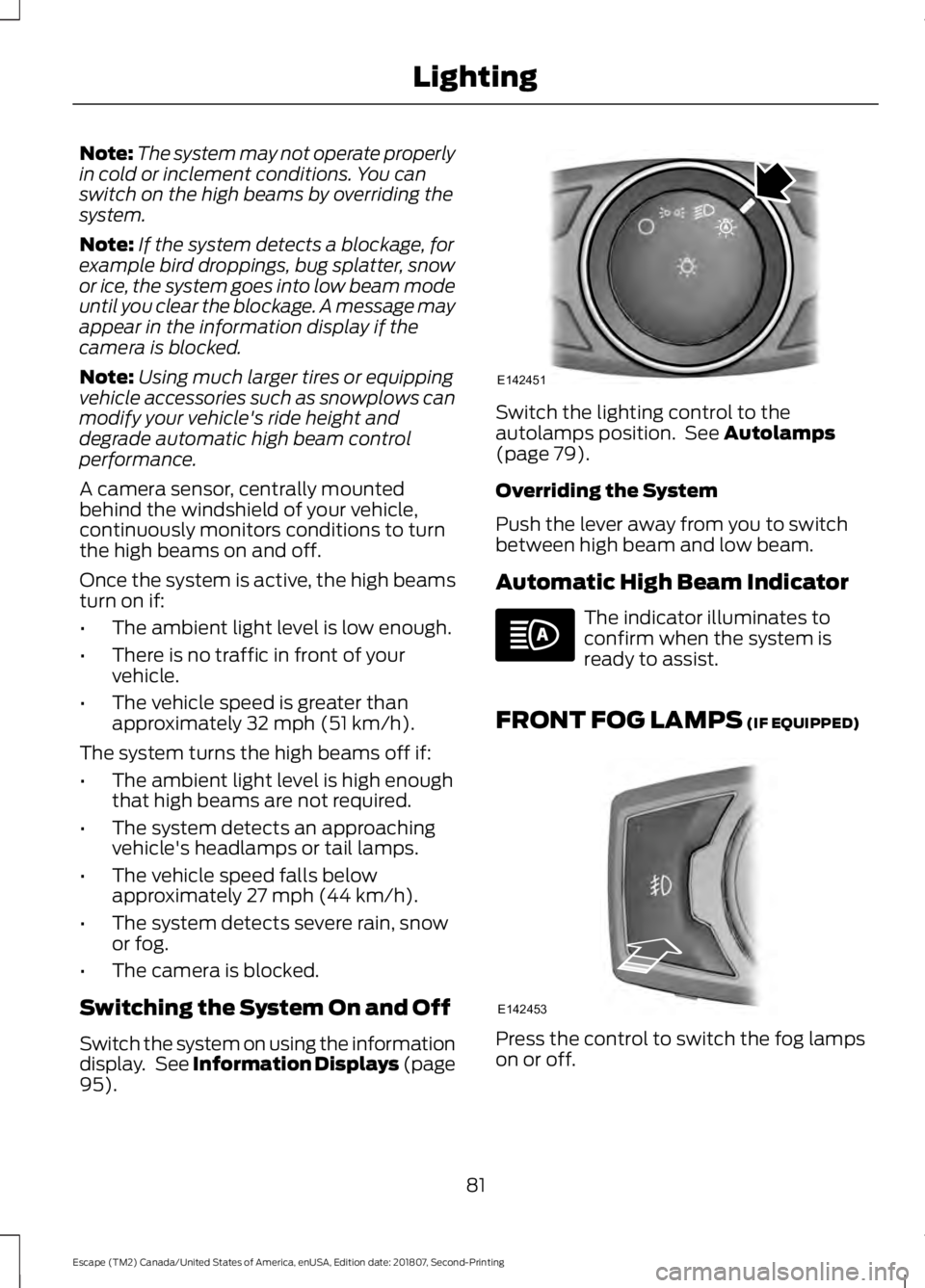
Overriding the System
Push the lever away from you to switch
between high beam and low beam.
Automatic High Beam Indicator The indicator illuminates to
confirm when the system is
ready to assist.
FRONT FOG LAMPS
(IF EQUIPPED) Press the control to switch the fog lamps
on or off.
81
Escape (TM2) Canada/United States of America, enUSA, Edition date: 201807, Second-Printing LightingE142451 E142453
Page 396 of 509
SiriusXM® Satellite Radio (If
Activated)
Note:
This feature may not be available in
all markets and requires an active
subscription. SiriusXM satellite radio is a
subscription-based satellite radio service
that broadcasts a variety of music, sports,
news, weather, traffic and entertainment
programming. Your factory-installed
SiriusXM satellite radio system includes
hardware and a limited subscription term
that begins on the date of sale or lease of
your vehicle. See an authorized dealer for
availability.
For more information on extended
subscription terms (a service fee is
required), the online media player and a
list of SiriusXM satellite radio channels,
and other features, please visit
www.siriusxm.com in the United States,
www.siriusxm.ca in Canada, or call
SiriusXM at 1-888-539-7474.
Note:
SiriusXM reserves the unrestricted
right to change, rearrange, add or delete
programming. This includes canceling,
moving or adding particular channels, and
its prices, at any time, with or without notice
to you. Ford Motor Company shall not be
responsible for any such programming
changes.
Note: This receiver includes the eCos
real-time operating system. eCos is
published under the eCos License.
The following buttons are available for SiriusXM: Action and description
Menu item
Touch this button to see a list of available stations.
Browse
A pop-up appears, allowing you to type in the call numbers of
a station.
Direct Tune
Once you enter the stations call numbers, you can select:The system tunes to the station you select.
Enter
You exit the pop-up and the current station
continues to play.
Cancel
You can press the backspace button to delete the previous
number.
393
Escape (TM2) Canada/United States of America, enUSA, Edition date: 201807, Second-Printing SYNC™ 3 (If Equipped)E234451
Page 454 of 509
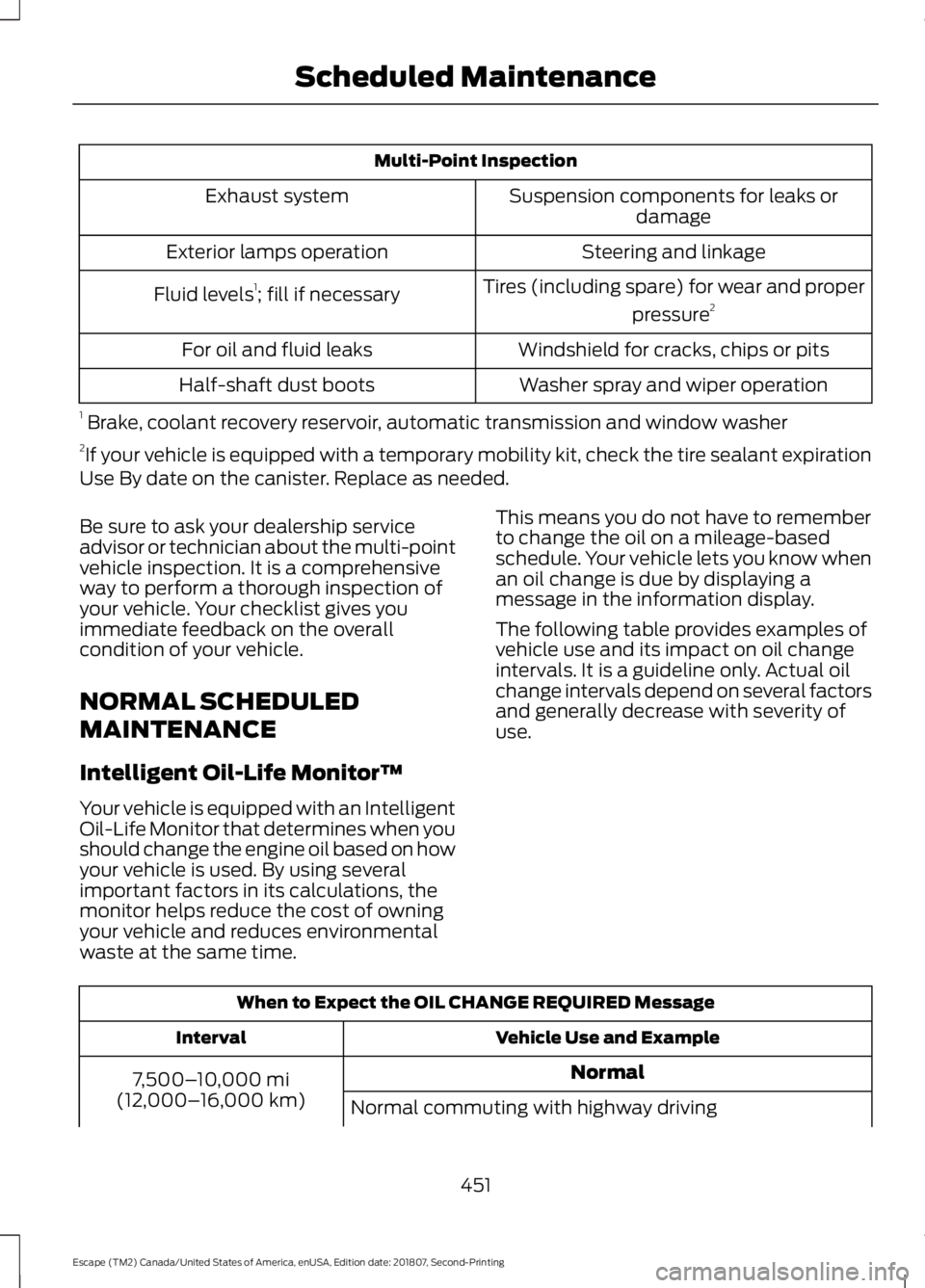
Multi-Point Inspection
Suspension components for leaks ordamage
Exhaust system
Steering and linkage
Exterior lamps operation
Tires (including spare) for wear and properpressure2
Fluid levels 1
; fill if necessary
Windshield for cracks, chips or pits
For oil and fluid leaks
Washer spray and wiper operation
Half-shaft dust boots
1 Brake, coolant recovery reservoir, automatic transmission and window washer
2 If your vehicle is equipped with a temporary mobility kit, check the tire sealant expiration
Use By date on the canister. Replace as needed.
Be sure to ask your dealership service
advisor or technician about the multi-point
vehicle inspection. It is a comprehensive
way to perform a thorough inspection of
your vehicle. Your checklist gives you
immediate feedback on the overall
condition of your vehicle.
NORMAL SCHEDULED
MAINTENANCE
Intelligent Oil-Life Monitor™
Your vehicle is equipped with an Intelligent
Oil-Life Monitor that determines when you
should change the engine oil based on how
your vehicle is used. By using several
important factors in its calculations, the
monitor helps reduce the cost of owning
your vehicle and reduces environmental
waste at the same time. This means you do not have to remember
to change the oil on a mileage-based
schedule. Your vehicle lets you know when
an oil change is due by displaying a
message in the information display.
The following table provides examples of
vehicle use and its impact on oil change
intervals. It is a guideline only. Actual oil
change intervals depend on several factors
and generally decrease with severity of
use.
When to Expect the OIL CHANGE REQUIRED Message
Vehicle Use and Example
Interval
Normal
7,500– 10,000 mi
(12,000– 16,000 km)
Normal commuting with highway driving
451
Escape (TM2) Canada/United States of America, enUSA, Edition date: 201807, Second-Printing Scheduled Maintenance
Page 505 of 509
Motorcraft Parts - 1.5L
EcoBoost™.................................................303
Motorcraft Parts - 2.0L EcoBoost™................................................304
Motorcraft Parts - 2.5L..............................305
MyKey – Troubleshooting...........................58
MyKey ™.............................................................55
Principle of Operation........................................ 55
N
Navigation.....................................................406 cityseeker............................................................... 413
Destination Mode............................................. 408
Map Mode............................................................ 406
Navigation Map Updates................................. 414
Navigation Menu.................................................. 411
SiriusXM Traffic and Travel Link.................... 414
SYNC AppLink..................................................... 413
Waypoints.............................................................. 412
Normal Scheduled Maintenance...........451 Intelligent Oil-Life Monitor™......................... 451
Normal Maintenance Intervals..................... 452
O
Oil Change Indicator Reset......................250
Oil Check See: Engine Oil Check...................................... 249
Opening and Closing the Hood..............244 Closing the Hood............................................... 245
Opening the Hood............................................. 244
Ordering Additional Owner's Literature.......................................................231
Obtaining a French Owner ’s Manual...........231
Overhead Console........................................133
P
Parking Aids....................................................170 Principle of Operation....................................... 170
Passive Anti-Theft System.........................70 SecuriLock®........................................................... 70
PATS See: Passive Anti-Theft System..................... 70
Perchlorate........................................................13 Personal Safety System
™.........................40
How Does the Personal Safety System
Work?.................................................................. 40
Phone...............................................................401 During a Phone Call......................................... 404
Making Calls........................................................ 403
Pairing Your Cell Phone for the First Time................................................................... 401
Phone Menu........................................................ 402
Receiving Calls................................................... 404
Smartphone Connectivity............................. 405
Text Messaging.................................................. 405
Post-Crash Alert System..........................224
Power Door Locks See: Locking and Unlocking............................ 60
Power Liftgate.................................................67 Hands-Free Feature............................................ 69
Obstacle Detection............................................. 69
Opening and Closing the Liftgate.................. 67
Setting the Liftgate Open Height.................. 68
Stopping the Liftgate Movement.................. 68
Switching the Power Liftgate On or Off........................................................................\
. 69
Power Seats
.....................................................121
Adjusting the Lumbar Support...................... 122
Adjusting the Seat Backrest........................... 122
Adjusting the Seat Cushion............................. 122
Adjusting the Seat Height................................ 122
Moving the Seat Backward and Forward.............................................................. 122
Power Steering Fluid Check.....................256
Power Windows.............................................85 Accessory Delay................................................... 86
Bounce-Back......................................................... 85
One-Touch Close................................................. 85
One-Touch Open................................................. 85
Rear Window Lock............................................... 85
Protecting the Environment........................17
Puncture See: Changing a Road Wheel....................... 295
R
Rear Parking Aid
............................................170
Obstacle Distance Indicator............................ 171
Rear Seat Armrest........................................133
Rear Seats
.......................................................124
Folding the Seatback........................................ 124
502
Escape (TM2) Canada/United States of America, enUSA, Edition date: 201807, Second-Printing Index