door lock FORD ESCAPE 2020 User Guide
[x] Cancel search | Manufacturer: FORD, Model Year: 2020, Model line: ESCAPE, Model: FORD ESCAPE 2020Pages: 553, PDF Size: 7.73 MB
Page 72 of 553
The illuminated entry system turns off the
lights if:
•
The ignition is on.
• You press the remote control lock
button.
• After 25 seconds of illumination.
The lights will not turn off if:
• You turn them on with the lamp
control.
• Any door is open.
Illuminated Exit
The interior lamps and some exterior
lamps illuminate when all doors are closed
and you switch the ignition off.
The lamps turn off if all the doors remain
closed and:
• 25 seconds have elapsed.
• You lock your vehicle from the outside.
Illuminated Exit
The interior lamps and some exterior
lamps illuminate when all doors are closed
and you switch the ignition off.
The lamps turn off if all the doors remain
closed and:
• 25 seconds have elapsed.
• You lock your vehicle from the outside.
Battery Saver
If you leave the courtesy lamps, interior
lamps or headlamps on, the battery saver
shuts them off 10 minutes after you switch
the ignition off.
Accessory Mode Battery Saver for
Intelligent Access Keys (If Equipped)
If you leave the ignition on after leaving
your vehicle, it turns off 30 minutes after
you close all of the doors. KEYLESS ENTRY (IF EQUIPPED)
SECURICODE™ KEYLESS ENTRY
KEYPAD
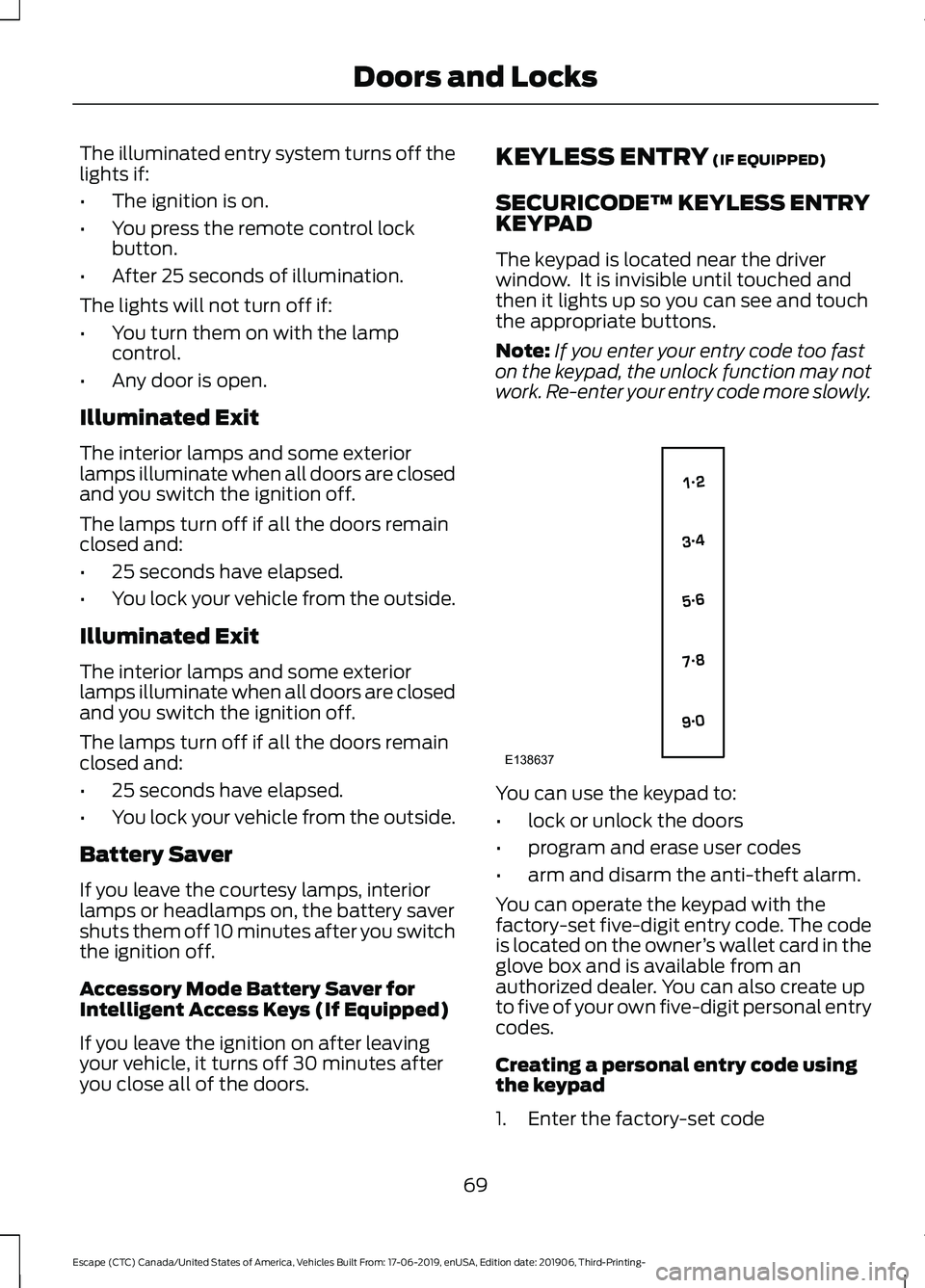
The keypad is located near the driver
window. It is invisible until touched and
then it lights up so you can see and touch
the appropriate buttons.
Note: If you enter your entry code too fast
on the keypad, the unlock function may not
work. Re-enter your entry code more slowly. You can use the keypad to:
•
lock or unlock the doors
• program and erase user codes
• arm and disarm the anti-theft alarm.
You can operate the keypad with the
factory-set five-digit entry code. The code
is located on the owner ’s wallet card in the
glove box and is available from an
authorized dealer. You can also create up
to five of your own five-digit personal entry
codes.
Creating a personal entry code using
the keypad
1. Enter the factory-set code
69
Escape (CTC) Canada/United States of America, Vehicles Built From: 17-06-2019, enUSA, Edition date: 201906, Third-Printing- Doors and LocksE138637
Page 73 of 553
2. Press 1·2 on the keypad within five
seconds.
3. Enter your personal five-digit code. You must enter each number within
five seconds of each other.
4. Press
1·2 on the keypad to save
personal code 1.
The doors will lock then unlock to confirm
that programming was successful.
To program additional personal entry
codes, repeat Steps 1-3, then for Step 4:
• press
3·4 to save personal code 2
• press
5·6 to save personal code 3
• press
7·8 to save personal code 4
• press
9·0 to save personal code 5.
Tips:
• Do not set a code that uses five of the
same number.
• Do not use five numbers in sequential
order.
• The factory-set code will work even if
you have set your own personal code.
Erasing a personal entry code using the
Keypad
1. Enter the factory-set five-digit code.
2. Press and release
1·2 on the keypad
within five seconds.
3. Press and hold
1·2 for two seconds.
This must be done within five seconds
of completing Step 2.
All personal codes will erase and only the
factory-set five-digit code will work.
Creating a personal entry code using
the touchscreen
You can create or erase your own personal
entry code through your touchscreen
settings. See
Settings (page 468). Anti-Scan Feature
The keypad will go into an anti-scan mode
if you enter the wrong code seven times
(35 consecutive button presses). This
mode disables the keypad for one minute
and the keypad lamp will flash.
The anti-scan feature will turn off after:
•
one minute of keypad inactivity
• pressing the unlock button on the
remote control
• switching the ignition on
• unlocking the vehicle using intelligent
access.
Unlocking and Locking the Doors
To Unlock the Driver Door
Enter the factory-set five-digit code or your
personal code. You must press each
number within five seconds of each other.
The interior lamps will illuminate.
Note: All doors will unlock if the two-stage
unlocking feature is disabled. See
Locking
and Unlocking (page 66).
To Unlock All Doors
Enter the factory-set code or your personal
code, then press
3·4 control within five
seconds.
To Lock All Doors
Press and hold
7·8 and 9·0 at the same
time with the driver door closed. You do
not need to enter the keypad code first.
70
Escape (CTC) Canada/United States of America, Vehicles Built From: 17-06-2019, enUSA, Edition date: 201906, Third-Printing- Doors and Locks
Page 76 of 553
Opening from the Instrument Panel
With the transmission in park
(P), press the button on the
instrument panel.
Opening with the Remote Control Press the button twice within
three seconds.
Opening with the Outside Control
Button
1. Unlock the liftgate with the remote control or power door unlock control.
If a passive key is within 3 ft (1 m) of
the liftgate, the liftgate unlocks when
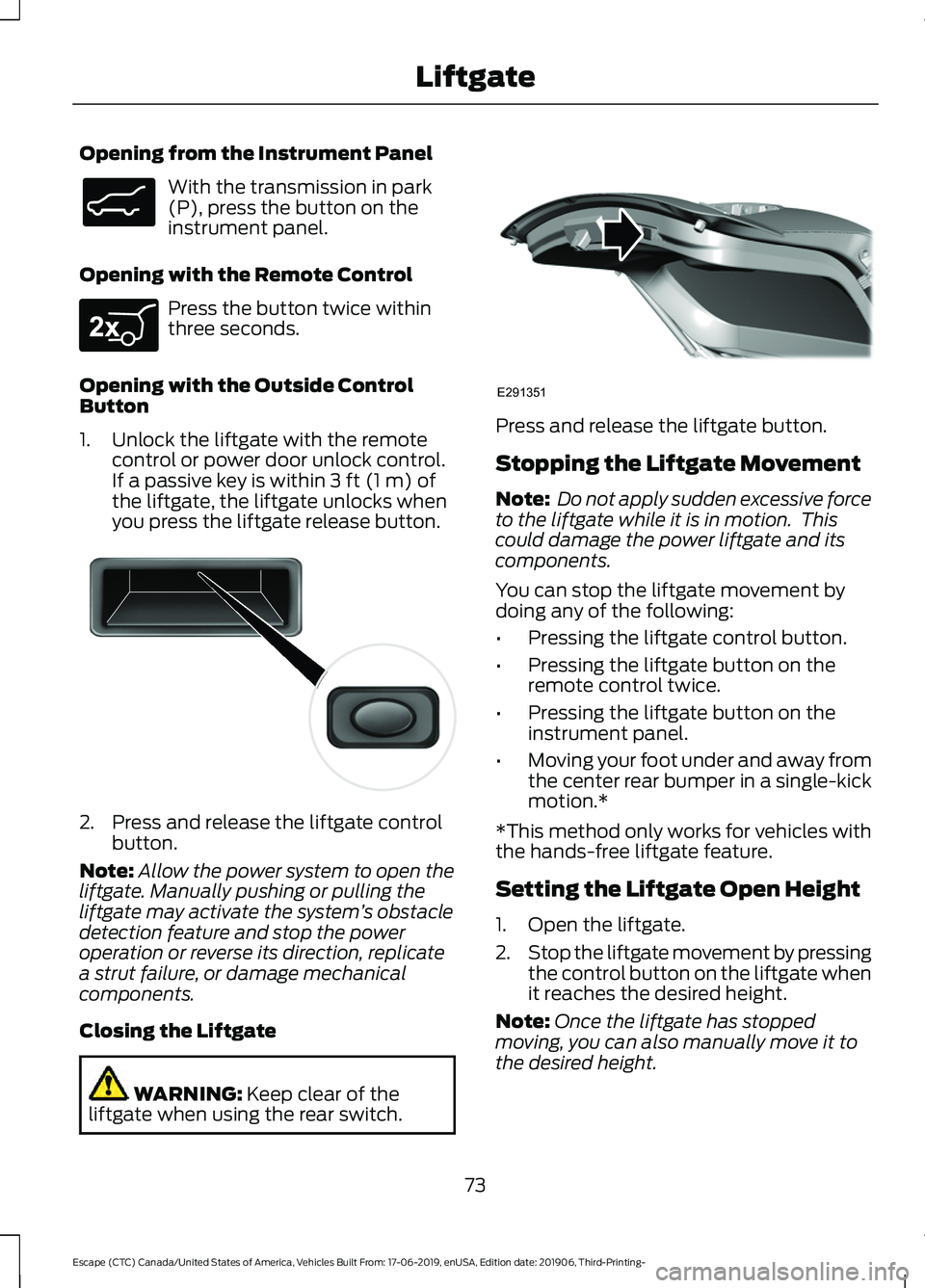
you press the liftgate release button. 2. Press and release the liftgate control
button.
Note: Allow the power system to open the
liftgate. Manually pushing or pulling the
liftgate may activate the system ’s obstacle
detection feature and stop the power
operation or reverse its direction, replicate
a strut failure, or damage mechanical
components.
Closing the Liftgate WARNING:
Keep clear of the
liftgate when using the rear switch. Press and release the liftgate button.
Stopping the Liftgate Movement
Note:
Do not apply sudden excessive force
to the liftgate while it is in motion. This
could damage the power liftgate and its
components.
You can stop the liftgate movement by
doing any of the following:
• Pressing the liftgate control button.
• Pressing the liftgate button on the
remote control twice.
• Pressing the liftgate button on the
instrument panel.
• Moving your foot under and away from
the center rear bumper in a single-kick
motion.*
*This method only works for vehicles with
the hands-free liftgate feature.
Setting the Liftgate Open Height
1. Open the liftgate.
2. Stop the liftgate movement by pressing
the control button on the liftgate when
it reaches the desired height.
Note: Once the liftgate has stopped
moving, you can also manually move it to
the desired height.
73
Escape (CTC) Canada/United States of America, Vehicles Built From: 17-06-2019, enUSA, Edition date: 201906, Third-Printing- LiftgateE138633 E267940 E138632 E291351
Page 79 of 553
PASSIVE ANTI-THEFT
SYSTEM
Note:
The system is not compatible with
non-Ford aftermarket remote start systems.
Use of these systems could result in engine
starting problems and a loss of security
protection.
Note: Metallic objects, electronic devices
or a second coded key on the same key
chain could result in vehicle starting
problems, especially if they are too close to
the key when starting your vehicle. Prevent
these objects from touching the coded key
when starting your vehicle. If a problem
occurs, switch the ignition off, move all
objects on the key chain away from the
coded key and restart your vehicle.
Note: Do not leave a duplicate coded key
in your vehicle. Always take your keys and
lock all doors when leaving your vehicle.
SecuriLock®
The system helps prevent the engine from
starting unless you use a coded key
programmed to your vehicle. Using the
wrong key may prevent your vehicle from
starting. A message may appear in the
information display.
If you are unable to start your vehicle with
a coded key, it is not operating correctly.
A message may appear in the information
display.
Automatic Arming
The system arms when you switch the
ignition off.
Automatic Disarming
The system disarms when you switch the
ignition on with a coded key.
Replacement Keys
Note: Your vehicle comes with two keys. The integrated keyhead transmitter
functions as a programmed ignition key
that operates all the locks and starts your
vehicle, as well as a remote control.
The intelligent access key functions as a
programmed key that operates the driver
door lock and turns on the intelligent
access with push button start system, as
well as a remote control.
If your coded keys are lost or stolen and
you do not have an extra coded key, you
need to erase the key codes from your
vehicle and program new coded keys.
Contact an authorized dealer.
Store an extra programmed key away from
your vehicle in a safe place. You can
purchase replacement keys or remote
controls from an authorized dealer.
Programming a Spare Integrated
Keyhead Transmitter
Note:
You can program a maximum of four
coded keys to your vehicle. All four can be
integrated keyhead transmitters.
You can program your own integrated
keyhead transmitter or standard
SecuriLock coded keys to your vehicle.
This procedure programs both the vehicle
immobilizer keycode and the remote
control to your vehicle.
Only use integrated keyhead transmitters
or standard SecuriLock keys.
You must have two previously
programmed coded keys and the new
unprogrammed key readily accessible.
If two previously programmed keys are not
available, contact an authorized dealer to
have the spare key programmed.
Read and understand the entire procedure
before you begin.
1. Insert the first previously programmed
coded key into the ignition.
76
Escape (CTC) Canada/United States of America, Vehicles Built From: 17-06-2019, enUSA, Edition date: 201906, Third-Printing- Security
Page 81 of 553
8. Wait five seconds and then press the
push button ignition switch again.
9. Remove the intelligent access key.
10. Within 10 seconds, center the unprogrammed intelligent access key
in the backup location.
11. Press the push button ignition switch.
Keep the ignition on for at least six
seconds.
12. Remove the newly programmed intelligent access key.
Programming is now complete. Check that
the remote control functions operate and
your vehicle starts with the new intelligent
access key.
If programming was unsuccessful, wait 10
seconds and repeat steps 1 through 12. If
programming remains unsuccessful,
contact an authorized dealer.
ANTI-THEFT ALARM (IF EQUIPPED)
The system will warn you of an
unauthorized entry to your vehicle. It will
be triggered if any door, the luggage
compartment or the hood is opened
without using the key, remote control or
keyless entry keypad.
The direction indicators will flash and the
horn will sound if unauthorized entry is
attempted while the alarm is armed.
Take all remote controls to an authorized
dealer if there is any potential alarm
problem with your vehicle.
Arming the Alarm
The alarm is ready to arm when there is
not a key in the ignition. Electronically lock
the vehicle to arm the alarm. The message indicator flashes
when theft protection is active. Disarming the Alarm
Disarm the alarm by any of the following
actions:
•
Unlock the doors or luggage
compartment with the remote control
or keyless entry keypad.
• Switch the ignition on or start the
vehicle.
• Use a key in the driver ’s door to unlock
the vehicle, then switch the ignition on
within 12 seconds.
Note: Pressing the panic button on the
remote control will stop the horn and signal
indicators, but will not disarm the system.
78
Escape (CTC) Canada/United States of America, Vehicles Built From: 17-06-2019, enUSA, Edition date: 201906, Third-Printing- Security
Page 92 of 553
Note:
The brightness of the daytime running
lamps may decrease when the front fog
lamps are switched on.
Front Fog Lamp Indicator It illuminates when you switch
the front fog lamps on.
DIRECTION INDICATORS
Switching the Direction Indicators
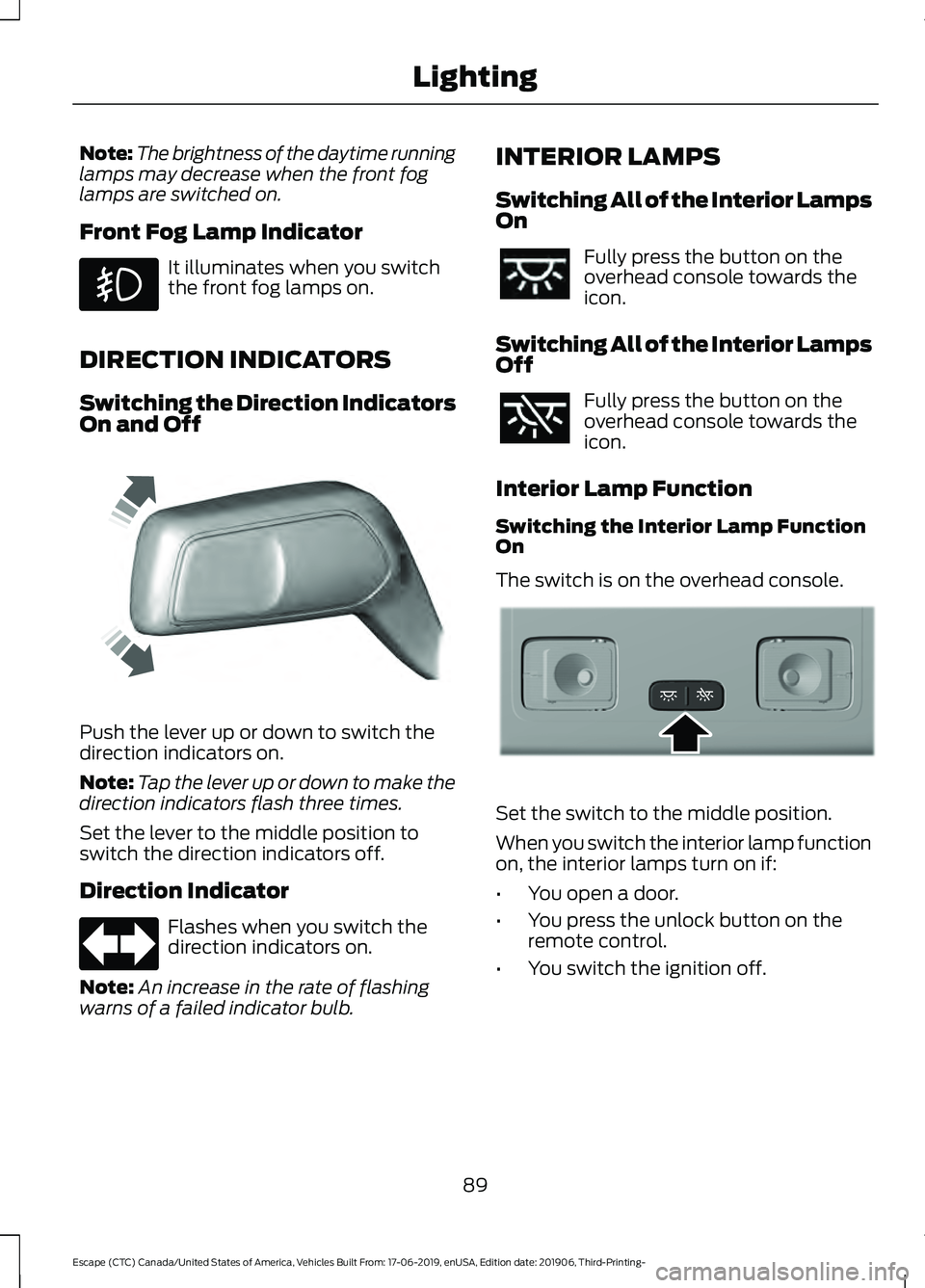
On and Off Push the lever up or down to switch the
direction indicators on.
Note:
Tap the lever up or down to make the
direction indicators flash three times.
Set the lever to the middle position to
switch the direction indicators off.
Direction Indicator Flashes when you switch the
direction indicators on.
Note: An increase in the rate of flashing
warns of a failed indicator bulb. INTERIOR LAMPS
Switching All of the Interior Lamps
On Fully press the button on the
overhead console towards the
icon.
Switching All of the Interior Lamps
Off Fully press the button on the
overhead console towards the
icon.
Interior Lamp Function
Switching the Interior Lamp Function
On
The switch is on the overhead console. Set the switch to the middle position.
When you switch the interior lamp function
on, the interior lamps turn on if:
•
You open a door.
• You press the unlock button on the
remote control.
• You switch the ignition off.
89
Escape (CTC) Canada/United States of America, Vehicles Built From: 17-06-2019, enUSA, Edition date: 201906, Third-Printing- Lighting E242676 E299443
Page 96 of 553
POWER WINDOWS
WARNING: Do not leave children
unattended in your vehicle and do not
let them play with the power windows.
Failure to follow this instruction could
result in personal injury. WARNING:
When closing the
power windows, verify they are free of
obstruction and make sure that children
and pets are not in the proximity of the
window openings. Press the control to open the
window. Lift the control to close
the window.
To reduce wind noise or pulsing noise when
just one window is open, slightly open the
opposite window.
One-Touch Down
(If Equipped)
Press the switch fully and release it. Press
again or lift it to stop the window.
One-Touch Up
(If Equipped)
Lift the switch fully and release it. Press or
lift it again to stop the window.
Resetting One-Touch Up
Start the engine.
1. Lift and hold the window switch until you fully close the door window.
Continue to hold the switch for a few
seconds after you close the window.
2. Release the window switch.
3. Press and hold the window switch until
you fully open the door window.
4. Release the window switch.
5. Lift and hold the window switch until you fully close the window. 6. Test for correct window operation by
carrying out the one-touch down and
one-touch up features.
Rear Window Lock Press the control to lock or
unlock the rear window controls.
It illuminates when you lock the
rear window controls.
Bounce-Back
(If Equipped)
The window stops and reverses if it detects
an obstruction.
Overriding the Bounce-Back Feature WARNING:
If you override
bounce-back, the window does not
reverse if it detects an obstacle. Take
care when closing the windows to avoid
personal injury or damage to your
vehicle.
Pull up the window switch and hold within
a few seconds of the window reaching the
bounce-back position. The window travels
up with no bounce-back protection. The
window stops if you release the switch
before the window fully closes.
Resetting Bounce-Back WARNING: Bounce-back is off until
you reset the memory. Take care when
closing the windows to avoid personal
injury or damage to your vehicle.
If you have disconnected the battery, you
must reset the bounce-back memory
separately for each window.
1. Lift and hold the switch until the window is fully closed.
2. Release the switch.
93
Escape (CTC) Canada/United States of America, Vehicles Built From: 17-06-2019, enUSA, Edition date: 201906, Third-Printing- Windows and Mirrors
Page 98 of 553
Auto-Folding Mirrors (If Equipped)
The exterior mirrors fold in toward the
glass after you place the transmission into
park (P), turn off the vehicle, open and
close the driver side door and lock the
vehicle. The exterior mirrors unfold and
return to their driving position after you
unlock the vehicle and open and close the
driver side door.
You can switch this feature on and off
through the information display. See
General Information
(page 110).
You can fold the mirrors on demand by
pressing the power-folding mirror control
on the door. The control lights and the
mirrors fold in toward the glass. Press the
control again to unfold the mirrors. The
control light turns off.
Note: If you use the power-folding control
to fold the mirrors on demand with the auto
fold feature on, you must use the control
again to unfold them.
Loose Mirror
If you manually fold your power-folding
mirrors, they may not work properly even
after you re-position them. You need to
reset them if:
• The mirrors vibrate when you drive.
• The mirrors feel loose.
• The mirrors do not stay in the folded or
unfolded position.
• One of the mirrors is not in its normal
driving position.
To reset the power-fold feature, use the
power-folding mirror control to fold and
unfold the mirrors. You may hear a loud
noise as you reset the power-folding
mirrors. This sound is normal. Repeat this
process as needed each time you manually
fold the mirrors. Heated Exterior Mirrors
(If Equipped)
See
Heated Exterior Mirrors (page 146).
Memory Mirrors
(If Equipped)
You can save and recall the mirror
positions through the memory function.
See
Memory Function (page 153).
Signal Indicator Mirrors
(If Equipped)
The outer portion of the appropriate mirror
housing blinks when you switch on the turn
signal.
Puddle Lamps
(If Equipped)
The lamps on the bottom part of the mirror
housing light when you use your
transmitter to unlock the doors or when
you open a door.
Blind Spot Monitor
(If Equipped)
See
Blind Spot Information System
(page 255).
INTERIOR MIRROR WARNING:
Do not adjust the
mirrors when your vehicle is moving. This
could result in the loss of control of your
vehicle, serious personal injury or death.
Note: Do not clean the mirror housing or
glass with harsh abrasives, fuel or other
petroleum-based cleaning products.
You can adjust the interior mirror to your
preference. Some mirrors also have a
second pivot point. This lets you move the
mirror head up or down and from side to
side.
95
Escape (CTC) Canada/United States of America, Vehicles Built From: 17-06-2019, enUSA, Edition date: 201906, Third-Printing- Windows and Mirrors
Page 126 of 553
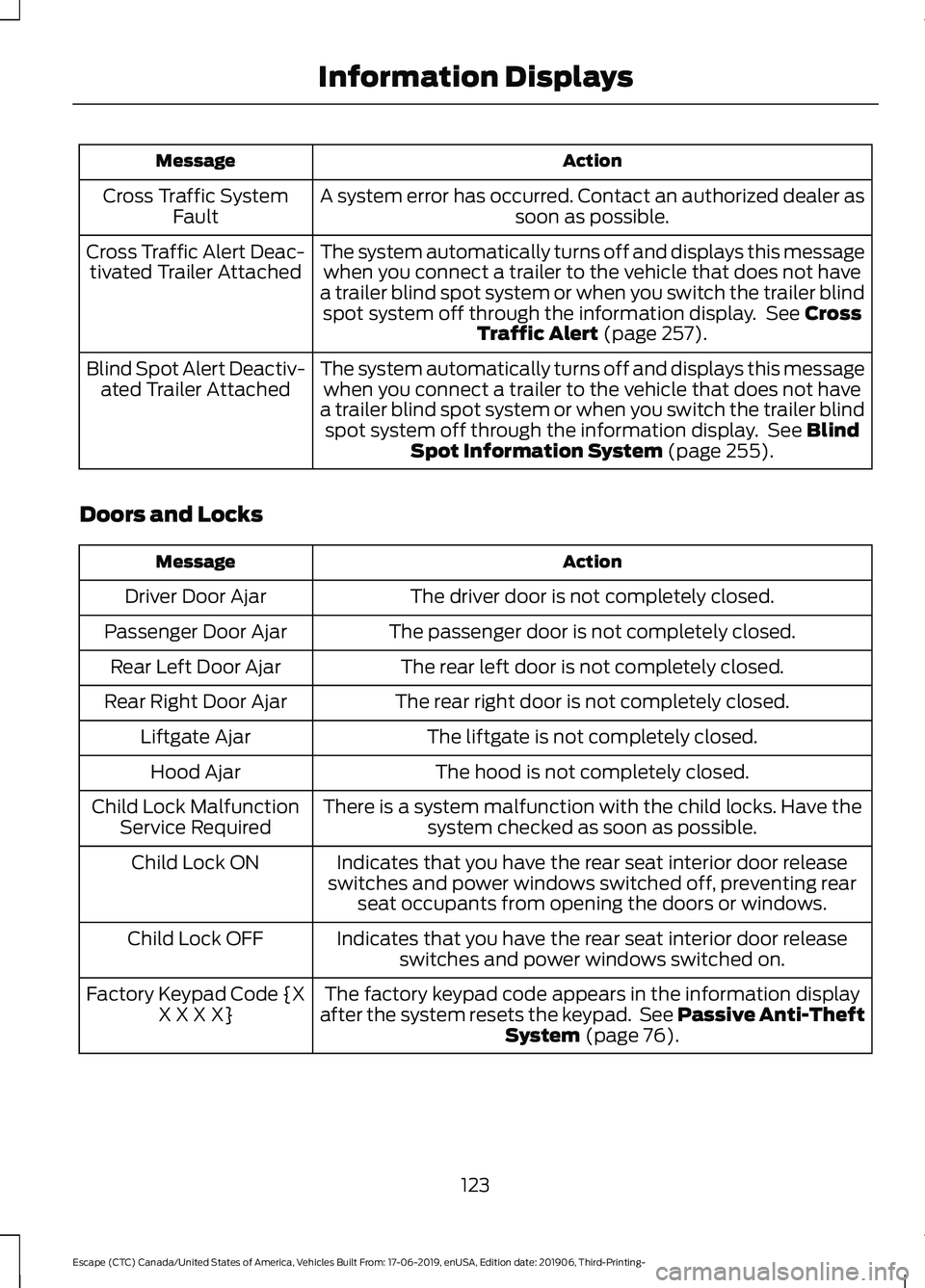
Action
Message
A system error has occurred. Contact an authorized dealer as soon as possible.
Cross Traffic System
Fault
The system automatically turns off and displays this messagewhen you connect a trailer to the vehicle that does not have
a trailer blind spot system or when you switch the trailer blind spot system off through the information display. See Cross
Traffic Alert (page 257).
Cross Traffic Alert Deac-
tivated Trailer Attached
The system automatically turns off and displays this messagewhen you connect a trailer to the vehicle that does not have
a trailer blind spot system or when you switch the trailer blind spot system off through the information display. See
Blind
Spot Information System (page 255).
Blind Spot Alert Deactiv-
ated Trailer Attached
Doors and Locks Action
Message
The driver door is not completely closed.
Driver Door Ajar
The passenger door is not completely closed.
Passenger Door Ajar
The rear left door is not completely closed.
Rear Left Door Ajar
The rear right door is not completely closed.
Rear Right Door Ajar
The liftgate is not completely closed.
Liftgate Ajar
The hood is not completely closed.
Hood Ajar
There is a system malfunction with the child locks. Have thesystem checked as soon as possible.
Child Lock Malfunction
Service Required
Indicates that you have the rear seat interior door release
switches and power windows switched off, preventing rear seat occupants from opening the doors or windows.
Child Lock ON
Indicates that you have the rear seat interior door releaseswitches and power windows switched on.
Child Lock OFF
The factory keypad code appears in the information display
after the system resets the keypad. See Passive Anti-Theft System
(page 76).
Factory Keypad Code {X
X X X X}
123
Escape (CTC) Canada/United States of America, Vehicles Built From: 17-06-2019, enUSA, Edition date: 201906, Third-Printing- Information Displays
Page 156 of 553
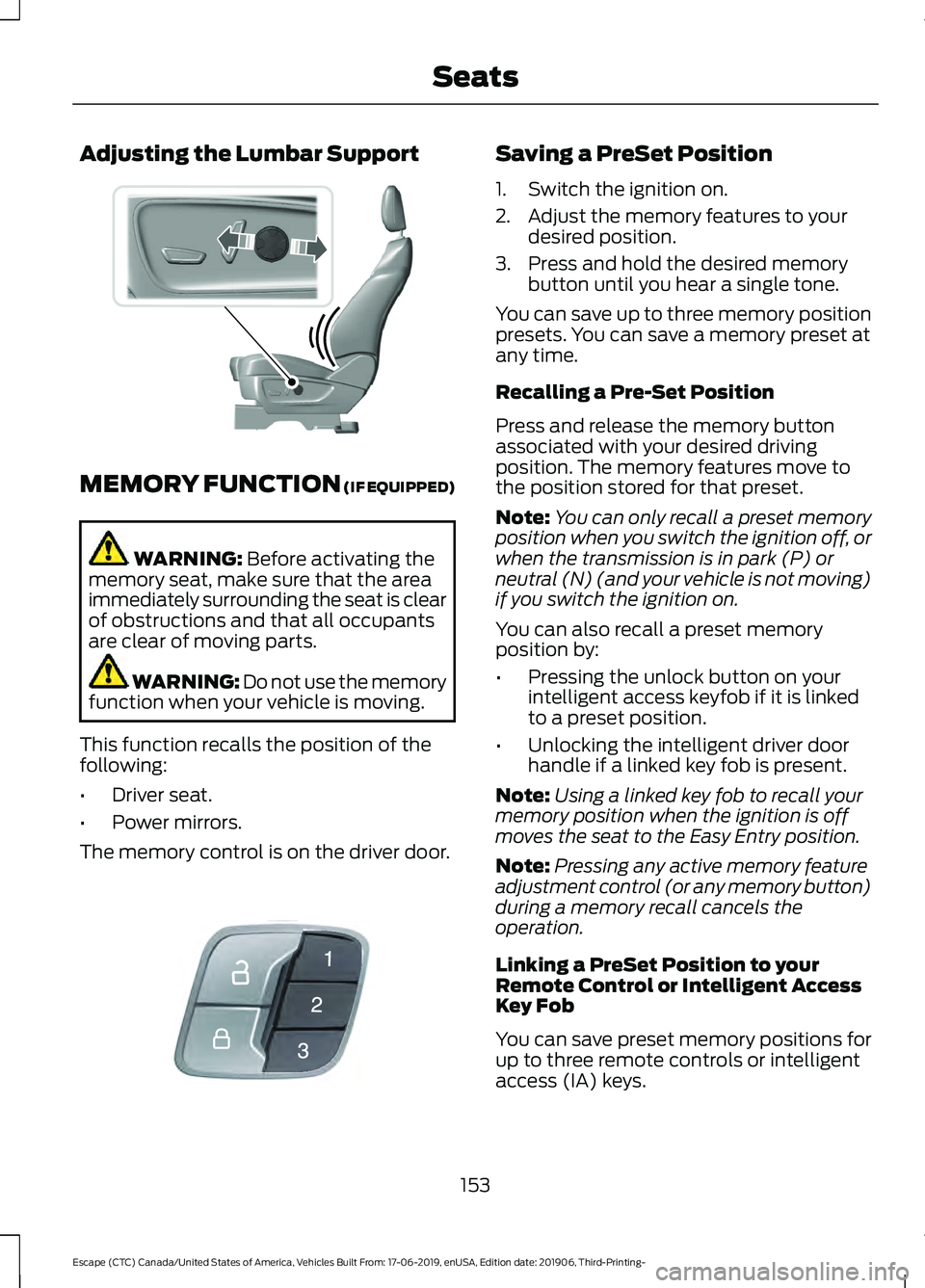
Adjusting the Lumbar Support
MEMORY FUNCTION (IF EQUIPPED)
WARNING:
Before activating the
memory seat, make sure that the area
immediately surrounding the seat is clear
of obstructions and that all occupants
are clear of moving parts. WARNING:
Do not use the memory
function when your vehicle is moving.
This function recalls the position of the
following:
• Driver seat.
• Power mirrors.
The memory control is on the driver door. Saving a PreSet Position
1. Switch the ignition on.
2. Adjust the memory features to your
desired position.
3. Press and hold the desired memory button until you hear a single tone.
You can save up to three memory position
presets. You can save a memory preset at
any time.
Recalling a Pre-Set Position
Press and release the memory button
associated with your desired driving
position. The memory features move to
the position stored for that preset.
Note: You can only recall a preset memory
position when you switch the ignition off, or
when the transmission is in park (P) or
neutral (N) (and your vehicle is not moving)
if you switch the ignition on.
You can also recall a preset memory
position by:
• Pressing the unlock button on your
intelligent access keyfob if it is linked
to a preset position.
• Unlocking the intelligent driver door
handle if a linked key fob is present.
Note: Using a linked key fob to recall your
memory position when the ignition is off
moves the seat to the Easy Entry position.
Note: Pressing any active memory feature
adjustment control (or any memory button)
during a memory recall cancels the
operation.
Linking a PreSet Position to your
Remote Control or Intelligent Access
Key Fob
You can save preset memory positions for
up to three remote controls or intelligent
access (IA) keys.
153
Escape (CTC) Canada/United States of America, Vehicles Built From: 17-06-2019, enUSA, Edition date: 201906, Third-Printing- SeatsE298774 E142554