power steering FORD ESCAPE 2020 Owner's Manual
[x] Cancel search | Manufacturer: FORD, Model Year: 2020, Model line: ESCAPE, Model: FORD ESCAPE 2020Pages: 553, PDF Size: 7.73 MB
Page 326 of 553
Dispose of used engine coolant in an
appropriate manner. Follow your
community's regulations and standards
for recycling and disposing of automotive
fluids.
Severe Climates
If you drive in extremely cold climates:
•
It may be necessary to increase the
coolant concentration above 50%.
• A coolant concentration of 60%
provides improved freeze point
protection. Coolant concentrations
above 60% decrease the overheat
protection characteristics of the
coolant and may cause engine
damage.
If you drive in extremely hot climates:
• You can decrease the coolant
concentration to 40%.
• Coolant concentrations below 40%
decrease the freeze and corrosion
protection characteristics of the
coolant and may cause engine
damage.
Vehicles driven year-round in non-extreme
climates should use prediluted coolant for
optimum cooling system and engine
protection.
Coolant Change
At specific mileage intervals, as listed in
the scheduled maintenance information,
the coolant should be changed. Add
prediluted coolant approved to the correct
specification. See Capacities and
Specifications (page 376).
Fail-Safe Cooling
Fail-safe cooling allows you to temporarily
drive your vehicle before any incremental
component damage occurs. The fail-safe
distance depends on ambient
temperature, vehicle load and terrain. How Fail-Safe Cooling Works If the engine begins to overheat,
the coolant temperature gauge
moves toward the red zone:
A warning lamp illuminates and
a message may appear in the
information display.
If the engine reaches a preset
over-temperature condition, the engine
automatically switches to alternating
cylinder operation. Each disabled cylinder
acts as an air pump and cools the engine.
When this occurs, your vehicle still
operates, however:
• Engine power is limited.
• The air conditioning system turns off.
Continued operation increases the engine
temperature, causing the engine to
completely shut down. Your steering and
braking effort increases in this situation.
When the engine temperature cools, you
can re-start the engine. Have your vehicle
checked as soon as possible to minimize
engine damage.
When Fail-Safe Mode Is Activated WARNING:
Fail-safe mode is for
use during emergencies only. Operate
your vehicle in fail-safe mode only as
long as necessary to bring your vehicle
to rest in a safe location and seek
immediate repairs. When in fail-safe
mode, your vehicle will have limited
power, will not be able to maintain
high-speed operation, and may
completely shut down without warning,
potentially losing engine power, power
steering assist, and power brake assist,
which may increase the possibility of a
crash resulting in serious injury.
323
Escape (CTC) Canada/United States of America, Vehicles Built From: 17-06-2019, enUSA, Edition date: 201906, Third-Printing- Maintenance
Page 329 of 553
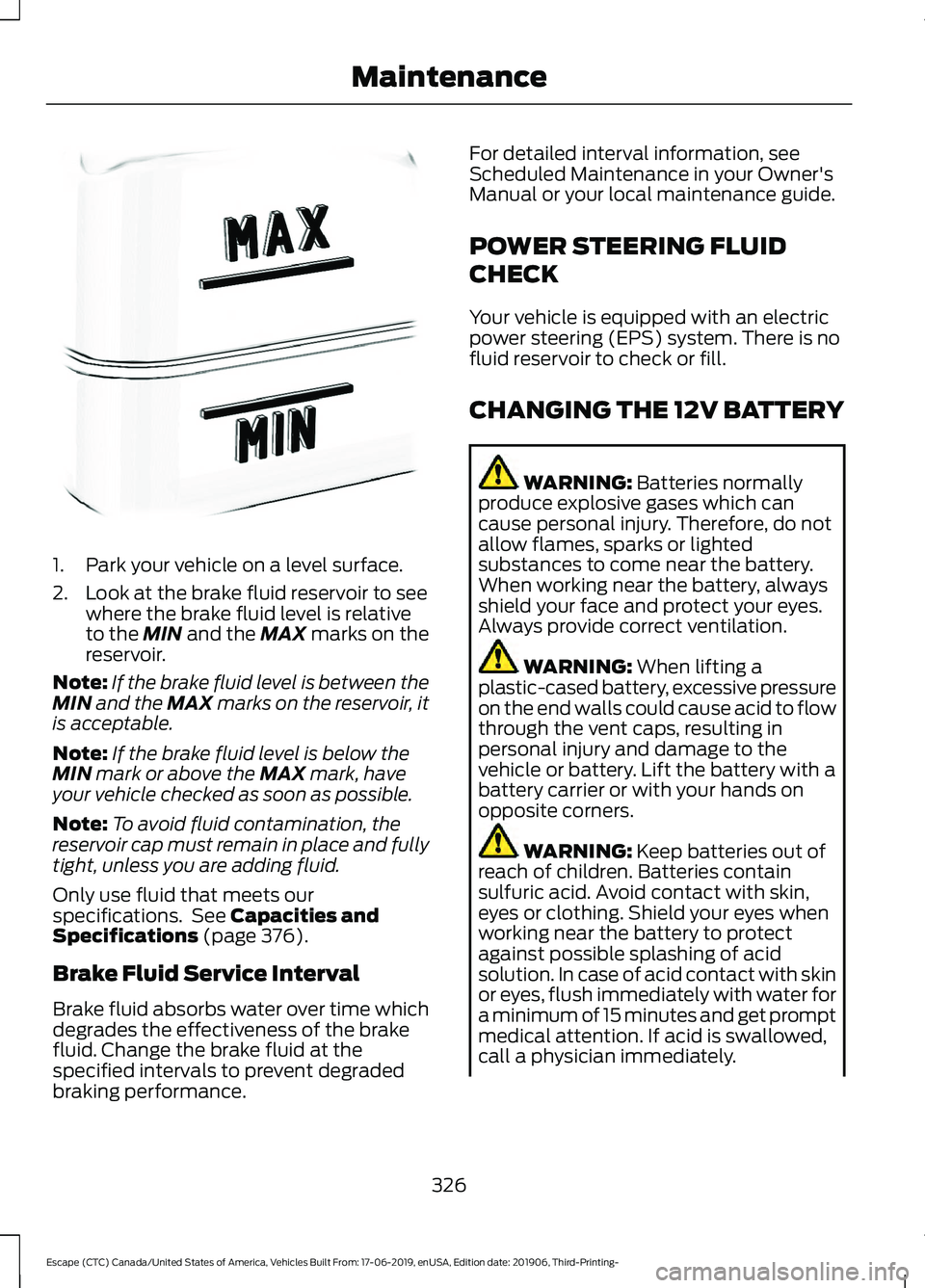
1. Park your vehicle on a level surface.
2. Look at the brake fluid reservoir to see
where the brake fluid level is relative
to the MIN and the MAX marks on the
reservoir.
Note: If the brake fluid level is between the
MIN
and the MAX marks on the reservoir, it
is acceptable.
Note: If the brake fluid level is below the
MIN
mark or above the MAX mark, have
your vehicle checked as soon as possible.
Note: To avoid fluid contamination, the
reservoir cap must remain in place and fully
tight, unless you are adding fluid.
Only use fluid that meets our
specifications. See
Capacities and
Specifications (page 376).
Brake Fluid Service Interval
Brake fluid absorbs water over time which
degrades the effectiveness of the brake
fluid. Change the brake fluid at the
specified intervals to prevent degraded
braking performance. For detailed interval information, see
Scheduled Maintenance in your Owner's
Manual or your local maintenance guide.
POWER STEERING FLUID
CHECK
Your vehicle is equipped with an electric
power steering (EPS) system. There is no
fluid reservoir to check or fill.
CHANGING THE 12V BATTERY
WARNING:
Batteries normally
produce explosive gases which can
cause personal injury. Therefore, do not
allow flames, sparks or lighted
substances to come near the battery.
When working near the battery, always
shield your face and protect your eyes.
Always provide correct ventilation. WARNING:
When lifting a
plastic-cased battery, excessive pressure
on the end walls could cause acid to flow
through the vent caps, resulting in
personal injury and damage to the
vehicle or battery. Lift the battery with a
battery carrier or with your hands on
opposite corners. WARNING:
Keep batteries out of
reach of children. Batteries contain
sulfuric acid. Avoid contact with skin,
eyes or clothing. Shield your eyes when
working near the battery to protect
against possible splashing of acid
solution. In case of acid contact with skin
or eyes, flush immediately with water for
a minimum of 15 minutes and get prompt
medical attention. If acid is swallowed,
call a physician immediately.
326
Escape (CTC) Canada/United States of America, Vehicles Built From: 17-06-2019, enUSA, Edition date: 201906, Third-Printing- MaintenanceE170684
Page 347 of 553
Study your owner's manual and any
supplements for specific information about
equipment features, instructions for safe
driving and additional precautions to
reduce the risk of an accident or serious
injury.
All-wheel drive system (If Equipped)
WARNING:
Do not become
overconfident in the ability of four-wheel
drive vehicles. Although a four-wheel
drive vehicle may accelerate better than
a two-wheel drive vehicle in low traction
situations, it won't stop any faster than
two-wheel drive vehicles. Always drive
at a safe speed.
A vehicle equipped with All-wheel drive,
when selected, has the ability to use all
four wheels to power itself. This increases
traction which may enable you to safely
drive over terrain and road conditions that
a conventional two-wheel drive vehicle
cannot.
Power is supplied to all four wheels
through a transfer case or power transfer
unit. All-wheel drive vehicles allow you to
select different modes as necessary. For
information on transfer case operation and
shifting procedures,
See All-Wheel Drive
(page 212). For information on transfer
case maintenance, See Maintenance
(page 312). You should become thoroughly
familiar with this information before you
operate your vehicle.
On some All-wheel drive vehicles, the initial
shift from two-wheel to All-wheel drive
when the vehicle is moving can cause a
momentary clunk and ratcheting sound.
These sounds are normal and are not
cause for concern. In All-wheel drive vehicles, the size of the
spare tire relative to the remaining tires can
have an effect on the All-Wheel drive
system. If there is a significant difference
between the size of a spare and the
remaining tires, All-wheel drive
functionality may be limited.
How your vehicle differs from
other vehicles
Sport utility vehicles and trucks can differ
from some other vehicles in a few
noticeable ways. Your vehicle may be:
•
Higher - to allow higher load carrying
capacity and to allow it to travel over
rough terrain without getting hung up
or damaging underbody components.
• Shorter - to give it the capability to
approach inclines and drive over the
crest of a hill without getting hung up
or damaging underbody components.
All other things held equal, a shorter
wheelbase may make your vehicle
quicker to respond to steering inputs
than a vehicle with a longer wheelbase.
• Narrower - to provide greater
maneuverability in tight spaces,
particularly in off-road use.
As a result of the above dimensional
differences, Sport utility vehicles and
trucks often have a higher center of gravity
and a greater difference in center of gravity
between the loaded and unloaded
condition. These differences that make
your vehicle so versatile also make it
handle differently than an ordinary
passenger car.
344
Escape (CTC) Canada/United States of America, Vehicles Built From: 17-06-2019, enUSA, Edition date: 201906, Third-Printing- Wheels and Tires
Page 426 of 553
![FORD ESCAPE 2020 Owners Manual If a crash deploys an airbag (excluding
knee airbags and rear inflatable safety
belts [if equipped]) or activates the fuel
pump shut-off, your SYNC-equipped
vehicle may be able to contact emergency
se](/img/11/40786/w960_40786-425.png "FORD ESCAPE 2020 Owners Manual If a crash deploys an airbag (excluding
knee airbags and rear inflatable safety
belts [if equipped]) or activates the fuel
pump shut-off, your SYNC-equipped
vehicle may be able to contact emergency
se")
If a crash deploys an airbag (excluding
knee airbags and rear inflatable safety
belts [if equipped]) or activates the fuel
pump shut-off, your SYNC-equipped
vehicle may be able to contact emergency
services by dialing 911 through a paired and
connected Bluetooth-enabled phone.
See Supplementary Restraints System
(page 44). Important information about
airbag deployment is in this chapter.
See
Roadside Emergencies (page 287).
Important information about the fuel pump
shut-off is in this chapter.
Setting 911 Assist On or Off
Press the Settings button then select: Action and Description
Menu
Item
Select the desired option, on
or off.
911 Assist
To make sure that 911 Assist works
properly:
• SYNC must be powered and working
properly at the time of the incident and
throughout feature activation and use.
• The 911 Assist feature must be set on
before the incident.
• You must pair and connect a Bluetooth
enabled and compatible cell phone to
SYNC.
• A connected Bluetooth enabled phone
must have the ability to make and
maintain an outgoing call at the time
of the incident.
• A connected Bluetooth enabled phone
must have adequate network coverage,
battery power and signal strength.
• The vehicle must have battery power
and be located in the U.S., Canada or
in a territory in which 911 is the
emergency number. In the Event of a Crash
Not all crashes deploy an airbag or activate
the fuel pump shut-off (the triggers for 911
Assist). If a connected cell phone sustains
damage or loses its connection to SYNC
during a crash, SYNC searches for and tries
to connect to a previously paired cell
phone; SYNC then attempts to call the
emergency services.
Before making the call:
•
SYNC provides a short window of time
(about 10 seconds) to cancel the call.
If you fail to cancel the call, SYNC
attempts to dial 911.
• SYNC says the following, or a similar
message: "SYNC will attempt to call
911, to cancel the call, press Cancel on
your screen or press and hold the
phone button on your steering wheel".
If you do not cancel the call, and SYNC
makes a successful call, a pre-recorded
message plays for the 911 operator, and
then the occupant(s) in your vehicle are
able to talk with the operator. Be prepared
to provide your name, phone number and
location immediately, because not all 911
systems are capable of receiving this
information electronically.
911 Assist May Not Work If
• Your cellular phone or 911 Assist
hardware sustains damage in a crash.
• The vehicle's battery or the SYNC
system has no power.
• The phone(s) thrown from your vehicle
are the ones paired and connected to
the system.
423
Escape (CTC) Canada/United States of America, Vehicles Built From: 17-06-2019, enUSA, Edition date: 201906, Third-Printing- SYNC™
(If Equipped)
Page 469 of 553
Note:
Cabin conditioning can perform
differently depending on if you plug in with
the included convenience cord or a higher
power charging station. The power available
for conditioning is limited to the charging
station power available.
Note: Your vehicle may not always reach
the set cabin temperature due to charging
and ambient temperature conditions. This
is normal operation.
APPS
The system allows you interact with select
mobile apps while keeping your eyes on
the road. Voice commands, your steering
wheel buttons, or a quick tap on your
touchscreen give you advanced control of
compatible mobile apps. You can also
stream your favorite music or podcasts,
share your time of arrival with friends, and
keep connected safely.
When you start an app through the system
for the first time, you could be asked to
grant certain permissions. You can review
and change the permissions that you have
granted at any time when your vehicle is
not moving. We recommend that you
check your data plan before using your
apps through the system. Using them
could result in additional charges. We also
recommend that you check the app
provider's terms and conditions and
privacy policy before using their app. Make
sure that you have an active account for
apps that you want to use through the
system. Some apps will work with no
setup. Others require you to configure
some personal settings before you can use
them.
Note: For more information about available
apps, visit catalog.ford.com. Using Apps on an iOS Device Select the apps option on the
feature bar.
1. If your device is connected via USB, switch Apple CarPlay off. See Phone
(page 454).
2. Connect your device to a USB port or pair and connect using Bluetooth.
3. If prompted to enable CarPlay, select Disable
.
4. Start the apps on your device that you want to use through SYNC.
Note: If you close the apps on your device,
you will not be able to use them through the
system.
5. Select the app that you want to use on
the touchscreen.
Note: Connect your device to a USB port if
you want to use a navigation app. When
using a navigation app, keep your device
unlocked and the app open.
Using Apps on an Android Device Select the apps option on the
feature bar.
1. If your device is connected via USB, switch Android Auto off. See
Phone
(page 454).
2. Pair your device. See Phone
(page 454).
3. Start the apps on your device that you want to use through SYNC.
Note: If you close the apps on your device,
you will not be able to use them through the
system.
4. Select
Find Mobile Apps.
Note: The system searches and connects
to compatible apps that are running on your
device.
5. Select the app that you want to use on
the touchscreen.
466
Escape (CTC) Canada/United States of America, Vehicles Built From: 17-06-2019, enUSA, Edition date: 201906, Third-Printing- SYNC™ 3
(If Equipped)
Page 546 of 553

Fuel........................................................................\
...
124
Hill Start Assist.................................................... 124
Keys and Intelligent Access............................ 124
Lane Keeping System........................................ 125
Maintenance......................................................... 126
MyKey...................................................................... 127
Park Aid................................................................... 127
Park Brake............................................................. 128
Power Steering.................................................... 129
Pre-Collision Assist............................................ 129
Remote Start....................................................... 130
Seats....................................................................... 130
Starting System ................................................. 130
Tire Pressure Monitoring System................... 131
Trailer........................................................................\
131
Transmission.........................................................132
Installing Child Restraints...........................24
Child Restraints..................................................... 24
Using Lap and Shoulder Belts......................... 24
Using Lower Anchors and Tethers for CHildren (LATCH)........................................... 26
Using Tether Straps............................................. 28
Instrument Cluster
........................................98
Instrument Lighting Dimmer......................87
Instrument Panel
...........................................20
Interior Lamps.................................................89
Interior Lamp Function...................................... 89
Switching All of the Interior Lamps Off........................................................................\
. 89
Switching All of the Interior Lamps On........................................................................\
. 89
Switching the Front Interior Lamps On and Off........................................................................\
. 90
Switching the Rear Interior Lamps On and Off........................................................................\
. 90
Interior Mirror
...................................................95
Automatic Dimming Mirror.............................. 96
Manual Dimming Mirror..................................... 96
Introduction........................................................9
J
Jump Starting the Vehicle - Excluding: Hybrid Electric Vehicle (HEV)/Plug-In
Hybrid Electric Vehicle (PHEV)...........289
Connecting the Jumper Cables ................... 289
Preparing Your Vehicle.................................... 289
Removing the Jumper Cables...................... 290Starting the Engine...........................................
290
Jump Starting the Vehicle - Hybrid Electric Vehicle (HEV)/Plug-In Hybrid
Electric Vehicle (PHEV)..........................291
Connecting the Jumper Cables ................... 292
Preparing Your Vehicle...................................... 291
Removing the Jumper Cables....................... 293
Starting the Engine........................................... 293
K
Keyless Entry...................................................69 SECURICODE™ KEYLESS ENTRY
KEYPAD.............................................................. 69
Keyless Starting.............................................167 Ignition Modes..................................................... 168
Keys and Remote Controls.........................54
L
Lane Keeping System
.................................251
Switching the System On and Off...............252
Liftgate................................................................71
Lighting Control..............................................86 Flashing High Beam Headlamps.................... 87
Lighting Control Selections.............................. 86
Switching High Beam Headlamps On and Off........................................................................\
. 86
Lighting..............................................................86 General Information........................................... 86
Load Carriers See: Roof Racks and Load Carriers............269
Load Carrying
................................................268
Load Limit.......................................................270
Special Loading Instructions for Owners of
Pick-up Trucks and Utility-type
Vehicles............................................................. 274
Vehicle Loading - with and without a Trailer................................................................. 270
Locking and Unlocking................................66 Activating Intelligent Access............................ 67
Autolock.................................................................. 68
Battery Saver......................................................... 69
Illuminated Entry.................................................. 68
Illuminated Exit..................................................... 69
Locking and Unlocking the Doors with the Key Blade........................................................... 66
Opening a Rear Door from the Inside...........67
543
Escape (CTC) Canada/United States of America, Vehicles Built From: 17-06-2019, enUSA, Edition date: 201906, Third-Printing- Index
Page 548 of 553
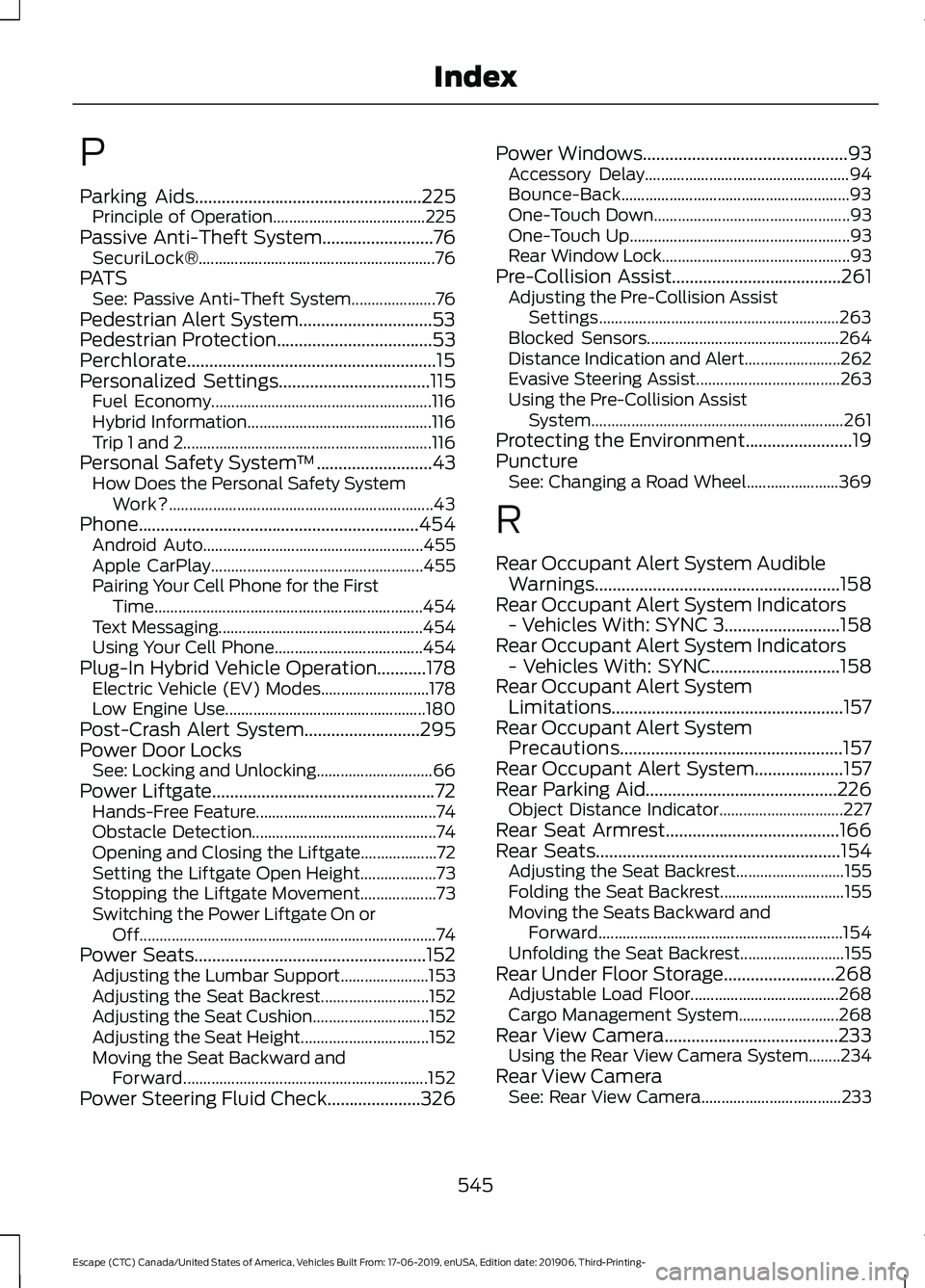
P
Parking Aids...................................................225
Principle of Operation...................................... 225
Passive Anti-Theft System.........................76
SecuriLock®........................................................... 76
PATS See: Passive Anti-Theft System..................... 76
Pedestrian Alert System..............................53
Pedestrian Protection
...................................53
Perchlorate........................................................15
Personalized Settings
..................................115
Fuel Economy....................................................... 116
Hybrid Information.............................................. 116
Trip 1 and 2.............................................................. 116
Personal Safety System ™
..........................43
How Does the Personal Safety System
Work?.................................................................. 43
Phone...............................................................454 Android Auto....................................................... 455
Apple CarPlay..................................................... 455
Pairing Your Cell Phone for the First Time................................................................... 454
Text Messaging................................................... 454
Using Your Cell Phone..................................... 454
Plug-In Hybrid Vehicle Operation
...........178
Electric Vehicle (EV) Modes........................... 178
Low Engine Use.................................................. 180
Post-Crash Alert System..........................295
Power Door Locks See: Locking and Unlocking............................. 66
Power Liftgate
..................................................72
Hands-Free Feature............................................. 74
Obstacle Detection.............................................. 74
Opening and Closing the Liftgate................... 72
Setting the Liftgate Open Height................... 73
Stopping the Liftgate Movement................... 73
Switching the Power Liftgate On or Off........................................................................\
.. 74
Power Seats
....................................................152
Adjusting the Lumbar Support...................... 153
Adjusting the Seat Backrest........................... 152
Adjusting the Seat Cushion............................. 152
Adjusting the Seat Height................................ 152
Moving the Seat Backward and Forward............................................................. 152
Power Steering Fluid Check
.....................326 Power Windows..............................................93
Accessory Delay................................................... 94
Bounce-Back......................................................... 93
One-Touch Down................................................. 93
One-Touch Up....................................................... 93
Rear Window Lock............................................... 93
Pre-Collision Assist......................................261 Adjusting the Pre-Collision Assist
Settings............................................................ 263
Blocked Sensors................................................ 264
Distance Indication and Alert........................ 262
Evasive Steering Assist.................................... 263
Using the Pre-Collision Assist System............................................................... 261
Protecting the Environment
........................19
Puncture See: Changing a Road Wheel....................... 369
R
Rear Occupant Alert System Audible Warnings.......................................................158
Rear Occupant Alert System Indicators - Vehicles With: SYNC 3..........................158
Rear Occupant Alert System Indicators - Vehicles With: SYNC.............................158
Rear Occupant Alert System Limitations....................................................157
Rear Occupant Alert System Precautions..................................................157
Rear Occupant Alert System....................157
Rear Parking Aid
...........................................226
Object Distance Indicator............................... 227
Rear Seat Armrest.......................................166
Rear Seats
.......................................................154
Adjusting the Seat Backrest........................... 155
Folding the Seat Backrest............................... 155
Moving the Seats Backward and Forward............................................................. 154
Unfolding the Seat Backrest.......................... 155
Rear Under Floor Storage
.........................268
Adjustable Load Floor..................................... 268
Cargo Management System......................... 268
Rear View Camera.......................................233 Using the Rear View Camera System........234
Rear View Camera See: Rear View Camera................................... 233
545
Escape (CTC) Canada/United States of America, Vehicles Built From: 17-06-2019, enUSA, Edition date: 201906, Third-Printing- Index
Page 550 of 553
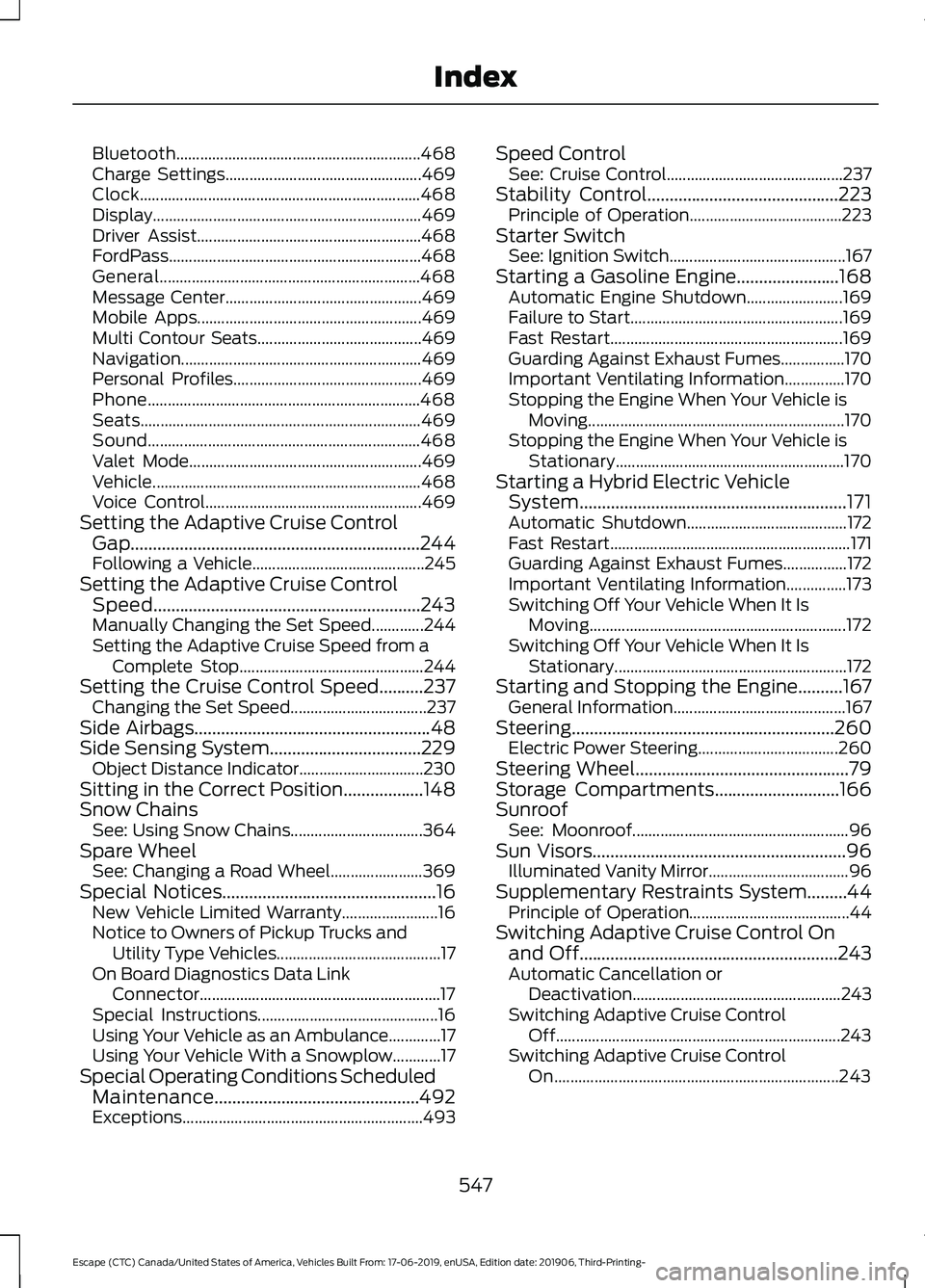
Bluetooth.............................................................
468
Charge Settings................................................. 469
Clock...................................................................... 468
Display................................................................... 469
Driver Assist........................................................ 468
FordPass............................................................... 468
General................................................................. 468
Message Center................................................. 469
Mobile Apps........................................................ 469
Multi Contour Seats......................................... 469
Navigation............................................................ 469
Personal Profiles............................................... 469
Phone.................................................................... 468
Seats...................................................................... 469
Sound.................................................................... 468
Valet Mode.......................................................... 469
Vehicle................................................................... 468
Voice Control...................................................... 469
Setting the Adaptive Cruise Control Gap .................................................................244
Following a Vehicle........................................... 245
Setting the Adaptive Cruise Control Speed
............................................................243
Manually Changing the Set Speed.............244
Setting the Adaptive Cruise Speed from a
Complete Stop.............................................. 244
Setting the Cruise Control Speed..........237 Changing the Set Speed.................................. 237
Side Airbags
.....................................................48
Side Sensing System..................................229 Object Distance Indicator............................... 230
Sitting in the Correct Position..................148
Snow Chains See: Using Snow Chains................................. 364
Spare Wheel See: Changing a Road Wheel....................... 369
Special Notices
................................................16
New Vehicle Limited Warranty........................ 16
Notice to Owners of Pickup Trucks and Utility Type Vehicles......................................... 17
On Board Diagnostics Data Link Connector............................................................ 17
Special Instructions............................................. 16
Using Your Vehicle as an Ambulance.............17
Using Your Vehicle With a Snowplow............17
Special Operating Conditions Scheduled Maintenance..............................................492
Exceptions............................................................ 493Speed Control
See: Cruise Control............................................ 237
Stability Control
...........................................223
Principle of Operation...................................... 223
Starter Switch See: Ignition Switch............................................ 167
Starting a Gasoline Engine.......................168 Automatic Engine Shutdown........................ 169
Failure to Start..................................................... 169
Fast Restart.......................................................... 169
Guarding Against Exhaust Fumes................170
Important Ventilating Information...............170
Stopping the Engine When Your Vehicle is Moving................................................................ 170
Stopping the Engine When Your Vehicle is Stationary......................................................... 170
Starting a Hybrid Electric Vehicle System............................................................171
Automatic Shutdown........................................ 172
Fast Restart............................................................ 171
Guarding Against Exhaust Fumes................172
Important Ventilating Information...............173
Switching Off Your Vehicle When It Is Moving................................................................ 172
Switching Off Your Vehicle When It Is Stationary.......................................................... 172
Starting and Stopping the Engine..........167 General Information........................................... 167
Steering...........................................................260 Electric Power Steering................................... 260
Steering Wheel
................................................79
Storage Compartments............................166
Sunroof See: Moonroof...................................................... 96
Sun Visors
.........................................................96
Illuminated Vanity Mirror................................... 96
Supplementary Restraints System.........44 Principle of Operation........................................ 44
Switching Adaptive Cruise Control On and Off..........................................................243
Automatic Cancellation or Deactivation.................................................... 243
Switching Adaptive Cruise Control Off....................................................................... 243
Switching Adaptive Cruise Control On....................................................................... 243
547
Escape (CTC) Canada/United States of America, Vehicles Built From: 17-06-2019, enUSA, Edition date: 201906, Third-Printing- Index