engine FORD ESCAPE 2021 Owner's Manual
[x] Cancel search | Manufacturer: FORD, Model Year: 2021, Model line: ESCAPE, Model: FORD ESCAPE 2021Pages: 589, PDF Size: 9.2 MB
Page 124 of 589
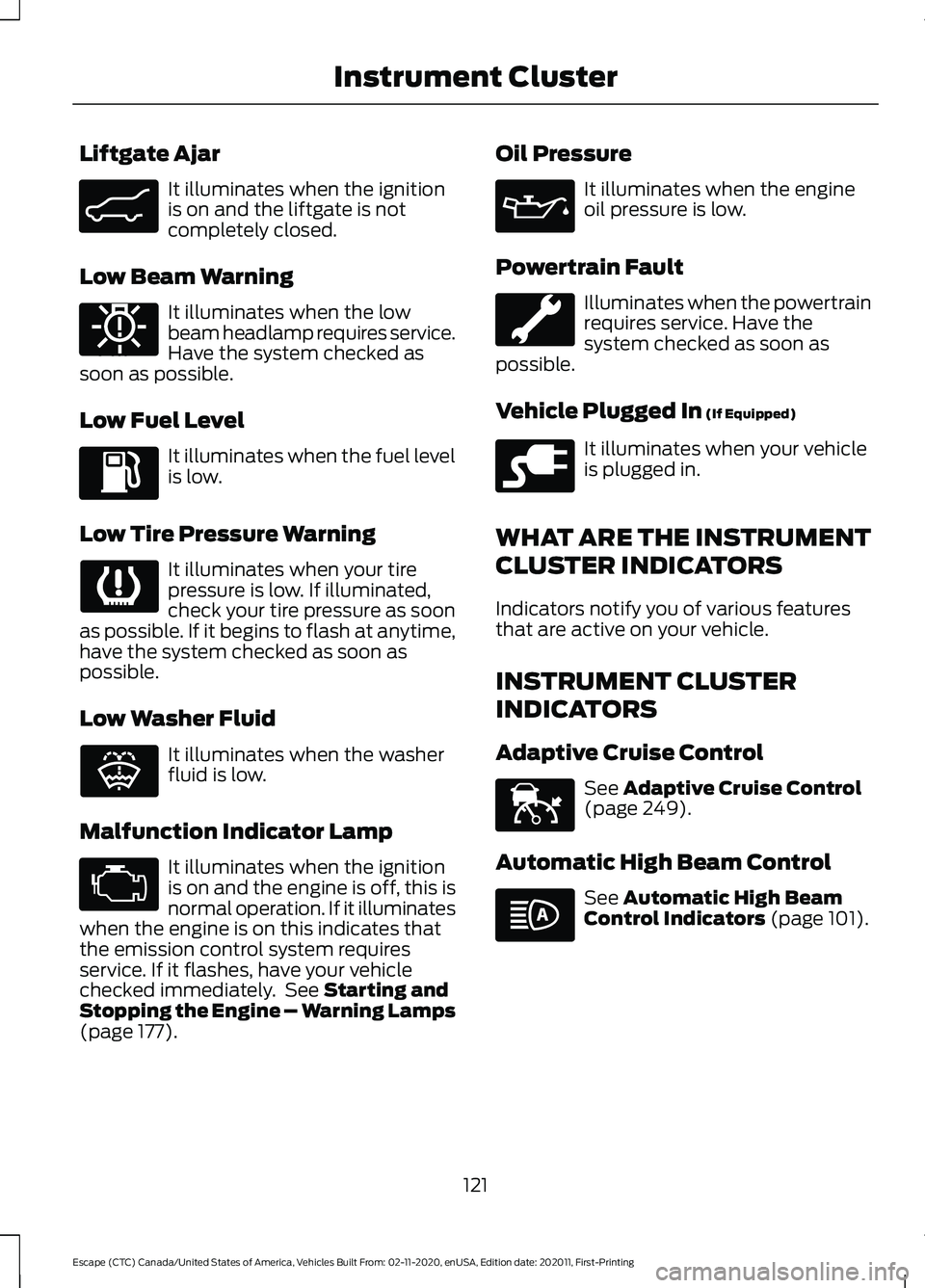
Liftgate Ajar
It illuminates when the ignition
is on and the liftgate is not
completely closed.
Low Beam Warning It illuminates when the low
beam headlamp requires service.
Have the system checked as
soon as possible.
Low Fuel Level It illuminates when the fuel level
is low.
Low Tire Pressure Warning It illuminates when your tire
pressure is low. If illuminated,
check your tire pressure as soon
as possible. If it begins to flash at anytime,
have the system checked as soon as
possible.
Low Washer Fluid It illuminates when the washer
fluid is low.
Malfunction Indicator Lamp It illuminates when the ignition
is on and the engine is off, this is
normal operation. If it illuminates
when the engine is on this indicates that
the emission control system requires
service. If it flashes, have your vehicle
checked immediately. See Starting and
Stopping the Engine – Warning Lamps
(page
177). Oil Pressure It illuminates when the engine
oil pressure is low.
Powertrain Fault Illuminates when the powertrain
requires service. Have the
system checked as soon as
possible.
Vehicle Plugged In
(If Equipped) It illuminates when your vehicle
is plugged in.
WHAT ARE THE INSTRUMENT
CLUSTER INDICATORS
Indicators notify you of various features
that are active on your vehicle.
INSTRUMENT CLUSTER
INDICATORS
Adaptive Cruise Control See
Adaptive Cruise Control
(page 249).
Automatic High Beam Control See
Automatic High Beam
Control Indicators (page 101).
121
Escape (CTC) Canada/United States of America, Vehicles Built From: 02-11-2020, enUSA, Edition date: 202011, First-Printing Instrument ClusterE162453 E181350 E132353 E228962 E144524
Page 129 of 589
Changing the Measure Unit -
Vehicles With: 6.5 Inch Instrument
Cluster Display Screen/12.3 Inch
Instrument Cluster Display Screen
You can change the measurement unit
using the touchscreen.
1. Press General.
2. Press
Measurement Units.
3. Select a measurement unit.
Changing the Temperature Unit -
Vehicles With: 4.2 Inch Instrument
Cluster Display Screen
You can change the temperature unit using
the instrument cluster display.
1. Select
Settings and press the menu
button.
2. Select
Display.
3. Select
Temperature Unit.
4. Select a temperature unit.
Changing the Temperature Unit -
Vehicles With: 6.5 Inch Instrument
Cluster Display Screen/12.3 Inch
Instrument Cluster Display Screen
You can change the temperature unit using
the touchscreen.
1. Press
General.
2. Press
Temperature Units.
3. Select a temperature unit.
Changing the Tire Pressure Unit -
Vehicles With: 4.2 Inch Instrument
Cluster Display Screen
You can change the tire pressure unit using
the instrument cluster display.
1. Select
Settings and press the menu
button. 2. Select
Display.
3. Select
Tire Pressure.
4. Select a tire pressure unit.
Changing the Tire Pressure Unit -
Vehicles With: 6.5 Inch Instrument
Cluster Display Screen/12.3 Inch
Instrument Cluster Display Screen
You can change the tire pressure unit using
the touchscreen.
1. Press
General.
2. Press
Tire Pressure Units.
3. Select a pressure unit.
FUEL ECONOMY DISPLAY -
GASOLINE
An instant fuel economy gauge is provided
along with average fuel economy. Average
fuel economy is continuously averaged
since the last reset.
Note: Press and hold the
OK button on the
controls on the steering wheel to reset your
average fuel economy.
FUEL ECONOMY DISPLAY -
HYBRID ELECTRIC VEHICLE
(HEV)
An instant fuel economy gauge is provided
along with average fuel economy. Average
fuel economy is continuously averaged
since the last reset.
When the gasoline engine is off the instant
fuel economy gauges is replaced with an
electric driving message.
Note: Press and hold the
OK button on the
controls on the steering wheel to reset your
average fuel economy.
126
Escape (CTC) Canada/United States of America, Vehicles Built From: 02-11-2020, enUSA, Edition date: 202011, First-Printing Instrument Cluster Display
Page 130 of 589
FUEL ECONOMY DISPLAY -
PLUG-IN HYBRID ELECTRIC
VEHICLE (PHEV)
An instant fuel economy gauge is provided
along with average fuel economy. Average
fuel economy is continuously averaged
since the last reset.
Both the electric only and hybrid operation
are included in the calculation. More
electric only driving results in a greater
average fuel economy.
When the gasoline engine is off, the instant
fuel economy gauges are replaced with an
electric driving message.
Note:
Press and hold the OK button on the
controls on the steering wheel to reset your
average fuel economy.
EV COACH - HYBRID ELECTRIC
VEHICLE (HEV)/PLUG-IN
HYBRID ELECTRIC VEHICLE
(PHEV)
EV coach can help you get the most out of
your vehicle's electric driving capabilities.
Note: EV coach is a selectable screen. See
Customizing the Instrument Cluster
Display
(page 124).
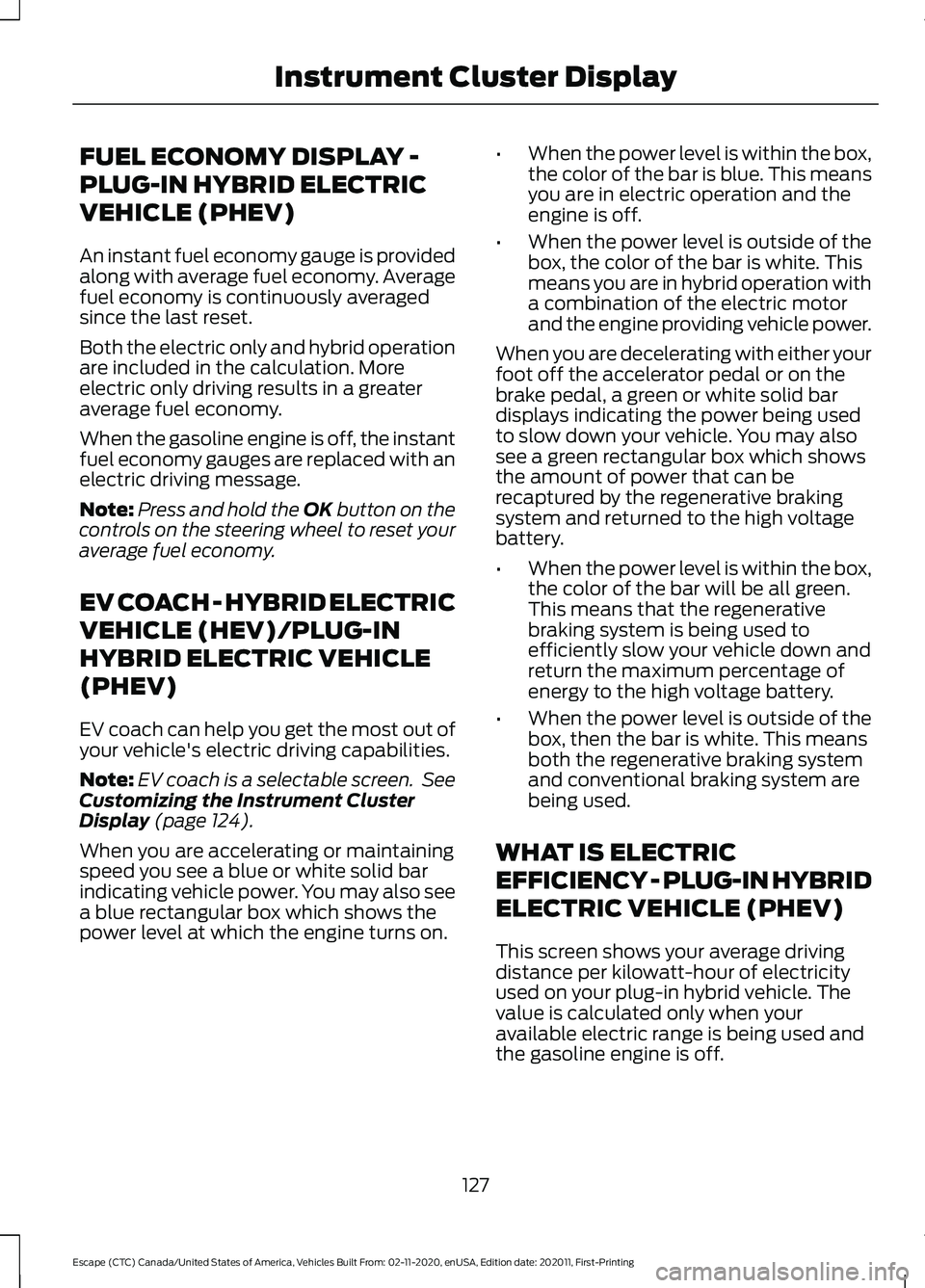
When you are accelerating or maintaining
speed you see a blue or white solid bar
indicating vehicle power. You may also see
a blue rectangular box which shows the
power level at which the engine turns on. •
When the power level is within the box,
the color of the bar is blue. This means
you are in electric operation and the
engine is off.
• When the power level is outside of the
box, the color of the bar is white. This
means you are in hybrid operation with
a combination of the electric motor
and the engine providing vehicle power.
When you are decelerating with either your
foot off the accelerator pedal or on the
brake pedal, a green or white solid bar
displays indicating the power being used
to slow down your vehicle. You may also
see a green rectangular box which shows
the amount of power that can be
recaptured by the regenerative braking
system and returned to the high voltage
battery.
• When the power level is within the box,
the color of the bar will be all green.
This means that the regenerative
braking system is being used to
efficiently slow your vehicle down and
return the maximum percentage of
energy to the high voltage battery.
• When the power level is outside of the
box, then the bar is white. This means
both the regenerative braking system
and conventional braking system are
being used.
WHAT IS ELECTRIC
EFFICIENCY - PLUG-IN HYBRID
ELECTRIC VEHICLE (PHEV)
This screen shows your average driving
distance per kilowatt-hour of electricity
used on your plug-in hybrid vehicle. The
value is calculated only when your
available electric range is being used and
the gasoline engine is off.
127
Escape (CTC) Canada/United States of America, Vehicles Built From: 02-11-2020, enUSA, Edition date: 202011, First-Printing Instrument Cluster Display
Page 133 of 589
TRIP DATA
Trip 1 and 2
Provides trip timer, trip average fuel
economy and total trip distance traveled.
For hybrid vehicles, the trip also shows the
distance traveled on electric power only.
Note:
Trip 1 and 2 are selectable screens.
See Accessing the Trip Computer (page
129).
This Trip
Provides trip timer, trip average fuel
economy, total trip distance traveled, and
distance traveled on electric power only
with the engine off. If the gasoline engine
has not turned on during the trip then trip
average fuel economy is not shown. This
Trip resets each time you start your vehicle.
Note: This trip is a selectable screen. See
Accessing the Trip Computer
(page 129).
130
Escape (CTC) Canada/United States of America, Vehicles Built From: 02-11-2020, enUSA, Edition date: 202011, First-Printing Trip Computer
Page 134 of 589
WHAT IS THE HEAD UP
DISPLAY
The system displays information on a
display screen in your field of vision,
allowing you to keep your eyes on the road.
You can select which information the
system displays.
SWITCHING THE HEAD UP
DISPLAY ON AND OFF
Press the button on the steering
wheel or center console.
Note:
The head up display menu appears
in the information display. Action
Menu Item
Press the OK
button.
Head-Up Display
(HUD)
Press the
OK
button.
Note: The system remembers the last
setting when you start the engine.
HEAD UP DISPLAY SETTINGS Action
Menu Item
Press the
OK button.
Adjustment
Position 1. Press the
OK button.
2. Use the up and down toggle buttons to adjust the vertical position of the blue frame.
•Make sure that you can see all of the blue frame.
• Do not physically move the screen. This can cause
damage not covered by the vehicle Warranty.
Brightness 1. Press the
OK button.
2. Use the up and down toggle buttons to adjust the brightness of the display screen.
•The system adjusts the brightness based on how
dark it is. If you set the brightness to a high level,
the system reduces the brightness at night.
Vertical Size 1. Press the
OK button.
2. Use the up and down toggle buttons to adjust the vertical size of the display screen.
•A small vertical size could be more suitable if you
sit in a high position.
131
Escape (CTC) Canada/United States of America, Vehicles Built From: 02-11-2020, enUSA, Edition date: 202011, First-Printing Head Up Display
(If Equipped)E265900
Page 135 of 589
Selecting Which Information the
System Displays
Start the engine and switch the system on.
Note:
Press the head up display button if
you do not see the head up display menu in
the instrument cluster display. Note:
For your safety, some features are
speed-dependent. The system limits their
use to when your vehicle is not moving.
Use the instrument cluster display controls
on the steering wheel to select which
information the system displays. Action
Menu Item
Press the OK button.
Content
Press the
OK button.
Distance Indication
Eco Advice
Incoming Calls
Lane Keeping System
Navigation
Speed Assistance
Speed Sign Recognition
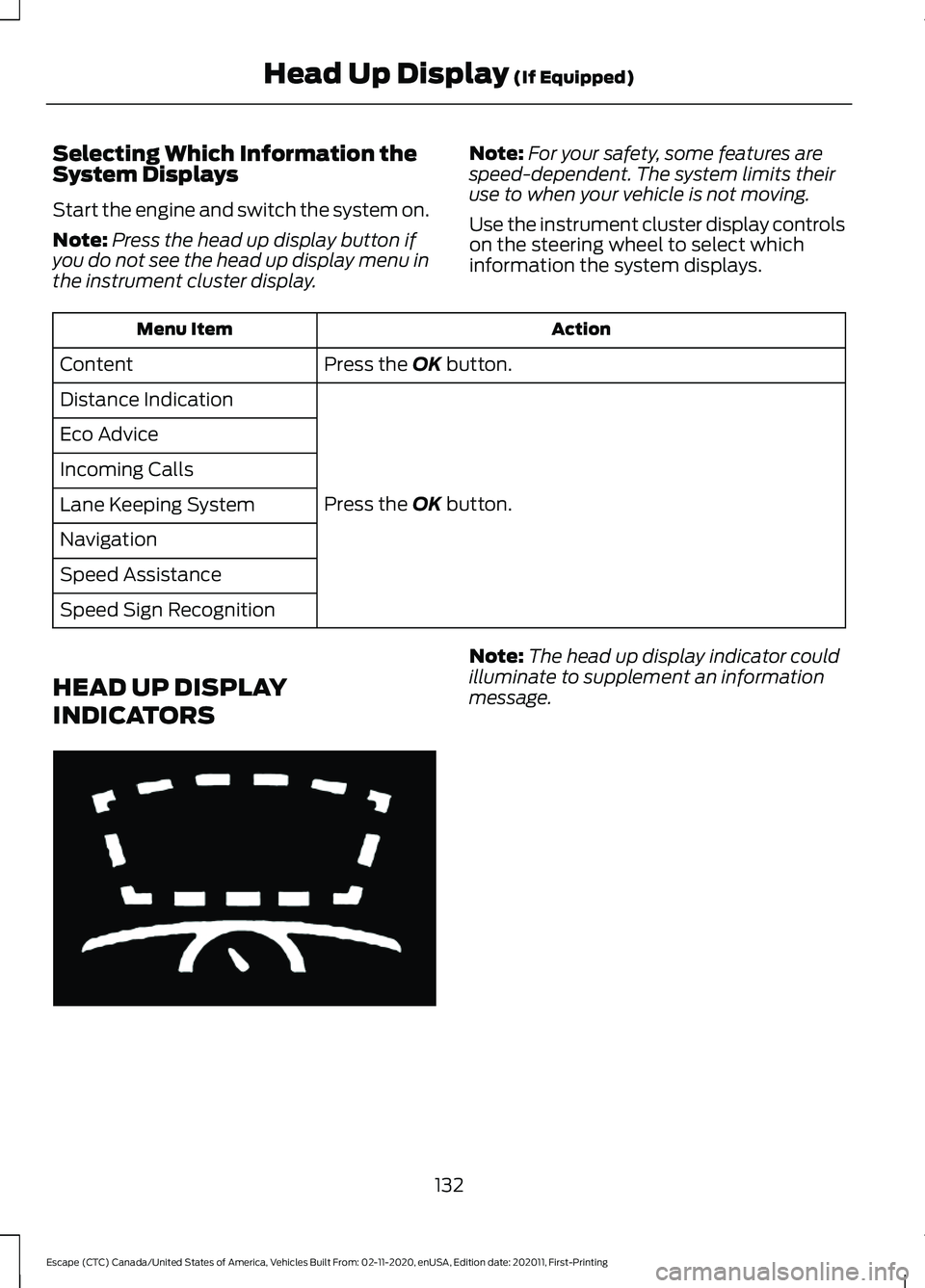
HEAD UP DISPLAY
INDICATORS Note:
The head up display indicator could
illuminate to supplement an information
message.
132
Escape (CTC) Canada/United States of America, Vehicles Built From: 02-11-2020, enUSA, Edition date: 202011, First-Printing Head Up Display
(If Equipped)E265900
Page 137 of 589
WHAT IS REMOTE START
The system allows you to remotely start
your vehicle and to adjust the interior
temperature according to the settings that
you chose.
REMOTE START
PRECAUTIONS
WARNING: Do not start the engine
in a closed garage or in other enclosed
areas. Exhaust fumes are toxic. Always
open the garage door before you start
the engine. Failure to follow this
instruction could result in personal injury
or death.
REMOTE START LIMITATIONS
Remote start does not work under the
following conditions:
• The alarm horn is sounding.
• The hood is open.
• The transmission is not in park (P).
• The ignition is on.
• The battery voltage is below the
minimum operating voltage.
Note: Do not use remote start if your fuel
level is low.
Note: You can use remote start with
FordPass. See Connecting the Vehicle to
a Wi-Fi Network (page 409).
ENABLING REMOTE START
1. Press
Settings on the touchscreen.
2. Press
Vehicle Settings.
3. Press
Remote Start Setup.
4. Switch
Remote Start on or off. Note:
To remote start with FordPass, make
sure that the modem is enabled.
See
Connected Vehicle Requirements (page
409).
REMOTELY STARTING AND
STOPPING THE VEHICLE
Remotely Starting the Vehicle Press the button on the remote
control.
Within three seconds, press the
button twice on the remote
control.
Note: You can also use the FordPass App
to start the vehicle.
Note: The turn signals flash twice.
Note: The parking lamps turn on when the
vehicle is running.
Note: The horn sounds if the system fails
to start.
Note: All other vehicle systems remain off
when you have remotely started the vehicle.
Note: The vehicle remains secured when
you have remotely started the vehicle. A
valid key must be inside your vehicle to
switch the ignition on and drive your vehicle.
Remotely Stopping the Vehicle Within three seconds, press the
button twice on the remote
control.
EXTENDING THE REMOTE
START DURATION
To extend the remote start duration during
remote start, do the following:
134
Escape (CTC) Canada/United States of America, Vehicles Built From: 02-11-2020, enUSA, Edition date: 202011, First-Printing Remote Start
(If Equipped)E138623 E138625 E138625
Page 147 of 589
Note:
To prevent window fogging, you
cannot select recirculated air when
maximum defrost is on.
Note: The heated rear window also turns
on when you select maximum defrost.
Switching Recirculated Air On and
Off Press and release the button to
switch between outside air and
recirculated air.
The air currently in the passenger
compartment recirculates. This may
reduce the time needed to cool the interior,
when used with A/C, and reduce unwanted
odors from entering your vehicle.
Note: Recirculated air may turn off, or
prevent you from switching on, in all air flow
modes except MAX A/C to reduce the risk
of fogging. Recirculation may also turn on
and off in various air distribution control
combinations during hot weather to improve
cooling efficiency.
HINTS ON CONTROLLING THE
INTERIOR CLIMATE -
VEHICLES WITH: AUTOMATIC
TEMPERATURE CONTROL
General Hints
Note: Prolonged use of recirculated air may
cause the windows to fog up.
Note: You may feel a small amount of air
from the footwell air vents regardless of the
air distribution setting.
Note: To reduce humidity build-up inside
your vehicle, do not drive with the system
switched off or with recirculated air always
switched on.
Note: Do not place objects under the front
seats as this may interfere with the airflow
to the rear seats. Note:
Remove any snow, ice or leaves from
the air intake area at the base of the
windshield.
Note: To improve the time to reach a
comfortable temperature in hot weather,
drive with the windows open until you feel
cold air through the air vents.
Automatic Climate Control
Note: Adjusting the settings when your
vehicle interior is extremely hot or cold is
not necessary. Automatic mode is best
recommended to maintain set temperature.
Note: The system adjusts to heat or cool
the interior to the temperature you select
as quickly as possible.
Note: For the system to function efficiently,
the instrument panel and side air vents
should be fully open.
Note: If you select AUTO during cold
outside temperatures, the system directs
air flow to the windshield and side window
air vents. In addition, the blower motor may
run at a slower speed until the engine warms
up.
Note: If you select
AUTO during hot
temperatures and the inside of the vehicle
is hot, the system uses recirculated air to
maximize interior cooling. Blower motor
speed may also reduce until the air cools.
Quickly Heating the Interior
1. Press and release
AUTO.
2. Adjust the temperature function to the
setting you prefer.
Recommended Settings for
Heating
1. Press and release
AUTO.
2. Adjust the temperature function to the
setting you prefer. Use
72°F (22°C) as
a starting point, then adjust the setting
as necessary.
144
Escape (CTC) Canada/United States of America, Vehicles Built From: 02-11-2020, enUSA, Edition date: 202011, First-Printing Climate Control
Page 149 of 589
4. Adjust the blower motor speed to the
lowest speed setting.
Defogging the Side Windows in
Cold Weather
1. Direct air to the instrument panel and windshield air vents.
2. Press and release A/C.
3. Adjust the temperature control to the setting you prefer.
4. Adjust the blower motor speed to the highest setting.
5. Direct air toward the side windows.
6. Close the instrument panel air vents.
HEATED WINDSHIELD
(IF
EQUIPPED)
Windshield Wiper De-Icer When you switch the heated rear
window on, the windshield wiper
de-icer turns on.
HEATED REAR WINDOW Press the button to clear the rear
window of thin ice and fog. The
heated rear window turns off
after a short period of time.
Note: Make sure the engine is on before
operating the heated windows.
Note: Do not use harsh chemicals, razor
blades or other sharp objects to clean or
remove decals from the inside of the heated
rear window. The vehicle warranty may not
cover damage to the heated rear window
grid lines. HEATED EXTERIOR MIRRORS
(IF EQUIPPED)
When you switch the heated rear window
on, the heated exterior mirrors turn on.
Note:
Do not remove ice from the mirrors
with a scraper or adjust the mirror glass
when it is frozen in place.
Note: Do not clean the mirror housing or
glass with harsh abrasives, fuel or other
petroleum-based cleaning products. The
vehicle warranty may not cover damage
caused to the mirror housing or glass.
146
Escape (CTC) Canada/United States of America, Vehicles Built From: 02-11-2020, enUSA, Edition date: 202011, First-Printing Climate Control
Page 175 of 589
STARTING AND STOPPING
THE ENGINE – PRECAUTIONS
WARNING: Extended idling at high
engine speeds can produce very high
temperatures in the engine and exhaust
system, creating the risk of fire or other
damage. WARNING:
Do not park, idle or
drive your vehicle on dry grass or other
dry ground cover. The emission system
heats up the engine compartment and
exhaust system, creating the risk of fire. WARNING: Do not start the engine
in a closed garage or in other enclosed
areas. Exhaust fumes are toxic. Always
open the garage door before you start
the engine. Failure to follow this
instruction could result in personal injury
or death. WARNING:
Do not use starting
fluid, for example ether, in the air intake
system. Such fluid could cause
immediate explosive damage to the
engine and possible personal injury. WARNING:
Exhaust leaks may
result in entry of harmful and potentially
lethal fumes into the passenger
compartment. If you smell exhaust
fumes inside your vehicle, have your
vehicle inspected immediately. Do not
drive if you smell exhaust fumes.
The powertrain control system meets all
Canadian interference-causing equipment
standard requirements regulating the
impulse electrical field or radio noise. If you stop your vehicle and leave the
engine idling for long periods, we
recommend that you do one of the
following:
•
Open the windows at least
1 in
(2.5 cm).
• Set your climate control to outside air.
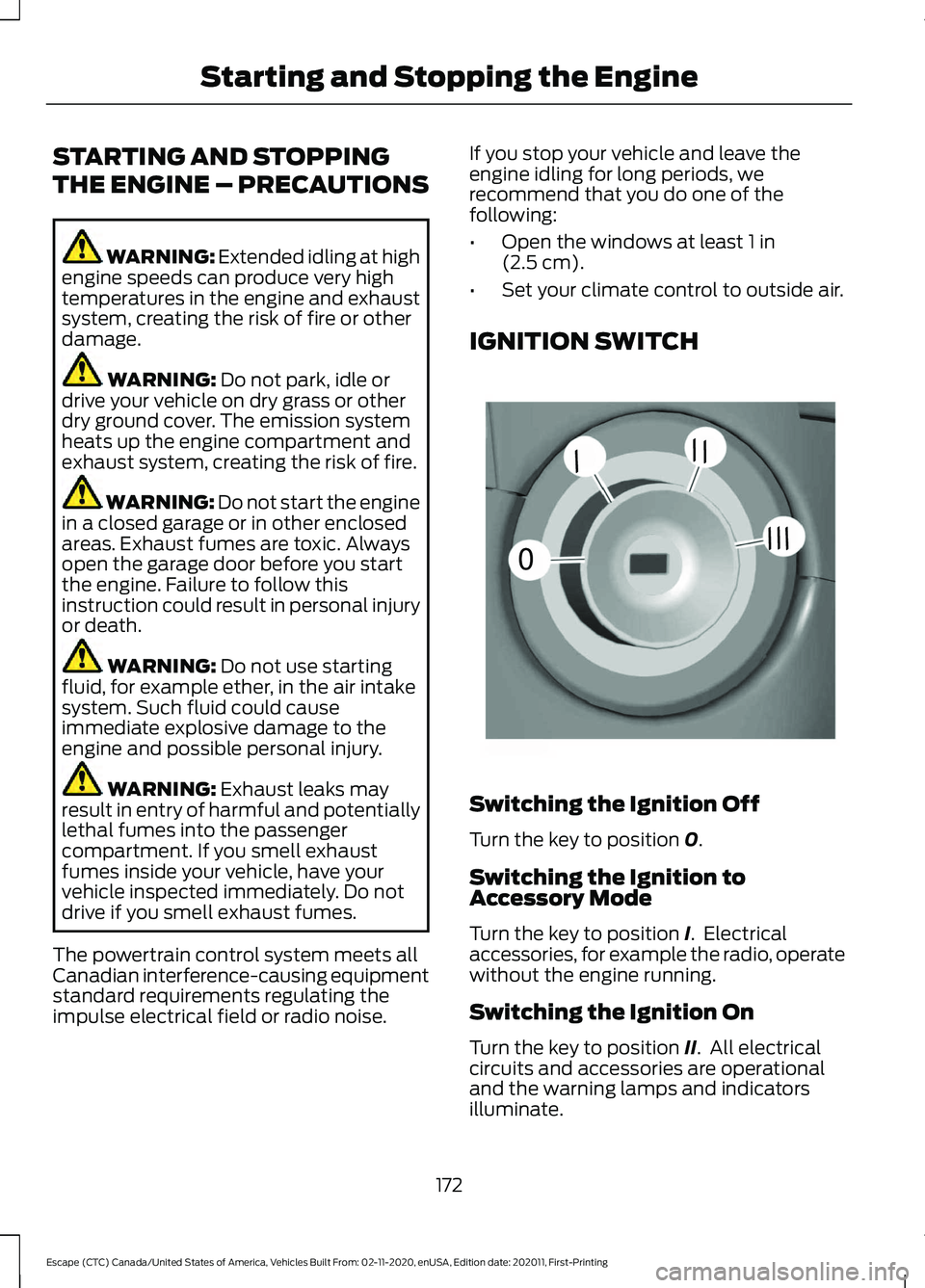
IGNITION SWITCH Switching the Ignition Off
Turn the key to position
0.
Switching the Ignition to
Accessory Mode
Turn the key to position
I. Electrical
accessories, for example the radio, operate
without the engine running.
Switching the Ignition On
Turn the key to position
II. All electrical
circuits and accessories are operational
and the warning lamps and indicators
illuminate.
172
Escape (CTC) Canada/United States of America, Vehicles Built From: 02-11-2020, enUSA, Edition date: 202011, First-Printing Starting and Stopping the Engine0
///
///E252522