instrument panel FORD ESCAPE 2021 Owners Manual
[x] Cancel search | Manufacturer: FORD, Model Year: 2021, Model line: ESCAPE, Model: FORD ESCAPE 2021Pages: 589, PDF Size: 9.2 MB
Page 4 of 589
Contacting Us
Contacting Us
..................................................15
Introduction
About This Publication .................................
17
Using This Publication .................................
18
Symbols Glossary
Symbols Used on Your Vehicle .................
19
Data Privacy
Data Privacy .....................................................
22
Service Data ....................................................
23
Event Data ........................................................
23
Settings Data ..................................................
24
Connected Vehicle Data .............................
24
Mobile Device Data .......................................
25
Emergency Call System Data ...................
25
At a Glance
Instrument Panel ..........................................
26
Child Safety
Child Safety Precautions ............................
28
Child Restraint Anchor Points ..................
29
Child Restraints .............................................
30
Installing Child Restraints ...........................
31
Booster Seats .................................................
36
Child Safety Locks ........................................
38
Seatbelts
Seatbelt Precautions ...................................
39
Fastening the Seatbelts .............................
40
Sensitive Locking Mode .............................
40
Automatic Locking Mode ............................
41
Adjusting the Seatbelts During Pregnancy ....................................................
42
Adjusting the Seatbelt Height ..................
42
Seatbelt Reminder ........................................
42Checking the Seatbelts
..............................
44
Seatbelt Extensions .....................................
45
Personal Safety System ™
What Is the Personal Safety System ........................................................................\
..
46
How Does the Personal Safety System Work ..............................................................
46
Personal Safety System Components ........................................................................\
..
46
Airbags
How Do the Front Airbags Work ..............
47
How Do the Side Airbags Work ................
47
How Do the Knee Airbags Work ..............
48
How Does the Safety Canopy ™ Work
........................................................................\
..
48
Airbag Precautions .......................................
49
Properly Adjusting the Driver and Front Passenger Seats .......................................
50
Children and Airbags ...................................
50
Front Passenger Sensing System ............
51
Crash Sensors and Airbag Indicator .......
54
Disposing of Airbags ....................................
55
Pedestrian Alert System
What Is the Pedestrian Alert System ........................................................................\
..
56
911 Assist
What Is 911 Assist ..........................................
57
Emergency Call Requirements .................
57
Emergency Call Limitations .......................
57
Keys and Remote Controls
Remote Control Limitations .....................
58
Using the Remote Control .........................
58
Opening and Closing the Flip Key ...........
58
Removing the Key Blade ............................
59
Sounding the Panic Alarm .........................
59
Locating Your Vehicle ..................................
59
1
Escape (CTC) Canada/United States of America, Vehicles Built From: 02-11-2020, enUSA, Edition date: 202011, First-Printing Table of Contents
Page 6 of 589
Switching the Rear Window Wiper On
and Off ..........................................................93
Reverse Wipe ..................................................
93
Checking the Wiper Blades .......................
94
Replacing the Front Wiper Blades .........
94
Replacing the Rear Wiper Blades ...........
94
Washers ............................................................
95
Wipers and Washers – Troubleshooting ........................................................................\
..
96
Exterior Lighting
Exterior Lighting Control .............................
97
Headlamps ......................................................
97
Headlamps – Troubleshooting ...............
98
Autolamps .......................................................
98
Exterior Lamps ...............................................
99
Automatic High Beam Control ..............
100
Automatic High Beam Control – Troubleshooting .......................................
102
Interior Lighting
Switching All of the Interior Lamps On and Off ........................................................
103
Switching the Front Interior Lamps On and Off ........................................................
103
Switching the Rear Interior Lamps On and Off ........................................................
103
Interior Lamp Function ..............................
103
Adjusting the Instrument Panel Lighting Brightness ..................................................
103
Ambient Lighting .........................................
103
Interior Lighting – Troubleshooting ......
104
Windows
Opening and Closing the Windows ......
105
Window Bounce-Back ..............................
105
Locking the Rear Window Controls ......
106
Interior Mirror
Interior Mirror Precautions ........................
107Manually Dimming the Interior Mirror
........................................................................\
.
107
Auto-Dimming Interior Mirror ..................
107
Exterior Mirrors
Adjusting the Exterior Mirrors .................
108
Folding the Exterior Mirrors .....................
108
Moonroof
Opening and Closing the Sun Shade ........................................................................\
109
Opening and Closing the Moonroof ......
109
Venting the Moonroof ...............................
109
Moonroof Bounce-Back ............................
110
Instrument Cluster
Instrument Cluster Overview - Gasoline, Vehicles With: 4.2 Inch Instrument
Cluster Display Screen .............................
111
Instrument Cluster Overview - Gasoline, Vehicles With: 6.5 Inch Instrument
Cluster Display Screen ............................
112
Instrument Cluster Overview - Gasoline, Vehicles With: 12.3 Inch Instrument
Cluster Display Screen ............................
113
Instrument Cluster Overview - Hybrid Electric Vehicle (HEV), Vehicles With:
6.5 Inch Instrument Cluster Display
Screen ...........................................................
114
Instrument Cluster Overview - Hybrid Electric Vehicle (HEV), Vehicles With:
12.3 Inch Instrument Cluster Display
Screen ...........................................................
115
Instrument Cluster Overview - Plug-In Hybrid Electric Vehicle (PHEV),
Vehicles With: 6.5 Inch Instrument
Cluster Display Screen ...........................
116
Instrument Cluster Overview - Plug-In Hybrid Electric Vehicle (PHEV),
Vehicles With: 12.3 Inch Instrument
Cluster Display Screen ............................
117
What Is the Tachometer - Excluding: Hybrid Electric Vehicle (HEV)/Plug-In
Hybrid Electric Vehicle (PHEV) ...........
117
3
Escape (CTC) Canada/United States of America, Vehicles Built From: 02-11-2020, enUSA, Edition date: 202011, First-Printing Table of Contents
Page 29 of 589
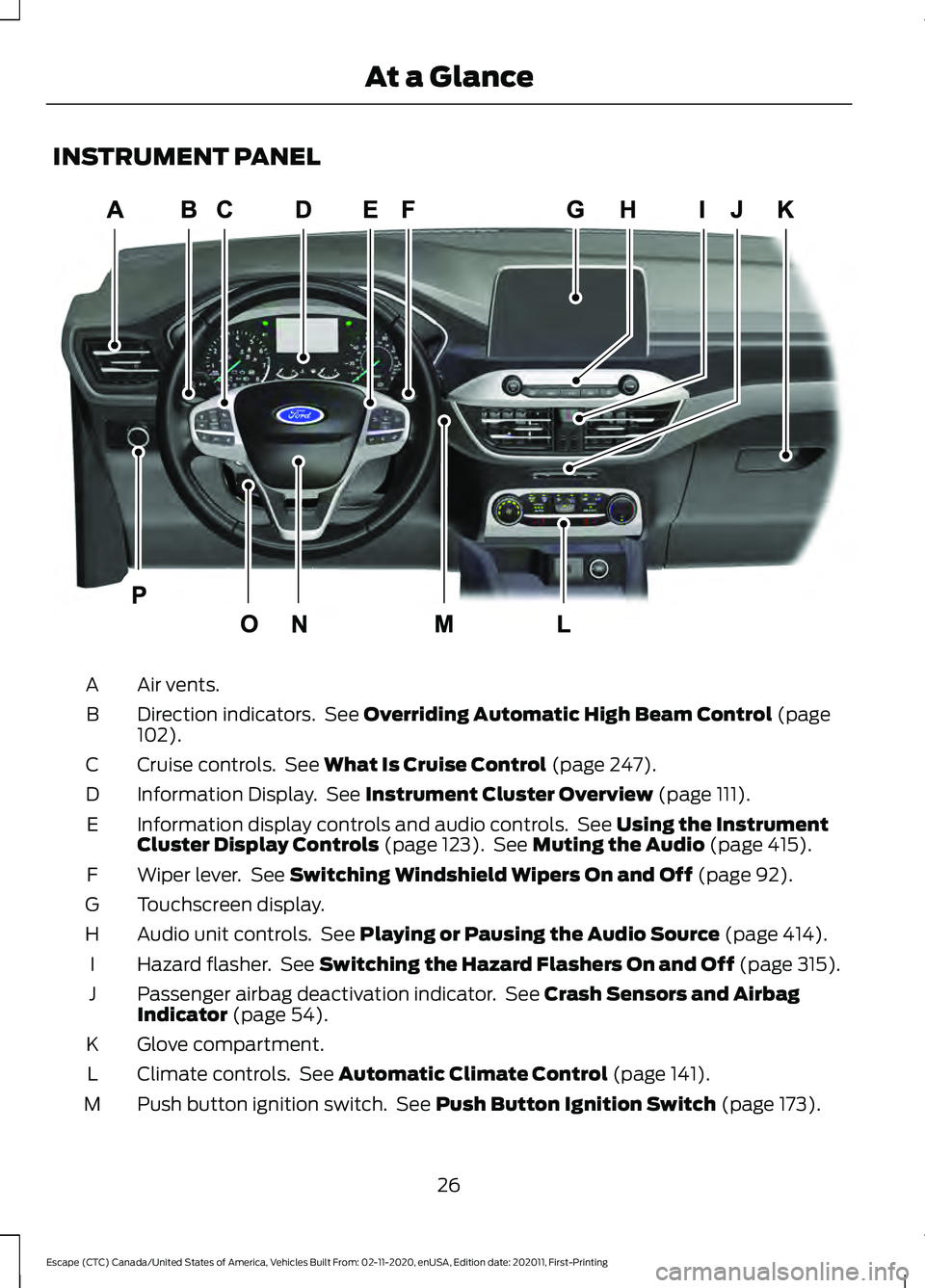
INSTRUMENT PANEL
Air vents.
A
Direction indicators. See Overriding Automatic High Beam Control (page
102).
B
Cruise controls. See
What Is Cruise Control (page 247).
C
Information Display. See
Instrument Cluster Overview (page 111).
D
Information display controls and audio controls. See
Using the Instrument
Cluster Display Controls (page 123). See Muting the Audio (page 415).
E
Wiper lever. See
Switching Windshield Wipers On and Off (page 92).
F
Touchscreen display.
G
Audio unit controls. See
Playing or Pausing the Audio Source (page 414).
H
Hazard flasher. See Switching the Hazard Flashers On and Off (page 315).
I
Passenger airbag deactivation indicator. See
Crash Sensors and Airbag
Indicator (page 54).
J
Glove compartment.
K
Climate controls. See
Automatic Climate Control (page 141).
L
Push button ignition switch. See
Push Button Ignition Switch (page 173).
M
26
Escape (CTC) Canada/United States of America, Vehicles Built From: 02-11-2020, enUSA, Edition date: 202011, First-Printing At a GlanceE285284
Page 51 of 589
WARNING: Do not lean your head
on the door. The side airbag could injure
you as it deploys from the side of the
seatback.
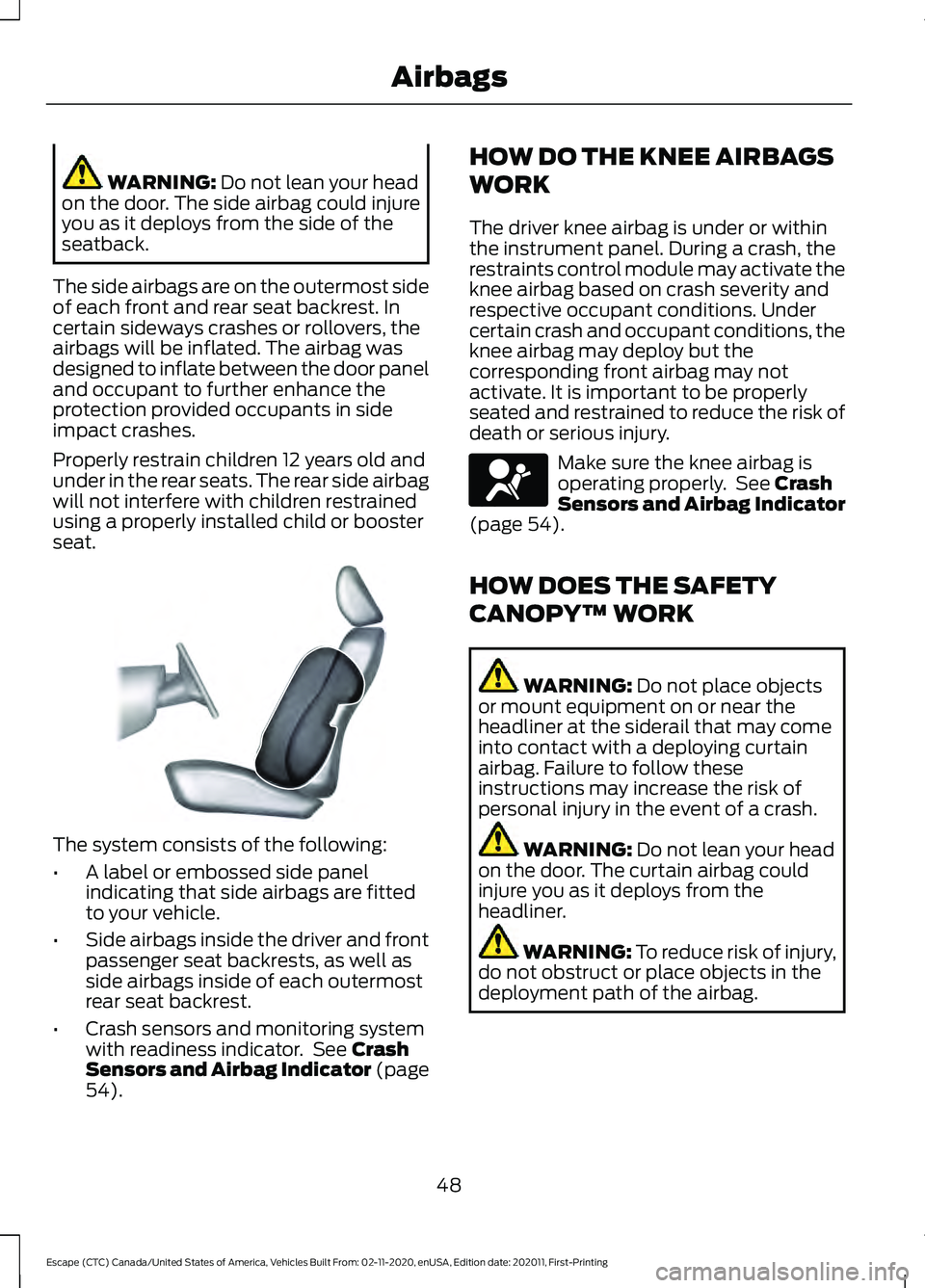
The side airbags are on the outermost side
of each front and rear seat backrest. In
certain sideways crashes or rollovers, the
airbags will be inflated. The airbag was
designed to inflate between the door panel
and occupant to further enhance the
protection provided occupants in side
impact crashes.
Properly restrain children 12 years old and
under in the rear seats. The rear side airbag
will not interfere with children restrained
using a properly installed child or booster
seat. The system consists of the following:
•
A label or embossed side panel
indicating that side airbags are fitted
to your vehicle.
• Side airbags inside the driver and front
passenger seat backrests, as well as
side airbags inside of each outermost
rear seat backrest.
• Crash sensors and monitoring system
with readiness indicator. See
Crash
Sensors and Airbag Indicator (page
54
). HOW DO THE KNEE AIRBAGS
WORK
The driver knee airbag is under or within
the instrument panel. During a crash, the
restraints control module may activate the
knee airbag based on crash severity and
respective occupant conditions. Under
certain crash and occupant conditions, the
knee airbag may deploy but the
corresponding front airbag may not
activate. It is important to be properly
seated and restrained to reduce the risk of
death or serious injury.
Make sure the knee airbag is
operating properly. See
Crash
Sensors and Airbag Indicator
(page
54).
HOW DOES THE SAFETY
CANOPY™ WORK WARNING:
Do not place objects
or mount equipment on or near the
headliner at the siderail that may come
into contact with a deploying curtain
airbag. Failure to follow these
instructions may increase the risk of
personal injury in the event of a crash. WARNING:
Do not lean your head
on the door. The curtain airbag could
injure you as it deploys from the
headliner. WARNING:
To reduce risk of injury,
do not obstruct or place objects in the
deployment path of the airbag.
48
Escape (CTC) Canada/United States of America, Vehicles Built From: 02-11-2020, enUSA, Edition date: 202011, First-Printing AirbagsE152533 E67017
Page 54 of 589
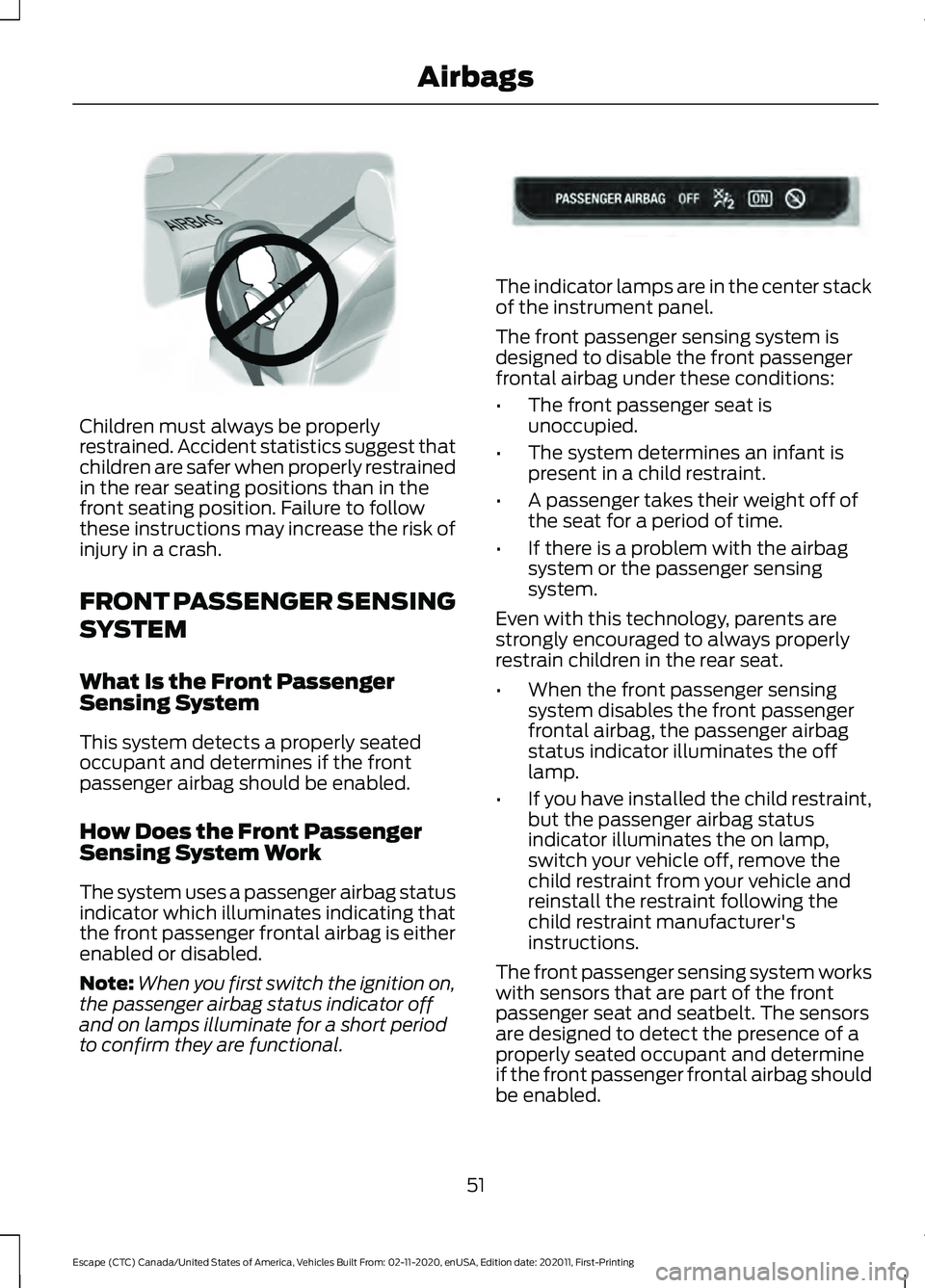
Children must always be properly
restrained. Accident statistics suggest that
children are safer when properly restrained
in the rear seating positions than in the
front seating position. Failure to follow
these instructions may increase the risk of
injury in a crash.
FRONT PASSENGER SENSING
SYSTEM
What Is the Front Passenger
Sensing System
This system detects a properly seated
occupant and determines if the front
passenger airbag should be enabled.
How Does the Front Passenger
Sensing System Work
The system uses a passenger airbag status
indicator which illuminates indicating that
the front passenger frontal airbag is either
enabled or disabled.
Note:
When you first switch the ignition on,
the passenger airbag status indicator off
and on lamps illuminate for a short period
to confirm they are functional. The indicator lamps are in the center stack
of the instrument panel.
The front passenger sensing system is
designed to disable the front passenger
frontal airbag under these conditions:
•
The front passenger seat is
unoccupied.
• The system determines an infant is
present in a child restraint.
• A passenger takes their weight off of
the seat for a period of time.
• If there is a problem with the airbag
system or the passenger sensing
system.
Even with this technology, parents are
strongly encouraged to always properly
restrain children in the rear seat.
• When the front passenger sensing
system disables the front passenger
frontal airbag, the passenger airbag
status indicator illuminates the off
lamp.
• If you have installed the child restraint,
but the passenger airbag status
indicator illuminates the on lamp,
switch your vehicle off, remove the
child restraint from your vehicle and
reinstall the restraint following the
child restraint manufacturer's
instructions.
The front passenger sensing system works
with sensors that are part of the front
passenger seat and seatbelt. The sensors
are designed to detect the presence of a
properly seated occupant and determine
if the front passenger frontal airbag should
be enabled.
51
Escape (CTC) Canada/United States of America, Vehicles Built From: 02-11-2020, enUSA, Edition date: 202011, First-Printing AirbagsE142846 E181984
Page 83 of 589
LIFTGATE PRECAUTIONS
WARNING: It is extremely
dangerous to ride in a cargo area, inside
or outside of a vehicle. In a crash, people
riding in these areas are more likely to be
seriously injured or killed. Do not allow
people to ride in any area of your vehicle
that is not equipped with seats and
seatbelts. Make sure everyone in your
vehicle is in a seat and properly using a
seatbelt. Failure to follow this warning
could result in serious personal injury or
death. WARNING:
Make sure that you fully
close the liftgate to prevent exhaust
fumes from entering your vehicle. If you
are unable to fully close the liftgate,
open the air vents or the windows to
allow fresh air to enter your vehicle.
Failure to follow this instruction could
result in personal injury or death. WARNING: Keep keys out of reach
of children. Do not allow children to
operate or play near an open or moving
power liftgate. You should supervise the
operation of the power liftgate at all
times.
OPENING THE LIFTGATE
Opening the Liftgate From Inside
Your Vehicle With the transmission in park
(P), press the button on the
instrument panel.
Note: Be careful when opening or closing
the liftgate in a garage or other enclosed
area to avoid damaging the liftgate. Note:
Do not hang anything, for example
a bike rack, from the glass or liftgate. This
could damage the liftgate and its
components.
Note: Do not leave the liftgate open while
driving. This could damage the liftgate and
its components.
Opening the Liftgate From Outside
Your Vehicle
1. Unlock the liftgate with the remote control or power door unlock control.
If a passive key is within
3 ft (1 m) of
the liftgate, the liftgate unlocks when
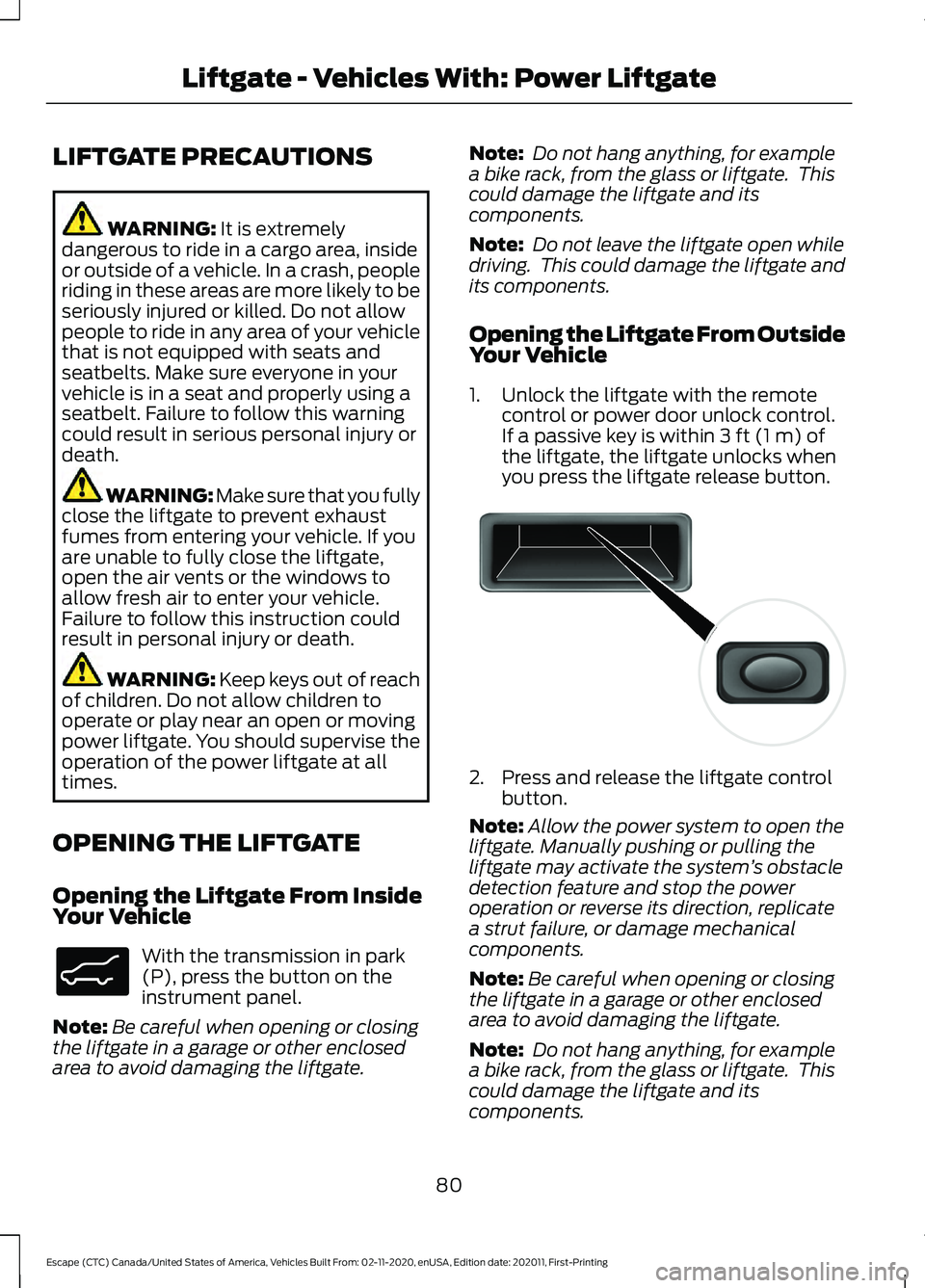
you press the liftgate release button. 2. Press and release the liftgate control
button.
Note: Allow the power system to open the
liftgate. Manually pushing or pulling the
liftgate may activate the system ’s obstacle
detection feature and stop the power
operation or reverse its direction, replicate
a strut failure, or damage mechanical
components.
Note: Be careful when opening or closing
the liftgate in a garage or other enclosed
area to avoid damaging the liftgate.
Note: Do not hang anything, for example
a bike rack, from the glass or liftgate. This
could damage the liftgate and its
components.
80
Escape (CTC) Canada/United States of America, Vehicles Built From: 02-11-2020, enUSA, Edition date: 202011, First-Printing Liftgate - Vehicles With: Power LiftgateE138633 E138632
Page 85 of 589
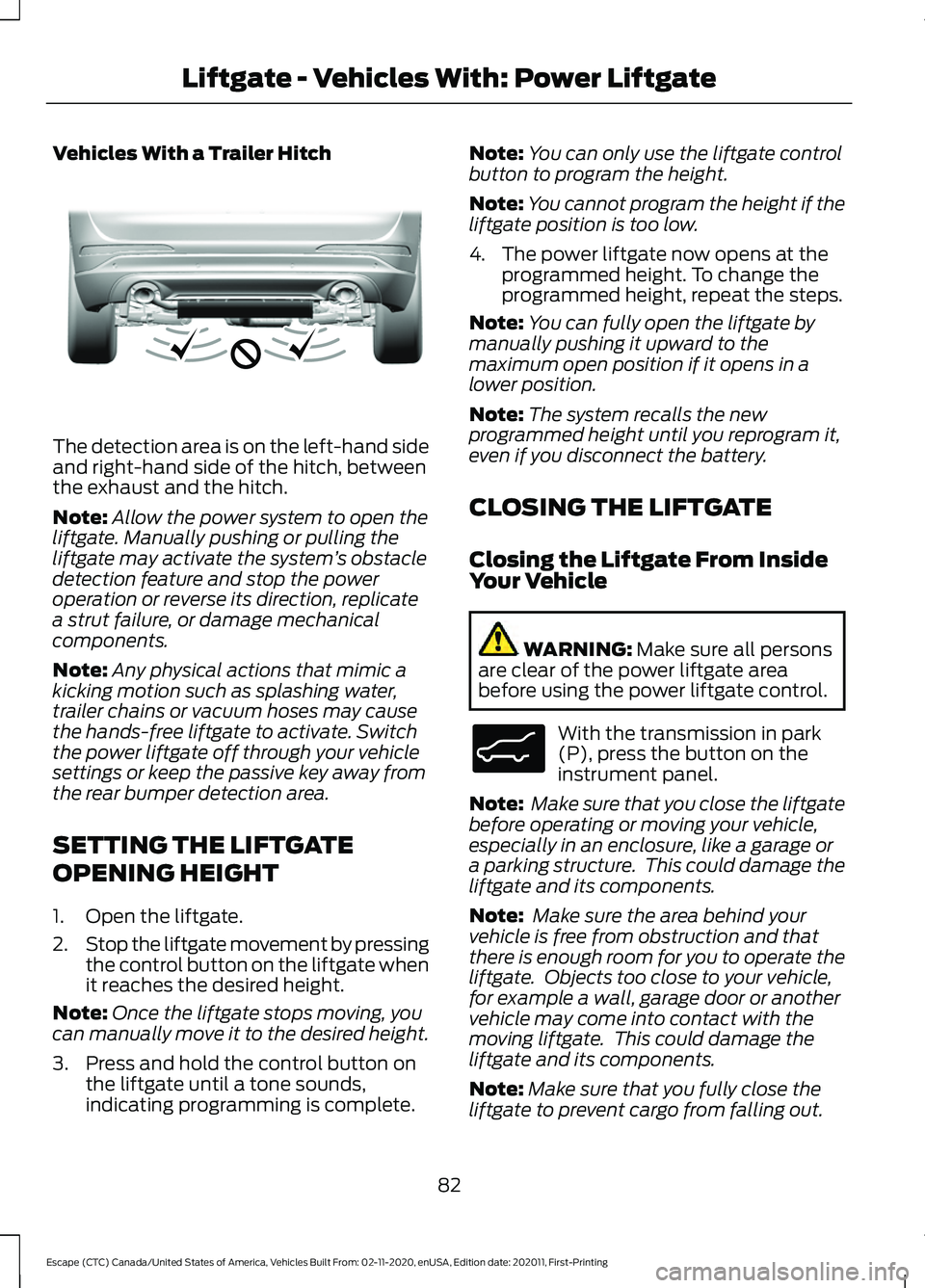
Vehicles With a Trailer Hitch
The detection area is on the left-hand side
and right-hand side of the hitch, between
the exhaust and the hitch.
Note:
Allow the power system to open the
liftgate. Manually pushing or pulling the
liftgate may activate the system ’s obstacle
detection feature and stop the power
operation or reverse its direction, replicate
a strut failure, or damage mechanical
components.
Note: Any physical actions that mimic a
kicking motion such as splashing water,
trailer chains or vacuum hoses may cause
the hands-free liftgate to activate. Switch
the power liftgate off through your vehicle
settings or keep the passive key away from
the rear bumper detection area.
SETTING THE LIFTGATE
OPENING HEIGHT
1. Open the liftgate.
2. Stop the liftgate movement by pressing
the control button on the liftgate when
it reaches the desired height.
Note: Once the liftgate stops moving, you
can manually move it to the desired height.
3. Press and hold the control button on the liftgate until a tone sounds,
indicating programming is complete. Note:
You can only use the liftgate control
button to program the height.
Note: You cannot program the height if the
liftgate position is too low.
4. The power liftgate now opens at the programmed height. To change the
programmed height, repeat the steps.
Note: You can fully open the liftgate by
manually pushing it upward to the
maximum open position if it opens in a
lower position.
Note: The system recalls the new
programmed height until you reprogram it,
even if you disconnect the battery.
CLOSING THE LIFTGATE
Closing the Liftgate From Inside
Your Vehicle WARNING: Make sure all persons
are clear of the power liftgate area
before using the power liftgate control. With the transmission in park
(P), press the button on the
instrument panel.
Note: Make sure that you close the liftgate
before operating or moving your vehicle,
especially in an enclosure, like a garage or
a parking structure. This could damage the
liftgate and its components.
Note: Make sure the area behind your
vehicle is free from obstruction and that
there is enough room for you to operate the
liftgate. Objects too close to your vehicle,
for example a wall, garage door or another
vehicle may come into contact with the
moving liftgate. This could damage the
liftgate and its components.
Note: Make sure that you fully close the
liftgate to prevent cargo from falling out.
82
Escape (CTC) Canada/United States of America, Vehicles Built From: 02-11-2020, enUSA, Edition date: 202011, First-Printing Liftgate - Vehicles With: Power LiftgateE310718 E138633
Page 106 of 589
SWITCHING ALL OF THE
INTERIOR LAMPS ON AND OFF
The lamps turn on under the following
conditions:
•
You open any door.
• You press a button on the remote
control.
• You press the all lamps on button on
the overhead console. Press to switch all interior lamps
on or off.
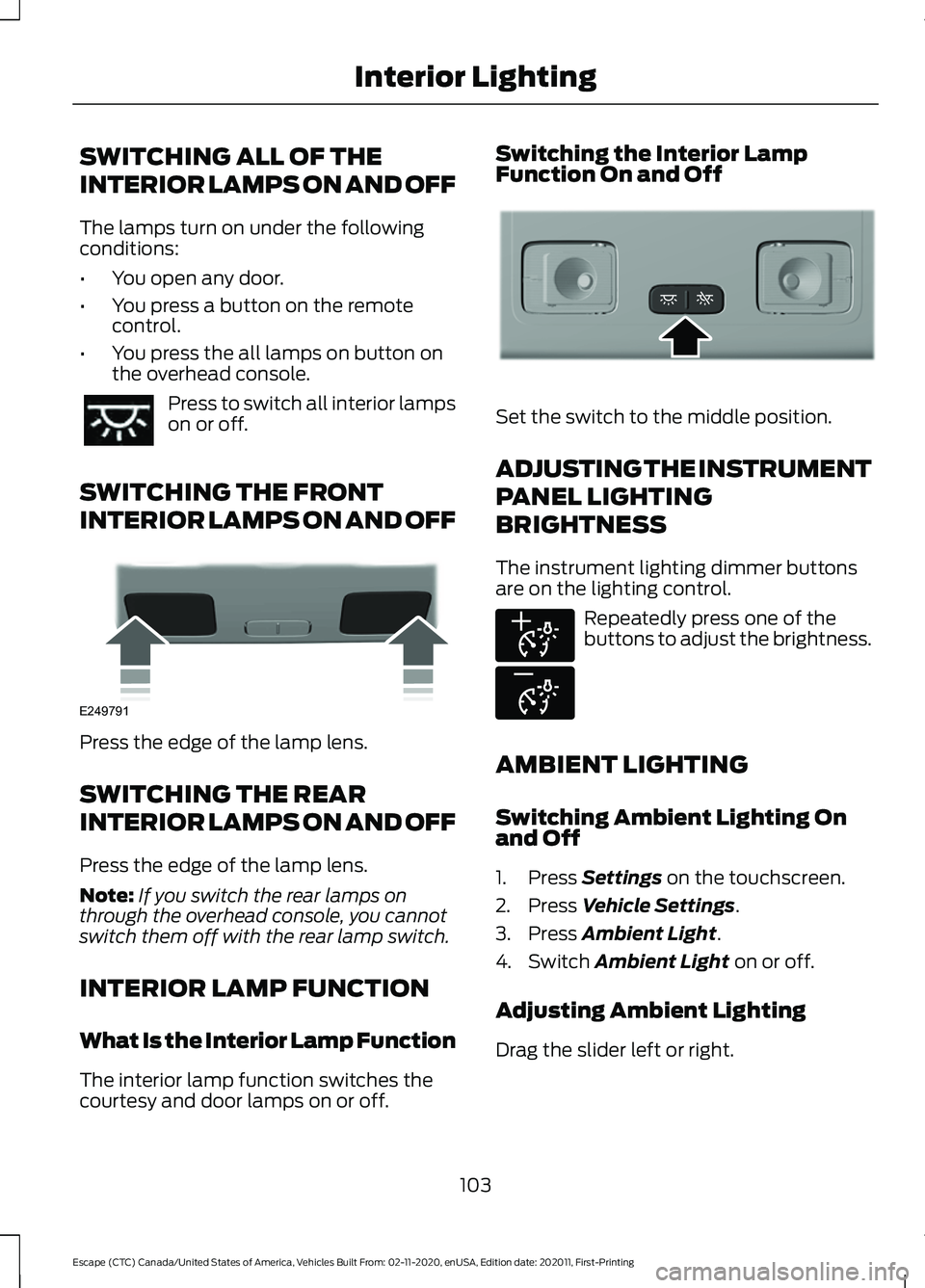
SWITCHING THE FRONT
INTERIOR LAMPS ON AND OFF Press the edge of the lamp lens.
SWITCHING THE REAR
INTERIOR LAMPS ON AND OFF
Press the edge of the lamp lens.
Note:
If you switch the rear lamps on
through the overhead console, you cannot
switch them off with the rear lamp switch.
INTERIOR LAMP FUNCTION
What Is the Interior Lamp Function
The interior lamp function switches the
courtesy and door lamps on or off. Switching the Interior Lamp
Function On and Off
Set the switch to the middle position.
ADJUSTING THE INSTRUMENT
PANEL LIGHTING
BRIGHTNESS
The instrument lighting dimmer buttons
are on the lighting control.
Repeatedly press one of the
buttons to adjust the brightness.
AMBIENT LIGHTING
Switching Ambient Lighting On
and Off
1. Press Settings on the touchscreen.
2. Press
Vehicle Settings.
3. Press
Ambient Light.
4. Switch
Ambient Light on or off.
Adjusting Ambient Lighting
Drag the slider left or right.
103
Escape (CTC) Canada/United States of America, Vehicles Built From: 02-11-2020, enUSA, Edition date: 202011, First-Printing Interior Lighting E249791 E299443 E291299 E296433
Page 140 of 589
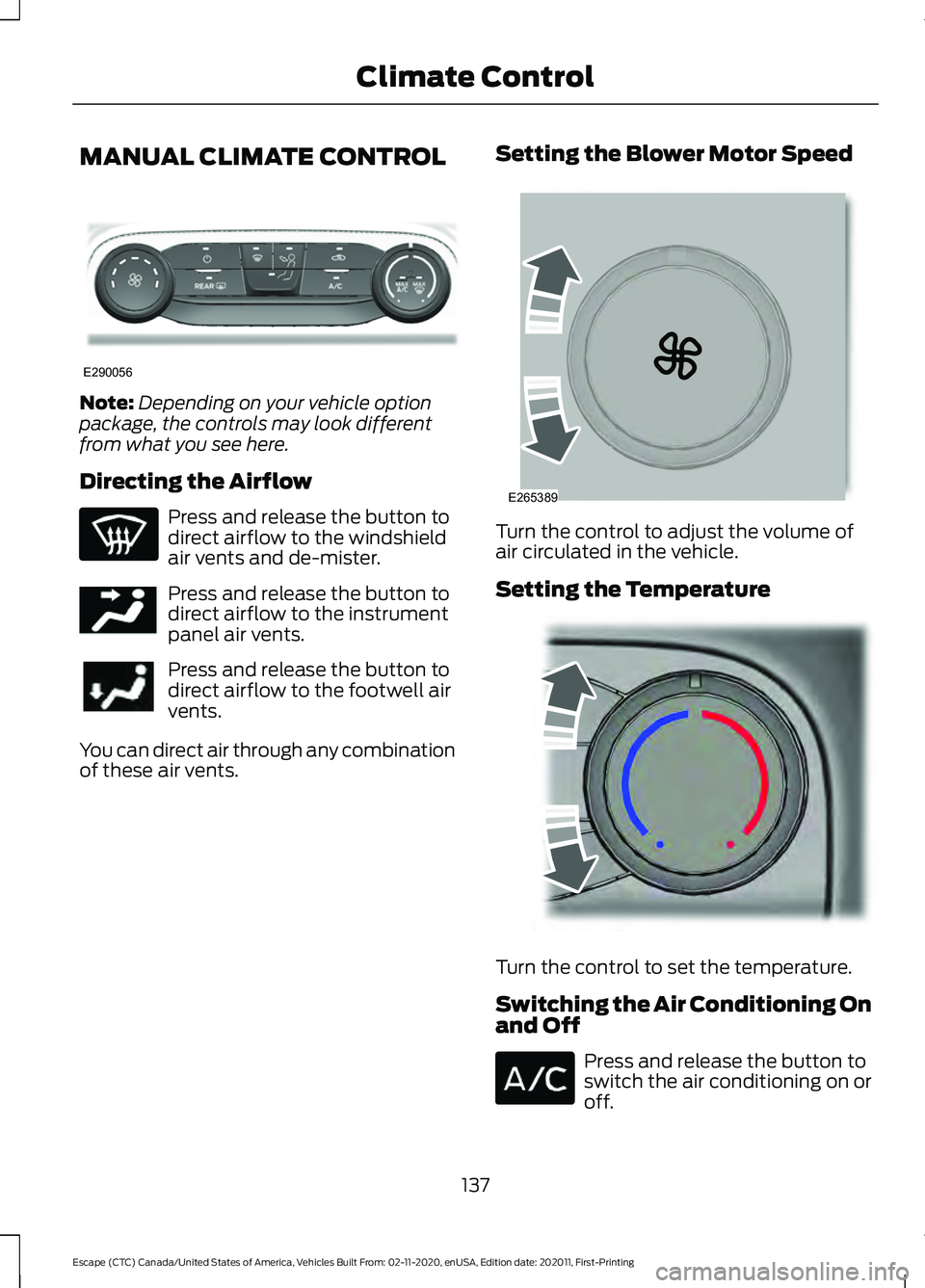
MANUAL CLIMATE CONTROL
Note:
Depending on your vehicle option
package, the controls may look different
from what you see here.
Directing the Airflow Press and release the button to
direct airflow to the windshield
air vents and de-mister.
Press and release the button to
direct airflow to the instrument
panel air vents.
Press and release the button to
direct airflow to the footwell air
vents.
You can direct air through any combination
of these air vents. Setting the Blower Motor Speed Turn the control to adjust the volume of
air circulated in the vehicle.
Setting the Temperature
Turn the control to set the temperature.
Switching the Air Conditioning On
and Off
Press and release the button to
switch the air conditioning on or
off.
137
Escape (CTC) Canada/United States of America, Vehicles Built From: 02-11-2020, enUSA, Edition date: 202011, First-Printing Climate ControlE290056 E244097 E265389 E244106
Page 141 of 589
Use air conditioning with recirculated air
to improve cooling performance and
efficiency.
Note:
In certain conditions, for example,
maximum defrost, the air conditioning
compressor may continue to operate even
though you switch off the air conditioning.
Switching the Climate Control On
and Off Press and release the button.
Switching Maximum Air
Conditioning On and Off Turn the temperature control
counterclockwise to the lowest
setting for maximum cooling.
The left-hand and right-hand settings set
to LO, recirculated air flows through the
instrument panel air vents, air conditioning
turns on and the blower motor adjusts to
the highest speed.
Switching Maximum Defrost On
and Off Turn the temperature control
clockwise to the highest setting
for maximum defrosting.
The left-hand and right-hand settings set
to HI, air flows through the windshield air
vents, and the blower motor adjusts to the
highest speed. You can also use this setting
to defog and clear the windshield of a thin
covering of ice. The heated rear window
also turns on when you select maximum
defrost.
Note: To prevent window fogging, you
cannot select recirculated air when
maximum defrost is on. Switching Recirculated Air On and
Off Press and release the button to
switch between outside air and
recirculated air.
The air currently in the passenger
compartment recirculates. This may
reduce the time needed to cool the interior,
when used with A/C, and reduce unwanted
odors from entering your vehicle.
Note: Recirculated air may turn off, or
prevent you from switching on, in all air flow
modes except MAX A/C to reduce the risk
of fogging. Recirculation may also turn on
and off in various air distribution control
combinations during hot weather to improve
cooling efficiency.
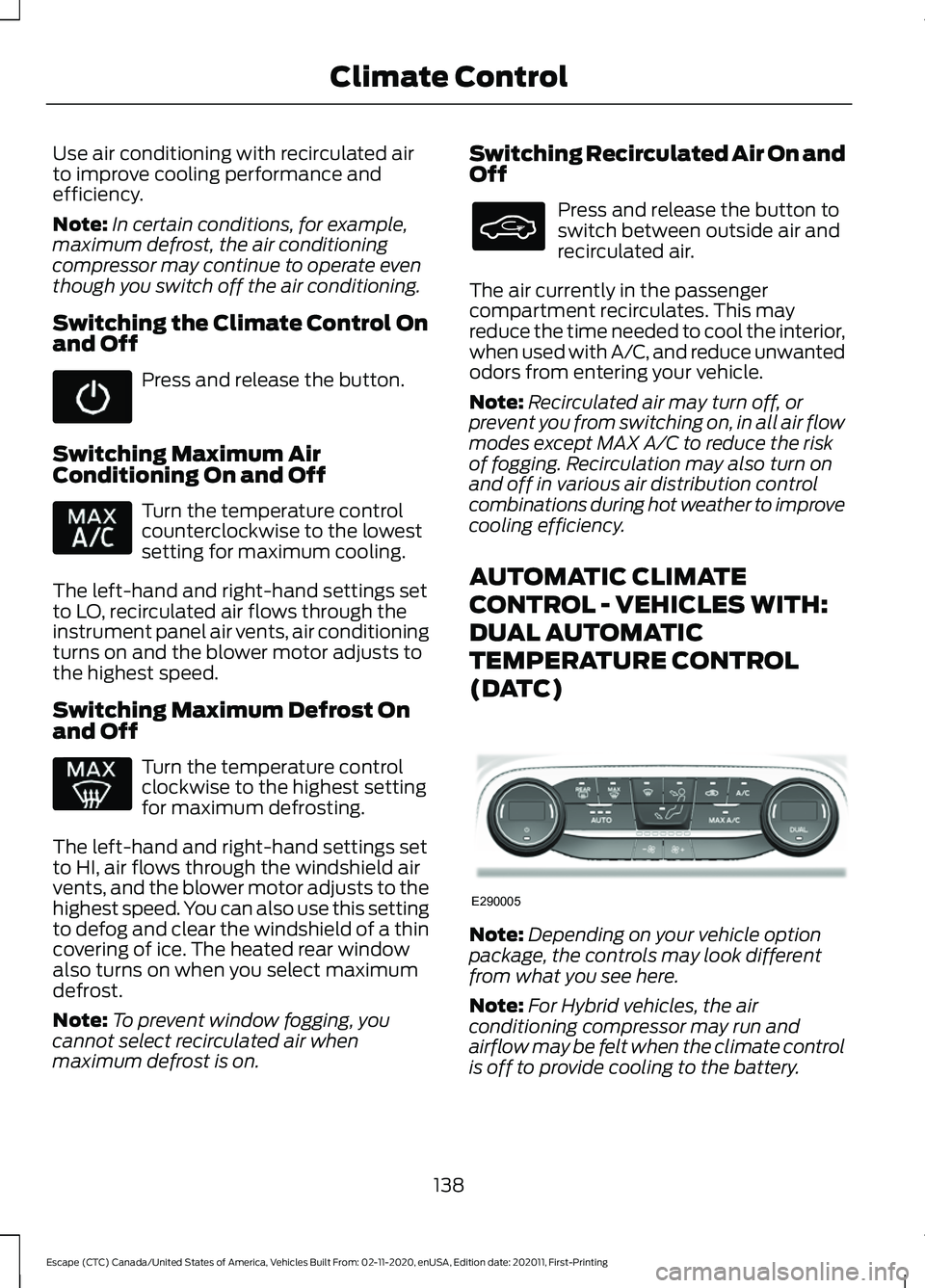
AUTOMATIC CLIMATE
CONTROL - VEHICLES WITH:
DUAL AUTOMATIC
TEMPERATURE CONTROL
(DATC) Note:
Depending on your vehicle option
package, the controls may look different
from what you see here.
Note: For Hybrid vehicles, the air
conditioning compressor may run and
airflow may be felt when the climate control
is off to provide cooling to the battery.
138
Escape (CTC) Canada/United States of America, Vehicles Built From: 02-11-2020, enUSA, Edition date: 202011, First-Printing Climate Control E290005