turn signal FORD ESCAPE 2021 Owners Manual
[x] Cancel search | Manufacturer: FORD, Model Year: 2021, Model line: ESCAPE, Model: FORD ESCAPE 2021Pages: 589, PDF Size: 9.2 MB
Page 62 of 589
Note:
Inspect the key blade for debris.
Periodically clean with a brush.
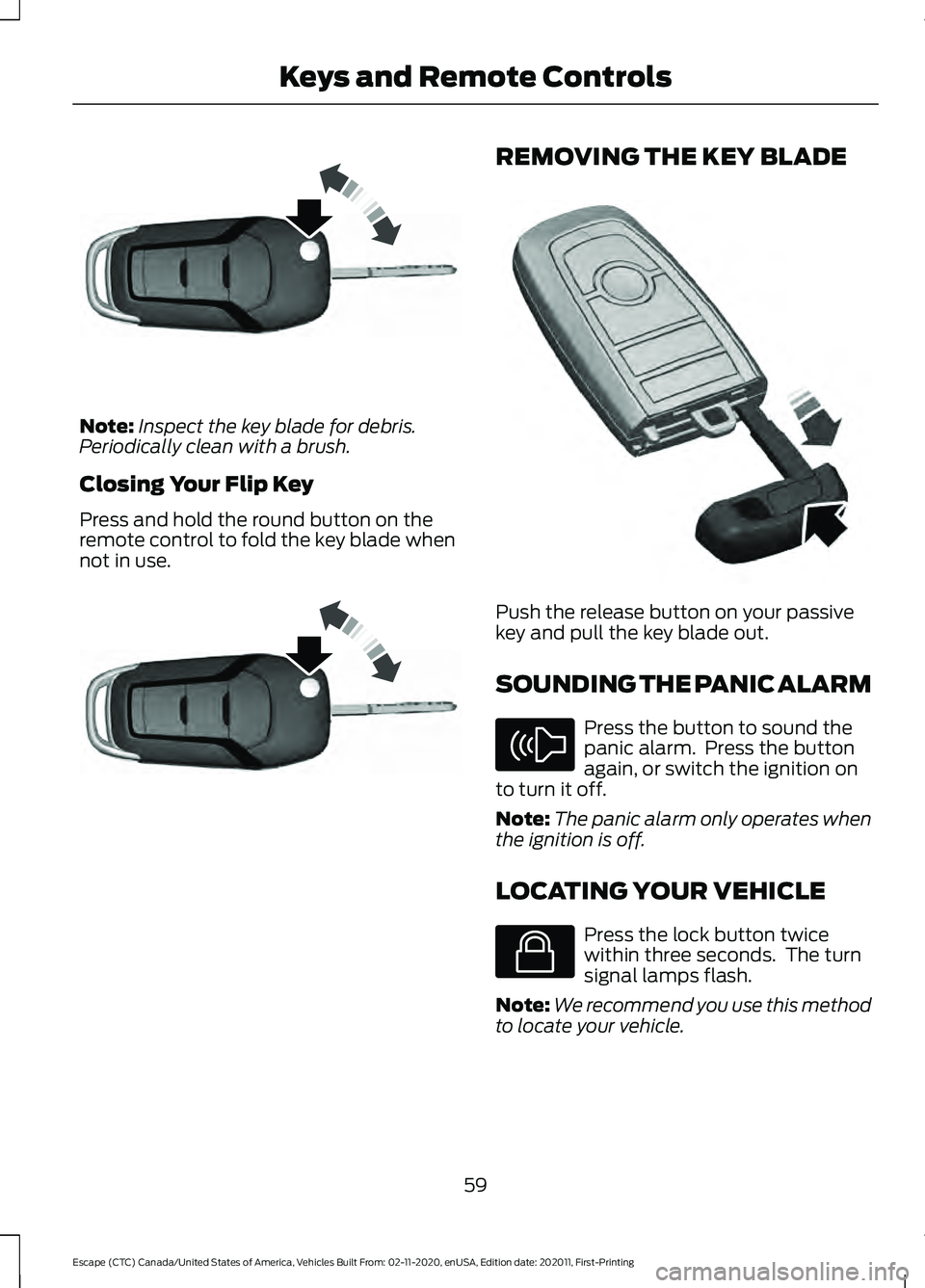
Closing Your Flip Key
Press and hold the round button on the
remote control to fold the key blade when
not in use. REMOVING THE KEY BLADE
Push the release button on your passive
key and pull the key blade out.
SOUNDING THE PANIC ALARM
Press the button to sound the
panic alarm. Press the button
again, or switch the ignition on
to turn it off.
Note: The panic alarm only operates when
the ignition is off.
LOCATING YOUR VEHICLE Press the lock button twice
within three seconds. The turn
signal lamps flash.
Note: We recommend you use this method
to locate your vehicle.
59
Escape (CTC) Canada/United States of America, Vehicles Built From: 02-11-2020, enUSA, Edition date: 202011, First-Printing Keys and Remote ControlsE191532 E191532 E322866 E138624 E138623
Page 72 of 589
OPERATING THE DOORS
FROM OUTSIDE YOUR
VEHICLE
Unlocking and Locking the Doors
Using the Remote Control
You can only use the remote control when
your vehicle is stationary.
Unlocking the Doors
Press the button to unlock all
doors.
Locking the Doors Press the button to lock all
doors. One short flash of the
turn signal lamps confirms that
your vehicle has locked.
Note: For more information on operating
the doors from outside your vehicle See
Keyless Entry (page 73).
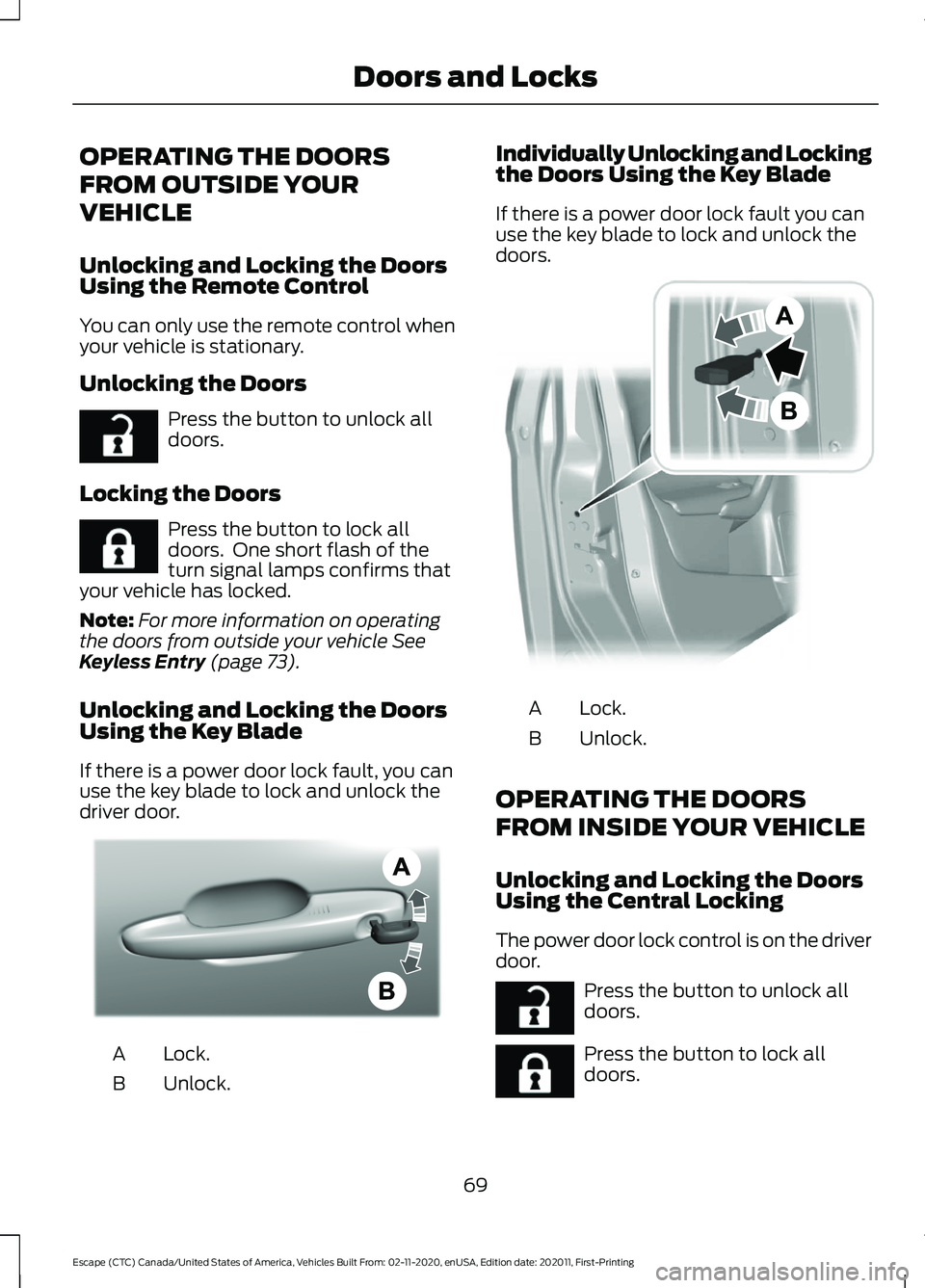
Unlocking and Locking the Doors
Using the Key Blade
If there is a power door lock fault, you can
use the key blade to lock and unlock the
driver door. Lock.
A
Unlock.
B Individually Unlocking and Locking
the Doors Using the Key Blade
If there is a power door lock fault you can
use the key blade to lock and unlock the
doors.
Lock.
A
Unlock.
B
OPERATING THE DOORS
FROM INSIDE YOUR VEHICLE
Unlocking and Locking the Doors
Using the Central Locking
The power door lock control is on the driver
door. Press the button to unlock all
doors.
Press the button to lock all
doors.
69
Escape (CTC) Canada/United States of America, Vehicles Built From: 02-11-2020, enUSA, Edition date: 202011, First-Printing Doors and LocksE267112 E267111 AE328009 E112203 E267112 E267111
Page 100 of 589
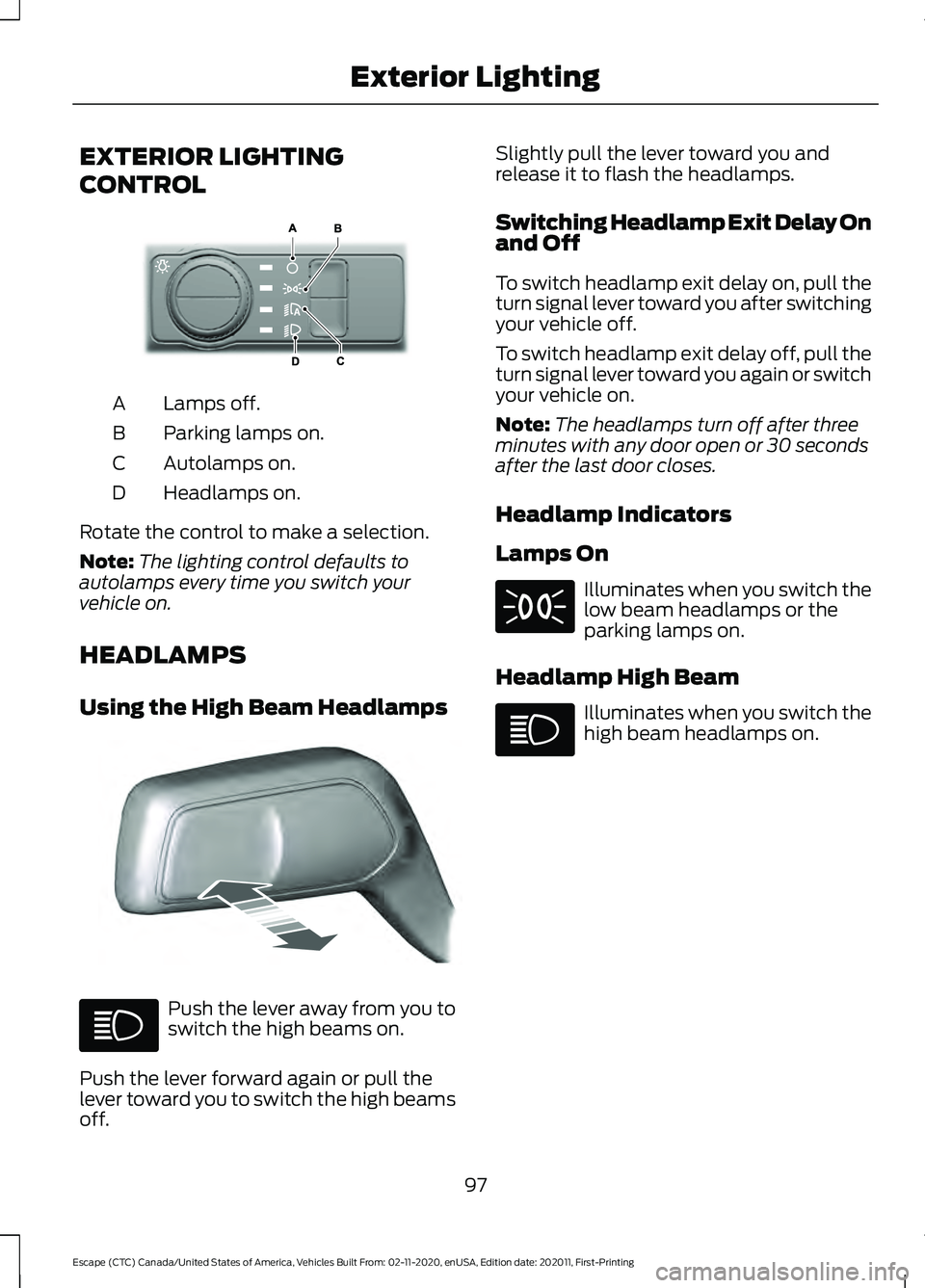
EXTERIOR LIGHTING
CONTROL
Lamps off.
A
Parking lamps on.
B
Autolamps on.
C
Headlamps on.
D
Rotate the control to make a selection.
Note: The lighting control defaults to
autolamps every time you switch your
vehicle on.
HEADLAMPS
Using the High Beam Headlamps Push the lever away from you to
switch the high beams on.
Push the lever forward again or pull the
lever toward you to switch the high beams
off. Slightly pull the lever toward you and
release it to flash the headlamps.
Switching Headlamp Exit Delay On
and Off
To switch headlamp exit delay on, pull the
turn signal lever toward you after switching
your vehicle off.
To switch headlamp exit delay off, pull the
turn signal lever toward you again or switch
your vehicle on.
Note:
The headlamps turn off after three
minutes with any door open or 30 seconds
after the last door closes.
Headlamp Indicators
Lamps On Illuminates when you switch the
low beam headlamps or the
parking lamps on.
Headlamp High Beam Illuminates when you switch the
high beam headlamps on.
97
Escape (CTC) Canada/United States of America, Vehicles Built From: 02-11-2020, enUSA, Edition date: 202011, First-Printing Exterior LightingE327629 E328253
Page 102 of 589
EXTERIOR LAMPS
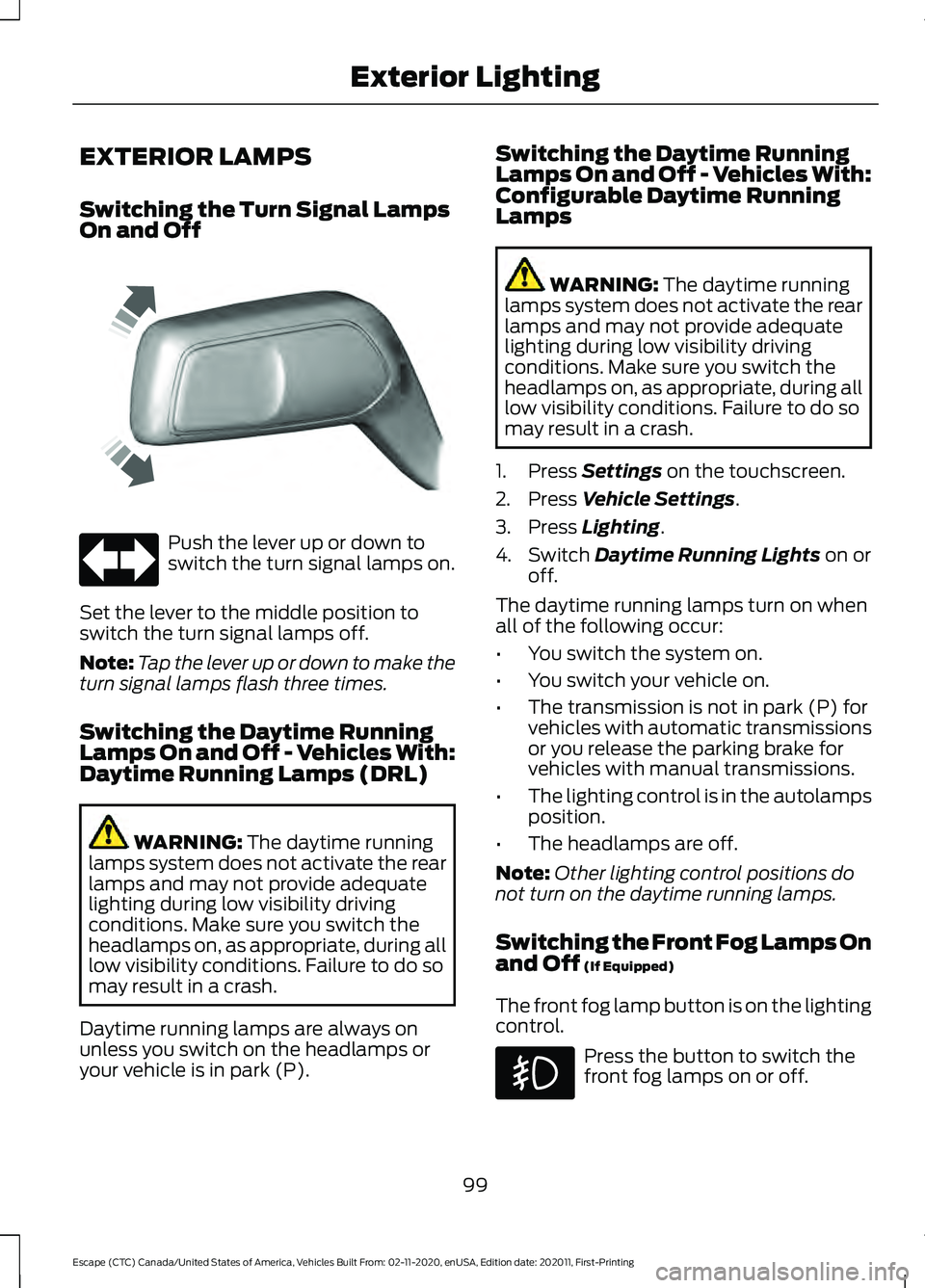
Switching the Turn Signal Lamps
On and Off
Push the lever up or down to
switch the turn signal lamps on.
Set the lever to the middle position to
switch the turn signal lamps off.
Note: Tap the lever up or down to make the
turn signal lamps flash three times.
Switching the Daytime Running
Lamps On and Off - Vehicles With:
Daytime Running Lamps (DRL) WARNING: The daytime running
lamps system does not activate the rear
lamps and may not provide adequate
lighting during low visibility driving
conditions. Make sure you switch the
headlamps on, as appropriate, during all
low visibility conditions. Failure to do so
may result in a crash.
Daytime running lamps are always on
unless you switch on the headlamps or
your vehicle is in park (P). Switching the Daytime Running
Lamps On and Off - Vehicles With:
Configurable Daytime Running
Lamps WARNING:
The daytime running
lamps system does not activate the rear
lamps and may not provide adequate
lighting during low visibility driving
conditions. Make sure you switch the
headlamps on, as appropriate, during all
low visibility conditions. Failure to do so
may result in a crash.
1. Press
Settings on the touchscreen.
2. Press
Vehicle Settings.
3. Press
Lighting.
4. Switch
Daytime Running Lights on or
off.
The daytime running lamps turn on when
all of the following occur:
• You switch the system on.
• You switch your vehicle on.
• The transmission is not in park (P) for
vehicles with automatic transmissions
or you release the parking brake for
vehicles with manual transmissions.
• The lighting control is in the autolamps
position.
• The headlamps are off.
Note: Other lighting control positions do
not turn on the daytime running lamps.
Switching the Front Fog Lamps On
and Off
(If Equipped)
The front fog lamp button is on the lighting
control. Press the button to switch the
front fog lamps on or off.
99
Escape (CTC) Canada/United States of America, Vehicles Built From: 02-11-2020, enUSA, Edition date: 202011, First-Printing Exterior LightingE242676
Page 103 of 589
Note:
Only switch the front fog lamps on
during reduced visibility.
Note: The brightness of the daytime running
lamps may decrease when the front fog
lamps are switched on.
Note: When the lighting control is in the
autolamps position, you cannot switch the
fog lamps on unless the headlamps are on.
Exterior Lamp Indicators
Front Fog Lamp It illuminates when you switch
the front fog lamps on.
Turn Signal Lamp It flashes when you switch the
turn signal lamps on.
Note: An increase in the rate of flashing
warns of a failed turn signal lamp bulb.
Exterior Lamp Audible Warning
Exterior Lamps On
Sounds when you open the driver door and
the exterior lamps are on.
AUTOMATIC HIGH BEAM
CONTROL
How Does Automatic High Beam
Control Work
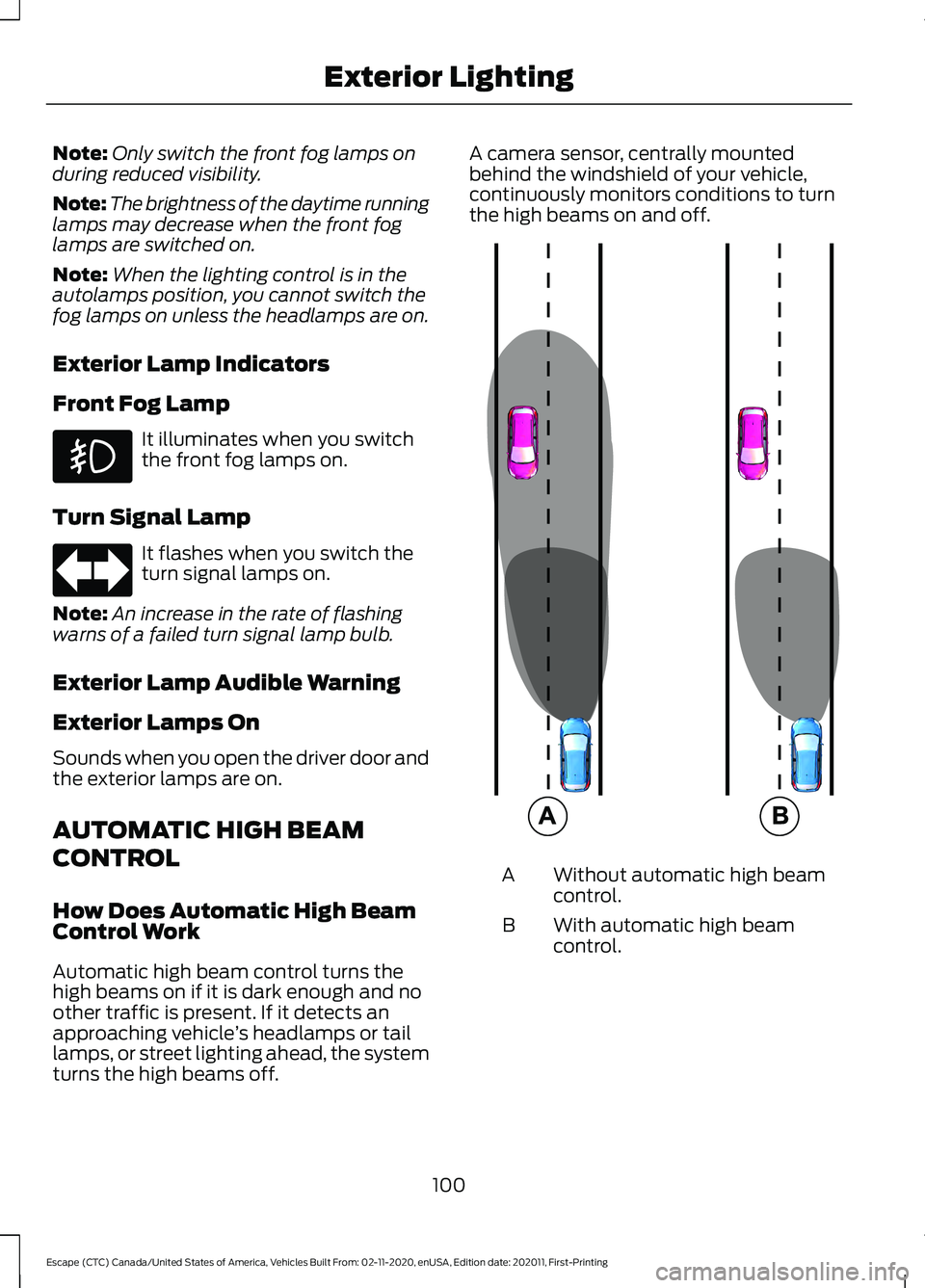
Automatic high beam control turns the
high beams on if it is dark enough and no
other traffic is present. If it detects an
approaching vehicle ’s headlamps or tail
lamps, or street lighting ahead, the system
turns the high beams off. A camera sensor, centrally mounted
behind the windshield of your vehicle,
continuously monitors conditions to turn
the high beams on and off.
Without automatic high beam
control.
A
With automatic high beam
control.
B
100
Escape (CTC) Canada/United States of America, Vehicles Built From: 02-11-2020, enUSA, Edition date: 202011, First-Printing Exterior Lighting E327596
Page 125 of 589
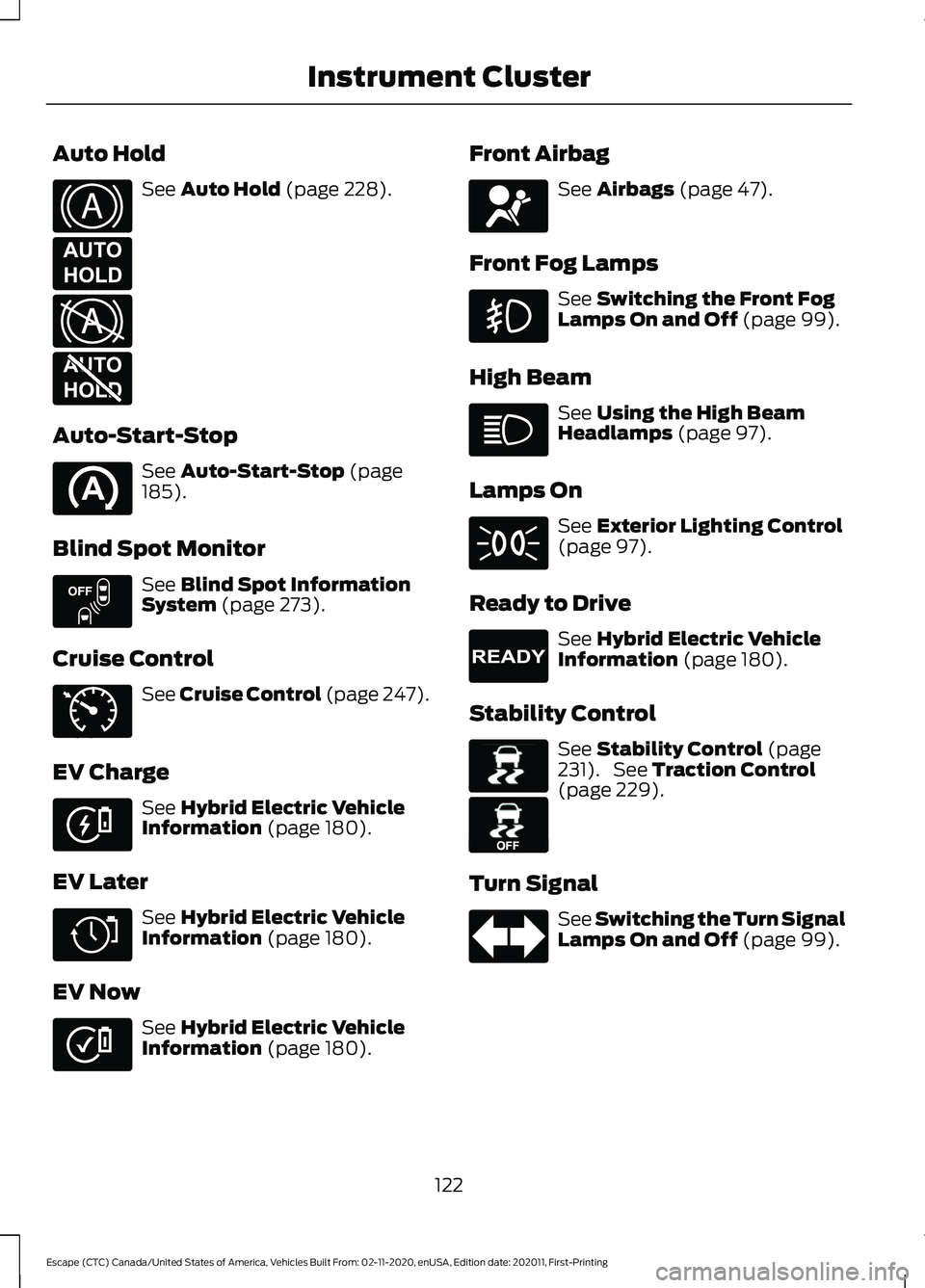
Auto Hold
See Auto Hold (page 228).
Auto-Start-Stop See
Auto-Start-Stop (page
185).
Blind Spot Monitor See
Blind Spot Information
System (page 273).
Cruise Control See
Cruise Control (page 247).
EV Charge See
Hybrid Electric Vehicle
Information (page 180).
EV Later See
Hybrid Electric Vehicle
Information (page 180).
EV Now See
Hybrid Electric Vehicle
Information (page 180). Front Airbag See
Airbags (page 47).
Front Fog Lamps See
Switching the Front Fog
Lamps On and Off (page 99).
High Beam See
Using the High Beam
Headlamps (page 97).
Lamps On See
Exterior Lighting Control
(page 97).
Ready to Drive See
Hybrid Electric Vehicle
Information (page 180).
Stability Control See
Stability Control (page
231). See Traction Control
(page 229).
Turn Signal See Switching the Turn Signal
Lamps On and Off
(page 99).
122
Escape (CTC) Canada/United States of America, Vehicles Built From: 02-11-2020, enUSA, Edition date: 202011, First-Printing Instrument ClusterE322410 E197933 E322411 E197934 E151262 E71340 E281479 E281477 E281476 E67017 E224090 E138639 E130458
Page 137 of 589
WHAT IS REMOTE START
The system allows you to remotely start
your vehicle and to adjust the interior
temperature according to the settings that
you chose.
REMOTE START
PRECAUTIONS
WARNING: Do not start the engine
in a closed garage or in other enclosed
areas. Exhaust fumes are toxic. Always
open the garage door before you start
the engine. Failure to follow this
instruction could result in personal injury
or death.
REMOTE START LIMITATIONS
Remote start does not work under the
following conditions:
• The alarm horn is sounding.
• The hood is open.
• The transmission is not in park (P).
• The ignition is on.
• The battery voltage is below the
minimum operating voltage.
Note: Do not use remote start if your fuel
level is low.
Note: You can use remote start with
FordPass. See Connecting the Vehicle to
a Wi-Fi Network (page 409).
ENABLING REMOTE START
1. Press
Settings on the touchscreen.
2. Press
Vehicle Settings.
3. Press
Remote Start Setup.
4. Switch
Remote Start on or off. Note:
To remote start with FordPass, make
sure that the modem is enabled.
See
Connected Vehicle Requirements (page
409).
REMOTELY STARTING AND
STOPPING THE VEHICLE
Remotely Starting the Vehicle Press the button on the remote
control.
Within three seconds, press the
button twice on the remote
control.
Note: You can also use the FordPass App
to start the vehicle.
Note: The turn signals flash twice.
Note: The parking lamps turn on when the
vehicle is running.
Note: The horn sounds if the system fails
to start.
Note: All other vehicle systems remain off
when you have remotely started the vehicle.
Note: The vehicle remains secured when
you have remotely started the vehicle. A
valid key must be inside your vehicle to
switch the ignition on and drive your vehicle.
Remotely Stopping the Vehicle Within three seconds, press the
button twice on the remote
control.
EXTENDING THE REMOTE
START DURATION
To extend the remote start duration during
remote start, do the following:
134
Escape (CTC) Canada/United States of America, Vehicles Built From: 02-11-2020, enUSA, Edition date: 202011, First-Printing Remote Start
(If Equipped)E138623 E138625 E138625
Page 167 of 589
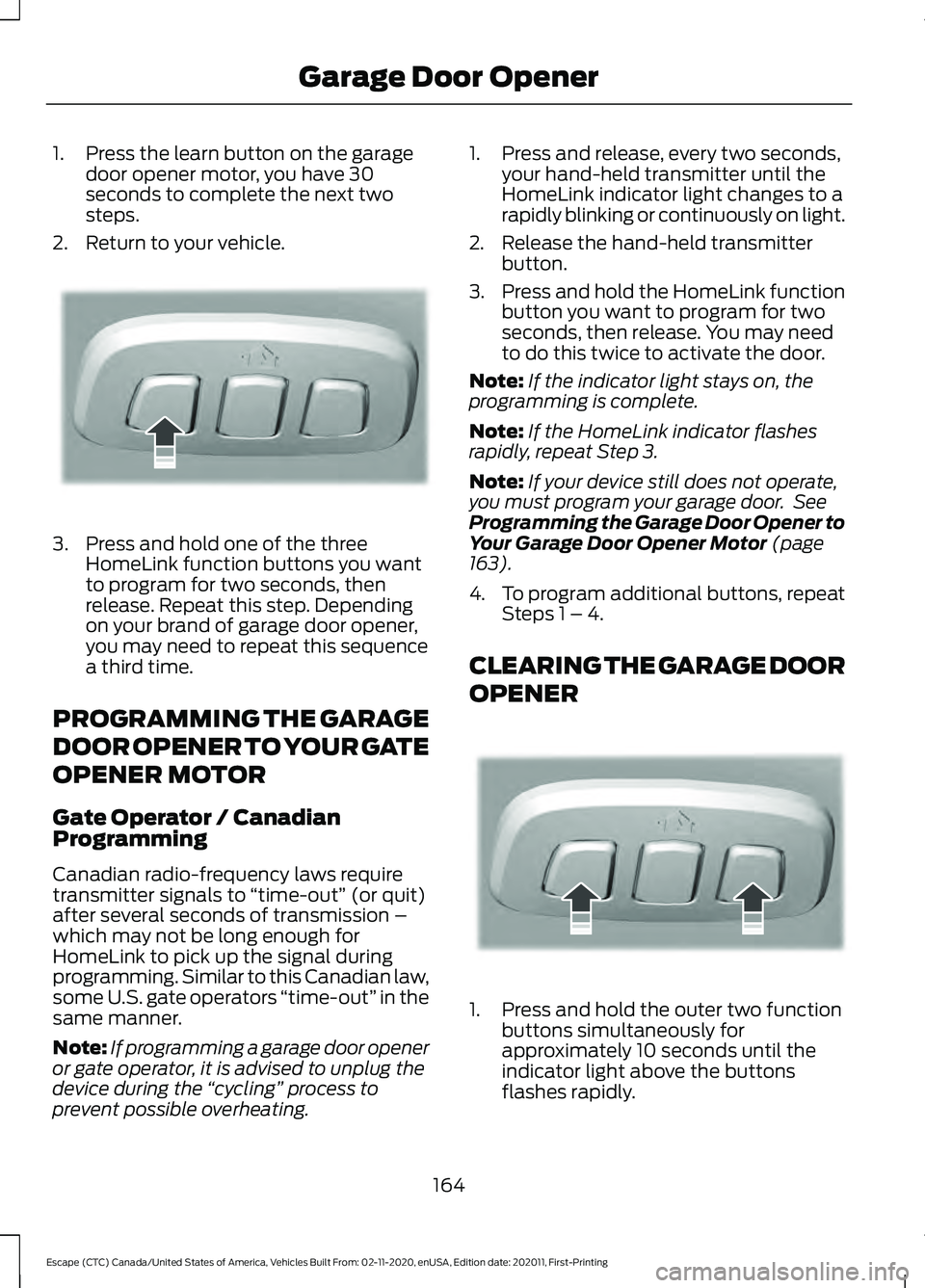
1. Press the learn button on the garage
door opener motor, you have 30
seconds to complete the next two
steps.
2. Return to your vehicle. 3. Press and hold one of the three
HomeLink function buttons you want
to program for two seconds, then
release. Repeat this step. Depending
on your brand of garage door opener,
you may need to repeat this sequence
a third time.
PROGRAMMING THE GARAGE
DOOR OPENER TO YOUR GATE
OPENER MOTOR
Gate Operator / Canadian
Programming
Canadian radio-frequency laws require
transmitter signals to “time-out” (or quit)
after several seconds of transmission –
which may not be long enough for
HomeLink to pick up the signal during
programming. Similar to this Canadian law,
some U.S. gate operators “time-out” in the
same manner.
Note: If programming a garage door opener
or gate operator, it is advised to unplug the
device during the “cycling” process to
prevent possible overheating. 1. Press and release, every two seconds,
your hand-held transmitter until the
HomeLink indicator light changes to a
rapidly blinking or continuously on light.
2. Release the hand-held transmitter button.
3. Press and hold the HomeLink function
button you want to program for two
seconds, then release. You may need
to do this twice to activate the door.
Note: If the indicator light stays on, the
programming is complete.
Note: If the HomeLink indicator flashes
rapidly, repeat Step 3.
Note: If your device still does not operate,
you must program your garage door. See
Programming the Garage Door Opener to
Your Garage Door Opener Motor (page
163).
4. To program additional buttons, repeat Steps 1 – 4.
CLEARING THE GARAGE DOOR
OPENER 1. Press and hold the outer two function
buttons simultaneously for
approximately 10 seconds until the
indicator light above the buttons
flashes rapidly.
164
Escape (CTC) Canada/United States of America, Vehicles Built From: 02-11-2020, enUSA, Edition date: 202011, First-Printing Garage Door OpenerE188212 E188213
Page 246 of 589
WHAT IS ACTIVE PARK
ASSIST
Assists you with parking in and out of
parking spaces.
HOW DOES ACTIVE PARK
ASSIST WORK
Active park assist uses sensors to detect
parking spaces. Active park assist controls
steering, acceleration, braking and shifting
as required to maneuver into or out of a
parking space when activate.
ACTIVE PARK ASSIST
PRECAUTIONS
WARNING: You must remain in
your vehicle when the system turns on.
At all times, you are responsible for
controlling your vehicle, supervising the
system and intervening, if required.
Failure to take care may result in the loss
of control of your vehicle, serious
personal injury or death. WARNING:
The sensors may not
detect objects in heavy rain or other
conditions that cause interference. WARNING: You are responsible for
controlling your vehicle at all times. The
system is designed to be an aid and does
not relieve you of your responsibility to
drive with due care and attention. Failure
to follow this instruction could result in
the loss of control of your vehicle,
personal injury or death. WARNING:
Do not use the system
with accessories that extend beyond the
front or rear of your vehicle, for example
a trailer hitch or bike rack. The system is
not able to make corrections for the
additional length of the accessories.
SWITCHING ACTIVE PARK
ASSIST ON AND OFF Press the active park assist
button to bring up full screen
notifications.
Press the soft keys on the touchscreen to
switch between parallel park in,
perpendicular park in or parallel park out
parking modes.
Cancelling Active Park Assist
To cancel parking assistance at any time:
• Press the active park assist button
during operation.
• Grab the steering wheel during
operation.
• Drive above
22 mph (35 km/h) for a
short period of time when searching for
a parking space.
• Drive above
6 mph (9 km/h) during
operation.
• Switch traction control off.
ENTERING A PARALLEL
PARKING SPACE
1. Press the active park assist button.
Note: The system detects other vehicles
and curbs to find a parking space.
2. Use the turn signal lever to search for a parking space on the driver or
passenger side of your vehicle.
243
Escape (CTC) Canada/United States of America, Vehicles Built From: 02-11-2020, enUSA, Edition date: 202011, First-Printing Active Park Assist
(If Equipped)E146186
Page 247 of 589
Note:
If you do not use the turn signal lever,
the system searches for a parking space on
the passenger side of your vehicle.
3. Drive your vehicle approximately 3 ft
(1 m) away from and parallel to the
other parked vehicles when searching
for a parking space.
Note: A tone sounds and a message
appears in the information and
entertainment display when active park
assist finds a suitable parking space.
4. Press and hold the brake pedal.
5. Release the steering wheel and shift into neutral (N).
6. Press and hold the active park assist button.
7. Release the brake pedal to allow your vehicle to park.
Note: You can slow down your vehicle at
any time by pressing the brake pedal.
Note: When parallel parking between
objects, the system parks closer to the
object in front of your vehicle to allow easier
access to the luggage compartment.
Note: When parking is complete, your
vehicle shifts into park (P).
ENTERING A PERPENDICULAR
PARKING SPACE
1. Press the active park assist button.
Note: Active park assist does not recognize
parking space lines and centers your vehicle
between objects.
2. Press the active park assist icon on the
touchscreen.
3. Select perpendicular parking.
4. Use the turn signal lever to search for a parking space on the driver or
passenger side of your vehicle. Note:
If you do not use the turn signal lever,
the system searches for a parking space on
the passenger side of your vehicle.
5. Drive your vehicle approximately 3 ft
(1 m) away from and perpendicular to
the other parked vehicles when
searching for a parking space.
Note: A tone sounds and a message
appears in the information and
entertainment display when active park
assist finds a parking space.
6. Press and hold the brake pedal.
7. Release the steering wheel and shift into neutral (N).
8. Press and hold the active park assist button.
9. Release the brake pedal to allow the vehicle to park.
Note: Active park assist backs your vehicle
into parking spaces.
Note: Active park assist aligns the front end
of your vehicle with the lane side of the
object next to it.
Note: When the system detects only one
object, it allows enough distance to open
the door on either side.
Note: You can slow down your vehicle at
any time by pressing the brake pedal.
Note: When parking is complete, your
vehicle shifts into park (P).
EXITING A PARKING SPACE
Active park assist only assists leaving
parallel parking spaces.
1. Press the active park assist button.
2. Press the active park assist icon on the
touchscreen.
3. Select parallel park exit.
4. Use the turn signal to choose the direction to exit the parking space.
244
Escape (CTC) Canada/United States of America, Vehicles Built From: 02-11-2020, enUSA, Edition date: 202011, First-Printing Active Park Assist
(If Equipped)